

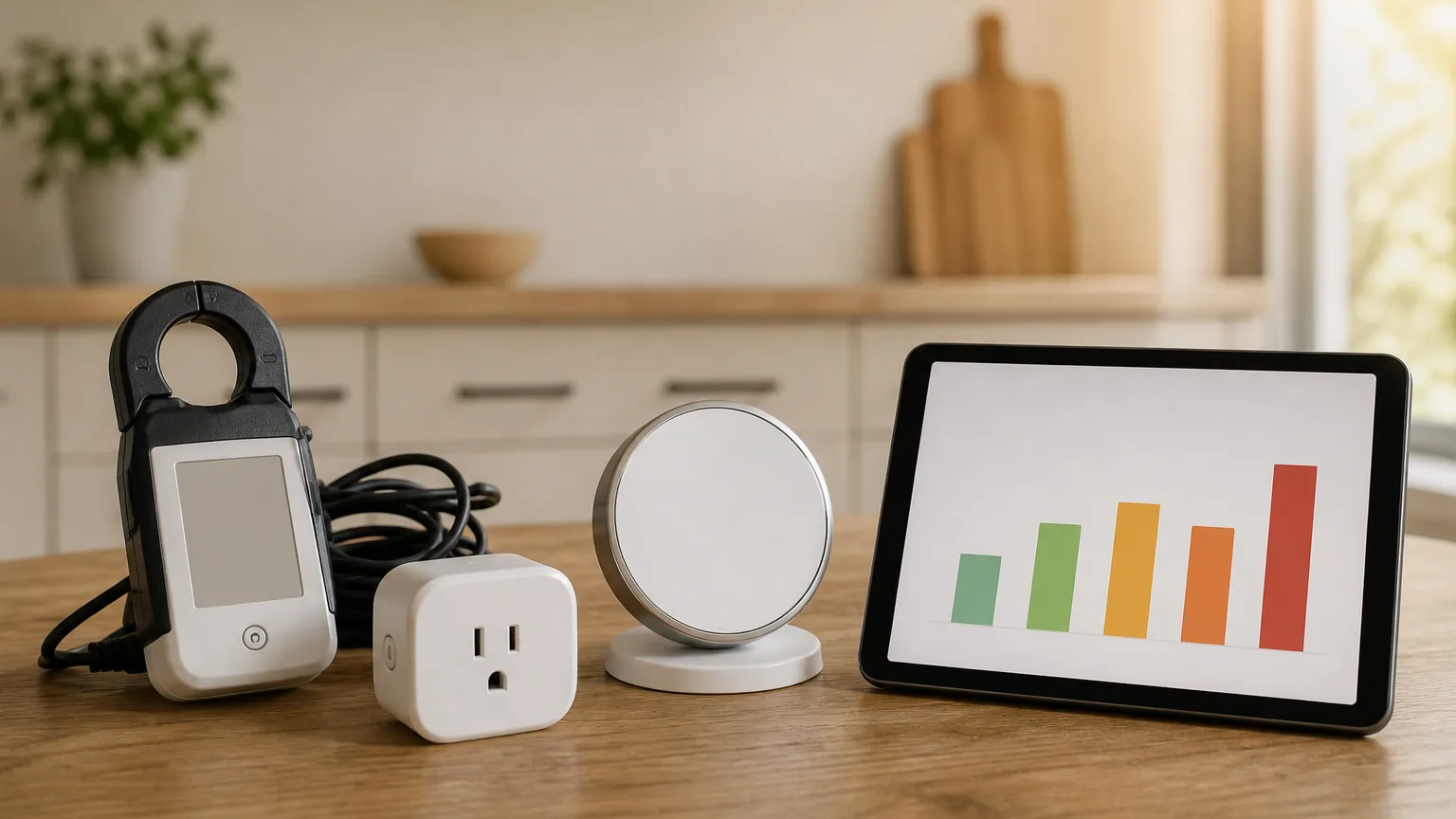
Smart Home Energy Audit: Which Devices Save Money in 2026
The Emporia Vue 3 attains 6.7 on the SHE Energy Savings Score — a circuit-level map beats a guess. Four picks, every price verified on Amazon on August 30, 2026, ranked on payback and on how much each one tells you about the rest of the house.
This article contains affiliate links. We may earn a commission at no extra cost to you. Prices change frequently — check the current price on Amazon before buying. Learn more
The Short Answer
The Emporia Vue 3 attains 6.7 on our energy savings score through circuit-level metering, identifying approximately 414 kWh of recoverable consumption annually. Kasa KP303 and Siemens Inhab tie on 5.8, for opposite reasons; ecobee Premium accumulates 5.1 on direct control of heating and cooling.
Featured in this Guide
Emporia
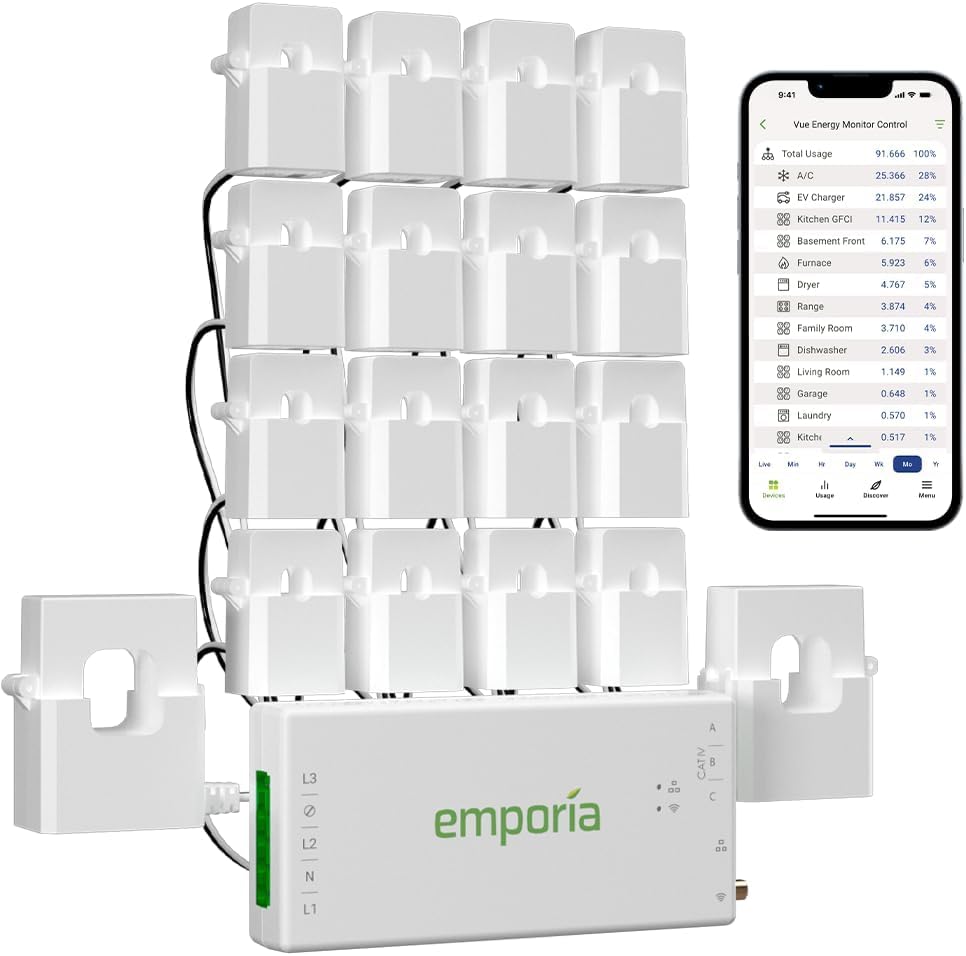
Vue 3 Energy Monitor
- •6.7 SHE Energy Savings Score — two 200A main sensors plus branch clamps, solar and net metering, no subscription
Siemens
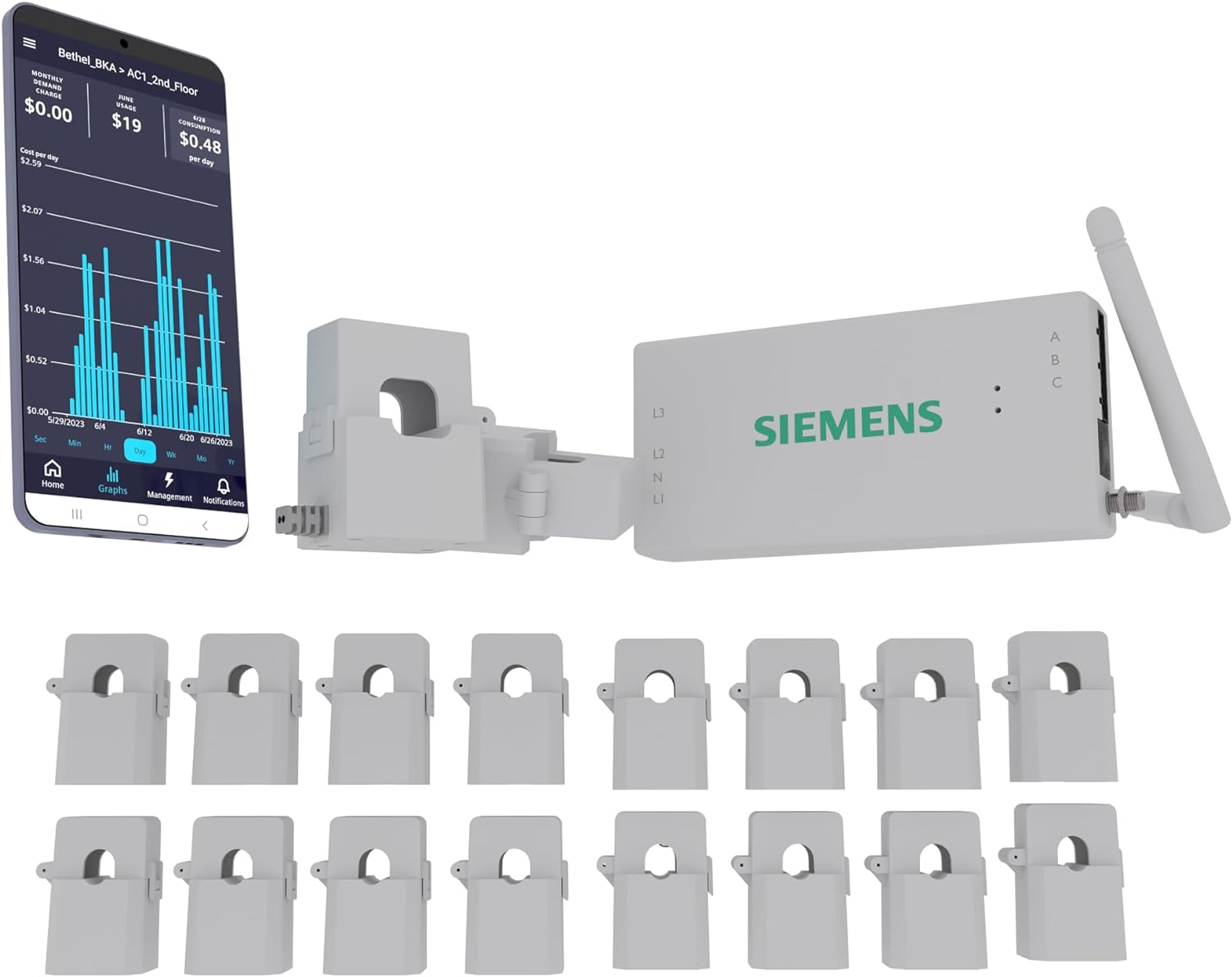
Inhab Smart Home Energy Monitor
- •The listing specifies sixteen 50A circuit sensors and two 200A main sensors in one fixed kit, with peak-demand tracking
TP-Link
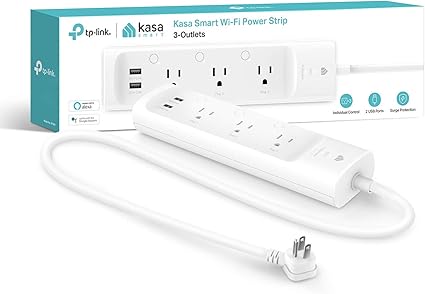
Kasa KP303 Smart Power Strip
- •Three independently switched outlets, no panel work, fastest payback here — but no energy monitoring at all
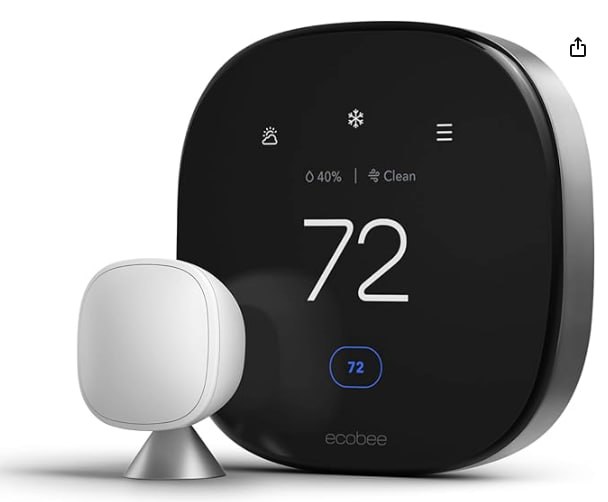
Ecobee
Smart Thermostat Premium
- •The only pick that acts on the largest load in an all-electric home instead of reporting it
- •SmartSensor in the box
Head-to-Head: Setup, Savings, and Recovery Time
Energy
Chart
 Smarthomeexplorer.com
Tap any pick to check its live price on Amazon.
AlorAir Sentinel HDi90 Basement/Crawlspace Dehumidifier with Pump
Check price
Big Ass Fans Haiku L 52-Inch Smart Ceiling Fan
Check price
Midea U Smart Inverter Window AC (12,000 BTU)
Check price
What a Home Energy Audit Actually Costs
A home energy audit does not begin with a purchase. It begins with a number you do not currently have: which circuits in your house are spending money while you sleep. In this guide we evaluated four devices that either answer that question or act upon it. The ranking uses the SHE Energy Savings Score, a weighted composite of what each device returns per dollar committed and how much it improves your other decisions. Every price here was independently verified on Amazon in August 2026. For the complete stack in payback order, see our best smart home energy management systems guide. For a monitor-only comparison, see our best whole-home energy monitors guide.
Best Audit Starting Point: Emporia Vue 3 Energy Monitor
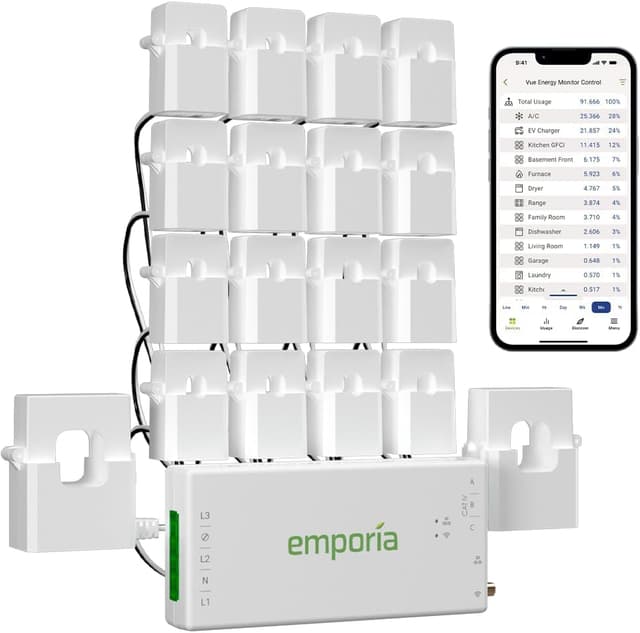
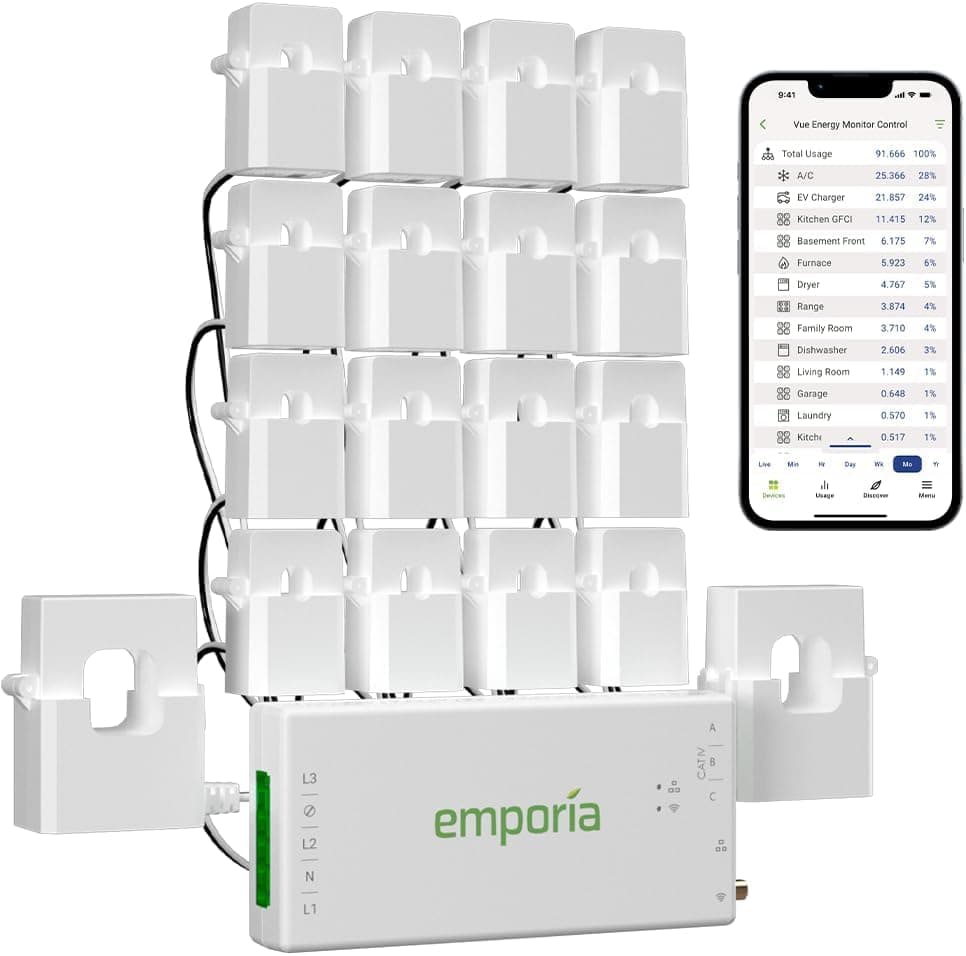
Emporia Vue 3 Energy Monitor
- Two 200A main sensors ship as standard, so whole-home totals work from the first minute after the install
- Circuit-level rather than appliance-level: you learn which breaker is drawing, not which device on it
(Current price, subject to change)
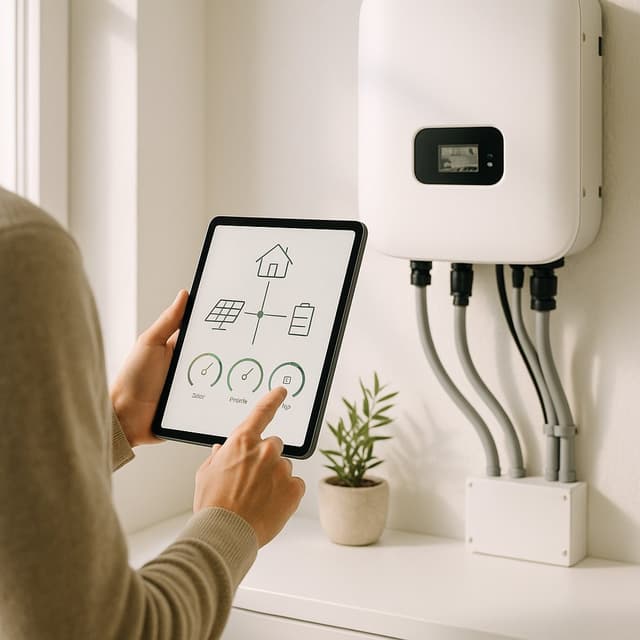
The SHE Energy Savings Score of 6.7 is a weighted composite, and diagnostic reach is the factor contributing most of that result. Two 200A main sensors plus branch sensors rated to 50A deliver a normalized picture of the entire electrical panel rather than an individual load. Practically, that eliminates guesswork. Consider a heat pump consuming 4 kW at 3am, a well pump cycling every 20 mins, or a garage freezer operating 24 hours a day. Each becomes an actionable line item.
EnergySage lists the Vue 3 among its recommended home energy monitors. Compared to the Siemens unit below, the Emporia costs considerably less and additionally advertises solar generation and net-metering tracking. Relative to the Kasa strip, it measures consumption rather than merely interrupting it.
Our calculation credits it with 414 kWh of recoverable consumption annually, producing approximately $68 at the 2024 residential average electricity rate.
What We Love
- Two 200A main sensors ship as standard, so whole-home totals work from the first minute after the install
- Emporia's own store lists monitor-only, 8-sensor and 16-sensor tiers, so branch coverage scales to the panel you actually have
- Solar generation and net metering are tracked in the same app as consumption, with no second gateway to buy
- Emporia's page lists unlimited cloud storage with a free app, and publishes no subscription tier at all
What Could Be Better
- Circuit-level rather than appliance-level: you learn which breaker is drawing, not which device on it
- Requires an internet connection; Emporia's page describes cloud storage with no local-only alternative
- Branch sensors beyond the two mains are tier-dependent, so the kit you buy decides how much of the panel you see
The Verdict
If you are starting an audit and want the map before the renovation, Emporia Vue 3 Energy Monitor fits the brief — two 200A main sensors plus branch clamps map the whole panel in one install, EnergySage lists it among its monitor picks, and no subscription follows. It attains 6.7 here, and on our model it recovers its cost in about 2.9 yr.
Ready for game day?
Antarctic Star 130-Can Beverage Refrigerator
See it on Amazon
SYLVOX 65" Outdoor 4K TV
See it on Amazon
EUHOMY Commercial Ice Maker, 100 lb/day
See it on Amazon
Sponsored listings from Amazon’s Sponsored Products for Creators program, kept apart from our reviews and rankings. How we make money
Brand-Backed Panel Monitor: Siemens Inhab Smart Home Energy Monitor
Siemens Inhab Smart Home Energy Monitor
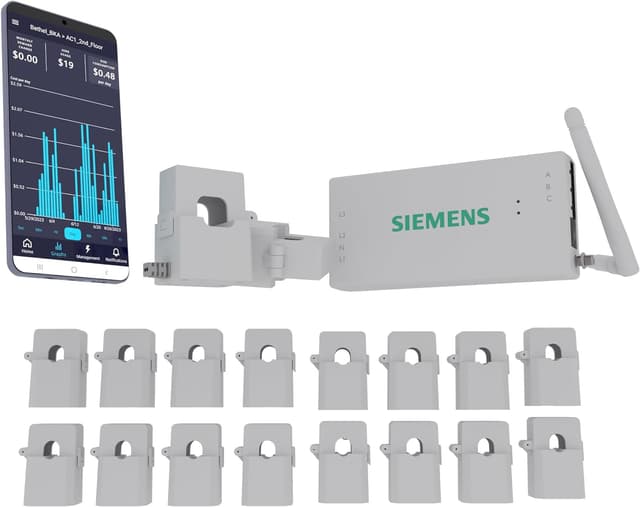
- The Amazon listing specifies sixteen 50A circuit sensors and two 200A main sensors, so what arrives is not a tier decision
- At $267.75 list it is the most expensive monitor here and the slowest to recover
(Current price, subject to change)
The SHE Energy Savings Score of 5.8 derives almost entirely from diagnostic reach. Sixteen sensors rated to 50A and two rated to 200A match the Emporia at its highest configuration. The difference is documentation: the listing specifies that arrangement rather than leaving it to a purchasing decision. Such granularity converts an undifferentiated monthly bill into an itemized list of correctable circuits. What ultimately depresses the composite is arithmetic rather than capability. At a considerably higher purchase price, the identical modeled 414 kWh saving requires approximately 3.9 yr to recover, versus 2.9 yr for the Emporia.
EnergySage's home energy monitor roundup is the only independent outlet we verified covering this model. The Siemens product page is a marketing page, so the sensor counts here come from the retail listing and specification rather than from an editorial review. Subscription terms are not published on that page.
What We Love
- The Amazon listing specifies sixteen 50A circuit sensors and two 200A main sensors, so what arrives is not a tier decision
- Peak-demand tracking targets the charge that punishes a variable-tariff bill hardest
- Whole-panel totals and per-circuit detail come from a single install rather than two separate devices
- A major electrical manufacturer stands behind it, which matters for hardware that lives permanently inside your panel
What Could Be Better
- At $267.75 list it is the most expensive monitor here and the slowest to recover
- Independent review coverage is thin — EnergySage was the only outlet we could verify covering this exact model
- Siemens does not publish subscription terms on its own product page, so ownership cost is scored conservatively
The Verdict
For a homeowner who wants every branch circuit metered in one visit rather than two, Siemens Inhab Smart Home Energy Monitor is a sensible pick for that setup — the listing specifies sixteen circuit sensors and two main sensors, and the peak-demand view targets a variable tariff directly. Treat its 5.8 as a specification read, not a consensus one: independent coverage is thin.
Check price for the Siemens Inhab Smart Home Energy Monitor →
Cheapest Standby Fix: Kasa KP303 Smart Power Strip
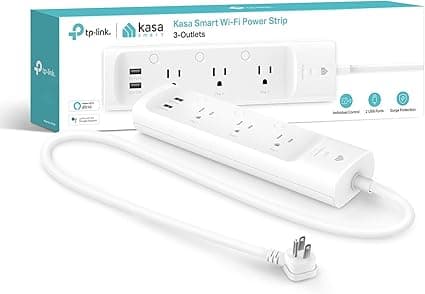
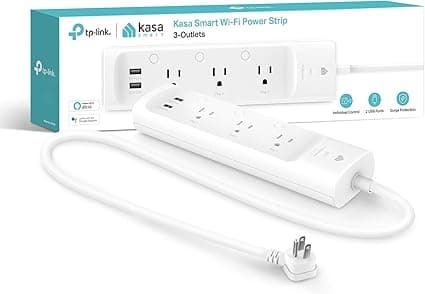
Kasa KP303 Smart Power Strip
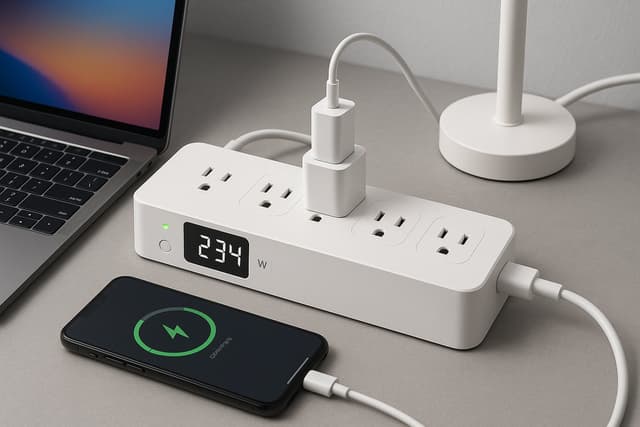
- Three outlets switch independently, so a single schedule can eliminate standby draw across an entire desk cluster
- No energy monitoring whatsoever — TechRadar lists that as an explicit con, and it is why this strip cannot audit anything
(Current price, subject to change)
The SHE Energy Savings Score of 5.8 reflects the guide's clearest split personality. Savings yield and payback velocity are the strongest of any pick — approximately $17 recovered annually against a purchase at $29.99 list, which yields a return in roughly 1.7 yr. Diagnostic reach scores 1.5, and that is the honest part of the calculation: this strip performs no metering whatsoever.
TechRadar's KP303 review lists no energy monitoring among its cons; Android Authority's coverage describes the same three-outlet, two-USB configuration. Compared to the HS300, which is the six-outlet model carrying per-outlet monitoring, the KP303 controls power without measuring it.
Our model assumes three outlets carrying roughly 18 W of combined standby draw, interrupted for 16 hours a day, which produces 105 kWh annually.
What We Love
- Three outlets switch independently, so a single schedule can eliminate standby draw across an entire desk cluster
- Setup takes minutes and requires no electrical work — the only pick here that never touches a panel
- Surge protection is ETL certified across line-neutral, line-ground and neutral-ground modes
- The Kasa application carries no subscription, so the ongoing ownership cost remains at zero
What Could Be Better
- No energy monitoring whatsoever — TechRadar lists that as an explicit con, and it is why this strip cannot audit anything
- The two USB ports are permanently powered and cannot be switched or scheduled independently
- 2.4GHz networking only, and no Apple HomeKit support at all
The Verdict
If you already know which outlets bleed standby power and simply want them switched off on a schedule, Kasa KP303 Smart Power Strip is the path of least friction — three controlled outlets, no panel work, the fastest recovery here. Read it as a remedy, not an instrument: TechRadar lists no energy monitoring among its cons, so it never reports what it saved.
Best Direct HVAC Control: Ecobee Smart Thermostat Premium
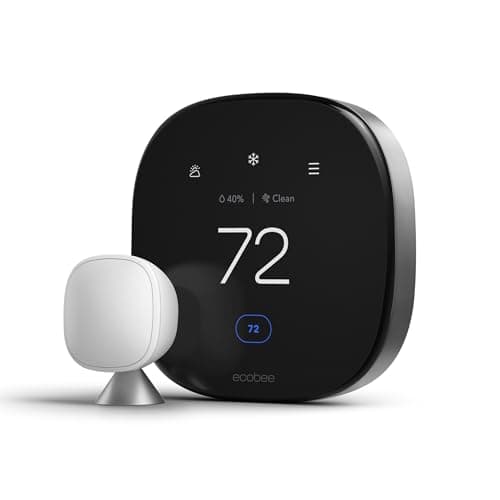
Ecobee Smart Thermostat Premium
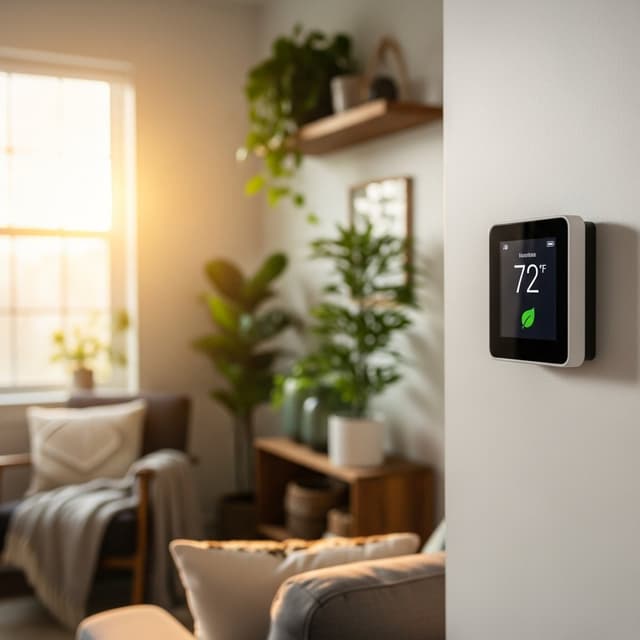
- It acts on heating and cooling, the largest electrical load in most all-electric homes, instead of only reporting on it
- Only the Siemens monitor takes longer to pay back once price is weighed against the modeled annual saving
(Current price, subject to change)
The SHE Energy Savings Score of 5.1 is the lowest composite in this guide, and the explanation is arithmetic rather than criticism. Our calculation treats heating and cooling as 35% of a 10,359 kWh household. It then credits a conservative 12% reduction attributable to occupancy detection and scheduling, producing 435 kWh worth approximately $72 annually. That is only about $3 a year above what either monitor is credited with, which is well inside the margin of a modeled estimate. Measured against its purchase price, the investment recovers in roughly 3.2 yr, slower than the Emporia and substantially slower than the inexpensive Kasa strip.
What this thermostat accomplishes, unlike either monitor, is intervention: the monitors merely illustrate consumption, whereas this device actively modifies it. Tom's Guide reviews the Premium and notes its integrated air-quality monitor. Digital Trends publishes a dedicated Premium-versus-Enhanced comparison, and Popular Science identifies it as its recommendation for multiple zones. Ecobee's own documentation confirms the SmartSensor, Power Extender Kit and trim plate accompany the thermostat.
What We Love
- It acts on heating and cooling, the largest electrical load in most all-electric homes, instead of only reporting on it
- The SmartSensor is included in the box — room-level occupancy and temperature without a separate purchase
- The Power Extender Kit removes the need to pull a fifth C-wire, which is what spares an older house a new wire pull
- ecobee lists Apple HomeKit, Amazon Alexa, Samsung SmartThings and IFTTT support, with an Alexa microphone built in
What Could Be Better
- Only the Siemens monitor takes longer to pay back once price is weighed against the modeled annual saving
- Only one SmartSensor ships in the box, so a larger house needs additional sensors bought separately
- The eco+ time-of-use savings depend entirely on your utility offering a variable tariff in the first place
The Verdict
If your heating and cooling run on electricity and the thermostat is already next on your list, Ecobee Smart Thermostat Premium checks the boxes that matter for that situation — Tom's Guide reviews the Premium, Popular Science names it best for multiple zones, and the SmartSensor ships in the box. It accumulates 5.1, with a modeled saving only a few dollars above the monitors.
How We Score: SHE Energy Savings Score
SHE Energy Savings Score
Score Formula
Score = 0.30 * savings_yield + 0.20 * payback_velocity + 0.30 * diagnostic_reach + 0.20 * ownership_costScore Factors
- Savings Yield (30%)Dollars saved annually per $100 of hardware, normalized to a 0-10 scale where 10 represents $80 returned per $100 committed. The Kasa KP303 leads this factor because a $29.99 purchase recovers roughly $17 a year; the Siemens Inhab trails it because the same modeled saving sits behind a much larger purchase price.
- Payback Velocity (20%)Ten divided by the payback period in years, capped at 10. Payback is the verified Amazon price divided by the modeled annual saving. This factor rewards speed of recovery rather than total saving, which is why the cheapest device in the guide outperforms every monitor on it.
- Diagnostic Reach (30%)How much the device improves your decisions about every other load in the house, scored editorially from 0 to 10. Circuit-level monitors score highest because they map the whole panel; a thermostat scores mid-range because it governs one large load; a power strip with no metering scores near the floor because it changes consumption without ever reporting it.
- Ownership Cost (20%)Ongoing cost and data access beyond the purchase price, read from each manufacturer's own published product page. A device with no subscription and included data storage scores 10. Where a manufacturer does not publish its subscription terms at all, we score the factor conservatively rather than assume the terms are favourable.
SHE Energy Savings Score — Ranked
Emporia Vue 3 Energy Monitor
SHE Energy Savings Score6.7/10Panel-wide diagnostic reach with no subscription tier — two 200A main sensors, branch clamps, solar and net metering
Kasa KP303 Smart Power Strip
SHE Energy Savings Score5.8/10Fastest recovery by a wide margin, dragged down by the lowest diagnostic reach — it switches power but never measures it
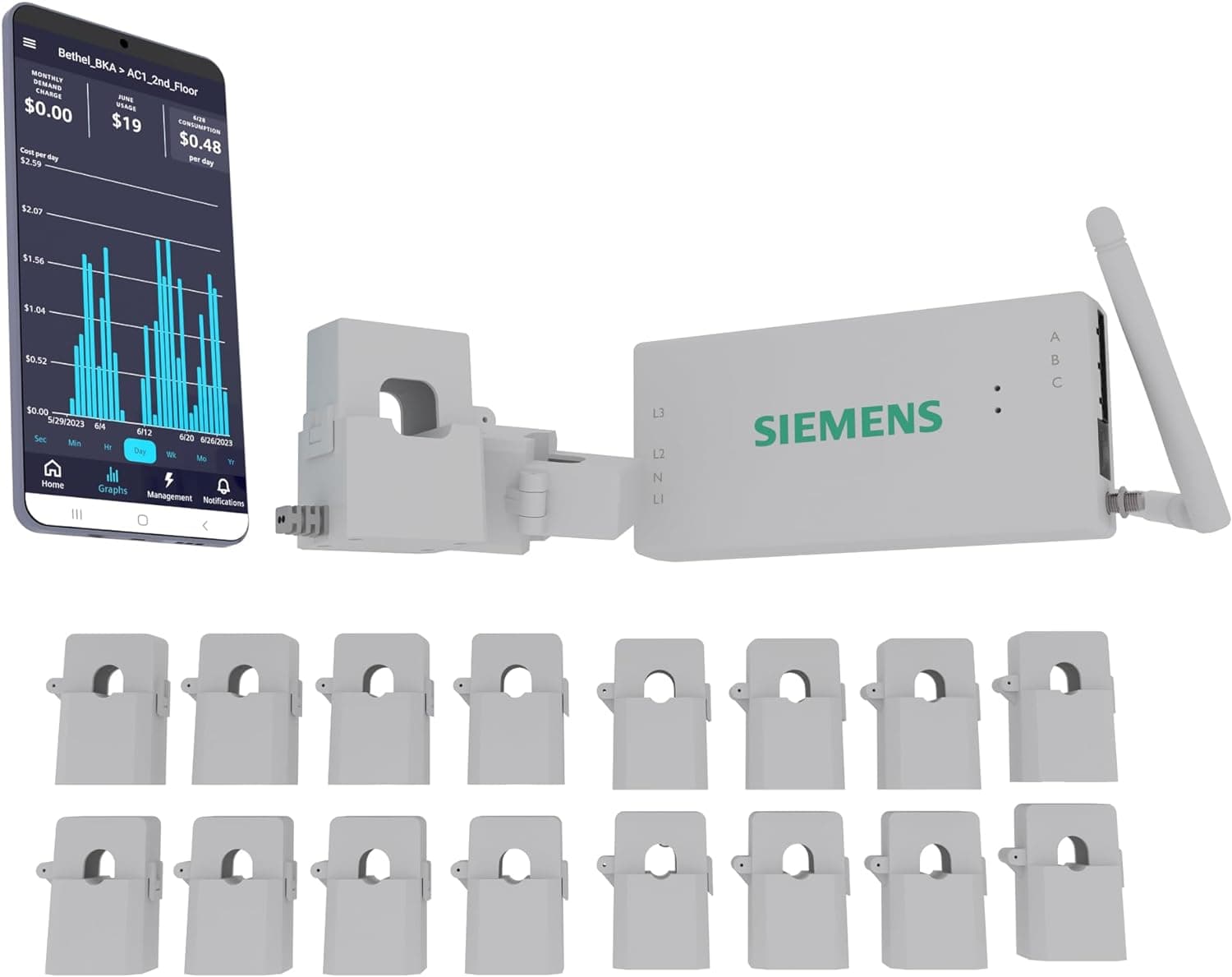
Siemens Inhab Smart Home Energy Monitor
SHE Energy Savings Score5.8/10Ties the Kasa strip on score. Panel-wide coverage matching the Emporia, held back by the highest price and the slowest recovery here
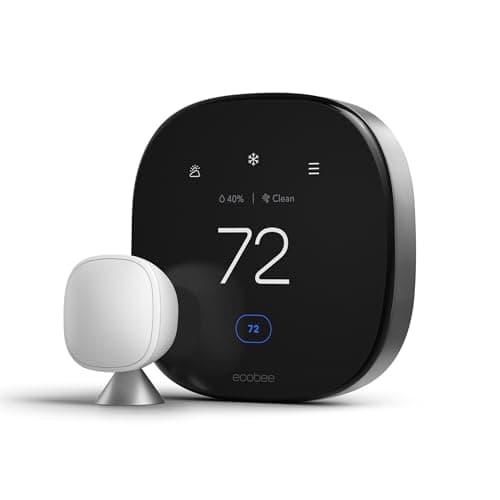
Ecobee Smart Thermostat Premium
SHE Energy Savings Score5.1/10The only pick that acts on the largest load in an all-electric home rather than reporting it; recovered slower than every pick except the Siemens
Ecosystem Compatibility and Wiring
Ecosystem support across these four picks is uneven, and it matters more than the specification sheets suggest. The Ecobee Smart Thermostat Premium is the only pick that speaks to Apple Home. Its product page lists Apple HomeKit, Amazon Alexa, Samsung SmartThings and IFTTT, with an Alexa microphone built into the unit. The Kasa KP303 Smart Power Strip operates on Alexa and Google Home only, over 2.4GHz, with no HomeKit — TechRadar lists that omission alongside the missing metering. Both monitors live primarily inside their own manufacturer applications. As the Matter protocol continues expanding that gap should narrow. Neither monitor advertises Matter on its own product page, so cross-platform energy data is still app-bound today.
Thermostat wiring is the other compatibility question worth resolving before you buy. Our smart thermostat compatibility guide for heat pumps and mini-splits covers the systems requiring more than a standard four-wire swap. Our best smart switches and dimmers guide covers the lighting side of the same house.
The Payback Math, in the Order It Pays
Two figures anchor every calculation in this guide, and both come from the same table published by the U.S. Energy Information Administration. Its 2024 residential summary puts the average American customer at 863 kWh a month, or roughly 10,359 kWh across the year. The matching average price is 16.48 cents per kilowatt-hour. Everything below is SHE's own model applied to that household — not a measured result, and not a manufacturer claim. Our editorial method is set out at /methodology, and the score itself at Full methodology for this score.
Layer 1 — measure. The Emporia Vue 3 Energy Monitor or the Siemens Inhab Smart Home Energy Monitor converts a monthly total into a per-circuit list. Our model credits either device with 414 kWh a year of recoverable waste, worth approximately $68, because a circuit you can see is a circuit you can schedule. Compared to purchasing automation first, measuring first is what stops a large purchase from chasing a small problem. Homes carrying heavy outdoor loads gain the most from this layer, because a single circuit can dominate a winter bill. The radiant fixtures in our smart outdoor pergola heaters guide are the obvious example.
Layer 2 — cut the largest load. The Ecobee Smart Thermostat Premium is the only pick that changes the largest load rather than reporting it. In an all-electric home, heating and cooling is the biggest one. Our model yields 435 kWh a year from room-level occupancy and scheduling, worth about $72. If the thermostat is your whole project, our best smart thermostat guide compares the category properly. The smart thermostat energy savings payback guide runs the recovery calculation. And energy savings by climate zone explains why an identical thermostat performs differently in Phoenix and Minneapolis.
Layer 3 — eliminate standby. The Kasa KP303 Smart Power Strip is the cheapest action in this guide and the fastest to recover, at roughly 1.7 yr. It measures nothing, so it belongs after a monitor rather than before one — otherwise you are switching off outlets you never confirmed were costing you anything. For strips that do meter each outlet individually, see our best smart power strips and energy monitors guide.
Perhaps your audit indicates that generation is the next move rather than reduction. Our best smart energy monitors for solar panel owners guide covers production-side monitoring, and our home battery storage guide covers storage. For a head-to-head on the thermostat itself, our ecobee vs Nest thermostat guide is the direct comparison.
When NOT to Buy
Renters should stop at the Kasa strip. Panel devices are not removable, the landlord owns the panel, and a monitor's recovery period runs past most leases. Households on gas heat should reconsider the thermostat, because the saving modeled here is electric and gas-heated homes see a smaller dollar return. Our ecobee vs Nest thermostat comparison and smart thermostat energy savings by climate zone both demonstrate how far the answer moves with fuel and climate. And if you are moving within two years, none of the monitors recovers in time.
What We Left Out, and Why
Two devices from the previous version of this guide are gone. Neither the Sense Energy Monitor nor the iotty smart switch cleared the buyability check this roster was rebuilt from on August 30, 2026. We could not confirm a purchasable offer for either, so neither is a pick here. We name them because readers ask, not because we can point you anywhere to buy them. This guide only carries links we have verified ourselves.
The Emporia Vue Gen 2 that the earlier version recommended has been superseded by the Vue 3 reviewed above, which is a different generation with its own listing. The Kasa HS300 it recommended no longer resolves to a live Amazon product page at all. That is why the three-outlet KP303 takes its place, and why nothing here describes per-outlet energy monitoring any more. For lighting automation, the older version pointed at Kasa Smart Switches. Our lighting guide still covers the whole Kasa range.
Who Should Buy What
Who Should Buy What
| If you are… | Recommended pick |
|---|---|
Homeowner starting an audit from scratch You want the per-circuit map before you spend on automation, and you would rather own the consumption data than rent it back on a subscription | Emporia Vue 3 Energy Monitor |
Owner of a large, heavily loaded panel Your panel carries more than a dozen circuits worth watching, you are on a time-of-use tariff, and you want a switchgear manufacturer behind the hardware | Siemens Inhab Smart Home Energy Monitor |
All-electric household with high heating or cooling bills Heating and cooling run on electricity and you want a device that acts directly on that load rather than a map of the whole house | Ecobee Smart Thermostat Premium |
Renter or first-time buyer on a small budget You cannot touch the electrical panel, you want the cheapest concrete action available, and you already know which cluster of devices sits idle overnight | Kasa KP303 Smart Power Strip |
Solar owner auditing timing rather than total usage You generate your own power and need to see when consumption happens against production, including export, before adding a battery or shifting loads | Emporia Vue 3 Energy Monitor |
Frequently Asked Questions
Are all four of these picks actually buyable on Amazon?
Yes, and that is why the roster changed. All four were checked directly on Amazon on August 30, 2026 and each showed as in stock: the Emporia Vue 3 at $199.99, the Siemens Inhab at $267.75, the Kasa KP303 at $29.99, and the ecobee Smart Thermostat Premium, whose listing is live although our automated price check currently returns nothing for it. Three devices the earlier version recommended did not survive that check. The Sense Energy Monitor and the iotty smart switch did not clear it — we could not confirm a purchasable offer for either — and the Kasa HS300 no longer resolves to a live product page. We do not cover products we cannot point you at, so they were dropped rather than linked to a search page.
Should I monitor my energy use first, or just buy automation devices?
Monitor first, in almost every case. Without a baseline you are guessing about where the money goes, and the guess is usually wrong — most households assume lighting is the problem when heating, cooling, water heating and always-on electronics dominate the bill. A circuit-level monitor turns a monthly total into a ranked list of fixable items, and each subsequent purchase then targets something you have actually measured. Spend 30 to 60 days with monitoring data before your second device purchase. The exception is a renter who cannot install a panel device at all: in that case a switched power strip on a known cluster of idle electronics is the only move available, and it is still worth making.
Does the Kasa KP303 power strip monitor energy use?
No. This is the single most common mix-up in the category and it is worth being blunt about. The KP303 has three individually controlled outlets, two always-on USB ports and surge protection, but no energy metering of any kind — TechRadar's review lists that as an explicit con. The model people are thinking of is the HS300, a six-outlet strip that does carry per-outlet energy monitoring. The two are frequently discussed as if they were interchangeable. They are not. If you want the strip itself to tell you what each device draws, the KP303 is the wrong product.
How much can smart home devices realistically save on an electricity bill?
This guide models between $17 and $72 a year per device on a household buying 10,359 kWh a year at the 2024 residential average rate, which is where the payback periods in the comparison chart come from. Those are modeled figures, not measured results, and the real number depends heavily on your tariff, your climate and how much waste actually exists in your house to begin with. A home that already runs a tight schedule has less to recover than one leaving a home office powered overnight. The honest framing is that monitoring reveals the opportunity and automation captures part of it — neither one guarantees a specific percentage.
Do I need an electrician to install a whole-home energy monitor?
Practically, for most people, yes. Both the Emporia Vue 3 and the Siemens Inhab require clamping current transformers around conductors inside the electrical panel, and the main service conductors cannot be de-energised without the utility disconnecting service at the meter. The clamps themselves are non-contact and no conductor is cut, so the work is straightforward for someone experienced with panel work. If you have never opened a panel, budget for an electrician and add that cost to the payback calculation before you decide. The Kasa strip is the only pick in this guide that involves no electrical work at all.
Why does the ecobee score lowest when it targets the biggest load?
Because the SHE Energy Savings Score measures return per dollar committed and how much the device improves your other decisions, not the size of the saving on its own. On our 2024 baseline the ecobee Smart Thermostat Premium is modeled at about $72 a year against roughly $68 for either monitor — a gap of around $3, which is well inside the margin of a modeled estimate rather than a real advantage. It is also the second most expensive pick, and it reports on one load rather than mapping the whole panel. Those factors pull the composite down. What it still does that nothing else here does is act directly on the largest load.
Bottom Line
Get the Emporia Vue 3 Energy Monitor if you want the per-circuit map before anything else — two 200A main sensors, branch clamps, solar and net metering, and no subscription to renew.
Get the Siemens Inhab Smart Home Energy Monitor if your panel is large enough that sixteen circuit sensors and two main sensors in one box is worth the higher price and slower recovery.
Get the Ecobee Smart Thermostat Premium if heating and cooling are electric and you want one device acting directly on that load rather than a map of the whole house.
Get the Kasa KP303 Smart Power Strip if you cannot touch the panel, or you already know which outlets sit idle overnight and just want them switched off on a schedule.
Skip this entire category if you rent with utilities included, heat with gas and have minimal electric cooling, or expect to move within two years — none of the monitors recovers its cost on that timeline.
Sources & Methodology
Methodology: SHE Energy Savings Score — Formula: Score = 0.30 * savings_yield + 0.20 * payback_velocity + 0.30 * diagnostic_reach + 0.20 * ownership_cost. Factors: Savings Yield (30%): Dollars saved annually per $100 of hardware, normalized to a 0-10 scale where 10 represents $80 returned per $100 committed. The Kasa KP303 leads this factor because a $29.99 purchase recovers roughly $17 a year; the Siemens Inhab trails it because the same modeled saving sits behind a much larger purchase price. | Payback Velocity (20%): Ten divided by the payback period in years, capped at 10. Payback is the verified Amazon price divided by the modeled annual saving. This factor rewards speed of recovery rather than total saving, which is why the cheapest device in the guide outperforms every monitor on it. | Diagnostic Reach (30%): How much the device improves your decisions about every other load in the house, scored editorially from 0 to 10. Circuit-level monitors score highest because they map the whole panel; a thermostat scores mid-range because it governs one large load; a power strip with no metering scores near the floor because it changes consumption without ever reporting it. | Ownership Cost (20%): Ongoing cost and data access beyond the purchase price, read from each manufacturer's own published product page. A device with no subscription and included data storage scores 10. Where a manufacturer does not publish its subscription terms at all, we score the factor conservatively rather than assume the terms are favourable.
Expert review sources used in this analysis:
- SmartHomeExplorer aggregates expert review coverage and published manufacturer specifications
- No first-party product testing was conducted for this guide
- Every independent citation here was fetched and verified during the August 2026 update
- Tom's Guide, Popular Science and Digital Trends cover the ecobee Smart Thermostat Premium
- TechRadar and Android Authority cover the Kasa KP303
- EnergySage covers both energy monitors
- Both energy monitors are thinly covered: EnergySage was the only independent outlet we verified for either of them
- Each consensus figure therefore rests on a single source, and both scores lean on published specifications rather than editorial testing
- The expert-source count on each product card is the sitewide consensus aggregate for that product, which is broader than the citations verified for this guide
- Product specifications come from each manufacturer's own product page
- Siemens does not publish subscription terms on that page, so the sensor counts here come from the retail listing and ownership cost is scored conservatively
- Two energy figures underpin every calculation, both taken from Table 5.A of the US Energy Information Administration for 2024
- The first is an average residential consumption of 863 kWh a month, or roughly 10,359 kWh a year
- The second is the matching average price of 16.48 cents per kilowatt-hour
- Annual savings are SHE modeled estimates applied to that household
- They are not measured outcomes and not manufacturer claims
- All four Amazon prices were verified on August 30, 2026, directly on their product pages
- Our automated price check for the ecobee Premium currently returns nothing, so its card displays no figure
- The listing itself is live and in stock, and the other three cards show their verified figures
- This version replaces an earlier roster containing the Sense Energy Monitor, the iotty smart switch, the Emporia Vue Gen 2 and the Kasa HS300 strip
- That roster also carried outlet attributions we could not verify at source
- Those attributions have been removed rather than restated
- Prices change frequently, so check the current figure on Amazon before buying.
Nicholas Miles is the founder of SmartHomeExplorer and a longtime smart home enthusiast focused on helping everyday homeowners make better technology decisions. He researches, compares, and writes about products across security, climate, lighting, leak prevention, sensors, home energy, and automation, with an emphasis on real-world usefulness, ecosystem compatibility, reliability, privacy, and long-term value.
Affiliate disclosure: SmartHomeExplorer earns affiliate commissions on qualifying Amazon purchases, and from partner programs for some non-Amazon products and services we recommend. Our scoring methodology is independent of affiliate relationships.
More Guides
energy
Best Smart Home Energy Management Systems 2026
Sensors
Best Whole-Home Energy Monitors 2026: 5 Ranked

Climate
Best Smart Thermostats 2026: ecobee, Nest & 4 More
Sensors
Best Smart Power Strips 2026: Kasa HS300 Tops 5 Picks
Climate
Smart Thermostat Payback 2026: Amazon Wins at 3.5 Mo
Energy