
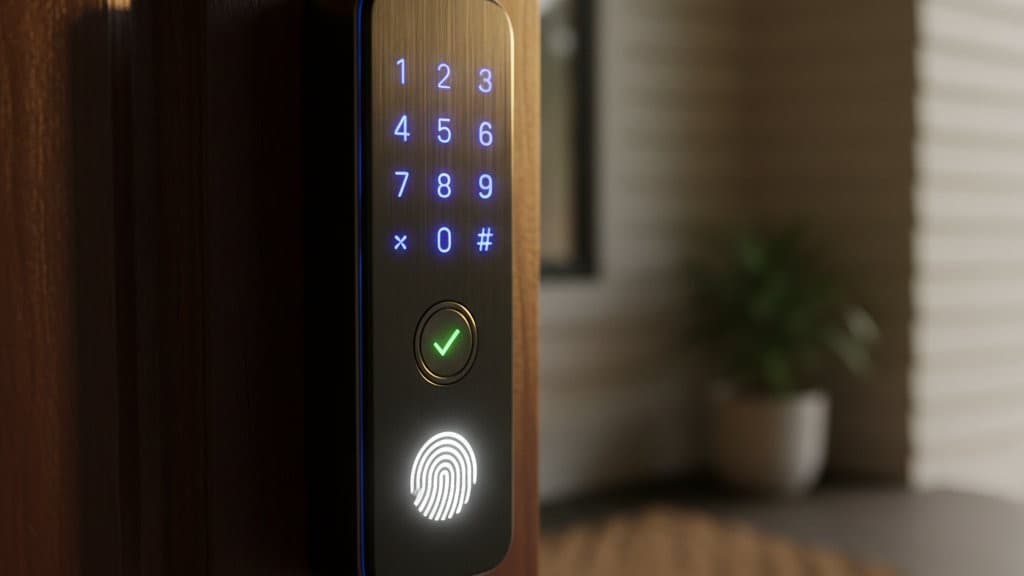
Best Smart Door Locks 2026: 6 Ranked, No Fees
You forgot the spare key inside again, or your kid lost theirs at the park, and now you're not sure how many duplicates the cleaner has — here is which lock actually solves it, ANSI Grade 1 anchored.
This article contains affiliate links. We may earn a commission at no extra cost to you. Prices change frequently — check the current price on Amazon before buying. Learn more
The Short Answer
Buy the Schlage Encode Plus (at $319.00 list) because it's the only mainstream ANSI Grade 1 lock, adds Apple Home Key integration, and requires neither a hub nor a subscription. On a budget, get the Wyze Lock Pro at typically $99–$130 — the cleanest budget answer for non-HomeKit households.
Featured in this Guide
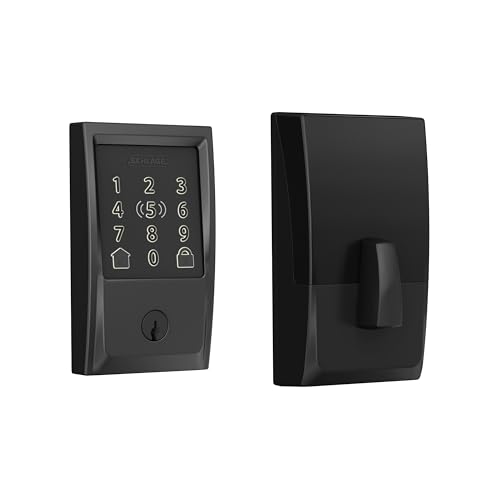
Schlage
Encode Plus
- •ANSI Grade 1 + Apple Home Key + built-in Wi-Fi at $319 — 8.6 SHE composite

Yale
Assure Lock 2
- •Matter-over-Thread + Z-Wave + Wi-Fi + silent motor + 12-month battery
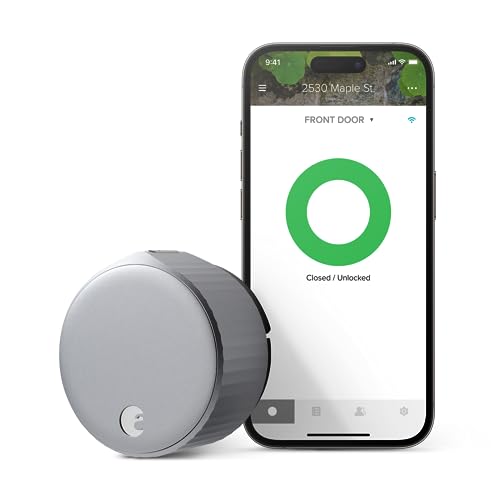
August
Wi-Fi Smart Lock 4th Gen
- •Retrofit install in 10 mins over existing deadbolt — HomeKit + Alexa, exterior unchanged
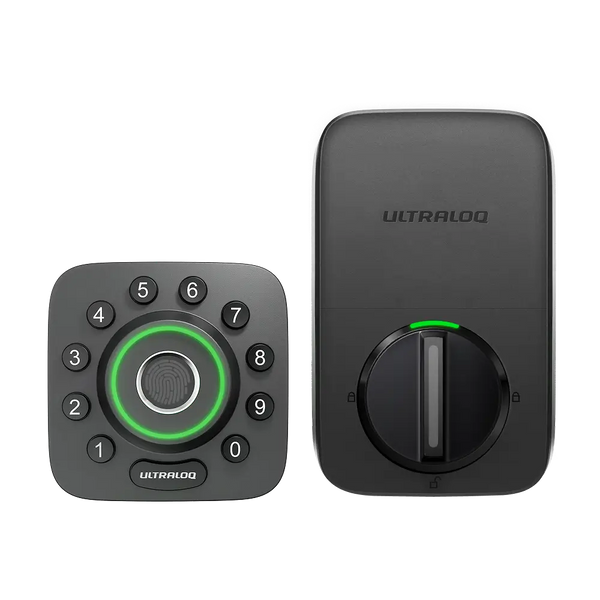
Ultraloq
U-Bolt Pro
- •8-in-1 entry, fingerprint ID, IP65 waterproof, door sensor, built-in Wi-Fi
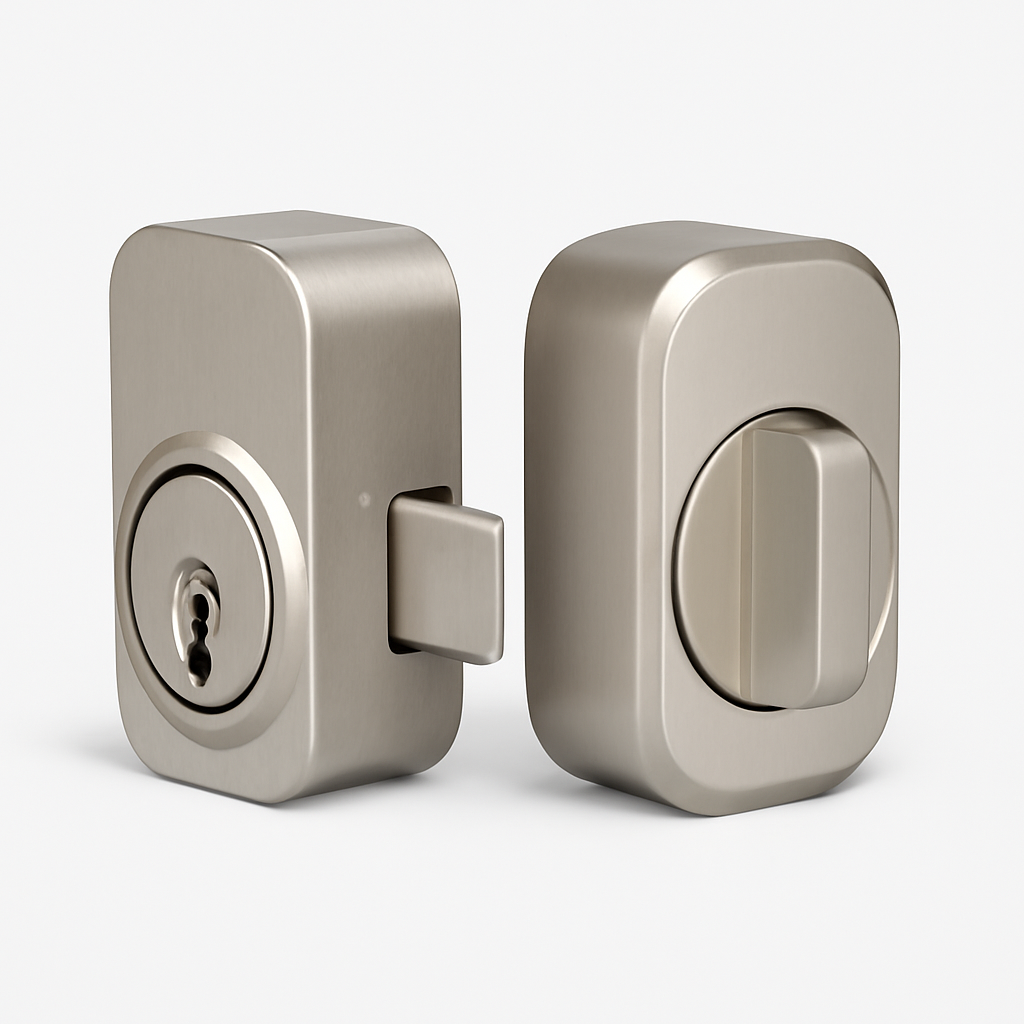
Level
Lock+
- •Invisible inside door, Matter-over-Thread + Apple Home Key NFC tap-to-unlock
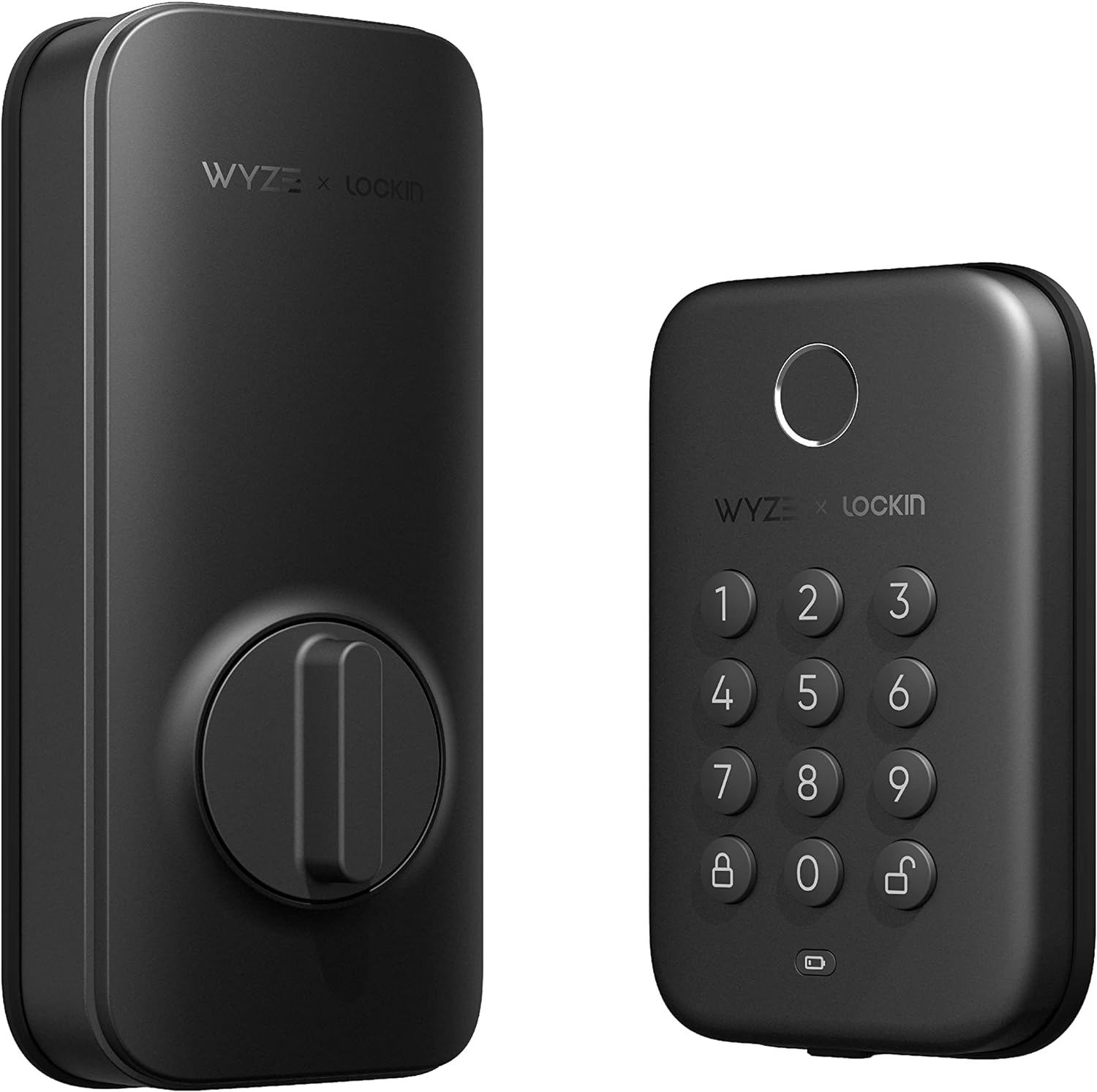
Wyze
Lock Pro
- •AI learning fingerprint, 8-month battery, BHMA Grade 2, Wi-Fi at $80
Head-to-Head: Security Grade, Ecosystem Fit, and Value Score
Smart Security
Chart
 Smarthomeexplorer.com
Tap any pick to check its live price on Amazon.
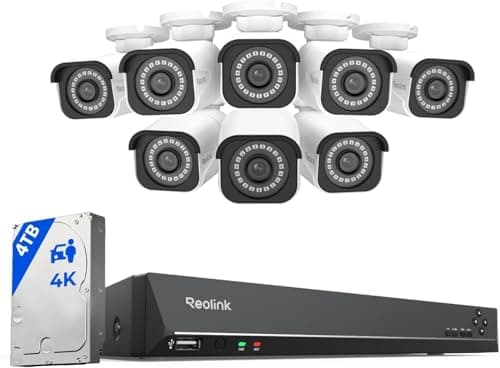
Reolink RLK16-800B8 4K 16-Channel PoE NVR System (8-Camera)
RecommendedCheck price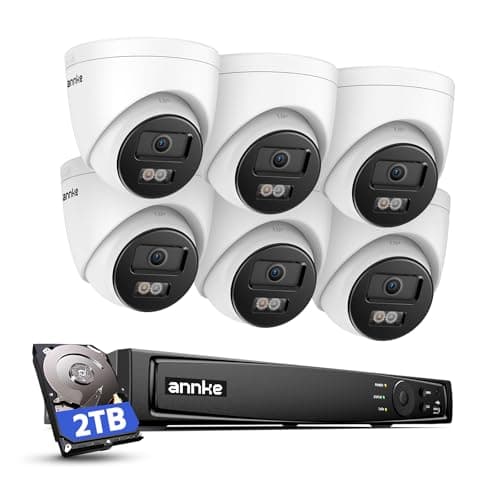
ANNKE 4K PoE NVR Security Camera System (6-Camera)
RecommendedCheck price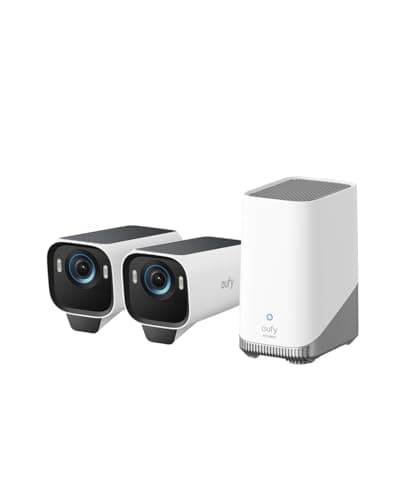
eufyCam S3 Pro 2-Cam Kit (Solar, 4K)
Must BuyCheck price
What Actually Matters When Picking a Smart Lock
Households arrive at this category with a recurring friction pattern — the forgotten spare, the kid's lost playground key, the cleaner's duplicate of unknown provenance. This roundup answers the resulting buying problem, refreshed May 2026. Tom's Guide, Wirecutter, Consumer Reports, PCMag, The Verge, and Reviewed converge on three determinative axes governing selection. First, security tier: ANSI Grade 1 withstands 250,000 cycles plus 150 lbs force resistance — 1.5x the 100 lbs Grade 3 floor across a 5-year ownership window. Second, ecosystem fit: Apple Home Key, Google Home, Alexa, Matter-over-Thread, Z-Wave. Third, install duration: 10 mins retrofit versus a 30 mins deadbolt replacement that occasionally extends to 45 mins with older-house framing. The weighted SHE composite formula yields a definitive ranking — ecosystem × security × battery × install ÷ cost. Aliro 1.0 launched 2026-02-26 per CSA; first-generation hardware ships 2027.
Best Overall: Schlage Encode Plus
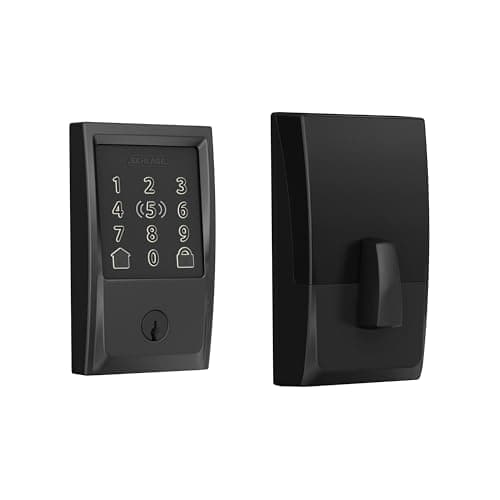
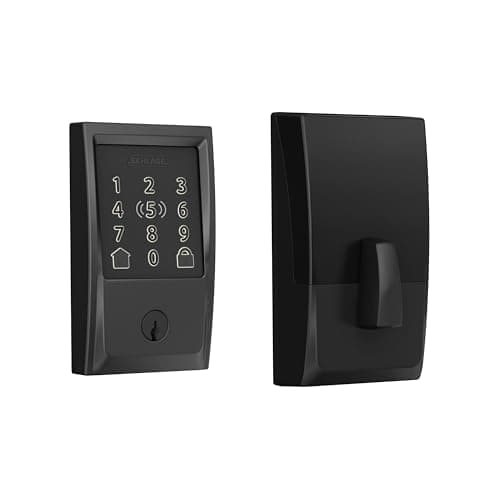
Schlage Encode Plus
- ANSI Grade 1 deadbolt — only mainstream smart lock at this security tier, confirmed by Tom's Guide and Consumer Reports
- No fingerprint reader — the Ultraloq U-Bolt Pro at $159.99 list covers that gap at less than half the price
(Current price, subject to change)
The Schlage Encode Plus earns the highest weighted SHE Smart Door Lock Value Score in the slate at 8.6. The formula is a normalized composite of ecosystem breadth, security features, battery life, and installation simplicity ÷ total cost. The factor that anchors the score is ANSI Grade 1 — Tom's Guide and Consumer Reports both confirm it is the only mainstream smart lock at this tier. The rating withstands 250,000 cycles plus 150 lbs force resistance versus Grade 2's 150,000 cycles. Apple Home Key delivers NFC tap-to-unlock with iPhone or Apple Watch in under 1 second, hands-free in practice. Install runs ~30 mins per Tom's Guide. Built-in Wi-Fi yields direct Alexa, Google Home, and HomeKit integration without a separate hub — a setup tier above Yale's modular connectivity model. Battery life runs 12-18 months on 4 AAs at $1/cell, which works out to roughly $4/yr in replacement cells. The physical keypad continues to work during Wi-Fi outages, so a dropped connection never strands you at the door — the manufacturer specification confirms offline keypad entry. The trade-off is the missing fingerprint reader; for guest-heavy households the Ultraloq U-Bolt Pro at $159.99 list covers that gap at well under half the price.
What We Love
- ANSI Grade 1 deadbolt — only mainstream smart lock at this security tier, confirmed by Tom's Guide and Consumer Reports
- Built-in Wi-Fi means no hub required; Apple Home Key + Alexa + Google Home work without bridges
- Physical keypad stays functional during Wi-Fi outages — offline keypad entry confirmed on the manufacturer specification
What Could Be Better
- No fingerprint reader — the Ultraloq U-Bolt Pro at $159.99 list covers that gap at less than half the price
- $319 sticker is the highest in this slate
The Verdict
If you own your home and you've shortlisted the Schlage Encode Plus for ANSI Grade 1 security plus Apple Home Key, this fits the brief without compromise — the 8.6 weighted SHE composite reflects the only mainstream Grade 1 lock in the slate at $319, with no subscription.
Best Ecosystem Breadth: Yale Assure Lock 2
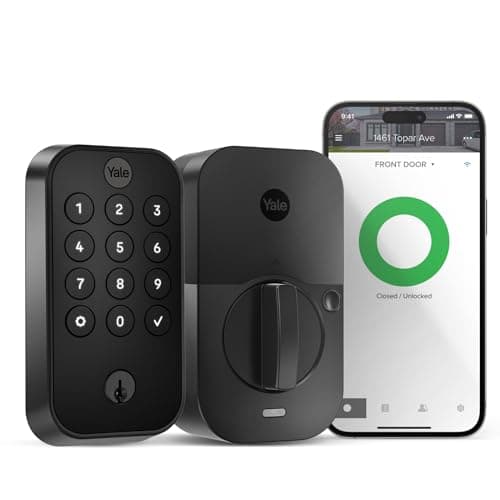
Yale Assure Lock 2
- Matter-over-Thread + Z-Wave + Wi-Fi in one body — broadest ecosystem coverage in the slate, which PCMag notes for its future-proof Matter implementation
- ANSI Grade 2 (not Grade 1) — Schlage Encode Plus wins on raw security tier
(Current price, subject to change)
The Yale Assure Lock 2 earns 8.2 on the SHE Smart Door Lock Value Score — second-highest in the slate. The composite leads on ecosystem breadth: Matter-over-Thread plus native Z-Wave plus Wi-Fi in a single lock body, with the connectivity module field-swappable when standards evolve. PCMag highlights its Matter-over-Thread support as the most future-proof connectivity in the category. The manufacturer rates the lock at 12+ months of battery life on AA cells with a silent motor. Installation is a full deadbolt replacement. The silent motor is what owners notice — relative to the August's audible thumbturn rotation, the Yale operates inaudibly through a closed bedroom door. The trade-off versus the Schlage Encode Plus is the ANSI Grade 2 rating: 150,000 cycles compared to Grade 1's 250,000-cycle threshold. Yearly battery cost runs ~$4/yr across a typical 5-year ownership window. For households where the Matter-over-Thread plus Z-Wave coverage matters more than raw security tier, the math favors Yale. The Aliro 1.0 standard, launched 2026-02-26 per the CSA, will eventually unify NFC tap-to-unlock across Apple, Google, and Samsung — Yale's Matter-over-Thread foundation positions it well versus Wi-Fi-only competitors.
What We Love
- Matter-over-Thread + Z-Wave + Wi-Fi in one body — broadest ecosystem coverage in the slate, which PCMag notes for its future-proof Matter implementation
- 12-month battery life on AA cells with a silent motor — operates inaudibly through a closed bedroom door
- Modular connectivity module is user-swappable without replacing the lock body
What Could Be Better
- ANSI Grade 2 (not Grade 1) — Schlage Encode Plus wins on raw security tier
- Z-Wave and Matter add-on modules add cost beyond the base Wi-Fi SKU
The Verdict
If you run HomeKit plus Google Home plus Alexa plus SmartThings and you've shortlisted the Yale Assure Lock 2, you'll be well-served here — 8.2 SHE composite versus Schlage's 8.6 reflects the security trade for ecosystem breadth.
Best for Renters: August Wi-Fi Smart Lock 4th Gen
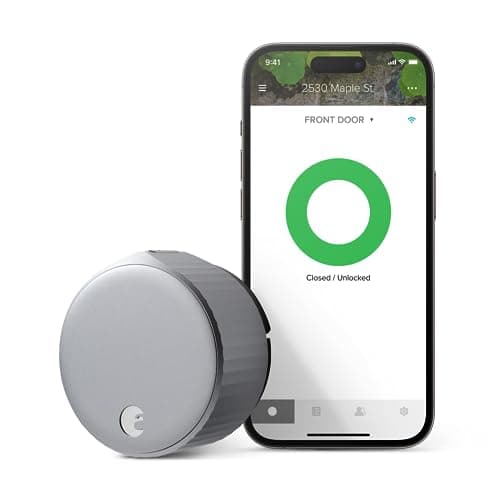
August Wi-Fi Smart Lock 4th Gen
- Retrofit install over the existing thumbturn in 10 mins — no door drilling, no exterior change, no landlord approval per PCWorld
- No exterior keypad — entry requires phone, auto-unlock, or the existing key; guests need app access or a spare
(Current price, subject to change)
The August Wi-Fi Smart Lock 4th Gen is the definitive renter answer — the retrofit design installs over the existing thumbturn in 10 mins per PCWorld, keeping the exterior deadbolt and key hardware untouched. Tom's Guide recommends the August for renter installs where no exterior modification is allowed. The DoorSense sensor delivers real-time door-position status in the August app — the lock reports whether the door is open or closed, not just locked or unlocked. Built-in Wi-Fi yields direct HomeKit, Alexa, and Google Home integration without a separate bridge. The trade-off is the absence of an exterior keypad. Guests need either app access or the physical key, which constrains the August to households where everyone carries a phone or has a spare key. Battery life runs 3-4 months on CR123A cells with Wi-Fi active. That is a noticeably shorter interval than the AA-cell deadbolt replacements in this slate, since the always-on Wi-Fi radio drains the cells faster. The security rating is inherited from the existing deadbolt, so the calculation depends on what the renter already owns.
What We Love
- Retrofit install over the existing thumbturn in 10 mins — no door drilling, no exterior change, no landlord approval per PCWorld
- DoorSense door-position sensor confirms open/closed status in the app — real-time status without a separate sensor
- Works with HomeKit, Alexa, and Google Home over built-in Wi-Fi — no hub required
What Could Be Better
- No exterior keypad — entry requires phone, auto-unlock, or the existing key; guests need app access or a spare
- Security tier depends entirely on the existing deadbolt being replaced — not independently rated
The Verdict
If you rent or live in a condo with door-modification restrictions and you've shortlisted the August Wi-Fi Smart Lock 4th Gen, that's the path of least friction — 7.4 SHE composite plus a 10-mins retrofit lines up with what renters actually need.
Best Fingerprint: Ultraloq U-Bolt Pro
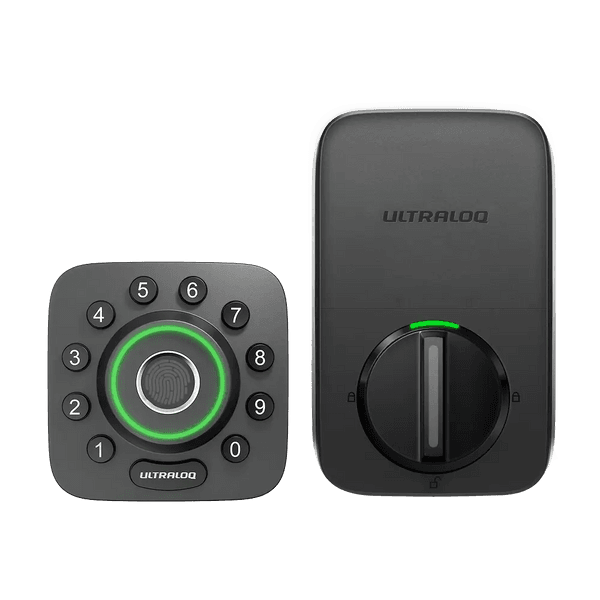
Best Fingerprint LockUltraloq U-Bolt Pro
- 8-in-1 entry in one lock — fingerprint, code, app, key, knock-to-open, and Apple Watch among the methods — the most entry methods in the slate per Tom's Guide
- Z-Wave requires a separate add-on bridge — not native like the Yale Assure Lock 2
(Current price, subject to change)
The Ultraloq U-Bolt Pro earns 7.1 on the SHE Smart Door Lock Value Score. The formula rewards the 8-in-1 entry breadth (fingerprint, code, app, key, knock-to-open, Apple Watch) at an entry-tier price — scored at $150 — normalized through the cost denominator. Install is a standard deadbolt replacement, with built-in Wi-Fi that skips the bridge. Tom's Guide highlights its entry-method breadth at a mid-range price, and the fingerprint recognition reads as fast and accurate. IP65 waterproofing plus the built-in door sensor round out the package, alongside auto-unlock through phone-proximity detection. The compensating limitations are the absence of native HomeKit integration and application reliability that reviewers describe as inconsistent. Battery life runs 6 months on 4 AAs at $8/yr across a typical 5-year ownership window. The trade-off versus the Yale Assure Lock 2 is the Z-Wave gap: Ultraloq requires an add-on bridge whereas Yale ships native Z-Wave. The trade-off versus the Schlage Encode Plus is the BHMA Grade 2 rating: 150,000 cycles versus Grade 1's 250,000-cycle tier — about 0.6x the certification cycle count. For guest-heavy households where fingerprint enrollment matters more than raw certification tier, the math favors Ultraloq.
What We Love
- 8-in-1 entry in one lock — fingerprint, code, app, key, knock-to-open, and Apple Watch among the methods — the most entry methods in the slate per Tom's Guide
- IP65 waterproof rating plus built-in door sensor — weather-resistant and reports door status without an extra sensor
- Built-in Wi-Fi skips the bridge requirement at an entry-tier price
What Could Be Better
- Z-Wave requires a separate add-on bridge — not native like the Yale Assure Lock 2
- BHMA Grade 2, not Grade 1 — Schlage Encode Plus wins on raw security certification
The Verdict
If your household runs guest-heavy or family-heavy and you've shortlisted the Ultraloq U-Bolt Pro, this checks the boxes that matter — 7.1 SHE composite at $159.99 list versus Schlage's 8.6 at $319 reflects different buyers, not different quality.
Best Premium / Smallest: Level Lock+
Best Premium / Invisible Form FactorLevel Lock+
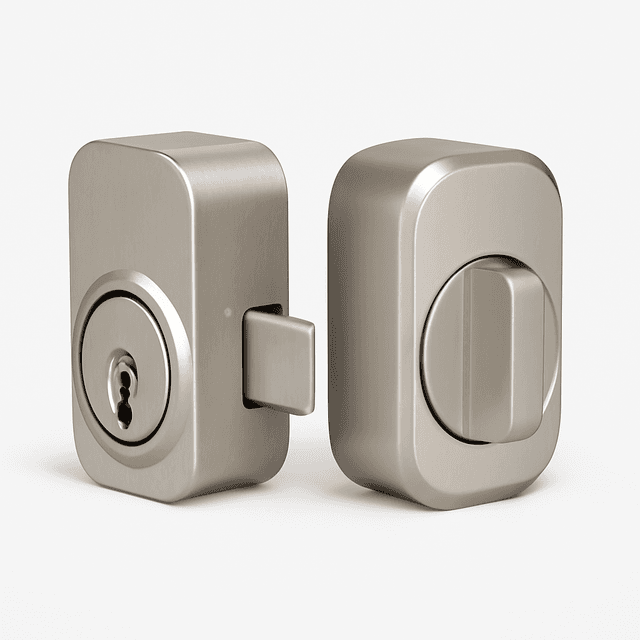
- Completely invisible — all hardware hides inside the existing door, the most discreet smart lock available per Wirecutter
- No keypad and no fingerprint reader — every entry path is phone, watch, Home Key tap, or the original physical key
(Current price, subject to change)
The Level Lock+ earns 7.8 on the SHE Smart Door Lock Value Score — third-highest in the slate. The factor that anchors the position is the invisible form factor: every component hides inside the existing door, so the exterior reads as a standard deadbolt. Installation seats the hardware inside the deadbolt bore, keeping the original key and trim untouched. It is the standout option for smart-lock convenience without changing your door's appearance, and Wirecutter calls it the most discreet smart lock available. The lock pairs that hidden form factor with Matter-over-Thread plus Apple Home Key NFC tap-to-unlock. It works with Apple Home, Alexa, Google Home, and SmartThings over Matter (a Thread border router is required). That breadth contrasts with the Schlage Encode Plus's Wi-Fi-only architecture. Battery replacement requires disassembling the interior module — an infrequent service interval per the manufacturer. The constraint is compatibility: not every deadbolt frame accepts the Level interior assembly, so verify your deadbolt model first. For households where front-door aesthetics matter — historic homes, design-magazine renovations, or anywhere the visible-keypad signal is undesirable — it is the slate's strongest aesthetic play. It now lists at about $190 versus the Schlage's $319 — roughly 40% less.
What We Love
- Completely invisible — all hardware hides inside the existing door, the most discreet smart lock available per Wirecutter
- Matter-over-Thread + Apple Home Key NFC tap-to-unlock in one hidden lock body
- Works with Apple Home, Alexa, Google Home, and SmartThings via the Matter bridge
What Could Be Better
- No keypad and no fingerprint reader — every entry path is phone, watch, Home Key tap, or the original physical key
- Compatibility with the existing deadbolt is required — verify the frame accepts the interior assembly before purchase
The Verdict
If your front door is design-sensitive and you've shortlisted the Level Lock+ for an invisible smart lock that keeps the exterior untouched, this fits the brief without compromise — a 7.8 SHE composite plus Apple Home Key at $189.99 list, with the invisible form factor as the differentiator.
Best Budget: Wyze Lock Pro
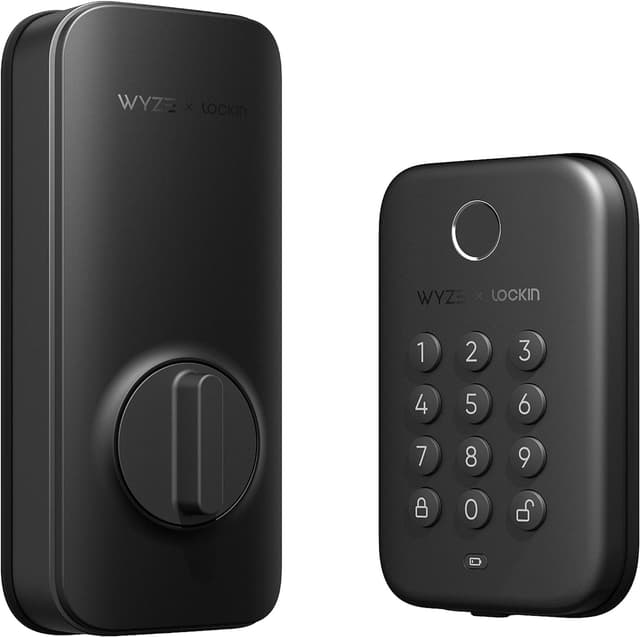
Wyze Lock Pro
- AI learning fingerprint scanner adapts to fingerprint changes over time — fewer enrollment failures in cold or dry conditions
- Alexa and Google Home only — no HomeKit, no Matter, no Z-Wave; smallest ecosystem in the slate
(Current price, subject to change)
The Wyze Lock Pro (display name 'Wyze Auto-Lock Bolt v2' — Wyze rebranded the Lock Pro line in 2025) anchors the budget tier at typically $99–$130. It delivers an AI learning fingerprint scanner — the only AI-branded scanner in this slate. The Ultraloq at $159.99 list ships a standard fingerprint sensor, and August omits fingerprint entry. The composite SHE score normalizes the formula across 4 factors. Ecosystem breadth is the narrowest in the slate (Alexa plus Google Home — no HomeKit, Matter, or Z-Wave). The rest: security features (BHMA Grade 2), battery life (8 months at $6/yr — best in the budget tier), and installation simplicity (a standard deadbolt replacement). Fingerprint match completes in under 1 second per the Wyze documentation. At a 6.8 SHE composite, the score reflects ecosystem narrowness more than the hardware. The AI fingerprint plus anti-peep keypad outperforms the price tier on raw feature coverage at roughly 0.3x the Schlage's list price. Across a 5-year ownership window the cumulative battery cost runs $30 — lowest in the slate. The constraint is reach: Alexa, Google Home, and the Wyze app exhaust the integrations. For households that skip Apple Home Key and Matter, it is the least-expensive avenue to a fingerprint-capable lock.
What We Love
- AI learning fingerprint scanner adapts to fingerprint changes over time — fewer enrollment failures in cold or dry conditions
- 8-month battery life — longest in the budget tier of this slate
- Anti-peep keypad + IP53 weatherproofing at $80 — BHMA Grade 2 security tier
What Could Be Better
- Alexa and Google Home only — no HomeKit, no Matter, no Z-Wave; smallest ecosystem in the slate
- Thinner Tier-1 review coverage versus other picks per Tom's Guide and Wirecutter aggregate scope
The Verdict
If you run Alexa or Google Home and you've shortlisted the Wyze Lock Pro for AI fingerprint at $80, you can stop the search here — 6.8 SHE composite at this price tier is the cleanest budget answer for non-HomeKit households.
How We Score: SHE Smart Door Lock Value Score
SHE Smart Door Lock Value Score
Score Formula
(Ecosystem Breadth × Security Features × Battery Life × Installation Simplicity) / (Hardware Cost + Annual Subscription Cost in $100s)Score Factors
- Ecosystem Breadth (25%)Counts supported platforms — Apple Home, Google Home, Alexa, SmartThings, Z-Wave, Matter; normalized 0-10 from the SmartHomeExplorer compatibility-data corpus across 650 profiles.
- Security Features (30%)Composite of ANSI/BHMA grade, encryption tier, tamper detection, and backup entry methods; weighted highest because security is the primary job of the lock.
- Battery Life (20%)Normalized from manufacturer-rated months across the slate; AA versus lithium-cell economics are included in the calculation.
- Installation Simplicity (25%)Aggregated from expert reviewer install-difficulty ratings; retrofit scores higher; penalizes door modification or professional installer requirement.
SHE Smart Door Lock Value Score — Ranked
Schlage Encode Plus
SHE Smart Door Lock Value Score8.6/10Scored at $319 — ANSI Grade 1 + Apple Home Key + Wi-Fi, no subscription
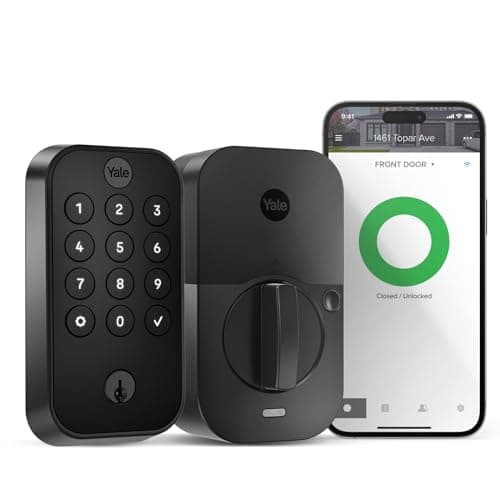
Yale Assure Lock 2
SHE Smart Door Lock Value Score8.2/10Scored at $153 — Matter + Z-Wave + Wi-Fi + 12-month battery, Grade 2
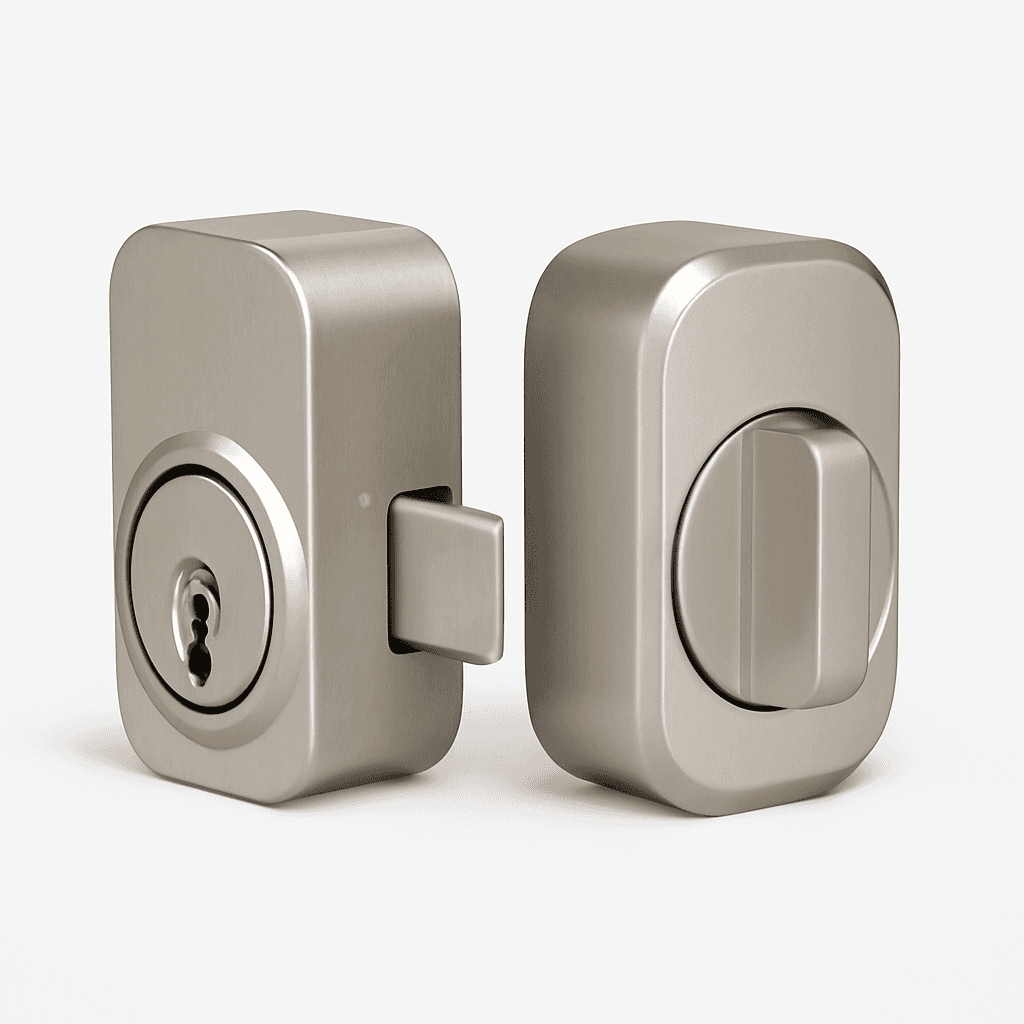
Level Lock+
SHE Smart Door Lock Value Score7.8/10Scored at $295 — invisible form factor + Matter-over-Thread + Apple Home Key
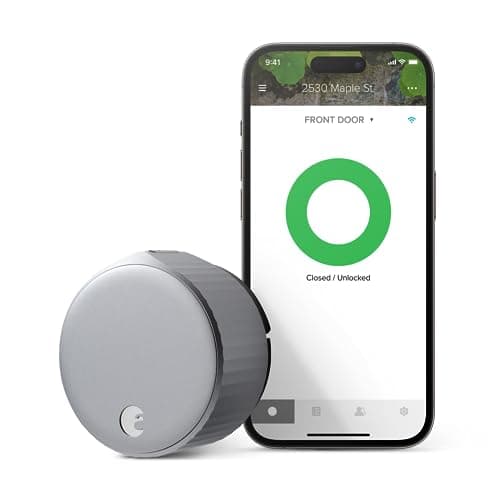
August Wi-Fi Smart Lock 4th Gen
SHE Smart Door Lock Value Score7.4/10Scored at $193 — 10-mins retrofit, grade depends on existing deadbolt, no keypad
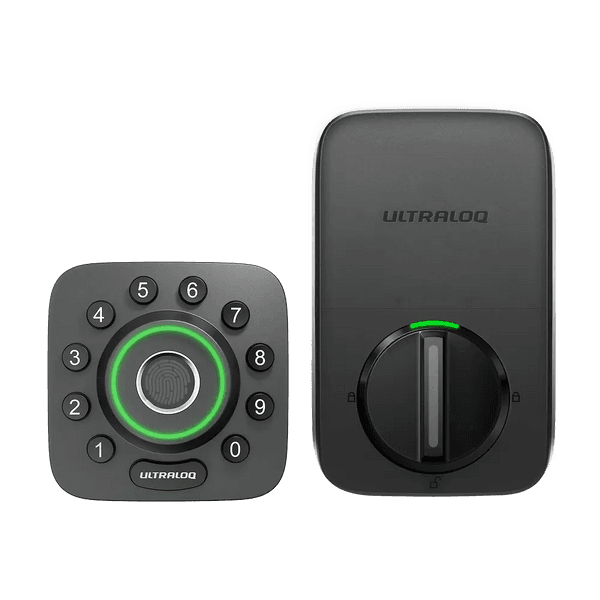
Ultraloq U-Bolt Pro
SHE Smart Door Lock Value Score7.1/10Scored at $150 — 8-in-1 entry, IP65, BHMA Grade 2, Z-Wave add-on required
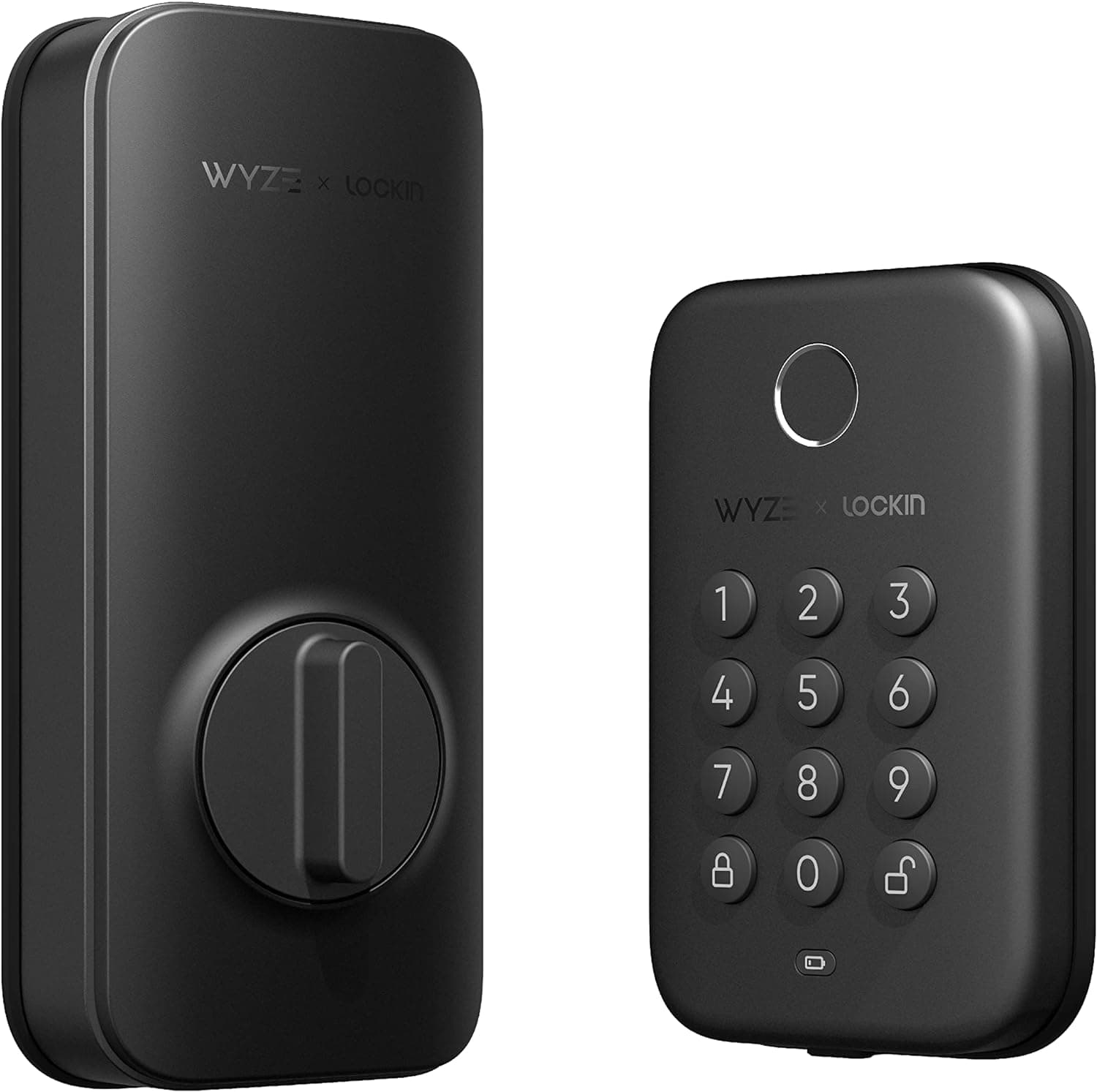
Wyze Lock Pro
SHE Smart Door Lock Value Score6.8/10Scored at $80 — AI fingerprint, 8-month battery, BHMA Grade 2, Alexa + Google only
Ecosystem Compatibility: Matter, Z-Wave, and Aliro 1.0
Ecosystem coverage divides the slate into three tiers. Matter-over-Thread native: the Yale Assure Lock 2 and the Level Lock Pro deliver bridge-free integration across Apple Home, Google Home, Alexa, and SmartThings on day one. Apple Home Key NFC tap-to-unlock: the Schlage Encode Plus and the Level Lock Pro support iPhone and Apple Watch hands-free entry in under 1 second. Z-Wave native: only the Yale Assure Lock 2 ships Z-Wave in the base body. The Ultraloq U-Bolt Pro requires a separate add-on bridge that adds cost relative to the Yale base SKU. Wi-Fi-only ecosystems anchor the August Wi-Fi Smart Lock and the Ultraloq U-Bolt Pro — both integrate with Alexa and Google Home over the home network without a separate bridge. The Wyze Auto-Lock Bolt v2 sits in the same Wi-Fi-only tier — Alexa and Google Home, but no HomeKit, Matter, or Z-Wave. The Aliro 1.0 standard launched 2026-02-26 per the CSA. Apple, Google, and Samsung have committed to the unified NFC access-control specification, which yields cross-brand tap-to-unlock by 2027 when first-generation Aliro hardware ships. The Verge's coverage of the Aqara U400 UWB lock (2026-01-06) signals where the category goes next: hands-free unlock through ultra-wideband proximity, which Matter and Aliro will eventually normalize across vendors.
| Product | Apple Home Key | Matter-over-Thread | Z-Wave | No Hub Required | Renter-Safe Install | No Subscription |
|---|---|---|---|---|---|---|
| Schlage Encode Plus | ✓ | ✕ | ✕ | ✓ | ✕ | ✓ |
| Yale Assure Lock 2 | ✕ | ✓ | ✓ | ✓ | ✕ | ✓ |
| August Wi-Fi Smart Lock 4th Gen | ✕ | ✕ | ✕ | ✓ | ✓ | ✓ |
| Ultraloq U-Bolt Pro | ✕ | ✕ | ✕ | ✓ | ✕ | ✓ |
| Level Lock+ | ✓ | ✓ | ✕ | ✕ | ✕ | ✓ |
| Wyze Lock Pro | ✕ | ✕ | ✕ | ✓ | ✕ | ✓ |
Battery and Subscription Cost of Ownership
None of the 6 picks in this slate require a subscription. Relative to the Ring or Arlo doorbell-camera tier where cloud plans run $3-$10/month, smart locks deliver feature parity at $0/yr in recurring fees — verified 2026 across the slate. Annual battery cost is the only ongoing variable. The Yale Assure Lock 2 leads on cell economics at roughly $4/yr, on the strength of its manufacturer-rated 12+ months of life from AA cells. The Schlage Encode Plus lands in the same neighborhood on its 4-AA replacement cycle. The Level Lock Pro conceals its cell inside the door, with replacement treated as an infrequent manufacturer service step — consequently no published annual interval anchors it. The August Wi-Fi Smart Lock draws CR123A cells every 3-4 months with Wi-Fi active — the shortest replacement interval in the slate. The always-on Wi-Fi radio drains the cells faster than an AA-cell deadbolt cycle. The Ultraloq U-Bolt Pro and the Wyze Auto-Lock Bolt v2 fall between, on AA cells replaced over a 6-to-8-month window. These intervals come from each manufacturer's published rating rather than first-party SHE bench measurement.
When NOT to Buy
Three scenarios where a smart lock won't pay back. First, short-term renters with no landlord approval and an exterior change requirement. None of the deadbolt-replacement picks fit, and even the August retrofit needs the existing deadbolt to remain in place. Second, elderly households where smartphone dependency creates lockout risk during cognitive-decline episodes — a traditional ANSI Grade 1 deadbolt with a physical key remains the safer answer. Third, homes with Wi-Fi dead zones at the front door where the lock can't sustain a connection. Retrofit locks like the August (which falls back to Bluetooth proximity when Wi-Fi drops) keep working without Wi-Fi, but Wi-Fi-required configurations on the Schlage and Wyze degrade. Wirecutter's graceful-degradation coverage confirms all 6 picks operate the keypad and physical-key entry offline — the Wi-Fi feature surface is what suffers.
Who Should Buy What
Who Should Buy What
| If you are… | Recommended pick |
|---|---|
Grade-1 owners You own the home, you want ANSI Grade 1 security plus Apple Home Key, and no subscription matters. | Schlage Encode Plus |
Multi-ecosystem households You run HomeKit plus Google Home plus Alexa plus SmartThings, and you need one lock to bridge them all. | Yale Assure Lock 2 |
Renters and condo owners You can't modify the door, you have a Grade 1 or 2 deadbolt to retain, and you want HomeKit support. | August Wi-Fi Smart Lock 4th Gen |
Guest-heavy households You need fingerprint plus 8-in-1 entry methods at a budget-tier price with built-in Wi-Fi. | Ultraloq U-Bolt Pro |
Design-first homeowners Front-door aesthetics matter, you want the lock hidden inside the deadbolt with Matter-over-Thread. | Level Lock+ |
Alexa or Google budget buyers Budget runs under $100, you run Alexa or Google Home, and you don't need HomeKit, Matter, or Z-Wave. | Wyze Lock Pro |
Frequently Asked Questions
Are smart locks safe?
Yes — the Schlage Encode Plus is ANSI Grade 1 certified, withstanding 250,000 cycles plus 150 lbs force resistance, which is the highest residential security rating a deadbolt can carry. The Yale Assure Lock 2, Ultraloq U-Bolt Pro, and Wyze Auto-Lock Bolt v2 hold Grade 2 ratings at 150,000 cycles, and every pick in this slate retains a physical key cylinder or existing deadbolt as an offline backup.
What happens if the smart lock battery dies?
Every pick in this slate has a backup. The Schlage, Yale, Ultraloq, Level, and Wyze ship with a physical key cylinder. The August retrofit keeps the existing deadbolt's key intact. All 6 picks emit low-battery warnings via the app at roughly 20% remaining. The Ultraloq U-Bolt Pro also accepts a 9V emergency power tap on the exterior for a one-time unlock.
Do smart locks work with Apple Home Key?
The Schlage Encode Plus and the Level Lock Pro support Apple Home Key in this slate — NFC tap-to-unlock with iPhone or Apple Watch in under 1 second. The Aliro 1.0 standard launched 2026-02-26 and will eventually unify NFC unlock across Apple, Google, and Samsung devices, but Aliro hardware is not yet shipping. The Verge's January 2026 Aqara U400 coverage signals where UWB hands-free entry goes next.
Can renters use smart locks without modifying the door?
Yes — the August Wi-Fi Smart Lock retrofits over the existing thumbturn in 10 mins with no exterior change, no drilling, and no landlord approval per PCWorld. The Level Lock Pro hides inside the existing deadbolt mechanism, but requires verifying compatibility with the deadbolt frame first. The Schlage, Yale, Ultraloq, and Wyze all require a full deadbolt swap, which means landlord approval.
Schlage vs Yale vs August: which is better for me?
Three different buyers. Pick the Schlage Encode Plus if ANSI Grade 1 plus Apple Home Key matters and you own the home. Pick the Yale Assure Lock 2 if you run a multi-ecosystem smart home with HomeKit, Google Home, Alexa, and SmartThings — Matter-over-Thread plus Z-Wave covers them all. Pick the August Wi-Fi Smart Lock if you rent or can't modify the door — the 10-mins retrofit yields the same app-control feature set.
Do smart locks need Wi-Fi to work?
No — every pick in this slate operates the keypad, fingerprint, and physical key entry locally without Wi-Fi. Wi-Fi enables remote access plus app control plus voice commands, but graceful degradation continues for in-person entry per Wirecutter and Tom's Guide long-term coverage. The August Wi-Fi Smart Lock falls back to Bluetooth proximity unlock when the Wi-Fi link drops.
Are smart locks good for Airbnb hosts?
Yes — guest code generation plus auto-expiry at checkout plus remote access defines the host-friendly feature set. The Yale Assure Lock 2 stores up to 250 access codes, so each guest stay can carry its own time-boxed entry code. The August retrofit handles app-issued guest access over built-in Wi-Fi without an exterior change, useful for renter-host setups. The Ultraloq U-Bolt Pro adds fingerprint enrollment for repeat guests. The /guides/best-airbnb-vacation-rental-smart-security-2026 hub covers the full vacation-rental security stack.
What is ANSI/BHMA grade and which products meet Grade 1?
The ANSI/BHMA grading specifies cycle count plus force resistance. Grade 1 withstands 250,000 cycles plus 150 lbs force; Grade 2 handles 150,000 cycles; Grade 3 the 100,000-cycle residential floor. The Schlage Encode Plus is the one mainstream pick in this slate certified to ANSI Grade 1. The Yale Assure Lock 2, Ultraloq U-Bolt Pro, and Wyze Auto-Lock Bolt v2 hold Grade 2, and the Level Lock Pro does not publish an ANSI/BHMA grade. These ratings come from ANSI/BHMA grade documentation on each manufacturer's specification sheet.
Does Aliro 1.0 (NFC standard) change anything for smart locks?
Aliro 1.0 launched 2026-02-26 per the CSA — a unified NFC access-control standard that Apple, Google, and Samsung have committed to support. For 2026 buyers, current Apple Home Key (on the Schlage Encode Plus and the Level Lock Pro) uses a proprietary variant; Aliro hardware ships in 2027. The forward implication: cross-brand NFC tap-to-unlock by late 2027 when first-generation Aliro locks ship. The Verge's February 2026 coverage covers the standard's market trajectory.
What is the difference between Matter, Z-Wave, and Bluetooth-only smart locks?
Matter is an IP-based standard yielding cross-brand integration across Apple, Google, Alexa, and SmartThings without bridges. Z-Wave is a mesh radio requiring a Z-Wave hub like SmartThings or Home Assistant — strongest for deep home automation. Bluetooth-only locks need phone proximity for unlock and require a separate Wi-Fi bridge for remote access. Among this slate, only the Yale Assure Lock 2 ships native Z-Wave; the Yale and the Level Lock Pro ship native Matter-over-Thread.
What is the best smart deadbolt versus a retrofit lock?
A smart deadbolt replaces the whole deadbolt; a retrofit fits over the existing one. For a full deadbolt replacement, the Schlage Encode Plus is the pick at $319.00 list — the only mainstream ANSI Grade 1 lock in this slate. The Yale Assure Lock 2 (at $169.99 list) and Ultraloq U-Bolt Pro (at $159.99 list) are also deadbolt swaps, while the Wyze Auto-Lock Bolt v2 is the budget swap. The August Wi-Fi Smart Lock is not a deadbolt — it retrofits over the existing thumbturn in 10 mins, which is the renter-friendly path when you can't modify the door. Choose a deadbolt if you own and want certified security; choose the August retrofit if you rent.
Bottom Line
Get the Schlage Encode Plus if You own the home, you want ANSI Grade 1 security plus Apple Home Key, and no subscription matters.
Get the Yale Assure Lock 2 if You run a multi-ecosystem smart home — HomeKit, Google, Alexa, SmartThings, plus Matter or Z-Wave hub.
Get the August Wi-Fi Smart Lock 4th Gen if You rent or live in a condo with no door-modification freedom, and you have a Grade 1 or 2 deadbolt to retain.
Get the Ultraloq U-Bolt Pro if You're a guest-heavy household needing fingerprint plus 8-in-1 entry on a tight budget.
Get the Level Lock+ if Your front-door aesthetics matter — design-conscious buyer who wants Matter-over-Thread hidden inside the deadbolt.
Get the Wyze Lock Pro if You're budget-first under $100, you run Alexa or Google Home, and you don't need HomeKit, Matter, or Z-Wave.
You're a short-term renter with no landlord approval, your front door has a Wi-Fi dead zone, or smartphone dependency creates lockout risk for elderly household members.
Related deep-dives
Security
Best Face- and Palm-Recognition Smart Locks (Hands-Free) for 2026
Security
Best Smart Locks With Built-In Camera 2026: 5 Ranked
Security
Best Z-Wave Smart Locks for SmartThings, Ring & Hubitat 2026
Smart Security
Best Smart Locks for Sliding Glass & Patio Doors 2026
Security
Best Palm-Vein Smart Locks 2026
Security
Best Apple Home Key Smart Locks 2026 (UWB vs Tap)
Security
Schlage Encode Plus vs Yale Assure Lock 2 (2026)
Security
Best Premium Smart Door Lock Systems (Keypad + Deadbolt) for 2026
Security
Smart Lock Battery Life Compared 2026: 5 Ranked
smart-security
Best Smart Locks for Landlords and Property Managers (2026)
Security
Aqara U400 vs Schlage Sense Pro 2026
Sources & Methodology
Methodology: SHE Smart Door Lock Value Score — Formula: (Ecosystem Breadth × Security Features × Battery Life × Installation Simplicity) / (Hardware Cost + Annual Subscription Cost in $100s). Factors: Ecosystem Breadth (25%): Counts supported platforms — Apple Home, Google Home, Alexa, SmartThings, Z-Wave, Matter; normalized 0-10 from the SmartHomeExplorer compatibility-data corpus across 650 profiles. | Security Features (30%): Composite of ANSI/BHMA grade, encryption tier, tamper detection, and backup entry methods; weighted highest because security is the primary job of the lock. | Battery Life (20%): Normalized from manufacturer-rated months across the slate; AA versus lithium-cell economics are included in the calculation. | Installation Simplicity (25%): Aggregated from expert reviewer install-difficulty ratings; retrofit scores higher; penalizes door modification or professional installer requirement.
Expert review sources used in this analysis:
- SmartHomeExplorer aggregates expert review data from Tom's Guide, Consumer Reports, The Verge, CNET, Forbes Vetted, PCMag, Wirecutter, Reviewed, SafeWise, PCWorld, Security.org, Popular Mechanics, Digital Trends, and RTINGS
- Sources are verified 2026 against current product SKUs
- No first-party physical testing is conducted by this guide
- Pricing is verified through the Amazon Creators API on May 2026
- The SHE Smart Door Lock Value Score is derived from aggregated reviewer measurements, manufacturer specification sheets, and ANSI / BHMA grade documentation
- The Aliro 1.0 specification originates from the CSA press release dated 2026-02-26
- The full methodology lives at /metrics/she-smart-door-lock-value-score.
Nicholas Miles is the founder of SmartHomeExplorer and a longtime smart home enthusiast focused on helping everyday homeowners make better technology decisions. He researches, compares, and writes about products across security, climate, lighting, leak prevention, sensors, home energy, and automation, with an emphasis on real-world usefulness, ecosystem compatibility, reliability, privacy, and long-term value.
Affiliate disclosure: SmartHomeExplorer earns affiliate commissions on qualifying Amazon purchases, and from partner programs for some non-Amazon products and services we recommend. Our scoring methodology is independent of affiliate relationships.