

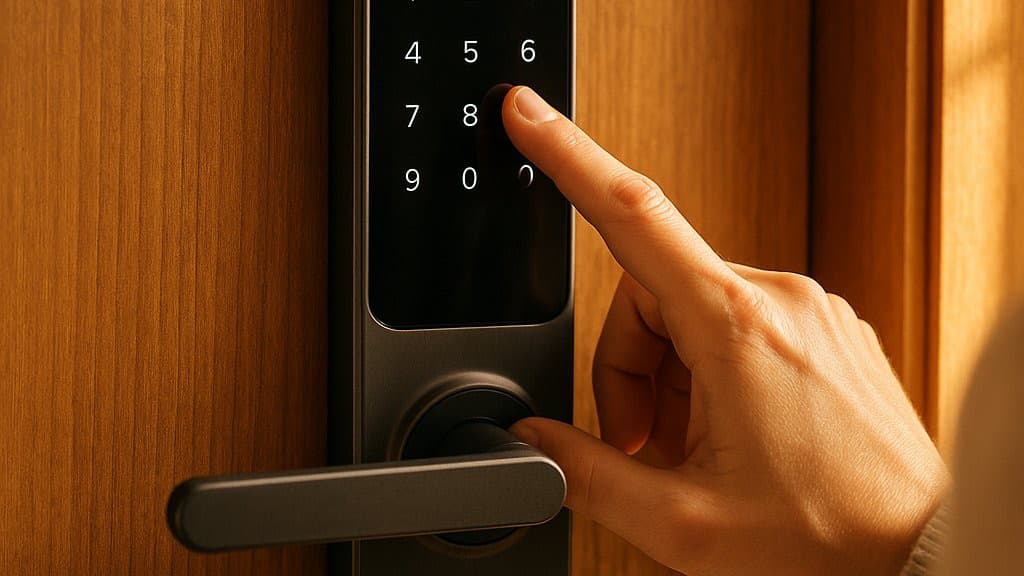
Smart Lock Battery Life Compared 2026: 5 Ranked
Battery life on a smart lock comes down to one thing — where the Wi-Fi radio lives. The lock with no in-lock Wi-Fi runs a rated 9-12 months; the always-on-Wi-Fi locks last about 6. Five deadbolts, ranked by endurance.
This article contains affiliate links. We may earn a commission at no extra cost to you. Prices change frequently — check the current price on Amazon before buying. Learn more
The Short Answer
The endurance winner is the Level Lock Pro: because no Wi-Fi radio occupies the deadbolt, a single CR2 lasts a rated 9-12 months, roughly 2x the always-on-Wi-Fi alternatives. Yale is the flexible middle on 4x AA, while the camera Lockly and weak-backup Schlage trail on architectural endurance.
Featured in this Guide
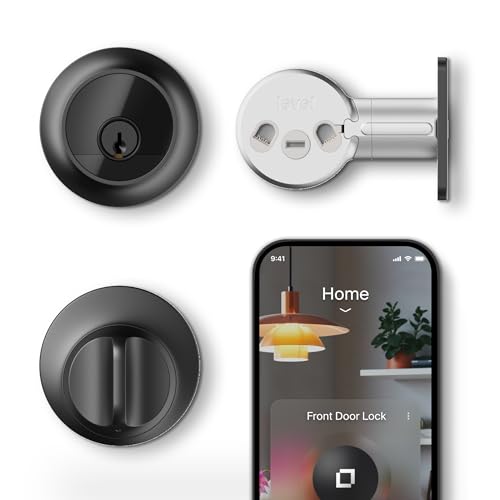
Level
Lock Pro
- •No in-lock Wi-Fi radio means one CR2 runs a rated 9-12 months — roughly 2x the always-on-Wi-Fi locks

Yale
Assure Lock 2
- •About 9 months on 4x AA in Bluetooth-only mode, plus 9V jump terminals and a keyway for easy recovery
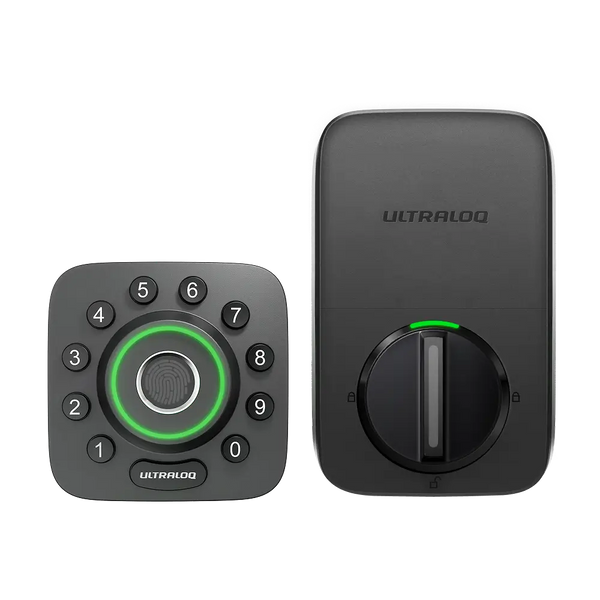
Ultraloq
U-Bolt Pro
- •Fingerprint entry near the Yale's price
- •plan on 3-6 months of real-world life on 4x AA
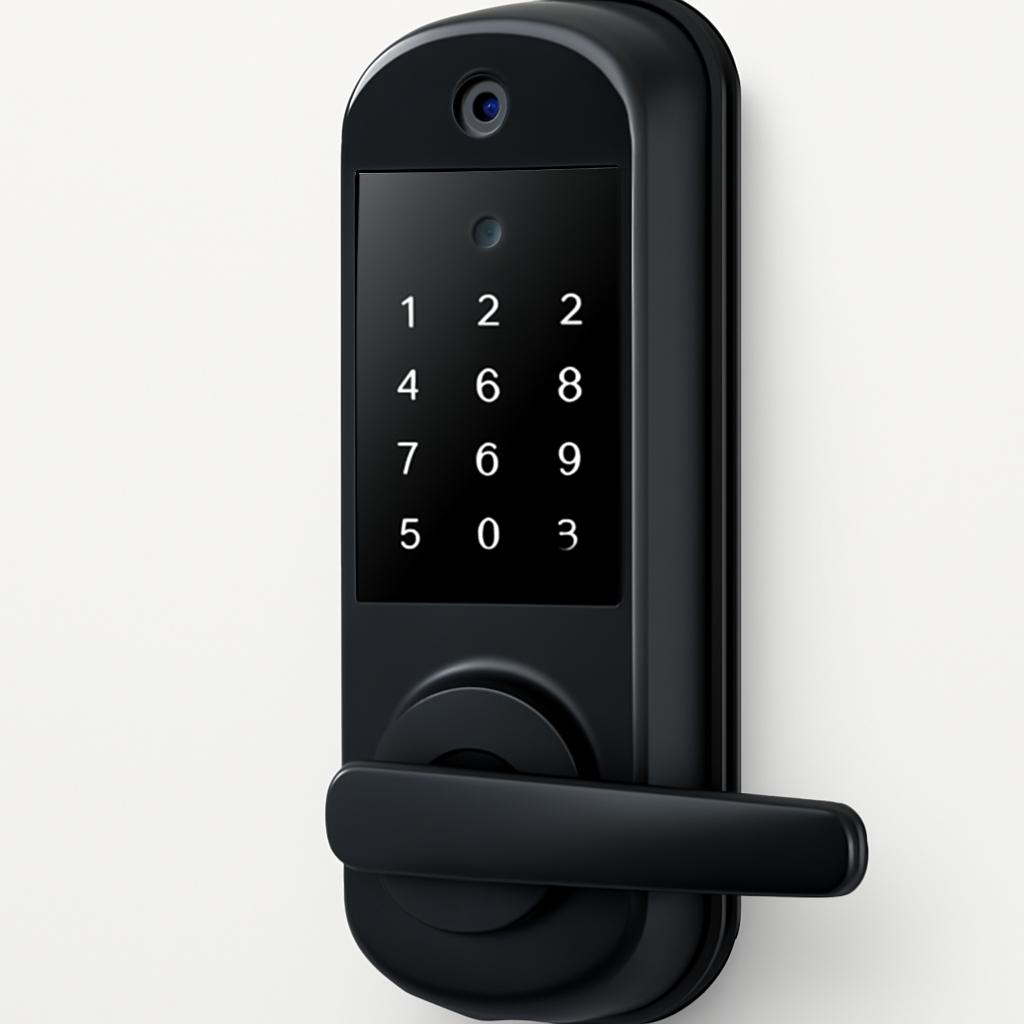
Lockly
Visage
- •Hands-free 3D face unlock
- •about 8 months in radar mode, the heaviest draw of the five
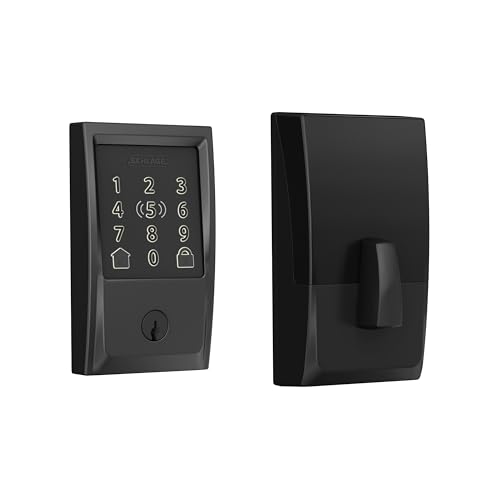
Schlage
Encode Plus
- •Thread plus a keypad for Apple Home, but always-on Wi-Fi caps it near a 6-month rating
Battery Endurance, Head-to-Head
Security
Chart
 Smarthomeexplorer.com
Tap any pick to check its live Prime price on Amazon.
Reolink RLK16-800B8 4K 16-Channel PoE NVR System (8-Camera)
RecommendedCheck price
ANNKE 4K PoE NVR Security Camera System (6-Camera)
RecommendedCheck price
eufyCam S3 Pro 2-Cam Kit (Solar, 4K)
Must BuyCheck price
What Actually Decides Smart Lock Battery Life
Smart-lock battery life splits almost entirely on one design choice — where the Wi-Fi radio lives. In this guide we evaluated five buyable deadbolts on the weighted SHE Battery Endurance Score, a four-factor formula that rewards rated life, power architecture, backup, and replacement cost. As of June 2026 the pattern is consistent: a lock with no Wi-Fi radio inside it, like the Level Lock Pro on Thread and BLE, runs a rated 9-12 months on one CR2 — roughly 2x the always-on-Wi-Fi locks. PCWorld documents that architecture, and MacRumors and 9to5Mac cover the Pro. The always-on locks drain a 4x AA or rechargeable pack far faster because the radio is the heaviest factor. The cheaper 4x AA locks even beat the pricey camera lock on endurance, so we score it over a 3-yr window, not a spec sheet.
Best Battery Life: Level Lock Pro
Best Battery Life — No In-Lock Wi-FiLevel Lock Pro
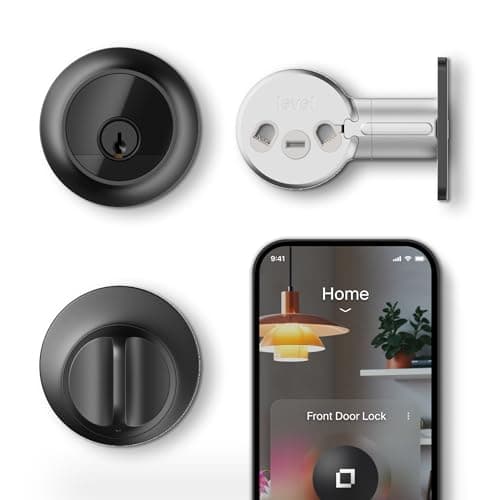
- Rated 9-12 months — the longest endurance here
- App-only battery status — no on-lock LED or voice
(Current price, subject to change)
The Level Lock Pro takes the top composite of 8.4 on the SHE Battery Endurance Score, and the weighted formula rewards exactly what makes it last: where the radio lives. Because there is no Wi-Fi radio inside the lock, a single 1x CR2 lithium cell delivers a rated 9-12 months — roughly 2x the runtime compared to the always-on-Wi-Fi locks in this comparison. PCWorld documents that Level offloads remote access to a Thread border router or its bridge, so the cell only powers Thread and BLE. That architecture yields the longest endurance here across a 3-yr ownership window. MacRumors and 9to5Mac cover the Matter-over-Thread Pro variant. The honest weakness the power-architecture factor cannot offset is recovery: status is app-only, with no USB-C or 9V jump, only a physical key and NFC fobs. Replacement is a standard CR2 photo cell — pricier than 4x AA, but a quick swap.
What We Love
- Rated 9-12 months — the longest endurance here
- No Wi-Fi radio in the lock; remote access is offloaded
- Invisible in-deadbolt design keeps the exterior clean
- Single CR2 swap, no recharge routine
What Could Be Better
- App-only battery status — no on-lock LED or voice
- No USB-C or 9V jump if the cell dies
- CR2 photo cell costs more than common AA
The Verdict
If you want the longest stretch between battery swaps, the Level Lock Pro fits the brief: one CR2 runs a rated 9-12 months because no Wi-Fi radio lives in the lock. PCWorld notes Level offloads remote access to a Thread border router. The honest catch is backup — it is key-and-fob only, with no jump terminal.
Ready to upgrade your home?
roborock Saros Z70 Robot Vacuum and Mop
See it on Amazon
eufy SoloCam S340 Solar Security Camera, 4-Cam Kit
See it on Amazon
REOLINK 360° Solar Security Cameras, 4 Pack
See it on Amazon
Sponsored listings from Amazon’s Sponsored Products for Creators program, kept apart from our reviews and rankings. How we make money
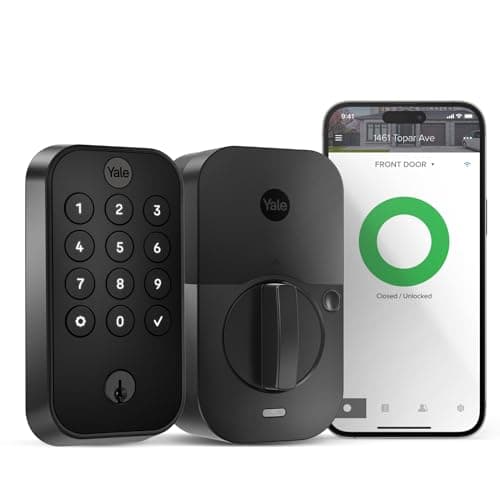
Best Backup + Flexibility: Yale Assure Lock 2
Best Backup + Bluetooth-Only FlexibilityYale Assure Lock 2
- A real Bluetooth-only mode that extends life to ~9 months
- As shipped on Wi-Fi, life drops to ~3-6 months
(Current price, subject to change)
For households that toggle connectivity, the Yale Assure Lock 2 earns a 7.4 composite — the value of a real Bluetooth-only mode. On 4x AA the lock is rated about 9 months in BLE-only operation, but only 3-6 months once the internal Wi-Fi module is running, since that radio draws from the same cells. Yale advises against lithium AA here. The power-architecture factor scores it above the always-on locks precisely because you can drop the Wi-Fi module and nearly 2x the runtime relative to its connected mode. TechRadar and Engadget cover the swappable-module platform, and Consumer Reports lists the Assure Lock 2 in its lock ratings. Resilience is the real strength: the app warns below 20%, the keypad flashes amber to red, and 9V jump terminals plus a physical key deliver the easiest recovery in this guide. Replacement on 4x AA is the cheapest, normalized across the set.
What We Love
- A real Bluetooth-only mode that extends life to ~9 months
- 9V jump terminals plus a keyway — the easiest recovery here
- Cheap, common 4x AA cells
- Low-battery warning in app and on the keypad
What Could Be Better
- As shipped on Wi-Fi, life drops to ~3-6 months
- Yale advises against lithium or rechargeable AA
- Apple Home needs a separate module
The Verdict
If you switch the lock to Bluetooth-only most of the time, the Yale Assure Lock 2 lines up with what you actually need: about 9 months on 4x AA in BLE mode versus 3-6 months once the Wi-Fi module runs. TechRadar covers the swappable-module design, and the 9V jump terminals plus a keyway make it the easiest to recover.
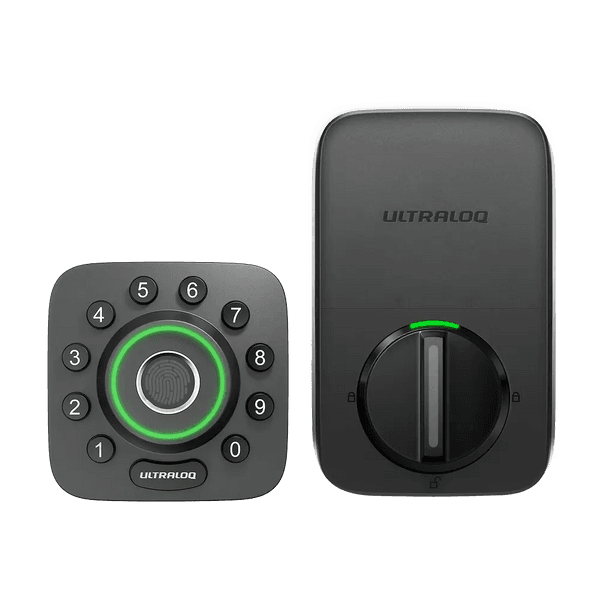
Best Fingerprint Value: Ultraloq U-Bolt Pro
Ultraloq U-Bolt Pro
- Fingerprint entry near the Yale's price point
- Real-world life is ~3-6 months, not the ~8-month claim
(Current price, subject to change)
If you want fingerprint entry near the Yale's price, the Ultraloq U-Bolt Pro earns a 6.8 composite, held back by an always-on Wi-Fi radio. U-tec's own best-case claim is up to 8 months on alkaline, but the honest number is the independent one: Reviewed and independent testers put real-world life at 3-6 months because the built-in Wi-Fi never sleeps. TechHive covers the U-Bolt Pro WiFi variant specifically, not the Bluetooth-plus-bridge classic. U-tec's best-case figure is about 2x the independent estimate, which produces a normalized power-architecture score in the same tier as Schlage. The 4x AA cells keep replacement cheap, and recovery is genuinely good: a Micro-USB jump plus a physical key. Compared to the always-on competition, only the cell type — common 4x AA — works in this lock's favor on endurance, and across a 3-yr window those swaps add up.
What We Love
- Fingerprint entry near the Yale's price point
- Micro-USB jump plus a keyway for dead-battery days
- Cheap, common 4x AA cells
- On-lock LED and beep low-battery warning
What Could Be Better
- Real-world life is ~3-6 months, not the ~8-month claim
- Always-on built-in Wi-Fi is the drain driver
- No Thread, Matter, or HomeKit on this model
The Verdict
For a fingerprint deadbolt where you accept charging the cells a few times a year, the Ultraloq U-Bolt Pro is a sensible pick for that setup. U-tec claims up to 8 months on alkaline, but Reviewed and independent testers see 3-6 months because the Wi-Fi is always on. A Micro-USB jump and a keyway cover dead-battery days.
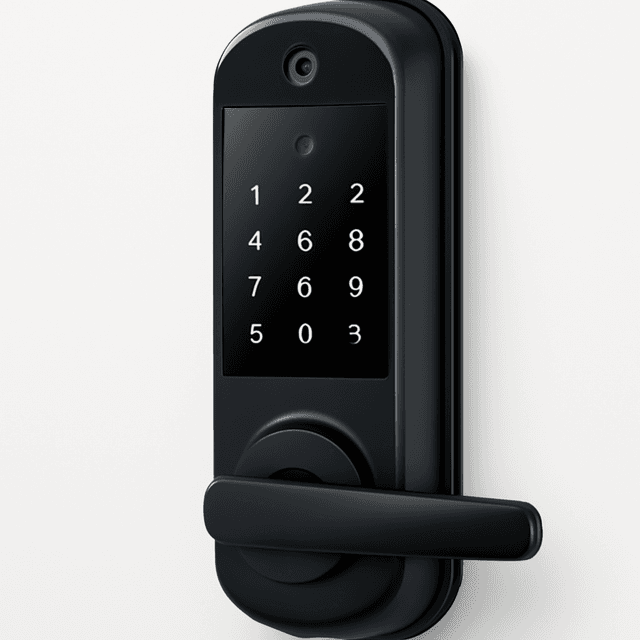
Best Facial Recognition: Lockly Visage
Best Facial Recognition (Heaviest Draw)Lockly Visage
- Hands-free 3D facial recognition unlock
- Continuous scanning drops real life to roughly a week
(Current price, subject to change)
For a facial-recognition lock, the Lockly Visage takes a 6.7 composite, and its power-architecture score is the lowest here for a documented reason: always-on Wi-Fi plus a 3D facial-recognition camera is the heaviest draw in this comparison. Lockly rates the 2x rechargeable packs at about 8 months in radar-triggered mode, where the camera only wakes on approach. Turn on continuous scanning and real-world life collapses to roughly a week — PCWorld and Tom's Guide cover the Visage Zeno, and TechRadar saw a pack near 58% after a week on the default radar mode. The factor that saves its overall standing is recovery: a USB-C jump and dual swap-and-charge packs enable no-lockout downtime. Versus the cheaper 4x AA locks, the camera is what you pay for in battery terms, and over a 3-yr window endurance does not track price — this premium lock proves it.
What We Love
- Hands-free 3D facial recognition unlock
- Dual swap-and-charge packs avoid lockout downtime
- USB-C jump plus a physical keyway
- Apple Home Key built in
What Could Be Better
- Continuous scanning drops real life to roughly a week
- Camera plus always-on Wi-Fi is the heaviest draw here
- Recharge routine instead of a quick cell swap
The Verdict
If facial-recognition entry is the feature you came for, the Lockly Visage checks the boxes that matter for hands-free unlocking. Plan around the draw: Lockly rates about 8 months in radar mode, but continuous scanning drops it to roughly a week. The dual swap-and-charge packs keep you from being locked out, and TechRadar covers the Visage Zeno.
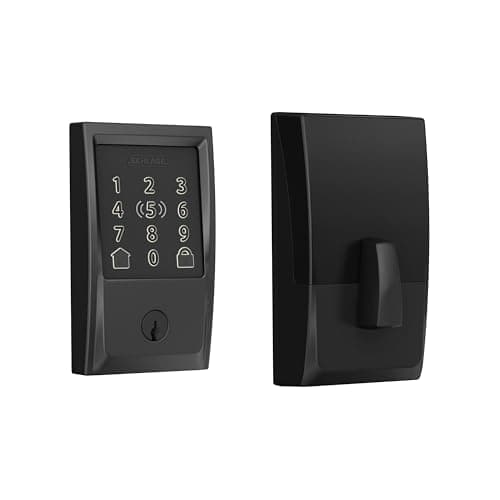
Apple Home Pick: Schlage Encode Plus
Apple Home Pick, Shortest BatterySchlage Encode Plus
- Thread plus a keypad for Apple Home in one unit
- Rated about 6 months — the shortest in this guide
(Current price, subject to change)
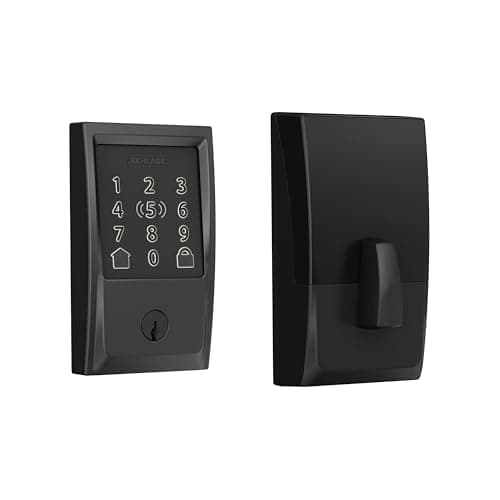
The Schlage Encode Plus anchors the bottom of this guide at a 6.2 composite, and the battery story is the reason. Schlage delivers about 6 months on 4x AA — the shortest here — because an always-on built-in Wi-Fi radio runs straight off the cells with no bridge to offload it. Schlage's own support doc names the drivers: weak Wi-Fi signal, heavy daily use, and dual Schlage-Home plus Apple-Home pairing. Tom's Guide and PCWorld cover the Encode Plus, and MacRumors notes the Apple Home Key support. Compared to the Level Lock Pro, which runs roughly 2x as long, Schlage burns through a heavier 4x AA pack, so the normalized power-architecture score sits in the bottom tier and the extra swaps add up over a 3-yr window. Backup is the other weak point — a physical key only, with no jump terminal — though Wirecutter still rates the Encode line well overall on features.
What We Love
- Thread plus a keypad for Apple Home in one unit
- Cheap, common 4x AA cells
- Clear low-battery warning on the touchscreen and app
- Apple Home Key tap-to-unlock
What Could Be Better
- Rated about 6 months — the shortest in this guide
- Always-on Wi-Fi with no bridge to offload it
- Backup is a physical key only, no jump terminal
The Verdict
If you live in Apple Home and want Thread plus a keypad, the Schlage Encode Plus is still a fair call, but on endurance there's no need to overthink it: an always-on Wi-Fi radio with no bridge to offload it lands Schlage at a rated 6 months, the shortest here. Tom's Guide covers the deadbolt, and backup is a physical key only.
How We Score: SHE Battery Endurance Score
SHE Battery Endurance Score
Score Formula
(Rated Battery Life × 0.35) + (Power Architecture × 0.30) + (Battery Resilience & Backup × 0.20) + (Replacement Cost & Convenience × 0.15)Score Factors
- Rated Battery Life (35%)Manufacturer-rated battery life in months, with stated conditions. Level Lock Pro 9-12 months scores highest; Lockly is rated ~8 months in radar-triggered mode but drops to about a week under continuous facial scanning; Yale is ~9 months on Bluetooth and 3-6 months on Wi-Fi; Schlage is about 6 months; Ultraloq is up to ~8 months by the maker against 3-6 months from independent testers.
- Power Architecture (30%)Where the power-hungry radio lives. The Level Lock Pro keeps no Wi-Fi radio in the lock (Thread and BLE, remote access offloaded) and scores highest; Yale has in-lock Wi-Fi but a usable Bluetooth-only mode; Schlage and the Ultraloq U-Bolt Pro WiFi run an always-on built-in Wi-Fi radio; the Lockly adds a facial-recognition camera on top of always-on Wi-Fi, the heaviest profile.
- Battery Resilience & Backup (20%)Low-battery warning channels plus emergency-power and backup entry. Yale, Ultraloq, and Lockly score highest with a jump path (9V, Micro-USB, or USB-C) plus a key or dual packs; Schlage warns clearly but offers a physical-key-only backup; the Level Lock Pro gives app-only status with no jump terminal.
- Replacement Cost & Convenience (15%)Cost and ease of restoring power. The 4x AA locks (Yale, Ultraloq, Schlage) are the cheapest and most common; the Level Lock Pro uses a single CR2 photo cell, standard but pricier than AA; the Lockly recharges its packs rather than replacing cells, with a spare pack sold separately.
SHE Battery Endurance Score — Ranked
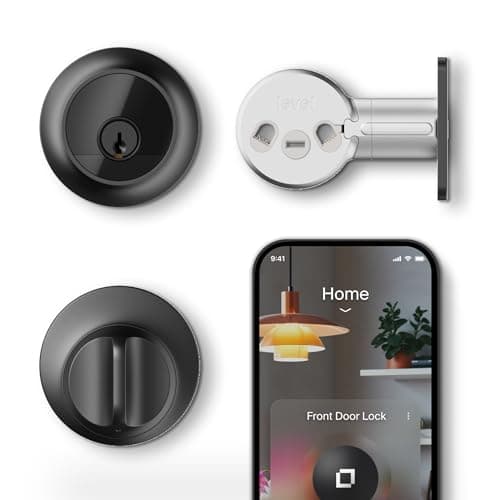
Level Lock Pro
SHE Battery Endurance Score8.4/10$349 — no in-lock Wi-Fi; one CR2 rated 9-12 months, the longest endurance here
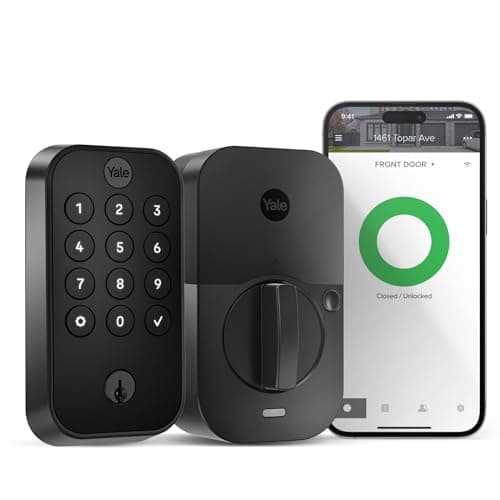
Yale Assure Lock 2
SHE Battery Endurance Score7.4/10$169.99 — ~9 months Bluetooth-only on 4x AA, with the easiest 9V-plus-key recovery
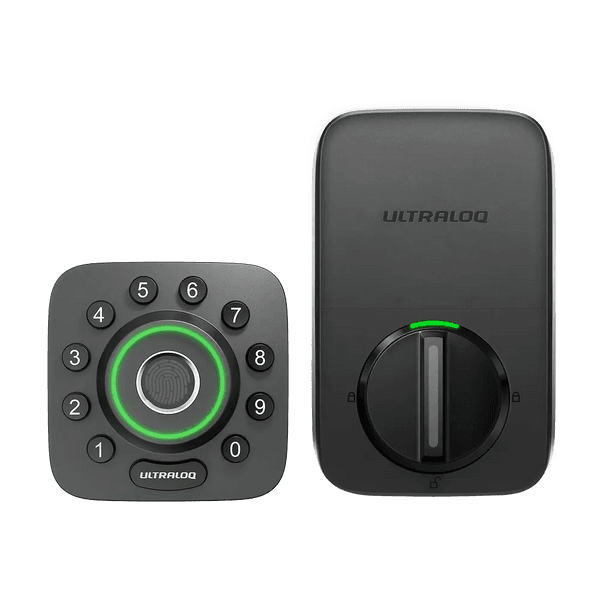
Ultraloq U-Bolt Pro
SHE Battery Endurance Score6.8/10$159.99 — fingerprint value; ~3-6 months real-world on 4x AA, always-on Wi-Fi
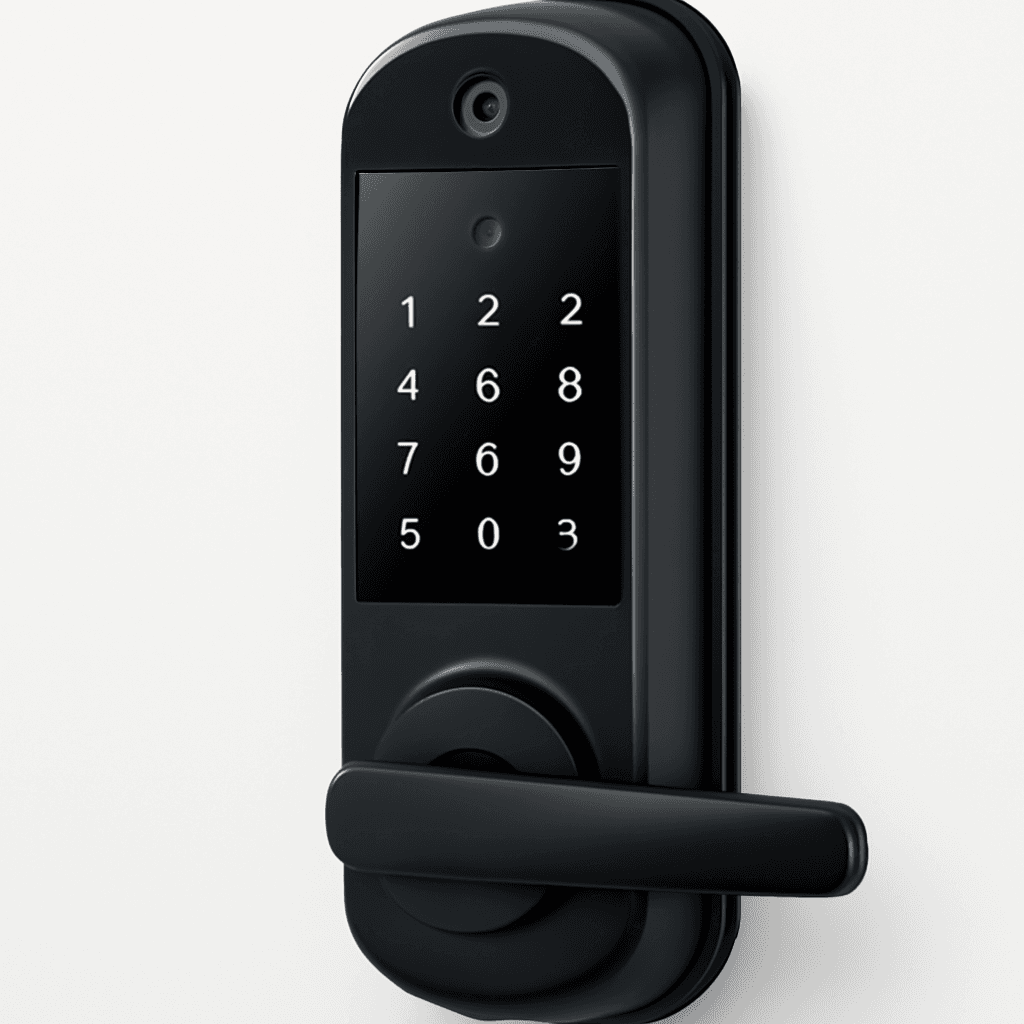
Lockly Visage
SHE Battery Endurance Score6.7/10$339 — ~8 months radar mode; camera plus Wi-Fi is the heaviest draw of the five
Schlage Encode Plus
SHE Battery Endurance Score6.2/10$319 — rated ~6 months on 4x AA; always-on Wi-Fi with a key-only backup
SHE Battery Endurance Score
Weighted composite of rated life, power architecture, backup, and replacement cost (0-10).
SmartHomeExplorer composite of manufacturer-rated battery life plus per-model outlet coverage (0-10).
How These Locks Connect to Your Home
Connectivity is the lever behind every battery number in this guide, so it is worth separating how each lock talks to your home. The Level Lock Pro speaks Matter over Thread and BLE with Apple Home Key, and crucially keeps no Wi-Fi radio inside the deadbolt — remote access is offloaded to a Thread border router such as a HomePod or Apple TV, which is why its CR2 lasts a rated 9-12 months. The Yale Assure Lock 2 ships a swappable internal Wi-Fi module on this SKU; pull it or run Bluetooth-only and you trade remote convenience for roughly 2x the runtime. The Ultraloq U-Bolt Pro WiFi and the Schlage Encode Plus both bake an always-on 2.4GHz Wi-Fi radio into the lock, with no bridge to offload it, so the cells carry that load continuously. The Lockly Visage Zeno adds a facial-recognition camera on top of its built-in Wi-Fi, the heaviest power profile here. In SHE Battery Endurance Score terms, the locks that push the radio out of the deadbolt win, and the ones that pull it inside pay for it in faster 4x AA swaps. Match the protocol to the home you already run, then let the battery math follow from there.
Where the Wi-Fi Lives Decides the Battery
The single most useful takeaway costs nothing to apply: the location of the Wi-Fi radio, not the price tag, sets battery life. The weighted SHE Battery Endurance Score formula puts rated life and power architecture at 65% of the composite for exactly this reason. A lock that offloads its radio to a Thread border router or a plug-in bridge — the Level Lock Pro here — sips power and delivers a rated 9-12 months, while a lock that runs an always-on Wi-Fi radio off its own cells lands in the 6-month tier no matter how premium it is. The clearest proof is that two of the cheapest locks, the 4x AA Yale and Ultraloq, outlast the $339 facial-recognition Lockly on endurance, because a camera plus always-on Wi-Fi is the heaviest draw. Over a 3-yr window that gap is real: the long-life architecture yields fewer swaps and fewer dead-battery scares, which is the outcome that actually matters at your door. No published per-day drain rates exist for these locks, so we score the documented architecture and the manufacturer-rated months, not invented wattage.
When NOT to Buy
Endurance is only one axis, so do not let it override a lock that genuinely fits your home better. If you live in Apple Home and want Thread plus a keypad, the Schlage Encode Plus remains a reasonable purchase despite its roughly 6-month rating — you will simply replace the 4x AA cells more frequently. If facial recognition is the priority, the Lockly Visage remains justifiable even though its camera represents the heaviest draw here. And if you primarily need the broadest recovery options, the Yale and Ultraloq each provide an emergency jump path that the Level deliberately omits. Our Best Smart Door Locks 2026: 6 Ranked, No Fees hub evaluates these locks on the complete picture — security grade, ecosystem compatibility, and price — rather than battery endurance alone.
Who Should Buy What
Who Should Buy What
| If you are… | Recommended pick |
|---|---|
Longest-life buyers You want the most months between battery swaps and run Apple Home or a Thread border router to offload remote access. | Level Lock Pro |
Backup-first households You want the broadest recovery options and the choice to run Bluetooth-only for longer life on cheap AA cells. | Yale Assure Lock 2 |
Fingerprint on a budget You want fingerprint entry near the lowest price and accept swapping AA cells two or three times a year. | Ultraloq U-Bolt Pro |
Facial-recognition first Hands-free 3D face unlock is the priority and you will keep the spare rechargeable pack charged. | Lockly Visage |
Apple Home keypad buyers You want Thread plus a keypad for Apple Home in one unit and accept a roughly 6-month battery rating. | Schlage Encode Plus |
Frequently Asked Questions
Which smart lock has the longest battery life?
The Level Lock Pro. Because it keeps no Wi-Fi radio inside the lock — it runs Matter over Thread and BLE, with remote access offloaded to a Thread border router or bridge — a single CR2 lithium cell is rated 9-12 months. That is roughly double the always-on-Wi-Fi locks in this comparison, which land closer to a 6-month interval. The trade-off is backup: the Level Lock Pro has no USB-C or 9V jump, only a physical key and NFC fobs, and its low-battery status is shown in the app rather than on the lock.
Why do Wi-Fi smart locks drain batteries faster?
An always-on Wi-Fi radio built into the lock runs continuously off the same cells that power the motor and keypad, so it is the dominant everyday draw. The Schlage Encode Plus and the Ultraloq U-Bolt Pro WiFi both put that radio inside the lock with no bridge, which is why they sit near a 6-month rating. A lock that offloads remote access — to a Thread border router or a plug-in bridge — keeps that load off its battery and lasts far longer on the same kind of cell.
Does the Lockly Visage really only last about a week?
Only in continuous facial-scanning mode. Lockly rates the Visage Zeno at about 8 months on its rechargeable packs in radar-triggered mode, where the camera wakes only when someone approaches. If you enable continuous scanning so the camera runs all the time, real-world life drops to roughly a week. Most owners run radar-triggered mode; the dual swap-and-charge packs also let you keep a spare charged so you are never locked out while one is on the charger.
Can I get longer battery life from the Yale Assure Lock 2?
Yes. The Yale Assure Lock 2 is rated about 9 months on 4 AA cells in Bluetooth-only operation, but only 3-6 months once its internal Wi-Fi module is active, because that radio draws from the same cells. Running Bluetooth-only — or removing the Wi-Fi module — roughly doubles the interval at the cost of remote app access. Yale also advises using standard alkaline AA rather than lithium or rechargeable cells in this lock.
Do these smart locks publish a daily battery drain rate?
No. None of these manufacturers publishes a verified per-day or percent-per-day drain figure, so any such number you see should be treated with caution. We score each lock only on its manufacturer-rated battery life in months, with the stated conditions, plus its documented power architecture and backup features. Where a maker's claim and independent testing disagree — as with the Ultraloq U-Bolt Pro WiFi — we list both rather than pick one.
Bottom Line
Get the Level Lock Pro if you want the longest rated battery life and run Apple Home or a Thread border router to offload remote access.
Get the Yale Assure Lock 2 if you want the easiest backup and the option to run Bluetooth-only for ~9 months on cheap AA cells.
Get the Ultraloq U-Bolt Pro if you want fingerprint entry on a budget and accept 3-6 months of real-world life between swaps.
Get the Lockly Visage if hands-free 3D facial recognition is the priority and you will run radar mode and keep a pack charged.
Get the Schlage Encode Plus if you want Thread plus a keypad for Apple Home and accept a roughly 6-month battery rating.
If battery endurance is your single priority, the Level Lock Pro is the clear pick — no in-lock Wi-Fi means roughly 2x the runtime of the always-on-Wi-Fi locks. For the easiest recovery, the Yale Assure Lock 2 adds 9V jump terminals and a keyway. Read our best-smart-door-locks-2026 hub if security grade and ecosystem matter more than months between swaps.
Sources & Methodology
Methodology: SHE Battery Endurance Score — Formula: (Rated Battery Life × 0.35) + (Power Architecture × 0.30) + (Battery Resilience & Backup × 0.20) + (Replacement Cost & Convenience × 0.15). Factors: Rated Battery Life (35%): Manufacturer-rated battery life in months, with stated conditions. Level Lock Pro 9-12 months scores highest; Lockly is rated ~8 months in radar-triggered mode but drops to about a week under continuous facial scanning; Yale is ~9 months on Bluetooth and 3-6 months on Wi-Fi; Schlage is about 6 months; Ultraloq is up to ~8 months by the maker against 3-6 months from independent testers. | Power Architecture (30%): Where the power-hungry radio lives. The Level Lock Pro keeps no Wi-Fi radio in the lock (Thread and BLE, remote access offloaded) and scores highest; Yale has in-lock Wi-Fi but a usable Bluetooth-only mode; Schlage and the Ultraloq U-Bolt Pro WiFi run an always-on built-in Wi-Fi radio; the Lockly adds a facial-recognition camera on top of always-on Wi-Fi, the heaviest profile. | Battery Resilience & Backup (20%): Low-battery warning channels plus emergency-power and backup entry. Yale, Ultraloq, and Lockly score highest with a jump path (9V, Micro-USB, or USB-C) plus a key or dual packs; Schlage warns clearly but offers a physical-key-only backup; the Level Lock Pro gives app-only status with no jump terminal. | Replacement Cost & Convenience (15%): Cost and ease of restoring power. The 4x AA locks (Yale, Ultraloq, Schlage) are the cheapest and most common; the Level Lock Pro uses a single CR2 photo cell, standard but pricier than AA; the Lockly recharges its packs rather than replacing cells, with a spare pack sold separately.
Expert review sources used in this analysis:
- SmartHomeExplorer aggregates manufacturer specifications and expert review coverage to produce consensus guidance; we do not bench-test battery drain
- Battery life figures are each manufacturer's rated months with their stated conditions — Level 9-12 months (no in-lock Wi-Fi), Yale about 9 months on Bluetooth and 3-6 months on Wi-Fi, Schlage about 6 months, Ultraloq up to 8 months by the maker versus 3-6 months from independent testers, and Lockly about 8 months in radar-triggered mode versus roughly a week with continuous facial scanning
- No manufacturer publishes a verified per-day or percent-per-day drain rate, and none is invented here
- Per-model coverage is attributed in each review above; the outlets consulted were PCWorld, MacRumors, 9to5Mac, Tom's Guide, TechRadar, Consumer Reports, Engadget, Reviewed, TechGearLab, TechHive, and Wirecutter
- The SHE Battery Endurance Score is SmartHomeExplorer's own weighted composite, not an outlet finding
- Prices and availability verified June 2026.
Nicholas Miles is the founder of SmartHomeExplorer and a longtime smart home enthusiast focused on helping everyday homeowners make better technology decisions. He researches, compares, and writes about products across security, climate, lighting, leak prevention, sensors, home energy, and automation, with an emphasis on real-world usefulness, ecosystem compatibility, reliability, privacy, and long-term value.
Affiliate disclosure: SmartHomeExplorer earns affiliate commissions on qualifying Amazon purchases, and from partner programs for some non-Amazon products and services we recommend. Our scoring methodology is independent of affiliate relationships.
More Guides
smart-security
Best Smart Door Locks 2026: 6 Ranked, No Fees
Security
Schlage Encode Plus vs Yale Assure Lock 2 (2026)
Security
August vs Yale Assure Lock 2: Retrofit or Deadbolt?
smart-security
Best Apple Home Key Smart Locks 2026: 5 Compared
Security
Best Smart Locks With Built-In Camera 2026: 5 Ranked
Security