
The Level Bolt ($149) is the best smart lock for renters — it replaces only the interior part of your deadbolt, your door looks exactly the same from.
Before anything else: check your lease. Most leases require landlord approval for lock changes, even renter-removable ones. The good news: most landlords say yes when you explain the lock is removable and you'll restore the original at move-out.
Renter Smart Lock Options at a Glance
Smart Lock
Chart
 Smarthomeexplorer.com
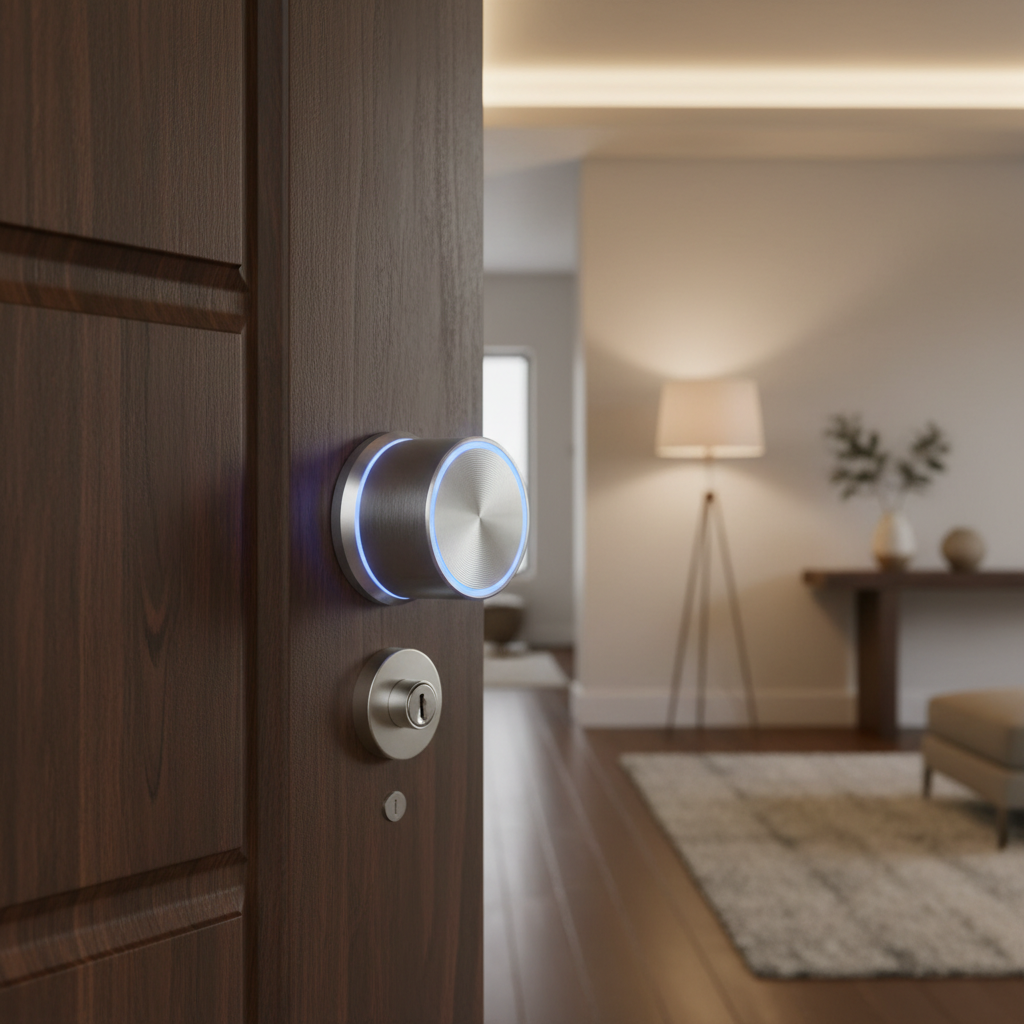
Level Bolt Smart Lock — The Invisible Renter's Smart Lock
Level Bolt Smart Lock
(Current Price, subject to change)
The Level Bolt is different from every other smart lock. Instead of replacing your entire deadbolt (the part you and your landlord can see), it replaces only the internal mechanism — the part inside the door that drives the bolt. Your exterior keyhole and your original key work exactly as before. From outside, nothing changed. Your landlord won't notice during a walkthrough. Your neighbors won't see anything.
What changed on the inside: the thumb-turn is now a small disk that the Level app controls via Bluetooth. You can lock and unlock with your phone, share digital keys with guests, set auto-lock schedules, and see lock history — all without touching the door from outside.
The big limitation: Level Bolt is Bluetooth-only (not Wi-Fi). You need to be within Bluetooth range (~100 feet) or use the $79 Level Home Hub (a plug-in adapter that adds Wi-Fi) to control it remotely or integrate with Alexa and Google Home.
Installation time: 5–10 minutes. Unscrew your existing interior mechanism, slide in the Level Bolt, connect in the app. Reverse the process at move-out.
Who should buy this: Renters in apartments with strict landlords, anyone in a building where exterior lock appearance matters (some condo buildings have rules), or anyone who wants to take their smart lock with them when they move without any evidence it was ever there.
What We Love
- Completely invisible from outside — no visible change to your door
- Original key still works — maintenance workers and landlords aren't affected
- Tiny and unobtrusive — smallest smart lock available
- Works with any standard deadbolt — if your door has a standard deadbolt, Level Bolt fits
- Fast to remove — 5-minute reinstall of original hardware at move-out
What Could Be Better
- Bluetooth-only base model — need the $79 Hub for remote access
- Total cost $228 with Hub vs $149 for Bluetooth-only
- No keypad (use your phone or original key only)
- App has a learning curve
Does Level Bolt work with Alexa or Google Home?
Level Bolt requires the $79 Level Home Hub (sold separately) to connect to Alexa and Google Home — the base Bluetooth-only model does not support either ecosystem. With the Hub added, you get remote access, voice control via Alexa or Google, and activity history from anywhere. The total cost with Hub is $228, which should factor into your comparison with the August WiFi Smart Lock at $149 (which includes Wi-Fi built in).
Is Level Bolt worth it at $149 vs Wyze Lock Bolt at $75?
Level Bolt is worth it for renters whose landlords would object to visible smart lock hardware — its completely invisible exterior is a real differentiator no other smart lock offers at any price. If your landlord permits visible hardware, the Wyze Lock Bolt at $75 delivers fingerprint access, a keypad, and auto-lock at nearly half the cost, making it the better value for most renters with cooperative landlords.
"Level has done something no other smart lock company has managed — made the lock completely disappear. For renters, that's not just a feature, it's a lease-saver." — Smart Home Solver
Wyze Lock Bolt — Best Budget Renter Smart Lock
Wyze Lock Bolt
(Current Price, subject to change)
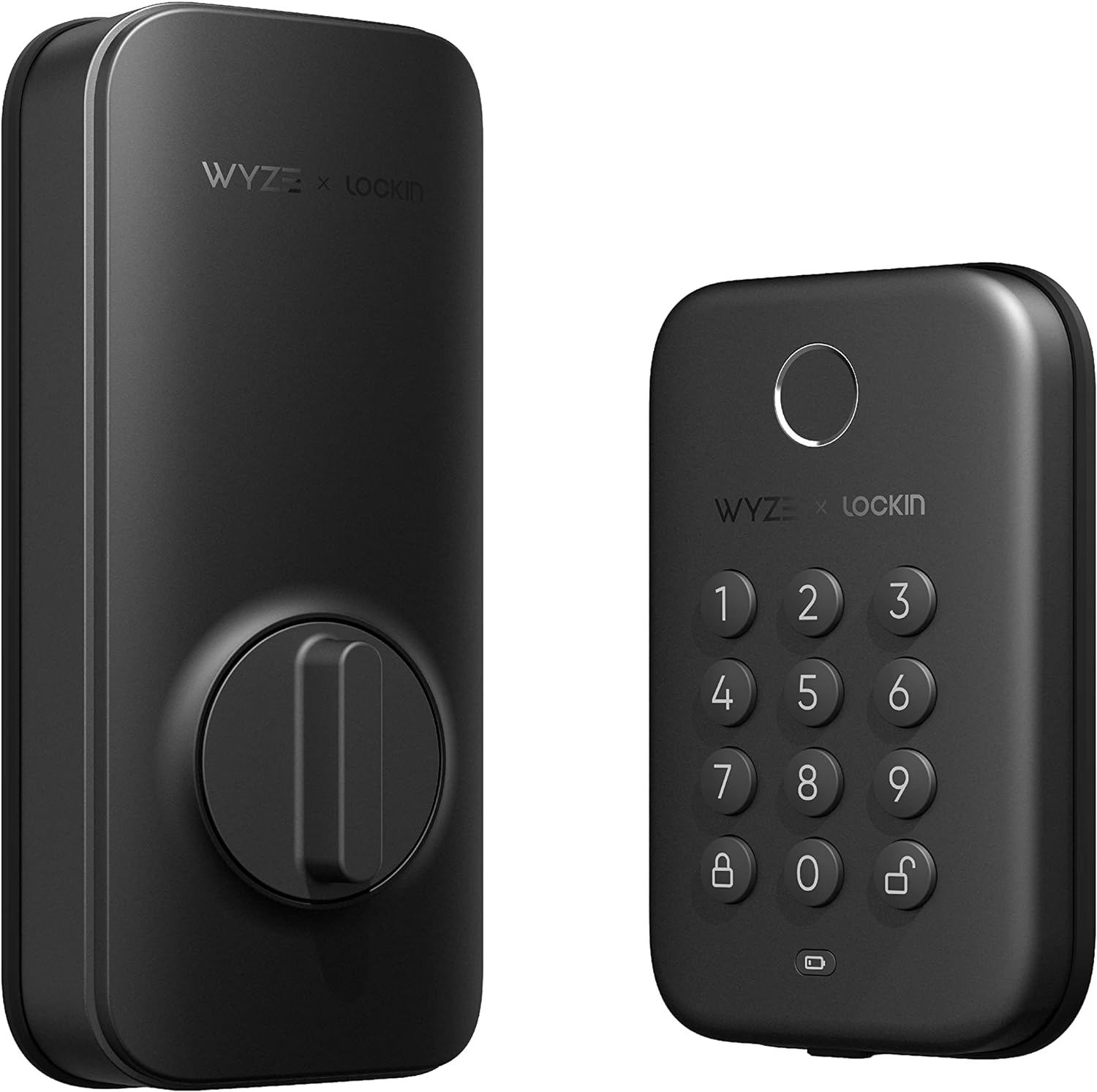
The Wyze Lock Bolt replaces your existing deadbolt entirely — your door will visibly have a smart lock — but at $75 it's the most capable budget smart lock available. It has a built-in keypad (no phone required), fingerprint reader (50 fingerprints stored), Bluetooth control, and auto-lock. For renters whose landlords are fine with visible smart hardware, this is strong value for the price.
At move-out: reinstall your original deadbolt. Keep the Wyze Lock Bolt for your next place.
Wyze Lock Bolt vs Wyze Lock: There are two Wyze smart locks. The Lock Bolt ($75) is keypad + fingerprint, Bluetooth only. The Wyze Lock ($90) is a retrofit model (invisible exterior, like Level Bolt) but requires Wi-Fi. The Lock Bolt is the better value for most renters.
What We Love
- Best price for the features — fingerprint + keypad at $75 is hard to beat
- No subscription required — all features work without Wyze's paid tier
- Simple installation — standard deadbolt swap, 20 minutes
- Fingerprint is fast — sub-second unlock, more reliable than Wyze's older models
What Could Be Better
- Visible smart lock hardware (not invisible like Level Bolt)
- Bluetooth only — no remote unlock without a phone in Bluetooth range
- Wyze's privacy track record has had issues (see FAQ below)
- No Alexa or Google Home integration in base model
Does Wyze Lock Bolt work with Alexa?
No — the Wyze Lock Bolt is Bluetooth-only and does not integrate with Alexa or Google Home in its base configuration. You unlock it via the Wyze app, fingerprint, or keypad code. Wyze offers a separate Wi-Fi model (the Wyze Lock, $90) that does support Alexa and remote access, but it requires a gateway adapter. If Alexa or Google Home integration is a priority, the August WiFi Smart Lock ($149) is a better fit.
How much does Wyze Lock Bolt cost vs August WiFi Smart Lock?
The Wyze Lock Bolt is $74.99 versus $149 for the August WiFi Smart Lock — a $74 difference. The August includes Wi-Fi, remote access, Alexa/Google Home/HomeKit support, and auto-unlock geofencing built in. The Wyze is Bluetooth-only with no remote access. If you never need to unlock remotely or use voice control, the Wyze saves $74 for comparable physical security. If remote access matters, the August's built-in Wi-Fi makes the premium worthwhile.
"At $75, the Wyze Lock Bolt is the best value in smart locks right now. Fingerprint unlock is genuinely fast, and the keypad means you never need your phone." — The Hook Up
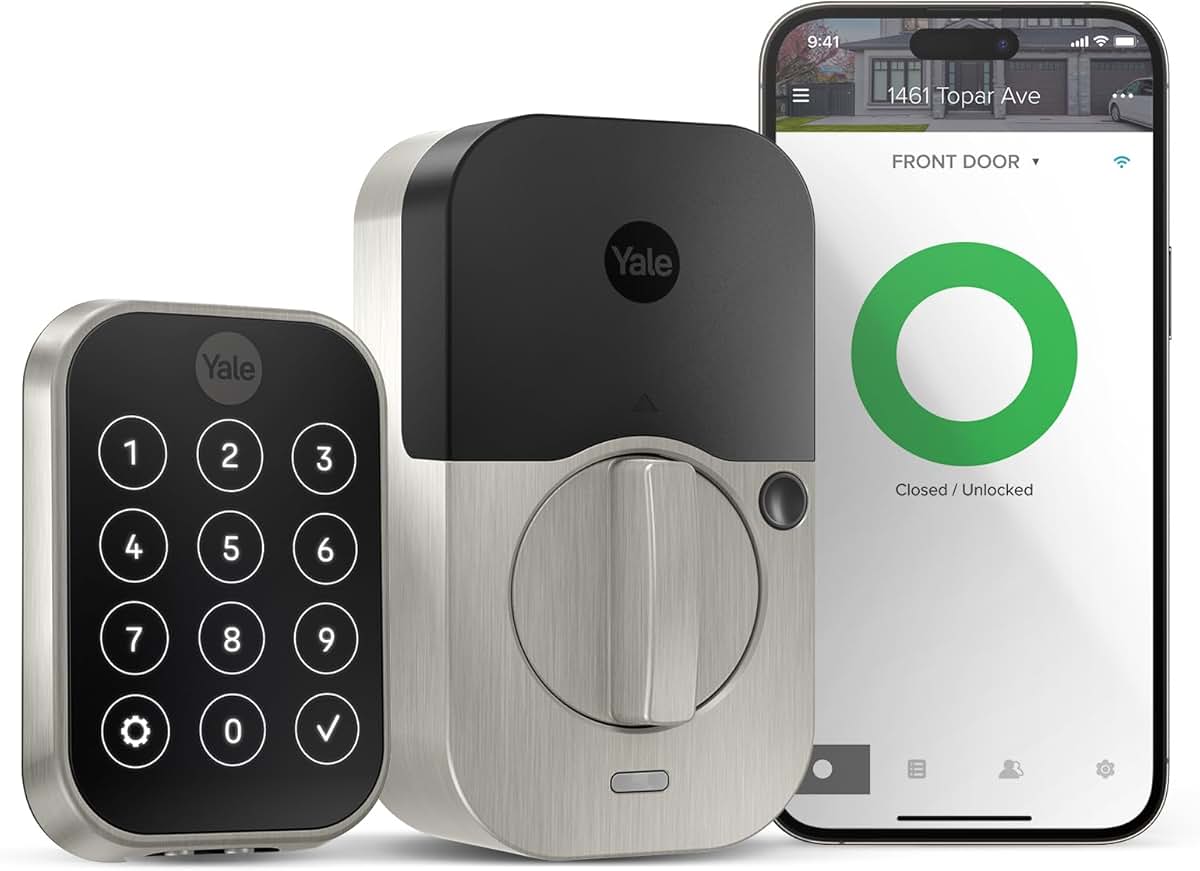
August WiFi Smart Lock — Best Remote Access Renter Lock
August WiFi Smart Lock
(Current Price, subject to change)
Like the Level Bolt, August installs on the interior of your existing deadbolt — exterior unchanged, original key works. Unlike Level Bolt, the August WiFi model includes Wi-Fi built in (no separate hub needed), so you get full remote access, Alexa integration, and activity alerts without extra hardware.
It's bulkier on the interior side than the Level Bolt, but the trade-off is remote access and smarter automations (auto-unlock when your phone arrives, auto-lock after 5 minutes). For renters who travel frequently or manage Airbnb properties, the Wi-Fi integration pays for itself.
What We Love
- Wi-Fi built in — no hub purchase needed for remote access
- Auto-unlock geofencing — door unlocks as you approach
- Works with Alexa, Google Home, HomeKit — best ecosystem support in this category
- Invisible exterior — original key and exterior keyhole unchanged
What Could Be Better
- Bulky interior mechanism (some renters find it aesthetically intrusive)
- $149 is the same price as Level Bolt base model, but Level needs a $79 hub for parity
- August's parent company (Yale/ASSA ABLOY) is fine but app quality varies by review
Does August WiFi Smart Lock work with Apple HomeKit?
Yes — the August WiFi Smart Lock supports Alexa, Google Home, and Apple HomeKit, making it the only lock in this guide with all three major ecosystem integrations. HomeKit support means iPhone users can control it through the Apple Home app, add it to Siri shortcuts, and use it in HomeKit automations without any additional hardware. This broad compatibility makes it the best choice for households that use mixed ecosystems or may switch platforms in the future.
August WiFi Smart Lock vs Level Bolt: which is better for renters?
Both leave the door's exterior completely unchanged and let the original key continue working. The August WiFi includes Wi-Fi and remote access for $149 — the same base price as the Level Bolt, which requires a separate $79 Hub for equivalent remote functionality. August also supports HomeKit out of the box. Level Bolt wins on physical size (smaller interior footprint) and visibility (slightly less bulky). For most renters who want remote access without extra purchases, the August is the better value at parity pricing.
"The August WiFi Smart Lock is the easiest recommendation for renters who want remote access — Wi-Fi built in, no hub, and it works with every major ecosystem out of the box." — Shane Whatley
Schlage Encode Plus — Best Premium Smart Lock
Schlage Encode Plus
(Current Price, subject to change)
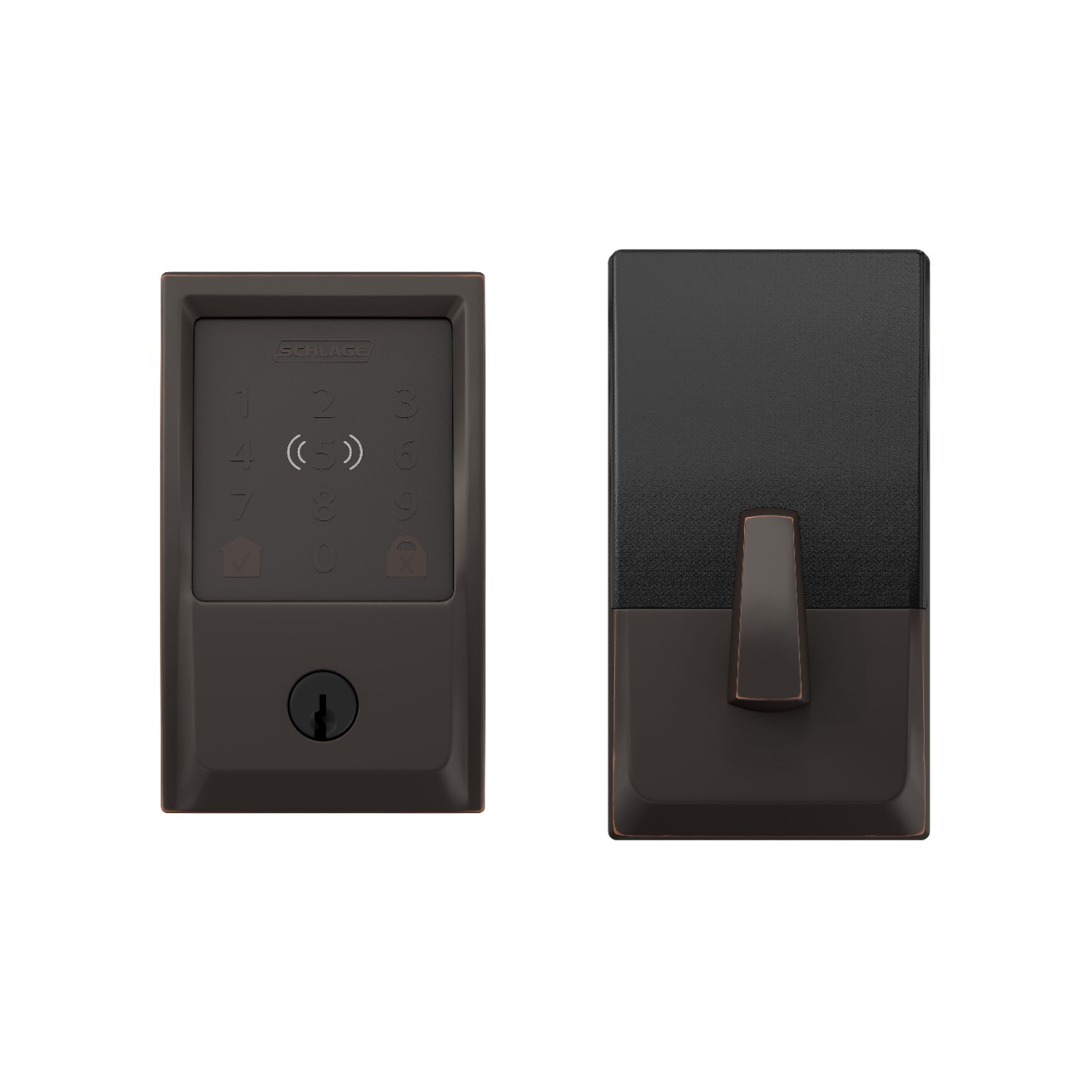
The Schlage Encode Plus is the premium option for renters who want the best build quality and Apple Home Key support — tap your iPhone or Apple Watch to unlock, no app needed. Built-in Wi-Fi means no hub, and the Schlage brand carries decades of commercial lock engineering. It's overkill for most renters at $249, but for Apple households willing to invest, nothing else matches its fit and finish.
What We Love
- Apple Home Key — tap iPhone or Apple Watch to unlock instantly
- Built-in Wi-Fi — no hub or bridge needed for remote access
- Premium build quality — Schlage's commercial-grade engineering
- Full ecosystem support — Alexa, Google Home, Apple HomeKit
What Could Be Better
- Most expensive lock in this guide at $249
- Full deadbolt swap — visible smart lock hardware
- Overkill for short-term rentals
- Heavier mechanism than competitors
Is the Schlage Encode Plus worth $249 for renters?
For renters planning to stay 2+ years in an Apple household, the Schlage Encode Plus is worth it — Apple Home Key is measurably faster than any app-based unlock, and the build quality means it moves with you for years. For shorter leases or non-Apple households, the August WiFi Smart Lock at $149 or Wyze Lock Bolt at $75 delivers most of the value at a fraction of the cost.
"The Schlage Encode Plus is the best-built smart lock available — Apple Home Key alone makes it worth the premium for iPhone households." — Wirecutter
How to Ask Your Landlord (What Actually Works)
Most renters who ask permission get it. Here's the framing that works:
"I'd like to install a smart lock that I can remove completely at move-out, restoring the original hardware exactly as it is now. Your master key will continue to work, the exterior of the door won't change, and I'll remove it myself before I leave."
What landlords worry about: security liability, lock-out scenarios, and door damage. Address all three upfront. Offer to show them the product page. With the Level Bolt specifically, the exterior is 100% unchanged — many renters install it without mentioning it because there's nothing visible to mention (though we recommend asking anyway).
When NOT to Buy
- Skip it if... your lease explicitly prohibits any lock modifications and your landlord won't budge — even the Level Bolt technically changes internal hardware, and violating your lease isn't worth the convenience.
- Skip it if... your door uses a mortise lock, double-cylinder deadbolt, or non-standard European lock — none of the locks in this guide are compatible, and forcing a fit risks damaging the door.
- Skip it if... you're moving out within 2-3 months — the install/uninstall hassle and cost aren't worth it for a short remaining lease term.
- Skip it if... you just need to share access with a dog walker or cleaner — a $30 lockbox on the door handle is simpler, cheaper, and requires zero installation.
Who Should Buy What
- Best invisible smart lock (landlord-proof): Level Bolt ($149) — replaces interior deadbolt only, door looks identical from outside, 5-minute install/uninstall.
- Best budget renter lock: Wyze Lock Bolt ($75) — fingerprint + keypad, visible but removable, great value.
- Best if landlord approves a full replacement: Schlage Encode Plus ($300) — Apple Home Key, ANSI Grade 1, the best smart deadbolt period.
- Best for apartments with existing deadbolts: August WiFi Smart Lock ($230) — retrofit over existing deadbolt, landlord's key still works.
- First step: Check your lease, then email your landlord with a photo of the Level Bolt explaining it's invisible and removable.
Frequently Asked Questions
Can I install a smart lock in my apartment without my landlord knowing?
The Level Bolt ($149) is completely invisible from outside — it replaces only the interior thumb turn of your existing deadbolt. Your door looks identical from the hallway. However, most leases technically require landlord approval for any lock changes. The safer approach: email your landlord a photo of the Level Bolt explaining it's invisible, reversible in 5 minutes, and their key still works. Most landlords approve when they understand there's no visible change and no permanent modification.
What happens to my smart lock when I move out of my apartment?
Every renter-friendly lock in this guide is fully removable. The Level Bolt uninstalls in 5 minutes — swap the original thumb turn back and the deadbolt is restored. The August WiFi Smart Lock removes the same way — no holes, no damage, original hardware goes back. The Wyze Lock Bolt replaces the entire deadbolt, so you need to reinstall the original deadbolt at move-out (keep it in a labeled bag). Always photograph the original hardware before installation for easy restoration.
Do renter smart locks work with Apple HomeKit?
The Level Bolt ($149) supports Apple HomeKit natively — you can lock/unlock via Siri, the Apple Home app, and Apple Watch. The August WiFi Smart Lock ($230) also supports HomeKit. The Wyze Lock Bolt ($75) does not support HomeKit — it works with Alexa only. For iPhone households renting, Level Bolt is the clear choice: invisible, HomeKit-native, and landlord-friendly.
Will my landlord's master key still work with a smart lock?
- Level Bolt: Yes — the exterior keyway is untouched, all physical keys work normally
- August WiFi: Yes — the exterior keyway is untouched
- Wyze Lock Bolt: Only if you give them the numeric keypad code or a physical backup key. The exterior keyhole is replaced.
What happens to smart lock access if Wi-Fi goes down?
All renter-friendly smart locks include physical backup access:
- Level Bolt: your original physical key works
- Wyze Lock Bolt: keypad code and fingerprint work without Wi-Fi
- August WiFi: your original physical key works
Smart locks are safer than regular locks in power/internet outages, not less safe.
Can I take my smart lock with me when I move?
Yes — that's the whole point of renter-friendly smart locks. Level Bolt and August reinstall with your existing deadbolt hardware. Wyze Lock Bolt replaces the deadbolt, so you take the smart lock, reinstall the original deadbolt you took out, and bring the Wyze to your next place.
Is a Wyze Lock safe? Didn't they have a privacy issue?
Wyze had two notable security incidents: a 2019 data exposure affecting 2.4M users and a 2024 camera incident where some users saw other users' feeds. Neither incident involved Wyze Lock specifically — they were app/camera issues. That said, if privacy is a priority, the August WiFi Smart Lock or Level Bolt from Yale/ASSA ABLOY are better-credentialed brands from an enterprise security perspective.
What's the minimum compatible door setup for these locks?
All locks in this guide require:
- A standard single-cylinder deadbolt (the most common residential deadbolt type)
- Door thickness between 1-3/8" and 2" (covers nearly all US residential doors)
- Standard door prep (ANSI/BHMA 161 — again, virtually universal in US homes)
They will NOT work with double-cylinder deadbolts (key on both sides), mortise locks (common in European or high-security setups), or chain locks.
The Bottom Line
For renters, the Level Bolt ($149) is the cleanest solution — invisible from outside, 5-minute install and removal, original key still works. Add the $79 Hub if you want remote access and Alexa/Google Home integration.
On a tighter budget, the Wyze Lock Bolt at $75 gives you fingerprint + keypad access for less than any comparable lock — provided your landlord is okay with visible hardware.
For full product comparisons with consensus scores across 21 expert sources, see our guide to smart locks for apartments with consensus scores across 21 expert sources.
See also: smart deadbolt locks with keypad, fingerprint, and HomeKit support ranked by expert consensus | DIY home security systems with professional monitoring under $30/month | smart home starter kits that include hub, bulbs, and sensors in one box
Sources & Methodology
SmartHomeExplorer reviews are based on consensus scoring across 12+ expert sources including Wirecutter, CNET, The Verge, Consumer Reports, and specialist YouTube reviewers. Rankings are never sponsored and never for sale. Sponsored placements are labeled and kept separate from editorial, and manufacturer samples are disclosed in the coverage they produce. Products are evaluated on real-world renter criteria: installation reversibility, lease compliance, ecosystem compatibility, and long-term cost of ownership. Amazon Associates links (tag: nsh069-20) support this site — pricing and availability are verified at publication and may change. Trending data sourced from Google Trends, Reddit r/smarthome, and Bing AI search query reports (March 2026).
Prices last verified March 22, 2026.