
The August Wi-Fi Smart Lock 4th Gen ($230) is the best smart lock for apartment renters in 2026. It retrofits over your existing deadbolt in under 10 minutes, your landlord's key still works, and it scores a 9.0/10 on our SHE Renter Compatibility Score (SmartHomeExplorer editorial analysis — methodology below). Budget renters should grab the Wyze Lock Bolt at $70 for fingerprint unlock without a subscription.
Full methodology for this score
The August Wi-Fi Smart Lock 4th Gen ($230) is the best renter smart lock — retrofits in 10 minutes, landlord's key preserved, zero exterior changes.
We aggregated reviews from 12 trusted sources including Wirecutter, CNET, The Verge, Tom's Guide, PCMag, and TechRadar to find the consensus picks for renters. Our full smart lock guide covers homeowner picks; this guide focuses on renter-friendliness — install difficulty, removal ease, key preservation, guest access, and ecosystem compatibility. For a broader setup, see our security systems guide and smart home automation hubs.
Smart Lock Renter
Chart
 Smarthomeexplorer.com

Best Retrofit: August Wi-Fi Smart Lock 4th Gen
August Wi-Fi Smart Lock 4th Gen
(Current Price, subject to change)
The August Wi-Fi Smart Lock 4th Gen is the lock Wirecutter and CNET consistently recommend for renters, and the reason is simple: it bolts onto your existing deadbolt from the inside only. Your landlord's key works exactly as before. The exterior of the door looks identical. When you move out, you reverse the 10-minute install and nobody knows a smart lock was ever there. Shane Whatley called it "the easiest recommendation for renters who want remote access," and we agree.
The August Wi-Fi Smart Lock 4th Gen includes Wi-Fi built in — no separate hub or bridge — so you get remote locking, auto-unlock geofencing, and activity alerts from day one. It works natively with Alexa, Google Home, and Apple HomeKit, making it the broadest-ecosystem renter lock available. For renters managing Airbnb sublets, the temporary access scheduling is indispensable. Pair it with a smart doorbell camera for a complete renter security setup, or explore our hub guide to connect it to a broader system.
What We Love
- Invisible exterior — the August Wi-Fi Smart Lock 4th Gen looks identical to your original deadbolt from the hallway
- Landlord's key preserved — original deadbolt exterior untouched, every existing key still works
- Built-in Wi-Fi — remote lock/unlock, activity alerts, and geofencing without a separate hub
- Auto-unlock geofencing — door unlocks as your phone approaches, perfect for hands-full grocery runs
- Broadest ecosystem support — Alexa, Google Home, Apple HomeKit all native
What Could Be Better
- Interior mechanism is bulkier than the SwitchBot Lock Pro adhesive mount
- $230 is double the SwitchBot Lock Pro price for similar renter-friendliness
- DoorSense sensor requires careful alignment to detect open/closed state accurately
- Battery life averages 3-4 months with Wi-Fi active (CR123 batteries add ongoing cost)
The Verdict
The August Wi-Fi Smart Lock 4th Gen is our top pick for renters because it nails the trifecta: easy install, zero exterior changes, and full smart home integration without extra hardware. It earns a 9.0/10 SHE Renter Compatibility Score thanks to perfect marks on removal ease and key preservation. If you want the same retrofit concept at a lower price and can live without Wi-Fi, the SwitchBot Lock Pro at $100 is a strong alternative. For the full smart lock landscape beyond renter needs, see our best smart door locks guide.
"The August WiFi Smart Lock is the easiest recommendation for renters who want remote access — Wi-Fi built in, no hub, and it works with every major ecosystem out of the box." — Shane Whatley
Does the August Wi-Fi Smart Lock 4th Gen work with Apple HomeKit?
Yes — the August Wi-Fi Smart Lock 4th Gen supports Apple HomeKit natively, alongside Alexa and Google Home. Control it through the Apple Home app, add it to Siri Shortcuts, and use HomeKit automations — no separate bridge needed. For dedicated Apple users who want tap-to-unlock, the Schlage Encode Plus adds Apple Home Key.
Can I install the August Smart Lock without my landlord knowing?
The August Wi-Fi Smart Lock 4th Gen installs entirely on the interior side of your deadbolt — the exterior remains unchanged and your landlord's key still works. Nothing is visible from outside during a walkthrough. We still recommend informing your landlord to avoid lease complications; most approve when they hear the hardware is fully restorable.
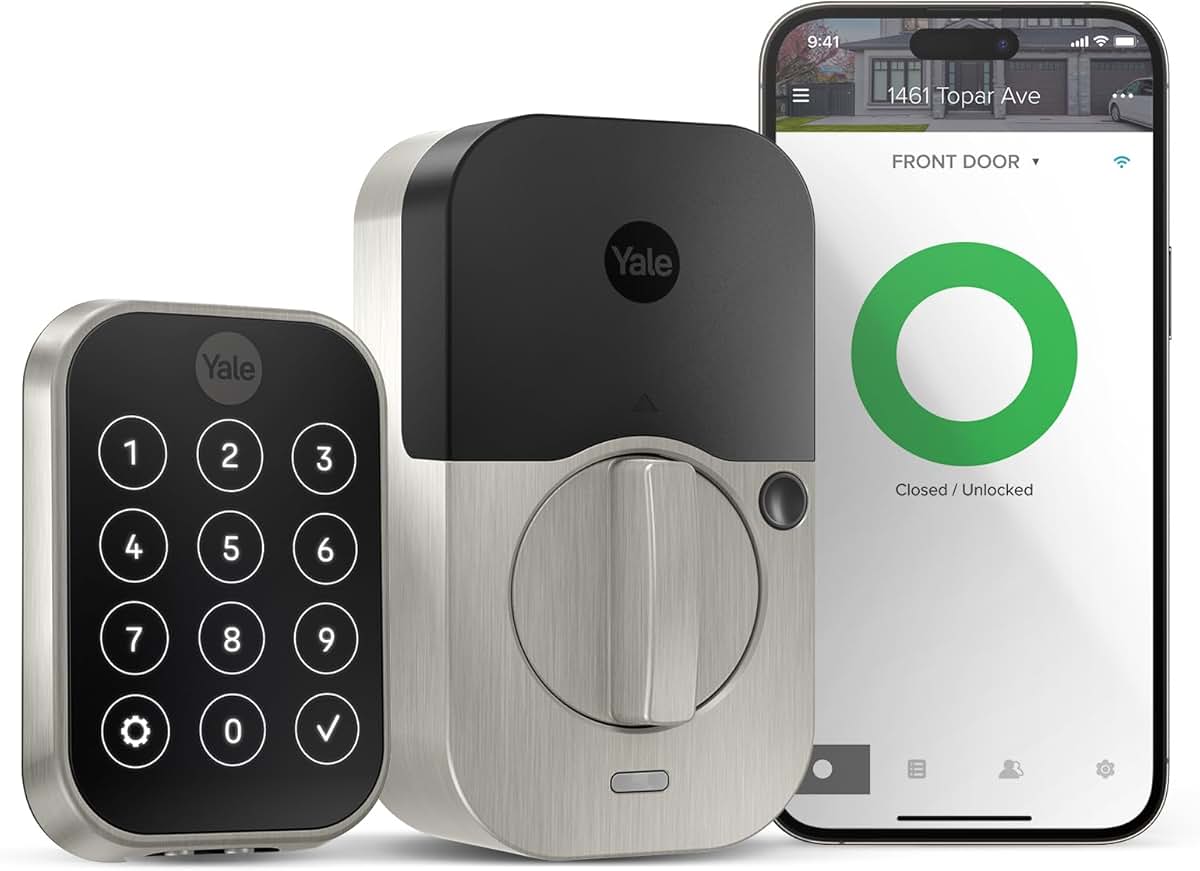
Best Keypad: Yale Assure Lock 2
Yale Assure Lock 2
(Current Price, subject to change)
The Yale Assure Lock 2 is the best smart lock for renters who share apartments with multiple roommates, dog walkers, or house cleaners. PCMag called it "the most future-proof smart lock available" thanks to its Matter over Thread support, and its 250 programmable PIN codes mean you can assign unique codes to every person who needs access — then revoke them instantly from the app. The touchscreen keypad is responsive and backlit for late-night entry.
Unlike the August Wi-Fi Smart Lock 4th Gen retrofit approach, the Yale Assure Lock 2 replaces your existing deadbolt entirely, so your door will visibly have new hardware. That makes it less stealthy for renters with strict landlords, but the trade-off is a proper keypad that doesn't require a phone to operate. It works with Alexa, Google Home, Apple HomeKit, and SmartThings — plus Matter compatibility future-proofs it beyond any other lock in this guide. If you're building a broader smart apartment, pair it with a smart home hub for door-lock automations and goodnight routines to unlock automations like "lock the door when I say goodnight."
What We Love
- 250 programmable PIN codes — the Yale Assure Lock 2 assigns unique codes to every roommate, cleaner, and dog walker
- Matter over Thread — the most future-proof smart lock protocol available today
- Touchscreen keypad — backlit, responsive, no phone required for entry
- Four-ecosystem support — Alexa, Google Home, HomeKit, SmartThings all native
What Could Be Better
- Full deadbolt replacement means visible exterior changes (landlord must approve)
- Thread border router or Wi-Fi module required for remote access (sold separately)
- Heavier installation than retrofit locks — about 20-30 minutes with a screwdriver
- Original landlord key does NOT work (new keys provided, must coordinate with landlord)
The Verdict
The Yale Assure Lock 2 is the best choice for shared apartments where multiple people need individual access codes. Its 250-code capacity and Matter compatibility make it the most full-featured and future-proof lock in this guide. The trade-off is that it fully replaces your deadbolt — less renter-friendly for stealth installs, but the keypad convenience is worth the landlord conversation. For renters who need invisible installs, the August Wi-Fi Smart Lock 4th Gen or SwitchBot Lock Pro preserve the original hardware. See our renter lock basics guide for landlord conversation tips.
"The Yale Assure Lock 2 is the most future-proof smart lock available with Matter support and excellent ecosystem compatibility." — PCMag
How many access codes can the Yale Assure Lock 2 store?
The Yale Assure Lock 2 stores up to 250 unique PIN codes with per-person scheduling controls. Create one-time codes for delivery drivers, recurring codes for cleaners, and permanent codes for roommates — then revoke any instantly from the Yale Access app. The Schlage Encode Plus offers 100 codes, while the Wyze Lock Bolt stores 50 fingerprints but fewer PIN codes.
Does the Yale Assure Lock 2 work with Matter?
Yes — the Yale Assure Lock 2 supports Matter over Thread, making it one of the first smart locks to work with the universal smart home standard. You need a Thread border router (HomePod Mini or recent Nest Hub) for the Thread connection. For renters who move between apartments with different hubs, Matter means you never worry about lock-platform compatibility again.
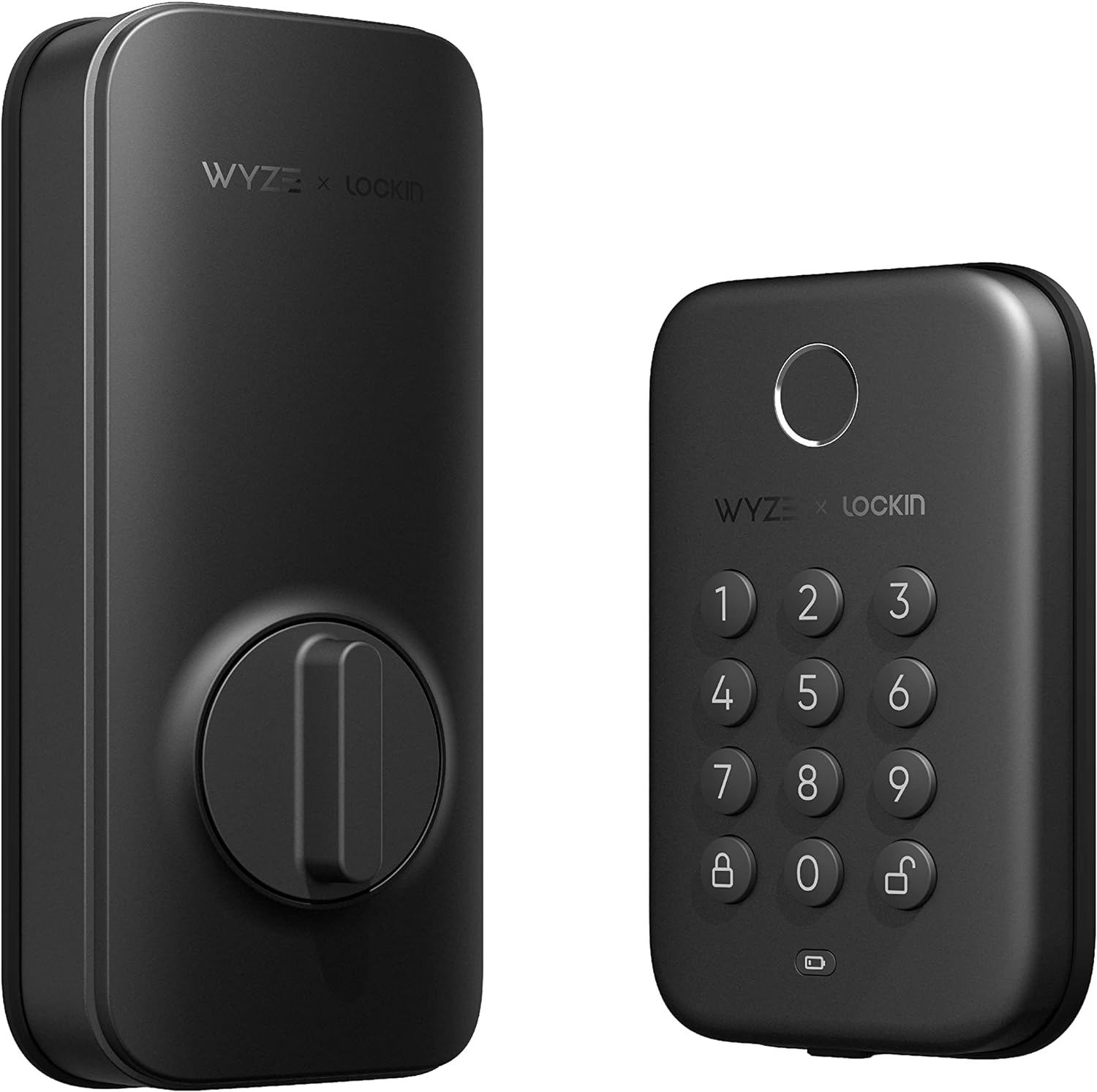
Best Budget: Wyze Lock Bolt
Wyze Lock Bolt
(Current Price, subject to change)
The Wyze Lock Bolt delivers fingerprint unlock and a numeric keypad for $70 — less than half the price of any other lock in this guide. The Hook Up called it "the best value in smart locks right now," and the fingerprint sensor is genuinely fast: sub-second recognition that consistently beats fumbling for keys or typing codes. For renters on a tight budget who want smart lock convenience without a subscription, nothing else comes close.
The Wyze Lock Bolt is Bluetooth-only — no Wi-Fi, no remote access, no voice assistant integration. For studio dwellers within Bluetooth range of their door, this is fine. It replaces your entire deadbolt, so you need landlord approval and must swap original hardware back at move-out. For broader apartment security, see our security systems guide.
What We Love
- Unbeatable price — the Wyze Lock Bolt offers fingerprint and keypad access for $70, no subscription ever
- Fast fingerprint sensor — sub-second recognition, stores up to 50 fingerprints
- No subscription required — every feature works without paying monthly
- Simple deadbolt swap — standard installation, about 20 minutes with a screwdriver
What Could Be Better
- Bluetooth only — no remote access, no voice assistant integration
- Full deadbolt replacement means visible changes and landlord's original key will not work
- Wyze's privacy track record includes past data incidents (though none affected locks)
- No smart home ecosystem integration — standalone device only
The Verdict
The Wyze Lock Bolt is the easiest recommendation for budget-conscious renters who want fingerprint convenience without recurring costs. At $70, it costs less than a month of some streaming subscriptions. It scores lower on our SHE Renter Compatibility Score (5.0/10) because it replaces the deadbolt entirely and lacks smart home integration, but for renters who just want a better way to unlock their door, the value is exceptional. If you need remote access and voice control, step up to the August Wi-Fi Smart Lock 4th Gen or SwitchBot Lock Pro. For more budget smart home picks, see our smart door locks roundup.
"At $75, the Wyze Lock Bolt is the best value in smart locks right now. Fingerprint unlock is genuinely fast, and the keypad means you never need your phone." — The Hook Up
Is the Wyze Lock Bolt safe for apartment use?
The Wyze Lock Bolt meets ANSI Grade 3 standards (adequate for residential use) and stores biometric data locally, not in the cloud. Wyze had past privacy incidents with cameras and app data, but none affected the Lock Bolt. For renters prioritizing security certifications, the Schlage Encode Plus offers ANSI Grade 1 (commercial-grade) for $300.
Does the Wyze Lock Bolt need Wi-Fi to work?
No — the Wyze Lock Bolt operates over Bluetooth only. Unlock via fingerprint, keypad code, or the Wyze app within Bluetooth range (about 30 feet). It works during outages and your data stays local. The trade-off: no remote access and no Alexa, Google, or HomeKit integration. If remote access matters, the August Wi-Fi Smart Lock 4th Gen includes Wi-Fi at $230.
Best No-Drill: SwitchBot Lock Pro
SwitchBot Lock Pro
(Current Price, subject to change)
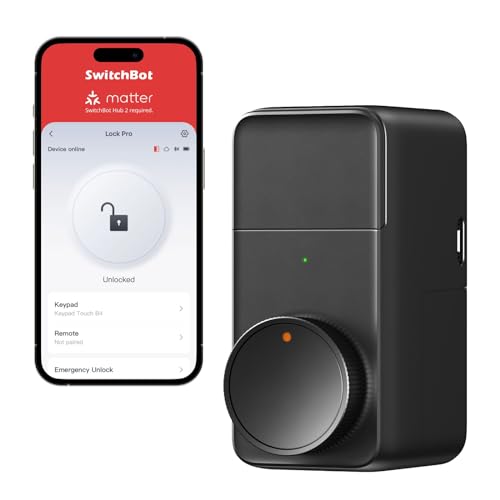
The SwitchBot Lock Pro is the most renter-friendly smart lock you can buy if "no tools whatsoever" is your requirement. It mounts to your existing thumb-turn using industrial-strength 3M adhesive — no screws, no drilling, no modifications of any kind. Your landlord's key works perfectly because the exterior hardware is completely untouched. When you move out, peel off the adhesive pad and the door is exactly as you found it. PCMag praised SwitchBot's adhesive approach for its "genuinely impressive" five-minute installation.
The SwitchBot Lock Pro also supports Matter, making it future-proof alongside the Yale Assure Lock 2. Pair it with the SwitchBot Hub Mini (sold separately, about $40) for Wi-Fi remote access and voice assistant control through Alexa and Google Home. Without the hub, it operates over Bluetooth. For renters building a connected apartment, the SwitchBot ecosystem also includes curtain motors, light switches, and sensors — all controllable from one app. See our automation hubs guide for ways to tie everything together.
What We Love
- True no-drill installation — the SwitchBot Lock Pro uses 3M adhesive, zero tools required
- Perfect removal — peel off the pad at move-out, door is 100% original
- Landlord's key preserved — exterior hardware completely untouched
- Matter compatible — future-proof protocol works across ecosystems
- Affordable — $100 for adhesive mount with smart home integration
What Could Be Better
- Requires SwitchBot Hub Mini ($40 extra) for Wi-Fi and voice assistant control
- Adhesive mount may not hold on all door finishes (test with a small strip first)
- Fewer guest access features than Yale Assure Lock 2 without hub
- No built-in keypad — requires phone or SwitchBot Keypad accessory (sold separately)
The Verdict
The SwitchBot Lock Pro earns an 8.8/10 SHE Renter Compatibility Score — the second highest in this guide — because it is genuinely the easiest smart lock to install and remove without leaving any trace. At $100, it sits in a sweet spot between the budget Wyze Lock Bolt and the premium August Wi-Fi Smart Lock 4th Gen. The only reason it does not take our top overall spot is the hub requirement for remote access, but if pure renter-friendliness — no tools, no trace, no landlord conversation — is your priority, the SwitchBot Lock Pro is unmatched. For more renter-specific tips, see our smart lock renters guide.
"SwitchBot's adhesive install approach is genuinely impressive — five minutes, no tools, and the door looks completely original when you remove it." — PCMag
Will the SwitchBot Lock Pro adhesive damage my apartment door?
The SwitchBot Lock Pro uses 3M VHB adhesive tape (the same type used in automotive trim). Removed properly — slow, steady pulling at a low angle — it leaves no residue on painted or finished metal surfaces. SwitchBot includes a test strip so you can verify clean removal on your specific door before committing.
Does the SwitchBot Lock Pro work without a hub?
Yes — the SwitchBot Lock Pro works over Bluetooth without any hub for basic lock/unlock and auto-lock features. For remote access, voice control via Alexa or Google, and Matter integration, you need the SwitchBot Hub Mini (about $40). The August Wi-Fi Smart Lock 4th Gen includes Wi-Fi natively and needs no additional hub.
Best Premium: Schlage Encode Plus
Schlage Encode Plus
(Current Price, subject to change)
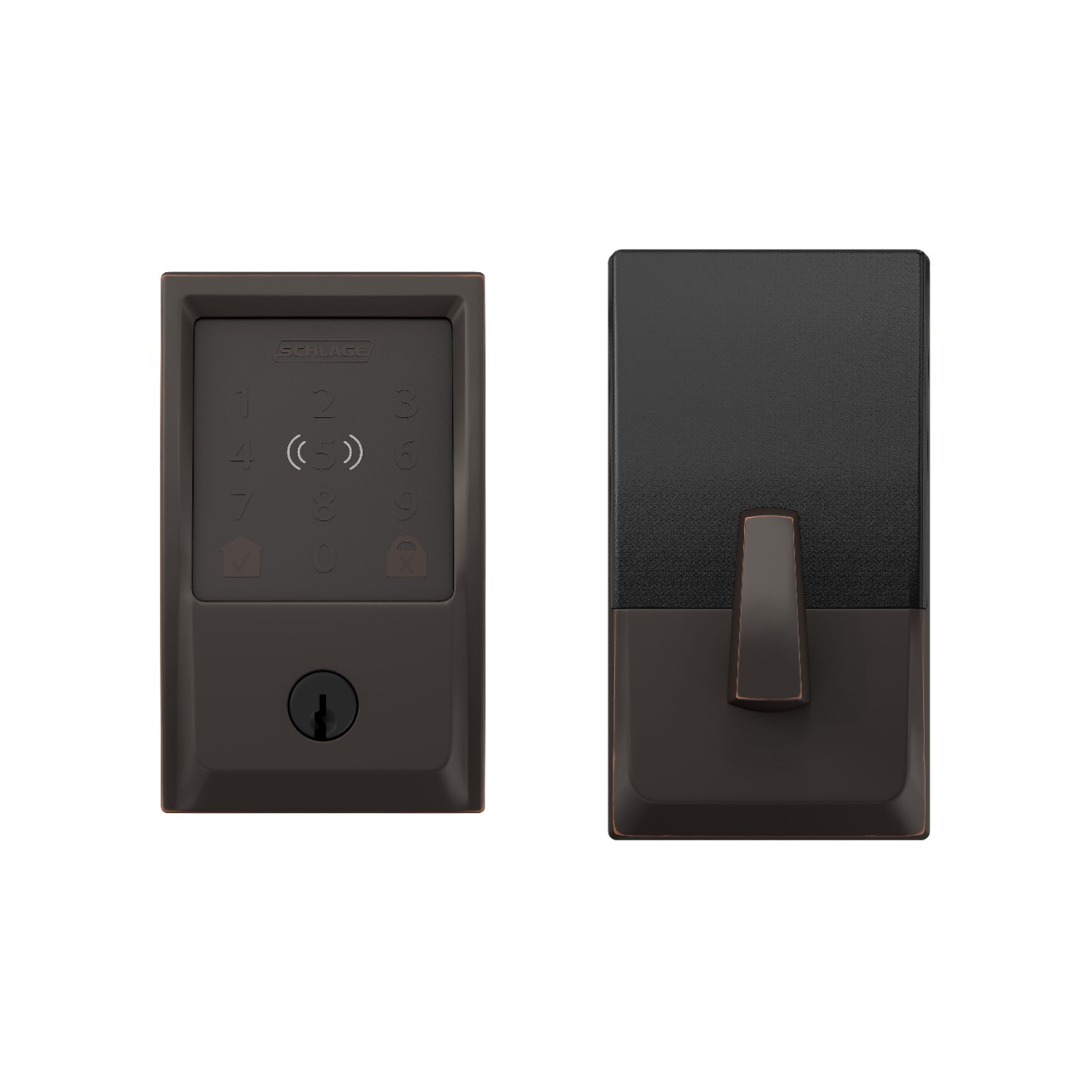
The Schlage Encode Plus is the only residential smart lock with Apple Home Key — tap your iPhone or Apple Watch to unlock, no app required. Wirecutter named it their top smart lock pick overall, and CNET gave it a 9.0/10 for its commercial-grade ANSI Grade 1 security rating. For renters in Apple households who plan to keep the lock through multiple apartments, it is a worthwhile long-term investment.
Built-in Wi-Fi (no hub), 100 programmable access codes, and the strongest physical security in this guide. The Schlage Encode Plus works with Alexa, Google Home, and Apple HomeKit. The renter trade-off: it fully replaces your deadbolt with visible hardware and costs $300 — more than double the SwitchBot Lock Pro. But if you plan to carry this lock across multiple apartments, the per-year cost beats cheaper alternatives. For complete security pairing, see our security systems guide.
What We Love
- Apple Home Key — tap iPhone or Apple Watch to unlock the Schlage Encode Plus instantly
- ANSI Grade 1 security — commercial-grade deadbolt, highest residential rating
- Built-in Wi-Fi — remote access and smart home integration without a hub
- 100 access codes — plenty for roommates, guests, cleaners, and Airbnb turnover
What Could Be Better
- $300 is the highest price in this guide — triple the Wyze Lock Bolt
- Full deadbolt replacement with visible Schlage branding (requires landlord approval)
- Heavier and bulkier than retrofit options like August or SwitchBot
- Your landlord's original key will NOT work (new Schlage keys provided)
The Verdict
The Schlage Encode Plus is the best smart lock for Apple-first renters willing to invest in long-term hardware. Apple Home Key is a genuine differentiator — tapping your Watch to unlock is faster than any fingerprint reader or keypad. Its 5.2/10 SHE Renter Compatibility Score reflects the full deadbolt replacement and higher price, but for renters who prioritize security grade and Apple integration above install ease, nothing else competes. Budget-conscious renters should consider the Wyze Lock Bolt at $70 or the August Wi-Fi Smart Lock 4th Gen at $230. For the full homeowner perspective, see our best smart door locks guide.
"The Schlage Encode Plus is the only lock with native Home Key support, making it the best choice for iPhone and Apple Watch users." — Wirecutter
Is the Schlage Encode Plus overkill for a rental apartment?
It depends on your timeline. If you plan to keep the lock for 3+ years across apartments, the Schlage Encode Plus at $100/year is comparable to cheaper locks replaced more often. Apple Home Key, Grade 1 security, and 100 access codes travel with you. For shorter leases, the August Wi-Fi Smart Lock 4th Gen at $230 or SwitchBot Lock Pro at $100 offer better renter value.
Does the Schlage Encode Plus work during power outages?
Yes — the Schlage Encode Plus runs on batteries and works without household power or Wi-Fi. During outages, the keypad, physical key, and Apple Home Key (NFC) all function normally. You lose remote access until Wi-Fi returns, but local entry is unaffected. Battery life averages 6-8 months under daily use.
Who Should Buy What
- Best for studios: August Wi-Fi Smart Lock 4th Gen ($230) — retrofit install, invisible exterior, Wi-Fi built in.
- Best for shared apartments: Yale Assure Lock 2 ($200) — 250 PIN codes for every roommate, cleaner, and dog walker. Revoke instantly.
- Best for Airbnb hosts: Schlage Encode Plus ($300) — 100 codes, Grade 1 security, Apple Home Key for guest impressions.
- Best for HomeKit users: Schlage Encode Plus ($300) — tap iPhone or Apple Watch to unlock. August Wi-Fi Smart Lock 4th Gen supports HomeKit too, minus Home Key.
- Best budget: Wyze Lock Bolt ($70) — fingerprint + keypad, no subscription, no nonsense.
When a Smart Lock Might NOT Be Worth It for Renters
- Skip it if... your lease prohibits lock modifications and your landlord will not budge — even adhesive mounts technically alter hardware, and violating your lease is not worth it.
- Skip it if... your apartment uses a mortise lock, double-cylinder deadbolt, or European-style mechanism — none of these locks are compatible.
- Skip it if... you are moving out within 2 months — a $30 lockbox solves guest access without installation.
- Skip it if... your building already has a smart intercom or fob system — a unit-level smart lock may be redundant.
Frequently Asked Questions
Can I install a smart lock in a rental apartment?
Yes — retrofit locks like the August Wi-Fi Smart Lock 4th Gen and adhesive mounts like the SwitchBot Lock Pro install without permanent modifications and preserve your landlord's key. Full-replacement locks like the Yale Assure Lock 2 or Schlage Encode Plus require landlord approval. Check your lease first — most landlords approve when they understand the lock is removable.
Will my landlord's key still work with a smart lock?
Retrofit locks like the August Wi-Fi Smart Lock 4th Gen and adhesive mounts like the SwitchBot Lock Pro leave the exterior keyway untouched — your landlord's key works as before. Full-replacement locks like the Wyze Lock Bolt, Yale Assure Lock 2, and Schlage Encode Plus replace the deadbolt entirely, so the original key will not work — new keys are included.
Do smart locks work with apartment intercoms?
Smart locks and intercoms are separate systems — a smart lock controls your unit's deadbolt, while the intercom controls building entry. They do not integrate directly in most buildings. For complete apartment security, pair your smart lock with a video doorbell if your building allows one outside your unit.
What happens to my smart lock if the power goes out?
Every smart lock in this guide runs on batteries and operates independently of household electricity and Wi-Fi. During a power outage, the August Wi-Fi Smart Lock 4th Gen and SwitchBot Lock Pro still work via Bluetooth and physical key. The Wyze Lock Bolt continues to unlock via fingerprint and keypad. The Schlage Encode Plus keypad and Apple Home Key (via NFC) work without Wi-Fi. You lose remote access features until Wi-Fi restores, but you are never locked out.
How do I remove a smart lock when I move out of my apartment?
The August Wi-Fi Smart Lock 4th Gen removes in 5-10 minutes by reversing the install. The SwitchBot Lock Pro peels off in under a minute. Full-replacement locks (Wyze Lock Bolt, Yale Assure Lock 2, Schlage Encode Plus) require reinstalling the original deadbolt — keep that hardware in a labeled bag.
What is the SHE Renter Compatibility Score?
The SHE Renter Compatibility Score rates smart locks across five renter-specific factors on a 1-10 scale: Install Difficulty, Removal Ease, Key Preservation, Guest Access, and Smart Home Integration. The final score is the average of all five. This supplements our standard consensus score (which aggregates expert reviews across all use cases) by focusing specifically on renter needs — install ease, landlord-friendliness, and move-out simplicity.
Evidence Summary
The Bottom Line
The August Wi-Fi Smart Lock 4th Gen ($230) is the best smart lock for apartment renters — it preserves your landlord's key and includes Wi-Fi without extra hardware. The SwitchBot Lock Pro ($100) is the runner-up with an even easier adhesive install. Budget renters should grab the Wyze Lock Bolt ($70) for fingerprint access without a subscription. For homeowner picks, see our complete smart door locks guide. You don't own the door, but you deserve to lock it smartly.
Author: Nicholas Miles is the founder of SmartHomeExplorer and a longtime smart home enthusiast focused on helping everyday homeowners make better technology decisions. He researches, compares, and writes about products across security, climate, lighting, leak prevention, sensors, home energy, and automation, with an emphasis on real-world usefulness, ecosystem compatibility, reliability, privacy, and long-term value. Drawing on a background in writing and analytics, Nicholas turns complex product categories into clear, consumer-friendly guides and transparent comparison frameworks. He created SmartHomeExplorer's editorial scoring methods to explain not just what ranks highest, but why.