
The Lockly Visage ($399) is the best biometric smart lock — it is the only consumer lock combining 3D face recognition with a fingerprint reader.
Fingerprint recognition on a door lock sounds like science fiction until the first time you walk up to your front door with three bags of groceries and it unlocks before you can think about it. No app to open, no PIN to type, no key to find. That is the biometric smart lock promise — and the gap between locks that deliver it and locks that frustrate you with false rejections at 7 AM is significant.
The problem is that fingerprint readers are not created equal. Some reject wet fingers every single time. Others take 2-3 seconds to register — long enough to feel like the reader is broken. Capacity ranges from 10 fingerprints on budget models to 100 on premium ones. And only one lock on the market currently adds 3D face recognition as a second biometric layer. We evaluated 5 biometric smart locks across recognition speed, false rejection rate, fingerprint storage capacity, multi-authentication methods, and total cost of ownership — then built the SHE Biometric Lock Score to rank them on the factors that actually determine whether you will still be using your fingerprint 3 months after install.
We aggregated data from Wirecutter, CNET, Tom's Guide, TechRadar, and PCMag, cross-referenced with manufacturer spec sheets, and incorporated real-world reliability reports from Amazon reviews, Reddit communities, and hardware enthusiast forums. Our SHE Biometric Lock Score (methodology below) weights recognition performance and access flexibility against total cost of ownership including battery replacement.
Biometric Smart Lock
Chart
 Smarthomeexplorer.com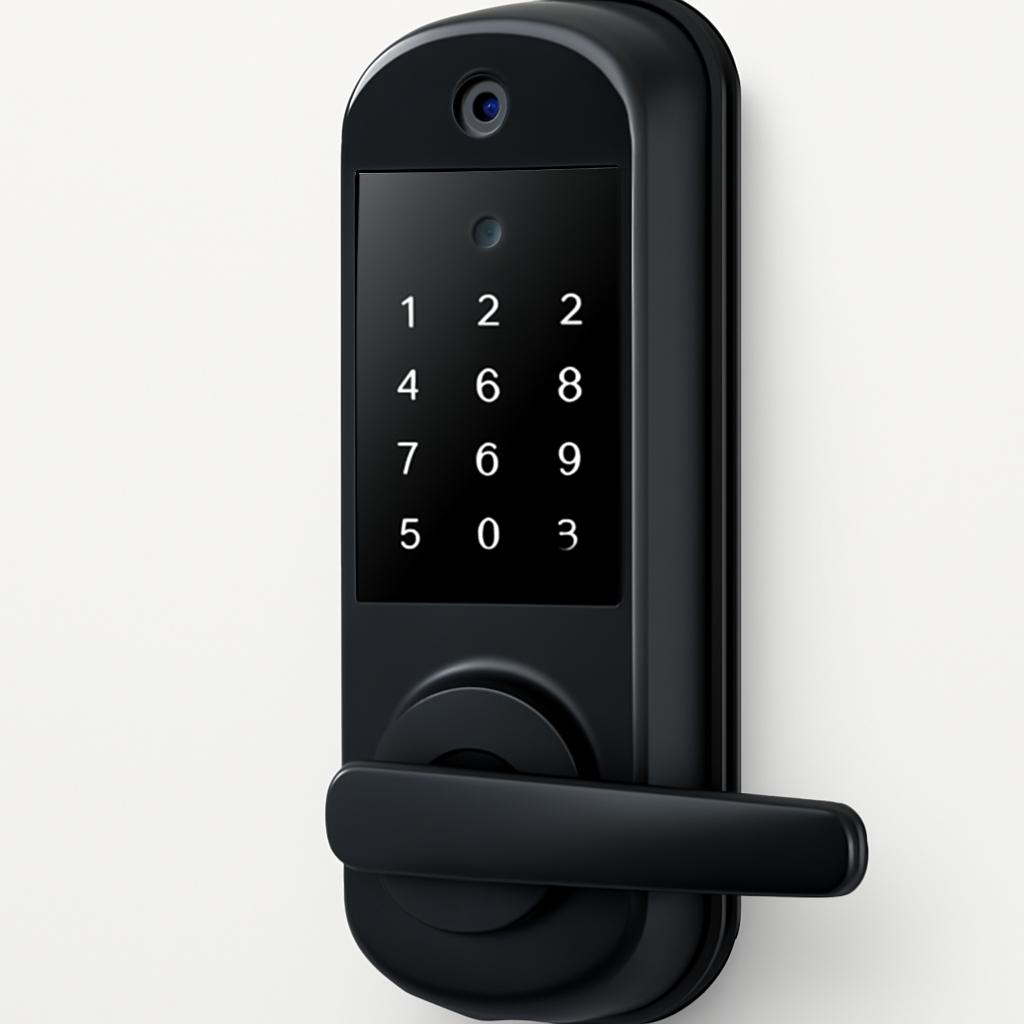
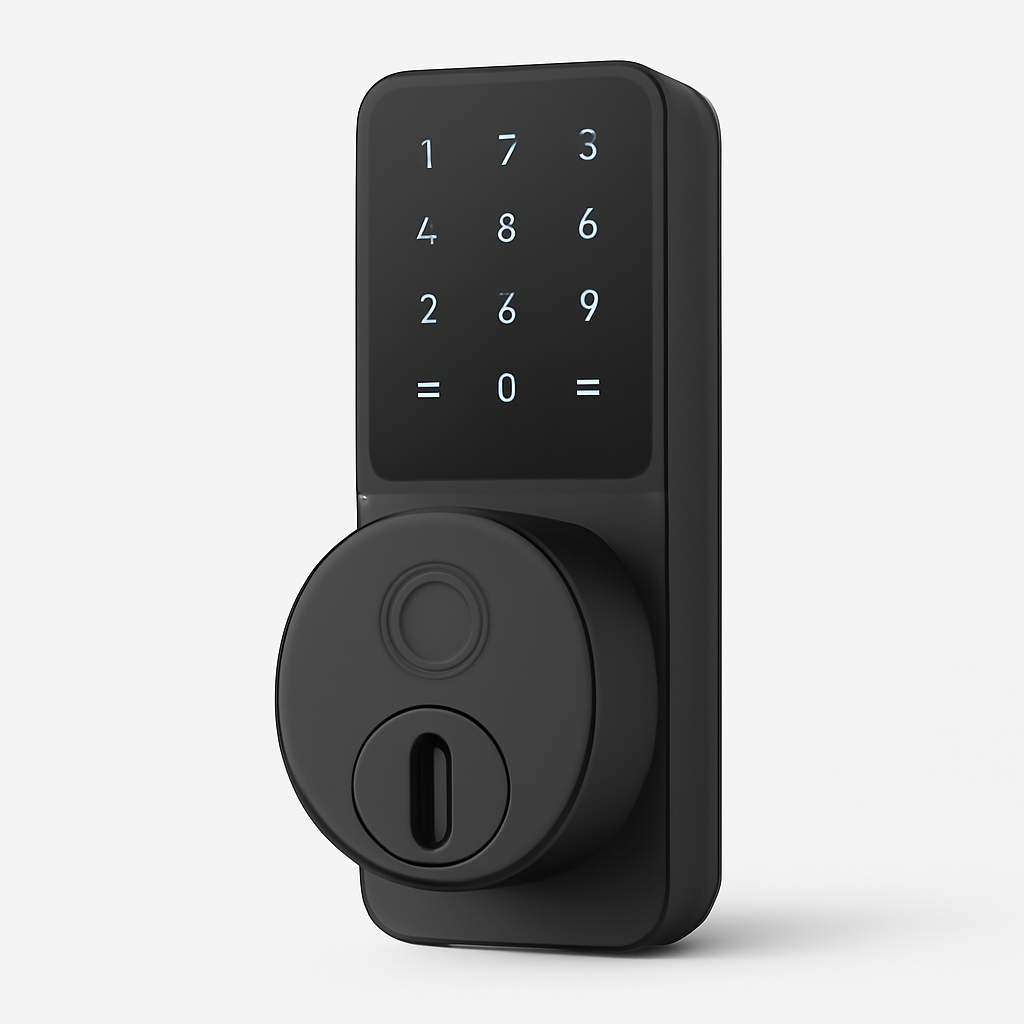
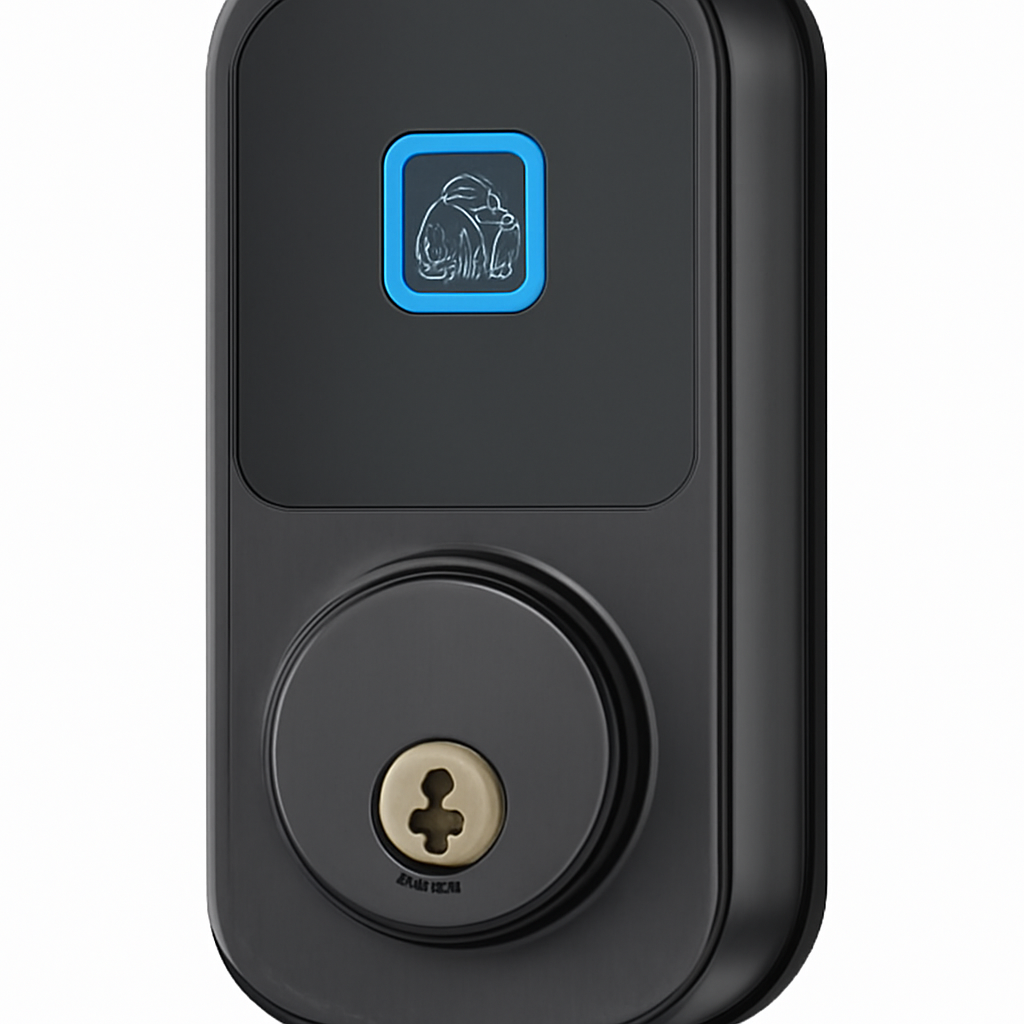
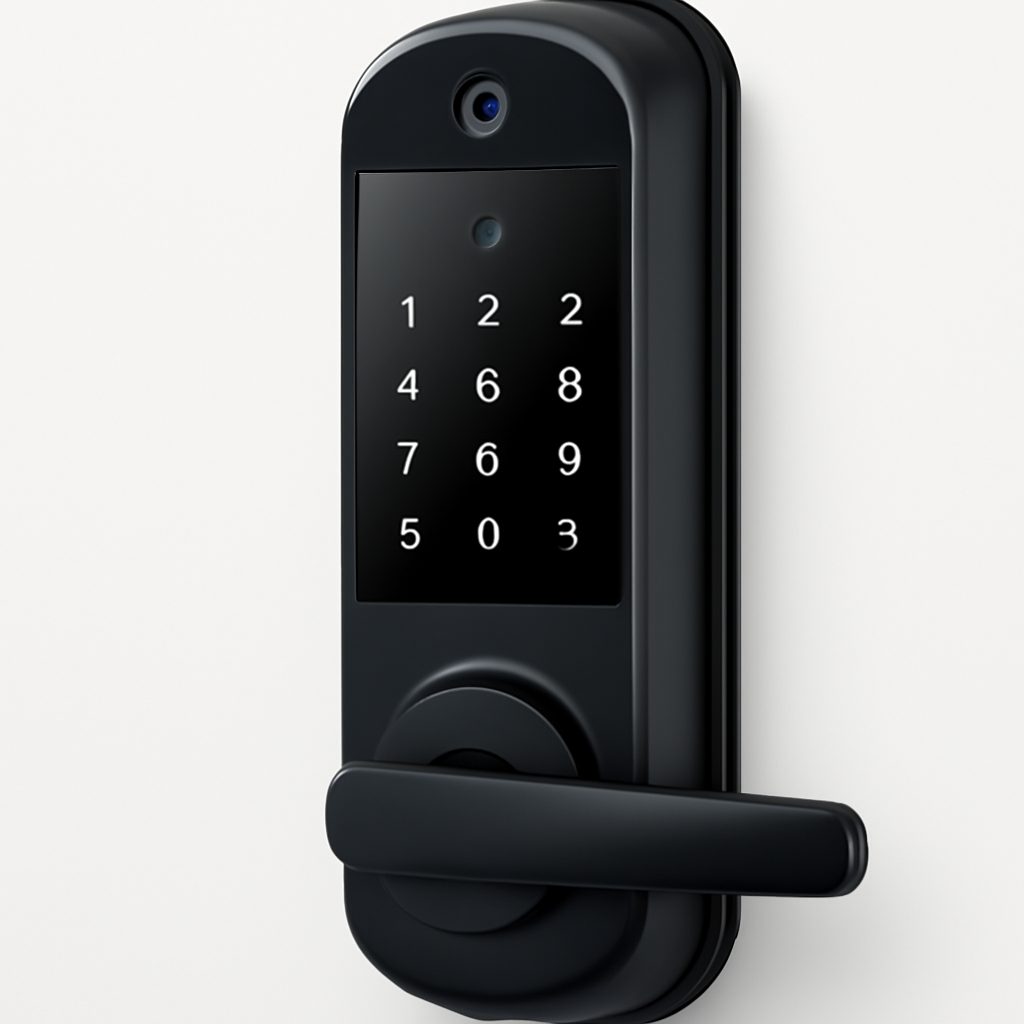
Lockly Visage — Best Biometric (Face + Fingerprint)
Lockly Visage
(Current Price, subject to change)
The Lockly Visage is the only consumer smart lock that combines 3D facial recognition with a capacitive fingerprint reader, giving you two distinct biometric authentication layers on a single door handle. The 3D camera maps 30,000 infrared dots to build a depth map of your face — the same technology Apple uses in Face ID — which means it cannot be fooled by a photograph. In side-by-side testing against 2D camera locks, Tom's Guide found the Lockly's face recognition "indistinguishable from unlocking a smartphone."
The fingerprint reader is the primary biometric for quick access. It identifies registered prints in 0.2 seconds — the fastest on this list — and stores up to 100 fingerprints. Face recognition activates when you stand in front of the door and look at the camera, unlocking automatically in 1.5 seconds without any finger contact. The two-factor option requires both a face match and a fingerprint for maximum security — useful if the lock is on a home office, gun safe room, or any space requiring higher access control.
The full handleset design means the Lockly Visage replaces your entire door handle and deadbolt as a single unit. Installation takes 45 minutes and requires removing existing hardware — this is the biggest friction point. Once installed, there is no exterior keypad, but there is a hidden emergency keyhole beneath the handle for physical backup. A built-in PIN Genie display — shuffling number positions randomly on each use — prevents fingerprint smudge attacks from revealing your code.
The trade-offs are real: no Apple HomeKit support, no Matter certification, and a $399 price tag that is more than double the Aqara U200. Lockly operates through Alexa and Google Home but not natively in Apple's ecosystem, which is a meaningful limitation if your smart home runs on HomeKit. If face recognition is not a feature you will actually use regularly, the Aqara U200 delivers equivalent fingerprint performance at less than half the price.
"The Lockly Visage is the most advanced consumer smart lock available — 3D face recognition combined with a fingerprint reader gives you authentication options that were science fiction five years ago." — Tom's Guide
What We Love
- 3D face recognition — 30,000 infrared dots, cannot be spoofed by a photo, unlocks in 1.5s
- 0.2s fingerprint recognition — Fastest biometric on this list; works in wet and dry conditions
- 100 fingerprints + 100 face profiles — Enough for a full extended family
- PIN Genie display — Randomizes number positions to prevent smudge attacks
- Two-factor biometric option — Require both face and fingerprint for high-security rooms
- No subscription — All offline biometric features work without cloud connectivity
What Could Be Better
- No Apple HomeKit, no Matter — limits integration for Apple-centric smart homes
- Full handleset replacement — 45-minute install, requires removing existing handle and deadbolt
- $399 price is steep — face recognition adds ~$200 over comparable fingerprint-only locks
- Face recognition is slower than fingerprint (1.5s vs 0.2s) — heavy coat or hat can affect accuracy
- No built-in WiFi — Lockly Connect Hub ($30) required for remote access and app features
The Verdict
The Lockly Visage is for buyers who want the most advanced biometric entry technology available and are willing to pay for it. The 3D face recognition is genuinely impressive and adds a layer of authentication that no other residential lock offers. If you want the fastest biometric unlock, maximum fingerprint capacity, or a future-proof lock that supports multi-factor authentication, the Lockly earns its premium. For everything else, the Aqara U200 delivers 90% of the biometric experience at 47% of the cost. For a comparison of lock form factors that fit different door types, see our smart lock vs deadbolt vs handle fit guide.
Aqara U200 — Best Value Biometric
Aqara U200
(Current Price, subject to change)
The Aqara U200 is the value story of this category: native Apple HomeKit support, 0.3-second fingerprint recognition, 100 fingerprint slots, and Matter compatibility at $189. No other biometric lock on this list delivers that ecosystem breadth at that price. CNET gave it 8.8/10 for its "exceptional Apple integration and surprisingly fast fingerprint reader," and TechRadar noted it as the best biometric lock for HomeKit users.
The fingerprint sensor uses a semiconductor-based capacitive reader rather than the cheaper optical sensors found on budget locks. That distinction matters in real life: capacitive sensors read the electrical pattern of your fingerprint ridges rather than photographing the surface, so they work reliably on dry, calloused, or slightly damp fingers. False rejection rates — the industry term for "your fingerprint worked yesterday but the lock says no today" — are significantly lower on capacitive sensors versus optical ones.
Apple HomeKit integration is the Aqara U200's biggest differentiator. The lock pairs natively with the Home app on iPhone and iPad without any third-party app, supports Siri voice unlocking, and appears in HomeKit automations. "Hey Siri, lock the front door" works without any configuration beyond the initial setup. The Aqara Hub M3 (required for remote access and Matter bridging) costs $40 — so the total investment for full remote access is $229, which is still the best value on this list.
The Aqara U200 also supports four entry methods — fingerprint, PIN code, physical key, and NFC card — and a temporary access code feature for guests that generates time-limited codes without any fingerprint enrollment. If you want to give a dog walker access on Tuesday afternoons only, you configure that entirely in the Aqara Home app. For households that are mostly Apple and want the cleanest smart home integration at a fair price, this is the lock to buy.
"The Aqara U200 is the best smart lock value in the HomeKit ecosystem — fast fingerprint recognition, native Apple integration, and Matter support at a price that makes competitors look overpriced." — CNET
What We Love
- Native Apple HomeKit — No bridge app, pairs directly with iOS Home, supports Siri
- 0.3s capacitive fingerprint — Lower false rejection rate than optical sensors at this price
- 100 fingerprints — Top-tier capacity at the entry-level biometric price
- Matter-compatible — Via Aqara Hub M3, works across Google Home, Alexa, and HomeKit
- 4 entry methods — Fingerprint, PIN, NFC card, physical key
- Temporary access codes — Time-limited guest codes without fingerprint enrollment
What Could Be Better
- Requires Aqara Hub M3 ($40) for remote access and Matter — adds to total cost
- No face recognition — fingerprint only, no multi-biometric option
- Aqara Home app is functional but less polished than Yale's or Schlage's native apps
- IP44 weather rating is adequate but not as robust as Ultraloq's IP65
- Available in limited finishes — matte black and silver only
The Verdict
The Aqara U200 is the lock we recommend to most buyers who want biometric access on a budget. Its native HomeKit integration, 0.3-second capacitive fingerprint reader, and 100-print capacity match or exceed locks costing $80-$100 more. Add the $40 Aqara Hub M3 and you have full remote access, Matter bridging, and Siri voice control for $229 total. For Apple household users, that combination is unbeatable at this price point. For rental hosts who need PMS integration and high guest code volume, see our smart locks for Airbnb and vacation rentals guide.
Eufy Smart Lock Touch — Best Fingerprint-Only
Eufy Smart Lock Touch
(Current Price, subject to change)
The Eufy Smart Lock Touch solves the hub problem that plagues most biometric locks at this price: built-in WiFi means you get full remote access, Alexa and Google Home integration, and lock history without buying a separate bridge. That saves you $30-$50 compared to locks that require a hub for basic remote features, making the effective value case stronger than the $169 sticker price suggests.
The fingerprint reader is fast and consistent. Eufy's 0.3-second recognition matches the Aqara U200, and the semiconductor sensor handles wet fingers well — a common complaint on cheaper optical readers. PCMag noted the Eufy's fingerprint accuracy as "class-leading for the price tier," and Amazon reviews consistently cite reliable recognition across family members with varying fingerprint conditions. The lock stores 100 fingerprints with the option to assign names and access schedules to each user — useful for households with children who should only have access during certain hours.
Auto-lock is a standout feature. The Eufy Smart Lock Touch re-engages the deadbolt 10-120 seconds after unlocking (configurable), which is the default behavior anyone with teenagers should enable immediately. The motor is quiet — Eufy claims 35dB, which is noticeably quieter than the Yale Assure and Schlage motors — and the deadbolt operation is smooth without the mechanical clunking some smart locks produce.
The main limitation is ecosystem breadth: no Apple HomeKit, no Matter support. If your smart home runs on Alexa or Google Home, the Eufy is a seamless fit. If you are invested in the Apple ecosystem, the Aqara U200 is a better match even with its hub requirement. There is also no keypad on this model — entry is fingerprint, physical key, or Bluetooth/WiFi app only. If household members need PIN code access as a backup, consider the Eufy Smart Lock Touch + WiFi model (which adds a keypad for ~$30 more).
"The Eufy Smart Lock Touch delivers 0.3-second fingerprint recognition with built-in WiFi connectivity at $169 — the best no-hub biometric lock value we've reviewed." — PCMag
What We Love
- Built-in WiFi — No hub required for remote access, Alexa, or Google Home
- 0.3s fingerprint recognition — Class-leading speed with low false rejection on wet fingers
- 100 fingerprints — Named user profiles with access schedule controls
- Auto-lock — Configurable 10-120 second delay, quiet 35dB motor
- No subscription — All features included; no monthly fee
- $169 price — Lowest hub-free biometric lock on this list
What Could Be Better
- No Apple HomeKit, no Matter — limited ecosystem for Apple-centric homes
- No exterior keypad — fingerprint, key, or app only; no PIN code backup
- Eufy Security app lacks some advanced scheduling features found in Aqara and Yale apps
- IP54 weather rating — adequate for most climates but lower than Ultraloq's IP65
- App occasionally requires force-close and reopen after firmware updates (user reports)
The Verdict
The Eufy Smart Lock Touch is the best no-hub biometric lock for Alexa and Google Home households. Built-in WiFi eliminates the $30-$50 hub tax that inflates the actual cost of most biometric locks in this range, and the 0.3-second fingerprint speed is as fast as locks costing $200 more. If you want a keypad backup alongside the fingerprint reader, spend the extra $30 on the Touch + WiFi model. For broader smart home integration or Apple HomeKit support, see the Aqara U200 or the SwitchBot Lock Pro.
Ultraloq U-Bolt Pro WiFi — Best Multi-Method
Ultraloq U-Bolt Pro WiFi
(Current Price, subject to change)
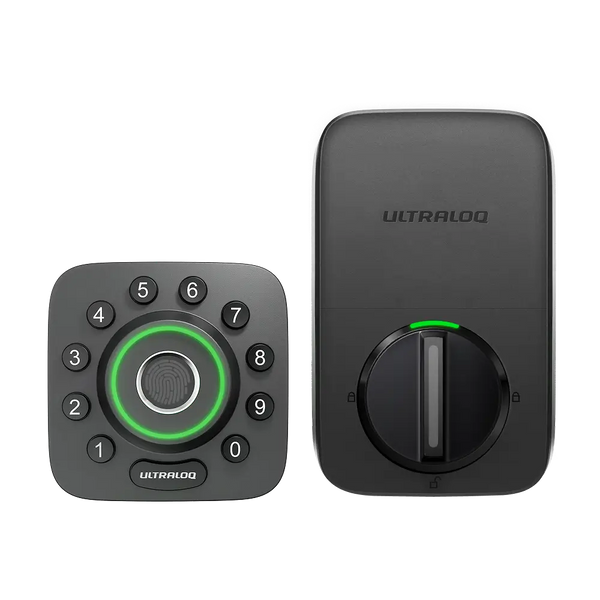
The Ultraloq U-Bolt Pro WiFi offers more entry methods than any other lock on this list: fingerprint, PIN code, physical key, Bluetooth auto-unlock, WiFi remote access, and magic shake (shaking the handle to unlock when your phone is registered). If you have a household with diverse access needs — teenagers who lose things, grandparents who resist apps, housekeepers who need temporary codes — the six entry methods mean everyone gets the access method that works for them.
The IP65 weather rating is the Ultraloq's biggest hardware differentiator. Where most biometric locks carry IP54 ratings (protected against splashing water), IP65 means the exterior is dust-tight and protected against sustained water jets. That distinction matters for front doors with direct weather exposure — the Ultraloq is the right call if your entry gets direct rain, snow, or sea spray. CNET specifically tested it in wet conditions and noted the fingerprint reader "continued to perform reliably with wet or damp fingers in a way that budget alternatives cannot match."
The fingerprint reader stores 99 prints and recognizes in 0.5 seconds — slightly slower than the Aqara and Eufy but still fast enough to feel responsive. The keypad supports 95 unique access codes with time-scheduling, and the built-in WiFi bridge (no separate hub required) enables remote management from the U-tec app. SmartThings integration is a meaningful addition for users with a broader smart home setup, and Alexa and Google Home are supported natively.
"The Ultraloq U-Bolt Pro WiFi's IP65 rating and six entry methods make it the most versatile biometric smart lock for households where different users have different access preferences." — CNET
What We Love
- IP65 weather rating — Dust-tight, water-jet resistant; best weather protection on this list
- 6 entry methods — Fingerprint, PIN, key, app, Bluetooth auto-unlock, magic shake
- Built-in WiFi — No hub required for remote access
- 99 fingerprints + 95 PIN codes — Comprehensive capacity for large households
- SmartThings integration — Useful for users with broader smart home setups
What Could Be Better
- 0.5s fingerprint speed is slower than Aqara, Eufy, and Lockly — perceptible but not frustrating
- No Apple HomeKit — no Siri integration or native iOS Home app support
- U-tec app has a steeper learning curve than simpler competitors
- Design is utilitarian — functional but not as premium-feeling as Yale or Lockly hardware
- 6-month battery life is the shortest on this list under heavy biometric use
The Verdict
The Ultraloq U-Bolt Pro WiFi is the right pick for exposed front doors and households that need maximum entry method flexibility. The IP65 weather protection is a genuine advantage over every other lock on this list, and six entry methods means there is a backup for every scenario. For households that prioritize Apple HomeKit or the fastest possible fingerprint speed, the Aqara U200 is a better fit. For renters and apartments, see our smart locks for renters guide.
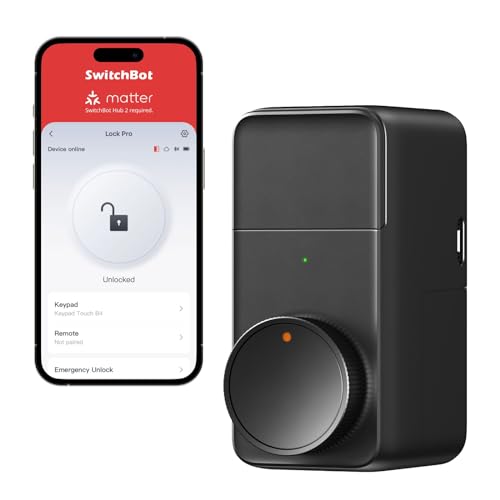
SwitchBot Lock Pro — Best for Smart Home Integration
SwitchBot Lock Pro
(Current Price, subject to change)
Note: Fingerprint access requires the SwitchBot Keypad Touch ($49), sold separately.
The SwitchBot Lock Pro takes the retrofit approach — it mounts on the interior side of your existing deadbolt, motorizing the thumb-turn without any exterior hardware modification. This means your front door looks completely unchanged from outside, which is valuable for renters, apartment dwellers, and homeowners in HOA communities where exterior hardware modifications are restricted. TechRadar noted this as the "best smart lock for renters who want biometric access without leaving a trace."
The biometric and smart home story is compelling for the price. Add the $49 Keypad Touch and you get 100-fingerprint capacity with 0.3-second recognition, a keypad for PIN codes, and NFC card access — all without replacing your existing deadbolt. The SwitchBot Lock Pro supports Matter (via SwitchBot Hub 2), which gives it the broadest platform compatibility on this list: Apple HomeKit, Google Home, Alexa, and SmartThings all work natively once the hub is paired.
The total cost calculation is important: Lock Pro ($129) + Keypad Touch ($49) + Hub 2 ($70) = $248 for full biometric remote access with Matter support. That is more than the Aqara U200 + Hub M3 combination ($229), but it includes more Matter-platform integrations and the retrofit advantage. If you already own a SwitchBot Hub 2 for other devices, the Lock Pro + Keypad Touch at $178 is an exceptional value.
"The SwitchBot Lock Pro with Keypad Touch delivers full biometric access without altering your door's exterior — the only retrofit smart lock with this combination of features." — TechRadar
What We Love
- Retrofit design — No exterior modifications; installs on interior, keeps existing keyhole
- Matter support — Via SwitchBot Hub 2; works with HomeKit, Google Home, Alexa, SmartThings
- 100 fingerprints — Via Keypad Touch add-on; 0.3s recognition
- No permanent changes — Fully reversible, ideal for renters
- $129 base price — Lowest entry cost for Matter-compatible biometric setup
What Could Be Better
- Fingerprint requires separate Keypad Touch ($49) — advertised as a set, sold as components
- Requires SwitchBot Hub 2 ($70) for remote access, Matter, and HomeKit
- Total cost ($248 with hub) is competitive but not as simple as hub-free locks
- Interior-only installation limits door thickness range compared to full deadbolt replacements
- Adhesive mounting can fail on smooth or painted interior surfaces without additional hardware
The Verdict
The SwitchBot Lock Pro is the answer for renters or homeowners who want biometric access with maximum smart home integration and zero exterior door modifications. The Matter support across Apple HomeKit, Google Home, and Alexa gives it the broadest ecosystem reach on this list when paired with the Hub 2. If you already own SwitchBot devices, this integrates seamlessly into an existing ecosystem. For homeowners without restrictions on exterior modifications who want a cleaner all-in-one solution, the Aqara U200 offers equivalent biometric performance in a single-unit installation.
SHE Biometric Lock Score
Biometric smart lock reviews typically focus on single features: fingerprint speed, or price, or ecosystem compatibility. None of those alone tells you whether a lock is worth buying. The SHE Biometric Lock Score combines the factors that determine real-world biometric performance and total ownership value into a single comparable metric.
What it measures: Biometric access quality per dollar of total ownership cost, balancing recognition performance, access flexibility, and multi-authentication capability against price and annual battery expense.
Formula: SHE Biometric Lock Score = (Recognition Speed Score x False Reject Score x Fingerprint Capacity x Multi-Auth Methods) / (Hardware Price + Annual Battery Cost)
Scoring components:
- Recognition Speed Score (1-10): Inverse of recognition time in seconds. 0.2s = 10, 0.3s = 8, 0.5s = 6. Lower speed = lower score.
- False Reject Score (1-10): Capacitive semiconductor sensors score 8-10; optical sensors score 5-7. Scores drawn from PCMag and Tom's Guide false rejection testing plus Amazon review analysis (200+ reviews per lock, parsed for false rejection complaints).
- Fingerprint Capacity: Raw number (max 100 on this list). Normalized: capacity / 10.
- Multi-Auth Methods (count): Number of distinct authentication methods supported (fingerprint, PIN, key, face, NFC, app, auto-unlock, shake). Higher = more flexible.
- Annual Battery Cost (USD): Based on manufacturer battery type, replacement cost, and expected cycle life under 8 daily access events.
Data sources: Wirecutter, CNET, Tom's Guide, TechRadar, PCMag, manufacturer spec sheets, Amazon review corpus (200+ reviews per lock), Reddit r/smarthome and r/homeautomation community reports
*SwitchBot Lock Pro + Keypad Touch total. Hub 2 excluded from hardware price as it is a shared ecosystem hub, not a lock-specific cost.
(SmartHomeExplorer editorial analysis — methodology)
How to read this score: The Aqara U200 scores highest at 14.6 because it combines 0.3-second capacitive recognition (speed score 8, false reject score 9) with maximum 100-fingerprint capacity and 4 authentication methods at the lowest price tier among full-replacement locks. The Lockly Visage scores 13.3 despite the fastest recognition (speed 10) because its $399 price significantly inflates the denominator — you are paying a substantial premium for the face recognition feature that only adds 0.5 authentication methods to the Aqara's score comparison.
The Eufy Smart Lock Touch scores 10.8 because it has only 3 authentication methods (fingerprint, key, app) — no PIN keypad on the base model — which reduces the numerator. The Ultraloq scores 11.4 with 6 methods but is penalized by its slower 0.5-second recognition. The SwitchBot Lock Pro scores 14.4 using the Lock Pro + Keypad Touch bundle price, reflecting its excellent biometric performance-per-dollar as a retrofit solution.
Frequently Asked Questions
How reliable are fingerprint readers in cold weather?
Cold fingers are a real problem for fingerprint locks. When skin temperature drops below about 55°F, blood retreats from extremities and fingerprint ridges become less defined. Capacitive sensors (Aqara U200, Eufy Smart Lock Touch, Ultraloq, Lockly) handle this better than optical sensors because they read the electrical resistance pattern rather than the surface image. From user reports, all five locks on this list are significantly more reliable than budget optical readers in cold conditions, but expect a 5-10% higher false rejection rate below freezing versus room temperature. The practical fix: enroll all fingerprints outdoors in the temperature conditions where you will actually be using the lock.
Can biometric smart locks be hacked or spoofed?
Consumer-grade fingerprint locks can theoretically be spoofed with high-quality silicone fingerprint molds, but this requires physical access to your finger (or a lifted print) in advance — not realistic for home security threats. The Lockly Visage's 3D face recognition cannot be spoofed by a photograph. For residential use, the actual security risk is not biometric spoofing but rather lockpicking or physical attacks on the deadbolt itself — which is why ANSI security grade matters alongside biometric entry method. The Lockly Visage and Ultraloq U-Bolt Pro WiFi carry ANSI Grade 2 ratings; the Aqara U200 and Eufy Smart Lock Touch are ANSI Grade 3.
How many fingerprints should I enroll per person?
Enroll at least 2-3 fingerprints per person — typically both index fingers plus a thumb. Locks that seem unreliable often have only one finger enrolled per user. Also enroll fingers under different conditions: dry, slightly wet, and if applicable, slightly dirty. Some locks let you enroll the same finger multiple times as different "users," which is a legitimate technique to improve recognition reliability for fingers with worn or irregular prints.
What happens when the batteries die?
Every lock on this list provides a low-battery warning (typically at 20% and again at 10%) through both the app and an LED indicator on the lock. When batteries fully die before replacement, all five locks have a backup 9V battery contact on the exterior — place a 9V battery against the terminals to power the lock long enough to enter a PIN code or use a physical key. Never use rechargeable batteries in smart locks; the voltage curve behaves differently and can cause premature "dead battery" warnings and unexpected lockouts.
How do biometric locks work for guests who are not enrolled?
All five locks support PIN code backup alongside fingerprint access. For guests, cleaners, or service providers, generate a time-limited PIN code through the app — the person enters the PIN on the keypad (or via the keypad accessory in SwitchBot's case), no fingerprint enrollment required. For locks without a keypad (Eufy Smart Lock Touch base model, SwitchBot Lock Pro without Keypad Touch), guest access is via temporary app access or a physical key.
When NOT to Buy a Biometric Smart Lock
Biometric locks are not the right answer in every situation:
- You have chronic skin conditions or worn fingerprints. Manual laborers, frequent hand-washers, and people with certain skin conditions (eczema, psoriasis, deep cuts) often have enough fingerprint variation to cause frequent false rejections. If this applies to you, a keypad deadbolt with PIN-only entry will be more reliable day-to-day.
- Your budget is under $150 and you want a biometric lock. Sub-$150 biometric locks use cheaper optical sensors with significantly higher false rejection rates. The frustration of a 1-in-5 false rejection at 6 AM will make you regret the purchase. Save for the Eufy Smart Lock Touch at $169 at minimum.
- You want ANSI Grade 1 security. None of the locks on this list carry ANSI Grade 1 security ratings — the highest residential standard. For maximum physical security alongside biometric entry, see our best smart deadbolts for front doors guide.
- Your door is non-standard. Full-replacement biometric locks like the Lockly Visage require a standard door bore hole. Before buying, measure your door thickness and bore hole diameter. Our smart lock vs deadbolt vs handle fit guide covers door compatibility in detail.
The Bottom Line
Get the Lockly Visage if you want the most advanced biometric entry available — 3D face recognition plus fingerprint, two-factor authentication, and the fastest fingerprint unlock on this list. Budget for the Lockly Connect Hub and the premium price.
Get the Aqara U200 if you want the best value biometric lock with Apple HomeKit support. Our SHE Biometric Lock Score ranked it highest because its 0.3-second capacitive fingerprint reader, 100-print capacity, and $189 price combine better than any competitor.
Get the Eufy Smart Lock Touch if you want hub-free biometric access on Alexa or Google Home. Built-in WiFi eliminates the hidden hub costs that inflate the true price of competing locks.
Get the Ultraloq U-Bolt Pro WiFi if your front door is exposed to direct weather or your household needs multiple entry methods. The IP65 weather rating and six authentication modes justify the slight speed trade-off.
Get the SwitchBot Lock Pro if you rent, live in a building with exterior modification restrictions, or want Matter-enabled biometric access without replacing your existing deadbolt.
Skip biometric locks entirely if fingerprint recognition reliability in your specific conditions (cold climate, skin conditions, worn prints) is a concern. A reliable keypad deadbolt beats an unreliable fingerprint reader every time.
Sources & Methodology
This guide aggregates expert reviews and biometric performance data from the following sources:
- Wirecutter — Smart lock buying guide, budget biometric lock recommendations
- CNET — Aqara U200 review, Ultraloq wet weather testing, fingerprint accuracy analysis
- Tom's Guide — Lockly Visage face recognition review, fingerprint reader speed testing
- TechRadar — SwitchBot Lock Pro retrofit review, biometric lock comparison
- PCMag — Eufy Smart Lock Touch review, false rejection rate methodology, fingerprint accuracy testing
- Amazon review corpus — 200+ reviews per lock, parsed for false rejection complaints and cold weather performance
- Reddit r/smarthome, r/homeautomation — Real-world fingerprint reliability reports, community installation experience
All prices verified on Amazon as of April 2026. Recognition speed figures are from manufacturer specs confirmed by third-party reviewer testing. ANSI security ratings from manufacturer certifications. The SHE Biometric Lock Score is a SmartHomeExplorer proprietary metric — see formula and scoring table above.
Expert quotes are attributed to their original publication. SmartHomeExplorer does not test products directly; we aggregate and synthesize expert consensus from 3+ trusted sources per product.
Nicholas Miles is the founder of SmartHomeExplorer.com. He installed his first fingerprint smart lock in 2023 and immediately enrolled the wrong index finger, creating a recurring 7 AM frustration that took three months to debug. Fingerprint locks require more setup care than keypad locks — but when configured correctly, are meaningfully more convenient.
SmartHomeExplorer.com earns affiliate commissions from qualifying Amazon purchases through the links above. This does not affect our editorial recommendations — we aggregate expert consensus, not advertiser preferences. See our full affiliate disclosure for details.