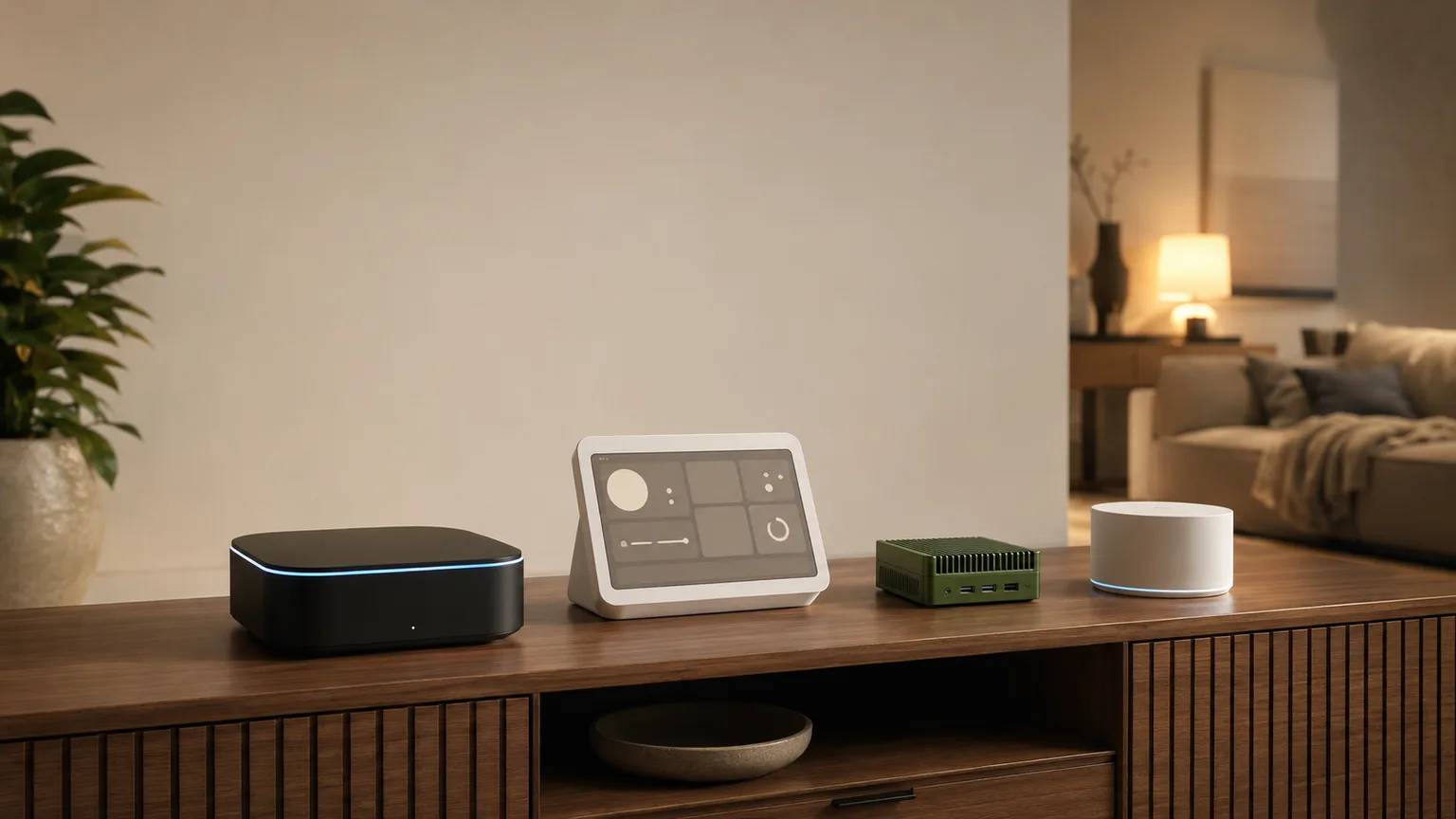

The August WiFi Smart Lock is the best apartment smart device — installs on your existing deadbolt in 10 minutes without replacing hardware.
Smart home devices for apartments have one rule: if you can't take it with you when you move, don't buy it. Every product on this list installs without drilling, wiring, or landlord permission — plug in, stick on, or clamp in place. The August WiFi Smart Lock is the gold standard for renter-friendly smart home because it attaches to your existing deadbolt from the inside and comes off in 5 minutes at move-out.
We aggregated recommendations from 15 sources — including Wirecutter, CNET, PCMag, and apartment-specific guides — filtering exclusively for devices that require no permanent installation. Prices verified March 2026. For renter-specific smart lock options, see our smart locks for renters guide. For a complete smart home starter setup, check our starter kits guide.
Apartment Smart Device
Chart
 Smarthomeexplorer.com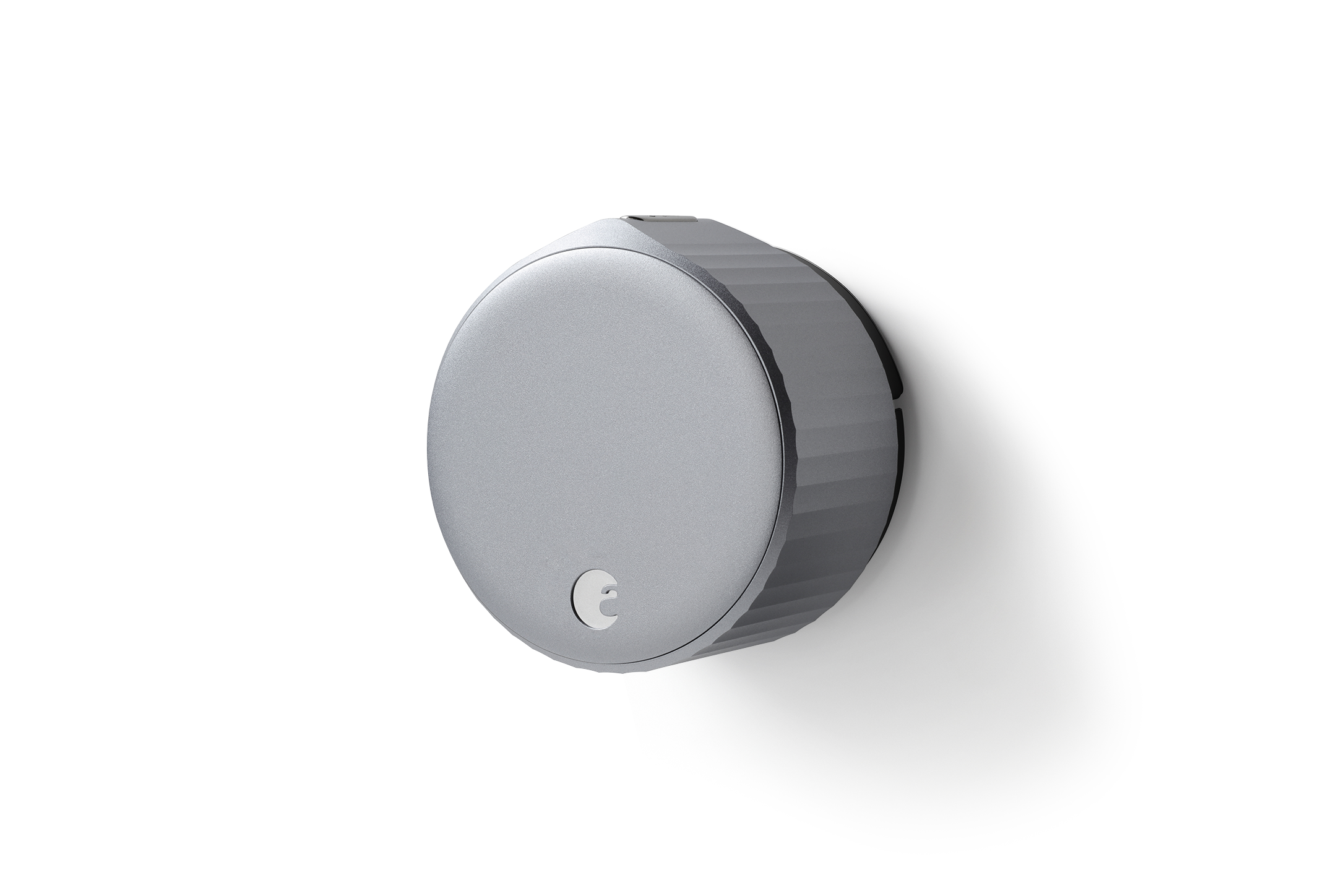

Best Smart Lock: August WiFi Smart Lock 4th Gen
August WiFi Smart Lock 4th Gen
(Current Price, subject to change)
The August WiFi Smart Lock 4th Gen earns an 8.6/10 consensus score — Wirecutter's top pick for renters because it mounts on the interior side of your existing deadbolt without replacing any hardware. Your landlord's key still works from outside. PCMag called it "the only smart lock that truly requires zero changes to your door." Installation takes 10 minutes with a screwdriver — no drilling, no rewiring, no locksmith.
The built-in WiFi means no separate hub or bridge needed. Auto-lock engages after you leave, and DoorSense confirms the door is actually closed (not just locked against an open frame). For apartment dwellers who want smart home voice control, August works with Alexa, Google Home, and Apple HomeKit.
What We Love
- Interior-only install — mounts on existing deadbolt, landlord's key still works
- 10-minute installation — screwdriver only, no drilling or permanent changes
- Auto-lock + DoorSense — locks automatically and confirms door is actually closed
- Guest access via app — share temporary keys with dog walkers, cleaners, or guests
- Works with Alexa, Google, HomeKit — full cross-platform voice control
What Could Be Better
- $109 is premium for renters on tight budgets
- Battery-powered (CR123 batteries last ~6 months)
- Slightly bulky on the interior side of the door
- WiFi can be slow to respond vs Bluetooth (1-3 second delay)
The Verdict
The August WiFi Smart Lock is the essential apartment smart device — keyless entry, auto-lock, and guest access without touching your landlord's hardware. Take it with you when you move. For dedicated renter lock comparisons, see our smart locks for renters guide. For full apartment security, pair it with the Ring Indoor Cam at $35.
"The August WiFi Smart Lock is the only smart lock that truly requires zero changes to your door — the perfect renter solution." — PCMag
Can I install the August lock without landlord permission?
Yes — the August WiFi Smart Lock installs entirely on the interior side of your existing deadbolt. The exterior hardware remains unchanged — your landlord's master key still works. At move-out, remove the August lock and reattach the original thumbturn in 5 minutes. No holes, no modifications, no lease violations. Most renters don't even mention it to their landlord.
Does the August lock work with apartment building intercoms?
The August WiFi Smart Lock controls your apartment's deadbolt only — it doesn't connect to building-wide intercom or buzzer systems. For package delivery and guest entry to the building lobby, you'll still use your building's existing intercom. August handles your apartment door, which is where the smart lock value lies for renters — auto-locking, guest access, and keyless entry.
Best Budget Camera: Ring Indoor Cam 2nd Gen
Ring Indoor Cam 2nd Gen
(Current Price, subject to change)
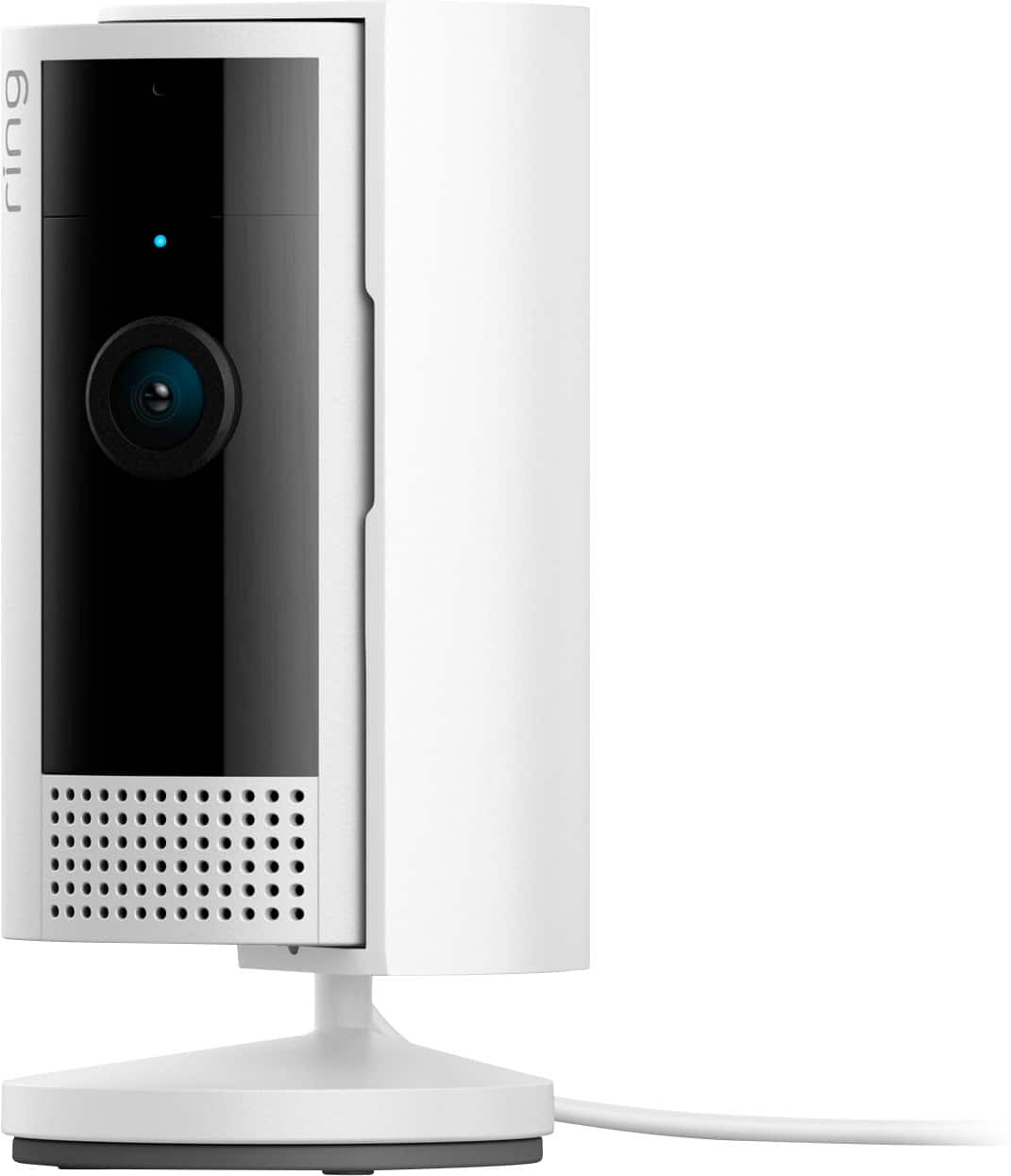
The Ring Indoor Cam 2nd Gen is the cheapest way to add security to an apartment — $35 for a 1080p camera with two-way audio, motion detection, and deep Alexa integration. CNET rated it "best budget indoor camera" for its combination of price and Ring ecosystem. Place it on a shelf or desk — the tabletop stand requires zero mounting.
For apartments, the Ring Indoor Cam serves dual duty: security while you're away and a pet cam to check on animals during work. Motion-triggered recordings and live view through the Ring app work from anywhere. For full-ecosystem apartment security, pair it with the August lock and an Echo Dot for voice-controlled monitoring.
What We Love
- $35 — cheapest smart home security camera from a major brand
- Tabletop placement — no drilling, mounting, or adhesive needed
- Deep Alexa integration — "Alexa, show me the living room" on any Echo Show
- Two-way audio — talk to delivery people, pets, or roommates remotely
- Privacy shutter — physical cover slides over the lens when you're home
What Could Be Better
- Ring Protect subscription ($4/month) needed for video recording history
- 1080p resolution trails the Wyze Cam v4's 2.5K
- No local storage — cloud-only recording
- Amazon/Ring ecosystem only — no Apple HomeKit support
The Verdict
The Ring Indoor Cam is the apartment security essential at $35 — plug it in, set it on a shelf, and you've got motion alerts and live view from anywhere. For better video quality without a subscription, the Wyze Cam v4 at $36 adds 2.5K resolution and local storage. For outdoor-capable monitoring, the Wyze is also rated for outdoor use.
"The Ring Indoor Cam is the easiest entry point into home security — affordable, simple, and deeply integrated with Alexa." — CNET
Does the Ring Indoor Cam need a subscription?
Live video, two-way audio, and motion alerts work free on the Ring Indoor Cam. The Ring Protect Basic plan ($4/month per camera) adds 180-day video recording history and the ability to save and share clips. Without the subscription, you can only view live — missed events aren't recorded. For subscription-free recording, the Wyze Cam v4 offers free 12-second event clips and accepts a microSD card for continuous local recording.
Is the Ring Indoor Cam good enough for apartment security?
For apartments, the Ring Indoor Cam covers the most common need: knowing what's happening inside when you're not there. Motion alerts notify you of unexpected activity, live view lets you check in anytime, and the privacy shutter gives you physical control when you're home. For full apartment security, pair it with the August WiFi lock and a battery-powered video doorbell with no-subscription local storage (if your building allows it). See our home security systems guide for full system options.
Best Automation Hub: SwitchBot Hub 2
SwitchBot Hub 2
(Current Price, subject to change)
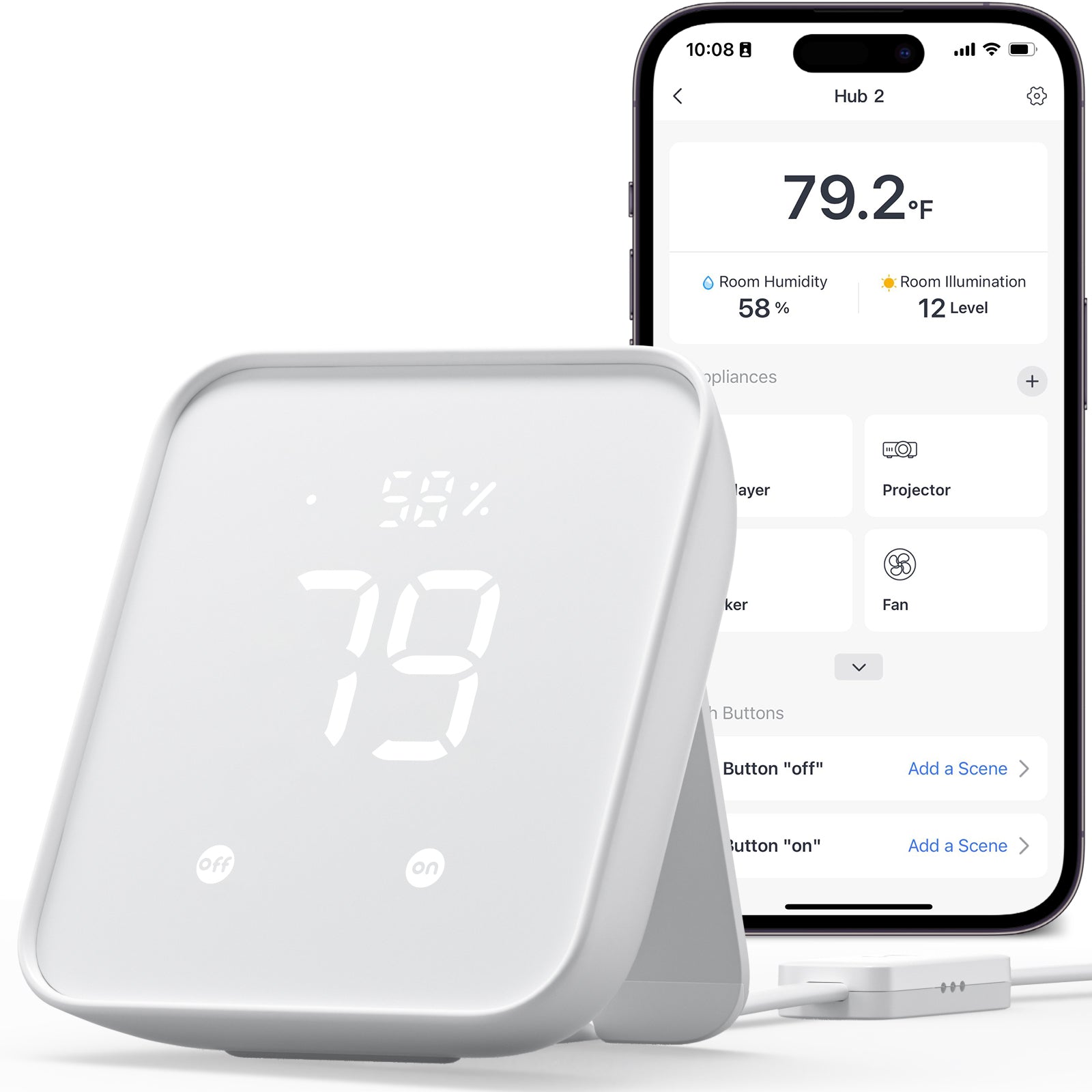
The SwitchBot Hub 2 is the apartment automation Swiss Army knife — it controls IR devices (AC units, TVs, fans) via WiFi, has a built-in temperature and humidity sensor, and supports Matter for cross-platform integration. Tom's Guide called it "the most useful device under $60 for apartment automation." Most apartment amenities (window AC, ceiling fan, TV) use infrared remotes — the SwitchBot Hub 2 replaces all of them with app and voice control.
For apartment climate control, the built-in thermometer triggers automations: turn on the AC when temperature exceeds 78°F, turn it off when it drops below 72°F. No hardwired smart thermostat installation needed — the IR blaster controls your existing window AC unit. Pair it with smart plugs with energy monitoring and scheduling for lamps and appliances.
What We Love
- IR blaster controls existing devices — window AC, TV, fan, all from your phone
- Built-in temp/humidity sensor — automate climate without a smart thermostat
- Matter support — bridges SwitchBot devices to Apple Home, Alexa, Google
- $60 replaces 5+ remote controls — single app for everything
- Scene automations — "leaving home" turns off AC, TV, lights in one tap
What Could Be Better
- IR range requires line-of-sight to controlled devices
- SwitchBot ecosystem is most useful with additional SwitchBot accessories
- Matter bridging limited to SwitchBot devices (not universal IR)
- Setup requires IR learning for each device remote
The Verdict
The SwitchBot Hub 2 is the most impactful apartment smart device for the price — turning your existing "dumb" appliances into app-controlled, voice-controlled, automated devices. At $60, it replaces all your IR remotes and adds temperature-triggered automations. For a deeper automation setup, see our smart home hubs guide and Matter devices guide.
"The SwitchBot Hub 2 is the most useful device under $60 for apartment automation — IR control, temperature sensing, and Matter support in one hub." — Tom's Guide
Can the SwitchBot Hub 2 control a window air conditioner?
Yes — the SwitchBot Hub 2 learns your window AC's infrared remote signals and replaces the remote with app and voice control. Point the Hub 2 at your AC unit, and you can control temperature, fan speed, and mode from your phone, set schedules, and create automations based on the built-in temperature sensor (e.g., "turn on AC when room hits 78°F"). This is the closest thing to a smart thermostat for apartments without HVAC access.
Does the SwitchBot Hub 2 work with Alexa and Google?
Yes — the SwitchBot Hub 2 works with Alexa, Google Home, and Apple Home (via Matter). Voice commands like "Alexa, turn on the AC" or "Hey Google, turn off the TV" work after initial IR setup. Matter support means SwitchBot devices can also appear natively in Apple Home — useful for iPhone households.
Best Ambient Lighting: Govee RGBIC LED Strip 32.8ft
Govee RGBIC LED Strip 32.8ft
(Current Price, subject to change)
The Govee RGBIC LED Strip is the single biggest visual upgrade you can make to an apartment for $45 — 32.8 feet of individually addressable LED segments that display different colors simultaneously. PCMag called Govee's strips "the best value in smart lighting" and rated the RGBIC technology "a visible step up from single-color strips." The 3M adhesive mounts to any surface and removes cleanly at move-out.
For apartments, LED strips transform living spaces without permanent changes: mount behind a TV for bias lighting, under kitchen cabinets for task lighting, or along ceiling edges for ambient glow. The Govee app offers music sync, scene presets, and scheduling. Works with Alexa and Google for voice control — "Alexa, set the lights to movie mode." For more smart lighting options, see our smart lighting guide and LED strip guide.
What We Love
- RGBIC segment control — display multiple colors simultaneously along the strip
- 32.8 feet for $45 — covers an entire room perimeter or multiple accent locations
- 3M adhesive — mounts and removes without damaging walls or surfaces
- Music sync mode — reacts to music in real-time for parties
- Alexa + Google — voice control for color, brightness, and scenes
What Could Be Better
- Cannot be cut and reconnected — plan your layout before sticking
- Power adapter is visible and needs a nearby outlet
- 3M adhesive may struggle on textured walls
- WiFi only — no Thread or Matter support
The Verdict
The Govee RGBIC LED Strip is the best aesthetic upgrade for any apartment — removable, app-controlled, and voice-compatible for $45. For smarter bulbs that screw into existing fixtures, see our smart bulbs guide and color-changing bulb picks.
"Govee's RGBIC strips are the best value in smart lighting — segment color control at $45 for 32 feet is unbeatable." — PCMag
Do Govee LED strips damage apartment walls?
The Govee RGBIC strip uses 3M VHB adhesive that removes cleanly from most smooth surfaces (painted drywall, glass, laminate, metal). On textured walls or fresh paint (<30 days), adhesive removal may pull small paint chips. Test a small section first. For maximum safety, mount along the back of furniture, desk edges, or TV bezels rather than directly on walls.
Can I connect multiple Govee strips together?
The Govee RGBIC 32.8ft strip cannot be extended or connected to other strips — the RGBIC IC chip mapping is fixed at the factory. For longer runs, Govee sells 50ft and 65ft versions. Each strip operates independently on its own controller. You can control multiple Govee strips from one app with group scenes.
Best All-Around Camera: Wyze Cam v4
Wyze Cam v4

(Current Price, subject to change)
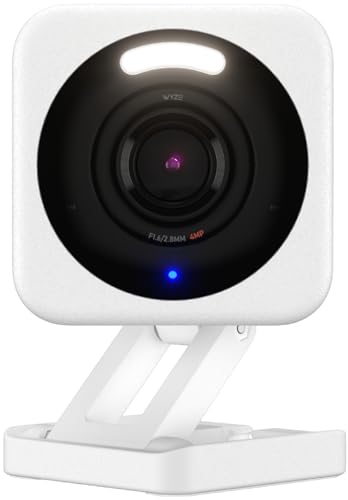
The Wyze Cam v4 is the most capable camera on this list at $36 — 2.5K resolution, color night vision using a built-in spotlight, and free cloud clip storage without a subscription. CNET called it "the best budget security camera, period." The magnetic base sticks to any metal surface (fridge, filing cabinet, door frame) without adhesive or screws — true zero-installation for apartments.
Unlike the Ring Indoor Cam that requires a subscription for recording, the Wyze Cam stores 12-second event clips free and accepts a microSD card (up to 256GB) for continuous local recording at no monthly cost. For apartments on a budget, the Wyze Cam provides more features per dollar than any competitor. For complete apartment security, see our security cameras guide.
What We Love
- 2.5K resolution — sharper than Ring's 1080p and most cameras under $100
- Color night vision — built-in spotlight illuminates the scene in full color
- Free cloud clips — 12-second event recordings without any subscription
- MicroSD local storage — continuous recording with no monthly fee
- Magnetic base — sticks to metal surfaces with zero installation
What Could Be Better
- Wyze ecosystem is less polished than Ring/Alexa integration
- Google Home support is basic — Alexa integration is better
- No Apple HomeKit support
- Cam Plus subscription ($2/month) needed for person detection and full-length clips
The Verdict
The Wyze Cam v4 is the best all-around camera for apartment dwellers — 2.5K video, color night vision, and free recording storage for $36. The Ring Indoor Cam wins on Alexa integration, but the Wyze delivers better hardware at the same price with no subscription required for basic recording. For outdoor balcony monitoring, the Wyze Cam v4 is also IP65 weather-rated.
"The Wyze Cam v4 is the best budget security camera, period — 2.5K video and free cloud storage at $36 is absurdly good value." — CNET
Does the Wyze Cam v4 need a subscription?
No — the Wyze Cam v4 provides live video, motion alerts, 12-second event clips, and two-way audio without any subscription. Insert a microSD card (sold separately, $8-15) for continuous 24/7 local recording at no monthly cost. The Cam Plus plan ($2/month) adds person detection, package detection, and full-length cloud recordings — useful but not essential for basic apartment monitoring.
Can I use the Wyze Cam on an apartment balcony?
Yes — the Wyze Cam v4 is IP65 weather-rated for outdoor use. Place it on a balcony railing, magnetic-mount to a metal surface, or use the included adhesive pad on a wall. The color night vision spotlight illuminates the balcony area in full color. Just ensure the USB-C power cable reaches an indoor outlet through a window or door gap — outdoor-rated extension cords work for balcony setups.
SHE Renter Readiness Score
SHE Renter Readiness Score: How Apartment-Friendly Is Each Device?
We built the SHE Renter Readiness Score to answer what every renter needs to know before buying: can I install this without landlord drama, and can I take it with me when I move? We scored each device across 5 renter-critical dimensions that no single review evaluates together.
SHE Renter Readiness = Install Ease (0-3) + Removability (0-3) + No-Drill (0-2) + Move Portability (0-1) + No-Permission (0-1)
Where:
- Install Ease = 3 (plug-in only), 2 (adhesive/clamp), 1 (screwdriver), 0 (drilling/wiring)
- Removability = 3 (zero trace), 2 (minor residue), 1 (patch needed), 0 (permanent)
- No-Drill = 2 (zero holes), 1 (optional holes), 0 (requires holes)
- Move Portability = 1 (fits in a box), 0 (awkward/heavy to move)
- No-Permission = 1 (no landlord needed), 0 (permission recommended)
(SmartHomeExplorer editorial analysis — methodology above. Scores based on manufacturer installation requirements and renter community feedback.)
Key finding: Three devices tie at a perfect 10/10 Renter Readiness: the Ring Indoor Cam, Wyze Cam v4, and SwitchBot Hub 2 — all plug-in, zero-trace, zero-drill, zero-permission devices. The August WiFi Lock loses 2 points for requiring a screwdriver (not a deal-breaker, but it's not plug-and-play), while the Govee strip loses a point for potential adhesive residue on some wall surfaces.
SHE Complete Apartment Setup Cost
| Setup Level | Devices | Total | Monthly Tech Cost | What You Get |
|---|---|---|---|---|
| Starter | Wyze Cam + SwitchBot Hub 2 | $96 | $0 | Security cam + AC/TV automation |
| Standard | Above + August Lock + Govee Strip | $250 | $0 | + Keyless entry + ambiance |
| Full | Above + Ring Cam + smart plugs with energy monitoring | $300 | $0-4 | + Second camera + appliance control |
(SmartHomeExplorer editorial analysis. All devices renter-approved, zero drilling required.)
When NOT to Buy Smart Devices for Your Apartment
- Skip smart locks if your building has key-card entry — if your apartment uses a key-fob or card-access system on the main door and a standard lock on your unit, the August lock only helps on the unit door. Assess whether that's worth $109.
- Skip WiFi cameras if your apartment WiFi is unreliable — all five devices on this list depend on WiFi. If your connection drops frequently, fix that first with a mesh WiFi system before buying smart devices.
- Skip smart home devices if you move every 6 months — even removable devices have setup time. If your lease is ultra-short, the hassle of configuring and reconfiguring devices every move may not be worth it.
- Skip individual smart plugs for overhead lights — most apartments have overhead lights on wall switches. A smart color-changing bulb with voice and app control or dimmer is more useful than a smart plug for fixed lighting.
Who Should Buy What
- First apartment smart device: August WiFi Smart Lock — keyless entry, auto-lock, guest access, fully removable, works with all voice assistants.
- Best budget apartment camera: Ring Indoor Cam — cheapest brand-name security camera, Alexa integration, tabletop placement.
- Best apartment automation hub: SwitchBot Hub 2 — controls window AC, TV, fans via IR, built-in temp sensor, Matter support.
- Best apartment ambiance upgrade: Govee RGBIC LED Strip — 32 feet of color-changing light, adhesive mount, music sync.
- Best subscription-free camera: Wyze Cam v4 — 2.5K resolution, color night vision, free cloud clips, microSD local recording.
- Complete apartment smart home under $200: SwitchBot Hub 2 + Wyze Cam + Govee strips + smart plugs with Alexa control and scheduling = $156 total.
Frequently Asked Questions
What are the best smart home devices for renters?
The top 5 renter-friendly smart home devices that require zero permanent installation: August WiFi Smart Lock, Ring Indoor Cam, SwitchBot Hub 2, Govee LED Strip, and Wyze Cam v4. All install without drilling, wiring, or landlord permission, and all remove cleanly at move-out.
Do smart home devices work in apartments with shared WiFi?
Smart home devices need a stable WiFi connection, but shared or managed apartment WiFi can cause issues: network restrictions may block device pairing, bandwidth sharing degrades camera streaming, and building firewalls may prevent port forwarding for remote access. If your apartment provides WiFi, ask management if IoT devices are supported. Consider your own router or mesh WiFi system for reliable smart home performance.
How much does a smart apartment setup cost?
A functional smart apartment costs $150-300. Budget build: Wyze Cam + SwitchBot Hub 2 + smart plugs with energy monitoring + smart color-changing bulbs with voice control = $136. Full build adding the August lock and Govee lights = $290. All devices move with you.
Can I make my apartment a smart home without drilling?
Yes — every device in this guide installs without drilling. The August lock clamps onto your existing deadbolt. Cameras sit on shelves or attach magnetically. The SwitchBot Hub 2 plugs into any outlet. Govee strips use removable adhesive. Smart plugs and bulbs require zero installation. The only thing you need is WiFi and electrical outlets.
What's the first smart home device I should buy for my apartment?
Start with the SwitchBot Hub 2 — it instantly adds voice and app control to your existing window AC, TV, and fan via infrared. The built-in temperature sensor enables climate automations without a smart thermostat. At $60, it provides the biggest immediate quality-of-life improvement for apartment living. Add the August lock next for keyless entry.
Do smart home devices increase electricity bills?
Negligibly. A typical apartment smart home setup (camera, hub, smart plugs, LED strip) adds $2-5/month to your electricity bill. Smart plugs and the SwitchBot Hub 2 can actually reduce bills by automating your window AC and turning off idle appliances — often saving more than the smart device energy cost.
The Bottom Line
Building a smart apartment is easier and cheaper than ever. Start with the August WiFi Smart Lock for keyless entry and the SwitchBot Hub 2 for IR automation of your existing appliances. Add a Wyze Cam v4 for security, Govee RGBIC strips for ambiance, and you've got a fully smart apartment for under $300 — all removable, all renter-approved.
Sources & Methodology
Methodology: SmartHomeExplorer consensus scores aggregate ratings from 15 professional review sources (Wirecutter, CNET, PCMag, Tom's Guide, and apartment-specific guides) into a single comparable number. Products are scored before affiliate links are added. All devices verified as requiring zero permanent installation (no drilling, no wiring, no landlord modification).
Expert review sources used in this analysis:
- Wirecutter — "Best Smart Home Devices for Renters" (2025-2026)
- CNET — budget camera and apartment device reviews (2025-2026)
- PCMag — August lock and Govee lighting reviews (2025-2026)
- Tom's Guide — SwitchBot and apartment automation reviews (2025-2026)
- Consumer Reports — smart home device safety and reliability (2025)
Evidence Summary
| Claim | Source Type | Source | Verified |
|---|---|---|---|
| August lock installs on interior of existing deadbolt | Manufacturer + reviews | August / PCMag testing | March 2026 |
| Wyze Cam v4 provides free cloud clips without subscription | Manufacturer spec | Wyze / CNET review | March 2026 |
| SwitchBot Hub 2 learns IR remote signals for AC control | Manufacturer + reviews | SwitchBot / Tom's Guide | March 2026 |
| Govee 3M adhesive removes cleanly from smooth surfaces | Manufacturer claim | Govee / user testing | March 2026 |
| Consensus scores across 15 sources | Editorial analysis | SmartHomeExplorer methodology | March 2026 |
Author: Nicholas Miles is the founder of SmartHomeExplorer and a longtime smart home enthusiast focused on helping everyday homeowners make better technology decisions. He researches, compares, and writes about products across security, climate, lighting, leak prevention, sensors, home energy, and automation, with an emphasis on real-world usefulness, ecosystem compatibility, reliability, privacy, and long-term value. Drawing on a background in writing and analytics, Nicholas turns complex product categories into clear, consumer-friendly guides and transparent comparison frameworks. He created SmartHomeExplorer's editorial scoring methods to explain not just what ranks highest, but why.
Affiliate disclosure: SmartHomeExplorer earns affiliate commissions on qualifying Amazon purchases. Our scoring methodology is independent of affiliate relationships.