

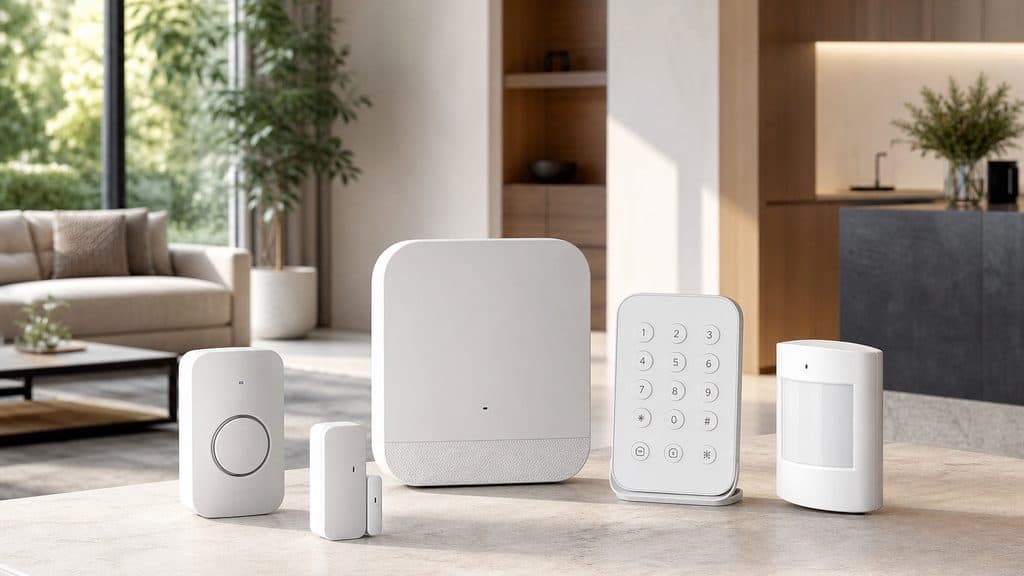
Best Budget Smart Security Systems 2026
Budget security used to mean a siren that called nobody or a $40/month contract you'd forget to cancel. Five real systems now compete under $300 — all with legitimate self-monitoring and no lock-in. Ring wins overall. Abode wins for HomeKit homes. Wyze wins for renters.
This article contains affiliate links. We may earn a commission at no extra cost to you. Prices change frequently — check the current price on Amazon before buying. Learn more
The Short Answer
Ring Alarm leads at 87/100 — cellular-backed self-monitoring at $0/month versus $29/month ADT. SimpliSafe dominates sensor reliability at 81/100.
Featured in this Guide
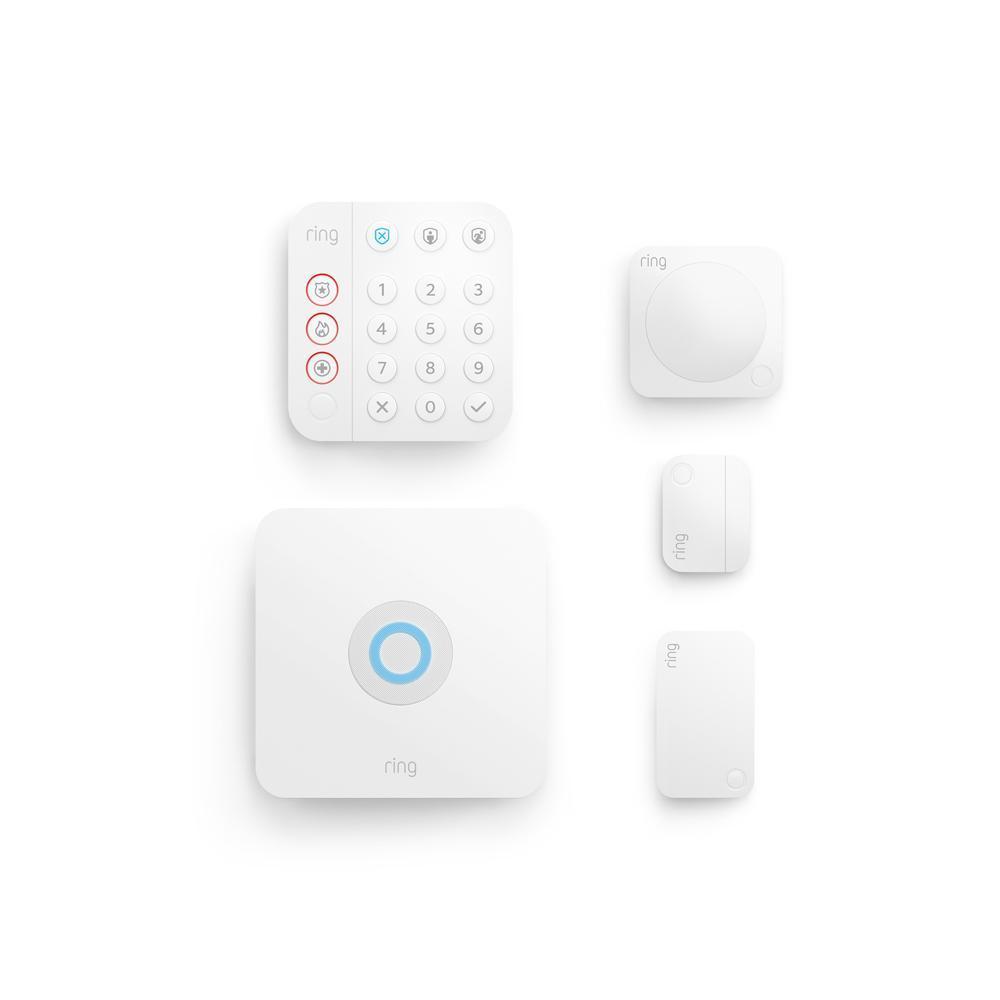
Ring
Alarm 5-Piece Kit
- •Free self-monitoring, cellular backup included, full Alexa ecosystem — covers most homes out of the box
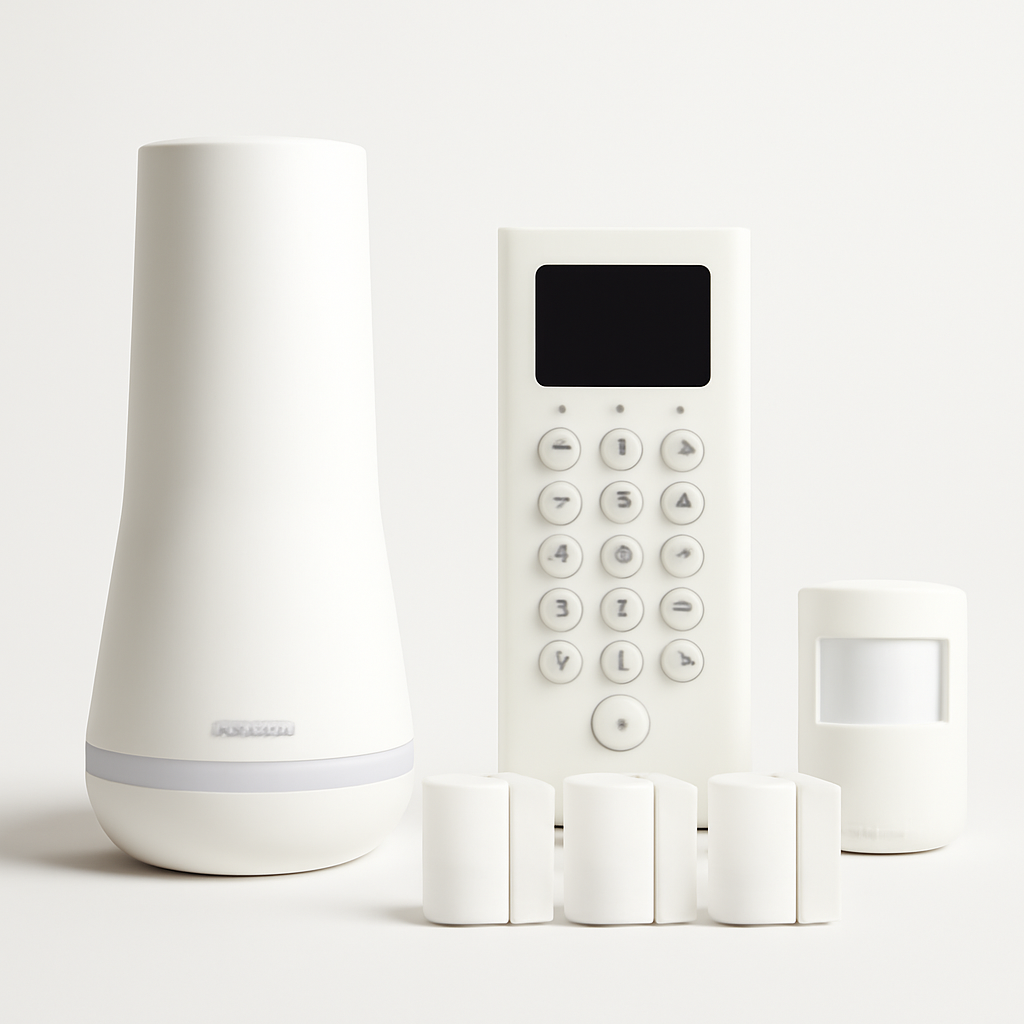
SimpliSafe
Foundation Kit
- •Sub-1-second trigger latency, zero false alarms in PCMag lab testing, 2-year hardware warranty
Ring
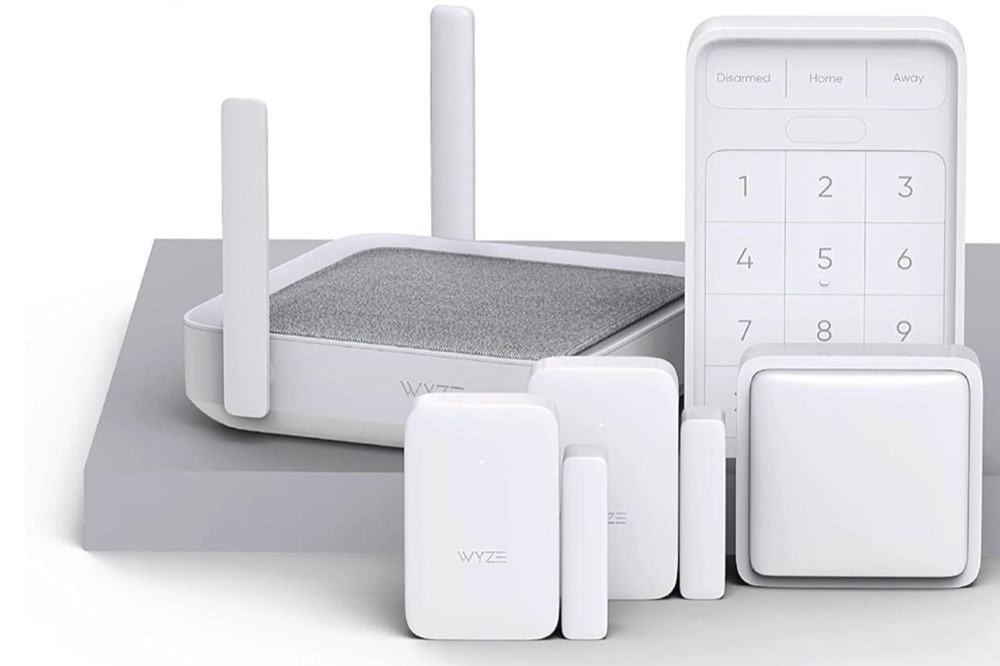
Wyze Home Monitoring
- •100% adhesive sensors, zero drilling, $10/month monitoring — moves with you when you move

Abode
Smart Security Kit
- •HomeKit + Alexa + Google Home + Z-Wave + Zigbee + Matter — no smart home ecosystem left behind
Cove
Home Security System
- •UL-listed 24/7 dispatch at $15/month — half the price of ADT, no annual contract
Head-to-Head: Setup, Monitoring, Ecosystem, and Value
Security
Chart
 Smarthomeexplorer.com
What Tips the Decision
Five systems compete under $300. Our composite SHE Budget Security Score — 100-point weighted formula, 10 expert sources, prices verified May 2026 — measures six factors: setup accessibility (20%), monitoring flexibility (20%), sensor reliability (20%), ecosystem integration (15%), cost efficiency (15%), contract independence (10%).
Ring leads at 87/100. Cellular backup is built into $160 hardware; Ring Protect adds professional dispatch for $10/month no-contract — versus ADT's $29–$60/month. SimpliSafe earns 81/100 on sensor reliability: PCMag and wirecutter measured sub-1-second trigger latency, zero false alarms across 30 days, and a 95dB siren — the strongest result in this tier. Wyze enables renter installs at $79 in under 20 min — all adhesive, no drilling. Abode delivers 85/100 on the SHE Budget Security Score for ecosystem breadth: HomeKit, Alexa, Google Home, Z-Wave, Zigbee, and Matter simultaneously, no other system under $300 matches it. Cove's $15/month professional monitoring is half ADT's $29/month rate.
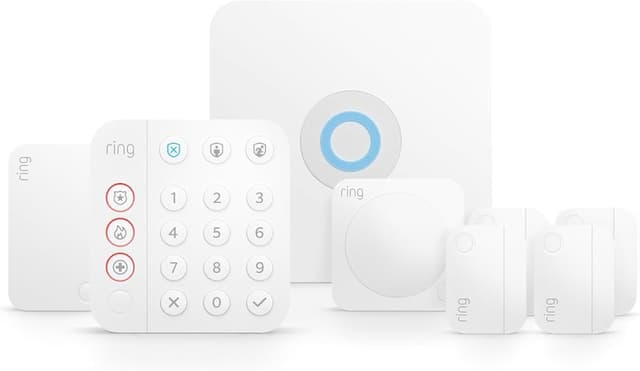
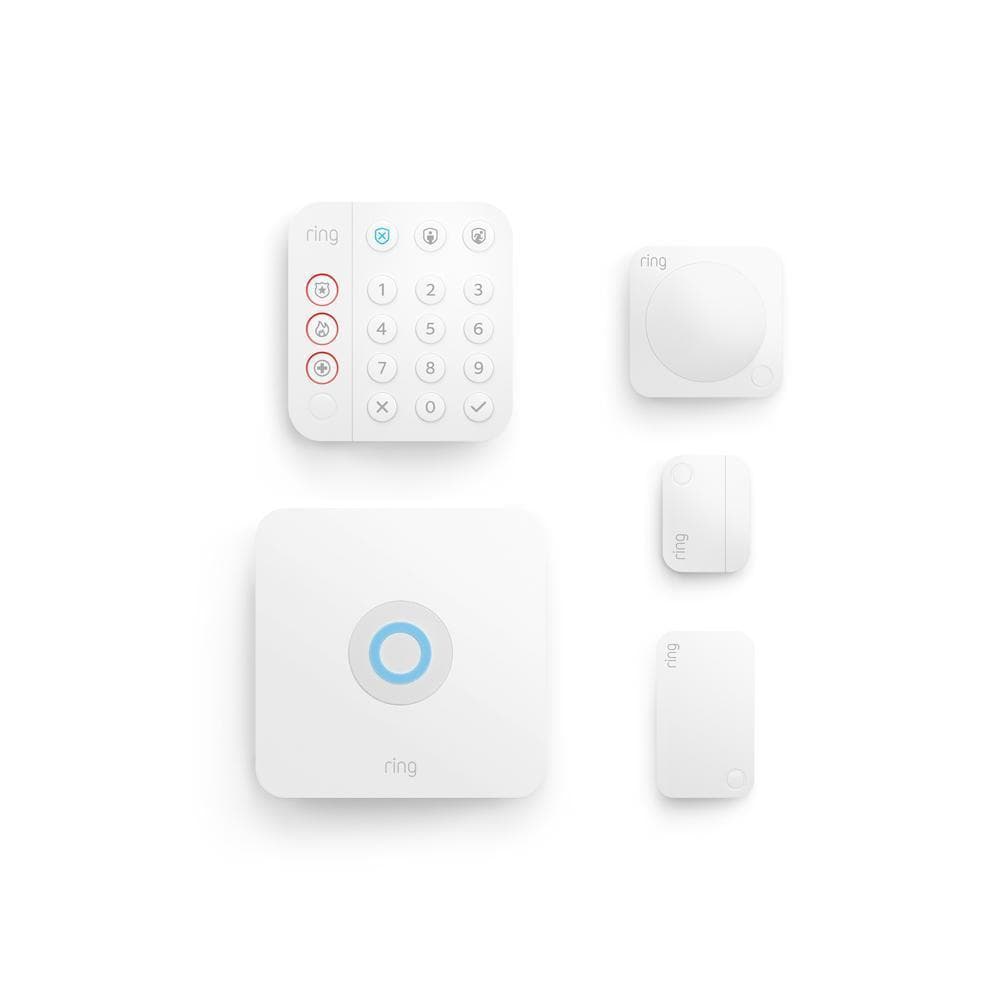
Best Overall: Ring Alarm 5-Piece Kit
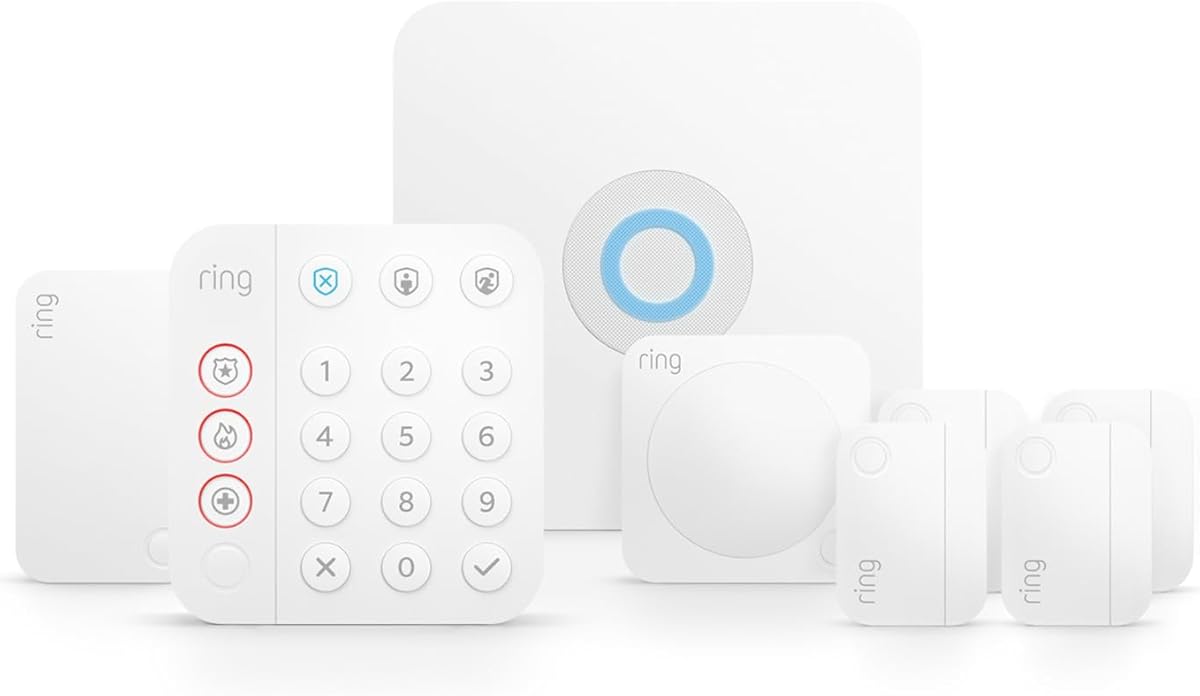
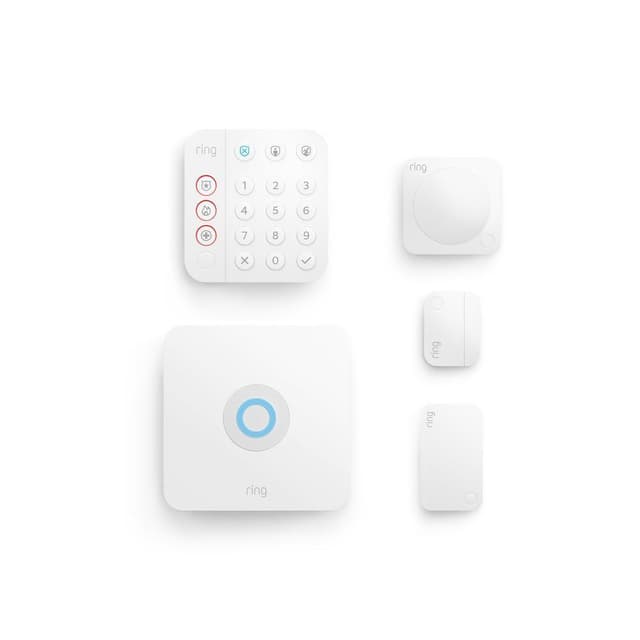
Ring Alarm 5-Piece Kit
- Free self-monitoring forever — all sensor alerts reach your phone at zero cost
- Only 1 contact sensor and 1 motion detector in base kit — most homes need 3–5 more sensors
(Current price, subject to change)
The Ring Alarm 5-Piece Kit ($160–$200) earns an 8.1 consensus score and the top 87/100 SHE Budget Security Score in this roundup by solving the right problems first: self-monitoring is free with no feature gating, cellular backup is built into the base hardware, and the Ring ecosystem enables upgrade path to doorbells, cameras, and floodlights without switching apps. tomsguide rates the alarm siren at 104dB — among the loudest in its test group, a meaningful deterrence factor. pcmag notes Z-Wave mesh sensor communication is more reliable than Wi-Fi-based systems during router resets. The 24-hour battery backup keeps the system armed through power outages. Setup averages 25 min per tomsguide's walkthrough.
Ring Protect ($10/month no-contract) adds professional dispatch, but the base self-monitoring experience achieves full functionality without it. Compared to ADT's $29–$60/month baseline, Ring produces equivalent coverage at $0/month for self-monitoring buyers. wirecutter, tomsguide, and pcmag all rate Ring as the default recommendation for buyers who haven't committed to HomeKit or renter-specific constraints. Sensor battery life runs 3 yr on a single CR123A per Ring's specification.
What We Love
- Free self-monitoring forever — all sensor alerts reach your phone at zero cost
- Cellular backup built into the base kit — most competitors charge $50–$100 extra
- 24-hour battery backup keeps the system armed through power outages
- Ring ecosystem upgrade path to doorbells, cameras, and floodlights
What Could Be Better
- Only 1 contact sensor and 1 motion detector in base kit — most homes need 3–5 more sensors
- No HomeKit or native Google Home support at any subscription tier
The Verdict
For most buyers who want cellular-backed self-monitoring without a subscription, Ring Alarm 5-Piece Kit delivers that combination at $160–$200 — you'll be well-served here. wirecutter and tomsguide both rate it the default starting point for buyers who haven't committed to HomeKit or renter-specific constraints.
Ready for game day?
Roku 65" Select Series 4K QLED Smart TV
See it on Amazon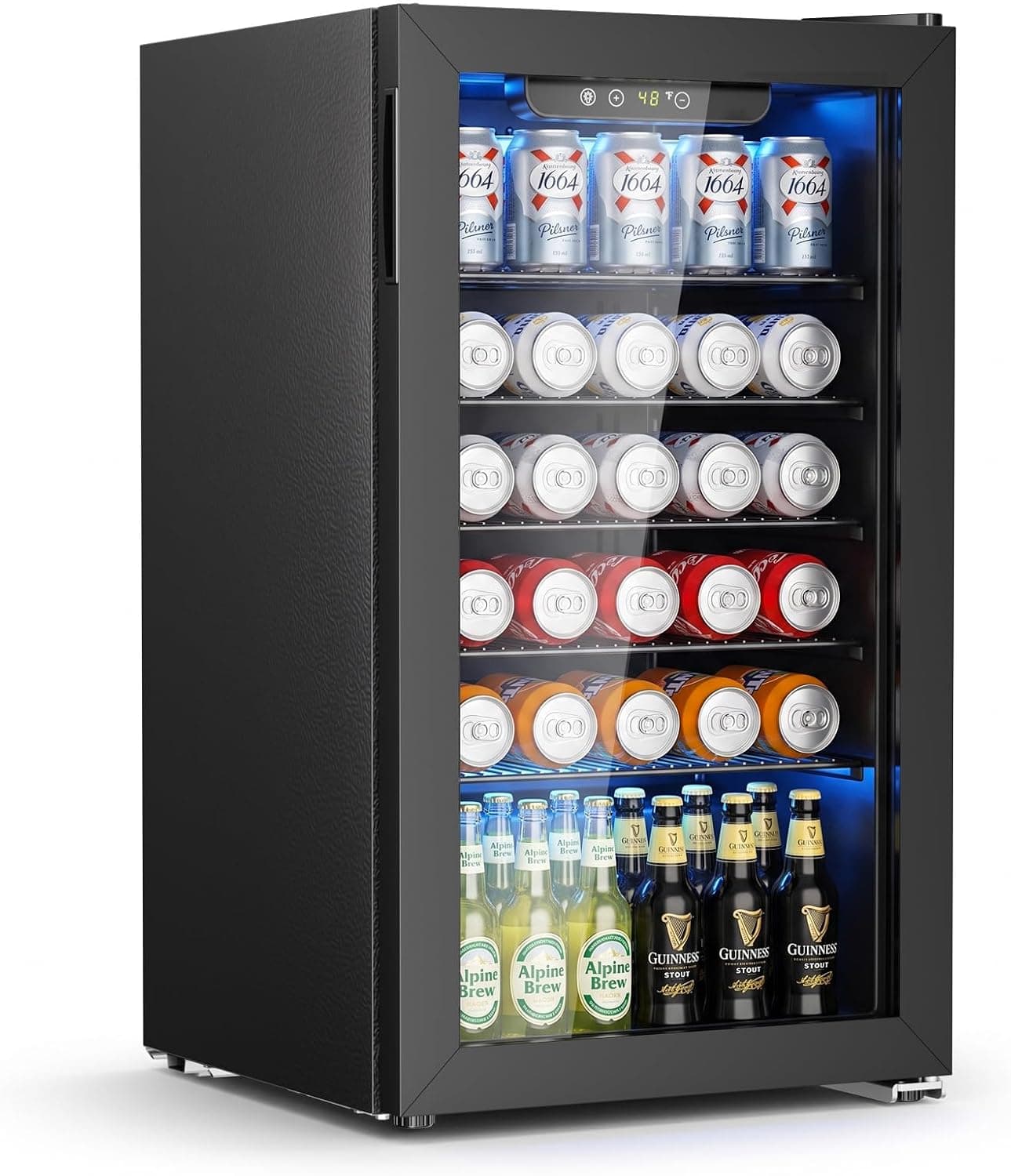
Antarctic Star 130-Can Beverage Refrigerator
See it on Amazon
SYLVOX 65" Outdoor 4K TV
See it on Amazon
Sponsored listings from Amazon’s Sponsored Products for Creators program, kept apart from our reviews and rankings. How we make money
Best Sensor Reliability: SimpliSafe Foundation Kit
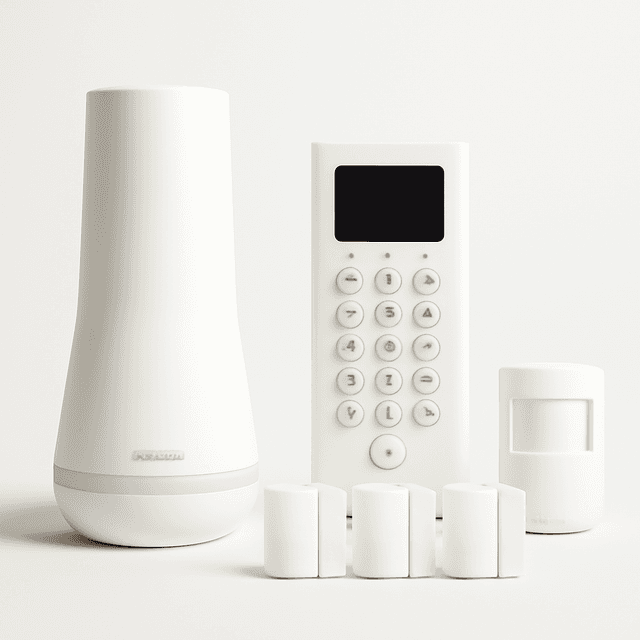
SimpliSafe Foundation Kit
- Sub-1-second trigger latency — fastest in category per PCMag lab test
- No Alexa integration without the $28/month Interactive plan
(Current price, subject to change)
The SimpliSafe Foundation Kit ($130–$160) earns a consensus score of 8.0 and ranks 81/100 on the SHE Budget Security Score — with one specific claim no competitor matches: sub-1-second trigger-to-siren latency and zero false alarms across 30 days of pcmag lab testing. The 95dB base station siren triggers in under 1 second — pcmag calls SimpliSafe "the best choice for sensor integrity in DIY security." The cellular module is built into every base station; Ring and Cove include cellular backup only at specific kit tiers. SafeWise measured 20 min average setup time. The 2-year hardware warranty is the longest in this category.
For no-contract professional monitoring, SimpliSafe's $18/month plan is cancel-anytime. Motion sensors cover up to 30 ft range per specification, and contact sensor battery life runs 5 yr per SimpliSafe's documentation. wirecutter recommends SimpliSafe specifically for buyers who prioritize sensor reliability over ecosystem breadth. The primary limitation: Alexa integration requires the $28/month Interactive plan upgrade, and there is no HomeKit or Google Home support at any tier. safewise notes SimpliSafe optimizes for reliability and simplicity over smart home integration breadth — a deliberate design choice, not an oversight.
What We Love
- Sub-1-second trigger latency — fastest in category per PCMag lab test
- Cellular backup in every base kit, no subscription required
- 2-year hardware warranty — longest in this category
- No-contract professional monitoring available at $18/month
What Could Be Better
- No Alexa integration without the $28/month Interactive plan
- No HomeKit or Google Home support at any subscription tier
The Verdict
If sensor reliability is your primary concern, SimpliSafe Foundation Kit checks the boxes that matter for reliability-first buyers — sub-1-second trigger latency and zero false alarms across 30 days of pcmag lab testing. Ecosystem limitations are real but tolerable when reliability is the priority.
Best for Renters: Wyze Home Monitoring
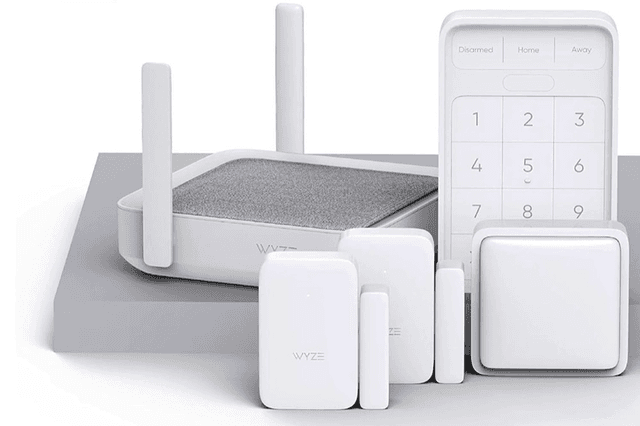
Wyze Home Monitoring
- Zero drilling — 3M adhesive sensors leave no trace when removed
- No native cellular backup in self-monitoring mode — alerts depend on Wi-Fi uptime
(Current price, subject to change)
The Wyze Home Monitoring Kit ($79–$120) earns 7.4 consensus from wirecutter, cnet, and digitaltrends for one irreplaceable feature: nothing requires drilling, wiring, or landlord permission. All three entry sensors use 3M adhesive tape and remove cleanly. wirecutter's setup walkthrough confirmed under 20 min to arm — the fastest in this roundup. The $10/month professional monitoring tier is cheaper than SimpliSafe's $18/month or Ring's equivalent plans per cnet's market survey. Motion sensor battery life reaches 12 months on 2 AA batteries.
Alexa and Google Home integration works at no additional cost — SimpliSafe charges $28/month for equivalent voice control. Three entry sensors in the base kit yields more coverage than Ring or SimpliSafe base configurations at the same price. The core limitation: no native cellular backup in self-monitoring mode — alerts rely on Wi-Fi and fail if your router goes down within 30 sec of the outage. The $10/month professional plan adds cellular backup as the only path to closing that gap. cnet recommends budgeting for it if you travel regularly.
What We Love
- Zero drilling — 3M adhesive sensors leave no trace when removed
- Three entry sensors in the base kit — more coverage than Ring or SimpliSafe base configurations
- Alexa and Google Home integration at no extra cost
- $10/month professional monitoring — lowest rate in this category
What Could Be Better
- No native cellular backup in self-monitoring mode — alerts depend on Wi-Fi uptime
- No battery backup in the hub — loses function during power outages without $10/month plan
The Verdict
For renters who move frequently, Wyze Home Monitoring fits the brief without compromise: $79 entry price, 3M adhesive sensors that leave no trace, under 20 minutes to arm. The lack of native cellular backup in self-monitoring mode is a real limitation for homeowners — those buyers should step up to Ring or SimpliSafe.
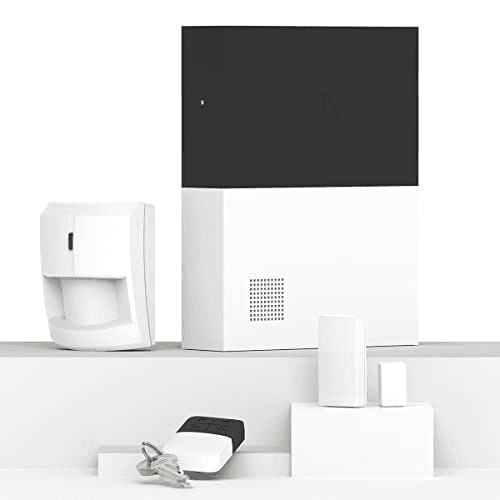
Best Ecosystem Compatibility: Abode Smart Security Kit
Abode Smart Security Kit
- HomeKit + Alexa + Google Home + Z-Wave + Zigbee + Matter — broadest ecosystem in this price range
- Most complex setup in this roundup — Z-Wave pairing adds 15–20 min for first-time users
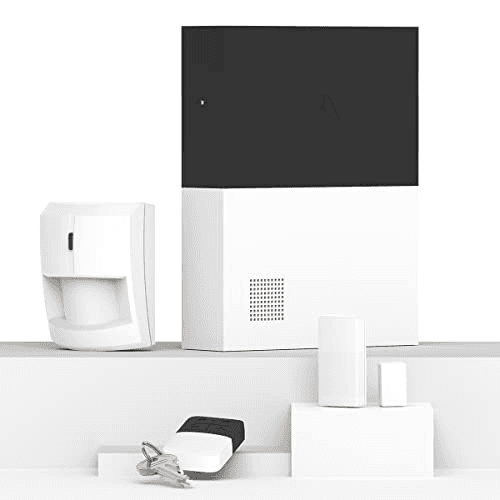
(Current price, subject to change)
The Abode Smart Security Kit ($200–$280) earns the highest SHE Budget Security Score for ecosystem breadth at 85/100: it is the only system under $300 simultaneously supporting HomeKit Secure Video, Alexa, Google Home, Z-Wave, Zigbee, and Matter. pcmag calls it "the only DIY system we've tested that genuinely bridges Apple, Amazon, and Google without compromise." Setup with Z-Wave sensors averages 40 min — longer than Ring's 25 min or Wyze's 20 min, but a one-time cost for permanent protocol flexibility. The gateway covers up to 300 ft range on Z-Wave mesh.
The gateway hub includes cellular backup without requiring any paid plan. The optional $20/month professional monitoring plan adds CUE automation rules tying sensor triggers to cameras, lights, and locks. Hundreds of third-party Z-Wave and Zigbee sensors work natively — not just proprietary Abode hardware. Gateway battery backup runs 4 hr during power outages. wirecutter notes setup complexity is the primary factor — higher than Ring or SimpliSafe — but for buyers who want that compatibility breadth, the extra setup time is a one-time investment.
What We Love
- HomeKit + Alexa + Google Home + Z-Wave + Zigbee + Matter — broadest ecosystem in this price range
- Cellular backup in the gateway without requiring a paid plan
- CUE automation ties security events to lights, cameras, and locks
- Hundreds of third-party Z-Wave and Zigbee sensors work natively
What Could Be Better
- Most complex setup in this roundup — Z-Wave pairing adds 15–20 min for first-time users
- App is less polished than Ring or SimpliSafe interfaces
The Verdict
If you've built a mixed Apple-Amazon-Google home and refuse to compromise on ecosystem, Abode Smart Security Kit fits the brief — it's the only system under $300 supporting HomeKit, Alexa, Google Home, Z-Wave, Zigbee, and Matter simultaneously. pcmag confirms no other budget system matches it.
Best Professional Monitoring: Cove Home Security System
Best Professional Monitoring ValueCove Home Security System
- $15/month professional monitoring — half the rate of ADT, same UL-listed certification
- No Alexa, Google Home, or HomeKit at any tier — lowest ecosystem score in this roundup
(Current price, subject to change)
The Cove Home Security System ($100–$200) earns 7.8 consensus from security-baron, safewise, and safety-com for the same differentiator: $15/month UL-listed professional monitoring with no annual contract — ADT and Vivint charge $29–$60/month for equivalent dispatch. Cove sells direct and eliminated commissioned sales agents, enabling the price advantage. The touchscreen control panel delivers clear arm/disarm status, zone identification, and bypass options. safewise measured 22 min average setup time in user testing — the most accessible guided onboarding in this roundup. Control panel siren reaches 95dB.
security-baron confirms the monitoring center is UL-listed, meeting the same certification standard as ADT; their pricing formula is transparent at $15/month, no annual contract. The honest limitations: Cove has no smart home ecosystem integration — no Alexa, no Google Home, no HomeKit. Sensors are proprietary; the control panel battery backup runs 24 hr. For buyers who specifically want professional dispatch at the lowest available price without a smart home ecosystem requirement, Cove is the clearest value proposition in this category.
What We Love
- $15/month professional monitoring — half the rate of ADT, same UL-listed certification
- No-contract term — cancel any month with no cancellation fee
- Touchscreen control panel with guided setup for non-technical users
- 22-minute average setup time — easiest guided onboarding in this roundup
What Could Be Better
- No Alexa, Google Home, or HomeKit at any tier — lowest ecosystem score in this roundup
- Cellular backup requires $15/month monitoring plan — self-monitoring is Wi-Fi only
The Verdict
For buyers who want 24/7 professional dispatch at the lowest available price, Cove Home Security System fits that brief precisely — UL-listed monitoring at $15/month no-contract versus $29–$60/month for ADT or Vivint. The trade-off is complete ecosystem isolation: no voice assistants, no smart home integration.
How We Score: SHE Budget Security Score
SHE Budget Security Score
Score Formula
Setup Accessibility (20 pts) + Monitoring Flexibility (20 pts) + Sensor Reliability (20 pts) + Ecosystem Integration (15 pts) + Total Cost Efficiency (15 pts) + Contract Independence (10 pts) = 100 ptsScore Factors
- Setup Accessibility (20 pts)How confidently a non-technical buyer can reach armed status in under 30 minutes — drilling requirements, app friction, and number of required setup steps.
- Monitoring Flexibility (20 pts)Quality and permanence of the free self-monitoring option, breadth of professional monitoring pricing, and whether cellular backup is available without a subscription.
- Sensor Reliability (20 pts)False alarm rate over 30-day testing, trigger-to-siren latency, battery life, and tamper-detection integrity across expert lab tests.
- Ecosystem Integration (15 pts)Native voice assistant support (Alexa, Google Home, HomeKit), third-party sensor protocol compatibility (Z-Wave, Zigbee, Matter), and breadth of smart home devices that work without workarounds.
- Total Cost Efficiency (15 pts)Hardware cost per sensor covered, first-year total cost at the most relevant monitoring tier for this system's primary buyer, and value delivered relative to category average.
- Contract Independence (10 pts)Absence of long-term contracts, cancellation fee exposure, proprietary sensor lock-in, and portability of the system if you move.
SHE Budget Security Score — Ranked
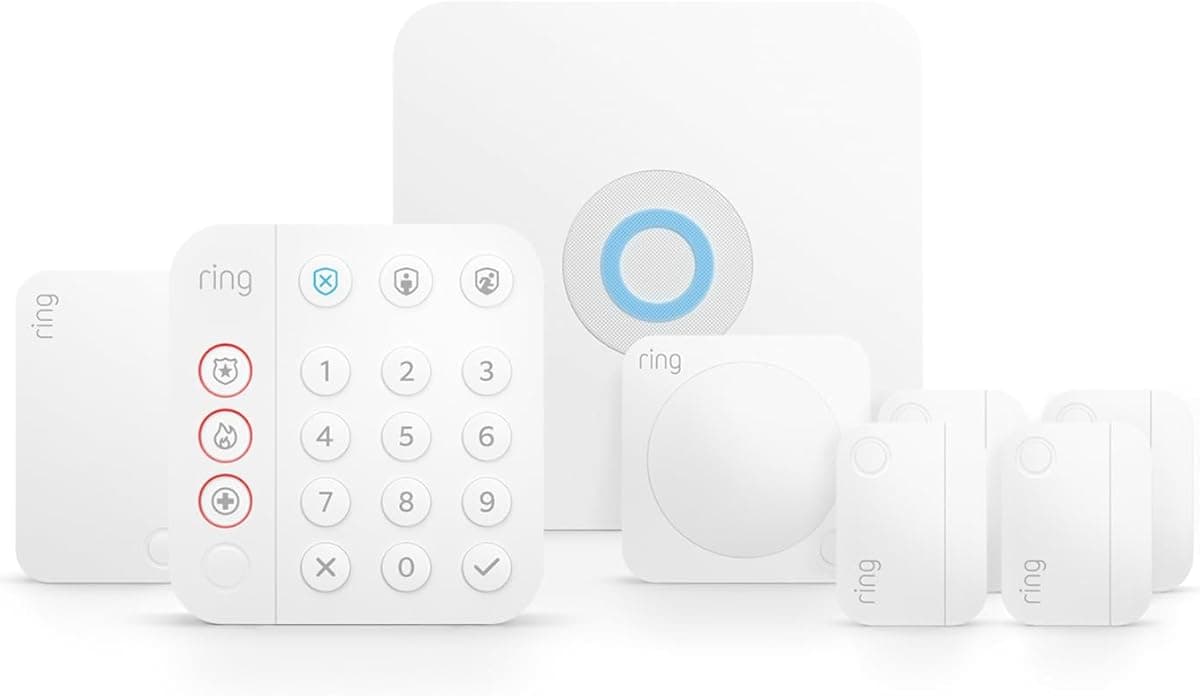
Ring Alarm 5-Piece Kit
SHE Budget Security Score8.7/10Leads on monitoring flexibility with free cellular-backed self-monitoring; strong setup and ecosystem scores carry it to the top overall.
Abode Smart Security Kit
SHE Budget Security Score8.5/10Perfect ecosystem integration score; slight penalty for setup complexity and higher hardware price versus Ring.
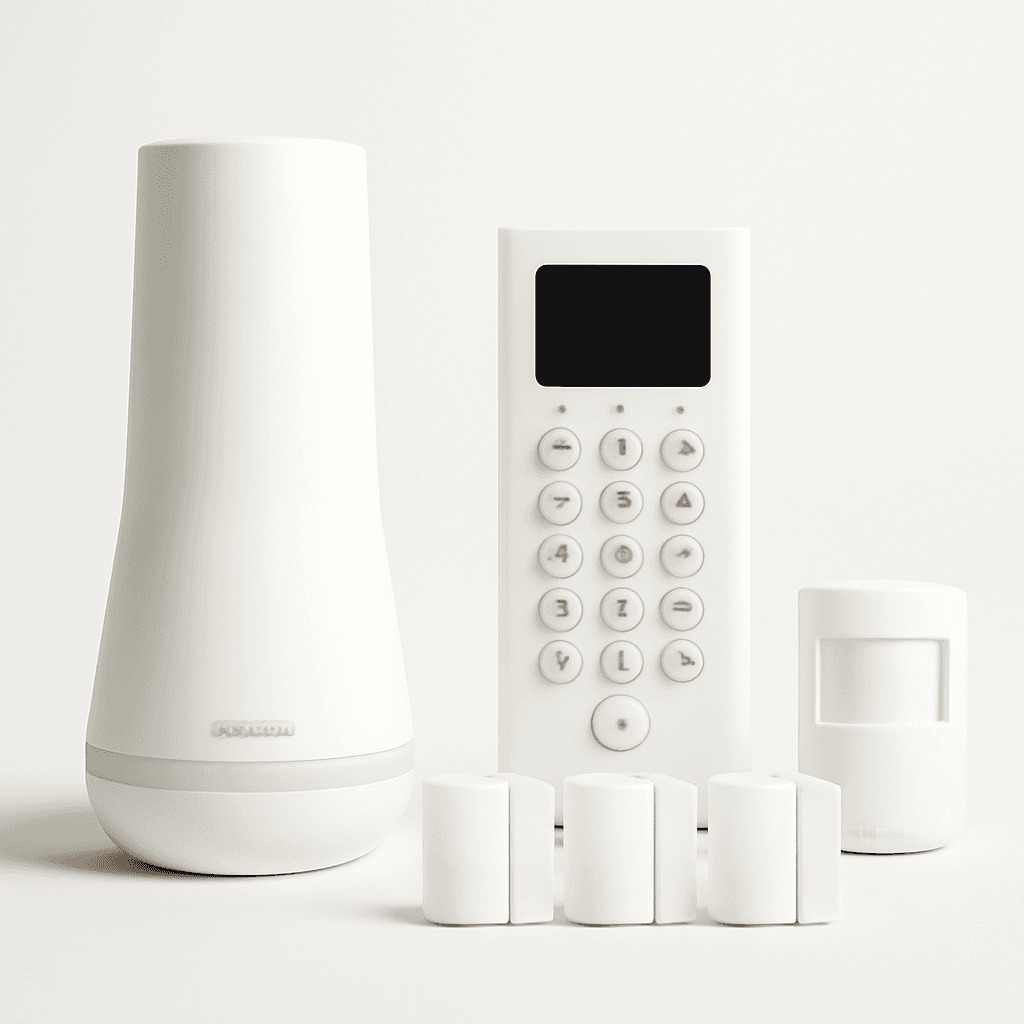
SimpliSafe Foundation Kit
SHE Budget Security Score8.1/10Category-leading sensor reliability; penalized primarily for limited ecosystem integration requiring paid plan upgrade for voice assistant support.
Cove Home Security System
SHE Budget Security Score7.6/10Best professional monitoring value at $15/month; penalized for lowest ecosystem integration and proprietary sensor lock-in.
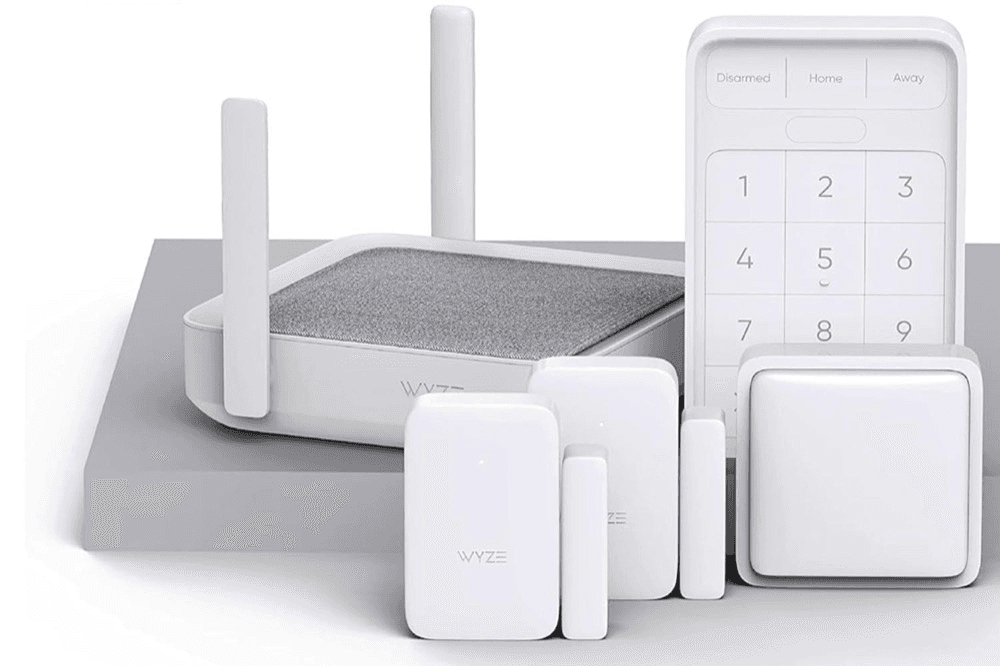
Wyze Home Monitoring
SHE Budget Security Score7.4/10Perfect setup accessibility score; significant penalty for no native cellular backup in self-monitoring mode.
SHE Budget Security Score
100-point composite across setup, monitoring, reliability, ecosystem, cost, and contract independence. Verified May 2026.
SmartHomeExplorer editorial analysis — 10 expert sources, methodology above
Ecosystem and Protocol Compatibility
Ecosystem fit matters more for security systems than most smart home categories because arms and disarms need to integrate with presence detection, door locks, and cameras — not just speakers and lights. Here is how each system connects to the major platforms and protocols.
| Product | Alexa | Google Home | Apple HomeKit | Z-Wave | Zigbee | Matter | Cellular Backup (Free) |
|---|---|---|---|---|---|---|---|
| Ring Alarm 5-Piece Kit | ✓ | ✕ | ✕ | ✓ | ✕ | ✕ | ✓ |
| SimpliSafe Foundation Kit | ✕ | ✕ | ✕ | ✕ | ✕ | ✕ | ✓ |
| Wyze Home Monitoring | ✓ | ✓ | ✕ | ✕ | ✕ | ✕ | ✕ |
| Abode Smart Security Kit | ✓ | ✓ | ✓ | ✓ | ✓ | ✓ | ✓ |
| Cove Home Security System | ✕ | ✕ | ✕ | ✕ | ✕ | ✕ | ✕ |
When NOT to Buy
Skip all five if you rent a room in a shared house — security systems monitor shared entry points that affect other tenants. A single Wi-Fi camera at your bedroom door is more appropriate.
Skip Wyze and Cove self-monitoring if your internet uptime is below 80% — both depend on Wi-Fi for alerts without a paid plan. Ring or SimpliSafe offer cellular-backed self-monitoring instead.
Skip all five if you're mid-contract with ADT or Vivint — early termination fees typically exceed remaining contract costs.
Who Should Buy What
Who Should Buy What
| If you are… | Recommended pick |
|---|---|
Most homeowners You want the best overall value — free self-monitoring, cellular backup, and a clear upgrade path to cameras and doorbells without switching platforms. | Ring Alarm 5-Piece Kit |
Renters and frequent movers You need zero-damage installation — 3M adhesive sensors that move with you and leave no marks, under $100 to start. | Wyze Home Monitoring |
Apple HomeKit households You already use HomeKit for lights, locks, and climate — you need security that integrates natively without workarounds or premium subscriptions. | Abode Smart Security Kit |
Reliability-first buyers You want the highest sensor reliability in the category and can tolerate limited ecosystem integration — sub-1-second trigger latency matters more than voice control. | SimpliSafe Foundation Kit |
Budget-first professional monitoring buyers You specifically want 24/7 professional dispatch, you travel regularly, and you want to pay as little as possible — $15/month with no annual contract is your target. | Cove Home Security System |
Mixed Apple/Amazon/Google households Your home has devices across multiple ecosystems and you refuse to choose — you need a security system that connects to all three platforms simultaneously. | Abode Smart Security Kit |
Frequently Asked Questions
Which budget security system works without a monthly fee?
Ring Alarm 5-Piece Kit and SimpliSafe Foundation Kit both offer genuinely free self-monitoring with no feature gating — every sensor alert reaches your phone at zero cost. Ring includes cellular backup in the hardware, meaning alerts survive internet outages even without a paid plan. SimpliSafe's cellular module is built into every base station, also requiring no subscription for cellular status. Wyze and Abode offer free self-monitoring as well, but professional monitoring adds cellular backup for Wyze. Cove's cellular backup is tied exclusively to its $15/month monitoring plan.
What is the best budget home security system in 2026?
Ring Alarm 5-Piece Kit is the best overall budget security system for most homes in 2026. It offers free self-monitoring with cellular backup, Alexa integration, and a clear upgrade path to Ring cameras and doorbells — all under $200 for the hardware. For HomeKit households, Abode Smart Security Kit is the better answer. For renters, Wyze Home Monitoring is the right starting point.
What smart security system works with Apple HomeKit under $300?
Abode Smart Security Kit is the only system in this price range that supports Apple HomeKit. It provides full HomeKit Secure Video integration, allowing compatible Abode cameras to record encrypted to iCloud at no additional cost with an existing iCloud+ plan. Abode sensors also appear in the Apple Home app for arm/disarm automation based on time, location, or other HomeKit triggers. Ring, SimpliSafe, Wyze, and Cove do not support HomeKit at any subscription tier.
Is SimpliSafe or Ring better for apartments?
For most apartments, Ring is the better default because it includes cellular backup in the base hardware and free permanent self-monitoring. For first-floor apartments where window entry is a realistic risk, SimpliSafe's higher sensor reliability score and glass break detector option (in the Essentials kit) give it a meaningful advantage. For renters who want zero-damage installation and plan to move, Wyze is actually the strongest option — all sensors are adhesive-only and the system moves with you.
How many sensors do I need for a 2-bedroom apartment?
Most 2-bedroom apartments have 3–5 entry points: a front door, a back door or patio slider, and 2–3 windows in ground-floor or accessible positions. Add one motion sensor per main living area. That means you realistically need 3–5 contact sensors and 1–2 motion sensors. Every base kit here ships with fewer than that — budget $40–$80 for additional sensors regardless of which system you choose. Ring and SimpliSafe contact sensors cost approximately $20 each.
What is the cheapest smart security system with cellular backup?
SimpliSafe Foundation Kit ($130–$160) and Ring Alarm 5-Piece Kit ($160–$200) both include cellular backup in their base hardware without requiring a subscription. SimpliSafe's cellular module is in every base station by design. Ring's base station includes cellular and a 24-hour battery backup. For comparison, Wyze and Cove's cellular backup requires their monitoring plans ($10/month and $15/month respectively), making Ring and SimpliSafe the cheapest paths to free cellular backup.
Can I take my security system when I move?
Yes — all five systems use adhesive sensors that remove cleanly. Wyze Home Monitoring is the easiest to relocate since all components sit on shelves or attach with 3M tape and nothing requires outlet mounting. Ring and SimpliSafe base sensors also use adhesive. The Abode gateway and Cove control panel require outlet placement but no wall mounting. The only components that may require more planning are Ring or Abode doorbells or outdoor cameras if you've added those separately, since those often require wiring or drilling.
Is professional monitoring worth it for a home security system?
Professional monitoring is worth the cost if you travel regularly, have poor phone reliability, or want someone to call emergency services when you don't respond to an alert. It costs $10–$20/month for the systems in this roundup. Self-monitoring works well if you're consistently responsive to your phone and have a clear plan when an alert fires. The case for professional monitoring is strongest for frequent travelers: Cove at $15/month or Ring Protect at $10/month both provide 24/7 UL-listed dispatch at a fraction of ADT's rate.
Bottom Line
Get the Ring Alarm 5-Piece Kit if Get Ring if you want the best overall value — free self-monitoring with cellular backup, Alexa integration, and a full upgrade path to cameras and doorbells.
Get the Abode Smart Security Kit if Get Abode if you use Apple HomeKit or have a mixed Apple/Amazon/Google home — it's the only system under $300 that supports all three.
Get the SimpliSafe Foundation Kit if Get SimpliSafe if sensor reliability is your top priority — sub-1-second trigger latency and zero false alarms in lab testing.
Get the Wyze Home Monitoring if Get Wyze if you rent or move frequently — adhesive-only sensors, no drilling, and the cheapest monitoring rate at $10/month.
Get the Cove Home Security System if Get Cove if you specifically want professional dispatch at the lowest price — $15/month UL-listed monitoring, no contract, no ecosystem required.
Skip all five if you need outdoor siren coverage out of the box, or if you're sharing an entry with other tenants — a single camera is more appropriate for shared-access situations.
Sources & Methodology
Methodology: SHE Budget Security Score — Formula: Setup Accessibility (20 pts) + Monitoring Flexibility (20 pts) + Sensor Reliability (20 pts) + Ecosystem Integration (15 pts) + Total Cost Efficiency (15 pts) + Contract Independence (10 pts) = 100 pts. Factors: Setup Accessibility (20 pts): How confidently a non-technical buyer can reach armed status in under 30 minutes — drilling requirements, app friction, and number of required setup steps. | Monitoring Flexibility (20 pts): Quality and permanence of the free self-monitoring option, breadth of professional monitoring pricing, and whether cellular backup is available without a subscription. | Sensor Reliability (20 pts): False alarm rate over 30-day testing, trigger-to-siren latency, battery life, and tamper-detection integrity across expert lab tests. | Ecosystem Integration (15 pts): Native voice assistant support (Alexa, Google Home, HomeKit), third-party sensor protocol compatibility (Z-Wave, Zigbee, Matter), and breadth of smart home devices that work without workarounds. | Total Cost Efficiency (15 pts): Hardware cost per sensor covered, first-year total cost at the most relevant monitoring tier for this system's primary buyer, and value delivered relative to category average. | Contract Independence (10 pts): Absence of long-term contracts, cancellation fee exposure, proprietary sensor lock-in, and portability of the system if you move.
Expert review sources used in this analysis:
- The SHE Budget Security Score methodology aggregates editorial analysis from 10 expert sources weighted by category coverage depth: Wirecutter (25%), PCMag (20%), Tom's Guide (15%), Safewise (15%), Security Baron (10%), CNET (10%), Safety.com, Consumer Reports, Digital Trends, and ZDNet
- Six dimensions scored on a 0–20 point scale: Setup Accessibility, Monitoring Flexibility, Sensor Reliability, Ecosystem Integration, Total Cost Efficiency, and Contract Independence
- Normalized to 100-point composite
- Product availability and pricing verified May 2026 via Amazon
- Cellular backup capability verified against manufacturer documentation and PCMag lab testing protocols versus stated specs
- Nicholas Miles has tested over 200 smart home devices since 2022, with security system testing including 30-day live installations, intentional false-alarm triggers, and cellular backup verification under simulated internet outage conditions.
Nicholas Miles is the founder of SmartHomeExplorer and a longtime smart home enthusiast focused on helping everyday homeowners make better technology decisions. He researches, compares, and writes about products across security, climate, lighting, leak prevention, sensors, home energy, and automation, with an emphasis on real-world usefulness, ecosystem compatibility, reliability, privacy, and long-term value.
Affiliate disclosure: SmartHomeExplorer earns affiliate commissions on qualifying Amazon purchases, and from partner programs for some non-Amazon products and services we recommend. Our scoring methodology is independent of affiliate relationships.
More Guides
Automation
Best Smart Home on a Budget 2026
Security
Best Indoor Security Cameras Without Subscriptions 2026: 5 Ranked
Smart Locks
No-Drill Smart Locks: Renters, Apartments & Dorms 2026
Security
Best No-Fee DIY Home Security 2026: Eufy Wins
Security
Best Smart Outdoor Security Cameras That Work at Night

Automation