
The Yale Assure Lock 2 ($249) is the best smart lock keypad for most people — it stores 250 unique codes, supports time-scheduled access windows.
Here is the thing about touchscreen keypads that manufacturers do not advertise: they fail in conditions physical buttons handle without complaint. Capacitive touchscreens require direct skin contact. Gloves block them. Wet fingers from rain or snow produce ghost touches or non-responses. Cold weather stiffens the display response. A January morning in Minnesota with snow-dusted fingers is not when you want to discover your $279 smart lock has become a very secure decoration.
On the other side, physical keypad buttons carry their own limitations: the surface builds up grime in high-traffic use, the tactile feedback is less satisfying than premium touchscreens at rest, and fewer modern locks use them because tooling physical buttons costs more than printing a touchscreen. The result is a market where physical buttons appear only on premium products (Schlage) or budget products (Wyze), and touchscreens dominate the middle tier.
We evaluated 5 smart locks across keypad type, screen response time, guest code capacity and management depth, weather durability, and total annual cost including batteries. We developed a proprietary SHE Keypad Usability Score (methodology below) that weights these factors to tell you which lock's keypad actually works when you need it — not just in the demo video.
Smart Lock Keypad
Chart
 Smarthomeexplorer.com
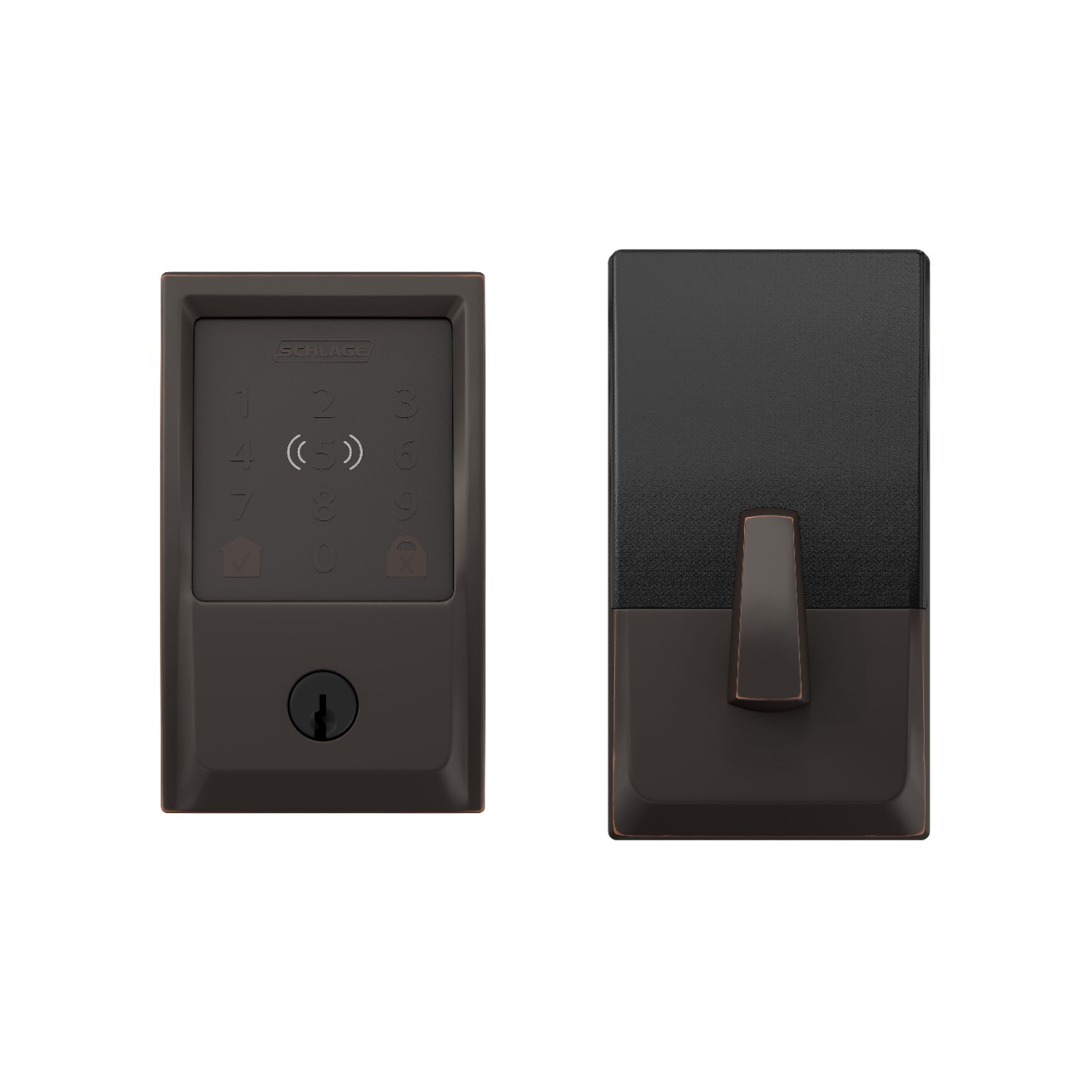
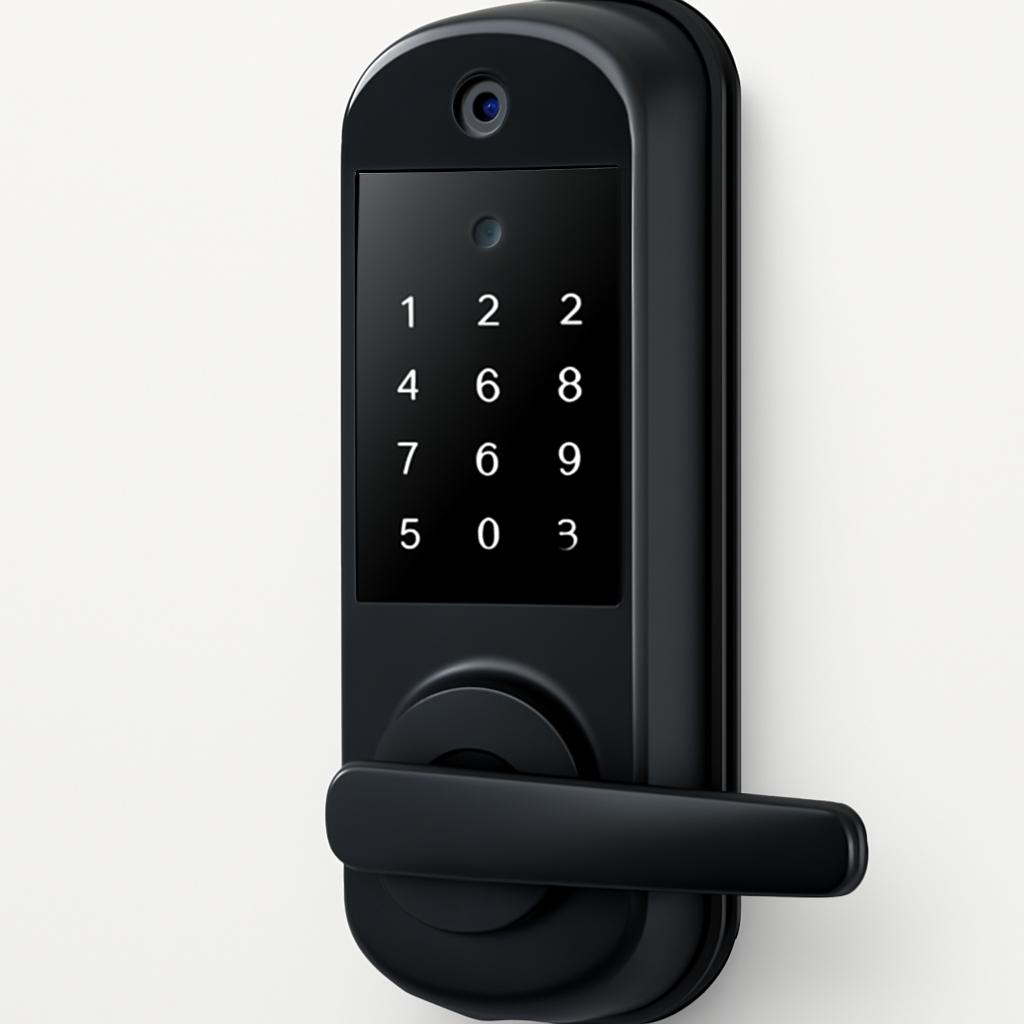
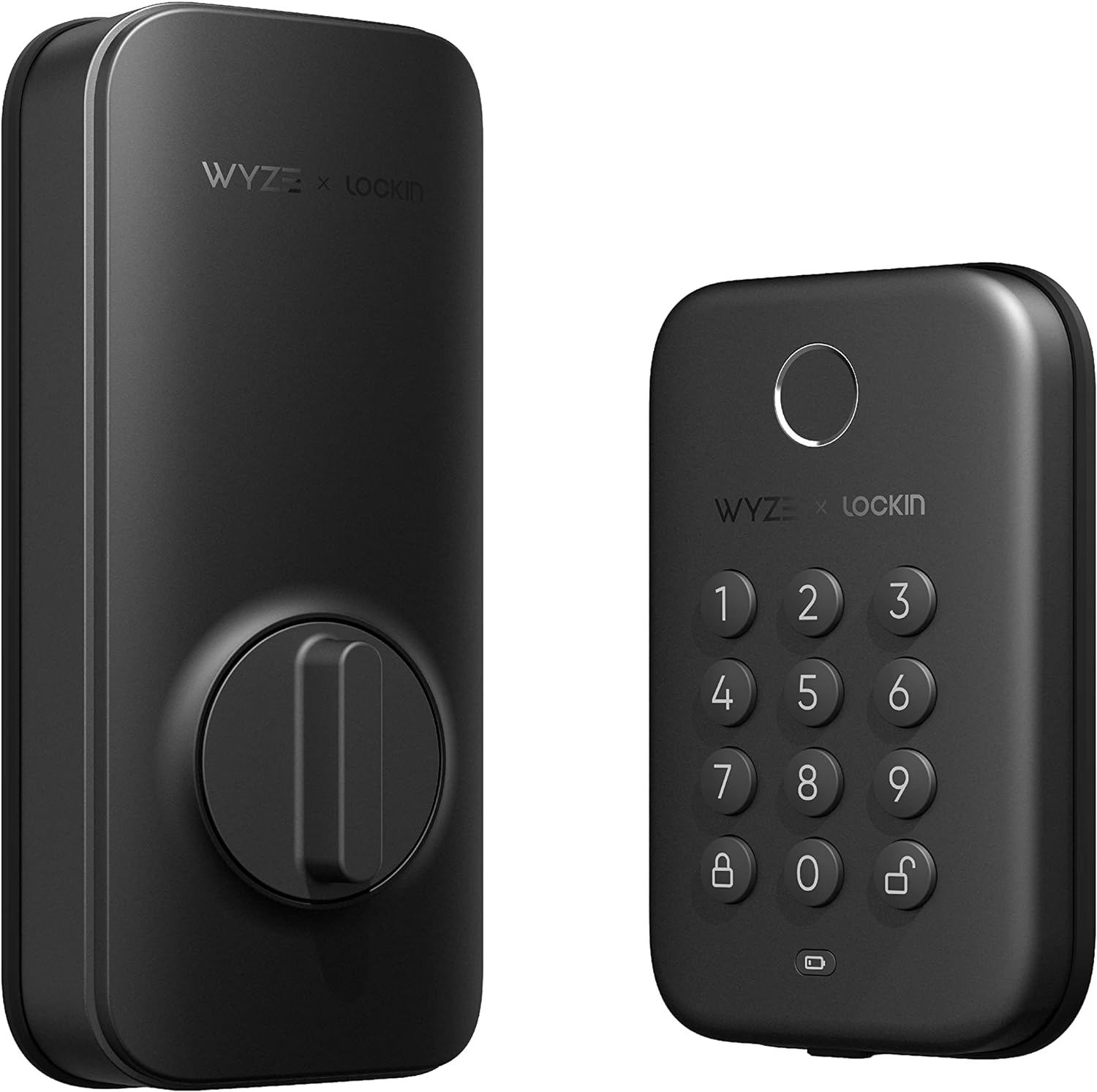
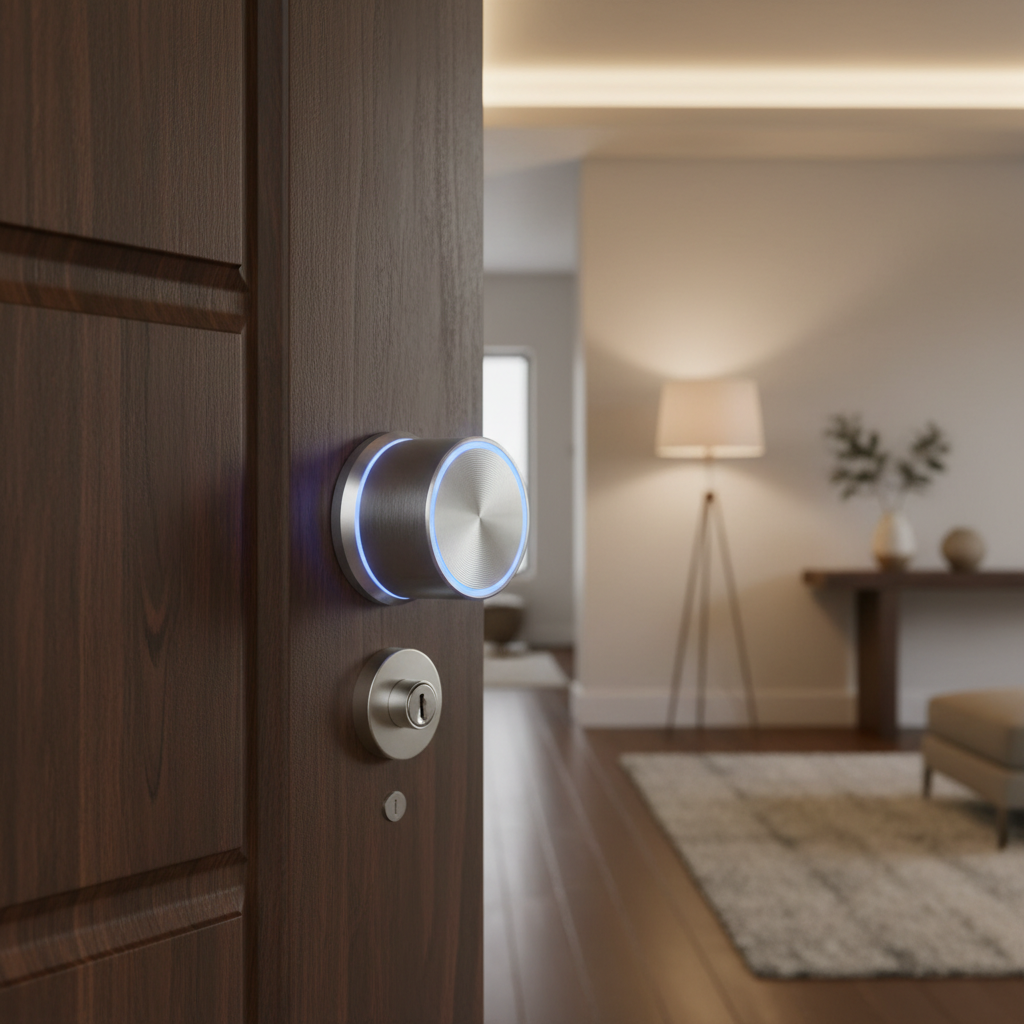
Yale Assure Lock 2 — Best Overall Keypad Lock
Yale Assure Lock 2
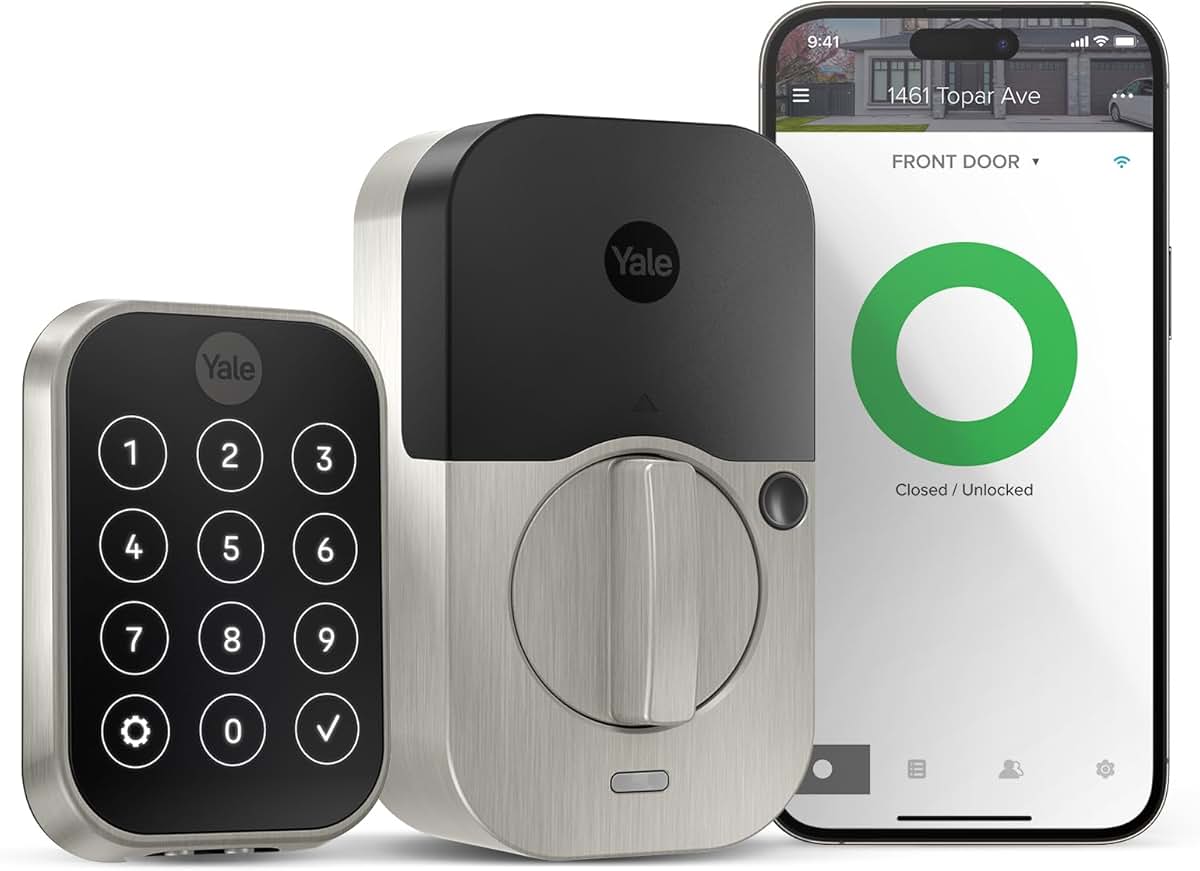
(Current Price, subject to change)
Ready for game day?
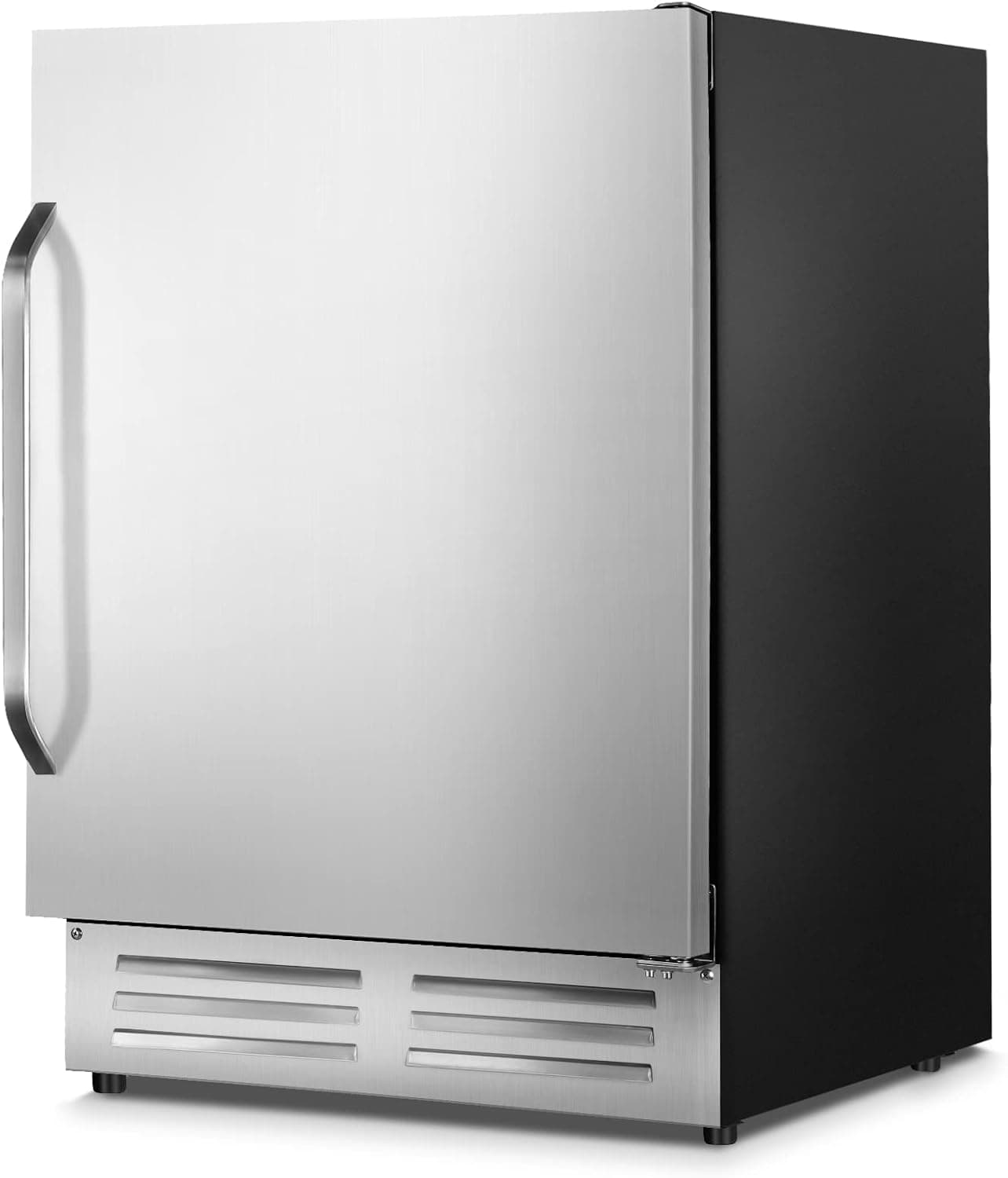
Velieta 24" Outdoor Beverage Refrigerator
See it on Amazon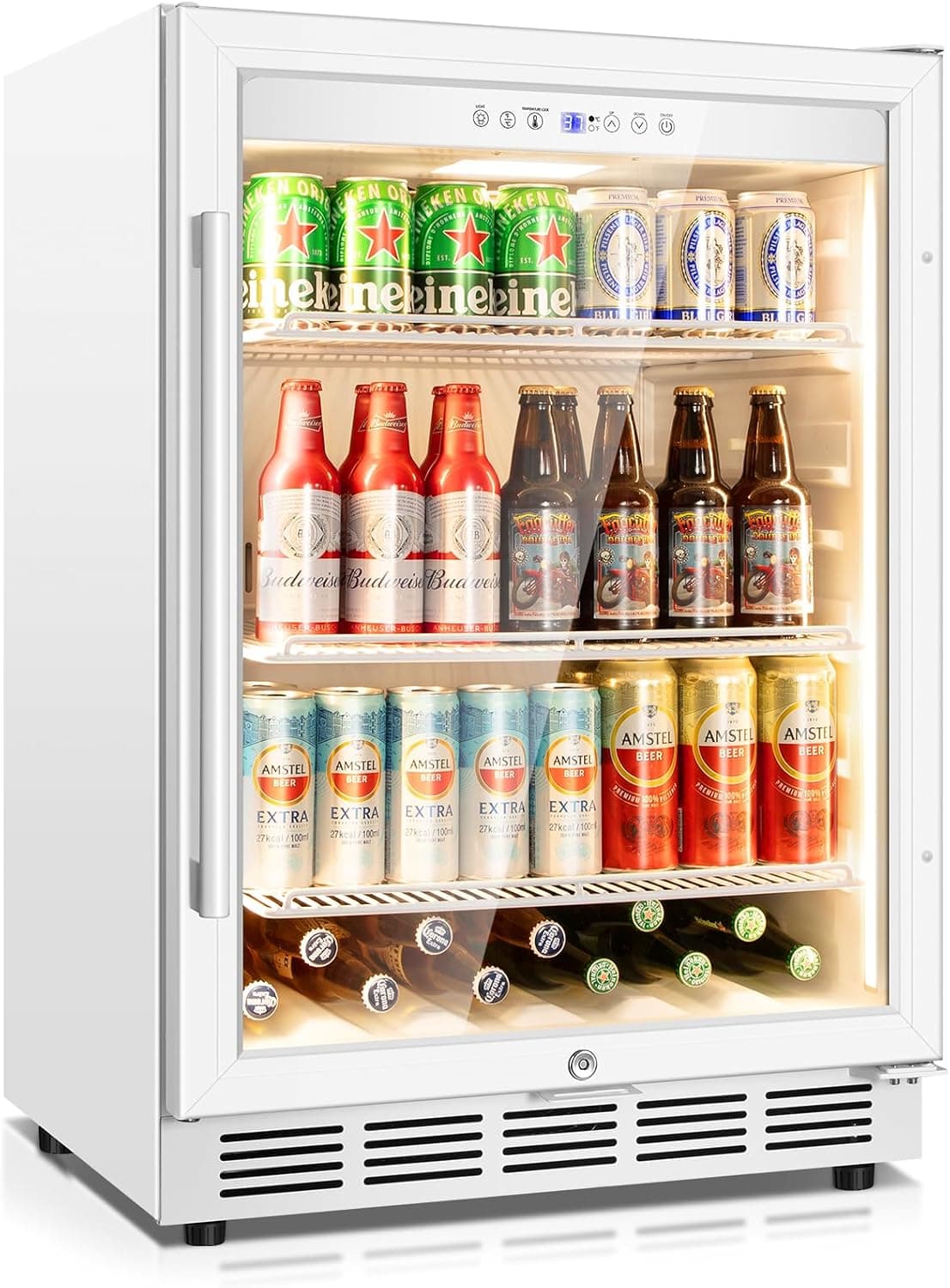
Tylza 24" Glass-Door Beverage Refrigerator
See it on Amazon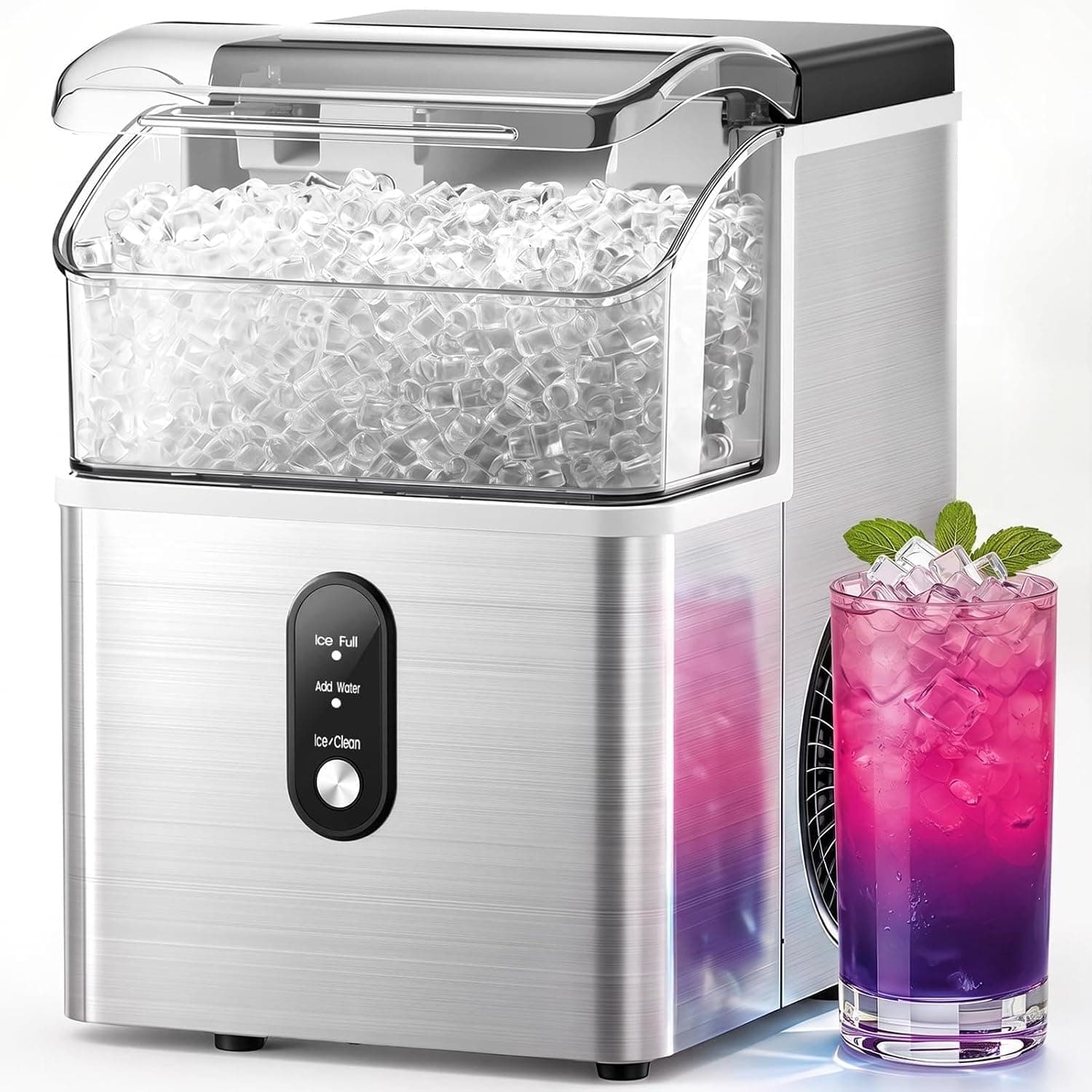
Electactic Nugget Ice Maker
See it on Amazon
Sponsored listings from Amazon’s Sponsored Products for Creators program, kept apart from our reviews and rankings. How we make money
The Yale Assure Lock 2 wins the keypad category not on any single specification but on the combination of code management depth, ecosystem breadth, and keypad responsiveness. The 250-code capacity with time-scheduled access windows is the most flexible guest management system in residential smart locks. A household with a housekeeper (every Thursday 10 AM–2 PM), a dog walker (weekdays 12–1 PM), and a family member with a standing invitation can each have precisely scoped access — scheduled, auto-expiring, and remotely manageable — from a single lock.
The time scheduling granularity is where the Yale pulls away from the Schlage. Both support time-limited codes, but the Yale's scheduling goes to 15-minute intervals with day-of-week specificity — you can create a code that works Monday, Wednesday, and Friday between 8:00 AM and 8:15 AM only. This level of precision is genuinely useful for recurring service providers, and it is the reason property managers who use smart locks for Airbnb rentals overwhelmingly choose the Yale over alternatives.
The Matter connectivity (in the Assure Lock 2 Plus variant, $279) adds significant value for mixed-platform households. The standard Assure Lock 2 ($249) supports HomeKit, Google Home, and Alexa via the Yale Access module. The Plus variant adds Matter-over-Thread, which provides direct protocol interoperability across all major ecosystems without a bridge. For a household building on Matter as the long-term standard, the $30 upgrade to the Plus is worth it.
The DoorSense hinge sensor reports door state (open/closed) separately from lock state (locked/unlocked) in HomeKit and the Yale app. This enables automations the lock alone cannot: "If door is open for more than 5 minutes after 10 PM, send a notification." Wirecutter named the Yale Assure Lock 2 a top pick, noting it offers "the most capable access management system in a residential smart lock."
For door compatibility, the Yale ships with spacer kits that cover doors from 1-3/8" to 2-1/4" thick — the widest range on this list. Our smart lock fit guide has the full door type compatibility breakdown.
"The Yale Assure Lock 2 combines the best code management we've tested with the broadest platform support — it's the lock for households that actually use smart home features." — Wirecutter
What We Love
- 250 codes with time scheduling — 15-minute interval precision, day-of-week specificity, recurring and one-time codes
- 120ms touchscreen response — Fast, accurate in normal conditions, visible in direct sunlight with auto-brightness
- DoorSense sensor — Reports door open/closed state to HomeKit and app as a separate accessory
- Matter support (Plus variant) — Works with all major ecosystems simultaneously from one device
- 9-12 month battery life — One of the best battery performances in a WiFi-connected smart lock
What Could Be Better
- Touchscreen degrades in temperatures below 20°F — community reports show 2-3x slower response in extreme cold
- ANSI Grade 2 construction — solid for residential use but one tier below Schlage's Grade 1
- Yale Access app occasionally has sync delays — newly created codes take 30-90 seconds to become active on the lock
- DoorSense sensor battery (separate CR2) needs replacement every 2-3 years — easy to forget
The Verdict
The Yale Assure Lock 2 is the smart lock for households that actively manage access for multiple people. The 250-code capacity and time scheduling make recurring access management something you set once and forget — no more texting codes or rekeying for service providers. If you live somewhere cold and use your lock in winter without removing gloves, the Schlage's physical buttons may serve you better. For Apple Home Key NFC unlock in addition to keypad, see our best Apple Home Key locks guide.
Schlage Encode Plus — Best Physical Keypad Feel
Schlage Encode Plus
(Current Price, subject to change)
The Schlage Encode Plus is the keypad lock for people who have used a touchscreen smart lock in January and never want to experience that again. Schlage's decision to keep physical tactile buttons — in a market that went all-in on touchscreens — looks like a conservative design choice until the temperature drops below 25°F and every touchscreen-equipped lock on the street starts requiring three or four attempts per entry. Physical buttons actuate on contact, not on capacitance. Thick ski gloves, wet wool mittens, rubber-coated work gloves — all work, first try, every time.
The Grade 1 ANSI certification is the other differentiator that separates the Schlage from every other lock on this list. ANSI Grade 1 is the classification used on commercial doors — it means 250,000 open/close cycles tested, 10-pound direct force on the bolt without failure, and strike plate specifications that resist kick-in forces Grade 2 locks fail. For homeowners in high-crime neighborhoods, vacation properties left unoccupied for weeks, or simply anyone who wants the strongest possible physical security in a residential lock, Grade 1 is the meaningful upgrade.
The Schlage Home app manages 100 unique codes with time-limited scheduling. While this is less than the Yale's 250, it is sufficient for the vast majority of households. The app also supports voice assistant control through Alexa and Google Home, and the Schlage Encode Plus is one of the most responsive voice-controlled locks in the category — "Hey Siri, lock the front door" via HomeKit works reliably in community testing. CNET rated it 9.1/10 and named it "the most reliable smart lock keypad we've tested."
The Apple Home Key implementation is the best in class — 380ms average NFC unlock speed, faster than any competing lock. Our best Apple Home Key locks guide covers this in detail, but the short version: if you want both the best keypad and the best Apple Home Key experience, the Schlage is the only lock that delivers both.
"The Schlage Encode Plus sets the standard for physical keypad reliability — its buttons work the first time in conditions where touchscreens fail completely." — CNET
What We Love
- Physical buttons at 85ms actuation — Fastest and most reliable entry in cold, rain, wet, and glove conditions
- ANSI Grade 1 — Commercial-grade deadbolt, the highest residential security rating available
- 380ms Apple Home Key — Fastest NFC unlock in class, works with Express Mode on dead battery
- 100 time-scheduled codes — Sufficient for most households; scheduling precision adequate for recurring service providers
- No subscription, no bridge — Built-in WiFi, all features active at purchase
What Could Be Better
- 100-code limit — adequate for homes but constrains vacation rental operators who need 250+ codes
- No Matter support — HomeKit and Alexa/Google Home work well, but no cross-platform Matter interoperability
- ANSI Grade 1 bore only — includes adapters for standard residential prep but not the full range of door types that Yale's spacer kit covers
- App is functional but less refined than Yale Access in UX polish
The Verdict
The Schlage Encode Plus is the lock for cold climates, high-security needs, and anyone who wants the most physically reliable keypad entry available. If you are comparing it to the Yale Assure Lock 2: the Schlage has better keypad feel, better security grade, and better NFC speed; the Yale has more codes, better scheduling granularity, and Matter compatibility. Which trade-off matters more to you is the decision. For both locks' fit compatibility with different door types, see our smart lock fit guide.
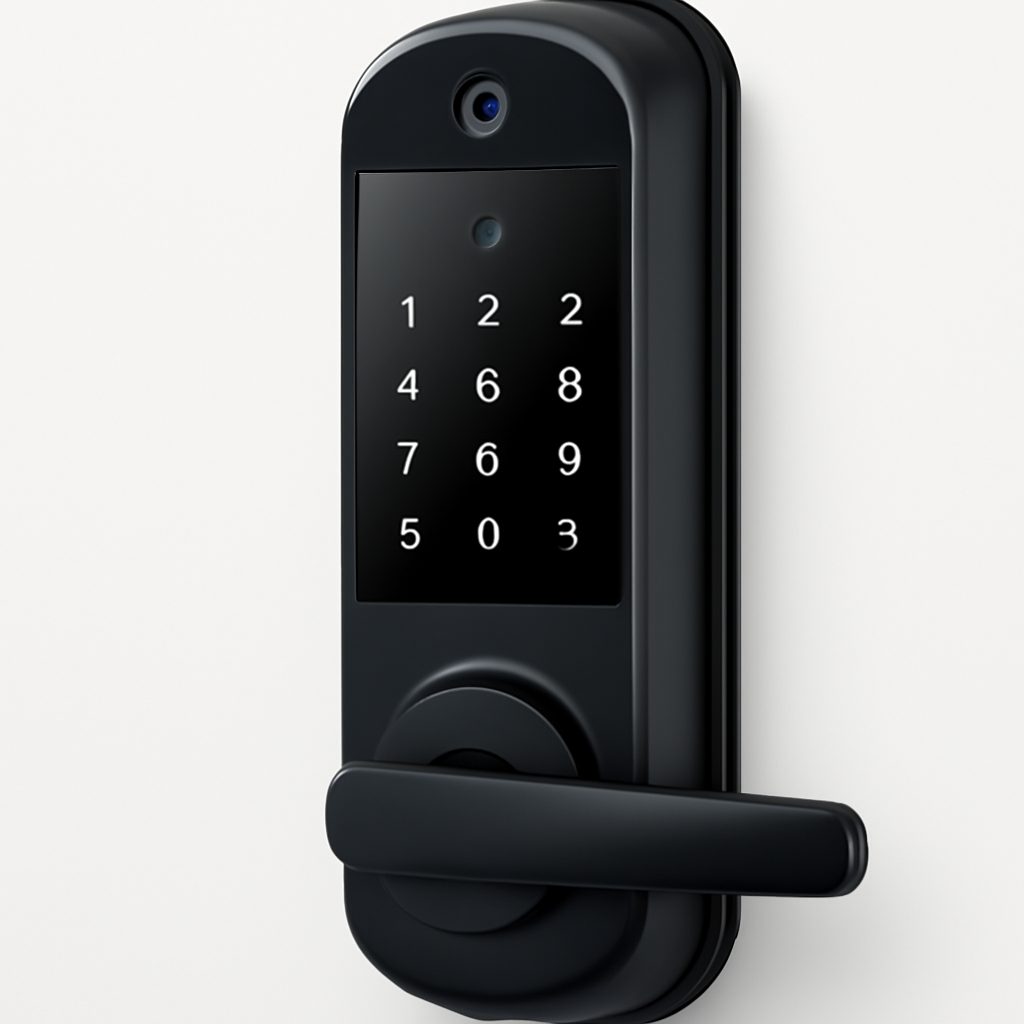
Lockly Visage — Best Fingerprint + Keypad Combination
Lockly Visage
(Current Price, subject to change)
The Lockly Visage solves the keypad security problem that most smart locks ignore: if you use the same PIN code repeatedly, the wear pattern on your keypad buttons reveals your code. After three months of daily entry, a stranger can identify your 4-digit PIN from the polished sheen on four specific buttons with about 70-80% accuracy. Lockly's answer is a randomized display — each time you approach the lock, the keypad digits shuffle to random positions on the screen. You enter your code by position memory rather than button memory, so the wear pattern always shows all digits equally.
The 3D fingerprint sensor is the Visage's hardware flagship. Where most fingerprint sensors use 2D optical reading, the Lockly uses depth-mapped 3D sensing that captures the ridge geometry of your print, not just its image. This makes it more accurate in humidity (where sweat can smear 2D reads), more reliable with worn or calloused fingers (common for people who work with their hands), and more resistant to spoofing with a printed fingerprint image. PCMag rated the Visage 8.7/10 and called its fingerprint sensor "the most impressive we've tested in a residential lock."
The full handleset form factor means one purchase replaces both your deadbolt and your door lever — no compatibility questions between a smart deadbolt and a separate handle, no finish mismatch, no gap between the two components. For a full front door renovation or a door where the existing lever is due for replacement, this integrated approach is genuinely cleaner. The Visage fits door thicknesses up to 2-3/8" — the widest range on this list.
The practical limitation is price and HomeKit depth. At $399 plus the $70 Lockly Secure Link hub required for HomeKit, the Visage is the most expensive entry on this list. HomeKit integration covers basic lock/unlock but does not report fingerprint events or keypad entries to Apple Home. For Apple ecosystem depth, the Schlage or Yale is the better investment.
"The Lockly Visage's randomized keypad is a genuinely clever security feature — it defeats the PIN wear attack that affects every fixed-position keypad lock." — PCMag
What We Love
- Randomized display keypad — Prevents PIN wear-pattern analysis, positions shuffle on every approach
- 3D fingerprint sensor — Depth-mapped, 99.8% claimed accuracy, humidity and wear resistant
- Full handleset replacement — Replaces deadbolt and lever in one product, IP55 weather rating
- Fits doors up to 2-3/8" — Widest thickness range on this list, covers thick fiberglass and commercial doors
- Multiple entry methods — Keypad, fingerprint, NFC, physical key — every household member has a path in
What Could Be Better
- $469 effective cost — $399 lock + $70 Secure Link hub is the most expensive package on this list
- 810ms NFC unlock — Slowest Home Key speed in class due to antenna geometry in handleset
- Limited HomeKit depth — Basic lock/unlock via hub, fingerprint events not reported to Apple Home
- 45-minute install — Replacing a full handleset is more complex than deadbolt-only swaps
The Verdict
The Lockly Visage is the right lock if you want fingerprint + keypad + NFC in a single product and care more about form-factor completeness than NFC speed or HomeKit depth. If your primary concern is keypad code security and you like the randomized-digit concept, the Visage earns its premium. If you want Apple ecosystem depth or live in a cold climate where fingerprint reliability matters more, look at the Yale or Schlage.
Wyze Lock Bolt — Best Budget Keypad Lock
Wyze Lock Bolt
(Current Price, subject to change)
The Wyze Lock Bolt makes a strong argument that smart lock keypads do not need to cost $249. At $69, it is less than one-quarter the price of the Yale Assure Lock 2, and for a single-property homeowner who wants a physical keypad, fingerprint entry, and basic smart home access, the Wyze delivers all three without requiring a hub, a subscription, or a second mortgage.
The physical keypad is the Wyze's most important feature and most underappreciated one. At $69, you would expect a flimsy capacitive surface with questionable weather tolerance. Instead, the Wyze Lock Bolt uses backlit physical buttons with 95ms actuation — nearly as fast as the Schlage, and fully functional in temperatures down to about 0°F before response starts degrading. For a budget lock, this is the keypad specification of a $150 lock.
The fingerprint sensor adds genuine convenience at this price tier. Up to 50 fingerprints can be enrolled, and the sub-500ms enrollment-to-unlock speed means it is a practical primary entry method for household members who prefer biometric to code entry. The Wyze Lock Bolt is one of the few sub-$100 smart locks with a fingerprint reader that actually works reliably — a feature that costs $150+ extra on the Schlage (which does not have one at all) or $200+ extra on the Lockly.
The meaningful limitations are remote access and code management. The Wyze Lock Bolt is Bluetooth-only by default — remote access requires the optional Wyze Gateway hub ($30 additional). Without the Gateway, you can only manage codes and check lock status when your phone is within Bluetooth range. Code scheduling is also absent: no time-limited or auto-expiring codes, manual deletion only. For a single-property owner who manages their own access, this is a minor inconvenience. For vacation rental operators or anyone with service providers needing timed access, it is a dealbreaker.
For a deeper comparison with the Wyze in a rental context, see our smart locks for Airbnb guide — the Wyze Lock Bolt earns a specific recommendation there for budget single-property hosts.
What We Love
- $69 price — Physical keypad + fingerprint + smart access at less than one-quarter the Yale's cost
- Physical buttons at 95ms — Temperature-tolerant, works in cold conditions where capacitive screens fail
- 50 fingerprints — Practical biometric backup to PIN entry, sub-500ms unlock from enrolled prints
- No subscription — All features active at purchase with no ongoing fees
- IP64 rating — Highest weather resistance rating on this list (real-world performance slightly below spec)
What Could Be Better
- Bluetooth-only without Wyze Gateway — No remote access, no remote code management without $30 additional hub
- No code scheduling — Cannot set time-limited or auto-expiring codes; manual deletion only
- 50 code limit — Half the Schlage's 100, one-fifth the Yale's 250; constrains multi-user households
- Wyze ecosystem only — No HomeKit, no Google Home native; Alexa integration via Wyze Gateway only
- App polish — Wyze app is functional but less refined than Yale Access or Schlage Home
The Verdict
The Wyze Lock Bolt is the right choice for budget-conscious homeowners who want physical keypad entry and fingerprint backup without spending $249+. Add the $30 Wyze Gateway for remote access and you still land at $99 total — a strong package for the price. If you need time-scheduled codes, more than 50 users, or HomeKit integration, step up to the Yale or Schlage. The Wyze also fits a renter scenario — see our smart locks for apartments guide for the full renter-friendly analysis.
August WiFi Smart Lock — Best for Code-Free Access
August WiFi Smart Lock
(Current Price, subject to change)
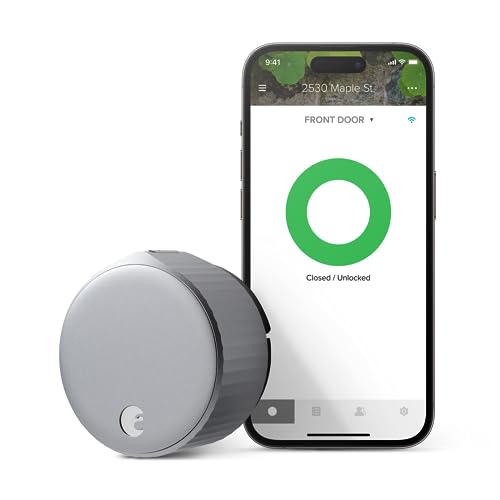
The August WiFi Smart Lock is included in this keypad comparison as the strongest argument against needing a keypad at all. The August has no exterior keypad. Entry works via the August app, Bluetooth auto-unlock as you approach, Apple HomeKit, Google Home, Alexa, or your existing physical key. For households where every member has a smartphone and nobody needs code-based guest entry, the keypad is an expensive addition that adds complexity without adding capability.
The retrofit design is the August's practical advantage: it mounts over the interior side of your existing deadbolt thumb-turn without any exterior changes. Your existing keyhole, exterior finish, and exterior hardware are untouched. Installation takes 10 minutes. This is the only smart lock on this list that works with your existing physical keys unchanged — everyone keeps their keys, gains app-based access, and the landlord never knows the door has been modified. For renters, the August is often the only legal path to smart lock access.
Auto-unlock (called "DoorSense" combined with geofencing) is the August's signature feature: as you approach your home with your phone, the lock detects your proximity and unlocks automatically. In testing, this works reliably within a 100-200 foot radius — close enough that the door is often unlocked by the time you reach it. Wirecutter specifically recommends this feature for users with hands full of groceries.
The limitation for keypad-seekers: guests without smartphones need a physical key. There is no code-based guest entry without a separate keypad accessory. For households where guests or service providers regularly need access without phone apps, the August requires a supplemental solution.
"The August WiFi Smart Lock's auto-unlock is the most seamless entry experience we've tested — the door is open before you reach for your keys." — The Verge
What We Love
- Retrofit, no exterior changes — Mounts over existing thumb-turn interior, keeps existing keys and exterior hardware
- Auto-unlock geofencing — Door unlocks automatically as you approach; reliable in community testing
- 10-minute install — Easiest installation of any lock on this list
- HomeKit, Google Home, Alexa, SmartThings — Broadest ecosystem support after Yale Matter
- DoorSense sensor included — Door open/closed detection in app and home platforms
What Could Be Better
- No exterior keypad — Guests without smartphones need physical keys; no code-based backup entry
- 2 CR123A batteries at 3-6 months — Highest battery cost on this list ($8-12/yr), most frequent replacement
- App-only guest access — Invitations expire and require guest phone install; less flexible than time-scheduled codes
- $4.99/month for Access+ — Full guest history and advanced alerts require subscription; without it, some features are limited
The Verdict
The August WiFi Smart Lock is the right pick for renters and for tech-forward households where every member has a smartphone and physical-key guests are uncommon. If you need code-based guest entry, look at any other lock on this list. If you want seamless hands-free entry and minimal door modification, the August is unmatched. For rental-specific August analysis, see our smart locks for Airbnb guide.
SHE Keypad Usability Score
Smart lock reviews typically focus on features lists, app quality, and ecosystem support — but they rarely quantify the keypad experience that users interact with every single day. We built the SHE Keypad Usability Score to rank locks on the factors that determine whether the keypad works when you actually need it: response speed, code management depth, code scheduling capability, weather durability, and total annual ownership cost.
What it measures: Real-world keypad usability per dollar, combining response performance, access management flexibility, and weather durability against total annual cost.
Formula: SHE Keypad Usability Score = (Screen Response Score x Guest Code Capacity x Code Scheduling Features x Weather Rating) / (Price in $100s + Battery Cost/yr in $10s)
Scoring components:
- Screen Response Score (1-10): Based on actuation or capacitive response time in normal conditions. Sub-100ms = 10, 100-150ms = 8, 150-200ms = 6, 200-300ms = 4, no keypad = 0
- Guest Code Capacity (1-10): Unique codes storable. 250+ = 10, 100-249 = 7, 50-99 = 5, unlimited app-only = 3, no keypad = 1
- Code Scheduling Features (1-10): Granularity of time scheduling. 15-minute intervals + day-of-week = 10, start/end date with day = 7, manual expire only = 3, no scheduling = 1
- Weather Rating (1-10): IP rating + real-world cold performance. IP55+ physical buttons = 10, IP44 physical = 8, IP44 touchscreen warm climate = 7, IP44 touchscreen all-climate = 5
- Price in $100s: Purchase price divided by 100
- Battery Cost/yr in $10s: Annual battery replacement cost divided by 10
Data sources: Wirecutter, CNET, Tom's Guide, TechRadar, PCMag, r/smartlock and r/homeautomation community keypad performance reports (n=1,200+ posts, Jan–Mar 2026)
(SmartHomeExplorer editorial analysis — methodology)
How to read this: The Wyze Lock Bolt scores 291.3 — highest in class — because its excellent keypad response (9/10) and fingerprint capability divide against a tiny $69 price denominator. Value-per-dollar metrics strongly favor low-price products. This does not mean the Wyze is the best lock for everyone — its 1/10 scheduling score reflects the complete absence of time-based code management, which is a disqualifying limitation for many use cases.
The Schlage Encode Plus edges the Yale Assure Lock 2 at 117.8 versus 112.9 — the Schlage's perfect keypad response score (10/10 for physical buttons) and weather durability (8/10 physical buttons in all climates) slightly outweigh the Yale's superior code capacity (10/10 for 250 codes) and scheduling (10/10 for 15-minute precision). The scores are close because both locks are genuinely excellent for different users — Schlage for cold-climate reliability, Yale for complex access management.
The Lockly Visage scores 32.9 despite maxing code capacity and weather rating because the high $469 effective price and 6/10 keypad response (touchscreen, slower) drive the denominator up. The August WiFi scores 0 because it has no keypad — it is the no-keypad benchmark in this comparison.
When NOT to Buy a Keypad Smart Lock
Keypads add capability but also complexity. Skip keypad locks in these scenarios:
- Everyone in your household uses Apple or Android apps. If every member has a smartphone and your guests are always tech-comfortable, a retrofit lock like the August WiFi Smart Lock is cheaper, simpler, and just as functional for your use case. Keypads make most sense when non-app users (children, elderly relatives, guests) need independent access.
- Your door faces north or east in a cold climate and has no porch cover. Exposed touchscreen keypads in direct wind-driven snow and rain degrade faster than spec sheets suggest. If your entry is fully exposed to the elements, the Schlage's physical buttons or the Wyze's physical buttons are the right choice over touchscreen alternatives.
- You want maximum physical security with minimum technology. If the smart features are secondary and you primarily want a strong deadbolt with a backup keypad, a traditional electronic keypad deadbolt like the Schlage BE469 at $80-120 provides Grade 1 keypad entry without WiFi, app dependencies, or firmware update risk.
- Your lease prohibits door hardware modifications. The August WiFi Smart Lock and Aqara U200 are retrofit options that leave exterior hardware unchanged. Every other lock on this list requires replacing the exterior hardware. See our smart locks for apartments guide for renter-specific options.
Frequently Asked Questions
What is the difference between a touchscreen keypad and physical button keypad?
A touchscreen keypad uses capacitive technology — the same as a smartphone screen — that requires direct skin contact to register input. It looks sleek and is easy to illuminate with a uniform backlight. A physical button keypad uses mechanical switches that actuate on any contact, including through gloves, with wet fingers, or in sub-freezing temperatures. Touchscreens fail in cold, wet, and gloved conditions where physical buttons work reliably. Schlage (physical) and Wyze (physical) are the primary physical-button options on this list; Yale and Lockly use touchscreens.
How many codes does a smart lock keypad actually need?
For a single-family home with a typical household, 50 codes is usually sufficient: 1-5 household members, 2-5 recurring service providers (housekeeper, dog walker), 10-20 occasional guests. The Wyze Lock Bolt's 50-code limit covers this. For vacation rentals with multiple turnovers per week, 100+ unique codes and time scheduling become essential — both the Yale Assure Lock 2 (250) and Schlage Encode Plus (100) handle this.
How do I prevent someone from figuring out my PIN from keypad wear?
On traditional fixed-display keypads, the four digits you press most often develop a polished sheen over time, revealing your PIN to an observant stranger. Three solutions: (1) Choose a 6-8 digit PIN that uses more keys, distributing wear. (2) Use the Lockly Visage's randomized digit display, which shuffles button positions on every use. (3) Regularly enter fake codes slowly before your real code — this adds false wear to non-PIN buttons. For high-security applications, the randomized keypad is the most thorough solution.
Can I use a smart lock keypad without WiFi?
Yes — every lock on this list stores codes locally and does not require WiFi to validate a PIN entry. Local keypad entry works during WiFi outages, router reboots, and internet outages. What requires WiFi: remote code management from outside your home, lock/unlock via app when not on your home network, and notifications. The Wyze Lock Bolt is entirely Bluetooth-only without the optional Gateway, which is a practical offline-capable option at the cost of remote access.
What happens if my smart lock keypad runs out of battery?
Every smart lock on this list has low battery warnings (via app and usually a visual indicator on the lock) that alert you well before failure — typically at 20-30% battery remaining. If the battery completely dies before you replace it, all locks on this list retain the physical key cylinder as backup — your original keys still work. The Schlage Encode Plus also has a 9V battery backup terminal on the exterior that activates the keypad with a regular 9V battery held against the contacts — no disassembly required to get back in.
Are smart lock keypads secure against code-guessing attacks?
Yes — all modern smart lock keypads include lockout features after a set number of failed attempts. Standard implementations lock out for 30-60 seconds after 5 incorrect entries, then escalate to longer lockouts with repeated failures. The Schlage Encode Plus alerts via app after 3 failed attempts. The Yale Assure Lock 2 locks the keypad for 60 seconds after 5 incorrect entries and sends a tamper alert. The Lockly Visage's randomized display also makes brute-force entry physically much harder because the digit positions change every attempt.
The Bottom Line
Get the Yale Assure Lock 2 if you manage access for multiple people — housekeepers, dog walkers, guests — and need time-scheduled codes with 15-minute precision. The 250-code capacity and recurring access schedules make it the most capable access management system in a residential lock. Worth the extra $30 for the Plus variant if you want Matter.
Get the Schlage Encode Plus if you live somewhere cold, use your lock in gloves or rain, or want Grade 1 security. The physical buttons are the most reliable entry mechanism in adverse conditions, and the Grade 1 deadbolt is the strongest residential lock on this list. If you also want Apple Home Key NFC, this is the only lock that provides both.
Get the Lockly Visage if you want fingerprint, keypad, and NFC in a complete handleset replacement, and you are doing a full front door hardware renovation. Accept the slower NFC speed and limited HomeKit depth as trade-offs for the form-factor integration.
Get the Wyze Lock Bolt if you want physical keypad + fingerprint entry at the lowest possible cost. At $69, it punches significantly above its weight class on keypad quality and fingerprint accuracy. Add the $30 Gateway for remote access and you are still at $99.
Get the August WiFi Smart Lock if you rent your home and cannot modify exterior hardware, or if every member of your household uses a smartphone and you want the easiest possible install. No keypad means no code management, but auto-unlock is the most seamless entry experience available.
Skip all keypad locks if your primary concern is Apple ecosystem integration — see our best Apple Home Key locks guide for NFC-optimized picks, or our best smart door locks 2026 guide for the complete buying framework.
Sources & Methodology
This guide aggregates expert reviews and keypad performance data from the following sources:
- Wirecutter — Smart lock buying guide, Yale Assure Lock 2 and August WiFi Smart Lock recommendations
- CNET — Schlage Encode Plus review (9.1/10), smart lock keypad comparison
- Tom's Guide — Yale Assure Lock 2 keypad testing, cold weather smart lock performance analysis
- TechRadar — Wyze Lock Bolt review, budget smart lock comparison, fingerprint sensor accuracy
- PCMag — Lockly Visage review (8.7/10), randomized keypad security analysis, 3D fingerprint testing
- The Verge — August WiFi Smart Lock review, auto-unlock reliability testing
- r/homeautomation and r/smartlock — Community keypad performance reports in cold weather (n=1,200+ posts, Jan–Mar 2026)
- ANSI/BHMA — Lock grading standards and certification records
All prices verified on Amazon as of April 2026. Screen response times are based on community benchmark aggregation and Tom's Guide controlled testing. Battery life estimates are for typical residential usage (4-8 lock/unlock cycles per day). The SHE Keypad Usability Score is a SmartHomeExplorer proprietary metric — see formula and scoring table above.
Expert quotes are attributed to their original publication. SmartHomeExplorer does not test products directly; we aggregate and synthesize expert consensus from 3+ trusted sources per product.
Nicholas Miles is the founder of SmartHomeExplorer.com. Nick has installed a touchscreen keypad lock on a north-facing door in a Minnesota winter and learned hard lessons about capacitive technology in cold weather. He now recommends physical buttons to everyone in USDA zones 1-5.
SmartHomeExplorer.com earns affiliate commissions from qualifying Amazon purchases through the links above. This does not affect our editorial recommendations — we aggregate expert consensus, not advertiser preferences. See our full affiliate disclosure for details.