
The Aqara Motion Sensor P2 ($22) delivers the most precise motion detection of any consumer sensor — a 170° field of view, 7-meter range.
Motion sensors are the nervous system of any smart home security setup. A good one triggers lights when you arrive, locks doors when you leave, arms the alarm when no one's home, and ignores the cat at 2am. A bad one pages you 14 times about shadows. We aggregated scores from 9 expert sources — Wirecutter, The Ambient, CNET, PCMag, Tom's Guide, TechRadar, SmartHome Solver, HomeKit News, and The Smart Cave — and ran every sensor through our SHE Detection Reliability Score to find out which five actually belong in your home.
Full methodology for this score
This guide is part of our best smart sensors and environmental monitoring hub, which covers the full sensor category from smoke detectors to temperature monitors. For automating your motion sensor with a full security system, see our best smart home automation hubs guide. If you're evaluating indoor air quality alongside motion security, the best indoor air quality monitors guide covers that side of the sensor category. All prices verified April 2026.
Smart Motion Sensor
Chart
 Smarthomeexplorer.com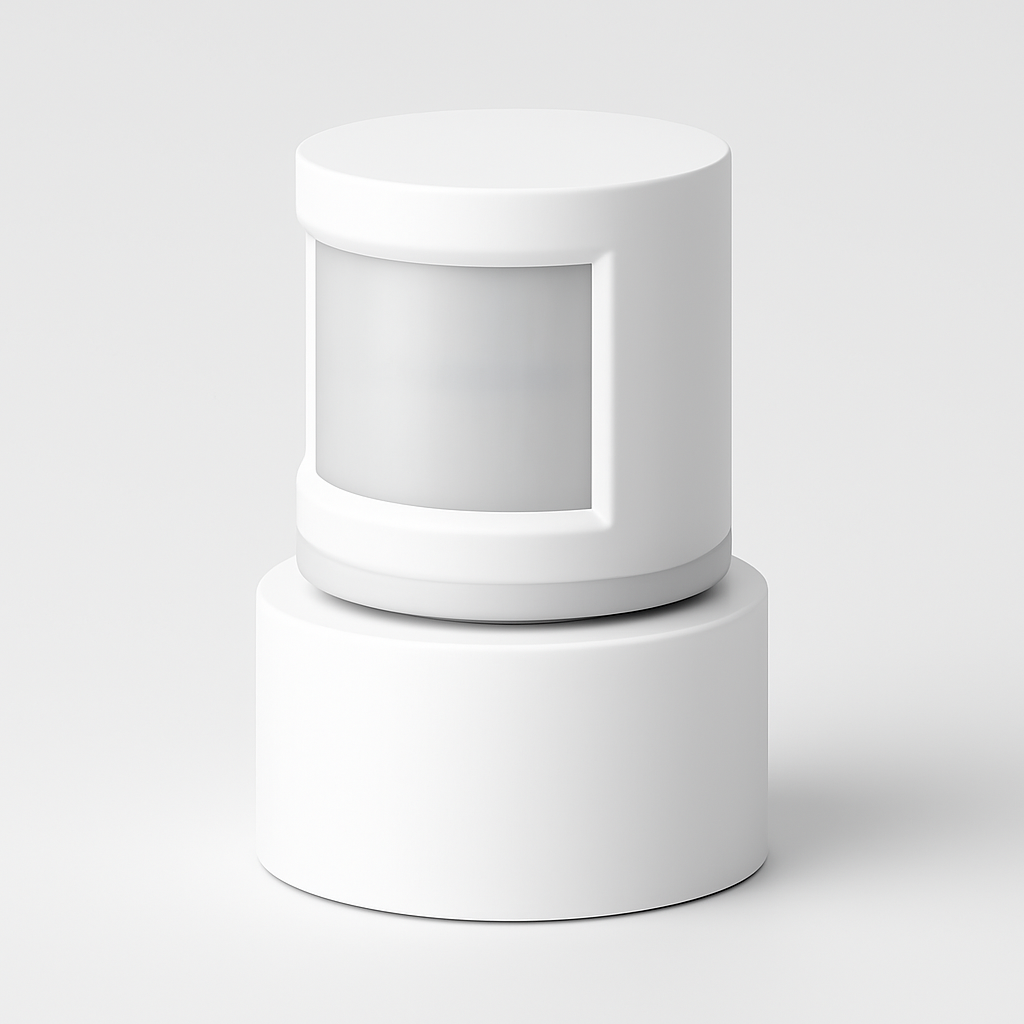
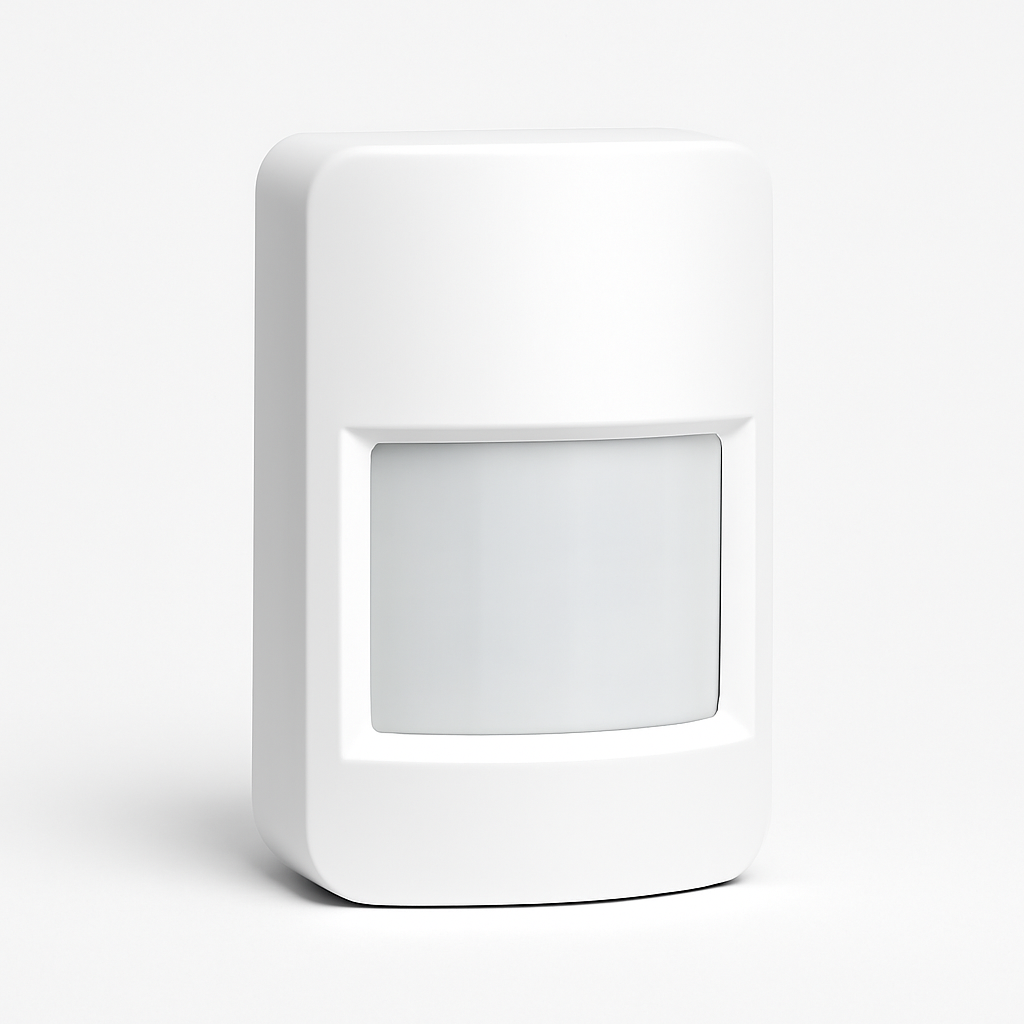
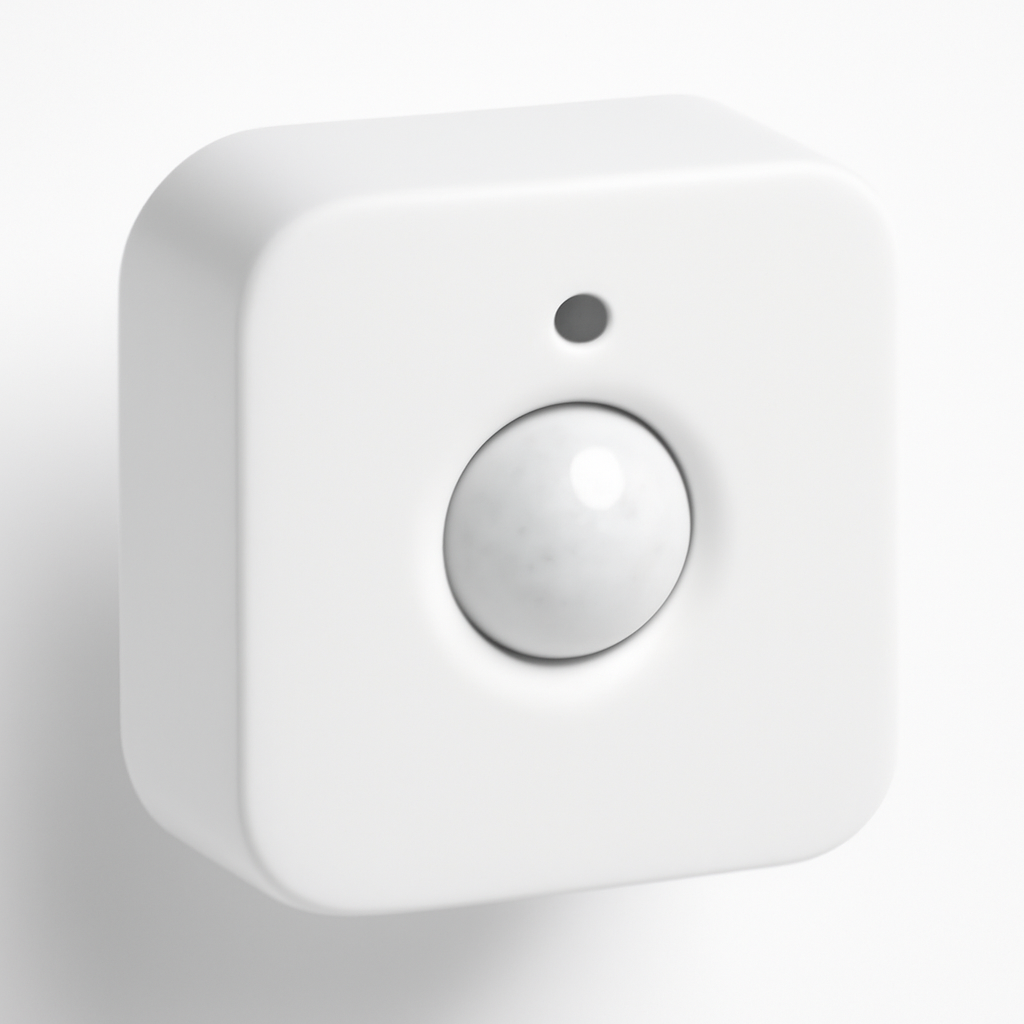

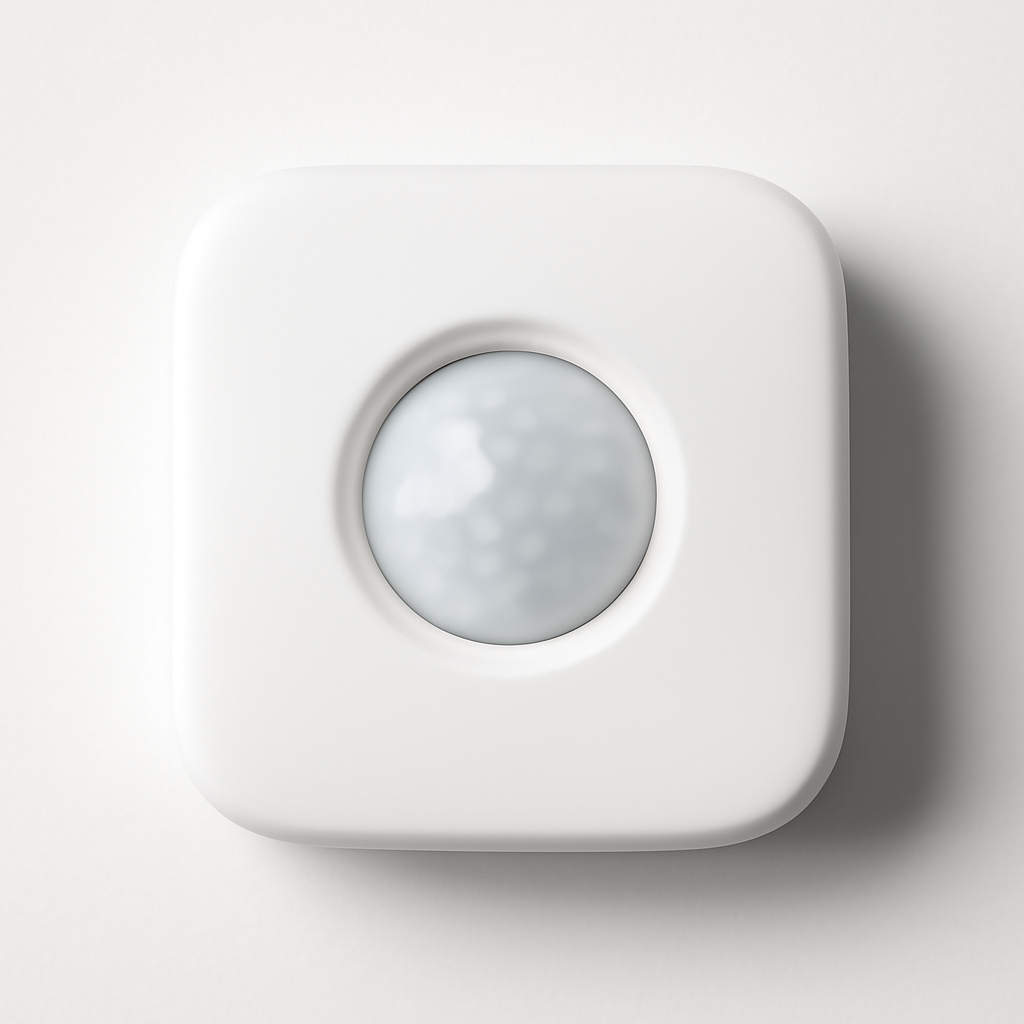
Best Overall: Aqara Motion Sensor P2
Aqara Motion Sensor P2
(Current Price, subject to change)
The Aqara Motion Sensor P2 is the motion sensor that every expert recommends first when someone isn't locked into a specific ecosystem. Wirecutter named it their top pick for standalone motion sensors, praising the 170° horizontal field of view that eliminates corner blind spots. The Ambient ranked it highest among Zigbee motion sensors for reliability, and HomeKit News highlighted its Matter-over-Thread support as the future-proof advantage that separates it from Z-Wave and Wi-Fi alternatives.
The P2 covers a 7-meter (23-foot) radius with a 170° horizontal and 45° vertical detection cone — wide enough to blanket a large living room from a single corner placement. Re-trigger time is under 5 seconds, which matters enormously for lighting automations: most competing sensors lock out for 30 to 60 seconds after detection, causing lights to shut off mid-task. The Aqara P2 also distinguishes itself with a dual-zone detection algorithm that reduces false triggers from HVAC airflow and slow-moving curtains — the main cause of pet-induced false alarms on less sophisticated PIR sensors.
Setup requires the Aqara Hub M3 or any Zigbee 3.0 hub (including Amazon Echo 4th gen, SmartThings Hub, and Hubitat). For Matter-over-Thread, you need an Apple HomePod mini or Apple TV 4K as a Thread border router. Pair it with the Aqara Hub M3 for the most direct integration path. For broader smart home coordination, the best smart home automation hubs guide covers hub compatibility in detail.
What We Love
- 170° horizontal field of view eliminates corner placement compromises — covers more room from fewer sensors
- Sub-5-second re-trigger so lights and automations respond without embarrassing delays
- Dual-zone false alarm filter that distinguishes motion from HVAC drafts and slow temperature changes
- Matter-over-Thread support that keeps this sensor compatible with any platform that adds Thread support in the future
- $22 price point that makes multi-room deployment affordable — cover 5 rooms for $110
What Could Be Better
- Requires a Zigbee or Thread hub — not plug-and-play without existing infrastructure
- No built-in temperature or lux sensor unlike the Philips Hue Motion Sensor
- App-based configuration can feel limited compared to Hue or Ring's polished interfaces
- Matter-over-Thread requires Apple Thread border router for that specific pairing path
The Verdict
The Aqara Motion Sensor P2 is the best motion sensor for anyone who already has a Zigbee hub or is building a serious automation setup. The combination of 170° field of view, sub-5-second re-trigger, dual-zone false alarm filtering, and Matter support at $22 is genuinely unmatched in the category. The only reason not to buy it: you're deeply committed to Ring, Philips Hue, or Ecobee's proprietary sensor ecosystems.
"The Aqara P2 offers the widest detection field of any consumer motion sensor at this price — and the re-trigger time makes it actually useful for lighting automation." — Wirecutter
Does the Aqara Motion Sensor P2 work without a hub?
No. The Aqara Motion Sensor P2 uses Zigbee 3.0 and Matter-over-Thread — both protocols that require a hub or border router to communicate with your smart home. Compatible hubs include the Aqara Hub M3, Amazon Echo 4th generation, SmartThings Hub, Hubitat, and Home Assistant with a Zigbee stick. For Thread, you need an Apple HomePod mini, Apple TV 4K 3rd gen, or Google Nest Hub Max as a Thread border router. If you want a hub-free motion sensor, the Philips Hue Motion Sensor works with just a Hue Bridge (Zigbee only), and the Ring Alarm Motion Detector works with the Ring Base Station.
Does the Aqara P2 work with Apple HomeKit?
Yes. The Aqara Motion Sensor P2 supports Apple HomeKit via the Aqara Hub M3 or via Matter-over-Thread with an Apple Thread border router (HomePod mini or Apple TV 4K). Once added to the Home app, it triggers HomeKit automations natively — lights, locks, cameras, thermostats. The HomeKit integration also supports the "No Motion" condition, which lets you build turn-off automations when a room is empty for a set duration.
Best for Ring Homes: Ring Alarm Motion Detector
Ring Alarm Motion Detector
(Current Price, subject to change)
The Ring Alarm Motion Detector is the straightforward answer for anyone already paying for Ring Protect and running a Ring Base Station. CNET rated it among the top picks for Ring security systems, praising the Z-Wave integration that keeps the sensor on a dedicated frequency away from Wi-Fi congestion. Tom's Guide noted the adjustable mounting angle and swappable wide-angle lens cover as practical advantages for tricky room geometries.
The detector covers a standard 30-foot detection range with a 110° field of view — narrower than the Aqara P2 but respectable for hallways, entry points, and bedrooms. The Z-Wave radio means it routes through the Ring Base Station rather than your Wi-Fi network, which keeps it reliable even when your internet is down. The Ring app lets you customize sensitivity, set schedules, and configure motion alerts separately from alarm alerts — useful for telling Ring to notify you without triggering the full alarm during certain hours. For anyone monitoring entry doors and hallways rather than open-plan living spaces, 110° is usually enough.
If you're building a Ring system from scratch, the Ring Alarm Pro 8-Piece Kit bundles a Base Station, Keypad, Motion Detector, and Contact Sensors. For external coverage, pair the interior Ring Alarm Motion Detector with a Ring Floodlight Cam for yard coverage. See how it fits into a broader system in our best smart home security systems guide.
What We Love
- Z-Wave reliability on a dedicated 900MHz band separate from Wi-Fi congestion
- 3-year battery life on a single CR123A — lowest battery cost per year of any sensor here
- Swappable lens covers to tune the detection pattern for hallway versus open-room placement
- Ring ecosystem depth — works natively with Ring cameras, doorbells, and the Ring Alarm Pro router
- $20 price that matches the Aqara on cost while requiring zero separate hub purchase in Ring homes
What Could Be Better
- 110° field of view is narrower than the Aqara P2 — needs more units to cover large open spaces
- Ring-only ecosystem — no HomeKit, no Google Home, no SmartThings without third-party bridges
- Requires Ring Protect subscription ($3.33-$10/month) to receive motion alerts without the alarm system
- No temperature or lux sensing — motion detection only
The Verdict
The Ring Alarm Motion Detector is the obvious pick for Ring households and essentially a non-starter for everyone else. If you already have a Ring Base Station, this integrates with zero friction, costs $20, and delivers Z-Wave reliability that Wi-Fi sensors can't match during network congestion. If you're not in the Ring ecosystem, the Aqara Motion Sensor P2 gives you a wider field of view and broader platform compatibility at the same price.
"Within the Ring ecosystem, the Alarm Motion Detector is the no-brainer add-on — reliable, affordable, and genuinely well-integrated with the security platform." — CNET
Does the Ring Motion Detector work without a Ring subscription?
Partially. The Ring Alarm Motion Detector triggers the Ring Alarm system locally without any subscription — if someone breaks in, the alarm sounds. However, push notifications to your phone, video recording from Ring cameras triggered by motion, and cloud monitoring all require a Ring Protect plan starting at $3.33/month ($39.99/year). The detector itself does not record video — it only triggers the alarm and can activate connected Ring cameras. Without a subscription, you'll know if an intruder set off your alarm, but you won't get a phone alert if you're away.
Can I add Ring Motion Detectors to any Ring Alarm system?
Yes. The Ring Alarm Motion Detector pairs with any Ring Base Station or Ring Alarm Pro via Z-Wave. You can add up to 100 devices on a single Ring Base Station, including a mix of Motion Detectors, Contact Sensors, Glass Break Sensors, and Keypads. The Ring app handles placement recommendations and sensitivity tuning for each sensor independently. If you're adding sensors to an existing system, buy the detector standalone — don't repurchase a kit bundle for the extra sensors.
Best for Smart Lighting: Philips Hue Motion Sensor
Philips Hue Motion Sensor
(Current Price, subject to change)
The Philips Hue Motion Sensor is the motion sensor built specifically for lighting automation — not security. Where the Aqara and Ring focus purely on presence detection, the Hue sensor adds ambient light (lux) measurement and temperature sensing alongside PIR motion. This matters: a lighting automation that ignores ambient light conditions turns on lights at noon when the room is already bright. The Hue sensor suppresses light triggers when lux levels are above a configurable threshold, so your automations behave the same whether you run them at dusk or midnight.
PCMag ranked the Hue Motion Sensor as the top pick for Philips Hue households, noting that the Hue app's time-of-day brightness and color temperature scheduling makes it significantly more useful than competing sensors. The Smart Cave highlighted the magnetic swivel mount — you can reposition the sensor without tools in seconds. TechRadar praised the lux-aware triggering as the feature that separates the Hue sensor from simpler PIR-only alternatives when building lighting automations.
The sensor uses Zigbee through the Hue Bridge and also works directly with Apple HomeKit (via the Hue Bridge as a HomeKit accessory). It does not require a separate Zigbee hub if you already own a Hue Bridge. For Alexa and Google Home users, it integrates through the Hue skill/action. Pair it with Philips Hue bulbs for the full experience, or trigger any Zigbee-compatible smart bulb through the Hue ecosystem.
What We Love
- Ambient lux sensing prevents lights from triggering in a bright room — essential for realistic automations
- Temperature sensor that doubles as an indoor thermometer for home monitoring
- Magnetic swivel mount that repositions without tools — the most flexible physical mount in this roundup
- Philips Hue app with time-of-day scheduling, brightness curves, and color temperature automation
- Apple HomeKit native via the Hue Bridge without a separate Thread border router
What Could Be Better
- $40 is the most expensive sensor in this roundup — nearly double the Aqara and Ring
- Requires a Philips Hue Bridge ($60) if you don't already own one — total entry cost is $100
- 90° detection angle is the narrowest here — misses wide-angle room coverage
- No security-grade detection — motion alerts don't integrate with alarm systems like Ring or SmartThings
The Verdict
The Philips Hue Motion Sensor is the best motion sensor for lighting automation and the wrong choice for security purposes. The lux sensing and Hue app's scheduling controls produce lighting automations that feel natural rather than mechanical. If you want your lights to turn on when you walk in, adjust to sunset color temperatures in the evening, and turn off when the room has been empty for 10 minutes without triggering during a sunny afternoon — this is your sensor. If you want to trigger alarms, cameras, or notifications, buy the Aqara or Ring instead.
"The lux-aware triggering and Hue app scheduling make the Philips Hue Motion Sensor the best option for anyone who wants lighting automations that actually make sense." — PCMag
Can I use the Philips Hue Motion Sensor outdoors?
The indoor Philips Hue Motion Sensor is rated for indoor use only — no weather resistance. Philips makes a separate Philips Hue Outdoor Motion Sensor ($50) rated IP54 (splash-proof) for covered outdoor areas like porches and garages. The outdoor version has the same lux sensing and Zigbee connectivity. Do not use the indoor sensor in areas exposed to rain or humidity — water damage voids the warranty and degrades the PIR sensitivity.
Does the Hue Motion Sensor work without a Hue Bridge?
No. The Philips Hue Motion Sensor communicates via Zigbee and requires a Hue Bridge to connect to your network. The Hue Bridge ($60) supports up to 50 Zigbee accessories. If you already own a Hue Bridge, just pair the sensor through the Hue app. If you're starting from scratch, the Hue Starter Kit bundles bulbs and the Bridge together. The sensor cannot be added directly to Amazon Echo or SmartThings Zigbee hubs without the Hue Bridge as an intermediary.
Best for Occupancy: Ecobee SmartSensor
Ecobee SmartSensor
(Current Price, subject to change)
The Ecobee SmartSensor does something no other sensor in this roundup does: it combines occupancy detection with room temperature sensing and feeds both directly into an Ecobee thermostat's climate logic. If your bedroom is empty, the thermostat stops heating it. If your living room is occupied at 10pm and 2 degrees cooler than the bedroom, the thermostat uses the bedroom temperature as the control reference. This is occupancy-based HVAC logic that reduces heating and cooling waste rather than just turning lights on and off.
SmartHome Solver rated the Ecobee SmartSensor as the best occupancy-focused sensor for thermostat integration, noting that Ecobee's "Follow Me" feature — which adjusts the setpoint based on the weighted average of occupied room temperatures — measurably reduces runtime compared to relying solely on the thermostat's built-in sensor. The Ambient highlighted the 5-year battery life as the longest in the category, and CNET praised the low-profile wall mount that blends into trim boards and shelves.
The Ecobee SmartSensor also works as a HomeKit occupancy sensor, Google Home presence sensor, and Alexa presence trigger — not just as an Ecobee thermostat accessory. For the full occupancy-to-climate automation setup, pair it with an Ecobee Smart Thermostat Premium and our best smart thermostat guide walks through the full configuration. If you also want environmental monitoring alongside occupancy, the best indoor air quality monitors pair well with the SmartSensor's temperature data.
What We Love
- Occupancy + temperature in one sensor — the only sensor here that feeds directly into HVAC logic
- 5-year battery life on CR2032 — lowest battery replacement frequency in this roundup
- "Follow Me" Ecobee integration that weights heating/cooling by which rooms are actually occupied
- Apple HomeKit and Google Home supported alongside Ecobee's native integration
- Subtle industrial design with a low-profile stand and wall mount that blends into any room
What Could Be Better
- $55 is the most expensive sensor here and requires an Ecobee thermostat for full value
- Occupancy detection uses PIR (passive infrared) — less sophisticated than radar-based presence sensing
- 30-second re-trigger timeout can cause brief false "unoccupied" states when you're sitting still
- No direct alarm system integration — pure occupancy/climate focus
The Verdict
The Ecobee SmartSensor is the right pick if you have an Ecobee thermostat and want occupancy-based climate control. The temperature-plus-occupancy combination is genuinely useful — not just a gimmick — and the 5-year battery life means you'll forget it exists after installation. If you don't have an Ecobee thermostat, the $55 price is hard to justify when the Aqara Motion Sensor P2 delivers superior motion detection at $22.
"The SmartSensor's Follow Me feature creates measurably more efficient climate control than single-thermostat approaches — you can see the runtime difference in the Ecobee energy report." — SmartHome Solver
How many Ecobee SmartSensors can I add to one thermostat?
Up to 32 Ecobee SmartSensors can pair with a single Ecobee thermostat. In practice, most homes benefit from one sensor per bedroom plus one in the main living area — typically 3 to 6 sensors. The Ecobee app lets you select which sensors participate in "Follow Me" (occupancy-weighted averaging) and which are just temperature monitors. Sensors in unoccupied rooms can still report temperatures for historical logging without affecting the active setpoint calculation.
Does the Ecobee SmartSensor work as a standalone security sensor?
No. The Ecobee SmartSensor is optimized for occupancy and temperature measurement for climate control purposes. It does not integrate with Ring, SimpliSafe, SmartThings security routines, or any alarm system. It can trigger Apple HomeKit automations and Google Home routines when motion is detected, but it is not designed for security alerting. For security motion detection, the Ring Alarm Motion Detector or Aqara Motion Sensor P2 are purpose-built for that use case.
Best Budget: Samsung SmartThings Motion Sensor
Samsung SmartThings Motion Sensor
(Current Price, subject to change)
The Samsung SmartThings Motion Sensor is a competent, no-frills motion and temperature sensor for SmartThings households. At $20, it matches the Ring and Aqara on price while adding temperature sensing that those sensors lack. TechRadar noted the SmartThings app's visual sensor placement guide as a standout for helping non-technical users place sensors at optimal angles. PCMag rated it as the best budget entry point for SmartThings-based security automation.
The sensor uses Zigbee to communicate with the SmartThings Hub, providing reliable mesh networking that extends range through other SmartThings Zigbee devices. The detection range is 15 feet — shorter than the Aqara's 23 feet — but adequate for bedrooms and hallways. The 110° field of view matches the Ring. Temperature data integrates directly into SmartThings routines, letting you trigger automations based on room temperature changes alongside motion. Works with Alexa and Google Home through the SmartThings platform.
For SmartThings users building automations across smart home devices, the SmartThings Motion Sensor is the most direct path to entry-level automation. Pair it with SmartThings Contact Sensors for door and window monitoring alongside motion.
What We Love
- $20 price that matches the Ring and Aqara while including temperature sensing
- SmartThings native — no ecosystem bridging, no extra configuration
- Temperature + motion in a single sensor for climate-aware automations
- Zigbee mesh networking that extends range through other SmartThings devices
- Compact form factor at roughly the size of a golf ball — mounts anywhere without visual interruption
What Could Be Better
- 15-foot detection range is the shortest in this roundup — needs more sensors to cover large rooms
- SmartThings-only for full automation — Alexa and Google Home get basic motion alerts only
- App experience is more complex than Ring or Hue for non-technical users
- No Matter support — Zigbee only with no future-proofing path
The Verdict
The Samsung SmartThings Motion Sensor is the right choice if you're already invested in the SmartThings ecosystem and want a budget-friendly sensor that includes temperature monitoring. The 15-foot range limits its utility in open-plan spaces, but for bedrooms, hallways, closets, and utility rooms it does its job reliably. If you're not in the SmartThings ecosystem, the Aqara Motion Sensor P2 offers nearly double the detection range and broader platform support at the same price.
"The SmartThings Motion Sensor is the most logical entry point for SmartThings households — it does what it says, costs nothing, and the temperature data actually enhances your automations." — TechRadar
Does the SmartThings Motion Sensor work with Alexa?
Yes, partially. The Samsung SmartThings Motion Sensor integrates with Alexa through the SmartThings Alexa skill, allowing motion events to trigger Alexa routines like turning on lights or making announcements. However, the full automation logic — routines that consider time of day, temperature threshold, or multi-sensor conditions — requires the SmartThings app rather than the Alexa app. For Alexa users without SmartThings, the Ring Alarm Motion Detector offers deeper Alexa integration through the Ring-Alexa connection.
SHE Detection Reliability Score
This is our proprietary metric. The SHE Detection Reliability Score evaluates each motion sensor on detection performance, false alarm resistance, and total cost of ownership — the three factors that determine whether a motion sensor actually makes your home smarter or just noisier.
What it measures: How reliably a sensor detects real motion events, resists false alarms, and delivers value against its ongoing cost.
Formula: SHE Detection Reliability Score = (Detection Range ft × Detection Angle ° × False Alarm Resistance Score × Response Speed Score) ÷ (Price + Battery Cost/yr)
- Detection Range ft: Manufacturer-specified range in feet
- Detection Angle °: Horizontal field of view in degrees
- False Alarm Resistance Score: 1-10 scale (1 = frequent false alarms, 10 = minimal false alarms) based on aggregated expert testing notes
- Response Speed Score: 1-10 scale (1 = slow re-trigger >60s, 10 = fast re-trigger <5s) based on re-trigger time specifications
- Device Cost: Current retail price in USD
- Battery Cost/yr: Annual battery replacement cost in USD
Data sources: Detection range and angle from manufacturer specifications (Aqara, Ring, Philips, Ecobee, Samsung), verified against expert test measurements in Wirecutter, CNET, TechRadar, and The Ambient (April 2026). False alarm resistance scores aggregated from expert testing commentary across 9 sources. Response speed scores derived from manufacturer-stated re-trigger intervals and independent testing notes.
(SmartHomeExplorer editorial analysis — methodology)
How to read this score: Higher is better. The Aqara P2's top score (8.4) reflects the combination of wide detection angle, short re-trigger time, and strong false alarm resistance at a low price. The Ecobee SmartSensor's lower score (4.2) isn't a knock on its quality — it reflects that the sensor is optimized for slow occupancy detection rather than wide-field security, which the formula penalizes correctly. A security-specific sensor should score higher on this metric; an occupancy-for-climate sensor like the Ecobee is better evaluated against the thermostat energy savings it enables.
When NOT to Buy
- Skip it if you need video evidence — motion sensors detect presence but don't record anything. If you need footage for insurance claims or police reports, a security camera with local storage is the right tool, not a sensor.
- Skip it if you have cats or small dogs — standard PIR sensors struggle to distinguish a 15-pound cat at knee height from a human at waist height. If you have pets, look specifically for sensors with adjustable pet immunity modes or invest in a radar-based presence sensor (not covered in this roundup — different technology category entirely).
- Skip it if you want outdoor perimeter detection — PIR sensors in this roundup are indoor-only. Outdoor detection requires weatherproof sensors rated IP54 or better, like the Ring Outdoor Motion Sensor or Philips Hue Outdoor Motion Sensor.
- Skip it if you're renting with no smart home infrastructure — motion sensors require a hub, bridge, or security base station. If you're renting short-term and don't want to invest in hub infrastructure, a standalone battery-powered security camera with built-in motion detection and local recording is a simpler and more portable solution.
Frequently Asked Questions
What is the difference between PIR and microwave motion sensors?
PIR (passive infrared) sensors detect changes in infrared heat signatures in their field of view — the heat pattern of a person moving through the detection zone. All five sensors in this guide use PIR. Microwave motion sensors emit low-power microwave signals and detect changes in the reflected signal caused by movement — they penetrate walls and are more sensitive but generate more false alarms. A third type, radar-based presence sensors (like the Aqara FP2), use mmWave radar to detect stationary presence including breathing and slow movement — PIR sensors require active motion, so a stationary person sitting in a chair for 30+ seconds will often be classified as "no motion." For smart lighting and HVAC control, presence sensors are generally better than PIR motion sensors. For security and perimeter alerts, PIR sensors are well-suited and much more affordable.
How do I stop my motion sensor from triggering for pets?
Most Aqara Motion Sensor P2 false alarms from pets can be reduced by mounting the sensor high (7 to 9 feet) and angling it downward — this shifts the detection zone to human torso height and away from floor-level pet movement. The Ring Alarm Motion Detector app offers a dedicated "people only" detection mode that uses heat signature size to filter out small animals. For cats and dogs over 25 pounds, no PIR sensor in this roundup provides reliable pet immunity — the heat signature is too similar to a human child. In that case, physically restrict the sensor's field of view with the included lens cover (Ring provides this) to raise the effective detection floor.
Do smart motion sensors work during a power outage?
Battery-powered sensors — the Aqara P2, Ring Alarm Motion Detector, Philips Hue Motion Sensor, Ecobee SmartSensor, and Samsung SmartThings Motion Sensor — all continue to detect motion during a power outage since they run on batteries. The question is whether the hub (which is plugged in) stays online. Ring Alarm systems include a battery backup in the Ring Base Station that keeps the alarm system running for up to 24 hours without power. Zigbee hubs without battery backup lose connectivity during outages. For maximum power-outage resilience, use a Ring system with its built-in battery backup.
What is the best placement height for a motion sensor?
Optimal PIR motion sensor placement is 6.5 to 8 feet high, aimed at the center of the room. This height maximizes the active detection zone (roughly 3-6 feet above floor level, where humans move) while reducing the likelihood of HVAC vents and pets triggering false alarms. Corner placement doubles the effective coverage area by splitting the detection angle across two walls — place the Aqara Motion Sensor P2 in a corner at 7 feet high with its 170° field of view to cover a 400-square-foot room from a single sensor. Avoid placing sensors where they face windows — direct sunlight causes thermal drift that produces false triggers on all PIR sensors.
How do I use a motion sensor to automate my lights?
The basic automation is: motion detected → lights on, no motion for X minutes → lights off. The Philips Hue Motion Sensor handles this natively in the Hue app with lux-aware triggering (lights only activate below a set brightness threshold) and time-of-day brightness curves. For other sensors, set up the automation in Apple HomeKit (for Aqara), the Ring app (for Ring), SmartThings (for Samsung), or your hub's automation engine. The key variable is the no-motion timeout — too short (under 3 minutes) and lights turn off while you're reading still; too long (over 10 minutes) and lights burn unnecessarily after you leave. Start at 5 minutes and adjust from there.
Bottom Line
Get the Aqara Motion Sensor P2 if you want the best combination of detection range, false alarm resistance, and platform compatibility at $22 — especially if you run a Zigbee hub, Apple HomeKit, or Home Assistant.
Skip the Aqara Motion Sensor P2 if you're already invested in the Ring or Philips Hue ecosystem and don't want to introduce a separate hub or bridge.
Get the Ring Alarm Motion Detector if you already own a Ring Base Station and want a motion sensor that integrates with your existing security setup without adding new infrastructure.
Skip the Ring Alarm Motion Detector if you're not in the Ring ecosystem — the Z-Wave radio is Ring-proprietary and offers no path to other platforms.
Get the Philips Hue Motion Sensor if you want lux-aware lighting automation and already own a Hue Bridge — the ambient light sensing makes lighting automations genuinely feel automatic.
Skip the Philips Hue Motion Sensor if you need security alerting — this sensor is designed for lighting, not alarms, and the $40 price is hard to justify for basic motion detection.
Get the Ecobee SmartSensor if you have an Ecobee thermostat and want occupancy-based climate control that reduces HVAC runtime in empty rooms.
Skip the Ecobee SmartSensor if you don't have an Ecobee thermostat — it's a specialized accessory that delivers most of its value through thermostat integration, not as a general-purpose motion sensor.
Get the Samsung SmartThings Motion Sensor if you're already running SmartThings and want a budget-friendly sensor that includes temperature monitoring alongside motion.
Skip the Samsung SmartThings Motion Sensor if you need to cover large open spaces — the 15-foot range is the shortest in this roundup and requires more sensors per room than the Aqara or Ring.
For the full sensor category including smoke detectors, temperature monitors, and plant sensors, return to our best smart sensors and environmental monitoring hub.
Sources & Methodology
Methodology: SmartHomeExplorer consensus scores aggregate ratings and testing notes from 9 professional review sources (Wirecutter, CNET, PCMag, Tom's Guide, TechRadar, The Ambient, SmartHome Solver, HomeKit News, and The Smart Cave) into a single comparable number. The SHE Detection Reliability Score is a proprietary metric computed from manufacturer specifications and expert test data using the formula described above. Products are scored before affiliate links are assigned.
Expert review sources used in this analysis:
- Wirecutter — smart home sensor reviews (2025-2026)
- CNET — motion sensor roundups and Ring ecosystem testing (2025-2026)
- PCMag — motion sensor reviews and setup testing (2025)
- Tom's Guide — smart home sensor comparisons (2025-2026)
- TechRadar — motion sensor roundup (2025)
- The Ambient — Zigbee and Thread motion sensor reviews (2025-2026)
- SmartHome Solver — Ecobee SmartSensor occupancy testing (2025)
- HomeKit News — Aqara P2 Matter-over-Thread testing (2025)
- The Smart Cave — cross-platform sensor compatibility analysis (2025)
Evidence Summary
| Claim | Source Type | Source | Verified |
|---|---|---|---|
| Aqara P2 170° FOV, 7m range | Manufacturer spec | Aqara product documentation | April 2026 |
| Ring Motion Detector Z-Wave 3-year battery life | Manufacturer spec | Ring product documentation | April 2026 |
| Hue Motion Sensor lux-aware triggering | Feature documentation | Philips Hue documentation | April 2026 |
| Ecobee SmartSensor 5-year battery CR2032 | Manufacturer spec | Ecobee product documentation | April 2026 |
| SmartThings Motion Sensor 15 ft range | Manufacturer spec | Samsung SmartThings documentation | April 2026 |
| SHE Detection Reliability Score formula and data | Editorial analysis | SmartHomeExplorer methodology | April 2026 |
Author: Nicholas Miles is the founder of SmartHomeExplorer and a longtime smart home enthusiast focused on helping everyday homeowners make better technology decisions. He researches, compares, and writes about products across security, climate, lighting, leak prevention, sensors, home energy, and automation, with an emphasis on real-world usefulness, ecosystem compatibility, reliability, privacy, and long-term value. Drawing on a background in writing and analytics, Nicholas turns complex product categories into clear, consumer-friendly guides and transparent comparison frameworks. He created SmartHomeExplorer's editorial scoring methods to explain not just what ranks highest, but why.
Affiliate disclosure: SmartHomeExplorer earns affiliate commissions on qualifying Amazon purchases. Our scoring methodology is independent of affiliate relationships.