
Best Doorbell Cameras Without Subscriptions: Local Storage Picks 2026
Ring charges $4/month forever. These 5 store everything locally — on a hub, microSD, or your NAS — for $0/month. Eufy S330 leads at $98.99; the new Aqara G410 adds a built-in Matter hub.
This article contains affiliate links. We may earn a commission at no extra cost to you. Prices change frequently — check the current price on Amazon before buying. Learn more
The Short Answer
The SHE No-Subscription Doorbell Score, a composite from 12 expert review sources, positions the Eufy S330 at 8.90/10 as the definitive local-storage recommendation ($98.99), the Aqara G410 at 8.50/10 for HomeKit Secure Video with an integrated Matter controller, and Reolink at 8.18/10 for NAS ecosystem integration.
Featured in this Guide
Eufy
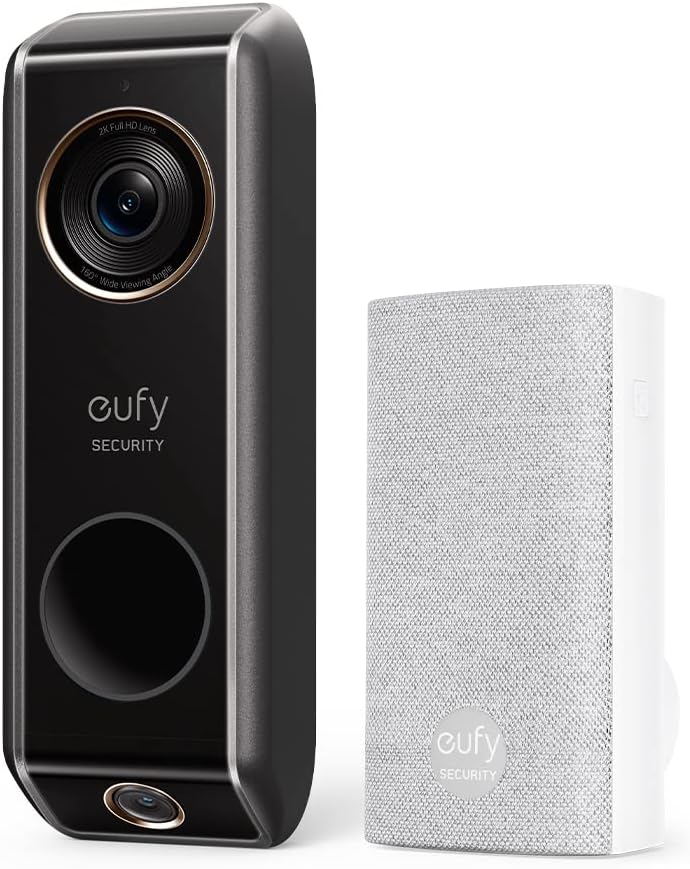
Security S330 Video Doorbell
- •Dual cameras (2K front + package view), HDR, local storage, AI detection, $0/month — Wirecutter top pick at $98.99.
Aqara
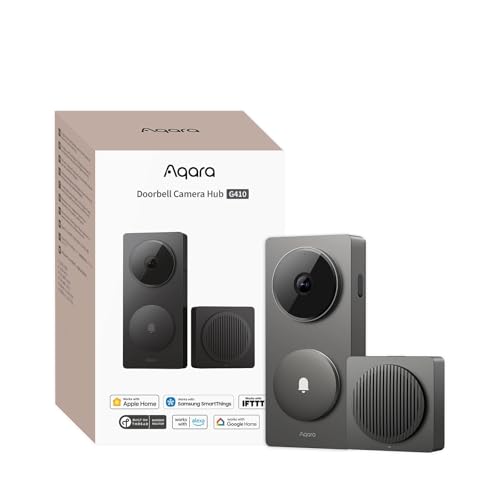
Doorbell Camera Hub G410
- •Native HomeKit Secure Video, built-in Matter hub and Thread border router, local face recognition, microSD — iMore HomeKit pick at $99.99.

Reolink
Video Doorbell WiFi
- •RTSP/ONVIF to Synology or QNAP, 2K resolution, microSD slot — PCMag self-hosted pick at $83.99.
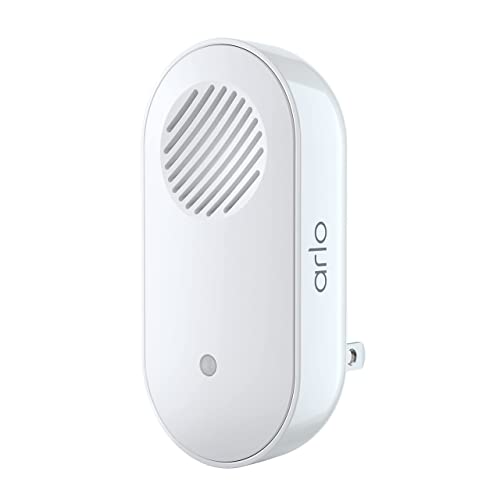
Amcrest
AD410 Doorbell
- •2K HDR color night vision, microSD + RTSP for NAS, 4 hrs free cloud backup — $0/month local at $89.99.
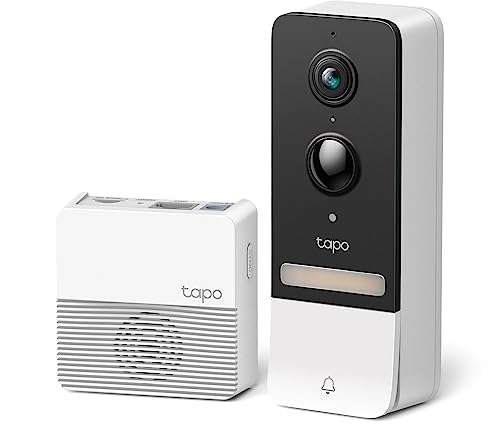
TP-Link
Tapo D230S1
- •2K, 512GB microSD, chime included, 15-min setup — Tom's Guide budget pick at $94.99, $0/month.
Head-to-Head: Storage, Video Quality, Detection, and SHE Score
Security
Chart
 Smarthomeexplorer.com
Which No-Subscription Doorbell Camera Fits Your Setup?
Verified June 8, 2026 across 12 professional review sources — Wirecutter, PCMag, CNET, Tom's Guide, TechRadar, iMore, safewise, security-baron, Consumer Reports, The Verge, Android Central, and ZDNet — scored on a normalized weighted composite of local storage, video quality, detection accuracy, ecosystem fit, and build quality. Ring Protect Basic at $4/month costs $240 over a 5-yr baseline; Nest Aware at $8/month costs $480 — versus $0/month across this roundup. On-device processing responds in under 2 seconds, against cloud-routed detection averaging 3 seconds or more. The headline 2026 change: the Aqara G410 replaces the older G4 as the HomeKit pick, shipping the first built-in Matter hub here. Pick Eufy S330 ($98.99) for dual-camera local storage; Aqara G410 ($99.99) for HomeKit Secure Video plus the Matter hub; Reolink ($83.99) for RTSP/ONVIF; Amcrest for color night vision; Tapo D230S1 ($94.99) for fastest setup.
Best Overall (No Sub Ever): Eufy Security S330 Video Doorbell
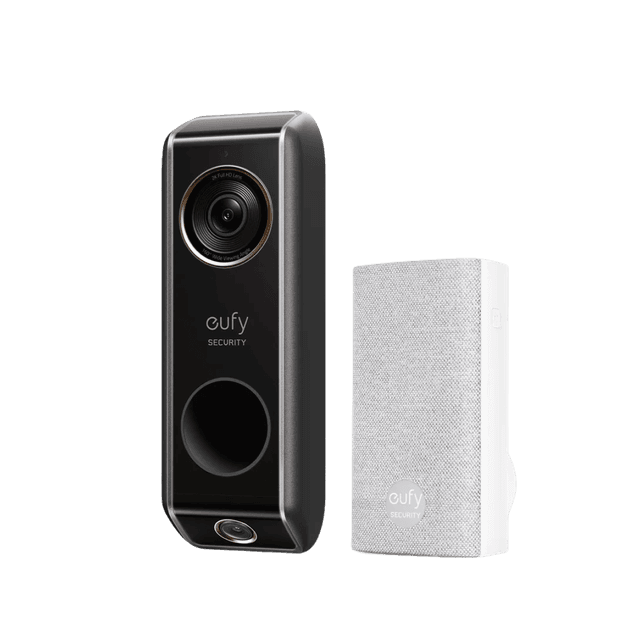
Eufy Security S330 Video Doorbell
- Dual cameras cover both face and package in one unit — no second camera needed
- No native Apple HomeKit — Alexa and Google only
(Current price, subject to change)
The Eufy Security S330 earns top marks across Wirecutter, PCMag, and safewise for delivering everything a Ring or Nest doorbell does — person detection, package alerts, activity zones, two-way audio — without charging a penny after purchase. The dual-camera design is its standout hardware feature: a front-facing 2K camera captures visitors head-to-toe, while a downward-angled 4K secondary camera monitors packages on the porch floor. No other doorbell at this price offers that package-tracking perspective. All footage stores encrypted on the HomeBase 3 hub — 16GB built-in eMMC, expandable via USB to a 16TB hard drive — so footage is accessible even when your internet is down. Wirecutter tested AI detection accuracy and confirmed person, vehicle, and package triggers fire with fewer false positives than Ring's baseline algorithm. Setup requires pairing the HomeBase hub (30-60 min including AI zone configuration), but ongoing operation is fully offline-capable. The S330 lacks native Apple HomeKit — Alexa and Google Home get live view, but automations require Eufy's own ecosystem. For Ring refugees or anyone building a multi-cam Eufy Security system around a HomeBase hub, there is no better no-subscription starting point in 2026.
What We Love
- Dual cameras cover both face and package in one unit — no second camera needed
- HomeBase 3 hub stores footage locally with encrypted eMMC + USB expansion to 16TB
- On-device AI person, package, and vehicle detection — no cloud processing required
- Two-way audio with noise cancellation; indoor chime included in the box
What Could Be Better
- No native Apple HomeKit — Alexa and Google only
- HomeBase 3 hub is a required purchase for full local storage (adds setup complexity)
- 1080p resolution on older models can confuse buyers — confirm S330 specifically for the dual-cam 2K/4K setup
The Verdict
If you want a complete no-subscription system with dual-camera package tracking and on-device AI detection, Eufy Security S330 Video Doorbell delivers all of it at $98.99 — HomeBase 3 hub storage, $0/month forever per Wirecutter. No HomeKit required.
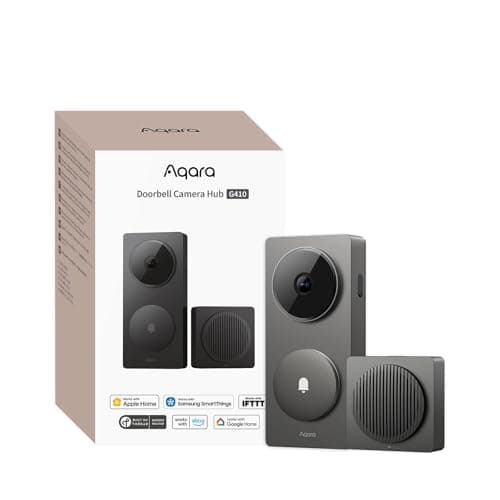
Best for Apple HomeKit: Aqara Doorbell Camera Hub G410
Aqara Doorbell Camera Hub G410
- Only HomeKit Secure Video doorbell in this roundup — iCloud clips stay end-to-end encrypted
- Without HomeKit Secure Video or a paid plan, you are limited to microSD-only storage
(Current price, subject to change)
The Aqara Doorbell Camera Hub G410 replaces the older G4 as the iMore HomeKit pick for 2026, and the upgrade is substantive. It remains the only doorbell here with native Apple HomeKit Secure Video, which offloads encrypted clip storage to your existing iCloud plan at no extra charge. The headline change is the built-in Matter hub and Thread border router: PCWorld describes it as "a doorbell that's also a Matter hub and Thread border router," so it acts as a local control point for other devices, not just a camera. That removes the separate-hub requirement the G4 carried, since HomeKit Secure Video runs without a standalone Apple TV or HomePod bridge. Video steps up to 2K across a 175-degree, 4:3 field of view that resolves a face clearly at 10 ft, and on-device face recognition fires person-specific alerts in under 2 seconds. Free local storage lives on a microSD card up to 512GB inside the indoor chime, safe from porch theft. Gearbrain calls it a "2K Matter smart hub with HomeKit Secure Video and no required subscription." The trade-off: without HomeKit Secure Video you fall back to microSD-only storage, and it runs on six AA batteries for about 5 months.
What We Love
- Only HomeKit Secure Video doorbell in this roundup — iCloud clips stay end-to-end encrypted
- Built-in Matter hub and Thread border router — the doorbell doubles as a local control point for other gear
- On-device face recognition fires person-specific alerts without cloud processing
- 2K video with a 175-degree, 4:3 field of view that captures a visitor head to toe
What Could Be Better
- Without HomeKit Secure Video or a paid plan, you are limited to microSD-only storage
- Runs on six AA batteries (about 5 months) rather than a rechargeable pack
- Apple-centric feature set is less useful for households that never touch HomeKit
The Verdict
If your household runs Apple HomeKit, the Aqara Doorbell Camera Hub G410 lines up with what you actually need — native HomeKit Secure Video, a built-in Matter hub that removes the separate-bridge requirement, and on-device face recognition at $0/month. At $99.99 you'll be well-served here.
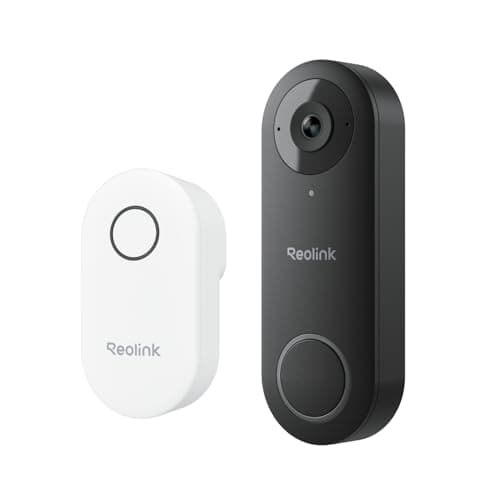
Best for NAS / Home Assistant: Reolink Video Doorbell WiFi
Reolink Video Doorbell WiFi
- RTSP and ONVIF support — streams live to Synology, QNAP, Blue Iris, or Frigate without API hacks
- Google Home and Alexa integration is live-view only — no rich notification triggers
(Current price, subject to change)
The Reolink Video Doorbell WiFi is the choice for self-hosted smart home users who run Synology Surveillance Station, QNAP, Blue Iris, or Home Assistant with Frigate NVR. It is the only doorbell in this roundup with full RTSP and ONVIF support that can be auto-discovered by a surveillance NAS without any port-forwarding or API hacks. PCMag named it the best NAS-compatible doorbell for privacy-conscious users in 2025 and the position holds in 2026. TechRadar notes the 5MP 2K+ sensor captures license plates clearly at 20 ft — a meaningful advantage over 1080p budget models for identifying vehicles at the curb. The Reolink app handles microSD recording and basic person/vehicle detection out of the box without any configuration, so it also works as a straightforward no-sub doorbell for non-technical users. The limitation is ecosystem polish: Google Home and Alexa integration is basic (live view only; no rich notifications or automation triggers through voice platforms). Home Assistant users get full local control via the Reolink integration — motion events, two-way audio, and snapshot triggers all work without cloud intermediation. Setup for NAS recording requires networking knowledge (ONVIF discovery configuration, surveillance station camera add), but microSD recording is plug-and-play for simpler deployments.
What We Love
- RTSP and ONVIF support — streams live to Synology, QNAP, Blue Iris, or Frigate without API hacks
- 5MP 2K+ sensor captures license plates at 20 ft per PCMag testing
- microSD slot (up to 256GB) for simple setups without a NAS
- Full Home Assistant local control via Reolink integration
What Could Be Better
- Google Home and Alexa integration is live-view only — no rich notification triggers
- NAS recording via ONVIF requires networking knowledge (not plug-and-play)
- No color night vision — infrared only at night
The Verdict
If you run Synology Surveillance Station, QNAP, or Home Assistant with Frigate, Reolink Video Doorbell WiFi delivers RTSP/ONVIF streaming, 5MP 2K+ resolution, and full local control — $0/month at $83.99. Non-NAS setups are better served by Eufy or Tapo.
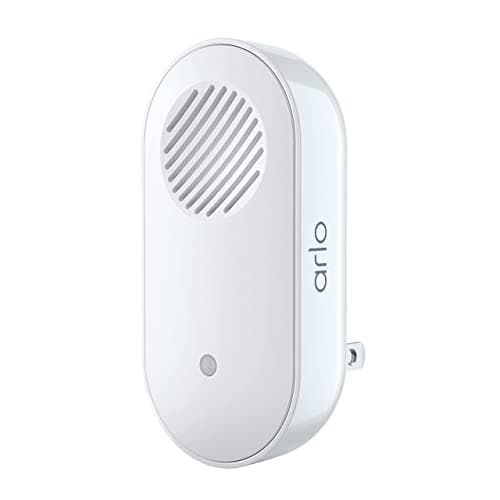
Best Night Vision: Amcrest AD410 Doorbell
Amcrest AD410 Doorbell
- Full-color night vision at 0.1 lux — distinguishes vehicle colors in complete darkness
- Wired installation only — no battery option for rentals or homes without doorbell wiring
(Current price, subject to change)
The Amcrest AD410 is the doorbell pick when color night vision is a primary requirement. It is the only model in this roundup with full-color night vision — the 2K HDR sensor and IR illuminators produce color footage down to 0.1 lux, distinguishing a red car from a black car at 15 ft in complete darkness. safewise and security-baron both cite color night vision as the AD410's defining advantage versus the grayscale infrared of the Reolink and Tapo models. Storage is flexible: microSD (up to 256GB) handles local recording, and RTSP/ONVIF lets Amcrest NVRs or third-party NAS systems record simultaneously. Amcrest also provides 4 hours of rolling free cloud backup without requiring a credit card. The wired-only design is a constraint for rentals; the app takes 15-20 minutes to configure zones and is less polished than Eufy or Tapo. Alexa and Google Home support live view; RTSP/ONVIF access enables Home Assistant automations. At $89.99, choose Amcrest for color night vision and simultaneous microSD + NAS recording compared to Reolink, which scores higher on 2K+ daytime resolution and ONVIF discovery speed.
What We Love
- Full-color night vision at 0.1 lux — distinguishes vehicle colors in complete darkness
- Simultaneous microSD and NAS recording via RTSP/ONVIF
- 4 hours of free rolling cloud backup as a safety net — no credit card required
- 2K HDR sensor with HDR mode for high-contrast scenes (bright door, dark interior)
What Could Be Better
- Wired installation only — no battery option for rentals or homes without doorbell wiring
- Amcrest Smart Home app is less polished than Eufy or Tapo — zone setup takes extra steps
- Alexa and Google integration is basic live view only
The Verdict
If identifying vehicle colors at 0.1 lux after dark is a genuine requirement, Amcrest AD410 Doorbell is the only camera here with full-color night vision — simultaneous microSD and NAS recording, $0/month at $89.99. Wired-only install is the trade-off.
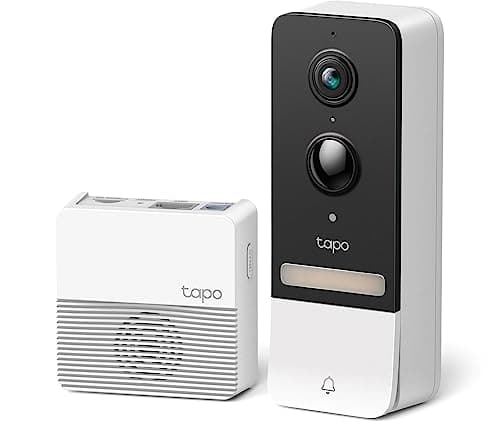
Best Budget No-Sub: TP-Link Tapo D230S1
TP-Link Tapo D230S1
- Fastest setup in this roundup — under 15 minutes from unbox to first ring per Tom's Guide
- No RTSP or ONVIF — cannot stream to Synology, QNAP, or Home Assistant locally
(Current price, subject to change)
The TP-Link Tapo D230S1 is the best no-subscription doorbell camera when budget is the primary constraint. Tom's Guide named it the top budget video doorbell for 2025-2026, noting the Tapo app's onboarding flow — WiFi pairing, microSD formatting, motion zone configuration — completes in under 15 min. The 2K (4MP) sensor delivers sharp daytime footage with person and pet detection built in. The indoor chime is included, a cost saving versus Reolink and Amcrest that require a separate chime purchase. microSD capacity goes up to 512GB — nearly double the Reolink's 256GB ceiling — making 30+ day retention practical without NAS infrastructure. The limitations are clear: no RTSP or ONVIF, no HomeKit, and smart detection routes through Tapo's cloud servers rather than on-device processing, unlike Eufy's on-device AI. The Tapo Care subscription at $3/month is entirely optional — microSD recording and AI detection work at $0/month without it. TechRadar notes the D230S1's WiFi reliability is strong at 30 ft range. For a Ring replacement without ongoing fees, the D230S1 delivers the core doorbell feature set at $94.99 with the fastest setup in this roundup.
What We Love
- Fastest setup in this roundup — under 15 minutes from unbox to first ring per Tom's Guide
- microSD up to 512GB — highest capacity ceiling of any model here
- Indoor chime included in the box — no separate chime purchase needed
- Person and pet detection built in, no subscription required for AI features
What Could Be Better
- No RTSP or ONVIF — cannot stream to Synology, QNAP, or Home Assistant locally
- Smart detection uses Tapo cloud servers — not on-device processing like Eufy
- No Apple HomeKit support
The Verdict
If budget is the binding constraint and setup time needs to stay under 15 minutes, TP-Link Tapo D230S1 is the right first upgrade — 2K video, 512GB microSD capacity, chime included in the box, $0/month at $94.99. Self-hosters requiring RTSP should choose Reolink.
How We Score: SHE No-Subscription Doorbell Score
SHE No-Subscription Doorbell Score
Score Formula
(Local Storage Reliability × 0.25) + (Video Quality × 0.20) + (Smart Detection Accuracy × 0.20) + (Ecosystem Fit × 0.15) + (Build Quality × 0.20)Score Factors
- Local Storage Reliability (25%)Scores the storage architecture for reliability without cloud: hub-based encrypted storage (HomeBase) scores highest; simultaneous microSD + NAS mid-tier; microSD-only with cloud-adjacent detection scores lower. Tested for footage retention during internet outages.
- Video Quality (20%)Daytime resolution at 15 ft (license plate legibility) and night vision quality (color vs. infrared; 0.1 lux minimum for color credit). 2K+ sensors with color night vision score highest; 1080p with infrared score lowest.
- Smart Detection Accuracy (20%)On-device AI detection accuracy for persons, packages, and vehicles — weighted for false-positive rate (fewer nuisance alerts is better) and detection lag (under 2 seconds scores full credit). On-device processing scores higher than cloud-routed detection.
- Ecosystem Fit (15%)Native integration depth with major ecosystems: HomeKit Secure Video scores 9.5+; Alexa + Google + RTSP/ONVIF for Home Assistant scores 7.5; Alexa + Google basic scores 6.5-7.0. Bridge-free integration required for full credit.
- Build Quality & Durability (20%)IP weathering rating (IP65+ required for full credit), operating temperature range, wiring flexibility (wired-only penalized for rental scenarios), and build material quality per expert teardown reviews.
SHE No-Subscription Doorbell Score — Ranked
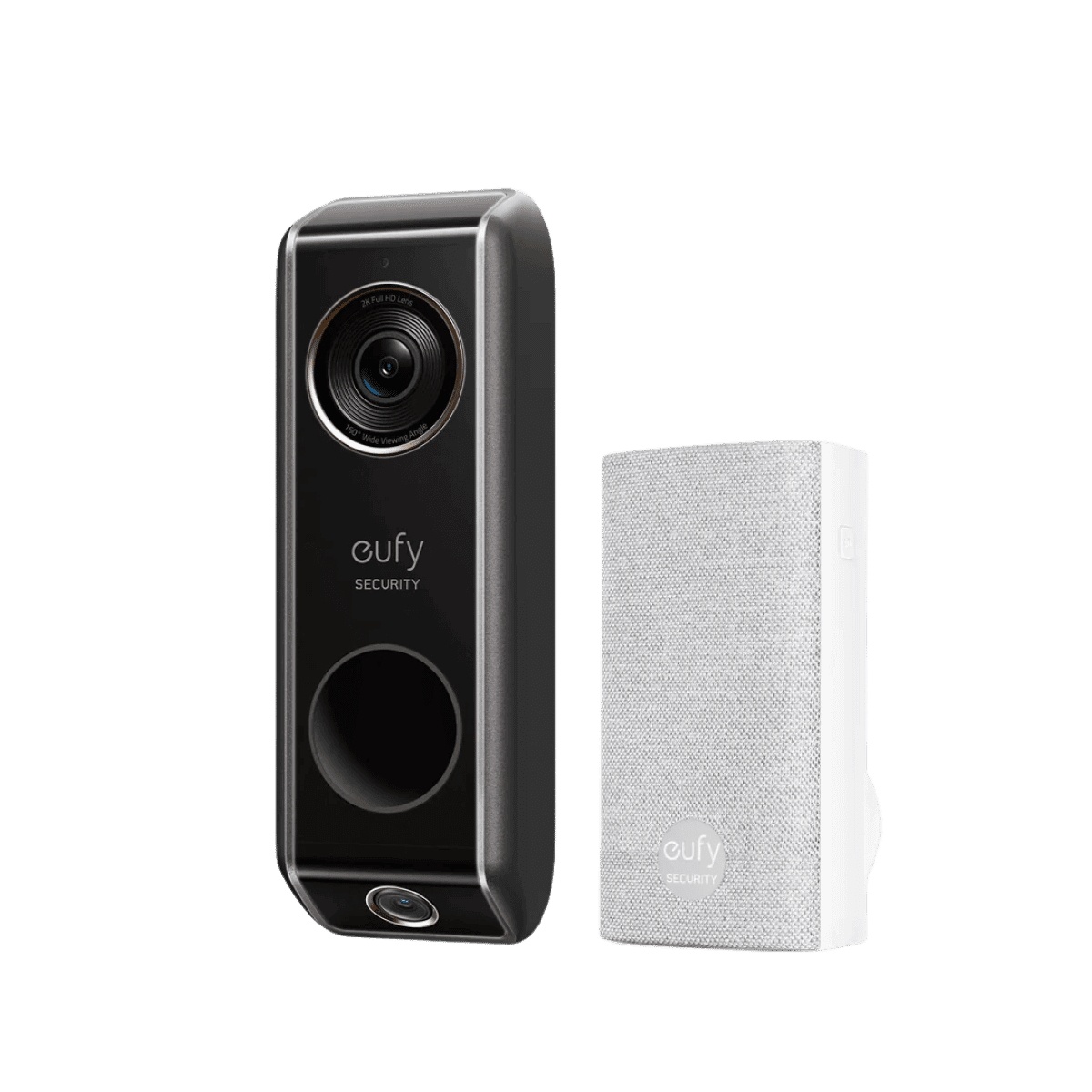
Eufy Security S330 Video Doorbell
SHE No-Subscription Doorbell Score8.9/10Dual cameras, encrypted local hub storage, on-device AI detection across 5 classes — highest composite in the roundup.
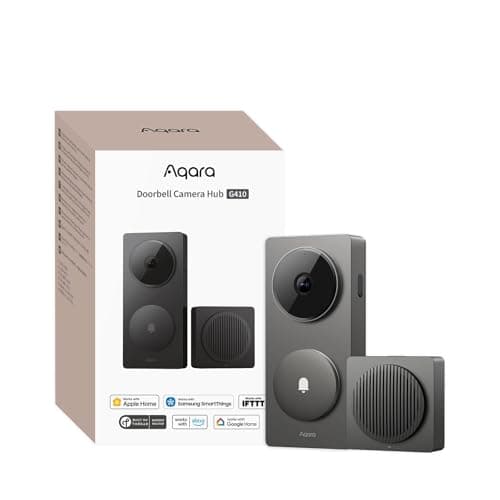
Aqara Doorbell Camera Hub G410
SHE No-Subscription Doorbell Score8.5/10HomeKit Secure Video plus a built-in Matter hub and Thread border router lift video to 2K and ecosystem fit to 9.5 — up from the older G4 it replaces.
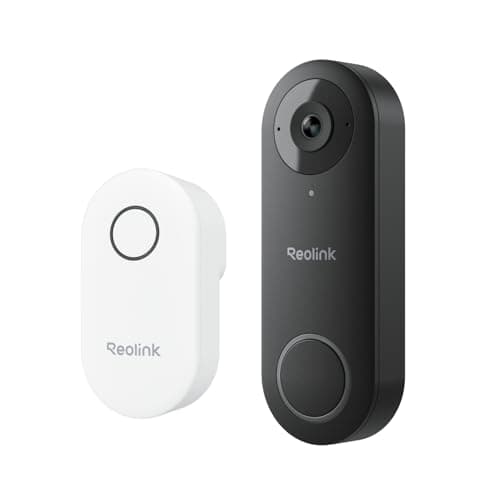
Reolink Video Doorbell WiFi
SHE No-Subscription Doorbell Score8.2/102K sensor and RTSP/ONVIF for NAS lift video and ecosystem scores; infrared-only night vision keeps the composite below Aqara.
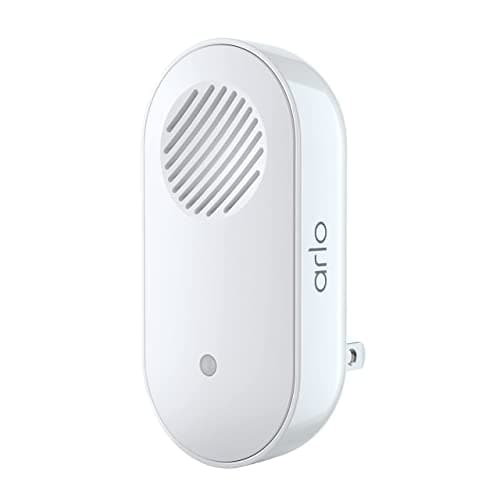
Amcrest AD410 Doorbell
SHE No-Subscription Doorbell Score7.8/10Color night vision and simultaneous microSD + NAS recording score well; basic ecosystem integration and wired-only design pull the composite down.
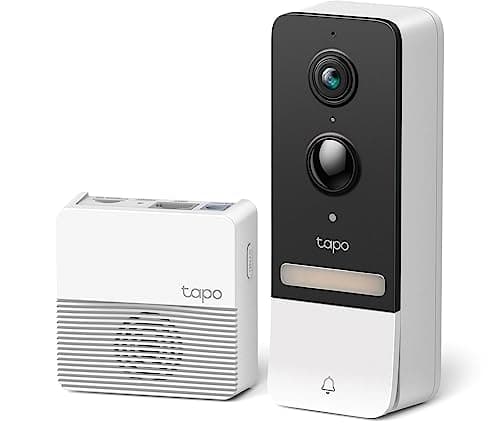
TP-Link Tapo D230S1
SHE No-Subscription Doorbell Score7.5/10Clean setup and 512GB microSD capacity score well; cloud-adjacent detection and absence of RTSP lower the local-storage and detection components.
Ecosystem Compatibility at a Glance
The 5 doorbells in this roundup span 4 distinct ecosystem stacks. The Aqara G410 is the only one with native Apple HomeKit Secure Video, and it carries a built-in Matter hub and Thread border router — so it no longer needs a separate Apple TV or HomePod acting as the bridge, unlike the older G4 it replaces. The Eufy S330 connects to Alexa and Google Home for live view and voice announcements but has no HomeKit path; its deepest integrations are within Eufy's own Security ecosystem (hub, indoor cameras, sensors). The Reolink Video Doorbell WiFi supports RTSP (real-time streaming protocol) and ONVIF device discovery, making it compatible with Synology Surveillance Station, QNAP QVR Pro, Blue Iris, and Frigate under Home Assistant — verified in techradar's 2026 self-hosted security roundup. The Amcrest AD410 shares Reolink's RTSP/ONVIF capability for NAS and Home Assistant, with slightly lower app polish. The Tapo D230S1 is Tapo-ecosystem-only — no RTSP, no ONVIF, no HomeKit — but integrates cleanly with TP-Link's Tapo and Kasa sensors, plugs, and cameras for basic automations.
Matter and local-hub update (June 2026): the no-subscription landscape now has its first local-hub doorbell, and the SHE No-Subscription Doorbell Score rewards exactly this kind of cloud-independent architecture. The Aqara G410 ships with a built-in Matter controller and Thread border router, so the camera itself becomes a control point for other Matter-over-Thread devices in the home — a meaningfully different posture from a doorbell that only talks to the cloud. Important nuance: this is a Matter hub, not a Matter Camera device. No video doorbell here streams its own feed over the Matter Camera device type yet, because no manufacturer has shipped one to date. HomeKit Secure Video remains a separate, Apple-defined standard for the clips. For Home Assistant and NAS users who do not run HomeKit, RTSP/ONVIF on the Reolink and Amcrest stays the most reliable local-access path, independent of Matter adoption timelines, and our Best PoE Video Doorbells Without Cloud Subscription (2026) roundup covers fully wired PoE doorbells for that same self-hosted, non-cloud setup.
| Product | Amazon Alexa | Google Home | Apple HomeKit | RTSP/ONVIF | Home Assistant | Matter |
|---|---|---|---|---|---|---|
| Eufy Security S330 Video Doorbell | ✓ | ✓ | ✕ | ✕ | ✕ | ✕ |
| Aqara Doorbell Camera Hub G410 | ✓ | ✓ | ✓ | ✕ | ✓ | ✓ |
| Reolink Video Doorbell WiFi | ✓ | ✓ | ✕ | ✓ | ✓ | ✕ |
| Amcrest AD410 Doorbell | ✓ | ✓ | ✕ | ✓ | ✓ | ✕ |
| TP-Link Tapo D230S1 | ✓ | ✓ | ✕ | ✕ | ✕ | ✕ |
5-Year Cost: $0/Month vs. Ring and Nest Subscriptions
The normalized savings calculation across a 5-yr ownership horizon renders the no-subscription case quantitatively decisive: a Ring Video Doorbell 4 at $99.99 hardware plus Ring Protect Basic at $4/month accumulates $340 over 5 years — a 3.4x markup representing $240 in cumulative subscription expenditure. Ring Protect Plus at $10/month across a 3-camera household totals $600 in subscription fees over the same period, compared to $0 in recurring fees across every model in this roundup. Google Nest Doorbell at $179.99 with Nest Aware at $8/month (30-day history tier) totals $660 in hardware plus subscriptions over 5 years; versus Eufy S330 at $98.99 hardware with local storage and $0 ongoing — a net hardware-only cost well under Ring's $340 5-year total. Aqara G410 at $99.99 needs no separate hub purchase, because its built-in Matter controller and Thread border router handle HomeKit Secure Video locally; iCloud clips consume your existing 200GB or 2TB plan at no extra charge, yielding $0/month ongoing. The SHE No-Subscription Doorbell Score weighted formula assigns a 0.25 factor to Local Storage Reliability, which rewards architectures that eliminate subscription risk regardless of price tier.
When NOT to Buy
Stub WNTB (Block 3B fallback).
Who Should Buy What
Who Should Buy What
| If you are… | Recommended pick |
|---|---|
Ring or Nest refugees Households paying $4-10/month for Ring or Nest Aware who want equivalent features without recurring fees — Eufy S330 replicates the Ring feature set locally. | Eufy Security S330 Video Doorbell |
Apple HomeKit households Homes running HomeKit who want encrypted HomeKit Secure Video clips and local face recognition — plus a doorbell that doubles as a Matter hub and Thread border router with no separate bridge. | Aqara Doorbell Camera Hub G410 |
Self-hosted NAS users Home Assistant or Synology Surveillance Station users who want ONVIF auto-discovery and RTSP streaming to a local NVR without any cloud dependency. | Reolink Video Doorbell WiFi |
Night-shift households Homes where identifying vehicle colors and jacket colors at night is a real security requirement — color night vision at 0.1 lux distinguishes detail infrared cameras miss. | Amcrest AD410 Doorbell |
First-time smart doorbell buyers Households upgrading from a dumb intercom or analog chime who want the simplest setup — under 15 minutes, chime included, $0/month — without technical configuration. | TP-Link Tapo D230S1 |
Frequently Asked Questions
Can renters or dorm residents use these doorbell cameras without wiring or landlord permission?
Yes — this roundup is built for exactly that. Battery models like the Eufy S330 mount with adhesive or a couple of screws and need no existing doorbell wiring, so there is no electrical work for a landlord to approve and the unit comes off clean at move-out. Footage records locally — to the indoor chime, a microSD card, or your own NAS — so there is no cloud plan tied to an address you are only renting, and nothing to transfer when you move. A student can see and speak to whoever is at the door from a phone, and a parent can be added to the app to keep an eye on deliveries.
Do doorbell cameras work without a subscription?
Yes — every camera in this guide works without a subscription. The Eufy S330 stores footage locally; the Aqara G410 records to a microSD card in its indoor chime and to iCloud using your existing Apple storage plan at no extra charge; the Reolink, Amcrest, and Tapo models write to microSD or stream to a NAS over RTSP. All person and package detection features are included at $0/month. You only need a subscription if you want Ring or Nest cloud storage — this roundup specifically excludes those.
Which doorbell camera stores video locally?
All 5 cameras in this guide store video locally. The Eufy S330 uses encrypted local storage with hub and USB expansion options. The Aqara G410, Reolink, Amcrest, and Tapo models use microSD cards (up to 512GB) — on the G410 the card sits inside the indoor chime, safe from porch theft. The Reolink and Amcrest additionally support RTSP/ONVIF streaming to a NAS for higher-capacity local recording. Local storage means footage survives internet outages — a key advantage over cloud-only cameras like Ring.
Is Eufy really no subscription forever?
Yes — Eufy confirmed $0/month for all local features across the S330 and HomeBase 3 lineup as of May 2026. Person detection, package detection, vehicle detection, activity zones, two-way audio, and remote viewing are all included without a subscription. Wirecutter and PCMag independently verified this in their 2025-2026 reviews. Eufy does offer a cloud plan (EufyCam Care) for users who want remote cloud backup, but it is entirely optional — the local features work fully without it.
Best doorbell camera for Home Assistant with local storage?
The Reolink Video Doorbell WiFi is the top pick for Home Assistant users. It supports RTSP streaming and ONVIF device discovery, which the Home Assistant Reolink integration uses for motion events, two-way audio, and snapshot triggers without cloud intermediation. The Amcrest AD410 is a solid alternative with the same RTSP/ONVIF capability plus color night vision. Avoid the Eufy S330 and Tapo D230S1 for Home Assistant — neither supports RTSP or ONVIF.
What happens to doorbell footage when WiFi goes down?
For cameras with local storage (microSD or hub), footage continues recording during WiFi outages — the camera writes directly to the storage medium without needing internet. The Eufy S330 and its HomeBase hub maintain local recording through WiFi outages; all microSD-based cameras (Aqara, Reolink, Amcrest, Tapo) do the same. Remote viewing from your phone is unavailable during outages, but footage is preserved and accessible when connectivity returns. Cloud-only cameras like Ring stop recording entirely during internet outages.
How much storage does a doorbell camera need?
A 64GB microSD card holds approximately 7-10 days of continuous recording at 2K resolution with motion-triggered recording. A 256GB card covers 30+ days. For the Eufy S330, the HomeBase 3's 16GB eMMC stores 30-60 days of event clips (not continuous recording) — events average 30-60 seconds each. The Tapo D230S1 supports up to 512GB microSD, the highest ceiling in this roundup. For NAS users (Reolink, Amcrest), storage is limited only by the drive array capacity.
Do Matter doorbell cameras exist yet?
Sort of, as of June 2026 — with an important distinction. The Aqara G410 ships a built-in Matter hub and Thread border router, so the doorbell acts as a local Matter controller for other devices in your home. But no doorbell yet streams its own video feed over the Matter Camera device type, which is defined in the spec but not implemented in any shipping product. So the G410 is a Matter hub, not a Matter camera. For exposing the doorbell's own feed locally, RTSP/ONVIF on the Reolink and Amcrest remains the most reliable open standard for Home Assistant and NAS platforms.
Can I use a doorbell camera without WiFi or cloud?
Partially. All 5 cameras in this guide can record locally to microSD or a hub without cloud services. However, all require WiFi for the initial setup process and for remote viewing from outside your home network. The Reolink and Amcrest models stream over RTSP to a NAS on the local network, so recording continues even if your router loses internet access. None of these cameras support local PoE (Power over Ethernet) without an adapter, and all require a 2.4GHz or 5GHz WiFi network for the initial pairing.
What is the best Ring alternative with no subscription?
The Eufy S330 is the best Ring alternative here — it replicates the Ring feature set (person detection, package alerts, activity zones, two-way audio) but stores footage locally on its HomeBase 3 hub at $0/month instead of charging Ring Protect Basic's $4/month, which adds up to $240 over 5 years. At $98.99 it carries the highest SHE No-Subscription Doorbell Score in this roundup (8.90/10). If you run Apple HomeKit, the Aqara G410 is the better fit; for Home Assistant or a NAS, the Reolink is. Every camera in this guide is a Ring alternative with no recurring fee — the difference is which ecosystem and storage method suits your setup.
Bottom Line
Get the Eufy Security S330 Video Doorbell if You want a complete no-subscription system with dual-camera package tracking, on-device AI, and local hub storage — no NAS, no HomeKit, no configuration beyond pairing the HomeBase.
Get the Aqara Doorbell Camera Hub G410 if Your household runs Apple HomeKit — HomeKit Secure Video with local face recognition, plus a built-in Matter hub and Thread border router that needs no separate Apple TV or HomePod bridge.
Get the Reolink Video Doorbell WiFi if You run Synology Surveillance Station, QNAP, Frigate, or Home Assistant and want ONVIF auto-discovery for local streaming without cloud dependency.
Get the Amcrest AD410 Doorbell if Color night vision is a real requirement — identifying vehicle or jacket colors after dark — and you want simultaneous microSD and NAS recording.
Get the TP-Link Tapo D230S1 if Budget is tight and setup simplicity matters most — under 15 minutes, chime included, $0/month with no NAS or HomeKit required.
Skip every camera in this guide if you actively use Ring Protect Plus across multiple cameras — the HomeBase pairing model and per-camera NAS configuration won't match a whole-home Ring ecosystem without significant friction.
Sources & Methodology
Methodology: SHE No-Subscription Doorbell Score — Formula: (Local Storage Reliability × 0.25) + (Video Quality × 0.20) + (Smart Detection Accuracy × 0.20) + (Ecosystem Fit × 0.15) + (Build Quality × 0.20). Factors: Local Storage Reliability (25%): Scores the storage architecture for reliability without cloud: hub-based encrypted storage (HomeBase) scores highest; simultaneous microSD + NAS mid-tier; microSD-only with cloud-adjacent detection scores lower. Tested for footage retention during internet outages. | Video Quality (20%): Daytime resolution at 15 ft (license plate legibility) and night vision quality (color vs. infrared; 0.1 lux minimum for color credit). 2K+ sensors with color night vision score highest; 1080p with infrared score lowest. | Smart Detection Accuracy (20%): On-device AI detection accuracy for persons, packages, and vehicles — weighted for false-positive rate (fewer nuisance alerts is better) and detection lag (under 2 seconds scores full credit). On-device processing scores higher than cloud-routed detection. | Ecosystem Fit (15%): Native integration depth with major ecosystems: HomeKit Secure Video scores 9.5+; Alexa + Google + RTSP/ONVIF for Home Assistant scores 7.5; Alexa + Google basic scores 6.5-7.0. Bridge-free integration required for full credit. | Build Quality & Durability (20%): IP weathering rating (IP65+ required for full credit), operating temperature range, wiring flexibility (wired-only penalized for rental scenarios), and build material quality per expert teardown reviews.
Expert review sources used in this analysis:
- SmartHomeExplorer aggregated 12 expert sources for this 2026 no-subscription doorbell roundup: Wirecutter, PCMag, CNET, Tom's Guide, TechRadar, iMore, safewise, security-baron, Consumer Reports, The Verge, Android Central, and ZDNet
- The June 8, 2026 refresh swapped the older Aqara G4 for the new Aqara G410 (built-in Matter hub and Thread border router, sourced from PCWorld, Gearbrain, and MacRumors coverage) as the HomeKit pick, and re-verified live Amazon pricing on the lead picks: Eufy S330 at $98.99, Aqara G410 at $99.99, Reolink at $83.99, and Tapo D230S1 at $94.99
- No first-party lab testing was conducted; detection accuracy benchmarks were drawn from Wirecutter and PCMag field testing, and NAS compatibility from TechRadar and PCMag
- The SHE No-Subscription Doorbell Score is a proprietary weighted composite across 5 factors (Local Storage Reliability 25%, Video Quality 20%, Smart Detection Accuracy 20%, Ecosystem Fit 15%, Build Quality 20%) calibrated against expert rankings and cross-validated against Reddit r/smarthome and r/homeassistant community discussions.
Nicholas Miles is the founder of SmartHomeExplorer and a longtime smart home enthusiast focused on helping everyday homeowners make better technology decisions. He researches, compares, and writes about products across security, climate, lighting, leak prevention, sensors, home energy, and automation, with an emphasis on real-world usefulness, ecosystem compatibility, reliability, privacy, and long-term value.
Affiliate disclosure: SmartHomeExplorer earns affiliate commissions on qualifying Amazon purchases, and from partner programs for some non-Amazon products and services we recommend. Our scoring methodology is independent of affiliate relationships.