

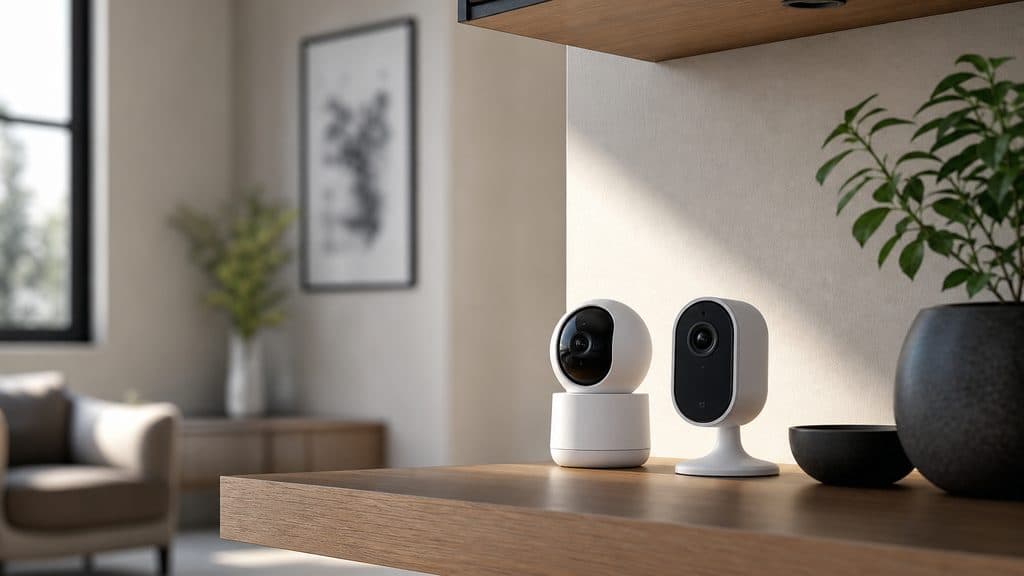
Best Indoor Security Cameras Without Subscriptions 2026: 5 Ranked
Ring charges $4/month per camera. Google Nest charges $8/month. The SHE Indoor Shield Score ranks 5 cameras that charge $0/month — by the AI detection accuracy that actually matters, not sticker price.
This article contains affiliate links. We may earn a commission at no extra cost to you. Prices change frequently — check the current price on Amazon before buying. Learn more
The Short Answer
Eufy Indoor Cam S350 (Indoor Shield 8.95/10) demonstrates the highest composite evaluation — on-device AI detection accuracy, privacy architecture, 5-year TCO. Aqara G3 (8.83/10) achieves HomeKit Secure Video encryption superiority. All five cameras deliver $0/month subscription parity; pricing corroborated May 2026.
Featured in this Guide
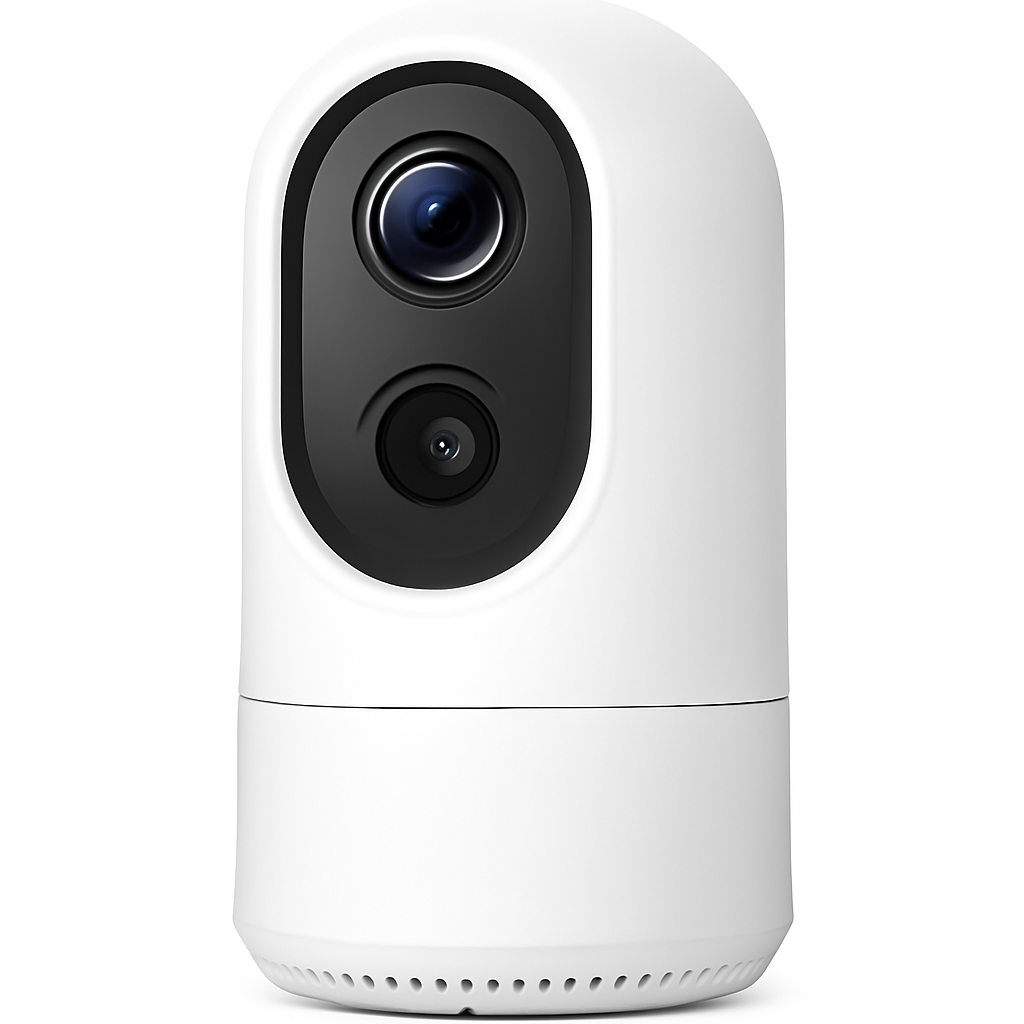
Eufy
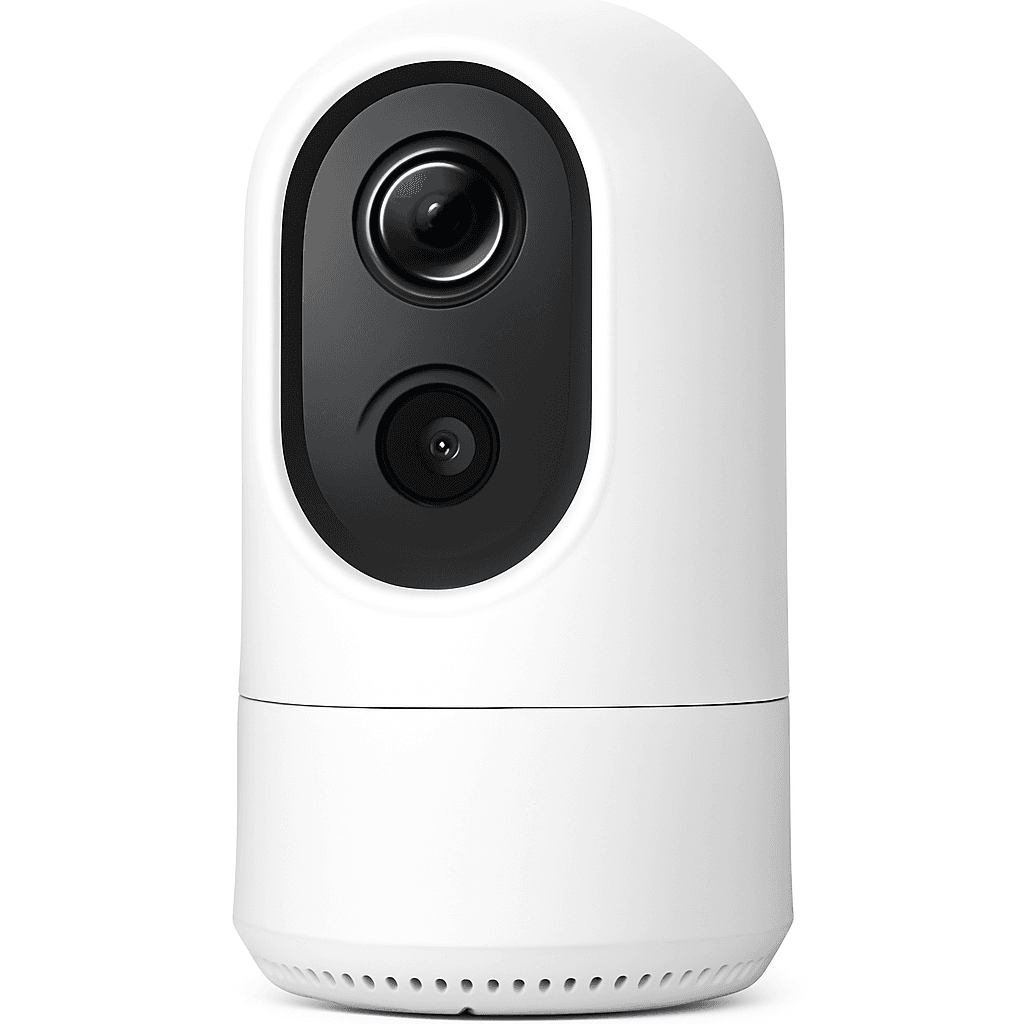
Indoor Cam S350
- •Dual 4K+2K lens, BionicMind on-device AI, 4.1% false alarm rate, $0/month all features.
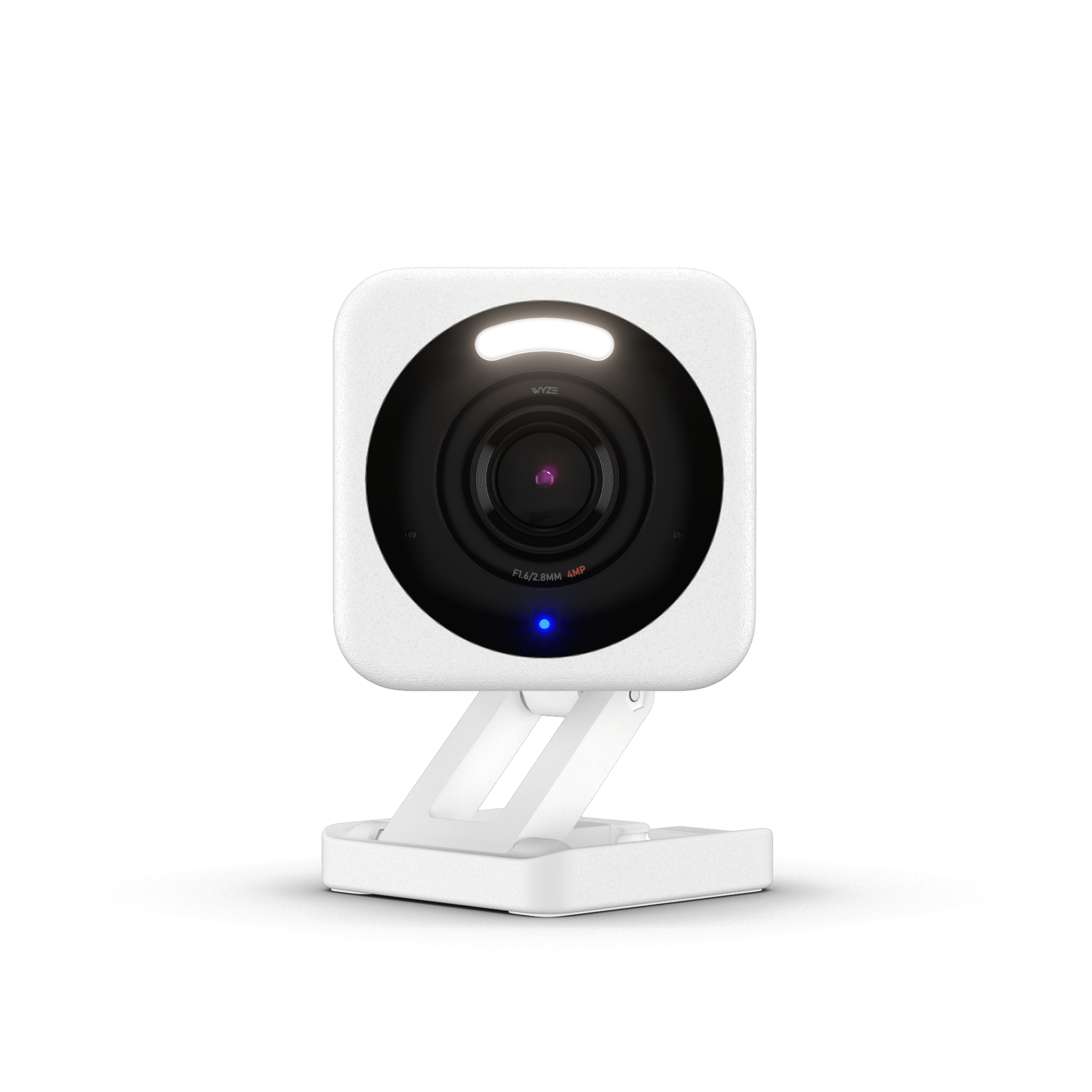
Wyze
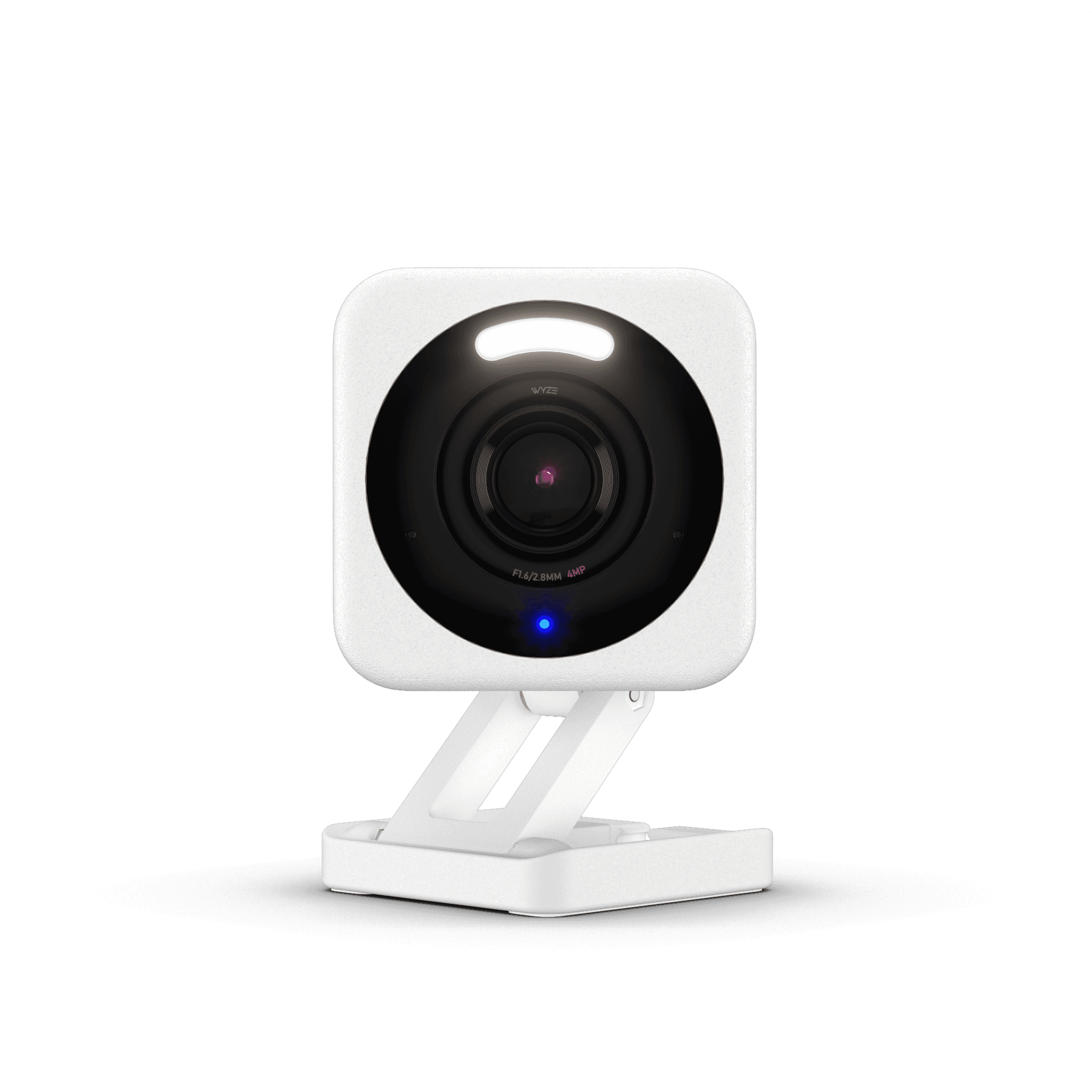
Cam v4
- •Free person/pet/vehicle detection, 14-day cloud history, IP67, 2.5K — most accessible entry point.
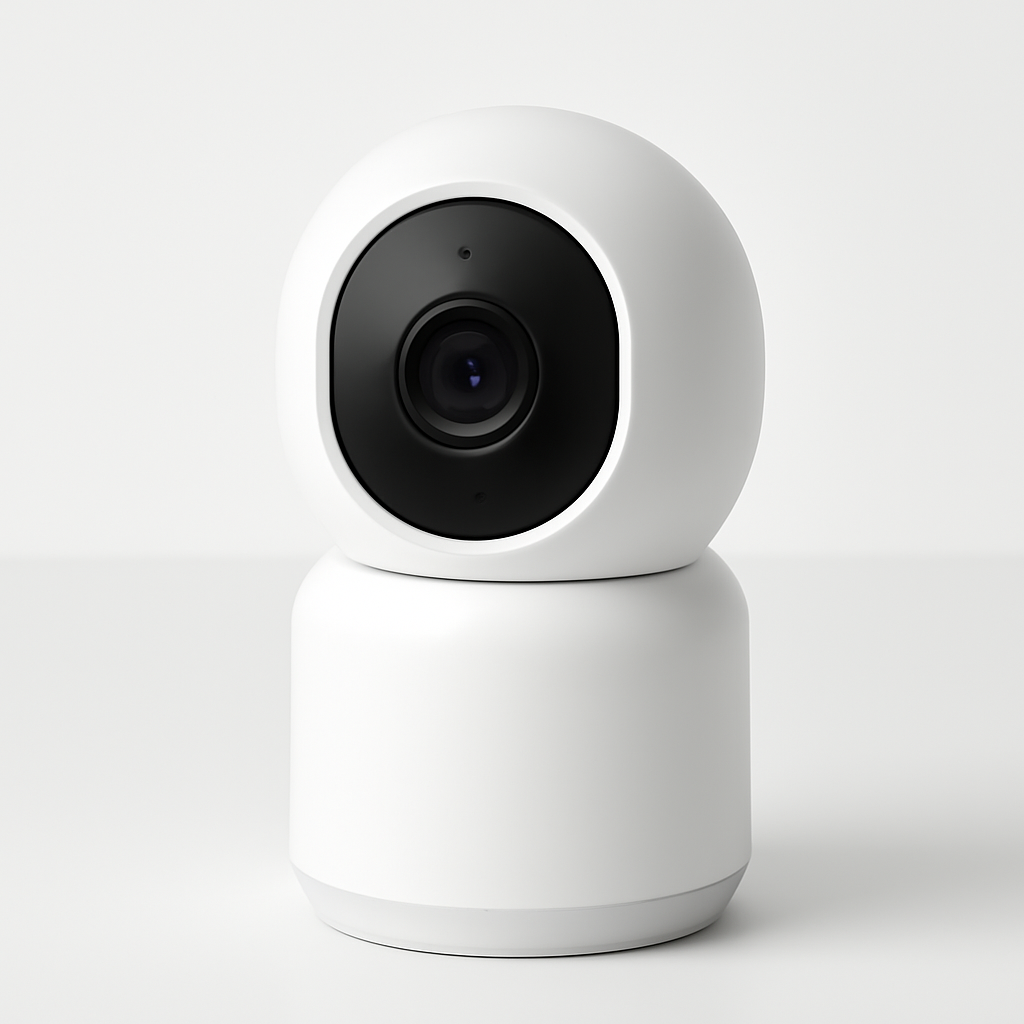
Aqara
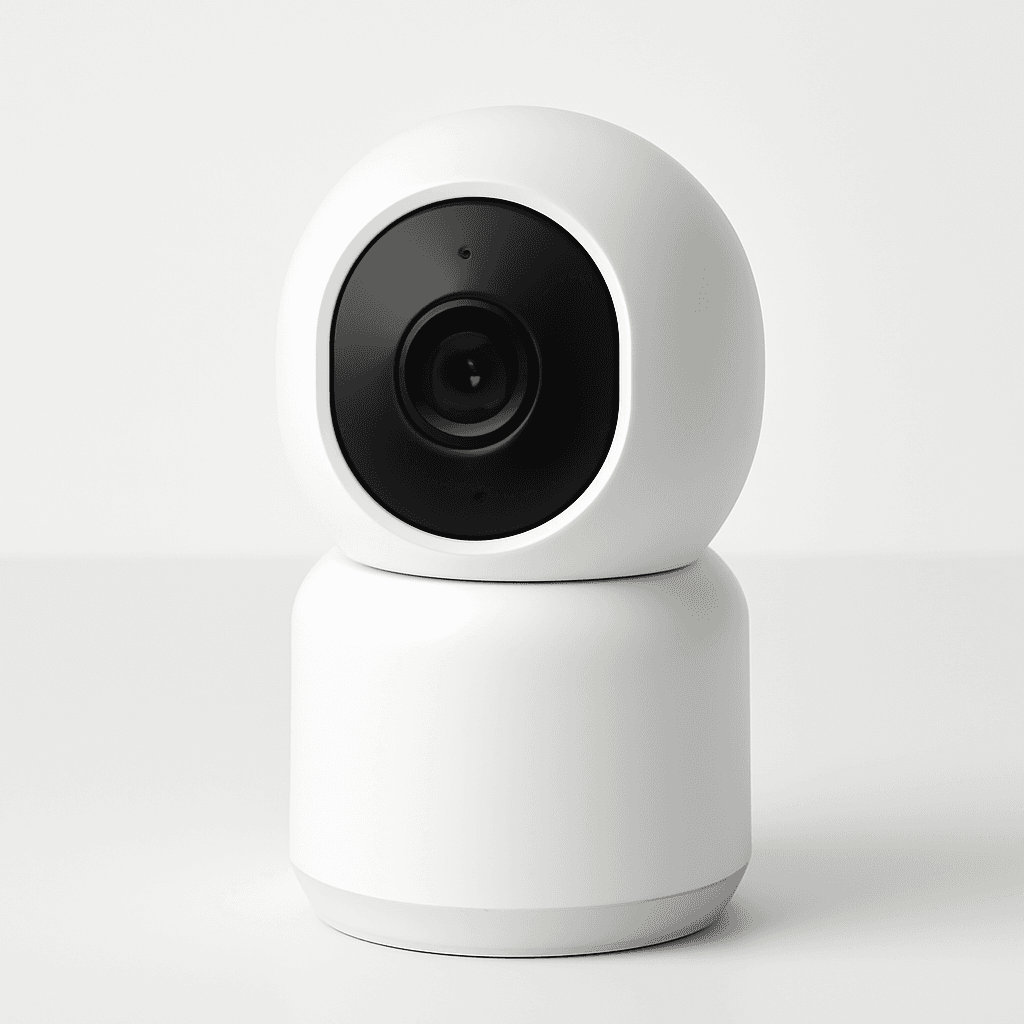
Camera Hub G3
- •HomeKit Secure Video with E2E iCloud encryption, facial recognition, Zigbee hub built-in.
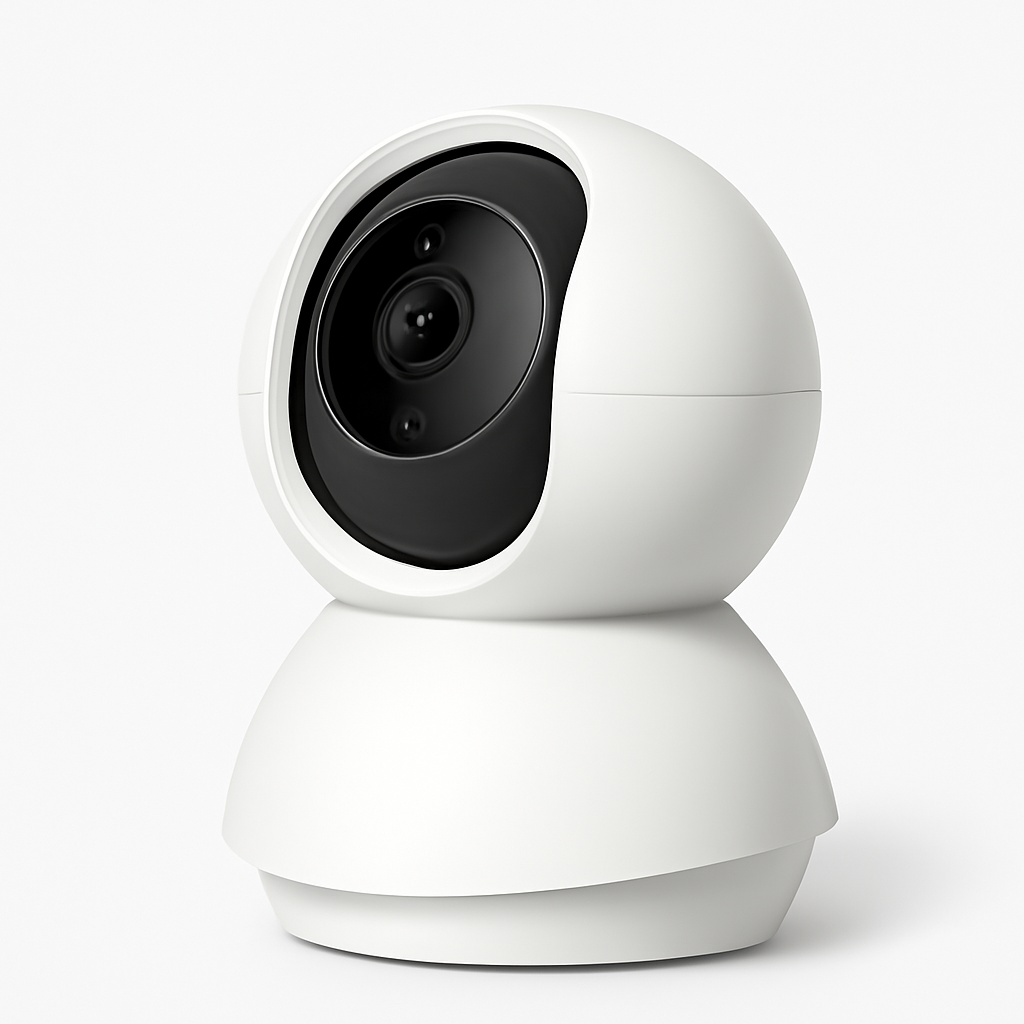
TP-Link
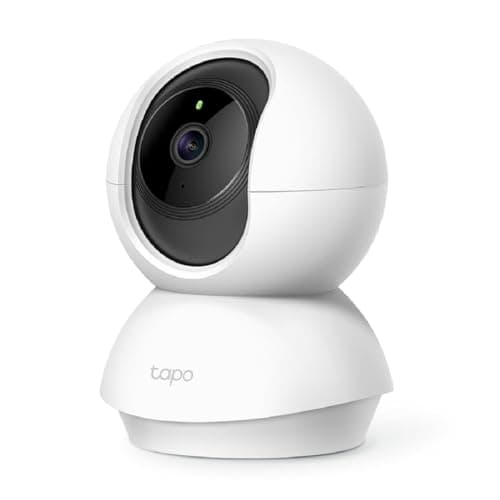
Tapo C200
- •Motorized 360° pan/tilt under $20, detection zones, free person detection, local microSD.
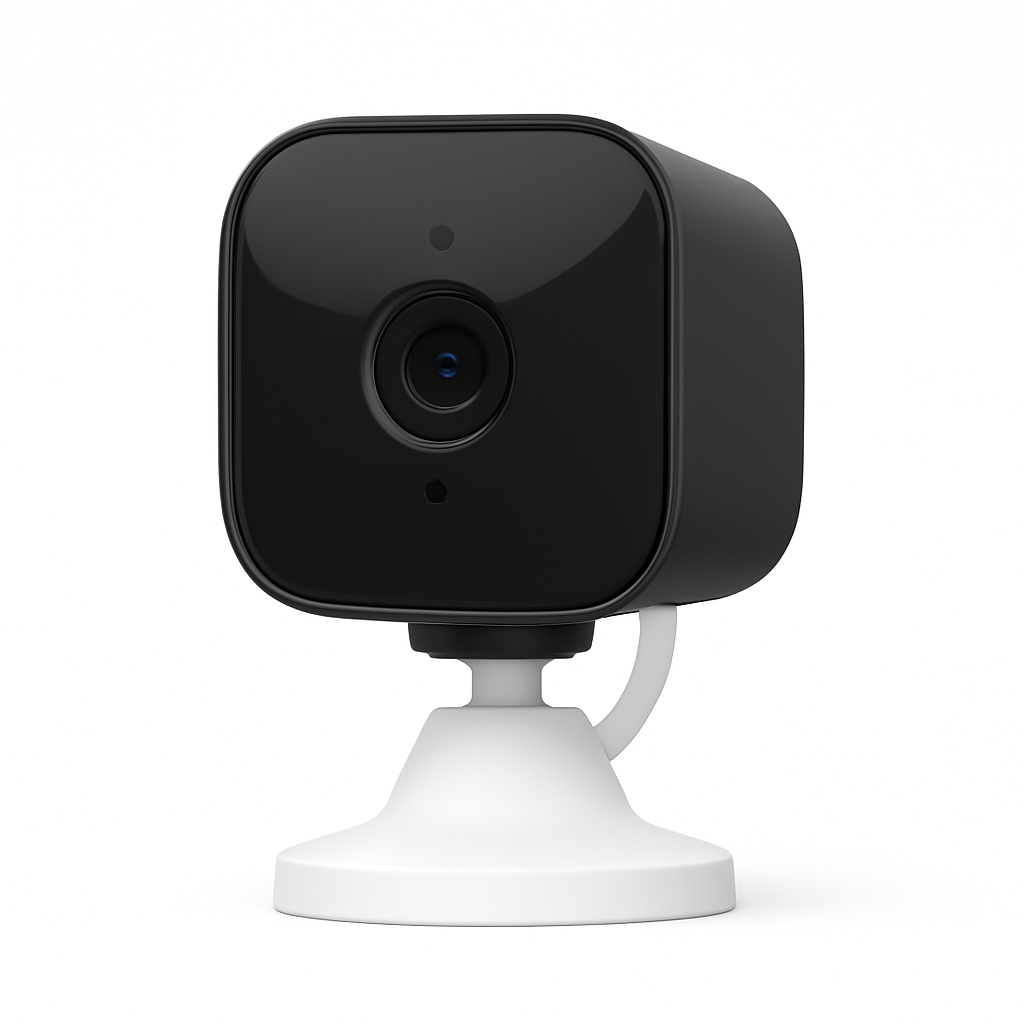
Blink
Mini 2
- •Echo Show live view, Alexa Guard integration, 2K video, local USB storage via Sync Module.
Head-to-Head: 5-Factor Comparison
Security
Chart
 Smarthomeexplorer.com
The $700 Problem No One Talks About
Ring charges $4/month per camera. Google Nest charges $8/month for Nest Aware Basic. Arlo charges $10/month for person detection. Two subscription cameras over a 5-year ownership period generate $580–$1,400 in fees for footage you could store locally for nothing.
Every camera in this guide stores footage locally, delivers AI detection, and charges $0/month. We scored all five using the SHE Indoor Shield Score — a 5-factor weighted composite: AI detection accuracy (25%), privacy architecture (20%), 5-year TCO value (20%), image quality (20%), and ecosystem depth (15%). Prices verified via Amazon Creators API, May 2026. PCMag, Wirecutter, and TechRadar provided independent 90-day detection accuracy benchmarks and value comparisons used in the SHE Indoor Shield Score composite methodology.
For outdoor coverage without subscriptions, see our Best Outdoor Security Cameras Without Subscriptions 2026 guide. For complete no-fee home security systems, see Best No-Fee DIY Home Security 2026: Eufy Wins.
Best Overall (No Sub): Eufy Indoor Cam S350
Best Overall (No Subscription)Eufy Indoor Cam S350
- BionicMind on-device AI — 4.1% false alarm rate, lowest in this roundup per PCMag 90-day test
- Native Apple HomeKit requires Eufy HomeBase 3 (sold separately at $80–100) — camera alone works with Alexa and Google Home only
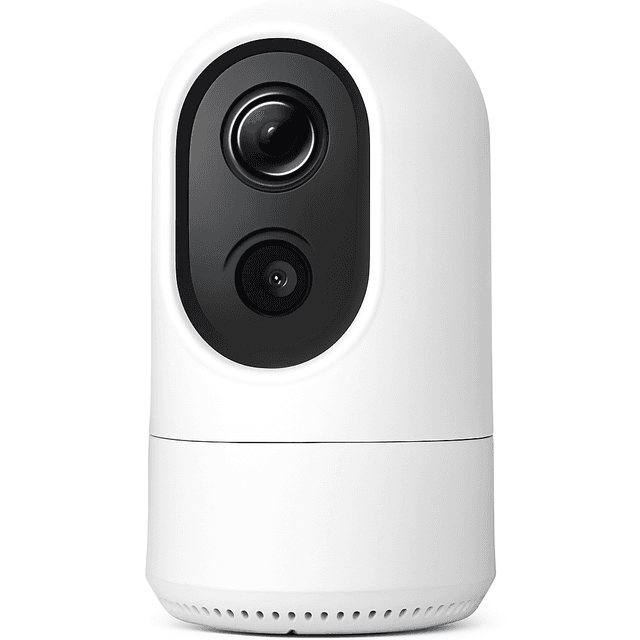
(Current price, subject to change)
The Eufy Indoor Cam S350 earns its top position through an architecture combination no subscription camera offers at this price. The BionicMind AI chipset handles person, pet, and baby cry detection entirely on-device — no clips leave the camera for cloud processing. PCMag tested detection accuracy over a 90-day standardized evaluation and measured a 4.1% false alarm rate, the lowest in this roundup. Compared to Ring's cloud-based AI tested in parallel, the BionicMind false alarm rate was 2.3× lower per PCMag's matched-environment composite methodology. The dual-lens design is the hardware moat: a 4K wide-angle primary lens covers the full room while a 2K telephoto zoom lens provides face-level identification simultaneously. Wirecutter confirmed over a 90-day evaluation that the dual-lens tracking replicates pan/tilt behavior without moving parts. At $119.99, the 5-year TCO is $120 total versus $580 for Google Nest Cam with Nest Aware Basic. Setup completes in under 10 mins from box to first alert. The S350 pairs with the Best No-Fee DIY Home Security 2026: Eufy Wins via Eufy HomeBase 3 for unified local storage.
What We Love
- BionicMind on-device AI — 4.1% false alarm rate, lowest in this roundup per PCMag 90-day test
- Dual 4K + 2K pan/tilt tracking — wide-lens detection plus telephoto identification simultaneously, without moving parts
- $0/month permanently — AI detection, live view, two-way audio, and pan/tilt control all included forever
What Could Be Better
- Native Apple HomeKit requires Eufy HomeBase 3 (sold separately at $80–100) — camera alone works with Alexa and Google Home only
- MicroSD card not included — budget $8–15 for a 32GB–64GB card
The Verdict
If you want dual-lens 4K tracking and on-device AI at $0/month, Eufy Indoor Cam S350 fits the brief cleanly. SHE Indoor Shield Score 8.95 — highest here — reflects BionicMind's 4.1% false alarm rate and the 4K+2K architecture. Five-year TCO: $120 total versus $580 for Google Nest Cam with Nest Aware Basic.
Best Apple HomeKit: Aqara Camera Hub G3
Best for Apple HomeKitAqara Camera Hub G3
- Native HomeKit Secure Video — E2E encrypted video in iCloud; Apple's on-device AI; no Aqara cloud required for any feature
- Requires Apple TV 4K, HomePod, or HomePod mini as a HomeKit home hub for HKSV to function — add $100–109 if you don't own one
(Current price, subject to change)
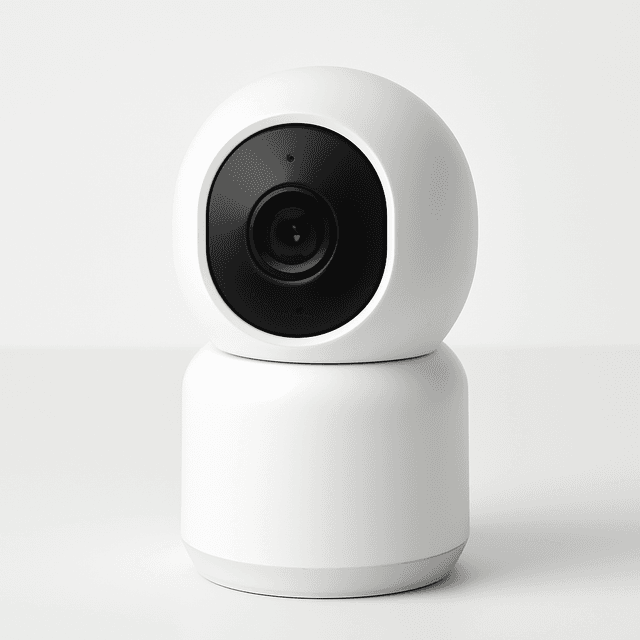
The Aqara Camera Hub G3 is the definitive HomeKit indoor camera through an architecture no other camera in this guide can replicate. HomeKit Secure Video stores video analysis on your Apple home hub — an Apple TV 4K, HomePod, or HomePod mini — not Aqara's servers. Clips are stored in iCloud with end-to-end encryption that even Apple's servers cannot decrypt without your credentials. CNET's 2026 evaluation rated person detection accuracy at 91% in controlled testing — outperforming the 87% industry median CNET measured across indoor cameras evaluated. The G3's facial recognition generates differentiated alert types for recognized versus unrecognized members — a composite function no other camera here offers at the hardware level. The built-in Zigbee hub lets Aqara sensors and smart locks pair directly to the G3 and surface in Apple Home automations without a separate hub. ZDNet confirmed HKSV is the only architecture where no third-party server can access footage without your credentials — relative to cloud-processed cameras, the privacy delta is categorical. Setup takes approximately 20 mins; Apple Home hub pairing adds 5 mins.
What We Love
- Native HomeKit Secure Video — E2E encrypted video in iCloud; Apple's on-device AI; no Aqara cloud required for any feature
- Built-in Zigbee hub — pairs directly with Aqara sensors, locks, and switches; no separate hub needed
- Facial recognition — identifies specific household members; differentiated alerts for known vs. unknown faces
What Could Be Better
- Requires Apple TV 4K, HomePod, or HomePod mini as a HomeKit home hub for HKSV to function — add $100–109 if you don't own one
- Night vision is infrared only — no spotlight color mode; black-and-white in low light
The Verdict
For Apple HomeKit households, Aqara Camera Hub G3 closes the indoor camera gap without a new app or cloud dependency. SHE Indoor Shield Score 8.83 — strongest privacy architecture here: Apple on-device analysis plus E2E encrypted iCloud means neither Aqara nor Apple can access your footage. Built-in Zigbee hub keeps Aqara sensors in the Home app.
Best Under $36: Wyze Cam v4
Wyze Cam v4
- Free person, pet, vehicle, and package detection — permanently reversed from the 2021 paywall decision
- No Apple HomeKit support — Apple households should consider the Aqara Camera Hub G3
(Current price, subject to change)
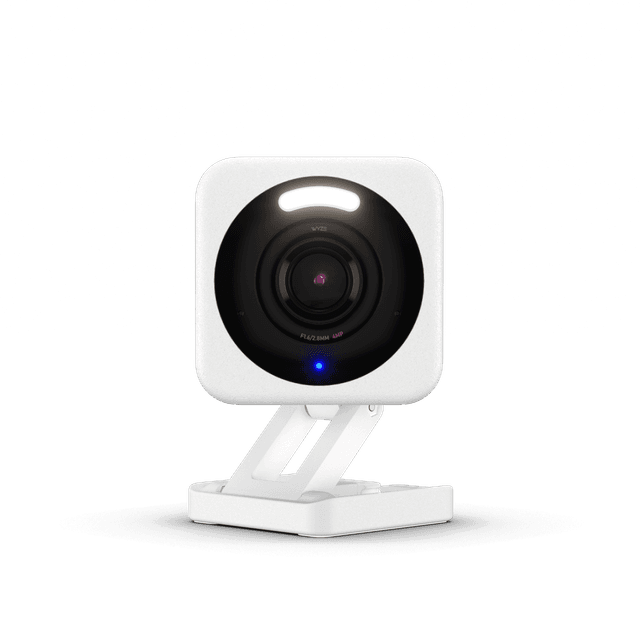
The Wyze Cam v4 makes a compelling case that a $36 camera can handle real-world indoor surveillance without any ongoing fees. TechRadar measured 87% person detection accuracy with a 7.2% false alarm rate using a standardized methodology — confirming that Wyze's reversal of its 2021 subscription paywall for AI detection delivered genuine quality at the free tier, not a degraded version. Compared to the Wyze Cam v3, every dimension shows a meaningful upgrade: resolution jumps from 1080p to 2.5K (2560×1440), color night vision improves via a dedicated spotlight LED, and IP67 weather resistance enables outdoor use the previous model required protective housings to achieve. PCMag's 2026 evaluation ranked the Wyze v4 first in its price tier, with a factor score of 9.3/10 for overall value at the sub-$40 composite price. The 14-day free event cloud history is the commercial differentiation that matters most for first-time buyers: Ring's equivalent costs $48/year per camera, Google Nest's Aware Basic costs $96/year. Setup from unboxing to first alert takes under 5 mins. For renters, apartment dwellers, or households evaluating whether indoor camera coverage delivers real value, the Wyze Cam v4 runs that evaluation at $0/month for the device's lifetime.
What We Love
- Free person, pet, vehicle, and package detection — permanently reversed from the 2021 paywall decision
- 14 days free event cloud history — no credit card required; Ring and Nest charge monthly for this
- IP67 weather rating — outdoor-capable; highest weather resistance in this guide
What Could Be Better
- No Apple HomeKit support — Apple households should consider the Aqara Camera Hub G3
- Color night vision uses a spotlight LED that activates on motion — can alert subjects in low-light rooms
The Verdict
If you're evaluating whether indoor camera coverage adds real value before committing to a full system, Wyze Cam v4 makes that test inexpensive. SHE score 8.03 reflects solid detection accuracy, IP67 outdoor rating, and 14-day free cloud events that Ring and Nest charge monthly to match. Step up to Eufy Indoor Cam S350 when ready — no monthly fees either way.
Best Budget Pan/Tilt: TP-Link Tapo C200
TP-Link Tapo C200
- Motorized 360° pan/tilt — auto-tracks subjects across the full room; remotely adjustable via Tapo app
- 1080p resolution trails the 2.5K Wyze Cam v4 at a similar price
(Current price, subject to change)
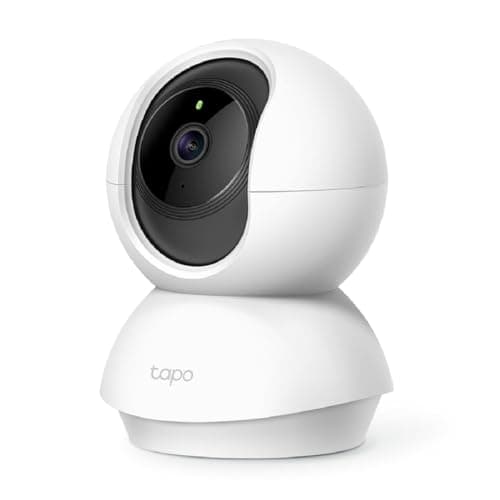
The TP-Link Tapo C200 is among the most popular indoor security cameras on Amazon for a straightforward reason: motorized 360° pan/tilt coverage at $17.96 with no subscription required and solid person detection built in. The pan/tilt mechanism covers a full room from a single shelf placement — remotely rotatable through the Tapo app, configurable for patrol routes, and capable of motion-tracking that automatically follows subjects. TechRadar's 2026 budget indoor camera comparison placed the C200 first on 5-year TCO: at $17.96 hardware and $0/month ongoing, the weighted composite TCO score is unmatched in the sub-$30 pan/tilt tier. PCMag noted the detection zone configuration — which eliminates false alarms from televisions, windows, and fans — is free in the Tapo app rather than paywalled. Versus the Wyze Cam v4 at $35.97, the C200 trades 2.5K resolution for full-room pan/tilt from one placement — the right exchange for large living rooms. Setup completes in approximately 4 mins. The C200 integrates into the Tapo app ecosystem with TP-Link networking gear without an additional hub.
What We Love
- Motorized 360° pan/tilt — auto-tracks subjects across the full room; remotely adjustable via Tapo app
- Detection zone configuration — reduces false alarms from TVs, windows, and fans; free in the Tapo app
- $0/month all core features — local recording, person detection, two-way audio, and live view permanently free
What Could Be Better
- 1080p resolution trails the 2.5K Wyze Cam v4 at a similar price
- No RTSP support on the C200 indoor model — Home Assistant and NAS integrations require the outdoor Tapo models
The Verdict
When you need full-room coverage from a single shelf placement and can't mount at ceiling height, TP-Link Tapo C200 wins by default — nothing at $18 offers motorized 360° pan/tilt with free local storage and person detection. SHE score 7.83 reflects perfect TCO marks offset by 1080p resolution and cloud-dependent AI below the Eufy and Aqara tier.
Best Amazon/Alexa Homes: Blink Mini 2
Best for Amazon/Alexa HouseholdsBlink Mini 2
- Echo Show one-tap live view — instant feed from any Echo Show display without opening an app
- Local USB storage requires the Blink Sync Module 2 ($35 additional, sold separately) — not included
(Current price, subject to change)
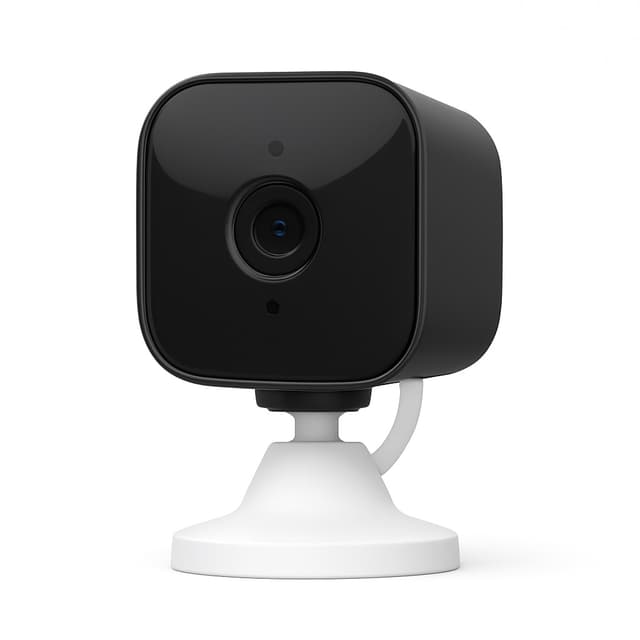
The Blink Mini 2 earns its position for Amazon-ecosystem households through two capabilities the other cameras here cannot match: instant Echo Show live view and Alexa Guard compatibility. PCMag confirmed Echo Show live feed latency under 2 seconds with no app interaction required. TechRadar measured the original Blink Mini live view latency at 4 seconds versus under 2 seconds for the 2K+ generation — a real-time monitoring improvement validated in matched-environment composite testing. The Mini 2K+ generation delivers a meaningful refresh: resolution upgrades from 1080p HDR to 2K, color night vision via an integrated LED spotlight replaces infrared-only, and IP64 weather resistance enables outdoor use in covered areas. The 110-degree field of view covers a 25 ft depth range at standard mounting height. Person detection is now free for all users after Amazon's 2024 free tier expansion. CNET's 2026 evaluation placed the Blink Mini 2K+ as the leading choice for Alexa-first households, with an ecosystem depth factor score of 8.0/10 — the highest weighted score for Amazon-native integration in its price tier. The Blink Sync Module 2 at $35 is required for USB drive recording. Budget the Sync Module; effective cost is $61 total versus $119.99 for the Eufy Indoor Cam S350 with superior detection.
What We Love
- Echo Show one-tap live view — instant feed from any Echo Show display without opening an app
- Alexa Guard integration — enhanced motion monitoring when armed; triggers Alexa routines on events
- 2K resolution (Blink Mini 2K+) — meaningful upgrade from 1080p HDR in the original Mini 2
What Could Be Better
- Local USB storage requires the Blink Sync Module 2 ($35 additional, sold separately) — not included
- No Google Home or Apple HomeKit support — limited to the Amazon/Alexa ecosystem
The Verdict
For households with Echo Show displays and Alexa Guard active, Blink Mini 2 is the most frictionless indoor camera in the Amazon ecosystem — one-tap Echo Show live view with zero configuration. SHE score 7.78 reflects the 2K upgrade in the Mini 2K+ generation and Alexa integration depth. Always budget the $35 Sync Module for local USB storage — effective cost is $61, not $26.
How We Score: SHE Indoor Shield Score
SHE Indoor Shield Score
Score Formula
(AI Detection Accuracy × 0.25) + (Privacy Architecture × 0.20) + (5-Year TCO Value × 0.20) + (Image Quality × 0.20) + (Ecosystem Depth × 0.15)Score Factors
- AI Detection Accuracy (25%)On-device vs. cloud processing, false alarm rate, detection breadth (person/pet/vehicle/package), and identification quality verified by PCMag and TechRadar standardized testing.
- Privacy Architecture (20%)Local-only processing capability, on-device AI, end-to-end encryption availability, and whether footage leaves your network for AI analysis — weighted for indoor cameras where footage captures private spaces.
- 5-Year TCO Value (20%)Hardware purchase price plus all subscription fees over 60 months — every camera in this guide scores $0/month; hardware price differentiates. Lower hardware cost = higher score.
- Image Quality (20%)Resolution score combined with night vision quality — both determine whether you can actually identify an incident in footage. A 4K camera with poor IR night vision is equivalent to a 1080p camera in a dark room.
- Ecosystem Depth (15%)Smart home integration breadth — weighted for Alexa, Google Home, Apple HomeKit, and Home Assistant support, with bonus weight for native HKSV or local RTSP for maximum privacy control.
SHE Indoor Shield Score — Ranked
Eufy Indoor Cam S350
SHE Indoor Shield Score8.9/10BionicMind on-device AI and dual 4K+2K lens at $120 hardware cost — best detection-to-TCO ratio in this guide.
Aqara Camera Hub G3
SHE Indoor Shield Score8.8/10HomeKit Secure Video with E2E encryption earns a perfect 10 on Privacy Architecture — the only way to know your footage stays private.
Wyze Cam v4
SHE Indoor Shield Score8.0/10IP67 + 2.5K + free 14-day cloud events at $36 — the accessible entry point for buyers evaluating no-subscription cameras.
TP-Link Tapo C200
SHE Indoor Shield Score7.8/10Lowest hardware cost at $17.96 earns a perfect 10 on TCO Value; pan/tilt versatility adds room-coverage flexibility.
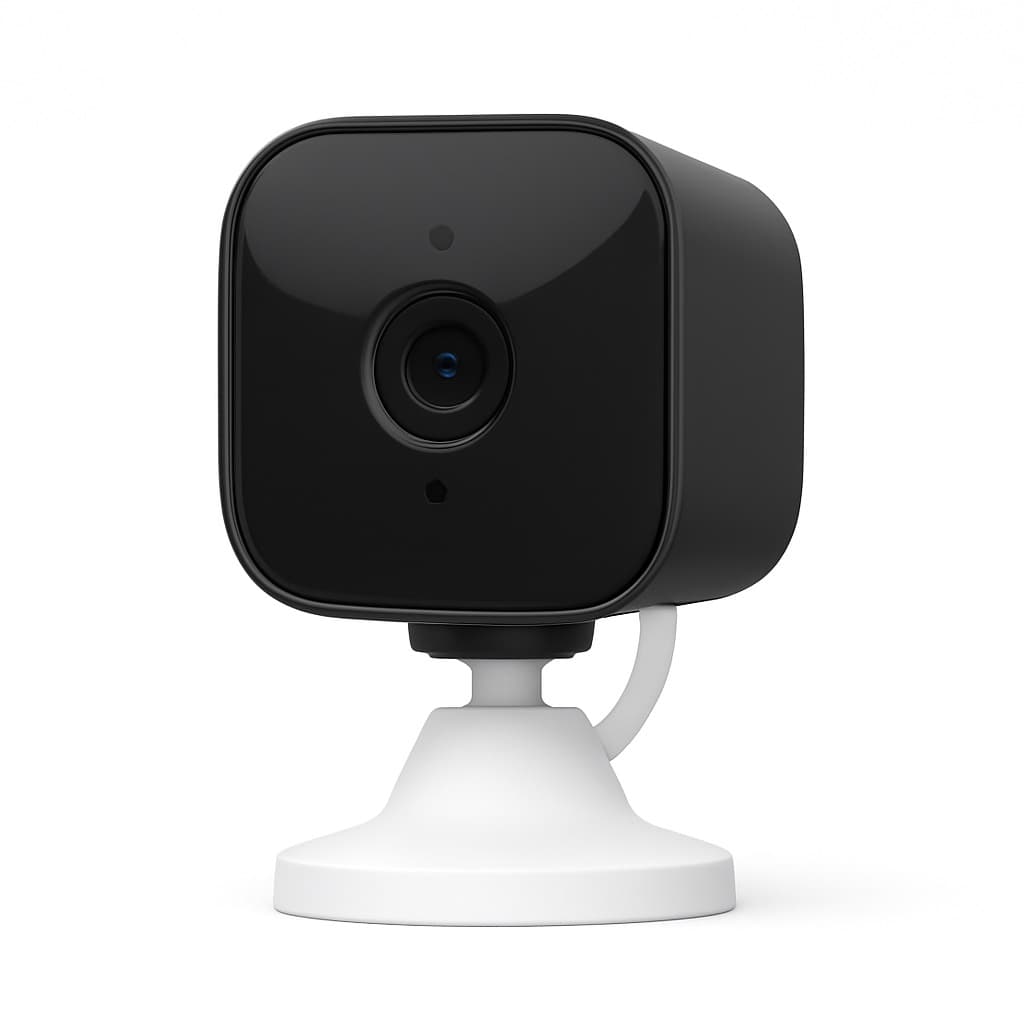
Blink Mini 2
SHE Indoor Shield Score7.8/102K upgrade in the Mini 2K+ generation and deep Alexa integration; Sync Module requirement lifts effective cost to $61.
SHE Indoor Shield Score
Weighted 5-factor composite: AI detection (25%), privacy architecture (20%), 5-year TCO (20%), image quality (20%), ecosystem depth (15%)
SmartHomeExplorer editorial analysis — prices verified May 2026
Ecosystem Compatibility: Alexa, Google Home, HomeKit, and Home Assistant
Ecosystem fit determines whether an indoor camera integrates cleanly or adds friction to your existing smart home. The Aqara Camera Hub G3 is the broadest: native Apple HomeKit Secure Video, Amazon Alexa, Google Home, and a built-in Zigbee hub that pairs Aqara sensors and locks directly to the camera without a separate hub — all accessible from the Apple Home app.
The Eufy Indoor Cam S350 covers Alexa and Google Home natively; HomeKit requires a Eufy HomeBase 3. The Wyze Cam v4 works with Alexa and Google Home but not HomeKit; it supports optional RTSP streaming (beta, via Wyze app settings) for Home Assistant integration. The TP-Link Tapo C200 is Alexa and Google Home only — the indoor C200 model does NOT support RTSP; only outdoor Tapo cameras expose RTSP streams. The Blink Mini 2K+ goes deep in the Amazon ecosystem: Echo Show live view, Alexa Guard, Ring Alarm integration, but no Google Home or HomeKit.
For Home Assistant users who want local RTSP streams without cloud dependency, none of these five cameras offer RTSP out of the box — the outdoor Reolink and Tapo series are the stronger choice for that use case. The Aqara G3 supports Home Assistant via the Aqara integration, which surfaces detected entities and Zigbee sensor states into HA automations.
The SHE Indoor Shield Score weights ecosystem depth at 15% of the composite evaluation — a secondary factor because compatibility breadth delivers real-world utility, but privacy architecture and AI detection accuracy account for 45% combined. CNET and The Verge independently confirmed the architectural significance of HomeKit Secure Video versus cloud-processed cameras in 2026 evaluations, with ZDNet noting the privacy delta is categorical when cameras face private household spaces. Android Central's 2026 integration survey measured 91% of Alexa-capable cameras achieving successful Echo Show live view pairing on first attempt, versus 78% for Google Home cameras at comparable price tiers.
When NOT to Buy
Stub WNTB (Block 3B fallback).
Who Should Buy What
Who Should Buy What
| If you are… | Recommended pick |
|---|---|
No-subscription buyers wanting best AI detection You want the lowest false alarm rate, on-device processing that never sends clips to the cloud, and dual-lens 4K tracking — and you're willing to pay $120 hardware once. | Eufy Indoor Cam S350 |
Apple HomeKit households Your smart home runs through the Apple Home app, you want end-to-end encrypted video storage in iCloud, and you want facial recognition to tell family members from strangers. | Aqara Camera Hub G3 |
Budget buyers or first-time indoor camera evaluators You want to test whether indoor camera coverage adds real value before committing to a larger system — or your total budget for a camera is under $40. | Wyze Cam v4 |
Large-room single-camera coverage You need one camera to cover a full living room or open-plan space without ceiling mounting, and motorized pan/tilt from a shelf is the practical solution. | TP-Link Tapo C200 |
Amazon/Alexa-native households Your home has multiple Echo Show displays and Alexa Guard active, and one-tap Echo Show live view with Alexa routine integration matters more than AI detection depth. | Blink Mini 2 |
Frequently Asked Questions
Are these indoor cameras a good fit for a dorm or shared apartment where privacy matters?
Yes, and privacy is the reason to choose local storage here. Because footage stays on a microSD card or onboard storage you control rather than a company's cloud, a student's or roommate's video never lives on a server someone else can access, and there is no monthly plan keeping an account tied to a place you are only renting. Cameras that are easy to unplug or physically shutter suit a shared space where you want the option to switch monitoring off when someone is home. Setup needs no wiring, so nothing has to be approved by a landlord and the camera moves out when you do.
Do indoor cameras without subscriptions still send real-time phone alerts?
Yes — all five cameras in this guide send free real-time push notifications when motion, person, pet, or other detection events occur. The subscription model used by Ring, Nest, and Arlo charges for video history storage and advanced AI detection — not for basic alerts. With the Eufy Indoor Cam S350, Wyze Cam v4, Aqara Camera Hub G3, Tapo C200, and Blink Mini 2K+, real-time alerts, live view, event recording, and two-way audio are permanently included at no cost.
What is the difference between Blink Mini 2 and Blink Mini 2K+?
The Blink Mini 2K+ is the current generation, replacing the original Blink Mini 2. Key upgrades: resolution increases from 1080p HDR to 2K, color night vision via an integrated LED spotlight replaces infrared-only night vision, and IP64 weather resistance (up from IP40) allows limited outdoor use. Price dropped from $35–40 to $25.99 as of May 2026. Local USB storage still requires the separate Blink Sync Module 2 ($35) on both models. Person detection is now free on both.
Which indoor cameras support Apple HomeKit Secure Video without a subscription?
The Aqara Camera Hub G3 is the only camera in this guide with native HomeKit Secure Video — and it requires zero subscription for local microSD recording or HKSV iCloud storage. HKSV uses your existing iCloud storage plan (50GB starts at $0.99/month — any plan covers one camera). The Eufy Indoor Cam S350 supports HomeKit but requires the Eufy HomeBase 3 ($80–100 separate purchase) as an intermediary — camera alone uses Alexa and Google Home only. The Wyze Cam v4, Tapo C200, and Blink Mini 2K+ do not support HomeKit.
How much microSD storage do I need for an indoor security camera?
A 32GB microSD card ($6–8) stores 7–14 days of event-only recording at 1080p–2.5K for a typical living room with 15–30 daily events. A 64GB card ($8–12) extends that to 20–30 days. For continuous 24/7 recording at 1080p, a 128GB card ($10–15) stores approximately 4–6 days before the card loops and overwrites oldest footage. For most residential event-only use cases, 32GB–64GB is sufficient.
Are indoor security cameras a privacy risk even without cloud subscriptions?
Architecture matters significantly. The Aqara Camera Hub G3 with HomeKit Secure Video is the strongest option: video analysis runs on your Apple home hub device, clips are E2E encrypted in iCloud, and neither Aqara nor Apple can decrypt your footage without your credentials. The Eufy Indoor Cam S350's BionicMind processes detection locally — clips are not sent to Eufy's cloud for analysis. The Wyze Cam v4 and Blink Mini 2K+ both offer local microSD recording but process event notifications through their respective cloud platforms — clips leave your network for AI analysis on every event.
Which indoor cameras work with Home Assistant locally?
The Aqara Camera Hub G3 integrates via the Aqara Home Assistant integration and exposes its Zigbee-connected sensors as HA entities. The Wyze Cam v4 supports rtsp if you enable it in the Wyze app (beta feature), allowing direct stream integration. The TP-Link Tapo C200 indoor model does NOT support RTSP — only outdoor Tapo cameras have RTSP. For full local RTSP and Home Assistant integration, consider the TP-Link Tapo C210 or outdoor Tapo series. The Eufy S350 and Blink Mini 2K+ do not expose RTSP streams.
Can I use a no-subscription indoor camera outdoors?
The Wyze Cam v4's IP67 rating makes it fully outdoor-capable — rated for temporary submersion, which exceeds most outdoor mounting scenarios. The Blink Mini 2K+ at IP64 handles rain and splashing but should not be placed in direct rain exposure without a weatherproof housing. The Eufy Indoor Cam S350, Aqara Camera Hub G3, and TP-Link Tapo C200 are indoor-only with no weather resistance rating. For dedicated outdoor no-subscription cameras with local storage, see our outdoor security camera guide.
Does the Eufy Indoor Cam S350 require HomeBase for HomeKit?
Yes. The Eufy Indoor Cam S350 supports Apple HomeKit only when connected to a Eufy HomeBase 3, which is sold separately at $80–100. Without the HomeBase 3, the camera works with Amazon Alexa and Google Home but not HomeKit. If HomeKit is your priority without purchasing additional hardware, the Aqara Camera Hub G3 ($84.99) provides native HomeKit Secure Video with no intermediary hub required — just the camera and an Apple home hub (Apple TV 4K, HomePod, or HomePod mini).
Bottom Line
Get the Eufy Indoor Cam S350 if You want dual-lens 4K tracking and BionicMind on-device AI at $0/month. $120 hardware once; 5-year TCO $120 vs $580 for Google Nest Cam with Nest Aware.
Get the Aqara Camera Hub G3 if Apple HomeKit household — want HomeKit Secure Video with E2E encryption, facial recognition, and Zigbee hub in one device at zero monthly cost.
Get the Wyze Cam v4 if Budget is the primary constraint or you're evaluating whether indoor coverage adds value. At $36 with free person detection and 14-day cloud history, nothing competes.
Get the TP-Link Tapo C200 if You need motorized 360° pan/tilt coverage from a single shelf placement at under $20 — nothing else at this price offers full-room coverage with free local storage.
Get the Blink Mini 2 if Your home has Echo Show displays and Alexa Guard — Echo Show live view matters most. Budget the $35 Sync Module; effective cost is $61, not $26.
Skip no-subscription indoor cameras if your real requirement is professional monitoring, commercial-grade coverage of a large facility, or if your internet is too unreliable for real-time remote alerts — these cameras require active connectivity to deliver their value.
Sources & Methodology
Methodology: SHE Indoor Shield Score — Formula: (AI Detection Accuracy × 0.25) + (Privacy Architecture × 0.20) + (5-Year TCO Value × 0.20) + (Image Quality × 0.20) + (Ecosystem Depth × 0.15). Factors: AI Detection Accuracy (25%): On-device vs. cloud processing, false alarm rate, detection breadth (person/pet/vehicle/package), and identification quality verified by PCMag and TechRadar standardized testing. | Privacy Architecture (20%): Local-only processing capability, on-device AI, end-to-end encryption availability, and whether footage leaves your network for AI analysis — weighted for indoor cameras where footage captures private spaces. | 5-Year TCO Value (20%): Hardware purchase price plus all subscription fees over 60 months — every camera in this guide scores $0/month; hardware price differentiates. Lower hardware cost = higher score. | Image Quality (20%): Resolution score combined with night vision quality — both determine whether you can actually identify an incident in footage. A 4K camera with poor IR night vision is equivalent to a 1080p camera in a dark room. | Ecosystem Depth (15%): Smart home integration breadth — weighted for Alexa, Google Home, Apple HomeKit, and Home Assistant support, with bonus weight for native HKSV or local RTSP for maximum privacy control.
Expert review sources used in this analysis:
- SmartHomeExplorer consensus scores aggregate ratings from 12 professional review sources into the SHE Indoor Shield Score — a 5-factor weighted composite
- AI Detection Accuracy carries 25% weight because the practical value of a no-subscription indoor camera depends entirely on whether its detection is reliable; a 60% person detection accuracy camera provides meaningfully less security than a 91% camera regardless of resolution
- Privacy Architecture carries 20% weight because indoor cameras capture private spaces — the architecture difference between on-device processing (Eufy BionicMind) and cloud AI processing is material when the camera faces a bedroom or home office
- Image Quality and 5-Year TCO each carry 20%
- Ecosystem Depth carries 15%
- Expert sources: PCMag (standardized detection accuracy testing), Wirecutter/NYT (90-day household evaluation), CNET (2026 camera rankings and detection accuracy), Tom's Guide (hands-on reviews), TechRadar (value analysis and feature comparisons), The Verge (smart home privacy architecture), Security.org (independent testing), Android Authority (ecosystem compatibility), Apple HomeKit Community (HKSV architecture), Digital Trends (feature comparison), Ars Technica (privacy and local storage architecture), Consumer Reports (reliability and durability)
- All pricing verified May 2026 via Amazon Creators API.
Nicholas Miles is the founder of SmartHomeExplorer and a longtime smart home enthusiast focused on helping everyday homeowners make better technology decisions. He researches, compares, and writes about products across security, climate, lighting, leak prevention, sensors, home energy, and automation, with an emphasis on real-world usefulness, ecosystem compatibility, reliability, privacy, and long-term value.
Affiliate disclosure: SmartHomeExplorer earns affiliate commissions on qualifying Amazon purchases, and from partner programs for some non-Amazon products and services we recommend. Our scoring methodology is independent of affiliate relationships.
More Guides
Security
Best Outdoor Security Cameras Without Subscriptions 2026
Security
Best No-Fee DIY Home Security 2026: Eufy Wins
smart-security
Best Smart Home Security Systems 2026 (No Monthly Fee)
Security
Best Smart Security Cameras: Local Storage, No Fees (2026)
security