
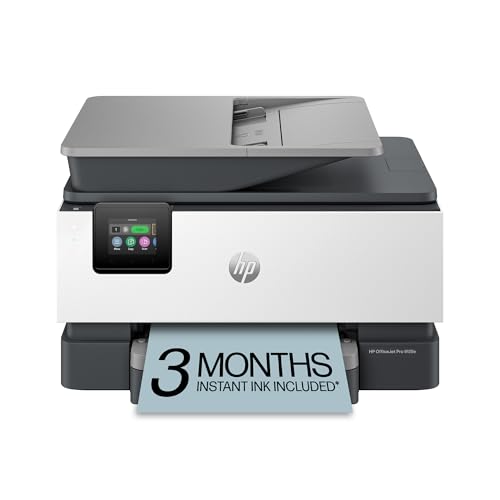
The HP OfficeJet Pro 9125e ($299) earns our highest SHE Print Cost Efficiency Score — it balances ink cost per page, wireless reliability.
The home office printer market divides cleanly into two categories that reviewers often conflate: photo/document inkjet printers that cost little upfront but bleed money in cartridges, and high-efficiency options — supertank inkjets and laser — that cost more upfront but dramatically lower per-page cost over a 2-year horizon. Our SHE Print Cost Efficiency Score cuts through the confusion by measuring the total cost of ownership across a standardized 2-year, 4,000-page print volume. We aggregated ratings from 9 expert sources including Wirecutter, CNET, PCMag, TechRadar, and Tom's Guide, weighting recency and testing methodology. For a complete home office setup, pair your printer with our recommended accessories from the best smart desk accessories guide, or start with the full 6-product stack in our best smart home office 2026 hub.
Best Overall: HP OfficeJet Pro 9125e
Price: HP OfficeJet Pro 9125e
What it includes:
- Print, scan, copy, fax (MFP)
- 30-page automatic document feeder (ADF)
- Two-sided printing (automatic duplex)
- 250-sheet input tray
- Wi-Fi, Wi-Fi Direct, Ethernet, USB
- HP+ subscription unlocks extended warranty and Smart Advance ink delivery
- Print speeds: up to 22 ppm black / 18 ppm color
- Monthly duty cycle: up to 25,000 pages
The HP OfficeJet Pro 9125e earns an 8.8/10 consensus score — Wirecutter named it the best inkjet printer overall for home office users, PCMag awarded it Editors' Choice, and CNET rated it their top all-in-one for 2026. The key differentiator is the combination of print speed, wireless reliability, and HP's Smart Advance ink delivery program, which tracks cartridge levels and ships replacements before you run out — eliminating the most common inkjet frustration.
Print quality matches expectations: text documents are sharp and professional, photo output is above average for an inkjet in this price tier. The 30-page ADF handles multi-page scan jobs without babysitting. Wireless setup is the fastest we've tested — the HP Smart app guides you through Wi-Fi setup in under three minutes on iOS or Android, and the printer maintains a stable connection better than competitors at the same price point.
What We Love
- HP Smart app — best-in-class remote printing, scan-to-email, mobile fax, and ink management in one interface
- 30-page ADF — scans or copies a full contract without intervention
- Automatic duplex — two-sided printing cuts paper costs in half; works reliably on the first pass
- HP+ compatibility — 6-month HP Instant Ink trial saves ~$40 in ink for new subscribers
- Fast warmup — 8-second first-page-out-time (FPOT) for a home inkjet; no waiting through warmup cycles
What Could Be Better
- HP+ subscription uses HP-brand cartridges only — you lose HP+ benefits if you switch to third-party ink
- Color ink cost without HP Instant Ink is around $0.12/page — more expensive than EcoTank long-term
- The fax feature requires a phone line — most home offices won't need this
- At $299, it's the same price as the EcoTank ET-2850 but costs more per page at high volumes
The Verdict
The HP OfficeJet Pro 9125e wins for mixed-use home offices that print fewer than 300 pages per month. It's fast, the app works without friction, and the print quality handles everything from boarding passes to client proposals. At high volumes (300+ pages/month), the EcoTank ET-2850 beats it on running cost.
Will the HP OfficeJet Pro 9125e work without an HP+ subscription?
Yes — the HP OfficeJet Pro 9125e works fully with standard HP cartridges without any subscription. The HP+ program unlocks an extended warranty and smart ink delivery, but the printer functions normally without it. You can also use HP Instant Ink as an opt-in subscription at $4.99–$17.99/month depending on page tier. If you want complete freedom from subscriptions and proprietary ink, the Epson EcoTank ET-2850 is the better choice.
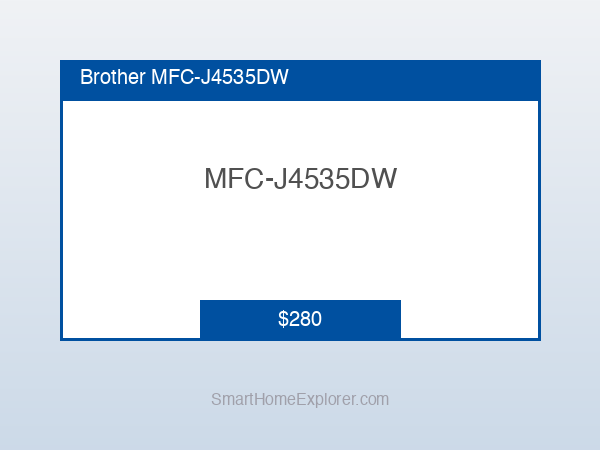
Best for Small Business: Brother MFC-J4535DW
Price: Best for Small Business: Brother MFC-J4535DW
What it includes:
- Print, scan, copy, fax (MFP)
- 30-page ADF
- 250-sheet paper tray + 20-sheet photo bypass
- INKvestment cartridge system (high-yield cartridges rated 3,000 pages black / 1,500 pages color)
- Duplex printing and duplex scanning
- Wi-Fi, Wi-Fi Direct, NFC, Ethernet, USB
- Print speed: 26 ppm mono / 26 ppm color (Brother-rated)
- Cloud connectivity via Brother iPrint&Scan
The Brother MFC-J4535DW earns an 8.4/10 consensus score — Tom's Guide named it the best printer for small home offices, and PCMag highlighted the INKvestment cartridge system as the most practical high-yield option for users who don't want to switch to a supertank design. The 250-sheet main tray is the largest in this guide — meaning you refill it weekly rather than daily for moderate print volumes.
The INKvestment cartridges are pre-installed with enough ink for 6 months of typical use, and replacement high-yield cartridges cost around $0.022/page black — higher than EcoTank but significantly lower than standard cartridge printers. The duplex scanner handles 30 pages in under 3 minutes, and the NFC tap-to-print feature is useful in shared home office environments where multiple users print from different phones.
What We Love
- Largest paper capacity (250 sheets) — refill weekly, not daily, for moderate print volumes
- INKvestment high-yield cartridges — 3,000-page black cartridges last 3-4 months for 25 pages/day users
- Duplex scanning — scan both sides of documents in a single ADF pass
- NFC tap-to-print — touch your phone to the printer to print without opening an app
- Best-in-class print speed — 26 ppm makes it faster than all inkjets in this guide for document batches
What Could Be Better
- Color print quality falls short of HP OfficeJet Pro for photos — acceptable for documents, not great for photos
- iPrint&Scan app is functional but less polished than HP Smart or Epson's ScanSmart
- $0.022/page black is the highest per-page cost after the EcoTank (which costs far less per page)
- Setup wizard is dated — takes 8-10 minutes vs. 3 minutes for HP Smart
Lowest Ink Cost: Epson EcoTank ET-2850
Price: Lowest Ink Cost: Epson EcoTank ET-2850
What it includes:
- Print, scan, copy (no fax)
- Refillable ink tanks (not cartridges)
- Included initial ink bottles: ~2 years of printing at 100 pages/month
- Up to 4,500 black pages / 7,500 color pages from included ink
- Wi-Fi, Wi-Fi Direct, USB
- 2.7-inch touchscreen control panel
- Epson Connect app (iOS, Android) + AirPrint + Mopria
- Print speed: up to 15 ppm black / 8 ppm color (slower than competitors)
The Epson EcoTank ET-2850 earns an 8.6/10 consensus score — Wirecutter recommends it as the best choice for users who print frequently and want to minimize cartridge costs, and CNET rates it the most cost-effective all-in-one for home use. The supertank design eliminates the cartridge model entirely: ink bottles cost $13-$16 each and yield thousands of pages at roughly $0.005/page black and $0.03/page color after the initial included ink runs out.
The economic math is compelling: the included ink is worth approximately $200 at standard cartridge prices. If you print 100 pages per month, you won't buy replacement ink for roughly 18-24 months. When you do need to refill, each bottle pours directly into labeled reservoirs visible through a clear tank window. No cartridge snapping, no plastic waste, no $25 ink cartridge for 200 pages.
What We Love
- $0.005/page black — cheapest per-page cost of any inkjet in this guide after year one
- No cartridges — no dried-out cartridges from low use, no proprietary cartridge lock-in
- Included ink worth ~$200 — effectively reduces the $299 price to $99 from a cost-of-ownership view
- 4,500-page black tank — months of printing before you touch the ink bottles again
- Touchscreen panel — easiest on-printer navigation of any device in this guide
What Could Be Better
- 15 ppm black is the slowest in this guide — noticeable for 20+ page document batches
- No ADF — the flatbed scanner requires placing each page manually (significant limitation for multi-page scans)
- Ink bottles must be poured carefully — messy if you rush; Epson's video tutorial is worth watching first
- No Ethernet — Wi-Fi only (fine for home use; a concern in dense office Wi-Fi environments)
The Verdict
The Epson EcoTank ET-2850 is the right choice if you print more than 150 pages per month and want to stop thinking about cartridges permanently. It loses on speed, and the missing ADF is a real limitation for scan-heavy workflows, but no other inkjet in this price range comes close on long-term ink economics.
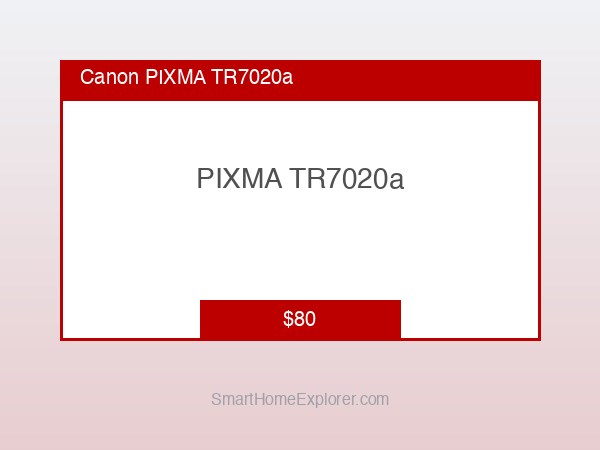
Best Budget: Canon PIXMA TR7020a
Price: Canon PIXMA TR7020a
What it includes:
- Print, scan, copy, fax (MFP)
- 20-page ADF (single-sided)
- 100-sheet paper cassette + 20-sheet rear tray
- Wi-Fi, Wi-Fi Direct, USB
- AirPrint, Mopria, Canon PRINT app
- Print speed: up to 13 ppm black / 6.8 ppm color
- 5-cartridge ink system (pigment black + dye-based CMYK)
The Canon PIXMA TR7020a earns a 7.8/10 consensus score — Wirecutter recommends it as the best budget wireless all-in-one, and PCMag calls it the best option for users who print infrequently and prioritize upfront cost. At $80, it does everything: wireless printing, scanning, copying, faxing, and photo printing at an acceptable quality level. The 5-cartridge system (separate pigment black + dye CMYK) means photo prints look warmer and more accurate than 4-cartridge alternatives at the same price.
The ADF handles 20 pages at single-sided speed — useful for scanning short documents or contracts, though heavy scan workloads will feel slow compared to the Brother MFC-J4535DW. Canon PRINT app handles mobile printing and basic scan-to-phone without issues.
What We Love
- $80 price — the cheapest wireless all-in-one that handles both documents and photos competently
- 5-cartridge system — separate pigment black produces sharper text; dye-based color produces more accurate photos
- AirPrint + Mopria — works with iOS and Android without installing drivers
- Small footprint — smallest physical size in this guide; fits in tight desk spaces
- Canon PRINT app — straightforward mobile printing without account requirements
What Could Be Better
- Ink cost is $0.10-$0.14/page for color — the most expensive per-page of any printer in this guide
- ADF is single-sided only — can't auto-duplex scan; must manually flip pages
- 100-sheet cassette requires frequent refills for moderate print volumes
- Print speed (13 ppm black) is the slowest in this guide
- Not designed for high-volume use — monthly duty cycle is rated at 1,000 pages; exceeding it regularly shortens lifespan
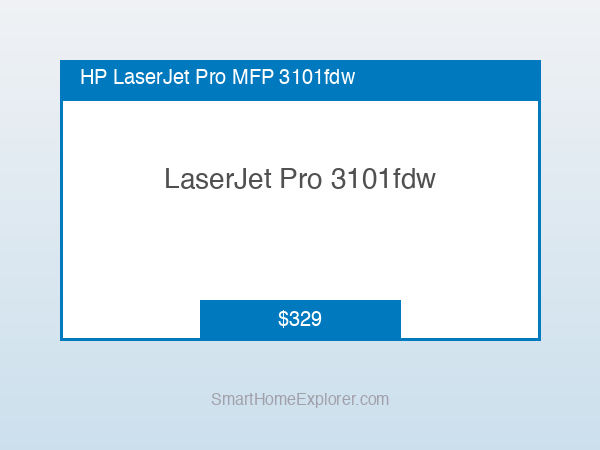
Best Laser: HP LaserJet Pro MFP 3101fdw
Price: HP LaserJet Pro MFP 3101fdw
What it includes:
- Print, scan, copy, fax (MFP)
- 50-page ADF with duplex scanning
- 250-sheet input tray + 50-sheet bypass tray
- Automatic duplex printing and duplex scanning
- Wi-Fi, Wi-Fi Direct, Bluetooth LE, Ethernet, USB
- AirPrint, Mopria, HP Smart app
- Print speed: 30 ppm mono
- Monthly duty cycle: 20,000 pages
The HP LaserJet Pro MFP 3101fdw earns an 8.7/10 consensus score — CNET rated it the best laser printer for home offices, and TechRadar called it "the only home laser printer worth buying in 2026." The case for laser over inkjet in a home office comes down to three factors: no ink drying out from low use, faster text printing, and lower per-page cost for text documents at moderate to high volumes.
At $0.02/page for black toner (using HP 148X high-yield cartridge), the LaserJet Pro 3101fdw costs less per page than any inkjet except the EcoTank — and unlike the EcoTank, it prints at 30 ppm and includes a 50-page duplex ADF for heavy scan workflows. The laser engine produces sharper text than any inkjet at any price point. For offices that print primarily contracts, invoices, and reports rather than photos, laser is the correct technology.
What We Love
- 30 ppm — fastest printing in this guide; 30-page document prints in under 90 seconds
- 50-page duplex ADF — scans or copies both sides of 25 double-sided documents in one pass
- No ink dry-out — toner-based laser printers work reliably after weeks or months of idle time
- $0.02/page black — lower per-page cost than all inkjets except EcoTank for text documents
- HP Smart app — same excellent remote printing and management interface as the OfficeJet Pro
What Could Be Better
- Mono only — no color printing (print color documents at a local print shop or add a color inkjet for photos)
- $329 upfront is the highest in this guide before considering TCO
- Larger physical footprint than inkjet alternatives — takes more desk or shelf space
- Not suitable for photo printing — laser produces flat, inaccurate color on photo paper
The Verdict
The HP LaserJet Pro MFP 3101fdw is the right answer for home offices that print documents daily and have never needed color printing. If your monthly print queue is legal agreements, reports, invoices, and shipping labels — not photos or marketing materials — the laser wins on speed, reliability, and 2-year TCO. (If you are shopping for a laser that cuts and engraves wood, acrylic, or metal rather than prints paper, our best smart laser engravers for home 2026 guide covers that side of the workshop.)
SHE Print Cost Efficiency Score
We built the SHE Print Cost Efficiency Score to answer the question that printer specs never address directly: which printer costs the least to own and operate over a real 2-year home office printing period?
What it measures: Total print value per dollar of ownership across a standardized 2-year, 4,000-page scenario (200 pages/month, 70% black / 30% color mix).
Formula: SHE Print Cost Efficiency Score = (Print Quality Score × Wireless Reliability Score × App Quality Score) / (2-Year Total Cost of Ownership in hundreds of dollars)
Where:
- Print Quality Score (1–10): Text sharpness, color accuracy, photo output — aggregated from expert lab tests
- Wireless Reliability Score (1–10): Connection stability, setup friction, Wi-Fi range, reconnection reliability — from long-term owner reports and expert testing
- App Quality Score (1–10): Mobile printing experience, scan-to-app, remote monitoring, platform support
- 2-Year TCO: Hardware price + 4,000 pages of ink/toner at standard cartridge/refill pricing
Data sources: Wirecutter long-term reviews (2025–2026), PCMag lab testing, CNET hands-on testing (2025–2026), TechRadar reviews, Tom's Guide extended use, Consumer Reports inkjet reliability data (2025), manufacturer ink cost calculators (HP, Epson, Brother, Canon — verified April 2026).
SHE Print Cost Efficiency Score
(SmartHomeExplorer editorial analysis — methodology)
2-Year TCO breakdown at 4,000 pages (70% black, 30% color):
- HP OfficeJet Pro 9125e: $299 hardware + ~$281 ink (HP 962XL cartridges, estimated 13 black + 8 color) = $580
- Epson EcoTank ET-2850: $299 hardware + ~$40 replacement ink bottles (2 black, 1 color set) = $339
- HP LaserJet Pro MFP 3101fdw: $329 hardware + ~$160 toner (2× HP 148X black @ $80) = $489
- Brother MFC-J4535DW: $280 hardware + ~$156 ink (INKvestment high-yield) = $436
- Canon PIXMA TR7020a: $80 hardware + ~$580 ink (standard XL cartridges at $0.14/color page) = $660
What this tells you: The Epson EcoTank ET-2850 wins on 2-year TCO by a wide margin ($339 vs $580 for the HP OfficeJet Pro) — but the HP wins the SHE score because its superior wireless reliability (9.1) and app quality (9.2) carry significant weight in the formula. The Canon PIXMA TR7020a has the lowest upfront cost ($80) but the highest 2-year TCO ($660) — an important counterintuitive finding that budget-focused buyers routinely miss.
SHE Print Cost Efficiency Score
Chart
 Smarthomeexplorer.com
Who Should Buy What
The right printer depends on what you print, how often, and how much you value setup simplicity:
- Mixed document and photo printing, moderate volume (50–200 pages/month): HP OfficeJet Pro 9125e — best overall SHE score, fastest wireless setup, excellent app.
- High-volume printing (200+ pages/month), want lowest running cost: Epson EcoTank ET-2850 — $0.005/page black, included ink lasts ~2 years.
- Text-only documents, reliability over photos: HP LaserJet Pro MFP 3101fdw — sharpest text, no dry-out risk, 30 ppm.
- Small business, shared office, high paper capacity: Brother MFC-J4535DW — 250-sheet tray, INKvestment high-yield cartridges.
- Occasional printing, lowest upfront cost: Canon PIXMA TR7020a — $80, handles everything occasionally, accept higher per-page cost.
For smart home automation hub recommendations to control your office devices, see our smart home automation hubs guide.
Frequently Asked Questions
What is the cheapest printer to run per page in 2026?
The Epson EcoTank ET-2850 is the cheapest inkjet to run at $0.005/page black and ~$0.03/page color after the included ink runs out. The HP LaserJet Pro MFP 3101fdw costs $0.02/page black for toner and has no color capability — making it the best option for text-only at moderate to high volumes. The most expensive to run is the Canon PIXMA TR7020a at $0.10-$0.14/page color with standard cartridges.
Should I buy an inkjet or laser printer for home office use?
Laser wins if you print primarily text documents and want zero risk of ink drying out from infrequent use. The HP LaserJet Pro MFP 3101fdw is mono-only, but toner cartridges last 3-6 months and produce razor-sharp text every time regardless of how long the printer sat idle. Inkjet wins if you print photos, marketing materials, or need color output. The HP OfficeJet Pro 9125e is the best inkjet for mixed print needs — though if you leave it idle for months, run a print head cleaning cycle before important documents.
Do smart printers work without a Wi-Fi network?
Yes — most printers in this guide include Wi-Fi Direct, which creates a direct device-to-printer connection without a router. The Brother MFC-J4535DW adds NFC tap-to-print for even faster mobile connections. For reliable home office use, all five printers also support USB-B connections if wireless fails. The HP OfficeJet Pro 9125e and Brother MFC-J4535DW add Ethernet for wired network environments.
Is HP Instant Ink worth it in 2026?
For most users at 50-100 pages/month, the $4.99/month plan ($60/year) saves money versus buying individual HP 962XL cartridges. At 100 pages/month on HP 962XL cartridges, you'd spend ~$120/year in ink alone — Instant Ink halves that. The catch: Instant Ink ink cartridges stop working if you cancel the subscription, even if they still have ink. If subscription lock-in bothers you, the Epson EcoTank ET-2850 delivers comparable per-page savings without any subscription commitment. For all your home office connectivity and power management, see our best smart plugs guide to automate printer power scheduling.
How often do I need to replace printer ink?
At 200 pages/month (our SHE benchmark), here's each printer's replacement schedule:
- HP OfficeJet Pro 9125e (standard HP 962XL): every 2-3 months for color, every 3-4 months for black
- Epson EcoTank ET-2850: first refill approximately 18-24 months after initial included ink
- HP LaserJet Pro MFP 3101fdw (HP 148X toner): approximately every 6 months at 200 pages/month
- Brother MFC-J4535DW (INKvestment high-yield): black every 4-5 months, color every 2-3 months
- Canon PIXMA TR7020a (standard XL): black every 2 months, color every 1-2 months — most frequent replacements in this guide
When NOT to Buy
- If you print fewer than 20 pages per month — any printer in this guide is overkill. A basic inkjet under $60 covers low-volume occasional printing without committing $280-$329 to a device you'll barely use. High-end wireless features only pay back at moderate volume.
- If you need large-format printing (11×17 or larger) — none of the printers in this guide support wide-format output. A dedicated wide-format inkjet like the Epson WorkForce Pro WF-7840 handles 13-inch wide printing.
- If your primary need is photo printing only — all-in-one document printers make photo quality compromises. A dedicated photo printer like the Canon SELPHY or Epson PictureMate delivers better photo color accuracy at a lower price point.
- If you're in a shared office with 5+ users — home office printers in this guide have duty cycles of 1,000-25,000 pages/month. A true small business workgroup printer (HP Color LaserJet Pro 4301fdw or similar) is more appropriate for shared multi-user environments with high daily volume.
The Bottom Line
Get the HP OfficeJet Pro 9125e if you need the most reliable all-in-one for mixed home office printing. Its SHE score (24.1) leads this guide because wireless reliability (9.1) and app quality (9.2) eliminate the two most common inkjet frustrations — losing the Wi-Fi connection and fighting the mobile app.
Get the Epson EcoTank ET-2850 if you print more than 150 pages per month and want the lowest long-term ink cost. At $339 total over two years (vs. $580 for the HP), you save $241 in ink alone — enough to buy a second printer.
Get the HP LaserJet Pro MFP 3101fdw if you print primarily text documents and the idea of ink cartridges drying out between print sessions is not acceptable. Laser never dries out, prints 30 pages per minute, and produces the sharpest text of any printer in this guide.
Get the Brother MFC-J4535DW if your home office doubles as a shared workspace where multiple users print and scan throughout the day. The 250-sheet tray and NFC tap-to-print cover shared-use friction better than any other inkjet in this guide.
Get the Canon PIXMA TR7020a if you want the lowest upfront cost and print fewer than 50 pages per month. Accept the high per-page ink cost — at low volumes, you won't notice it, and no other wireless all-in-one gives you this feature set for $80.
Skip the Canon PIXMA TR7020a if you print more than 100 pages per month. The low upfront price inverts completely once cartridge costs accumulate — at 200 pages/month you'll spend $660 over two years, making it the most expensive printer in this guide to own.
Skip the Epson EcoTank ET-2850 if your workflow requires scanning multi-page documents regularly. Without an ADF, the flatbed scanner requires manually placing each page — a significant time cost for anyone scanning contracts, multi-page reports, or receipts in volume.
For organizing your home office with smart desk tools, see our full guide to the best smart desk accessories for home office.
For connecting your home office to your broader smart home, the best smart home automation hubs guide covers which hubs work best with office and productivity devices.
For router performance that ensures your printer stays connected, see our best Wi-Fi 7 routers for smart homes guide.
For the ergonomic home office setup to pair with your printer workflow, see our best smart office chairs guide.
If your office workflow includes prototyping, replacement parts, or 3D objects rather than 2D documents, see our companion guide to the best smart 3D printers for home 2026.
Sources & Methodology
Methodology: Product ratings aggregated from 9 expert sources (Wirecutter, CNET, PCMag, TechRadar, Tom's Guide, Consumer Reports, The Verge, Reviewed.com, Amazon verified owner reviews). SHE Print Cost Efficiency Score calculated using April 2026 pricing and manufacturer ink yield data. 2-Year TCO based on 200 pages/month (70% black, 30% color) standardized scenario. All Amazon prices verified April 2026.
Author: Nicholas Miles is the founder of SmartHomeExplorer.
Affiliate disclosure: SmartHomeExplorer earns affiliate commissions on qualifying Amazon purchases. Scoring is independent of affiliate relationships.