
The ASUS RT-BE88U is the best Wi-Fi 7 router for most smart homes because it solves the boring problems that break real installations
This is intentionally not a redo of our best WiFi mesh for smart homes guide. That guide answers the coverage question. This guide answers the device-density question. If you already know your home needs multiple nodes for 5,000 square feet and dead zones, go read the mesh roundup. If your real issue is that 40 to 100 smart-home devices, multiple bridges, two gaming rigs, PoE cameras, and a pile of voice assistants are all leaning on one router, this is the right guide.
Router shopping for smart homes also changed in 2026. The headline speed number matters less than segmentation, wired expansion, and how well the router handles mixed traffic from low-bandwidth IoT chatter and high-bandwidth human devices. A smart home with cameras, doorbells, speakers, automations, TVs, and work devices usually fails because the network is sloppy, not because it lacks one more gigabit of theoretical throughput. If you are also planning a broader ecosystem refresh, keep our best Matter-compatible devices guide, best smart home automation hubs guide, and Matter vs Zigbee vs Z-Wave vs Wi-Fi comparison nearby. For prosumer setups that anchor the whole stack on a single brand with zero subscription fees, see our best UniFi smart home ecosystem setup guide.
SHE Device Load Stability Score
Full methodology for this score
The proprietary metric for this guide is the SHE Device Load Stability Score. It measures how well a router is positioned to keep a device-dense smart home stable once you mix low-bandwidth IoT chatter, latency-sensitive cameras and voice assistants, and ordinary family traffic on the same network.
Formula: SHE Device Load Stability Score = (Segmentation Quality x 0.30) + (Wired Expansion Headroom x 0.25) + (Dense-Load Radio Capacity x 0.25) + (Smart-Home Ecosystem Utility x 0.20)
What the factors mean:
- Segmentation Quality scores how cleanly the router can separate IoT, guest, and primary traffic with extra SSIDs, guest-network controls, or device isolation.
- Wired Expansion Headroom scores how much useful LAN and multi-gig capacity you get once hubs, bridges, NAS boxes, and switches start multiplying.
- Dense-Load Radio Capacity scores how well the hardware is positioned for simultaneous smart-home chatter plus real human traffic, not just a marketing speed number.
- Smart-Home Ecosystem Utility scores how well the router fits common smart-home realities like Thread border-router relevance, easy app management, or smart-home-first network controls.
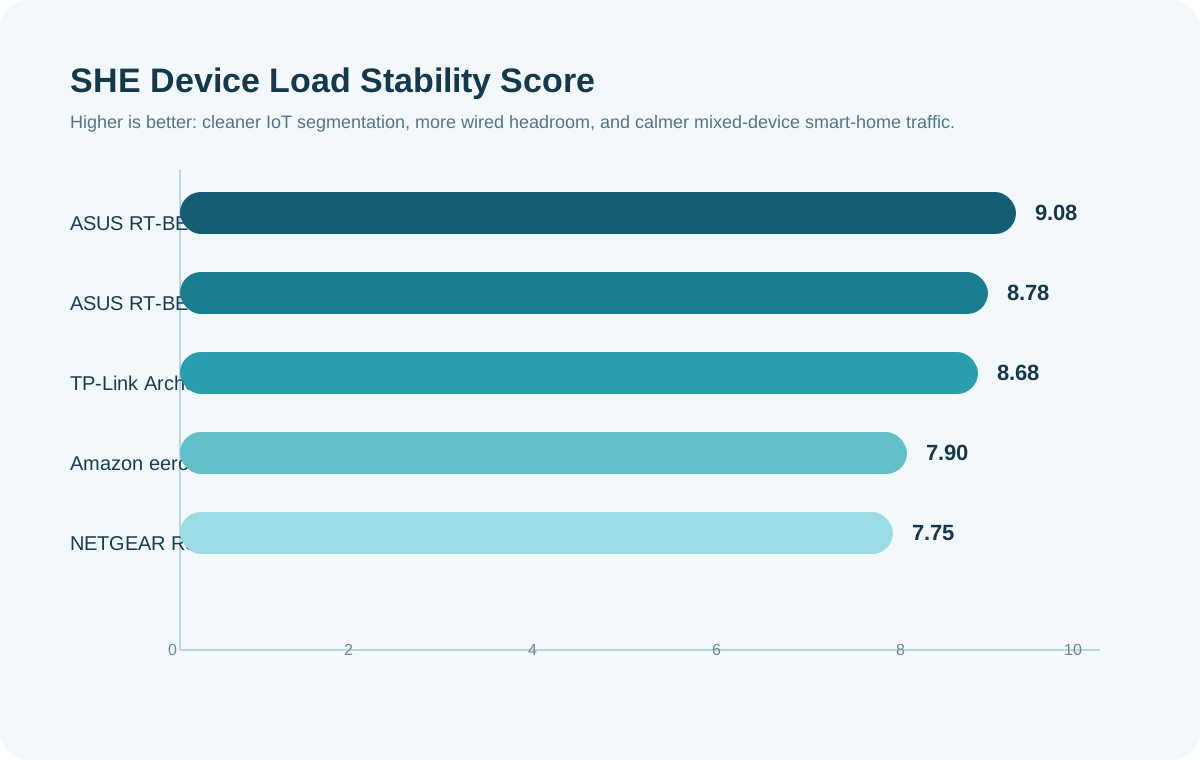
(SmartHomeExplorer editorial analysis — networking methodology weighted for segmentation, wired expansion, and dense-device stability rather than coverage alone.)
The reason the ASUS RT-BE88U wins is simple: it gives a smart home room to grow in the places that usually hurt first. The reason the Amazon eero Max 7 still scores well is that ecosystem fit and operational simplicity matter when the goal is a quiet house, not a homelab trophy.
Wi-Fi 7 Router
Chart
 Smarthomeexplorer.com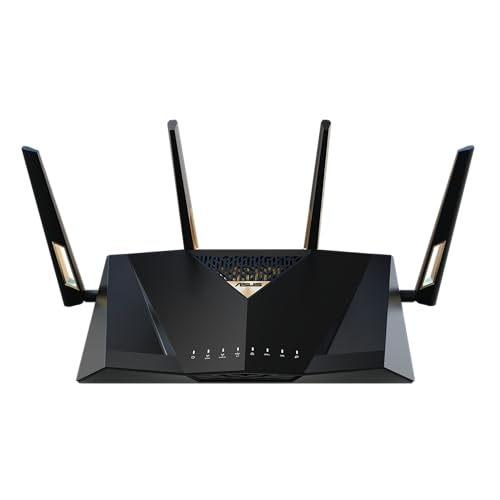
ASUS RT-BE88U — Best Overall for Dense Smart Homes
ASUS RT-BE88U
(Current Price, subject to change)
Ready for game day?
Roku 65" Select Series 4K QLED Smart TV
See it on Amazon
Antarctic Star 130-Can Beverage Refrigerator
See it on Amazon
SYLVOX 65" Outdoor 4K TV
See it on Amazon
Sponsored listings from Amazon’s Sponsored Products for Creators program, kept apart from our reviews and rankings. How we make money
The ASUS RT-BE88U is the router I would buy for a real smart home where the network closet has started to look suspiciously professional. Two 10G interfaces, four 2.5G LAN ports, four more gigabit LAN ports, and up to five SSIDs are not normal-home features. They are the features you buy when cameras, hubs, bridges, media gear, and work devices all want clean separation and reliable backhaul at the same time. That is why it wins this guide instead of the flashier raw-speed options.
The smart-home value is in the segmentation. ASUS gives you enough control to keep low-trust IoT gear off the same lane as laptops and phones without making you turn the whole house into a hobby project. If you are also deciding whether your automation stack should live in a hub or ride mostly on Wi-Fi, our smart home without hub vs Wi-Fi-only guide is the right companion read. The ASUS RT-BE88U is at its best when it is feeding a mixed stack, not a one-brand fantasy.
What We Love
- Up to five SSIDs gives you unusually clean IoT, guest, and main-network separation
- Best wired expansion story in the guide short of moving into enterprise gear
- Strong price-to-capability ratio for buyers who actually need a router to be the network core
What Could Be Better
- Dual-band design makes it less glamorous than the tri-band premium crowd
- ASUS still gives you enough controls to accidentally overcomplicate your own life
The Verdict
Get the ASUS RT-BE88U if your smart home is dense, wired, and still growing. This is the best router in the guide for separating traffic cleanly and surviving the accumulation of cameras, bridges, and hubs that make cheaper routers feel fine until they suddenly do not.
ASUS RT-BE96U — Best Tri-Band Upgrade
ASUS RT-BE96U
(Current Price, subject to change)
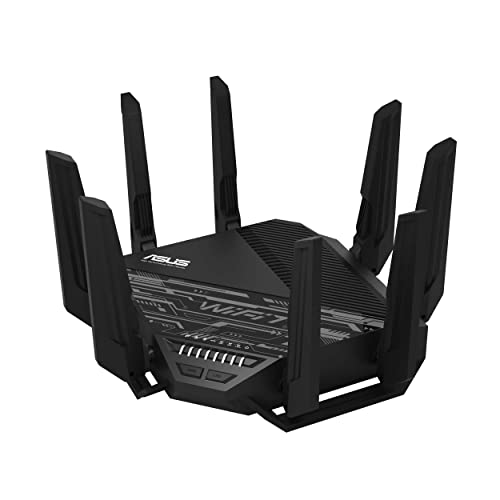
The ASUS RT-BE96U is the answer when you want the ASUS segmentation model from the RT-BE88U but also want true tri-band Wi-Fi 7 headroom. That matters in houses where the router is not just a smart-home appliance but also the anchor for heavy laptop, gaming, and streaming traffic that cannot all be pushed onto the same lanes forever. In that sense, it is the most balanced premium step-up in the guide.
What I like most is that the premium buys more than bragging rights. The ASUS RT-BE96U still gives you dual 10G ports and AiMesh expandability, but it does not force this guide back into the mesh lane because it is still a strong router-first buy on its own. If you later decide the house really does need multi-node coverage, you can still pivot toward the mesh guide without regretting the router.
What We Love
- Tri-band Wi-Fi 7 makes more sense than raw dual-band when the whole family is online all evening
- Dual 10G ports and 6 GHz capacity make it easier to justify as a long-lived core router
- Strongest premium all-rounder if you want performance without jumping to gamer-aesthetic nonsense
What Could Be Better
- Price climbs fast for buyers whose ISP or device mix will never exploit it
- More router than many smart homes need if IoT stability is the only mission
The Verdict
Get the ASUS RT-BE96U if your smart home is dense and your human-device traffic is heavy enough to justify a real tri-band step-up. Skip it if segmentation and LAN flexibility matter more to you than squeezing every last premium radio feature into one chassis.
TP-Link Archer BE800 — Best for Wired Smart Home Racks
TP-Link Archer BE800
(Current Price, subject to change)
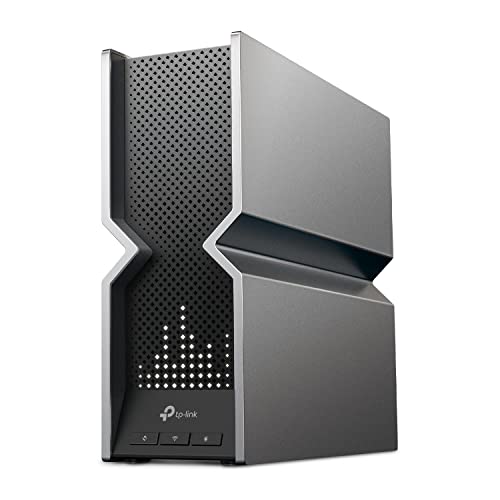
The TP-Link Archer BE800 is for the buyer whose smart home already has a little rack logic creeping in. Two 10G ports and four 2.5G ports is not subtle. This is the router for PoE cameras, hubs, bridges, local storage, and maybe a switch or two hanging off the side while the rest of the house still expects the Wi-Fi to behave like it belongs to normal people.
TP-Link also deserves credit for acknowledging the IoT problem directly. The Private IoT positioning is exactly the kind of feature that belongs in this category, because dense smart homes do better when you stop pretending every device deserves to live on the same flat network. Pair it with our best smart home automation hubs guide if you are also consolidating your protocol sprawl.
What We Love
- Best port mix in the guide for buyers who have outgrown a simple four-LAN router
- Better blend of enthusiast hardware and manageable setup than most flashy premium routers
- Private IoT controls keep it aligned with actual smart-home needs
What Could Be Better
- The industrial design still looks like it wants applause
- Optional paid security upsells dilute the clean value story a bit
The Verdict
Get the TP-Link Archer BE800 if your smart home is increasingly wired and you want a router that treats that as a feature, not an edge case. It is the best pick here for buyers whose network closet is growing faster than their patience.
NETGEAR Nighthawk RS700S — Best Premium Raw Throughput Pick
NETGEAR Nighthawk RS700S
(Current Price, subject to change)
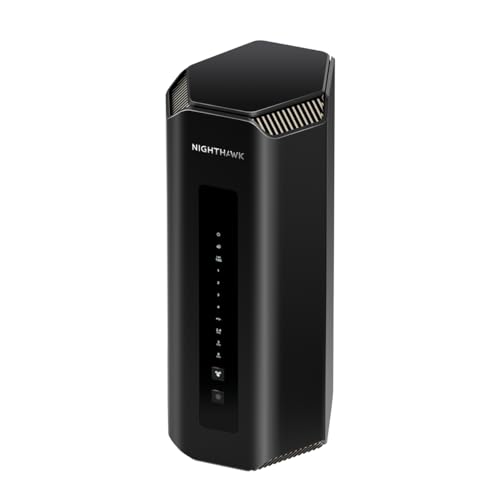
The NETGEAR Nighthawk RS700S is the router for buyers who want the single-box premium answer and are willing to pay for it. Its whole pitch is that a crowded house should still feel fast, and in fairness that is a useful pitch. Device-dense homes with 4K streams, cameras, tablets, laptops, consoles, and voice assistants all active at once do expose weaker routers quickly.
What keeps it from winning is that the smart-home angle is weaker than the raw-performance angle. The NETGEAR Nighthawk RS700S is impressive hardware, but it does not feel as intentionally built around segmentation and mixed trust levels as the ASUS or TP-Link picks. If your network problem is "everything is busy," it is excellent. If your network problem is "I need the smart home isolated and organized," it is not the cleanest answer.
What We Love
- Premium single-router performance for genuinely crowded homes
- Strong fit for buyers who want multi-gig bragging rights and will actually use them
- More polished than a lot of gamer-first premium hardware
What Could Be Better
- Expensive enough that it should be more smart-home-aware about traffic segmentation
- Optional subscription gravity is annoying on hardware already priced like this
The Verdict
Get the NETGEAR Nighthawk RS700S if you want the premium single-router answer and your house genuinely creates premium-router traffic. Otherwise, the ASUS RT-BE88U and TP-Link Archer BE800 are smarter buys for most automation-heavy homes.
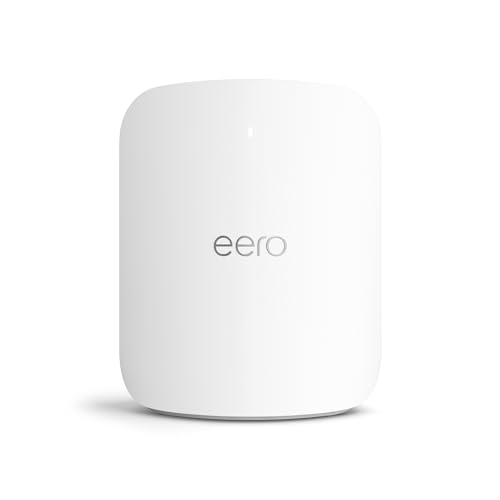
Amazon eero Max 7 — Best for Alexa + Thread Homes
Amazon eero Max 7
(Current Price, subject to change)
The Amazon eero Max 7 is the only mesh-family product I am comfortable recommending in this guide because the single-pack version changes the buying question. This is not about covering a mansion. It is about buyers who already live in the eero-and-Echo world and want the least annoying router upgrade possible. For that buyer, ecosystem fit is not fluff. It is stability.
The other reason it belongs here is Thread relevance. If your house is slowly becoming a Matter-and-Thread home, the Amazon eero Max 7 makes more sense than a faster-feeling but more complex router that nobody else in the house wants to manage. It is not the most tweakable choice in the guide. That is the point. If you want a router that you mostly leave alone while it quietly supports Echo devices, Matter gadgets, and app-led family management, it earns its place.
What We Love
- Easiest recommendation for Alexa households already invested in eero management
- Strong practical fit for Thread-aware smart homes that value operational simplicity
- Device-capacity story is better than a lot of simpler-looking routers suggest
What Could Be Better
- Less satisfying for buyers who want deep manual segmentation and port-rich wired expansion
- Easy to drift toward subscription features you may not actually need
The Verdict
Get the Amazon eero Max 7 if your smart home already lives inside Alexa, Echo, and eero habits. This is the best ecosystem-first router in the guide, even if it is not the most enthusiast-friendly one.
When NOT to Buy a Wi-Fi 7 Router for a Smart Home
- Skip this category if your real problem is dead zones and whole-home coverage. Start with our best WiFi mesh for smart homes guide instead.
- Skip premium Wi-Fi 7 if your ISP plan and wired gear top out far below multi-gig speeds. The ASUS RT-BE88U is easier to justify than the NETGEAR Nighthawk RS700S when your bottleneck is not the router.
- Skip this guide if you have never actually replaced your ISP combo gateway. Start with our escape your ISP router guide to get the modem-separation, bridge-mode, and VLAN-migration playbook first — then come back here to pick the replacement router.
- Skip router shopping as a cure-all if your smart home is actually suffering from bad protocol design. Our best Matter-compatible devices guide and best smart home automation hubs guide may solve more than a faster router will.
- Skip Wi-Fi 7 if the smart home is tiny, your device count is modest, and your current network is stable. This is a dense-device guide, not a universal upgrade commandment.
Frequently Asked Questions
Does a smart home actually benefit from Wi-Fi 7 if most devices are still Wi-Fi 4 or Wi-Fi 5?
Yes, sometimes, but not for the reason marketing departments keep shouting. Most smart-home devices are still low-bandwidth clients. The benefit of a Wi-Fi 7 router like the ASUS RT-BE88U is better traffic management, stronger wired expansion, and cleaner segmentation around those older devices while newer laptops and phones move onto faster lanes. The result is a calmer network, not just a faster benchmark.
What matters more for a smart home router: speed or segmentation?
Segmentation. A dense smart home usually breaks because cheap IoT gear, guests, and primary devices are all dumped onto the same flat network. The TP-Link Archer BE800 and ASUS RT-BE88U are good examples of why that matters. They make it easier to separate device classes instead of pretending one SSID is enough forever.
Is eero Max 7 good for Matter and Thread smart homes?
Yes, especially if your house already leans on Alexa and eero. The Amazon eero Max 7 is not the best tweak-heavy router here, but it is one of the easiest router-first choices for buyers who want Matter and Thread to feel normal instead of experimental. If you want a wider device strategy, combine it with our best Matter-compatible devices guide.
How many wired ports should a serious smart home router have?
More than four, usually. Once you start adding bridges, hubs, local storage, cameras, unmanaged switches, and a work setup, basic consumer routers get cramped quickly. That is why the ASUS RT-BE88U and TP-Link Archer BE800 stand out. Their wired headroom is part of the value, not an afterthought.
Should I buy a router first or a hub first for a growing smart home?
If the current problem is instability, start with the network. If the current problem is protocol sprawl and automation logic, start with the controller layer. In practice many buyers need both, which is why this guide pairs well with our best smart home automation hubs guide and smart home without hub vs Wi-Fi-only guide. Buyers who know the network is the weak link should start with the ASUS RT-BE88U or the Amazon eero Max 7, depending on whether they value segmentation depth or ecosystem simplicity more.
The Bottom Line
Get the ASUS RT-BE88U if your smart home is getting crowded and you need one router that handles segmentation, wired expansion, and device-density gracefully without demanding premium-router money.
Get the Amazon eero Max 7 if your home already runs on Alexa habits and you want the least painful Wi-Fi 7 router upgrade for a Matter-and-Thread-friendly setup.
Skip the NETGEAR Nighthawk RS700S if you are mostly paying for raw speed you will never use and what you really need is cleaner segmentation or more sensible smart-home organization.
Sources & Methodology
Methodology: SmartHomeExplorer compared current Amazon-buyable Wi-Fi 7 routers for the specific demands of smart homes with heavy device counts, mixed trust levels, and expanding wired infrastructure. The SHE Device Load Stability Score prioritizes segmentation quality, wired expansion, dense-load radio capacity, and ecosystem utility instead of simple coverage claims. Prices verified April 2, 2026.
Evidence inputs used in this analysis:
- Current Amazon product listings and feature sets for the five routers above
- Existing SmartHomeExplorer networking comparisons and hub guides
- Smart-home protocol and segmentation requirements from our Matter, hub, and Wi-Fi-only reference guides
Evidence Summary
| Claim | Source Type | Source | Verified |
|---|---|---|---|
| ASUS RT-BE88U offers unusually strong wired headroom and five SSID segmentation | Amazon listing features | ASUS RT-BE88U listing | April 2026 |
| TP-Link Archer BE800 provides dual 10G plus four 2.5G ports and private IoT controls | Amazon listing features | TP-Link Archer BE800 listing | April 2026 |
| NETGEAR RS700S is positioned as a premium single-router Wi-Fi 7 option for crowded homes | Amazon listing features | NETGEAR RS700S listing | April 2026 |
| eero Max 7 supports a high device count and fits Alexa/eero ecosystem management | Amazon listing features | Amazon eero Max 7 listing | April 2026 |
| Smart-home router buying should prioritize segmentation and mixed-device stability over coverage alone | Editorial analysis | SmartHomeExplorer networking methodology | April 2026 |
Author: Nicholas Miles is the founder of SmartHomeExplorer and a longtime smart home enthusiast focused on helping everyday homeowners make better technology decisions. He researches, compares, and writes about products across security, climate, lighting, leak prevention, sensors, home energy, and automation, with an emphasis on real-world usefulness, ecosystem compatibility, reliability, privacy, and long-term value. Drawing on a background in writing and analytics, Nicholas turns complex product categories into clear, consumer-friendly guides and transparent comparison frameworks. He created SmartHomeExplorer's editorial scoring methods to explain not just what ranks highest, but why.
Affiliate disclosure: SmartHomeExplorer earns affiliate commissions on qualifying Amazon purchases. Our scoring methodology is independent of affiliate relationships.