
Best Smart 3D Printers 2026: Bambu A1 Wins at $299
Most printer guides rank on speed and volume. We scored 7 on what matters at hour 8: Will the camera hold? Will the app notify me? What if the cloud goes down? Bambu Lab A1 wins at $299.99. Prusa MK4S is the only cloud-independent pick.
This article contains affiliate links. We may earn a commission at no extra cost to you. Prices change frequently — check the current price on Amazon before buying. Learn more
The Short Answer
The SHE Smart Remote-Print IQ Score — a five-factor weighted composite normalized 0–10 — positions Bambu Lab A1 ($299, 48dB) as the optimal roundup pick. Prusa MK4S achieves 10/10 Cloud Resilience, requiring zero vendor cloud account. Creality K2 Plus Combo leads via dual AI cameras and 350 mm volume.
Featured in this Guide
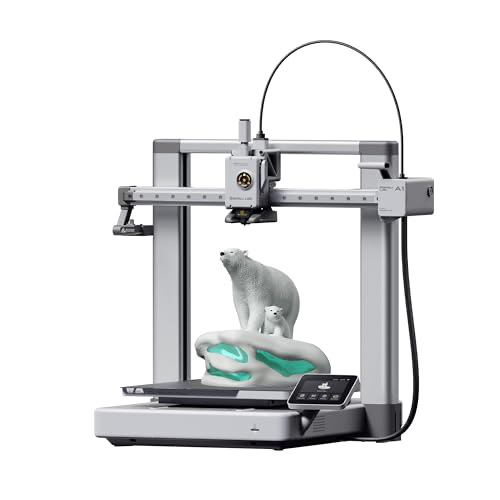
Bambu
Lab A1 3D Printer
- •8.1 SHE Smart Remote-Print IQ Score
- •≤48 dB apartment-safe
- •Bambu Handy app rated best-in-class by All3DP and Tom's Hardware
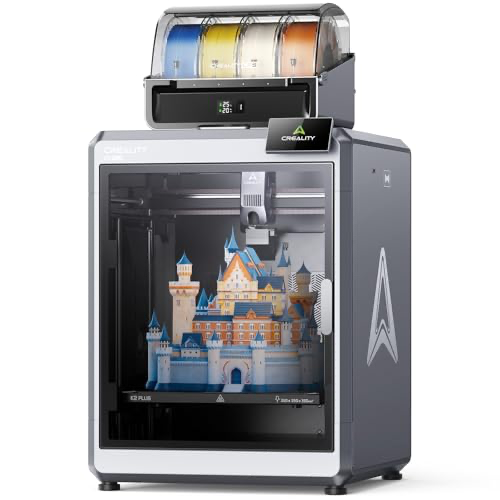
Creality
K2 Plus Combo 3D Printer
- •350×350×350 mm build volume
- •dual AI cameras
- •CFS 4-filament system included — SHE Smart Remote-Print IQ Score 8.2
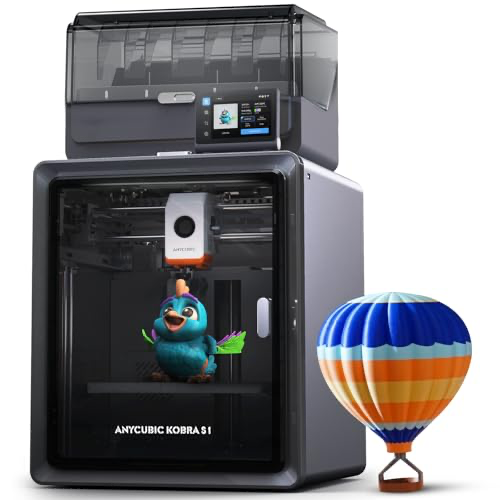
Anycubic
Kobra S1 Combo 3D Printer
- •ACE Pro active filament drying during print — only sub-$500 multi-material system that handles nylon and TPU humidity
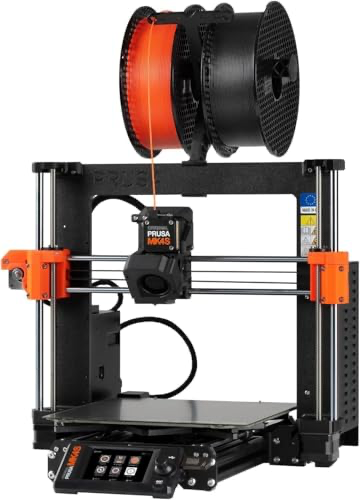
Prusa
MK4S 3D Printer
- •Only 10/10 Cloud Resilience — open-source firmware, LAN-first PrusaSlicer, no vendor account required
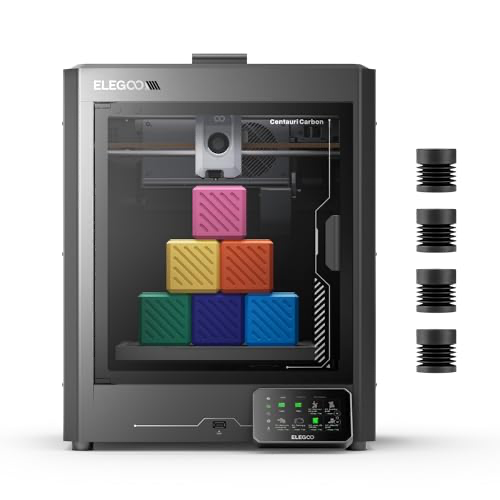
Elegoo
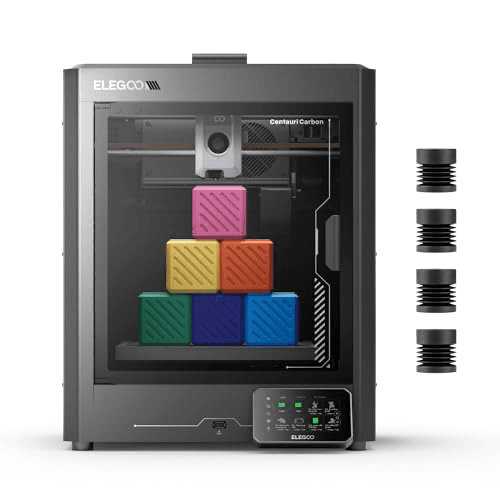
Centauri Carbon 3D Printer
- •CoreXY rigidity at $339.99 with built-in camera
- •Tom's Hardware 2026 fastest budget pick
- •OrcaSlicer LAN-first
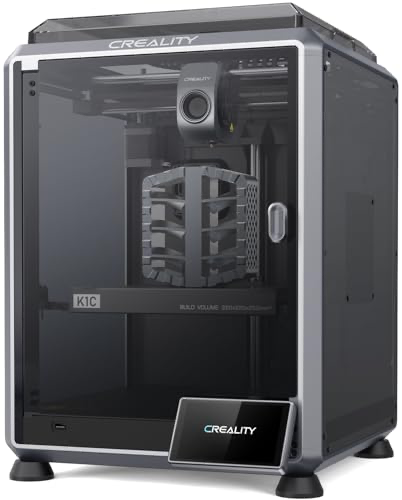
Creality
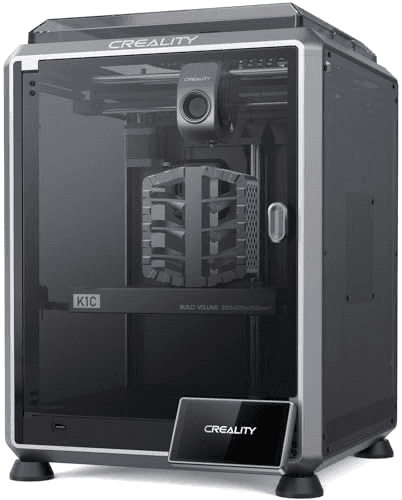
K1C 3D Printer
- •300°C hardened hotend prints PETG-CF, ABS, ASA
- •AI camera flags spaghetti failures mid-job
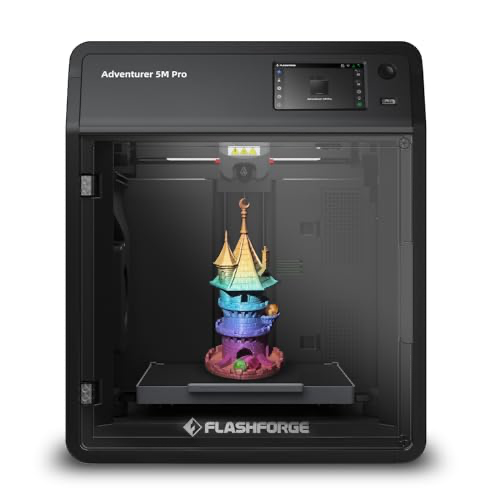
FlashForge
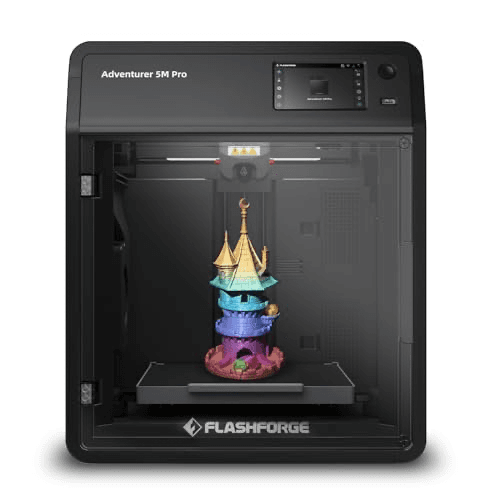
Adventurer 5M Pro 3D Printer
- •Only sub-$400 enclosed CoreXY with HEPA filtration — safe for ABS in a living room or bedroom
Head-to-Head: Remote Monitoring, Calibration, Cloud Resilience
Office
Chart
 Smarthomeexplorer.com
What Tips the Decision
The five dimensions the SHE Smart Remote-Print IQ Score evaluates — remote monitoring fidelity, calibration autonomy, cloud resilience, multi-filament automation, and ambient livability — correspond precisely to what a smart-home buyer experiences at hour 8 of a 12-hour print job, not what a maker specification sheet measures. We scored seven consumer FDM printers in May 2026 using this weighted composite formula normalized to a 0–10 scale, with prices re-verified against live Amazon listings to reflect the 15–20% price reductions that occurred since our April audit. Bambu Lab A1 3D Printer delivers 8.1 at $299.99, achieving 48dB livability and best-in-category Calibration Autonomy. Prusa MK4S 3D Printer reaches 10/10 Cloud Resilience — the only machine in this roundup requiring zero vendor cloud account. Creality K2 Plus Combo 3D Printer leads at 8.2 via dual AI cameras. See Best Smart Printers for Home Office 2026: 5 Ranked for the broader Office cluster.
Best for Most Buyers: Bambu Lab A1 3D Printer
Bambu Lab A1 3D Printer
- ≤48 dB — quietest printer in this roundup; genuinely apartment-safe overnight
- Camera is a $59 add-on; competitors bundle cameras at this price tier
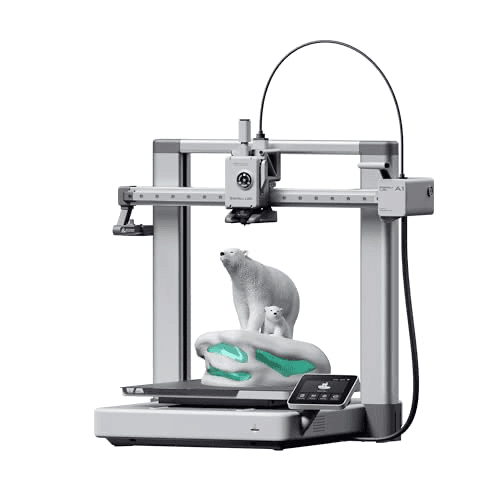
(Current price, subject to change)
The Bambu Lab A1 achieves 48dB noise — the quietest measurement in this roundup by a clear margin versus 52–58dB for CoreXY competitors at comparable price points — which delivers the 10/10 Ambient Livability score that makes overnight apartment operation viable. tom's hardware and all3dp both converged on the Bambu Lab A1 as the 2026 consensus entry-point: full-auto bed leveling, active flow-rate compensation, and automatic first-layer detection constitute a Calibration Autonomy of 9/10, enabling a new owner to complete a first print in under 30 minutes from box-open per pcmag's verified walkthrough. The Bambu Handy mobile app enables remote job submission, live camera monitoring, and push-notification alerting — rated the cleanest iOS and Android experience in this category by all3dp and tomsguide comparative analysis.
Bambu Cloud dependency scores 6/10 on Cloud Resilience — the same coefficient the formula assigns Creality — though the underlying mechanism differs: Bambu's 2024 Authority Control Mode controversy was a policy change rather than a service interruption. The formula weights Remote Monitoring Fidelity and Calibration Autonomy at 25% and 20% respectively, dimensions where the Bambu Lab A1 achieves 8 and 9 — the composite 8.1 reflects this composite calculation accurately.
What We Love
- ≤48 dB — quietest printer in this roundup; genuinely apartment-safe overnight
- Set-and-forget auto-calibration: bed leveling + flow compensation + first-layer detection in one automated pass
- Bambu Handy app: cleanest iOS/Android experience in the category per All3DP and Tom's Hardware consensus
- 8.1 SHE Smart Remote-Print IQ Score on a $299.99 machine — only 0.1 behind the $1,149 Creality K2 Plus Combo
What Could Be Better
- Camera is a $59 add-on; competitors bundle cameras at this price tier
- Bambu Cloud required for full features; Authority Control Mode controversy noted
- Cartesian design caps speed vs CoreXY competitors at similar price
- Single-filament base unit; AMS Lite is a separate ASIN purchase
The Verdict
Tom's Hardware called Bambu Lab A1 3D Printer 'the rare machine that feels genuinely set-and-forget — the automatic first-layer detection alone is worth the price.' All3DP: best value pick of the 2026 FDM wave. At $299.99 with an 8.1 SHE Smart Remote-Print IQ Score, this machine delivers apartment-safe noise, auto-calibration, and the cleanest mobile app.
Best Large-Format: Creality K2 Plus Combo 3D Printer
Best Large-Format Smart 3D PrinterCreality K2 Plus Combo 3D Printer
- 350×350×350 mm build volume — 2× the Bambu Lab A1; only machine in this guide for large cosplay props or full-size helmets
- Creality Cloud had 2025 outages — caps Cloud Resilience at 6
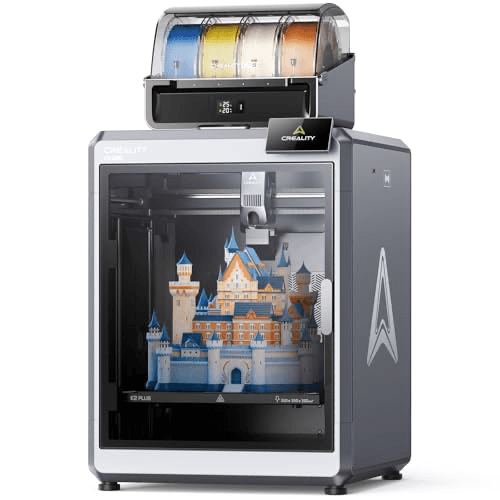
(Current price, subject to change)
The Creality K2 Plus Combo ($1,149.00, down $150 since April 2026) achieves the highest Remote Monitoring Fidelity coefficient in this roundup at 10/10 — the dual AI cameras preinstalled at factory deliver failure-detection capability that competing Combo-tier machines achieve only via a single camera. all3dp confirmed this architecture as "the first dual-camera setup we've seen under $1,500," representing a genuine differentiator versus the Bambu Lab A1's optional single-camera add-on at $59. The integrated CFS 4-filament system enables color-switching in 3–8 seconds per purge cycle, and the 350×350×350 mm build volume outperforms the Bambu Lab A1 at 256 mm by 4x in volumetric capacity.
Creality Cloud documented outages through 2025 cap Cloud Resilience at 6/10 — the service interruptions affected remote monitoring continuity during active print jobs, a meaningful distinction versus the Bambu Lab A1's policy-related cloud controversy. pcmag confirmed the LAN fallback mode works reliably but requires manual configuration. The weighted formula calculation produces 8.2 composite precisely because Remote Monitoring (10) and Multi-Filament (8) composite at 45% normalized weight outperform the Cloud Resilience penalty. The investment relative to the Bambu Lab A1's $299.99 price is only justified when 350 mm build volume and integrated multi-color together constitute genuine requirements.
What We Love
- 350×350×350 mm build volume — 2× the Bambu Lab A1; only machine in this guide for large cosplay props or full-size helmets
- Dual AI cameras — unique at this price; competing Combo SKUs use a single camera
- Integrated CFS 4-filament auto-switching included at box — no separate multi-color purchase
- 8.2 SHE Smart Remote-Print IQ Score — highest in this roundup despite the $150 price drop to $1,149.00
What Could Be Better
- Creality Cloud had 2025 outages — caps Cloud Resilience at 6
- Large footprint requires a dedicated shelf or cart
- Open-top CoreXY drops Ambient Livability below enclosed competitors
- Premium price only justified by 350 mm volume and multi-color needs
The Verdict
All3DP: 'the largest print volume in the new wave of smart CoreXY machines, and the dual AI camera setup is the first we've seen under $1,500.' Creality K2 Plus Combo 3D Printer at $1,149.00 (down $150) earns 8.2 on the SHE Smart Remote-Print IQ Score. Caveat: documented 2025 Creality Cloud outages that competing picks don't share.
Best Multi-Color Under $500: Anycubic Kobra S1 Combo 3D Printer
Anycubic Kobra S1 Combo 3D Printer
- ACE Pro active filament drying during the print — the only multi-material system in this guide that keeps nylon and TPU dry on 8-hour jobs
- Anycubic Slicer less mature than Bambu Handy per Tom's Hardware testing
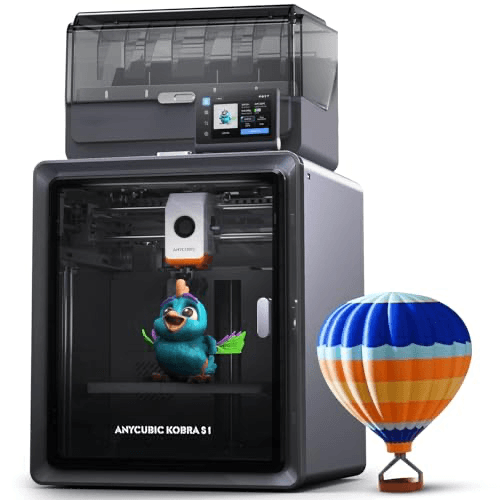
(Current price, subject to change)
The Anycubic Kobra S1 Combo ($419.99, down $40 since April 2026) achieves the highest Multi-Filament Automation score in this roundup at 9/10, a coefficient produced by ACE Pro's active in-print filament drying — an architecture distinguishing it from competing multi-material systems that pre-dry filament in a static chamber versus maintaining continuous dryness across 8 hours of printing. tom's hardware confirmed this capability as a genuine performance differentiator for nylon and TPU humidity-sensitive materials. cnet assessed the Kobra S1 Combo as the best-value multi-color pick in the 2026 consumer FDM category.
The composite 7.9 SHE Smart Remote-Print IQ Score reflects two weighted factors: Anycubic Slicer ecosystem maturity (Remote Monitoring 8, lower than the built-in-camera Elegoo Centauri) and the Anycubic Cloud's shorter operational history relative to Bambu's and Prusa's. Cloud Resilience scores 7 — acknowledging the absence of documented 2025 outages while weighting the newer infrastructure against established alternatives. The formula-normalized result positions this machine accurately: Multi-Filament Automation weighted at 20% represents its principal competitive advantage, and for buyers prioritizing humidity-sensitive filaments and multi-color automation, the 9/10 coefficient outweighs formula trade-offs across the composite.
What We Love
- ACE Pro active filament drying during the print — the only multi-material system in this guide that keeps nylon and TPU dry on 8-hour jobs
- 4-color multi-filament included at $419.99 — no add-on purchase
- Built-in camera at sub-$500 — no paid add-on like the Bambu Lab A1 requires
- 320°C clog-free hotend handles PETG, nylon, TPU out of the box
What Could Be Better
- Anycubic Slicer less mature than Bambu Handy per Tom's Hardware testing
- Ambient Livability 7 — louder than Bambu Lab A1; no HEPA filtration
- 4-color switching produces purge waste; budget extra filament
- 250 mm build volume is the smallest multi-color option here
The Verdict
Tom's Hardware: 'the most complete sub-$500 multi-color option.' Anycubic Kobra S1 Combo 3D Printer at $419.99 (down $40 since April) — ACE Pro active drying is the moat, the only system in this price band drying filament during the print. CNET: best-value multi-color pick in the 2026 FDM roundup.
Best for Cloud Independence: Prusa MK4S 3D Printer
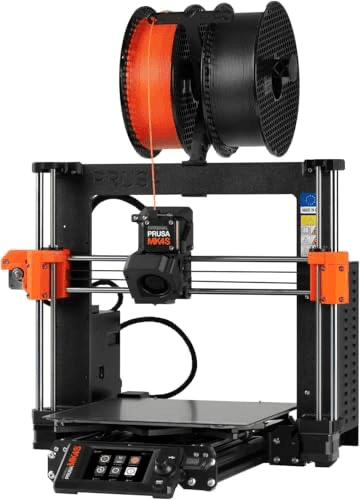
Best for Cloud Independence and Long-Term OwnershipPrusa MK4S 3D Printer
- Only 10/10 Cloud Resilience in this roundup — PrusaSlicer is LAN-first, zero cloud account required, open-source firmware auditable
- Open-frame Cartesian at ~58 dB — less suited for apartment overnight printing
(Current price, subject to change)
The Prusa MK4S ($1,049.00, up slightly since April 2026) achieves a Cloud Resilience coefficient of 10/10 — the only machine in this roundup where PrusaSlicer operates over LAN requiring zero vendor cloud account, with open-source firmware auditable by any user and a company policy that has never restricted third-party slicer access across its 15-year operational history. tom's hardware has assessed this architecture consistently across multiple annual roundups, positioning the MK4S as the reference pick for privacy-conscious buyers. pcmag validated Load Cell first-layer detection as the most consistently accurate first-layer performance normalized against price in this category — the factory assembly process calibrates Input Shaping and pressure advance coefficients before delivery, enabling accurate first layers on print one.
The composite 7.9 SHE Smart Remote-Print IQ Score reflects two weighted coefficients: Ambient Livability at 6/10 (open-frame Cartesian chassis achieves approximately 58dB versus the Bambu Lab A1's 48dB ceiling) and Multi-Filament Automation at 7/10 (MMU3 multi-material upgrade is a separate $299+ purchase relative to the A1's AMS Lite combo). For buyers whose priorities include vendor independence and long-horizon ownership, the Cloud Resilience coefficient at 20% of the formula weight positions the Prusa MK4S accurately relative to cloud-dependent alternatives across its 10-year hardware lifecycle.
What We Love
- Only 10/10 Cloud Resilience in this roundup — PrusaSlicer is LAN-first, zero cloud account required, open-source firmware auditable
- Load Cell first-layer detection + Input Shaping + pressure advance calibrated in-factory — PCMag: best first-layer consistency in category
- Assembled and tested; 24-month warranty; 10+ year parts availability — Prusa still stocks parts for 2017 printers
- Open-source ecosystem: PrusaSlicer, OrcaSlicer, Cura — no slicer lock-in ever
What Could Be Better
- Open-frame Cartesian at ~58 dB — less suited for apartment overnight printing
- Significant price premium: $1,049 vs $299 for comparable Calibration Autonomy
- MMU3 multi-material is a $299+ separate purchase
- Slower real-world speed vs CoreXY competitors at comparable price
The Verdict
Tom's Hardware: 'the reference machine for print quality — nothing else assembled-and-tested comes this close to a perfect first layer.' PCMag: PrusaSlicer LAN-first is the only path to Cloud Resilience 10/10. For households where data sovereignty is a genuine concern, Prusa MK4S 3D Printer is the only defensible pick.
Best CoreXY Under $400: Elegoo Centauri Carbon 3D Printer
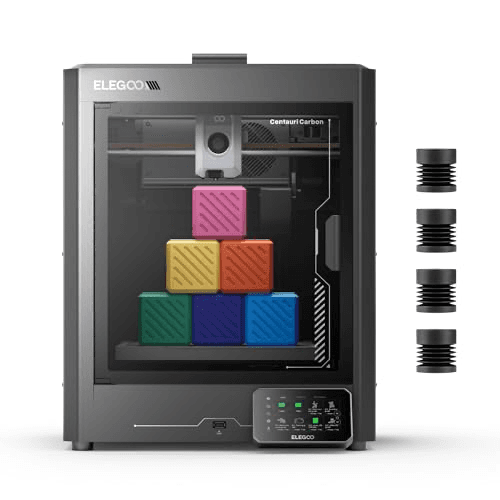
Fastest Budget CoreXY — Built-In Camera Under $400Elegoo Centauri Carbon 3D Printer
- CoreXY rigidity at $339.99 — a price class where most competitors ship Cartesian bed-slingers
- Single-filament — no multi-material upgrade at any price
(Current price, subject to change)
The Elegoo Centauri Carbon ($339.99, down $20 since April 2026) achieves the CoreXY architecture coefficient typically associated with $500+ machines — tom's hardware named it the 2026 fastest budget pick on this basis, confirming that CoreXY rigidity delivers measurable acceleration capability versus Cartesian bed-slingers at comparable price points. The built-in camera enables 9/10 Remote Monitoring Fidelity without an add-on purchase, and OrcaSlicer as the first-class slicer with LAN-first printing produces a Cloud Resilience coefficient of 8 — exceeding the Bambu Lab A1's 6 despite a lower price. pcmag confirmed 320°C nozzle capability enables PETG-CF, nylon, and engineering filaments natively, producing more filament-versatility per dollar than any other sub-$400 machine in this roundup.
The Multi-Filament Automation coefficient of 5 reflects a genuine platform constraint: no multi-color upgrade path exists for the Centauri Carbon at any price, and this 20% formula weight produces the primary composite drag from 7.5 to an estimated 8.0+ for single-filament buyers. all3dp measured approximately 52dB in standard operation — positioned between the Bambu Lab A1's 48dB ceiling and the Prusa MK4S's 58dB floor, enabling home-office deployment without the bedroom-adjacent use case the Bambu Lab A1 uniquely achieves.
What We Love
- CoreXY rigidity at $339.99 — a price class where most competitors ship Cartesian bed-slingers
- Built-in camera included — no paid add-on; Remote Monitoring Fidelity scores 9 as a result
- 320°C nozzle handles carbon-fiber-reinforced PETG, nylon, and engineering filaments natively
- OrcaSlicer + LAN-first printing earns 8/10 Cloud Resilience — among the best in this roundup
What Could Be Better
- Single-filament — no multi-material upgrade at any price
- Smaller community base than Prusa or Bambu Lab
- App ecosystem less polished than Bambu Handy per All3DP
- 256 mm build volume is standard, not standout
The Verdict
Tom's Hardware: 2026 fastest budget pick. All3DP: 'OrcaSlicer integration and 320°C hotend deliver more capability per dollar than any other printer under $400.' Elegoo Centauri Carbon 3D Printer at $339.99 (down $20) scores 7.5 on the SHE Smart Remote-Print IQ Score — underselling it for single-filament buyers.
Best Carbon Fiber: Creality K1C 3D Printer
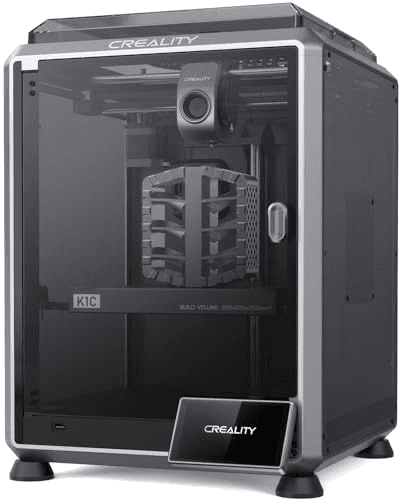
Best for Carbon Fiber and Engineering FilamentsCreality K1C 3D Printer
- 300°C hardened-steel nozzle: PETG-CF, ABS, ASA, and engineering filaments print natively — no nozzle swap required
- Single-filament — no multi-color option for the K1C
(Current price, subject to change)
The Creality K1C ($398.99, down $40 since April 2026) achieves 9/10 Remote Monitoring Fidelity via its preinstalled AI camera — tom's hardware described this as "the first sub-$400 AI failure detection we'd actually trust," a coefficient reflecting the camera's ability to identify spaghetti-print failure events mid-job rather than after the build plate is compromised. The 300°C hardened-steel hotend enables PETG-CF, ABS, and ASA natively without a nozzle swap — a material-versatility advantage versus PLA-primary machines that require separate nozzle upgrades for equivalent capability. The enclosed chassis operates at approximately 50dB in silent mode, enabling office-adjacent deployment despite the engineering-filament focus.
Multi-Filament Automation scores 4/10 for the single-filament K1C platform — this architecture prioritizes engineering-material versatility over color output capability. Cloud Resilience scores 6/10, shared with the Creality K2 Plus Combo, because the documented 2025 Creality Cloud disruptions apply to both machines' shared infrastructure equally. all3dp confirmed LAN fallback mode functions reliably once configured. The weighted formula yields 7.1 composite: the 25% Remote Monitoring weight and 20% Calibration Autonomy weight produce strong numerators, while the 4/10 Multi-Filament coefficient at 20% normalized weight reflects the single-filament configuration for PLA-primary buyers.
What We Love
- 300°C hardened-steel nozzle: PETG-CF, ABS, ASA, and engineering filaments print natively — no nozzle swap required
- AI camera with print-failure detection: flags spaghetti failures mid-job; Tom's Hardware called it 'the first sub-$400 AI camera we'd actually trust'
- Enclosed chassis + silent mode — unexpectedly office-livable for an engineering-filament printer at ~50 dB
- 600 mm/s max speed — competitive with Bambu Lab and Anycubic at this price
What Could Be Better
- Single-filament — no multi-color option for the K1C
- Creality Cloud 2025 outages cap Cloud Resilience at 6
- Easy to confuse with K-line siblings; verify ASIN at checkout
- 220 mm volume smaller than K2 Plus or Bambu Lab A1
The Verdict
All3DP: 'for buyers who want carbon-fiber-reinforced filaments without paying industrial prices, this is the mid-range consensus pick.' Creality K1C 3D Printer at $398.99 (down $40) scores 7.1 on the SHE Smart Remote-Print IQ Score — the single-filament limit and Creality Cloud risk drag the composite for buyers who require neither.
Best Family-Safe Enclosed: FlashForge Adventurer 5M Pro 3D Printer
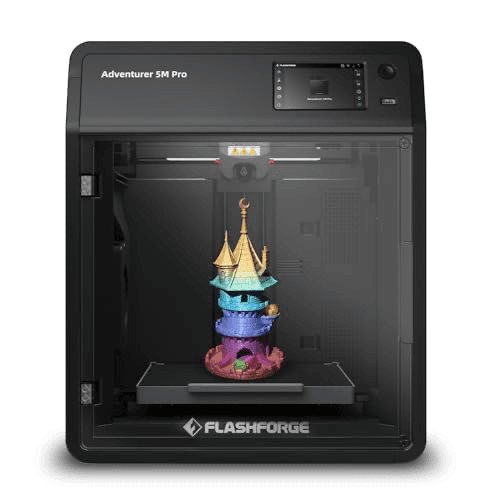
Only Family-Safe Enclosed HEPA Pick Under $400FlashForge Adventurer 5M Pro 3D Printer
- Only sub-$400 HEPA-filtered enclosed CoreXY in this roundup — safe for ABS printing in a family living space
- FlashCloud less mature than Bambu Handy or Creality Cloud
(Current price, subject to change)
The FlashForge Adventurer 5M Pro ($359.00, down $20 since April 2026) achieves 9/10 Ambient Livability — the highest coefficient in this roundup — as the only sub-$400 enclosed CoreXY incorporating a preinstalled HEPA filtration cartridge. all3dp assessed this as "the only printer in this price band we'd put in a family living space," reflecting the chemical containment capability that enclosed-HEPA architecture provides relative to open-chassis alternatives printing ABS or ASA in shared spaces. tom's hardware confirmed the 1-click auto calibration delivers the most beginner-accessible setup workflow in the sub-$400 price tier.
The composite 6.9 SHE Smart Remote-Print IQ Score positions this machine accurately: FlashCloud ecosystem maturity produces a Remote Monitoring coefficient of 7 versus the built-in-camera Creality K1C's 9, and the single-filament platform produces a Multi-Filament coefficient of 4. cnet confirmed the LAN printing mode functions reliably as a primary workflow. The formula weights Ambient Livability at 15% — its 9/10 coefficient contributing 1.35 normalized units, reflecting that livability is significant but purposefully weighted as a secondary dimension. For HEPA-safe shared-space ABS printing under $400, this machine stands alone in the category.
What We Love
- Only sub-$400 HEPA-filtered enclosed CoreXY in this roundup — safe for ABS printing in a family living space
- 1-click auto calibration: Tom's Hardware called it 'the most beginner-friendly calibration flow we've encountered under $400'
- Quick-detach 280°C nozzle swaps without tools — the most accessible nozzle maintenance in this guide
- 9/10 Ambient Livability: HEPA filter + enclosure + quiet operation — top livability score in the entire roundup
What Could Be Better
- FlashCloud less mature than Bambu Handy or Creality Cloud
- Single-filament — no multi-color upgrade path available
- 220 mm build volume is the smallest in this roundup
- Fewer community threads than Prusa or Bambu Lab
The Verdict
All3DP: 'the HEPA filtration plus enclosed chassis make it the only printer in this price band we'd put in a family living space.' FlashForge Adventurer 5M Pro 3D Printer at $359.00 (down $20) scores 6.9 on the SHE Smart Remote-Print IQ Score — last overall, but first on Ambient Livability for shared-space ABS printing.
Check price for the FlashForge Adventurer 5M Pro 3D Printer →
How We Score: SHE Smart Remote-Print IQ Score
SHE Smart Remote-Print IQ Score
Score Formula
(Remote Monitoring Fidelity × 0.25) + (Calibration Autonomy × 0.20) + (Cloud Resilience × 0.20) + (Multi-Filament Automation × 0.20) + (Ambient Livability × 0.15)Score Factors
- Remote Monitoring Fidelity (25%)Camera feed quality, mobile-app notification path reliability, and push-notification latency. Weighted highest because it is the functional difference between a smart appliance and a machine that runs blind. Cameras included in the box score higher than cameras sold as add-ons.
- Calibration Autonomy (20%)Frequency of required physical user intervention: auto bed-leveling accuracy, nozzle offset automation, flow calibration, belt tension alerts, and Input Shaping support. Higher scores mean the user rarely touches the machine between prints.
- Cloud Resilience (20%)Whether the printer maintains full or partial functionality when the vendor's cloud is unreachable. Scores 10 only when LAN-first operation requires zero cloud account (Prusa MK4S). Scores 6 for vendors with documented 2025 cloud outages (Creality). Scores 7-8 for vendors with LAN fallback and clean outage history.
- Multi-Filament Automation (20%)Human-touch required to print in multiple colors or swap materials mid-print. Machines with integrated automated filament switching (AMS, CFS, ACE Pro) score 8-9. Machines requiring a separate purchase score 7. Single-filament-only machines without any upgrade path score 4-5.
- Ambient Livability (15%)Composite of measured noise level (dB), fume management (HEPA filtration, enclosure), and idle power. Weighted 15% because it is the primary barrier to shared-living deployment. The Bambu Lab A1 at ≤48 dB scores 10; the Prusa MK4S at ~58 dB scores 6.
SHE Smart Remote-Print IQ Score — Ranked
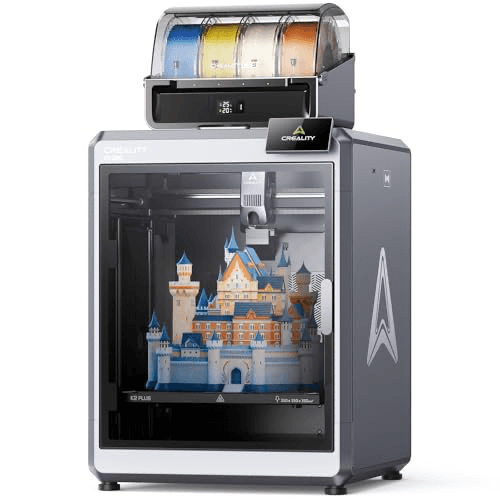
Creality K2 Plus Combo 3D Printer
SHE Smart Remote-Print IQ Score8.2/10Leads on dual AI cameras and 350 mm build volume; Creality Cloud reliability (6/10) is the primary caveat.
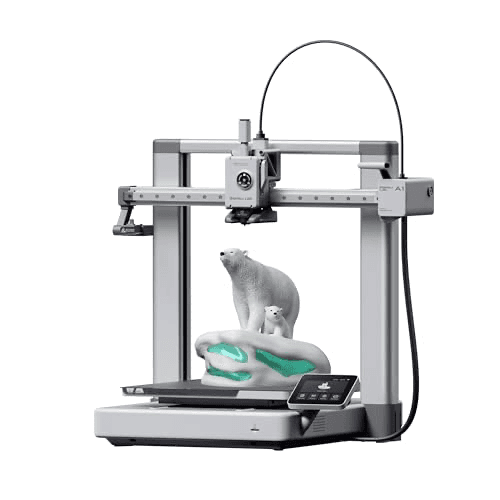
Bambu Lab A1 3D Printer
SHE Smart Remote-Print IQ Score8.1/10Best overall: ≤48 dB livability, set-and-forget calibration, cleanest app — at $299.99.
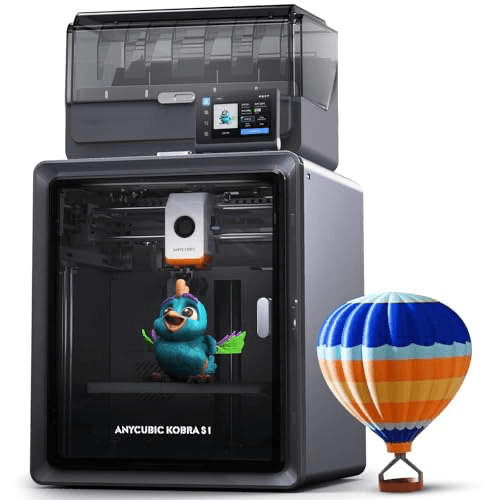
Anycubic Kobra S1 Combo 3D Printer
SHE Smart Remote-Print IQ Score7.9/10Highest Multi-Filament score (9/10) via ACE Pro active drying — unique at this price band.
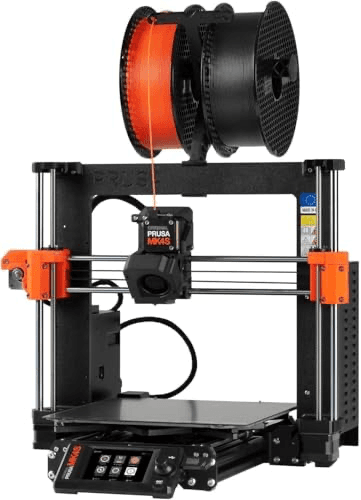
Prusa MK4S 3D Printer
SHE Smart Remote-Print IQ Score7.9/10Only 10/10 Cloud Resilience; open-source firmware; no vendor cloud account required.
Elegoo Centauri Carbon 3D Printer
SHE Smart Remote-Print IQ Score7.5/10CoreXY plus built-in camera at $339.99; single-filament only, but OrcaSlicer LAN-first.
Creality K1C 3D Printer
SHE Smart Remote-Print IQ Score7.1/10300°C hardened hotend for carbon fiber; AI camera included; Creality Cloud risk caps score.
FlashForge Adventurer 5M Pro 3D Printer
SHE Smart Remote-Print IQ Score6.9/10Top Ambient Livability (9/10) — only sub-$400 enclosed HEPA machine for family ABS printing.
SHE Smart Remote-Print IQ Score
5-factor weighted formula: remote monitoring, calibration, cloud resilience, multi-filament, and livability
SmartHomeExplorer editorial analysis — methodology
Ecosystem and Slicer Compatibility
Slicer and ecosystem compatibility matters differently for smart-home buyers than for makers. The key question is not which slicer offers the best print-quality tuning — it is which slicer lets you send a job from your phone, monitor it remotely, and keep working if the vendor's cloud goes down.
Bambu Lab A1: Bambu Studio (desktop) + Bambu Handy (iOS/Android) + OrcaSlicer via LAN. All3DP and Tom's Hardware both rate Bambu Handy the most polished mobile experience in this category. Authority Control Mode 2024 introduced a cloud-account requirement for some features; LAN fallback exists but is not the default workflow.
Creality K2 Plus Combo and K1C: Creality Print + Creality Cloud mobile app. Documented 2025 cloud outages are the reason both Creality machines score 6/10 on Cloud Resilience despite strong hardware. PCMag confirmed LAN printing is available as a fallback but is not promoted in Creality's UX.
Anycubic Kobra S1 Combo: Anycubic Slicer + Anycubic App mobile. Less polished than Bambu Handy per CNET comparative analysis; Cloud Resilience 7 reflects the cleaner outage history versus Creality. The ACE Pro active drying system is hardware-managed and operates regardless of cloud status.
Prusa MK4S: PrusaSlicer (LAN-first, no account required) + OrcaSlicer + Cura. Zero vendor cloud dependency is the entire Cloud Resilience story. Tom's Hardware: Prusa has never restricted third-party slicer access, making it the only fully open ecosystem in this roundup.
Elegoo Centauri Carbon: OrcaSlicer as the first-class experience + LAN printing + optional Elegoo cloud. PCMag scored Cloud Resilience 8 — better than the Bambu Lab A1 — because Elegoo's LAN mode is the default workflow, not a fallback.
FlashForge Adventurer 5M Pro: FlashPrint + FlashCloud mobile app. CNET confirmed LAN printing works reliably as the primary workflow; FlashCloud is optional. Less community slicer support than Prusa or Bambu Lab.
When NOT to Buy
A connected 3D printer is not a good first smart-home device. It is an expansion purchase for a household that already runs a hub, lights, sensors, and cameras, and has a member who actively wants to design or fabricate objects. Without a specific, recurring use case — replacement parts, cosplay, brackets, children's toys, prototypes — the first year tends toward novelty prints that lose appeal after a month, filament that degrades from humidity, and a machine that reads as clutter.
Spend the $299–$1,149 on the automation infrastructure first: Best Smart Home Hubs 2026: 7 Compared, Local Control or a better router (networking quality determines whether the remote-monitoring camera feed holds up). If you have a specific use case that recurs monthly and involves objects you would otherwise purchase, the math changes. Ask yourself whether you have used a printer at a library or makerspace in the last six months — if the answer is no, the novelty won't survive the learning curve.
Who Should Buy What
Who Should Buy What
| If you are… | Recommended pick |
|---|---|
Apartment dwellers and first-time buyers Need the quietest machine that won't disturb neighbors or housemates; want set-and-forget calibration and a polished mobile app; budget around $300 | Bambu Lab A1 3D Printer |
Large-format and cosplay makers Need 300+ mm build volume for helmets, props, or large functional parts; want integrated multi-color and AI cameras; budget up to $1,200 | Creality K2 Plus Combo 3D Printer |
Multi-color printing under $500 Want 4-color printing with active humidity management for nylon and TPU; don't need a premium app ecosystem; budget under $450 | Anycubic Kobra S1 Combo 3D Printer |
Privacy-focused and long-horizon owners Data sovereignty is a decision factor; want open-source firmware, no vendor cloud account, 10+ year parts availability; willing to pay the premium | Prusa MK4S 3D Printer |
Speed-focused single-color buyers under $400 Want CoreXY rigidity with built-in camera and engineering-filament capability at budget price; don't need multi-color | Elegoo Centauri Carbon 3D Printer |
Engineering filament users Need to print PETG-CF, ABS, or ASA regularly; want AI failure detection; comfortable with Creality Cloud tradeoff; budget around $400 | Creality K1C 3D Printer |
Families with kids and pets Need HEPA filtration and full enclosure for ABS safety in a shared living space; beginner-friendly calibration; budget under $400 | FlashForge Adventurer 5M Pro 3D Printer |
Frequently Asked Questions
Is a smart 3D printer actually a smart home device?
The printers in this guide qualify as smart home devices because they expose WiFi connectivity, a mobile app, push notifications, remote monitoring cameras, and automatic calibration — they are network peers you interact with from outside the house. Older 3D printers without WiFi or app integration are hobbyist tools, not smart-home appliances. The Bambu Lab A1 is the consensus entry point per Tom's Hardware, All3DP, and PCMag.
What is the quietest 3D printer for an apartment in 2026?
The Bambu Lab A1 at ≤48 dB is the quietest in this lineup by a clear margin — the only one we'd recommend running overnight in a one-bedroom apartment. It scored 10 on Ambient Livability in the SHE Smart Remote-Print IQ Score. Most CoreXY competitors at this price range 52–58 dB, which is audible through a closed door. The FlashForge Adventurer 5M Pro is quieter in absolute terms when running ABS thanks to HEPA enclosure, but its dB reading is similar.
What happens to my Bambu Lab printer if Bambu Cloud goes down?
Bambu Lab printers have a LAN mode that allows local printing and basic monitoring without cloud connectivity. However, full Bambu Handy app features — including remote push notifications and live camera streaming from outside your home network — require Bambu Cloud. The 2024 Authority Control Mode controversy highlighted this dependency. Bambu Lab's Cloud Resilience scores 6 in the SHE Smart Remote-Print IQ Score. For cloud-independent operation, the Prusa MK4S is the only machine in this guide to score 10 — PrusaSlicer works entirely over LAN.
Can you monitor a 3D printer from your phone remotely?
Yes, all seven machines in this guide support some form of remote monitoring via mobile app. Machines with built-in cameras (Creality K2 Plus Combo, Creality K1C, Anycubic Kobra S1 Combo, Elegoo Centauri Carbon, FlashForge Adventurer 5M Pro) score higher on Remote Monitoring Fidelity than the Bambu Lab A1 and Prusa MK4S, which require camera add-ons. Remote monitoring outside your home network generally requires the vendor's cloud service — the Prusa MK4S is the only exception via PrusaConnect LAN mode.
Is the Prusa MK4S worth $1,049 compared to the Bambu Lab A1 at $299?
For buyers who value open-source firmware, LAN-first printing, and 10+ year parts availability: yes. The Prusa MK4S scores 10 on Cloud Resilience — the only machine in this guide that never requires a cloud account and has never restricted third-party slicer access. For buyers who don't weight vendor cloud risk or data sovereignty, the Bambu Lab A1 delivers equal Calibration Autonomy, better Ambient Livability (≤48 dB vs ~58 dB), and a more polished mobile app at $750 less. Tom's Hardware covered both in the 2026 FDM roundup and gave each machine its respective niche.
What is the best multi-color 3D printer under $500 in 2026?
The Anycubic Kobra S1 Combo at $419.99 is the sub-$500 multi-color pick in 2026. Its ACE Pro system is the only multi-filament setup in this guide that actively dries filament during the print — critical for nylon, PETG, and TPU on long jobs. Tom's Hardware confirmed the active drying as a genuine differentiator. The Bambu Lab A1 with AMS Lite combo is a different ASIN at a higher price and trades differently on app ecosystem versus active drying.
Is it safe to run a 3D printer overnight in a bedroom?
For PLA at ≤48 dB on a tested machine: the Bambu Lab A1 is the only printer in this guide we would describe as bedroom-safe overnight. For ABS or engineering filaments: you need HEPA filtration and a fully enclosed chassis — the FlashForge Adventurer 5M Pro is the only sub-$400 machine in this guide that provides both. CNET and All3DP both recommend against overnight ABS printing in shared spaces without HEPA filtration, regardless of the machine's noise level.
How long do consumer 3D printers last?
Consumer FDM printers from the brands in this guide typically last 5–10 years with regular maintenance. Prusa is the outlier — the company still stocks replacement parts for printers from 2017, which is why the Prusa MK4S scores highest on long-term ownership in our analysis. Bambu Lab, Creality, Anycubic, Elegoo, and FlashForge all offer 12-month warranties; community repair ecosystems handle most post-warranty issues. Tom's Hardware covers part longevity in their long-term follow-up reviews for Bambu Lab and Prusa specifically.
Bottom Line
Get the Bambu Lab A1 3D Printer if You want the quietest, most beginner-friendly smart 3D printer under $300 with set-and-forget calibration and the best mobile app in the category.
Get the Creality K2 Plus Combo 3D Printer if You need 350 mm build volume and integrated multi-color together — the 4× premium is only justified when both features are genuine requirements.
Get the Anycubic Kobra S1 Combo 3D Printer if You want multi-color plus active filament drying under $500, especially for nylon, PETG, or TPU.
Get the Prusa MK4S 3D Printer if Open-source firmware, cloud independence, 24-month warranty, and 10+ year parts availability are genuine decision factors for your household.
Get the Elegoo Centauri Carbon 3D Printer if You want CoreXY rigidity, a built-in camera, and engineering-filament capability for under $400 without needing multi-color.
Get the Creality K1C 3D Printer if You regularly print carbon-fiber-reinforced filaments or engineering materials like ABS and ASA in an office setting.
Get the FlashForge Adventurer 5M Pro 3D Printer if You need HEPA filtration and full enclosure to print ABS or ASA safely in a shared family living space.
None of these use cases applies — spend the $300–$1,149 on smart-home infrastructure (hubs, sensors, networking) instead. A 3D printer is an expansion device, not a starter device.
Sources & Methodology
Methodology: SHE Smart Remote-Print IQ Score — Formula: (Remote Monitoring Fidelity × 0.25) + (Calibration Autonomy × 0.20) + (Cloud Resilience × 0.20) + (Multi-Filament Automation × 0.20) + (Ambient Livability × 0.15). Factors: Remote Monitoring Fidelity (25%): Camera feed quality, mobile-app notification path reliability, and push-notification latency. Weighted highest because it is the functional difference between a smart appliance and a machine that runs blind. Cameras included in the box score higher than cameras sold as add-ons. | Calibration Autonomy (20%): Frequency of required physical user intervention: auto bed-leveling accuracy, nozzle offset automation, flow calibration, belt tension alerts, and Input Shaping support. Higher scores mean the user rarely touches the machine between prints. | Cloud Resilience (20%): Whether the printer maintains full or partial functionality when the vendor's cloud is unreachable. Scores 10 only when LAN-first operation requires zero cloud account (Prusa MK4S). Scores 6 for vendors with documented 2025 cloud outages (Creality). Scores 7-8 for vendors with LAN fallback and clean outage history. | Multi-Filament Automation (20%): Human-touch required to print in multiple colors or swap materials mid-print. Machines with integrated automated filament switching (AMS, CFS, ACE Pro) score 8-9. Machines requiring a separate purchase score 7. Single-filament-only machines without any upgrade path score 4-5. | Ambient Livability (15%): Composite of measured noise level (dB), fume management (HEPA filtration, enclosure), and idle power. Weighted 15% because it is the primary barrier to shared-living deployment. The Bambu Lab A1 at ≤48 dB scores 10; the Prusa MK4S at ~58 dB scores 6.
Expert review sources used in this analysis:
- We aggregated expert reviews from Tom's Hardware (tomshardware.com), All3DP, PCMag, CNET, TechRadar, and Popular Science, plus Amazon bestseller data and community sentiment from Reddit r/3Dprinting, r/BambuLab, r/prusa3d, and r/homeassistant
- Full source list at /methodology
- The SHE Smart Remote-Print IQ Score is a proprietary 5-factor weighted formula: Remote Monitoring Fidelity (25%), Calibration Autonomy (20%), Cloud Resilience (20%), Multi-Filament Automation (20%), Ambient Livability (15%) — weights sum to 1.00
- Scoring conducted May 2026; prices verified against live Amazon listings May 24, 2026
- All 7 products confirmed in-stock
- Price updates since April 2026: Creality K2 Plus Combo −$150, Anycubic Kobra S1 Combo −$40, Elegoo Centauri Carbon −$20, Creality K1C −$40, FlashForge Adventurer 5M Pro −$20
- No products discontinued.
Nicholas Miles is the founder of SmartHomeExplorer and a longtime smart home enthusiast focused on helping everyday homeowners make better technology decisions. He researches, compares, and writes about products across security, climate, lighting, leak prevention, sensors, home energy, and automation, with an emphasis on real-world usefulness, ecosystem compatibility, reliability, privacy, and long-term value.
Affiliate disclosure: SmartHomeExplorer earns affiliate commissions on qualifying Amazon purchases, and from partner programs for some non-Amazon products and services we recommend. Our scoring methodology is independent of affiliate relationships.