
Best Portable Laser Engravers 2026
Two of these engravers weigh 20kg or more, and no basic work area here exceeds 220 mm on its longer side. This guide ranks five models on speed, work area and price, and the xTool F1 Ultra 20W Fiber & Diode Dual Laser Engraver leads.
This article contains affiliate links. We may earn a commission at no extra cost to you. Prices change frequently — check the current price on Amazon before buying. Learn more
The Short Answer
The xTool F1 Ultra 20W Fiber & Diode Dual Laser Engraver tops the SHE Portable Laser Engraver Score because its large work area and moderate price outweigh a mid-table speed. The LaserPecker LP4 Dual Laser Engraver costs least, yet its slow engraving speed and small bed place it last.
Featured in this Guide
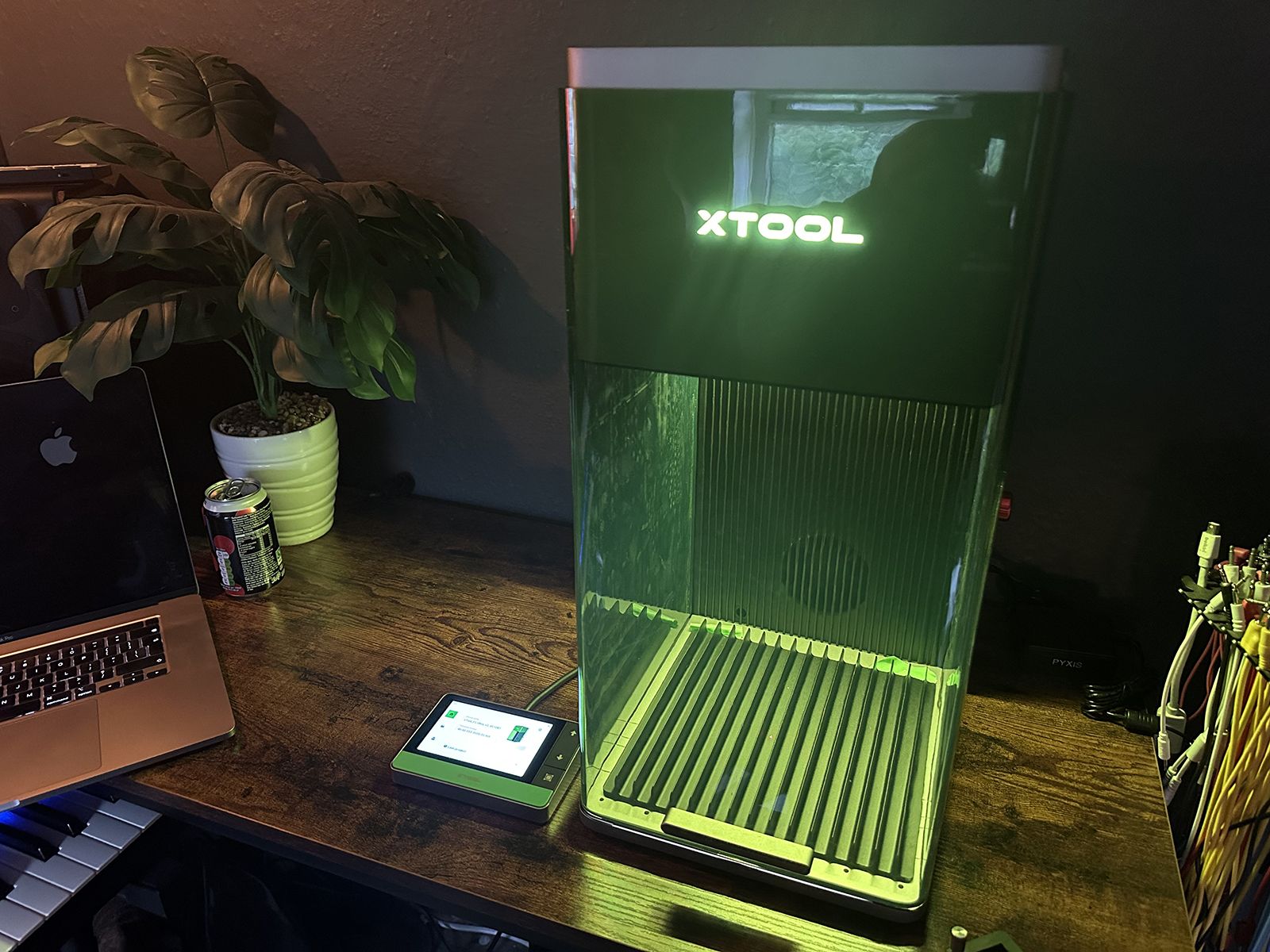
xTool
F1 Ultra 20W Fiber & Diode Dual Laser Engraver
- •Top composite with the joint-largest 220 mm work area
- •20W fiber and 20W diode lasers in one enclosure
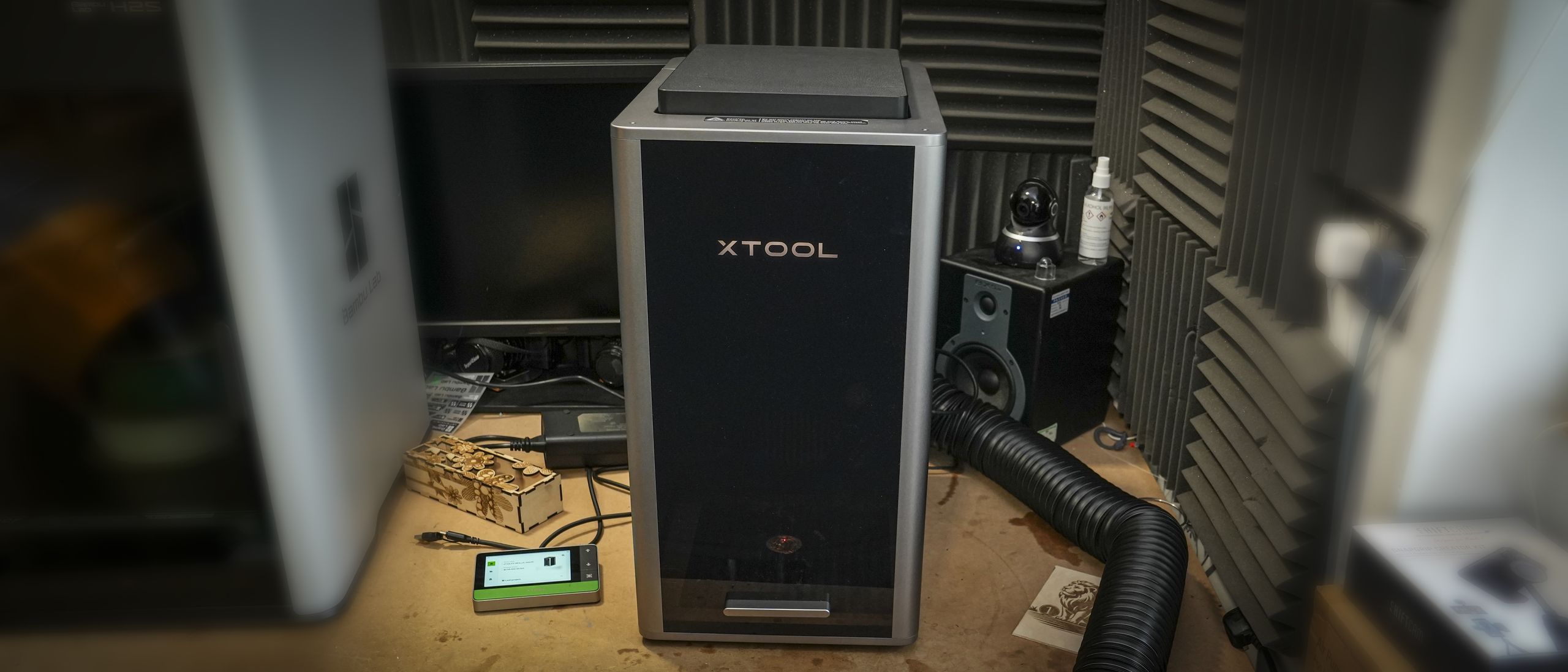
xTool
F2 Ultra Dual Laser Engraver
- •Fastest rated speed here at 15,000 mm/s
- •60W MOPA fiber laser for metal
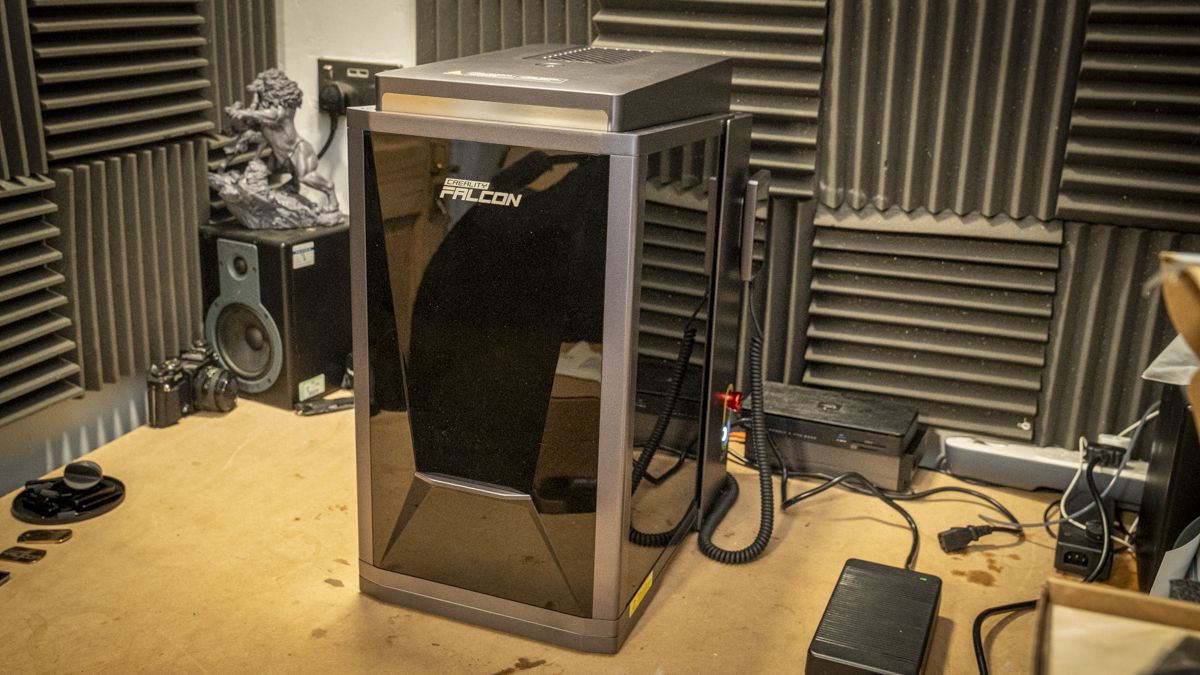
Creality
Falcon T1 5-in-1 Laser Engraver
- •Supports five laser modules, from diode to UV
- •Class 1 enclosure with flame detection
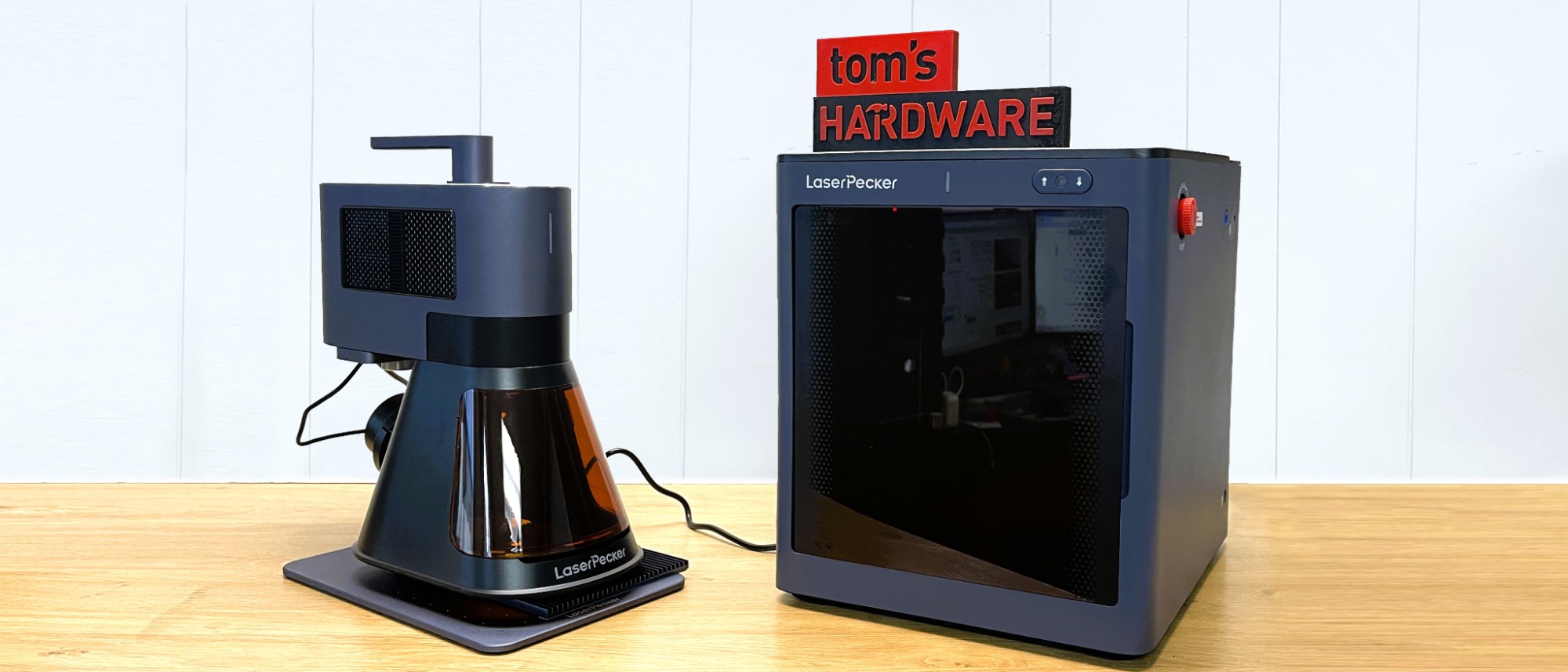
LaserPecker
LP5 Dual Laser Engraver
- •20W fiber and diode lasers at 6.02 kg total weight
- •LightBurn compatible
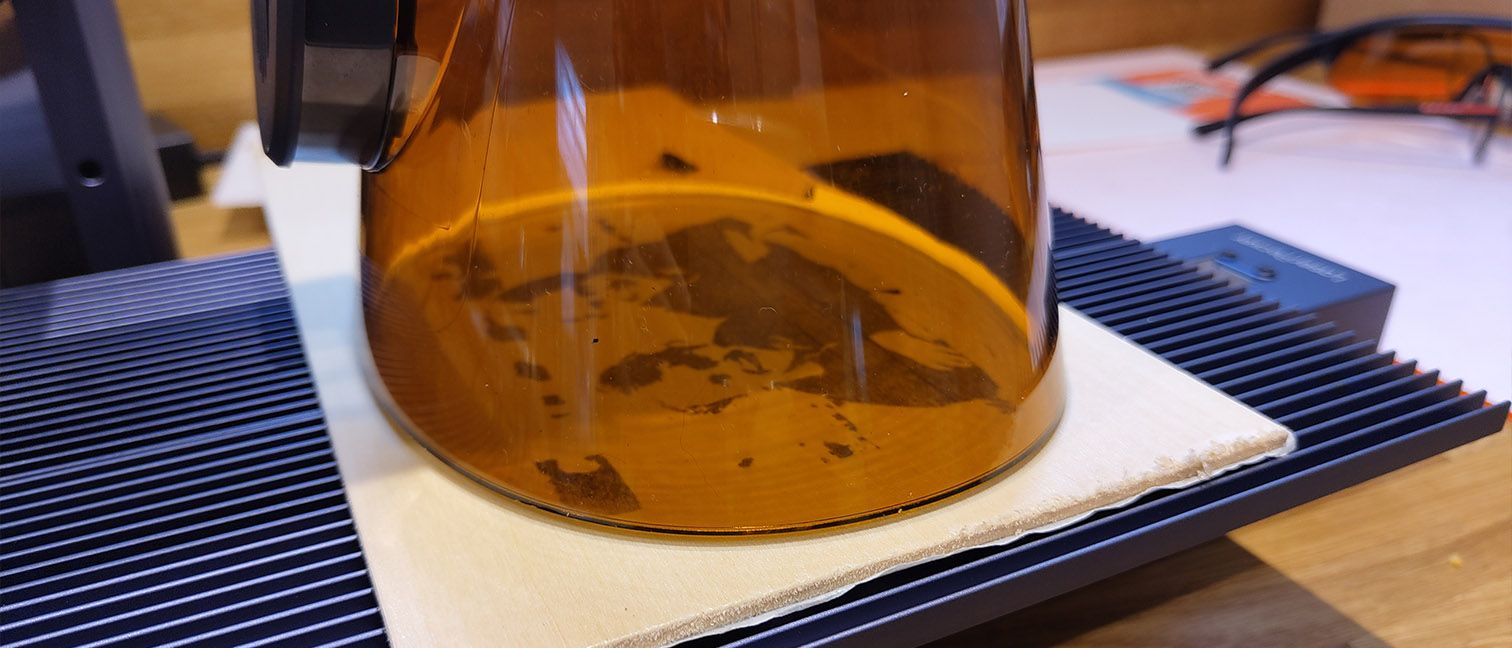
LaserPecker
LP4 Dual Laser Engraver
- •Lowest price in this guide
- •ships with goggles plus rotary and slide extensions
Head-to-Head: Speed, Work Area, Laser Sources and Price
Hobby
Chart
 Smarthomeexplorer.com
Traeger Ironwood 885
Check price
Ooni Volt 2
Check price
Schlage Encode Plus
Check price
Amazon eero Max 7 Mesh WiFi System (3-Pack)
Check price
Amazon eero Max 7 Mesh WiFi System (2-Pack)
Check price
PETKIT Purobot Ultra
Check price
What a Portable Laser Engraver Score Actually Measures
The SHE Portable Laser Engraver Score is a weighted composite of three specifications: maximum working speed, the longer side of the basic work area, and the Amazon price. Speed and price each carry 35% of the weight and work area carries 30%, while each factor is normalized across these five machines relative to one another.
The weighted formula ranks the xTool F1 Ultra 20W Fiber & Diode Dual Laser Engraver first, pairing the joint-largest 220 mm work area with moderate pricing. The LaserPecker LP4 Dual Laser Engraver finishes last, since its documented 2000 mm/s engraving speed and 160 mm work area trail every alternative. Outlet ratings from TechRadar, Tom's Hardware, AppleInsider and MacSources inform the consensus figures but sit outside the composite, as does machine weight. Tom's Hardware lists the xTool F2 Ultra Dual Laser Engraver at 47lbs, while TechRadar weighed the Creality Falcon T1 5-in-1 Laser Engraver at 20kg.
Best Overall: xTool F1 Ultra 20W Fiber & Diode Dual Laser Engraver
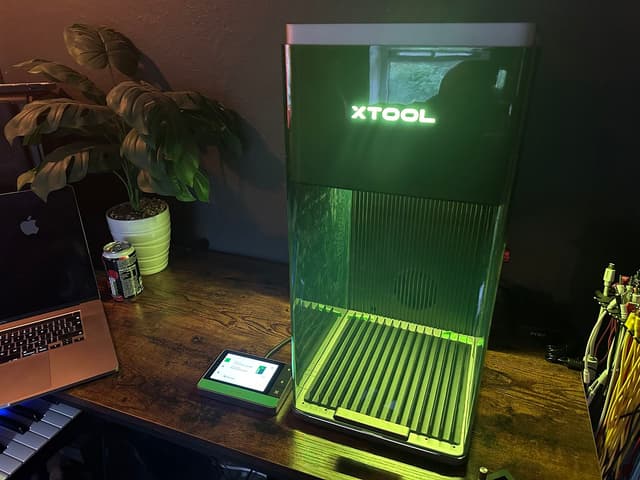
xTool F1 Ultra 20W Fiber & Diode Dual Laser Engraver
- Fiber and diode lasers in one enclosure
- Laser alignment needs a hard-to-see screw
(Current price, subject to change)
The xTool F1 Ultra 20W Fiber & Diode Dual Laser Engraver earns 7.6 of 10 on the SHE Portable Laser Engraver Score, lifted by its generous work area. Comparatively moderate pricing also contributes, while an intermediate 10000 mm/s working speed restrains the composite. Makers alternating between metallic identification tags and decorative wooden or acrylic pieces benefit considerably, because it incorporates dual fiber and diode lasers within one enclosure.
The published specification additionally documents cutting capability for fifteen-millimeter wood, twelve-millimeter acrylic and thin brass, stainless steel and aluminium sheets, which extends its usefulness beyond engraving. Creative Bloq awarded a nine-out-of-ten verdict, and the optional conveyor extends the operational area considerably for repetitive production batches. Relative to the 47lbs xTool F2 Ultra Dual Laser Engraver, its 14.7kg mass remains comparatively manageable on an ordinary workbench.
Initial calibration is the principal inconvenience, because the Make: reviewer described laser alignment as difficult, requiring access to an almost invisible adjustment screw. Creative Bloq also documented angled cuts in thicker materials near the periphery, a limitation Tom's Hardware likewise reported on the Creality Falcon T1 5-in-1 Laser Engraver.
What We Love
- Fiber and diode lasers in one enclosure
- Joint-largest 220 by 220 mm basic work area
- Optional conveyor extends the work area to 500 mm
- Creative Bloq verdict of 9 out of 10
What Could Be Better
- Laser alignment needs a hard-to-see screw
- Angled cuts in thick stock near the edges
- Mid-table 10000 mm/s top speed
The Verdict
If you split projects between metal tags and wood or acrylic, the xTool F1 Ultra 20W Fiber & Diode Dual Laser Engraver fits the brief with the joint-largest basic work area here. Set aside time for the initial laser alignment, which the Make: reviewer found fiddly.
Check price for the xTool F1 Ultra 20W Fiber & Diode Dual Laser Engraver →
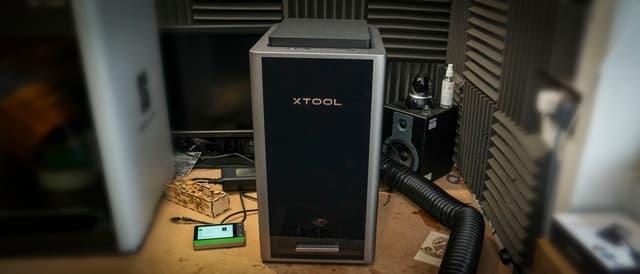
Fastest Engraver: xTool F2 Ultra Dual Laser Engraver
xTool F2 Ultra Dual Laser Engraver
- Fastest rated speed here at 15,000 mm/s
- Highest price in this guide
(Current price, subject to change)
The xTool F2 Ultra Dual Laser Engraver earns 6.5 of 10 on the SHE Portable Laser Engraver Score, lifted by class-leading speed yet restrained by the highest price. TechRadar's specification lists engraving velocities reaching 15,000 mm/s alongside a 220 by 220 mm operational area. The machine delivers a 60W MOPA fiber laser for metal, which Tom's Hardware credits with cutting 2 mm stainless steel, brass and titanium.
The same outlet additionally documents cutting capacity reaching 23 mm of wood and 20 mm of acrylic through the diode laser. Tom's Hardware identifies that diode as 40W, whereas TechRadar's specification indicates 20W, so the documented rating remains genuinely inconsistent. FauxHammer reported approximately 2 hours per side when engraving a brass coin, which indicates that detailed metallic relief remains a patient, time-intensive procedure.
Its limitations are considerable relative to the xTool F1 Ultra 20W Fiber & Diode Dual Laser Engraver, beginning with the most expensive price in this guide. Tom's Hardware lists 47lbs of machine weight and notes that no safety glasses are provided, while FauxHammer reports that xTool dropped LightBurn compatibility.
What We Love
- Fastest rated speed here at 15,000 mm/s
- 60W MOPA fiber laser for metal work
- Cuts 2 mm steel and up to 23 mm wood
- Dual 48MP cameras with AI recognition
What Could Be Better
- Highest price in this guide
- Heaviest here at 21.6 kg
- LightBurn support dropped
The Verdict
When throughput and metal cutting matter more than budget, the xTool F2 Ultra Dual Laser Engraver checks the boxes that matter for a small production studio. Plan a permanent bench for its weight and a design workflow that does not rely on LightBurn.
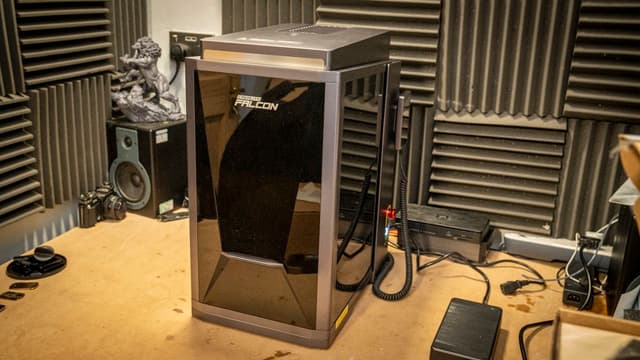
Most Versatile Modules: Creality Falcon T1 5-in-1 Laser Engraver
Creality Falcon T1 5-in-1 Laser Engraver
- Supports five swappable laser modules
- Heavy at 20 kg
(Current price, subject to change)
The Creality Falcon T1 5-in-1 Laser Engraver earns 5.5 of 10 on the SHE Portable Laser Engraver Score, helped by the second-lowest price, restrained by a compact work area. Its principal appeal is modularity, because TechRadar documents support for five interchangeable laser modules spanning 20W and 40W diode, 20W fiber, 60W MOPA and 5W UV.
The TechRadar reviewer completed the physical module exchange in 5 seconds, although the entire procedure took closer to two minutes. Tom's Hardware finished a fiber-laser dog tag engraving in approximately one second of laser time, and the Class 1 enclosure delivers lid-open, emergency and flame-detection safeguards. Consequently, its modular architecture rewards experimentation considerably more than immediate production capability.
Its limitations appear relative to the xTool F1 Ultra 20W Fiber & Diode Dual Laser Engraver, whose 220 mm bed exceeds this machine's 175 by 175 mm area. TechRadar weighed it at 20kg, Tom's Hardware observed progressively angled cuts away from center and no included safety goggles, and CNX Software notes no Linux support.
What We Love
- Supports five swappable laser modules
- Module swap took TechRadar 5 seconds
- Class 1 enclosure with flame detection
- Detachable 4.3-inch touchscreen
What Could Be Better
- Heavy at 20 kg
- Angled cuts away from center
- No safety goggles included
The Verdict
For makers who want to add laser types over time, the Creality Falcon T1 5-in-1 Laser Engraver is a sensible pick for that setup, since it supports five modules. Its 175 mm work area is smaller than either xTool model offers.
Check price for the Creality Falcon T1 5-in-1 Laser Engraver →
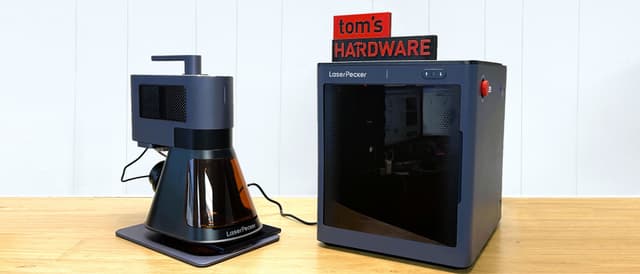
Best Lightweight Dual Laser: LaserPecker LP5 Dual Laser Engraver
LaserPecker LP5 Dual Laser Engraver
- 20W diode and 20W fiber lasers
- Loud exhaust noise
(Current price, subject to change)
The LaserPecker LP5 Dual Laser Engraver earns 4.6 of 10 on the SHE Portable Laser Engraver Score, as moderate pricing offsets the joint-smallest basic work area here. It suits makers who prioritize portability, because 20W diode and 20W fiber lasers arrive in a comparatively lightweight system weighing just over six kilograms altogether.
Tom's Hardware assembled it in about 15 mins, and the manufacturer specification enables cutting through 1 mm metal sheets, 20 mm basswood and 15 mm black acrylic. LightBurn compatibility gives it a workflow advantage compared to the xTool F2 Ultra Dual Laser Engraver, which abandoned LightBurn. The specification also lists a 137 mm maximum processing height for taller objects. Consequently, it represents a transportable dual-laser alternative oriented toward personalization rather than production-scale fabrication.
AppleInsider characterized the exhaust noise as loud, and Tom's Hardware notes the machine offers no screen, providing only preview, emergency stop and pause buttons. Notebookcheck observed that larger designs engrave lighter toward the outer edges, which favors smaller personalization projects over broad decorative panels.
What We Love
- 20W diode and 20W fiber lasers
- 6.02 kg total weight
- Assembled in about 15 minutes
- LightBurn compatible
What Could Be Better
- Loud exhaust noise
- No screen on the unit
- Lighter engraving at the outer edges
The Verdict
If you want fiber and diode lasers in a machine light enough to carry, the LaserPecker LP5 Dual Laser Engraver lines up with what you actually need. Expect a smaller work area than either xTool model.
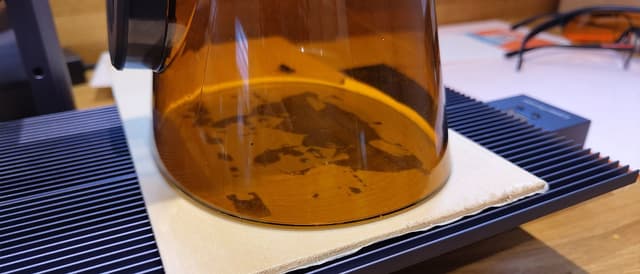
Best Budget Pick: LaserPecker LP4 Dual Laser Engraver
LaserPecker LP4 Dual Laser Engraver
- Lowest price in this guide
- Slowest speed at 2000 mm/s
(Current price, subject to change)
The LaserPecker LP4 Dual Laser Engraver earns 3.5 of 10 on the SHE Portable Laser Engraver Score, since the lowest price cannot offset the slowest rated speed. Beginners gain considerable accessory value, because the LP4 package includes goggles plus rotary and slide extensions, the latter lengthening the work area to 300 mm.
Its 180-degree rotating laser head enables engraving from almost any angle, and LightBurn compatibility supplements LaserPecker's own desktop and mobile applications. Selectable engraving resolution reaching 8K suits detailed personalization, while the 10W blue diode and 2W infrared lasers provide two distinct wavelengths. Collectively, these characteristics position it as an economical introduction to laser personalization rather than a production-oriented instrument.
Compared to the LaserPecker LP5 Dual Laser Engraver, which adds a 20W fiber laser within a comparatively portable chassis, the LP4 trails considerably on speed and laser power. Tom's Hardware found it struggled to cut 3 mm wood without heavy charring and requires protective eyewear because of a shield gap, while MacSources rated it 7 of 10.
What We Love
- Lowest price in this guide
- Goggles included in the box
- Rotary and slide extensions included
- LightBurn support
What Could Be Better
- Slowest speed at 2000 mm/s
- Struggled to cut 3 mm wood cleanly
- Shield gap means glasses stay on
The Verdict
For a first engraver on a tight budget, the LaserPecker LP4 Dual Laser Engraver is the path of least friction, because goggles and both extensions come in the box. Its slower speed limits production work.
How We Score: SHE Portable Laser Engraver Score
SHE Portable Laser Engraver Score
Score Formula
Max working speed 35% + Work area long side 30% + Amazon price, lower is better, 35%, scaled to 10. The script does all the math. Each factor is scaled to 0-1 across this guide's products: a yes/no factor is its value (1 or 0); a number factor is (value - lowest) / (highest - lowest); a lower_better factor is then flipped (1 minus that). A number factor whose values are all equal gives every product 1, whichever its direction. A product's raw score is 10 x the sum of weight x scaled value, divided by the sum of the weights, kept to four decimal places; its SHE score is the raw score rounded half up to one decimal. Products are ranked by raw score, highest first; a tie goes to the higher consensus score, then to research order. A factor's chart cell is 10 x its scaled value, rounded half up to one decimal; a Setup Difficulty cell is the scorer's placement. Weight shares are whole percents for display only; the math uses the weights as given.Score Factors
- Max working speedThe highest rated working or engraving speed from quoted spec lists. The xTool F2 Ultra Dual Laser Engraver leads at 15,000 mm/s, three models share 10,000 mm/s, and the LaserPecker LP4 Dual Laser Engraver trails at 2000 mm/s.
- Work area long sideThe longer side of the basic work area, without extensions or conveyors. Both xTool models reach 220 mm, the Creality Falcon T1 5-in-1 Laser Engraver 175 mm and both LaserPecker models 160 mm.
- Amazon priceThe Amazon receipt price, where lower is better. The LaserPecker LP4 is the cheapest, the xTool F2 Ultra costs the most, and the other three sit close together between them.
SHE Portable Laser Engraver Score — Ranked
Computed from published specifications and outlet reviews read for this guide, with prices checked on September 23, 2026; it is not a first-party performance, safety or reliability test.
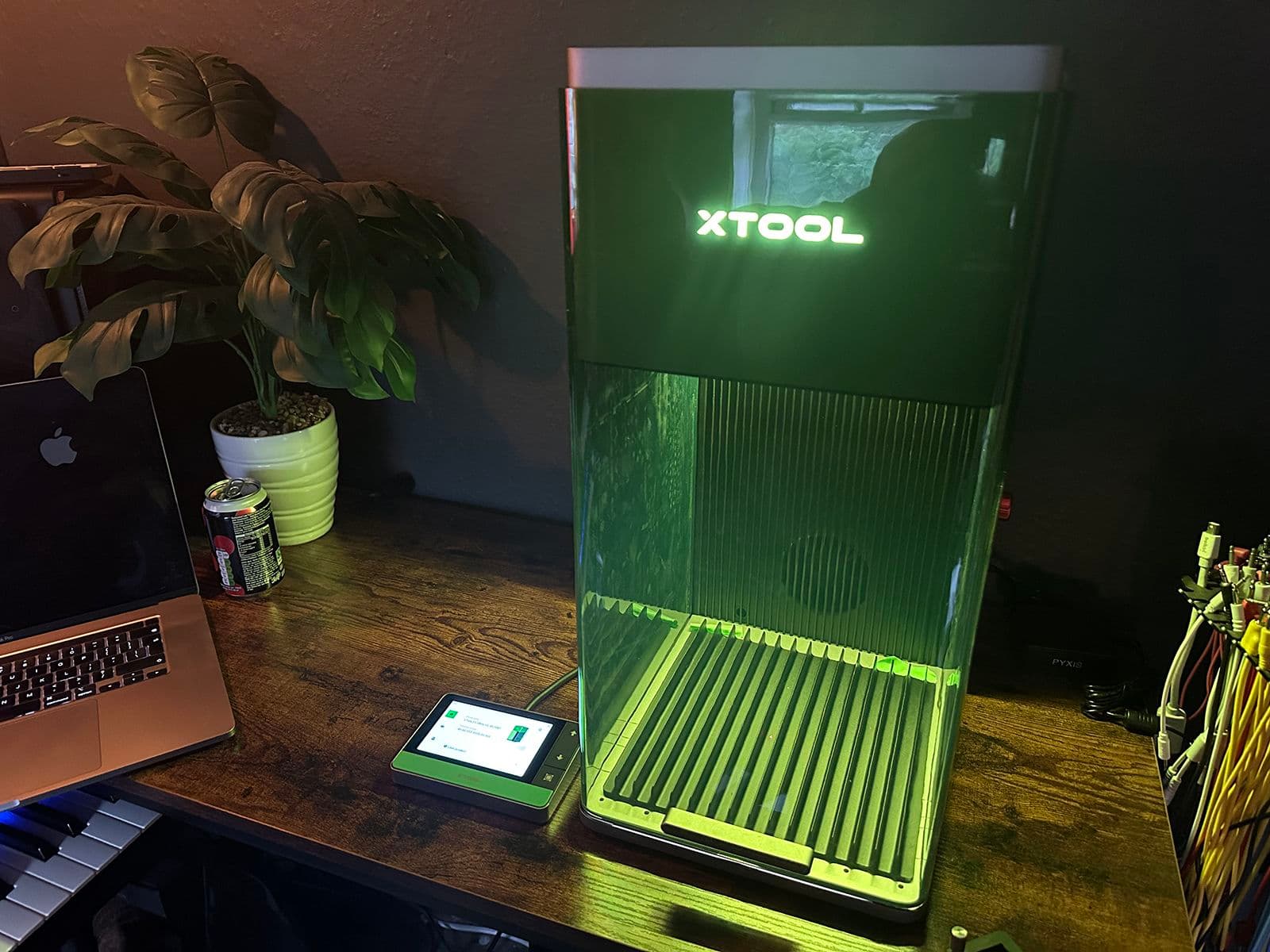
xTool F1 Ultra 20W Fiber & Diode Dual Laser Engraver
SHE Portable Laser Engraver Score7.6/107.6: joint-largest work area and a moderate price outweigh a mid-table speed.
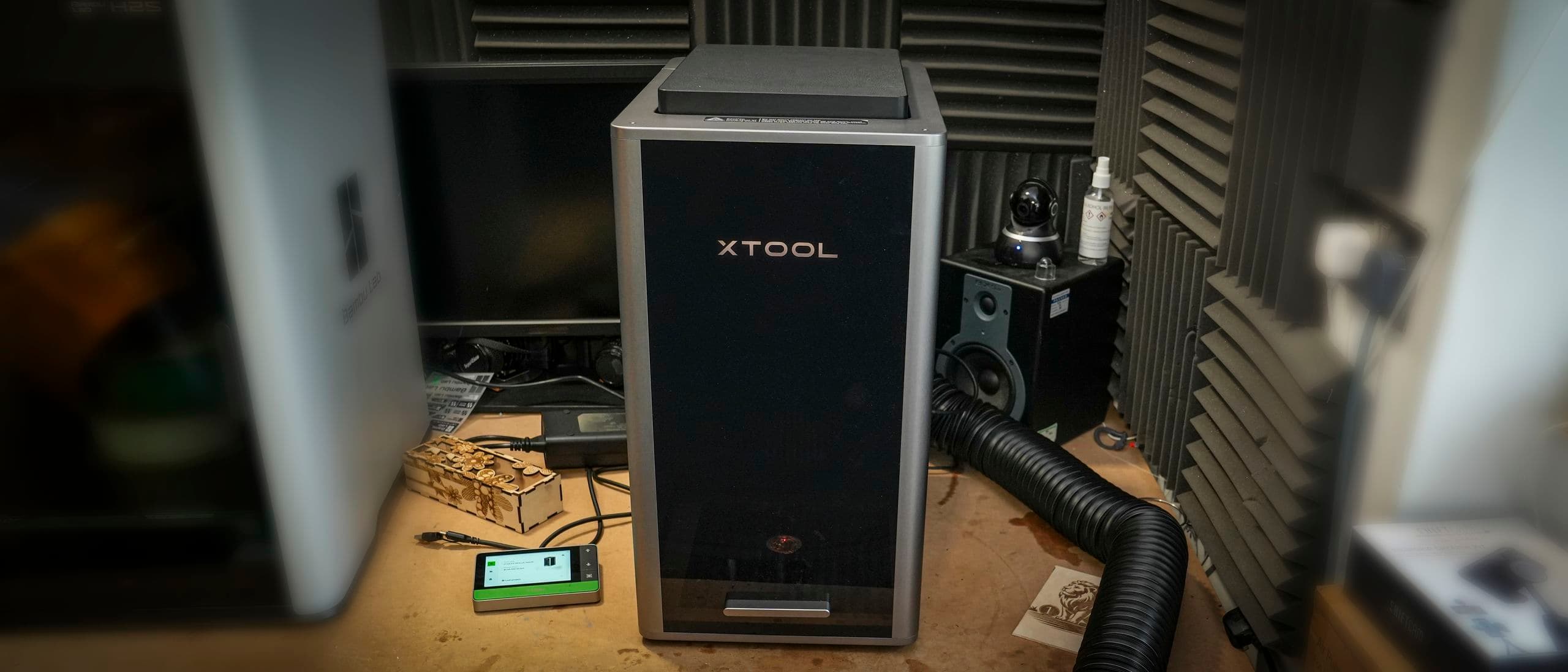
xTool F2 Ultra Dual Laser Engraver
SHE Portable Laser Engraver Score6.5/106.5: top speed and joint-largest work area, pulled down by the highest price.
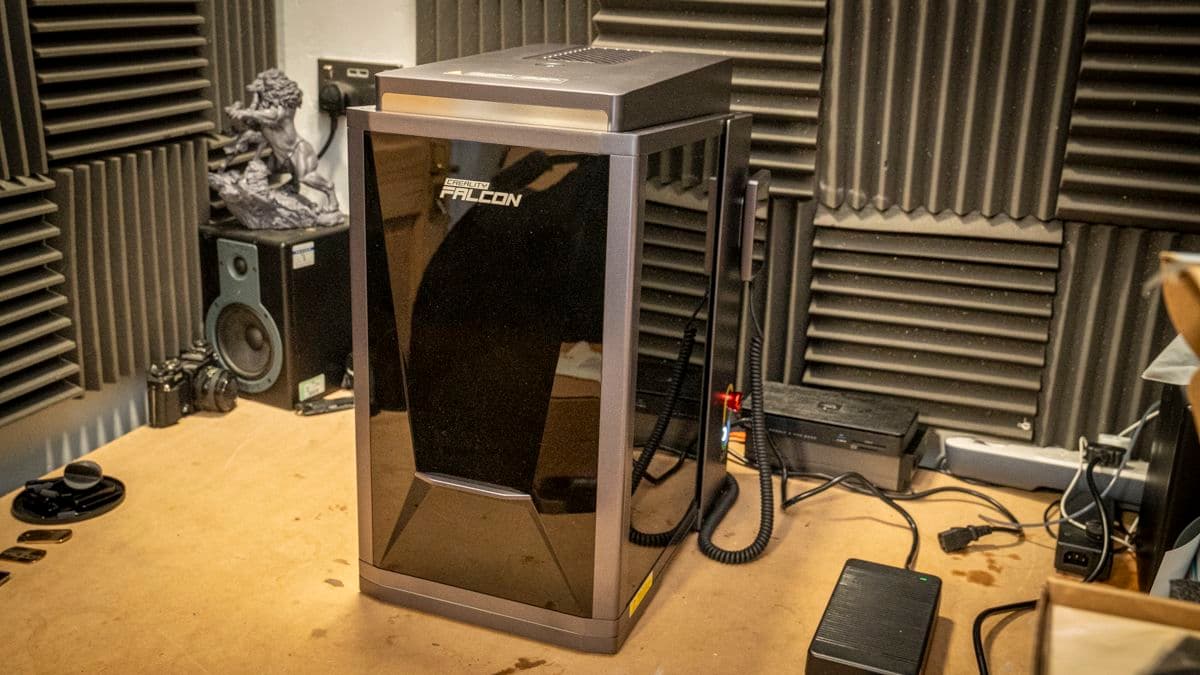
Creality Falcon T1 5-in-1 Laser Engraver
SHE Portable Laser Engraver Score5.5/105.5: second-lowest price, held back by a 175 mm work area.
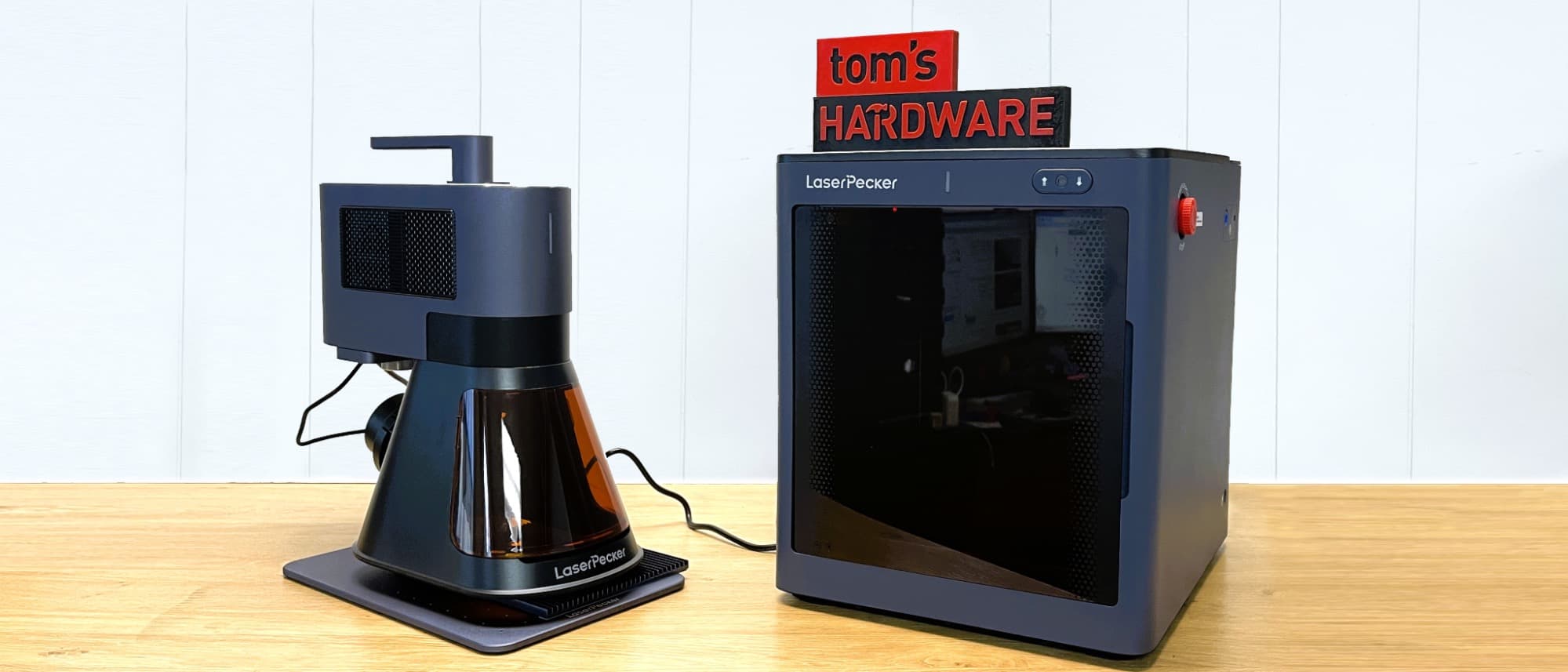
LaserPecker LP5 Dual Laser Engraver
SHE Portable Laser Engraver Score4.6/104.6: moderate price and a shared 10,000 mm/s speed, with the joint-smallest work area.
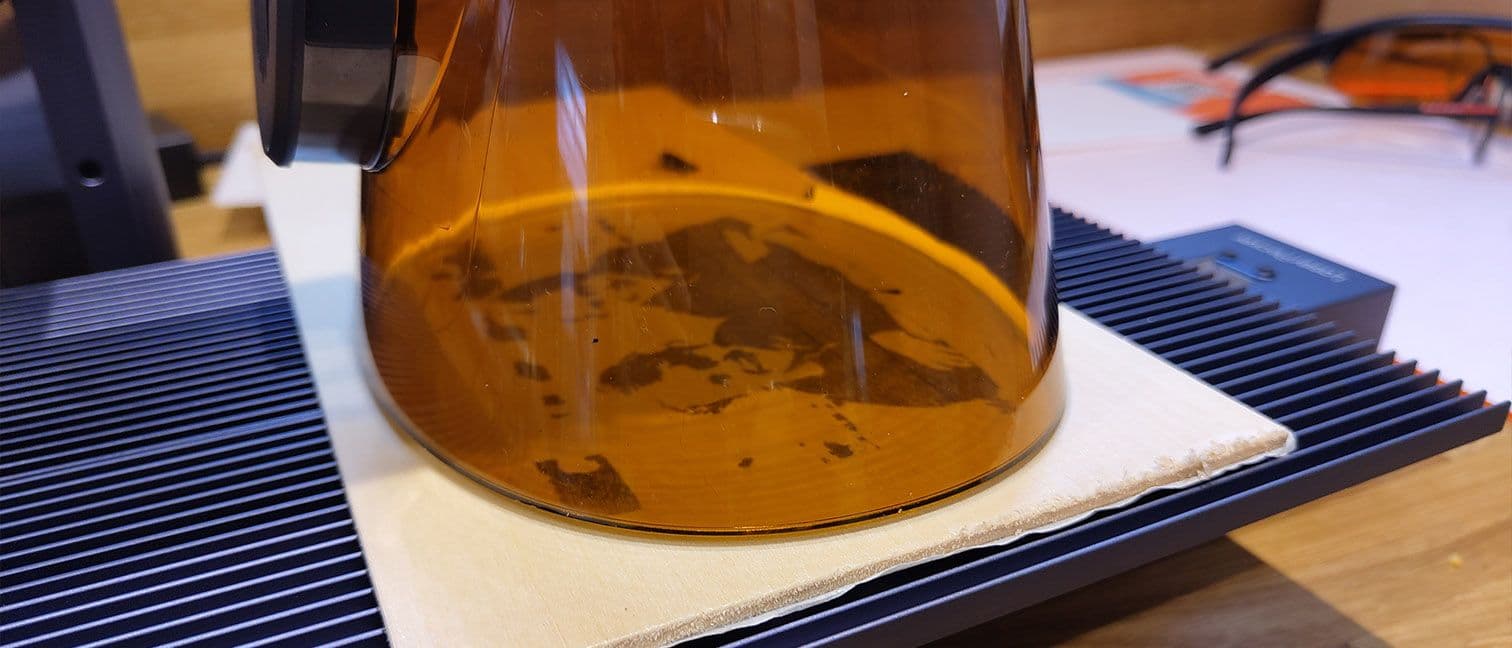
LaserPecker LP4 Dual Laser Engraver
SHE Portable Laser Engraver Score3.5/103.5: lowest price, but the slowest speed and joint-smallest work area.
Software, Connections and Platform Support
As of September 2026, the documented connections are USB and Wi-Fi for four machines, while the LaserPecker LP4 Dual Laser Engraver relies on Bluetooth and USB. None of the collected specifications documents Alexa, Google Home, HomeKit or Matter support, so these engravers operate through their manufacturers' design software rather than any smart home platform. The most consequential catch is software: FauxHammer reports that xTool dropped LightBurn compatibility for the xTool F2 Ultra Dual Laser Engraver, which matters for established LightBurn workflows. The LaserPecker LP4 Dual Laser Engraver and the LaserPecker LP5 Dual Laser Engraver both document LightBurn support. CNX Software notes that the Creality Falcon T1 5-in-1 Laser Engraver desktop application lacks Linux support.
Physical placement also matters, because the 47lbs xTool F2 Ultra demands a sturdier bench, whereas the 6.02kg LaserPecker LP5 produces a considerably more portable installation. Adjacent workshop categories include Best Smart 3D Printers 2026: Bambu A1 Wins at $299 for fabrication, Best Indoor Air Quality Monitors 2026 for fume awareness, and Best Smart Ventilation & Exhaust Fans 2026: Humidity Control for exhaust planning.
When NOT to Buy
Skip the category entirely if your projects require oversized signage or furniture panels, because every basic work area documented here stops at 220 mm on its longer dimension. Apartment residents without a practical exhaust route should reconsider, since AppleInsider described the LaserPecker LP5 Dual Laser Engraver exhaust as loud. Buyers expecting portable equipment should reconsider the 47lbs xTool F2 Ultra Dual Laser Engraver and the 20kg Creality Falcon T1 5-in-1 Laser Engraver, which are considerably harder to relocate. Families with curious children should note that Tom's Hardware classifies the LaserPecker LP4 Dual Laser Engraver as a Class 4 laser requiring protective glasses.
Who Should Buy What
Who Should Buy What
| If you are… | Recommended pick |
|---|---|
Mixed-material maker You engrave metal tags and cut wood or acrylic, and want the largest basic bed here without paying the xTool F2 Ultra's price. | xTool F1 Ultra 20W Fiber & Diode Dual Laser Engraver |
Small production studio You sell engraved or cut metal and wood pieces, need the fastest rated speed, and have a permanent bench for a heavy machine. | xTool F2 Ultra Dual Laser Engraver |
Module experimenter You want to start with one laser type and add diode, fiber, MOPA or UV modules later. | Creality Falcon T1 5-in-1 Laser Engraver |
Mobile crafter You carry your engraver between rooms or events and still want fiber and diode lasers with LightBurn support. | LaserPecker LP5 Dual Laser Engraver |
Budget beginner You want to learn laser engraving on small items at the lowest price here, with goggles and extensions in the box. | LaserPecker LP4 Dual Laser Engraver |
Frequently Asked Questions
Which portable laser engraver here is best for engraving and cutting metal?
The xTool F2 Ultra Dual Laser Engraver carries the strongest metal hardware here, a 60W MOPA fiber laser. Tom's Hardware credits it with cutting 2 mm stainless steel, brass and titanium. The xTool F1 Ultra 20W Fiber & Diode Dual Laser Engraver and the LaserPecker LP5 Dual Laser Engraver each pair a 20W fiber laser with a 20W diode for less money. The F2 Ultra costs $6,499.00, against $2,919.00 for the F1 Ultra. The LaserPecker LP4 Dual Laser Engraver has only a 2W infrared laser alongside its diode.
Do these laser engravers include safety glasses?
Two of the five ship with eye protection. The LaserPecker LP4 Dual Laser Engraver box includes a pair of goggles, and the LaserPecker LP5 Dual Laser Engraver includes safety goggles. Tom's Hardware notes that no safety glasses come with the xTool F2 Ultra Dual Laser Engraver or the Creality Falcon T1 5-in-1 Laser Engraver. The xTool F1 Ultra box list names the machine, control panel, cutting panel and material sets, with no goggles among them. On the LP4, Tom's Hardware says a gap in the shield means glasses must be worn anyway.
Can I keep using LightBurn with these engravers?
Two machines document LightBurn support: the LaserPecker LP4 Dual Laser Engraver and the LaserPecker LP5 Dual Laser Engraver. FauxHammer reports that xTool dropped LightBurn compatibility for the xTool F2 Ultra Dual Laser Engraver. The facts gathered here do not document LightBurn support for the xTool F1 Ultra or the Creality Falcon T1. Creality's Falcon Design Space runs on Windows, macOS, Android and iOS but not Linux, according to CNX Software. If your workflow depends on LightBurn, the two LaserPecker models are the documented choices.
How portable are these engravers in practice?
Weight varies widely across this guide. Tom's Hardware lists the xTool F2 Ultra Dual Laser Engraver at 21.6 kg, and TechRadar weighed the Creality Falcon T1 5-in-1 Laser Engraver at 20 kg. The xTool F1 Ultra 20W Fiber & Diode Dual Laser Engraver weighs 14.7 kg, while the LaserPecker LP5 Dual Laser Engraver totals 6.02 kg. The LaserPecker LP4 Dual Laser Engraver stand measures 260.5 by 218 by 283.5 mm, though no weight appears in the facts gathered here. For a machine you move between rooms, the two LaserPecker models are the realistic options.
Is the cheapest engraver here good enough for a beginner?
The LaserPecker LP4 Dual Laser Engraver is the lowest-priced pick at $1,299.00, and it ships with goggles, a rotary extension and a slide extension. Its 2000 mm/s engraving speed is the slowest here, which is why it lands at 3.5 on our composite. Tom's Hardware found it struggled to cut 3 mm wood without heavy charring. For engraving small items it covers the basics, and the included booklet explains assembly in simple terms. Beginners who expect to cut thicker material should look at the pricier LaserPecker LP5 Dual Laser Engraver instead.
How long does setup take for a portable laser engraver?
Tom's Hardware assembled the LaserPecker LP5 Dual Laser Engraver in about 15 minutes, and it also needs its exhaust pipe fitted. The LaserPecker LP4 Dual Laser Engraver goes together with the included screws and hex keys, guided by a booklet. The xTool F1 Ultra 20W Fiber & Diode Dual Laser Engraver takes more care, because a Make: reviewer found laser alignment hard, with a screw you can barely see. The xTool F2 Ultra and Creality Falcon T1 rate harder mainly because of their weight, at 21.6 kg and 20 kg. Our setup ratings place both LaserPecker models at 4 and the other three at 7 on a ten-point difficulty scale.
Bottom Line
Get the xTool F1 Ultra 20W Fiber & Diode Dual Laser Engraver if you want fiber and diode lasers with the joint-largest basic work area at a moderate price.
Get the xTool F2 Ultra Dual Laser Engraver if you run small production jobs and want the fastest rated speed and a 60W MOPA fiber laser.
Get the Creality Falcon T1 5-in-1 Laser Engraver if you want an enclosed frame that accepts five laser module types.
Get the LaserPecker LP5 Dual Laser Engraver if you want fiber and diode lasers in a machine light enough to move, with LightBurn support.
Get the LaserPecker LP4 Dual Laser Engraver if you are starting out on small items and want goggles and extensions included at the lowest price here.
Sources & Methodology
Methodology: SHE Portable Laser Engraver Score — Formula: Max working speed 35% + Work area long side 30% + Amazon price, lower is better, 35%, scaled to 10. The script does all the math. Each factor is scaled to 0-1 across this guide's products: a yes/no factor is its value (1 or 0); a number factor is (value - lowest) / (highest - lowest); a lower_better factor is then flipped (1 minus that). A number factor whose values are all equal gives every product 1, whichever its direction. A product's raw score is 10 x the sum of weight x scaled value, divided by the sum of the weights, kept to four decimal places; its SHE score is the raw score rounded half up to one decimal. Products are ranked by raw score, highest first; a tie goes to the higher consensus score, then to research order. A factor's chart cell is 10 x its scaled value, rounded half up to one decimal; a Setup Difficulty cell is the scorer's placement. Weight shares are whole percents for display only; the math uses the weights as given.. Factors: Max working speed: The highest rated working or engraving speed from quoted spec lists. The xTool F2 Ultra Dual Laser Engraver leads at 15,000 mm/s, three models share 10,000 mm/s, and the LaserPecker LP4 Dual Laser Engraver trails at 2000 mm/s. | Work area long side: The longer side of the basic work area, without extensions or conveyors. Both xTool models reach 220 mm, the Creality Falcon T1 5-in-1 Laser Engraver 175 mm and both LaserPecker models 160 mm. | Amazon price: The Amazon receipt price, where lower is better. The LaserPecker LP4 is the cheapest, the xTool F2 Ultra costs the most, and the other three sit close together between them.
Expert review sources used in this analysis:
- SHE Portable Laser Engraver Score formula: Max working speed 35% + Work area long side 30% + Amazon price, lower is better, 35%, scaled to 10
- The script does all the math
- Each factor is scaled to 0-1 across this guide's products
- A yes/no factor is its value (1 or 0)
- A number factor is (value - lowest) / (highest - lowest)
- A lower_better factor is then flipped (1 minus that)
- A number factor whose values are all equal gives every product 1, whichever its direction
- A product's raw score is 10 x the sum of weight x scaled value, divided by the sum of the weights, kept to four decimal places
- Its SHE score is the raw score rounded half up to one decimal
- Products are ranked by raw score, highest first; a tie goes to the higher consensus score, then to research order
- A factor's chart cell is 10 x its scaled value, rounded half up to one decimal; a Setup Difficulty cell is the scorer's placement
- Weight shares are whole percents for display only; the math uses the weights as given
- Factors: Max working speed is the highest rated working or engraving speed, taken from spec lists quoted by reviewers or the maker
- Work area long side is the longer side of the basic work area without extensions or conveyors, from quoted spec lists
- Amazon price is the Amazon receipt price captured on the guide date, September 23, 2026
- Outlets read and used: TechRadar, Tom's Hardware, CNX Software, AppleInsider, Notebookcheck, Creative Bloq, Make:, Gathered, FauxHammer, Hobby Laser Cutters, Make Tech Easier and 3D Print Beginner
- LaserPecker's own product page supplied the LP5 specifications and box list
- Coverage shortfall: the xTool F1 Ultra's three verified ratings all come from outlets outside this site's list, so it carries no evidence callout
- The LaserPecker LP4 has two listed outlets, but only Tom's Hardware supplied collected facts, so it also carries no evidence callout
- xTool F1 Ultra 20W Fiber & Diode Dual Laser Engraver: cited from Creative Bloq, Make:, Gathered, Hobby Laser Cutters and FauxHammer; consensus 9.4 from three ratings
- xTool F2 Ultra Dual Laser Engraver: cited from TechRadar, Tom's Hardware and FauxHammer; consensus 8.5; the two spec lists disagree on diode wattage
- Creality Falcon T1 5-in-1 Laser Engraver: cited from TechRadar, Tom's Hardware and CNX Software; consensus 8.0
- LaserPecker LP5 Dual Laser Engraver: cited from Tom's Hardware, AppleInsider, Notebookcheck, Make Tech Easier and LaserPecker; consensus 7.1
- LaserPecker LP4 Dual Laser Engraver: cited from Creative Bloq, Tom's Hardware, Make Tech Easier and 3D Print Beginner; consensus 7.0, including a MacSources rating with no collected MacSources facts
- Weight figures such as 47lbs for the xTool F2 Ultra and 6.02kg for the LaserPecker LP5 come from Tom's Hardware and LaserPecker's product page
- Prices checked on September 23, 2026 from each product's Amazon listing
- No first-party testing or measurement was conducted for this guide, and none is implied; every figure comes from published specifications, outlet reviews and Amazon listings.
Nicholas Miles is the founder of SmartHomeExplorer and a longtime smart home enthusiast focused on helping everyday homeowners make better technology decisions. He researches, compares, and writes about products across security, climate, lighting, leak prevention, sensors, home energy, and automation, with an emphasis on real-world usefulness, ecosystem compatibility, reliability, privacy, and long-term value.
Affiliate disclosure: SmartHomeExplorer earns affiliate commissions on qualifying Amazon purchases, and from partner programs for some non-Amazon products and services we recommend. Our scoring methodology is independent of affiliate relationships.