
Best Home NAS for Photo Backup 2026
Many budget photo servers ship with a single gigabit port that throttles large library backups. This guide ranks five models by expert consensus, network speed, memory and price, and the UGREEN NASync DXP4800 Pro leads.
This article contains affiliate links. We may earn a commission at no extra cost to you. Prices change frequently — check the current price on Amazon before buying. Learn more
The Short Answer
The UGREEN NASync DXP4800 Pro leads the SHE Home Photo Backup NAS Score because it pairs the joint-highest expert consensus with ten-gigabit Ethernet and eight gigabytes of installed memory. The UGREEN NASync DH2300 costs far less, although it depends on one gigabit Ethernet port for every photo library backup.
Featured in this Guide
UGREEN
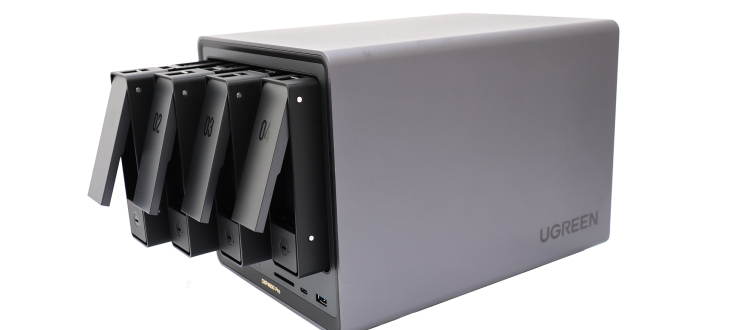
NASync DXP4800 Pro
- •10GbE and 2.5GbE ports with 8GB of DDR5 memory
- •rated 9/10 by Cubed3
UGREEN
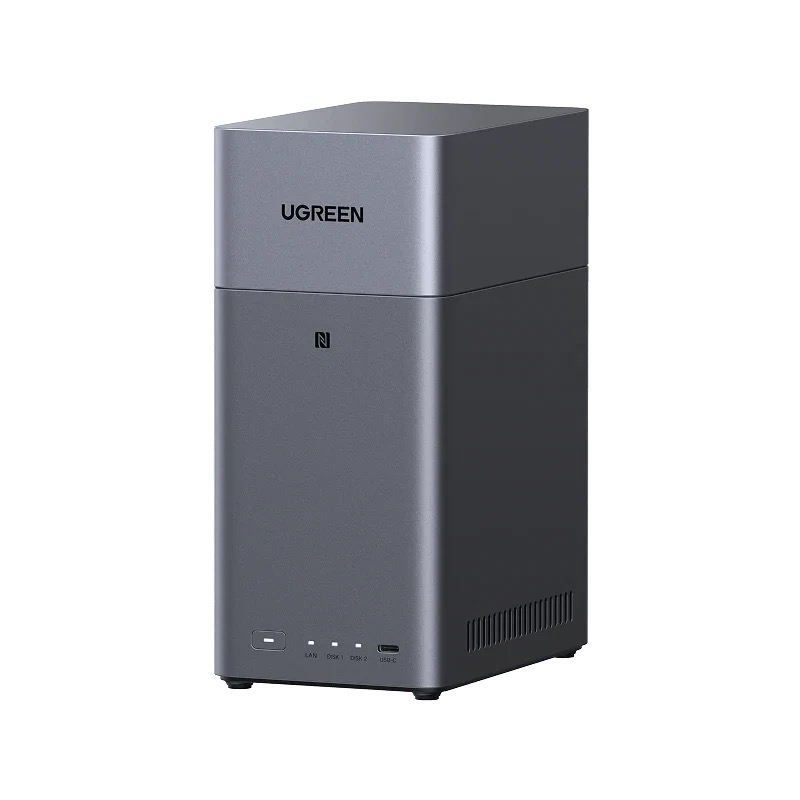
NASync DH2300
- •Lowest price here, with tap-to-configure iPhone setup
Synology
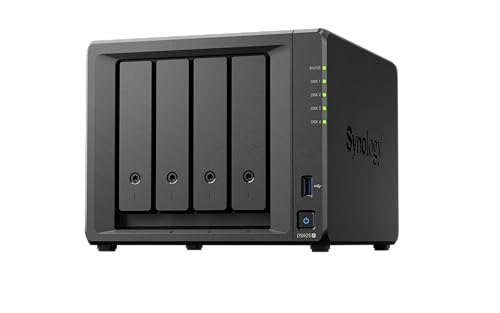
DS925+ 4-Bay NAS
- •Synology quotes just 20dB when fully populated
- •tool-free lockable bays
UGREEN
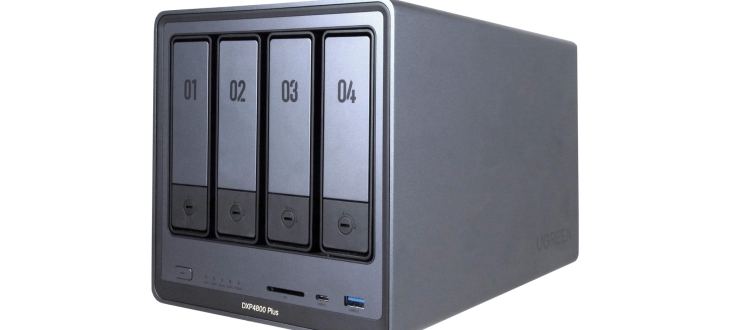
NASync DXP4800 Plus
- •10GbE port and 8GB of memory for less than the Pro
Synology
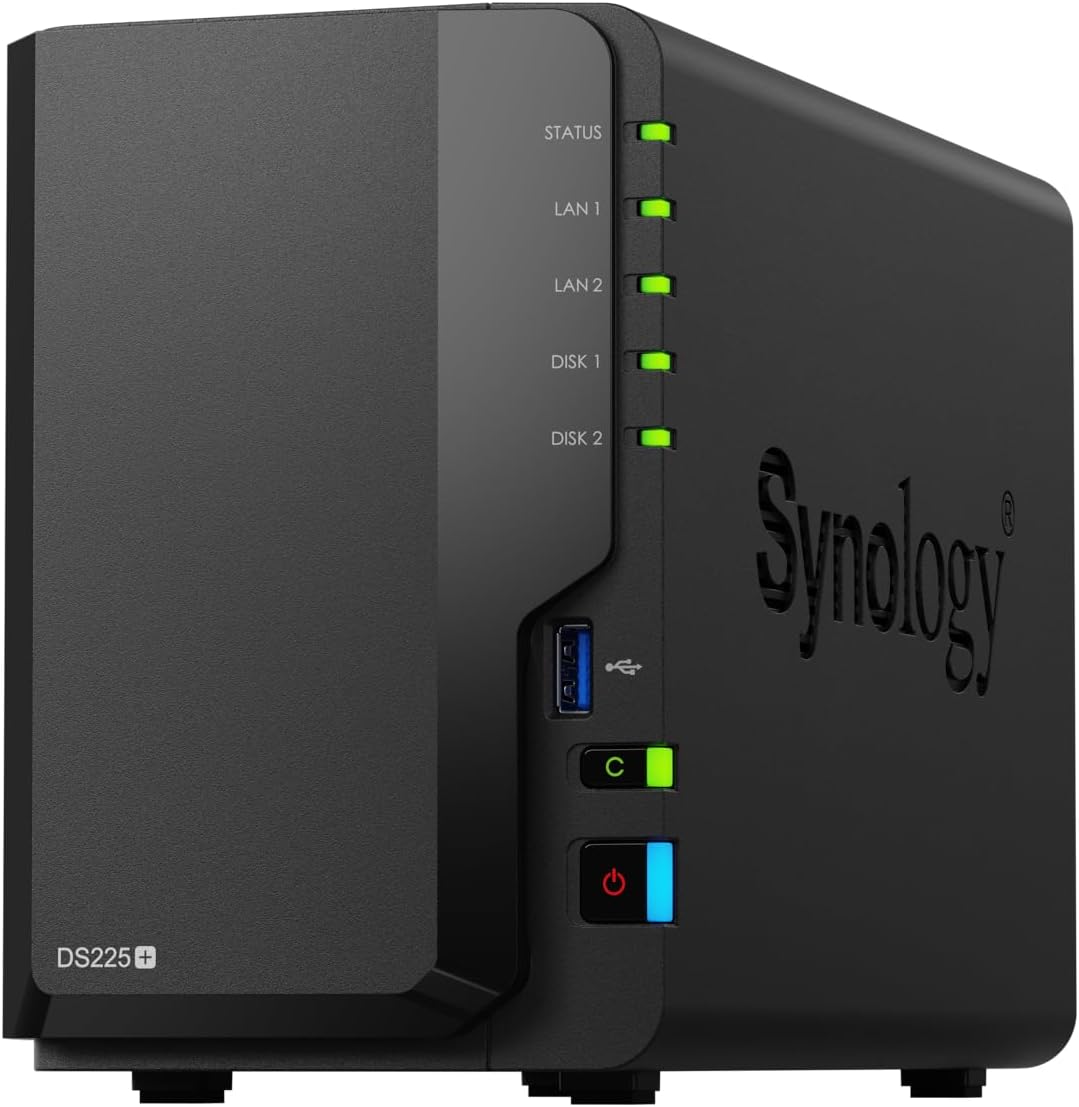
DiskStation DS225+
- •Browser-based setup and tool-free clip-in drive rails
Head-to-Head: Consensus, Network Speed, Memory and Setup
Networking
Chart
 Smarthomeexplorer.com
Tap any pick to check its live price on Amazon.
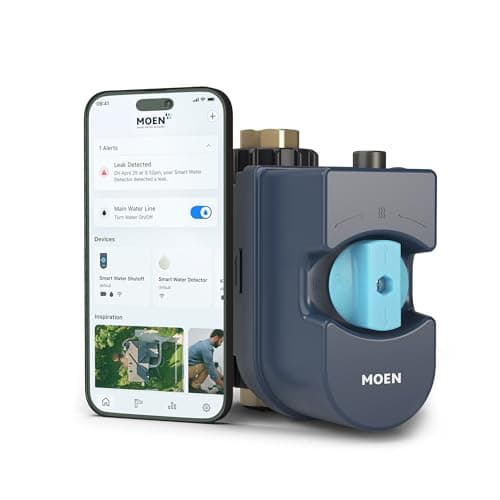
Moen Flo Smart Water Monitor
RecommendedCheck price
Flo by Moen Smart Water Monitor
Must BuyCheck price
What a Photo Backup NAS Actually Buys You
The SHE Home Photo Backup NAS Score blends expert consensus, weighted at half, with fastest network port, installed memory and Amazon price. Those four documented specifications determine how dependably a household photo archive synchronizes, restores and remains affordable. Network speed stands in for performance, since the fastest wired Ethernet port limits how quickly large libraries transfer, and measured transfer figures remain unavailable for several models. Installed memory influences photo indexing and simultaneous backup applications, while the price factor rewards affordability relative to competing enclosures. The weighted formula ranks the UGREEN NASync DXP4800 Pro first, because it combines the joint-highest consensus with ten-gigabit Ethernet and the largest installed memory. The Synology DiskStation DS225+ ranks last, because it carries the lowest consensus and the smallest memory allocation in this guide.
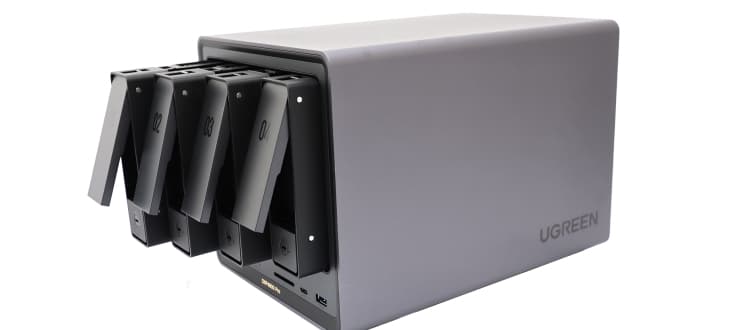
Best Overall Photo Vault: UGREEN NASync DXP4800 Pro
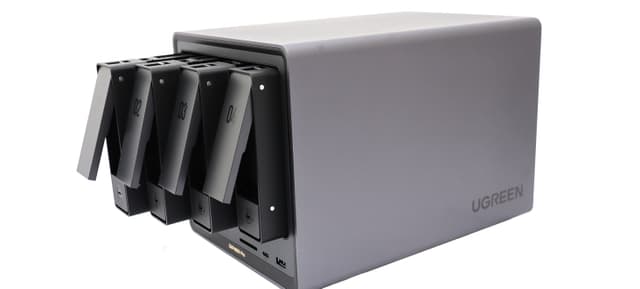
UGREEN NASync DXP4800 Pro
- 10GbE and 2.5GbE Ethernet ports for fast library transfers
- Costs more than the DXP4800 Plus with the same port and memory
(Current price, subject to change)
The UGREEN NASync DXP4800 Pro suits photographers and families consolidating large image libraries onto dependable, expandable storage. It scored 8.3 on the SHE Home Photo Backup NAS Score, a composite on the ten-point scale, because ten-gigabit Ethernet and eight gigabytes of memory maximize two factors.
Its strongest documented capability is networking, because the ten-gigabit UGREEN NASync DXP4800 Pro pairs that port with a secondary multigigabit connection and two NVMe slots. Android Central documented native AV1 hardware decoding and capable hardware transcoding, which enables comfortable video playback alongside photo duties. Cubed3 awarded nine out of ten, while KitGuru awarded eight out of ten.
Relative to the UGREEN NASync DXP4800 Plus, which shares the ten-gigabit port and memory allocation, this model costs more, so its price factor sits lowest among the UGREEN models. Android Central also measured idle consumption of 26W, rising to 60W with drives active, and smaller laptop-sized drives require screws.
What We Love
- 10GbE and 2.5GbE Ethernet ports for fast library transfers
- 8GB of DDR5 memory, upgradable to 96GB
- Two M.2 2280 PCIe 4.0 NVMe slots
- Android Central found AV1 hardware decode and strong transcoding
What Could Be Better
- Costs more than the DXP4800 Plus with the same port and memory
- Draws 26W idle and 60W with drives active
- 2.5-inch drives must be screwed in
The Verdict
If a growing family photo archive needs ten-gigabit headroom and room to expand, UGREEN NASync DXP4800 Pro fits the brief. It costs more than the UGREEN NASync DXP4800 Plus, which shares that port.
Best Budget Photo Backup: UGREEN NASync DH2300
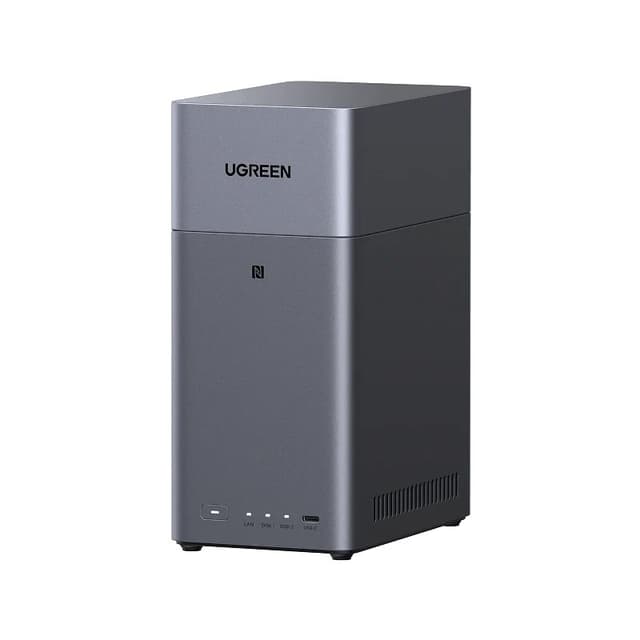
UGREEN NASync DH2300
- Tap-to-configure iPhone setup, per AppleInsider
- Single 1GbE LAN port limits transfer speed
(Current price, subject to change)
The UGREEN NASync DH2300 targets households wanting a compact, affordable photo repository rather than a multipurpose server. It scored 6.9 on the SHE Home Photo Backup NAS Score, a composite on the ten-point scale, because the lowest price helped while one gigabit port hurt.
AppleInsider rated it four out of five and praised tap-to-configure setup, which connects an iPhone to the compact UGREEN NASync DH2300 almost effortlessly. Cubed3 scored it nine out of ten and encountered no speed, compatibility or loading issues. AppleInsider also reports that the processor's neural unit delivers six trillion operations per second for on-device AI tasks.
Compared to the multigigabit models in this guide, its single gigabit port constrains large transfers, and UGREEN states that Docker and virtual machines are currently unsupported. Its two bays and basic RAID options also limit expansion relative to the four-bay alternatives.
What We Love
- Tap-to-configure iPhone setup, per AppleInsider
- Cubed3 saw no speed, compatibility or loading issues
- NPU rated at 6 trillion operations per second
- Rated at 13.72W during drive access and 3.304W in hibernation
What Could Be Better
- Single 1GbE LAN port limits transfer speed
- No official Docker or virtual machine support
- Only two bays and RAID 0 or RAID 1
The Verdict
For a first photo backup box at the lowest price here, UGREEN NASync DH2300 is a sensible pick for that setup. Its gigabit port suits modest libraries better than bulk transfers.
Best for Quiet Operation: Synology DS925+ 4-Bay NAS
Synology DS925+ 4-Bay NAS
- Synology quotes just 20dB when fully populated
- Two 2.5GbE ports and no 10GbE
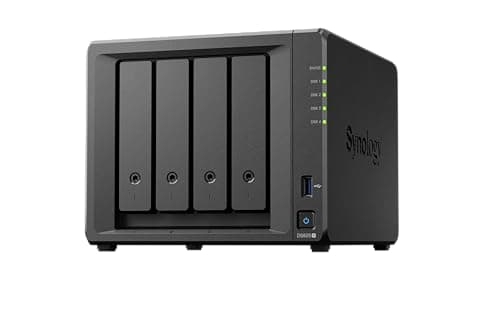
(Current price, subject to change)
The Synology DiskStation DS925+ serves households wanting Synology's mature software with four drive bays and two NVMe slots. It scored 5.7 on the SHE Home Photo Backup NAS Score, a composite on the ten-point scale, because the highest Amazon price here offset its joint-top consensus.
TechRadar awarded five out of five and found it tops out around 280MB/s over a multigigabit wired connection, while Synology rates a fully populated unit at just 20dB. CGMagazine measured sequential transfers near 522 MB/s reading and 565 MB/s writing. Android Central confirmed tool-free drive installation with lockable bays, and the Synology DiskStation DS925+ accepts third-party drives after a recent DSM software update.
Relative to the UGREEN NASync DXP4800 Pro, it offers dual multigigabit ports instead of ten-gigabit networking, four gigabytes of memory, and no hardware transcoding for Plex.
What We Love
- Synology quotes just 20dB when fully populated
- Tool-free, lockable drive bays, per Android Central
- Four bays plus two M.2 NVMe SSD slots
- USB-C port for DX525 bay expansion
What Could Be Better
- Two 2.5GbE ports and no 10GbE
- Only 4GB of RAM installed
- No hardware transcoding for Plex
The Verdict
When quiet running and Synology software matter more than raw network speed, Synology DS925+ 4-Bay NAS checks the boxes that matter for a living-room shelf. It costs the most of the five models here.
Best Ten-Gig Alternative: UGREEN NASync DXP4800 Plus
UGREEN NASync DXP4800 Plus
- 10GbE and 2.5GbE Ethernet ports
- XDA found setup needlessly painful
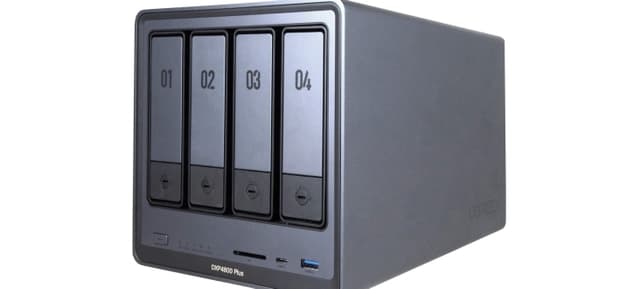
(Current price, subject to change)
The UGREEN NASync DXP4800 Plus offers ten-gigabit networking and eight gigabytes of memory for less than the Pro. It scored 4.9 on the SHE Home Photo Backup NAS Score, a composite on the ten-point scale, because the second-lowest expert consensus outweighed its maximum network and memory values.
Its strongest documented capability is bandwidth, because XDA calculates combined throughput of twelve-and-a-half gigabits across both ports, and AVForums streamed 4K HDR without dropouts. The UGREEN NASync DXP4800 Plus also boots from a dedicated 128GB SSD rather than flash memory.
Compared to the Pro, reviewers were less enthusiastic: KitGuru rated it seven and a half out of ten, and XDA described setup as needlessly painful. AVForums also found the HDMI output, still in beta, passes no HDR metadata and plays stereo audio only.
What We Love
- 10GbE and 2.5GbE Ethernet ports
- 8GB DDR5, expandable to 64GB
- 128GB SSD system disk instead of flash
- AVForums streamed 4K HDR over 1GbE without dropouts
What Could Be Better
- XDA found setup needlessly painful
- HDMI output passes no HDR and plays stereo only
- KitGuru rated it 7.5 out of 10
The Verdict
If you want ten-gigabit networking from UGREEN at a lower price than the Pro, UGREEN NASync DXP4800 Plus lines up with what you actually need. Expect a rougher setup than the Synology models.
Best Compact Synology: Synology DiskStation DS225+
Synology DiskStation DS225+
- Peak power draw of just 13 watts
- Only 2GB of RAM installed
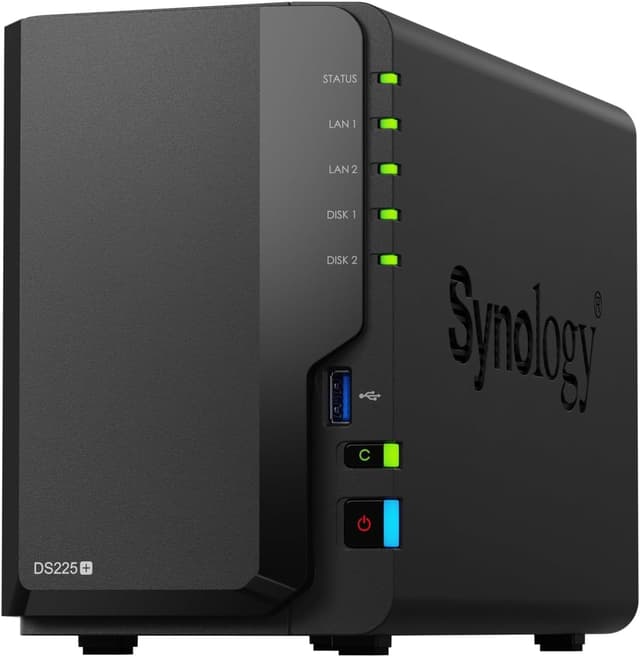
(Current price, subject to change)
The Synology DiskStation DS225+ suits smaller households backing up phone photos to two drives with Synology's familiar software. It scored 2.0 on the SHE Home Photo Backup NAS Score, a composite on the ten-point scale, because the lowest consensus and two gigabytes of memory pulled it down.
How-To Geek saw it fully saturate a gigabit connection in both directions, and the two-bay Synology DiskStation DS225+ holds up to 40 TB with 20 TB drives. Trusted Reviews measured a peak power draw of 13 watts and described browser-based setup that redirects to the local device.
Versus the Synology DiskStation DS925+, it lacks NVMe support, and Android Central reports that Synology left Quick Sync hardware transcoding disabled. Trusted Reviews recorded 76MB/s writes and 55MB/s reads in a mixed-file copy test.
What We Love
- Peak power draw of just 13 watts
- Saturated a gigabit link, per How-To Geek
- Works with Seagate, WD and Toshiba drives after a DSM update
- Tool-free clip-in drive rails
What Could Be Better
- Only 2GB of RAM installed
- No NVMe SSD support
- Quick Sync transcoding not enabled
The Verdict
For a two-bay Synology that backs up phone photos over a gigabit network, Synology DiskStation DS225+ is the path of least friction. It ranks last here on consensus and installed memory.
How We Score: SHE Home Photo Backup NAS Score
SHE Home Photo Backup NAS Score
Score Formula
Expert consensus 50% + Fastest network port 20% + Installed memory 10% + Amazon price, lower is better, 20%, scaled to 10. The script does all the math. Each factor is scaled to 0-1 across this guide's products: a yes/no factor is its value (1 or 0); a number factor is (value - lowest) / (highest - lowest); a lower_better factor is then flipped (1 minus that). A number factor whose values are all equal gives every product 1, whichever its direction. A product's raw score is 10 x the sum of weight x scaled value, divided by the sum of the weights, kept to four decimal places; its SHE score is the raw score rounded half up to one decimal. Products are ranked by raw score, highest first; a tie goes to the higher consensus score, then to research order. A factor's chart cell is 10 x its scaled value, rounded half up to one decimal; a Setup Difficulty cell is the scorer's placement. Weight shares are whole percents for display only; the math uses the weights as given.Score Factors
- Expert consensusThe weighted average of verified outlet scores on a 10-point scale; the UGREEN NASync DXP4800 Pro and Synology DiskStation DS925+ share the top value, and the Synology DiskStation DS225+ has the lowest.
- Fastest network portThe fastest built-in wired Ethernet port; the UGREEN NASync DXP4800 Pro and UGREEN NASync DXP4800 Plus reach 10 Gbps, both Synology models 2.5 Gbps, and the UGREEN NASync DH2300 1 Gbps.
- Installed memoryMemory installed out of the box; both DXP4800 models ship with 8GB, the DH2300 and DS925+ with 4GB, and the DS225+ with 2GB.
- Amazon priceThe Amazon price when we last checked, lower is better; the DH2300 is the cheapest and the DS925+ costs the most, with prices checked on September 26, 2026.
SHE Home Photo Backup NAS Score — Ranked
Built from published specs, outlet reviews read for this guide and Amazon prices checked on September 26, 2026; it is not a first-party performance or reliability test.
UGREEN NASync DXP4800 Pro
SHE Home Photo Backup NAS Score8.3/10Joint-top consensus, 10GbE and 8GB of memory, held back only by a high price.
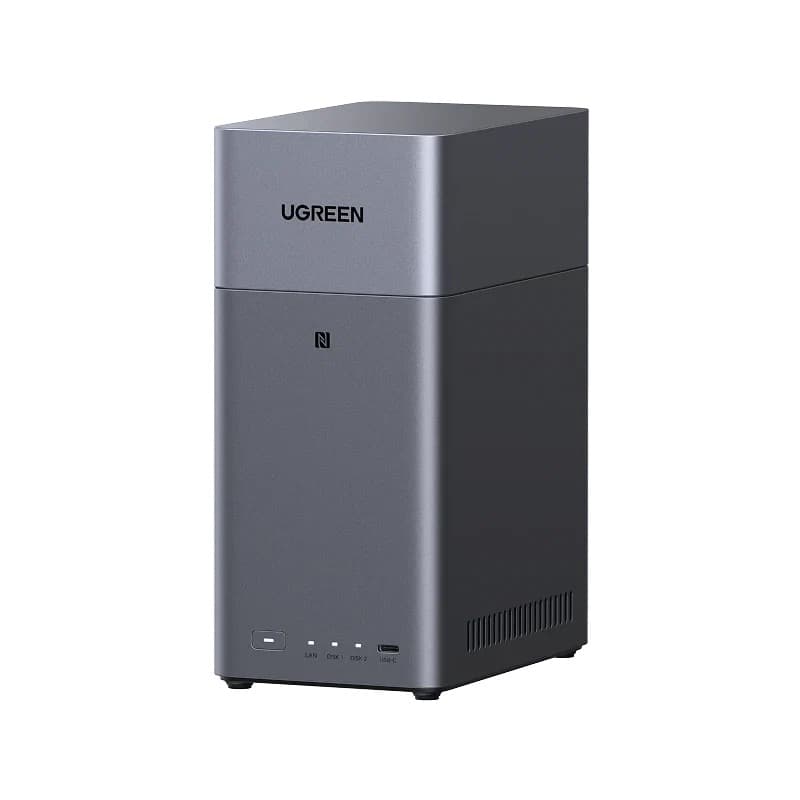
UGREEN NASync DH2300
SHE Home Photo Backup NAS Score6.9/10Lowest price and strong consensus, held back by a single 1GbE port.
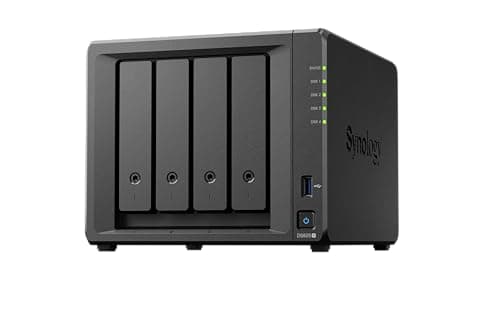
Synology DS925+ 4-Bay NAS
SHE Home Photo Backup NAS Score5.7/10Joint-top consensus, but the highest price and 2.5GbE ports.
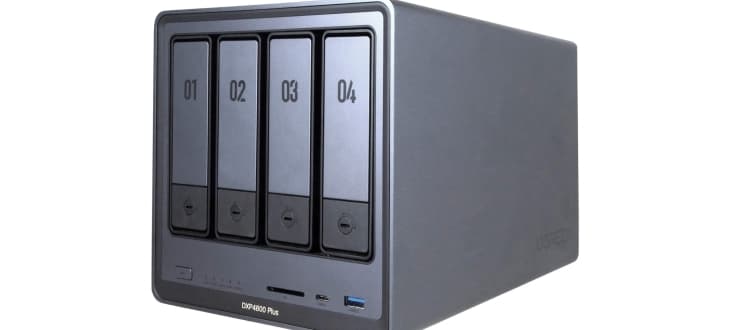
UGREEN NASync DXP4800 Plus
SHE Home Photo Backup NAS Score4.9/1010GbE and 8GB of memory, pulled down by the second-lowest consensus.
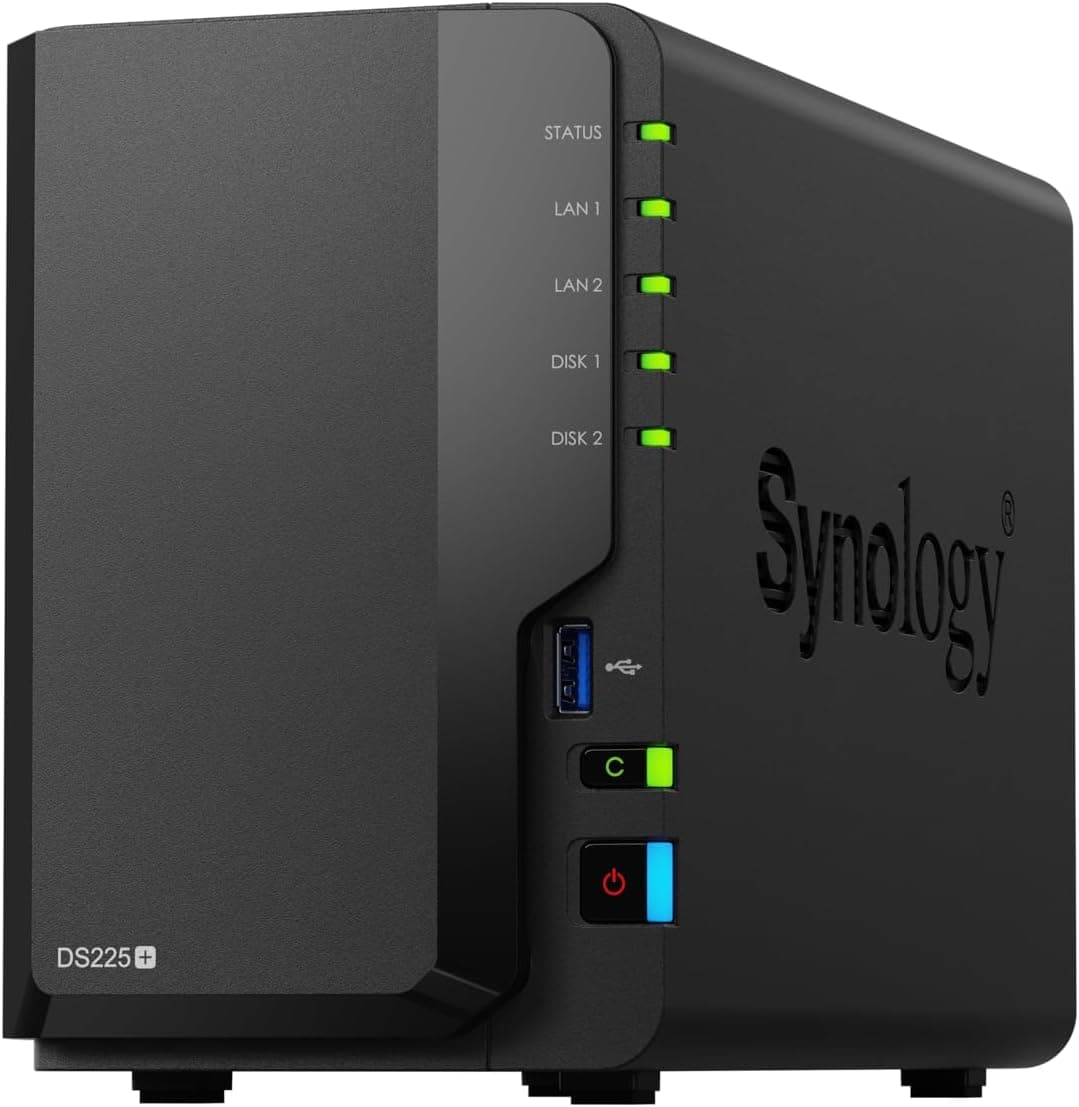
Synology DiskStation DS225+
SHE Home Photo Backup NAS Score2.0/10Lowest consensus and least memory, with a moderate price.
Which Platforms and Networks These NAS Boxes Support
Both Synology models run DSM, and after a recent update each accepts Seagate, WD and Toshiba hard drives rather than requiring Synology-branded disks. The UGREEN NASync DXP4800 Plus runs UGOS with browser and mobile application access, while the UGREEN NASync DH2300 offers tap-to-configure setup directly from an iPhone. The UGREEN NASync DH2300 currently lacks official Docker support and cannot host virtual machines, which restricts additional server applications.
The most consequential compatibility catch concerns networking: ten-gigabit and multigigabit ports only deliver their advantage when the connected router or switch also supports those speeds. Before committing, compare Best Gaming Routers for Multi-Gig Wiring 2026 with multigigabit ports, and consider a tidy The Home Network Rack Setup (2026) for permanent installation. Continuous operation also benefits from Best Smart UPS Battery Backup 2026: 5 for Home Networks protection, because an unexpected outage can interrupt an overnight photo synchronization.
When NOT to Buy
Skip the category entirely if your photo collection already fits comfortably inside an existing cloud subscription, because a NAS adds drives, maintenance and electricity without adding convenience. Anyone whose router offers only gigabit Ethernet gains little from the ten-gigabit models, which limits the value of the most expensive options here. Households needing hardware video transcoding should avoid both Synology models, because Android Central reports transcoding limitations on each. Anyone unwilling to troubleshoot should avoid the UGREEN NASync DXP4800 Plus, whose setup XDA called needlessly painful.
Who Should Buy What
Who Should Buy What
| If you are… | Recommended pick |
|---|---|
Large-library photographer You move big photo and video libraries over a fast wired network and want 10GbE plus room to grow. | UGREEN NASync DXP4800 Pro |
iPhone-first budget buyer You want the cheapest simple photo backup box here and set it up from your iPhone. | UGREEN NASync DH2300 |
Quiet Synology household You want Synology software, four tool-free bays and a unit quiet enough for a living room. | Synology DS925+ 4-Bay NAS |
Ten-gig buyer on a budget You want a 10GbE port and 8GB of memory for less than the Pro and can handle a rougher setup. | UGREEN NASync DXP4800 Plus |
Small two-drive household You back up phone photos over gigabit Ethernet and want a low-power two-bay Synology. | Synology DiskStation DS225+ |
Frequently Asked Questions
Which home NAS is best for backing up family photos?
The UGREEN NASync DXP4800 Pro ranks first with an 8.3 on the SHE Home Photo Backup NAS Score. It pairs 10GbE and 2.5GbE ports with 8GB of DDR5 memory. Cubed3 rated it 9/10 and KitGuru rated it 8/10. The UGREEN NASync DH2300 ranks second at 6.9, helped by the lowest price here. Choose the DH2300 when budget matters more than transfer speed.
Do I need a 10GbE port for photo backup?
Only if your router or switch supports 10GbE and you move large libraries often. The two DXP4800 models are the only ones here with a 10GbE port. TechRadar found the Synology DiskStation DS925+ tops out at 280MB/s over 2.5GbE. How-To Geek saw the Synology DiskStation DS225+ fully saturate a gigabit connection, which suits steady phone backups.
Is the UGREEN NASync DH2300 enough for an iPhone photo library?
For many households, yes. AppleInsider rated it 4 out of 5 and praised tap-to-configure setup from an iPhone. It holds up to 64TB across two bays. Its single 1GbE port limits bulk transfers, and one buyer reported slow speeds on his wired network. It costs $269.99, the lowest price in this guide.
Which of these NAS boxes is easiest to set up?
The Synology DiskStation DS925+ has the lowest Setup Difficulty here at 2. A QR code in the box leads to a setup page that finds the NAS and installs the system. Its bays take drives without tools and can be locked. The UGREEN NASync DXP4800 Plus sits highest at 5, because XDA found its setup needlessly painful.
Can the Synology models use non-Synology hard drives?
Yes. Since the DSM 7.3 update, the Synology DiskStation DS225+ works with Seagate, WD and Toshiba hard drives. The same update lets the Synology DiskStation DS925+ use third-party SATA drives without restriction, per Dong Knows Tech. That removes the lock-in that once raised the cost of filling the bays. Check capacity too, since the DS225+ holds up to 40 TB with 20 TB drives.
How do the prices compare across these five NAS models?
The UGREEN NASync DH2300 is the cheapest at $269.99, followed by the Synology DiskStation DS225+ at $364.99. The UGREEN NASync DXP4800 Plus costs $729.99 and the UGREEN NASync DXP4800 Pro costs $799.99. The Synology DiskStation DS925+ costs the most at $889.99. Prices were checked on September 26, 2026, and price carries 20% of the score.
Bottom Line
Get the UGREEN NASync DXP4800 Pro if you want the top-ranked photo NAS here, with 10GbE and 8GB of memory for large libraries.
Get the UGREEN NASync DH2300 if you want the lowest-priced photo backup box with simple iPhone setup.
Get the Synology DS925+ 4-Bay NAS if you want Synology software, four tool-free bays and quiet running.
Get the UGREEN NASync DXP4800 Plus if you want a 10GbE port for less than the Pro and can live with a rougher setup.
Get the Synology DiskStation DS225+ if you want a low-power two-bay Synology for gigabit phone backups.
Sources & Methodology
Methodology: SHE Home Photo Backup NAS Score — Formula: Expert consensus 50% + Fastest network port 20% + Installed memory 10% + Amazon price, lower is better, 20%, scaled to 10. The script does all the math. Each factor is scaled to 0-1 across this guide's products: a yes/no factor is its value (1 or 0); a number factor is (value - lowest) / (highest - lowest); a lower_better factor is then flipped (1 minus that). A number factor whose values are all equal gives every product 1, whichever its direction. A product's raw score is 10 x the sum of weight x scaled value, divided by the sum of the weights, kept to four decimal places; its SHE score is the raw score rounded half up to one decimal. Products are ranked by raw score, highest first; a tie goes to the higher consensus score, then to research order. A factor's chart cell is 10 x its scaled value, rounded half up to one decimal; a Setup Difficulty cell is the scorer's placement. Weight shares are whole percents for display only; the math uses the weights as given.. Factors: Expert consensus: The weighted average of verified outlet scores on a 10-point scale; the UGREEN NASync DXP4800 Pro and Synology DiskStation DS925+ share the top value, and the Synology DiskStation DS225+ has the lowest. | Fastest network port: The fastest built-in wired Ethernet port; the UGREEN NASync DXP4800 Pro and UGREEN NASync DXP4800 Plus reach 10 Gbps, both Synology models 2.5 Gbps, and the UGREEN NASync DH2300 1 Gbps. | Installed memory: Memory installed out of the box; both DXP4800 models ship with 8GB, the DH2300 and DS925+ with 4GB, and the DS225+ with 2GB. | Amazon price: The Amazon price when we last checked, lower is better; the DH2300 is the cheapest and the DS925+ costs the most, with prices checked on September 26, 2026.
Expert review sources used in this analysis:
- SHE Home Photo Backup NAS Score
- Formula: Expert consensus 50% + Fastest network port 20% + Installed memory 10% + Amazon price, lower is better, 20%, scaled to 10
- The script does all the math
- Each factor is scaled to 0-1 across this guide's products: a yes/no factor is its value (1 or 0)
- A number factor is (value - lowest) / (highest - lowest)
- A lower_better factor is then flipped (1 minus that)
- A number factor whose values are all equal gives every product 1, whichever its direction
- A product's raw score is 10 x the sum of weight x scaled value, divided by the sum of the weights, kept to four decimal places
- Its SHE score is the raw score rounded half up to one decimal
- Products are ranked by raw score, highest first; a tie goes to the higher consensus score, then to research order
- A factor's chart cell is 10 x its scaled value, rounded half up to one decimal; a Setup Difficulty cell is the scorer's placement
- Weight shares are whole percents for display only; the math uses the weights as given
- Expert consensus: The weighted average of the verified outlet scores for this model, on a 10-point scale
- Fastest network port: The speed of the fastest built-in wired Ethernet port in gigabits per second, from review and maker spec facts
- It stands in for performance because it caps how fast a photo library backs up and loads, and measured transfer figures are missing for some models
- Installed memory: The memory installed out of the box in gigabytes, from review and maker spec facts, which affects photo indexing and running backup apps
- Amazon price: The Amazon price when we last checked, from the receipt captured on the guide date, with prices checked on September 26, 2026
- Outlets read and used: KitGuru, Cubed3, Android Central, AVForums, XDA Developers, How-To Geek, Trusted Reviews, AppleInsider, TechRadar, CGMagazine, Dong Knows Tech and PCMasters, plus maker and retailer specification pages
- Coverage shortfall: the site's outlet list covers none of the verified rating outlets for the UGREEN NASync DXP4800 Pro or the UGREEN NASync DXP4800 Plus
- The site's outlet list covers only AppleInsider for the UGREEN NASync DH2300, so those three products carry no evidence callout
- UGREEN NASync DXP4800 Pro: rated by KitGuru and Cubed3, with further findings from Android Central and PCMasters
- UGREEN NASync DH2300: rated by AppleInsider and Cubed3, with specifications from UGREEN
- Synology DiskStation DS925+: rated by TechRadar, Android Central and CGMagazine, with findings from Dong Knows Tech
- UGREEN NASync DXP4800 Plus: rated by KitGuru and AVForums, with findings from XDA Developers
- Synology DiskStation DS225+: rated by How-To Geek, Trusted Reviews and Android Central, with findings from Dong Knows Tech
- Amazon prices checked on September 26, 2026 from each product's own listing; sources were read as of September 2026
- No first-party testing or measurement was conducted for this guide, and none is implied; every figure comes from outlet reviews and maker specifications.
Nicholas Miles is the founder of SmartHomeExplorer and a longtime smart home enthusiast focused on helping everyday homeowners make better technology decisions. He researches, compares, and writes about products across security, climate, lighting, leak prevention, sensors, home energy, and automation, with an emphasis on real-world usefulness, ecosystem compatibility, reliability, privacy, and long-term value.
Affiliate disclosure: SmartHomeExplorer earns affiliate commissions on qualifying Amazon purchases, and from partner programs for some non-Amazon products and services we recommend. Our scoring methodology is independent of affiliate relationships.