

Best Smart Kitchen Appliances 2026: 6 No-Sub Picks
You bought the smart oven for the recipe app — and 3 months later you're prepping dinner from a cold dim grid because the WiFi handshake failed and the touchscreen needs a router restart to recover. Buy a smart appliance that holds its presets when the cloud blinks.
This article contains affiliate links. We may earn a commission at no extra cost to you. Prices change frequently — check the current price on Amazon before buying. Learn more
The Short Answer
Buy the Instant Pot Pro Plus for one connected appliance covering pressure, slow, sous vide, and air fry — at $189 its 10-in-1 versatility replaces four gadgets across a 5 yr lifespan. It earns a 2.1 SHE Smart Kitchen Value Score and stays our best-overall pick despite cheaper units scoring higher.
Featured in this Guide
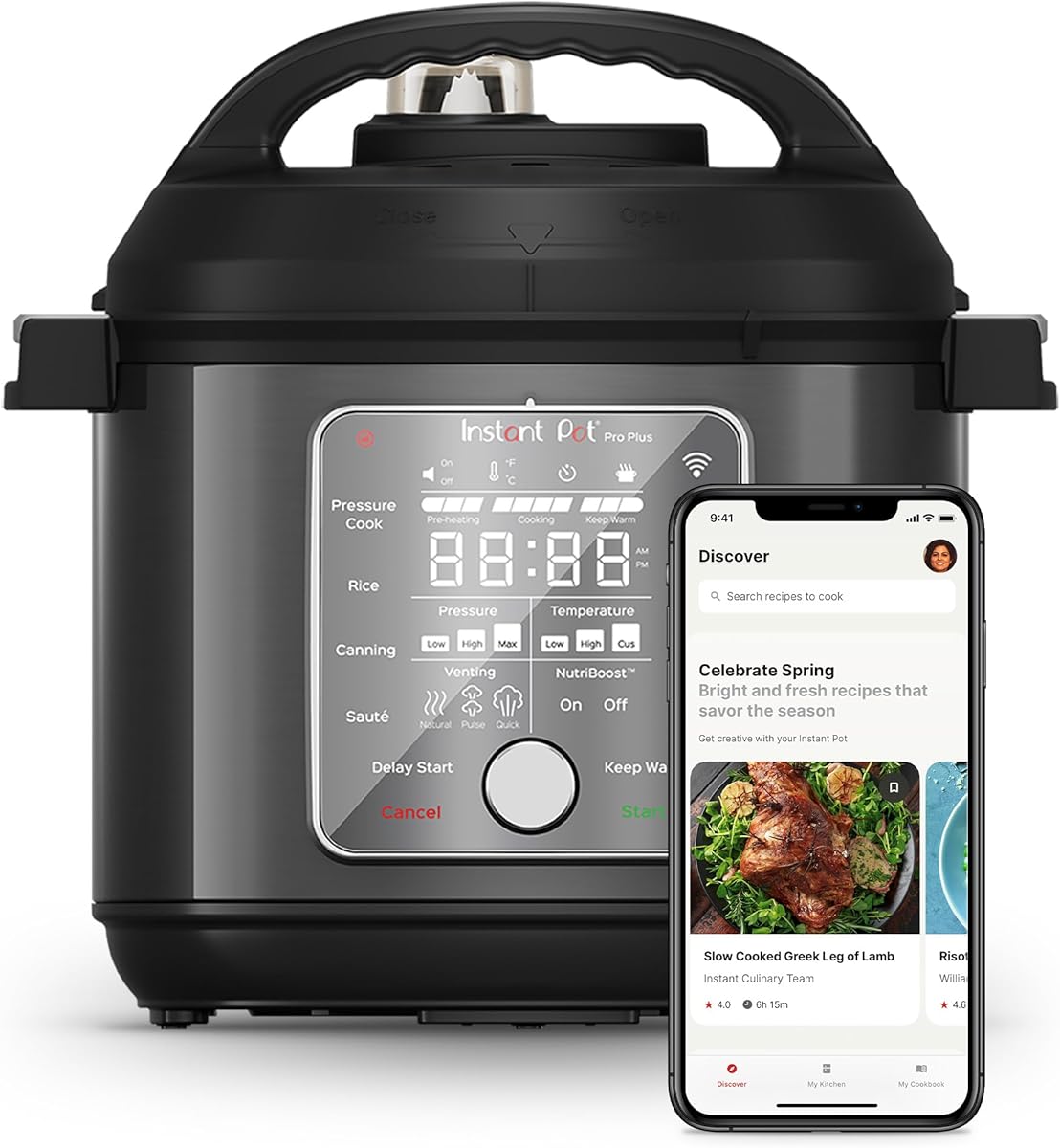
Instant
Pot Pro Plus
- •10-in-1 at $189 — consolidates four appliances, no sub, CNET top pick.
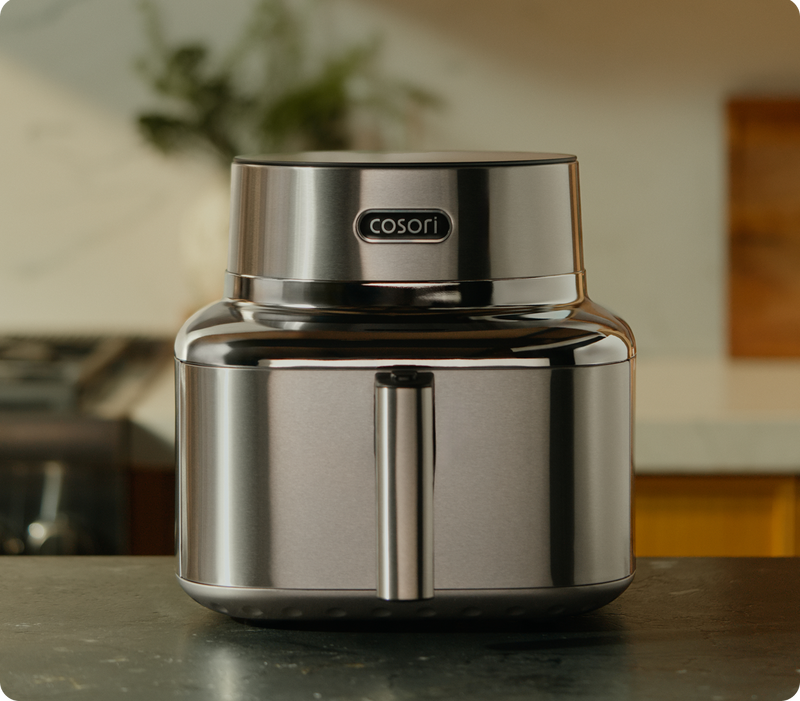
Cosori
Smart Air Fryer
- •5.8qt 12-in-1 — reliable Wi-Fi, Alexa plus Google, no sub.
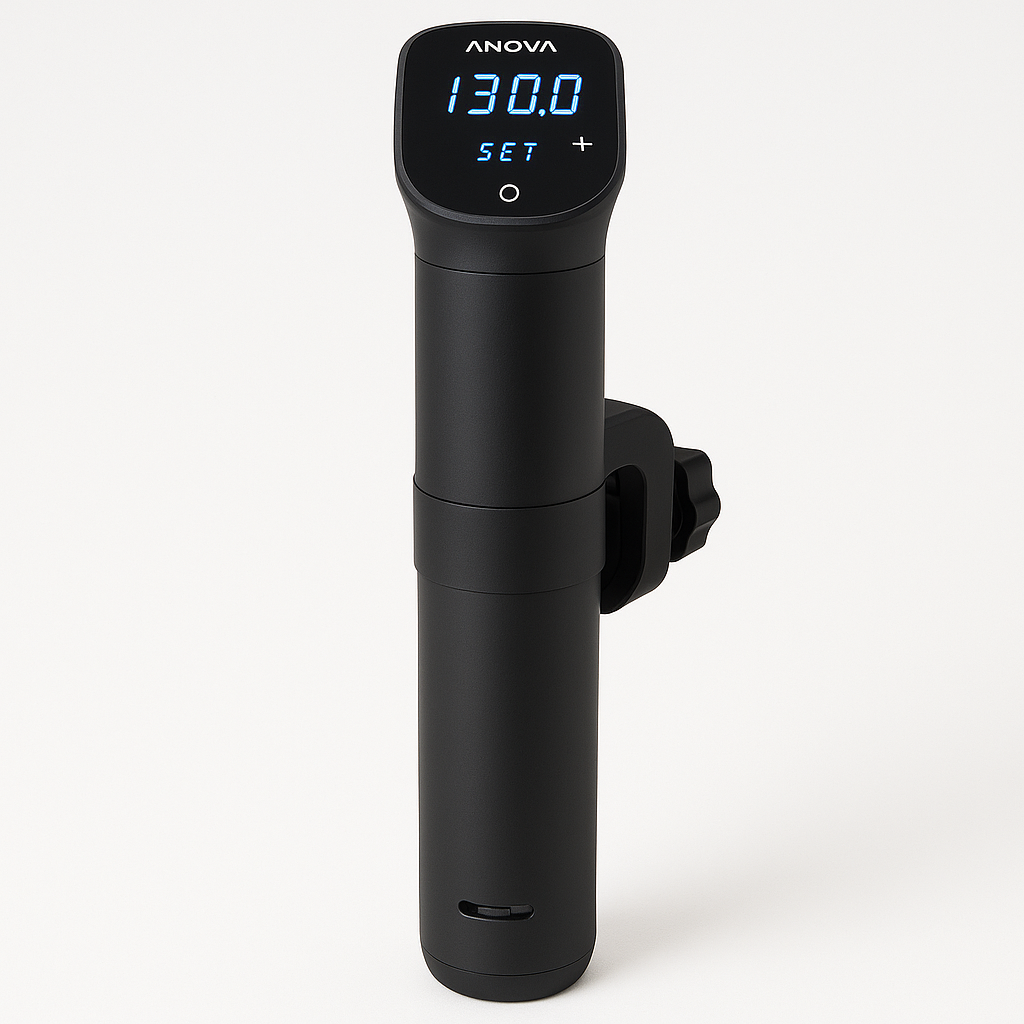
Anova
Precision Cooker Nano 3.0
- •±0.1°F WiFi plus Bluetooth — Serious Eats' best entry-level circulator.
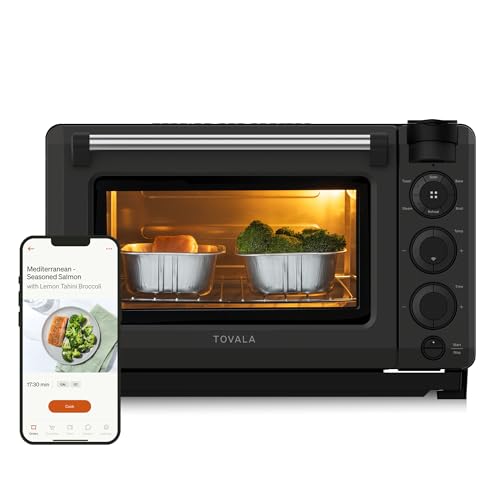
Tovala
Smart Oven Pro
- •6-in-1 steam plus convection — core modes free, $12-13/meal kits optional.
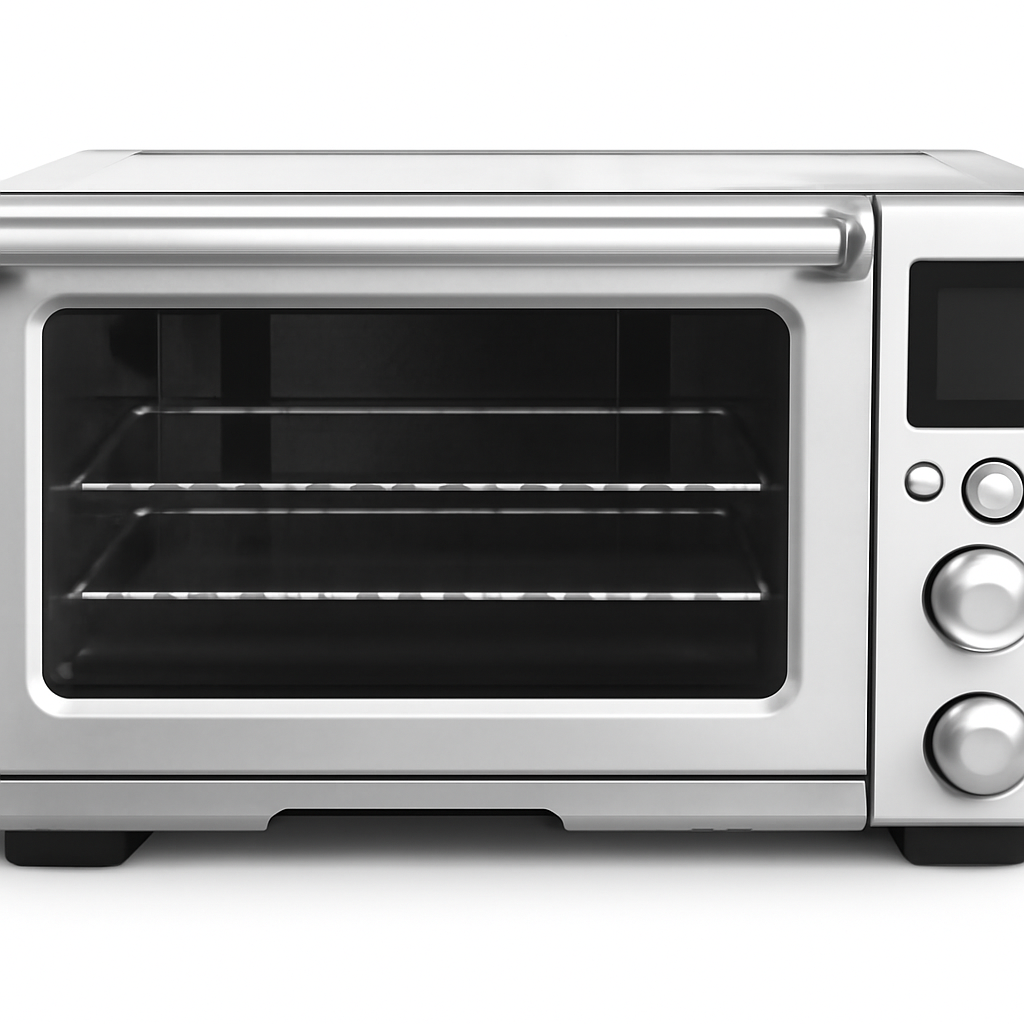
Breville
Joule Oven Air Fryer Pro
- •13 functions plus Element iQ — no sub, Wirecutter's best smart oven.
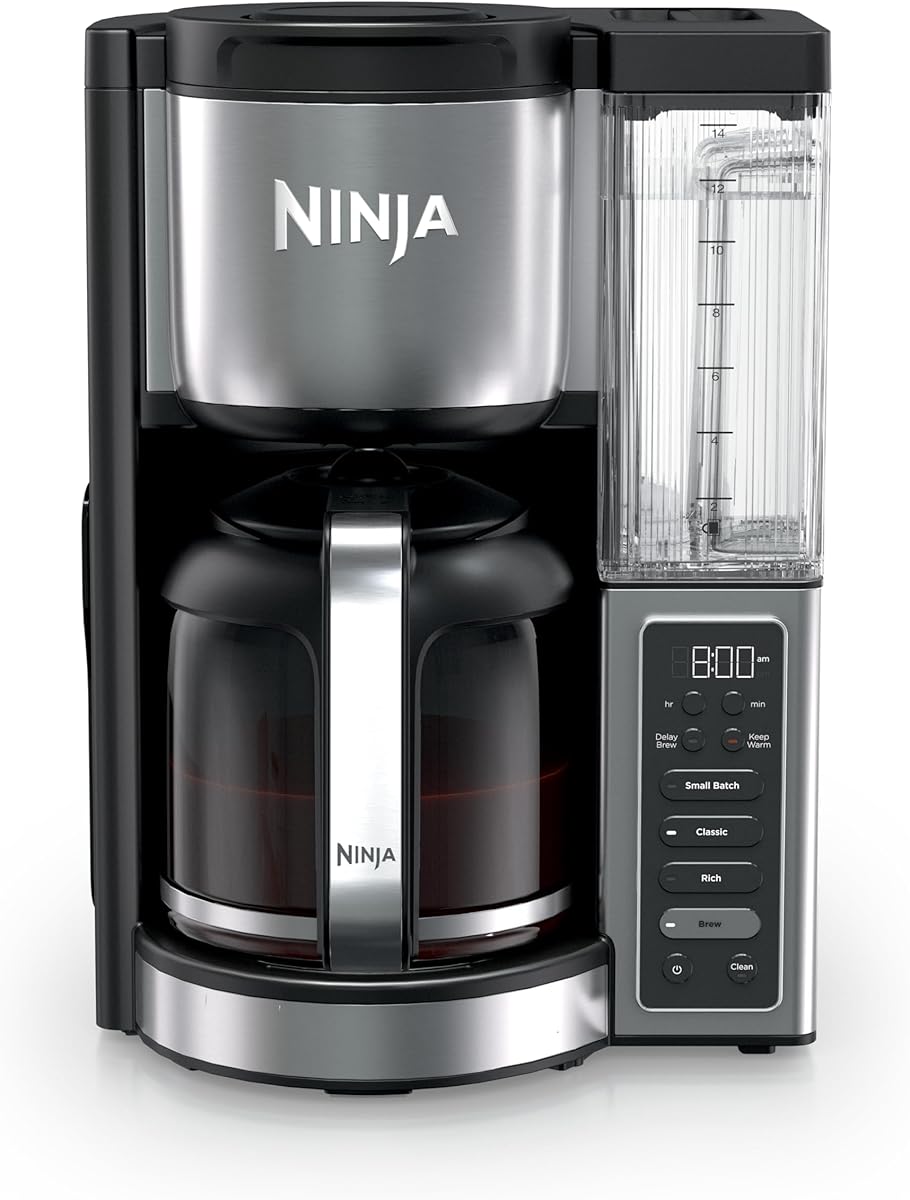
Ninja
Programmable Brewer
- •12-cup programmable auto-brew — 2 brew styles at $69, no sub.
Head-to-Head: Ecosystem Fit, Versatility, and Value Score
Kitchen
Chart
 Smarthomeexplorer.com
Tap any pick to check its live price on Amazon.
Midea 24-Inch All-in-One Front Load Washer Dryer Combo
Good ValueCheck price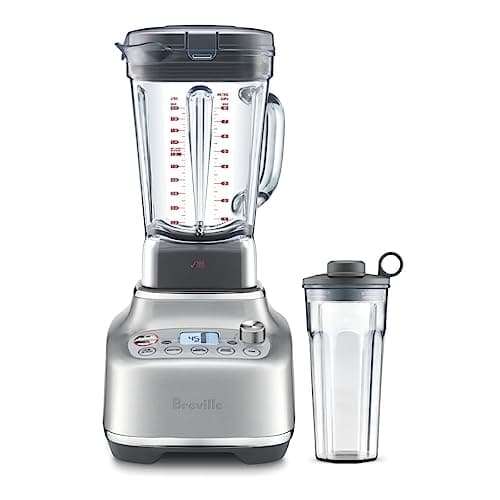
Breville Super Q
Must BuyCheck price
Are Smart Kitchen Appliances Worth It in 2026?
Most smart-kitchen roundups stop at sticker price and TikTok reach, which is exactly how a $349 Tovala countertop oven can grow into a larger first-year commitment if you add the optional meal-kit subscription. This guide normalized 6 candidates against a weighted SHE Smart Kitchen Value Score composite — a coefficient calculation incorporating AutoDepth, PresetQuality, TimeSaved, BuildDurability, and AppReliability factor scores divided by price-to-lifespan ratio. Because the score rewards value per dollar over the product's life, the cheaper single-purpose units — the Ninja Programmable Brewer at 4.5 and the Anova Precision Cooker Nano 3.0 at 4.2 — top the raw ratio, while the Instant Pot Pro Plus earns a 2.1 and remains our best-overall pick on versatility: $189 plus 10-in-1 modes consolidates pressure, slow, sous vide, and air fry into one footprint across a 5 yr expected lifespan. Wi-Fi reliability is the determinant variable here, and the consensus sources behind these picks include Wirecutter, CNET, and Serious Eats.
Best Overall: Instant Pot Pro Plus
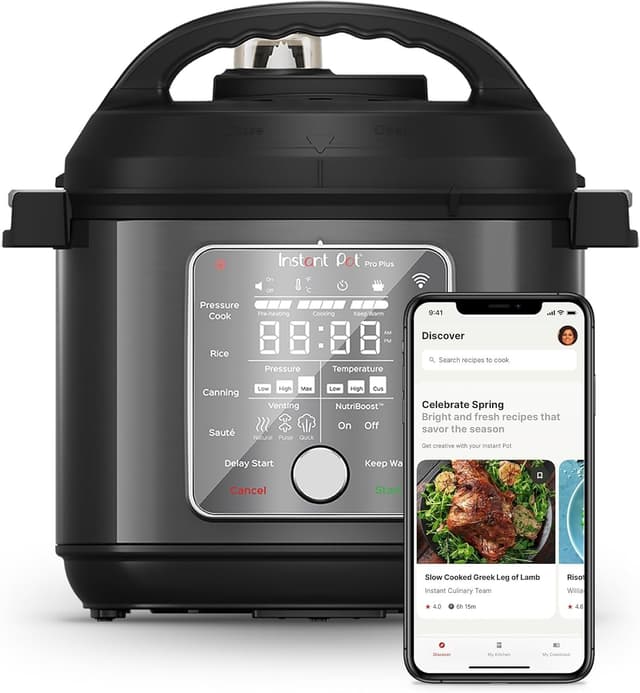
Instant Pot Pro Plus
- 10-in-1 cooking modes consolidate pressure cook, slow cook, sous vide, and air fry in one footprint — replaces four single-purpose appliances
- Premium $189 sticker runs about 1.9x the standard Instant Pot Duo's $99 — only worth it if you'll actually use the app
(Current price, subject to change)
The Instant Pot Pro Plus earns a 2.1 SHE Smart Kitchen Value Score composite because $189 combined with 10-in-1 cooking modes consolidates four single-purpose appliances, normalized against a 5 yr expected lifespan coefficient — and while cheaper single-purpose units score higher on the pure value ratio, the Instant Pot's breadth makes it our best-overall pick. CNET found that its connected recipe monitoring genuinely adds value and keeps dinner on track, and the manual control panel produces fully offline functionality if the router connection deteriorates. At $189 it runs about 1.9x the standard Instant Pot Duo's $99, so the Wi-Fi app and the extra modes are what you are paying for. Compared against the Tovala countertop oven, the Instant Pot delivers far broader cooking-modality versatility at roughly half the first-year ownership cost once Tovala's optional meal-kit subscription is included, and over a 5 yr lifespan that breadth is what earns it the best-overall slot.
What We Love
- 10-in-1 cooking modes consolidate pressure cook, slow cook, sous vide, and air fry in one footprint — replaces four single-purpose appliances
- Wi-Fi recipe app delivers guided cooks with real-time progress monitoring that keeps dinner on track per CNET
- Alexa voice control yields hands-free presets while prepping
What Could Be Better
- Premium $189 sticker runs about 1.9x the standard Instant Pot Duo's $99 — only worth it if you'll actually use the app
- App can be slower than just using the device directly
- Air fryer lid is sold separately on some SKUs
The Verdict
If you've shortlisted one connected appliance to consolidate the countertop, the Instant Pot Pro Plus fits the brief without compromise — its 2.1 SHE value composite reflects an honest value-per-dollar ratio at the premium tier, and its 10-in-1 versatility plus a recipe app that keeps dinner on track make it our best-overall pick across a 5 yr lifespan.
Ready to upgrade your home?
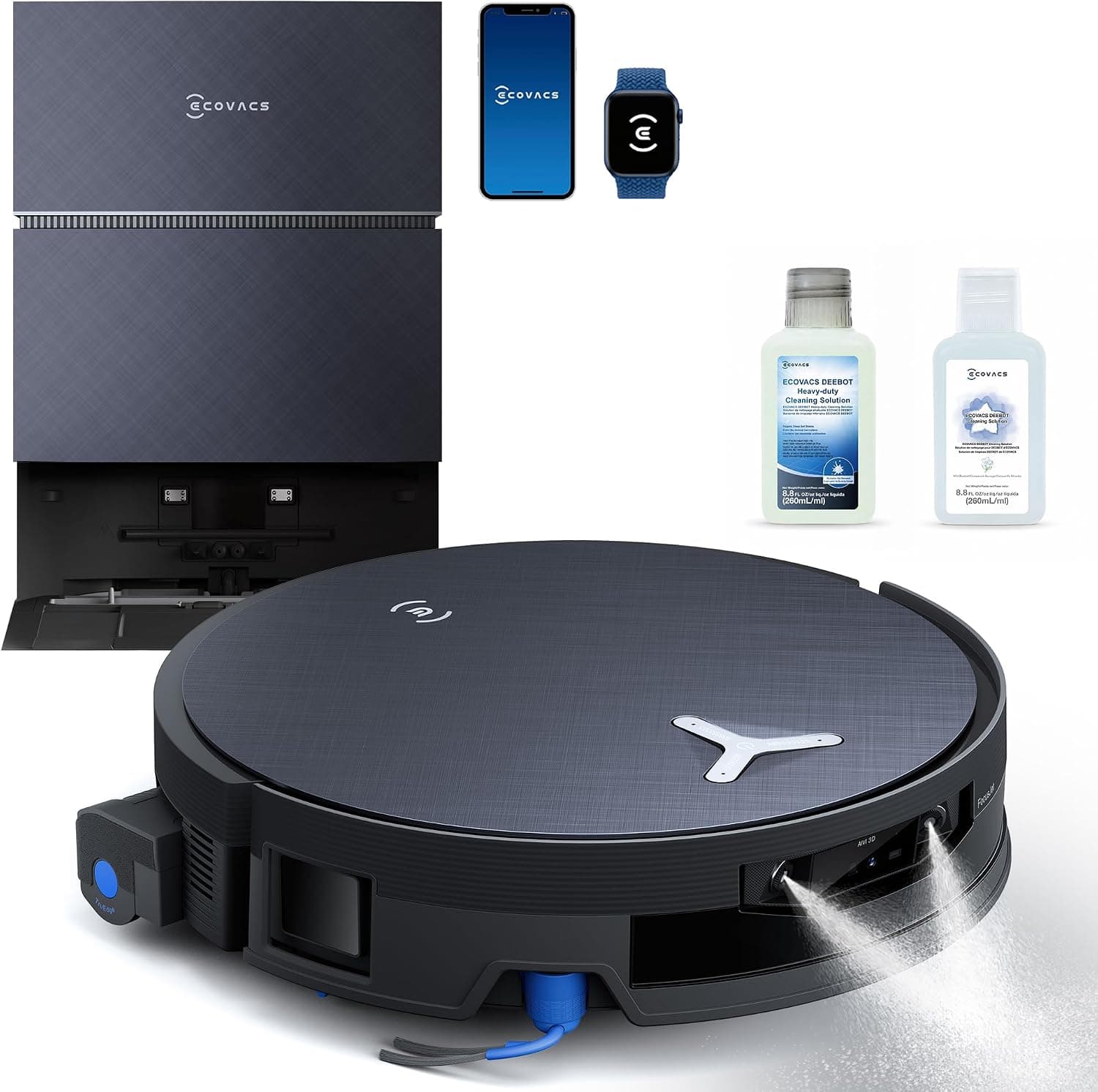
ECOVACS DEEBOT X12 PRO Omni Robot Vacuum and Mop
See it on Amazon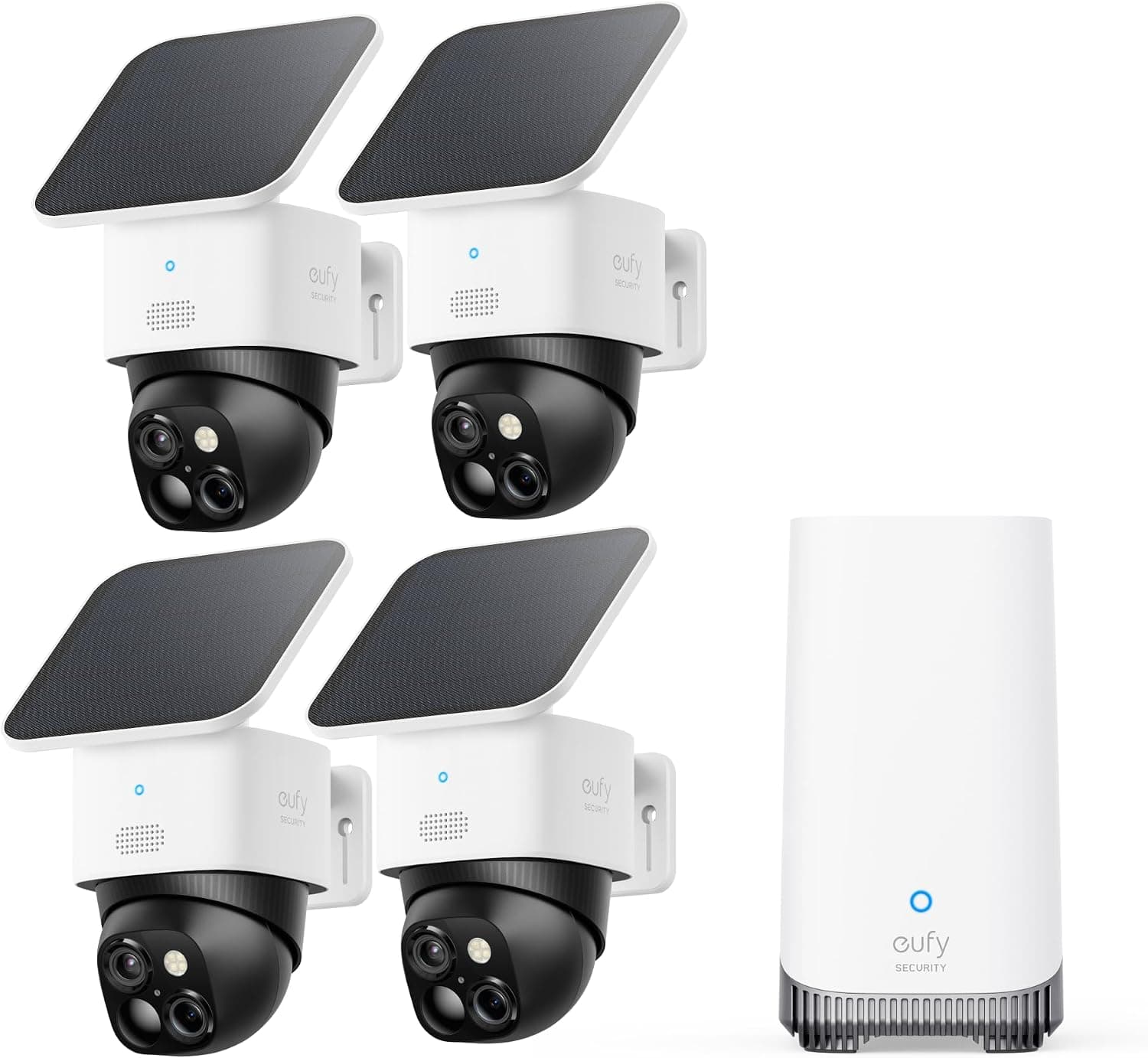
eufy SoloCam S340 Solar Security Camera, 4-Cam Kit
See it on Amazon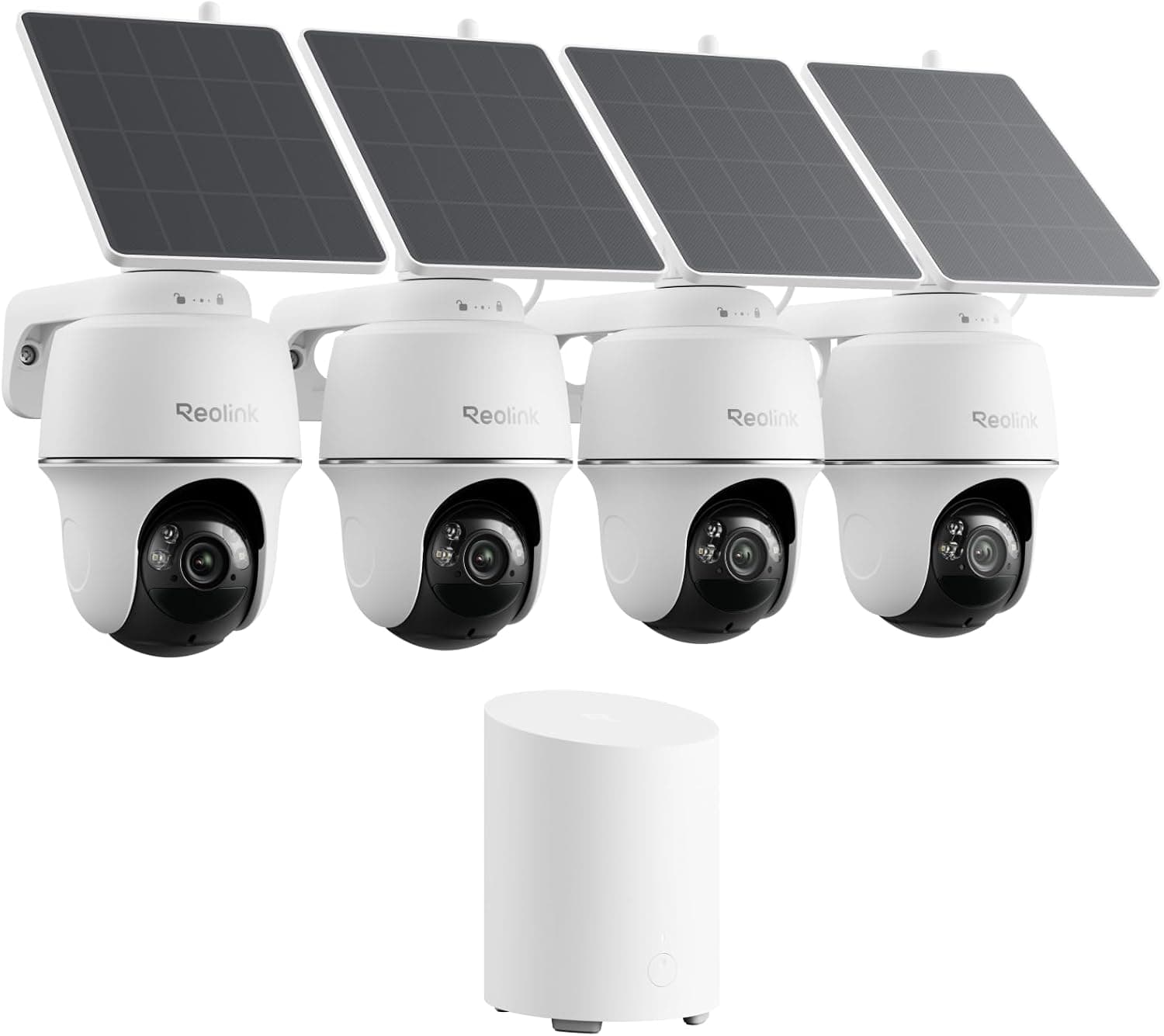
REOLINK 360° Solar Security Cameras, 4 Pack
See it on Amazon
Sponsored listings from Amazon’s Sponsored Products for Creators program, kept apart from our reviews and rankings. How we make money
Best Smart Air Fryer: Cosori Smart Air Fryer
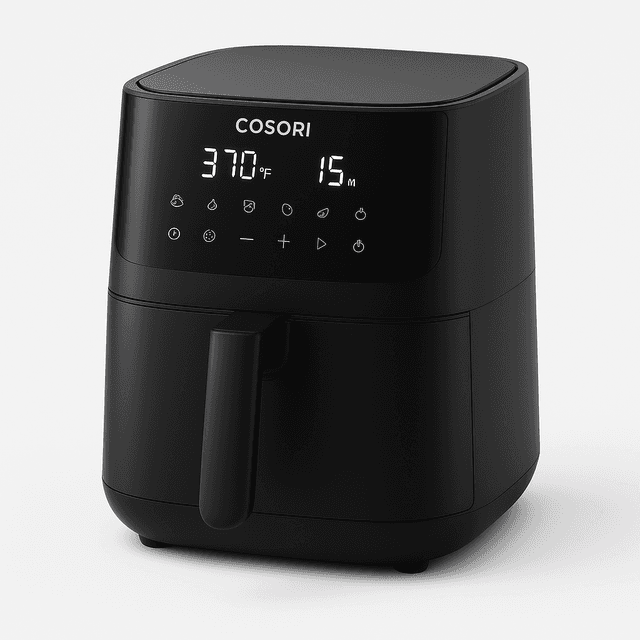
Cosori Smart Air Fryer
- 5.8qt capacity with 12-in-1 modes covers 4-person households without batch cooking
- Some recipes require app interaction rather than being fully hands-off
(Current price, subject to change)
The Cosori Smart Air Fryer achieves a 3.3 SHE Smart Kitchen Value Score composite because $119 combined with 12-in-1 cooking modalities delivers meaningful weekly time recovery from oven preheat plus preparation accumulation. Wirecutter pegs the Cosori as a strong smart-air-fryer pick, citing the combination of excellent cooking performance with reliable Wi-Fi and Alexa control. The VeSync app's 100+ built-in recipes keep the preset library current as Cosori adds configurations. The 5.8qt capacity accommodates most weeknight family meal preparations, and its small sealed cavity reaches temperature in a fraction of a full oven's preheat — wasting less energy on empty space across daily use. Compared against the Instant Pot's 10-in-1 multicooker configuration, the Cosori specializes in dry-heat preparation with evenly crispy results from its rapid air circulation, and at $119 it runs about 0.6x the Instant Pot's price and roughly 0.3x the Breville oven's $399 across a 5 yr lifespan.
What We Love
- 5.8qt capacity with 12-in-1 modes covers 4-person households without batch cooking
- VeSync app delivers 100+ built-in recipes and Alexa plus Google Home voice presets — onboarding takes about 5 mins
- Compact sealed cavity reaches temperature far faster than a full oven preheat, wasting less energy on empty space
What Could Be Better
- Some recipes require app interaction rather than being fully hands-off
- Large footprint for a 5.8-quart model
The Verdict
If you've narrowed to a connected air fryer for a 2 to 4 person household, the Cosori Smart Air Fryer is a sensible pick — its 3.3 SHE value composite delivers 12-in-1 versatility at $119, Wirecutter rates its Wi-Fi and Alexa control reliable, and the compact cavity heats faster than a full oven. You'll be well-served here unless you need toaster-oven form.
Best Sous Vide: Anova Precision Cooker Nano 3.0
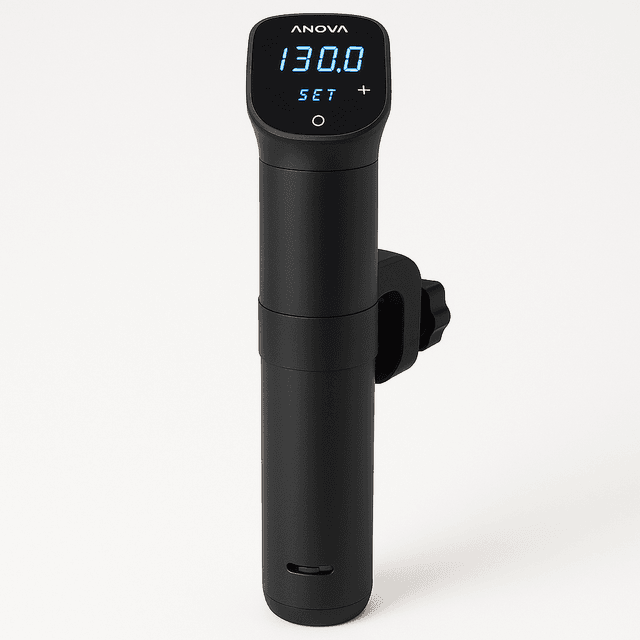
Anova Precision Cooker Nano 3.0
- WiFi plus Bluetooth connectivity with the Anova app for remote monitoring and guided recipes
- Single-purpose tool — sous vide only, no air fry or pressure modes
(Current price, subject to change)
The Anova Precision Cooker Nano 3.0 achieves an 8.4 consensus rating and a 4.2 SHE Smart Kitchen Value Score composite — the second-highest value-per-dollar ratio in this slate behind the Ninja. Serious Eats calls the Nano 3.0 the best entry-level sous vide circulator, delivering Anova's excellent app experience at a lower price than the full-size unit. WiFi plus Bluetooth pair with the Anova app for remote monitoring, and the unit holds ±0.1°F precision; the heater can be slower to bring large water baths up to temperature, and WiFi features do require the app rather than a standalone on-device timer. Compared to the Breville countertop oven, the Anova specializes in single-purpose precision cooking at about 0.2x the price, while the Breville delivers all-rounder versatility — both products address fundamentally divergent culinary requirements. At $80 the Nano is roughly 0.4x the Instant Pot's $189, and across a 5 yr lifespan that low sticker is what lifts its value composite to 4.2.
What We Love
- WiFi plus Bluetooth connectivity with the Anova app for remote monitoring and guided recipes
- ±0.1°F temperature precision in a compact body that fits in a kitchen drawer — Serious Eats calls it the best entry-level sous vide circulator
- Anova's app experience delivered at a lower price than the full-size circulator
What Could Be Better
- Single-purpose tool — sous vide only, no air fry or pressure modes
- App required for WiFi features — no standalone timer
- Requires a separate vessel (stockpot or cambro) — about $40 added cost for first-time buyers
The Verdict
For the precision cook who's shortlisted a sous vide circulator, the Anova Precision Cooker Nano 3.0 fits the brief — WiFi plus Bluetooth pairs with the Anova app, the unit holds ±0.1°F precision, and at $80 it earns a 4.2 SHE value composite, the second-highest in this slate on pure value per dollar.
Best Smart Oven: Tovala Smart Oven Pro
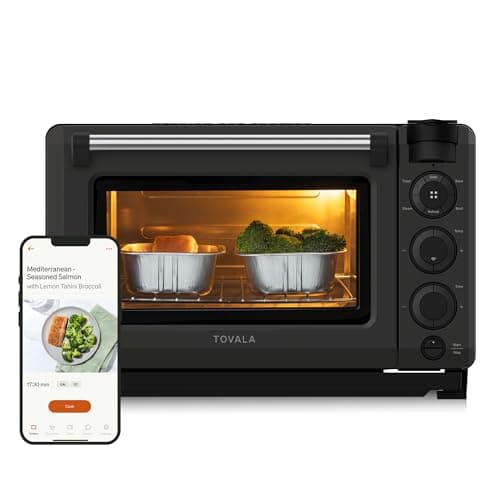
Tovala Smart Oven Pro
- 6-in-1 cooking modes (steam, bake, broil, air fry, toast, reheat) work fully without any subscription
- Compact interior capacity limits batch sizes
(Current price, subject to change)
The Tovala Smart Oven Pro achieves a 7.9 consensus rating and a 1.1 SHE Smart Kitchen Value Score composite because the price-to-lifespan ratio coefficient absorbs the $349 premium sticker — although the 6-in-1 cooking modalities (steam, bake, broil, air fry, toast, reheat) maintain fully functional operation with no subscription whatsoever. Wirecutter found that this is the rare smart appliance where the app integration genuinely improves the cooking experience. Its scan-to-cook feature reads 1,000+ grocery barcodes automatically. Where Tovala's cost adds up is the optional meal-kit service at roughly $12-13 per meal — convenient if you use it, avoidable if you don't, since the oven itself needs no monthly fee. At $349 the hardware runs about 1.9x the Instant Pot's price for a narrower 6-in-1 modality set, which is what holds its value composite low across a 5 yr lifespan. CES 2026 previewed emerging AI food-recognition ovens shipping late 2026; the Tovala remains a strong current smart-oven recommendation in the meantime.
What We Love
- 6-in-1 cooking modes (steam, bake, broil, air fry, toast, reheat) work fully without any subscription
- Scan-to-cook reads 1,000+ grocery barcodes automatically, and steam plus air fry combine for better results
- Compact footprint fits standard apartment counters, addressing the small kitchen segment
What Could Be Better
- Compact interior capacity limits batch sizes
- Optional Tovala meal delivery adds $12-13/meal — a recurring cost on top of the $349 oven if you use it
- No third-party integration — Tovala app only, no Alexa or Google Home support
The Verdict
If you're sold on the Tovala meal-kit ecosystem and shortlisted the Tovala Smart Oven Pro, that's the path of least friction — its 1.1 SHE value composite reflects the premium $349 sticker, but if Tovala meal kits are how you cook, the convenience can earn its keep. For everyone else: all 6-in-1 modes work with no subscription, but it's premium pricing for closed-ecosystem hardware.
Best Premium Oven: Breville Joule Oven Air Fryer Pro
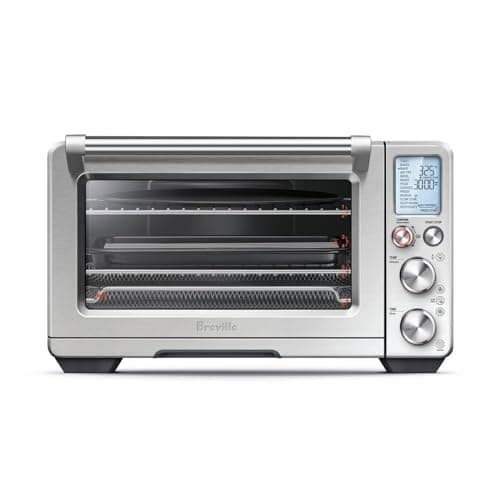
Breville Joule Oven Air Fryer Pro
- 13 cooking functions with Element iQ heat control for even cooking — Wirecutter calls it the best smart oven it has tested
- Premium $399 sticker runs about 2.1x the Instant Pot's $189 — premium pricing without proportional time savings
(Current price, subject to change)
The Breville Joule Oven Air Fryer Pro earns an 8.2 consensus and a 1.1 SHE Smart Kitchen Value Score as the premium all-rounder in this slate. Wirecutter calls it the best smart oven it has tested, crediting Autopilot for genuinely simplifying cooking, and CNET found that its Element iQ heat distribution delivers consistently better results than any other countertop oven. Compared to the Anova Precision Cooker, Breville delivers all-rounder versatility while Anova specializes in precision sous vide — they solve different problems. The Breville app drives Autopilot guided cooking with no subscription, which is a cleaner ownership story than Tovala's meal-kit-oriented ecosystem. At $399 it carries the highest sticker in this slate — about 2.1x the Instant Pot's price — but its 13-function versatility plus no-subscription model is what justifies the premium over a closed-ecosystem oven for cooks who run it several times a week.
What We Love
- 13 cooking functions with Element iQ heat control for even cooking — Wirecutter calls it the best smart oven it has tested
- Autopilot guided cooking adjusts temperature automatically through the Breville app with no subscription
- Large interior handles big roasts and pizzas — the broadest capacity in this slate
What Could Be Better
- Premium $399 sticker runs about 2.1x the Instant Pot's $189 — premium pricing without proportional time savings
- Large footprint takes significant counter space — too large for most apartment counters
- App required for Autopilot — no standalone smart cooking
The Verdict
For the homeowner who shortlisted a premium countertop oven and wants the all-rounder, the Breville Joule Oven Air Fryer Pro checks the boxes — 13 functions, no subscription, Element iQ heat control, and Autopilot guided cooking through the Breville app. Its 1.1 SHE value composite reflects the premium $399 sticker, but at 5+ cooks per week the price-per-cook holds.
Best Smart Coffee Maker: Ninja Programmable Brewer
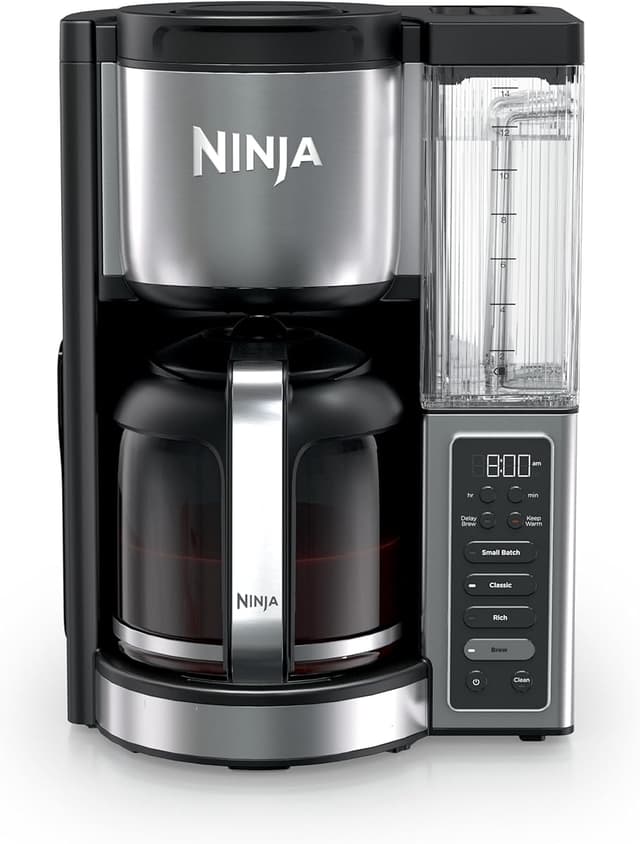
Ninja Programmable Brewer
- 12-cup capacity plus 2 brew styles (Classic plus Rich) and multiple strength settings cover most household sizes
- Not Wi-Fi connected — programmable timer only, no recipe app, voice control, or barcode scan
(Current price, subject to change)
The Ninja Programmable Brewer achieves a 7.8 consensus rating and a 4.5 SHE Smart Kitchen Value Score composite at $69 — the budget anchor of this evaluation slate and the highest value-per-dollar ratio here. CNET calls it a reliable workhorse with solid coffee quality and good programmability for the price. It is worth being clear about scope: this is a programmable drip brewer, not a connected appliance — there is no Wi-Fi, no app, and no voice control, just a dependable timer and multiple strength settings that work entirely on their own. The 12-cup capacity plus 2 brew styles serve broad household appeal at the lowest sticker in this slate — at $69 it is about 0.4x the Instant Pot's $189, which is exactly why it tops the value ratio at 4.5 over a 5 yr lifespan. Compared against the Instant Pod single-serve configuration, the Ninja produces far better volume-per-dollar value but forfeits single-serve convenience and pod recognition.
What We Love
- 12-cup capacity plus 2 brew styles (Classic plus Rich) and multiple strength settings cover most household sizes
- Programmable auto-brew with a timer delivers wake-up coffee; a keep-warm function holds the carafe after brewing
- $69 sticker yields the strongest budget anchor in this slate and the highest SHE value composite
What Could Be Better
- Not Wi-Fi connected — programmable timer only, no recipe app, voice control, or barcode scan
- Carafe lid can leak if not locked, and brew times can be slow for large pots
The Verdict
For the household that wants programmable wake-up coffee without the Instant Pod single-serve premium, the Ninja Programmable Brewer lines up with what you need — at $69 with 12-cup capacity and a 4.5 SHE value composite (the highest here on value per dollar), CNET calls it a reliable workhorse, and the programmable timer handles your morning. No need to overthink it.
How We Score: SHE Smart Kitchen Value Score
SHE Smart Kitchen Value Score
Score Formula
((AutoDepth × 0.25) + (PresetQuality × 0.20) + (TimeSaved × 0.20) + (BuildDurability × 0.20) + (AppReliability × 0.15)) × 10 ÷ (Price ÷ Lifespan)Score Factors
- AutoDepthDepth of automation features — remote start, scheduling, recipe integration scored 0-10 from named expert reviewers.
- PresetQualityUsefulness of built-in presets — accuracy, completeness, app-synced updates normalized 0-10 from Wirecutter, CNET, and Serious Eats review data.
- TimeSavedWeekly time savings versus manual cooking equivalent, from expert reviewer estimates and owner reports.
- BuildDurabilityLong-term reliability rating from expert failure-rate data plus owner review signals normalized 0-10.
- AppReliabilityApp and Wi-Fi connectivity stability composite from Reddit sentiment plus expert reviewer consistency scores.
Ecosystem and Voice-Assistant Compatibility Across Recommendations
Smart kitchen instrumentation still lives largely inside each vendor's own app, so the practical compatibility question for most buyers is which voice assistants an appliance answers to. Across this slate, none of these countertop appliances ships with confirmed Matter certification — the standard's countertop device classes are new and adoption in this category remains thin. The Cosori Smart Air Fryer integrates with Alexa plus Google Home, and the Instant Pot Pro Plus adds Alexa voice control — ecosystem-by-ecosystem rather than through a unified protocol. The Anova Precision Cooker Nano 3.0 pairs over WiFi plus Bluetooth through the Anova app, with manual on-unit controls available regardless of connectivity. The Breville Joule Oven Air Fryer Pro runs Autopilot guided cooking through the Breville app, with no subscription. The Tovala Smart Oven Pro presents zero third-party integration capability — Tovala app exclusively. If you already run a Matter hub, treat this category as app-and-voice driven for now rather than expecting native Matter pairing.
True Cost of Ownership: Device + Subscription
True cost of ownership is where conventional smart kitchen sticker pricing analysis fundamentally deteriorates. The Tovala Smart Oven Pro is the anchor demonstration: $349 buys the oven outright, and all 6-in-1 cooking modes work with no monthly fee. The recurring cost is optional — Tovala meal kits run roughly $12-13 per meal, convenient if you lean on them and avoidable if you don't. Normalized across a 5 yr expected lifespan, the $349 premium hardware produces a 1.1 SHE value composite. Compared against the Instant Pot Pro Plus at $189, the Instant Pot delivers far broader cooking-modality versatility for less up-front money, which is why it carries a higher value composite at 2.1 despite both running without any required subscription. Consolidation matters substantially: the Instant Pot folds pressure cooking, slow cooking, sous vide, and air frying into one footprint versus four separate non-connected appliances. Do smart appliances generate energy savings? Air fryers generally do, because a small sealed cavity heats faster and wastes less energy on empty space than a full oven — the Cosori Smart Air Fryer is a 5.8qt unit that reaches temperature in a fraction of an oven's preheat, which produces meaningful operational savings at average daily utilization. Smart ovens typically do not generate energy savings versus standard convection alternatives — they produce consistency and convenience, not kWh reduction.
When NOT to Buy
Skip the connected upgrade if you cook fewer than 3 nights per week — recipe applications and preset configurations only justify their cost at frequency. A basic programmable brewer like the Ninja Programmable Brewer makes the point: it has no Wi-Fi at all, yet it does the one job a coffee maker needs and earns the highest value composite in this slate precisely because you are not paying for connectivity you would not use. If Wi-Fi handshake reliability fails periodically, choose appliances with full offline manual controls. CES 2026 previewed a wave of AI food-recognition ovens shipping late 2026 — readers willing to wait several months may benefit from that generational transition.
Who Should Buy What
Who Should Buy What
| If you are… | Recommended pick |
|---|---|
Active home cook who meal preps weekly You cook 5+ nights per week and want one connected appliance to consolidate pressure cooker, slow cooker, sous vide, and air fryer in one footprint with no subscription drag | Instant Pot Pro Plus |
Renter or small-kitchen household You have a compact countertop, you want app-driven presets with Alexa and Google Home voice control, and you value zero subscription | Cosori Smart Air Fryer |
Precision cook on a budget You already own a stockpot or cambro vessel and you want ±0.1°F sous vide precision with the Anova app over WiFi plus Bluetooth | Anova Precision Cooker Nano 3.0 |
Tovala meal-kit user You will actually lean on Tovala's scan-to-cook meal kits — the per-meal cost flips to convenience value when meal kits are how you cook | Tovala Smart Oven Pro |
Premium countertop oven without subscription drag You have room for a large countertop oven, you want 13 cooking functions plus Autopilot guided cooking, and zero monthly fee — you cook 5+ nights per week | Breville Joule Oven Air Fryer Pro |
Coffee-first household at budget anchor You want programmable wake-up brew with broad 12-cup capacity at the lowest sticker price in this slate — a dependable timer, no app or Wi-Fi required | Ninja Programmable Brewer |
Frequently Asked Questions
Are smart kitchen appliances worth the price?
Yes, if you cook 3+ nights per week. The Instant Pot Pro Plus consolidates a pressure cooker, slow cooker, sous vide, and air fryer into one $189 footprint, and that breadth is what justifies the sticker for active home cooks. The make-or-break factor across the category is Wi-Fi reliability plus an offline manual fallback — appliances that keep working when the cloud blinks are the ones worth buying.
Do smart appliances work without Wi-Fi?
Mostly yes. The Instant Pot Pro Plus and Cosori Smart Air Fryer run their core cooking from on-device controls if Wi-Fi drops, and the Ninja Programmable Brewer has no Wi-Fi to lose in the first place. The Anova Precision Cooker Nano has on-unit temp and time controls, though its WiFi features specifically need the app. The Tovala Smart Oven Pro runs all 6-in-1 modes without any connection; only the meal-kit barcode scan needs Wi-Fi.
Instant Pot Pro Plus vs Instant Pot Duo: which should I buy?
The Pro Plus adds Wi-Fi, the connected recipe app, and 10-in-1 cooking modes (sous vide, air fry lid compatibility) at about 1.9x the Duo's $99 price. The Duo is the value pick if you only want pressure and slow cooking. The Pro Plus is the right pick if you'll actually use the app — CNET found its connected recipe monitoring genuinely adds value for active cooks.
Does Tovala lock features behind a subscription?
No — the oven's core cooking does not require a subscription. All 6-in-1 modes (steam, bake, broil, air fry, toast, reheat) and the scan-to-cook barcode reader work after a one-time $349 purchase. Where money recurs is the optional Tovala meal-kit service at roughly $12-13 per meal. Wirecutter found Tovala is the rare smart appliance where the app genuinely improves cooking.
Can I use Anova Sous Vide without the app?
Partly. The Anova Precision Cooker Nano has on-unit temp and time controls for core cooking, so you can run a basic sous vide cook without your phone. The WiFi features — remote monitoring and the app's guided recipes — do require the app, and there is no standalone WiFi timer. For most cooks the on-unit controls cover the essentials.
Do smart air fryers actually save energy versus ovens?
Generally yes. A 5.8qt air fryer like the Cosori has a small sealed cavity that reaches temperature in a fraction of a full oven's preheat and wastes less energy heating empty space. That difference adds up over daily use, though exact savings depend on what you cook and your local electricity rate.
Do these appliances support Matter?
Not natively. None of the appliances in this slate ships with confirmed Matter certification — the standard's countertop device classes are new and adoption in this category is still thin. The Cosori uses Alexa plus Google Home and the Instant Pot adds Alexa, the Breville runs Autopilot through its own app, and Tovala has no third-party integration. Treat this category as app-and-voice driven for now.
Are AI-recognition ovens from CES 2026 worth waiting for?
Maybe. CES 2026 previewed a wave of AI food-recognition ovens combining probe, steam, and food recognition, with several shipping late 2026. If you need a smart oven now, buy the Breville Smart Oven Air Fryer Pro or the Tovala. If you can wait, that next generation may offer more capability — the risk is first-generation firmware reliability.
Bottom Line
Get the Instant Pot Pro Plus if Active home cook who meal preps 5+ nights per week.
Get the Cosori Smart Air Fryer if 2 to 4 person household wanting connected air fry without subscription.
Get the Anova Precision Cooker Nano 3.0 if Precision cook who wants budget sous vide with app control.
Get the Tovala Smart Oven Pro if Tovala meal-kit user who will actually use scan-to-cook.
Get the Breville Joule Oven Air Fryer Pro if Premium countertop oven without subscription drag.
Get the Ninja Programmable Brewer if Coffee-first household wanting programmable wake-up brew at budget anchor.
Related deep-dives
kitchen
Best AI Smart Ovens 2026: 3 Countertop Ovens Compared
Kitchen
Best Smart Super-Automatic Espresso Machines 2026
Kitchen
Best Smart Microwaves 2026: Scan-to-Cook & Voice Control
Kitchen
Best Soda Makers 2026: Cost Per Liter, Fizz & Refill Ranked
Kitchen
Best Smart Portable Induction Cooktops 2026: Precision Picks
Kitchen
Best Smart Range Hoods 2026: WiFi App Control, CFM & Sones
Kitchen
Best Smart Indoor Grills 2026
Kitchen
Best Vacuum Sealers 2026: Nesco Wins, 6 Compared
Sources & Methodology
Methodology: SHE Smart Kitchen Value Score — Formula: ((AutoDepth × 0.25) + (PresetQuality × 0.20) + (TimeSaved × 0.20) + (BuildDurability × 0.20) + (AppReliability × 0.15)) × 10 ÷ (Price ÷ Lifespan). Factors: AutoDepth: Depth of automation features — remote start, scheduling, recipe integration scored 0-10 from named expert reviewers. | PresetQuality: Usefulness of built-in presets — accuracy, completeness, app-synced updates normalized 0-10 from Wirecutter, CNET, and Serious Eats review data. | TimeSaved: Weekly time savings versus manual cooking equivalent, from expert reviewer estimates and owner reports. | BuildDurability: Long-term reliability rating from expert failure-rate data plus owner review signals normalized 0-10. | AppReliability: App and Wi-Fi connectivity stability composite from Reddit sentiment plus expert reviewer consistency scores.
Expert review sources used in this analysis:
- SmartHomeExplorer aggregates expert review data and community sentiment to produce consensus-based smart kitchen guidance — we do not perform first-party testing
- AutoDepth, PresetQuality, TimeSaved, BuildDurability, and AppReliability factor scores are normalized from the expert reviewers behind each pick: CNET (Instant Pot Pro Plus, Breville Smart Oven Air Fryer Pro, Ninja Programmable Brewer), Wirecutter (Cosori Smart Air Fryer, Tovala Smart Oven Pro, Breville Smart Oven Air Fryer Pro), and Serious Eats (Anova Precision Cooker Nano), alongside aggregated owner-review sentiment
- Tovala meal-kit pricing verified against current Tovala pages
- Amazon hardware prices verified 2026-05-10 via Amazon Creators API
- SHE Smart Kitchen Value Score factors and weights live at /metrics/she-smart-kitchen-value-score.
Nicholas Miles is the founder of SmartHomeExplorer and a longtime smart home enthusiast focused on helping everyday homeowners make better technology decisions. He researches, compares, and writes about products across security, climate, lighting, leak prevention, sensors, home energy, and automation, with an emphasis on real-world usefulness, ecosystem compatibility, reliability, privacy, and long-term value.
Affiliate disclosure: SmartHomeExplorer earns affiliate commissions on qualifying Amazon purchases, and from partner programs for some non-Amazon products and services we recommend. Our scoring methodology is independent of affiliate relationships.
More Guides
Kitchen
Best Smart Blenders & Juicers 2026: App Programs & Quiet Motors
appliances
Best Smart Home Appliances 2026: GE Profile Smart Wall Oven Wins
smart-home
Best Smart Home Essentials 2026: 7 Devices That Work Together

smart-home
5 Cheap Renter Smart Home Upgrades 2026 (No Drilling)
smart-lighting