

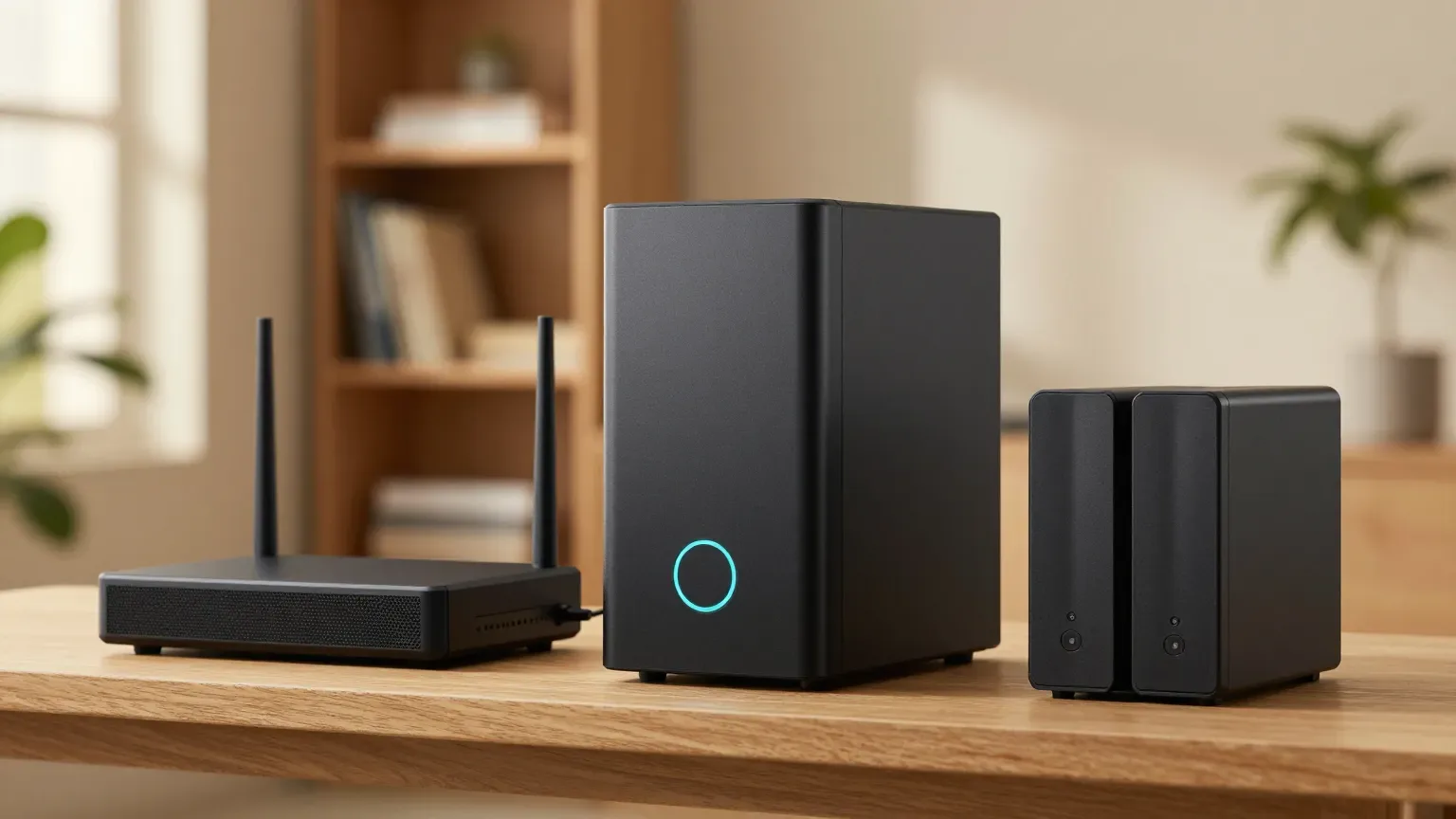
Best Smart UPS Battery Backup 2026: 5 for Home Networks
The gear that corrupts data on a hard power cut — a NAS, a router, a home lab, a workstation — needs the right UPS, and waveform decides fitness. We scored five buyable 1500VA units on a deterministic uptime-protection formula, and the honest pick is not the priciest one.
This article contains affiliate links. We may earn a commission at no extra cost to you. Prices change frequently — check the current price on Amazon before buying. Learn more
The Short Answer
Buy the CyberPower CP1500PFCLCD, a $227.95 pick that tops our SHE Uptime Protection Score with pure sine wave output, 1000W of capacity, twelve outlets, and a 3-year warranty — the honest configuration for protecting a NAS, router, or workstation. The simulated-sine CP1500AVRLCD3 suits inexpensive basic equipment.
Featured in this Guide
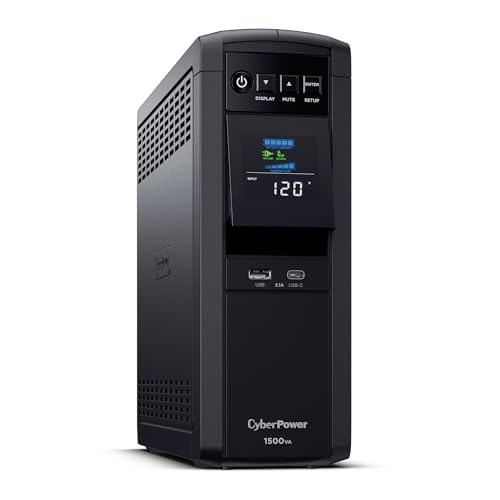
CyberPower
CP1500PFCLCD PFC Sinewave UPS (1500VA/1000W)
- •Tops the ranking at 8.4 — pure sine wave, 1500VA/1000W, and 12 outlets at the lowest pure-sine price, $227.95
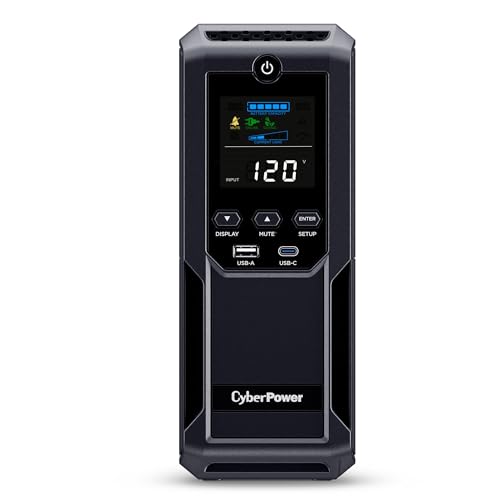
CyberPower
CP1500AVRLCD3 Intelligent LCD UPS (1500VA/900W)
- •Best watts-per-dollar at $199.95 with 12 outlets, but simulated sine — for basic PCs, routers, and consoles only
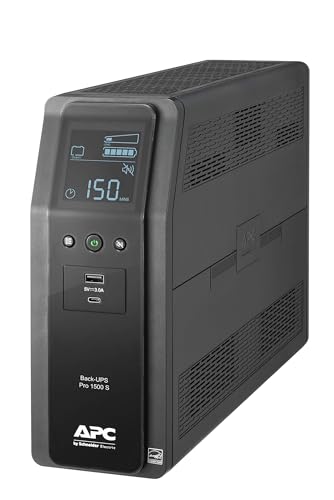
APC
Back-UPS Pro BR1500MS2 Pure Sine Wave UPS (1500VA/900W)
- •Genuine pure sine in the APC Back-UPS Pro line, with USB-C charging built in, at $299.99
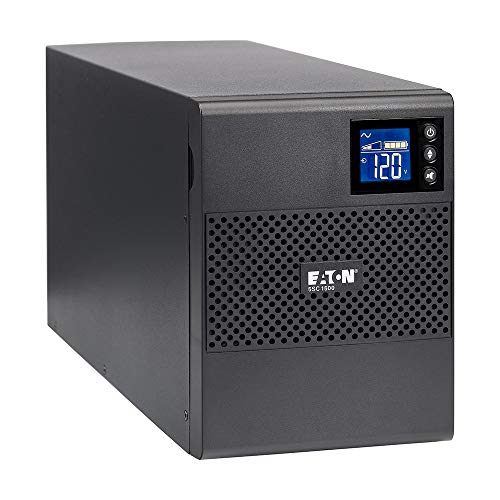
Eaton
5SC1500 Pure Sinewave UPS (1440VA/1080W)
- •Highest wattage at 1080W in a business-grade tower, but the roster's weakest home value at $453.99
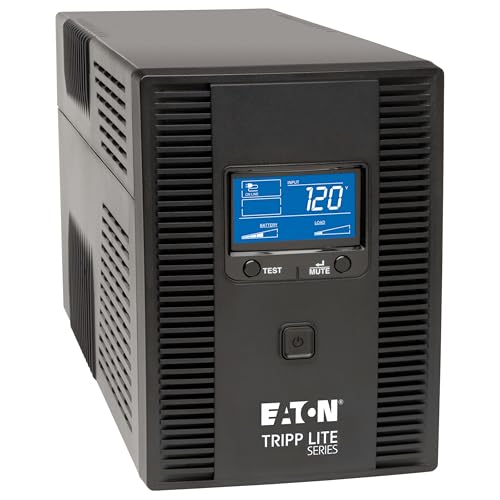
Tripp
Lite SMART1500LCDT Line-Interactive UPS (1500VA/900W)
- •Widest multi-line surge — coax, telephone, and Ethernet — plus a DB9 serial port, at $262.49
How the 2026 Home UPS Units Compare
Networking
Chart
 Smarthomeexplorer.com
Tap any pick to check its live price on Amazon.
Moen Flo Smart Water Monitor
RecommendedCheck price
Flo by Moen Smart Water Monitor
Must BuyCheck price
What Is the Best Smart UPS for Home Networks?
A UPS matters most for the gear where a hard power cut corrupts data: a NAS mid-write, a router, a home lab, or a workstation. The class to buy is a 1500VA line-interactive unit, and the single specification that determines fitness is the waveform — pure sine versus simulated sine — because an Active-PFC power supply, the kind inside any modern NAS or PC, can misbehave on a simulated wave. Across the five units we evaluated here, prices span from about $200 to over $450, a 2.3x spread. Our SHE Uptime Protection Score is a weighted composite of waveform and load, home management, outlet coverage, and value per dollar; in practice a higher score indicates more verified, manufacturer-stated protection per dollar, not a runtime benchmark. Only the CyberPower CP1500PFCLCD draws exact-model coverage, from Tom's Hardware, while Wirecutter evaluates smaller CyberPower units, so we score on manufacturer specs, verified July 2026.
Best Overall / Best Value: CyberPower CP1500PFCLCD PFC Sinewave UPS (1500VA/1000W)
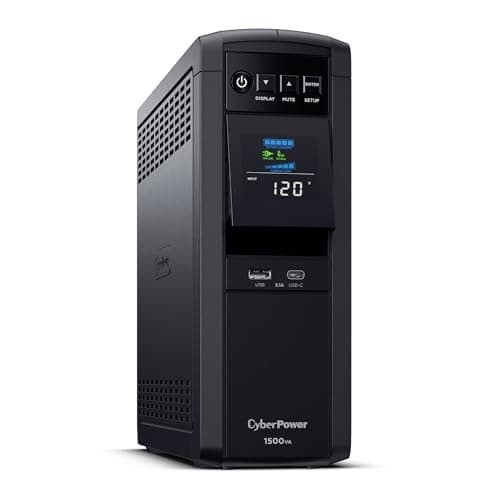
CyberPower CP1500PFCLCD PFC Sinewave UPS (1500VA/1000W)
- Pure sine wave output safe for Active-PFC NAS and PC power supplies
- Runtime is minutes at full load, not hours
(Current price, subject to change)
The CyberPower CP1500PFCLCD PFC Sinewave UPS (1500VA/1000W) earns the roster's highest SHE Uptime Protection Score, an 8.4 composite, because it pairs the two factors that matter most for home uptime: pure sine wave output and strong value. In practice that composite means a modern Active-PFC power supply — the kind in any recent NAS or PC — rides through an outage without the stumble a simulated wave can cause. CyberPower rates it 1500VA/1000W, roughly 1.1x the 900W budget units, across 12 NEMA outlets: six battery-backed, six surge-only. A multifunction color LCD, USB with PowerPanel auto-shutdown, and a 3-year warranty round it out. Tom's Hardware covered this exact model in its four-way UPS roundup — the roster's only unit with genuine exact-model coverage; every other spec traces to CyberPower. The honest caveats: runtime is minutes rather than hours, and SNMP monitoring requires the separately-purchased RMCARD205, an enterprise extra we do not credit as home management. Compared to the premium Eaton, which lists at roughly 2x its price, it delivers most of the protection.
What We Love
- Pure sine wave output safe for Active-PFC NAS and PC power supplies
- 1500VA/1000W across 12 outlets — six battery-backed, six surge-only
- Tops the SHE Uptime Protection Score at 8.4
- Multifunction color LCD, PowerPanel auto-shutdown, and a 3-year warranty
What Could Be Better
- Runtime is minutes at full load, not hours
- SNMP monitoring needs the separately-purchased RMCARD205
- No app or cloud monitoring out of the box
The Verdict
If you want one honest default for a NAS, router, and workstation without overthinking the spec sheet, we'd point you here first: the CyberPower CP1500PFCLCD PFC Sinewave UPS (1500VA/1000W) tops our ranking at 8.4 with pure sine wave output, 12 outlets, and the lowest pure-sine price at $227.95.
Check price for the CyberPower CP1500PFCLCD PFC Sinewave UPS (1500VA/1000W) →
Ready for game day?
Roku 65" Select Series 4K QLED Smart TV
See it on Amazon
Antarctic Star 130-Can Beverage Refrigerator
See it on Amazon
SYLVOX 65" Outdoor 4K TV
See it on Amazon
Sponsored listings from Amazon’s Sponsored Products for Creators program, kept apart from our reviews and rankings. How we make money
Best Budget: CyberPower CP1500AVRLCD3 Intelligent LCD UPS (1500VA/900W)
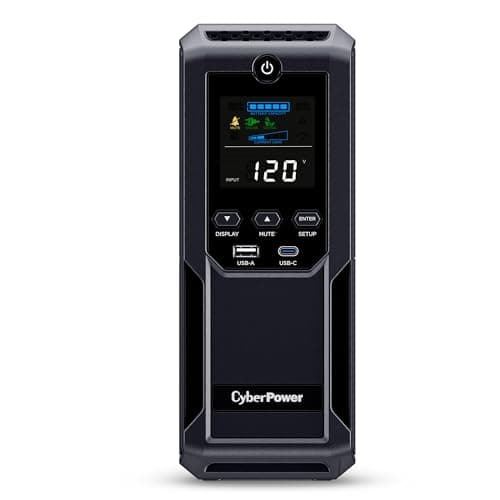
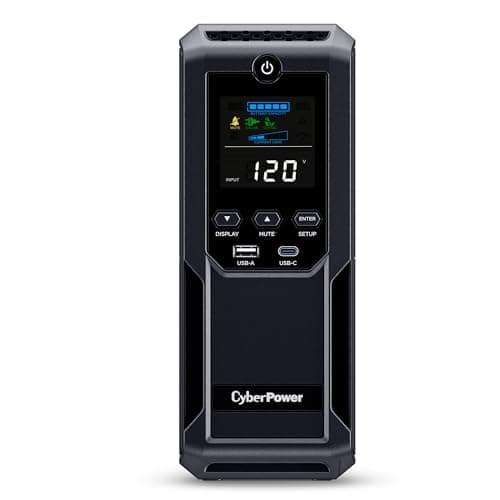
CyberPower CP1500AVRLCD3 Intelligent LCD UPS (1500VA/900W)
- Roster's best watts-per-dollar and lowest price at $199.95
- Simulated sine — not for Active-PFC NAS or modern PC PSUs
(Current price, subject to change)
Second on the SHE Uptime Protection Score at 7.5, the CyberPower CP1500AVRLCD3 Intelligent LCD UPS (1500VA/900W) earns its place almost entirely on value: at $199.95 it posts the roster's best watts-per-dollar, and our formula rewards that capacity density heavily. It is the honest budget default — but read the waveform line first. This is the AVR / Intelligent LCD line, which outputs a simulated stepped sine rather than pure sine, so its waveform factor sits at 6.7 versus the pure-sine picks. In practice that means it is a fine backup for basic PCs, routers, and consoles, and the wrong choice for a NAS or a modern Active-PFC power supply, which can buzz on a stepped wave. CyberPower rates it 1500VA/900W across 12 outlets, with two extra USB charging ports, a multifunction LCD, PowerPanel auto-shutdown, and a 3-year limited warranty. No registered outlet has reviewed this exact revision, so every figure traces to CyberPower rather than an independent lab. Compared to the pure-sine CP1500PFCLCD one tier up, which costs about 1.1x as much, you give up only Active-PFC compatibility — and the premium Eaton lists at roughly 2.3x this unit's price for a similar home job.
What We Love
- Roster's best watts-per-dollar and lowest price at $199.95
- 12 outlets plus two USB charging ports
- Multifunction LCD with PowerPanel auto-shutdown
- 1500VA/900W for basic PCs, routers, and consoles
What Could Be Better
- Simulated sine — not for Active-PFC NAS or modern PC PSUs
- Runtime is minutes, not hours
- No app, cloud, or SNMP monitoring
The Verdict
If your gear is basic PCs, routers, and game consoles that never see an Active-PFC power supply, the CyberPower CP1500AVRLCD3 Intelligent LCD UPS (1500VA/900W) checks the boxes that matter for a budget backup: the roster's best value at $199.95, 12 outlets, and USB auto-shutdown. Its simulated sine is the tradeoff.
Check price for the CyberPower CP1500AVRLCD3 Intelligent LCD UPS (1500VA/900W) →
Best APC Pick / Gaming PC: APC Back-UPS Pro BR1500MS2 Pure Sine Wave UPS (1500VA/900W)
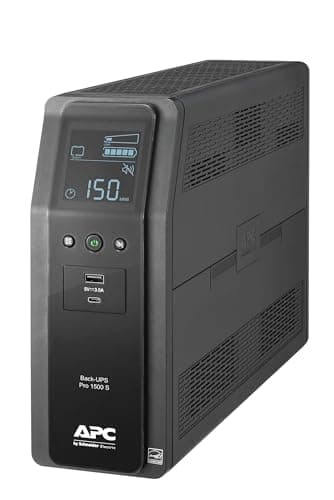
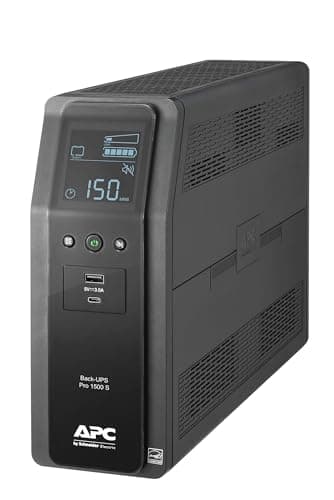
APC Back-UPS Pro BR1500MS2 Pure Sine Wave UPS (1500VA/900W)
- Genuine pure sine wave in the APC Back-UPS Pro line
- Priciest of the mainstream picks at $299.99
(Current price, subject to change)
The APC Back-UPS Pro BR1500MS2 Pure Sine Wave UPS (1500VA/900W) is the honest APC pick, and its 7.3 on the SHE Uptime Protection Score reflects a pure-sine unit positioned above the CyberPower value leaders. APC rates the current Back-UPS Pro at 1500VA/900W with pure sine wave output — the specification correction that genuinely matters, because the buyable APC here is authentic pure sine, safe for an Active-PFC power supply, rather than the simulated-sine budget unit older guides described. It provides 10 outlets — six battery-backed and four surge-only — an LCD status display, a USB-A data port for PowerChute auto-shutdown, and a built-in USB-C port for phone charging, not data. Its waveform factor is nearly identical to the CyberPower leader at 9.5, yet it lists at about $300, roughly 1.3x the CyberPower CP1500PFCLCD and 1.5x the budget CP1500AVRLCD3, so its value factor trails considerably. No registered outlet has published an exact-model review, and no PCMag or CNET evaluation exists, so every figure traces to APC. What it delivers that the others cannot is the APC badge with authentic pure sine and USB-C charging — a premium worth paying only if the brand or the port genuinely matters.
What We Love
- Genuine pure sine wave in the APC Back-UPS Pro line
- 1500VA/900W with 10 outlets — six battery-backed, four surge-only
- Built-in USB-C charging plus USB-A data to PowerChute
- LCD status display and Active-PFC compatibility
What Could Be Better
- Priciest of the mainstream picks at $299.99
- USB-C is charging only, not a data port
- No SNMP slot or serial; runtime is minutes
The Verdict
If you specifically want the APC name with genuine pure sine for a gaming PC or workstation, the APC Back-UPS Pro BR1500MS2 Pure Sine Wave UPS (1500VA/900W) fits the brief: 1500VA/900W across 10 outlets, real Active-PFC compatibility, and USB-C charging built into the tower. You pay a little more for the badge.
Check price for the APC Back-UPS Pro BR1500MS2 Pure Sine Wave UPS (1500VA/900W) →
Best Premium / Highest Wattage: Eaton 5SC1500 Pure Sinewave UPS (1440VA/1080W)
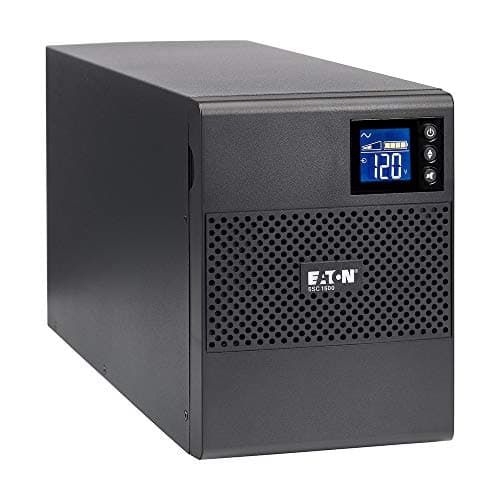
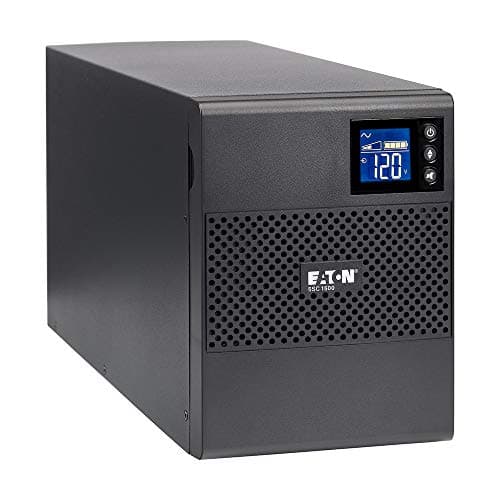
Eaton 5SC1500 Pure Sinewave UPS (1440VA/1080W)
- Highest continuous wattage in the roster at 1080W
- Roster's worst home value at $453.99
(Current price, subject to change)
The Eaton 5SC1500 Pure Sinewave UPS (1440VA/1080W) is the roster's premium tower, and its 7.1 on the SHE Uptime Protection Score is honest about the tradeoff: excellent hardware, weak home value. It earns a perfect waveform factor because it pairs pure sine wave output with the roster's highest continuous wattage, 1080W, so it has the most headroom for a demanding Active-PFC load. Eaton rates it at 1440VA/1080W across eight NEMA outlets that are all battery+surge backed — a business-grade layout with no surge-only bank — plus an LCD, USB with UPS Companion auto-shutdown, and a 3-year warranty. Here is the correction that matters: it accepts an optional Network-M2 SNMP card and a serial port, but so does the far cheaper CyberPower, so those are enterprise extras rather than an Eaton exclusive, and our home-management factor does not credit either. That is why a roughly 34 lb, $453.99 tower lands at only 5.3 on value and falls to fourth overall. No PCMag or CNET exact-model review exists, so specs trace to Eaton. Compared to the CyberPower CP1500PFCLCD, it delivers slightly more wattage headroom at roughly 2x the price.
What We Love
- Highest continuous wattage in the roster at 1080W
- Pure sine wave with Buck & Boost AVR
- Eight NEMA outlets, all battery+surge backed
- Business-grade tower with Eaton's managed ecosystem
What Could Be Better
- Roster's worst home value at $453.99
- Enterprise SNMP card and serial cost extra and aren't home features
- Heavier tower; runtime is still minutes
The Verdict
If you specifically want a business-grade tower with the highest wattage headroom and Eaton's enterprise management options, the Eaton 5SC1500 Pure Sinewave UPS (1440VA/1080W) lines up with what you actually need — while posting the roster's weakest home value at $453.99, roughly 2x the CyberPower CP1500PFCLCD.
Check price for the Eaton 5SC1500 Pure Sinewave UPS (1440VA/1080W) →
Best for Home Labs: Tripp Lite SMART1500LCDT Line-Interactive UPS (1500VA/900W)
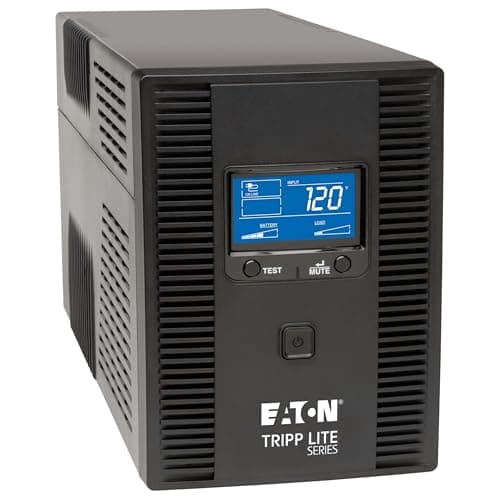
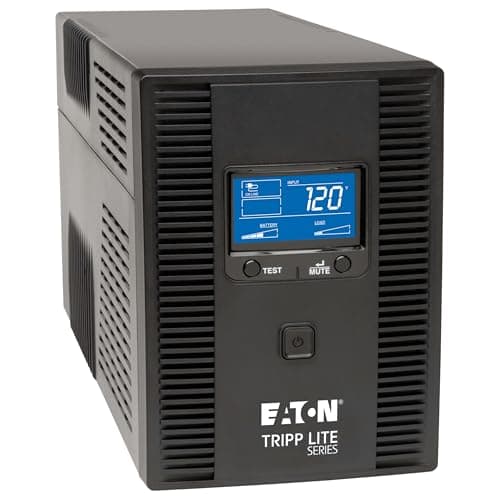
Best for Home Labs (multi-line surge)Tripp Lite SMART1500LCDT Line-Interactive UPS (1500VA/900W)
- Widest multi-line surge: coax, telephone, and Ethernet
- Simulated / PWM sine — not for Active-PFC gear
(Current price, subject to change)
The Tripp Lite SMART1500LCDT Line-Interactive UPS (1500VA/900W) posts the roster's lowest SHE Uptime Protection Score at 6.6, and that is a fair read: it is a capable line-interactive tower whose simulated waveform and mid value keep the composite down. Where it genuinely leads is data-line protection — Tripp Lite builds in coaxial, telephone, and Ethernet surge suppression, the widest multi-line coverage in the roster, plus a DB9 serial port that older home-lab equipment still uses for UPS communication. It is rated 1500VA/900W across 10 outlets, five battery-backed and five surge-only, with an LCD, USB and PowerAlert auto-shutdown, a 3-year warranty, and a $250,000 equipment guarantee. It lists at $262.49, about 1.3x the budget CyberPower, and at roughly 27.6 lb it is a substantial tower. Two honest limits shape the score: the SMART line outputs a stepped / PWM simulated sine rather than pure sine, so its waveform factor sits at 6.7 and it is the wrong pick for an Active-PFC NAS or PC; and its multi-line surge and serial, while useful, are not home-management features, so they do not lift its management factor. No registered outlet reviewed this exact model — the Tom's Hardware roundup tested a sibling — so specs trace to Tripp Lite.
What We Love
- Widest multi-line surge: coax, telephone, and Ethernet
- DB9 serial port for older gear and home-lab UPS comms
- 1500VA/900W with a $250,000 connected-equipment guarantee
- Line-interactive AVR with a 650-joule surge rating
What Could Be Better
- Simulated / PWM sine — not for Active-PFC gear
- Lowest composite in the roster at 6.6
- Runtime is minutes; no SNMP card slot
The Verdict
If you run a home lab with coax, telephone, and Ethernet lines to protect and older gear that still speaks serial, you'll be well-served here: the Tripp Lite SMART1500LCDT Line-Interactive UPS (1500VA/900W) carries the roster's widest data-line surge coverage plus a DB9 serial port, though its simulated sine rules out Active-PFC loads.
Check price for the Tripp Lite SMART1500LCDT Line-Interactive UPS (1500VA/900W) →
How We Score: SHE Uptime Protection Score
SHE Uptime Protection Score
Score Formula
score = 0.30 * waveform_load_protection + 0.25 * management_depth + 0.20 * outlet_surge_coverage + 0.25 * capacity_value_densityScore Factors
- Waveform + Load Protection (weight 0.30)Pure sine wave scores a base of ten and a simulated or stepped sine a base of six, per the manufacturer waveform spec, blended seventy-thirty with continuous-wattage headroom normalized to the roster's 1080W ceiling. It is the heaviest factor because waveform is the single spec that decides whether an Active-PFC power supply — any modern NAS or PC — rides through an outage cleanly. Runtime minutes are deliberately excluded: no verified figures exist, and wattage headroom is the honest, spec-grounded proxy for load capability.
- Home Management Depth (weight 0.25)A deterministic count of the practical, out-of-the-box management a home buyer actually uses: a multi-function LCD, and a USB port with bundled auto-shutdown software such as PowerPanel, PowerChute, PowerAlert, or Eaton's UPS Companion, on a five-point scale whose top rung is native app or cloud monitoring. We deliberately do NOT credit enterprise-only capability: an empty SNMP network-card slot needs a separately-purchased card most home buyers never populate — true of both the CyberPower and the Eaton here — and a legacy serial port is a data-center holdover. Crediting an add-on card slot would let latent enterprise capability flip a home pick and misrepresent real home value. Every unit ships an LCD and USB software and none offers app or cloud monitoring, so all five sit level at four out of ten.
- Outlet + Surge Coverage (weight 0.20)Battery-backed receptacles count double the surge-only ones, normalized to the roster's best-covered layout, because a battery outlet protects against a power cut while a surge-only outlet only clamps spikes. The CyberPower units lead with twelve outlets in a six-and-six split; the Eaton's eight are all battery-backed with no surge-only bank, the business-grade layout.
- Capacity Value Density (weight 0.25)Continuous watts per purchase dollar, inverse-normalized so the strongest watts-per-dollar row anchors ten. It rewards genuine capacity per dollar at evergreen list prices captured outside deal windows: the CyberPower CP1500AVRLCD3 leads it at $199.95, while the Eaton trails at $453.99 — which is why the premium tower, for all its hardware, places fourth on home value.
SHE Uptime Protection Score — Ranked
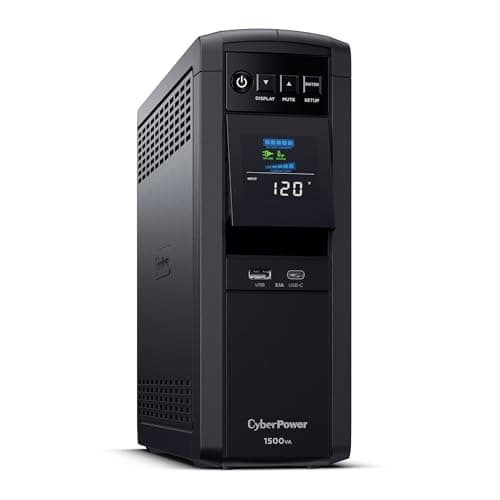
CyberPower CP1500PFCLCD PFC Sinewave UPS (1500VA/1000W)
SHE Uptime Protection Score8.4/10$227.95 list — pure sine, 12 outlets, and the roster's best blend of protection and value; tops the ranking
CyberPower CP1500AVRLCD3 Intelligent LCD UPS (1500VA/900W)
SHE Uptime Protection Score7.5/10$199.95 list — best watts-per-dollar and 12 outlets, but simulated sine rules out Active-PFC NAS and modern PCs
APC Back-UPS Pro BR1500MS2 Pure Sine Wave UPS (1500VA/900W)
SHE Uptime Protection Score7.3/10$299.99 list — genuine pure sine in the APC line with USB-C charging, priced above the CyberPower value leaders
Eaton 5SC1500 Pure Sinewave UPS (1440VA/1080W)
SHE Uptime Protection Score7.1/10$453.99 list — highest wattage at 1080W and pure sine, but the roster's weakest home value drops it to fourth
Tripp Lite SMART1500LCDT Line-Interactive UPS (1500VA/900W)
SHE Uptime Protection Score6.6/10$262.49 list — widest multi-line surge and a DB9 serial port, held down by simulated sine and mid value
SHE Uptime Protection Score
Weighted uptime-protection composite across five buyable home UPS units — higher means more verified, manufacturer-stated protection per dollar.
UPS Compatibility: NAS, Routers, and What the Waveform Protects
The one compatibility question that actually decides a purchase is waveform. A pure sine wave unit — the CyberPower CP1500PFCLCD, the APC BR1500MS2, and the Eaton 5SC1500 here — feeds a clean wave that an Active-PFC power supply expects, so a NAS or a modern PC transfers to battery without a hiccup. A simulated or stepped sine, on the CyberPower CP1500AVRLCD3 and the Tripp Lite SMART1500LCDT, is fine for a basic PC, a router, or a console, but an Active-PFC supply can buzz, click, or drop offline on it. That single distinction is the heaviest factor in our formula, and our outlet factor separately counts each battery-backed receptacle 2x a surge-only one. For automatic shutdown, every unit here talks to a Synology or QNAP NAS over USB through the vendor's native power panel, or to a Linux or macOS box through NUT — a genuine category capability, not a per-model claim.
None of these is a smart-home hub, and the enterprise extras deserve an honest label. Both the CyberPower CP1500PFCLCD and the Eaton 5SC1500 accept an optional SNMP network-management card, and three units carry a serial port, but those are data-center conveniences a home buyer rarely uses — which is why our home-management factor credits only the LCD and USB auto-shutdown software that every unit shares. If you want remote visibility from your phone today, none of these ships with native app or cloud monitoring; that is the real gap at this tier, and it is why home-management scores sit level across the roster. For whole-home runtime measured in hours rather than minutes, a UPS is the wrong tool — see our Best Smart Home Backup Power Systems 2026 comparison.
| Product | Pure Sine Wave | USB Auto-Shutdown Software | Optional SNMP Card Slot | Serial / DB9 Port | Coax + Phone-Line Surge |
|---|---|---|---|---|---|
| CyberPower CP1500PFCLCD PFC Sinewave UPS (1500VA/1000W) | ✓ | ✓ | ✓ | ✓ | ✕ |
| CyberPower CP1500AVRLCD3 Intelligent LCD UPS (1500VA/900W) | ✕ | ✓ | ✕ | ✕ | ✕ |
| APC Back-UPS Pro BR1500MS2 Pure Sine Wave UPS (1500VA/900W) | ✓ | ✓ | ✕ | ✕ | ✕ |
| Eaton 5SC1500 Pure Sinewave UPS (1440VA/1080W) | ✓ | ✓ | ✓ | ✓ | ✕ |
| Tripp Lite SMART1500LCDT Line-Interactive UPS (1500VA/900W) | ✕ | ✓ | ✕ | ✓ | ✓ |
When NOT to Buy
A UPS is the wrong purchase in a few honest cases. If you only need to guard against surges, a surge protector does that job for a fraction of the price — a UPS adds a battery you do not need. If your gear carries no data-loss or downtime risk — a TV, a lamp, a speaker — skip it. Do not buy one expecting hours of runtime, either: at real loads these deliver minutes, enough for a graceful shutdown, not an outage ride-through. And if your goal is whole-home or off-grid backup, a UPS is badly undersized — a portable power station or a backup system is the right category, covered in our related guides.
Who Should Buy What
Who Should Buy What
| If you are… | Recommended pick |
|---|---|
NAS and workstation owners You run a Synology or QNAP NAS, or a modern PC with an Active-PFC power supply, and want pure sine at the best price | CyberPower CP1500PFCLCD PFC Sinewave UPS (1500VA/1000W) |
Budget basic-gear buyers You are protecting basic PCs, routers, modems, and consoles that do not use an Active-PFC supply, and price is the priority | CyberPower CP1500AVRLCD3 Intelligent LCD UPS (1500VA/900W) |
APC-brand gaming-PC buyers You specifically want the APC name with genuine pure sine for a gaming PC or workstation, plus built-in USB-C charging | APC Back-UPS Pro BR1500MS2 Pure Sine Wave UPS (1500VA/900W) |
Premium high-wattage buyers You want a business-grade tower with the highest wattage headroom and plan to add Eaton's optional management card later | Eaton 5SC1500 Pure Sinewave UPS (1440VA/1080W) |
Home-lab operators You need to protect coax, telephone, and Ethernet lines and want a DB9 serial port for older lab equipment | Tripp Lite SMART1500LCDT Line-Interactive UPS (1500VA/900W) |
Frequently Asked Questions
What is the best smart UPS battery backup in 2026?
The CyberPower CP1500PFCLCD ($227.95 list) tops our SHE Uptime Protection Score at 8.4. It pairs pure sine wave output — safe for a NAS or a modern Active-PFC PC — with 12 outlets, USB auto-shutdown software, and a 3-year warranty, at the lowest pure-sine price in the roster. If you only run basic PCs, routers, and consoles, the simulated-sine CP1500AVRLCD3 ($199.95) is the value alternative.
What battery backup do I need for a home network?
For a router, modem, and switch, a 1500VA line-interactive UPS is the standard home-network class and gives you enough runtime for a graceful shutdown, not hours of uptime. If a NAS is on that network, buy pure sine — the CyberPower CP1500PFCLCD or, in the APC line, the BR1500MS2 — because a NAS uses an Active-PFC power supply that a simulated wave can disrupt.
Do I need a UPS for just a router and modem?
Yes, if you want your internet to survive brief outages. A router and modem draw very little, so even a 1500VA unit runs them well beyond the few minutes a full load allows. Any pick here handles the job; a simulated-sine unit like the CP1500AVRLCD3 is perfectly adequate for a router and modem, since neither uses an Active-PFC power supply.
APC Smart-UPS vs CyberPower — which should I buy?
The classic APC Smart-UPS SMT1500 is a strong managed unit, but on Amazon it is frequently out of new stock — often only renewed or third-party listings are live, which we do not recommend buying as new. Among live, buyable-new units, the CyberPower CP1500PFCLCD is our top pick on pure sine and value. If you specifically want the APC brand new, the Back-UPS Pro BR1500MS2 is the buyable APC pure-sine option.
Can I use a UPS with a Synology or QNAP NAS?
Yes — and you should. Every unit here connects to a Synology or QNAP NAS over USB, and the NAS's native power panel triggers a clean automatic shutdown when the battery runs low; on Linux or macOS, NUT does the same. Choose a pure sine wave unit for a NAS, because its Active-PFC power supply can misbehave on a simulated wave.
How long will a 1500VA UPS run my gear?
It depends entirely on load, and the honest answer is minutes, not hours. A 1500VA / 900-to-1000W unit powering a full workstation and monitor delivers enough time for a graceful shutdown; the same unit running only a router and modem lasts far longer. We do not publish specific runtime minutes, because they are load-dependent and none of these models has verified third-party runtime figures.
Bottom Line
Get the CyberPower CP1500PFCLCD PFC Sinewave UPS (1500VA/1000W) if you run a NAS, router, or modern PC and want pure sine at the best price with 12 outlets.
Get the CyberPower CP1500AVRLCD3 Intelligent LCD UPS (1500VA/900W) if you are protecting basic PCs, routers, and consoles and price is the deciding factor.
Get the APC Back-UPS Pro BR1500MS2 Pure Sine Wave UPS (1500VA/900W) if you want the APC brand with genuine pure sine and USB-C charging for a gaming PC.
Get the Eaton 5SC1500 Pure Sinewave UPS (1440VA/1080W) if you want the highest wattage headroom in a business-grade tower and may add a management card.
Get the Tripp Lite SMART1500LCDT Line-Interactive UPS (1500VA/900W) if you run a home lab and need coax, telephone, and Ethernet surge plus a DB9 serial port.
For most home networks the answer is the CyberPower CP1500PFCLCD PFC Sinewave UPS (1500VA/1000W) — it tops the ranking with pure sine and 12 outlets at $227.95. Drop to the budget CyberPower CP1500AVRLCD3 Intelligent LCD UPS (1500VA/900W) for basic gear that never needs pure sine, and skip the category entirely if you only need surge protection or hours of whole-home runtime.
Sources & Methodology
Methodology: SHE Uptime Protection Score — Formula: score = 0.30 * waveform_load_protection + 0.25 * management_depth + 0.20 * outlet_surge_coverage + 0.25 * capacity_value_density. Factors: Waveform + Load Protection (weight 0.30): Pure sine wave scores a base of ten and a simulated or stepped sine a base of six, per the manufacturer waveform spec, blended seventy-thirty with continuous-wattage headroom normalized to the roster's 1080W ceiling. It is the heaviest factor because waveform is the single spec that decides whether an Active-PFC power supply — any modern NAS or PC — rides through an outage cleanly. Runtime minutes are deliberately excluded: no verified figures exist, and wattage headroom is the honest, spec-grounded proxy for load capability. | Home Management Depth (weight 0.25): A deterministic count of the practical, out-of-the-box management a home buyer actually uses: a multi-function LCD, and a USB port with bundled auto-shutdown software such as PowerPanel, PowerChute, PowerAlert, or Eaton's UPS Companion, on a five-point scale whose top rung is native app or cloud monitoring. We deliberately do NOT credit enterprise-only capability: an empty SNMP network-card slot needs a separately-purchased card most home buyers never populate — true of both the CyberPower and the Eaton here — and a legacy serial port is a data-center holdover. Crediting an add-on card slot would let latent enterprise capability flip a home pick and misrepresent real home value. Every unit ships an LCD and USB software and none offers app or cloud monitoring, so all five sit level at four out of ten. | Outlet + Surge Coverage (weight 0.20): Battery-backed receptacles count double the surge-only ones, normalized to the roster's best-covered layout, because a battery outlet protects against a power cut while a surge-only outlet only clamps spikes. The CyberPower units lead with twelve outlets in a six-and-six split; the Eaton's eight are all battery-backed with no surge-only bank, the business-grade layout. | Capacity Value Density (weight 0.25): Continuous watts per purchase dollar, inverse-normalized so the strongest watts-per-dollar row anchors ten. It rewards genuine capacity per dollar at evergreen list prices captured outside deal windows: the CyberPower CP1500AVRLCD3 leads it at $199.95, while the Eaton trails at $453.99 — which is why the premium tower, for all its hardware, places fourth on home value.
Expert review sources used in this analysis:
- SmartHomeExplorer aggregates manufacturer specifications and product-listing details to produce consensus buying guidance; we perform no first-party testing and transcribe no outlet scores or verdicts
- Most of these exact models draw no SKU-level editorial coverage: the CyberPower CP1500PFCLCD is the exception, covered by exact model in Tom's Hardware's four-way UPS roundup, which we note only as coverage existence, never as a transcribed result
- Wirecutter's UPS picks are CyberPower's smaller CP685AVR and CP1000PFCLCD, not this 1500VA class, and no PCMag or CNET exact-model review exists for the Eaton 5SC1500, APC BR1500MS2, Tripp Lite SMART1500LCDT, or CyberPower CP1500AVRLCD3
- Every specification traces to a manufacturer or authorized-retailer page, verified July 2026
- Prices are evergreen list prices captured outside deal windows and change frequently — confirm the current price on Amazon.
Nicholas Miles is the founder of SmartHomeExplorer and a longtime smart home enthusiast focused on helping everyday homeowners make better technology decisions. He researches, compares, and writes about products across security, climate, lighting, leak prevention, sensors, home energy, and automation, with an emphasis on real-world usefulness, ecosystem compatibility, reliability, privacy, and long-term value.
Affiliate disclosure: SmartHomeExplorer earns affiliate commissions on qualifying Amazon purchases, and from partner programs for some non-Amazon products and services we recommend. Our scoring methodology is independent of affiliate relationships.
More Guides

Networking
Best WiFi 7 Mesh Systems for Smart Homes 2026
Energy
Best Smart Home Backup Power Systems 2026
networking
Best UniFi Smart Home Setup 2026: 7 Picks, $0/Month

Automation
Best Smart Home Hubs 2026: 7 Compared, Local Control

smart-plugs
Best Smart Plugs and Outlets 2026
Energy