

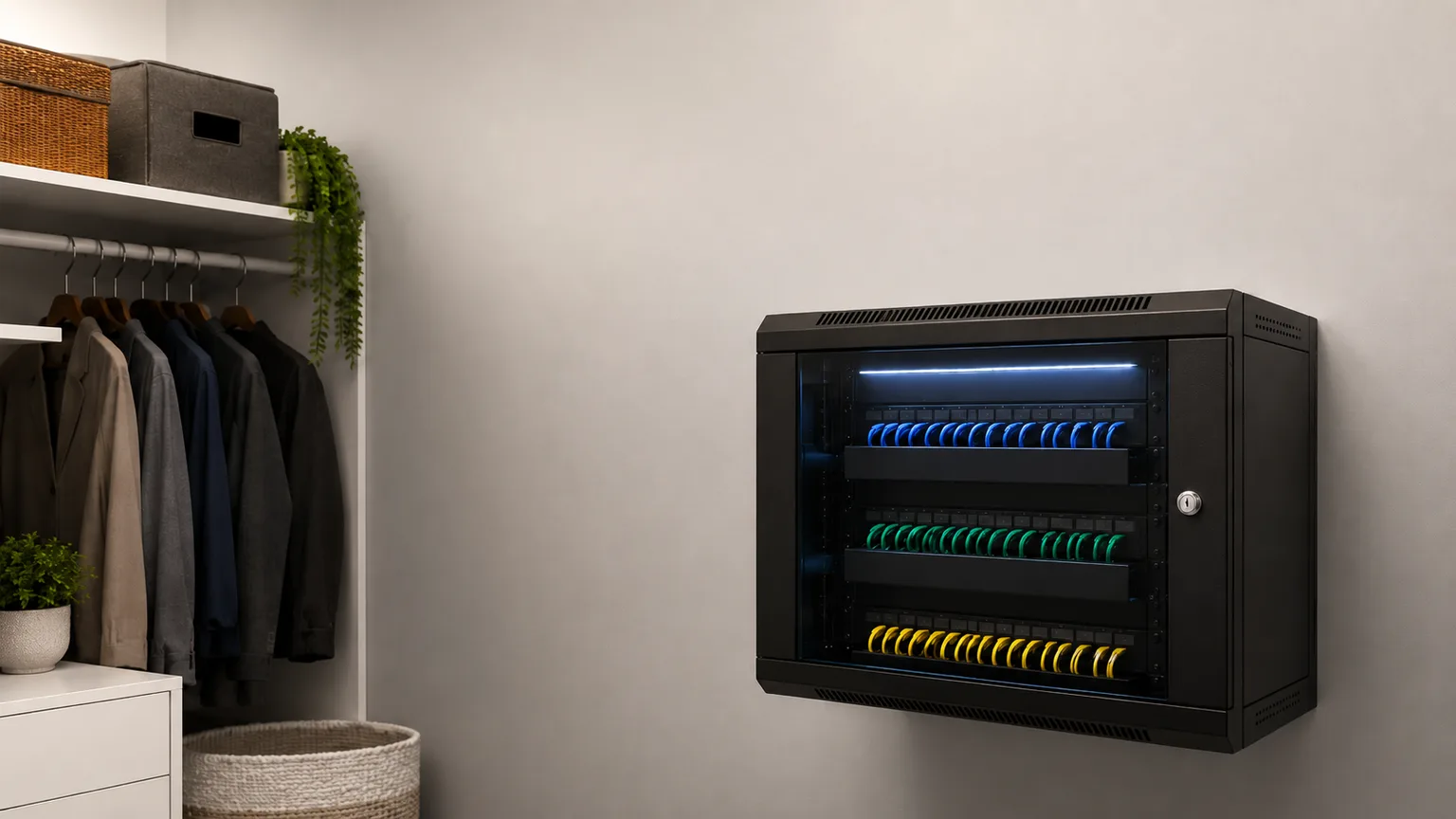
The Home Network Rack Setup (2026)
A closet full of loose power bricks and a router balanced on a shelf works, right up until a storm cuts the power or a camera add-on maxes out the PoE budget. This is the buyable path from a single starter box to a real wall-mounted closet.
This article contains affiliate links. We may earn a commission at no extra cost to you. Prices change frequently — check the current price on Amazon before buying. Learn more
The Short Answer
A reliable network closet is built in tiers, a UPS with 12x outlets at every one: starter near $680, prosumer (8x PoE+ ports) near $1,368, or whole-home (9x NAS bays) near $2,292. Every piece is scored on one proprietary composite weighing power resilience, thermal headroom, expansion room, and setup effort.
Featured in this Guide

Ubiquiti
UniFi Dream Router 7 (UDR7)
- •10G Cloud Gateway, integrated Wi-Fi 7, and a built-in PoE switch at $310.02 — one box, one app, done
Tecmojo
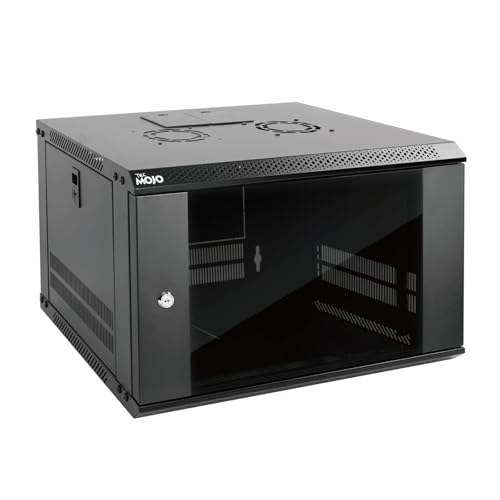
6U Wall-Mount Network Rack Cabinet
- •6U lockable wall-mount cabinet at $129.90 list — fits a router, a small switch, and a UPS off the floor
CyberPower
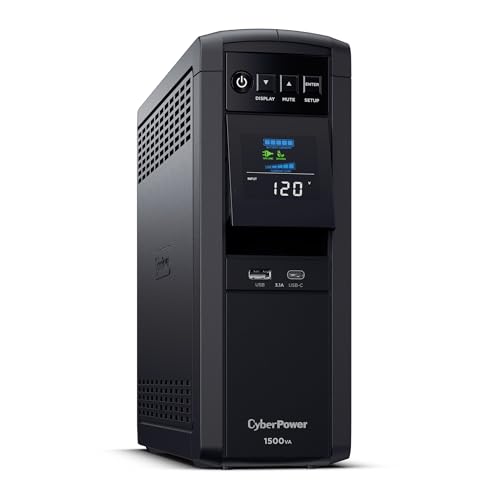
CP1500PFCLCD
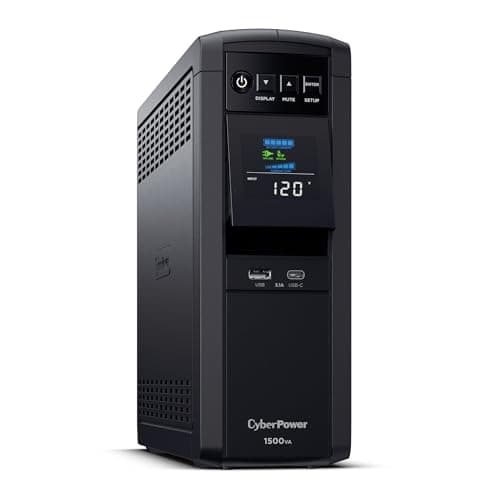
- •Pure sine wave 1500VA/1000W with 12x total outlets at $239.95 — the rack's power-resilience anchor
Ubiquiti
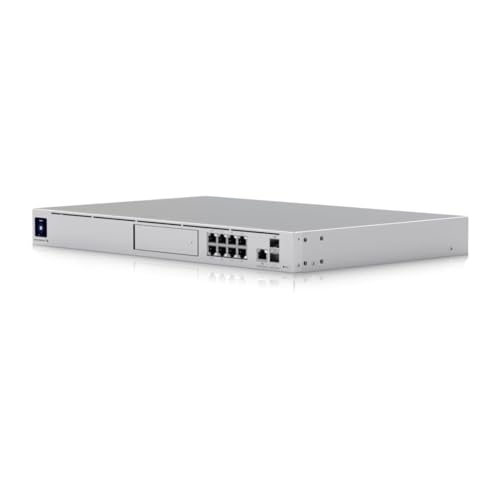
UniFi Dream Machine SE
- •8x PoE+ ports, a 128 GB SSD, and rackmount fan cooling at $689.99 — console plus NVR in one unit

Ubiquiti
UniFi Switch Lite 16 PoE
- •16 total ports (8x PoE+), fanless and silent, at $223.50 — real port headroom for growth
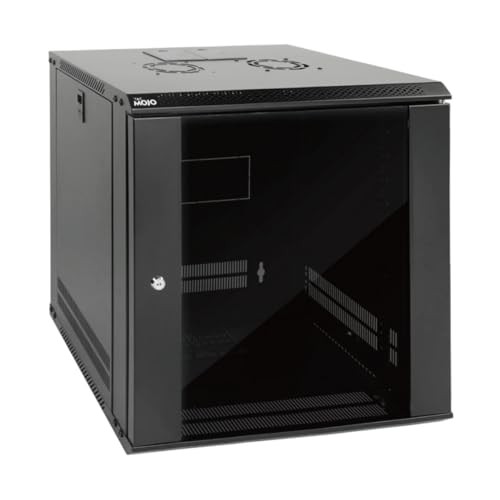
Tecmojo
12U Wall-Mount Network Rack Cabinet
- •12U wall-mount cabinet at $169.90 — room for the console, the switch, the panel, the UPS, and the NAS
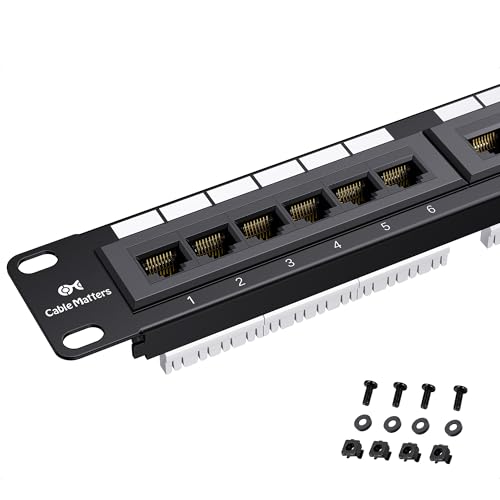
Cable
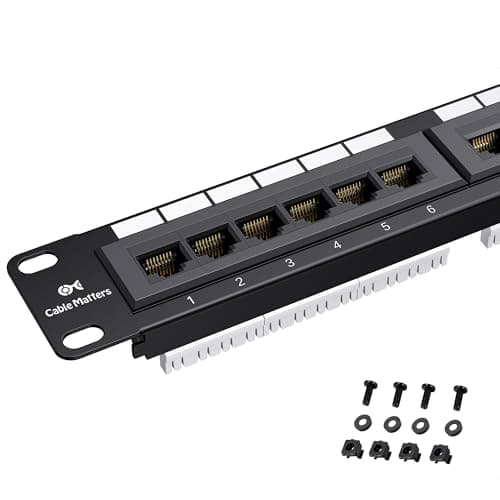
Matters 24-Port Cat6 Patch Panel
- •24x Cat6 ports rated 10Gbps at $44.99 — terminates most houses' wall drops on one 1U panel
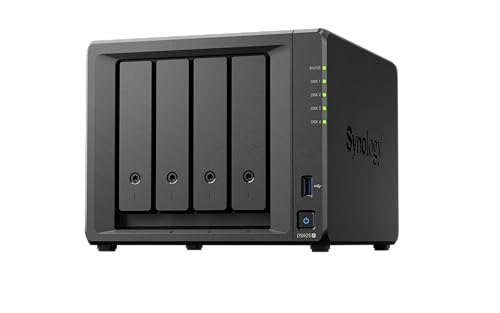
Synology
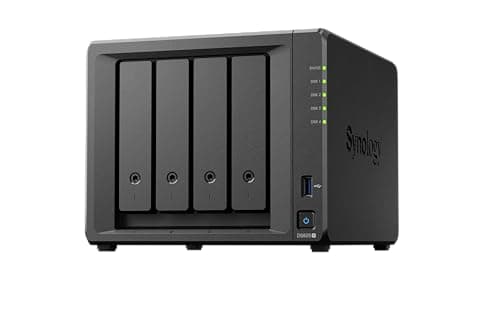
DS925+ 4-Bay NAS
- •4 bays expandable to 9x, 2x M.2 NVMe cache, at $700.00 — camera NVR and backup storage in one box
How the Eight Pieces Compare
Networking
Chart
 Smarthomeexplorer.com
The Closet Every Smart Home Eventually Needs
Every smart home reaches the same point: a router balanced on a shelf, a UPS with cables trailing across the floor, and a growing pile of cameras straining a single PoE budget. As of July 2026, we evaluated a buyable path out of that mess in three tiers, a UPS included at every tier — a starter closet near $680, a prosumer rack near $1,368, and a whole-home build near $2,292 — scored on one proprietary measurement, the SHE Rack Reliability Score, so a single number communicates how much a given piece protects the rack against the failure modes a closet actually faces: power loss, heat buildup, and running out of a UPS's 12x outlets or room to grow. This buying guide draws on outlet coverage from Wirecutter, PCMag, iFeeltech, Dong Knows Tech, NetworkChuck, ServeTheHome, and SmallNetBuilder where independent reviews exist, and on manufacturer datasheets where they do not.
The Starter Anchor: Ubiquiti UniFi Dream Router 7 (UDR7)
The starter anchor — start hereUbiquiti UniFi Dream Router 7 (UDR7)
- One desktop box replaces a router, a switch, and a console app
- Fixed-port integrated switch — a camera-heavy build outgrows it fast

(Current price, subject to change)
The 7.1 SHE Rack Reliability Score composite on the Ubiquiti UniFi Dream Router 7 (UDR7) rests on setup ease more than raw expansion room. Ubiquiti's own product listing describes it as a 10G Cloud Gateway with integrated Wi-Fi 7 and a built-in PoE switch, which means the single-app UniFi onboarding covers routing, wireless, and the console in one pass — the fastest path to a working starter closet in this whole guide. Ubiquiti's techspecs list a 26W max power draw, well below the rackmount Dream Machine SE's PoE-heavy budget, and that efficiency compounds: a lighter power draw stretches the CyberPower UPS's runtime and leaves more of its own PoE budget available for whatever joins next. Compared to the rackmount Dream Machine SE — which iFeeltech and Dong Knows Tech both cover in depth — the UDR7 is new enough in 2026 that independent long-form reviews are still catching up; we rely on Ubiquiti's own specifications here. The UDR7 also trades expansion room for simplicity — its integrated switch is fixed-port, so a household planning several PoE cameras will hit that ceiling. For a first closet build, though, the trade favors the UDR7 by a wide margin.
What We Love
- One desktop box replaces a router, a switch, and a console app
- 10G Cloud Gateway plus Wi-Fi 7 puts real headroom in a starter build
- A 26W max power draw keeps the whole rack's UPS budget lighter than the rackmount console
What Could Be Better
- Fixed-port integrated switch — a camera-heavy build outgrows it fast
- Fanless desktop form factor, not rackmount, so it needs its own shelf or small enclosure
The Verdict
If you want one box that replaces a router, a switch, and a console app, Ubiquiti UniFi Dream Router 7 (UDR7) does point you here first. Its 10G Cloud Gateway design plus integrated Wi-Fi 7 delivers real headroom for a starter closet, and its 7.1 SHE Rack Reliability Score composite reflects strong setup ease held back only by a fixed-port switch.
The Starter Enclosure: Tecmojo 6U Wall-Mount Network Rack Cabinet
The starter enclosureTecmojo 6U Wall-Mount Network Rack Cabinet
- 6U of real 19-inch rail space at a genuinely low starter price
- Fills up fast once a UPS and a switch join the router
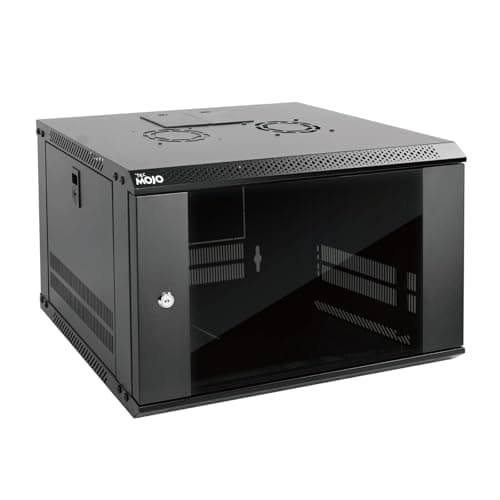
(Current price, subject to change)
The 5.9 SHE Rack Reliability Score composite on the Tecmojo 6U Wall-Mount Network Rack Cabinet is the lowest in this guide, and that is by design rather than a defect. Its expansion_room factor scores lowest of any piece here because 6U genuinely fills up fast — a router, a UPS, and a small switch consume most of the available rail space, leaving little room to add a NAS or a second switch later. Compared to open-frame server racks, the lockable glass door and side panels trade a little airflow for real security and a cleaner look, and the built-in cooling fan compensates for most of that trade. Wall-mount installation is the one genuine effort here: it requires drilling into wall studs rather than simply setting a box on a shelf, which is why its ease_of_setup factor trails the plug-and-play console pieces. As the entry point into a real rack-based closet, though, it does exactly what a starter enclosure should.
What We Love
- 6U of real 19-inch rail space at a genuinely low starter price
- Wall-mount install keeps the closet floor completely clear
- Lockable door and side panels keep the gear closed off and dust-free
What Could Be Better
- Fills up fast once a UPS and a switch join the router
- Wall-mount install means drilling into studs, not a plug-and-play setup
The Verdict
For a first closet build where a router and a UPS are the whole plan, Tecmojo 6U Wall-Mount Network Rack Cabinet is a sensible pick for that setup. Six units of lockable 19-inch rail space at a $129.90 list price clears the closet floor entirely, and its 5.9 SHE Rack Reliability Score composite honestly reflects a piece built to be outgrown, not to do everything.
Check price for the Tecmojo 6U Wall-Mount Network Rack Cabinet →
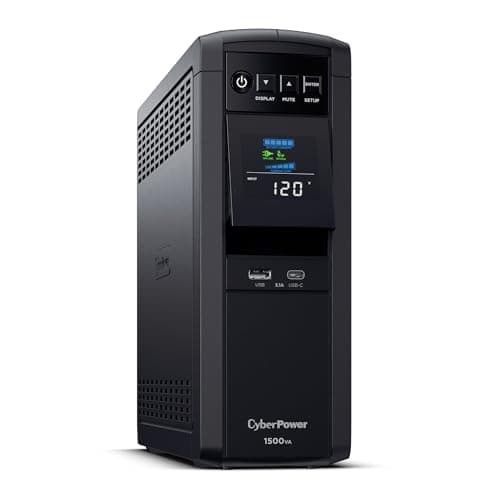
Power Protection: CyberPower CP1500PFCLCD
Power protection — the resilience anchorCyberPower CP1500PFCLCD
- Pure sine wave output at 239.95$ protects sensitive NAS and router electronics
- No network management card slot for remote monitoring over IP
(Current price, subject to change)
The 8.3 SHE Rack Reliability Score composite on the CyberPower CP1500PFCLCD tops this entire guide, and power_resilience is the reason: at a 0.35 weight, it is the single heaviest factor in the formula, and this UPS earns the highest score of any piece on it. Wirecutter and PCMag both cover the CP1500PFCLCD, whose pure sine wave output delivers clean power comparable to utility standards — the waveform quality that protects a NAS or a UniFi console's power supply from the rough approximation cheaper UPS units produce. Its 12x total outlets (6x battery-backed, 6x surge-only) and 10 mins of runtime at half load give a graceful window for the USB-connected PowerPanel software to trigger an automatic NAS shutdown before the battery runs out. Compared to a surge protector alone, which does nothing once the power actually drops, this is the piece that converts a brief outage from a hard crash into a clean, unattended shutdown. It is the one component every tier in this guide should include.
What We Love
- Pure sine wave output at 239.95$ protects sensitive NAS and router electronics
- 10 mins of runtime at half load buys time for a graceful shutdown
- USB auto-shutdown signaling pairs directly with a Synology or QNAP NAS
What Could Be Better
- No network management card slot for remote monitoring over IP
- 1000W continuous ceiling means a fully loaded whole-home rack should budget headroom
The Verdict
If keeping the whole closet alive through a short outage is the priority, CyberPower CP1500PFCLCD checks the boxes that matter for that job. Wirecutter and PCMag both cover it; a pure sine wave output plus 10 mins of runtime at half load makes it the highest-scoring piece in this guide, with an 8.3 SHE Rack Reliability Score composite driven almost entirely by power resilience.
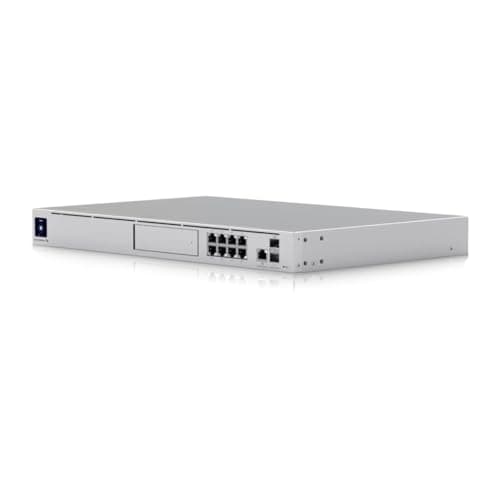
The Prosumer Anchor: Ubiquiti UniFi Dream Machine SE
The prosumer anchorUbiquiti UniFi Dream Machine SE
- 8x PoE+ ports power a full camera and access-point lineup without a separate switch
- No integrated Wi-Fi — needs separate UniFi access points for wireless
(Current price, subject to change)
The 7.5 SHE Rack Reliability Score composite on the Ubiquiti UniFi Dream Machine SE is built on thermal headroom and expansion room, its two strongest factors. iFeeltech and Dong Knows Tech both cover the Dream Machine SE, whose active fan cooling is genuinely built for sustained UniFi Protect NVR workloads — the kind of continuous recording load that would overheat a fanless console. Its 8x PoE+ ports plus the 128 GB integrated SSD mean a rackmounted console can power and record a full complement of cameras and access points without adding a separate switch or NVR box. Compared to the UDR7, the trade is real: a rackmount form factor and PoE-budget planning add genuine setup effort, and its single PSU across 8x active ports draws more power with no battery of its own, which is why power_resilience is its weakest factor. Paired with the CyberPower UPS, though, that weakness is exactly the gap the UPS exists to cover.
What We Love
- 8x PoE+ ports power a full camera and access-point lineup without a separate switch
- 128 GB integrated SSD runs UniFi Protect NVR recording without extra hardware
- Active fan cooling handles sustained camera-recording workloads
What Could Be Better
- No integrated Wi-Fi — needs separate UniFi access points for wireless
- Rackmount form factor and a single PSU add real setup effort and a real power ceiling
The Verdict
When a closet has genuinely outgrown a single all-in-one box, Ubiquiti UniFi Dream Machine SE fits without compromise. iFeeltech and Dong Knows Tech both cover it; 8x PoE+ ports plus a 128 GB integrated SSD deliver console and NVR in one rackmount unit, earning a 7.5 SHE Rack Reliability Score composite built on the strongest thermal and expansion factors in this guide.
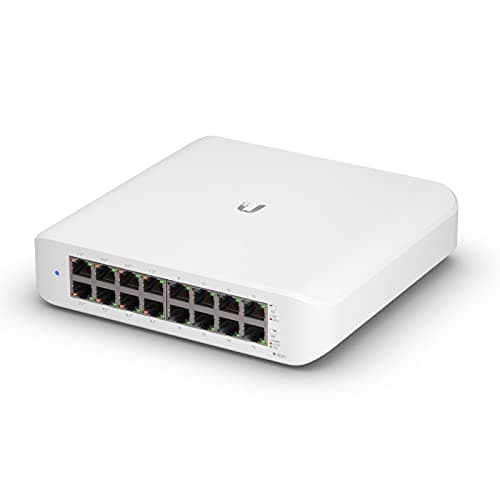
The Expansion Switch: Ubiquiti UniFi Switch Lite 16 PoE
The expansion switchUbiquiti UniFi Switch Lite 16 PoE
- 16 total ports add real port headroom past the console alone
- 45W total PoE budget is a real ceiling for a camera-heavy build
(Current price, subject to change)
The 7.1 SHE Rack Reliability Score composite on the Ubiquiti UniFi Switch Lite 16 PoE leans on thermal headroom. NetworkChuck, ServeTheHome, and SmallNetBuilder all cover the Switch Lite 16 PoE, whose fanless, completely silent design means there are no moving parts to fail — a genuine reliability advantage over actively cooled gear in an enclosed cabinet. Store.ui.com names the model the "USW-Lite-16-POE (45W)" — 8 PoE+ ports, 8 non-PoE Gigabit ports, and one management port, all standard RJ45; there are no SFP or SFP+ uplinks on this model. Compared to the console's integrated switching, a dedicated switch like this one still brings VLAN and ACL support for genuine network segmentation — separating a camera VLAN from the main household network, for instance. The real ceiling is its 45W total PoE budget across 8 PoE+ ports, which a camera-heavy build can reach faster than expected; that ceiling, not the switch's reliability, is what caps its power_resilience factor.
What We Love
- 16 total ports add real port headroom past the console alone
- Fanless and completely silent — nothing to fail mechanically
- VLAN and ACL support brings real network segmentation to a home closet
What Could Be Better
- 45W total PoE budget is a real ceiling for a camera-heavy build
- No SFP/SFP+ uplink ports — every connection is standard RJ45 Gigabit
The Verdict
If the console's own ports are running out, Ubiquiti UniFi Switch Lite 16 PoE fits the brief precisely. NetworkChuck, ServeTheHome, and SmallNetBuilder all cover it; 16 total ports add the port headroom a growing closet needs, and its 7.1 SHE Rack Reliability Score composite reflects a fanless design with genuinely low failure risk.
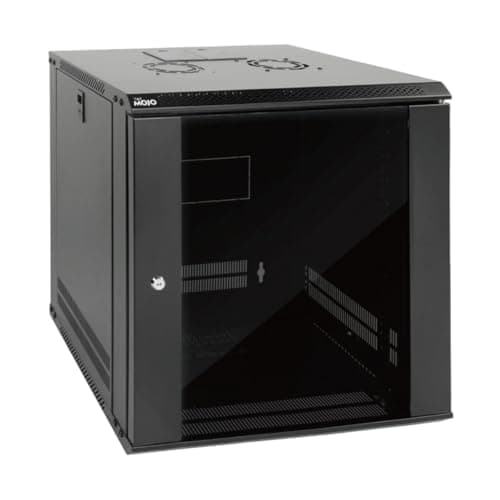
The Grow-Into-It Enclosure: Tecmojo 12U Wall-Mount Network Rack Cabinet
The grow-into-it enclosureTecmojo 12U Wall-Mount Network Rack Cabinet
- Double the 6U model's rail space — room for a console, a switch, a patch panel, a UPS, and a NAS
- Heavier to hang than the 6U model — needs solid stud anchoring
(Current price, subject to change)
The 6.6 SHE Rack Reliability Score composite on the Tecmojo 12U Wall-Mount Network Rack Cabinet is built almost entirely on expansion room, where it scores highest of any enclosure in this guide. Twelve units of the same 450mm-depth, lockable-glass-door design as the 6U model gives real room for a console, a switch, a patch panel, a UPS, and a NAS to share the same cabinet — the physical space a whole-home build actually needs. Compared to the 6U model, the same built-in cooling fan now has more internal air gap to work with around each component, which nudges its thermal_headroom factor up as well. The one honest cost is installation: a taller, heavier cabinet needs solid stud anchoring rather than a light wall anchor, which is why its ease_of_setup factor trails the plug-and-play console pieces. For anyone who already knows the closet will grow, though, buying the 12U model once beats replacing a 6U model later.
What We Love
- Double the 6U model's rail space — room for a console, a switch, a patch panel, a UPS, and a NAS
- Same lockable door and built-in fan as the 6U model, just taller
- Wall-mount install keeps a growing setup off the closet floor entirely
What Could Be Better
- Heavier to hang than the 6U model — needs solid stud anchoring
- Overkill if the build genuinely stops at a router and a UPS
The Verdict
For a closet that's going to grow past a single router, Tecmojo 12U Wall-Mount Network Rack Cabinet means there's no need to overthink it. Twelve lockable rail units at $169.90 leave room for a console, a switch, a patch panel, a UPS, and a NAS together, earning a 6.6 SHE Rack Reliability Score composite led by the strongest expansion factor of any enclosure here.
Check price for the Tecmojo 12U Wall-Mount Network Rack Cabinet →
Cable Management: Cable Matters 24-Port Cat6 Patch Panel
Cable management — the passive backboneCable Matters 24-Port Cat6 Patch Panel
- 24x Cat6 ports at 10Gbps rated throughput handle most houses' wall drops on one panel
- Punch-down termination is real cabling work, not a plug-in step
(Current price, subject to change)
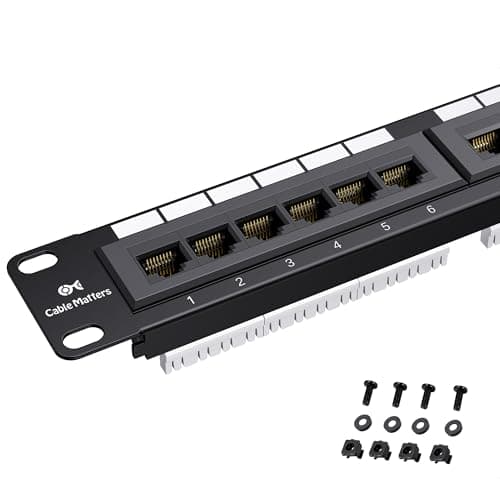
The 7.8 SHE Rack Reliability Score composite on the Cable Matters 24-Port Cat6 Patch Panel is the second-highest in this guide, and it earns that almost entirely on power_resilience and thermal_headroom. As a fully passive copper component, it draws no power and has nothing to fail electrically, which is a genuine reliability advantage compared to every active piece in this closet — nothing here can knock a patch panel offline. Its 24x Cat6 ports, UL Listed and rated for 10Gbps throughput, terminate most houses' wall drops onto a single 1U panel using either a 110 or a Krone punch-down tool. The one real cost is labor: punch-down termination takes actual cabling skill or a paid installer, which is why its ease_of_setup factor is the lowest of any piece here. Once terminated, though, it turns a closet full of loose, unlabeled cable ends into one clean, rack-mounted row that a patch cable and a label maker can manage for years.
What We Love
- 24x Cat6 ports at 10Gbps rated throughput handle most houses' wall drops on one panel
- Fully passive — nothing to power, nothing to fail electrically
- Turns a tangle of wall-drop cables into one labeled, rack-mounted row
What Could Be Better
- Punch-down termination is real cabling work, not a plug-in step
- Assumes wall drops already exist — it does not run new cable on its own
The Verdict
If loose cables are the actual mess in the closet, Cable Matters 24-Port Cat6 Patch Panel is the path of least friction to fix it. Twenty-four Cat6 ports rated for 10Gbps at 44.99$ terminate most houses' wall drops on one 1U panel, and its 7.8 SHE Rack Reliability Score composite is the second-highest in this guide, led by a near-perfect thermal factor.
Check price for the Cable Matters 24-Port Cat6 Patch Panel →
Whole-Home Storage: Synology DS925+ 4-Bay NAS
Whole-home storage — the NVR and backup boxSynology DS925+ 4-Bay NAS
- 4 bays expandable to 9x with the DX525 expansion unit leave real room to grow
- Diskless — drives are a separate purchase and a real added cost
(Current price, subject to change)
The 7.3 SHE Rack Reliability Score composite on the Synology DS925+ 4-Bay NAS is led by expansion_room, where it scores highest of any active component in this guide. Four drive bays expand to 9x with the DX525 expansion unit, and 2x M.2 2280 NVMe slots add SSD caching on top, so a household that starts with basic file backup has a genuine path to a much larger array later without replacing the box. Synology's own Surveillance Station ships with 2 camera licenses included and scales to 40 channels, turning the same box into a real home NVR alongside general file storage — a role that pairs naturally with the UDM-SE's PoE-powered cameras earlier in this build. Compared to running a separate purpose-built NVR appliance, consolidating both jobs into one NAS is what makes the whole-home tier's math work. Its native UPS network shutdown support also means the CyberPower's USB signal can trigger a clean DSM shutdown before a short outage becomes data loss — the power_resilience benefit of pairing these two pieces deliberately. Tom's Hardware, which reviews Synology's DiskStation line extensively, had not yet published a dedicated DS925+ review as of July 2026, so the specifications above are drawn from Synology's own datasheet.
What We Love
- 4 bays expandable to 9x with the DX525 expansion unit leave real room to grow
- Surveillance Station scales to 40 channels — a genuine home NVR, not just file storage
- Native UPS network shutdown pairs directly with the CyberPower's USB signal
What Could Be Better
- Diskless — drives are a separate purchase and a real added cost
- DSM setup and RAID configuration is the most involved install step in this closet
The Verdict
If the closet needs to be the camera NVR and the backup target at once, Synology DS925+ 4-Bay NAS lines up with what you actually need. Its 4 bays expand to 9x with the DX525, and Surveillance Station scales to 40 channels for a real home NVR, earning a 7.3 SHE Rack Reliability Score composite led by the strongest expansion factor of any active component here.
How We Score: SHE Rack Reliability Score
SHE Rack Reliability Score
Score Formula
0.35 * power_resilience + 0.25 * thermal_headroom + 0.20 * expansion_room + 0.20 * ease_of_setupScore Factors
- Power Resilience (35%)How much the piece protects the rack against a power event, or how little power risk it adds on its own. A pure sine wave UPS with real outlet count and runtime scores highest; a passive component that draws no power and cannot fail electrically scores high; an efficient, low-draw active device scores mid; a passive enclosure with no power role of its own scores lowest. Weighted heaviest because an unplanned power event is the single most common way a home network closet goes down. Derived from manufacturer power specs, not a SHE lab measurement.
- Thermal Headroom (25%)How well the piece handles heat in an enclosed cabinet, either by generating little of its own or by actively managing what it generates. A fully passive component scores highest; active fan cooling built for sustained 24/7 loads scores high; a fanless design with low thermal load also scores high; an enclosure with a built-in fan but a glass door that traps some heat scores mid. Reasoned from manufacturer cooling specs and enclosure design, not a SHE lab measurement.
- Expansion Room (20%)How much headroom the piece leaves for the rack to grow. A component explicitly designed to scale, with expandable bays or a high port count, scores highest; a solid mid-tier port or unit count scores high; a fixed, all-in-one design with no add-on path scores lower; the smallest enclosure, which fills up fastest by design, scores lowest. Verified from manufacturer port counts, bay counts, and expansion-unit compatibility.
- Ease of Setup (20%)How much friction stands between unboxing the piece and a working closet. A single-app plug-and-play console scores highest; a plug-in UPS with USB shutdown software scores high; a wall-mount enclosure needing stud anchoring scores mid; hands-on cabling or RAID configuration work scores lowest. Weighted lightest because setup is a one-time cost against a daily benefit. Inferred from manufacturer setup descriptions.
SHE Rack Reliability Score — Ranked
CyberPower CP1500PFCLCD
SHE Rack Reliability Score8.3/10Tops the guide — pure sine wave power plus real runtime is the single heaviest-weighted factor in the formula
Cable Matters 24-Port Cat6 Patch Panel
SHE Rack Reliability Score7.8/10A fully passive component that draws no power and generates no heat — the best thermal and power composite here
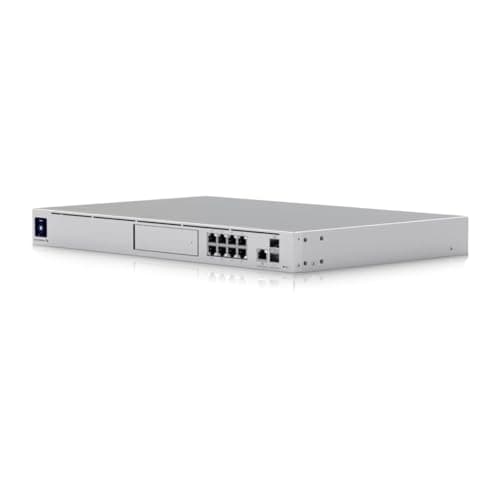
Ubiquiti UniFi Dream Machine SE
SHE Rack Reliability Score7.5/10The strongest active cooling and the most PoE ports of any console — the prosumer anchor
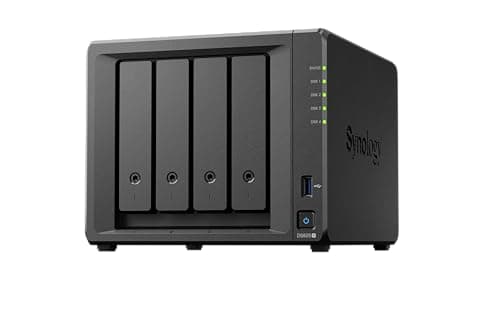
Synology DS925+ 4-Bay NAS
SHE Rack Reliability Score7.3/10The most expandable active component — 4 bays growing to 9x, plus real NVR capability

Ubiquiti UniFi Dream Router 7 (UDR7)
SHE Rack Reliability Score7.1/10The fastest single-app setup in the guide, traded against a fixed-port integrated switch
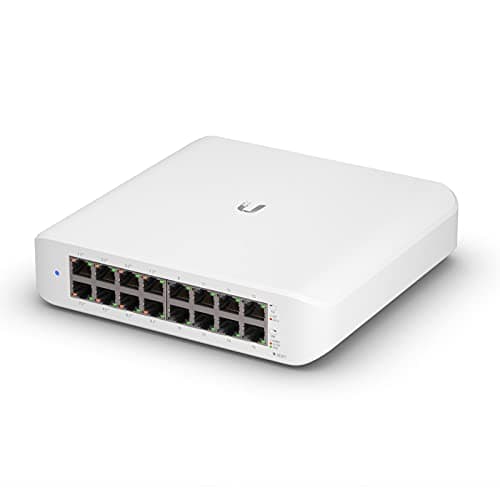
Ubiquiti UniFi Switch Lite 16 PoE
SHE Rack Reliability Score7.1/10Fanless and silent with genuine port headroom, held back by its 45W PoE ceiling and no SFP uplinks
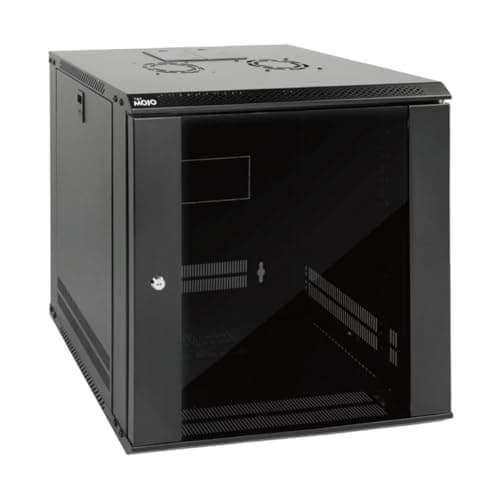
Tecmojo 12U Wall-Mount Network Rack Cabinet
SHE Rack Reliability Score6.6/10The most expansion room of any enclosure — built to hold the whole prosumer or whole-home tier
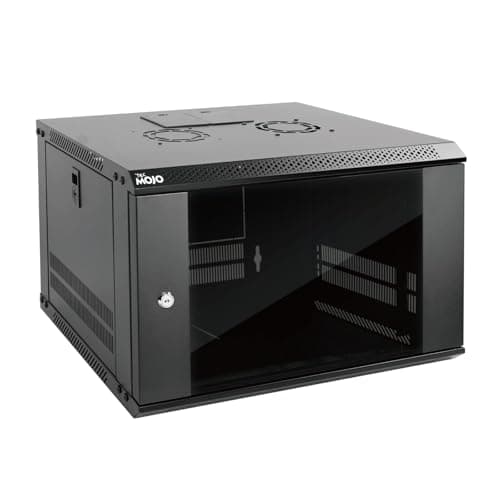
Tecmojo 6U Wall-Mount Network Rack Cabinet
SHE Rack Reliability Score5.9/10Honestly lowest — a deliberately entry-tier enclosure meant to be outgrown, not to do everything
SHE Rack Reliability Score
Composite reliability across power resilience, thermal headroom, expansion room, and setup ease (0-10).
SHE editorial composite from manufacturer specs, July 2026
App and Ecosystem Control Across the Closet
Three pieces in this closet share one app: the UDR7, the Dream Machine SE with its 8x PoE+ ports, and the Switch Lite 16 PoE all live inside the same UniFi console, so a household running the console-plus-switch prosumer tier manages routing, PoE, and VLANs from a single dashboard. The Synology DS925+ answers to its own DSM app and Surveillance Station rather than UniFi, and the CyberPower UPS runs its own PowerPanel Business software for USB-triggered shutdown signaling — a genuinely useful pairing with the Synology's native UPS network shutdown support. The two Tecmojo enclosures and the Cable Matters patch panel are deliberately not smart: they are physical infrastructure with no app of their own, and that is exactly the point. We evaluated each piece against its own native control surface as of July 2026, and the practical takeaway is simple: put the UniFi pieces on one console, let the NAS and the UPS talk to each other over USB, and let the enclosures and cabling stay refreshingly dumb. If the whole household is still running on an ISP combo box, our Escape Your ISP Router: Smart-Home Networking 2026 guide covers the router-replacement decision this closet assumes you've already made.
| Product | Native App | UniFi Console | USB Signaling |
|---|---|---|---|
| Ubiquiti UniFi Dream Router 7 (UDR7) | ✓ | ✓ | ✕ |
| Tecmojo 6U Wall-Mount Network Rack Cabinet | ✕ | ✕ | ✕ |
| CyberPower CP1500PFCLCD | ✓ | ✕ | ✓ |
| Ubiquiti UniFi Dream Machine SE | ✓ | ✓ | ✕ |
| Ubiquiti UniFi Switch Lite 16 PoE | ✓ | ✓ | ✕ |
| Tecmojo 12U Wall-Mount Network Rack Cabinet | ✕ | ✕ | ✕ |
| Cable Matters 24-Port Cat6 Patch Panel | ✕ | ✕ | ✕ |
| Synology DS925+ 4-Bay NAS | ✓ | ✕ | ✓ |
Build the Closet in Three Tiers
This closet is designed to be built once and grown into, not assembled all at once, and every tier below includes the CyberPower CP1500PFCLCD UPS — the same coverage that grounds the Switch Lite 16 (NetworkChuck, ServeTheHome, SmallNetBuilder) and Dream Machine SE (iFeeltech, Dong Knows Tech) reviews above holds throughout. The starter tier pairs the Ubiquiti UniFi Dream Router 7 (UDR7) with the Tecmojo 6U Wall-Mount Network Rack Cabinet at its $129.90 list price and the UPS for roughly $680 total — one console, one small enclosure, one UPS. The prosumer tier swaps in the Ubiquiti UniFi Dream Machine SE and the Ubiquiti UniFi Switch Lite 16 PoE, moves up to the Tecmojo 12U Wall-Mount Network Rack Cabinet, adds the 24x-port Cable Matters 24-Port Cat6 Patch Panel, and keeps the UPS for roughly $1,368 total — real PoE headroom plus terminated wall drops. The whole-home tier keeps every prosumer piece, adds a second Switch Lite 16 PoE for a secondary closet, and adds the Synology DS925+ 4-Bay NAS for camera NVR and backup storage, landing near $2,292 total. Buying in tiers enables a household to add exactly what the next stage needs, and each tier is a genuinely usable closet on its own — nothing here requires jumping straight to the top.
When NOT to Buy
Stub WNTB (Block 3B fallback).
Who Should Buy What
Who Should Buy What
| If you are… | Recommended pick |
|---|---|
The first-time closet builder You have a router on a shelf and loose power bricks, and want the simplest one-box path to something better | Ubiquiti UniFi Dream Router 7 (UDR7) |
The apartment starter You want a lockable, wall-mounted enclosure for a router and a UPS without committing to a big cabinet | Tecmojo 6U Wall-Mount Network Rack Cabinet |
The outage-anxious household You've lost gear or data to a power event before and want the single piece that most protects the whole closet | CyberPower CP1500PFCLCD |
The camera-and-AP builder You're adding several PoE cameras or access points and need real port and power budget in the console itself | Ubiquiti UniFi Dream Machine SE |
The port-constrained upgrader Your console's own ports are full and you need real headroom for more wired devices | Ubiquiti UniFi Switch Lite 16 PoE |
The plan-ahead builder You know this closet will grow and would rather buy the bigger enclosure once than replace a smaller one later | Tecmojo 12U Wall-Mount Network Rack Cabinet |
The multi-drop household You have several wall-run Ethernet drops feeding into the closet and want them terminated cleanly instead of tangled | Cable Matters 24-Port Cat6 Patch Panel |
The whole-home consolidator You want camera NVR storage and household file backup combined in one expandable box | Synology DS925+ 4-Bay NAS |
Frequently Asked Questions
Do I actually need a rack cabinet, or can I just use shelves?
Shelves work until the gear count grows past three or four pieces — at that point, loose cables, exposed power bricks, and no cable management become the actual problem. A wall-mounted enclosure like the Tecmojo 6U or 12U solves that cleanly: it clears the floor, locks the gear away from curious hands or pets, and gives every cable a defined path. If your whole build is a single router, a rack is optional; our Best WiFi Mesh for Smart Homes 2026 guide covers wireless-first setups that skip a wired closet entirely. Once a UPS, a switch, or a NAS joins it, a rack earns its keep.
Which tier should I actually start at?
Start at the starter tier unless you already know you need more. The UDR7 plus the 6U enclosure plus the CyberPower UPS, at roughly $680 total, covers a genuinely complete first closet — routing, Wi-Fi 7, and power protection in one build. Move to the prosumer tier only once you're actively adding PoE cameras or access points that need real port and power budget beyond the UDR7's integrated switch. The whole-home tier is for households consolidating a second closet or wanting camera NVR and backup storage in the same build.
Is the UPS really necessary, or is a surge protector enough?
A surge protector only protects against voltage spikes — it does nothing once the power actually drops, which is when a router reboot mid-download or an unclean NAS shutdown causes real problems. The CyberPower CP1500PFCLCD's 10 mins of runtime at half load buys enough time for a graceful, automatic shutdown through its USB-connected PowerPanel software, and its pure sine wave output protects sensitive electronics the same way a much pricier UPS would. Given how little a full outage-related NAS repair or a fried router power supply costs to avoid, we'd budget for the UPS in every tier of this build.
Can I mix UniFi gear with a non-UniFi NAS and a generic patch panel?
Yes — this build already does exactly that. The UniFi console and switch share one app and one VLAN framework, but the Synology NAS, the CyberPower UPS, and the Cable Matters patch panel are all independent, standards-based pieces that don't require a UniFi ecosystem to function. The only real integration point worth planning for is UPS shutdown signaling: the CyberPower's USB connection and the Synology's native UPS network shutdown support are designed to talk to each other directly, which is a genuine reason to pair those two specific pieces rather than mixing brands there.
How much PoE budget do I actually need?
Add up the draw of every camera and access point you plan to power, then leave real headroom — PoE budgets are a hard ceiling, not a guideline. The UDR7's integrated switch has the smallest budget of any piece in this guide, the Switch Lite 16 PoE's 45W total budget across 8 PoE+ ports covers a modest camera lineup, and the Dream Machine SE's 8x PoE+ ports carry the most headroom of any single console here. If you're not sure yet, starting with the UDR7 and adding the Switch Lite 16 PoE once you actually need more ports costs less than over-buying up front.
Do I need the patch panel if my home is mostly wireless?
No — the patch panel only earns its rack space if you have multiple wall-run Ethernet drops actually feeding into the closet. A mostly wireless home with one or two wired runs can plug those directly into the console or switch and skip the panel entirely. It becomes worthwhile the moment you have three or more wall drops to organize, at which point terminating them onto one labeled 24-port panel beats a tangle of loose cable ends every time.
Bottom Line
Get the Ubiquiti UniFi Dream Router 7 (UDR7) if you want the simplest, cheapest complete starter closet — one box for routing, Wi-Fi 7, and PoE.
Get the Tecmojo 6U Wall-Mount Network Rack Cabinet if your starter build is a router, a small switch, and a UPS, and you want them lockable and off the floor.
Get the CyberPower CP1500PFCLCD if you want the single piece that most protects the whole closet against a power event, at any tier.
Get the Ubiquiti UniFi Dream Machine SE if you're powering several PoE cameras or access points and need real port and power budget in the console.
Get the Ubiquiti UniFi Switch Lite 16 PoE if your console's own ports are full and you need genuine headroom for more wired devices.
Get the Tecmojo 12U Wall-Mount Network Rack Cabinet if you already know this closet will grow and would rather buy the bigger enclosure once.
Get the Cable Matters 24-Port Cat6 Patch Panel if you have multiple wall-run Ethernet drops to terminate cleanly instead of leaving them tangled.
Get the Synology DS925+ 4-Bay NAS if you want camera NVR storage and household file backup consolidated in one expandable box.
Skip the bigger tiers first if you're not sure how far this build needs to go — start with the UDR7, the 6U enclosure, and the CyberPower UPS, then add pieces only once you actually hit a real limit. For the wireless side of the build, see Best WiFi 7 Mesh Systems for Smart Homes 2026; for the full UniFi ecosystem, see Best UniFi Smart Home Setup 2026: 7 Picks, $0/Month.
Sources & Methodology
Methodology: SHE Rack Reliability Score — Formula: 0.35 * power_resilience + 0.25 * thermal_headroom + 0.20 * expansion_room + 0.20 * ease_of_setup. Factors: Power Resilience (35%): How much the piece protects the rack against a power event, or how little power risk it adds on its own. A pure sine wave UPS with real outlet count and runtime scores highest; a passive component that draws no power and cannot fail electrically scores high; an efficient, low-draw active device scores mid; a passive enclosure with no power role of its own scores lowest. Weighted heaviest because an unplanned power event is the single most common way a home network closet goes down. Derived from manufacturer power specs, not a SHE lab measurement. | Thermal Headroom (25%): How well the piece handles heat in an enclosed cabinet, either by generating little of its own or by actively managing what it generates. A fully passive component scores highest; active fan cooling built for sustained 24/7 loads scores high; a fanless design with low thermal load also scores high; an enclosure with a built-in fan but a glass door that traps some heat scores mid. Reasoned from manufacturer cooling specs and enclosure design, not a SHE lab measurement. | Expansion Room (20%): How much headroom the piece leaves for the rack to grow. A component explicitly designed to scale, with expandable bays or a high port count, scores highest; a solid mid-tier port or unit count scores high; a fixed, all-in-one design with no add-on path scores lower; the smallest enclosure, which fills up fastest by design, scores lowest. Verified from manufacturer port counts, bay counts, and expansion-unit compatibility. | Ease of Setup (20%): How much friction stands between unboxing the piece and a working closet. A single-app plug-and-play console scores highest; a plug-in UPS with USB shutdown software scores high; a wall-mount enclosure needing stud anchoring scores mid; hands-on cabling or RAID configuration work scores lowest. Weighted lightest because setup is a one-time cost against a daily benefit. Inferred from manufacturer setup descriptions.
Expert review sources used in this analysis:
- SmartHomeExplorer aggregates expert review coverage and manufacturer specifications to produce consensus-based buying guidance; we do not perform first-party product testing
- Outlet coverage is scoped to the outlets that genuinely cover each product: the CyberPower CP1500PFCLCD is covered by Wirecutter and PCMag, the UniFi Dream Machine SE by iFeeltech and Dong Knows Tech, and the UniFi Switch Lite 16 PoE by NetworkChuck, ServeTheHome, and SmallNetBuilder
- The UDR7, the two Tecmojo rack enclosures, the Cable Matters patch panel, and the Synology DS925+ are stated on manufacturer datasheet specifications (Ubiquiti's store.ui.com and techspecs.ui.com, Synology's synology.com, CyberPower's cyberpowersystems.com, and verified Amazon listing data) rather than a transcribed third-party verdict, since we could not verify independent editorial coverage for these specific models as of July 2026
- The SHE Rack Reliability Score is a transparent editorial composite of four weighted factors — power resilience, thermal headroom, expansion room, and setup ease — derived from manufacturer specifications, not from SHE lab measurements, and it spans all 8x products in this closet, including the 2x Tecmojo enclosures scored outside the 6-product comparison chart
- Prices reflect Amazon Buy Box list pricing verified as of July 2026 and should be re-confirmed against the live listing before purchase.
Nicholas Miles is the founder of SmartHomeExplorer and a longtime smart home enthusiast focused on helping everyday homeowners make better technology decisions. He researches, compares, and writes about products across security, climate, lighting, leak prevention, sensors, home energy, and automation, with an emphasis on real-world usefulness, ecosystem compatibility, reliability, privacy, and long-term value.
Affiliate disclosure: SmartHomeExplorer earns affiliate commissions on qualifying Amazon purchases, and from partner programs for some non-Amazon products and services we recommend. Our scoring methodology is independent of affiliate relationships.
More Guides
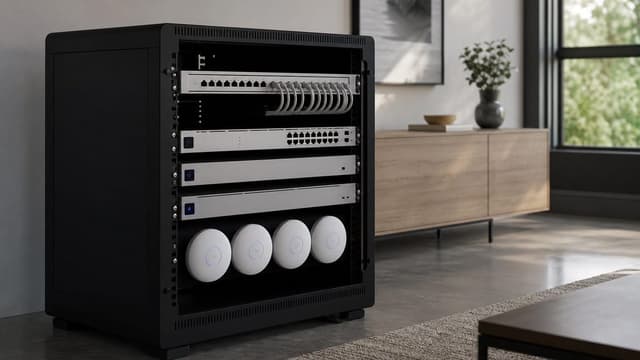
networking
Best UniFi Smart Home Setup 2026: 7 Picks, $0/Month

Networking
Best WiFi 7 Mesh Systems for Smart Homes 2026
Networking
Escape Your ISP Router: Smart-Home Networking 2026

Networking
Best WiFi Mesh for Smart Homes 2026
Automation
Matter vs Zigbee vs Z-Wave vs WiFi: Which Wins in 2026?
Automation