
Best Gaming Routers for Multi-Gig Wiring 2026
Three of these five gaming routers skip a 10-gig port, which caps wired upgrades no matter how fast the Wi-Fi claims look. This guide ranks all five, and the TP-Link Archer GE800 leads the SHE Gaming Router Score, a weighted mix of ports, processor and price.
This article contains affiliate links. We may earn a commission at no extra cost to you. Prices change frequently — check the current price on Amazon before buying. Learn more
The Short Answer
The TP-Link Archer GE800 BE19000 Tri-Band Wi-Fi 7 Gaming Router leads the SHE Gaming Router Score with dual 10-gig ports per Tom's Hardware and port aggregation per Tom's Guide. The NETGEAR Nighthawk Pro Gaming WiFi 6 Router (XR1000) costs less but ranks last, as TechRadar lists only gigabit ports.
Featured in this Guide

TP-Link
Archer GE800 BE19000 Tri-Band Wi-Fi 7 Gaming Router
- •Two 10 Gigabit ports plus an SFP+ port
- •Highest composite score in this guide
ROG
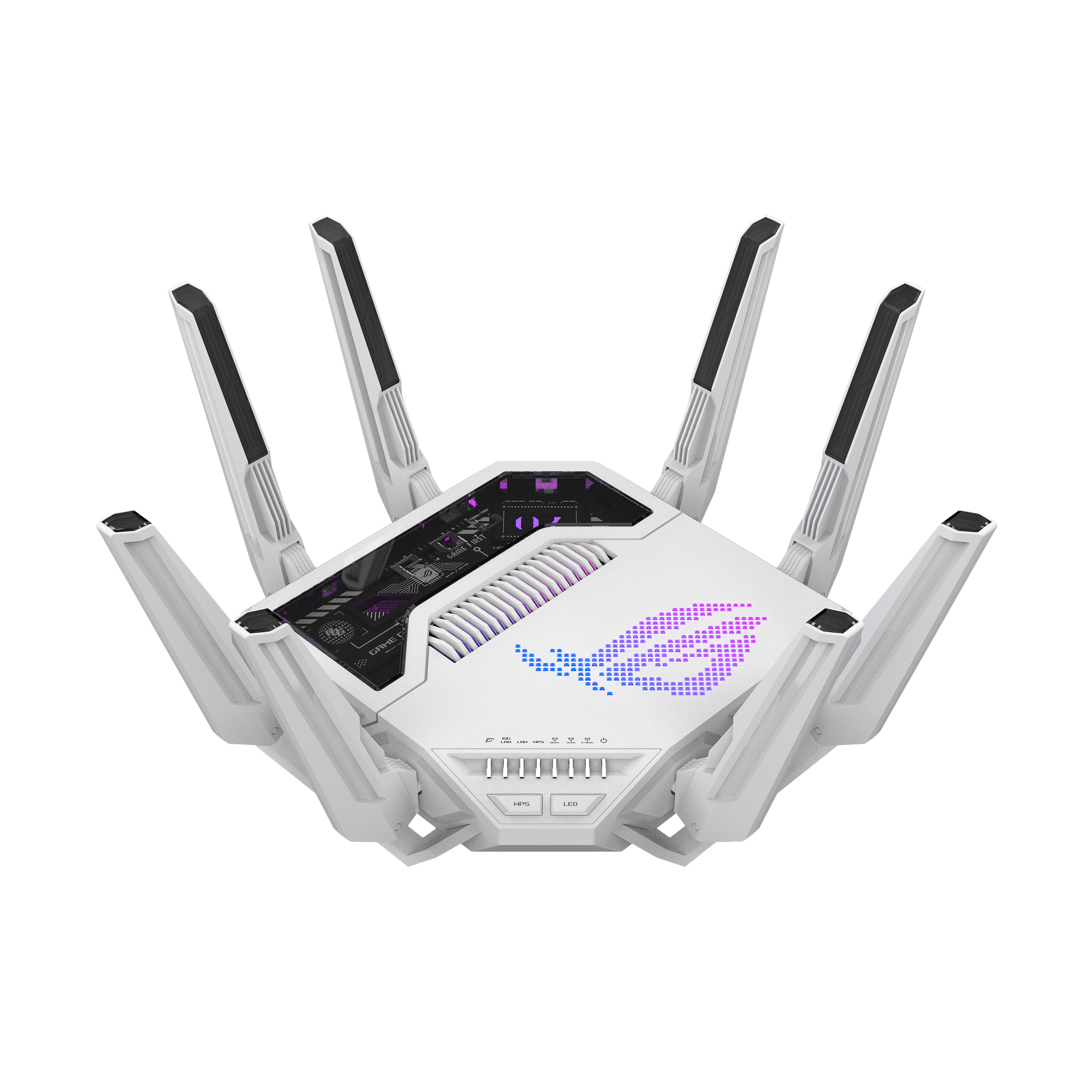
Rapture GT-BE19000AI Tri-Band Wi-Fi 7 Gaming Router
- •2.6GHz quad-core CPU with 4GB of RAM
- •Dual 10G ports and built-in Docker
ASUS
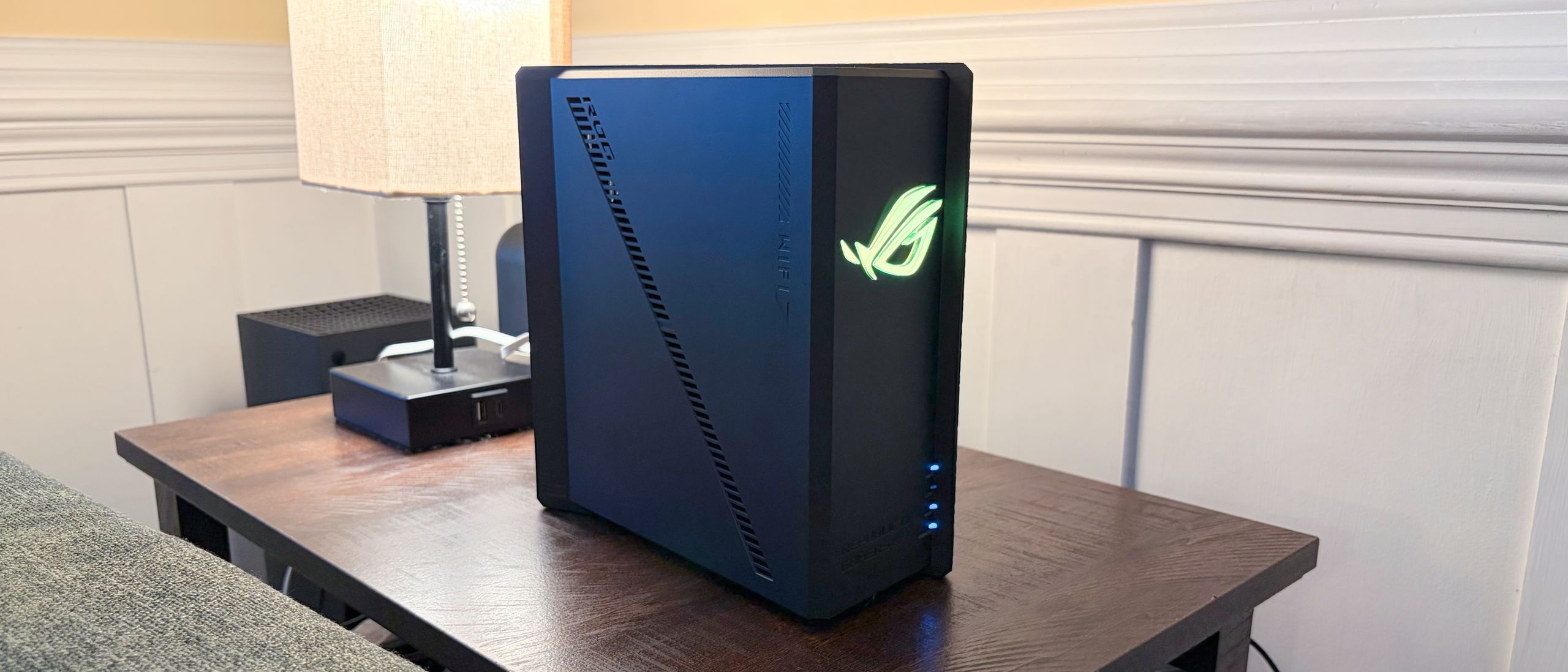
ROG Strix GS-BE18000 Tri-Band Wi-Fi 7 Gaming Router
- •Eight 2.5 GbE ports in a fanless body
TP-Link
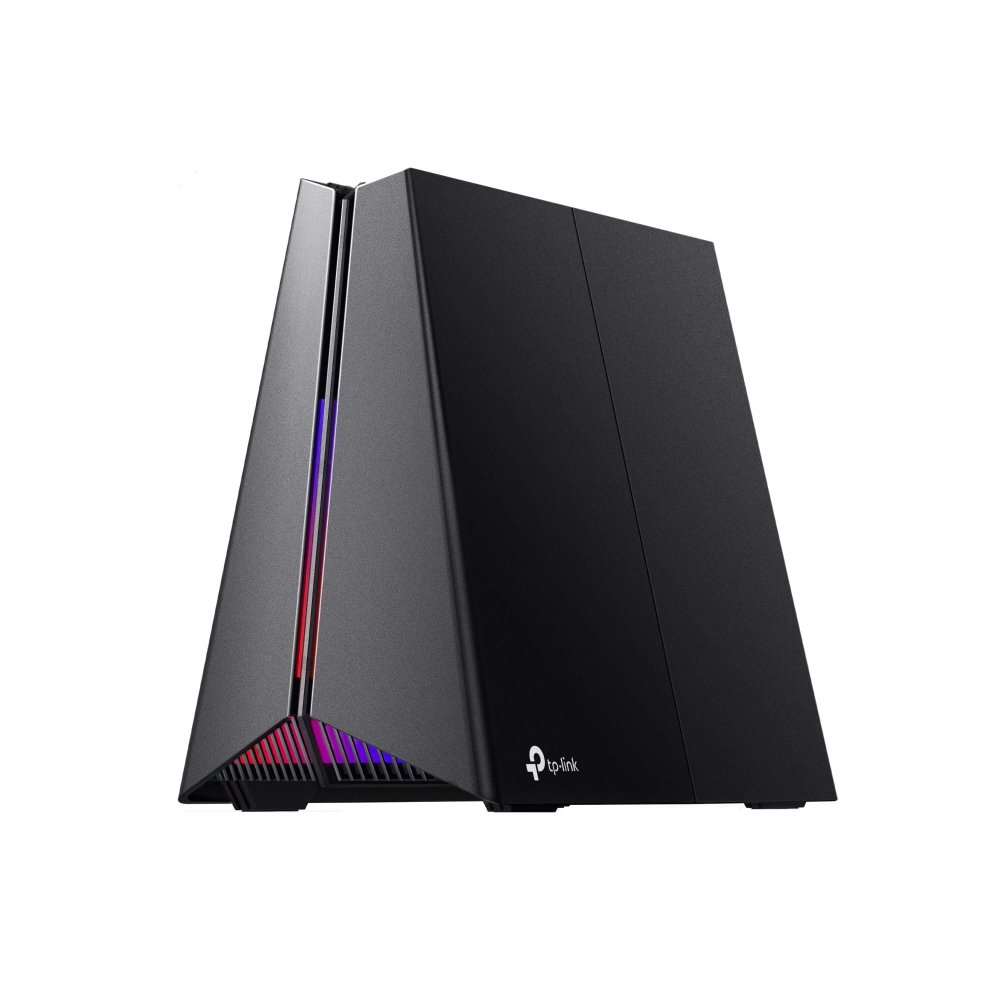
Archer GE650 BE11000 Tri-Band Wi-Fi 7 Gaming Router
- •Wi-Fi 7 with 5 Gbps WAN and LAN ports
- •Ties for the lowest price here
NETGEAR
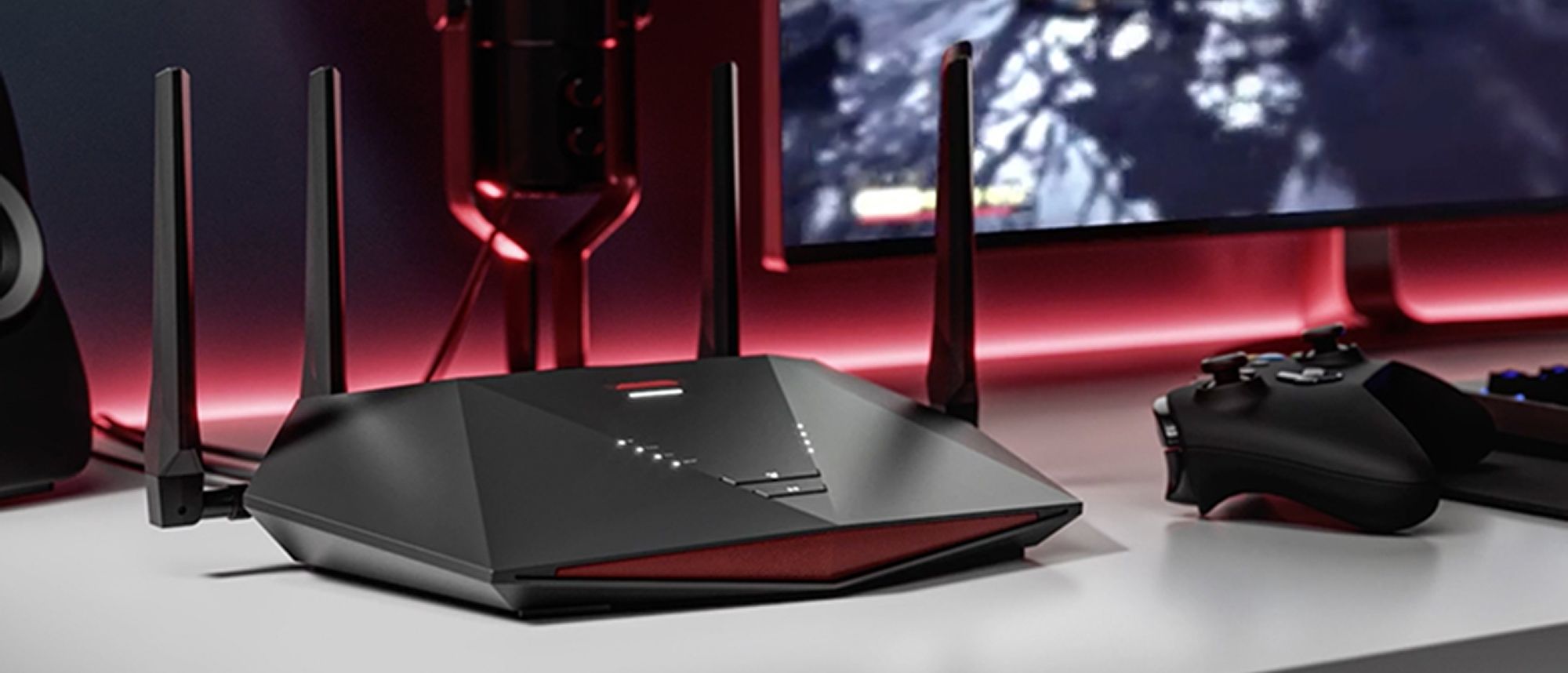
Nighthawk Pro Gaming WiFi 6 Router (XR1000)
- •DumaOS 3.0 gaming software
- •Wall mountable, with 6.1 watts at full load
Head-to-Head: 10-Gig Ports, Processor Speed, Setup and Ecosystem
Networking
Chart
 Smarthomeexplorer.com
What a Gaming Router Actually Buys You
The SHE Gaming Router Score, as of September 2026, measures documented specifications: whether a router includes a 10 gigabit Ethernet port, its processor clock speed, and its Amazon price. The weighted formula gives the 10-gig port forty percent and processor speed and price thirty percent each, then normalizes each factor into a ten-point composite. That calculation ranks the TP-Link Archer GE800 BE19000 Tri-Band Wi-Fi 7 Gaming Router first, because Tom's Hardware documents 2x 10 Gigabit LAN/WAN ports alongside an SFP+ connection. The NETGEAR Nighthawk Pro Gaming WiFi 6 Router (XR1000) finishes last, since TechRadar documents only gigabit ports, while Tom's Guide reports neither Multi-Gig input nor port aggregation. Tom's Guide measured 105 ft of range on the GE800, while Tom's Hardware recorded 2,730 Mbps at 25 ft, unscored figures. Dong Knows Tech notes fanless designs and Trusted Reviews highlights DumaOS software, details the composite does not score.
Best Overall Gaming Router: TP-Link Archer GE800 BE19000 Tri-Band Wi-Fi 7 Gaming Router
TP-Link Archer GE800 BE19000 Tri-Band Wi-Fi 7 Gaming Router
- Two 10 Gigabit LAN/WAN ports plus an SFP+ port
- Underside peaked at 138 degrees Fahrenheit, per Tom's Guide

(Current price, subject to change)
The TP-Link Archer GE800 BE19000 Tri-Band Wi-Fi 7 Gaming Router earns a composite 7.4 on the SHE Gaming Router Score, lifted by 10-gig ports and held back by price. The Archer GE800 port configuration documented by Tom's Hardware includes 2x 10 Gigabit LAN/WAN ports, 4x multi-gig LAN ports and an SFP+ connection, which enables unusually flexible multi-gigabit wiring. Tom's Guide confirms that any two multi-gig ports can be aggregated, and its reviewer measured 105 ft of range, characterizing the router as a long-distance champion.
Tom's Guide measured the underside at a peak of 138 degrees Fahrenheit despite active cooling, and Tom's Hardware found the cooling fan audible under heavy network load. Compared to the fanless ASUS ROG Strix GS-BE18000 Tri-Band Wi-Fi 7 Gaming Router, which Dong Knows Tech describes as silent, the GE800 also demands considerably more dedicated shelf space. Relative to the ROG Rapture GT-BE19000AI Tri-Band Wi-Fi 7 Gaming Router, it delivers the same dual 10-gig capability at a noticeably lower Amazon price, which explains its first-place composite.
What We Love
- Two 10 Gigabit LAN/WAN ports plus an SFP+ port
- 105-foot range in Tom's Guide testing
- Any two 2.5 Gbps ports can be aggregated
- Native macOS Time Machine backup support
What Could Be Better
- Underside peaked at 138 degrees Fahrenheit, per Tom's Guide
- Cooling fan is audible under heavy load
- Bulky 11.5 x 9.0 x 7.4 inch body
The Verdict
If you want dual 10-gig wiring without paying flagship money, the TP-Link Archer GE800 BE19000 Tri-Band Wi-Fi 7 Gaming Router fits the brief. It pairs an SFP+ port with four multi-gig LAN ports, though it runs hot underneath.
Check price for the TP-Link Archer GE800 BE19000 Tri-Band Wi-Fi 7 Gaming Router →
Most Powerful Processor: ROG Rapture GT-BE19000AI Tri-Band Wi-Fi 7 Gaming Router
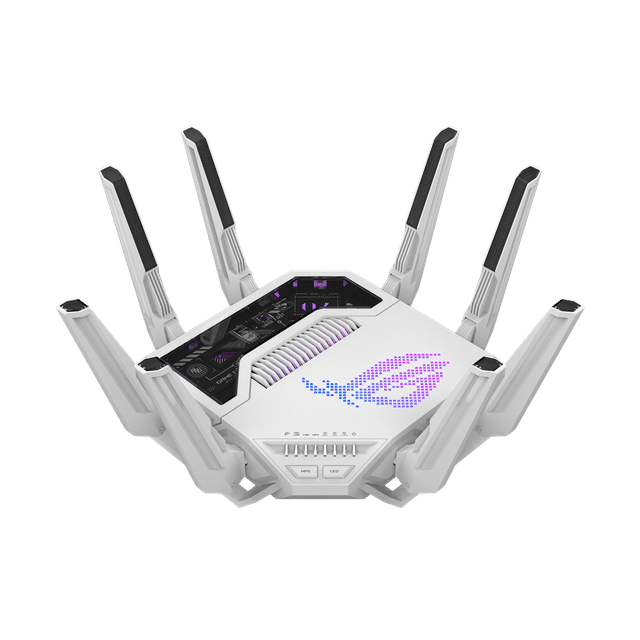
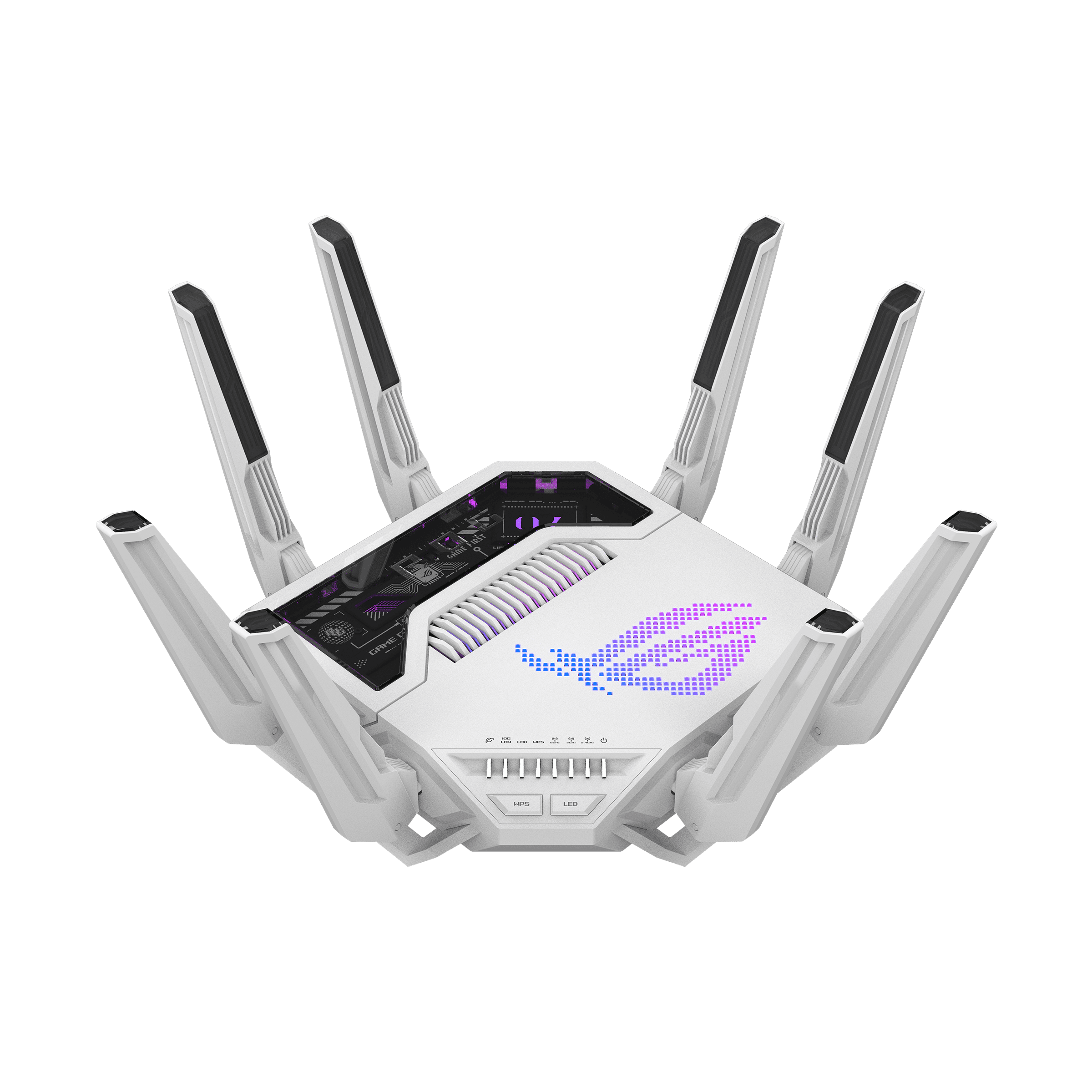
ROG Rapture GT-BE19000AI Tri-Band Wi-Fi 7 Gaming Router
- Fastest processor here: 2.6GHz quad-core with 4GB RAM
- Highest Amazon price in this guide
(Current price, subject to change)
The ROG Rapture GT-BE19000AI Tri-Band Wi-Fi 7 Gaming Router earns a composite 7.0 on the SHE Gaming Router Score, lifted by the fastest processor and dragged down by price. ASUS specifies a quad-core processor supported by 4GB of memory and 32GB of storage, while dual 10G ports and 20G link aggregation deliver up to 31G of wired bandwidth. Tom's Guide recorded throughput above one gigabit per second at 50 ft and a 120 ft maximum range, which produces the longest measured reach in this comparison.
Tom's Guide describes a passively cooled chassis with eight non-removable antennas that runs hot at the top vent, plus considerable power consumption under load. Compared to the TP-Link Archer GE800 BE19000 Tri-Band Wi-Fi 7 Gaming Router, it carries a substantially higher Amazon price for identical 10-gig capability, and Tom's Hardware rates it lower. Its documented 3-year warranty and built-in Docker support for Home Assistant and Frigate partly offset that premium for owners operating self-hosted automation applications directly on the router.
What We Love
- Fastest processor here: 2.6GHz quad-core with 4GB RAM
- Dual 10G ports with up to 31G of wired bandwidth
- 120-foot range measured by Tom's Guide
- Built-in Docker for Home Assistant and Frigate
What Could Be Better
- Highest Amazon price in this guide
- Passive cooling runs hot at the top vent
- Large footprint with eight fixed antennas
The Verdict
For owners who want the fastest processor here plus Docker apps on the router, the ROG Rapture GT-BE19000AI Tri-Band Wi-Fi 7 Gaming Router checks the boxes that matter for that setup. Expect to pay the highest Amazon price in this guide for those extras.
Check price for the ROG Rapture GT-BE19000AI Tri-Band Wi-Fi 7 Gaming Router →
Best Silent Compact Pick: ASUS ROG Strix GS-BE18000 Tri-Band Wi-Fi 7 Gaming Router
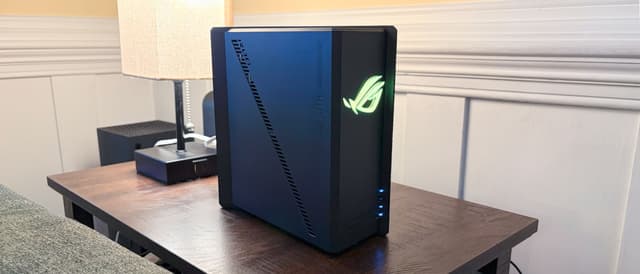
ASUS ROG Strix GS-BE18000 Tri-Band Wi-Fi 7 Gaming Router
- Eight 2.5 GbE ports, two with gaming prioritization
- No 10 GbE port at this price
(Current price, subject to change)
The ASUS ROG Strix GS-BE18000 Tri-Band Wi-Fi 7 Gaming Router earns a composite 3.2 on the SHE Gaming Router Score, pulled down chiefly because it lacks any 10-gig port. Tom's Hardware lists that omission as a con at this price, yet documents eight multi-gig Ethernet ports, including two dedicated gaming ports with automatic prioritization. Its fanless design runs silently according to Dong Knows Tech, and its compact, lightweight chassis with eight internal antennas simplifies placement relative to every other router here.
Performance limitations are measurable as well, because Tom's Hardware recorded only 39 Mbps at long range on its lowest-frequency band, and Dong Knows Tech reports no link aggregation. Compared to the TP-Link Archer GE800 BE19000 Tri-Band Wi-Fi 7 Gaming Router and its 2x 10 Gigabit ports, the Strix costs somewhat less but forfeits that upgrade path. For households prioritizing silent operation and compact placement over maximum wired throughput, that compromise remains reasonable, particularly considering its comprehensive WireGuard and OpenVPN server compatibility.
What We Love
- Eight 2.5 GbE ports, two with gaming prioritization
- Fanless and silent, per Dong Knows Tech
- Compact 927.5 g body with internal antennas
- WireGuard, OpenVPN, IPSec and PPTP VPN servers
What Could Be Better
- No 10 GbE port at this price
- Weak long-range 2.4 GHz throughput
- No link aggregation support
The Verdict
When silence and a small footprint matter more than 10-gig ports, the ASUS ROG Strix GS-BE18000 Tri-Band Wi-Fi 7 Gaming Router is a sensible pick for that setup. Tom's Hardware still flags the missing 10 GbE port as a con.
Check price for the ASUS ROG Strix GS-BE18000 Tri-Band Wi-Fi 7 Gaming Router →
Best Budget Wi-Fi 7 Router: TP-Link Archer GE650 BE11000 Tri-Band Wi-Fi 7 Gaming Router
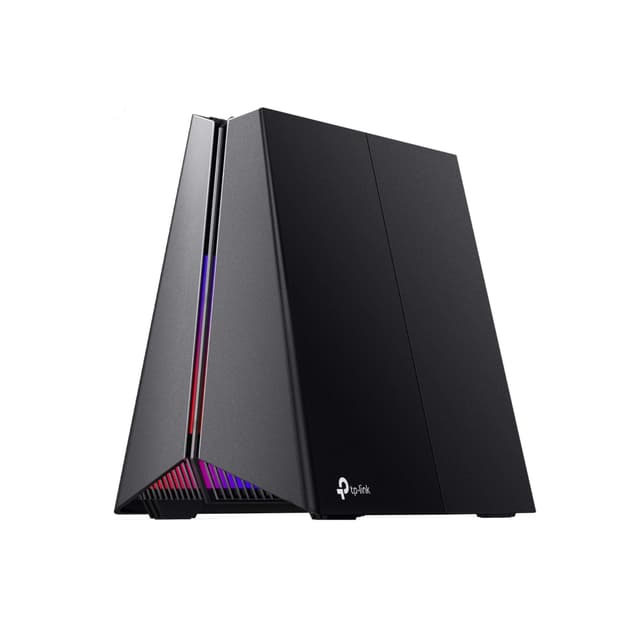
TP-Link Archer GE650 BE11000 Tri-Band Wi-Fi 7 Gaming Router
- Wi-Fi 7 with 5764 Mbps listed on 6 GHz
- Processor tied for the slowest clock here
(Current price, subject to change)
The TP-Link Archer GE650 BE11000 Tri-Band Wi-Fi 7 Gaming Router earns a composite 3.0 on the SHE Gaming Router Score, lifted by price but held down by its processor. Tom's Guide recorded throughput exceeding two gigabits per second at 15 ft and a 95 ft range, respectable performance for the most affordable Wi-Fi 7 router here. TP-Link specifies multi-gig connectivity throughout, including dual 5 Gbps ports, while Dong Knows Tech documented approximately 300MB/s of network storage reading performance.
Its limitations appear directly in the calculation, since Tom's Guide lists a processor tied for the slowest clock speed evaluated, and the specification includes no 10-gig connection. Relative to the NETGEAR Nighthawk Pro Gaming WiFi 6 Router (XR1000) at an identical price, it delivers Wi-Fi 7 and a longer 2-year warranty. Dong Knows Tech also notes it is not wall-mount-ready, so owners with limited shelf space should compare its footprint against the wall-mountable NETGEAR alternative before ordering.
What We Love
- Wi-Fi 7 with 5764 Mbps listed on 6 GHz
- 5 Gbps WAN and 5 Gbps LAN ports
- Fanless design, per Dong Knows Tech
- Two-year warranty with lifetime tech support
What Could Be Better
- Processor tied for the slowest clock here
- No 10-gig port
- Not wall-mount-ready
The Verdict
If you want Wi-Fi 7 and 5 Gbps ports at the lowest price here, the TP-Link Archer GE650 BE11000 Tri-Band Wi-Fi 7 Gaming Router lines up with what you actually need. Plan for shelf space, since it is not wall-mount-ready.
Check price for the TP-Link Archer GE650 BE11000 Tri-Band Wi-Fi 7 Gaming Router →
Best DumaOS Router: NETGEAR Nighthawk Pro Gaming WiFi 6 Router (XR1000)
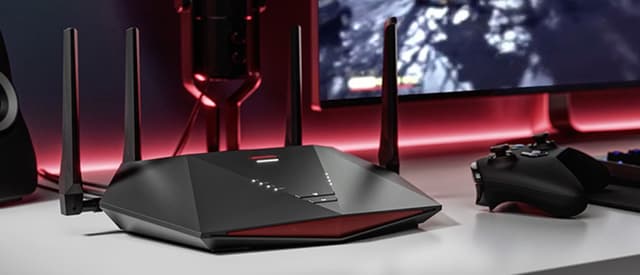
NETGEAR Nighthawk Pro Gaming WiFi 6 Router (XR1000)
- DumaOS 3.0 gaming operating system
- Gigabit-only ports with no Multi-Gig input
(Current price, subject to change)
The NETGEAR Nighthawk Pro Gaming WiFi 6 Router (XR1000) earns a composite 3.0 on the SHE Gaming Router Score, lifted by low price but held down by gigabit-only ports. Trusted Reviews highlights the DumaOS operating system as its defining attraction, and TechRadar notes a Smart Connect feature that merges both bands into one network. Tom's Guide measured 105 ft of range alongside remarkably frugal power consumption, while the chassis supports wall mounting, which enables flexible placement options.
Its limitations are equally concrete: TechRadar documents 4x gigabit LAN ports and one gigabit WAN port, and Tom's Guide lists a triple-core processor tied for the slowest here. Compared to the TP-Link Archer GE650 BE11000 Tri-Band Wi-Fi 7 Gaming Router at an identical price, it offers older Wi-Fi 6 and a shorter 1-year warranty. TechRadar also reports that Netgear Armor security software becomes an annual subscription after one complimentary month, an ongoing expense worth budgeting before purchase.
What We Love
- DumaOS 3.0 gaming operating system
- 105-foot range in Tom's Guide testing
- Just 6.1 watts at full load
- Wall mountable
What Could Be Better
- Gigabit-only ports with no Multi-Gig input
- Armor security needs a subscription after a month
- Only a 1-year warranty
The Verdict
For budget players who want DumaOS gaming controls and wall mounting, the NETGEAR Nighthawk Pro Gaming WiFi 6 Router (XR1000) is the path of least friction. Its Wi-Fi 6 radios and gigabit ports cap future upgrades.
Check price for the NETGEAR Nighthawk Pro Gaming WiFi 6 Router (XR1000) →
How We Score: SHE Gaming Router Score
SHE Gaming Router Score
Score Formula
10-gig wired port 40% + Processor clock speed 30% + Amazon price, lower is better, 30%, scaled to 10Score Factors
- 10-gig wired portWhether the router has at least one 10 gigabit Ethernet port, taken from review or maker port listings, weighted at 40%. The TP-Link Archer GE800 and ROG Rapture GT-BE19000AI have one; the ASUS ROG Strix GS-BE18000, TP-Link Archer GE650 and NETGEAR XR1000 do not.
- Processor clock speedThe main processor clock speed in gigahertz, taken from review or maker spec listings, weighted at 30%. The ROG Rapture is fastest at 2.6 GHz, then the GE800 at 2.2 GHz and the Strix at 2.0 GHz, with the GE650 and XR1000 tied at 1.5 GHz.
- Amazon priceThe Amazon receipt price captured on September 23, 2026, lower is better, weighted at 30%. The GE650 and XR1000 tie for the lowest price, the Strix and GE800 sit in the middle, and the ROG Rapture costs the most.
SHE Gaming Router Score — Ranked
Computed from published specs, outlet reviews read for this guide and Amazon prices checked on September 23, 2026; it is not a first-party performance or reliability test.

TP-Link Archer GE800 BE19000 Tri-Band Wi-Fi 7 Gaming Router
SHE Gaming Router Score7.4/107.4: a 10-gig port, a 2.2 GHz processor and a mid-range price
ROG Rapture GT-BE19000AI Tri-Band Wi-Fi 7 Gaming Router
SHE Gaming Router Score7.0/107.0: a 10-gig port and the fastest 2.6 GHz processor, held back by the highest price
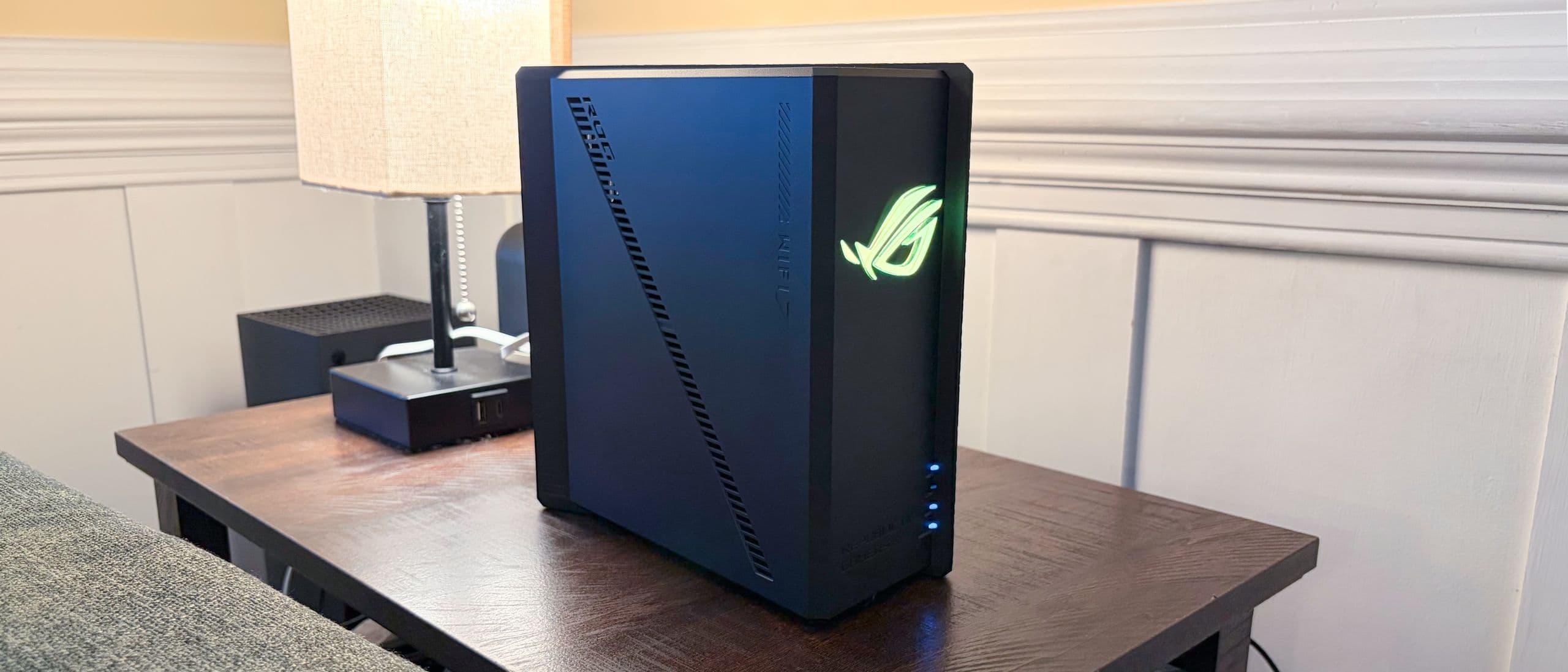
ASUS ROG Strix GS-BE18000 Tri-Band Wi-Fi 7 Gaming Router
SHE Gaming Router Score3.2/103.2: no 10-gig port, a 2.0 GHz processor and a mid-range price
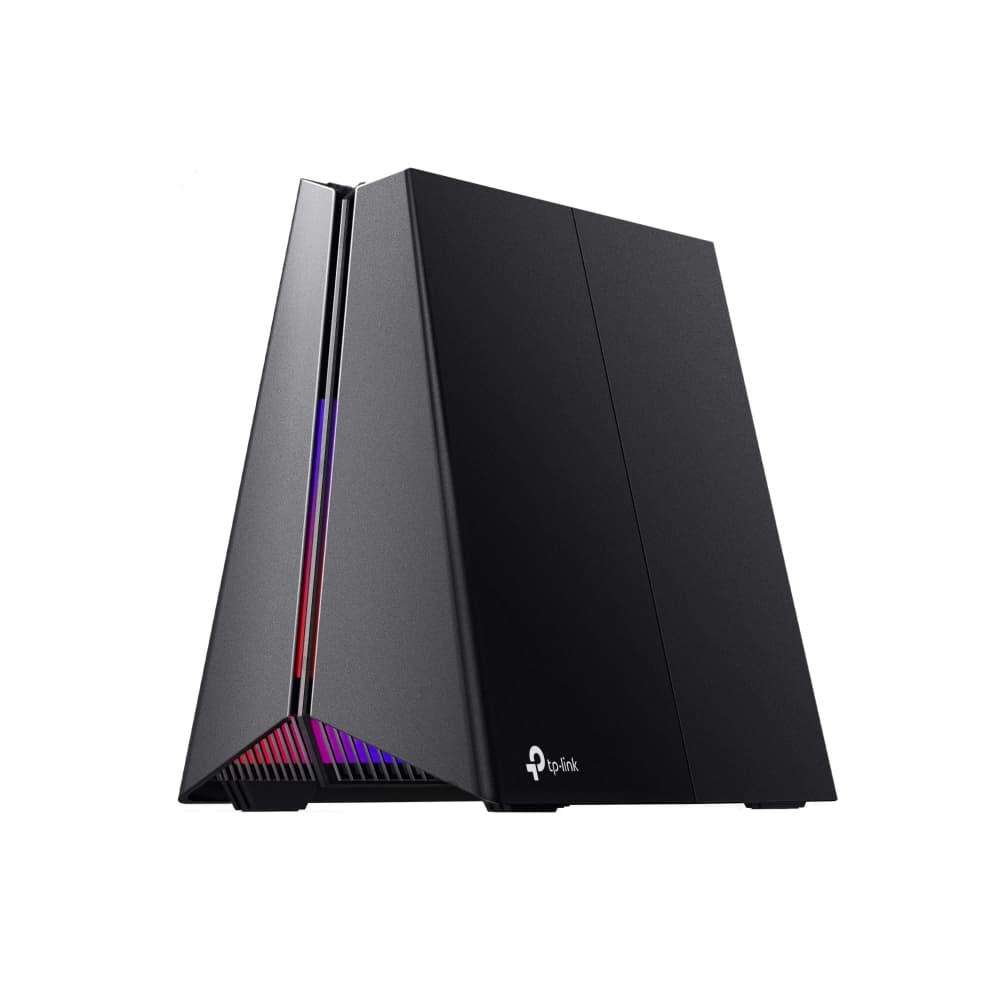
TP-Link Archer GE650 BE11000 Tri-Band Wi-Fi 7 Gaming Router
SHE Gaming Router Score3.0/103.0: no 10-gig port and a 1.5 GHz processor at the lowest price; wins the tie on consensus
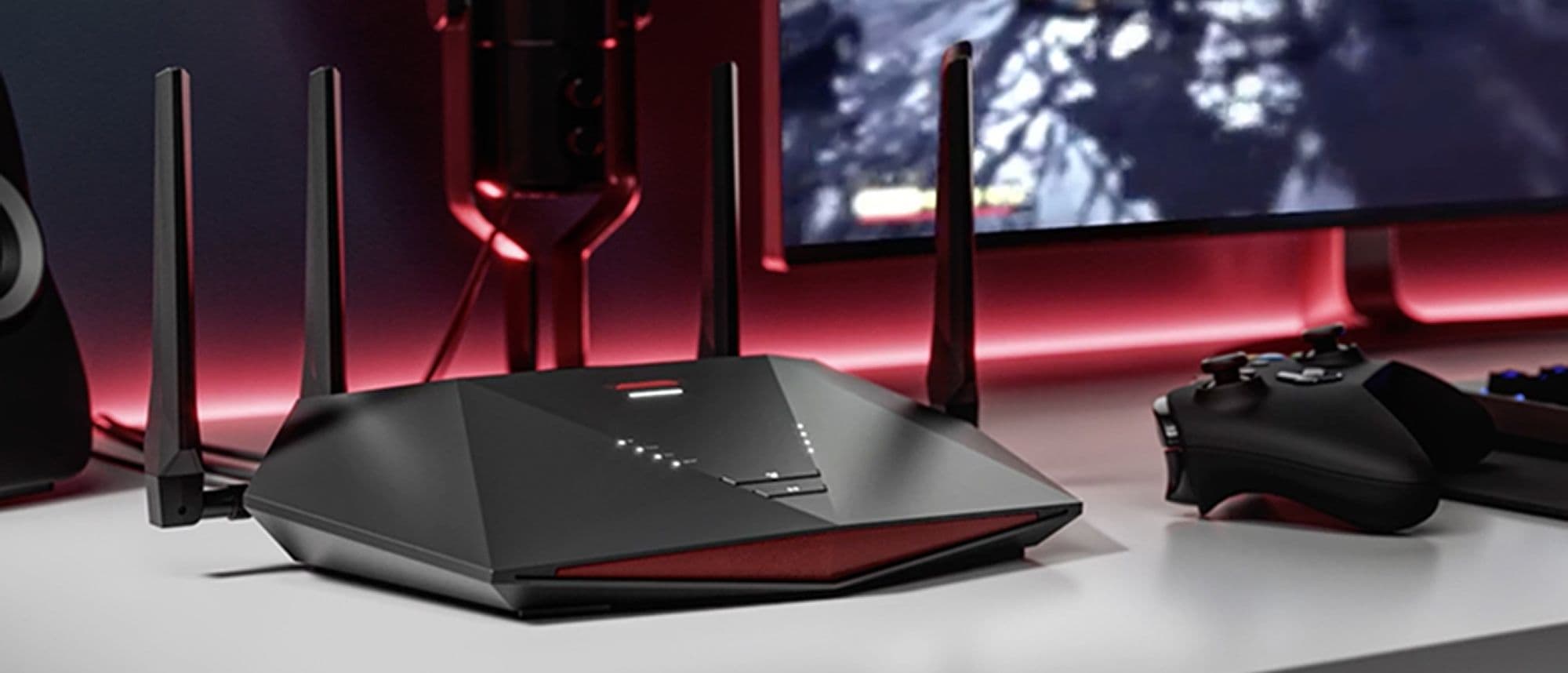
NETGEAR Nighthawk Pro Gaming WiFi 6 Router (XR1000)
SHE Gaming Router Score3.0/103.0: no 10-gig port and a 1.5 GHz processor at the lowest price; ranked below the GE650 on consensus
Platform Support, Wired Ports and the 10-Gig Catch
Platform compatibility here depends on each manufacturer's own firmware, because the sources read for this guide document no Apple HomeKit, Google Home or Matter integration for any router. The TP-Link Archer GE800 BE19000 Tri-Band Wi-Fi 7 Gaming Router natively supports macOS Time Machine backups and includes access to the Gamers Private Network service. The ROG Rapture GT-BE19000AI Tri-Band Wi-Fi 7 Gaming Router enables Docker applications such as Home Assistant and Frigate directly on the router.
The most consequential compatibility catch involves wired ports rather than software, because only the two top-ranked routers include a 10 gigabit Ethernet port. The NETGEAR Nighthawk Pro Gaming WiFi 6 Router (XR1000) additionally offers no Multi-Gig input, and its Netgear Armor security software requires an annual subscription after one month.
Households extending coverage beyond a single router should compare our Best WiFi 7 Mesh Systems for Smart Homes 2026 rankings, while owners installing multi-gigabit equipment centrally should consult the The Home Network Rack Setup (2026) walkthrough. For protecting that equipment during outages, the Best Smart UPS Battery Backup 2026: 5 for Home Networks comparison evaluates dedicated power protection for home networks.
When NOT to Buy
Skip the category entirely if your internet plan and devices never approach gigabit speeds, because the wired headroom these routers advertise would remain idle. Buyers wanting a cool, quiet desktop companion should avoid the TP-Link Archer GE800 BE19000 Tri-Band Wi-Fi 7 Gaming Router, which Tom's Guide measured at 138 degrees Fahrenheit underneath. Anyone unwilling to budget for recurring security software should reconsider the NETGEAR Nighthawk Pro Gaming WiFi 6 Router (XR1000), whose Armor subscription begins after one month.
Who Should Buy What
Who Should Buy What
| If you are… | Recommended pick |
|---|---|
Multi-gig wiring on a budget You want dual 10-gig ports and an SFP+ port without paying the top price in this guide. | TP-Link Archer GE800 BE19000 Tri-Band Wi-Fi 7 Gaming Router |
Home-lab gamer You want the fastest processor here and plan to run Home Assistant or Frigate in Docker on the router. | ROG Rapture GT-BE19000AI Tri-Band Wi-Fi 7 Gaming Router |
Quiet desk setup You want a compact, silent router with eight 2.5 GbE ports and can live without 10-gig. | ASUS ROG Strix GS-BE18000 Tri-Band Wi-Fi 7 Gaming Router |
Budget Wi-Fi 7 buyer You want Wi-Fi 7 and 5 Gbps ports at the lowest price here and have shelf space for it. | TP-Link Archer GE650 BE11000 Tri-Band Wi-Fi 7 Gaming Router |
DumaOS fan You want DumaOS gaming controls and wall mounting, and your internet stays under gigabit speeds. | NETGEAR Nighthawk Pro Gaming WiFi 6 Router (XR1000) |
Frequently Asked Questions
Do I really need a 10-gig port on a gaming router?
Only if your internet plan or wired devices need more than the other routers' ports: the ASUS ROG Strix GS-BE18000 and TP-Link Archer GE650 top out at 2.5 or 5 Gbps ports, and the NETGEAR XR1000 has only gigabit ports. Just two routers in this guide have one: the TP-Link Archer GE800 BE19000 Tri-Band Wi-Fi 7 Gaming Router and the ROG Rapture GT-BE19000AI Tri-Band Wi-Fi 7 Gaming Router. That port carries 40% of the SHE Gaming Router Score, which is why those two rank first and second at 7.4 and 7.0. The ASUS ROG Strix GS-BE18000 Tri-Band Wi-Fi 7 Gaming Router stops at 2.5 GbE ports, and Tom's Hardware lists the missing 10 GbE port as a con.
Is the ROG Rapture GT-BE19000AI worth paying more than the Archer GE800?
For most buyers, no. The ROG Rapture GT-BE19000AI Tri-Band Wi-Fi 7 Gaming Router costs $899.99, compared with $599.99 for the TP-Link Archer GE800 BE19000 Tri-Band Wi-Fi 7 Gaming Router, and both have dual 10-gig ports. The Rapture adds a faster 2.6GHz processor, 4GB of RAM, Docker support and a three-year warranty. Tom's Guide rated both 4.5 out of 5, while Tom's Hardware gave the Rapture 3.5 and the GE800 4.5. Pay more only if you want to run Home Assistant or Frigate on the router.
Which gaming router in this guide runs quietest?
Dong Knows Tech found the ASUS ROG Strix GS-BE18000 Tri-Band Wi-Fi 7 Gaming Router fanless and silent during operation. It also reports that the TP-Link Archer GE650 BE11000 Tri-Band Wi-Fi 7 Gaming Router has no internal fan. Tom's Guide says the ROG Rapture GT-BE19000AI is passively cooled but runs hot, at 115 degrees Fahrenheit at the top vent. The TP-Link Archer GE800 uses a fan that Tom's Hardware found audible under heavy load.
Is the Wi-Fi 6 NETGEAR XR1000 still worth buying in 2026?
It suits a narrow buyer. The NETGEAR Nighthawk Pro Gaming WiFi 6 Router (XR1000) costs $299.99, the same as the TP-Link Archer GE650 BE11000 Tri-Band Wi-Fi 7 Gaming Router at $299.99. It brings DumaOS 3.0, wall mounting and just 6.1 watts of power use at full load. Against that, it has gigabit-only ports, a one-year warranty and an Armor security subscription after the first month. Most buyers at this price get more from the GE650's Wi-Fi 7 and 5 Gbps ports.
Why does the Archer GE650 rank above the XR1000 when both score 3.0?
Both routers score 3.0 on the SHE Gaming Router Score because they match on all three factors: no 10-gig port, a 1.5 GHz processor and the same Amazon price. The score step breaks a tie with the higher consensus score. The TP-Link Archer GE650 BE11000 Tri-Band Wi-Fi 7 Gaming Router carries an 8.7 consensus, while the NETGEAR Nighthawk Pro Gaming WiFi 6 Router (XR1000) carries 8.0. That places the GE650 fourth and the XR1000 fifth.
How hard are these gaming routers to set up?
Setup Difficulty runs from 0 for effortless to 10 for hardest, based on size, weight and mounting. The ASUS ROG Strix GS-BE18000 Tri-Band Wi-Fi 7 Gaming Router is easiest at 2, with a compact body and a patch cable in the box. The TP-Link Archer GE650 and NETGEAR XR1000 sit at 3, while the TP-Link Archer GE800 rates 4 because it weighs 2.21kg. The ROG Rapture GT-BE19000AI is hardest at 5, with the largest footprint and eight fixed antennas.
Bottom Line
Get the TP-Link Archer GE800 BE19000 Tri-Band Wi-Fi 7 Gaming Router if you want dual 10-gig ports and an SFP+ port at a mid-range price.
Get the ROG Rapture GT-BE19000AI Tri-Band Wi-Fi 7 Gaming Router if you want the fastest processor here and Docker apps running on the router.
Get the ASUS ROG Strix GS-BE18000 Tri-Band Wi-Fi 7 Gaming Router if you want a silent, compact router with eight 2.5 GbE ports and no need for 10-gig.
Get the TP-Link Archer GE650 BE11000 Tri-Band Wi-Fi 7 Gaming Router if you want Wi-Fi 7 and 5 Gbps ports at the lowest price in this guide.
Get the NETGEAR Nighthawk Pro Gaming WiFi 6 Router (XR1000) if you want DumaOS gaming controls and wall mounting on a sub-gigabit internet plan.
Sources & Methodology
Methodology: SHE Gaming Router Score — Formula: 10-gig wired port 40% + Processor clock speed 30% + Amazon price, lower is better, 30%, scaled to 10. Factors: 10-gig wired port: Whether the router has at least one 10 gigabit Ethernet port, taken from review or maker port listings, weighted at 40%. The TP-Link Archer GE800 and ROG Rapture GT-BE19000AI have one; the ASUS ROG Strix GS-BE18000, TP-Link Archer GE650 and NETGEAR XR1000 do not. | Processor clock speed: The main processor clock speed in gigahertz, taken from review or maker spec listings, weighted at 30%. The ROG Rapture is fastest at 2.6 GHz, then the GE800 at 2.2 GHz and the Strix at 2.0 GHz, with the GE650 and XR1000 tied at 1.5 GHz. | Amazon price: The Amazon receipt price captured on September 23, 2026, lower is better, weighted at 30%. The GE650 and XR1000 tie for the lowest price, the Strix and GE800 sit in the middle, and the ROG Rapture costs the most.
Expert review sources used in this analysis:
- SHE Gaming Router Score
- Formula: 10-gig wired port 40% + Processor clock speed 30% + Amazon price, lower is better, 30%, scaled to 10
- The 10-gig wired port factor records whether the router has at least one 10 gigabit Ethernet port, taken from review or maker port listings
- Processor clock speed is the main processor clock speed in gigahertz, taken from review or maker spec listings
- Amazon price is the Amazon receipt price captured on September 23, 2026
- Each factor is scaled across the five products, and the weighted composite sits on a ten-point scale
- Outlets read and used: Tom's Guide, Tom's Hardware, TechRadar, Trusted Reviews and Dong Knows Tech
- Supporting sources also included PC Gamer, TweakTown, Digital Citizen, Root Nation, Consumer Reports and maker pages from ASUS and TP-Link
- Coverage shortfall: the ASUS ROG Strix GS-BE18000 has only one verified rating outlet on this site's outlet list, Tom's Hardware, so it carries no evidence callout
- TP-Link Archer GE800: rated by Tom's Guide and Tom's Hardware, both on the site's outlet list
- ROG Rapture GT-BE19000AI: rated by Tom's Guide and Tom's Hardware, both on the site's outlet list
- ASUS ROG Strix GS-BE18000: rated by Tom's Hardware and TweakTown; only Tom's Hardware is on the site's outlet list
- TP-Link Archer GE650: rated by Tom's Guide and Dong Knows Tech, both on the site's outlet list
- NETGEAR XR1000: rated by Tom's Guide, TechRadar and Trusted Reviews, all on the site's outlet list
- No box list was found for the TP-Link Archer GE800 or the ROG Rapture GT-BE19000AI, so their in-the-box lists stay empty
- Prices checked on September 23, 2026 from each product's Amazon listing
- No first-party testing or measurement was conducted for this guide, and none is implied; every figure comes from a named outlet or a maker specification.
Nicholas Miles is the founder of SmartHomeExplorer and a longtime smart home enthusiast focused on helping everyday homeowners make better technology decisions. He researches, compares, and writes about products across security, climate, lighting, leak prevention, sensors, home energy, and automation, with an emphasis on real-world usefulness, ecosystem compatibility, reliability, privacy, and long-term value.
Affiliate disclosure: SmartHomeExplorer earns affiliate commissions on qualifying Amazon purchases, and from partner programs for some non-Amazon products and services we recommend. Our scoring methodology is independent of affiliate relationships.