
Best Smart Universal Remotes 2026: 7 Harmony Picks
SofaBaton X1S ($179.99) is the closest replacement for the dead Logitech Harmony — 60 devices over IR, Bluetooth, and Wi-Fi. Cheaper picks below if you don't need all of it.
This article contains affiliate links. We may earn a commission at no extra cost to you. Prices change frequently — check the current price on Amazon before buying. Learn more
The Short Answer
Buy the SofaBaton X1S ($179.99) — the closest available replacement for the discontinued Logitech Harmony, controlling up to 60 devices across IR, Bluetooth, and Wi-Fi through Activity macros. The tradeoff is its category-leading price. Budget-constrained buyers should consider the SofaBaton U2 ($69.99).
Featured in this Guide
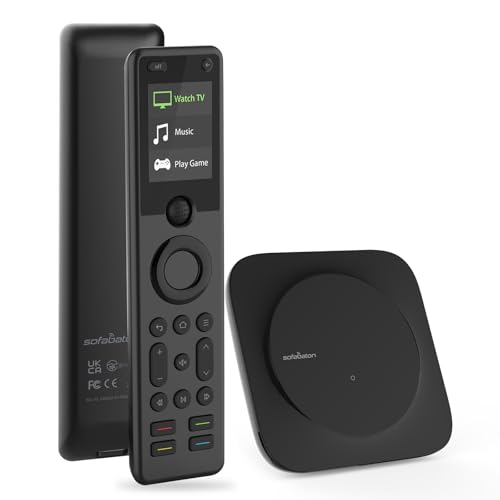
SofaBaton
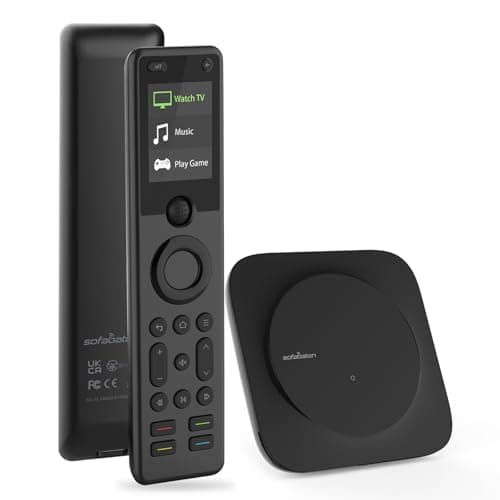
X1S Universal Remote (with Hub)
- •Closest direct Harmony Elite replacement — 60 devices over IR, Bluetooth, and Wi-Fi with one-touch Activity macros
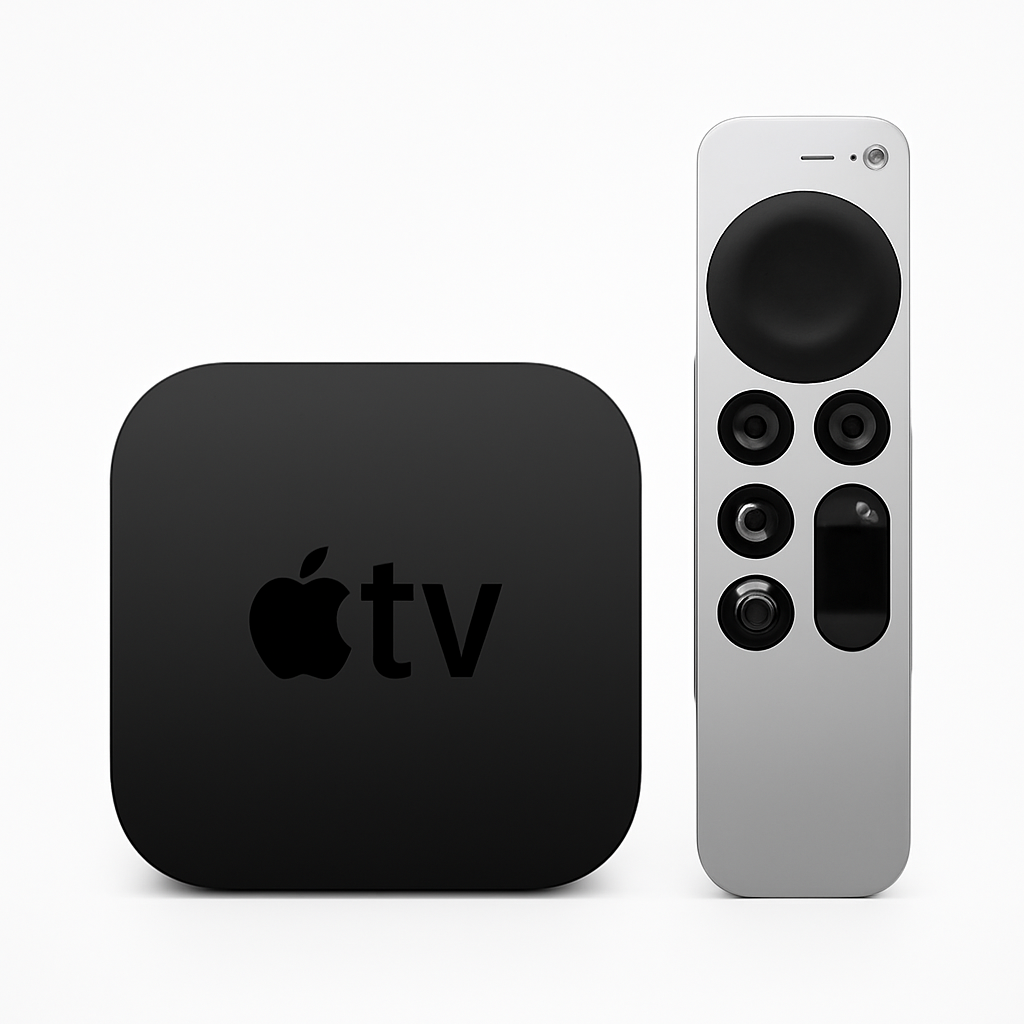
Apple
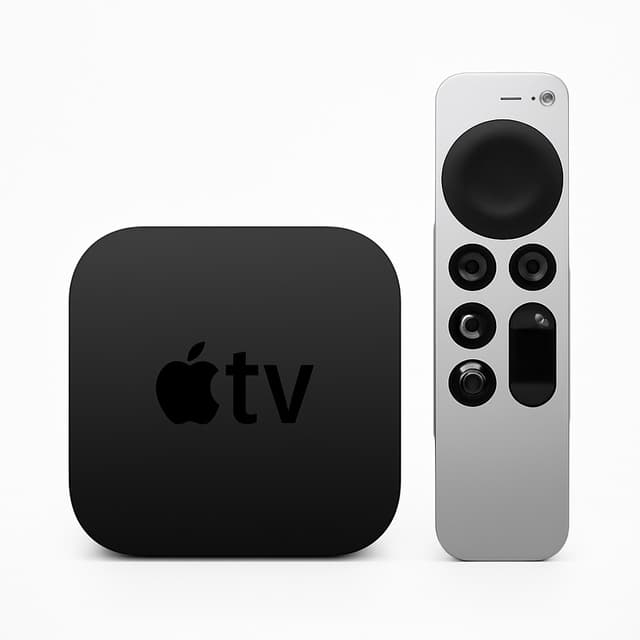
TV 4K (3rd Generation)
- •Streamer that doubles as a HomeKit hub and Thread router
- •Siri Remote handles TV power over HDMI-CEC
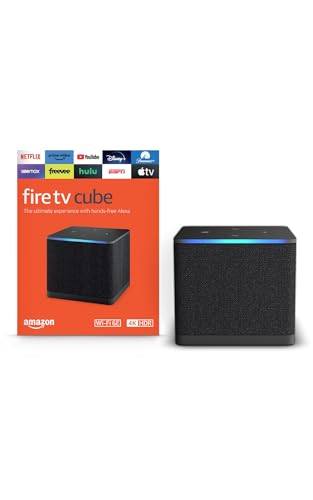
Amazon
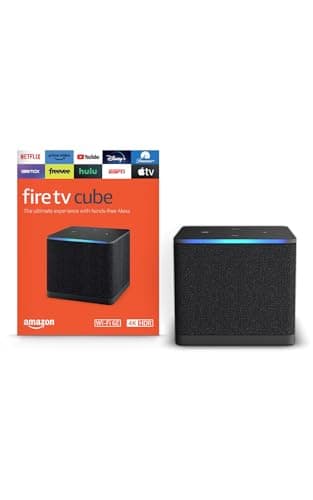
Fire TV Cube
- •Hands-free Alexa controls TV power, volume, and input even with the TV off, and replaces a streamer
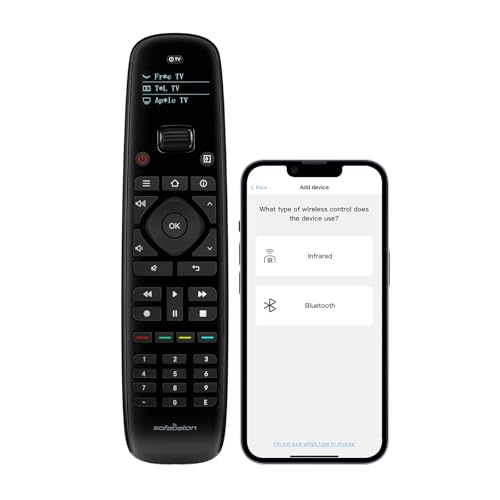
SofaBaton
U2 Universal Remote (Backlit)
- •Up to 15 devices over IR and Bluetooth, shake-on backlight, no hub — the value pick at $69.99
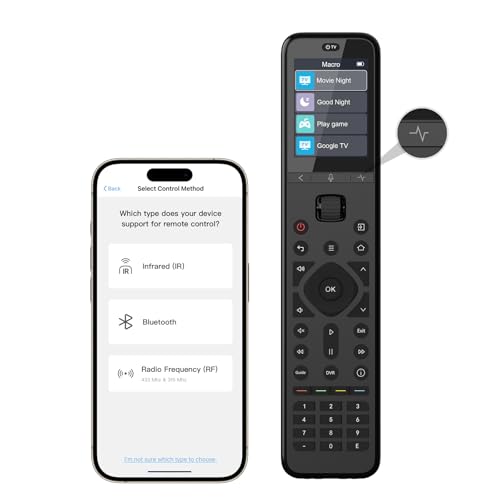
SofaBaton
U3 Universal Remote
- •Adds RF433/RF315 learning and an air-mouse on top of IR and Bluetooth without the X1S hub or price
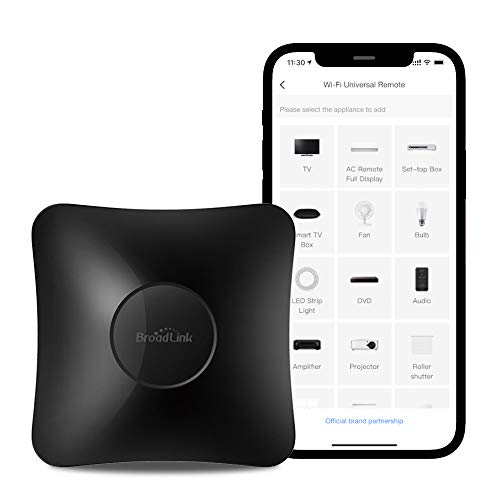
Broadlink
RM4 Pro
- •IR + RF + Wi-Fi hub that makes non-smart gear smart via Alexa, Google, IFTTT, or Home Assistant
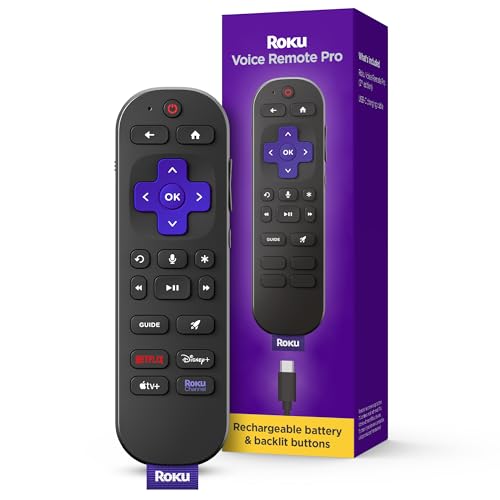
Roku
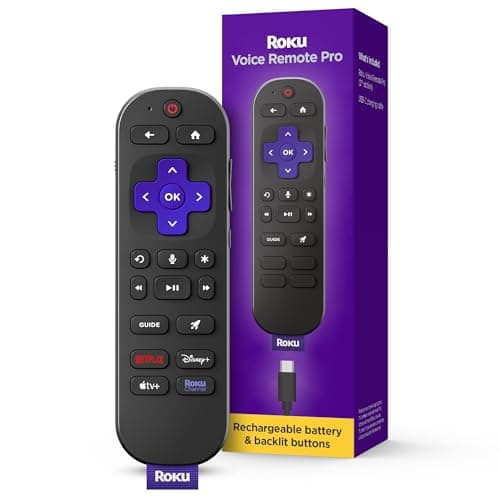
Voice Remote Pro (2nd Edition)
- •Backlit, rechargeable, voice-enabled Roku remote with a lost-remote finder for under $30
Head-to-Head: Protocols, Device Reach, and Ecosystem
Entertainment
Chart
 Smarthomeexplorer.com
not sold on Amazon
XGIMI HORIZON 20 4K RGB Triple Laser Home Projector
Check price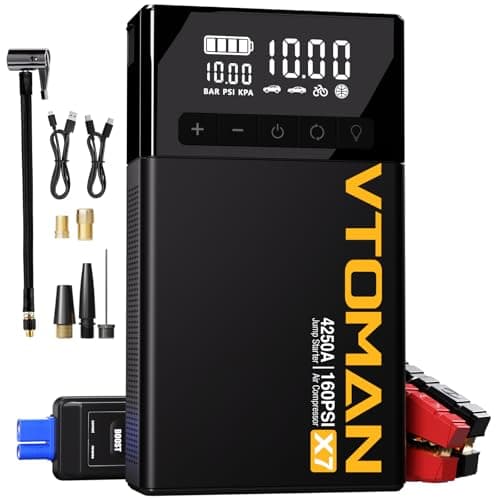
VTOMAN X7 4250A Jump Starter with 160PSI Air Compressor
Check price
What Actually Replaces a Dead Harmony in 2026
Logitech discontinued the entire Harmony line, leaving owners with a recurring question that has not changed: what once again drives every device with a single button? In this roundup the picks split along that fault line — SofaBaton filled the handheld-remote vacuum, while for many rooms the best "remote" is now a streamer. Tom's Guide and CNET anchor coverage to that divide.
Two regrets recur often enough to justify the comparison. Buyers purchase an IR-only remote, then find it cannot drive a Bluetooth-only Apple TV menu, because infrared needs line of sight modern streamers omit. Others buy a hub like the Broadlink RM4 Pro expecting a clicker and inherit a phone-app workflow.
Want the Harmony feel back? The SofaBaton X1S Universal Remote (with Hub) drives 60 devices — roughly 4x the SofaBaton U2 Universal Remote (Backlit)'s 15-device ceiling — at about 2.57x the U2's price. Replacing a streamer? The Amazon Fire TV Cube and Apple TV 4K (3rd Generation) fold the remote into the box.
Best for Harmony refugees: SofaBaton X1S Universal Remote (with Hub)
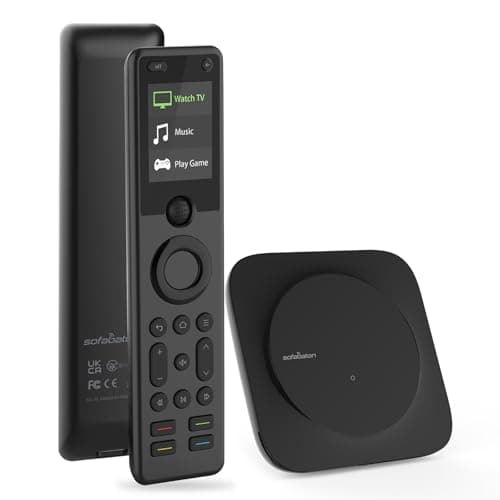
SofaBaton X1S Universal Remote (with Hub)
- Controls up to 60 devices across IR, Bluetooth, and Wi-Fi from one handheld
- At about $180 it is the most expensive remote in this roundup
(Current price, subject to change)
The SofaBaton X1S Universal Remote (with Hub) suits the buyer who misses one Harmony Elite behavior: pressing "Watch TV" and watching five devices wake, switch inputs, and settle on the correct source without a second remote. A single streamer on one television makes it redundant; a TV, AVR, soundbar, player, and cable box make it the obvious instrument for restoring that one-button routine.
Its 8.7 SHE Remote Control Score is a weighted composite prioritizing device reach, and the dominant factor delivers a concrete outcome: the included hub relays Bluetooth and Wi-Fi commands, precisely the gap that strands IR-only remotes against a Bluetooth-only Apple TV menu. It manages up to 60 devices through Activity macros — 4x the U2's 15-device ceiling — and Tom's Guide called it the best universal remote since Logitech discontinued Harmony, HomeTechHacker (who still owns Harmony hardware) framed it as a great replacement that reliably controls all your devices, and TechGearLab noted advanced macro functionality.
The tradeoff is price and scope. At roughly 2.57x the U2's cost it is the priciest pick, and its smart-home reach stops at AV gear, with no native Hue or Sonos IP control. If that profile fits your room, you can stop the search here.
What We Love
- Controls up to 60 devices across IR, Bluetooth, and Wi-Fi from one handheld
- Closest functional successor to the discontinued Harmony Elite, with one-touch Activity macros
- Included hub relays Bluetooth and Wi-Fi commands so streamers respond without line of sight
- 2.4-inch color touchscreen with an improved scroll wheel for activity selection
What Could Be Better
- At about $180 it is the most expensive remote in this roundup
- Smart-home control is limited — no native Philips Hue or Sonos IP control beyond AV gear
- Initial Activity creation can be fiddly the first time through
The Verdict
If you've already decided you want the Harmony feel back, the SofaBaton X1S Universal Remote (with Hub) is the path of least friction. The 8.7 reflects 60-device reach, IR-plus-Bluetooth-plus-Wi-Fi coverage that reaches modern streamers, and Activity macros that collapse a five-remote routine into one button. You're paying a premium, but nothing else here replaces a Harmony Elite as directly.
Check price for the SofaBaton X1S Universal Remote (with Hub) →
Ready for game day?
Silonn Smart Countertop Ice Maker
See it on Amazon
Roku 65" Select Series 4K QLED Smart TV
See it on Amazon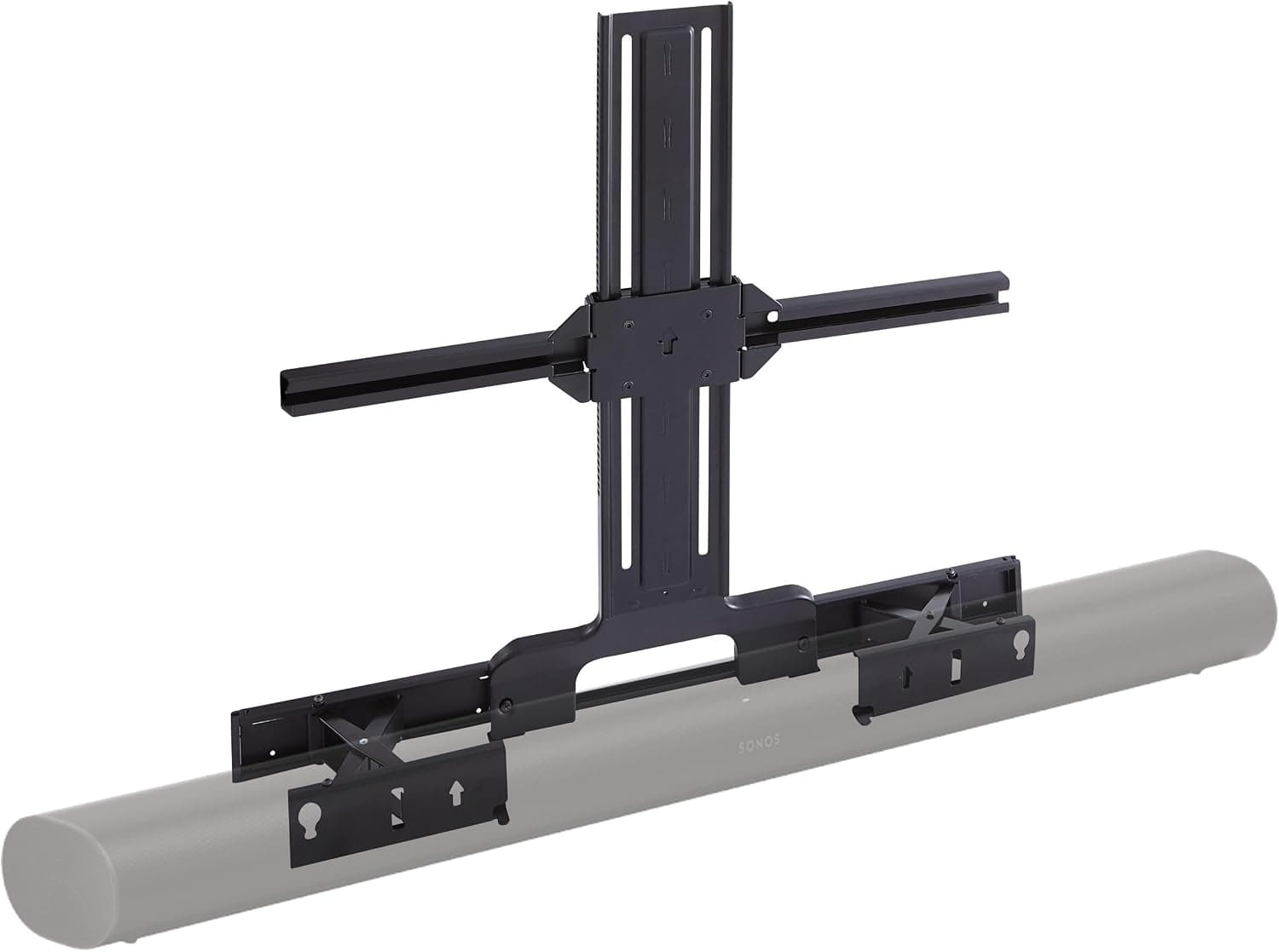
Sanus Soundbar TV Mount for Sonos Arc
See it on Amazon
Sponsored listings from Amazon’s Sponsored Products for Creators program, kept apart from our reviews and rankings. How we make money
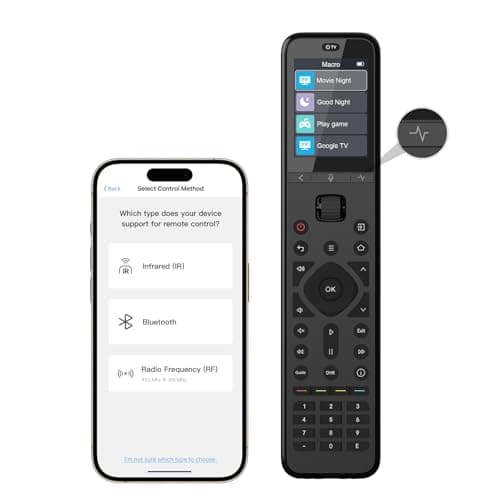
Best mid-range remote: SofaBaton U3 Universal Remote
SofaBaton U3 Universal Remote
- Adds RF433/RF315 learning on top of IR and Bluetooth, reaching devices the budget U2 cannot
- Launched May 2026, so independent expert coverage is still thin
(Current price, subject to change)
The SofaBaton U3 Universal Remote addresses the streaming-first household that has hit the U2's ceiling — the buyer who must reach an RF433 or RF315 device the IR-and-Bluetooth U2 cannot, yet declines to step up to the X1S hub. A buyer content navigating streamer menus with a directional pad who never touches RF gear should conserve the difference and consult the U2 instead.
Its 8.0 SHE Remote Control Score reflects a composite weighted toward protocol coverage, where the added RF factor produces a tangible result: RF433/RF315 learning layered on IR and Bluetooth reaches devices the U2 leaves stranded. The unit also adds a built-in Google voice function, an air-mouse pointer, and up to three simultaneous BLE connections to cut reconnect lag. AVSForum awarded the U3 its Top Choice for 2026, citing value and overall performance.
The honest caveat is coverage. Launched in May 2026, the U3 has only one genuine independent review (AVSForum), so the score leans on manufacturer specs cross-checked against that single source rather than a deep consensus — which is why it ranks below the U2, versus its better-vetted sibling, despite the richer protocol set. Comfortable early adopters can proceed.
What We Love
- Adds RF433/RF315 learning on top of IR and Bluetooth, reaching devices the budget U2 cannot
- Built-in Google voice and an air-mouse pointer for streaming-first menus
- Backlit buttons with raise-to-wake plus a 2.4-inch LCD for at-a-glance device switching
- Holds up to three BLE devices connected at once to cut Bluetooth reconnect lag
What Could Be Better
- Launched May 2026, so independent expert coverage is still thin
- At about $130 it sits well above the U2 yet below the flagship X1S
- Google voice is the only assistant — no Alexa or HomeKit
The Verdict
If you want RF reach and an air-mouse but don't want the X1S hub or its $180 price, the SofaBaton U3 Universal Remote fits the brief. The 8.0 reflects IR-plus-Bluetooth-plus-RF coverage, a Google-voice air-mouse for streamer menus, and a backlit LCD. Coverage is genuinely thin since it launched in May 2026, so treat the score as early — but the spec sheet lands it between the U2 and X1S sensibly.
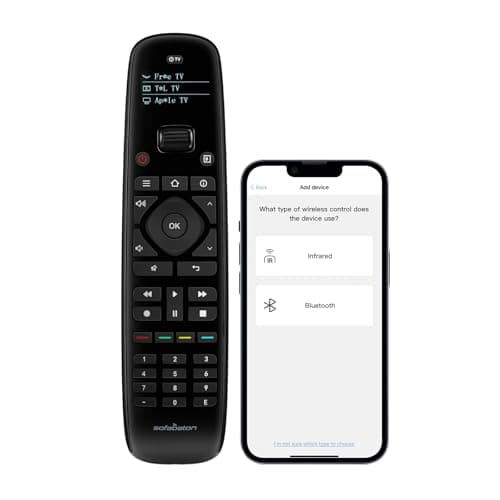
Best budget physical remote: SofaBaton U2 Universal Remote (Backlit)
SofaBaton U2 Universal Remote (Backlit)
- Controls up to 15 devices over IR plus Bluetooth with no hub or Wi-Fi required
- No Wi-Fi smart-home integration — limited to AV equipment and streamers
(Current price, subject to change)
The SofaBaton U2 Universal Remote (Backlit) suits the buyer who wants one remote for a conventional living room — a TV, soundbar, streamer, perhaps a cable box — without flagship money or a plugged-in hub. A buyer chasing 20-plus devices or RF-only gear should look elsewhere; for the standard four-box stack, it is sufficient.
Its 8.1 SHE Remote Control Score reflects a composite where strong value and ease-of-setup factors offset modest protocol coverage, and the result is usable: it controls up to 15 devices over IR and Bluetooth with no hub, draws on a 500,000-plus code database, and lights its backlit buttons with a single shake across a 35 ft IR range. CNET reviewed it as the best budget universal remote, TechGearLab called it one of the most versatile it tested, and HighTechDad described it as the no-fuss solution that makes remote-control life manageable.
What it trades away is breadth: no Wi-Fi smart-home integration, Bluetooth rather than full RF, and a small glossy OLED. None of that compromises AV control. At roughly 0.39x the X1S price, versus the flagship, it anchors the value tier — for any buyer who is not a Harmony power user, this is where we'd point you first.
What We Love
- Controls up to 15 devices over IR plus Bluetooth with no hub or Wi-Fi required
- 500,000-plus device codes from 6,000-plus brands, updated through the app
- Backlit buttons activate with a single shake for dark home-theater use
- Scroll-wheel device switching and an OLED screen at a budget price
What Could Be Better
- No Wi-Fi smart-home integration — limited to AV equipment and streamers
- Bluetooth, not full RF, so some RF-only devices are out of reach
- Small OLED screen and a glossy, fingerprint-prone surface
The Verdict
If your setup is a TV, soundbar, and streamer and you'd rather not spend $180, the SofaBaton U2 Universal Remote (Backlit) is a sensible pick for that setup. The 8.1 reflects 15-device reach over IR and Bluetooth, a 500,000-plus code database, and shake-on backlit buttons — all without a hub. You give up Wi-Fi smart-home control and full RF, but for a standard living-room stack you'll be well-served here.
Check price for the SofaBaton U2 Universal Remote (Backlit) →
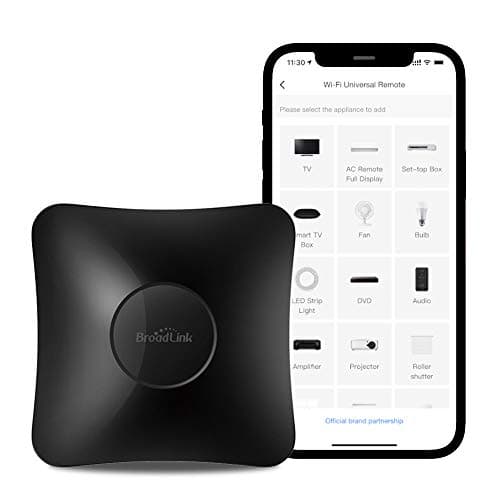
Best for smart-home power users: Broadlink RM4 Pro
Broadlink RM4 Pro
- IR + RF (433 MHz) + Wi-Fi hub brings non-smart TVs, ACs, fans, and curtains into a smart home
- No physical remote — every command runs through the phone app or voice
(Current price, subject to change)
The Broadlink RM4 Pro serves the smart-home tinkerer, not the couch-bound Harmony refugee — and fixing that distinction up front averts the most common regret here. A buyer who wants to grab a clicker and change the channel has the wrong product; a buyer who wants a "dumb" window AC, IR fan, or RF curtains to answer to Alexa has the right one.
Its 7.8 SHE Remote Control Score reflects a composite where an exceptional device-reach factor offsets a low setup score, and the capability is real: this IR plus 433 MHz RF plus 2.4 GHz Wi-Fi hub learns any IR or fixed-code RF command, so coverage is effectively unlimited, and it works with Alexa, Google, and IFTTT. CNET called it the best way to bring non-smart devices into a smart home, and TechTactician called it their main go-to device for remote cloning and making "dumb" devices "smart."
The limitations are structural rather than defects: no handheld remote; setup demands more technical comfort than the SofaBatons; and it is 2.4 GHz Wi-Fi only, without Bluetooth or HomeKit. For the appropriate buyer, at roughly 0.28x the X1S price it is the cheapest route to folding non-smart gear into the house.
What We Love
- IR + RF (433 MHz) + Wi-Fi hub brings non-smart TVs, ACs, fans, and curtains into a smart home
- Works with Alexa, Google Assistant, and IFTTT for location and time-based automations
- Learns any IR or fixed-code RF command, so device coverage is effectively unlimited
- Bundled sensor cable adds temperature-aware automations
What Could Be Better
- No physical remote — every command runs through the phone app or voice
- Setup needs more technical comfort than plug-and-play remotes
- 2.4 GHz Wi-Fi only, no Bluetooth, and no official Apple HomeKit support
The Verdict
If you want to automate old non-smart gear and you're comfortable in an app, the Broadlink RM4 Pro fits the brief. The 7.8 reflects IR-plus-RF-plus-Wi-Fi reach, effectively unlimited code learning, and Alexa/Google/IFTTT/Home Assistant support. The catch is up front: this is a hub, not a handheld, so plan to control everything by phone or voice — not a clicker.
Best for Alexa households: Amazon Fire TV Cube
Amazon Fire TV Cube
- Hands-free Alexa controls TV power, volume, and input switching even with the TV off
- At about $140 it is hard to justify unless you also want a new streamer or smart speaker
(Current price, subject to change)
The Amazon Fire TV Cube is the right answer for one buyer: the voice-first Alexa household already due for a new streamer that would happily fold remote duty into it. A buyer whose streamer is fine and merely wants a clicker has the wrong tool; a buyer replacing the streamer, the remote, and perhaps an Echo at once gets one box doing the work of three.
Its 8.1 SHE Remote Control Score reflects a composite where a strong voice-and-hub integration factor carries the result, and the outcome is convenient: hands-free Alexa controls TV power, volume, and input even with the television off, built-in IR plus HDMI-CEC reach the TV, soundbar, and receiver without pointing anything, and it doubles as an Echo while streaming 4K over Wi-Fi 6E. TechAdvisor said that on pure performance it is hard to beat, and Android Police noted it gets you to what you want to watch quickly.
The reasons to pause concern fit rather than function: at roughly 0.78x the X1S price it is hard to justify for remote duty alone, there is no external IR blaster, and the Alexa lock-in runs deep with sponsored home-screen content. For an Alexa-committed room, that is an easy trade.
What We Love
- Hands-free Alexa controls TV power, volume, and input switching even with the TV off
- Built-in IR plus HDMI-CEC control TVs, soundbars, and receivers without pointing a remote
- Fastest Fire TV processor with Wi-Fi 6E and an HDMI input port
- Doubles as an Echo smart speaker in addition to a 4K streamer
What Could Be Better
- At about $140 it is hard to justify unless you also want a new streamer or smart speaker
- No external IR blaster in the box despite supporting one
- Deep Alexa lock-in with minimal Google Home support and sponsored home-screen content
The Verdict
If you're an Alexa household replacing a streamer and a remote at once, the Amazon Fire TV Cube lines up with what you actually need. The 8.1 reflects hands-free Alexa that works with the TV off, built-in IR plus HDMI-CEC AV control, and Echo duty in one box. Hard to justify on remote duty alone, but as a do-everything voice-first upgrade it earns its place.
Best for Apple households: Apple TV 4K (3rd Generation)
Apple TV 4K (3rd Generation)
- Built-in HomeKit hub and Thread border router run smart-home automations from one puck
- No IR blaster — cannot control older TVs, cable boxes, or AV gear lacking HDMI-CEC
(Current price, subject to change)
The Apple TV 4K (3rd Generation) earns its place for one buyer above all: the Apple household that wants its streamer to quietly become the smart-home hub as well. Older IR-dependent gear stays beyond reach; a TV supporting HDMI-CEC inside a HomeKit home lets this puck perform double duty without additional boxes.
Its 8.3 SHE Remote Control Score reflects a composite carried by the voice-and-hub integration factor, and the hub features are concrete: a built-in HomeKit hub and Thread border router, a Siri Remote that triggers HomeKit scenes for lights, locks, and thermostats, and HDMI-CEC that powers the TV on and switches inputs with no IR blaster. Macworld called it the best streaming box in the business, especially for those who use other Apple products, and What Hi-Fi said the latest generation's processor and lower price make it a no-brainer.
The boundaries warrant respect. There is no IR blaster, so older TVs, cable boxes, and non-CEC AV gear remain unreachable; Siri's scope is HomeKit-only; and the value lands only for Apple households. Within that fence, at roughly 0.83x the X1S price, versus the flagship, it is the most capable streamer-and-hub combination here — no need to overthink it if you run HomeKit.
What We Love
- Built-in HomeKit hub and Thread border router run smart-home automations from one puck
- Siri Remote triggers HomeKit scenes for lights, locks, and thermostats from the couch
- HDMI-CEC turns on and switches the TV input automatically — no IR blaster needed
- A15 Bionic chip with HDR10+ support and a USB-C rechargeable Siri Remote
What Could Be Better
- No IR blaster — cannot control older TVs, cable boxes, or AV gear lacking HDMI-CEC
- Siri's smart-home scope is HomeKit only, with no Alexa or Google Home
- Best value only for Apple and HomeKit households, and an Apple ID is required
The Verdict
If you're an Apple household and you've shortlisted a streamer that doubles as a smart-home hub, the Apple TV 4K (3rd Generation) fits the brief. The 8.3 reflects a built-in HomeKit hub and Thread router, Siri-triggered scenes from the couch, and HDMI-CEC TV control with no IR clutter. It won't drive legacy IR gear, but for a HomeKit home it's the cleanest streamer-plus-hub answer here.
Best for Roku households: Roku Voice Remote Pro (2nd Edition)
Roku Voice Remote Pro (2nd Edition)
- Touch-activated backlit buttons light up when you pick the remote up in the dark
- Only useful inside the Roku ecosystem — not a true universal remote for other gear
(Current price, subject to change)
The Roku Voice Remote Pro (2nd Edition) is the easy call for one buyer and the wrong call for everyone else: a living room running on Roku, with fatigue over the bundled remote, makes this the upgrade. A buyer needing to drive a soundbar or anything outside Roku is not looking at a universal remote.
Its 7.6 SHE Remote Control Score reflects a composite where a category-leading value factor offsets the lowest device-reach figure here, and within its lane the build delivers: touch-activated backlit buttons illuminate the instant you lift it, USB-C recharging yields roughly three months per charge, and it adds push-to-talk voice and a lost-remote finder. Pocket-lint called it a refinement of Roku's rechargeable-remote vision and one of the most user-friendly remotes on the market, while TechHive called it a sensible upgrade for a Roku diehard.
The compromises stay minor for the target buyer: hands-free voice is the weakest feature in practice, and this edition dropped the headphone jack and trimmed the shortcut buttons from two to one. At roughly 0.17x the X1S price it is the cheapest pick here, and for a Roku household it is the most pleasant remote available — just not one that reaches the rest of the room.
What We Love
- Touch-activated backlit buttons light up when you pick the remote up in the dark
- USB-C rechargeable with about three months of battery life per charge
- Push-to-talk and hands-free voice plus a lost-remote finder
- TV power and volume controls plus Live TV and Quick Launch shortcut buttons
What Could Be Better
- Only useful inside the Roku ecosystem — not a true universal remote for other gear
- Hands-free voice control is the weakest feature in practice
- Dropped the headphone jack for private listening and reduced shortcut buttons from two to one
The Verdict
If you're a Roku household upgrading from a basic bundled remote, the Roku Voice Remote Pro (2nd Edition) is a sensible pick for that setup. The 7.6 reflects touch-backlit buttons, USB-C recharging that lasts about three months, voice, and a lost-remote finder — for under $30. It's Roku-only, so it isn't a true universal remote, but as a Roku remote it's about as good as it gets.
How We Score: SHE Remote Control Score
SHE Remote Control Score
Score Formula
(Device Reach × 0.30) + (Protocol Coverage × 0.25) + (Voice & Hub Integration × 0.20) + (Ease of Setup × 0.15) + (Value × 0.10)Score Factors
- Device Reach (30%)How many distinct devices and how broad a code database the unit can actually drive. This is the first thing a Harmony refugee asks, so it carries the most weight. The X1S (up to 60 devices) and the code-learning Broadlink RM4 Pro score highest; the U2 (up to 15 devices) sits mid; the Roku-only Voice Remote Pro scores lowest.
- Protocol Coverage (25%)Breadth of control protocols — IR, Bluetooth, Wi-Fi, RF, and HDMI-CEC. More protocols means reaching streamers, RF blinds, and non-line-of-sight gear that IR alone cannot. The X1S (IR+BT+Wi-Fi via hub) and U3 (IR+BT+RF) lead; the Broadlink and Apple TV 4K cover different gaps; the IR-and-BT U2 scores mid.
- Voice & Hub Integration (20%)Depth of voice-assistant and smart-home hub integration. The Fire TV Cube (hands-free Alexa) and Apple TV 4K (Siri + HomeKit hub + Thread) score highest as full control centers; the Broadlink scores high as a hub; the X1S sits mid; the no-voice U2 scores lowest.
- Ease of Setup (15%)How quickly a non-technical buyer reaches a working multi-device setup. Plug-and-play streamers that auto-detect over HDMI-CEC and the simple U2 score highest; the X1S app setup is improved but takes time for Activities; the Broadlink, with manual IR/RF learning and IFTTT linking, scores lowest.
- Value (10%)Capability delivered per dollar at the verified June 2026 price. The $30 Roku Voice Remote Pro and $50 Broadlink RM4 Pro score highest on raw price-to-capability; the $70 U2 scores strong; the $180 X1S and the streamer/hub combos score lower on pure value despite topping other factors.
SHE Remote Control Score — Ranked
SofaBaton X1S Universal Remote (with Hub)
SHE Remote Control Score8.7/10$179.99 — broadest reach (60 devices) and IR+BT+Wi-Fi coverage; the closest direct Harmony Elite replacement
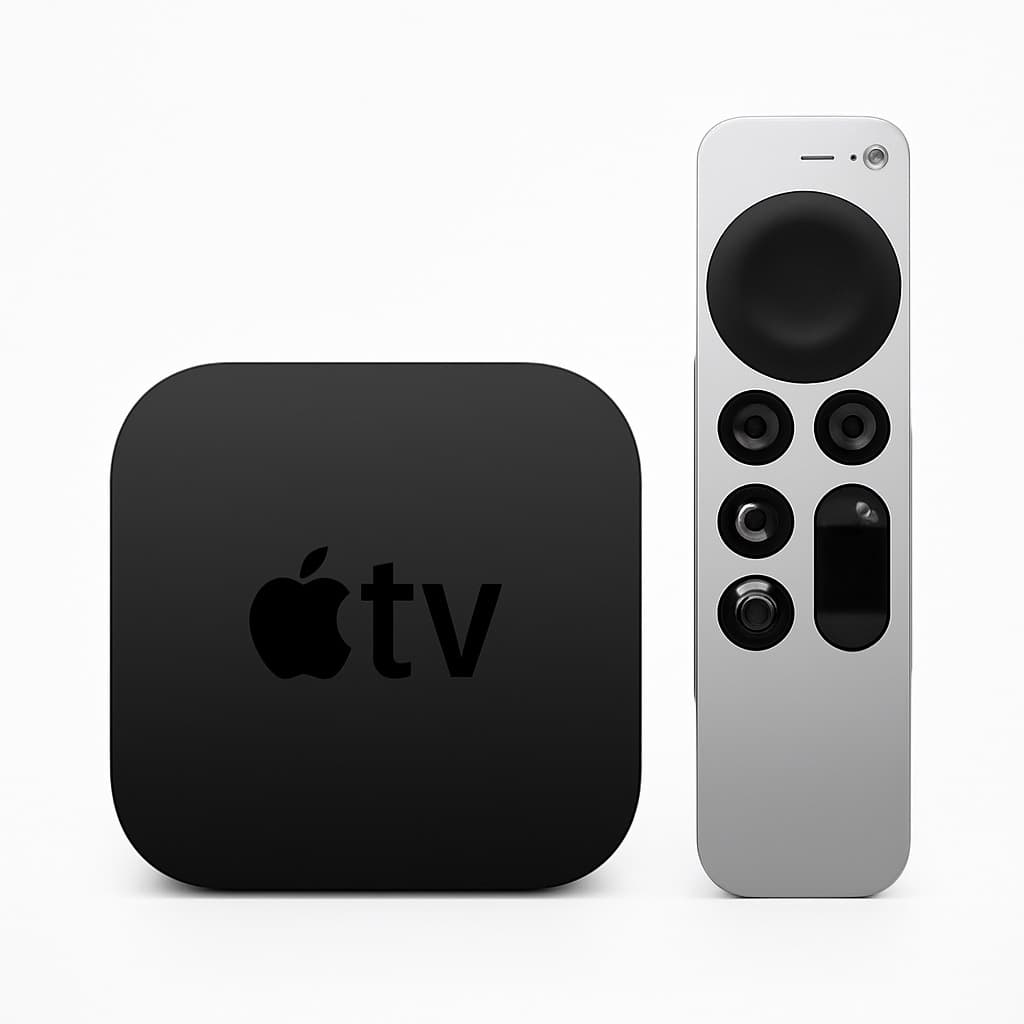
Apple TV 4K (3rd Generation)
SHE Remote Control Score8.3/10$249.00 — streamer that doubles as a HomeKit hub and Thread router; HDMI-CEC TV control, no IR for legacy gear
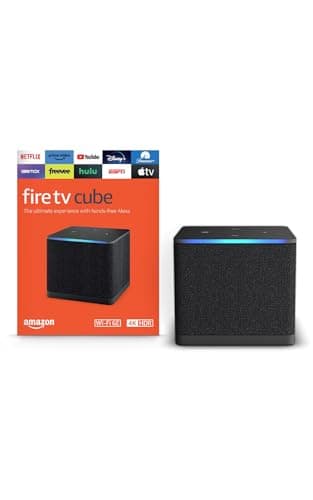
Amazon Fire TV Cube
SHE Remote Control Score8.1/10$139.99 — hands-free Alexa plus IR and HDMI-CEC AV control; replaces a streamer and an Echo in one box
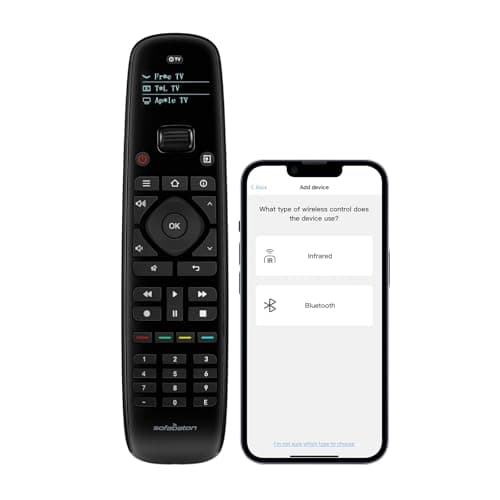
SofaBaton U2 Universal Remote (Backlit)
SHE Remote Control Score8.1/10$69.99 — up to 15 devices over IR and Bluetooth, no hub, shake-on backlight; the budget value anchor
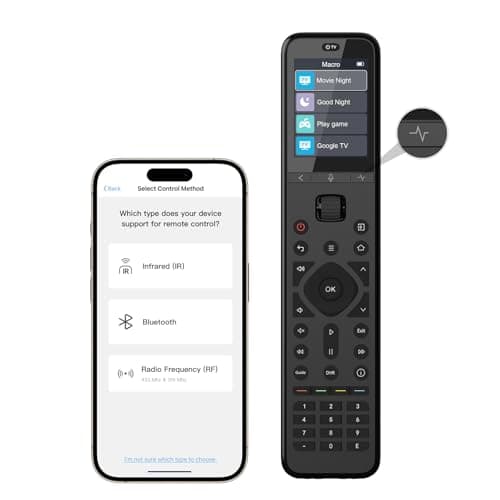
SofaBaton U3 Universal Remote
SHE Remote Control Score8.0/10$129.99 — adds RF433/RF315 and an air-mouse on top of IR+BT; coverage still thin (launched May 2026)
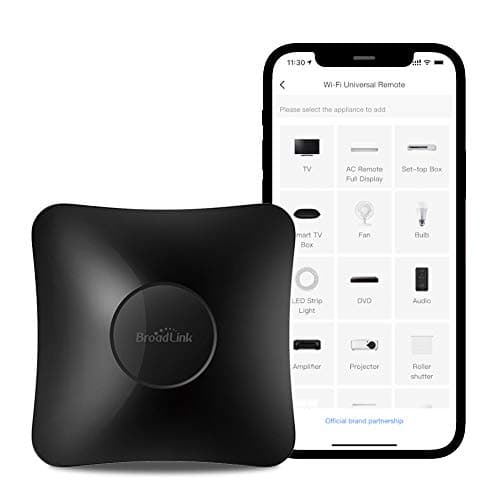
Broadlink RM4 Pro
SHE Remote Control Score7.8/10$49.99 — IR+RF+Wi-Fi hub with unlimited code learning; phone/voice control only, no handheld
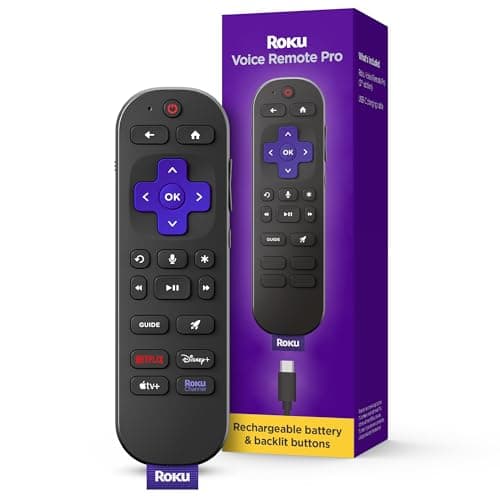
Roku Voice Remote Pro (2nd Edition)
SHE Remote Control Score7.6/10$29.88 — backlit, rechargeable, voice-enabled Roku remote with a lost-remote finder; Roku-only
Protocol and Ecosystem Compatibility
Protocol coverage is the spec that decides whether a remote works in your room at all, and it's where the most expensive mistakes happen. IR — the classic line-of-sight infrared — still controls most TVs, soundbars, and AVRs, but it cannot reach a Bluetooth-only menu and needs a clear shot at the device. That's why the SofaBaton X1S Universal Remote (with Hub) bundles a hub to relay Bluetooth and Wi-Fi commands, and it's why a Bluetooth-only Apple TV 4K (3rd Generation) won't respond to an IR-only clicker. If any of your gear is RF — many blinds, fans, and some AV components — only the SofaBaton U3 Universal Remote (RF433/RF315) and the Broadlink RM4 Pro (433 MHz RF) reach it among the picks here.
Voice and hub integration splits cleanly along ecosystem lines, so buy to the house you already have. The Apple TV 4K (3rd Generation) is the only pick that's a HomeKit hub and Thread border router; the Amazon Fire TV Cube is the deepest Alexa integration with hands-free control; and the Broadlink RM4 Pro is the most flexible automation hub via Alexa, Google, IFTTT, and Home Assistant. The handheld SofaBatons trigger Activities and macros rather than running whole-home scenes — the X1S works with Alexa and Google for voice-launched Activities, the U3 carries Google voice, and the budget U2 has no assistant at all.
Price scales with that protocol reach in a fairly orderly way, which helps frame the tradeoff. Taking the $69.99 SofaBaton U2 Universal Remote (Backlit) as the budget baseline, the RF-capable SofaBaton U3 Universal Remote runs about 1.86x its price, the Apple TV 4K (3rd Generation) about 2.13x, and the flagship SofaBaton X1S Universal Remote (with Hub) about 2.57x — while the hub-only Broadlink RM4 Pro undercuts the U2 at roughly 0.71x. More money buys protocol breadth and device reach, not a fundamentally easier remote.
One frequent surprise is what these remotes do not do. None of the handheld SofaBatons offers native Philips Hue or Sonos IP control — they drive AV gear, not your lighting or whole-home audio. For that side of the room, a dedicated bridge or hub is the right tool; our Best Smart Home Hubs 2026: 7 Compared, Local Control coverage walks through which hub matches which ecosystem, and Alexa+ vs Google Home 2026: 6 Picks Compared compares the two assistants that most of these remotes lean on for voice. If your goal is scene-level lighting control alongside the TV, pair the remote with Best Color Smart Bulbs 2026: WiZ Wins, No Hub rather than expecting the remote to manage it.
When NOT to Buy
A universal remote isn't the right purchase for every living room. If your entire setup is a single streamer plugged into one TV, the remote in the box already does the job — and spending anywhere from roughly 0.17x to 1x the X1S price on a universal remote solves a problem you don't have. If you're happy controlling everything from your phone, a hub like the Broadlink RM4 Pro at roughly 0.28x the flagship price is the better spend than a handheld, and if your gear is Roku-only or Apple-only, the native Roku Voice Remote Pro (2nd Edition) or Apple TV 4K (3rd Generation) Siri Remote will feel better integrated than any third-party universal. Buy a universal remote when you're genuinely juggling four or more devices — that's the threshold where one-button Activities start paying for themselves. If you are assembling that kind of AV rack from scratch, the two anchors an Activity ties together are the picture and the sound: our Best Smart Home Theater Projectors Under $2000 2026 guide covers the big-screen side, and our Best Sonos Speakers for Multi-Room Whole-Home Audio (2026) guide covers whole-home audio.
Who Should Buy What
Who Should Buy What
| If you are… | Recommended pick |
|---|---|
Harmony refugee with a complex home theater You have four or more AV devices and miss one-button Activity macros that woke up the TV, AVR, soundbar, and player together | SofaBaton X1S Universal Remote (with Hub) |
Budget buyer with a standard living-room stack You run a TV, soundbar, and streamer and want one no-hub physical remote with shake-on backlighting without spending $180 | SofaBaton U2 Universal Remote (Backlit) |
Streaming-first room that needs RF reach You want RF433/RF315 control and an air-mouse pointer for streamer menus but don't want the flagship hub or its price | SofaBaton U3 Universal Remote |
Smart-home power user automating old gear You want to make non-smart IR and RF devices respond to Alexa, Google, IFTTT, or Home Assistant and are fine controlling them by phone | Broadlink RM4 Pro |
Alexa household replacing a streamer too You want hands-free Alexa TV and AV control while also replacing a streaming device and a smart speaker in one purchase | Amazon Fire TV Cube |
Apple or HomeKit household You want a streamer that doubles as a HomeKit hub and Thread router, with HDMI-CEC TV control and no IR clutter | Apple TV 4K (3rd Generation) |
Frequently Asked Questions
What is the best replacement for a discontinued Logitech Harmony?
The SofaBaton X1S is the consensus Harmony replacement for 2026. It drives up to 60 devices over IR, Bluetooth, and Wi-Fi through an included hub and runs one-touch Activity macros — the feature most Harmony Elite owners miss. Tom's Guide called it the best universal remote since Logitech discontinued Harmony. If you don't need 60 devices, the SofaBaton U2 covers a standard TV-soundbar-streamer setup for far less.
Can a universal remote control an Apple TV 4K?
Only if it speaks Bluetooth, because the Apple TV 4K menu is Bluetooth-only — an IR-only remote cannot drive it. The SofaBaton X1S relays Bluetooth through its hub, and the U2 and U3 pair over Bluetooth directly. The Apple TV's own Siri Remote remains the most fully integrated option, and it also controls your TV's power and input over HDMI-CEC.
Do these remotes control smart-home devices like lights and locks?
The handheld SofaBatons control AV gear, not lighting or locks — there is no native Philips Hue or Sonos control. For whole-home scenes, the Apple TV 4K acts as a HomeKit hub, the Fire TV Cube runs Alexa routines, and the Broadlink RM4 Pro automates non-smart IR and RF devices via Alexa, Google, and IFTTT. Match the device to the job: a remote for AV, a hub for the rest of the house.
Which remote controls RF devices like blinds and fans?
Most universal remotes are IR-only, which won't reach RF gear. Among these picks, the SofaBaton U3 learns RF433 and RF315 codes, and the Broadlink RM4 Pro handles 433 MHz RF. If you need to control RF blinds, ceiling fans, or certain AV components, those two are the options — a plain IR-and-Bluetooth remote like the U2 cannot reach them.
Do universal remotes work without Wi-Fi?
The handheld SofaBatons send IR and Bluetooth commands locally, so the remote itself keeps controlling your gear without Wi-Fi — you only need a connection for the app to download device codes or update macros. The Broadlink RM4 Pro and the streamer-based options (Apple TV 4K, Fire TV Cube), by contrast, depend on Wi-Fi for their voice and automation features.
Is a universal remote worth it versus a phone app?
It depends on how you watch. A phone app means unlocking your phone, opening the app, and waiting for it to connect every time you change the volume — fine occasionally, tedious nightly. A physical remote with one-touch Activities is faster for daily use, which is why most multi-device households prefer a handheld like the X1S or U2. If you rarely touch the controls, a hub-plus-app setup like the Broadlink is the cheaper path.
Bottom Line
Get the SofaBaton X1S Universal Remote (with Hub) if you're a Harmony refugee with a complex home theater and want one handheld driving 60 devices with Activity macros.
Get the SofaBaton U2 Universal Remote (Backlit) if you want a no-hub physical remote for a standard TV-soundbar-streamer setup at the budget tier.
Get the SofaBaton U3 Universal Remote if you need RF433/RF315 reach and an air-mouse for a streaming-first room without the X1S hub or price.
Get the Broadlink RM4 Pro if you want to automate non-smart IR and RF gear by voice or schedule and don't need a handheld remote.
Get the Amazon Fire TV Cube if you're an Alexa household replacing a streamer and a remote with hands-free voice control in one box.
Get the Apple TV 4K (3rd Generation) if you're an Apple or HomeKit household wanting a streamer that doubles as a HomeKit hub and Thread router.
Get the Roku Voice Remote Pro (2nd Edition) if you live in the Roku ecosystem and want a backlit, rechargeable, voice-enabled remote upgrade for under $30.
The right call for most Harmony refugees is the SofaBaton X1S Universal Remote (with Hub) at $179.99 — the only pick here that replaces an Elite directly. On a budget, the SofaBaton U2 Universal Remote (Backlit) covers a standard living room for $69.99. Skip a universal remote entirely if you run a single streamer on one TV, prefer phone-app control, or live in a Roku-only or Apple-only setup where the native remote integrates better.
Sources & Methodology
Methodology: SHE Remote Control Score — Formula: (Device Reach × 0.30) + (Protocol Coverage × 0.25) + (Voice & Hub Integration × 0.20) + (Ease of Setup × 0.15) + (Value × 0.10). Factors: Device Reach (30%): How many distinct devices and how broad a code database the unit can actually drive. This is the first thing a Harmony refugee asks, so it carries the most weight. The X1S (up to 60 devices) and the code-learning Broadlink RM4 Pro score highest; the U2 (up to 15 devices) sits mid; the Roku-only Voice Remote Pro scores lowest. | Protocol Coverage (25%): Breadth of control protocols — IR, Bluetooth, Wi-Fi, RF, and HDMI-CEC. More protocols means reaching streamers, RF blinds, and non-line-of-sight gear that IR alone cannot. The X1S (IR+BT+Wi-Fi via hub) and U3 (IR+BT+RF) lead; the Broadlink and Apple TV 4K cover different gaps; the IR-and-BT U2 scores mid. | Voice & Hub Integration (20%): Depth of voice-assistant and smart-home hub integration. The Fire TV Cube (hands-free Alexa) and Apple TV 4K (Siri + HomeKit hub + Thread) score highest as full control centers; the Broadlink scores high as a hub; the X1S sits mid; the no-voice U2 scores lowest. | Ease of Setup (15%): How quickly a non-technical buyer reaches a working multi-device setup. Plug-and-play streamers that auto-detect over HDMI-CEC and the simple U2 score highest; the X1S app setup is improved but takes time for Activities; the Broadlink, with manual IR/RF learning and IFTTT linking, scores lowest. | Value (10%): Capability delivered per dollar at the verified June 2026 price. The $30 Roku Voice Remote Pro and $50 Broadlink RM4 Pro score highest on raw price-to-capability; the $70 U2 scores strong; the $180 X1S and the streamer/hub combos score lower on pure value despite topping other factors.
Expert review sources used in this analysis:
- SmartHomeExplorer aggregates expert review data and community sentiment to produce consensus-based buying guidance — we do not perform first-party product testing
- Expert ratings and product assessments come from Tom's Guide, HomeTechHacker, TechGearLab, CNET, HighTechDad, AVSForum, TechTactician, TechAdvisor, Android Police, Macworld, What Hi-Fi, Pocket-lint, and TechHive
- Amazon prices and product availability were verified 2026-06-16 via the Amazon Creators API
- Protocol and ecosystem support (IR, Bluetooth, Wi-Fi, RF, HDMI-CEC, Alexa, Google, HomeKit) come from manufacturer specifications cross-checked against the cited reviews
- SHE Remote Control Score factors are derived from those aggregated specs and reviewer measurements; no first-party measurements were conducted.
Nicholas Miles is the founder of SmartHomeExplorer and a longtime smart home enthusiast focused on helping everyday homeowners make better technology decisions. He researches, compares, and writes about products across security, climate, lighting, leak prevention, sensors, home energy, and automation, with an emphasis on real-world usefulness, ecosystem compatibility, reliability, privacy, and long-term value.
Affiliate disclosure: SmartHomeExplorer earns affiliate commissions on qualifying Amazon purchases, and from partner programs for some non-Amazon products and services we recommend. Our scoring methodology is independent of affiliate relationships.