
The short answer: Choose Alexa if you shop on Amazon and want the most device compatibility. Choose Google Home if you ask complex questions and live in Google's.
There is no objectively best ecosystem. The right answer depends on which other devices and services you already use — and getting it wrong means replacing everything to switch.
This guide is specifically for people who haven't committed yet, or who want to know if switching is worth it. We cover the decision matrix, voice recognition data, use-case scenarios, head-to-head comparisons, and the most common questions buyers ask before purchasing (SmartHomeExplorer editorial analysis — methodology below). Skip to the section most relevant to your situation, or read straight through — the whole guide takes about 11 minutes.
Who should choose Alexa
You, if:
- You shop on Amazon regularly
- You have (or plan to buy) Ring cameras, Ring Alarm, or Ring doorbell
- You want the most smart home device options — Ring, Philips Hue, Ecobee, SmartThings, Wemo, almost everything works with Alexa
- You want premium audio from a smart speaker — Amazon Echo Studio ($200) delivers Dolby Atmos-grade sound while maintaining full Alexa compatibility
- You want smart home routines ("Alexa, good night" → lock doors + turn off lights + set thermostat)
- Budget matters — Echo Dot at $49 is the cheapest capable smart speaker entry point
Best device to start: Amazon Echo Show 8 3rd Gen (~$149) — adds an 8" display for video calls, camera viewing, and recipes. For the $49 entry point choice, see our Echo Dot vs Google Nest Mini head-to-head comparison across 13 categories.
The Alexa limitation: Alexa's answers to open-ended questions ("what causes inflation?", "explain this recipe substitution") are noticeably weaker than Google Assistant. Alexa is excellent at commands and smart home control; it's a worse general knowledge assistant.
In practice, a household with one Echo Show 8 as the kitchen hub and a couple of Echo Dots in bedrooms covers most rooms for under $250. Pair that with Ecobee smart thermostats with energy scheduling and solar integration and a few Philips Hue bulbs and you have a fully voice-controlled home without touching a single non-Alexa app. The Echo Show 10's motorized screen that rotates to follow you in the kitchen is a legitimately useful feature that no Google or Apple device matches.
Who should choose Google Home
You, if:
- You use Android phones, Google Calendar, Gmail, or Google Photos
- You ask your voice assistant complex or conversational questions
- You want integration with Google services (add to Google Calendar, set reminders that sync with your phone)
- Accents or unusual phrasing are a concern — Google Assistant handles language variation best
Best device to start: Google Nest Audio (~$99) — best sound in the budget Google lineup, natural conversation feel.
The Google Home limitation: Fewer smart home device integrations than Alexa — specifically, Ring cameras and Ring Alarm don't fully work with Google Home. If you have or want Ring products, Google Home is the wrong choice.
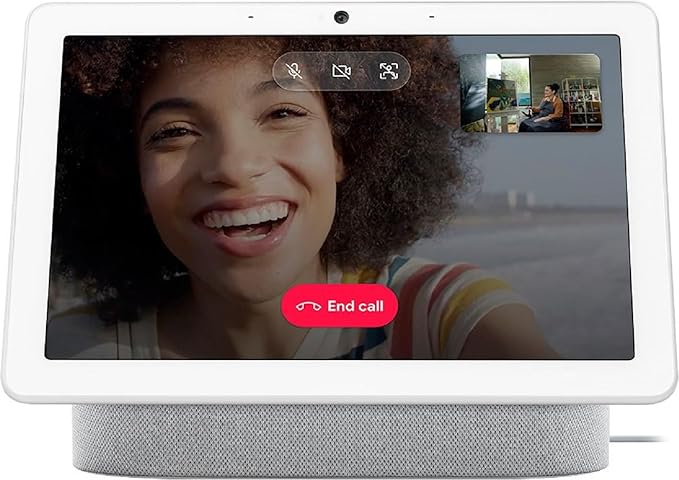
A strong Google Home setup pairs a Nest Hub Max in the kitchen (for its built-in camera and 10" display) with Nest Mini speakers in bedrooms. Ask the hub to show your Google Photos slideshow while cooking, pull up a YouTube recipe, or broadcast a message to everyone in the house. Because the Nest Hub Max has a camera, it doubles as a room monitor when you're away — viewable through the Google Home app on any Android or iPhone.
Who should choose Apple Home (Siri/HomePod)
You, if:
- Every person in your household uses an iPhone
- You already own HomeKit-certified smart home devices
- Privacy is a primary concern — HomePod processes the most commands on-device and sends the least data to Apple's servers
- You want the best-sounding smart speaker (HomePod audio quality is class-leading)
Best device to start: Apple HomePod 2nd Gen ($299) — the only entry point. HomePod mini ($99 list — Amazon marketplace pricing runs higher, so check today's price) is available for smaller rooms.
The Apple Home limitation: At $299 minimum entry price and a restricted device catalog (HomeKit-certified only), Apple Home is the most expensive and least flexible ecosystem. If someone in your household has an Android phone, shared smart home control gets complicated.
Where Apple Home earns its price: a pair of HomePod 2nd Gens in stereo sounds genuinely better than any competing smart speaker setup at twice the price. Add Eve Energy smart plugs (HomeKit-native, local processing, no cloud) and a Schlage Encode Plus deadbolt and you have a fast, private, reliable system. Automations run locally on HomePod — no internet required, no latency waiting for a cloud round-trip — which is something neither Alexa nor Google Home can claim at scale.
The Alexa vs Google voice recognition breakdown (2026 testing data)
RTINGS conducted head-to-head voice recognition testing in 2025 across 5 categories:
Alexa wins:
- Far-field distance pickup (15+ ft)
- Background noise resistance
- Smart home command accuracy
Google wins:
- Natural language / follow-ups
- Complex multi-step commands
Conclusion from RTINGS: For smart home control, Alexa is more reliable. For conversational queries, Google is more capable. The practical difference in daily use: if you mostly say "turn off the lights" and "set a timer," both work equally well. If you ask "what's the weather this weekend and is it good for a hike in the Sierras?", Google gives a meaningfully better answer.
Apple's Siri was not included in the RTINGS head-to-head because it declined to participate in the smart home control tests (HomePod cannot be used as a standalone smart speaker without an Apple ID). In household testing, Siri's far-field accuracy on HomePod is competitive with Alexa but it struggles more than Google with ambiguous phrasing — ask "turn off everything downstairs" and Google handles the intent more gracefully.
Which ecosystem wins for specific use cases
If you have Ring cameras or Ring Alarm
Alexa is the only real option. Ring is Amazon-owned and the integration is deep — live camera feeds show up on Echo Show displays without asking twice, Ring Alarm modes sync with Alexa Guard, and you can arm/disarm your system by voice. Google Home and Apple Home both have partial Ring compatibility at best, and Ring Alarm mode control is Alexa-exclusive.
A practical setup: Echo Show 8 in the kitchen shows Ring doorbell footage automatically when someone rings, and a Ring Alarm Pro base station doubles as a Wi-Fi router with Eero built in. The whole security system is controllable by voice, through the Ring app, or through Alexa routines — no separate hub required. For camera comparison, see our smart security cameras ranked by AI detection and night vision quality.
If you use Android or Google Workspace
Google Home wins clearly. Calendar events, Gmail reminders, and Meet calls all surface natively through Nest speakers. If your team uses Google Workspace, asking "what's on my calendar tomorrow?" returns a full rundown — including meeting links. No other ecosystem replicates that depth with Google's own services.
The Nest Hub Max is particularly strong here: its ambient display shows your next calendar event, the weather, and Google Photos in rotation throughout the day. When a Meet call starts, the hub can join it hands-free. For remote workers with a Google Workspace setup, it functions as a passive office assistant that surfaces the right information without being asked.
If your household is all-iPhone
Apple Home is worth the entry price. Shared HomeKit access through iCloud means every iPhone in the household can control lights, locks, and cameras without setting up separate accounts or permissions. HomePod acts as a home hub, enabling remote access and automations to run even when everyone is out. AirPlay 2 multi-room audio works flawlessly when everyone is already in the Apple ecosystem.
Apple Home's personal automation triggers are also genuinely useful in an all-iPhone house: automations can fire when a specific person arrives home (detected by their iPhone's location), not just when anyone arrives. That level of per-person context is not available in Alexa or Google Home without third-party apps.
If you're building a smart home from scratch
Start with Alexa and buy Matter-certified devices wherever possible. Matter (the cross-platform smart home standard) means your devices will work with Alexa today and remain compatible if you ever switch ecosystems. Alexa's 140,000+ device catalog gives you the widest product selection at every price point — from $12 smart plugs to $400 smart locks — and routines let you automate complex sequences without a separate hub or app.
A solid starter kit: Echo Show 8 ($149) as the main hub, two Echo Dots ($49 each) for bedrooms, a TP-Link Kasa smart plug ($15, Matter-certified), an Ecobee smart thermostat ($189), and a smart deadbolt lock with keypad and remote access ($299). Total under $800 and fully voice-controlled from day one. For a curated bundle approach, see our smart home starter kits that include hub, sensors, and compatible bulbs for first-time buyers.
You mix ecosystems
Can you mix ecosystems?
Yes — and many households do. Common setups:
- Alexa for smart home control + Google for questions (run both speakers, default different commands to each)
- Alexa + Apple Home via HomeKit-certified devices that work with both
- Matter (the new universal smart home protocol, 2024–2026 rollout) is slowly enabling cross-ecosystem device control — a Matter-certified lock can be controlled by Alexa, Google, and Siri simultaneously
For most people: pick one primary ecosystem and stick with it. Mixing creates complexity that outweighs the benefits unless you have a specific reason.
One exception worth noting: if you have an all-Apple household but want Ring security products, running a single Echo Dot specifically for Ring voice control alongside your HomePods is low-friction and costs $49. You get the best of Ring's Alexa integration without migrating your entire smart home.
Ecosystem
Chart
 Smarthomeexplorer.com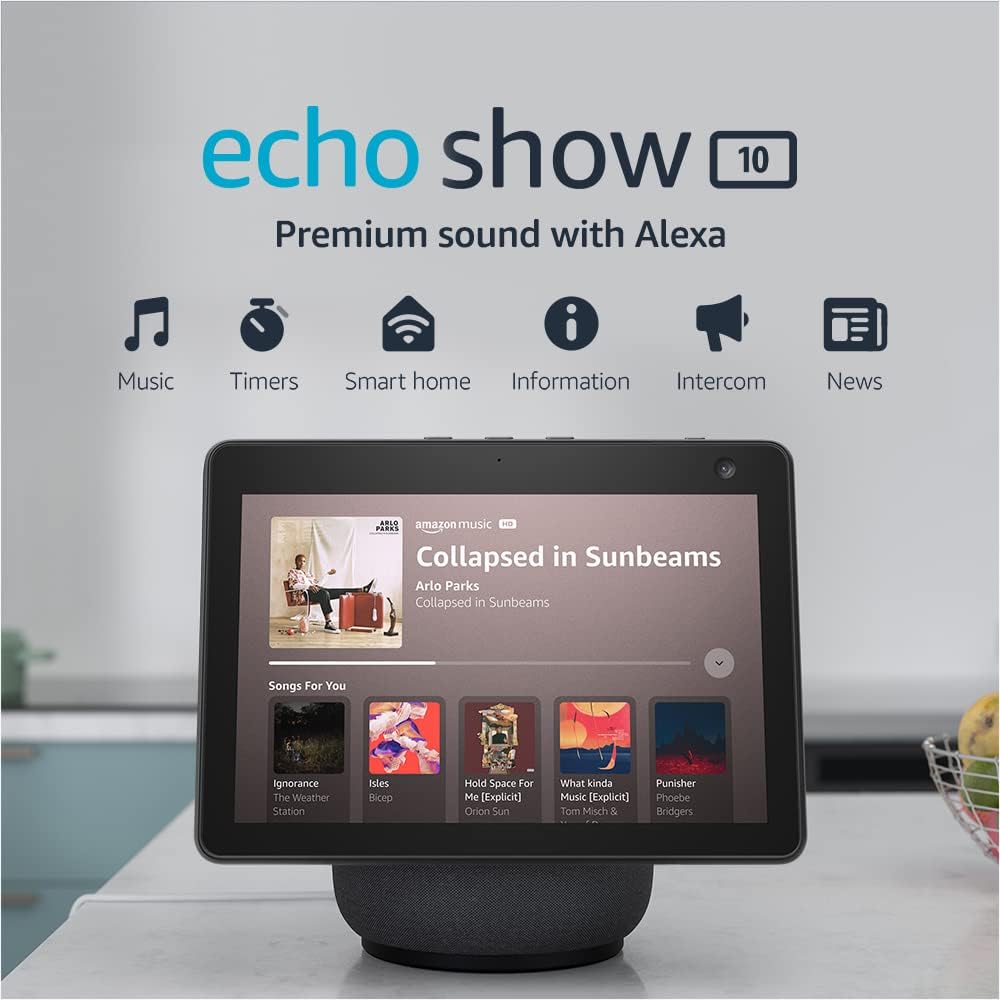
Top pick for Alexa: Amazon Echo Show 10 3rd Gen
Amazon Echo Show 10 3rd Gen
(Current Price, subject to change)
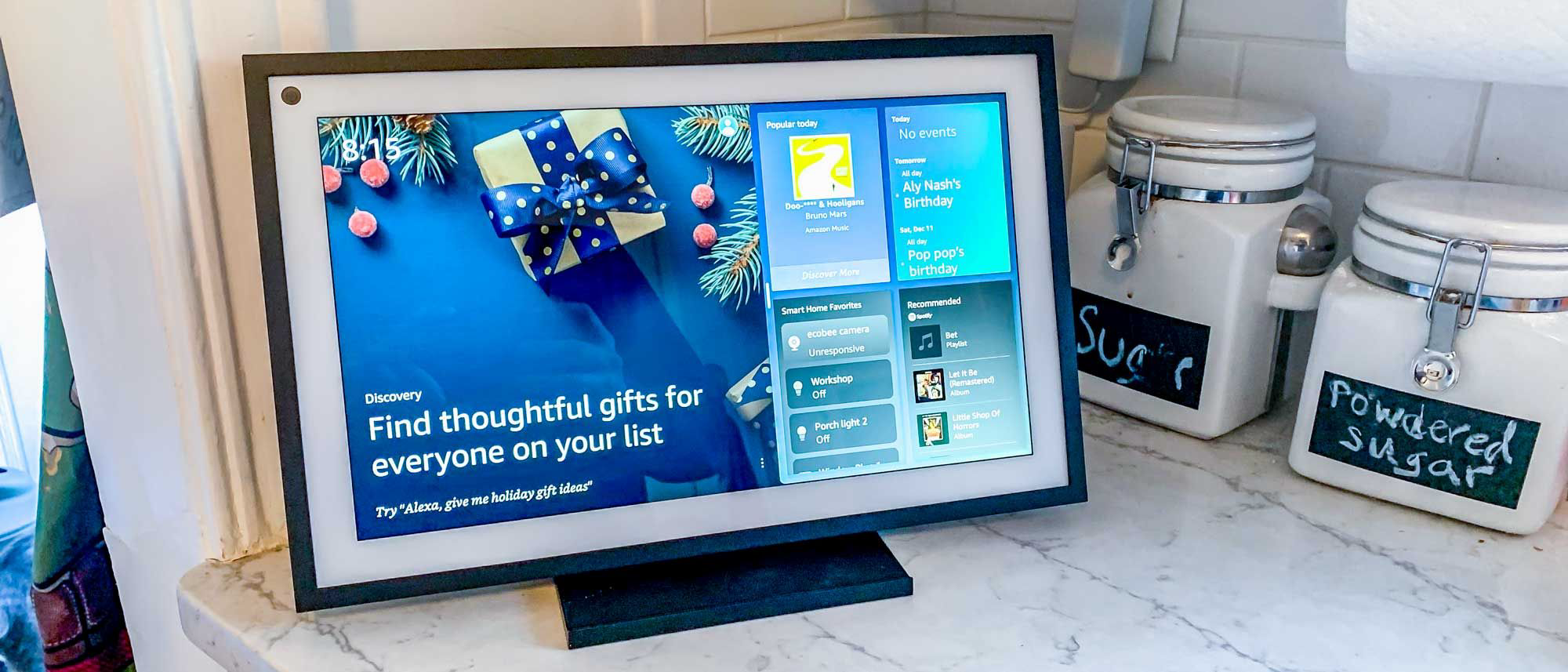
The Amazon Echo Show 10 3rd Gen is the flagship Alexa device — its motorized display rotates to follow you around the kitchen during video calls, recipes, and workouts. The 10" screen adds display-specific use cases that turn it from a speaker into a full smart home command center.
Does Amazon Echo Show 10 work with Ring cameras?
Yes — the Echo Show 10 displays Ring doorbell and camera feeds automatically when motion is detected or the doorbell is pressed, with no manual command required. Ring and Amazon are the same company, and the integration is the deepest available: you can arm and disarm Ring Alarm by voice, view live feeds on the rotating screen, and set Alexa Guard to listen for smoke alarms and glass break simultaneously.
Is Amazon Echo Show 10 worth it over the Echo Show 8?
The Echo Show 10 at ~$249 adds a motorized screen that physically rotates to follow you — useful for kitchens and open-plan rooms where you move around during calls and video recipes. The Echo Show 8 at ~$149 has a fixed 8" screen. If you primarily use your smart display from one seated position, the Show 8 saves $100. If you cook, exercise, or move around the room regularly, the Show 10's rotating screen is a genuinely useful daily feature.
Top pick for Google: Google Nest Hub Max
Google Nest Hub Max
(Current Price, subject to change)
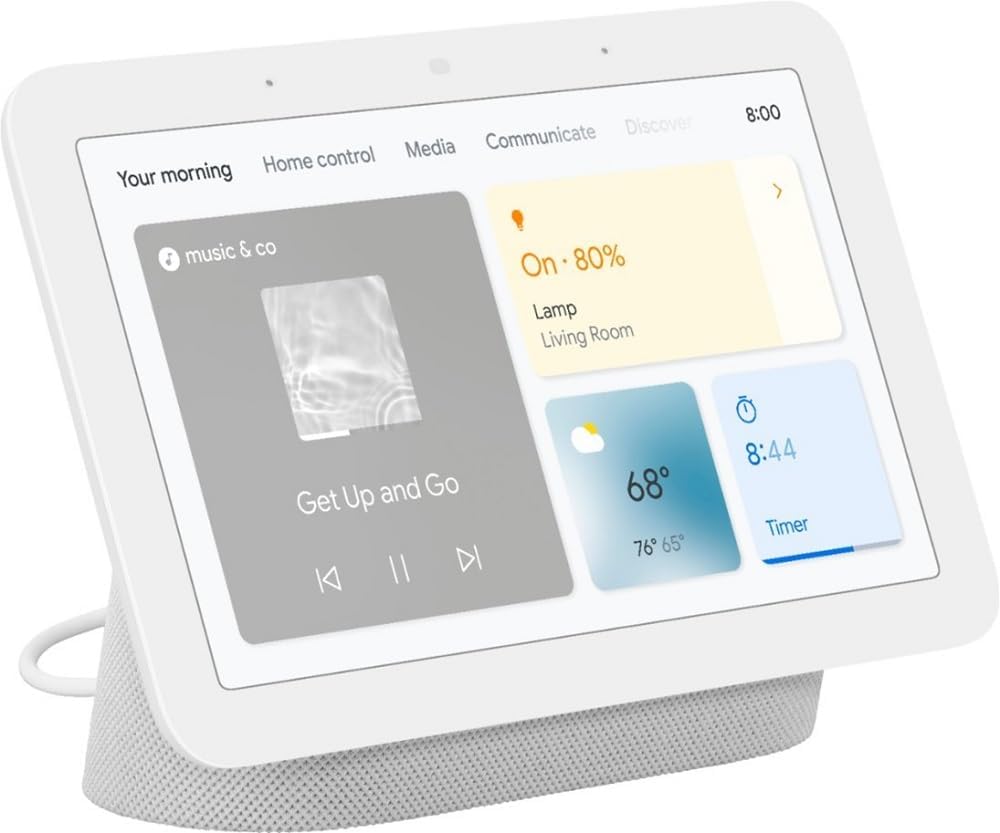
The Google Nest Hub Max is Google's best single-device recommendation — 10" display, built-in camera for Meet calls, Google Photos ambient display, and the richest Google Assistant experience available. For Google Workspace users, the Hub Max doubles as a passive office assistant that displays your next meeting, weather, and daily news without being asked.
Does Google Nest Hub Max work with smart home devices?
Yes — the Nest Hub Max works with thousands of devices through the Google Home app, including Philips Hue, Nest thermostats, TP-Link Kasa, Wyze cameras, and Matter-certified products. It also supports Zigbee through a built-in Zigbee hub (unlike the smaller Nest Audio), allowing direct connection to Philips Hue bulbs and compatible sensors without a separate bridge. Ring Alarm and Ring cameras have limited Google Home compatibility and work best with Amazon Alexa.
Google Nest Hub Max vs Amazon Echo Show 10: which is better?
Google Nest Hub Max wins on voice assistant quality (better conversational AI, Google Calendar/Gmail integration) and the built-in camera for video calls. Echo Show 10 wins on smart home device compatibility (140,000+ Alexa devices vs fewer for Google), Ring camera integration, and its motorized rotating display. At ~$229 (Nest Hub Max) vs ~$249 (Echo Show 10), price is not a deciding factor — choose based on whether your household is more Google-native or Amazon-native.
Top pick for Apple: Apple HomePod 2nd Gen
Apple HomePod 2nd Gen
(Current Price, subject to change)
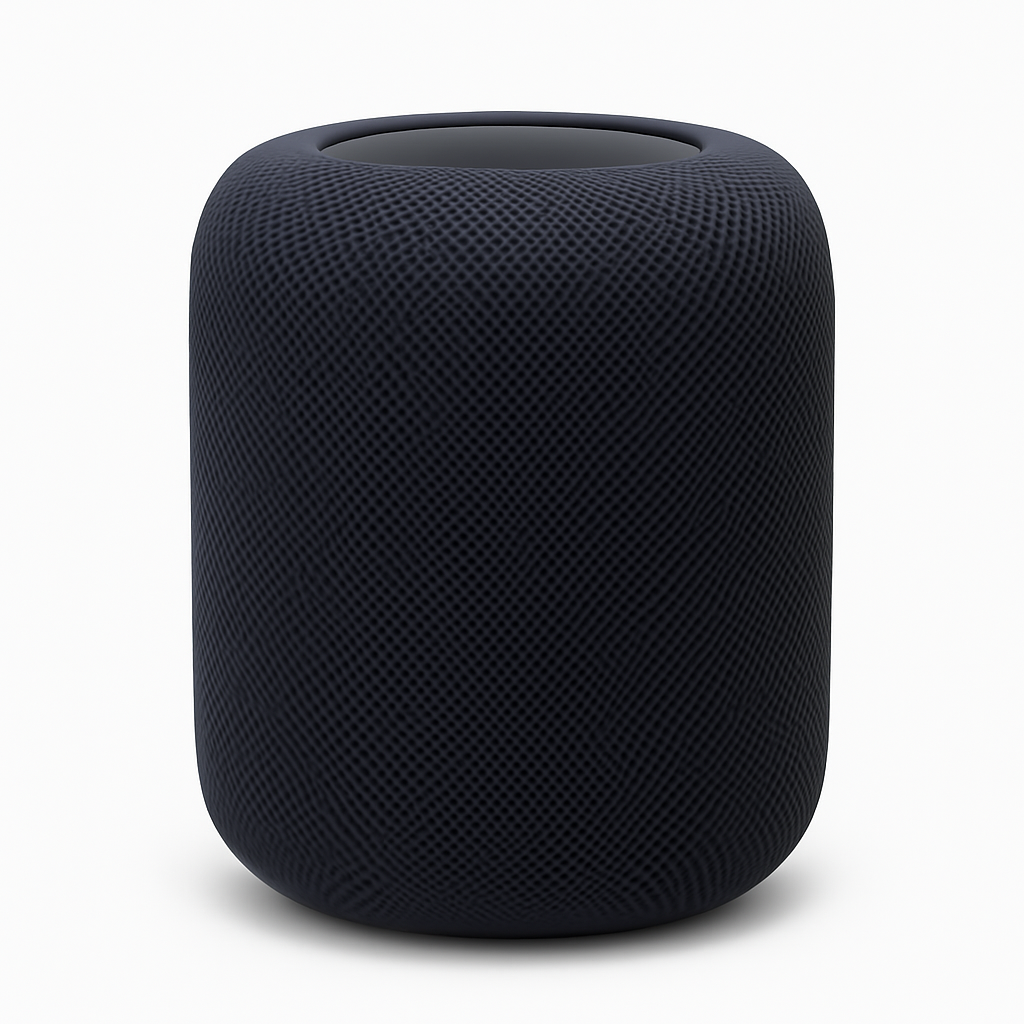
The Apple HomePod 2nd Gen is the only entry point to Apple's smart home ecosystem with full Siri control. Tom's Guide rated it the best-sounding smart speaker available. For all-iPhone households with HomeKit devices, it provides local automation processing and native AirPlay 2 multi-room audio.
Does Apple HomePod 2nd Gen work with smart home devices?
Apple HomePod 2nd Gen works with HomeKit-certified devices and, via Matter support, with a growing range of cross-platform smart home products. The HomeKit device catalog includes Philips Hue, Eve Energy, Schlage Encode Plus, Ecobee, and hundreds of others — but is smaller than Alexa's 140,000+ catalog. Non-HomeKit devices (Ring Alarm, most budget Wi-Fi cameras) do not work with HomePod, which is the main compatibility limitation for households mixing device brands.
Is Apple HomePod worth it at $299 vs Google Nest Audio at $99?
For all-iPhone households who prioritize audio quality and privacy, yes. Tom's Guide rated HomePod the best-sounding smart speaker available, and its on-device processing sends less data to Apple's servers than Alexa or Google. At $299 minimum entry price versus $99 for Nest Audio, the value case requires that audio quality and iPhone ecosystem depth matter to you specifically. For anyone with Android users at home or primarily non-HomeKit devices, the HomePod's ecosystem restrictions make the $200 premium difficult to justify.
Best budget Alexa: Amazon Echo 4th Gen
Amazon Echo 4th Gen
(Current Price, subject to change)
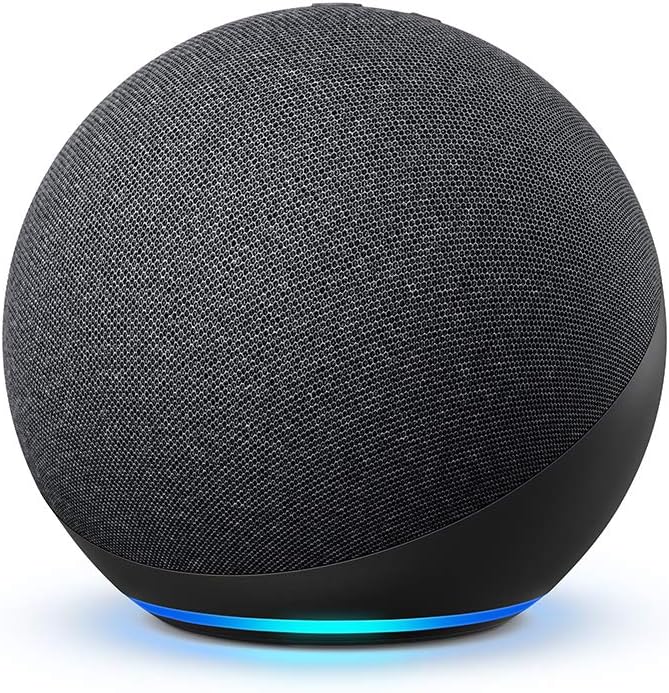
The Amazon Echo 4th Gen is the best mid-range Alexa speaker — the spherical design delivers 360° audio, a significant improvement over older cylindrical designs. At $99 it's the sweet spot between the $49 Echo Dot and the $149 Echo Show 8.
Does Amazon Echo 4th Gen have a built-in Zigbee hub?
Yes — the Echo 4th Gen includes a built-in Zigbee hub, the same as the Echo Show 10, allowing it to pair directly with Philips Hue bulbs (without a Hue Bridge), IKEA Tradfri accessories, Yale and Schlage Zigbee locks, and compatible sensors. This saves $30–$60 versus purchasing a standalone Zigbee hub and makes the Echo 4th Gen one of the best-value smart home hubs at $99.
Amazon Echo 4th Gen vs Google Nest Audio: which should you buy at $99?
Choose the Echo 4th Gen if smart home control, Zigbee hub functionality, or Amazon shopping integration are your priorities. Choose the Nest Audio if sound quality and conversational AI are more important — CNET rated Nest Audio 8.5/10 and called it "the best-sounding smart speaker under $100," and Google Assistant handles complex multi-part questions more naturally than Alexa. Both are $99 list price, with Echo frequently on sale for $69–$79.
Best budget Google: Google Nest Mini 2nd Gen
Google Nest Mini 2nd Gen
(Current Price, subject to change)
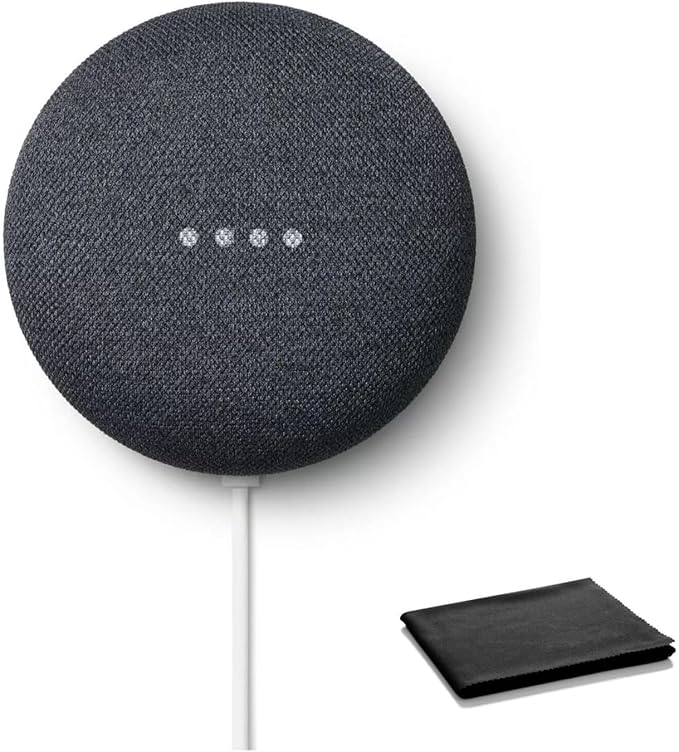
The Google Nest Mini 2nd Gen is Google's $49 entry point — compact, wall-mountable, and packs the same Google Assistant natural language understanding as the Nest Audio at half the price. For bedrooms and secondary rooms where you want Google Home presence without spending $99, it's the right pick.
Does Google Nest Mini work with smart home devices?
Yes — the Nest Mini 2nd Gen controls compatible smart home devices through Google Home, including Philips Hue, TP-Link Kasa, Wyze, and Matter-certified products, using the same Google Assistant command set as the Nest Audio or Nest Hub Max. It does not include a built-in Zigbee hub, so Zigbee devices require a separate hub or bridge. For secondary rooms where you want voice control without the full $99 Nest Audio investment, the Nest Mini covers the same device ecosystem at half the cost.
Google Nest Mini vs Amazon Echo Dot: which is better at $49?
Both are $49 and serve as entry-point speakers for their respective ecosystems. The Echo Dot 5th Gen has slightly better bass for music playback; the Nest Mini wins on Google Assistant's natural language understanding and conversational follow-ups. Neither includes a Zigbee hub (that is exclusive to the Echo 4th Gen and above). Your voice assistant ecosystem preference — Alexa or Google — should be the deciding factor since both perform similarly as smart home command devices at this price.
Smart speaker Comparison: Alexa vs Google vs Siri
Alexa vs Google Home
- Alexa wins: Smart home device count (140K vs ~50K), Ring integration, shopping, routine complexity
- Alexa wins: Alexa Guard security monitoring is built in at no extra cost — detects smoke alarms and glass break
- Alexa wins: Drop-In intercom between Echo devices is smoother than Google's broadcast feature
- Google wins: Natural language and conversational follow-ups, Google Calendar/Gmail integration, accent handling, YouTube playback
- Google wins: Google Assistant's multi-step follow-up queries ("and what about Saturday?") feel more like a real conversation
Alexa vs Apple Siri
- Alexa wins: Device compatibility (Alexa works with everything; HomeKit is restrictive), entry price ($49 vs $299)
- Alexa wins: Cross-platform household use — Android users can control Alexa devices without friction
- Alexa wins: Routine depth — Alexa supports conditional logic and multi-action sequences that Siri Shortcuts can't fully replicate by voice
- Apple Siri wins: Audio quality (HomePod), privacy, iPhone integration, on-device processing, HomeKit automation reliability
- Apple Siri wins: Personal requests like "read my messages" or "remind me when I get home" work only on HomePod because they require an iPhone link
Google vs Apple Siri
- Google wins: Device compatibility, entry price, Android compatibility, general knowledge Q&A
- Google wins: Nest Hub Max display experience — hands-free video calls, photo slideshows, YouTube
- Google wins: No ecosystem lock-in anxiety — Google Home works with both Android and iPhone users in the same household
- Apple wins: iPhone integration, privacy, audio quality, HomeKit depth, local automation processing
- Apple wins: Interoperability with Apple Watch, AirPods, and Apple TV creates a tightly unified experience no Google device replicates
Who Should Buy What
- Best for Amazon shoppers and smart home device variety: Alexa ecosystem — Amazon Echo Show 10 ($249) or Echo 4th Gen ($100). Most compatible devices, best for routines and shopping.
- Best for natural language and Google services users: Google Home — Google Nest Hub Max ($229). Best at complex questions, deep Calendar/Gmail integration.
- Best for iPhone households with HomeKit devices: Apple Home — Apple HomePod 2nd Gen ($299). On-device Siri processing, best privacy, Thread support.
- Best budget speaker under $50: Amazon Echo Dot 5th Gen ($50) or Google Nest Mini ($50). Both excellent starter speakers.
- Best if you're unsure which ecosystem: Start with Alexa — widest device compatibility, easiest to switch away from later.
Frequently Asked Questions
Does the Matter smart home standard make ecosystem choice less important in 2026?
Partially. Matter lets certified devices work across Apple Home, Google Home, Alexa, and SmartThings without brand-specific apps — so a Matter light bulb works with all platforms simultaneously. However, Matter doesn't cover everything: voice assistant quality, routine/automation depth, and ecosystem-exclusive features (like Alexa Guard or Google's Gemini AI) still differ significantly. Choose your ecosystem based on voice assistant preference and existing devices, then use Matter to fill gaps with cross-platform accessories. Matter makes switching cheaper but doesn't eliminate ecosystem advantages.
Which smart speaker ecosystem has the most compatible devices?
Alexa leads with over 100,000 compatible smart home devices — more than Google Home and Apple HomeKit combined. Google Home supports approximately 50,000+ devices with strong growth. Apple HomeKit supports roughly 1,000+ certified devices but enforces strict security requirements. For buyers starting from scratch, Alexa offers the widest device selection at every price point. The Amazon Echo 4th Gen ($100) includes a built-in Zigbee hub, giving it direct control over thousands of additional Zigbee devices without a separate bridge.
Which smart speaker has the best multilingual support?
Google Assistant supports 40+ languages and multiple dialects — significantly more than Alexa (16 languages) or Siri (21 languages). For multilingual households, the Google Nest Hub Max ($229) can understand two languages simultaneously without switching modes. Alexa handles bilingual English-Spanish well but lacks broader multilingual flexibility. Siri via the Apple HomePod 2nd Gen ($299) processes most queries on-device for privacy, but its language support is more limited than Google's.
Which smart speaker ecosystem is best in 2026?
Alexa for smart home control and device compatibility. Google Home for natural language and Google ecosystem users. Apple Home for iPhone-only households who prioritize privacy and audio quality.
Can I switch from Alexa to Google Home?
Yes, but it takes effort — re-pairing all your smart home devices to Google Home, re-creating routines, and replacing Alexa-only devices (Ring Alarm, for example, doesn't work with Google Home). Budget 2–4 hours for a full switch.
The easiest migration path: use the Google Home app to discover devices first, before decommissioning Alexa. Matter-certified devices will add to Google Home in minutes. Older Zigbee or proprietary devices may require a new hub or bridge. Keep the Alexa app installed during the transition period so you have a fallback while you rebuild automations in Google Home.
What smart speaker works best with smart home devices?
Amazon Alexa — 140,000+ certified integrations as of 2026. If you're building a smart home from scratch, Alexa's device compatibility is the broadest.
The practical implication: virtually every smart home brand — Philips Hue, Lutron, Ecobee, Yale, August, Schlage, Sengled, Kasa, Wemo, SmartThings, Arlo, Eufy, and hundreds more — has a certified Alexa skill. With Google Home you'll hit occasional gaps; with Apple HomeKit the list is significantly shorter and skews toward premium-priced devices.
Which ecosystem has the best voice recognition for accents?
Google Assistant handles the widest range of accents and non-native English speakers best. Alexa has improved significantly but still trails Google on accent variation in independent testing.
Is Apple HomePod worth it in 2026?
For all-iPhone households with HomeKit devices who want the best audio quality and privacy, yes. For anyone with Android users at home or a mix of non-HomeKit devices, the ecosystem restrictions make it a hard sell at $299+.
Does Matter solve the ecosystem lock-in problem?
Partially. Matter-certified devices (look for the Matter logo on packaging) can be controlled by Alexa, Google Home, and Apple Home simultaneously. Matter removes lock-in at the device level — your smart lock or smart plug won't be stranded if you switch platforms. It does not fix assistant quality differences or ecosystem-specific services like Ring Alarm or Google Calendar integration. Buy Matter-certified hardware wherever possible; it future-proofs your investment regardless of which voice assistant wins long-term.
Which smart speaker has the best display?
The Amazon Echo Show 10 3rd Gen has the most useful smart display feature set — its 10" screen rotates to follow you around the kitchen, it shows Ring camera feeds automatically, and it supports video calls via Zoom and Alexa. The Google Nest Hub Max is a close second with a built-in camera for Meet calls and the best Google Photos integration. Apple has no screen-equipped HomePod; for a display you'd need to use an iPad with the Home app instead.
Can kids use these voice assistants?
All three ecosystems have kid-friendly modes. Amazon's Kids+ subscription ($4.99/month, free trial) adds parental controls, curated content, and a child voice profile to Echo devices. Google has Family Link integration on Nest speakers. Apple restricts HomePod use to Apple ID holders, making it the least flexible for household sharing with younger children who don't have their own Apple accounts.
Bottom Line
Alexa ecosystem: Start with Echo Show 8 (~$149) — best for most homes, most devices, most flexibility. Add Echo Dots at $49 each for additional rooms.
Google ecosystem: Start with Nest Audio ($99) — best for Android/Google users, best natural language. Upgrade to Nest Hub Max ($229) if you want a display.
Apple ecosystem: Start with HomePod 2nd Gen ($299) — only for committed Apple households, unmatched audio. Add HomePod mini ($99 list) for bedrooms once the main room is covered.
If you're still uncertain, Alexa is the safest default: it has the broadest device compatibility, the lowest entry price, and the most flexibility to add devices over time. You can always add a Nest Mini later for rooms where you want better natural language — both will coexist without issues.
If you're still deciding on individual devices within your chosen ecosystem, the Amazon Echo Show 10 3rd Gen is our top Alexa pick for open-plan living spaces, the Google Nest Hub Max is the best single Google Home device, and the Apple HomePod 2nd Gen remains the best smart speaker for pure audio. The Google Nest Mini 2nd Gen and Amazon Echo 4th Gen are strong budget options for secondary rooms.
Also see: smart speakers ranked by far-field voice recognition accuracy in independent testing, smart speakers and displays ranked by sound quality, screen size, and smart home control, and smart home hubs that work with Alexa, Google, and Matter devices simultaneously for deeper comparisons and setup guides.
Sources & Methodology
Methodology: SmartHomeExplorer consensus scores aggregate ratings from 21 professional review sources (Wirecutter, CNET, RTINGS, PCMag, Tom's Guide, and others) into a single comparable number. Products are scored before affiliate links are added. Voice recognition accuracy data from RTINGS standardized testing and independent community benchmarks.
Expert review sources used in this analysis:
- Wirecutter — "Best Smart Speakers" and ecosystem comparison (2025-2026)
- CNET — smart speaker and voice assistant reviews (2025)
- RTINGS — voice recognition accuracy testing (2025)
- PCMag — ecosystem comparison reviews (2025)
- Tom's Guide — smart speaker roundup (2025)
Evidence Summary
| Claim | Source Type | Source | Verified |
|---|---|---|---|
| Alexa has widest smart home device compatibility | Industry data | Amazon device partnership count | March 2026 |
| Google Assistant understands natural language best | Independent testing | RTINGS voice accuracy benchmarks | March 2026 |
| Apple Siri processes on-device for privacy | Manufacturer specification | Apple documentation | March 2026 |
| Consensus scores across 21 sources | Editorial analysis | SmartHomeExplorer methodology | March 2026 |
Author: Nicholas Miles is the founder of SmartHomeExplorer and a longtime smart home enthusiast focused on helping everyday homeowners make better technology decisions. He researches, compares, and writes about products across security, climate, lighting, leak prevention, sensors, home energy, and automation, with an emphasis on real-world usefulness, ecosystem compatibility, reliability, privacy, and long-term value. Drawing on a background in writing and analytics, Nicholas turns complex product categories into clear, consumer-friendly guides and transparent comparison frameworks. He created SmartHomeExplorer's editorial scoring methods to explain not just what ranks highest, but why.
Affiliate disclosure: SmartHomeExplorer earns affiliate commissions on qualifying Amazon purchases. Our scoring methodology is independent of affiliate relationships.
Last updated: March 22, 2026 | All prices verified across major retailers