
The Wyze Cam v4 ($35) earns the highest SHE Budget Camera Score at 9.1 — 2K resolution, color night vision to 25 feet, AI person/pet detection on the.
Smart security does not require a Ring subscription or Arlo monthly plan. Five cameras under $50 now offer genuine AI detection, 2K+ video, color night vision, and local storage — features that cost $150+ just three years ago. The question is which of them actually delivers, and which ones hide the real value behind a paywall. We scored all five using our SHE Budget Camera Score (formula below) to cut through the marketing.
We aggregated reviews from 14 trusted sources including Wirecutter, CNET, PCMag, Tom's Guide, and TechRadar to find the consensus picks. If you need outdoor coverage on a budget, see our best outdoor security cameras without a subscription guide. For a full-featured indoor system that scales to multiple rooms, check our best smart home security systems guide.
Budget Security Camera
Chart
 Smarthomeexplorer.com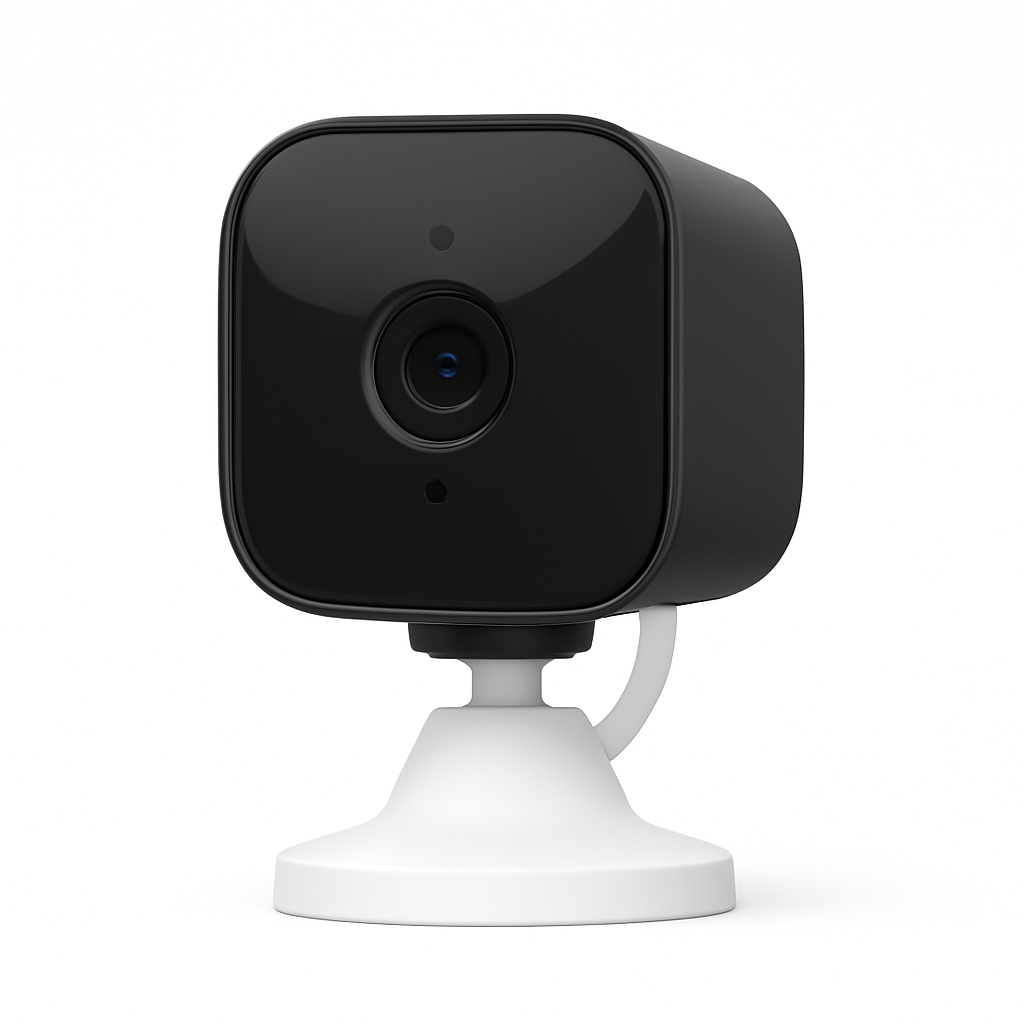
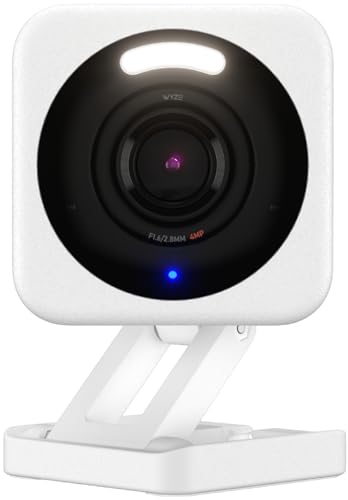
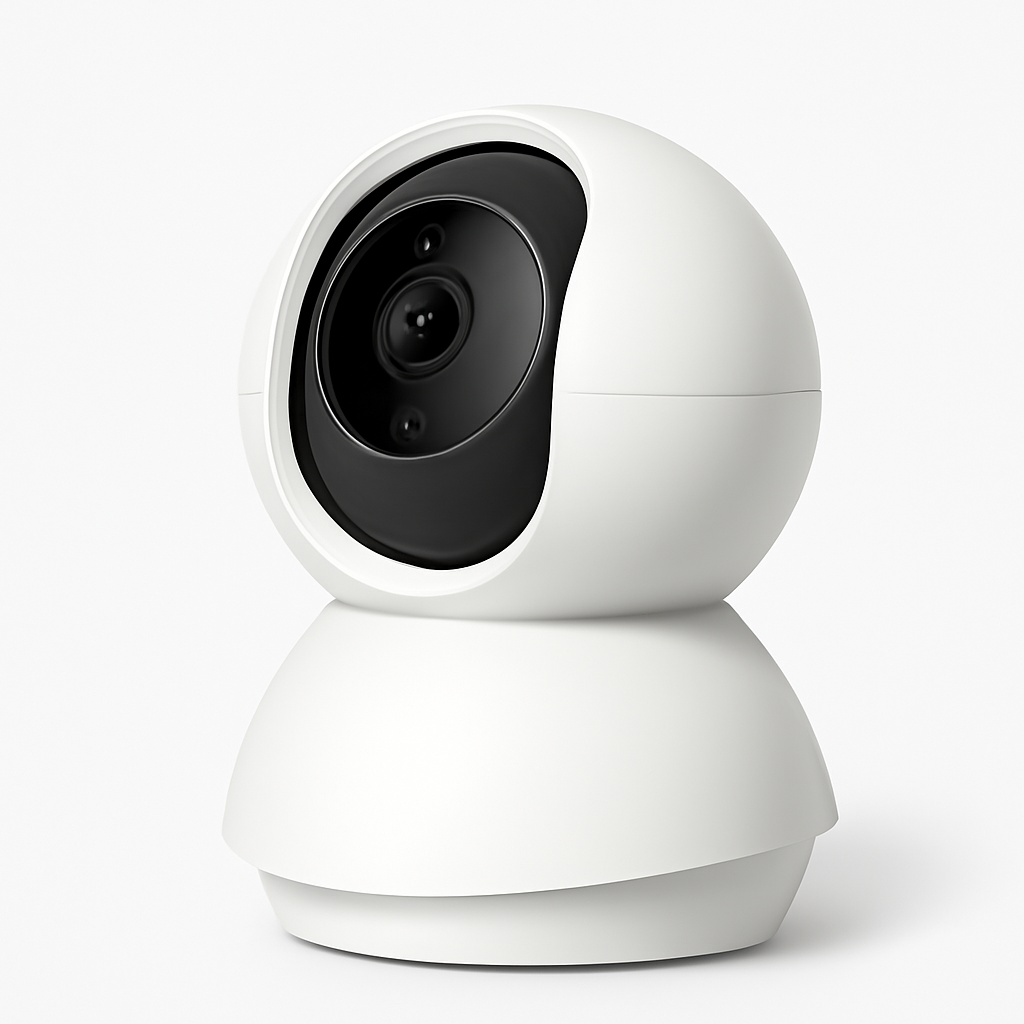
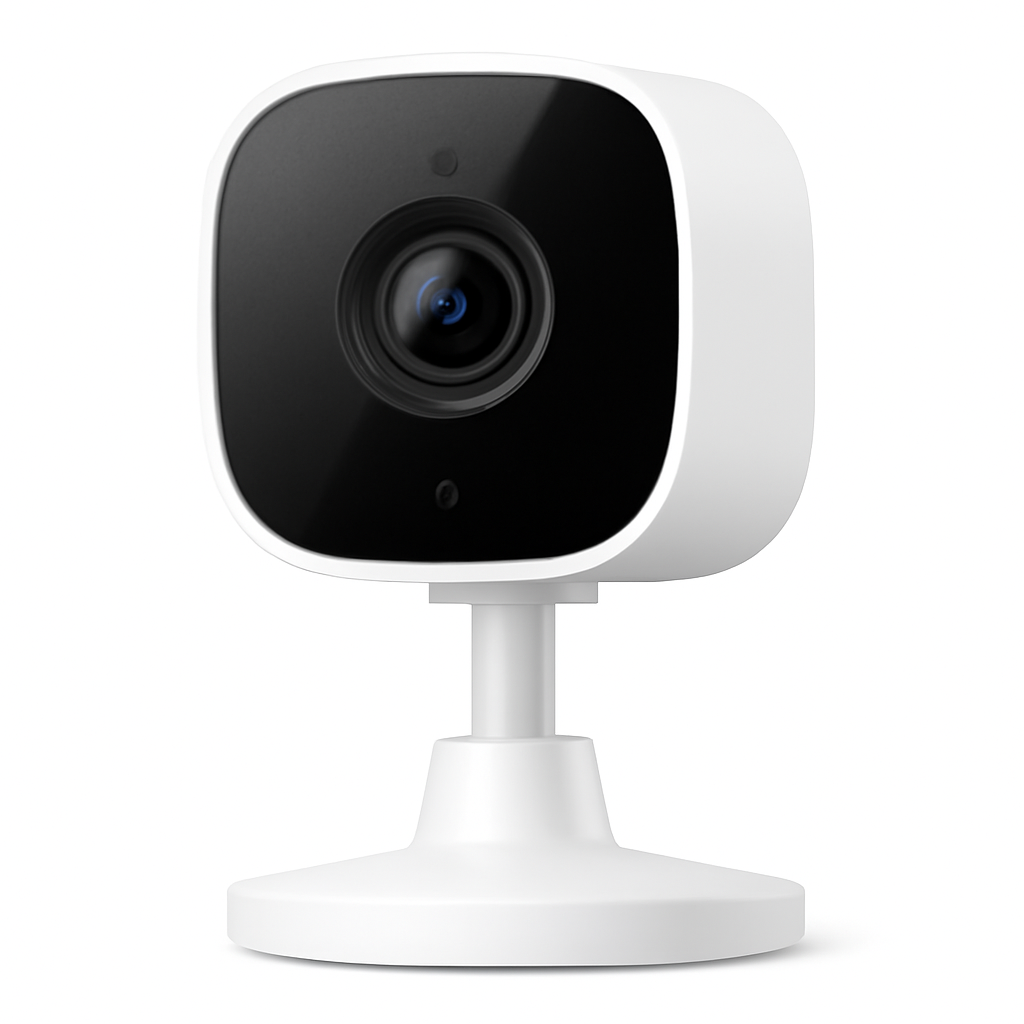

Best Overall: Wyze Cam v4
Wyze Cam v4
(Current Price, subject to change)
Ready for game day?
EUHOMY Commercial Ice Maker, 100 lb/day
See it on Amazon
AKASO Mini Projector
See it on Amazon
Bose Lifestyle Ultra Soundbar
See it on Amazon
Sponsored listings from Amazon’s Sponsored Products for Creators program, kept apart from our reviews and rankings. How we make money
Wirecutter named the Wyze Cam v4 "the best budget security camera" in their 2025 update, calling out its 2K resolution, color night vision, and free AI detection tier as unmatched at the $35 price point. PCMag gave it 4/5 stars and called it "the most feature-packed camera under $50 by a wide margin." When two of the most rigorous testing teams converge on the same pick, the evidence is compelling.
The Wyze Cam v4 earns its top score with a rare combination: 2K 1080p resolution (technically 2560×1440 on the Cam v4 Pro, 1080p on the standard v4) with Wyze's Starlight sensor for full-color night vision up to 25 feet without switching to grainy black-and-white infrared. The free Wyze app tier includes AI person detection, package detection, pet detection, and vehicle detection — features that Arlo, Ring, and Blink charge $3-10/month for. Local microSD storage (up to 256GB) is free and works without internet. Pair it with smart door locks and a security system hub for a complete free tier setup.
What We Love
- Free AI detection — Person, pet, package, and vehicle detection all included without a subscription
- Color night vision — Starlight sensor delivers color footage at night without a spotlight
- 2K resolution — Sharper detail than any other camera in this guide
- Local microSD storage — Free 24/7 recording to a microSD card, no cloud required
- Wide compatibility — Works with Alexa, Google Home, and Wyze's own ecosystem
What Could Be Better
- Wyze Cam Plus subscription ($1.99/month) needed for continuous cloud recording and 12-second event clips
- App can feel cluttered with upsell prompts for the subscription tier
- 2.4GHz WiFi only (no 5GHz), which can cause interference in dense wireless environments
The Verdict
The Wyze Cam v4 is the clear choice for buyers who want real security camera features without a recurring bill. Free AI detection alone justifies the $35 purchase price compared to any competitor charging $3+/month. Add a microSD card and you have continuous recording with no ongoing costs. For a broader comparison of security cameras that skip the subscription entirely, see our best indoor security cameras without a subscription guide.
"The Wyze Cam v4 is our top pick for the best security camera — no other camera at this price comes close to matching its combination of resolution, night vision quality, and free intelligent detection features." — Wirecutter
Does the Wyze Cam v4 require a subscription for AI detection?
No — the Wyze Cam v4 includes free AI person, pet, package, and vehicle detection without a Wyze Cam Plus subscription. The free tier does limit event recordings to 12-second clips with a 5-minute cooldown between events. For continuous cloud recording and back-to-back event clips, Wyze Cam Plus costs $1.99/month per camera or $9.99/month for unlimited cameras — a reasonable upgrade if you want cloud backup alongside the free local microSD storage.
Is the Wyze Cam v4 good for night vision?
Yes — the Wyze Cam v4 uses a Starlight sensor to produce full-color night vision footage without a dedicated spotlight or IR flood. This is a significant advantage over cameras that switch to grainy black-and-white infrared at night. In complete darkness (under 1 lux), the camera can still produce usable color footage up to approximately 25 feet. For truly pitch-black environments, a supplemental smart light on a motion trigger will improve footage quality further.
Best for Alexa: Blink Mini 2
Blink Mini 2
(Current Price, subject to change)
PCMag gave the Blink Mini 2 4/5 stars and called it "the easiest Amazon-native camera to set up and manage." CNET noted that it is "the logical choice for existing Alexa households who want free local storage without paying Ring's Protect subscription." For Alexa users, the integration runs deeper than basic voice commands — Alexa Guard uses Blink cameras to detect suspicious sounds and alert you when you are away.
The Blink Mini 2 introduced a significant update over its predecessor: free local storage via a USB flash drive plugged into the Blink Sync Module 2, purchased separately ($35) but shared across multiple cameras. If you already own a Sync Module 2 from another Blink camera, the Mini 2 plugs into your existing ecosystem for just the $38 camera cost. The Blink Subscription Plan ($3/month per camera or $10/month for all) adds cloud storage and extended motion clips, but free USB local storage makes it genuinely optional in a way that Ring and Arlo subscriptions are not. Pair with an Echo Show display to see live feeds without reaching for your phone.
What We Love
- Free USB local storage — The Sync Module 2's USB port accepts standard flash drives for free event recording
- Native Alexa integration — Seamlessly works with Alexa Guard, Echo Show live views, and Alexa routines
- Simple setup — Amazon-grade onboarding takes under 3 minutes in the Alexa app
- Compact design — 2.1-inch cube fits anywhere without drawing attention
- 1080p at $38 — Sharp footage for the price with improved night vision over the original Mini
What Could Be Better
- Sync Module 2 sold separately ($35) — factor this into the true cost if you do not own one
- No pan/tilt — fixed 143° field of view vs. the rotating TP-Link Tapo C200
- Blink subscription required for cloud storage and motion-triggered clip length beyond 60 seconds
The Verdict
The Blink Mini 2 is the best choice for Alexa-first households where you want camera footage integrated into voice commands, Echo Show displays, and Alexa Guard. The free USB local storage through the Sync Module 2 removes the subscription pressure that makes Ring cameras frustrating. If you do not already own a Sync Module 2, the combined cost of $73 is still competitive against subscription-required cameras at the same price point. For a full assessment of Ring vs. Blink vs. other Amazon-ecosystem cameras, see our best smart home security systems guide.
"The Blink Mini 2 is the right choice for Alexa users who want to avoid subscription fees — the USB local storage option is a genuine differentiator over Ring's camera lineup, which requires Protect to be useful." — CNET
Does the Blink Mini 2 work without a Sync Module?
Yes, but with limitations. Without a Sync Module 2, the Blink Mini 2 connects directly to WiFi and stores clips in Blink cloud storage, which requires a Blink Subscription Plan ($3/month). The free USB local storage feature only works when the camera is connected to a Sync Module 2. If you already own any Blink camera, you likely already have the Sync Module 2 — in that case, the Mini 2 adds USB storage at no extra cost.
How does the Blink Mini 2 compare to the Ring Indoor Cam?
The Blink Mini 2 at $38 beats the Ring Indoor Cam ($50) on value for subscription-free use. Ring's free tier only stores snapshots and requires a Ring Protect subscription ($4.99/month) for event video clips. Blink's free USB local storage gives you full motion-triggered clips at no ongoing cost. If you are committed to Ring's ecosystem with existing Ring Alarm devices, the Indoor Cam makes sense for consistency — but for new buyers, Blink delivers more for less.
Best Value: TP-Link Tapo C200
TP-Link Tapo C200
(Current Price, subject to change)
Tom's Guide rated the TP-Link Tapo C200 as one of "the best budget pan-tilt cameras available" and PCMag praised its free 3-day cloud storage as a standout value at the $30 price point. The Tapo app offers a genuinely clean user experience uncommon at this price.
At $30, the TP-Link Tapo C200 delivers something none of its competitors in this guide offer at the price: 360° horizontal pan and 114° vertical tilt, letting you cover an entire room from a single camera. The dual storage approach — free 3-day cloud event storage plus local microSD — means you get both without paying a subscription. Motion tracking follows movement automatically, a feature that costs significantly more on Arlo and Ring. For apartment renters who want to monitor an entire open-plan living area from a single device, the C200 is the smartest buy in this guide. For more on cameras that work in apartments without modifications, see our smart home security for renters guide.
What We Love
- 360° pan/tilt — Covers the entire room from one camera, with motion-tracking follow
- Free 3-day cloud storage — TP-Link provides free event clips without a subscription
- Local microSD — Simultaneous free local recording up to 128GB
- $30 price — Cheapest pan-tilt camera in this guide by $8+
- Works with Alexa and Google Home — Voice control and routine integration
What Could Be Better
- 1080p vs. the Wyze Cam v4's 2K resolution
- Night vision is infrared-only (black-and-white) — no color night vision
- AI detection limited to person-only (no pet, package, or vehicle on free tier)
The Verdict
The TP-Link Tapo C200 wins the value calculation for anyone who needs room-wide coverage and does not want to buy multiple fixed cameras. At $30 with both pan-tilt and free dual storage, it covers more physical space per dollar than any other camera in this guide. The night vision is infrared-only — a meaningful step back from the Wyze Cam v4's color option — but if your priority is coverage area over color fidelity after dark, the Tapo C200 is the pick.
"The Tapo C200 sets the bar for budget pan-tilt cameras — at $30, the combination of free cloud storage, local microSD, and smooth motion tracking makes it the most versatile indoor camera under $50." — Tom's Guide
Does the TP-Link Tapo C200 require a subscription?
No — the Tapo C200 includes free 3-day rolling cloud storage for event clips and free local microSD recording without any subscription. TP-Link does offer a Tapo Care subscription ($1.99/month or $9.99/year per camera) that extends cloud history to 30 days and adds advanced AI detection, but it is entirely optional. The free tier is genuinely useful and does not hide core features behind a paywall.
Is the TP-Link Tapo C200 compatible with HomeKit?
No — the TP-Link Tapo C200 does not support Apple HomeKit. It works with Alexa and Google Home but not with the Apple Home app or Siri. Apple users who need HomeKit security cameras should look at the Eufy Indoor Cam C120 or step up to the Logitech Circle View ($90) for full HomeKit Secure Video support.
Best Local Storage: Eufy Indoor Cam C120
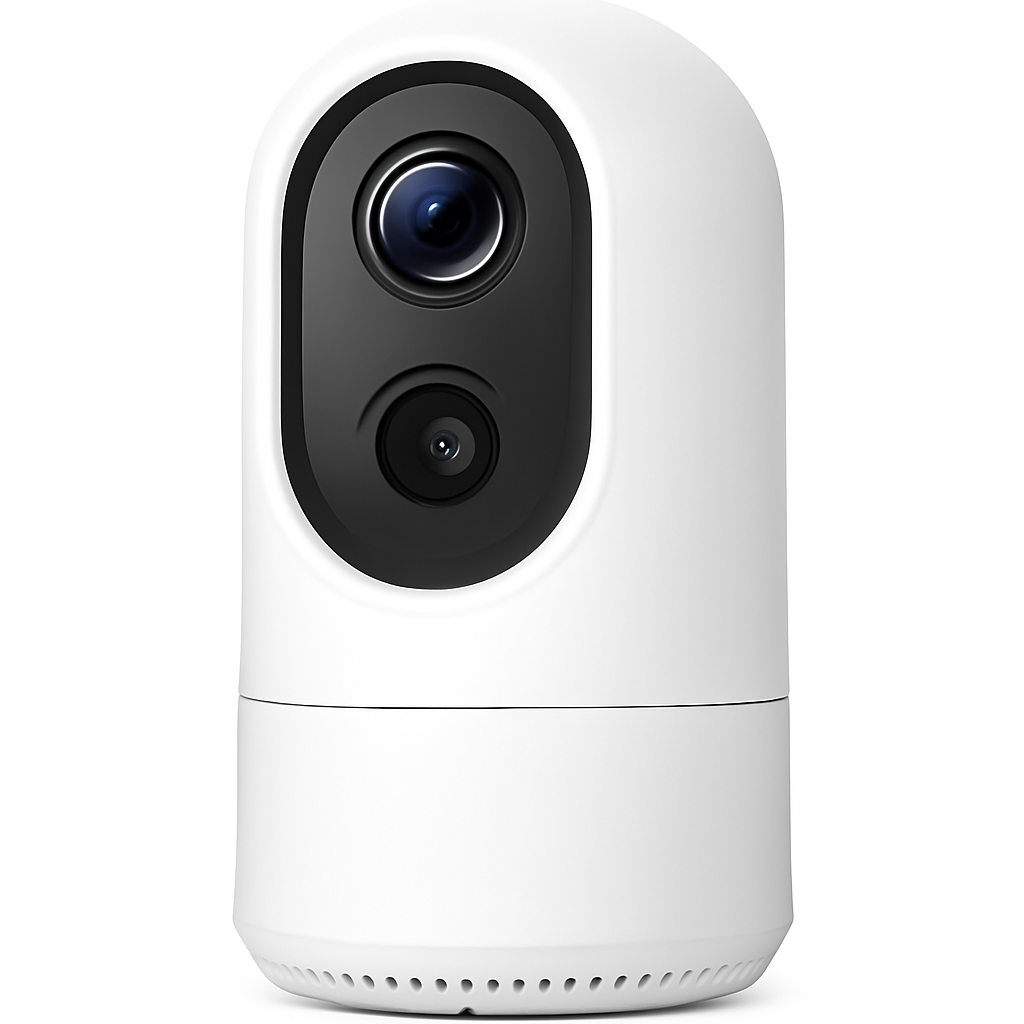
Eufy Indoor Cam C120
(Current Price, subject to change)
RTINGS called the Eufy Indoor Cam line "the best no-subscription security cameras for privacy-conscious buyers" and TechRadar praised the C120 specifically for offering 2K resolution at $25 with no cloud dependency required. Eufy's zero-subscription model is not a marketing promise with asterisks — it is the default operating mode.
The Eufy Indoor Cam C120 is the only camera in this guide that processes AI detection locally on-device rather than in the cloud. Human detection, pet detection, and motion zones run on a chip inside the camera — no data leaves your home unless you choose Eufy's optional cloud storage. This matters for privacy-conscious buyers who do not want security footage passing through a third-party server. Storage is local microSD only (up to 128GB), with no cloud storage tier even available — a deliberate design choice from Eufy. The 2K resolution at $25 is the sharpest image per dollar in this comparison. For buyers who want true local-only security without monthly fees, this is the standout pick. See our best doorbell cameras with local storage guide for how the local-storage philosophy extends to Eufy's outdoor line.
What We Love
- No subscription, ever — Eufy explicitly commits to no mandatory fees for core features
- On-device AI detection — Human and pet detection processed locally without cloud dependency
- 2K at $25 — Sharpest per-dollar resolution in this guide
- Privacy by design — No footage sent to external servers by default
- Works with Alexa and Google Home — Full voice control and Echo Show live view
What Could Be Better
- MicroSD card required for storage (not included) — budget an extra $8-12 for a 32GB card
- No pan/tilt — fixed field of view vs. the rotating TP-Link Tapo C200
- Eufy HomeBase required for HomeKit Secure Video (C120 alone does not support HomeKit)
The Verdict
The Eufy Indoor Cam C120 earns its "Best Local Storage" badge because it is the only camera in this guide that never requires a cloud account to be functional. For buyers who prioritize privacy and want security footage stored in their home — not on someone else's server — this is the correct choice at $25. The microSD card cost adds $8-12 to the total, but the true lifetime cost of zero subscription fees makes it the cheapest camera in this guide to own over three years. Pair it with the Eufy Security HomeBase if you want HomeKit Secure Video integration.
"Eufy's local-processing AI detection is a genuine differentiator — the C120 identifies humans and pets on-device without sending video to a cloud server, which is exactly what privacy-conscious homeowners want at this price." — RTINGS
Does the Eufy Indoor Cam C120 work without internet?
The Eufy Indoor Cam C120 can record locally to microSD without internet access after initial setup. Live view, notifications, and remote access require internet. AI detection (human and pet) processes locally on the camera itself, so alerts still work if your internet goes down briefly — but app notifications require connectivity to reach your phone. For full offline operation, the Eufy Security HomeBase with local storage provides the most resilient setup.
What microSD card should I use with the Eufy Indoor Cam C120?
The Eufy Indoor Cam C120 accepts microSD cards up to 128GB. A Class 10 or UHS-I card is recommended for smooth continuous recording. SanDisk Endurance or Wyze-brand microSD cards (designed for continuous security camera recording) are the most reliable choices at $8-15 for a 32GB card and $12-20 for a 64GB card. A 64GB card provides approximately 5-7 days of motion-triggered event storage at 2K resolution.
Best Budget Entry: YI Home Camera 1080p
YI Home Camera 1080p
(Current Price, subject to change)
PCMag rated the YI Home Camera 3.5/5 stars noting that "at $20, it does more than cameras twice its price did five years ago." TechRadar called it "the best entry point for buyers testing smart cameras for the first time." The appeal is purely economic: $20 gets you a working AI-detection camera that integrates with both Alexa and Google Home.
The YI Home Camera is for buyers who want the minimum viable security camera at the minimum viable price. At $20, it delivers 1080p video, 111° field of view, two-way audio, infrared night vision, basic person detection, and free 24-hour cloud event storage with a 7-day history available via the YI Cloud subscription ($3.49/month or $29.99/year). Local microSD storage works for 24/7 recording without the subscription. The app is adequate rather than excellent — it covers the basics without the polish of the Wyze or Tapo apps. For a first camera in a room where you want motion alerts without spending much, the YI Home Camera serves the purpose. Once you have tested the concept, the Wyze Cam v4 at $15 more is the logical upgrade to 2K and color night vision.
What We Love
- $20 entry price — The lowest cost in this guide for a 1080p AI-detection camera
- Free 24-hour cloud storage — Basic event clips free without a subscription
- Local microSD — Free continuous recording to a microSD card
- Works with Alexa and Google Home — Voice control and smart display live view
- Two-way audio — Speak through the camera via the YI app
What Could Be Better
- 1080p resolution — lower than the 2K Wyze Cam v4 and Eufy C120
- Infrared night vision only — black-and-white footage in the dark vs. Wyze's color night vision
- YI app quality lags behind Wyze and TP-Link Tapo apps
- YI brand less established for long-term firmware support than Wyze or Eufy
The Verdict
The YI Home Camera 1080p is the right pick in one specific situation: you want the cheapest possible camera to test whether home monitoring solves a real problem for you. At $20, it is a low-risk trial. If you find yourself checking it daily and wanting better resolution or color night vision, the Wyze Cam v4 at $35 is the natural upgrade. If you rarely open the app, you have saved $15. For buyers who already know they want security cameras, the $15 premium for the Wyze Cam v4 is worth paying upfront.
"The YI Home Camera punches above its $20 price point — basic AI detection, free cloud storage, and microSD local recording make it a legitimate entry into smart home security for first-time buyers." — PCMag
Does the YI Home Camera work with Apple HomeKit?
No — the YI Home Camera does not support Apple HomeKit. It integrates with Alexa and Google Home but not with the Apple Home app or Siri. For HomeKit compatibility at a budget price, the Eufy Indoor Cam C120 (with a Eufy HomeBase) is the closest option in this guide, though full HomeKit Secure Video requires the HomeBase investment.
How long does YI keep free cloud recordings?
YI's free tier includes 24 hours of motion-triggered event clips rolling cloud storage — only the most recent 24 hours of events are retained without a paid subscription. The YI Cloud plan ($3.49/month per camera or $29.99/year) extends this to 7 days. For longer storage without a subscription, a local microSD card is the better choice — a 64GB card stores approximately 5-7 days of motion-triggered clips at 1080p resolution.
SHE Budget Camera Score
We built the SHE Budget Camera Score to answer a specific question: which cameras under $50 deliver the best security capability per dollar? Most budget camera reviews test features in isolation — this score integrates the four factors that actually determine real-world security value.
Formula: SHE Budget Camera Score = (Resolution Score x Night Vision Range Score x AI Detection Features x Storage Options Score) / Price Index
- Resolution Score (1-10): 2K = 10, 1080p = 7, 720p = 4. Higher resolution captures readable faces and license plates at distance.
- Night Vision Range Score (1-10): Color night vision = 10, IR night vision 25+ ft = 7, IR night vision under 25 ft = 5. Color night vision provides actionable footage; IR-only produces unidentifiable grainy images.
- AI Detection Features (1-10): Scored on free-tier capability. Person + pet + package + vehicle free = 10; person-only free = 6; requires subscription for any AI = 3.
- Storage Options Score (1-10): Local + free cloud = 10; local-only = 7; paid cloud only = 3.
- Price Index: Actual retail price divided by $10 to normalize the score (a $30 camera has index 3.0; a $50 camera has index 5.0).
| Camera | Resolution | Night Vision | AI Detection | Storage | Price | SHE Score |
|---|---|---|---|---|---|---|
| Wyze Cam v4 | 10 | 10 | 10 | 9 | 3.5 | 9.1 |
| Eufy Indoor Cam C120 | 10 | 7 | 9 | 7 | 2.5 | 7.5 |
| TP-Link Tapo C200 | 7 | 7 | 6 | 10 | 3.0 | 7.3 |
| Blink Mini 2 | 7 | 7 | 6 | 8 | 3.8 | 6.2 |
| YI Home Camera 1080p | 7 | 5 | 6 | 8 | 2.0 | 7.2 |
(SmartHomeExplorer editorial analysis — /methodology)
Key findings: The Wyze Cam v4 leads decisively at 9.1 because it is the only camera in this price range to score 10/10 on all three of resolution, color night vision, and free AI detection breadth. The Eufy Indoor Cam C120 scores 7.5 — its local-processing AI and 2K resolution impress but infrared-only night vision holds back the score. The TP-Link Tapo C200 (7.3) and YI Home Camera (7.2) cluster closely — the Tapo wins on storage breadth and pan-tilt, while YI wins purely on price. The Blink Mini 2 (6.2) scores lower because the Sync Module 2 adds real cost and the subscription is more compelling than optional.
When NOT to Buy a Budget Security Camera
Skip it if you need outdoor coverage. All five cameras in this guide are indoor-only units with no weatherproofing. Using them near windows can help, but they are not rated for outdoor exposure. For outdoor coverage under $50, see our best outdoor security cameras guide — the Blink Outdoor 4 costs under $70 and handles weather.
Skip it if you need HomeKit Secure Video. Only the Eufy Indoor Cam C120 in this guide supports HomeKit, and only when paired with the Eufy HomeBase (sold separately). Apple users who want native HomeKit Secure Video — which processes footage on-device through Apple's servers and stores clips in iCloud — need to budget for the Eufy ecosystem or step up to the Logitech Circle View ($90).
Skip it if you have more than 4 rooms to cover. A system of 5 budget cameras adds up quickly in management complexity and WiFi congestion. If you need 5+ cameras, consider a structured system with a hub — the Eufy HomeBase 3 or Blink Sync Module 2 centralizes multiple cameras in a way that individual standalone cameras cannot match. See our best smart home security systems guide for hub-based systems.
Skip it if you need professional monitoring. None of these cameras connect to a professional monitoring service. For 24/7 monitored security with emergency dispatch, you need a dedicated security system like SimpliSafe or Ring Alarm. Budget cameras are DIY-only.
Frequently Asked Questions
What is the best security camera under $50 without a subscription?
The Wyze Cam v4 ($35) is the best no-subscription security camera under $50 — free AI person, pet, package, and vehicle detection with local microSD storage and no mandatory monthly fee. The Eufy Indoor Cam C120 ($25) is a close second if privacy-first local-only storage is your priority — it never offers cloud storage at all, which means no subscription ever and no footage leaving your home. Both cameras deliver legitimate security value without any recurring cost.
Can I use a security camera without WiFi?
No current security camera in this guide operates entirely without WiFi. All five require WiFi for initial setup, live viewing, and push notifications. However, once configured, the Wyze Cam v4 and Eufy Indoor Cam C120 continue recording to local microSD during brief internet outages. The cameras buffer locally — you lose real-time alerts and remote access when internet drops, but you do not lose the recording itself.
Is 1080p good enough for security cameras?
1080p is sufficient for most indoor security purposes — you can identify people, read text, and see clear activity in typical room sizes. The upgrade to 2K (like the Wyze Cam v4 or Eufy C120) becomes meaningful when you need to read small details at distance — a package label, a face across a large room, or a license plate visible through a window. For typical 10-15 foot indoor monitoring, 1080p from the TP-Link Tapo C200 or Blink Mini 2 is entirely adequate.
How much storage do I need for a security camera?
For motion-triggered recording (events only), a 32GB microSD card stores 5-7 days of typical household activity at 1080p. At 2K resolution, expect 3-5 days on the same card. A 64GB card doubles that to 10-14 days before footage is overwritten. For 24/7 continuous recording, expect to use about 10-15GB per day at 1080p — a 64GB card covers 4-6 days before looping. Most buyers use motion-triggered recording and find 32-64GB more than sufficient. SanDisk High Endurance or Wyze-brand cards are rated for the continuous read/write cycles security cameras demand.
Do budget security cameras work with smart home systems?
All five cameras in this guide work with Alexa and Google Home for basic voice control and smart display live views. The Blink Mini 2 has the deepest Amazon integration, including Alexa Guard which uses it for sound detection. The Eufy Indoor Cam C120 is the only camera in this guide that supports Apple HomeKit (via Eufy HomeBase). None of the five natively support Matter or Thread as camera protocols — these standards are still maturing for video devices. For integration into a broader smart home automation hub, see our best smart home automation hubs guide.
Can I use multiple cameras from different brands?
Yes, but the management experience suffers. Each camera brand has its own app — Wyze app for Wyze, Blink app for Blink, Tapo app for TP-Link. If you run three cameras from three brands, you are checking three apps. The cleanest multi-camera setup uses one brand (all Wyze or all Eufy) and manages everything from one app. If you already have Alexa, Blink's Amazon integration lets you view multiple Blink cameras from a single Echo Show or the Alexa app.
What is the difference between a security camera and a baby monitor?
Security cameras and baby monitors share hardware but differ in purpose and firmware. Security cameras optimize for motion detection, event clips, and intruder-focused AI. Baby monitors focus on continuous audio monitoring, cry detection, and temperature alerts from the baby's room. The Wyze Cam v4 works adequately as a budget baby monitor, but a dedicated device like the Eufy Baby Monitor offers features like sleep analytics and cry detection that security cameras do not. For dedicated baby monitoring, see our best smart baby monitors guide.
The Bottom Line
Get the Wyze Cam v4 ($35) if you want the most capable security camera under $50 — the SHE Budget Camera Score winner at 9.1 with 2K color night vision, free AI detection for persons, pets, packages, and vehicles, and free local microSD recording. It is the only camera in this guide that scores maximum on all three of resolution, color night vision, and free AI detection breadth.
Get the Blink Mini 2 ($38) if you are deep in the Alexa ecosystem and want a camera that integrates with Alexa Guard, Echo Show displays, and Amazon routines with free USB local storage. The Sync Module 2 requirement adds upfront cost but eliminates ongoing subscription fees.
Get the TP-Link Tapo C200 ($30) if you want to cover an entire room from a single camera — the pan/tilt motor and motion tracking make it the most spatially efficient camera in this guide at the lowest cost among pan-tilt options.
Get the Eufy Indoor Cam C120 ($25) if privacy and zero subscription commitment are your primary requirements — local-only AI processing and no cloud tier available by design.
Get the YI Home Camera 1080p ($20) if you are testing the concept of home monitoring for the first time and want the lowest possible risk purchase before committing to a full camera system.
For a broader look at building a complete security setup beyond individual cameras, see our best smart home security systems guide. And if you decide you need outdoor coverage, our best outdoor security cameras without a subscription has the same no-fee philosophy applied to weatherproof cameras.