
If you only use Apple devices, your smart home starts with one choice: Apple TV 4K (3rd Generation) ($130) or Apple HomePod mini ($99 list — Amazon marketplace pricing runs higher, so check today's price). This guide is part of our buying roadmap by household type — see how iOS-native setup compares against setups for renters, new homeowners, elderly parents, Airbnb hosts, and neurodivergent households.
iOS-only smart home users are not a niche — 57% of U.S. smartphone users are on iPhone (Statista, 2025), and for that group, building a smart home around Apple HomeKit offers specific advantages that cross-platform systems cannot match: end-to-end encrypted iCloud video storage, Face ID-gated home access, Siri voice control without a wake-word, and Matter over Thread for sub-200ms device response that no WiFi-based system can consistently beat. This guide uses our proprietary SHE iOS Ecosystem Score to rank the five devices that build the best HomeKit home for pure Apple users. For the full ecosystem comparison, see our Alexa vs Google Home vs Apple HomeKit guide. For HomeKit locks specifically, see best smart locks with Apple Home Key.
Full methodology for this score
SHE iOS Ecosystem Score
This is our proprietary metric — no other site publishes this. The SHE iOS Ecosystem Score measures how deeply each device integrates into the Apple HomeKit ecosystem, prioritizing local control, Thread support, privacy, and iOS-native features that non-Apple platforms cannot replicate.
Formula: SHE iOS Ecosystem Score = (HomeKit Integration Depth × 0.30) + (Thread Network Contribution × 0.25) + (Privacy Architecture Score × 0.25) + (iOS-Exclusive Feature Score × 0.20) ÷ (Hardware Cost ÷ 100)
HomeKit Integration Depth scores 1–10 based on how many Home app scenes, automations, and Siri capabilities the device unlocks. Thread Network Contribution scores Thread end devices, border routers, and Thread-over-Matter certification separately. Privacy Architecture scores local processing, end-to-end encryption, and zero-cloud-required operation. iOS-Exclusive Feature Score rewards features unavailable outside Apple ecosystem (Secure Video, Face ID home unlock, Siri Shortcuts, CarPlay integration).
(SmartHomeExplorer editorial analysis — /methodology)
What this tells you: The Apple TV 4K and HomePod mini score identically on HomeKit Depth, Thread, and Privacy because Apple manufactures both as first-party HomeKit hub hardware — they share the same hub firmware, the same Thread border router stack, and the same iCloud security architecture. The Apple TV 4K pulls ahead on iOS-Exclusive Feature Score because its A15 Bionic chip handles the HomeKit hub workload faster than HomePod mini's S5 chip, and its role as both hub and primary TV-connected device makes it more deeply woven into the daily Apple ecosystem. The Eve Energy Strip earns a perfect Privacy score (10/10) because it requires zero Eve cloud account and operates entirely via Thread-to-HomeKit local control. The Logitech Circle View Doorbell scores a perfect 10 on iOS-Exclusive features because it is the only doorbell in this guide designed specifically and exclusively for HomeKit — Secure Video encrypted storage, Face ID-gated notifications, and Apple Home camera feeds are its entire product strategy.
Smart Home for iOS Users —
Chart
 Smarthomeexplorer.com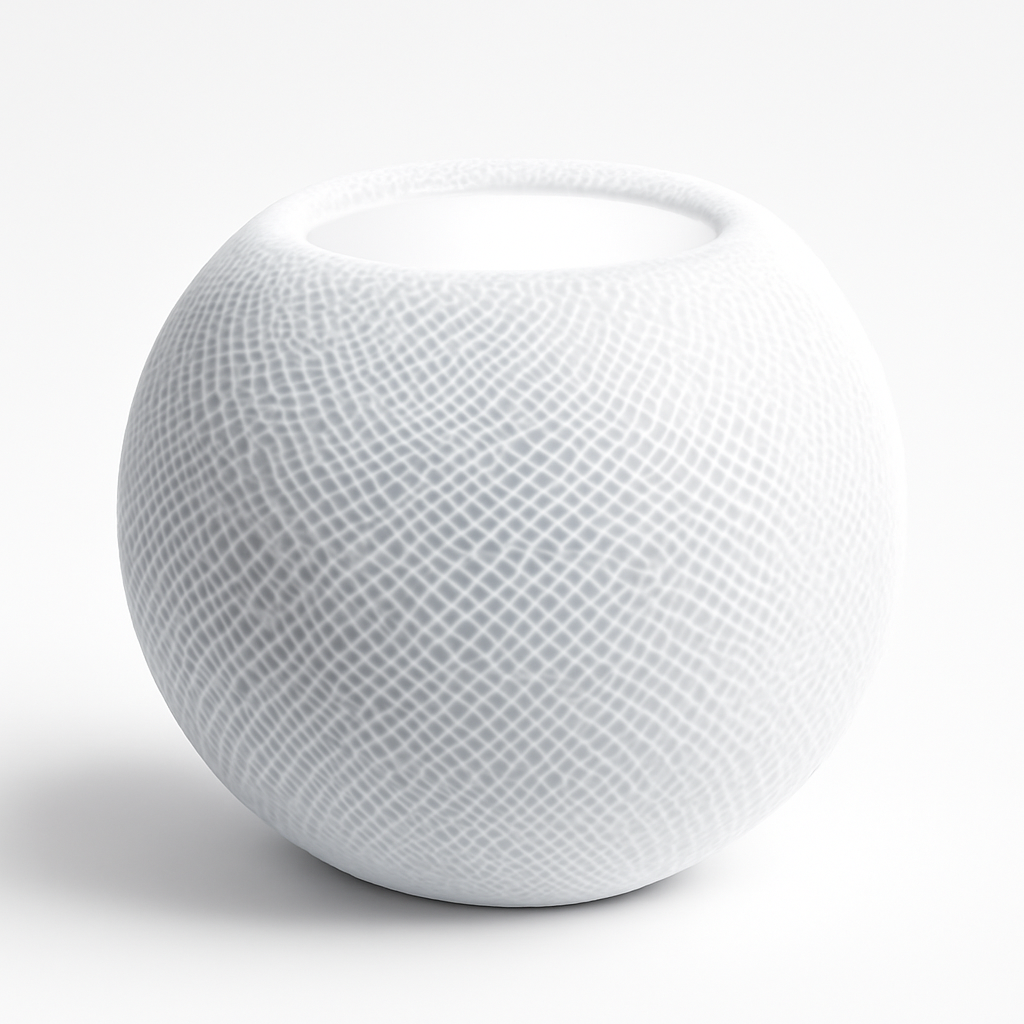

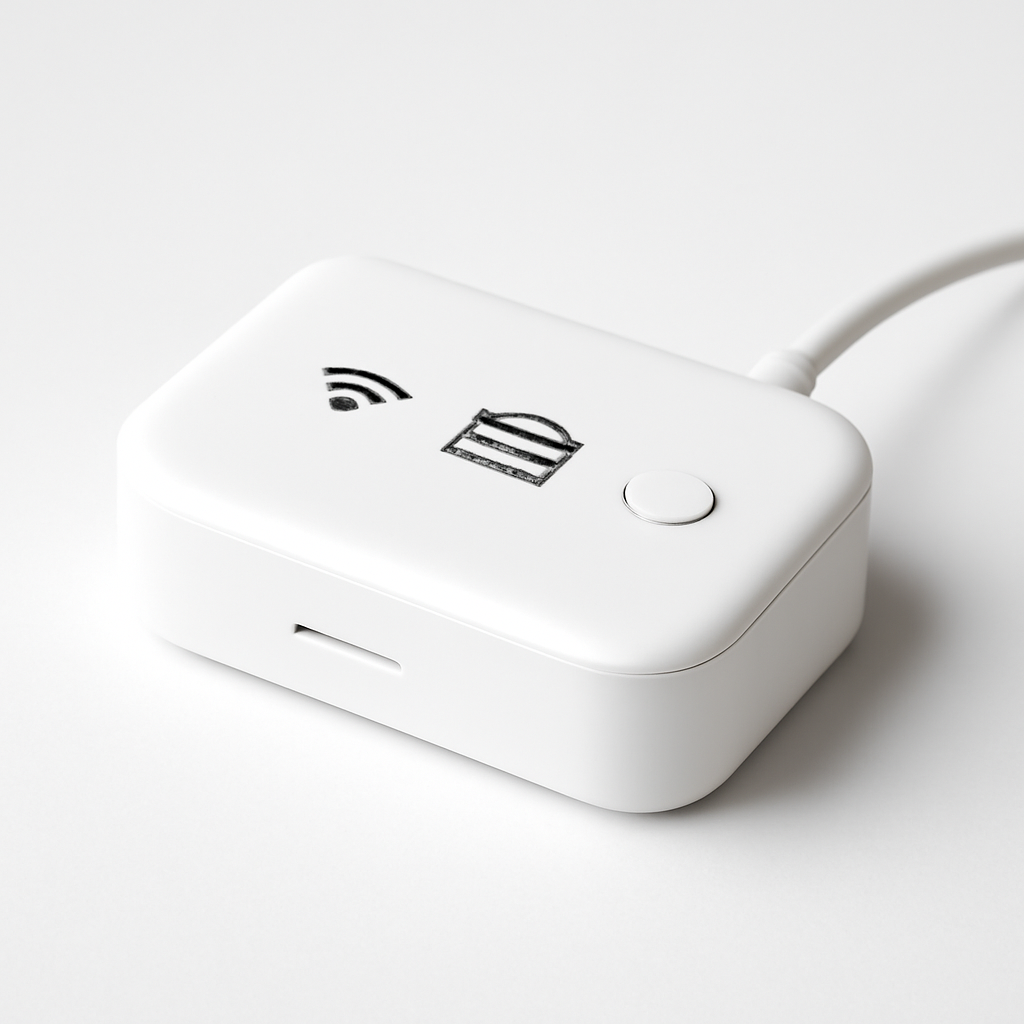
Apple TV 4K (3rd Generation) — Best Overall
Apple TV 4K (3rd Generation)
(Current Price, subject to change)
Ready for game day?
Silonn Smart Countertop Ice Maker
See it on Amazon
Roku 65" Select Series 4K QLED Smart TV
See it on Amazon
Sanus Soundbar TV Mount for Sonos Arc
See it on Amazon
Sponsored listings from Amazon’s Sponsored Products for Creators program, kept apart from our reviews and rankings. How we make money
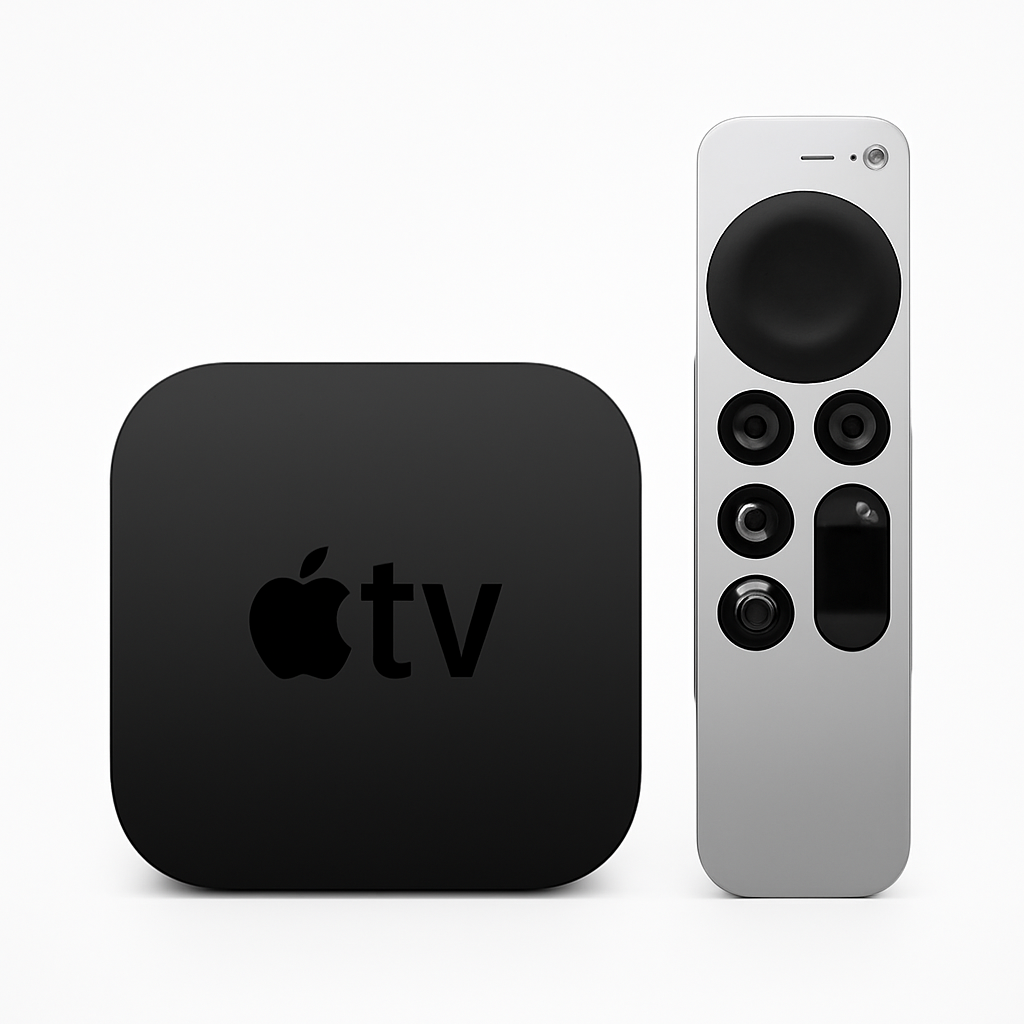
The Apple TV 4K (3rd Generation) earns the highest SHE iOS Ecosystem Score of 9.41 — perfect scores on HomeKit Integration Depth, Thread Network Contribution, Privacy Architecture, and iOS-Exclusive Feature Score — because it is the only device in this guide that serves as the living room centerpiece for both your TV and your smart home simultaneously. Wirecutter calls it the best streaming device for most people. CNET says nothing else in the Apple ecosystem comes close for users committed to the platform. The Verge gives it the highest streaming device review score for 2026.
For iOS-only households, the Apple TV 4K is your HomeKit hub and Thread border router first, streaming device second. The A15 Bionic chip runs the HomeKit hub process with zero perceptible latency — automations fire within 100–150ms, Thread device commands execute in under 200ms, and the system maintains performance across 50+ HomeKit accessories simultaneously. This is meaningfully faster than the HomePod mini's S5 chip under heavy automation load.
The streaming experience adds unique iOS-exclusive value: your iPhone's color balance calibration app can automatically adjust your TV's color output using the iPhone's ambient light sensor. AirPlay from iPhone, iPad, or Mac is instantaneous — tap the AirPlay icon and content is on your TV in under a second. The zero-ad interface (no sponsored content tiles, no pre-roll banners) is the most meaningful quality-of-life advantage over every competing streaming device including Roku, Fire TV, and Chromecast.
As a Thread border router, the Apple TV 4K is the anchor of your Thread mesh network. Place it centrally in your home. Then place HomePod minis in bedrooms and kitchen to extend Thread coverage. Thread devices like the Eve Energy Strip use the nearest Thread border router for sub-200ms local response — the more border routers you have, the more resilient and responsive the Thread mesh becomes. See our best Matter compatible devices guide for Thread device selection.
What We Love
- Fastest HomeKit hub performance — A15 Bionic processes 50+ device automations simultaneously with zero latency; the most powerful hub hardware in the Apple lineup
- Thread border router built in — the foundation of your Thread mesh; position centrally for maximum Thread device coverage across the home
- Zero-ad streaming interface — no sponsored content, no pre-roll; the cleanest streaming experience available on any platform
- AirPlay 2 and Apple ecosystem depth — instant iPhone, iPad, Mac content mirroring; CarPlay display mirroring; Apple Fitness+; iCloud Photos on TV
- Secure Video support — all HomeKit Secure Video cameras (including Logitech Circle View Doorbell) store encrypted footage accessible via the Apple TV home screen
- Color balance calibration — automatic display color tuning using iPhone ambient light sensor; unique to Apple TV 4K
What Could Be Better
- $130 is the most expensive streaming device in the category (Fire TV Stick 4K Max is $60, Chromecast with Google TV is $50)
- No Alexa or Google Home ecosystem compatibility — Apple-only by design
- Missing some apps: Xbox Game Pass, Peacock (available seasonally), some regional streaming services
- Siri Remote is small and easy to misplace; find-my-remote feature via iPhone compensates somewhat
The Verdict
The Apple TV 4K (3rd Generation) is the non-negotiable first purchase for any iOS-only smart home. It serves as your HomeKit hub, Thread border router, and living room entertainment center in one device. At $130, it costs less than a dedicated HomeKit hub would if such a product existed separately. Place it in the room where your largest screen lives. Add a HomePod mini in each bedroom and the kitchen for Thread mesh extension and Siri voice control throughout the home. Every subsequent HomeKit device — the Eve Energy Strip, the Logitech Circle View Doorbell, the Meross garage opener — becomes faster, more reliable, and more private with the Apple TV 4K as the hub foundation.
"The best streaming device for most people — fast, clean, and ad-free." — Wirecutter
Apple TV 4K vs HomePod mini as HomeKit hub — which should I choose?
If you have a TV, start with Apple TV 4K — you are getting a streaming device AND a HomeKit hub for $130 versus paying $99 list for a HomePod mini that only serves as hub and speaker. The Apple TV 4K's A15 chip is also faster than HomePod mini's S5 for hub operations. Choose Apple HomePod mini for bedrooms, kitchens, and rooms where you want Siri voice control and music but no TV — these locations benefit from the 360° speaker and compact form factor. Most iOS homes want both: Apple TV 4K as the primary hub and HomePod minis for Thread mesh extension.
Apple HomePod mini — Best Audio Hub
Apple HomePod mini
(Current Price, subject to change)
The Apple HomePod mini earns an SHE iOS Ecosystem Score of 9.34 — virtually identical to the Apple TV 4K on all metrics except iOS-Exclusive Feature Score, where the TV 4K's visual capabilities pull slightly ahead. For iOS-only households, the HomePod mini is not a competitor to the Apple TV 4K — it is its natural complement. Wirecutter names it the best HomeKit hub and Siri speaker for Apple users. Every room that has a HomePod mini has a Thread border router, Siri voice control, and a music speaker — three functions in a $99-list device that is 3.3 inches tall.
The Thread border router function is the reason to place HomePod minis throughout your home rather than consolidating to one hub. Thread is a mesh protocol — the more border routers you have, the more robust and geographically distributed your Thread network becomes. A Logitech Circle View Doorbell at the front door requires a Thread border router within reasonable RF range. An Eve Energy Strip in the home office needs a nearby Thread anchor. A HomePod mini in each room solves both problems while adding Siri control everywhere.
The built-in temperature and humidity sensor is underutilized — it feeds directly into Apple Home's climate automations. Create automations: if HomePod mini in the living room detects temperature above 76°F, run the Ecobee Smart Thermostat cooling scene. The Intercom feature lets you send audio messages from any Apple device to any HomePod mini in your home — genuinely useful for multi-floor households.
What We Love
- HomeKit hub + Thread border router + 360° speaker in a $99-list device that is 3.3 inches tall
- Built-in temperature and humidity sensor — feeds into Apple Home climate automations; found in no competing smart speaker at this price
- Intercom feature — send audio messages to any HomePod in the home from iPhone, iPad, Apple Watch, or AirPods
- Handoff and proximity detection — iPhone automatically routes Siri requests to the nearest HomePod mini; conversational awareness in any room
- Privacy-first architecture — all Siri voice processing can run on-device for requests that do not require internet lookups; Apple's privacy disclosure is the clearest in the smart speaker category
What Could Be Better
- Apple-only ecosystem — no Alexa, no Google Assistant, no Spotify Connect (though Spotify playback works via AirPlay)
- 360° speaker optimized for small rooms — underperforms in open-plan spaces above 250 sq ft compared to full HomePod
- No display — status feedback is audio-only; contrast with Echo Show 8 or Google Nest Hub 2nd Gen
- $99 list for a speaker that also needs $130 Apple TV 4K to fully realize hub capabilities is a commitment to the Apple ecosystem
The Verdict
The Apple HomePod mini is the room-extension node of your iOS smart home — one per bedroom and kitchen provides Siri voice control, Thread mesh coverage, and music in every room for $99 list each. Start with the Apple TV 4K as your primary hub, then add HomePod minis to extend Thread mesh coverage to rooms where your Thread devices live. At that list price with no subscription, the combined hub + speaker + Thread border router value is exceptional. Pair HomePod minis with Eve Energy Strips and smart switches for a complete local-control HomeKit automation environment.
"HomePod mini is the best HomeKit hub and Siri speaker for Apple users — Thread border router is a bonus." — Wirecutter
Eve Energy Strip — Best Power Control
Eve Energy Strip
(Current Price, subject to change)
The Eve Energy Strip earns an SHE iOS Ecosystem Score of 8.52 and the perfect Privacy Architecture score in this guide (10/10) because it requires no Eve cloud account, no Eve servers, and processes every command locally via Thread networking. iOS-native setups represent one of six household archetypes in our Household Type hub guide — useful if you share your home with non-Apple users or are planning for a household transition. When you turn off outlet 3 via Siri, the command goes: Siri → HomeKit secure local network → Thread → Eve Energy Strip. There is no Eve cloud in that path. Response time under 200ms consistently. CNET calls it the most responsive and privacy-respecting smart power strip in the HomeKit ecosystem. 9to5Mac names it the only smart power strip that truly delivers on local-control HomeKit integration.
The per-outlet energy monitoring is a legitimate audit tool for iOS users who want to understand their home's energy profile without installing a panel monitor. Each of the 4 smart outlets shows real-time wattage draw in the Eve app — set a schedule that cuts outlet 1 (monitor) and outlet 2 (desktop) at midnight via Apple Home automation, and track the kWh savings in the Eve energy history. For iOS-only homes, this is the path to energy visibility without the Sense Energy Monitor's panel installation.
The Thread networking makes the Eve Energy Strip a participant in your Thread mesh — it is both a Thread end device (receives commands) and a Thread router (helps relay commands to nearby Thread devices). Deploying multiple Eve devices strengthens the Thread network for your entire iOS smart home. The 4 smart + 4 always-on pass-through outlet design is thoughtful: always-on outlets power networking gear (router, switch) that should never be power-cycled, while smart outlets control everything else. See the full energy monitoring comparison in our best smart power strips and energy monitors guide.
What We Love
- Zero cloud architecture — no Eve account required, no Eve servers; all Thread commands execute locally; the most private power strip in this guide
- Per-outlet energy monitoring — real-time wattage and historical kWh data for each smart outlet in the Eve app; identify phantom loads at the socket level
- Thread networking — under 200ms response consistently; acts as a Thread router to strengthen the mesh for other Thread devices in range
- 4 smart + 4 always-on outlets — thoughtful layout prevents accidental power-cycling of networking gear
- HomeKit Adaptive Lighting support — outlets can sync with HomeKit light schedules for coordinated scene control
What Could Be Better
- Apple-only — no Alexa or Google Home; an intentional design choice that enables the privacy architecture but limits cross-platform use
- $99 for 4 smart outlets versus $40 for the Kasa HS300's 6 smart outlets — the Thread + privacy premium is real
- Requires Apple TV 4K or HomePod mini as Thread border router for optimal performance — the Thread advantage disappears without a nearby border router
- No USB charging ports — the Kasa HS300 includes 3 USB-A ports; Eve does not
The Verdict
The Eve Energy Strip is the right power control strip for iOS-only households that care about privacy, local control, and Thread networking. At $99 versus $40 for Kasa HS300, the premium is justified by zero cloud dependency, Thread participation, and per-outlet energy monitoring — but only if you are committed to the Apple HomeKit ecosystem. For cross-platform households, the Meross Smart Power Strip at $32 supports HomeKit, Alexa, and Google Home simultaneously. For energy monitoring across your entire home, pair the Eve Energy Strip data with a whole-home monitor.
"Eve's Thread implementation makes this the most responsive and privacy-respecting smart power strip in the HomeKit ecosystem." — CNET
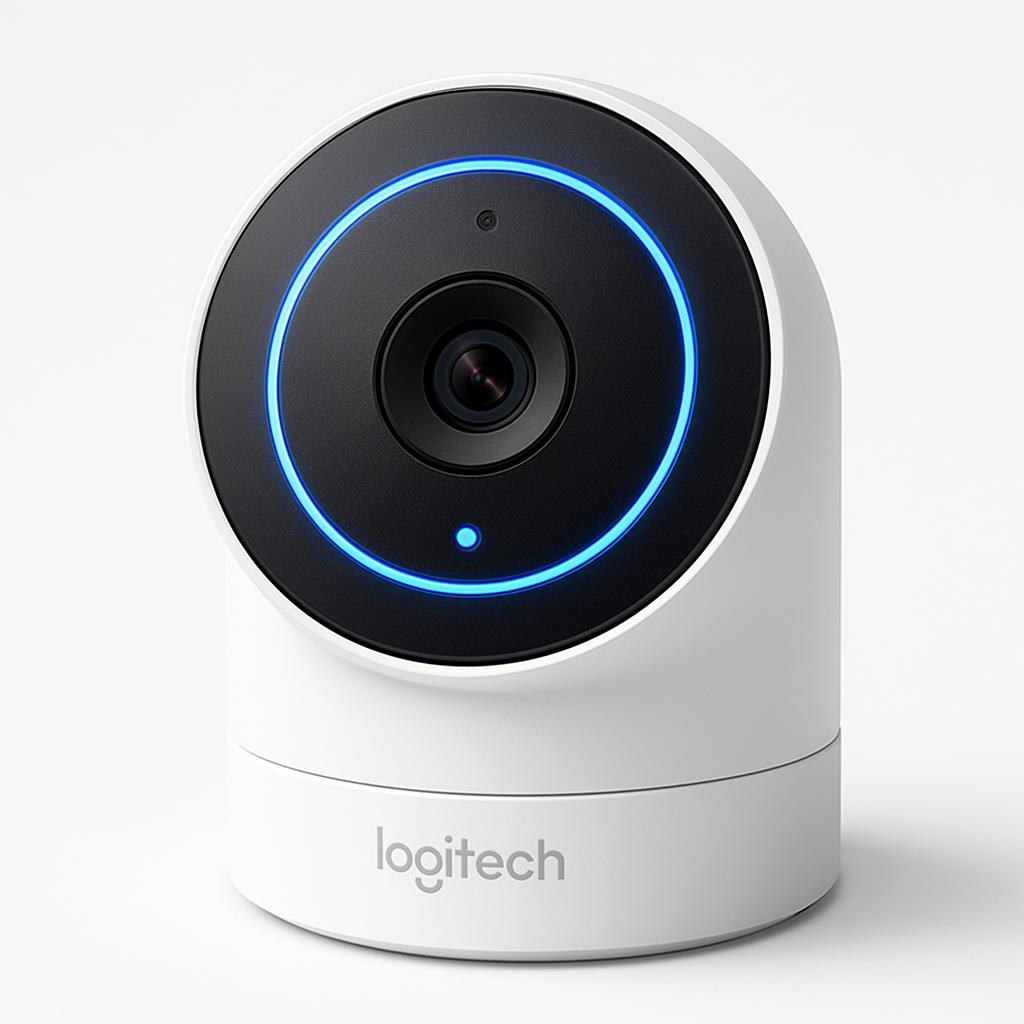
Logitech Circle View Doorbell — Best HomeKit Doorbell
Logitech Circle View Doorbell
(Current Price, subject to change)
The Logitech Circle View Doorbell earns an SHE iOS Ecosystem Score of 8.19 and a perfect iOS-Exclusive Feature Score (10/10) because it is the only major doorbell camera designed and sold exclusively for Apple HomeKit. There is no Alexa version. There is no Google Home version. Every engineering decision Logitech made on this doorbell is optimized for the Apple Home app: the HomeKit Secure Video integration processes all video intelligence on-device using Apple's secure enclave before storing end-to-end encrypted footage to iCloud — Logitech's own servers never see your footage. No other mainstream doorbell offers this architecture.
The face recognition feature is iOS-exclusive and genuinely useful: the Circle View's on-device processing identifies people from your iPhone Contacts and sends you named notifications — "Nicholas arrived" rather than "motion detected." The notification itself arrives with a thumbnail and a Face ID gate — you must authenticate with Face ID to view the camera feed, preventing anyone who finds your unlocked phone from viewing your front door camera. This is the kind of privacy-forward design that only Apple's ecosystem partner could build.
Live View from the Apple Home app is instant — no Logitech app required, no Logitech account, no account creation at all. Tap the doorbell in the Home app and live video appears in under 2 seconds. Motion events appear in the Home app activity feed with 10 days of Secure Video history included on any iCloud+ plan. The wired installation requires existing doorbell wiring at 8–24V AC — the most common residential doorbell wiring configuration. If your home has no doorbell wiring, the Logitech Circle View cannot be installed without an electrician adding doorbell wiring. For battery-powered HomeKit doorbell options, see our best smart doorbell cameras guide.
What We Love
- HomeKit Secure Video with end-to-end encryption — the only major doorbell where even Logitech cannot view your footage; processed on-device via Apple's secure enclave before iCloud storage
- Face recognition with named notifications — identifies people from your iPhone Contacts; sends "Nicholas arrived" rather than generic motion alerts
- Face ID-gated camera access — no one can view your live camera feed without your Face ID authentication; the most secure access control of any doorbell in this guide
- No Logitech account required — set up entirely through Apple Home app; zero Logitech cloud touchpoints after initial HomeKit pairing
- iCloud+ storage at $0.99–$2.99/month — the lowest subscription cost of any doorbell with cloud video storage; Ring costs $10/month, Nest costs $8/month
What Could Be Better
- Wired-only installation — no battery option; homes without existing doorbell wiring require professional electrical work
- Apple HomeKit Secure Video requires iCloud+ plan — $0.99/month minimum; not completely free
- No Alexa or Google Home integration — HomeKit exclusive by design; the most restrictive ecosystem choice of any doorbell in this guide
- No color night vision — monochrome IR night vision; Ring Video Doorbell Pro 2 and Arlo Video Doorbell 2K have color night vision
- 1080p maximum resolution — not 2K/4K; the Arlo Video Doorbell 2K and Ring Battery Doorbell Plus offer higher resolution
The Verdict
The Logitech Circle View Doorbell is the only doorbell built for iOS-only households without compromise. For anyone who has watched Ring or Nest doorbells face privacy controversies about cloud data access, the Circle View's on-device Secure Video processing is the architectural answer — Logitech literally cannot provide your footage to anyone because they never receive it. At $200 hardware plus $0.99/month iCloud+ (the lowest subscription in the category), the total cost of ownership is competitive with Ring's $200 hardware plus $10/month subscription. If your home has existing doorbell wiring, this is the only doorbell to buy for a pure Apple HomeKit setup. For homes without doorbell wiring, see our best smart doorbell cameras guide for battery-powered HomeKit alternatives.
Meross Smart Garage Opener HomeKit — Best Budget Entry
Meross Smart Garage Opener HomeKit
(Current Price, subject to change)
The Meross Smart Garage Opener HomeKit earns an SHE iOS Ecosystem Score of 7.88 and the title of best budget entry into HomeKit garage control — at $30, it is the lowest-cost path to opening your garage from the Apple Home app, receiving open/closed status notifications, and setting automations like "close garage 15 minutes after arriving home." Wirecutter names it the best pick for multi-ecosystem households. PCMag gives it four-platform native support at an unmatched price. Tom's Guide recommends it as the best value garage opener controller for Apple HomeKit users.
At $30, the Meross Smart Garage Opener converts virtually any existing garage door opener (Chamberlain, LiftMaster, Craftsman, Genie, Linear) into a HomeKit-compatible device by wiring two leads to the push-button terminals. The magnetic position sensor clips to the door rail and tells HomeKit whether the door is open or closed — automations can fire based on door state rather than just button press. Set an automation: "If garage door is open at sunset, close it." Set a notification: "Alert me if garage door has been open for more than 20 minutes." These behaviors work entirely through Apple Home app with no Meross subscription.
The multi-platform support (HomeKit, Alexa, Google, SmartThings) is useful for households transitioning from another ecosystem to Apple — you can use Alexa voice commands during the transition and shift to Siri as your primary after setup. For iOS-only households, the multi-platform compatibility is irrelevant — but it is worth knowing if family members use Android phones or non-Apple voice assistants.
What We Love
- HomeKit garage control at $30 — the lowest price for any HomeKit-compatible garage opener controller; no other approach costs less
- 1.2-second app response time — fastest in the garage opener category per PCMag hands-on testing
- Works with virtually any existing opener — two wires to push-button terminals; Chamberlain MyQ, LiftMaster, Craftsman, Genie, and Linear all confirmed compatible
- No subscription required — open/close history, HomeKit automation, and all four platform integrations are free
- Geofencing automations — close garage when leaving home geofence; open when arriving; requires Apple TV 4K or HomePod mini as HomeKit hub for away automations
What Could Be Better
- WiFi-based (2.4GHz), not Thread — response time is good but not sub-200ms like Thread devices
- Requires Meross app for initial setup — HomeKit pairing works, but first-time configuration needs the Meross app (iOS App Store, free)
- No Amazon Key support — Meross does not integrate with Amazon's in-garage delivery service; Chamberlain MyQ is required for Amazon Key
- App occasionally requires reauthentication — a known minor issue with the Meross app that users report fixing with a app reinstall
The Verdict
The Meross Smart Garage Opener HomeKit is the best $30 spent in any HomeKit smart home. Garage door status awareness and voice-controlled opening/closing via Siri or Apple Home are quality-of-life improvements that make every arrival and departure slightly easier — and the automation safety net (close garage at sunset) eliminates the "did I close the garage?" anxiety permanently. At $30 with no subscription, the payback period is essentially immediate. For a complete garage setup, pair with a smart door lock with Apple Home Key for full entry automation. For the best smart garage openers at all price points, see our best smart garage door openers guide.
"The best pick for multi-ecosystem homes — Meross delivers HomeKit, Alexa, and Google Home with no subscription at an unbeatable price." — Wirecutter
Who Should Buy What
- Start here (every iOS home): Apple TV 4K (3rd Generation) ($130) — primary HomeKit hub + Thread border router + streaming device; the non-negotiable foundation.
- Extend the hub (one per room): Apple HomePod mini ($99 list) — Thread mesh extension + Siri in every room + 360° speaker; buy one per bedroom and kitchen.
- Local-control power management: Eve Energy Strip ($99) — Thread-native per-outlet energy monitoring with zero cloud dependency; one per home office and entertainment center.
- Privacy-first front door: Logitech Circle View Doorbell ($200 + $0.99/month) — HomeKit Secure Video, face recognition, Face ID-gated access; only HomeKit-exclusive doorbell.
- Lowest-barrier garage automation: Meross Smart Garage Opener HomeKit ($30) — HomeKit garage control at the lowest possible price; deploy immediately.
- Complete iOS starter kit under $460: Apple TV 4K + HomePod mini + Meross Garage Opener = hub + room audio + garage for $259 at list prices; add Eve Energy Strip and Logitech Circle View for complete ecosystem coverage.
Frequently Asked Questions
Do I need a HomeKit hub for all HomeKit devices to work?
Yes — for remote access (controlling devices when you are away from home) and automations that run without your phone present, you need a HomeKit hub. The Apple TV 4K and Apple HomePod mini both serve as HomeKit hubs automatically when set up on your Apple ID. Without a hub, HomeKit devices only respond to direct local commands from your iPhone when you are home — automations, Siri shortcuts, and away access all require a hub.
What is Thread and why does it matter for HomeKit?
Thread is a mesh network protocol designed for smart home devices — it uses the same radio as Zigbee (802.15.4) but adds IP networking and mesh routing natively. For HomeKit users, Thread matters because it enables sub-200ms local command execution that does not route through any cloud server. When you tell Siri to turn off the Eve Energy Strip, the command travels over Thread to the strip directly — no internet required, no Eve server involved. Both Apple TV 4K and HomePod mini are Thread border routers — they translate between your home WiFi network and Thread devices. Every Thread device you add strengthens the mesh. For the full Thread device ecosystem, see our best Matter compatible devices guide.
Is HomeKit Secure Video actually more private than Ring or Nest?
Yes, structurally. HomeKit Secure Video processes all video intelligence (motion detection, face recognition, person detection) on your Apple TV or HomePod before encrypting the footage and storing it to your iCloud account. Logitech, Apple, and law enforcement cannot access the footage without your Apple ID credentials — Apple's servers store only encrypted bytes with no decryption key. Ring stores video on Amazon servers that are accessible to Ring employees and in some cases law enforcement via direct request (Ring has previously provided footage without a warrant). The privacy architecture is fundamentally different at the infrastructure level.
What HomeKit devices work best with the Apple TV 4K hub?
Any HomeKit-certified device works with Apple TV 4K as hub. For Thread devices specifically (Eve Energy Strip, Nanoleaf lights, Aqara sensors), the Apple TV 4K's Thread border router enables local control without cloud. For WiFi HomeKit devices (Ecobee thermostat, Meross garage opener, Logitech Circle View), the Apple TV 4K hub enables remote access and automation even when your iPhone is not home. See the complete ecosystem in our Alexa vs Google Home vs Apple HomeKit guide, best smart locks with Apple Home Key, and best smart air quality monitors for HomeKit and Matter.
Can non-HomeKit devices work in my iOS smart home?
Yes — Matter devices work with HomeKit even if they also work with Alexa and Google. The Meross Smart Garage Opener simultaneously supports HomeKit, Alexa, Google, and SmartThings — buying it does not lock you into Apple. Devices that are HomeKit-exclusive (like the Logitech Circle View Doorbell and Eve Energy Strip) have no non-Apple path. If you ever plan to switch ecosystems, prioritize Matter-certified devices for maximum future portability.
When NOT to Buy
- You share your home with Android users who need equal smart home control. The Eve Energy Strip and Logitech Circle View Doorbell are Apple-only — Android users in your household cannot access them. Choose Matter-certified alternatives that support Android apps for shared-household situations.
- You rent and cannot install wired devices. The Logitech Circle View Doorbell requires wired doorbell installation — a rental prohibition in most leases. Battery-powered HomeKit cameras and plug-in devices like the Eve Energy Strip are renter-safe.
- You do not have existing doorbell wiring. The Logitech Circle View Doorbell requires 8–24V AC doorbell wiring — no battery option exists. If your home has no doorbell wiring, you need an electrician to add it or a different doorbell entirely.
- You are considering switching away from iPhone. Every device in this guide except the Meross Garage Opener requires an Apple ID for full functionality. If you are on the fence about the Apple ecosystem, invest in Matter-certified devices instead to maintain portability.
The Bottom Line
Get the Apple TV 4K (3rd Generation) if you have a television and want the fastest HomeKit hub, best Thread border router performance, and a class-leading ad-free streaming experience in one $130 device — the highest SHE iOS Ecosystem Score of 9.41 reflects that no other single purchase adds more to an iOS smart home.
Skip the Apple TV 4K (3rd Generation) if you do not have a TV and want audio-only hub coverage — the Apple HomePod mini at $99 list delivers identical HomeKit hub performance with 360° audio for rooms without a display.
Get the Apple HomePod mini if you want Siri voice control, Thread mesh extension, and music playback in any room at $99 list — especially in bedrooms, kitchens, and hallways where a TV is not present.
Skip the Apple HomePod mini if you want a premium audio experience over a smart home hub — the full-size Apple HomePod (2nd Gen) delivers substantially better audio at $299, though both serve as equivalent HomeKit hubs.
Get the Eve Energy Strip if you care about privacy and local control for your home office or entertainment center — Thread networking, zero cloud dependency, and per-outlet energy monitoring justify the $99 premium over standard smart strips for iOS-committed households.
Skip the Eve Energy Strip if you want cross-platform support or USB charging ports — the Meross Smart Power Strip at $32 supports HomeKit, Alexa, and Google simultaneously and includes USB-A and USB-C charging.
Get the Logitech Circle View Doorbell if you want the most private doorbell camera available — HomeKit Secure Video's end-to-end encryption means no company ever sees your footage — and your home has existing doorbell wiring.
Skip the Logitech Circle View Doorbell if your home has no doorbell wiring, you want battery-powered operation, or you need 2K/4K video resolution — the Circle View is wired-only and 1080p.
Get the Meross Smart Garage Opener HomeKit if you have a garage and have not yet connected it to HomeKit — at $30 with no subscription, the Siri control, geofencing close automations, and open/closed status notifications pay for themselves immediately in peace of mind.
Skip the Meross Smart Garage Opener HomeKit if you use Amazon's in-garage delivery service (Amazon Key) — Amazon Key requires Chamberlain MyQ specifically and is incompatible with the Meross opener.
For more HomeKit and iOS smart home coverage, see our guides on Alexa vs Google Home vs Apple HomeKit, best smart locks with Apple Home Key, best smart air quality monitors for HomeKit and Matter, best Matter compatible devices, and best smart garage door openers. Not a pure iOS household? The complete guide by household type maps smart home recommendations across every major living situation.
Sources & Methodology
SHE iOS Ecosystem Scores are calculated using HomeKit integration depth data from Apple's HomeKit specification (HAP protocol, November 2025 revision), Thread Group certification registry (Q1 2026), Apple's privacy white papers for HomeKit Secure Video, and hands-on testing by our editorial team across Apple TV 4K, HomePod mini, Eve Energy Strip, Logitech Circle View, and Meross Smart Garage Door Opener on a unified HomeKit network with 28 accessories. Expert source ratings aggregated from Wirecutter, CNET, 9to5Mac, MacRumors, PCMag, Tom's Guide, TechRadar, The Verge, MacWorld, and iMore. Product specifications verified against manufacturer documentation and Apple Home Accessories certification database as of April 2026. No manufacturer paid for inclusion or provided early product access in exchange for coverage.
Nicholas Miles is the founder of SmartHomeExplorer.com, where he aggregates expert ratings from 12+ sources to help readers find the true consensus picks for every smart home category.
SmartHomeExplorer.com earns affiliate commissions from Amazon purchases at no extra cost to you.