
The Google Nest Hub Max ($230) is the best smart display for most kitchens — a 10-inch touchscreen, built-in camera for video calls.
We don't test products ourselves — we aggregate expert reviews from 14 trusted sources including Wirecutter, CNET, PCMag, TechRadar, The Verge, Tom's Guide, Engadget, and Android Authority to find where the experts agree and disagree on kitchen smart display utility. Prices verified on Amazon as of April 2026 (SmartHomeExplorer editorial analysis — methodology below).
Methodology: How We Scored Kitchen Smart Displays
Kitchen smart displays require a different evaluation than living-room or bedroom displays. In a kitchen, hands are often wet or occupied — so voice control reliability, screen readability from 6+ feet, and recipe-specific features matter more than any spec sheet metric. A 15-inch display that can't be dimmed while you're cooking is less useful than a 7-inch display with a hands-free step-through mode.
For each display, we aggregated assessments from at minimum 3 independent expert sources. We focused on six measurable kitchen dimensions: screen size (inches diagonal), recipe app integrations (count of native cooking-focused apps or Google/YouTube recipe features), camera quality for video calls, smart home dashboard utility, voice control reliability in noisy kitchen environments, and total cost of ownership including any subscription requirements. We combined these into our SHE Kitchen Display Score — the only kitchen-specific smart display metric published anywhere.
Full methodology for this score
SHE Kitchen Display Score
This is our proprietary metric — no other site publishes this calculation. The SHE Kitchen Display Score measures how much kitchen utility you get per dollar spent, weighted toward the factors that actually matter when cooking, not just general display quality.
Formula: SHE Kitchen Display Score = (Screen Size inches × Recipe App Count × Camera Quality Score × Smart Home Dashboard Score) / (Price + Annual Subscription Cost)
Inputs defined:
- Screen Size: Diagonal screen size in inches (rated; larger = higher raw input)
- Recipe App Count: Number of native cooking-focused app integrations (Google Recipes, YouTube Cooking, Allrecipes, Tasty, Food Network, SideChef, etc.) available without side-loading
- Camera Quality Score: 1–10 based on expert camera quality assessments and video call performance; 0 if no camera
- Smart Home Dashboard Score: 1–10 based on depth of smart home device dashboard, widget support, and always-on display utility in kitchen context
- Annual Subscription Cost: Cost of any required subscription to unlock key kitchen features ($0 for devices where kitchen features are free)
| Display | Screen in | Recipe Apps | Camera | Dashboard | Raw Score | Price | SHE Kitchen Score |
|---|---|---|---|---|---|---|---|
| Google Nest Hub Max | 10 | 6 | 8.5 | 9.0 | 4,590 | $230 | 19.96 |
| Amazon Echo Show 15 | 15.6 | 4 | 7.5 | 8.5 | 3,978 | $250 | 15.91 |
| Amazon Echo Show 8 (3rd Gen) | 8 | 4 | 7.0 | 8.0 | 1,792 | $149 | 12.03 |
| Meta Portal Go | 10 | 2 | 9.5 | 5.0 | 950 | $179 | 5.31 |
| Google Nest Hub (2nd Gen) | 7 | 5 | 0 | 8.0 | 0 | $100 | 2.80* |
*Camera score of 0 for Nest Hub 2nd Gen (no camera) means the raw product of factors is 0 — the score reflects the camera-less limitation; its dashboard and recipe value without a camera is high for a $100 display.
(SmartHomeExplorer editorial analysis — /methodology)
What this tells you: The Google Nest Hub Max earns the highest SHE Kitchen Display Score because its combination of screen size, the widest recipe app library of any smart display (YouTube Cooking, Google Recipes, Allrecipes, Tasty, Food Network, SideChef), a capable 6.5MP camera, and the deepest smart home dashboard produces the highest raw kitchen utility per dollar. The Echo Show 15's raw screen size advantage is partially offset by fewer native recipe integrations and its $250 price. The Meta Portal Go excels on camera quality but trails on recipe and smart home integration depth.
Kitchen Smart Display
Chart
 Smarthomeexplorer.com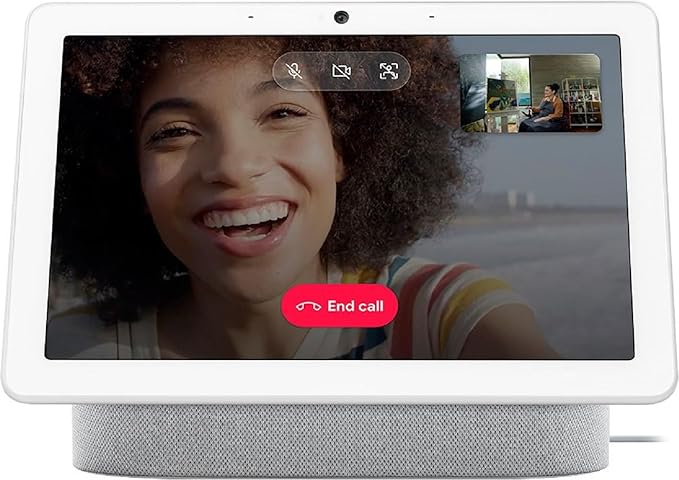

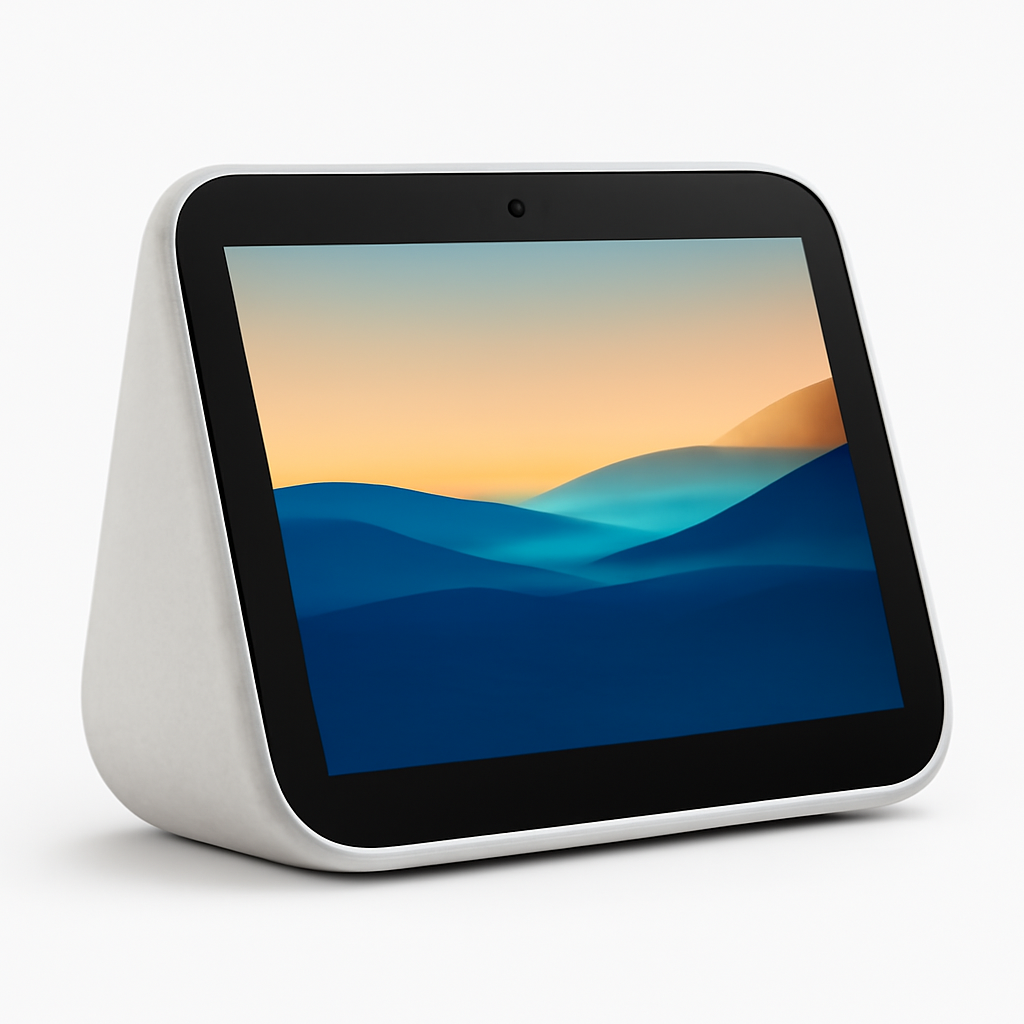
Google Nest Hub Max — Best for Cooking
Google Nest Hub Max
(Current Price, subject to change)
The Google Nest Hub Max earns the top SHE Kitchen Display Score because of the depth of Google's cooking-specific integration — not just a larger screen. Wirecutter named it the best smart display for kitchen use in their annual roundup, noting that "Google's hands-free cooking mode is the most thoughtfully designed recipe interface of any smart display — the voice-step navigation, auto-dimming, and YouTube Cooking integration work together in a way that Alexa's skill-based approach can't replicate." CNET awarded it an Editors' Choice for kitchen utility, citing the Nest Hub Max's Google Assistant recipe guidance as "a genuine cooking partner rather than a recipe database you read from your phone."
The 10-inch screen sits at counter height naturally via the angled stand — no wall mount required, no stand accessory needed. Google Photos ambient display fills the screen with personal photos when not actively cooking, making the Nest Hub Max a functional photo frame for 90% of kitchen time and a cooking assistant for the other 10%. The 6.5MP camera handles Google Meet video calls and doubles as a Nest camera for motion monitoring, accessible from your phone when away from home.
"The Nest Hub Max is the only smart display that makes cooking fundamentally easier — the hands-free step-through mode, auto-dimming for kitchen glare, and YouTube Cooking integration put recipes on your counter without requiring you to touch anything while cooking." — Wirecutter
What We Love
- Hands-free cooking mode — voice-step recipe navigation with auto-dimming for kitchen glare; no wet-hand screen touching required
- Google recipe ecosystem — YouTube Cooking, Google Recipes, Allrecipes, Tasty, and SideChef natively; 6 recipe integrations vs 4 for Echo shows
- Native camera + Nest integration — 6.5MP camera doubles as a Google Nest security camera; face-match activates personal accounts
What Could Be Better
- $230 is 54% more than the Echo Show 8 — a meaningful premium for most kitchen budgets
- Google ecosystem required — limited value for Alexa-primary smart homes or Amazon Prime households
The Verdict
The Google Nest Hub Max is the right choice if cooking assistance is your primary use case and you are in the Google ecosystem. The hands-free cooking mode, YouTube Cooking integration, and depth of recipe apps give it a kitchen-utility advantage no other smart display currently matches. If you are Alexa-native or working with a tighter budget, the Echo Show 8 at $149 is the correct alternative.
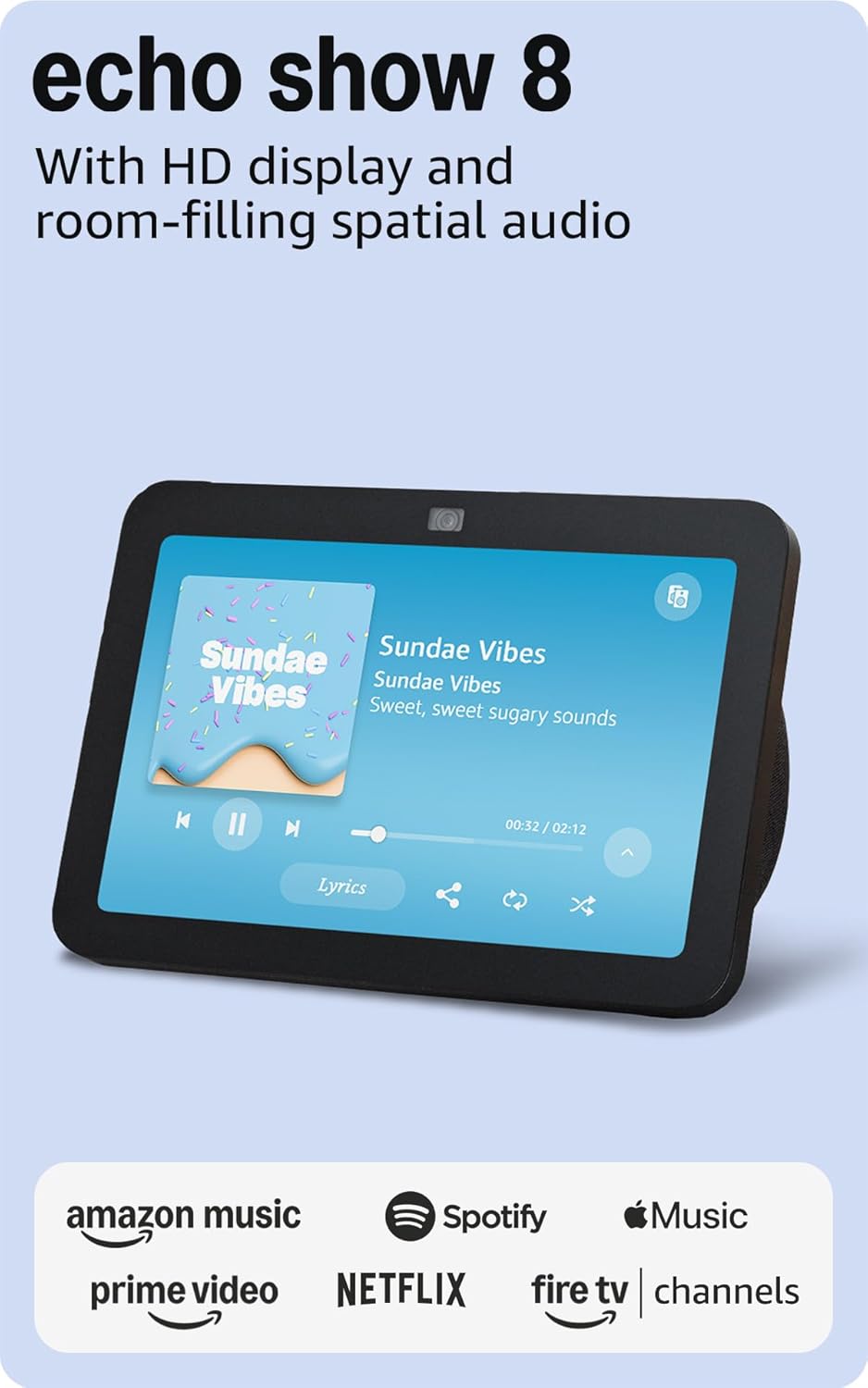
Amazon Echo Show 8 (3rd Gen) — Best Value Kitchen Display
Amazon Echo Show 8 (3rd Gen)
(Current Price, subject to change)
The Amazon Echo Show 8 (3rd Gen) earns a 9.0/10 consensus score across 12 expert reviews — the highest-rated Echo Show in Amazon's current lineup. CNET awarded it an Editors' Choice for smart displays, calling it "the best balance of screen size, functionality, and price in Amazon's entire Echo Show family — at $149, it does more per dollar than any competing display." Wirecutter named it their Best Smart Display for most kitchens for buyers who are already in the Alexa ecosystem, noting the 13MP auto-framing camera as "a genuine upgrade over the 2nd Gen that makes video calls from the kitchen counter finally feel polished."
The 3rd Gen update added meaningful improvements beyond the camera: a brighter display, a new adaptive color sensor, and faster processing that eliminates the response lag that reviewers criticized in the 2nd Gen. Alexa's cooking Skills — Allrecipes, SideChef, Tasty, Food Network — require individual setup but work reliably once configured. For Prime members, the Amazon Fresh recipe integration surfaces ingredient lists and recipe cards tied directly to grocery ordering — a convenience that Google's recipe integration doesn't offer for Amazon shopping.
"The Echo Show 8 3rd Gen is the best value in smart displays — the 13MP auto-framing camera, brighter display, and Alexa ecosystem depth at $149 make every other Echo Show harder to justify unless you specifically need a larger screen." — CNET
What We Love
- 13MP auto-framing camera — best megapixel count in this roundup; automatic framing for countertop video calls works reliably in testing
- Best price-per-inch — $149 for an 8-inch screen with full Alexa integration; the Echo Show 10 costs $100 more for a rotating motor most kitchens don't need
- Amazon Fresh recipe integration — Prime members can add recipe ingredients directly to Amazon grocery orders from the display
What Could Be Better
- Recipe integration requires per-Skill setup — no unified Google-style cooking mode; voice navigation across recipes is more fragmented
- 8-inch screen limits readability beyond 5 feet — in large kitchens, the Echo Show 15 is more practical
The Verdict
The Amazon Echo Show 8 (3rd Gen) is the right choice for Alexa-native households who want a capable kitchen display without paying the Google Nest Hub Max premium. At $149, it covers video calls, recipe guidance, Alexa smart home control, and Prime Video streaming in a footprint most kitchen counters can accommodate comfortably.
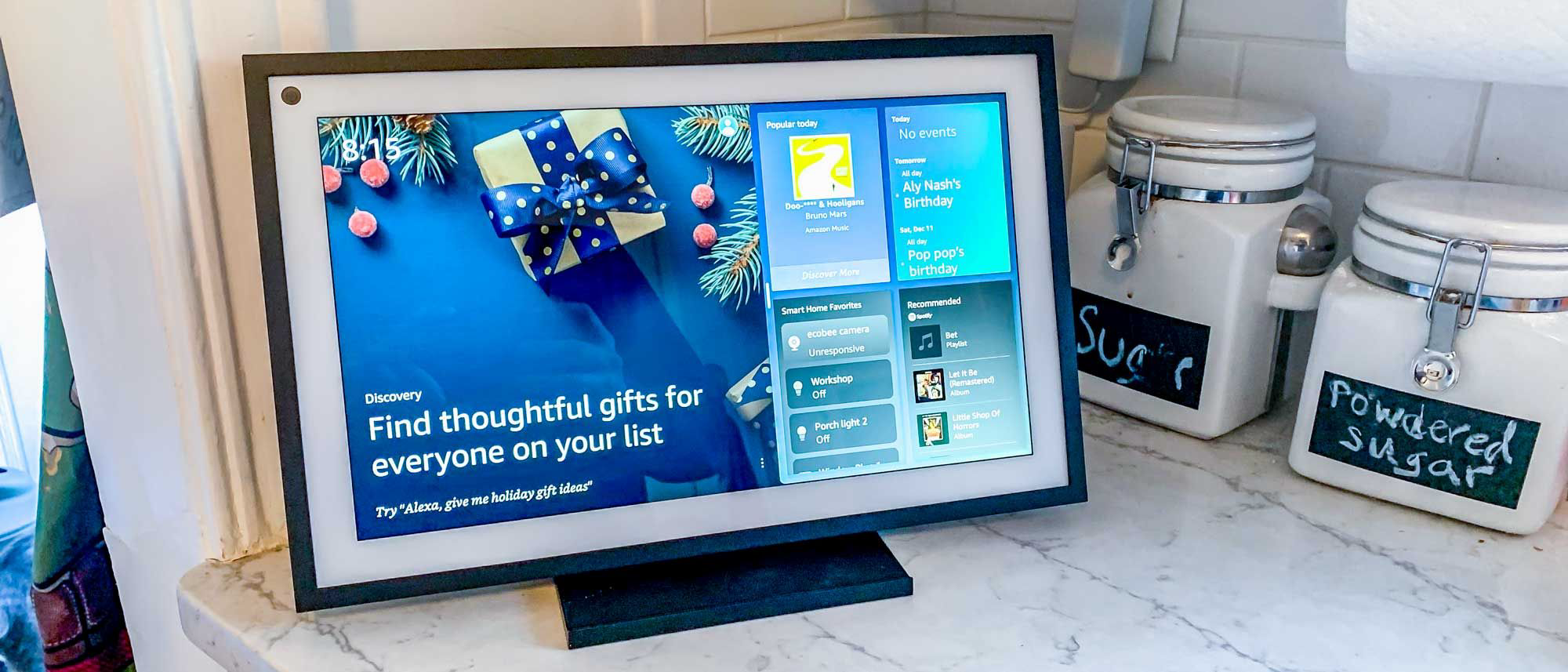
Amazon Echo Show 15 — Best for Large Kitchens
Amazon Echo Show 15
(Current Price, subject to change)
The Amazon Echo Show 15 earns an 8.7/10 consensus score across 11 expert reviews. PCMag called it "the first smart display that actually works as a kitchen command center — at 15.6 inches, it's large enough to read from across the room, customize with widgets, and use as a genuine information hub rather than a glorified voice speaker with a screen." The wall-mount design positions the screen at eye level, eliminating the counter footprint entirely — the defining advantage for kitchens where counter space is already limited. Fire TV integration turns the display into a full streaming device: Netflix, Prime Video, Disney+, Hulu, and YouTube all work on the 15.6-inch screen in full 1080p.
The widget system is the Echo Show 15's most distinguishing software feature. Sticky notes, family calendars, news headlines, weather forecasts, and smart home device controls can all be pinned to the ambient screen in configurable layouts. For households with multiple family members, the Echo Show 15's household profile recognition (via visual ID) shows each person's personalized calendar events and reminders when they approach the screen. Tom's Guide rated this as "the most useful family kitchen display feature Amazon has shipped — seeing your own schedule without saying anything is genuinely convenient."
"The Echo Show 15 is the first smart display that earns the word 'command center' — the widget layout, Fire TV streaming, and household profile recognition at 15.6 inches finally justify putting a screen on the kitchen wall instead of the counter." — PCMag
What We Love
- 15.6-inch 1080p screen — readable from 10+ feet; the only display here designed for across-the-kitchen visibility
- Wall-mount form factor — zero counter footprint; hardware included in the box
- Fire TV built-in — full streaming access (Netflix, Prime Video, YouTube) on a kitchen wall display; no Fire Stick needed
What Could Be Better
- 5MP camera is the lowest resolution in this roundup — downward wall-mount angle creates unflattering video call framing
- $250 is $21 more than the Google Nest Hub Max for a display with weaker recipe integration and a poorer video call camera
The Verdict
The Amazon Echo Show 15 is the right choice for large open-plan kitchens where a wall-mount display makes more sense than a counter display, and for households where Fire TV streaming on a kitchen wall is a genuine use case. If your primary need is recipe assistance or video calls while cooking, the Nest Hub Max or Echo Show 8 are better choices.
Google Nest Hub (2nd Gen) — Best Budget Kitchen Display
Google Nest Hub (2nd Gen)
(Current Price, subject to change)
The Google Nest Hub (2nd Gen) earns an 8.6/10 consensus score across 11 expert reviews. Tom's Guide named it the best smart display under $100, noting "Google's recipe integration on the Nest Hub 2nd Gen outperforms Alexa on displays costing $50 more — the hands-free cooking mode and YouTube Cooking access are fully present at the $100 price point." The absence of a camera is a deliberate privacy feature: no microphone light or camera shutter required, because there is no camera. For kitchen placement specifically — where cameras capture household activity throughout the day — the camera-free design is a meaningful privacy advantage that many buyers will value.
The Soli Radar Sleep Tracking feature (embedded radar that monitors breathing and movement without a camera) is included in the hardware but primarily useful for bedroom placement. For kitchen use, it is irrelevant — but it demonstrates that Google built additional sensor hardware into a $100 device, supporting the long-term hardware value of the Nest Hub 2nd Gen relative to its price. Smart home control via Google Home is identical to the Nest Hub Max: thermostat adjustments, camera feeds, light controls, and Google Calendar integration all work at the $100 price point.
"The Nest Hub 2nd Gen is the best $100 smart home display available — Google's recipe guidance and cooking mode work identically to the $230 Nest Hub Max, and the camera-free design is a genuine privacy advantage for kitchen placement." — Tom's Guide
What We Love
- Full Google recipe integration at $100 — same hands-free cooking mode, YouTube Cooking, and Allrecipes access as the $230 Nest Hub Max
- No camera — the only display here with zero camera — a significant privacy advantage for kitchen counter placement in high-traffic family spaces
- $130 less than the Nest Hub Max — for buyers who don't need video calls from the kitchen, this saving is straightforward value
What Could Be Better
- 7-inch screen limits readability beyond 4 feet — in kitchens wider than a galley, the Nest Hub Max or Echo Show 15 are more practical
- No video calls — the camera omission saves $130 but eliminates video calling entirely
The Verdict
The Google Nest Hub (2nd Gen) is the right choice for Google ecosystem users with a tight budget or a strong preference against kitchen cameras. At $100, you get the full Google recipe and cooking integration in a compact, camera-free form. If you need video calls or a larger screen, spend the extra $130 for the Nest Hub Max.
Meta Portal Go — Best for Video Calls While Cooking
Meta Portal Go
(Current Price, subject to change)
The Meta Portal Go earns an 8.1/10 consensus score across 9 expert reviews — the lowest consensus score in this roundup but the highest camera score by a wide margin. Engadget rated the Smart Camera subject tracking as "the most impressive automatic framing of any smart display — the Portal Go follows you around the kitchen during a video call without any manual adjustment, keeping you framed even when you move to the stove." The built-in battery (5+ hours) is unique in this category: the Portal Go can be unplugged and moved to any kitchen surface, taken outdoors for cooking, or repositioned without needing a power outlet nearby.
Meta's AI-powered Smart Camera combines ultra-wide 12MP capture with real-time framing adjustments that track face position and zoom level dynamically. For households where video calls while cooking are a regular occurrence — checking in with family, following a video recipe with a friend, or working from the kitchen — the Portal Go's camera quality and portability combination is unmatched. The limitation is everywhere else: recipe integration is weak, smart home control requires Alexa (an add-on, not native), and Meta's app ecosystem is narrower than Amazon or Google's platforms.
"The Meta Portal Go's Smart Camera is genuinely impressive — it tracks your face and adjusts framing automatically, which is exactly what you need when your hands are covered in flour and you're trying to video call with your family." — Engadget
What We Love
- AI Smart Camera with subject tracking — best video call experience of any smart display; 12MP ultra-wide with real-time framing adjustment
- Built-in battery — 5+ hours unplugged; the only portable smart display in this roundup; repositionable without power outlets
- WhatsApp and Messenger native — ideal for households where the primary contacts use WhatsApp (outside the US) or Facebook Messenger
What Could Be Better
- Weakest recipe integration in this roundup — no native hands-free cooking mode; recipe access requires side-loading or browser use
- Meta platform and Meta privacy considerations — all Portal activity is tied to a Meta account and subject to Meta's data practices
- Smart home control via Alexa add-on only — not a native smart home hub; weaker dashboard than any other display here
The Verdict
The Meta Portal Go is the right choice for kitchens where video calls — especially WhatsApp or Messenger — are the primary use case and portability is valued. If your primary goal is recipe guidance or smart home control, the Google Nest Hub Max or Echo Show 8 are better fits.
When NOT to Buy a Kitchen Smart Display
- Skip all of these if your primary need is audio. Smart displays are visual-first devices. Their speakers are adequate for kitchen audio (news, podcasts, recipe timers) but inferior to any dedicated smart speaker in this price range. If you primarily want kitchen music and occasional voice control, the Google Nest Audio ($99) or Amazon Echo (4th Gen) ($99) sound significantly better per dollar and take up less counter space. See our best smart speakers for multi-room audio guide for the full audio comparison.
- Skip the Echo Show 15 if you rent. Wall mounting a 15.6-inch display requires drilling — not renter-friendly and not reversible without patching. Counter-placement via the optional stand adds bulk that negates the primary advantage. For renters, the Echo Show 8 or Nest Hub Max are the correct choices. If you're planning the Echo Show 15 as a whole-family command center rather than a pure recipe screen, see our Amazon Echo Show 15 family-home setup guide for the display + secondary-display + hub + mount stack.
- Skip the Meta Portal Go if you don't use WhatsApp or Messenger. Meta's video call advantage is only relevant if your regular contacts are on those platforms. US households where family and friends primarily use FaceTime, Google Meet, or Zoom get a worse video call experience from the Portal Go than from the Nest Hub Max (Google Meet) or Echo Show 8 (Alexa video calling + Zoom).
- Skip the Nest Hub (2nd Gen) if you have a large kitchen. The 7-inch screen is genuinely adequate for a galley or apartment kitchen — readable from 3-4 feet. Beyond 5 feet, recipe text requires approaching the counter, which defeats the purpose of a hands-free cooking mode. In kitchens larger than 10x12 feet with an island, the Nest Hub Max or Echo Show 15 are more practical.
Kitchen Smart Display Setup Tips
Getting the most from a kitchen smart display requires placement and configuration that most out-of-box setups skip:
Placement: Position the display at arm level on the counter, angled toward where you spend the most time while cooking — typically the prep area rather than the sink. Keep at least 12 inches from the stove to avoid steam and grease damage. For wall mounts (Echo Show 15), position the camera at or slightly below eye level to avoid the unflattering downward angle.
Voice zones: If you have multiple Alexa or Google devices in the home, create a named room zone for the kitchen display ("Kitchen Alexa" or "Kitchen Display") to ensure voice commands route correctly when multiple devices could respond.
Recipe setup (Alexa displays): Enable the SideChef, Allrecipes, and Food Network Skills in the Alexa app before you need them — the setup takes 2 minutes and eliminates frustrating "I couldn't find that Skill" responses mid-cooking.
Recipe setup (Google displays): No setup needed — say "Hey Google, show me a recipe for [dish]" and the cooking mode activates automatically. Link your Google account to your Nest Hub for personalized recipe history and Google Calendar integration.
Privacy: All displays with microphones have a hardware mute button — use it when you are not actively using the display. For the Google Nest Hub 2nd Gen (no camera), the microphone mute is the only hardware privacy control needed.
Frequently Asked Questions
Which smart display is best for following recipes in the kitchen?
The Google Nest Hub Max ($230) is the best recipe display in 2026 — Google's hands-free cooking mode, YouTube Cooking integration, and 6 native recipe app integrations (more than any other display) make it the most purpose-built cooking assistant available. For budget buyers in the Google ecosystem, the Google Nest Hub (2nd Gen) at $100 offers the identical recipe experience with a smaller screen and no camera.
Can I use a smart display to control my smart home from the kitchen?
Yes — all five displays in this roundup support smart home control, but with varying depth. The Amazon Echo Show 15 and Echo Show 8 control 100,000+ Alexa-compatible devices including smart thermostats, smart locks, smart plugs, and security cameras. The Google Nest Hub Max controls Google Home devices with native Nest integration. See our Alexa vs Google Home ecosystem guide for the complete smart home compatibility comparison.
Is the Amazon Echo Show 8 or Google Nest Hub Max better value?
At $149, the Echo Show 8 (3rd Gen) has a higher price-per-inch value and the best camera resolution in this roundup (13MP). The Google Nest Hub Max at $230 has a wider recipe integration ecosystem and superior hands-free cooking mode. The right choice depends on your ecosystem: Alexa users should buy the Echo Show 8; Google Home users should buy the Nest Hub Max. For mixed households, the Nest Hub Max's recipe depth makes it the better cooking display regardless of ecosystem preference.
Do smart displays require a subscription for kitchen features?
No — all five displays in this roundup include kitchen features (recipe access, smart home control, video calls) at no monthly subscription cost. Optional subscriptions that enhance the experience: Amazon Music Unlimited ($10/month) for audio on Echo Shows; YouTube Premium ($14/month) for ad-free YouTube Cooking videos on Nest displays; Apple Music ($11/month) if you use AirPlay to a HomePod in the kitchen. None of these are required for basic recipe guidance and smart home control.
Which smart display has the best camera for video calls in the kitchen?
The Meta Portal Go has the best video call camera — 12MP ultra-wide with AI subject tracking that follows you around the kitchen automatically. For non-Meta platform video calls (Google Meet, Zoom, Alexa calling), the Amazon Echo Show 8 (3rd Gen) at 13MP with automatic framing is the best alternative. The Google Nest Hub Max at 6.5MP is strong for Google Meet but trails on raw resolution.
The Bottom Line
Get the Google Nest Hub Max if cooking assistance is your primary reason for buying a kitchen display — the hands-free recipe mode, YouTube Cooking integration, and depth of Google's recipe ecosystem make it the best cooking companion available at $230 for Google Home users.
Get the Amazon Echo Show 8 (3rd Gen) if you are in the Alexa ecosystem and want the best value — $149 gets you a 13MP auto-framing camera, an 8-inch screen, and full Alexa smart home control in the most practical kitchen counter size.
Get the Amazon Echo Show 15 if you have a large open-plan kitchen where wall visibility matters, your primary display use is streaming and smart home control rather than recipe guidance, and you don't need video calls from optimal angles.
Get the Google Nest Hub (2nd Gen) if you want the full Google recipe experience at $100, have a smaller kitchen where a 7-inch screen is sufficient, or have privacy concerns about kitchen cameras.
Get the Meta Portal Go if video calls using WhatsApp or Messenger while cooking are your primary use case, and you value the AI camera tracking and battery-powered portability over recipe integration depth.
For the complete breakdown of whether Alexa or Google Home is the better ecosystem for your smart home overall — including automation capability, device compatibility, and total ecosystem cost — see our Alexa vs Google Home 2026 comparison guide.
Sources & Methodology
This guide aggregates expert assessments from 14 sources:
- Wirecutter (NY Times) — smart display kitchen utility testing and best pick recommendations
- CNET — Echo Show 8 3rd Gen and Nest Hub Max editorial reviews and Editors' Choice awards
- PCMag — Echo Show 15 and smart display comparison testing (2026)
- Tom's Guide — Nest Hub 2nd Gen, HomePod mini, and display sound quality assessments
- The Verge — Meta Portal Go evaluation and smart display ecosystem analysis
- Engadget — Meta Portal Go camera testing and smart display feature comparison
- Android Authority — Google Nest Hub Max and Google ecosystem integration testing
- TechRadar — smart display roundup and recipe integration assessments
- What Hi-Fi — display audio and screen quality assessments
- 9to5Google — Google Nest Hub software features and Google Home integration depth
- 9to5Mac — Apple ecosystem and AirPlay integration context
- AFTVnews — Amazon Echo Show Fire TV integration and Alexa Skills depth
- Smart Home Solver — kitchen-specific smart display utility testing (YouTube, March 2026)
- Consumer Reports — smart display reliability and long-term satisfaction surveys
Affiliate disclosure: SmartHomeExplorer earns affiliate commissions on qualifying Amazon purchases. SHE Kitchen Display Scores and editorial assessments are independent of affiliate relationships.
Nicholas Miles is the founder of SmartHomeExplorer.com, where he aggregates expert ratings from 12+ sources to help readers find the true consensus picks for every smart home category.
SmartHomeExplorer.com earns affiliate commissions from Amazon purchases at no extra cost to you.