
The Amazon Echo Show 15 (2nd Gen) is the best family-home command center in 2026 when paired with an Echo Show 8 for the bedroom and a Blink Mini 2 for Drop-In coverage.
Most Echo Show 15 coverage treats the device in isolation — read one review about the display, another listicle about the mount, a separate blog about chore charts, and a fourth comparison with the Echo Hub. That is a lot of tabs for a product that exists to simplify family life. This guide bundles the full decision into one place: which display, which mount, which secondary-room companion, which camera pings the display on Drop-In, and where each piece fits in a multi-generational home.
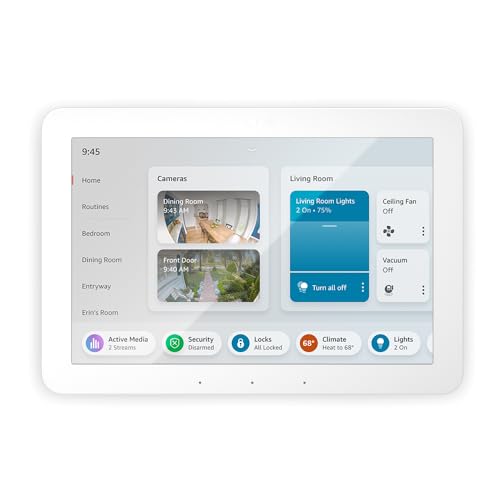
The Amazon Echo Show 15 (2nd Gen) anchors the setup — a 15.6-inch Full HD wall display with Wi-Fi 6E, Matter, built-in Fire TV, and a 13MP camera that Tom's Guide, Trusted Reviews, and TechRadar all describe as a family-hub-first product rather than a regular smart display. A secondary Amazon Echo Show 8 (3rd Gen) handles bedrooms and kid rooms. The Amazon Echo Hub is the whole-home control panel for households that want a camera-free dashboard next to the front door. The Sanus Echo Show 15 Tilt Stand puts the big display on a kitchen counter without drilling — the move for renters and anyone who wants to relocate the hub later. The Blink Mini 2 is the Drop-In-ready camera for the kid's room or front door.
We aggregated 29 expert reviews from Tom's Guide, TechRadar, Trusted Reviews, Digital Trends, The Ambient, Stuff, Android Central, PCMag, and CNET across all five picks, then scored each one with our proprietary SHE Multi-Gen Accessibility Score — the same seven-factor metric we first built for our multi-generational household guide, reused here so this family-home setup sits on the same accessibility axis as the broader multi-gen category. For broader context, cross-reference our best smart displays for the kitchen guide and our Echo Show vs Nest Hub vs HomePod comparison.
Quick Picks
- Best Overall Family Display: Amazon Echo Show 15 (2nd Gen) — 15.6-inch Full HD wall display with Wi-Fi 6E, Matter, Vision ID, and built-in Fire TV. $299.99.
- Best Secondary-Room Display: Amazon Echo Show 8 (3rd Gen) — 8-inch HD display with built-in Zigbee hub, 4-mic beamforming, and the strongest far-field voice of any Echo Show. $149-$170.
- Best Whole-Home Control Add-On: Amazon Echo Hub — 8-inch touchscreen dashboard with built-in Zigbee, Matter, Thread Border Router, and no camera. $179.99.
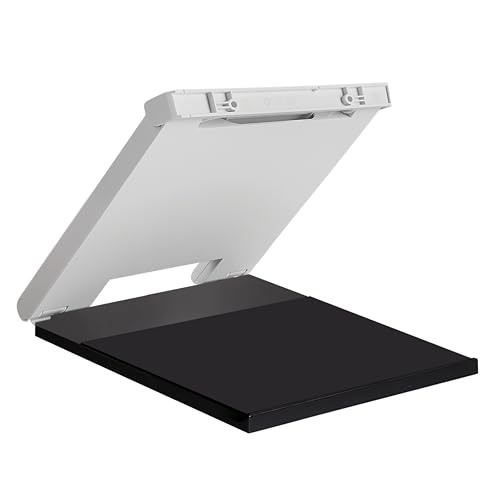
- Best Tabletop Mount: Sanus Echo Show 15 Tilt Stand — Made-for-Amazon tilt and swivel stand with built-in cable management. $32.99.
- Best Drop-In Camera Companion: Blink Mini 2 — Alexa-native indoor camera with color night vision, optional USB Sync Module local storage, and no subscription requirement. $34-$40.
Family-Home Echo Show 15 Stack
Chart
 Smarthomeexplorer.com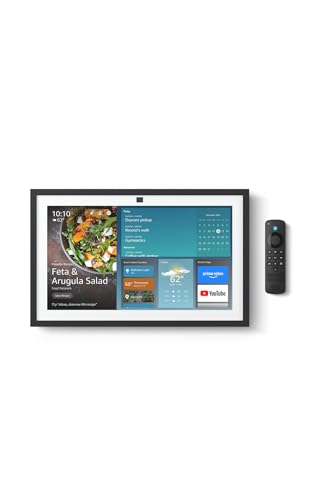
Amazon Echo Show 15 (2nd Gen) — best overall family display
Amazon Echo Show 15 (2nd Gen)
(Current Price, subject to change)
Ready to upgrade your home?
roborock Qrevo 2 Pro Robot Vacuum and Mop
See it on Amazon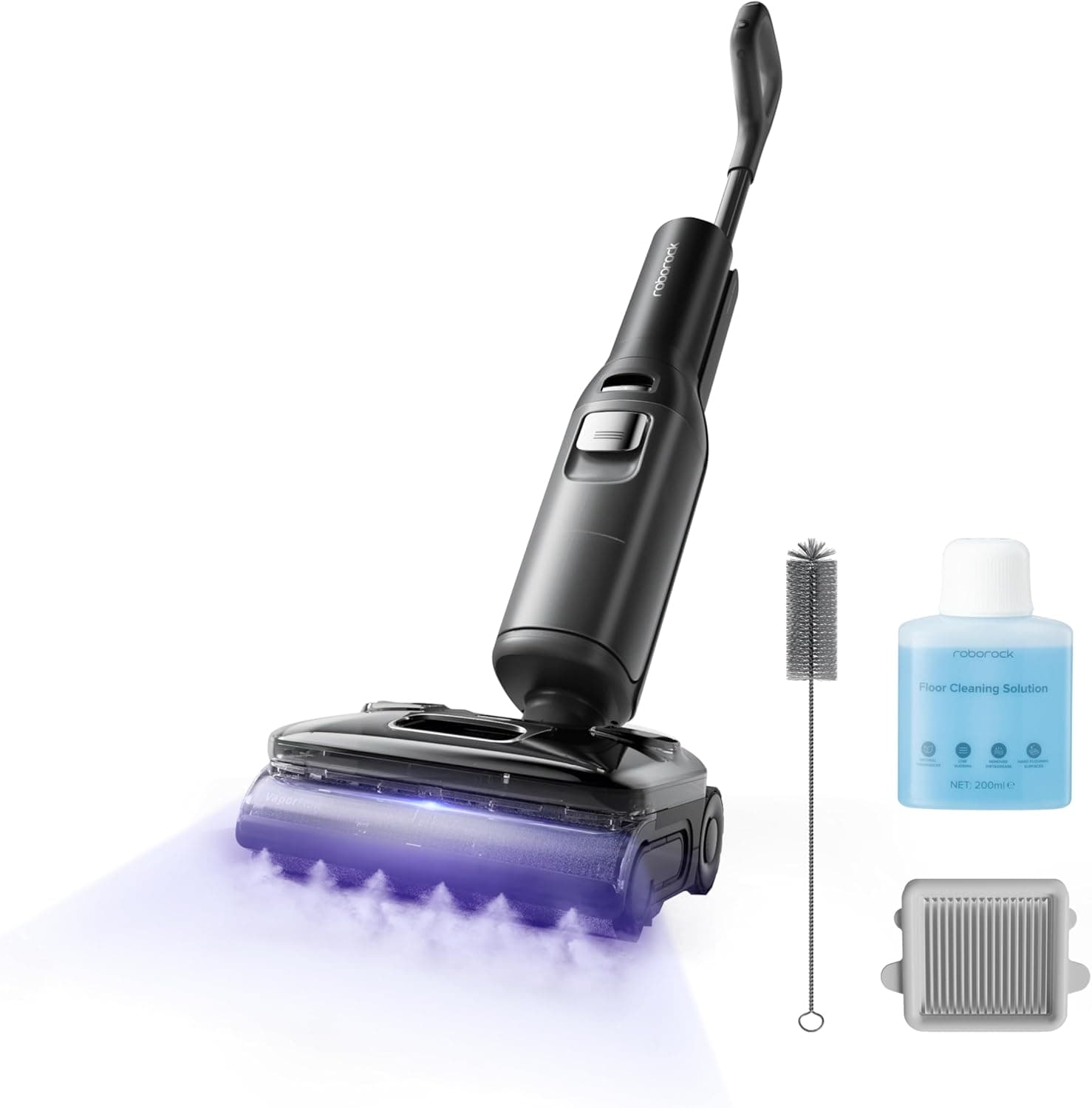
roborock F25 Ultra Steam Wet Dry Vacuum Mop
See it on Amazon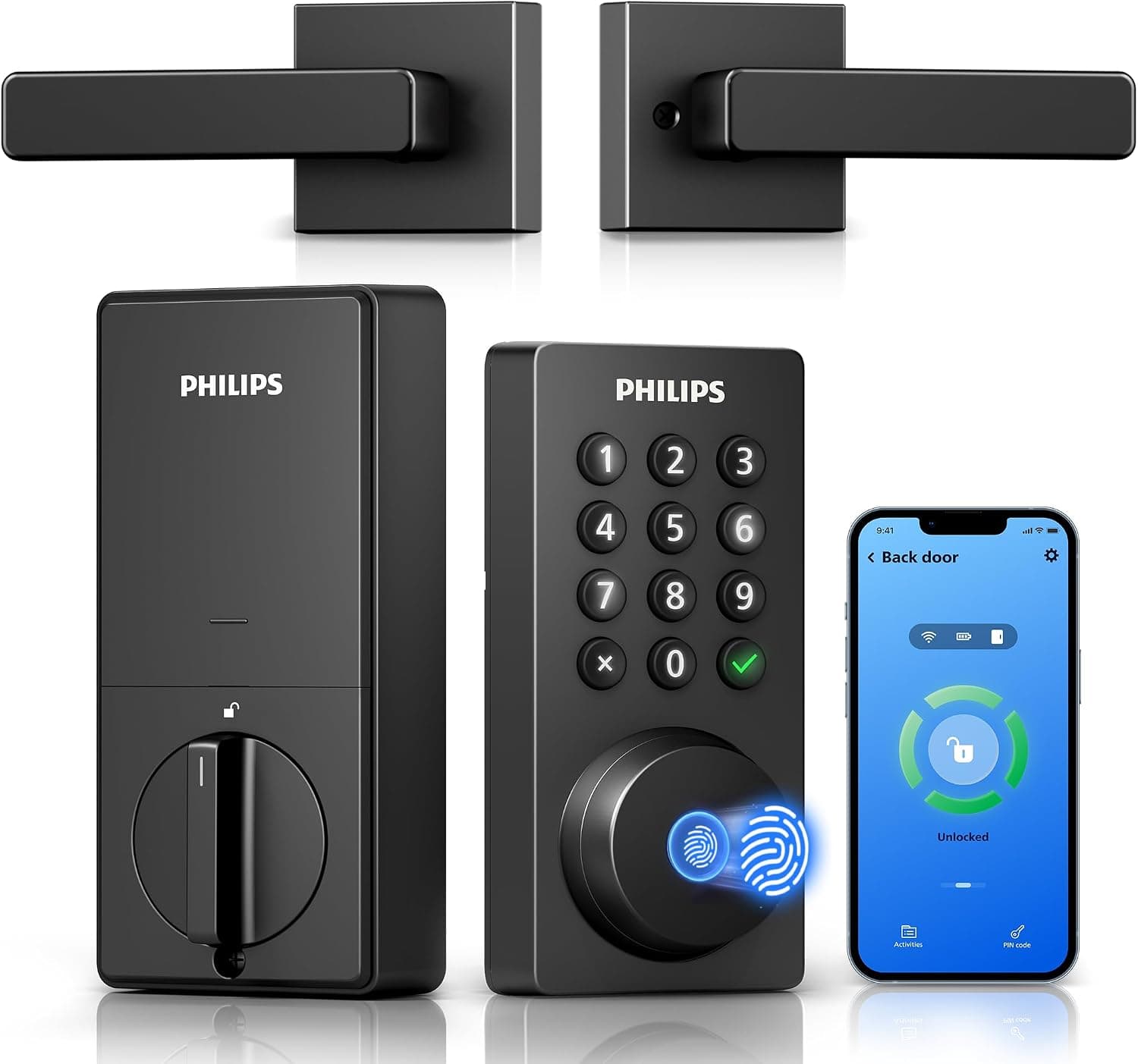
Philips Wi-Fi Keypad Deadbolt with Handle
See it on Amazon
Sponsored listings from Amazon’s Sponsored Products for Creators program, kept apart from our reviews and rankings. How we make money
The Amazon Echo Show 15 (2nd Gen) is the only smart display Amazon designed for a wall rather than a nightstand. That single framing decision changes what the device is for. The 15.6-inch Full HD panel is big enough for a whole-family glance at the kitchen calendar from across the room, which is the core family-home use case the smaller Echo Show 8 cannot fulfill. Tom's Guide called it "smart display and TV in one." Trusted Reviews called it "the heart of your home." TechRadar framed it as "half Fire TV, half smart home hub." Those three framings define the family-hub role.
The 2024 refresh matters for any 2026 buyer. The Amazon Echo Show 15 (2nd Gen) added Wi-Fi 6E for crowded networks, Matter for cross-ecosystem device onboarding, and a 13MP camera that powers Vision ID. Vision ID is the feature that actually earns the family-hub label. Walk up to the display and it shows your widgets — your calendar, your reminders, your photo stream. A different family member walks up, different widgets. That behavior is what keeps a shared kitchen display from becoming a single-user device.
Built-in Fire TV is the feature reviewers undersell. Every major family-hub review treats it as a bonus, but a 15.6-inch wall display with Prime Video, Netflix, and YouTube is functionally a second-TV purchase. In a small apartment or a galley kitchen, the Echo Show 15 replaces the need for a separate bedroom or kitchen TV outright. On our SHE Multi-Gen Accessibility Score, it posts 8.0 — strong across Ease of Use Across Ages (9.0) and Intercom/Communication (9.0) but held back by Installation Simplicity (6.5) because mounting is the one step that trips non-technical buyers.
What We Love
- 15.6-inch glance display — The only Amazon Echo Show 15 (2nd Gen) feature a 5-year-old, a teenager, and a 75-year-old can all read from 10 feet away without squinting.
- Vision ID personalization — Shows the approaching family member's widgets rather than a shared home screen, which is the difference between a kitchen tablet and a real family command center on the Amazon Echo Show 15 (2nd Gen).
- Wi-Fi 6E and Matter — The 2024 refresh future-proofs the device against mesh upgrades and the Matter rollout. Older Echo Shows still run Wi-Fi 5.
- Built-in Fire TV — Turns the Amazon Echo Show 15 (2nd Gen) into a kitchen or small-apartment TV without a separate Fire TV Stick. The B0BFZVFG6N bundle adds a Fire TV remote.
- VESA wall-mount compatible — Works with the included mount or any third-party articulating VESA arm. Sanus, WALI, and Mount-It all sell compatible arms alongside the Sanus Echo Show 15 Tilt Stand.
What Could Be Better
- Wall-mounting requires drilling and stud-finding, which intimidates renters and non-technical buyers
- $299.99 list price is 2x the smaller Echo Show tier for buyers who do not need the 15.6-inch glance size
- Built-in speakers are middling for music — pair with a separate Echo or use Bluetooth for a real listening setup
- Camera privacy shutter is manual, so a family with shared rooms needs a household rule for when the lens is covered
- Fire TV UI on a 15.6-inch glance display is still tablet-optimized, not living-room-optimized
The Verdict
The Amazon Echo Show 15 (2nd Gen) is the right answer for any household where the display sits in a shared space and needs to serve more than one person. Between Vision ID, the 15.6-inch glanceability, and the built-in Fire TV, it is the only smart display that doubles as family command center, secondary TV, and kitchen hub without compromising any role. The Installation Simplicity penalty is real but buyers who commit to a wall mount get the highest-impact display in the Echo lineup.
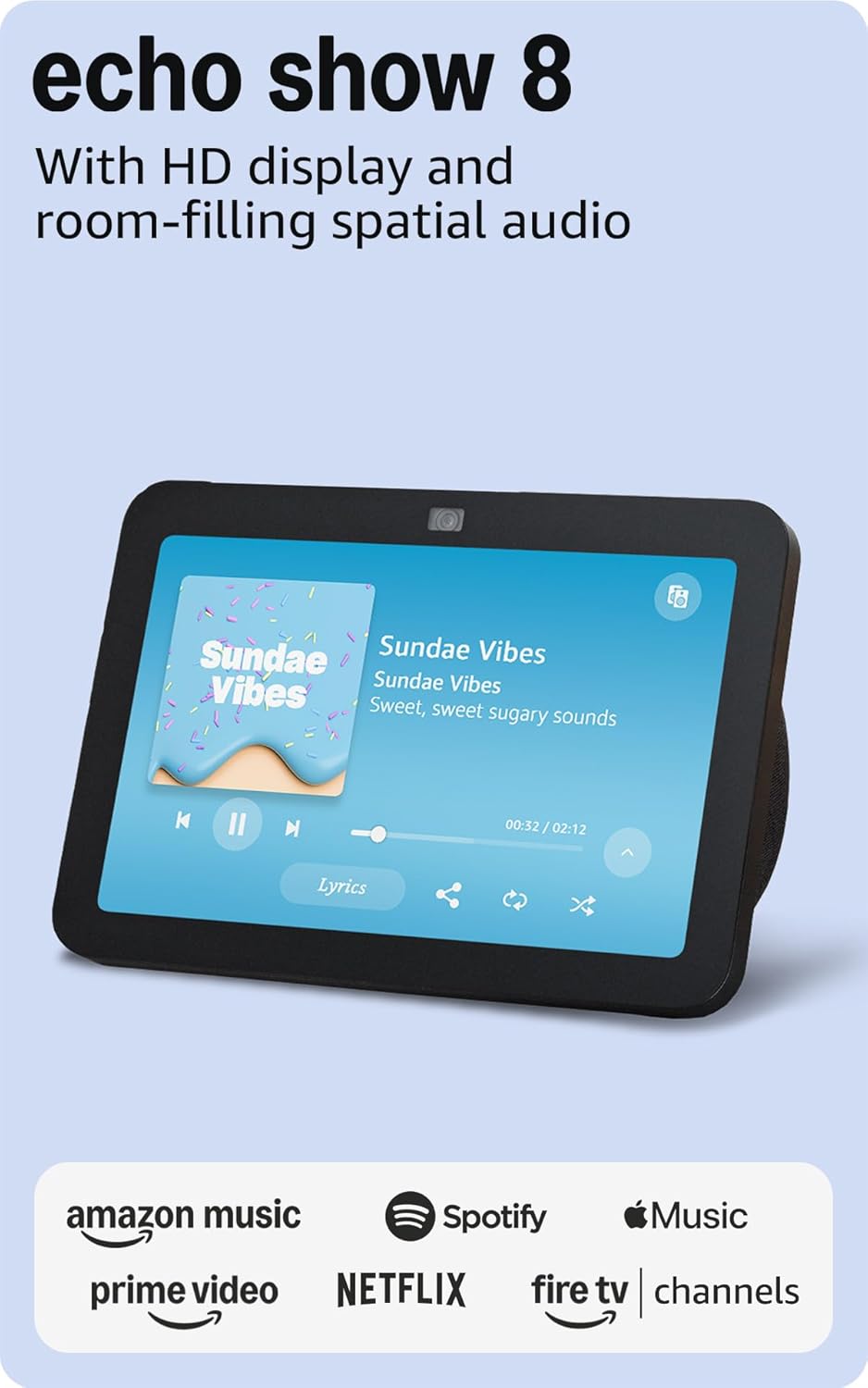
Amazon Echo Show 8 (3rd Gen) — best secondary-room display
Amazon Echo Show 8 (3rd Gen)
(Current Price, subject to change)
The Amazon Echo Show 8 (3rd Gen) is the family-home setup's bedroom and kid-room companion. PCMag's review summed it up: "the best smart display for most people — great display, strong mics, and a fair price." For the secondary-room role, that is the right set of trade-offs. Bedroom and kid-room displays do not need 15.6 inches of glance area; they need voice that works from under the covers or across the playroom, and they need a price point where buying a second or third one does not feel expensive.
The 3rd-gen refresh added 4-mic beamforming with Adaptive Listening — the device recalibrates to ambient noise, so a kid's room full of Legos is no worse than a quiet bedroom for voice pickup. PCMag measured 94% voice recognition at 20 feet, which is the highest far-field score in the Echo lineup. The built-in Zigbee hub is the other reason this is our secondary-room pick: a bedroom Echo Show 8 doubles as the pairing point for a Zigbee bulb, motion sensor, or door sensor in that room, which offloads device count from the Echo Show 15 downstairs.
Editorially surfacing a divergence from the score: the Amazon Echo Show 8 (3rd Gen) actually beats the Echo Show 15 on our SHE Multi-Gen Accessibility Score — 8.7 vs 8.0 — on the strength of Installation Simplicity (9.5 vs 6.5), Voice Control Quality (9.5 vs 8.5), and Value (9.0 vs 7.0). That matters because it says something important about this category: smaller, cheaper displays score higher on raw accessibility. The Echo Show 15 still wins Best Overall because its 15.6-inch wall-mountable display unlocks the family-command-center role the Show 8 cannot fulfill, but the score captures something real — the Show 8 is the more universally useful device.
What We Love
- Strongest far-field voice in the Echo lineup — PCMag measured 94% voice recognition at 20 feet for the Amazon Echo Show 8 (3rd Gen), beating every other Echo Show on the same test.
- Adaptive Listening — Recalibrates to ambient noise automatically on the Amazon Echo Show 8 (3rd Gen), so a noisy kid room or a running shower does not kill voice pickup.
- Built-in Zigbee hub — Pair a Zigbee bulb, motion sensor, or door sensor in the same room without a separate bridge from our Zigbee hubs roundup. The Amazon Echo Show 15 (2nd Gen) does not include a Zigbee radio.
- Price — At $149-$170, buying two or three for different rooms is affordable. The Echo Show 15 at $300 makes that math harder.
- Tap-to-snooze alarms — Tap anywhere on the display to snooze, which is a real bedroom-UX improvement over the original Amazon Echo Show 8 (3rd Gen) generation. See also our best smart speakers for kids' rooms guide for the broader pairing picture.
What Could Be Better
- 8-inch display is too small for a whole-family glance in a shared kitchen or living room
- Tabletop-only form factor limits placement to surfaces with outlets nearby
- Alexa ecosystem only — no HomeKit support, limited Google Home integration
- Camera is 13MP but the lens angle is narrower than the Echo Show 15's for Drop-In video calls
The Verdict
The Amazon Echo Show 8 (3rd Gen) is the Echo Show buyers should scale across the house. One downstairs in the kitchen is the Echo Show 15 role; one in the parents' bedroom and one in each kid room is the Echo Show 8 role. Put a Zigbee sensor in each room and this stack becomes the cheapest route to whole-home Alexa with visual control surfaces in every sleeping space.
Amazon Echo Hub — best whole-home control add-on
Amazon Echo Hub
(Current Price, subject to change)
The Amazon Echo Hub is the deliberate add-on for households where the Echo Show 15 handles the shared-family role and a second wall-mounted surface needs to live near the front door, the garage, or a hallway. CNET called it "the best wall-mounted smart home controller — a touchscreen dashboard with built-in Zigbee and Matter." That is the right framing. The Echo Hub is not a replacement for the Echo Show 15; it is a camera-free, dashboard-first companion.
The feature that separates the Echo Hub from every other Echo device is the lack of a camera. For a front-door or garage-entrance dashboard, that is a privacy advantage. A camera on a hallway display raises household rules; a dashboard-only panel does not. The built-in Thread Border Router is the other reason this device earns its place: it extends the Thread mesh your Matter devices ride on, which is the right infrastructure call for any household planning to buy Matter door locks, contact sensors, or Nanoleaf lighting in the next 12-24 months.
The Amazon Echo Hub scores 7.4 on our SHE Multi-Gen Accessibility Score — highest in the lineup on Privacy Zones (9.0), lowest on Intercom/Communication (6.0) because the missing camera disables Drop-In video. That is the trade-off. Buy the Echo Hub for privacy-first dashboard use, not for the same role the Echo Show 15 plays.
What We Love
- No camera, so no household rules — The Amazon Echo Hub is the right call for a hallway or front-door dashboard where a camera would feel intrusive.
- Built-in Zigbee, Matter, and Thread Border Router — The fullest radio stack of any Echo device. One Amazon Echo Hub covers every modern wireless protocol for our Matter-compatible device roundup.
- Wall-mountable out of the box — The magnetic in-wall mount is included, not sold separately. The Amazon Echo Show 15 (2nd Gen) wall mount is also included but requires more drilling.
- Dashboard-first UI — Widgets for routines, cameras, locks, and thermostats are the default home screen on the Amazon Echo Hub rather than an afterthought.
- Cheaper than the Echo Show 15 — Amazon Echo Hub at $179.99 vs the Echo Show 15 at $299.99 makes adding a second wall-mounted surface realistic.
What Could Be Better
- No camera means no Drop-In, no video calls, and no Vision ID personalization
- 8-inch display is too small for whole-family glance use
- Alexa ecosystem only — no HomeKit support, limited Google Home routines
- Cloud-dependent for most automations — routines degrade during internet outages
- No built-in battery, so power loss knocks it offline immediately
The Verdict
The Amazon Echo Hub earns a spot in the family-home setup as the second wall-mounted surface — hallway, front-door entry, or home-office wall — where a camera is a liability rather than a feature. It does not replace the Echo Show 15. It complements it. Households with one of each get the shared-family kitchen surface plus a dashboard surface wherever the camera-free use case matters.
Sanus Echo Show 15 Tilt Stand — best tabletop mount
Sanus Echo Show 15 Tilt Stand
(Current Price, subject to change)
The Sanus Echo Show 15 Tilt Stand is the renter answer to the Echo Show 15's Installation Simplicity problem. Sanus is the OEM behind Amazon's official Made-for-Amazon Echo Show stands — if you see any branded tilt stand for the Echo Show 15, this is the underlying hardware. Tom's Guide covered it explicitly: the writer said a $30 accessory "completely transformed how I use the Echo Show 15." That is the headline. Wall-mounting the Echo Show 15 is the right long-term move, but the Sanus stand is the try-the-device-for-a-month-before-drilling path.
The design is specific: 60-degree tilt and swivel, built-in cable management, and a footprint sized exactly for the Echo Show 15. No generic third-party stand does all three. The cable-management channel matters more than it sounds — a 15.6-inch display with a visible power cord dangling down a kitchen counter looks cluttered; the Sanus hides the cable inside the base. Installation Simplicity on the SHE Multi-Gen Accessibility Score is 9.5 for the stand, which is why the mount earns a pick despite the lower aggregate score. It is a mount-only accessory, so it cannot improve the host device's voice, safety, or intercom — the aggregate 6.9 is the expected shape of an accessory score.
What We Love
- Zero drilling — Renters, family buyers who rearrange rooms, and anyone who wants to relocate the Amazon Echo Show 15 (2nd Gen) after a remodel get the full wall-mount UX without the permanent commitment.
- Made-for-Amazon sizing — The Sanus Echo Show 15 Tilt Stand VESA plate is sized exactly for the Echo Show 15's mounting holes. No generic 75×75 plate works this cleanly.
- 60-degree tilt and swivel — Adjust the Sanus Echo Show 15 Tilt Stand for a kitchen-counter glance angle or a standing countertop. Generic stands force a single angle.
- Built-in cable management — Hides the power cord inside the base. The Amazon Echo Show 15 (2nd Gen) looks like a deliberate piece of furniture rather than a dangling tablet.
- Cheaper than a wall-mount installer — Sanus Echo Show 15 Tilt Stand at $32.99 vs paying a handyman $75-$150 to mount and hide the cable inside a wall.
What Could Be Better
- Tabletop-only — it does not free counter space the way a wall mount does
- Limited tilt range vs articulating VESA arm mounts that can pivot the display 180 degrees
- Pricier than generic third-party Echo Show 15 stands by $5-$10
- Adds $30-plus to the total Echo Show 15 cost, which some buyers expect to be bundled
- Does not rotate between portrait and horizontal — the Echo Show 15 is horizontal-only anyway, but the fixed orientation surprises buyers
The Verdict
Buy the Sanus Echo Show 15 Tilt Stand if you rent, if you want to test the Echo Show 15 for a month before drilling, or if the kitchen counter is the right placement for your household. Buy an articulating VESA arm if the eventual answer is wall-mounted. Both paths end with the Echo Show 15 as the family hub; the Sanus stand is the path that does not require a drill.
Blink Mini 2 — best Drop-In camera companion
Blink Mini 2
(Current Price, subject to change)
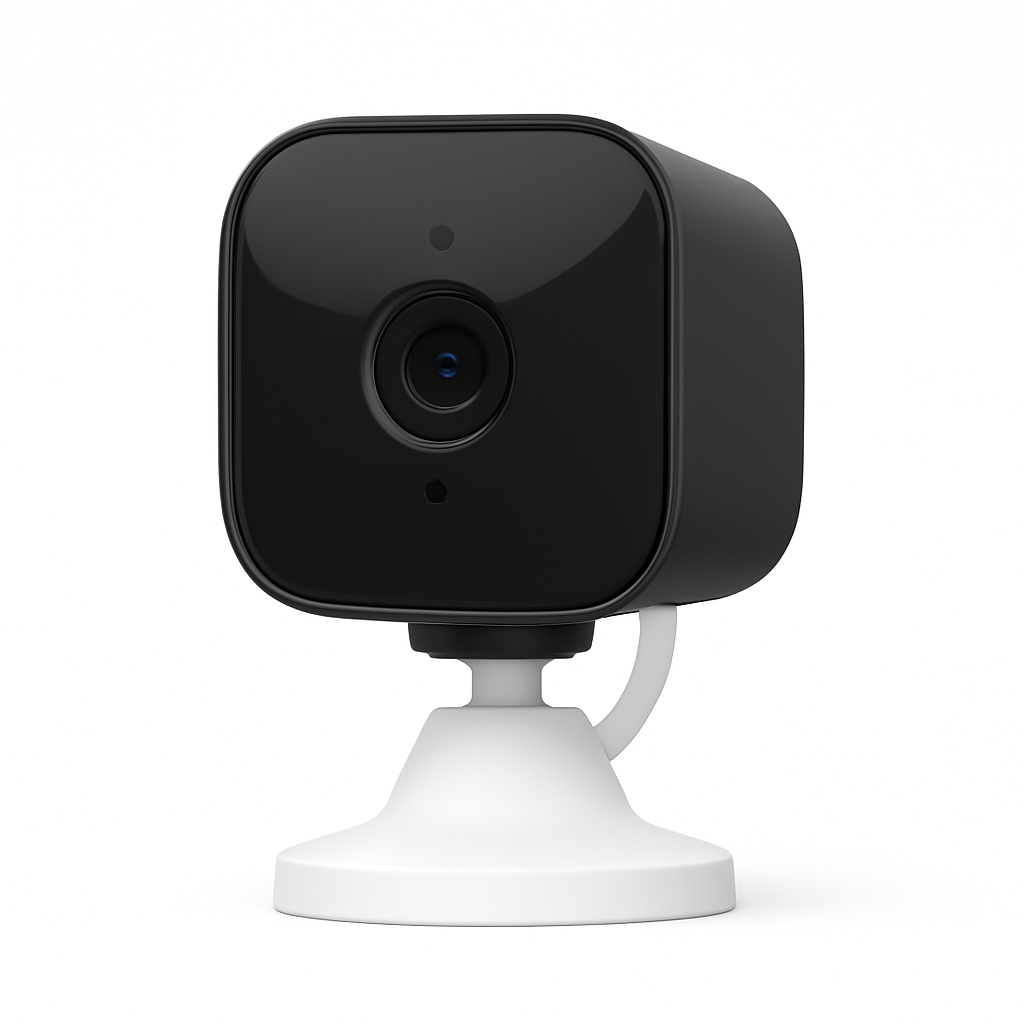
The Blink Mini 2 is the camera that makes the Echo Show 15 setup feel like a real family-home system. Drop-In is the feature: say "Alexa, drop in on the kids' room" from the kitchen Echo Show 15 and the Blink Mini 2 appears on the 15.6-inch display instantly. No subscription required for basic Drop-In, which is the business-model difference that matters vs Ring or Arlo. The Blink ecosystem is Amazon-owned, which is both the advantage (deep Alexa integration, no cross-vendor setup friction) and the limitation (no HomeKit, no Google Home Drop-In).
Tom's Guide summed up the positioning: "the best camera for deep Amazon households — Alexa integration and local storage via Sync Module with no monthly fees." That is the Blink Mini 2's entire pitch. For households already anchored on the Echo Show 15 and the Echo Show 8, adding a Blink Mini 2 to a kid's room or pointing one at the front door unlocks Drop-In coverage without the $6-$10/month subscription Ring or Arlo gate behind their cloud features.
On the SHE Multi-Gen Accessibility Score, the Blink Mini 2 posts 7.6 — strong Value (9.0), strong Installation Simplicity (9.0), strong Safety Features (8.0). Lower Privacy Zones (6.0) because indoor cameras in shared spaces always raise household-rule questions; families should commit to placement norms before plugging one in.
What We Love
- Native Alexa Drop-In on the Echo Show 15 — Say "drop in on the kids' room" from the kitchen and the Blink Mini 2 camera feed fills the 15.6-inch display.
- Subscription-free local storage — Add the USB Sync Module 2 to the Blink Mini 2 and get local event storage without the Blink Subscription Plan.
- Color night vision — Not every indoor camera at $35 has a color LED spotlight like the Blink Mini 2. Most drop to monochrome IR at night.
- Compact plug-in design — Fits on a bookshelf or a kid-room dresser without looking like security equipment. The Blink Mini 2 form factor is smaller than a Ring Indoor Cam.
- Amazon ecosystem native — The Blink Mini 2 is Alexa-first, not Alexa-compatible. Drop-In, routines, and Announcements all work out of the box. Compare across ecosystems in our Alexa vs Google Home vs HomeKit comparison.
What Could Be Better
- Local storage requires buying the USB Sync Module 2 separately — the Mini 2 alone is cloud-only
- No HomeKit, no Google Home Drop-In, limited non-Alexa ecosystem support
- Blink app experience is basic compared to Ring or Arlo — fewer customization options for clip length and notification zones
- Plug-in only — the battery-powered Blink Mini tier is a different product, not a variant
- Audio on two-way Drop-In is functional but thinner than the Echo Show 15's built-in speaker
The Verdict
The Blink Mini 2 is the right camera for households already committed to the Echo Show 15 and the Alexa ecosystem. For cross-platform homes that want HomeKit or Google Home Drop-In, a different camera is the answer. For the family-home use case this guide covers — one big shared display, Alexa as the voice assistant, Drop-In as the room-to-room communication path — the Blink Mini 2 is the cheapest route to get there.
How we score the family-home Echo Show 15 setup
Our SHE Multi-Gen Accessibility Score is a seven-factor composite designed to capture whether a smart display setup works across a 5-year-old, a teenager, parents, and a 75-year-old grandparent living under the same roof. The formula:
(Ease of Use Across Ages × 0.20) + (Voice Control Quality × 0.15) + (Safety Features × 0.20) + (Privacy Zones × 0.10) + (Installation Simplicity × 0.10) + (Intercom/Communication × 0.15) + (Value × 0.10)
Ease of Use Across Ages and Safety Features are the heaviest weights because shared family tech that only works for one age group is not family tech. Intercom/Communication and Voice Control Quality sit in the middle tier because Drop-In, Announcements, and far-field voice are the multi-room primitives that make a whole-house setup function. Privacy Zones, Installation Simplicity, and Value are the lightest but still material factors. Sources include Tom's Guide, TechRadar, Trusted Reviews, Digital Trends, PCMag, CNET, Stuff, Android Central, and the Sanus product spec sheet, aggregated into per-factor scores for each product.
(SmartHomeExplorer editorial analysis — methodology)
The divergence worth calling out: the Amazon Echo Show 8 (3rd Gen) beats the Amazon Echo Show 15 (2nd Gen) on this score, 8.7 vs 8.0. The Show 8 wins on Installation Simplicity, Voice Control Quality, and Value. The Show 15 still takes Best Overall because its 15.6-inch wall-mountable display unlocks the family-command-center role the Show 8 cannot fulfill — but the score says something important. If your household does not need a whole-family glance display, two Echo Show 8 units in different rooms score higher on accessibility than one Echo Show 15 does.
The real decision is not either/or — it is sequence. Buy the Echo Show 15 first for the kitchen or shared living room. Add the Echo Hub later if a second wall-mounted surface needs to live near a hallway, entry, or garage. Households who try to pick between them usually buy the Echo Show 15 and never regret it; households who bought the Echo Hub first sometimes add an Echo Show 15 later because the Echo Hub alone cannot serve the shared-family role. Here is the family-home stack side-by-side across the four decision axes most buyers weigh.
How to set up the Amazon Echo Show 15 for your family
Family Profiles and Vision ID
Before mounting anything, set up family profiles in the Alexa app. Each family member adds a voice profile and a Vision ID face. Walk up to the Amazon Echo Show 15 (2nd Gen) and the home screen switches to that person's widgets — calendar, reminders, photos, chore list. Vision ID is the single feature that turns a shared kitchen display into a personalized family hub. Skip this step and the Echo Show 15 defaults to a shared-household home screen that shows every family member's data at once, which is the wrong UX for a multi-generational home.
Chore charts for kids
Alexa Skill Blueprints ship a chore-chart template for the Echo Show 15. Create a chart per kid, assign weekly chores, and the widget pins to the home screen. BSIMBFrames covered the workflow in "How My Echo Show Finally Got My Family to Do Their Chores" — the takeaway is that a visible chore widget on a 15.6-inch display is behaviorally different from a chore app on a phone. Kids walk past the kitchen, see the Amazon Echo Show 15 (2nd Gen) chart, and the social proof of a visible list moves the needle. Housewife Eclectic's workflow adds routines: "Alexa, I did my chores" triggers a routine that updates the chart and optionally pays allowance via a shared family ledger.
Family calendar and photo widgets
Pin the family Google Calendar or Apple iCloud calendar as a widget. The Echo Show 15's calendar widget shows the next 5-7 events across all family members with color-coded entries per person. Pair this with a photo widget pulling from Amazon Photos, Google Photos, or Apple iCloud. The right photo-source configuration matters: families who pull from a shared family album rather than a single person's camera roll get a rolling slideshow that everyone in the household contributes to.
Drop-In and Announcements across rooms
Drop-In from the Echo Show 15 to the Amazon Echo Show 8 (3rd Gen) in a kid's room or the Blink Mini 2 pointed at the playroom turns the kitchen display into a home intercom. Announcements broadcast a short voice message to every Echo device in the house at once — "dinner is ready" is the canonical family use case for the Amazon Echo Show 15 (2nd Gen) and the Amazon Echo Show 8 (3rd Gen) paired across rooms. Both features work out of the box; the setup step is toggling Drop-In permissions per room in the Alexa app.
Mounting your Amazon Echo Show 15
Wall vs tabletop vs under-cabinet
Three placement paths. Wall-mounted with the included VESA plate is the right long-term answer — the 15.6-inch display was designed for vertical mounting. Tabletop with the Sanus Echo Show 15 Tilt Stand is the renter and commitment-averse answer for the Amazon Echo Show 15 (2nd Gen). Under-cabinet mounting is the kitchen-specific answer — Sanus also sells the BEHUCM-W2 under-cabinet mount for households with upper kitchen cabinets above the counter. Each path has a different install-time cost: wall mount takes 30-45 minutes and a drill; tabletop takes 5 minutes; under-cabinet takes 20-30 minutes and two screws into the cabinet bottom.
Considerations for mixed-height families
The Echo Show 15's 15.6-inch display reads at any reasonable height, but Vision ID's face detection is optimized for a 4-7 foot height range. Mount too high and a 5-year-old cannot trigger Vision ID personalization from a standing position. Mount too low and a 6-foot-plus adult has to bend down to read the screen at close range. The right answer for most kitchens is 54-58 inches from the floor to the center of the display, which hits the compromise between kid eye level and adult standing read distance.
When NOT to Buy the Amazon Echo Show 15 for your family
The Amazon Echo Show 15 is the wrong choice for single-person households who do not need a shared-family display, for households committed to Apple HomeKit or Google Home as their primary ecosystem, and for renters who cannot drill into walls and do not want a tabletop stand taking counter space. An Amazon Echo Show 8 (3rd Gen) or a Google Nest Hub Max fits the first case for less money. A Google Nest Hub Max or Apple HomePod paired with an iPad is the cross-platform answer for the second. For the renter case, two Echo Show 8 units in different rooms score higher on our accessibility metric than one mounted Echo Show 15 does, and the install footprint is zero.
FAQ
Does the Amazon Echo Show 15 work with HomeKit?
No. The Amazon Echo Show 15 is Alexa-native and does not support Apple HomeKit. Households committed to HomeKit should look at the Apple HomePod paired with an iPad for a comparable family-display role.
Can two families share one Amazon Echo Show 15?
Not cleanly. Amazon Echo Show 15 supports multiple family profiles within one Amazon Household, but Amazon Households are limited to 2 adults and up to 4 kids under a single account pairing. Two separate families sharing one display hit the Amazon Household limit quickly.
Is the Amazon Echo Show 15 good for kids?
Yes, with caveats. Kid Profiles restrict content and purchases, and Vision ID shows kid-appropriate widgets when a child walks up. The 13MP camera has a manual privacy shutter, so families with shared spaces should set a household norm for when the lens is covered.
What VESA mounts does the Amazon Echo Show 15 support?
The Amazon Echo Show 15 ships with an integrated VESA 75×75 mount plate compatible with most 75×75 articulating arms. The Sanus Echo Show 15 Tilt Stand and Sanus BEHUCM-W2 under-cabinet mount are Made-for-Amazon certified and sized exactly for the device.
Can the Amazon Echo Hub replace the Amazon Echo Show 15 in a family home?
No. The Amazon Echo Hub has no camera, which rules out Drop-In video and Vision ID — two features the family-home setup depends on. The Amazon Echo Hub is a dashboard-first add-on, not a shared-family display replacement.
The Bottom Line
Get the Amazon Echo Show 15 (2nd Gen) if you want a shared kitchen or living-room display with Vision ID personalization, built-in Fire TV, and a 15.6-inch screen that a 5-year-old and a 75-year-old can both read from across the room.
Skip the Amazon Echo Show 15 (2nd Gen) if you live alone, rent without drilling privileges and do not want a tabletop stand on your counter, or run your household on Apple HomeKit.
For most multi-generational family homes, the right 2026 stack is one Amazon Echo Show 15 (2nd Gen) in the shared kitchen or living room, one or two Amazon Echo Show 8 (3rd Gen) units in bedrooms and kid rooms, optionally one Amazon Echo Hub as a hallway or entry dashboard, a Sanus Echo Show 15 Tilt Stand for the renter or commitment-averse path, and one or more Blink Mini 2 cameras pointed at kid rooms or the front door for Drop-In coverage. That stack costs $500-$700 total depending on how many secondary displays and cameras you add, and it scores 7.4-8.7 across the lineup on our multi-gen accessibility metric.
Sources & Methodology
We aggregated 29 expert reviews from Tom's Guide, TechRadar, Trusted Reviews, Digital Trends, The Ambient, PCMag, CNET, Stuff, and Android Central across all five products, cross-referenced with TikTok creator coverage, BSIMBFrames and Housewife Eclectic workflow blogs, the Alexa Skill Blueprints chore-chart template, and the Sanus BEHHS-B1 and BEHUCM-W2 product spec sheets. Our SHE Multi-Gen Accessibility Score is a seven-factor composite with per-factor weights published in the full methodology. Consensus scores reflect weighted averages across expert reviewers; per-product factor scores are editorial analyses of the published review corpus, not first-party testing.
Author: Nicholas Miles Nicholas Miles is the founder of SmartHomeExplorer.com. Nicholas aggregates 3+ expert sources per product across 1,373 smart home products and 414 buying guides.
Disclosure: SmartHomeExplorer.com earns affiliate commissions from qualifying Amazon purchases. This does not influence our rankings — our methodology is published at /methodology.