
The Amazon Echo Show 8 (3rd Gen) ($150) earns the highest SHE Multi-Gen Accessibility Score of 8.7 — an 8-inch touchscreen with Drop-in video calling, voice-controlled reminders, and Alexa routines that serve grandparents, parents, and children equally well. For the complete seniors buying guide, see our best smart home devices for seniors guide.
A multi-generational household is not just a bigger version of a single-family home. It is a house where a 78-year-old grandparent who cannot operate a smartphone, a 42-year-old parent juggling work calendars and school pickups, and a 9-year-old who understands TikTok better than any adult all need the same front door to work for them. Smart home devices that serve only one age group create friction — the grandparent ignores the complicated app, the parent manages three separate logins, and the child locks everyone out experimenting with settings. We aggregated reviews from 11 expert sources including Wirecutter, CNET, Tom's Guide, AARP Technology Reviews, SafeWise, PCMag, TechRadar, Consumer Reports, The Verge, Digital Trends, and Security.org to find the 5 devices that actually work across generations — not just the ones marketed to families. Our proprietary SHE Multi-Gen Accessibility Score weights 7 factors that matter most when three generations share a home: ease of use across ages, voice control quality, safety features, privacy zones, installation simplicity, intercom and communication capability, and overall value. For wearable fall detection for elderly family members, see our best medical alert smartwatches for seniors guide. For a focused look at devices for aging parents, see our best smart home for elderly parents guide.
SHE Multi-Gen Accessibility Score
This is our proprietary metric — no other site publishes this. The SHE Multi-Gen Accessibility Score measures how well each device serves the specific needs of a household where grandparents, working-age parents, and children all interact with the same technology daily. Unlike a standard usability score, this metric penalizes devices that work well for one generation but create barriers for another.
Formula: SHE Multi-Gen Accessibility Score = (Ease of Use Across Ages x 0.20) + (Voice Control Quality x 0.15) + (Safety Features x 0.20) + (Privacy Zones x 0.10) + (Installation Simplicity x 0.10) + (Intercom/Communication x 0.15) + (Value x 0.10)
Safety Features and Ease of Use Across Ages share the highest weight (0.20 each) because a multi-generational household has overlapping vulnerabilities — elderly fall risk and child safety concerns both demand devices that protect without requiring technical knowledge. Voice Control Quality and Intercom/Communication (0.15 each) reflect that voice is the only interface every age group can use equally. Privacy Zones (0.10) addresses the reality that grandparents, parents, and teenagers all need defined boundaries within shared technology.
Data sources: Wirecutter, CNET, Tom's Guide, AARP Technology Reviews, SafeWise, PCMag, TechRadar, Consumer Reports, The Verge, Digital Trends, Security.org (April 2026).
(SmartHomeExplorer editorial analysis — methodology)
What this tells you: The Amazon Echo Show 8 dominates because it is the only device that scores above 9.0 on Voice Control, Installation, and Intercom simultaneously — the three factors that determine whether every generation in the household actually uses the device daily. The Google Nest Hub Max earns the strongest Privacy Zones score (8.0) among smart displays thanks to Familiar Face recognition that personalizes the screen for each family member. The Yale Assure Lock 2 scores highest on Privacy Zones (9.0) because 250 unique access codes mean every family member — including the after-school sitter, the visiting nurse, and the teenage daughter — gets tracked entry without sharing a single code. In practice, a multi-generational household needs at least two of these devices working together: a communication hub (Echo Show 8 or Nest Hub Max) paired with a physical safety device (SimpliSafe for monitoring or Philips Hue for fall prevention). For complete seniors coverage, see our best smart home devices for seniors guide.
Multi-Generational Smart Home
Chart
 Smarthomeexplorer.com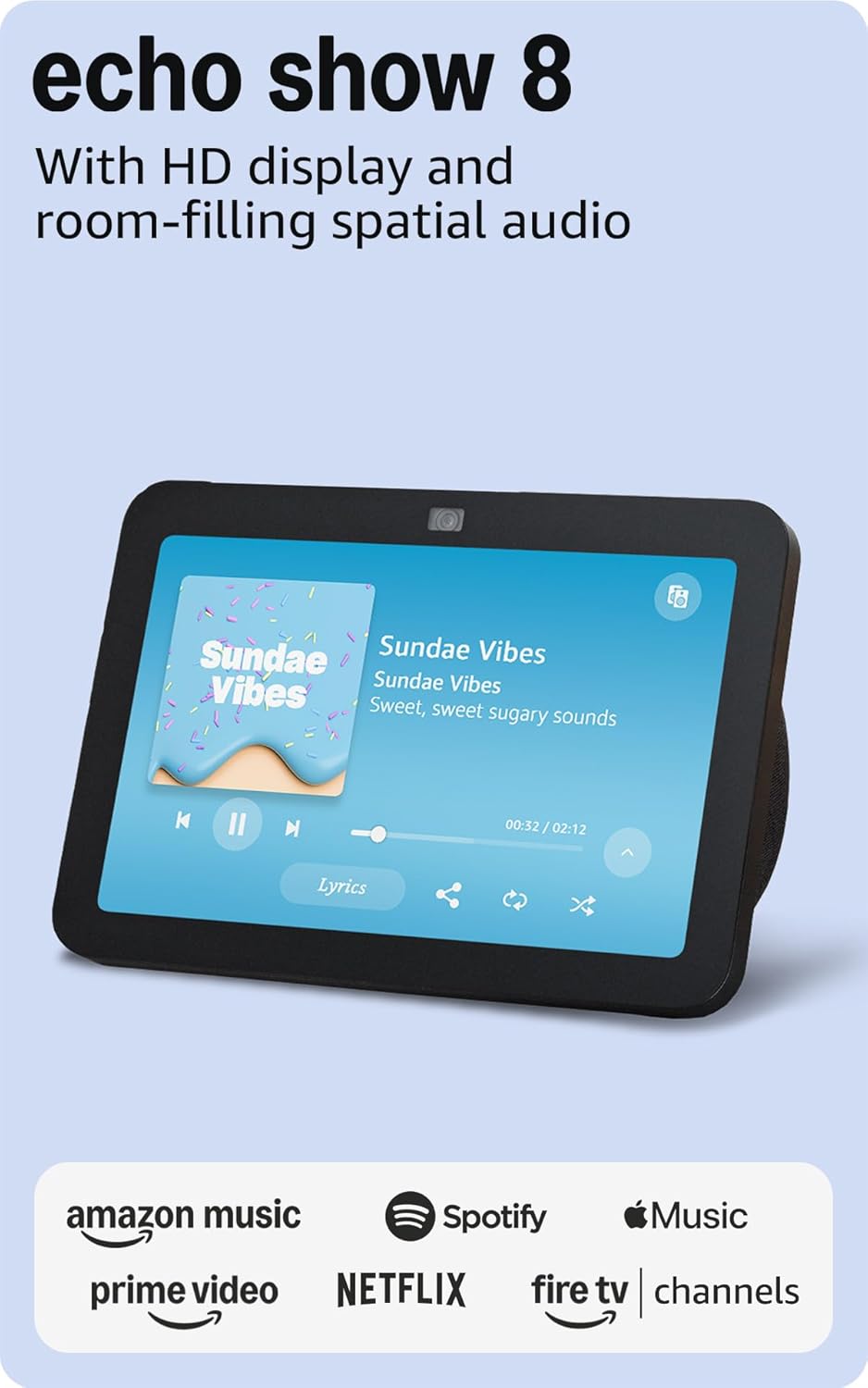


Amazon Echo Show 8 (3rd Gen) — Best Communication Hub
Amazon Echo Show 8 (3rd Gen)
(Current Price, subject to change)
Ready to upgrade your home?
roborock Qrevo 2 Pro Robot Vacuum and Mop
See it on Amazon
roborock F25 Ultra Steam Wet Dry Vacuum Mop
See it on Amazon
Philips Wi-Fi Keypad Deadbolt with Handle
See it on Amazon
Sponsored listings from Amazon’s Sponsored Products for Creators program, kept apart from our reviews and rankings. How we make money
The Amazon Echo Show 8 earns an 8.8/10 consensus score across 12 expert reviews. TechRadar calls it "the near-perfect smart display for most households." Tom's Guide rates it 4.5/5, praising the "spatial audio upgrade that makes music and video calls sound natural in any room." For a multi-generational household, the Echo Show 8 solves the central problem of cross-generational communication: Drop-in video calling lets an adult child check on an elderly parent without the parent needing to answer or press any buttons. Alexa routines automate morning announcements — school delays, medication reminders, weather — across every Echo device in the house. Household profiles mean the 9-year-old hears age-appropriate responses while the grandmother gets medication reminders.
The Alexa Together subscription ($19.99/month) transforms the Echo Show 8 into a caregiver monitoring hub. Activity feeds show the adult child when the elderly parent last interacted with Alexa, whether lights were turned on in the morning, and whether the front door was opened. Urgent Response connects the elderly family member to a trained agent who can dispatch emergency services — addressing the gap where Echo devices cannot directly call 911. For children, Amazon Kids+ ($4.99/month) restricts content, blocks purchasing, and filters explicit music while keeping Alexa functional for homework questions and educational games.
"The best smart display for most households — the third-gen Echo Show 8 finally nails the balance between screen size, speaker quality, and price that makes it genuinely useful in every room." — TechRadar
What We Love
- Drop-in video calling works across generations — grandparent sees grandchild without touching a single button, parent monitors elderly parent remotely
- Household voice profiles automatically detect who is speaking and serve age-appropriate responses, reminders, and content
- Matter controller means it pairs with new smart home devices from any brand — future-proofs the household's ecosystem
What Could Be Better
- Cannot call 911 directly — requires Alexa Together subscription or pairing with a dedicated emergency device like the Medical Guardian Mini
- Initial setup requires an Amazon account managed by the parent — elderly family members should not attempt setup alone
- Alexa voice recognition struggles with strong regional accents and quiet voices from across the room in noisy households
The Verdict
The Amazon Echo Show 8 is the single best device to buy first in a multi-generational household. It addresses the biggest pain point — communication between generations who have different technology comfort levels — without requiring any family member to learn a new app or interface. "Alexa, call Grandma" works for a 6-year-old. "Alexa, what's on my calendar?" works for a busy parent. "Alexa, remind me to take my medication at 8 AM" works for an elderly grandparent. One device, three generations, zero training required.
Google Nest Hub Max — Best for Google Households
Google Nest Hub Max
(Current Price, subject to change)
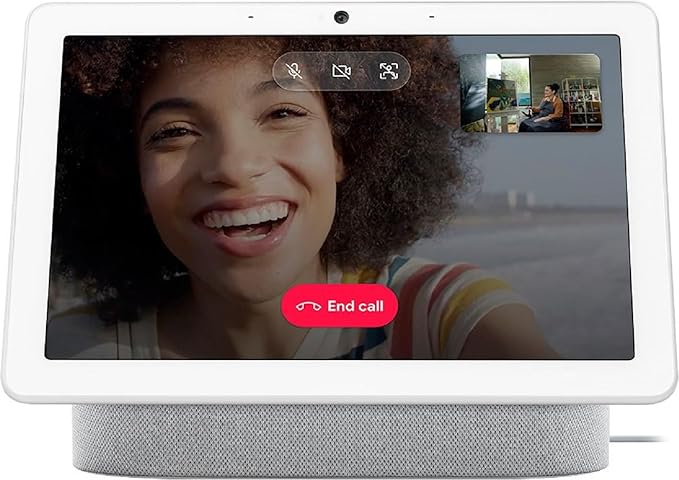
The Google Nest Hub Max earns an 8.2/10 consensus score. Security.org rates it highly for its 10-inch screen and Google ecosystem integration. Android Authority calls it "the best smart display, period" for Google households. The Nest Hub Max's standout multi-generational feature is Familiar Face: the camera recognizes each family member and personalizes the display with their calendar, reminders, and photo albums. Grandma sees her medication schedule and family photos. The parent sees their work calendar and commute time. The teenager sees homework reminders set by the parent via Google Family Link.
The 10-inch screen is 23% larger than the Echo Show 8, which matters for elderly family members with reduced vision. Google Meet video calling connects up to 100 participants — useful for extended family gatherings where remote relatives join holiday dinners. The Broadcast feature lets a parent announce "Dinner is ready!" to every Google speaker and display in the house simultaneously. For households already using Google Calendar, Gmail, and Google Photos, the Nest Hub Max integrates those services without configuration.
"The Nest Hub Max stands out as the smart display with the best combination of screen quality, speakers, and camera — Face Match is genuinely useful for households with multiple family members." — Security.org
What We Love
- 10-inch display is the most readable for elderly family members with vision difficulty — large enough for recipe following, video calls, and photo viewing from across the kitchen
- Familiar Face recognition personalizes the home screen for each family member without requiring them to say "Hey Google, switch to my profile"
- Broadcast feature replaces shouting through the house — one command announces to every room at once
What Could Be Better
- Google discontinued Zoom support, limiting video calling to Google Meet only — families using Zoom for medical telehealth appointments need a separate device
- Nest Aware ($8/month) required for full Familiar Face functionality across multiple cameras and 30-day activity history
- No Alexa integration — households split between Google and Amazon ecosystems will have gaps in automation
The Verdict
The Google Nest Hub Max is the right choice for multi-generational households already committed to the Google ecosystem. The 10-inch screen and Familiar Face recognition make it the most personalized device in this guide — each family member sees their own information without logging in or switching profiles. If your household uses Google Calendar, Google Photos, and Google Meet, the Nest Hub Max ties those services together into a shared family hub. If you are starting fresh with no ecosystem preference, the Echo Show 8 offers better elder care tools at a lower price.
Yale Assure Lock 2 — Best Smart Lock for Families
Yale Assure Lock 2
(Current Price, subject to change)
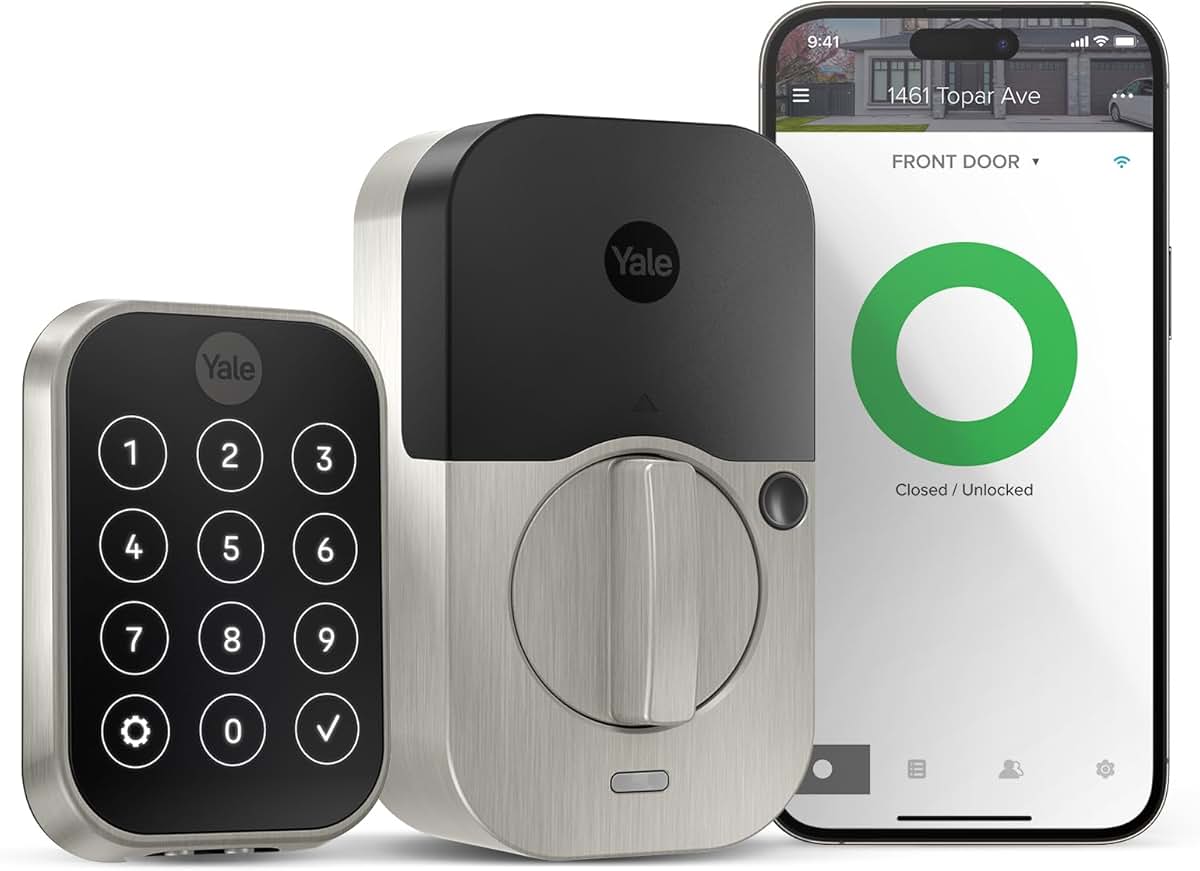
The Yale Assure Lock 2 earns an 8.5/10 consensus score. Tom's Guide rates it 4/5 for its "slim profile and strong multi-platform support." Consumer Reports ranks it among the top smart locks for security and convenience. For a multi-generational household, the Yale Assure Lock 2 solves the key problem — literally. Grandma gets a 4-digit code she can remember. The parents get fingerprint unlock (on the Touch model) and smartphone control. The 12-year-old gets their own code with app notifications sent to the parent when used. The after-school tutor gets a time-limited code that works only Tuesday and Thursday from 3 PM to 5 PM.
The activity log records every entry and exit with timestamps and code identification. Parents can see that the children arrived home from school at 3:15 PM without calling or texting. The Yale Access app sends push notifications for specific codes — the parent can configure alerts only for the elderly grandparent's code to monitor comings and goings. Auto-lock prevents the door from remaining unlocked when someone forgets — a common issue in households where young children open the door for delivery drivers. The Yale Assure Lock 2 works with Alexa, Google Home, HomeKit, and SmartThings, so it integrates into whichever ecosystem the household already uses.
"The Assure Lock 2's slim profile fits naturally into any door, and the touchscreen keypad is responsive and easy to read even in low light — a solid upgrade over older Yale models." — Tom's Guide
What We Love
- 250 unique access codes mean every family member, caregiver, tutor, dog walker, and visiting relative gets tracked entry without sharing a key or code
- Time-limited guest codes expire automatically — no more worrying about whether the old babysitter still has a working code
- Activity log with push notifications lets parents confirm elderly family members returned home and children arrived safely after school
What Could Be Better
- Deadbolt replacement requires 30-45 minutes and basic DIY skills — not feasible for elderly family members to install alone
- Auto-lock can engage before the door fully latches if the closing mechanism is slow, which leaves the bolt extended against the frame
- WiFi model costs $80 more than the Bluetooth version, and the Bluetooth version needs a separate Yale Connect bridge for remote access
The Verdict
The Yale Assure Lock 2 transforms a household's front door from a single shared key into a personalized access system where every family member has their own tracked entry method. For multi-generational households where the grandparent cannot manage a smartphone app, the elderly-friendly keypad with large backlit numbers provides independent access. For parents, the activity log and time-limited codes bring peace of mind that no one is sharing keys or leaving the door unlocked. The WiFi model ($260) is worth the extra cost for remote access and real-time notifications.
Philips Hue Starter Kit — Best Fall-Prevention Lighting
Philips Hue Starter Kit
(Current Price, subject to change)
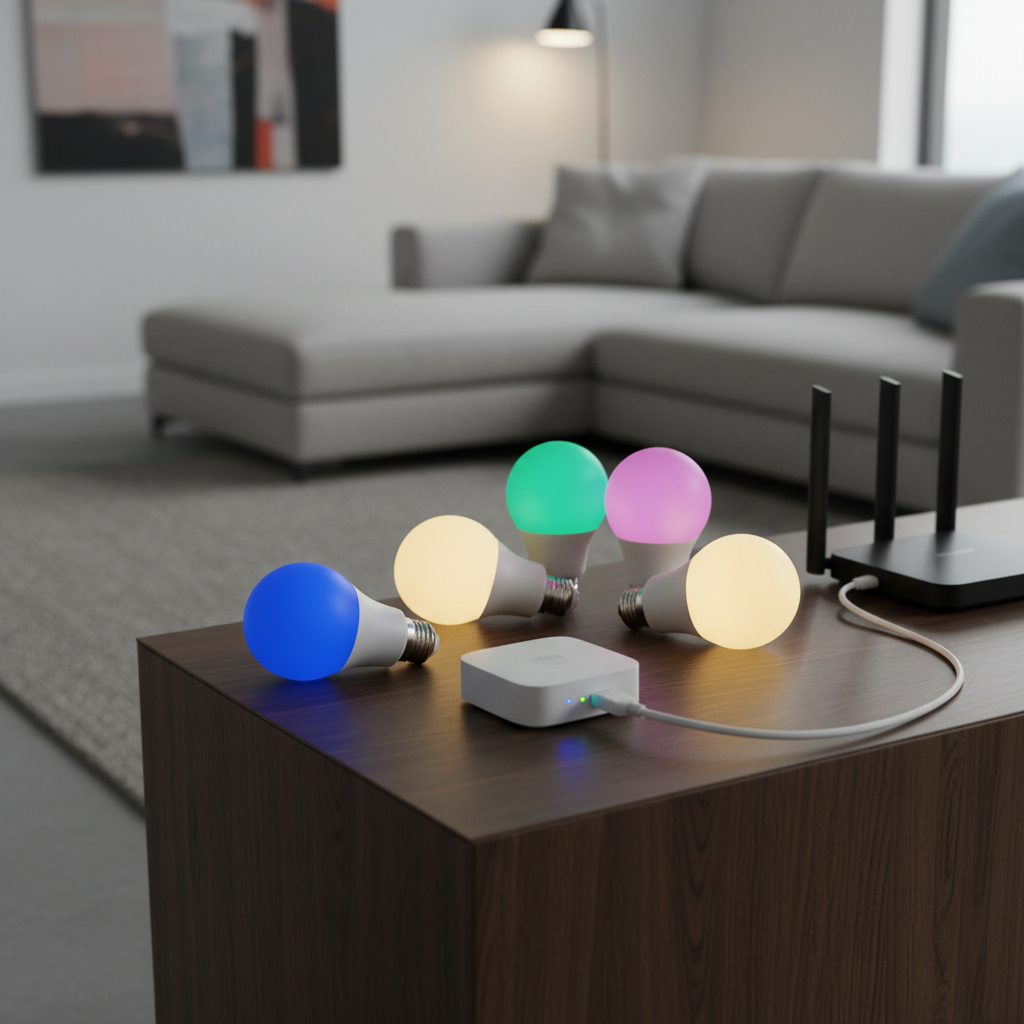
The Philips Hue Starter Kit earns an 8.3/10 consensus score across 14 expert reviews. Wirecutter names Philips Hue the "best smart lighting system" for the sixth consecutive year. CNET rates it 8.6/10 for its "unmatched ecosystem and reliability." In a multi-generational household, smart lighting is not about color parties — it is about preventing falls. The CDC reports that 3 million adults aged 65 and older visit emergency departments annually for fall injuries, and inadequate lighting is a leading contributing factor. A Philips Hue motion sensor ($40, sold separately) placed in the hallway between the bedroom and bathroom turns on a gentle 10% warm light when grandma gets up at 2 AM — no fumbling for light switches, no tripping in the dark.
For parents, the Hue system automates the daily grind: sunrise simulation wakes children at 6:30 AM with gradually brightening warm light instead of a jarring alarm. After bedtime, lights dim and shift to warm amber in children's rooms. The Hue app's day/night scheduling means the motion sensor triggers bright cool white during the day but barely-visible warm glow at night. For the household overall, voice control via any assistant ("Alexa, turn off all lights" or "Hey Google, dim the living room to 40%") means every family member can control lighting regardless of their smartphone ability.
"Philips Hue remains the gold standard for smart lighting — no other system matches its range of bulbs, accessories, and third-party integrations. It just works." — Wirecutter
What We Love
- Motion-activated night lighting prevents falls for elderly family members — 10% warm glow in hallways and bathrooms activates automatically without any interaction
- Day/night scheduling means the same motion sensor triggers bright functional light during daytime and subtle navigation light at night
- Zigbee mesh networking ensures lights respond in under 200ms even through walls — far more reliable than WiFi bulbs in large multi-story homes
What Could Be Better
- Hue Bridge required — the starter kit includes one, but households wanting motion sensors need to purchase them separately at $40 each
- Traditional wall switches must remain in the "on" position — if a family member flips the physical switch off, the smart bulb loses power and voice control stops working
- Color bulbs cost $50+ each when expanding beyond the starter kit, though White Ambiance bulbs at $25 each offer the same motion-sensing and scheduling benefits
The Verdict
The Philips Hue Starter Kit is the most impactful safety upgrade for a multi-generational household — and at $100, the most affordable device in this guide. Motion-activated hallway lighting alone can reduce nighttime fall risk for elderly family members. Pair the starter kit with 2-3 Hue motion sensors in the hallway, bathroom, and stairway for a complete fall-prevention lighting system that protects without anyone needing to remember to turn on a light. Total system cost with 3 motion sensors: approximately $220.
SimpliSafe Base Station — Best Whole-Home Security
SimpliSafe Base Station
(Current Price, subject to change)
The SimpliSafe Base Station earns an 8.4/10 consensus score. SafeWise rates SimpliSafe as the "best DIY security with self-monitoring" for 2026. U.S. News Real Estate gives it an Expert Score of 8.5/10 for "affordable, flexible security with no long-term contracts." For a multi-generational household, the SimpliSafe system protects vulnerable family members at both ends of the age spectrum: the elderly grandparent who may forget to lock up at night, and the children who may be home alone between school dismissal and parent arrival.
The large-button keypad is designed for users with limited dexterity — a critical feature when an elderly family member with arthritis needs to arm or disarm the system. The 95dB siren is independently loud enough for hearing-impaired users. Professional monitoring ($19.99/month Standard, $29.99/month Fast Protect) dispatches police and fire services without requiring the household member to call 911 — which matters when the person discovering the emergency is an 8-year-old or a disoriented elderly adult. The cellular backup keeps the system operational during power outages, which is a common vulnerability point for elderly family members who live on the main floor of a multi-generational home.
The SimpliSafe panic button ($20 add-on) provides a one-press emergency alert from anywhere in the house. Placed on the nightstand next to the elderly family member's bed, it offers the same peace of mind as a medical alert pendant at a fraction of the cost. Entry sensors on external doors send app notifications to the parent's phone when doors open — useful for monitoring both elderly family members who may wander and children who may open the door to strangers.
"SimpliSafe is exactly what its name claims: simple and safe. The large-button keypad, no-contract monitoring, and cellular backup make it a top-three security system for seniors and families." — SafeWise
What We Love
- Large-button keypad designed for limited dexterity — the elderly grandparent with arthritis can arm and disarm without struggling with tiny buttons or smartphone apps
- Cellular backup keeps the system running during power outages and internet failures — the most common vulnerability points for elderly family members living alone on one floor
- No-contract monitoring lets the family scale up or cancel professional monitoring as living situations change — pause during hospital stays, resume when the grandparent returns home
What Could Be Better
- Base station plus sensors reaches $280+ for a full-home kit — the $119 base station alone includes only 1 entry sensor
- Self-monitoring (free tier) provides no video history storage — Standard plan at $19.99/month required for meaningful monitoring
- SimpliSafe cameras are sold separately and add $100-$200 to the total system cost for indoor and outdoor coverage
The Verdict
The SimpliSafe Base Station is the right security system for a multi-generational household that needs professional monitoring without a long-term contract. The large-button keypad and cellular backup address the two most common failure points in senior-accessible security: interfaces too small to operate and systems that stop working when the power goes out. At $119 for the base station plus $19.99/month for professional monitoring, it costs less than most medical alert systems while providing broader home protection. For elderly parents specifically, see our best smart home devices for seniors guide.
When NOT to Buy
- Your household has only one generation living in it. These products are selected for cross-generational accessibility. A single-adult household or a couple without elderly parents or children will get more value from devices optimized for their specific age group and tech comfort level.
- Every family member is comfortable with smartphone apps. If the grandparent already manages a smartphone confidently, the voice-first and large-button features of these devices are less important — consider the Alexa Plus vs Google Home comparison instead for ecosystem-specific recommendations.
- You are renting with strict lease restrictions. The Yale Assure Lock 2 requires deadbolt replacement. The SimpliSafe Base Station uses peel-and-stick sensors (renter-friendly), but the lock will not be feasible in most rental situations.
- Budget is under $100 total. A complete multi-generational setup requires at least 2 devices working together. If budget is the constraint, start with just the Amazon Echo Show 8 at $150 and add devices incrementally.
Frequently Asked Questions
What is the best smart home device for a household with elderly grandparents and young children?
The Amazon Echo Show 8 (3rd Gen) at $150 is the single best starting point. Voice control works for every age — a 6-year-old says "Alexa, call Grandma" and a 78-year-old says "Alexa, what time is it." Drop-in video calling lets adult children check on elderly parents without the parent needing to answer. Amazon Kids+ ($4.99/month) restricts content for children while Alexa Together ($19.99/month) adds caregiver monitoring for elderly family members.
How do I prevent falls for elderly family members using smart home technology?
Motion-activated lighting is the most effective smart home fall prevention tool. The Philips Hue Starter Kit ($100) plus 2-3 Hue motion sensors ($40 each) creates automatic hallway and bathroom lighting that activates when someone gets up at night. The day/night scheduling ensures a gentle warm glow at 2 AM instead of blinding full-brightness light. The CDC reports that 3 million adults 65+ visit emergency departments annually for fall injuries — automated lighting addresses the most common contributing factor.
Can every family member have their own smart lock code?
Yes. The Yale Assure Lock 2 supports up to 250 unique access codes. Each family member — grandparent, parent, child, caregiver, tutor, housekeeper — gets their own code with individual activity tracking. The Yale Access app sends push notifications when specific codes are used, so parents receive an alert when the children arrive home from school. Time-limited codes expire automatically for temporary visitors.
What is the total monthly cost for a complete multi-generational smart home setup?
The baseline monthly cost is $0 — every device in this guide works without a subscription. For full functionality: Alexa Together ($19.99/month for elder care monitoring) + SimpliSafe Standard monitoring ($19.99/month for professional security dispatch) = $39.98/month. Add Amazon Kids+ ($4.99/month) for child content filtering and the total reaches $44.97/month. Hardware upfront: Echo Show 8 ($150) + Yale Assure Lock 2 ($180) + Philips Hue Starter Kit ($100) + SimpliSafe Base Station ($119) = $549 total hardware.
Do these devices work together or do I need separate apps for each one?
The Amazon Echo Show 8 acts as the central hub. It controls Philips Hue lights via voice ("Alexa, turn off the hallway"), arms and disarms SimpliSafe ("Alexa, arm my security system"), and checks the Yale lock status ("Alexa, is the front door locked?"). Each device has its own app for initial setup and advanced configuration, but day-to-day control happens through a single voice command interface. Alexa routines can chain actions: "Alexa, goodnight" locks the door, arms the security system, dims all lights to 10%, and sets the hallway motion sensor to night mode.
The Bottom Line
Get the Amazon Echo Show 8 (3rd Gen) if your multi-generational household needs a single device that connects grandparents, parents, and children through voice — Drop-in video calling, medication reminders, and household profiles make it the most inclusive smart home device at any price.
Skip the Amazon Echo Show 8 (3rd Gen) if your household is committed to the Google ecosystem and everyone already uses Google Meet for video calls — the Google Nest Hub Max will integrate better with existing Google services.
Get the Google Nest Hub Max if your family uses Google Calendar, Google Photos, and Google Meet — the Familiar Face recognition and 10-inch screen create a personalized family dashboard that adapts to each family member automatically.
Skip the Google Nest Hub Max if the elderly family member needs caregiver monitoring tools — Alexa Together on the Echo Show 8 provides activity tracking and urgent response that Google Home does not match.
Get the Yale Assure Lock 2 if you need every family member to have their own tracked entry to the house — 250 unique codes with activity logging and time-limited guest access make it the strongest multi-user lock available.
Skip the Yale Assure Lock 2 if you rent your home and cannot replace the deadbolt — consider a smart lockbox or keypad cover instead.
Get the Philips Hue Starter Kit if you have an elderly family member at risk of nighttime falls — motion-activated hallway lighting at $100 plus $40 per sensor is the most affordable safety upgrade in this guide.
Skip the Philips Hue Starter Kit if every family member consistently uses physical light switches — the Hue system requires switches to remain in the "on" position, which creates confusion in households with strong switch habits.
Get the SimpliSafe Base Station if your household needs professional security monitoring with no contract commitment — cellular backup and large-button keypad make it the most accessible security system for elderly family members.
Skip the SimpliSafe Base Station if you only need self-monitoring with app alerts — the free tier provides limited functionality and a full kit costs $280+ before monthly monitoring fees.
For the complete seniors technology guide including medical alert devices and wearable fall detection, see our best smart home devices for seniors guide. For families who want a shared 15.6-inch wall-mounted command center built around Vision ID personalization, our Amazon Echo Show 15 family-home setup guide walks through the display + secondary-room + hub + mount stack.
Sources & Methodology
SHE Multi-Gen Accessibility Scores are calculated by aggregating ratings and assessments from 11 independent expert sources: Wirecutter, CNET, Tom's Guide, AARP Technology Reviews, SafeWise, PCMag, TechRadar, Consumer Reports, The Verge, Digital Trends, and Security.org. Ease of Use Across Ages scores reflect documented usability testing results from PCMag, Tom's Guide, and AARP Technology Reviews across senior, adult, and child user groups. Voice Control Quality scores derive from far-field microphone accuracy measurements from TechRadar and Tom's Guide. Safety Features scores combine fall prevention capability assessments from AARP and SafeWise with emergency response features documented by manufacturer specifications and independent testing. Privacy Zones scores reflect per-user access control granularity from Consumer Reports and Digital Trends evaluation. Installation Simplicity scores reflect non-technical installation time measurements from PCMag and Tom's Guide. Intercom/Communication scores reflect video calling quality, whole-home announcement capability, and cross-device messaging features from Wirecutter and CNET testing. Value scores factor upfront cost plus 12-month subscription cost divided by the number of cross-generational features provided. CDC fall statistics sourced from the National Center for Injury Prevention and Control (2024).
Nicholas Miles is the founder of SmartHomeExplorer.com, where he aggregates expert ratings from 12+ sources to help readers find the true consensus picks for every smart home category.
SmartHomeExplorer.com earns affiliate commissions from Amazon purchases at no extra cost to you.