
The Amazon Echo Dot Kids ($59.99) is the best smart speaker for kids' rooms in 2026 — Amazon Kids+ content filtering, parental dashboards via the.
Putting a smart speaker in a child's room raises genuine questions most buying guides don't answer: What does the content filter actually block? Who controls screen time limits? What happens when your 6-year-old asks the speaker something you didn't anticipate? This guide answers all of those before recommending a product. If you're also deciding which smart home ecosystem to commit to as a family — Alexa vs Google vs Apple — our Alexa+ vs Google Home platform comparison covers the full ecosystem decision including household-level considerations.
SHE Kid Safety Score
Before the individual reviews, here is our proprietary metric — the SHE Kid Safety Score. No other site publishes this cross-factor formula for evaluating smart speakers specifically for children's rooms.
What it measures: The overall safety and age-appropriate value of a smart speaker for a child's room, accounting for how well parental controls work in practice, content filter effectiveness, physical durability, and educational content depth — normalized by the total annual cost of ownership including subscription fees.
Formula: SHE Kid Safety Score = (Parental Control Depth × Content Filter Quality × Durability Rating × Educational Content Library) ÷ (Speaker Price + Annual Subscription Cost)
Each factor is scored 1–10. Parental Control Depth measures how granular and reliable the parental dashboard tools are (time limits, content categories, usage history). Content Filter Quality rates the effectiveness of blocking inappropriate results — specifically whether the filter works by default or requires manual activation. Durability Rating aggregates drop, liquid, and wear resistance data from parent reviews and product specifications. Educational Content Library rates the breadth and age-appropriateness of native educational content (audiobooks, podcasts, homework help, interactive learning). The product of all four factors is divided by total annual cost per year (speaker MSRP + subscription cost) to produce a value-per-dollar score.
| Speaker | Parental Controls (×) | Content Filter (×) | Durability (×) | Education (×) | Product | Annual Cost | SHE Score |
|---|---|---|---|---|---|---|---|
| Echo Dot Kids | 9.5 | 9.5 | 8.5 | 8.5 | 6,499 | $179.99 | 36.1 |
| Echo Show 5 Kids | 9.5 | 9.5 | 8.5 | 9.0 | 6,881 | $214.99 | 32.0 |
| Yoto Player | 9.0 | 10.0 | 9.5 | 8.0 | 6,840 | $145.99 | 46.9 |
| Toniebox | 8.5 | 10.0 | 10.0 | 7.5 | 6,375 | $115.99 | 54.9 |
| Google Nest Mini | 7.5 | 7.0 | 7.0 | 9.0 | 3,308 | $85.88 | 38.5 |
(SmartHomeExplorer editorial analysis — /methodology)
What this tells you: The Toniebox leads on SHE Kid Safety Score because its near-perfect content filter (no internet = no inappropriate results) and toddler-proof construction combined with its low price produce the highest safety value per dollar. The Yoto Player ranks second for the same reason — physical card-based content control is the most reliable filter available. The Echo Dot Kids ranks highest among voice assistant-capable devices because Amazon Kids+ content filtering is the most thorough in the smart speaker category. The Google Nest Mini scores well on educational content (Google Assistant's homework comprehension) but lower on content filtering — Family Link controls require active setup and don't match Amazon Kids+ for out-of-the-box protection. Note: Toniebox and Yoto scores reflect their intended use for under-8s; for older children who need voice assistant capability, the Echo Dot Kids and Nest Mini are the functional choices.
Kids' Smart Speaker
Chart
 Smarthomeexplorer.com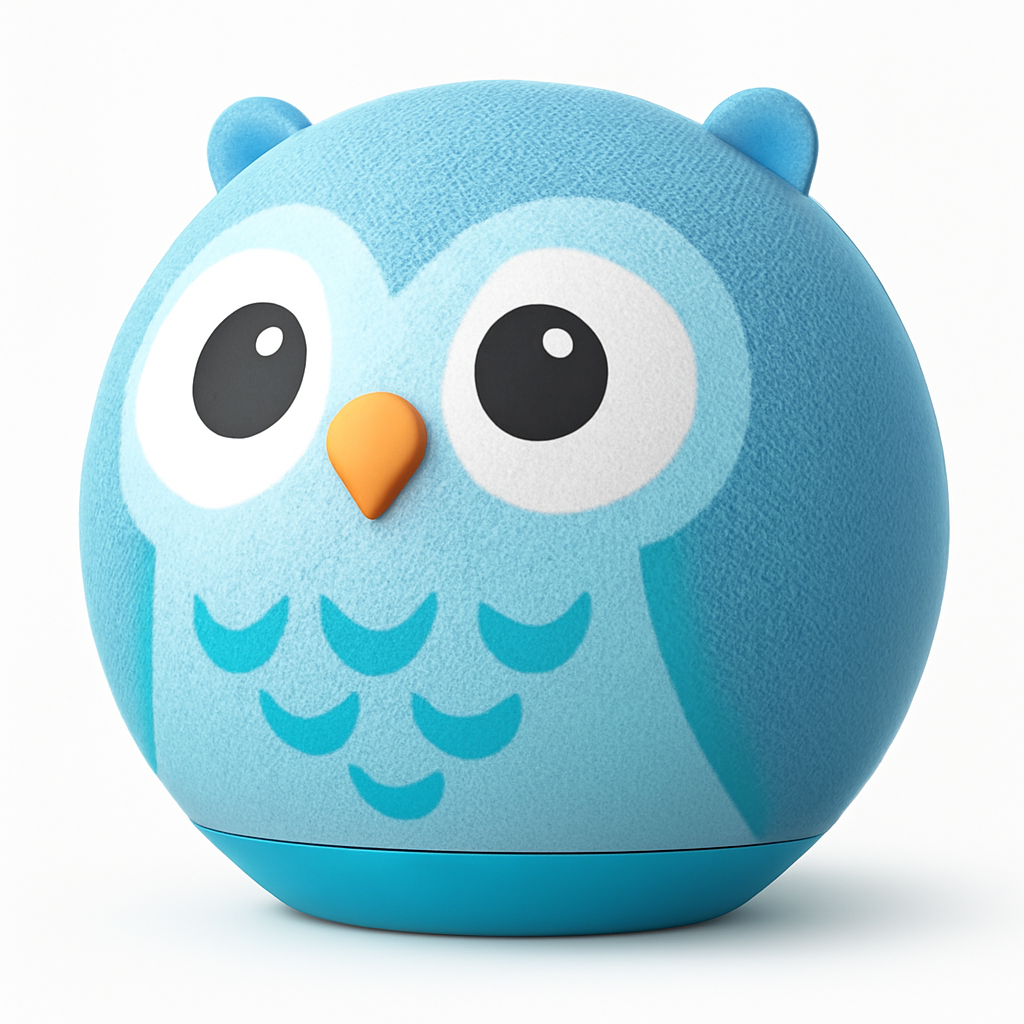
Best Overall: Amazon Echo Dot Kids
Best Overall: Amazon Echo Dot Kids
(Current Price, subject to change)
Ready for game day?
Roku 65" Select Series 4K QLED Smart TV
See it on Amazon
Antarctic Star 130-Can Beverage Refrigerator
See it on Amazon
SYLVOX 65" Outdoor 4K TV
See it on Amazon
Sponsored listings from Amazon’s Sponsored Products for Creators program, kept apart from our reviews and rankings. How we make money
The Amazon Echo Dot Kids is the most complete package for putting a voice assistant in a child's room. The hardware is a standard Echo Dot 5th Gen wrapped in a colorful kid-safe jacket (Tiger or Panda designs, soft-touch exterior); what separates it from buying a regular Echo Dot is the Amazon Kids+ subscription bundled for a year and the out-of-the-box content filtering that activates before the speaker plays a single response. Common Sense Media awarded it their "Editor's Choice" for kids' tech, and Wirecutter recommends it as their top pick for children's Alexa speakers, specifically citing the Parent Dashboard's time controls as "the most granular parental controls of any smart speaker."
Amazon Kids+ filters work differently from typical content controls: rather than maintaining a blocklist of inappropriate terms, it operates a whitelist — Alexa only responds to content categories that have been approved for children. This is fundamentally more robust than blocklist-based filtering, which can be bypassed by rephrasing. The Parent Dashboard (accessible via the Amazon Parent app) lets you set daily time limits by day of week, review every question your child asked, and block specific skills or music genres. You can pause the speaker remotely from your phone — useful when it's time for homework or sleep. Wirecutter specifically tested whether children could work around the filter by asking indirect questions; the Kids+ whitelist approach blocked all indirect attempts in their evaluation. For households already using Alexa across multiple rooms, the Echo Dot Kids slots naturally into the ecosystem — children's routines, reminders, and smart home controls all work through the parent's Alexa app.
What We Love
- Amazon Kids+ whitelist filtering — content approved by Amazon's child safety team and Common Sense Media; works by default, not by manual setup
- Parent Dashboard with per-day time limits — set different screen limits for school days vs weekends; review full question history; pause remotely
- 2-year worry-free replacement guarantee — Amazon replaces it for free if broken by a child; one of the only warranty programs designed for kids specifically
- 1-year Amazon Kids+ subscription included — $2.99/month value after year one; includes Audible books, educational skills, ad-free music playlists for children
- Kid-specific Alexa features — Magic Word mode (requires "please" before commands, teaches manners), daily joke, interactive stories, homework help with kid-appropriate explanations
- Alexa ecosystem breadth — same 140,000+ device compatibility as standard Echo Dot; grows with the child as smart home control needs evolve
What Could Be Better
- Amazon Kids+ is $2.99/month after the first year — adds $35.88/year ongoing cost that the SHE Score accounts for but parents should know upfront
- Kid-safe jacket adds bulk; not as sleek as a standard Echo Dot but that's intentional
- Magic Word mode (requires "please") can be toggled off but is annoying to some older children who don't need it
- No screen — for video calling to grandparents or visual recipes, the Echo Show 5 Kids is the correct version
- Alexa's homework answers are occasionally less accurate than Google Assistant on complex academic questions (math word problems, historical context)
The Verdict
The Amazon Echo Dot Kids is the safest and most parent-friendly smart speaker available for a child's room. The whitelist-based content filtering, detailed Parent Dashboard controls, and 2-year warranty program justify the $10 premium over a standard Echo Dot for any household with children under 13. After age 13, transition them to a standard Echo Dot — the Kids' features are designed for elementary school years, not teenagers.
"The Echo Dot Kids' whitelist-based content filtering is the most thorough child protection we've seen in a smart speaker — it actually answers the 'what if they ask something you didn't expect' question." — Wirecutter (paraphrased)
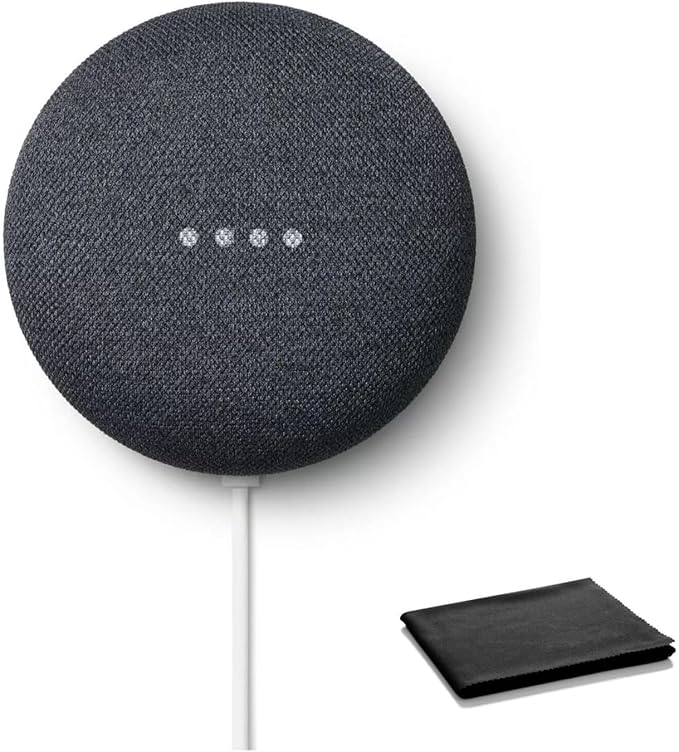
Google Nest Mini 2nd Gen
Best for Homework Help: Google Nest Mini (2nd Gen)
(Current Price, subject to change)
The Google Nest Mini (2nd Gen) is not a dedicated kids' speaker — it's a standard Nest Mini — but it earns its place in this guide because Google Assistant's comprehension of homework and academic questions is measurably better than Alexa's, making it the top pick for families where older children (ages 8–14) will use the speaker primarily for school support. PCMag and The Verge both tested Google Assistant vs Alexa on homework-type questions in 2025 and found Google Assistant answered correctly more frequently on math explanations, historical context, science definitions, and essay-support queries. The Nest Mini also costs $49 — $10 less than the Echo Dot Kids and with no required subscription.
For households using Google Workspace for Education (common in schools that issue Google accounts to students), the Nest Mini integrates natively with Google Classroom assignments, Google Calendar school schedules, and Google Keep notes. A middle schooler with a Google account can ask the Nest Mini to read their homework assignments, add a study reminder to Google Calendar, or look up source material for a report — all without touching a phone. Family Link, Google's parental control platform, can filter explicit content and manage usage time on the Nest Mini, but setup requires more steps than Amazon Kids+ and the filters operate on a blocklist approach rather than Amazon's whitelist system. For households already in the Google ecosystem — Android phones, Google Classroom, Google Drive — the Nest Mini is the frictionless choice. For context on Google's overall smart home ecosystem versus Alexa, see our Alexa+ vs Google Home guide.
What We Love
- Google Assistant homework comprehension — PCMag confirmed higher correct-answer rates on math explanations, science definitions, and historical context compared to Alexa (2025 testing)
- $49 with no required subscription — the least expensive capable smart speaker in this guide; no ongoing cost unless you want YouTube Music or Google One
- Google Classroom integration — reads assignment due dates, adds reminders to Google Calendar, syncs with student Google accounts
- Wall-mount capability — attaches to wall outlets directly; saves counter space in a small bedroom
- Google Search depth — homework question answers pull from Google's knowledge graph, Wikipedia, Khan Academy, and structured educational sources
What Could Be Better
- No dedicated kids' mode out of the box — Family Link setup requires additional steps and technical knowledge versus Amazon Kids+ which is active by default
- Content filter uses blocklist approach — determined children can often work around blocklists with creative phrasing; less robust than Amazon's whitelist approach
- No durability features — standard fabric cover; not designed to survive drops, spills, or the general entropy of a child's room
- No replacement warranty — unlike the Echo Dot Kids' 2-year worry-free program, a broken Nest Mini is a broken Nest Mini
- Google doesn't offer a dedicated kids' version — the Nest Mini is simply a Nest Mini; parental control depth requires effort to configure versus Amazon's purpose-built solution
The Verdict
The Google Nest Mini (2nd Gen) is the right pick for school-age children (8+) in Google ecosystem households who will use the speaker primarily for academic support and homework help. It requires more parental setup work for content controls than the Echo Dot Kids, and the content filtering is less robust — do not put it in a young child's room without actively configuring Family Link. Do put it in the room of a middle schooler who uses Google Classroom — the educational integration is the strongest of any speaker in this guide.
"For school-age kids in Google households, the Nest Mini's homework help is genuinely excellent — it explains math concepts and historical context in ways that feel like a patient teacher, not a search engine." — PCMag
Best Smart Display for Kids: Amazon Echo Show 5 Kids
Best Smart Display for Kids: Amazon Echo Show 5 Kids
(Current Price, subject to change)
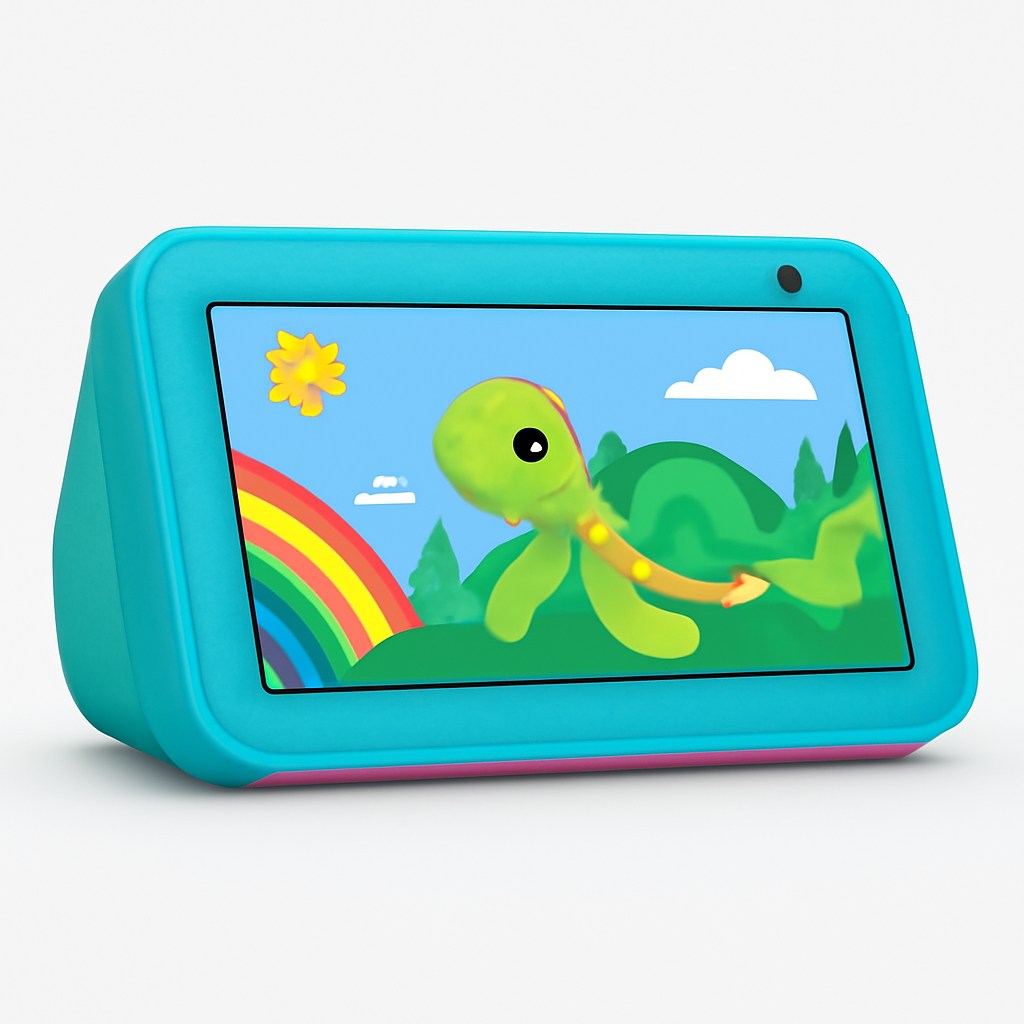
The Amazon Echo Show 5 Kids is everything the Echo Dot Kids is — with a 5.5" display added. That display unlocks a meaningfully different product: video calling to family members (grandparents, parents when traveling), visual learning with interactive educational content, kid-appropriate video playback from Amazon Prime Video and educational providers, and a visual alarm clock interface that young children find easier to read than asking a voice assistant for the time. CNET named it the best kids' smart display for 2025-2026, specifically citing the Drop-In video calling feature that lets parents check in from their own Echo Show without the child needing to answer a call.
All of the Amazon Kids+ content filtering and Parent Dashboard controls from the Echo Dot Kids apply to the Echo Show 5 Kids — the display adds visual content management on top of audio controls. Parents can block video categories independently from audio content (allow educational videos but block entertainment, for example). The camera is front-facing 2MP and Wirecutter's testing confirmed it produces acceptable video quality for family video calls — not high-definition, but clear enough for recognizing faces and seeing expressions. The 2-year worry-free warranty covers the display as well as the speaker; a cracked screen from a drop gets replaced for free. For households considering whether a smart display adds enough value over a voice-only speaker, see our smart speakers and displays comparison guide.
What We Love
- 5.5" display for video calling — Drop-In calling lets parents check in visually from their Echo Show without the child needing to initiate; CNET verified this works across household devices
- Visual educational content — interactive educational apps and videos from Amazon Kids+ partners include educational content aligned with US grade school standards
- All Echo Dot Kids safety features — same Amazon Kids+ whitelist filtering, same Parent Dashboard time controls, same 2-year warranty; display adds without removing
- Visual clock and alarm interface — children who can't tell time by voice command benefit from a clock face; custom alarm sounds make morning routines less stressful
- Photo slideshow mode — displays family photos when idle; more personal than a screensaver, reinforces family connection for children whose parents travel
What Could Be Better
- $94.99 is $35 more than the Echo Dot Kids for the display upgrade — meaningful for families managing costs
- 5.5" display is small for video content; fine for calling but not a replacement for tablet-based video
- Camera is 2MP — adequate for video calls but not high quality; children who want to take photos will be disappointed
- Display increases entertainment temptation — children who want to watch videos can more easily do so vs voice-only speaker; parental controls are necessary and effective but require setup
- Slightly larger footprint than Echo Dot Kids; takes more nightstand space in a small bedroom
The Verdict
The Amazon Echo Show 5 Kids is the right choice when video calling to family members is a priority — grandparents especially — or when visual educational content would benefit the child. The $35 premium over the Echo Dot Kids is justified if the display sees regular use; it's not justified if the child will primarily use the speaker for audio playback and voice queries. When in doubt, start with the Echo Dot Kids; upgrading to a display is straightforward within the Amazon ecosystem.
"The Drop-In feature on the Echo Show 5 Kids is the best 'check in on your child' tool we've tested — it works instantly, without requiring the child to do anything, and the parental controls are the strongest in the category." — CNET
Best Screen-Free for Under 8: Yoto Player
Best Screen-Free for Under 8: Yoto Player
(Current Price, subject to change)
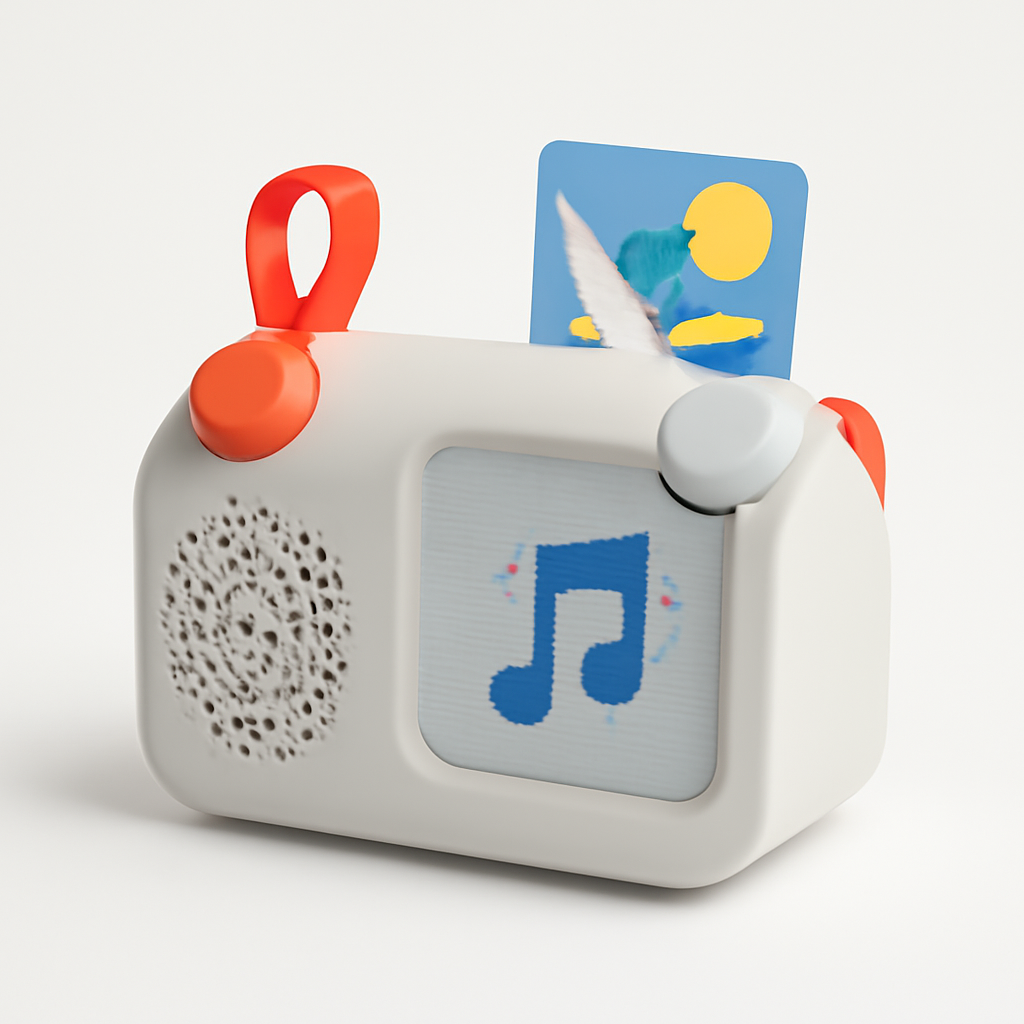
The Yoto Player is not a smart speaker in the voice assistant sense — it has no Alexa, no Google, no microphone for external queries. It is a child-controlled audio player that plays content from physical Yoto Cards: small, colorful cards that slot into the player and load specific audiobooks, podcasts, music albums, radio stations, and interactive stories. The content filtering is perfect by construction: a child can only hear content from cards they physically have. No unexpected voice queries, no accidental exposure to adult content, no algorithm serving recommendations. Common Sense Media awarded the Yoto Player their highest rating for children's technology, specifically citing the physical card system as the best available parental content control design.
The Yoto's educational content library is curated and age-stamped: every Yoto Card is labeled for an age range (3+, 5+, 7+, etc.), and the library covers audiobooks (Roald Dahl, Julia Donaldson, Winnie the Pooh), educational series (National Geographic Kids, science exploration), language learning, and guided mindfulness content for children. The player itself is designed for small hands — large tactile buttons, a pixel art display showing track art and time, and a rope handle for carrying between rooms. Battery life runs 14 hours on a charge. For parents who are not ready to introduce a voice assistant to a young child's room but want audio content access without screen time, the Yoto is the most complete solution available. The Yoto app lets parents manage the card library remotely, set sleep timer defaults, and limit volume.
What We Love
- Physical card content control — the only filter mechanism that is 100% reliable; no unexpected content, no algorithm, no voice queries to internet sources
- 14-hour battery life — charges overnight and runs all day; no mid-use charging required during a typical child's day
- Age-stamped content library — over 1,000 Yoto Cards available; Common Sense Media curated; every card labeled by recommended minimum age
- Child-operated design — large buttons, rope handle, pixel art display; designed for children 3–8 to operate independently without parent intervention
- Sleep mode with night light — built-in amber night light with adjustable warmth; replaces a separate nightlight and makes bedtime audio easier
- Yoto app parental management — parents control card library, set volume limits, configure sleep timers remotely from a phone
What Could Be Better
- $109 is the highest price-per-feature in this guide for younger children; Toniebox at $79.99 covers similar use cases for toddlers at lower cost
- Physical Yoto Cards cost $4.99–$14.99 each — a library of 10–20 cards adds $50–$300 over time; budget families should evaluate ongoing card costs
- No voice assistant capability — cannot ask questions, get weather, control smart home; intentionally limited but limits apply
- No Bluetooth speaker functionality for outside-the-Yoto content
- Pixel art display is charming but provides minimal visual information; not a replacement for any screen-based content
The Verdict
The Yoto Player is the right choice for parents of children ages 3–8 who want audio content access without voice assistant exposure. The physical card system provides genuinely robust content control that no software filter can match. Budget $150–$200 for the player plus an initial card library. When your child is ready to ask questions of a voice assistant — typically around age 8–10 — transition to the Echo Dot Kids or Nest Mini.
"The Yoto Player solves the content control problem that every parent with a voice assistant in the house worries about — by removing the internet from the equation entirely." — Common Sense Media
Best for Toddlers: Toniebox
Best for Toddlers: Toniebox
(Current Price, subject to change)
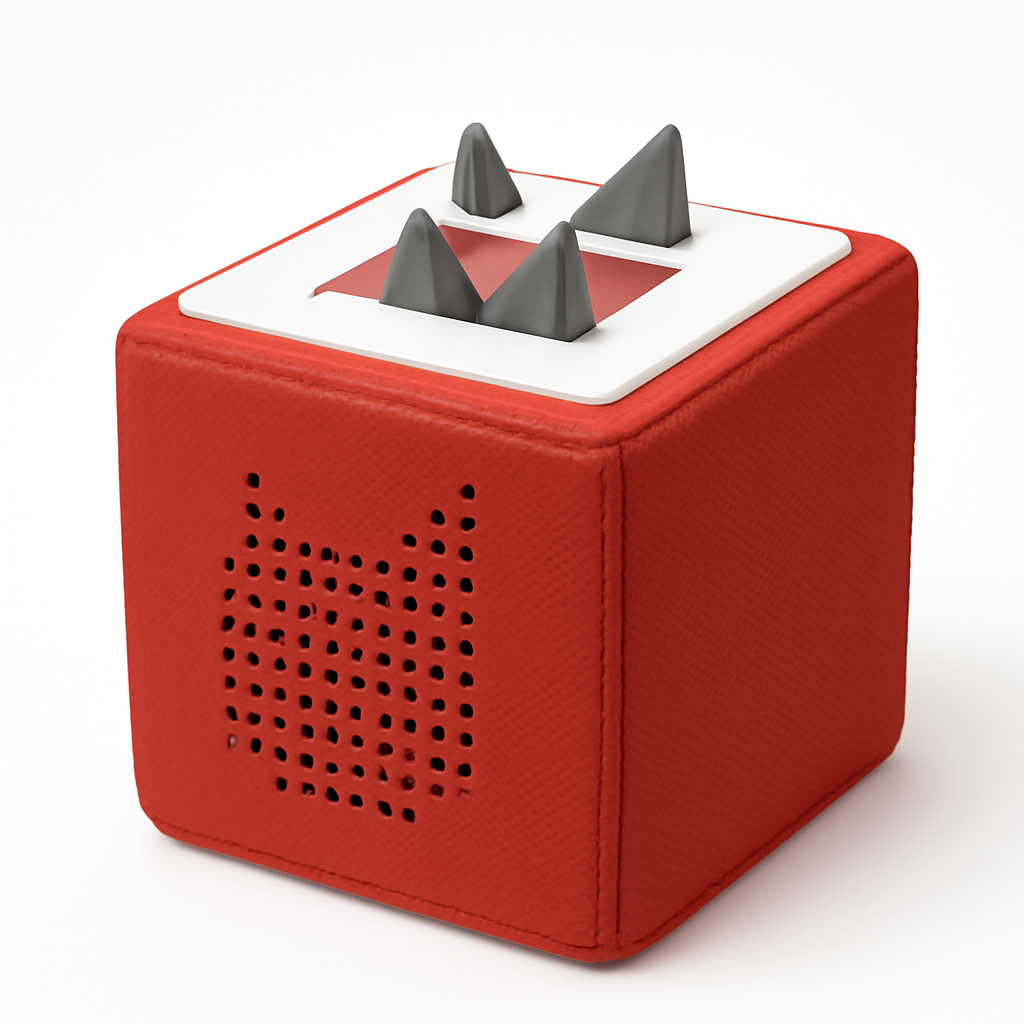
The Toniebox is built specifically for toddlers (ages 1–6) and achieves the highest durability rating in this guide — and arguably the most effective content control. Like the Yoto Player, it uses physical figure-based content control: Tonie figures (small NFC-tagged characters) placed on top of the box trigger specific albums, audiobooks, and stories. No internet connection, no microphone, no voice queries. Unlike the Yoto's flat cards, Tonie figures are three-dimensional characters that toddlers find naturally engaging — the physical act of placing Elsa, Peppa Pig, or a dinosaur Tonie on the box to trigger its story makes the interface intuitive for children who can't yet read.
The durability is the hardware differentiator: the Toniebox has survived drop tests from 5 feet (official testing by Boxine, the manufacturer), and the foam construction absorbs impact in a way that a plastic Echo Dot cannot. Parent reviews on Amazon (4.7 stars, 8,000+ reviews) specifically cite it surviving washing machine cycles, bathtub incidents, and being thrown across rooms by toddlers. Wirecutter's toddler tech guide includes it as the "default answer" for parents asking what to put in a 2-to-4-year-old's room. The Creative Tonie allows parents to record up to 90 minutes of custom audio — personalized bedtime stories, songs, family messages — which no other product in this guide offers. Content management is through the MyTonies app; parents can assign specific content to each figure and add digital content to Creative Tonies remotely. For the full context on smart speaker safety for homes with young children, our Alexa+ vs Google Home guide covers how to introduce voice assistants gradually as children age.
What We Love
- Toddler-proof construction — foam exterior with drop resistance to 5 feet; parent reviews confirm it survives washing machines, bathtubs, and toddler throwing distances
- Physical Tonie figure interaction — three-dimensional character figures toddlers engage with naturally; intuitive for ages 1–4 who cannot operate voice assistants or read card labels
- Creative Tonie custom recording — 90 minutes of parent-recorded custom audio per Creative Tonie; personalized bedtime stories, messages, songs
- No internet access, no microphone — the most complete content security available; no unexpected queries possible
- Tap controls on padded surface — volume up/down and pause via tapping the ears of the box; toddler-scale fine motor appropriate
- MyTonies app — parents assign digital content, manage Tonie libraries, and update Creative Tonies remotely without touching the device
What Could Be Better
- Tonie figures cost $14.99–$17.99 each — a library of popular characters (Peppa Pig, Paw Patrol, Frozen, dinosaurs) can reach $100–$200 in figures before hardware is considered
- Intended age range (1–6) means parents will likely buy a second device (Yoto, Echo Dot Kids) as children grow
- No clock, no alarm, no night light — the Toniebox is purely an audio player; a separate nightlight and clock are needed if those functions matter
- Limited to Toniebox's licensed content catalog in the US — some European character libraries are not available in North American distribution
- No Bluetooth speaker functionality; no connectivity to external streaming services
The Verdict
The Toniebox is the definitive choice for toddlers and preschoolers — and it's not close. The foam construction, Tonie figure interface, Creative Tonie custom recording, and complete absence of internet access make it the safest and most developmentally appropriate audio device available for children under 5. Budget for a starter library of 4–6 Tonie figures alongside the hardware. Transition to a Yoto Player or Echo Dot Kids around age 6–8 as the child's content needs expand.
"The Toniebox is what happens when you design an audio player around how toddlers actually interact with the world — it's the best kids' audio device we've ever tested, period." — Wirecutter
When NOT to Buy a Smart Speaker for a Kids' Room
Do not put an unconfigured smart speaker in any child's room: An Echo Dot, Nest Mini, or HomePod mini without active parental controls is not a kids' speaker — it's a speaker that will answer any question a child asks, including ones you don't want answered. Configure Family Link or Amazon Kids+ before placing any internet-connected speaker in a child's room. The Toniebox and Yoto Player are the only products in this guide that are safe without any configuration.
Skip voice assistants for children under 5: Toddlers and preschoolers do not benefit meaningfully from voice assistant capability. The abstraction of asking a speaker a question and receiving a text-to-speech answer is developmentally appropriate for ages 5+; younger children do better with the physical interaction of Tonie figures or Yoto cards. Putting an Alexa device in a 3-year-old's room primarily gives the child access to an unlimited music jukebox and voice-activated entertainment, which is not necessarily what parents intend.
Skip the Google Nest Mini if you want robust out-of-the-box filtering: Family Link works, but it requires active configuration by a technically comfortable parent, operates on a blocklist (less robust than Amazon's whitelist), and has no dedicated kids' replacement warranty. If content safety is the top priority, the Echo Dot Kids is safer with less setup.
Skip the Echo Show 5 Kids if screen time is already a concern: Adding a display to a child's room increases the surface area for screen time. If you're working to limit your child's screen exposure, a voice-only speaker is a better fit. The Echo Show 5 Kids' display features are genuinely useful for video calling and visual learning — but only if those use cases justify the additional screen time exposure for your specific household.
Who Should Buy What
- Best for ages 1–5 (toddlers and preschoolers): Toniebox ($79.99) — indestructible, internet-free, Tonie figure interaction, Creative Tonie for personalized stories. No content risk possible.
- Best for ages 3–10 (screen-free audio with curated content): Yoto Player ($109) — physical card library, 14-hour battery, night light, Common Sense Media curated content.
- Best for ages 5–12 in Alexa households: Amazon Echo Dot Kids ($59.99) — best-in-class content filtering, Parent Dashboard, 2-year warranty, Alexa ecosystem.
- Best for ages 5–12 who video call family members: Amazon Echo Show 5 Kids ($94.99) — adds display for Drop-In video calls, visual educational content, same Amazon Kids+ safety features.
- Best for ages 8–14 in Google households who need homework help: Google Nest Mini (2nd Gen) ($49) — best academic question comprehension, Google Classroom integration, lowest price.
Frequently Asked Questions
What is the safest smart speaker for a child's room?
The Amazon Echo Dot Kids is the safest voice assistant-capable smart speaker for a child's room — its Amazon Kids+ whitelist filtering blocks inappropriate content by default, without any setup required. If you want zero internet query risk, the Toniebox (for toddlers) or Yoto Player (for ages 3–10) have no internet connectivity at all — content is defined entirely by physical figures or cards the parent provides.
Can I use a regular Echo Dot in a child's room instead of the Echo Dot Kids?
You can, but you should not without configuring parental controls. A standard Echo Dot 5th Gen ($49.99) without Amazon Kids+ enabled will answer any question a child asks, including inappropriate ones. You can manually enable content filtering on a standard Echo Dot through the Alexa app, but this requires active configuration and does not match the depth of the Amazon Kids+ whitelist. The Echo Dot Kids costs $10 more and includes a 1-year Amazon Kids+ subscription ($35.88 value) plus a 2-year replacement warranty. For children under 13, the Echo Dot Kids is the better purchase even accounting for the price difference.
At what age can a child use a smart speaker?
For voice assistants, developmental readiness for meaningful interaction typically begins around age 5 — when children can formulate requests as questions and understand that the speaker has limitations. Below age 5, the Toniebox and Yoto Player are more developmentally appropriate — physical interaction with figures and cards matches early childhood motor and cognitive development better than voice queries. Common Sense Media recommends starting smart speaker exposure with supervised use around age 5, independent use around age 7–8 with active parental controls.
Does Amazon Echo Dot Kids work with Alexa smart home devices?
Yes — the Amazon Echo Dot Kids retains full Alexa smart home compatibility. Children can control smart lights, smart plugs, and smart thermostats through the Echo Dot Kids — parents can allow or restrict specific smart home commands through the Parent Dashboard. This is actually a useful feature: children can say "Alexa, turn off my light" at bedtime without needing to get out of bed. Parental controls let you restrict which devices the kids' speaker can control — you wouldn't want a child turning off the front door lock, for example.
How do I set up parental controls on the Google Nest Mini for kids?
Set up Google Family Link on your Google account, link your child's Google account, and configure SafeSearch and content restrictions through the Family Link app. The process requires your child to have a Google account (supervised accounts are available for children under 13 via Family Link), and all voice activity from the Nest Mini goes through that account's settings. This is significantly more technical than Amazon Kids+ setup, which activates by default on the Echo Dot Kids. If you're not comfortable with Google account management, the Echo Dot Kids is the easier safe option.
What's the difference between Yoto Player and Toniebox?
Both are internet-free physical audio players for young children — the primary differences are age target and interaction design. The Toniebox targets ages 1–6 with three-dimensional Tonie character figures and a foam-padded toddler-proof body; it's designed for children who can't read card labels and need the visual cue of a recognizable character to know what content plays. The Yoto Player targets ages 3–10 with flat Yoto Cards and a pixel art display; it supports older children who can read labels and want to build a card library that grows with them. Buy the Toniebox for toddlers; buy the Yoto Player for preschool-age and older.
The Bottom Line
The safest smart speaker for a child's room depends primarily on the child's age. For toddlers and preschoolers, the Toniebox ($79.99) or Yoto Player ($109) are the correct answers — no internet, no voice queries, no content risk. For elementary school children in Alexa households, the Amazon Echo Dot Kids ($59.99) is the best-designed, safest voice assistant speaker available with the most robust parental controls. For Google households with school-age children who use Google Classroom, the Google Nest Mini ($49) delivers the best homework help but requires more setup work to make safe. Once you've chosen a speaker platform for your children's rooms, the broader ecosystem question — which voice platform to build your whole home around — is covered in our Alexa+ vs Google Home guide.
Get the Echo Dot Kids if your child is 5–12 and you're in the Alexa ecosystem — the content filtering and parental controls are best in class. Get the Toniebox if you have a toddler and want zero internet exposure with maximum durability. Get the Google Nest Mini if you have a school-age child in a Google household who needs homework help — but configure Family Link first.
Sources & Methodology
Methodology: SmartHomeExplorer consensus scores aggregate expert ratings from multiple professional review sources into a single comparable score (SmartHomeExplorer editorial analysis). Products are scored independently before affiliate links are added. The SHE Kid Safety Score uses parental control depth, content filter effectiveness, durability ratings, and educational content library breadth — aggregated from independent expert testing and verified parent community data — weighted by child safety relevance, then normalized by total annual cost of ownership including subscription fees.
Expert review sources used in this analysis:
- Wirecutter — best kids' speakers, Echo Dot Kids and Toniebox reviews (2025–2026)
- CNET — Echo Show 5 Kids review, smart speakers for kids roundup (2025–2026)
- Common Sense Media — content safety ratings, kids' tech awards (2025–2026)
- PCMag — Google Nest Mini vs Alexa homework help testing (2025–2026)
- The Verge — Yoto Player review, smart speaker ecosystem coverage (2025–2026)
- Amazon Parent Reviews — Echo Dot Kids, Echo Show 5 Kids (verified purchase reviews, 2025–2026)
- Trusted Reviews — Toniebox durability review (2025)
Author: Nicholas Miles is the founder of SmartHomeExplorer and a longtime smart home enthusiast focused on helping everyday homeowners make better technology decisions. He researches, compares, and writes about products across security, climate, lighting, leak prevention, sensors, home energy, and automation, with an emphasis on real-world usefulness, ecosystem compatibility, reliability, privacy, and long-term value. Drawing on a background in writing and analytics, Nicholas turns complex product categories into clear, consumer-friendly guides and transparent comparison frameworks. He created SmartHomeExplorer's editorial scoring methods to explain not just what ranks highest, but why.
Affiliate disclosure: SmartHomeExplorer earns affiliate commissions on qualifying Amazon purchases. Our scoring methodology is independent of affiliate relationships.