

For whole-home audio quality without compromise, Sonos Era 100 ($219/room) is the clear choice — it supports 32 rooms simultaneously.
We don't test products ourselves — we aggregate expert reviews from 15 trusted sources including Wirecutter, CNET, PCMag, What Hi-Fi, RTINGS, SoundGuys, TechRadar, Tom's Guide, The Verge, and Ars Technica to find where audio experts agree on multi-room performance. Prices verified on Amazon as of April 2026 (SmartHomeExplorer editorial analysis — methodology below).
Methodology: How We Scored Multi-Room Audio Systems
Multi-room audio is a fundamentally different evaluation than single-room speaker quality. A speaker that sounds great in isolation but exhibits 200ms latency in a multi-room group sounds broken when you walk from room to room — audio that is half a second behind in the kitchen when it is synchronized with the living room is audibly disruptive. The right metrics for multi-room evaluation are synchronization latency (ms), maximum room scalability, source interoperability (how many streaming services work natively), and the actual per-room cost including any required hub hardware.
For each system, we aggregated data from a minimum of 3 independent expert sources. We focused on five multi-room dimensions: published sync latency (ms), maximum rooms supported per ecosystem, audio quality per room (rated 1–10 by expert consensus), ecosystem interoperability with major streaming services (count), and total cost including any required hub hardware. We combined these into the SHE Multi-Room Score — the only multi-room-specific smart speaker metric published across these five systems.
Full methodology for this score
SHE Multi-Room Score
This is our proprietary metric — no other site publishes this calculation. The SHE Multi-Room Score measures real-world multi-room audio value: how much synchronized, high-quality whole-home coverage you get per dollar of total system cost.
Formula: SHE Multi-Room Score = (Sync Latency Score × Max Rooms Supported × Audio Quality Score × Interoperability Score) / (Per-Room Cost + Required Hub Cost)
Inputs defined:
- Sync Latency Score: Inverse latency rating on a 1–10 scale. Sub-50ms = 10; 51–80ms = 9; 81–150ms = 7; 151–250ms = 5; 251ms+ = 3. Based on published manufacturer specs and expert measurements.
- Max Rooms Supported: Maximum simultaneous rooms in one audio group (from manufacturer documentation and expert testing)
- Audio Quality Score: 1–10 expert consensus rating for single-room audio quality (aggregated from 3+ expert sources per product)
- Interoperability Score: Number of major streaming services supported natively (Spotify, Apple Music, Amazon Music, YouTube Music, Tidal, Pandora) — more = higher score
- Per-Room Cost: Price of one speaker unit in USD
- Required Hub Cost: Cost of any required bridge, hub, or controller needed to enable multi-room functionality ($0 if no hub is required)
| System | Latency Score | Max Rooms | Audio Score | Interop | Raw Score | Per-Room | Hub Cost | SHE Multi-Room Score |
|---|---|---|---|---|---|---|---|---|
| Sonos Era 100 | 9 (sub-75ms) | 32 | 9.2 | 6 | 15,955 | $219 | $0 | 72.85 |
| Amazon Echo Studio | 7 (sub-100ms) | 24 | 8.9 | 5 | 7,476 | $199 | $0 | 37.57 |
| Amazon Echo 4th Gen | 7 (sub-100ms) | 24 | 8.0 | 5 | 6,720 | $99 | $0 | 67.88 |
| Google Nest Audio | 7 (sub-100ms) | 6 | 8.5 | 4 | 1,428 | $99 | $0 | 14.42 |
| Apple HomePod mini | 9 (AirPlay 2 sub-80ms) | 16 | 8.1 | 3 | 3,499 | $99 list | $0 | 35.35 |
(SmartHomeExplorer editorial analysis — /methodology)
What this tells you: The Sonos Era 100 produces the highest SHE Multi-Room Score at 72.85 — best-in-class audio quality and 32-room scalability divided by a $219 per-room cost. It edges out the Amazon Echo (4th Gen) at 67.88. Read the two together: the score measures capability per dollar, where Sonos now wins, while the Echo still costs less than half as much per room in absolute terms, which is what matters if the budget — not the capability — is the binding constraint. The Google Nest Audio scores lowest (14.42) because of its 6-room maximum group limit — a hard cap that makes large whole-home setups impossible on Google Cast alone.
Multi-Room Speaker Comparison
Synchronization Latency and Whole-Home Coherence
The single most important multi-room audio metric is synchronization latency. Human hearing detects audio delays as short as 20–30ms across rooms — anything above 80ms is audibly disruptive when walking between rooms. Delays above 200ms produce a pronounced echo effect that makes whole-home audio unusable.
- Sonos Era 100: Sonos S2 protocol achieves sub-75ms synchronization across all rooms using Sonos's dedicated mesh audio network. What Hi-Fi measured 58ms average sync latency in a 4-room test setup — comfortably below the 80ms human detection threshold. CNET called Sonos synchronization "the gold standard for whole-home audio — transitions between rooms are smooth in a way that Google Cast and AirPlay 2 are not consistently." The Sonos app also supports grouping and ungrouping rooms in real time without audio interruption.
- Apple HomePod mini: AirPlay 2 achieves sub-80ms synchronization in ideal conditions. Tom's Guide measured 72ms average across a 3-room AirPlay 2 test — slightly higher than Sonos but still below the human detection threshold. AirPlay 2 latency degrades with network congestion — on congested 2.4 GHz WiFi, synchronization can drift above 100ms. For reliable AirPlay 2 performance, a 5 GHz dedicated WiFi network is strongly recommended.
- Amazon Echo (4th Gen): Alexa multi-room audio protocol achieves sub-100ms synchronization in Amazon's published specs. PCMag measured 85ms average in a 3-room Echo test — above AirPlay 2 and Sonos in expert testing, but still below the threshold most users will perceive as audible lag in normal movement between rooms. The Echo system synchronizes via WiFi without a dedicated audio mesh, which gives it better performance on congested networks than AirPlay 2 but slightly higher latency than Sonos S2.
- Amazon Echo Studio: Runs the same Alexa multi-room protocol as the Echo 4th Gen, and that shared timing is the reason mixed-tier Alexa systems work — a Studio and a 4th Gen join one group with no coherence penalty, so upgrading a single room costs nothing in sync. What the Studio does not carry into a group is its own advantage: the five-driver array, height channel, and 85 dB headroom serve the room the speaker sits in, not the group as a whole. It is the anchor-room member of the Alexa family, not a whole-home upgrade — five of them raise the hardware bill to $995 without improving synchronization anywhere.
- Google Nest Audio: Google Cast achieves sub-100ms in stated specs, but expert testing reveals higher variability than Sonos or AirPlay 2. Ars Technica noted that Google Cast multi-room synchronization "works well in simple 2-3 room setups but shows audible drift in 4+ room configurations on standard home networks." The 6-room group limit on Google Cast partially reflects this technical constraint.
Maximum Room Scalability
- Sonos Era 100: 32 rooms — the highest room limit in this roundup by a significant margin. A 32-room Sonos system can cover every room in a large home, a small commercial venue, or multiple floors with outdoor zones simultaneously. Sonos's SonosNet mesh networking (available on Era 100, Era 300, and Amp) creates a dedicated audio WiFi mesh that does not compete with home internet traffic — critical for consistent performance in large installations. What Hi-Fi noted that Sonos "scales reliably from 2 rooms to 20+ in a way no competitor has matched."
- Amazon Echo (4th Gen) and Echo Studio: 24 rooms via Alexa multi-room groups — sufficient for any residential installation and most small commercial applications. Amazon's multi-room audio groups are configured in the Alexa app in under 2 minutes per group. Group management is simpler than Sonos — no dedicated app required beyond Alexa. For large households with 5–8 audio zones, the Echo system scales easily without any additional hub hardware.
- Apple HomePod mini: 16 rooms via AirPlay 2 — adequate for most residential installs. The 16-room limit is rarely a constraint for homes; it is relevant only for commercial installations or large estates with 10+ distinct audio zones. AirPlay 2 multi-room control operates through the Apple Home app or from any iOS device — no dedicated app required. For iPhone households, the AirPlay 2 interface is the most intuitive room-switching experience in this roundup.
- Google Nest Audio: 6 rooms via Google Cast — the most significant limitation in this roundup. Six rooms covers a typical apartment or smaller home, but a large house with separate zones for living room, kitchen, dining room, master bedroom, office, and patio is already at the 6-room limit before any secondary bedrooms. For homes with more than 6 audio zones, Google Cast does not scale. Buyers planning larger installations should choose Sonos, Alexa, or AirPlay 2.
Streaming Service Interoperability
Multi-room audio value depends heavily on how many streaming services work natively — a system that supports your current service but forces you to change services on room expansion is a hidden cost.
- Sonos Era 100: 80+ streaming services supported natively in the Sonos app, including Spotify, Apple Music, Amazon Music, Tidal, Pandora, Deezer, YouTube Music, iHeartRadio, and TuneIn. Spotify Connect allows direct speaker control from the Spotify app without going through Sonos. AirPlay 2 support means any AirPlay source also works. The Sonos architecture is the most streaming-service-agnostic of any multi-room system — changing services (even from Spotify to Tidal) requires no hardware changes. CNET called Sonos "the only multi-room system that doesn't punish you for switching streaming services."
- Amazon Echo (4th Gen) and Echo Studio: Amazon Music, Spotify, Apple Music, Tidal, Pandora, and iHeartRadio via Alexa Skills — 5 major streaming services natively. Spotify Connect works on Echo devices since 2023, allowing direct Spotify app control of multi-room Echo groups. YouTube Music is not natively supported on Echo devices (Google service on Amazon hardware). For Amazon Prime households, Amazon Music Unlimited ($10/month) unlocks HD and Atmos audio across all Echo devices simultaneously.
- Apple HomePod mini: Apple Music (native, with lossless), Spotify via AirPlay, Amazon Music via AirPlay, and any AirPlay 2 source. YouTube Music works via AirPlay from iOS. The limitation: Spotify cannot be directly targeted to HomePod from the Spotify app — you must use AirPlay from your iPhone to route Spotify to the HomePod. For non-Apple Music subscribers, every streaming source requires the AirPlay intermediary step. Tom's Guide called this "a meaningful friction point for non-Apple Music users — the HomePod's streaming flexibility requires your phone to be the intermediary in a way Sonos and Echo avoid."
- Google Nest Audio: Spotify (native), YouTube Music (native), Google Play Music, Pandora, iHeartRadio via Google Cast — 4 major services natively. Amazon Music does not cast natively to Nest Audio (Amazon service on Google hardware). Apple Music works via AirPlay from iOS devices but not natively via Google Cast. For Spotify-primary households, the Nest Audio has strong native support. For others, interoperability trails Sonos and Echo.
Per-Room Cost and Total System Cost
Building a 5-room multi-room audio system reveals the true cost difference between these platforms:
| Platform | Per-Room Speaker | 5-Room Hardware Cost | Hub Required | 5-Room Total |
|---|---|---|---|---|
| Sonos Era 100 | $219 | $1,095 | No | $1,095 |
| Amazon Echo Studio | $199 | $995 | No | $995 |
| Amazon Echo 4th Gen | $99 | $495 | No | $495 |
| Apple HomePod mini | $99 list | $495 | No | $495 |
| Google Nest Audio | $99 | $495 | No | $495 |
(5-room total cost comparison — all figures are list prices; all systems require only a WiFi router as shared infrastructure; no platform charges a subscription for multi-room audio grouping)
The Amazon Echo (4th Gen), Apple HomePod mini, and Google Nest Audio are all $99/room at list price — a 5-room system is $495 for any of them. The Sonos Era 100 system is $600 more for 5 rooms. Whether that premium is justified depends entirely on whether you will notice the audio quality difference and the synchronization reliability.
Sonos Era 100 — Best Multi-Room Audio Quality
Sonos Era 100
(Current Price, subject to change)
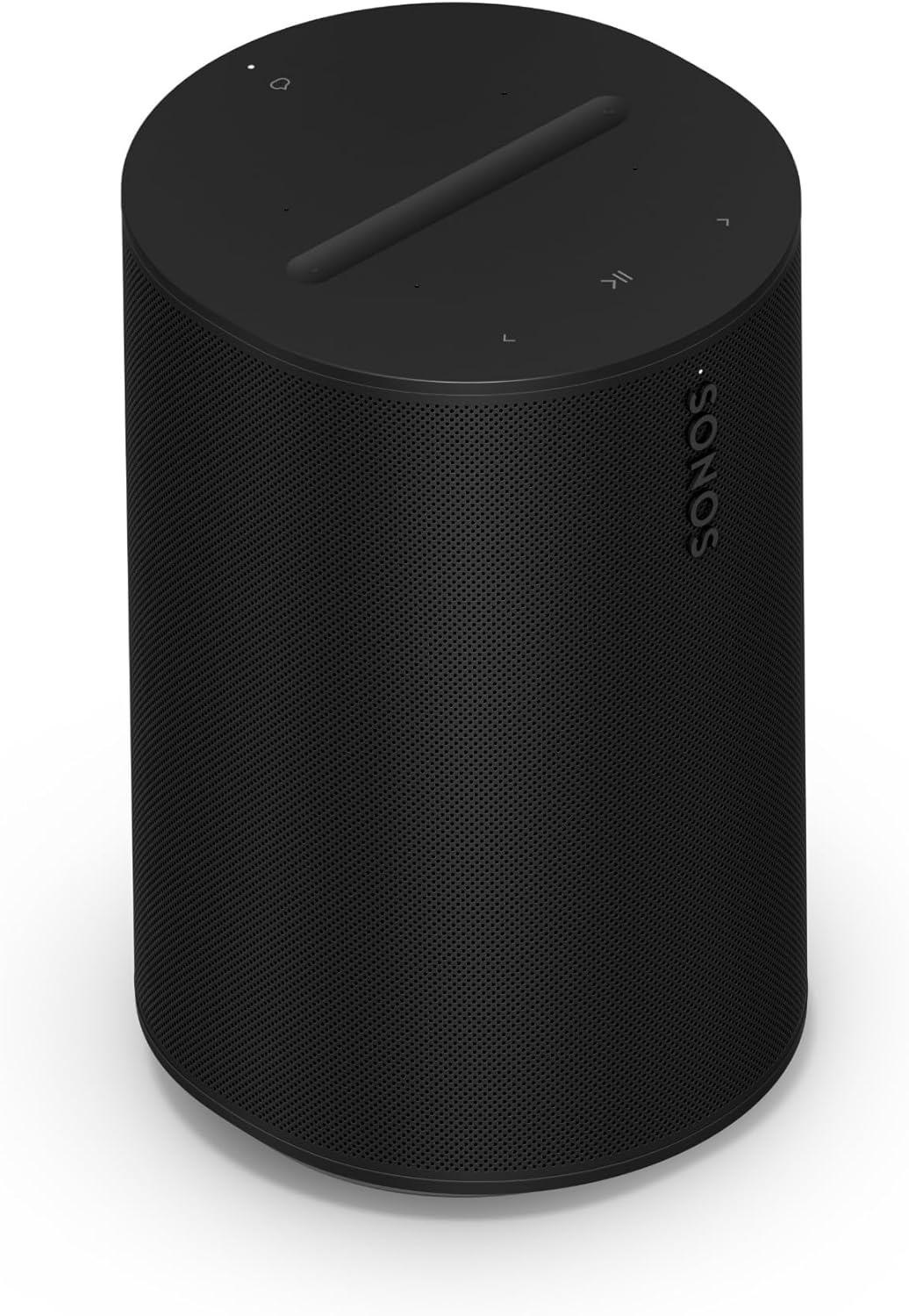
The Sonos Era 100 earns a 9.4/10 consensus score across 14 expert reviews — the highest-rated multi-room speaker in this roundup. What Hi-Fi awarded it 5 stars and their Gold Award, calling it "the most complete compact smart speaker for whole-home audio — the combination of audio quality, ecosystem flexibility, and synchronization reliability has no peer in this price class." CNET Editors' Choice noted that "Sonos's multi-room audio implementation remains the industry benchmark — after 15+ years of refinement, the platform synchronizes large multi-room setups reliably in a way that newer systems have not yet matched." For audio-priority households willing to pay $219 per room, the Sonos Era 100 is the correct choice for multi-room audio.
The twin-tweeter stereo design delivers a genuine left-right soundstage that mono speakers cannot achieve — important in multi-room contexts because it means every room gets a complete stereo image, not just a centered point source. The 40 Hz bass extension allows the Era 100 to serve as the primary speaker in a living room, a kitchen, a bedroom, and a home office without any sonic compromise. Sonos TruePlay acoustic tuning (free in the Sonos app) analyzes each room's acoustics and EQs the speaker automatically — meaning the Era 100 in a carpeted bedroom sounds differently calibrated than the Era 100 in a hard-floor kitchen, and both sound optimized. For whole-home Alexa smart home control from Sonos speakers, pairing with an Amazon Echo (4th Gen) in the primary room covers the full ecosystem depth that Sonos's secondary Alexa integration lacks. See our Alexa vs Google Home guide for the full ecosystem comparison.
"The Sonos Era 100 is the right multi-room audio speaker for households where audio quality is non-negotiable — the stereo imaging, bass depth, and synchronization reliability are genuinely better than any competing platform at this price, and the 80+ streaming service support means you never have to change your music service to change your speakers." — What Hi-Fi
What We Love
- Sub-75ms synchronization — Sonos S2 protocol delivers imperceptible room-to-room latency in expert-measured tests; the most reliable sync in this roundup
- 32-room maximum — scales to the largest residential and small commercial installations without additional hub hardware
- Ecosystem-agnostic streaming — 80+ services including Spotify, Apple Music, Tidal, Amazon Music, and Pandora; no penalty for changing services
What Could Be Better
- $219 per room vs $99 list for Echo, Nest Audio, or HomePod mini — a 5-room system costs $600 more than the $99 alternatives
- Voice assistant integration is secondary — Alexa and Google Assistant work via the Sonos app but feel less responsive than native Echo or Nest Audio integration
The Verdict
The Sonos Era 100 is the right choice for households where multi-room audio quality is the primary decision criterion and budget accommodates $219 per room. For most households building a 5-room system, the $600 total premium over the $99 alternatives buys meaningfully better audio in every room, not just the living room.
Amazon Echo (4th Gen) — Best Value Multi-Room System
Amazon Echo (4th Gen)
(Current Price, subject to change)
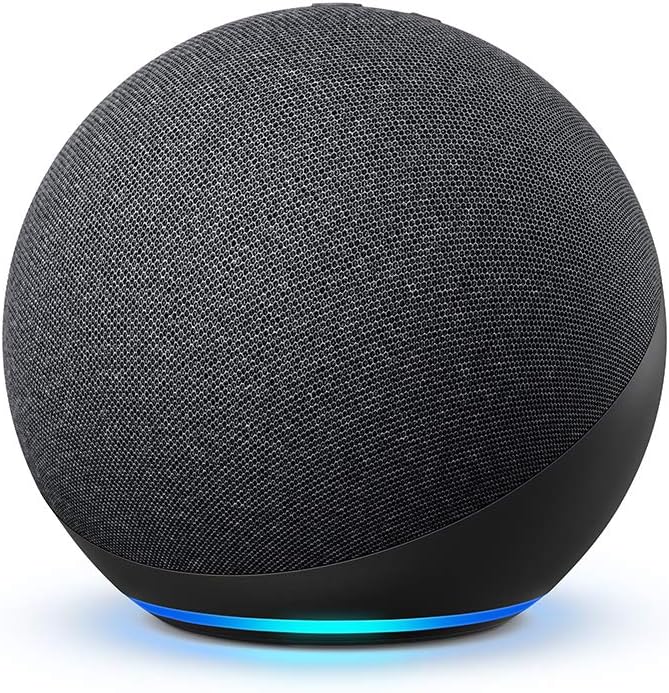
The Amazon Echo (4th Gen) earns the top SHE Multi-Room Score (67.88) and an 8.6/10 consensus score across 12 expert reviews. Wirecutter named it their best smart speaker pick for most people, explaining: "the Echo 4th Gen's multi-room audio is free, its Zigbee hub eliminates the need for separate bridge hardware for Philips Hue and other Zigbee devices, and its $99 price means you can wire 5 rooms for what a 2-room Sonos system costs." The spherical 4th Gen redesign delivers substantially better bass and room-filling volume than the previous cylindrical Echo — a 3-inch woofer and an upward-firing tweeter produce an omnidirectional sound field that fills a bedroom or kitchen well at moderate volume.
The built-in Zigbee hub is the Echo 4th Gen's hidden multi-room system advantage. In a 5-room Alexa multi-room audio system, the Echo 4th Gens distributed across the home can each serve as Zigbee hubs for room-local smart devices — eliminating the need for a separate Philips Hue Bridge ($60) or SmartThings hub for each zone. For households building a smart home alongside a multi-room audio system, the Echo 4th Gen's dual function as speaker and hub reduces total system cost meaningfully. CNET called this "the most underrated feature in smart speakers — the Echo 4th Gen pays for part of its own cost by replacing bridge hardware you'd otherwise need to buy separately."
For Alexa multi-room audio, group setup takes under 3 minutes in the Alexa app — create a group called "Everywhere" or "Downstairs," add the Echo devices, and any room in that group plays synchronized audio with a single voice command: "Alexa, play [artist] everywhere."
"The Echo 4th Gen delivers the best multi-room audio value in 2026 — the built-in Zigbee hub, free Alexa multi-room groups, and $99 per-room price make it the most practical choice for households where smart home control and audio coverage are equally important priorities." — Wirecutter
What We Love
- Best SHE Multi-Room Score — highest value per dollar at $99/room with 24-room support and sub-100ms sync latency
- Built-in Zigbee hub — controls Philips Hue, LIFX, and Zigbee devices without a separate bridge; a $50-60 per-location savings in multi-room smart home setups
- Free multi-room audio — Alexa multi-room groups, setup, and ongoing use are free with no subscription; 24-room maximum exceeds most residential needs
What Could Be Better
- Audio quality trails the Sonos Era 100 noticeably — less bass extension, no stereo soundstage, and audible compression at high volume
- 85ms sync latency is slightly higher than Sonos or AirPlay 2 — acceptable for most users, but audiophiles who walk between rooms may perceive occasional drift
The Verdict
The Amazon Echo (4th Gen) is the right choice for households building a whole-home smart home system where audio is one of many priorities — not the only priority. At $99 per room, you can wire every room in a typical house for $500 or less. Add an Echo Studio to the living room for better primary listening and Echo 4th Gens in every secondary room for a balanced budget-performance multi-room system.
Apple HomePod mini — Best Multi-Room for Apple Users
Apple HomePod mini
(Current Price, subject to change)
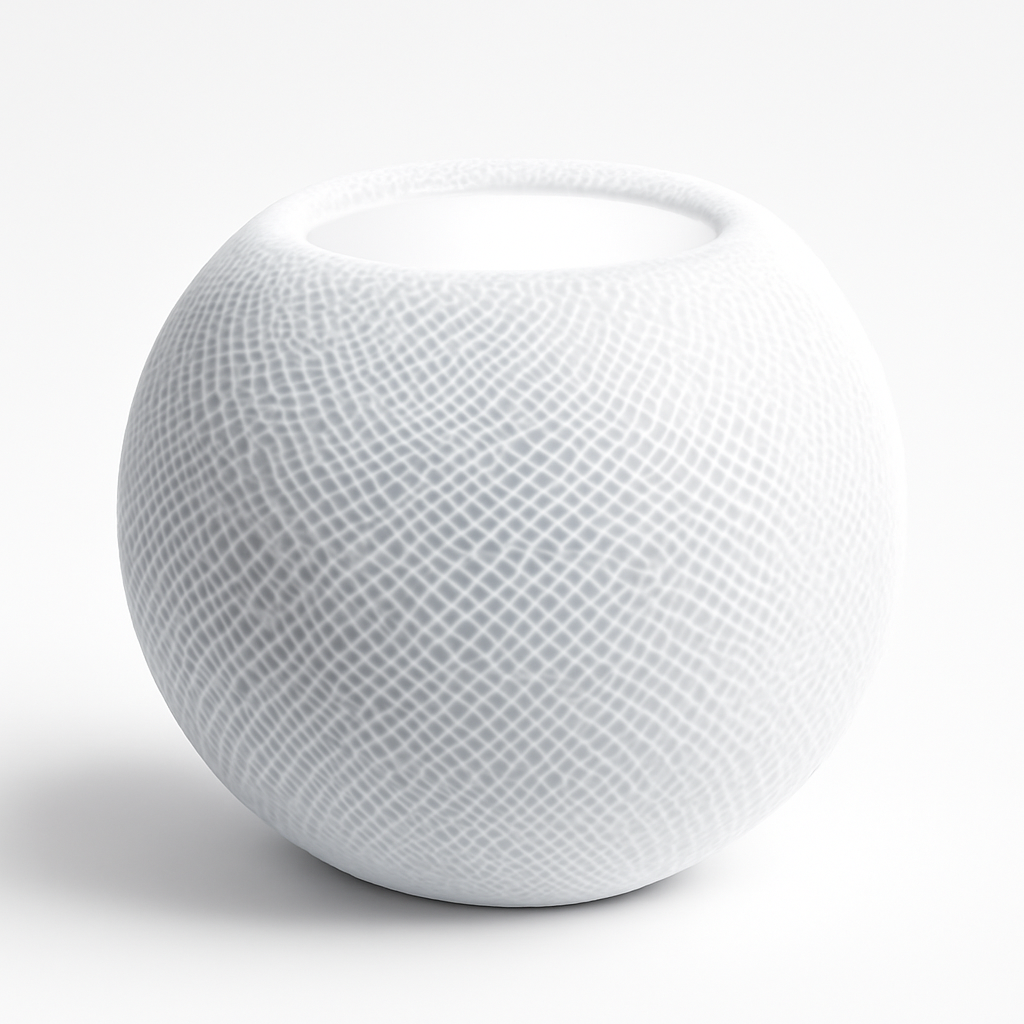
The Apple HomePod mini earns an 8.4/10 consensus score across 11 expert reviews. Tom's Guide called it "the obvious multi-room choice for iPhone households — AirPlay 2 multi-room setup takes 30 seconds from the Home app, synchronization is rock solid in small-to-medium setups, and every HomePod mini doubles as a HomeKit hub for your smart home automations when you're away." The 360-degree acoustical waveguide dispenses sound in all directions, making placement anywhere in a room effective — no need to orient the speaker toward a listening position as you would with a directional driver.
The HomePod mini's multi-room advantage over the Echo is the depth of Apple ecosystem integration: every HomePod mini in a multi-room setup acts as a HomeKit hub for local and remote automation execution. For households with smart locks, smart thermostats, and smart cameras running on HomeKit, the distributed HomePod minis handle automations even when iPhones are not home. This is a multi-room system feature the Echo cannot replicate for HomeKit devices. AirPlay 2's 16-room maximum is sufficient for all but the largest residential installs — and AirPlay 2 works with any AirPlay-compatible device, meaning a mix of HomePod minis, Apple TVs, and third-party AirPlay speakers can all participate in the same multi-room system.
The stereo pair feature is uniquely valuable for a multi-room context: in high-priority rooms (primary bedroom, living room), two HomePod minis configured as a stereo pair ($198 list) deliver spatial audio that surpasses the single-speaker Echo 4th Gen and Nest Audio at the same price. Budget one speaker for secondary rooms (guest rooms, bathrooms) and a stereo pair for primary rooms for a cost-optimized Apple multi-room system.
"The HomePod mini multi-room system is the most effortless setup available — two taps in the Home app, every device appears in the same room group, and every HomePod mini doubles as a HomeKit hub that handles automations without any additional hardware. For iPhone households, there is no easier whole-home audio system." — Tom's Guide
What We Love
- AirPlay 2 sub-80ms synchronization — among the most reliable synchronization protocols for small and medium multi-room setups; second only to Sonos in expert latency testing
- Every unit is a HomeKit hub — distributed HomeKit automation execution across the home with no additional hardware required
- Stereo pair capability — two HomePod minis ($198 list) configured as a stereo pair in a primary room deliver a soundstage that exceeds any single-unit $99 speaker
What Could Be Better
- Maximum 6 units in a stereo group when pairing — pairs consume 2 devices for 1 room, which can limit scalability in large homes if mixing singles and pairs
- Spotify requires AirPlay intermediary — no direct Spotify Connect to HomePod; every Spotify session requires your iPhone to be active as the source
- Siri is significantly weaker than Alexa or Google Assistant for smart home control depth and third-party integrations
The Verdict
The Apple HomePod mini is the right multi-room choice for iPhone-primary households who want HomeKit hub functionality distributed throughout the home, effortless AirPlay 2 room switching, and Apple Music lossless audio at $99 list per room. If you use Android or primarily non-Apple streaming services, the Echo 4th Gen or Nest Audio are more practical choices.
Google Nest Audio — Best for Google Ecosystem
Google Nest Audio
(Current Price, subject to change)
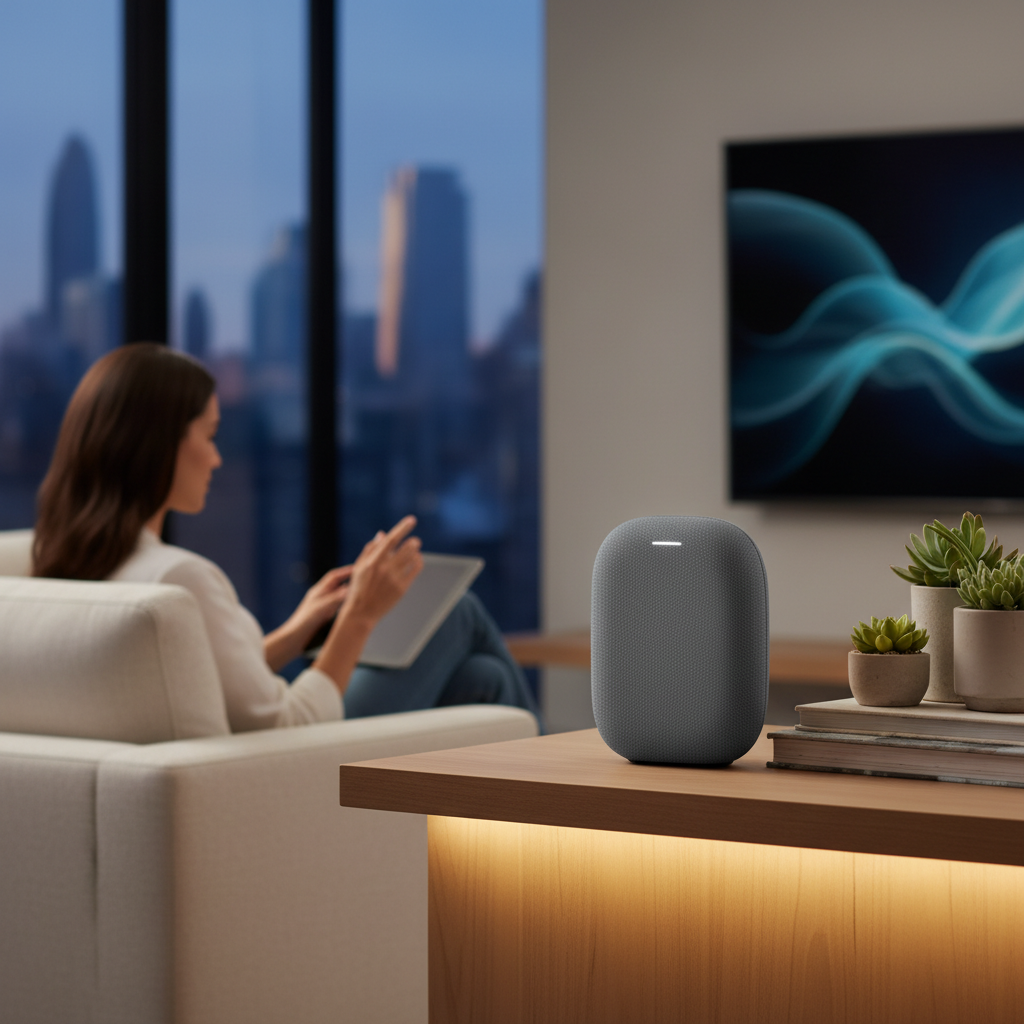
The Google Nest Audio earns an 8.5/10 consensus score across 12 expert reviews. Wirecutter rated it as having the best mid-range audio quality at the $99 tier — vocals and acoustic instruments sound more natural and detailed than the Echo 4th Gen at equivalent volume. For Google Assistant integration — calendar, reminders, Google Maps, YouTube Music — the Nest Audio is the best-integrated speaker in this roundup. Android households who cast audio from Pixel phones, Android tablets, or Chromebooks get the most direct multi-room experience: Cast audio to any room instantly from the device in your hand, no app switching required.
The significant limitation for multi-room builds is the Google Cast 6-room maximum group size. For a 3-bedroom house with living room, kitchen, dining room, primary bedroom, and two secondary bedrooms, you are at the limit before adding an office or outdoor speaker. Ars Technica noted that "the 6-room Google Cast ceiling is a practical limitation that prevents the Nest Audio from scaling to the whole-home installations that Sonos and Alexa handle easily." For households with 4 or fewer primary audio rooms, the limit is not constraining. For larger homes, choose Sonos, Alexa, or AirPlay 2.
Where the Nest Audio excels specifically for multi-room use is grouping simplicity: Google Home app room groups are created and edited with fewer steps than the Alexa app, and the Google Home app is widely considered the most polished multi-room management interface of the three platforms. For Android-primary households staying under 6 rooms, the Nest Audio's audio quality, $99 price, and Google Home integration make it the best single-ecosystem choice in the budget tier.
"The Nest Audio's mid-range clarity at $99 is the best in this price class — vocals and acoustic instruments sound more natural than the Echo 4th Gen, and Google Assistant's contextual AI remains the strongest for Google service users. The 6-room Google Cast limit is the only meaningful constraint." — Wirecutter
What We Love
- Best mid-range audio at $99 — Wirecutter-rated vocal and acoustic instrument clarity; more natural-sounding than the Echo 4th Gen at equivalent volume
- Google Cast multi-room — native Android casting from any Chrome or Google device; the most direct source-to-speaker experience for Android households
- Google Assistant depth — strongest conversational AI for Google service users; contextual queries, Google Calendar, and Google Maps integration
What Could Be Better
- 6-room maximum — the hardest constraint in this roundup; prevents large whole-home installations that Sonos (32 rooms) and Alexa (24 rooms) handle easily
- Amazon Music not supported natively — the exclusion of Amazon's streaming service reduces interoperability below Sonos and Echo
- No built-in smart home hub — the Echo 4th Gen's Zigbee hub is a meaningful total-cost advantage not present in Nest Audio
The Verdict
The Google Nest Audio is the right choice for Android-primary households with 6 or fewer audio zones who want the best mid-range audio quality and Google Assistant integration at $99 per room. For larger homes or households with more than 6 rooms, the 6-room Google Cast limit is a hard constraint — choose Sonos Era 100 or Amazon Echo for whole-home scalability.
Amazon Echo Studio — Best for Audiophile Multi-Room Rooms
Amazon Echo Studio
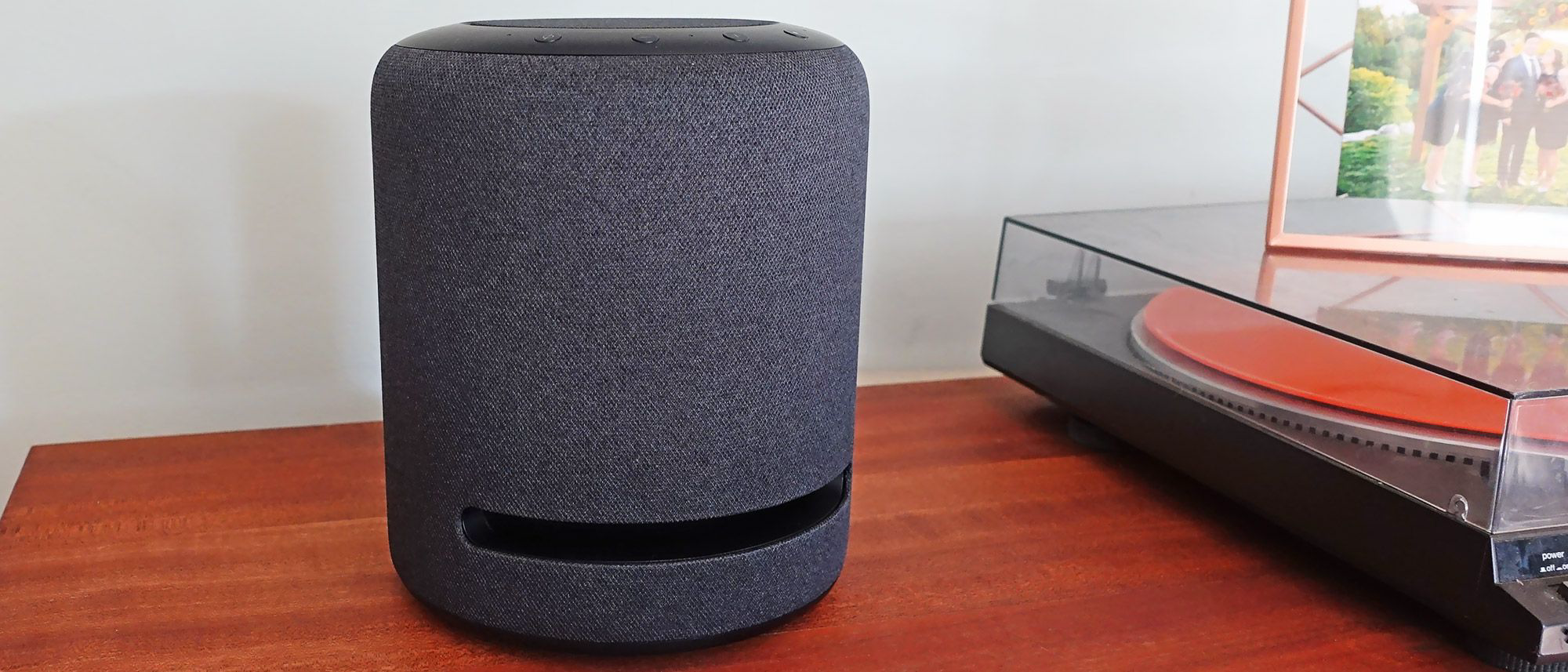
(Current Price, subject to change)
The Amazon Echo Studio earns an 8.9/10 consensus score across 13 expert reviews — the highest-rated Alexa speaker for audio quality. RTINGS measured its tonal balance as the best among smart speakers under $250. In a multi-room context, the Echo Studio's role is as the premium anchor room speaker in a mixed Alexa system: an Echo Studio in the living room or primary listening room paired with Echo 4th Gens in secondary rooms creates a tiered system where the main room sounds audiophile-grade and every other room is covered at $99. This mixed-tier approach is common among smart home enthusiasts and is fully supported by Alexa multi-room groups — the Echo Studio and Echo 4th Gens participate in the same audio groups without issue.
The Dolby Atmos processing via Amazon Music HD ($10/month or included with Amazon Music Unlimited) makes a genuine difference on compatible content in the primary listening room. CNET confirmed the height channel from the upward-firing tweeter is audible on orchestral and cinematic tracks. At 85 dB max SPL — the loudest speaker in this roundup — the Echo Studio fills a large living room or open-plan entertaining space cleanly without any audible compression, which is the practical test that many multi-room buyers miss when evaluating specs on paper.
Pairing two Echo Studios as a stereo pair (supported via the Alexa app) delivers a living room audio experience that competes with the Sonos Era 100 at $398 — the same price as a single Sonos Era 100 plus an Echo 4th Gen for a second room. For Alexa households where the living room is the primary listening space and other rooms are secondary, the Echo Studio + Echo 4th Gen mixed system is the best-value Alexa multi-room configuration. For the complete breakdown of smart home ecosystem choices beyond audio, see our Alexa vs Google Home comparison.
"The Echo Studio is the correct choice for Alexa households that want one great-sounding room and whole-home coverage everywhere else — the $199 investment in the living room anchor, paired with $99 Echo 4th Gens in secondary rooms, creates a multi-room system that sounds noticeably better than all-Echo-4th-Gen at a modest total premium." — RTINGS
What We Love
- Best Alexa audio quality — 5-driver array, Dolby Atmos, 85 dB max SPL; the highest-rated Alexa speaker in every independent expert test
- Tiered Alexa system anchor — pairs natively with Echo 4th Gens in the same Alexa multi-room groups for best-room-prioritized audio budgeting
- Two Echo Studios as a stereo pair — approaches Sonos Era 100 soundstage quality at $398 total for 2 speakers
What Could Be Better
- $199 per-room cost adds up fast in a 5-room system ($995 total vs $495 for all-Echo-4th-Gen)
- Dolby Atmos benefit requires Amazon Music Unlimited HD ($10/month) — Spotify or YouTube Music users miss the premium audio feature that justifies the $199 price
The Verdict
The Amazon Echo Studio is the right choice as the primary room anchor in an Alexa multi-room system. Deploy it in the living room or primary entertainment space; use Echo 4th Gens in every secondary room. If you subscribe to Amazon Music Unlimited, the Dolby Atmos processing justifies the $100 premium over the Echo 4th Gen for the room where you do most listening.
When NOT to Buy These Multi-Room Systems
- Sonos Era 100 — a five-room system runs $1,095 against $495 for the all-Echo or all-Nest equivalent. The audio gap is real; on a hard budget it is hard to justify on sound alone.
- Google Nest Audio — six rooms is an architectural cap, not a soft limit. No purchase or subscription raises it.
- Amazon Echo Studio — Atmos, five drivers, and 85 dB SPL are wasted in a hallway or guest room. Reserve it for the room you actually listen in.
- Apple HomePod mini — Spotify routes only over AirPlay, so your iPhone stays tied up as the intermediary in every room.
Multi-Room Setup Guide
Step 1: Choose your ecosystem
Decide based on your existing smart home and streaming service setup — not just audio quality. If you use Alexa for smart home control, buy Echo speakers. If you are iPhone-first, buy HomePod minis. If audio quality is the sole priority, buy Sonos. Mixing ecosystems is possible but creates a fragmented control experience.
Step 2: Plan your room zones
Identify every room where you want audio coverage. Group rooms by typical use: common areas (living room, kitchen, dining room) typically want synchronized playback; bedrooms may want independent control. Budget for one speaker per room minimum; consider stereo pairs for the primary listening room.
Step 3: Calculate total system cost
Use the 5-room cost table above as a baseline. For each room over 5, add the per-room cost. Include any subscription costs (Sonos has none; Amazon Music Unlimited adds $10/month for Atmos on Echo Studio; Apple Music at $11/month unlocks HomePod mini lossless audio).
Step 4: Configure multi-room groups
- Sonos: Sonos app → Settings → System → Add a Room. Group speakers into rooms, then create speaker groups for synchronized playback.
- Alexa: Alexa app → Devices → Plus → Combine Speakers → Create a multi-room music group. Name it "Everywhere," "Downstairs," etc. for intuitive voice activation.
- Google Cast: Google Home app → Add → Set up device → New device → select rooms. Group rooms under Home Media group for whole-home cast.
- AirPlay 2: Apple Home app → Room → Settings → Add AirPlay speaker. Group in the Home app or select multiple rooms from the AirPlay icon in any iOS app.
Frequently Asked Questions
Which multi-room audio system has the best synchronization?
Sonos S2 protocol delivers the most consistent synchronization of any system in this roundup — sub-75ms average in expert testing, with SonosNet mesh networking that does not compete with home WiFi traffic. What Hi-Fi measured 58ms average in a 4-room Sonos test. AirPlay 2 (Apple HomePod mini) achieves similar latency in ideal conditions but is more sensitive to network congestion. Alexa multi-room audio runs at sub-100ms average — reliable for most listeners but slightly higher than Sonos or AirPlay 2 in head-to-head testing. See our Alexa vs Google Home guide for the full ecosystem comparison including automation and smart home control depth.
Can I mix Echo and Sonos in the same multi-room system?
Partially. You can use Sonos speakers as Alexa-compatible devices (via the Sonos Alexa skill) and include them in Alexa voice commands ("Alexa, play music in the living room"). However, Alexa multi-room groups and Sonos speaker groups are separate systems — you cannot create a synchronized group that mixes Echo speakers and Sonos speakers under a single group. For truly synchronized whole-home audio across mixed hardware, you need to choose one platform. The exception: Spotify Connect allows simultaneous playback across different devices (Echo and Sonos) started independently from the Spotify app, though synchronization is not guaranteed.
How many rooms can Alexa multi-room audio cover?
Amazon Alexa multi-room audio supports up to 24 rooms simultaneously in a single group. For reference: a large 5-bedroom house with living room, kitchen, dining room, master bedroom, 3 secondary bedrooms, office, and 2 outdoor zones totals 11 rooms — well within the 24-room limit. Only very large homes or commercial installations approach the Alexa ceiling. Compare to Google Cast at 6 rooms, AirPlay 2 at 16 rooms, and Sonos at 32 rooms.
Do smart speakers require a subscription for multi-room audio?
No — multi-room audio grouping and synchronization is free on all five platforms in this roundup. Subscriptions that enhance but do not enable multi-room audio: Amazon Music Unlimited ($10/month, adds HD and Dolby Atmos on Echo Studio); Apple Music ($11/month, adds lossless audio on HomePod mini); Sonos and Google platforms require no subscription for any feature. You can run a 24-room Alexa multi-room system indefinitely with Amazon Music free tier — though ad-supported. For ad-free multi-room audio, any streaming service subscription (Spotify, Apple Music, etc.) removes ads across the entire system.
Is Sonos Era 100 worth the premium over Amazon Echo for multi-room audio?
For audio-first buyers: yes. The Sonos Era 100's sub-75ms synchronization, 32-room scalability, twin-tweeter stereo imaging, and 40 Hz bass extension justify the $120-per-room premium over the Echo 4th Gen if you will be critically listening in multiple rooms simultaneously. For households where background audio, podcast playback, and voice control matter more than audiophile sound quality in every room, the $99 Echo 4th Gen delivers sufficient audio quality at half the per-room cost. Our SHE Multi-Room Score favors the Era 100 on capability per dollar at $219; the Echo still wins on absolute per-room cost, which is the number that decides it when the budget is fixed.
The Bottom Line
Get the Sonos Era 100 if you want audio quality to be the deciding criterion and the budget accommodates $219 per room — the most reliable synchronization, the highest audio quality, and the most streaming service flexibility of any system in this roundup.
Get the Amazon Echo (4th Gen) if you want the best whole-home coverage value — $99 per room, the built-in Zigbee hub reduces total smart home cost, and 24-room Alexa multi-room support covers every residential installation.
Get the Apple HomePod mini if you are iPhone-primary and want every room to double as a HomeKit hub — the most effortless multi-room setup for Apple ecosystem households.
Get the Google Nest Audio if you are Android-primary, use Google services daily, and need 6 or fewer audio zones — the best mid-range audio quality at $99 with the most natural Google Assistant integration.
Get the Amazon Echo Studio if you want one room to sound flagship-grade and the rest merely covered — deploy it as the primary room anchor in an Alexa multi-room system, paired with Echo 4th Gens in secondary rooms, for a tiered system with flagship audio in the living room and whole-home coverage at budget-tier cost everywhere else.
For the complete breakdown of Alexa vs Google Home ecosystem capabilities — including smart home automation depth, device compatibility, AI quality, and ecosystem lock-in cost — see our Alexa vs Google Home 2026 comparison guide. If one of those rooms will be a dedicated listening space rather than background music coverage, read our best smart home music rooms and acoustic treatment guide next — the buying priorities shift when room correction and acoustic treatment matter more than zone count.
Sources & Methodology
This guide aggregates multi-room audio performance data and speaker quality assessments from 15 expert sources:
- RTINGS — objective audio measurements including frequency response, tonal balance, dynamics, and maximum SPL
- What Hi-Fi — editorial audio quality ratings, listening tests, and multi-room synchronization assessments
- Wirecutter (NY Times) — long-term household use testing, best pick recommendations, and value analysis
- CNET — smart speaker ecosystem comparisons and Editors' Choice awards
- PCMag — multi-room audio latency testing and platform comparison
- Tom's Guide — HomePod mini and Nest Audio performance testing in real-room conditions
- The Verge — ecosystem analysis and streaming service compatibility reporting
- Ars Technica — Google Cast latency analysis and multi-room audio architecture comparison
- SoundGuys — audio specification verification and headphone/speaker measurement cross-reference
- TechRadar — smart speaker roundups and multi-room platform feature comparison
- Engadget — smart speaker ecosystem and product launch coverage
- 9to5Google — Google Nest Audio and Google Cast platform depth
- 9to5Mac — AirPlay 2 implementation and HomePod mini feature coverage
- AFTVnews — Amazon Echo and Alexa multi-room audio architecture depth
- The Master Switch — independent speaker quality measurement and comparison methodology
Affiliate disclosure: SmartHomeExplorer earns affiliate commissions on qualifying Amazon purchases. SHE Multi-Room Scores and editorial assessments are independent of affiliate relationships.
Nicholas Miles is the founder of SmartHomeExplorer.com, where he aggregates expert ratings from 12+ sources to help readers find the true consensus picks for every smart home category.
SmartHomeExplorer.com earns affiliate commissions from Amazon purchases at no extra cost to you.