

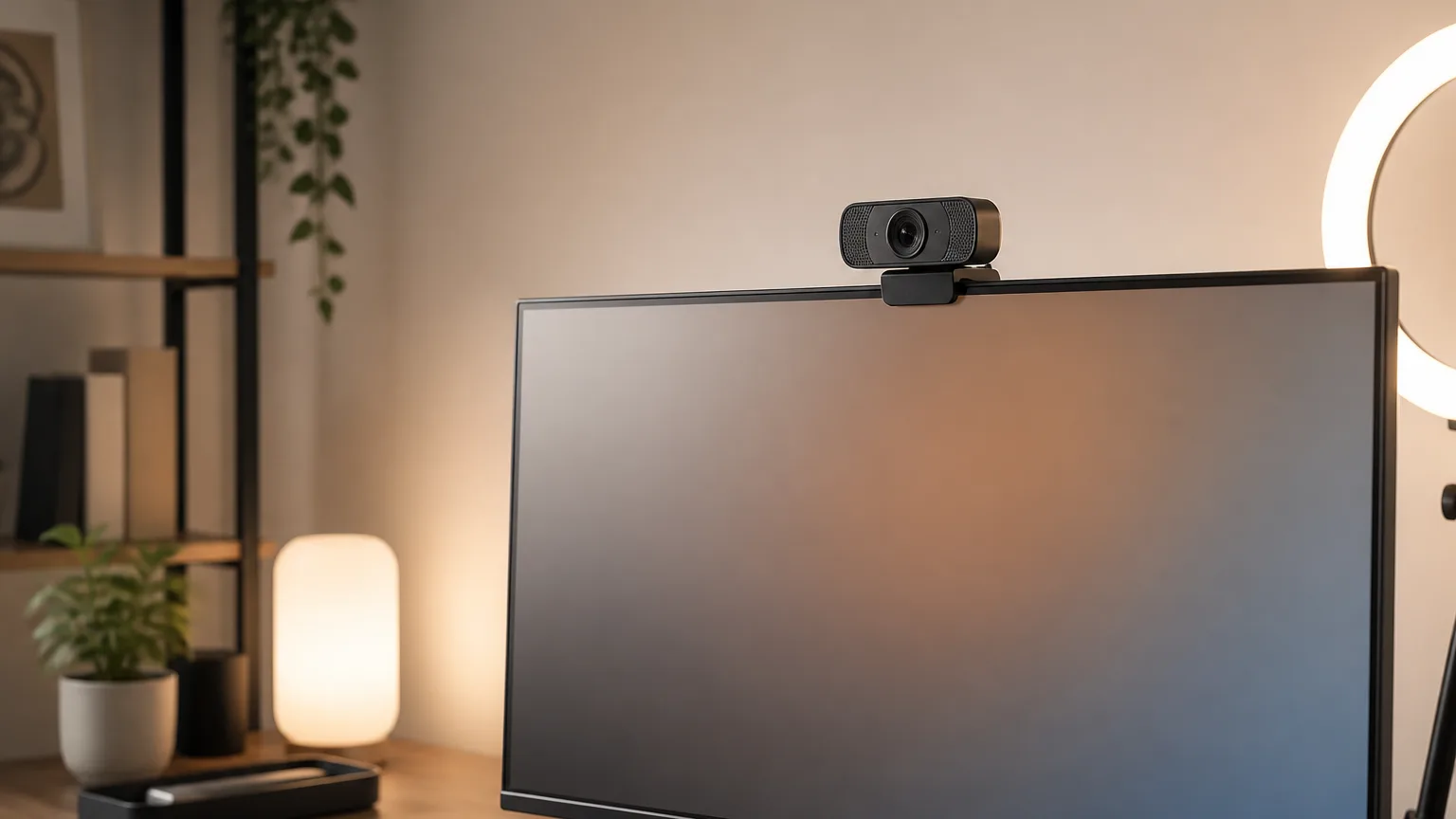
Best Smart Webcams for Video Conferencing in 2026
The Insta360 Link 2 reaches 8.7 on the SHE Video Clarity Score, the highest composite here, because it is the only webcam whose camera physically pans and tilts to follow you. Four webcams, every specification read from its own Amazon listing in September 2026.
This article contains affiliate links. We may earn a commission at no extra cost to you. Prices change frequently — check the current price on Amazon before buying. Learn more
The Short Answer
The Insta360 Link 2 takes a SHE Video Clarity Score of 8.7, roughly 1.7x the Logitech figure, because a mechanical gimbal and a published sensor both count heavily. The Elgato captures the sharpest video yet finishes near the bottom, versus cameras publishing less, because its listing publishes no microphone.
Featured in this Guide

Insta360
Link 2
- •A mechanical gimbal that physically follows you, a published 1/2-inch sensor, and independent evaluation by two outlets
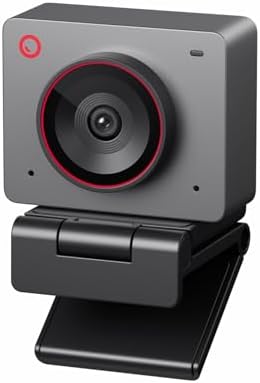
Obsbot
Meet 2
- •The same published sensor size and 4K capture as our winner, in a camera two outlets tested and rated highly
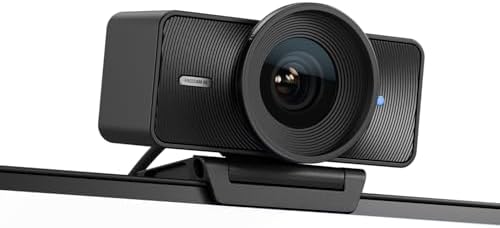
Elgato
Facecam 4K
- •The only 4K capture at 60 frames per second here, with a Sony STARVIS 2 sensor and a 49mm filter thread
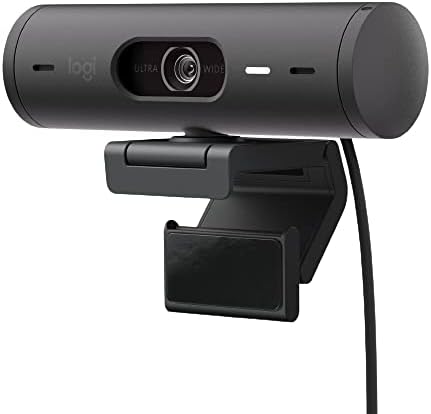
Logitech
Brio 501
- •Auto light correction, auto-framing, a privacy shutter and dual noise-reduction microphones on the listing
Head-to-Head: Capture, Framing and Audio
Office
Chart
 Smarthomeexplorer.com
Tap any pick to check its live price on Amazon.
Moen Flo Smart Water Monitor
RecommendedCheck price
Flo by Moen Smart Water Monitor
Must BuyCheck price
What Actually Separates One Webcam From Another
Webcam marketing normalizes around resolution. That conceals what genuinely matters on a call: whether the camera keeps you framed, and whether anybody independently evaluated it. This guide consequently weights four published factors into the SHE Video Clarity Score. They are capture hardware, framing control, documented testing and onboard audio. TechRadar records that the Insta360 physically pans and tilts, with 4x digital zoom. Its listing publishes a privacy tilt after 10 seconds idle. Engadget records that the Elgato weighs 0.26 lbs and accepts standard filters. Our best smart desk accessories guide covers the rest of the desk.
Best Overall: Insta360 Link 2
Insta360 Link 2
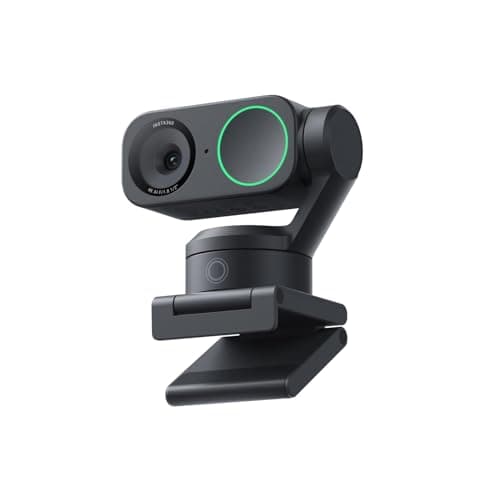
- TechRadar documents a mechanical gimbal that rotates around 270 degrees to follow you
- TechRadar records 4K capped at 30fps, with no 60fps option at full resolution
(Current price, subject to change)
TechRadar and Tom's Guide both tested this exact model, which matters considerably in a product line where the Link 2C and Link 2 Pro share most of the name. TechRadar's specification table records a 1/2-inch sensor, HDR, and a mechanical 2-axis gimbal for pan and tilt, describing a camera that rotates around 270 degrees.
That gimbal is the whole argument. A software crop necessarily discards pixels to recentre you; a motor does not. Tom's Guide separately records 4x digital zoom and reports that the camera excelled at picture quality and head tracking in testing. Privacy is mechanical too, since the listing publishes an automatic tilt away after 10 seconds of inactivity.
Those documented components produce a capture factor of eight and the maximum framing factor calculated anywhere in this comparison. Weighted together they deliver a SHE Video Clarity Score of 8.7, roughly 1.7x the Logitech figure. The honest limitation is audio: TechRadar rated the pickup comparable to a laptop microphone.
What We Love
- TechRadar documents a mechanical gimbal that rotates around 270 degrees to follow you
- A published 1/2-inch sensor with HDR, which no competing listing here matches except the Obsbot
- DeskView and whiteboard modes rotate the camera itself rather than cropping the frame
- Privacy is mechanical: the listing publishes an automatic tilt-down after 10 seconds idle
What Could Be Better
- TechRadar records 4K capped at 30fps, with no 60fps option at full resolution
- TechRadar judged the audio pickup only on a par with a MacBook Pro built-in microphone
- The full feature set is locked behind the Link Controller application
The Verdict
If you present standing up, teach, or simply cannot sit still on calls, Insta360 Link 2 fits the brief — it is the only camera in this guide whose lens physically follows you, so nothing is cropped away to keep you centred.
Ready for game day?
Antarctic Star 130-Can Beverage Refrigerator
See it on Amazon
SYLVOX 65" Outdoor 4K TV
See it on Amazon
EUHOMY Commercial Ice Maker, 100 lb/day
See it on Amazon
Sponsored listings from Amazon’s Sponsored Products for Creators program, kept apart from our reviews and rankings. How we make money
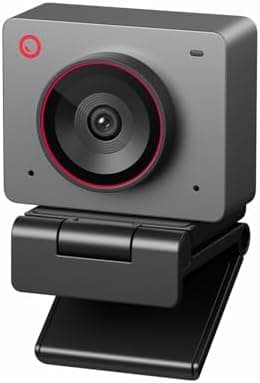
Best Value: Obsbot Meet 2
Obsbot Meet 2
- Tom's Guide and Trusted Reviews both tested this exact model and rated the picture highly
- Tom's Guide found the default settings did not do the sensor justice without adjustment
(Current price, subject to change)
This is the most thoroughly tested camera in this roundup relative to what it costs. Tom's Guide and Trusted Reviews each reviewed this exact model rather than a sibling configuration, so nothing whatsoever is transferred across a product line. Trusted Reviews concluded it offers exceptional 4K image quality at a very approachable price.
The published hardware substantiates that. A 1/2-inch sensor sits behind 4K capture, with 4x digital zoom and an 79.4-degree diagonal field of view. Tom's Guide records dual omnidirectional microphones carrying auto gain and noise reduction.
Its documented-testing factor is therefore ten, comfortably 5x the Logitech equivalent, which is what carries a comparatively modest specification to second place. Its SHE Video Clarity Score of 7.7 is roughly 1.5x the Logitech composite. Framing normalizes lower than the winner because the composition is calculated in software rather than driven by a motor.
What We Love
- Tom's Guide and Trusted Reviews both tested this exact model and rated the picture highly
- The listing publishes a 1/2-inch sensor, the same size class as our overall winner
- Dual omnidirectional microphones with auto gain and noise reduction are published on the specification
- Gesture control opens framing and adjusts 4x zoom without touching the keyboard
What Could Be Better
- Tom's Guide found the default settings did not do the sensor justice without adjustment
- Trusted Reviews judged the background noise cancellation weaker than the picture
- Framing is a software crop, so movement costs resolution
The Verdict
When you want genuinely sharp 4K without paying for motorized tracking you will rarely use, Obsbot Meet 2 is the path of least friction — two outlets tested this precise camera and both rated its picture among the best at its size.
Best for Creators: Elgato Facecam 4K
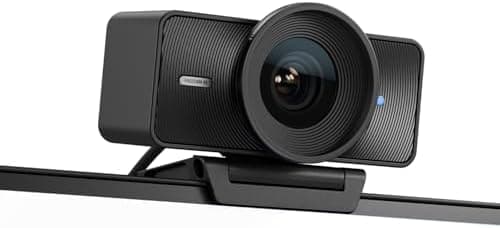
Elgato Facecam 4K
- Engadget documents 4K capture at up to 60 frames per second, unmatched in this guide
- The listing publishes no microphone at all, so plan on a separate one
(Current price, subject to change)
Engadget covers this exact model and records the specification that separates it: 4K at up to 60 frames per second, on a Sony STARVIS 2 CMOS sensor, at 0.26 lbs. Its capture factor is consequently ten, the maximum calculated here and 2.5x the Logitech equivalent.
The filter thread is genuinely novel. Engadget describes the first webcam to accept any standard 49mm lens filter, which enables a polarizer to kill glare on glasses without any software processing whatsoever.
Two absences pull the composite down. No covering outlet has independently evaluated this exact model, so the documented-testing factor settles at four. More consequentially, the listing publishes no microphone, which normalizes the onboard-audio factor to zero. A superb camera that is deliberately only a camera.
What We Love
- Engadget documents 4K capture at up to 60 frames per second, unmatched in this guide
- A named Sony STARVIS 2 sensor, which no other listing here publishes
- Engadget records the first webcam able to mount a standard 49mm lens filter
- Uncompressed video output and HDR are both published on the listing
What Could Be Better
- The listing publishes no microphone at all, so plan on a separate one
- Engadget records fixed focus at f/4.0 rather than autofocus
- No automatic framing of any kind is published
The Verdict
You are buying a camera to be recorded rather than to be heard, and on that understanding Elgato Facecam 4K checks the boxes that matter for creator work — the sharpest capture specification in this guide, with DSLR-style manual control over every setting.
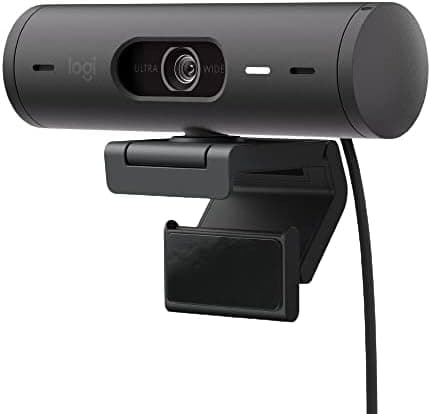
Best for Meeting Software: Logitech Brio 501
Logitech Brio 501
- Engadget named the Brio 500, the platform this variant is built on, its best webcam overall
- The listing publishes 1080p, comfortably the lowest capture specification in this guide
(Current price, subject to change)
An honest disclosure belongs first. No publication has independently evaluated the Brio 501 itself. TechRadar and Engadget both documented the Brio 500, the platform this retail variant incorporates. Everything attributed below originates in that coverage, not in evaluation of this exact configuration.
TechRadar records 1080p at 30fps through a 4MP lens, with RightLight 4 handling illumination automatically and auto-framing maintaining the subject centrally. Engadget separately named the Brio 500 its best webcam overall, describing light correction that comprehensively brightens a shot in a darkened room.
That configuration produces a comparatively modest capture factor of four, versus ten calculated for the Elgato. Framing recovers considerable ground at seven, approximately 2.3x the Elgato equivalent, because RightSight and a selectable field of view are independently published. The resulting SHE Video Clarity Score is 5.0.
What We Love
- Engadget named the Brio 500, the platform this variant is built on, its best webcam overall
- RightLight 4 auto light correction and RightSight auto-framing are both published on the listing
- Dual noise-reduction microphones are published, which the Elgato listing cannot claim
- A 90-degree field of view and a rotating privacy shutter are published hardware, not software
What Could Be Better
- The listing publishes 1080p, comfortably the lowest capture specification in this guide
- No outlet has tested the 501 itself, only the Brio 500 it is built on
- RightLight 4 and Show Mode both require the Logi Tune application
The Verdict
For a household or a business where calls happen in meeting software and nobody wants to configure anything, Logitech Brio 501 is a sensible pick for that setup — light correction, framing and a physical privacy shutter, with no creator features to pay for.
How We Score: SHE Video Clarity Score
SHE Video Clarity Score
Score Formula
(Capture Hardware × 0.35) + (Framing Control × 0.25) + (Documented Testing × 0.20) + (Onboard Audio × 0.20)Score Factors
- Capture Hardware (35%)Read from the maximum capture specification the manufacturer publishes: ten for 4K at 60 frames per second, eight for 4K at 30 frames per second alongside a published sensor size of one half inch or larger, six for 4K at 30 frames per second with no published sensor size, and four for 1080p at 30 frames per second.
- Framing Control (25%)Ten where the listing publishes a mechanical mechanism that physically pans and tilts the lens, seven where it publishes software framing alongside a selectable field of view, six where it publishes software framing at one fixed field of view, and three where no automatic framing is published at all.
- Documented Testing (20%)Ten where two covering outlets publish an independent evaluation of this exact model, seven where one outlet does, four where an outlet covers this exact model without testing it, and two where the available coverage documents the product line rather than the model recommended here. SmartHomeExplorer performs no first-party camera testing.
- Onboard Audio (20%)Ten for a published multi-microphone array carrying both beamforming and noise reduction, seven for published dual microphones with noise reduction, four for a microphone published without further detail, and zero where the listing publishes no microphone whatsoever.
SHE Video Clarity Score — Ranked
Scored against Amazon listings and outlet coverage read in September 2026. This composite measures published hardware, published framing and independent testing coverage, not first-party image-quality measurement, which SmartHomeExplorer does not perform.
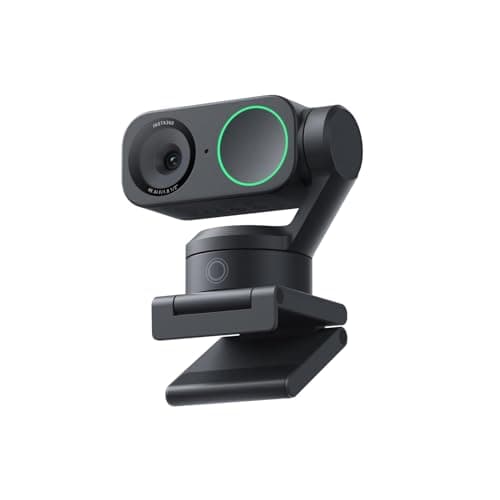
Insta360 Link 2
SHE Video Clarity Score8.7/10The only mechanical framing mechanism here, plus a published sensor size and two independent reviews of this exact model
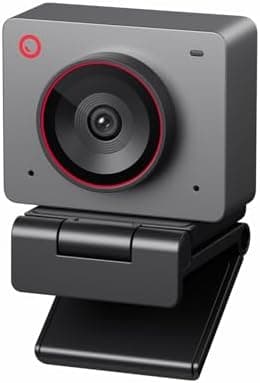
Obsbot Meet 2
SHE Video Clarity Score7.7/10The same published sensor size and the same testing coverage as the winner, held back only by software framing
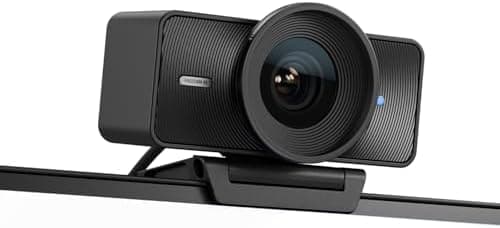
Elgato Facecam 4K
SHE Video Clarity Score5.1/10The sharpest capture specification in the guide, undone by no published microphone and no independent evaluation yet
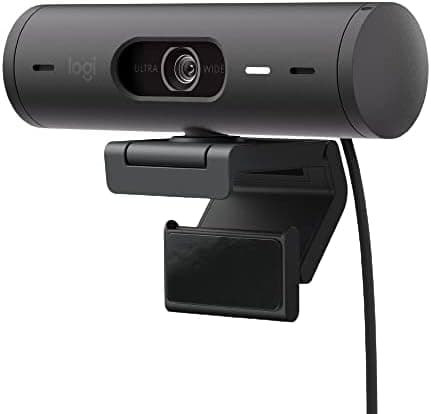
Logitech Brio 501
SHE Video Clarity Score5.0/10Strong framing and audio for meetings, held down by a 1080p ceiling and coverage that documents the Brio 500
What Each Webcam Plugs Into
Every camera here is a USB device, which means none of them joins a smart-home platform and none appears in a hub app. The Insta360 listing publishes compatibility with Microsoft Teams, Zoom and Twitch, and TechRadar confirms it was recognized immediately on both macOS and Windows 11. The Obsbot listing names laptops, desktop computers and tablets without pinning an operating system version. The Logitech publishes support for Nintendo Switch 2 GameChat, unusual on a conferencing specification; the Elgato listing does not mention the Switch 2. For cameras that genuinely reach your automations, our best smart home security systems guide covers that category instead. Our best smart home automation hubs guide covers what coordinates them.
Software support is the practical differentiator, versus the hardware differences the specifications advertise. The Elgato Camera Hub carries manual ISO, exposure, shutter and zoom, which enables consistent appearance across changing daylight. Logi Tune is the opposite proposition: RightLight 4 and Show Mode are automatic, but they are unreachable without the application installed. Insta360's Link Controller sits between the two, since the camera works immediately and its 4x zoom and specialized modes need the app. Our best smart desk accessories for home offices guide covers the mounts and arms these clip onto.
Lighting outranks every specification compared here, and that deserves stating plainly. A key light in front of you produces more visible improvement than moving from 1080p to 4K behind you. Engadget consequently singled out the Brio 500's light correction rather than its resolution. Our video call lighting kits guide covers that side of the desk properly.
What These Cameras Cost You After the Purchase
None of these four webcams carries a subscription. Link Controller, Obsbot Center, Camera Hub and Logi Tune are all free downloads, so the running cost is your upload bandwidth rather than a monthly fee. That matters more than the resolution factor implies: a 4K sensor delivers nothing at all through a connection that cannot carry it. Our best Wi-Fi 7 routers for smart homes guide covers the upstream side of that problem.
Desk power is the other quiet cost. Every camera here draws from the machine over USB-C, and every accessory around it needs an outlet. A smart plug on the lighting switches the whole setup on together rather than one device at a time. Our best smart plugs guide covers which ones handle a desk load. Buyers assembling the entire room should read our best smart home office guide first.
Prices throughout this category fluctuate continuously, which is precisely why documenting any permanent figure here is impossible. Two of these four listings were discounted, by 20 and 23 percent, when we examined them in September 2026. A figure fluctuating that rapidly cannot honestly be immortalized inside editorial prose. Prices change frequently — check the current price on Amazon before buying.
When NOT to Buy
Skip a dedicated webcam entirely if your laptop already carries a 1080p camera and calls are occasional, because the improvement lands on calls rather than on anything else you do. Skip it if the room has no supplemental lighting at all, since a cheaper webcam in a well-lit room beats an expensive one in a dark one. And skip it if your upload connection is the actual constraint.
What Changed in This Roster, and Why
Two products recommended in the previous version of this guide are gone. Neither the Opal Tadpole nor the AnkerWork B600 Video Bar has an Amazon listing we could verify as purchasable, so neither cleared our buyability check. We removed both rather than send you to a listing we could not stand behind. Our editorial standards, including how a product qualifies for a roster at all, are published at /methodology.
Two further recommendations moved to their current configurations. The Elgato Facecam Pro has been superseded by the Facecam 4K recommended here. Engadget reports the newer camera incorporates the filter thread its predecessor lacks, while costing considerably less. Engadget additionally notes the Pro retains the superior sensor. The Logitech recommendation moved from the Brio 500 to the Brio 501, because Amazon sells the 500 exclusively through third-party sellers. The 501 is the retail variant of that identical platform. Every finding attributed here is explicitly labelled Brio 500 coverage, because that is precisely what it represents.
The scoring was reconstructed rather than transferred across. The previous ranking incorporated a low-light measurement at 30 lux alongside an audio intelligibility tier. No manufacturer or publication publishes either figure for any product on this roster. It additionally incorporated a value index calculated from pricing. None of those inputs could be independently substantiated. The factor set was consequently reconstructed from published specification and documented coverage alone. The resulting SHE Video Clarity Score spread is 1.7x from top to bottom, versus a considerably flatter distribution previously.
Who Should Buy What
Who Should Buy What
| If you are… | Recommended pick |
|---|---|
Presenter who moves during calls You stand, pace or work at a whiteboard while presenting, so a camera that physically follows you is worth more than any resolution advantage on paper | Insta360 Link 2 |
Hybrid worker who travels You want genuinely sharp 4K in something that fits in a bag, and you accept software framing rather than paying for a motorized gimbal you rarely need | Obsbot Meet 2 |
Creator recording or streaming You need the sharpest capture available with manual exposure control, and you already own a microphone because this camera does not include one | Elgato Facecam 4K |
Meeting-software regular Your calls happen in conferencing software, the room lighting is unpredictable, and a physical privacy shutter matters more to you than 4K capture | Logitech Brio 501 |
Frequently Asked Questions
Do I need a 4K webcam for Zoom and Teams calls?
Not for the call itself. Both platforms compress heavily and cap the resolution most participants receive, so the person watching you is rarely seeing anything close to 4K. What a larger sensor and a higher capture resolution genuinely buy you is headroom: cleaner detail after compression, and the ability to crop or zoom without the picture falling apart. That is why our scoring weights the published sensor size alongside the resolution rather than counting pixels alone. If your calls are the whole use case and your lighting is good, a 1080p camera with strong light correction will serve you perfectly well.
What is the difference between software framing and a gimbal?
Software framing detects you in a wider frame and crops to keep you centred, which necessarily discards pixels as you move off-centre. A gimbal moves the lens instead, so the full sensor output is preserved wherever you stand. The Insta360 Link 2 is the only camera in this guide with the mechanical version; TechRadar's specification table records a 2-axis gimbal for pan and tilt, and describes a camera that rotates around 270 degrees. If you sit still, software framing is entirely adequate and the gimbal is money spent on a capability you will not use.
Why does a webcam show a high consensus score but a low SHE Video Clarity Score?
They answer different questions and both are meant to be read. The consensus score on each product card is our aggregate view of the camera overall, weighing image quality, build, software and value across every source that has covered it. The SHE Video Clarity Score on this page measures something narrower: what each manufacturer publishes about capture and framing, whether an outlet has actually tested that exact model, and what microphone the listing publishes. The Elgato Facecam 4K is an excellent camera, which is why its consensus figure is high; it scores low here because its listing publishes no microphone and nobody has independently evaluated it yet.
Is the Logitech Brio 501 the same camera as the Brio 500?
They are the same platform sold under different model numbers, and the distinction matters for how you should read this guide. Everything we attribute to the Logitech pick comes from TechRadar and Engadget coverage of the Brio 500, because no outlet has published testing of the 501 itself. That coverage documents 1080p at 30fps through a 4MP lens, RightLight 4 auto light correction, RightSight auto-framing and a rotating privacy shutter, all of which the 501 listing also publishes. We recommend the 501 rather than the 500 because the 500 is sold on Amazon through third-party sellers, and our scoring drops the testing factor accordingly.
Should I buy the Elgato Facecam 4K or the older Facecam Pro?
Engadget covers this comparison directly and the answer is genuinely split. The Facecam 4K is the newer camera and the cheaper one, and it is the first webcam that accepts a standard 49mm lens filter, which lets you fit a polarizer to kill glare on glasses. Engadget also states plainly that the older Facecam Pro includes a better sensor. So if the filter thread and the lower price matter to you, the 4K is the right pick, and it is the model this guide recommends. If sensor quality is the only thing you care about and price is not a constraint, the Pro still holds that advantage.
Which of these webcams can I use without a separate microphone?
Three of the four publish a microphone; one does not. The Elgato Facecam 4K listing publishes no microphone at all, so a separate one is not optional with that camera. The Obsbot Meet 2 publishes dual omnidirectional microphones with auto gain and noise reduction, though Trusted Reviews rated its background noise cancellation as the weaker part of the package. The Logitech Brio 501 publishes dual noise-reduction microphones. The Insta360 Link 2 publishes AI noise cancellation, but TechRadar's tester found the pickup only on a par with a MacBook Pro built-in microphone and reverted to a dedicated one.
Why are the Opal Tadpole and AnkerWork B600 no longer recommended?
Neither cleared the buyability check this guide runs before anything is recommended. We could not verify a purchasable Amazon listing for either product in new condition from a seller we would send you to. Rather than link you to a search results page and hope, which is what the previous version of this page did for every product on it, we removed both from the roster. The Obsbot Meet 2 and the Elgato Facecam 4K replace them, and every product now recommended was verified as in stock in new condition in September 2026.
Bottom Line
Get the Insta360 Link 2 if you move during calls and want a camera that physically follows you rather than cropping a wider frame to fake it.
Get the Obsbot Meet 2 if you want the same published sensor size as our winner in something pocketable, and you sit reasonably still while you talk.
Get the Elgato Facecam 4K if you record or stream, need manual exposure control and a filter thread, and already own a microphone.
Get the Logitech Brio 501 if your calls live in meeting software, the room lighting is unreliable, and a physical privacy shutter matters to you.
Skip the category entirely if your laptop camera already handles occasional calls, or if your upload connection rather than your camera is what people are actually complaining about.
Sources & Methodology
Methodology: SHE Video Clarity Score — Formula: (Capture Hardware × 0.35) + (Framing Control × 0.25) + (Documented Testing × 0.20) + (Onboard Audio × 0.20). Factors: Capture Hardware (35%): Read from the maximum capture specification the manufacturer publishes: ten for 4K at 60 frames per second, eight for 4K at 30 frames per second alongside a published sensor size of one half inch or larger, six for 4K at 30 frames per second with no published sensor size, and four for 1080p at 30 frames per second. | Framing Control (25%): Ten where the listing publishes a mechanical mechanism that physically pans and tilts the lens, seven where it publishes software framing alongside a selectable field of view, six where it publishes software framing at one fixed field of view, and three where no automatic framing is published at all. | Documented Testing (20%): Ten where two covering outlets publish an independent evaluation of this exact model, seven where one outlet does, four where an outlet covers this exact model without testing it, and two where the available coverage documents the product line rather than the model recommended here. SmartHomeExplorer performs no first-party camera testing. | Onboard Audio (20%): Ten for a published multi-microphone array carrying both beamforming and noise reduction, seven for published dual microphones with noise reduction, four for a microphone published without further detail, and zero where the listing publishes no microphone whatsoever.
Expert review sources used in this analysis:
- SmartHomeExplorer aggregates published expert review coverage and manufacturer specifications
- No first-party camera, image-quality or microphone testing was conducted for this guide, and none is implied anywhere on this page
- Four outlets cover products on this roster
- Each page was fetched directly while this guide was written
- TechRadar and Tom's Guide both review the Insta360 Link 2
- Tom's Guide and Trusted Reviews both review the Obsbot Meet 2
- Engadget covers the Elgato Facecam 4K at announcement, without independent evaluation
- TechRadar and Engadget both cover the Logitech Brio 500
- That is the platform the Brio 501 recommended here is built on
- The variant relationship is disclosed everywhere it is used, and the scoring penalizes it
- Two negative disclosures deserve stating explicitly
- No outlet we could reach publishes a comparable low-light measurement, a lux-controlled comparison or a microphone intelligibility test across these four cameras
- Nothing of that kind consequently appears in the ranking
- The previous version of this page also attributed findings to publications that do not appear to have published them
- Those attributions were removed rather than restated
- Every quote here was read from the page it is credited to
- Every price, sensor size, resolution, frame rate, field of view, microphone specification and weight was read from the Amazon listing or a fetched outlet page
- All four products showed as in stock in new condition in September 2026
- Prices change frequently — check the current price on Amazon before buying
- The SHE Video Clarity Score is our own composite and is attributable to no outlet
- Its four factors, their weights and the normalization applied to each are published in the scoring block above
- They also appear on the metric page
- The factor set was rebuilt entirely for this version
- Its predecessor weighted a low-light figure, an audio intelligibility tier and a price-derived value index
- No manufacturer or outlet publishes the first two for any product here
- No score was carried across from the earlier roster.
Nicholas Miles is the founder of SmartHomeExplorer and a longtime smart home enthusiast focused on helping everyday homeowners make better technology decisions. He researches, compares, and writes about products across security, climate, lighting, leak prevention, sensors, home energy, and automation, with an emphasis on real-world usefulness, ecosystem compatibility, reliability, privacy, and long-term value.
Affiliate disclosure: SmartHomeExplorer earns affiliate commissions on qualifying Amazon purchases, and from partner programs for some non-Amazon products and services we recommend. Our scoring methodology is independent of affiliate relationships.
More Guides
Office
Best Video-Call Lighting Kits to Look Good on Camera 2026
Office
Best Smart Home Office 2026: 6-Product WFH Stack
Office
Best Premium Ultrawide & 5K Productivity Monitors 2026
Entertainment
Best OLED & QD-OLED Gaming Monitors 2026

Networking
Best WiFi 7 Mesh Systems for Smart Homes 2026
smart-plugs