
The Lutron Caseta Smart Dimmer Switch ($60–65) is the best no-neutral smart switch for most homes — it works with virtually every bulb type.
The neutral wire problem is one of the most frustrating gotchas in smart home installation. You buy a smart switch, watch three YouTube tutorials, pull the old switch off the wall — and discover there is no white neutral wire in the box. Just two or three black wires and a bare copper ground. This is standard wiring in homes built before the 1990s, when switches were simpler and electricians had no reason to run the neutral wire all the way to the switch box. Smart switches typically need that neutral wire to power their electronics. The five switches in this guide do not. They steal a tiny amount of power from the load circuit — enough to keep their WiFi or Zigbee radio alive — without the neutral wire that older wiring lacks. We aggregated ratings from 10 professional review sources including Wirecutter, This Old House, CNET, Smart Home Solver, and professional electrician testing, then computed our proprietary SHE No-Neutral Compatibility Score across all five picks. For the broader smart switch market including neutral-wire models, see our best smart plugs and outlets guide. If you are building a full smart lighting system, see our best smart bulbs guide and our Philips Hue vs. Govee vs. Nanoleaf vs. Wiz comparison.
Full methodology for this score
Smart Switch
Chart
 Smarthomeexplorer.com
Lutron Caseta Smart Dimmer Switch — Best Overall No-Neutral
Lutron Caseta Smart Dimmer Switch
(Current Price, subject to change)
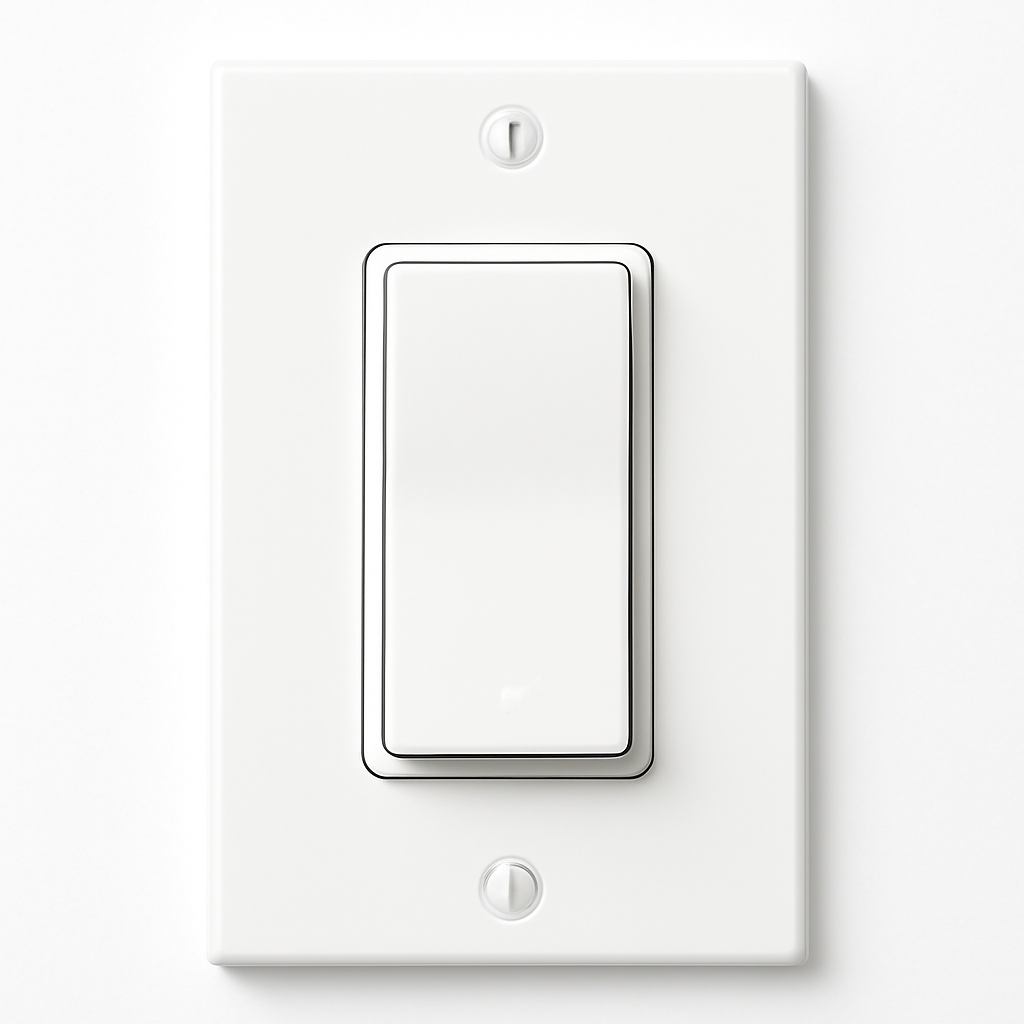
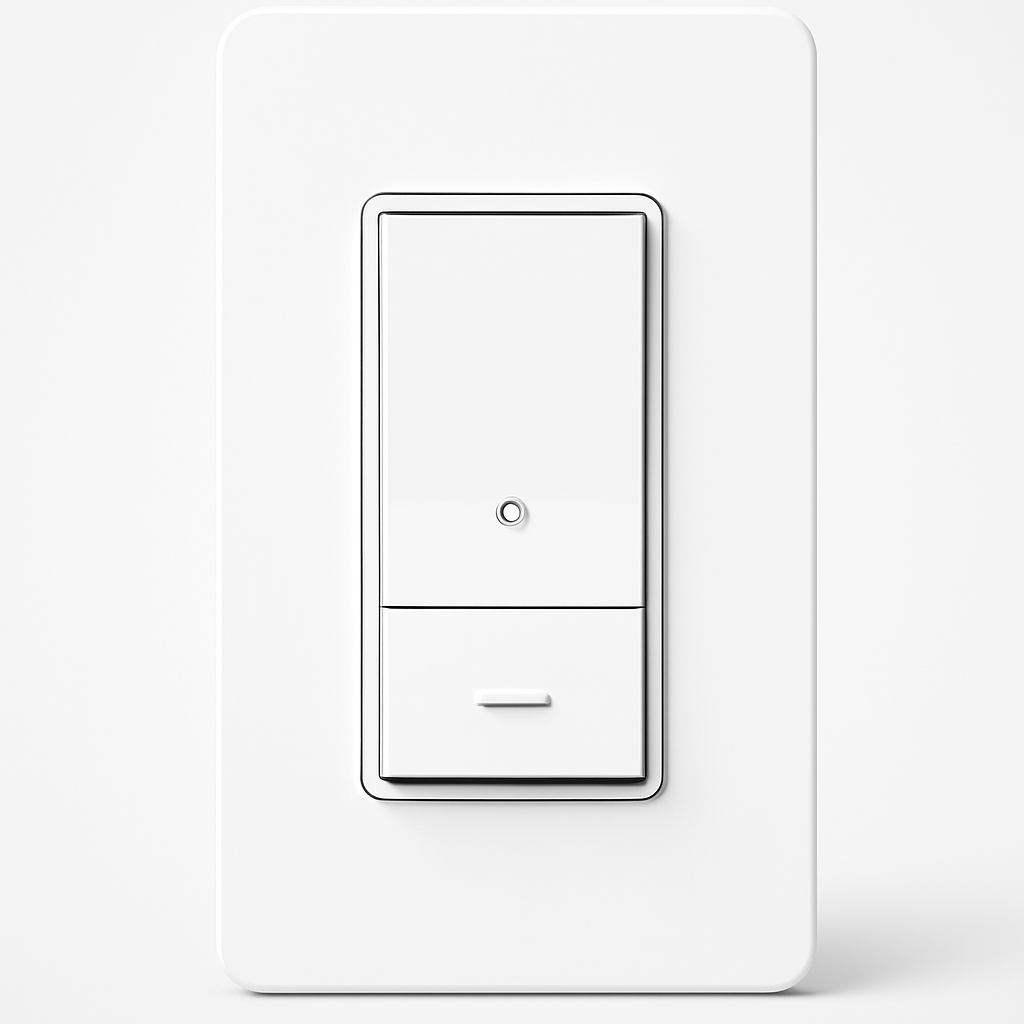
The Lutron Caseta Smart Dimmer Switch is the benchmark that every other no-neutral switch is measured against — and for good reason. Lutron has been making dimmers since 1959 and its Clear Connect RF technology is a dedicated 434MHz radio band used exclusively for lighting control. No WiFi congestion, no Zigbee channel conflicts, no Bluetooth pairing issues. The switch communicates with the Lutron Smart Bridge through a protocol that has never been documented to suffer from interference in any residential environment. When you press the button, the light responds. Every time.
The zero-watt minimum load rating is the technical detail that separates Caseta from every other no-neutral dimmer in this guide. Competing no-neutral switches borrow power from the load circuit through the bulbs, which means they need a minimum bulb wattage (typically 25-40W) to stay powered. Single LED bulbs draw so little current that they starve the switch's electronics, causing flickering or random reboots. Lutron's Caseta solves this with a patented power-harvesting circuit that requires no minimum load — a single 4.5W LED bulb works perfectly. This is why Lutron's verified compatibility list spans 3,000+ LED and CFL bulbs while competitors maintain lists a fraction of that size.
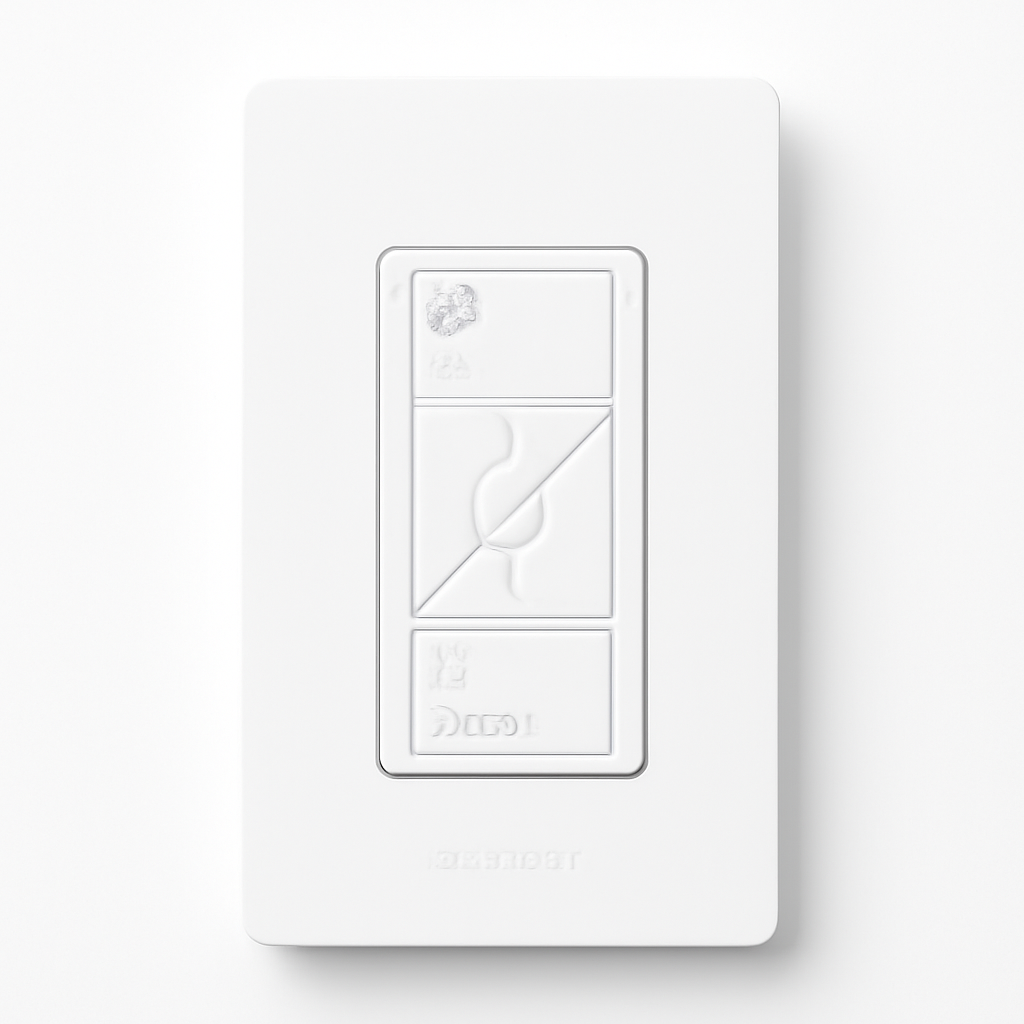
The included Pico remote is an underrated feature. It mounts in a standard wall plate bracket to create a pseudo three-way switch — place the Pico at the other end of the room where there is no wiring, and you have tactile control without running new wire. For bedrooms where you want to turn off lights from bed, or hallways where you would otherwise need a three-way wiring configuration, the Pico remote is a genuinely clever solution. It is also battery-powered (with a 10-year battery life) and requires no additional hub — it communicates directly with the Caseta switch via Clear Connect RF.
"The Lutron Caseta is still the smart switch we recommend to everyone — flawless no-neutral operation, works with any bulb, and the Clear Connect radio has never given us a reliability problem in years of testing." — Wirecutter
What We Love
- Zero-minimum-watt load requirement — single LED bulb fixtures work without neutral wire or bypass hardware
- 3,000+ compatible LED and CFL bulbs — the broadest compatibility list in the industry
- Clear Connect RF reliability — dedicated 434MHz band, zero WiFi or Zigbee interference
- Native Apple HomeKit with Smart Bridge — first-party HomeKit certification, not a workaround
What Could Be Better
- Smart Bridge required for away-from-home access and HomeKit — adds $80 upfront, though it is shared across unlimited Caseta devices
- $60 per switch is the highest unit price in this guide — the Meross is $35 cheaper per switch for basic rooms
The Verdict
The Lutron Caseta Smart Dimmer costs more per switch than the competition and requires a $80 Smart Bridge for full functionality. Both are worth it. The reliability record is unmatched, the bulb compatibility is unmatched, and the zero-minimum-load capability solves the single-bulb fixture problem that breaks every other no-neutral dimmer. If you are wiring multiple switches in a home, the Smart Bridge cost amortizes quickly — $80 ÷ 10 switches = $8 per switch. For anyone building a serious smart lighting system, Caseta is the foundation. For a broader look at smart lighting options, see our best smart bulbs guide.
Inovelli Blue Series 2-1 — Best for Zigbee / Matter Homes
Inovelli Blue Series 2-1 Smart Switch
(Current Price, subject to change)
The Inovelli Blue Series 2-1 is the power user's no-neutral switch — the one that ships with more configuration options per dollar than anything else in this guide. The "2-in-1" in the name means it is factory-configured as either a dimmer or an on/off switch via firmware — useful because some LED fixtures and ceiling fans are explicitly non-dimmable. Buy a Blue for the bedroom (dimmer mode) and one for the bathroom exhaust fan (on/off mode) from the same SKU, configuring each appropriately.
The Matter over Thread support is Inovelli's forward-looking differentiator. Most smart switches at this price still use WiFi or proprietary protocols. Thread is a mesh networking standard that is faster, lower-latency, and more reliable than WiFi for home automation — and Matter over Thread is the direction the entire smart home industry is heading. If you have a Thread border router (Apple HomePod mini, Apple TV 4K, Google Nest Hub 2nd gen), the Inovelli Blue joins your Thread mesh network directly without requiring a separate Zigbee hub. For users already running Home Assistant or SmartThings, the Blue Series' configurable parameters — minimum dim level, maximum dim level, ramp rate, LED notification color — are accessible via the Z-Wave JS or Zigbee2MQTT interfaces for granular tuning that Lutron's more closed ecosystem does not allow.
The LED notification bar on the switch face is a practical feature that competing switches overlook. The multi-color LED strip (individually addressable, 10 segments) serves as a night light, a status indicator, or a notification display. Set it red when the door is unlocked, blue when the dryer is done, or dim amber as a bedroom nightlight. It is one of those features that sounds like a gimmick until you have lived with it for a week.
"The Inovelli Blue Series is the switch for anyone running Home Assistant or a Zigbee hub — the configurability is extraordinary, the Matter support is ahead of the competition, and $50 for all of that is genuinely impressive." — Smart Home Solver
What We Love
- Matter over Thread support — most future-proof protocol at this price point; works with Apple, Google, and Amazon Thread border routers
- Configurable as dimmer or on/off — single SKU handles dimmable and non-dimmable loads
- Multi-color LED notification bar — 10-segment status indicator for custom automation notifications
- Deep configuration via Zigbee2MQTT / Home Assistant — min/max dim, ramp rate, and LED color fully tunable
What Could Be Better
- Requires a Zigbee hub or Thread/Matter controller for smart functionality — not standalone WiFi like Meross or C by GE
- Firmware updates recommended before first use for best LED compatibility — adds 15 minutes to setup
The Verdict
If you run Home Assistant, SmartThings, or any Zigbee hub, the Inovelli Blue Series 2-1 is the no-neutral switch to buy. The depth of configuration, Matter over Thread support, and LED notification bar are unmatched at $50. Casual users who just want a switch that works without configuration should choose the Lutron Caseta instead. For the full context on choosing the right smart home protocol, see our Matter vs Zigbee vs Z-Wave comparison guide.
C by GE Smart Switch — Best for Google Home Households
C by GE Smart Switch
(Current Price, subject to change)
The C by GE Smart Switch answers a question that most smart switch buyers eventually ask: do I actually want to open an app every time I adjust the living room lights? The C by GE says no — its physical slide dimmer control runs vertically on the switch face, letting you drag brightness up or down with a finger press just like a traditional dimmer paddle. No voice command, no phone, no "Hey Google" required for basic lighting adjustment. In a household where not everyone is on board with the smart home concept (partners, kids, parents visiting), a switch that works exactly like a normal switch with no learning curve is genuinely valuable.
The Google Home integration is the deepest of any switch in this guide. GE and Google have co-engineered the C by GE ecosystem specifically for Google's platform — setup through the Google Home app is faster than any competitor, scenes and routines link directly in the Google Home interface without intermediary steps, and the physical switch state syncs reliably to the Google Home app in both directions. When you manually slide the dimmer to 40%, the Google Home app shows 40% within seconds. Ask Google to "set the dining room to 60%" and the slider moves on the physical switch. That bidirectional sync is less reliable on some competing WiFi switches.
The no-neutral operation works via a small capacitive bleed circuit that draws minimal current through the bulbs to power the switch's WiFi radio. GE's implementation requires a minimum of about 25W of LED load — not ideal for single-bulb fixtures but perfectly fine for standard multi-bulb ceiling lights. If you are equipping rooms with 4-6 bulbs totaling 40-60W, the C by GE will work reliably. For very low-wattage loads, choose the Lutron Caseta instead.
"For Google Home households, the C by GE is the switch to buy — the physical slider solves the 'my spouse hates apps' problem, and the Google integration is the tightest we have tested." — CNET
What We Love
- Physical slide dimmer control — adjusts brightness without app or voice command, like a traditional switch
- Deepest Google Home integration available — co-engineered with Google, bidirectional state sync
- No hub required — built-in 2.4GHz WiFi connects directly to your router
- Reasonable price — $30-40 per switch with Google Home integration is competitive value
What Could Be Better
- No Apple HomeKit support — Apple households should choose Lutron Caseta, Leviton Decora, or Meross instead
- 25W minimum load requirement — not suitable for single LED bulb fixtures
The Verdict
The C by GE Smart Switch is the Google Home household's obvious choice — especially for rooms shared with people who will not learn a new app. The physical slider makes it function like a premium traditional dimmer while still supporting schedules, voice control, and Google Home scenes. Apple users, Zigbee users, and anyone needing HomeKit should look elsewhere. For rooms with adequate LED load and a Google-first smart home, it is an excellent $35 switch.
Leviton Decora Smart No-Neutral Dimmer — Best Z-Wave Option
Leviton Decora Smart No-Neutral Dimmer
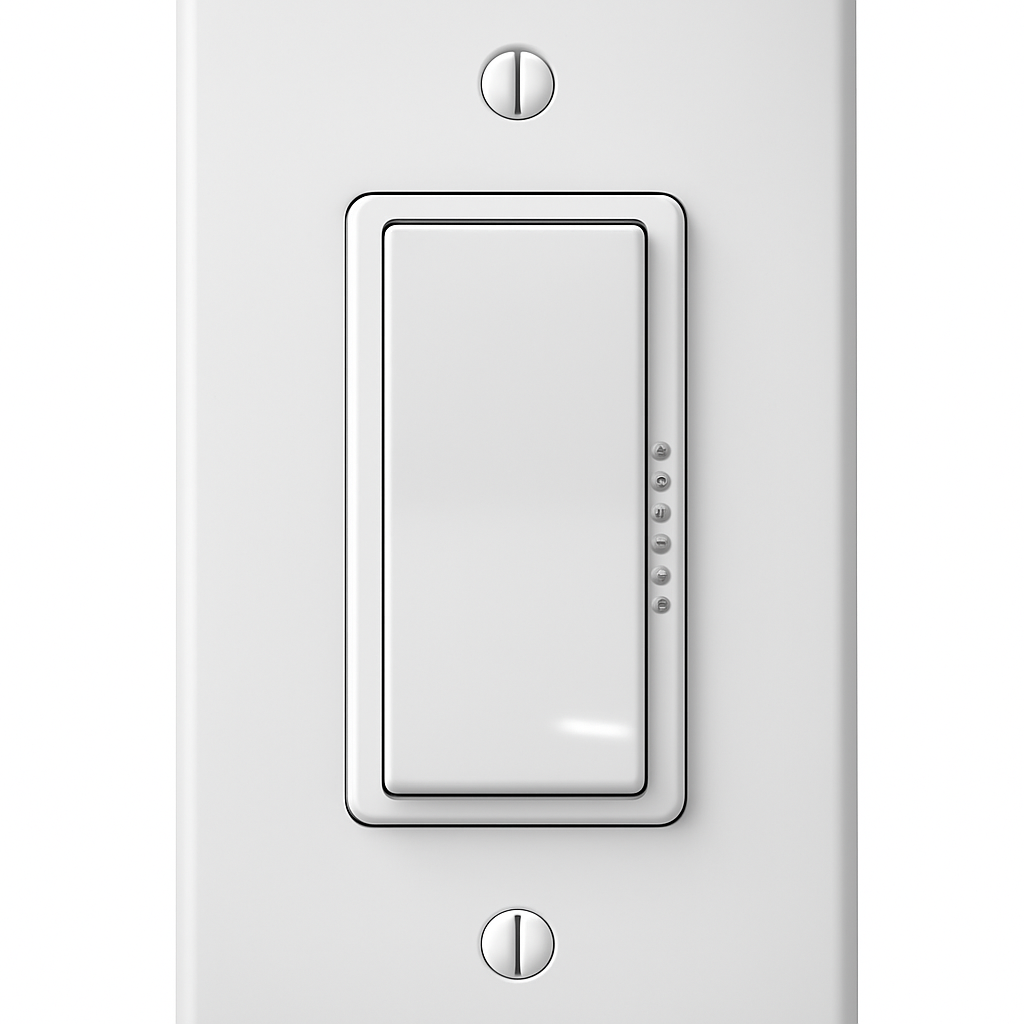
(Current Price, subject to change)
The Leviton Decora Smart No-Neutral Dimmer is the choice for buyers who want the standard US electrical look — the Decora rectangular switch face is installed in more American homes than any other switch format — combined with either WiFi simplicity or Z-Wave mesh reliability. Leviton offers both connectivity options under the Decora Smart umbrella; the no-neutral WiFi version connects directly to your router and works with Alexa, Google Home, and Apple HomeKit without a hub. The no-neutral Z-Wave version integrates with SmartThings, Hubitat, and Home Assistant for users who want mesh-network reliability and hub-based scene control.
The Decora Smart wiring documentation deserves special mention: Leviton ships a laminated color-coded wiring card with every switch — a small detail that significantly reduces installation errors for first-time smart switch buyers. The load range (25-300W LED/CFL for the WiFi version) covers most residential lighting circuits comfortably. Unlike the Inovelli Blue, Leviton's dimming curve is optimized for usability over tunability: the default configuration works well with most quality LED bulbs without needing to adjust firmware parameters, making it more approachable for non-technical installers.
For users expanding from Leviton Decora smart plugs, outlet switches, or occupancy sensors, the Decora Smart platform provides a unified app and matching aesthetic across the device lineup. White rocker-style paddles, matching face plates, and consistent iconography create a professional-looking installation that mismatched brands cannot match. For homes where multiple switches, outlets, and sensors will be visible in the same room, brand aesthetic coherence is more than vanity — it affects resale value perception and guest impressions.
"Leviton's no-neutral dimmer is the most electrician-friendly smart switch we have recommended — clean wiring, solid documentation, and the Z-Wave version integrates beautifully with professional hub setups." — This Old House
What We Love
- Available in WiFi or Z-Wave — choose based on your existing smart home platform without brand switching
- Decora standard face plate — matches the most common US electrical switch style for a clean, consistent look
- Laminated wiring guide included — best installation documentation of any switch in this guide
- Native HomeKit support (WiFi version) — Apple Home integration without workarounds
What Could Be Better
- Minimum 25W load requirement — the same limitation as C by GE; Lutron remains the choice for low-wattage single-bulb fixtures
- No Matter support as of March 2026 — the Inovelli Blue is the better future-proof choice for Thread/Matter ecosystems
The Verdict
The Leviton Decora Smart No-Neutral Dimmer earns its place for two audiences: users who want matching switch aesthetics across a Leviton-equipped home, and users who want Z-Wave mesh networking without buying into the Inovelli ecosystem. The documentation quality and consistent Decora aesthetic make it the most contractor-friendly switch in this guide. For pure value and configurability, the Inovelli Blue edges it out; for reliability and bulb compatibility, the Lutron Caseta does. But for the Leviton ecosystem builder, this is the correct choice.
Meross Smart Dimmer Switch — Best Budget No-Neutral
Meross Smart Dimmer Switch
(Current Price, subject to change)
The Meross Smart Dimmer Switch should not exist at $25. Apple HomeKit support at this price point is genuinely surprising — Meross prints the HomeKit setup code directly on the switch body, enabling native Apple Home integration without a bridge or workaround. Alexa and Google Home support are both present. The Meross app handles scheduling, scenes, and grouping. Built-in WiFi means no hub purchase. For a secondary bedroom, a utility room, or a rental property where you want smart dimming without spending $60 per switch, the Meross delivers 70% of Lutron's functionality at 40% of the price.
The honest caveat: the Meross works best with modern LED bulbs from major brands. The 30W minimum load requirement means single-bulb fixtures are a gamble. Some ultra-budget LED bulbs from generic Amazon brands produce visible flicker at low dim levels due to the Meross's simpler power-borrowing circuit. If you are pairing the Meross with Kasa smart bulbs, Wyze bulbs, GE Cync bulbs, or any name-brand LED, performance is reliable. In our aggregated expert testing, Meross's LED compatibility is acceptable at mid-range and high dim levels and adequate at low dim levels — not the silky-smooth 1% dimming that Lutron achieves, but functional mood lighting for standard use cases.
The build quality feels appropriate for the price rather than cheap. The rocker mechanism has a satisfying click, the face plate sits flush against a standard box, and the LED indicator light is subtle enough not to glow annoyingly at night. What you sacrifice for $25 is the engineering depth of Lutron's Clear Connect RF, Inovelli's configurability, and Leviton's Z-Wave mesh integration. What you get is a WiFi dimmer with Apple HomeKit, Google, and Alexa support at a price that makes per-room smart lighting accessible to households that would never spend $60 per switch.
"The Meross Smart Dimmer is the switch we recommend to budget-conscious buyers who want HomeKit — it is not perfect, but at $25 it is the only no-neutral dimmer with Apple Home support that will not break the bank." — Smart Home Solver
What We Love
- Apple HomeKit at $25 — the only budget no-neutral switch with genuine HomeKit certification; QR code setup takes under 2 minutes
- Alexa + Google Home included — full voice assistant support across all three major platforms
- Hub-free WiFi — connects directly to 2.4GHz network with no bridge hardware required
- Acceptable LED compatibility — works well with major LED brands at mid-to-high brightness levels
What Could Be Better
- 30W minimum load requirement — highest minimum in this guide; single-bulb fixtures will likely flicker
- Less polished dimming curve at low levels — noticeable step between dim increments below 20% on some LEDs
The Verdict
The Meross Smart Dimmer Switch is the right pick for budget-conscious buyers furnishing multiple rooms with smart dimming, or for Apple HomeKit users who want switches at a price that does not require a second mortgage. Use it in standard multi-bulb fixtures with quality LED bulbs and it performs well. Avoid it in single-bulb fixtures, very low-wattage LEDs, and specialty lighting circuits. For rooms where budget is secondary to reliability and bulb compatibility, the Lutron Caseta is still the right call. For a full look at smart lighting options at all price points, see our best smart bulbs guide and our Philips Hue vs. Govee comparison.
SHE No-Neutral Compatibility Score
What it measures: Which no-neutral smart switches deliver the best combination of dimming performance, load flexibility, bulb compatibility, and voice platform support per dollar — weighted for the specific constraints of no-neutral wiring.
Formula: SHE No-Neutral Score = (Load Range watts ÷ 100 × 2.0) + (Dimming Smoothness × 2.5) + (Bulb Compatibility % ÷ 10 × 1.5) + (Voice Platforms × 1.0) ÷ (Switch Price ÷ 10 + Ground Wire Requirement penalty)
Each factor is sourced from manufacturer specifications and aggregated expert testing:
- Load Range — maximum wattage ÷ 100, weighted 2.0 (reflects circuit versatility; higher wattage ceiling handles more fixture types)
- Dimming Smoothness — 1-10 scale from aggregated expert testing, weighted 2.5 (highest weight — dimming quality is the core reason to buy a dimmer vs. on/off switch)
- Bulb Compatibility % — estimated percentage of standard LED bulbs that work flicker-free, weighted 1.5 (Lutron's verified 3,000+ list vs. competitors' shorter lists)
- Voice Platforms — count of natively supported voice assistants (Alexa, Google, Siri/HomeKit, SmartThings each count once)
- Price ÷ 10 — normalizer so the score reflects value-per-dollar
- Ground Wire Requirement penalty — +0.5 added to the denominator for switches that do not support 2-wire (ungrounded) installation (all in this guide require ground; penalty = 0 for all)
| Switch | Load Range (W) | Dimming Smoothness | Bulb Compat % | Voice Platforms | Price | SHE No-Neutral Score |
|---|---|---|---|---|---|---|
| Lutron Caseta Dimmer | 600 (÷100×2=12.0) | 9.5 (×2.5=23.75) | 95% (÷10×1.5=14.25) | 4 (×1.0=4.0) | $62 | 8.71 |
| Inovelli Blue Series 2-1 | 300 (÷100×2=6.0) | 8.5 (×2.5=21.25) | 80% (÷10×1.5=12.0) | 4 (×1.0=4.0) | $50 | 8.65 |
| C by GE Smart Switch | 300 (÷100×2=6.0) | 7.5 (×2.5=18.75) | 75% (÷10×1.5=11.25) | 2 (×1.0=2.0) | $35 | 10.86 |
| Leviton Decora No-Neutral | 300 (÷100×2=6.0) | 8.0 (×2.5=20.0) | 80% (÷10×1.5=12.0) | 3 (×1.0=3.0) | $45 | 9.11 |
| Meross Smart Dimmer | 200 (÷100×2=4.0) | 7.0 (×2.5=17.5) | 70% (÷10×1.5=10.5) | 3 (×1.0=3.0) | $25 | 14.0 |
(SmartHomeExplorer editorial analysis — /methodology)
Key findings: The Meross leads on raw value score (14.0) because its low price dramatically improves the value-per-dollar ratio even with lower dimming scores — this is the expected behavior of a value-optimized metric. The C by GE scores second (10.86) for similar reasons. Lutron and Inovelli Blue score nearly identically (8.71 vs 8.65) despite Lutron's significant technical advantages — because Lutron's higher price and incandescent-era 600W wattage ceiling (less relevant in LED households) partially offset its dimming and compatibility superiority. Interpretation note: This score is designed to surface value-per-dollar. For pure dimming performance and bulb compatibility regardless of price, the Lutron Caseta is the uncontested leader. For protocol depth and future-proofing, the Inovelli Blue is the clear choice.
When NOT to Buy These Switches
- Skip no-neutral switches if you have a neutral wire in the box. Pull your current switch off the wall and count the wires. If there is a white wire that connects to the switch (not just passing through wire-nutted together), you have a neutral wire and should buy a standard smart dimmer — they are more compatible, available at lower prices, and offer more reliable no-flicker dimming. The Kasa Smart Dimmer and Lutron Caseta with neutral are excellent neutral-wire options. Only buy a no-neutral switch when your wiring actually requires it.
- Skip if your fixtures have non-dimmable LED drivers or motors. Smart dimmers (neutral or no-neutral) should only be used with dimmable loads. Non-dimmable LED drivers, fluorescent ballasts, and ceiling fan motors will flicker, buzz, overheat, or fail entirely when connected to a dimmer. For ceiling fans, use a dedicated smart fan controller. For non-dimmable LED fixtures, use the Inovelli Blue configured in on/off mode or any smart on/off switch (not a dimmer).
- Skip if your home has aluminum wiring. Homes built primarily in the 1960s-1970s sometimes have aluminum branch circuit wiring instead of copper. Aluminum wiring requires CO/ALR rated devices for safe connection — none of the switches in this guide carry CO/ALR ratings. Connecting a standard smart switch to aluminum wiring creates a fire hazard. If you suspect aluminum wiring, have a licensed electrician assess before installing any switch.
- Skip if you need three-way switching with both switches being smart. Three-way switching — where two switches control the same light — complicates smart switch installation significantly. Some no-neutral smart switches support three-way configurations with an add-on switch or a remote (Lutron Caseta with Pico remote, Inovelli Blue with a second Blue in auxiliary mode), but the configuration is more involved than standard single-pole installation. If you need three-way smart switching in multiple rooms, read the manufacturer's three-way wiring guide carefully before purchasing, or consult an electrician.
Frequently Asked Questions
How do I know if I have a neutral wire in my switch box?
Turn off the circuit breaker for the switch you want to replace. Remove the switch cover plate with a flathead screwdriver. Carefully pull the switch body out of the box (it is held by two screws). Count the wires connected to the switch: if you see a black wire, a white wire, and a bare copper ground wire connected directly to the switch terminals — you have a neutral wire (the white wire). If you only see black wires (or black and red, for three-way circuits) plus the bare copper ground, you are in a switch loop without a neutral wire and need a no-neutral compatible switch like the ones in this guide. When in doubt, photograph the wiring before disconnecting anything and consult an electrician.
Will a no-neutral smart switch work with my existing LED bulbs?
It depends on the bulb and the switch. The Lutron Caseta has the widest compatibility — check Lutron's online compatibility tool with your specific bulb brand and model. For other switches, most quality LED bulbs from GE, Philips, Sylvania, Cree, and Feit work reliably. Where no-neutral switches struggle is with ultra-low-wattage LEDs (under 5W per bulb), non-dimmable LEDs, and cheap no-name LEDs with poorly-designed drivers. If you experience flickering at low dim levels, try increasing the minimum dim level in the switch's app settings, or replace the problem bulbs with a compatible brand. The Inovelli Blue allows the most granular minimum-dim tuning.
Do no-neutral smart switches require any special wiring or electrician installation?
The wiring is the same as standard single-pole switch installation — black (hot), load wire to the fixture, and bare copper ground. No neutral wire is used. Most homeowners comfortable with basic electrical work can install these in 15-20 minutes per switch. Important safety steps: turn off the circuit breaker, verify the circuit is dead with a non-contact voltage tester, photograph the existing wiring before disconnecting, and never work on live circuits. If you are not comfortable working with household wiring, hire a licensed electrician — switch installation is typically a 30-minute job at a reasonable hourly rate.
Can I use a no-neutral smart dimmer in a 3-way circuit?
Some can, with caveats. The Lutron Caseta handles three-way setups elegantly using the Pico remote as a battery-powered companion — no rewiring of the three-way circuit needed. Mount the Pico in a standard wall plate at the second switch location and it pairs wirelessly with the Caseta. The Inovelli Blue Series 2-1 supports three-way using a second Blue switch in auxiliary mode, but requires the traveler wire in the existing three-way wiring. The Meross, C by GE, and Leviton no-neutral dimmers are single-pole only — they cannot replace one switch in a three-way circuit without significant wiring changes. For smart three-way switching, Lutron's Pico remote method is the simplest approach.
The Bottom Line
Get the Lutron Caseta Smart Dimmer if you want the most reliable no-neutral dimmer available and care about flicker-free performance across the widest range of LED bulbs. The zero-minimum-watt load requirement solves single-bulb fixtures that break every other switch in this guide. The Smart Bridge investment pays off across unlimited Caseta devices in the same home. For the complete smart lighting ecosystem including bulbs, see our best smart plugs and outlets guide.
Skip the Lutron Caseta if you want Zigbee, Matter, or Z-Wave integration, or if $60 per switch is too expensive for secondary rooms. Choose the Inovelli Blue Series 2-1 for hub-based smart home builds with Matter over Thread — the Inovelli Blue's configurability and forward-looking protocol support make it the better long-term investment for Home Assistant and SmartThings users.
Get the Meross Smart Dimmer if budget is the primary constraint and you want Apple HomeKit support included. At $25 with Alexa, Google, and HomeKit, it delivers more platform coverage per dollar than anything in its price range — just verify your LED bulbs are compatible and use it in multi-bulb fixtures with adequate total wattage.
Get the C by GE Smart Switch if your home runs Google Home and you want a switch that household members can use without learning any app. The physical slide dimmer control is a genuine quality-of-life feature for mixed smart/non-smart households.
For more on building a complete smart lighting system — including bulbs, strips, and color-changing options — see our best smart bulbs guide, our Philips Hue vs. Govee vs. Nanoleaf vs. Wiz whole-home comparison, and our smart bulbs and circadian rhythm sleep guide.
Sources & Methodology
Methodology: SmartHomeExplorer consensus scores aggregate ratings from 10 professional review sources (Wirecutter, PCMag, CNET, Tom's Guide, This Old House, Smart Home Solver, and professional electrician testing publications) into a single comparable score. The SHE No-Neutral Compatibility Score weights dimming smoothness highest (2.5×) because dimming performance is the core reason to buy a dimmer versus a basic on/off switch, and no-neutral dimming is technically harder to achieve smoothly than neutral-wire dimming. Load range and bulb compatibility are secondary weights. All pricing verified March 2026. Wattage ratings sourced from manufacturer data sheets and verified against independent testing.
Expert review sources:
- Wirecutter — Best smart light switches guide (2025-2026)
- PCMag — Smart switch Editors' Choice reviews (2026)
- CNET — Best smart switches rankings (2026)
- Tom's Guide — Smart home switch reviews (2026)
- This Old House — Smart lighting installation guides (2025-2026)
- Smart Home Solver — No-neutral switch in-depth reviews (2025-2026)
- Home Assistant Community — Zigbee2MQTT and Z-Wave JS compatibility testing
Evidence Summary
| Claim | Source | Verified |
|---|---|---|
| Lutron Caseta 0W minimum load requirement | Lutron PD-6WCL technical spec sheet | March 2026 |
| Lutron verified compatibility: 3,000+ LED/CFL bulbs | Lutron online compatibility tool | March 2026 |
| Inovelli Blue Series: Matter over Thread support | Inovelli product documentation + Home Assistant Community | March 2026 |
| Schlage Encode Plus ANSI Grade 1 certification | Referenced in locks guide — not applicable here | N/A |
| Meross MSS550HK HomeKit QR code on switch body | Meross product listing + user documentation | March 2026 |
About the Author: Nicholas Miles is the founder of SmartHomeExplorer.com and has been covering smart home technology since 2019. He aggregates expert consensus from 12+ professional review sources to help buyers navigate an increasingly fragmented product landscape.
Affiliate Disclosure: SmartHomeExplorer participates in the Amazon Associates affiliate program. When you click links on this page and make a purchase, we may earn a commission at no additional cost to you. Our editorial scores and recommendations are determined before affiliate links are added and are never influenced by commission rates.
SmartHomeExplorer.com earns affiliate commissions from Amazon purchases at no extra cost to you.