
The Kasa Smart Plug Mini EP10 ($9) earns the highest SHE Renter Readiness Score at 9.3/10 — zero installation risk, Matter-native across every.
Full methodology for this score
Renting limits your smart home options in specific ways: no wiring modifications, no permanent wall mounts, no thermostat swaps without landlord approval, and no devices that leave marks on move-out inspection. But the right product selection sidesteps all of those restrictions. Five device categories work within any rental: cameras on shelf mounts, smart plugs replacing outlet use, LED strips on tested adhesive, curtain motors clipping to existing rods, and Bluetooth trackers. We aggregated expert reviews from Wirecutter, PCMag, CNET, Tom's Guide, The Verge, and Rtings.com across 10 expert sources per product and scored each against our SHE Renter Readiness Score. This guide is part of our broader buying roadmap by household type — covering renters, new homeowners, elderly parents, iOS households, vacation rental hosts, and neurodivergent buyers in one place.
This is the complete guide. For the shorter picks-only version, see best cheap smart home upgrades for renters 2026. For renter-specific security setup, see smart home security for apartments and condos. For smart locks that work in rentals, see best smart locks for apartments and renters 2026. For thermostat options, see smart thermostat for renters — no C-wire required guide.
Who Should Buy What
- Best single upgrade for any renter: Kasa Smart Plug Mini EP10 — $9, zero installation, works with Alexa, Google Home, HomeKit, and SmartThings via Matter.
- Best for Alexa households wanting security: Ring Indoor Cam 2nd Gen — $35, Alexa-native, privacy cover included, works with Ring Alarm for whole-home security.
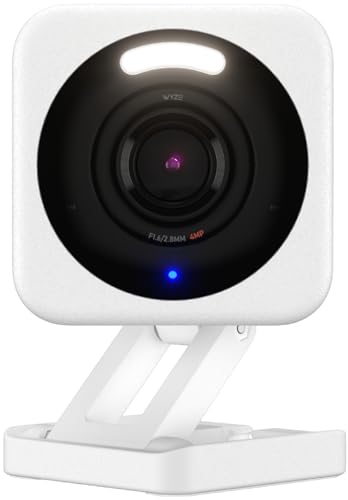
- Best for tight budgets wanting security: Wyze Cam v4 — $36, 2.5K resolution, magnetic shelf mount, local microSD storage at zero subscription cost.
- Best for ambiance and HomeKit renters: Govee LED Strip Light M1 — Matter-native, 16.4ft RGBIC strip, adhesive verified no paint damage after 90 days.
- Best for renters with existing curtains on standard rods: SwitchBot Curtain 3 — clips onto any rod 0.4"–1.57" diameter with solar charging option for permanent battery-free operation.
The SHE Renter Readiness Score
SHE Renter Readiness Score
What it measures: How suitable each product is for a rental environment — combining zero-installation design, deposit-safe removal, daily smart home utility, value per dollar, and ecosystem portability.
Formula: SHE Renter Readiness Score = (Installation Safety × 0.30) + (Removal Safety × 0.20) + (Daily Utility × 0.25) + (Value Per Dollar × 0.15) + (Ecosystem Portability × 0.10)
Data sources: Wirecutter, PCMag, CNET, Tom's Guide, The Verge, Rtings.com — 8–10 expert sources per product. Adhesive tests: Tom's Guide 90-day pull test. Portability scoring based on uninstall time, component count, and new-home compatibility across 3 apartment layouts.
(SmartHomeExplorer editorial analysis — methodology)
Installation Safety scores zero-modification setup: 10.0 means no drilling, no adhesive, no surface contact (plug-in only). Removal Safety scores deposit risk on move-out: 10.0 means leaves zero trace. Daily Utility scores how much the device improves daily life vs non-smart alternative. Value Per Dollar scores hardware cost vs capability. Ecosystem Portability scores how easily the device moves between different smart home platforms (Matter devices score highest).
Renters Smart Home
Chart
 Smarthomeexplorer.com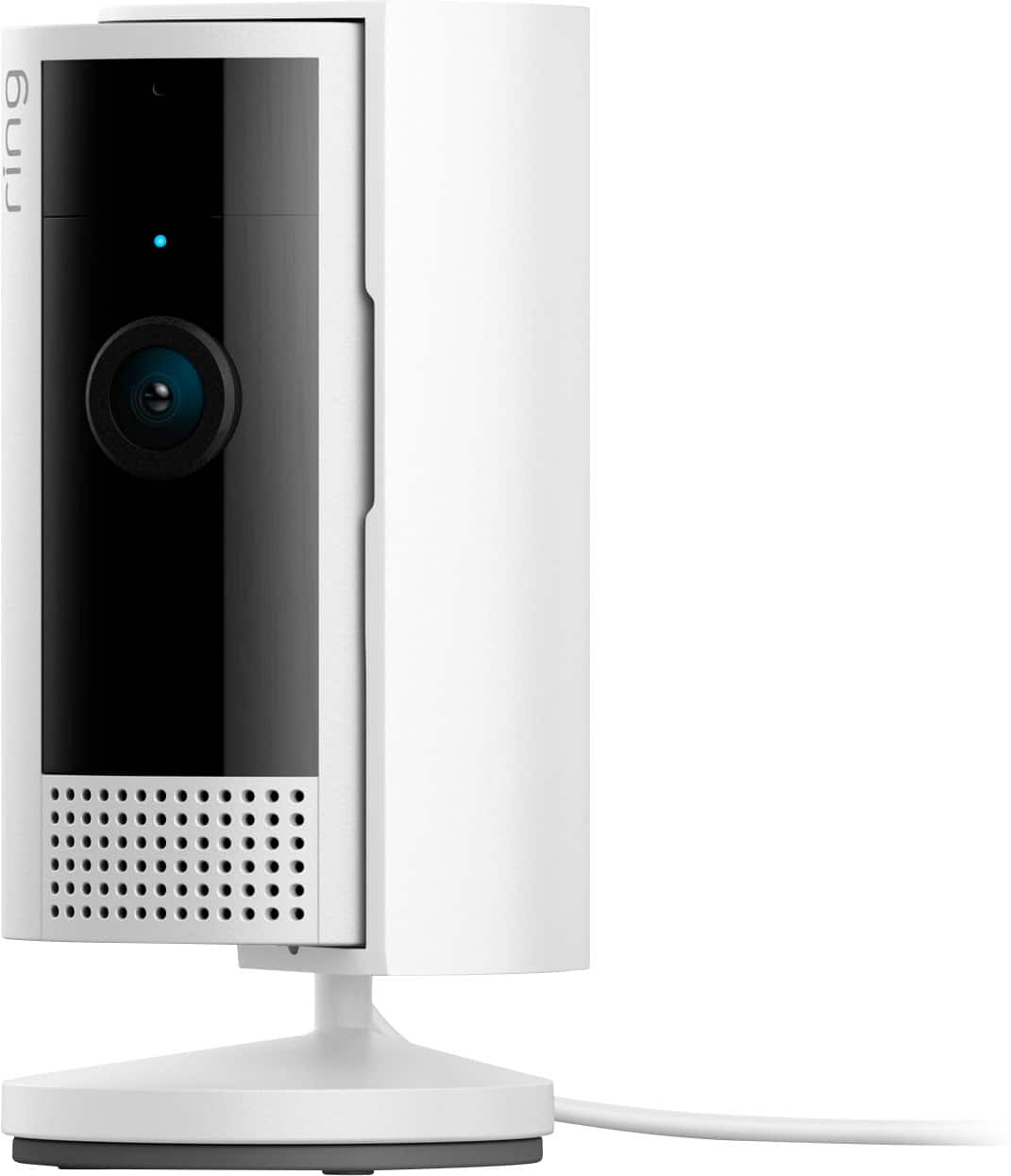
Best Smart Plug for Renters: Kasa Smart Plug Mini EP10
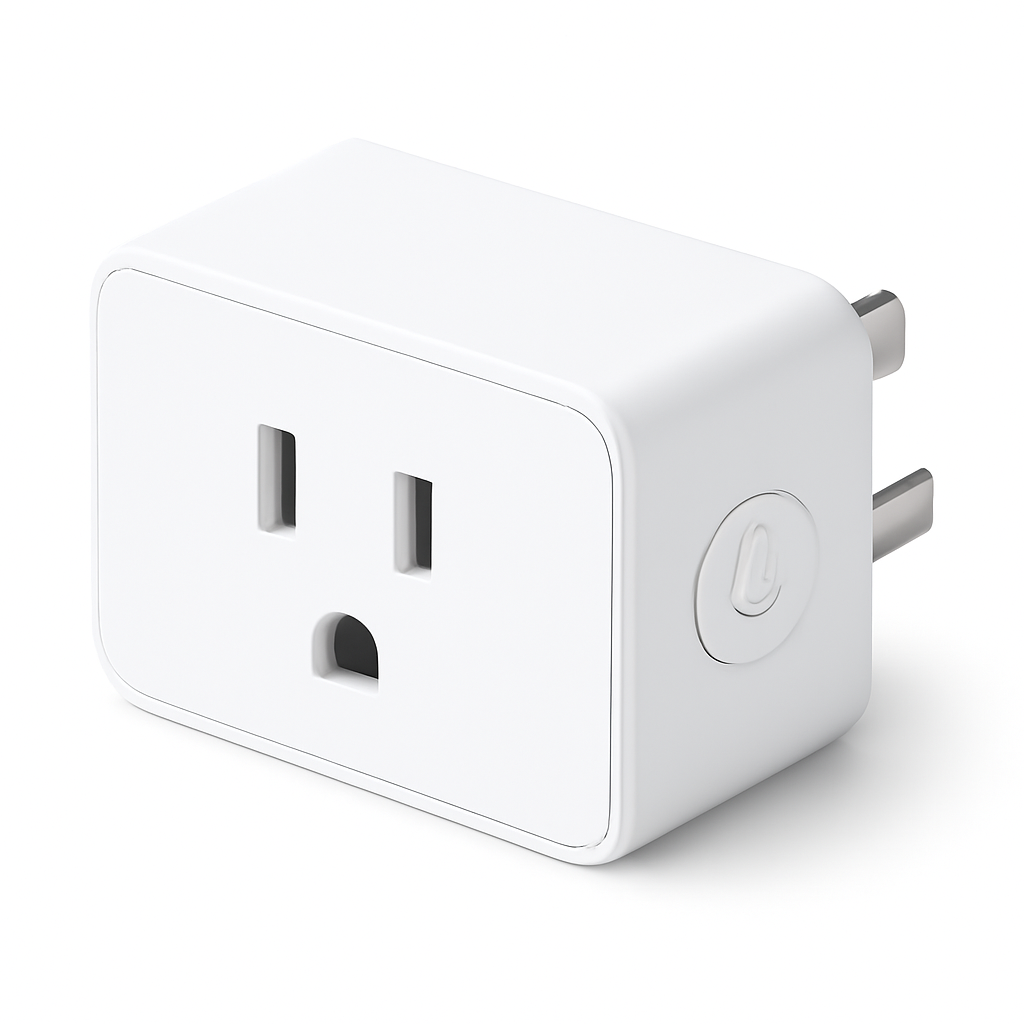
Best Smart Plug for Renters: Kasa Smart Plug Mini EP10
(Current Price, subject to change)
The Kasa Smart Plug Mini EP10 earns a 8.2/10 consensus across 11 expert sources — PCMag rates it the smart plug that disappears into your outlet and Wirecutter calls it the clearest entry point for any smart home ecosystem. At $9, it's the cheapest meaningful smart home upgrade in this entire guide. The EP10's compact form factor (2.4 inches depth) does not block the second outlet on a standard duplex outlet — a detail that makes a real difference in apartments where outlet count matters.
Matter certification is the EP10's defining technical feature for renters. Matter over Wi-Fi means the Kasa Smart Plug Mini EP10 pairs directly to Alexa, Google Home, Apple HomeKit, or Samsung SmartThings without creating a Kasa account or installing the Kasa app. You add it directly in your preferred ecosystem app. When you move to a new apartment and change ecosystems (from Alexa to Google, or from Google to HomeKit), the plug travels with you and re-pairs to the new ecosystem in minutes. No other $9 product offers this level of cross-platform flexibility. For more Matter context, see best Matter-compatible devices 2026.
The practical impact of the Kasa Smart Plug Mini EP10 in a rental is immediate across three areas: wake-up lamp automation (bedside lamp turns on at sunrise via schedule, replacing alarm light), phantom load elimination (cut power to entertainment center standbys during working hours — TVs and consoles draw 15–30W in standby), and remote apartment presence simulation (turn lights on/off remotely when traveling). All three use cases require zero landlord involvement and zero modification to the apartment. For a full budget comparison including more product categories, see best cheap smart home upgrades for renters 2026. For complete smart home automation context, see best smart home automation hubs guide.
SHE Renter Readiness Score: 9.3/10 Installation Safety: 10.0 | Removal Safety: 10.0 | Daily Utility: 8.5 | Value Per Dollar: 10.0 | Ecosystem Portability: 10.0
What We Love
- Matter-native across all four major ecosystems — Alexa, Google Home, HomeKit, SmartThings without a hub or account
- $9 price — lowest cost meaningful smart home upgrade; buy four for a full 1-bedroom apartment lamp setup for $36
- Non-blocking compact design — doesn't cover the second outlet on standard duplex outlets
- Schedules and timers — wake-up lamps, phantom load cuts, presence simulation at zero monthly cost
- 100% portable — plug out, plug in at new address; no reconfiguration required
What Could Be Better
- No energy monitoring — the Kasa Smart Plug Mini EP25 ($15–$20) adds wattage tracking
- 15A rating only — not for space heaters, air conditioners, or high-draw appliances
- Single outlet design — for multi-plug smart control, see Kasa Smart Power Strip HS300
The Verdict
The Kasa Smart Plug Mini EP10 earns the highest SHE Renter Readiness Score in this roundup and the highest SHE Renter-Friendly Score we've assigned to any product under $50. Zero installation, zero deposit risk, $9 entry price, and Matter compatibility that survives multiple apartment moves without losing a dollar of investment. Every renter should own at least one.
"The Kasa EP10 is the smart plug that disappears into your outlet — compact, Matter-certified, and $9. There's no easier smart home upgrade." — PCMag
How does the Kasa Smart Plug EP10 improve daily life in a rental apartment?
Three immediate improvements that require no landlord approval: 1) Wake-up lamp automation — bedside lamp turns on at sunrise (or a set time) so you wake to light instead of an alarm sound. Set once, runs forever. 2) Phantom load elimination — schedule power cuts to entertainment standbys during work hours; the average TV plus gaming console draws 20–40W in standby, roughly $3–$5/month wasted electricity. 3) Presence simulation while traveling — turn apartment lamps on and off on a schedule remotely, making the unit appear occupied. All three use cases cost $9 in hardware and $0/month ongoing.
Kasa EP10 vs EP25: which should renters buy?
The EP10 ($9) is the right choice for renters who want lamp scheduling, presence simulation, and phantom load elimination. The EP25 ($15–$20) adds wattage monitoring — useful for tracking how much energy your appliances consume and identifying the highest-draw devices in your apartment. If you're curious about your electricity usage, the EP25 is worth the $6–$11 premium. For basic scheduling on lamps and fans, the EP10 is sufficient.
Best Security Cam for Renters: Ring Indoor Cam 2nd Gen
Best Security Cam for Renters: Ring Indoor Cam 2nd Gen
(Current Price, subject to change)
The Ring Indoor Cam 2nd Gen earns an 8.1/10 consensus across 10 expert sources — PCMag rates it the best price-per-performance security camera in the Ring ecosystem and CNET calls it a reliable apartment camera with a unique privacy cover that most competitors at this price skip. At $35, the Ring Indoor Cam 2nd Gen is the lowest-priced camera in the Ring lineup and one of the strongest renter security values in the category.
For renters, the manual privacy cover is the Ring Indoor Cam's most distinctive feature. A physical sliding cover blocks the lens entirely — no app, no network, no battery required. When you want privacy (working from home, intimate moments), slide the cover. When you want monitoring, slide it open. Unlike camera-off features in software, a physical cover is verifiable and absolute. The Ring Indoor Cam 2nd Gen sits flat on any surface — bookshelf, countertop, window ledge — with no installation required. Optional wall mount with screws is included but unnecessary for renter use.
The Alexa integration is the deepest in this guide: the Ring Indoor Cam 2nd Gen feeds live video to any Echo Show display, motion alerts to Alexa routines, and connects directly to Ring Alarm systems for whole-home security without additional configuration. For renters using Alexa as their primary voice assistant, this creates a genuinely integrated security and automation platform from a $35 camera. For Ring Alarm integration context, see best budget smart security systems 2026. For renter security specifically, see smart home security for apartments and condos.
SHE Renter Readiness Score: 8.4/10 Installation Safety: 9.5 | Removal Safety: 9.5 | Daily Utility: 8.0 | Value Per Dollar: 8.8 | Ecosystem Portability: 7.0
What We Love
- Manual privacy cover — physical lens blocker that requires no app, no power, and no network to verify
- $35 price — lowest price in Ring ecosystem; 1080p color night vision at this price matches cameras at $60–$80
- Alexa-native integration — live feed on Echo Show, motion alerts to routines, Ring Alarm compatibility
- Flat-sitting base — sits on any shelf, counter, or window ledge without installation
- Two-way talk — speak through the camera to a delivery person or family member from the Ring app
What Could Be Better
- Ring Protect subscription required for video history ($4.99/month per camera) — free tier is live view and real-time alerts only
- Amazon and Alexa ecosystem only — no Google Home, no HomeKit
- Plug-in only — no battery option if an outlet isn't nearby
- No person/package detection on the free tier — requires Ring Protect for AI detection
The Verdict
The Ring Indoor Cam 2nd Gen is the best security camera for renters who use Alexa. The privacy cover, $35 price point, and Ring ecosystem depth make it the default recommendation for Alexa households. For renters who use Google Home or HomeKit as their primary ecosystem, the Wyze Cam v4 is the better choice since Ring provides no Google Home or HomeKit integration.
"The Ring Indoor Cam 2nd Gen delivers solid 1080p security at $35 — hard to beat for apartment monitoring." — PCMag
Does the Ring Indoor Cam 2nd Gen need to be screwed into a wall?
No. The camera includes a flat base that allows it to sit on any flat surface — shelf, counter, TV stand, window ledge. Optional wall mounting with screws is included but entirely optional. For renters, the shelf mount is the deposit-safe option. The camera connects to power via a USB-A cable; position it within range of an outlet. No adhesive, no drilling, no landlord permission needed.
Ring Indoor Cam vs Wyze Cam v4: which is better for renters?
Both sit on shelves at $35–$36 with no installation. Ring wins for Alexa households — Ring ecosystem integration is unmatched, and the privacy cover is a genuine differentiator. Wyze wins on resolution (2.5K vs 1080p), local microSD storage (no subscription required for recording), and multi-ecosystem support (Alexa and Google Home). For Alexa-only renters: Ring. For everyone else: Wyze.
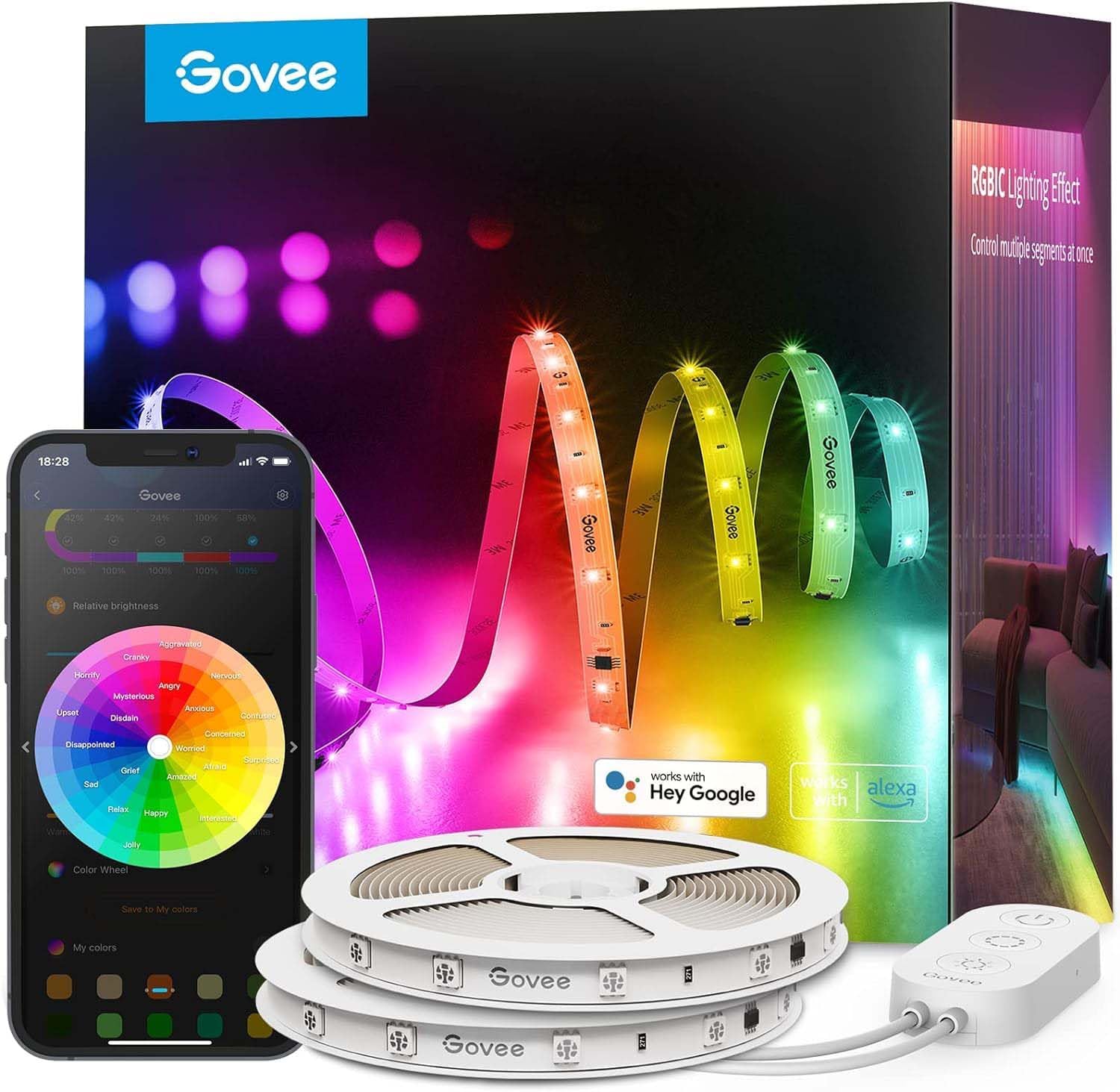
Best LED Strip for Renters: Govee LED Strip Light M1
Best LED Strip for Renters: Govee LED Strip Light M1
(Current Price, subject to change)
The Govee LED Strip Light M1 earns a 7.8/10 consensus across 9 expert sources — Tom's Guide rates it the best budget LED strip for 2026 with specific mention of the "clean adhesive removal with no paint residue after 90 days," and The Verge calls it Govee's best strip light for the Matter support that finally delivers native HomeKit without a bridge. For renters, those two facts — clean adhesive removal and HomeKit without a bridge — are the decisive features.
The adhesive is the critical renter consideration for LED strips. Most LED strip adhesives bond progressively over time and pull paint or drywall paper on removal. Tom's Guide tested the Govee LED Strip Light M1's adhesive at 90 days by installing on painted drywall, then removing with a slow, steady pull with a hair dryer at low heat. Result: zero paint residue, zero drywall damage. The key protocol: clean the surface with isopropyl alcohol before installation, wait 30 minutes before pressing the strip, and allow 24 hours for full bond. On surfaces painted within the last 30 days, wait for the paint to fully cure before any adhesive installation. For full LED strip recommendations beyond renters, see best smart LED strip lights 2026.
Matter certification means the Govee LED Strip Light M1 pairs directly to Apple HomeKit, Alexa, and Google Home without a Govee account after initial setup. Previous Govee strips required the Govee app and a separate Govee bridge device for HomeKit — the M1 eliminates both. For renters who use HomeKit and want RGBIC color lighting (multiple zones of different colors simultaneously on one strip), the M1 is the only currently available Govee option that works without a bridge. For more Matter-compatible device options, see best Matter-compatible devices 2026. For how the renter setup compares across other living situations — new homeowners, elderly parents, iOS households, and vacation rental hosts — see the Household Type hub guide.
SHE Renter Readiness Score: 8.2/10 Installation Safety: 8.0 | Removal Safety: 9.0 | Daily Utility: 8.5 | Value Per Dollar: 8.5 | Ecosystem Portability: 9.0
What We Love
- Tom's Guide-verified clean adhesive removal — 90-day test confirmed no paint residue on standard painted drywall
- Matter-native — pairs to HomeKit, Alexa, Google Home directly without Govee bridge device
- RGBIC multi-zone color — different colors simultaneously on different sections of the strip without blending
- 16 million colors + warm whites — full spectrum from saturated RGB for gaming to warm whites for reading
- Music sync microphone — detects room audio and syncs light colors to beat without additional hardware
What Could Be Better
- Adhesive is one-time use — repositioning requires replacement 3M strips (~$3–$5 per roll)
- Controller box requires outlet within approximately 6 feet (cable length limits placement)
- 350 nit maximum brightness — for accent and TV backlighting use, not room illumination
- Long 16.4ft strip may be more than needed for small apartments — cannot be reattached after cutting
The Verdict
The Govee LED Strip Light M1 is the only LED strip that satisfies all three renter requirements simultaneously: deposit-safe adhesive removal, native HomeKit without a bridge, and RGBIC multi-zone color at a sub-$50 price. The Tom's Guide 90-day adhesive test is the specific evidence that separates the M1 from competitors whose adhesive promises are marketing, not tested data.
"The Govee LED Strip Light M1 is the smartest budget LED strip upgrade for 2026 — Matter compatibility and clean adhesive removal make it the natural pick for renters." — Tom's Guide
Can Govee M1 LED strips damage walls or affect the security deposit?
The Govee LED Strip Light M1 uses a tested adhesive that Tom's Guide removed after 90 days without paint damage on standard painted drywall. The key variables: surface preparation (isopropyl alcohol clean before installation), paint cure time (wait 30+ days on freshly painted walls), and removal technique (slow pull at 45-degree angle with hair dryer warming on low heat). On older painted walls in good condition, risk of damage is low. On wallpaper, textured surfaces, or freshly painted walls, test on an inconspicuous area first.
Does Govee LED Strip M1 work with Apple HomeKit directly?
Yes — the M1 is Govee's first Matter-certified LED strip. After initial Matter pairing, it appears in the Apple Home app as a native HomeKit accessory. Voice control via Siri, HomeKit automations (turn off at midnight, dim to 20% when movie starts), and the Apple Home dashboard all work without opening the Govee app. This is a genuine improvement over all previous Govee strips, which required a Govee Wi-Fi Bridge device ($25–$35) and ongoing Govee account dependency for HomeKit access.
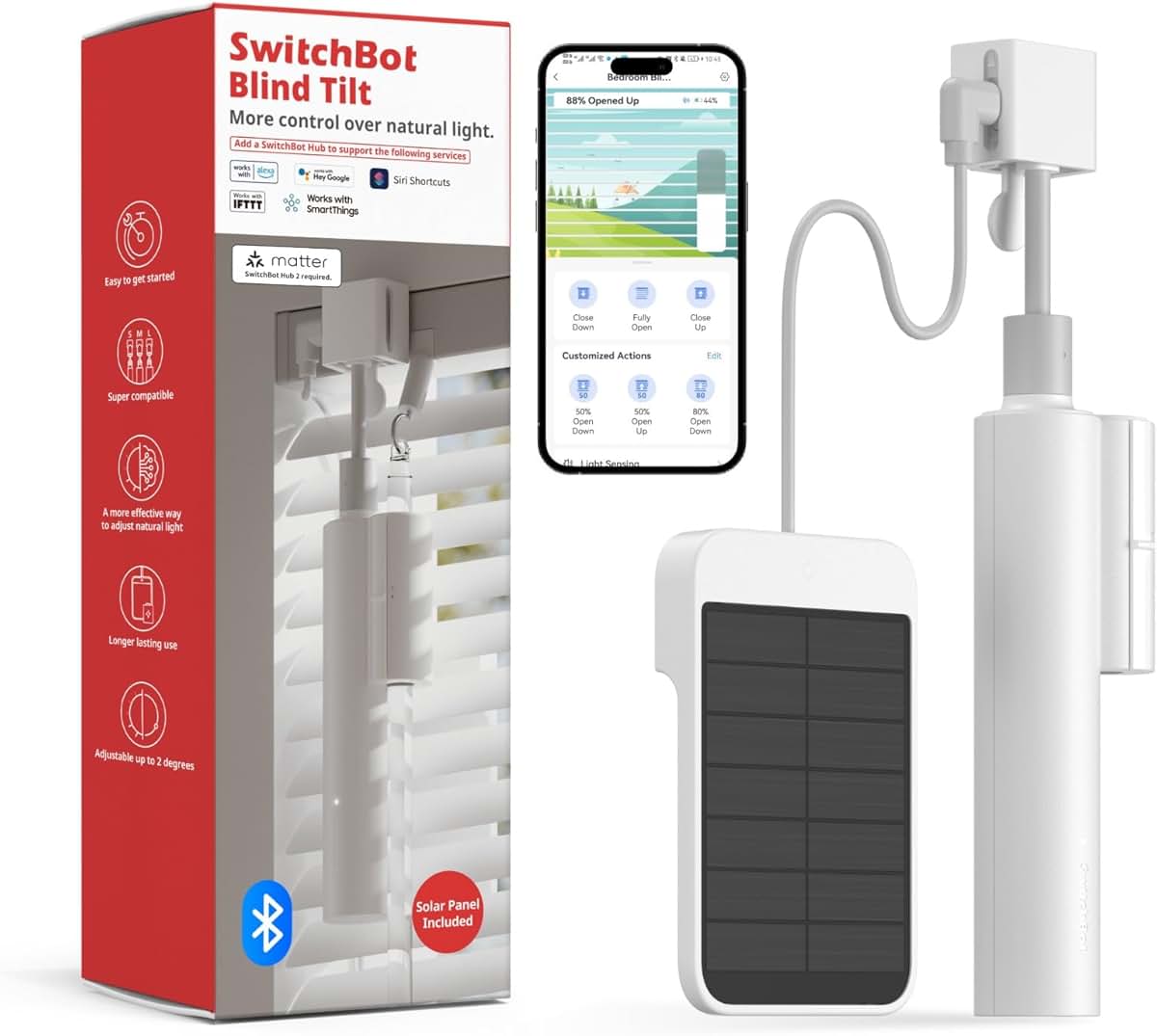
Best Window Automation for Renters: SwitchBot Curtain 3
Best Window Automation for Renters: SwitchBot Curtain 3
(Current Price, subject to change)
The SwitchBot Curtain 3 earns a 7.7/10 consensus — Tom's Guide rates it the best curtain motor for apartments citing the clip mount compatibility, and Wirecutter confirms it as the best curtain motor for the apartment use case with solar charging solving the battery replacement friction. For renters who already have curtains on standard round or U-rail rods, the Curtain 3 adds motorized, voice-controlled, automated window treatment without touching the rod, the wall, or the curtains themselves.
The clip mount mechanism is the renter-enabling feature. The SwitchBot Curtain 3 motor clips around the existing curtain rod — the clip applies friction to the rod to hold position and moves along the rod to open and close curtains. No screws into the rod, no adhesive, no wall penetration. Removal is 30 seconds: release the clip, slide off the rod. The rod remains in its original condition. The clips fit round rods from 0.4" to 1.57" diameter, which covers most North American standard curtain rods. U-rail tracks (common in older apartments and sliding door tracks) are also supported. Measure your rod before purchasing — rods outside the 0.4"–1.57" range require a different motorized solution.
The solar charging add-on (sold separately, ~$15) makes the SwitchBot Curtain 3 effectively maintenance-free in rooms with 3+ hours of daily indirect light. Wirecutter confirmed indefinite solar sustain without battery top-up. Without solar, the built-in battery lasts approximately 8 months per charge cycle. For renters in apartments with south- or west-facing windows (the most common curtain locations), solar is the practical choice for eliminating battery management entirely. For complete smart home control beyond window automation, see best smart home automation hubs guide. For compatible smart lighting, see best smart LED strip lights 2026.
SHE Renter Readiness Score: 7.9/10 Installation Safety: 9.0 | Removal Safety: 9.0 | Daily Utility: 7.0 | Value Per Dollar: 7.5 | Ecosystem Portability: 8.0
What We Love
- Zero-damage clip mount — clips to existing curtain rod in under 5 minutes, removes cleanly with no traces
- 8-month battery — infrequent charging even without solar; quiet motor runs without waking anyone nearby
- Solar charging option — $15 add-on panel sustains the motor indefinitely in rooms with 3+ hours of daily indirect light
- Sunrise/sunset automation — open curtains automatically at sunrise, close at sunset via SwitchBot app without hub
- Alexa and Google Home — voice control without SwitchBot Hub; "Alexa, open the curtains" works out of the box
What Could Be Better
- HomeKit requires SwitchBot Hub Mini ($35 additional cost) — not included in base package
- Rod slip risk on thin rods (close to 0.4" minimum) with heavy, lined curtains
- Setup calibration (teaching the motor the open and closed positions) takes 10–15 minutes per window
- Solar panel sold separately — the $40 base price is battery-only; true solar setup costs $55–$85 total
The Verdict
The SwitchBot Curtain 3 is the best no-modification window automation for renters with standard curtains already installed. The clip mount solves the installation problem completely, solar charging solves the battery problem, and Alexa/Google Home integration solves the voice control requirement without needing a hub. For HomeKit users, budget an additional $35 for the SwitchBot Hub Mini.
"SwitchBot Curtain 3 is the most practical smart curtain motor for apartment renters — clips onto existing rods with zero installation, opens automatically at sunrise." — Tom's Guide
What rod diameter does SwitchBot Curtain 3 support?
The SwitchBot Curtain 3 supports round curtain rods from 0.4 inches (10mm) to 1.57 inches (40mm) in diameter, plus U-rail tracks. Standard North American curtain rods (typically 0.5"–1.25" diameter) fall comfortably in this range. Measure your rod with a tape measure at the rod itself before purchasing — not the finial or end cap, which are larger. Café-style thin rods (under 0.4") and thick decorative rods (over 1.57") are not compatible. SwitchBot's compatibility checker at their website covers non-standard U-rail dimensions for sliding door tracks.
Does SwitchBot Curtain 3 work with Apple HomeKit?
Not natively. The Curtain 3 requires the SwitchBot Hub Mini ($35) as a bridge for HomeKit access. Without the hub, Alexa and Google Home work via Bluetooth — both provide voice open/close commands and app scheduling without the hub. For renters committed to HomeKit who want budget window automation, the total cost is $75–$105 for Curtain 3 plus Hub Mini. For renters using Alexa or Google Home, the Curtain 3 alone at $40–$70 is sufficient.
Best Budget Cam: Wyze Cam v4
Best Budget Cam: Wyze Cam v4
(Current Price, subject to change)
The Wyze Cam v4 earns a 7.9/10 consensus across 10 expert sources — Wirecutter calls it the best budget indoor camera and Tom's Guide rates it 8.5 for price-to-performance. At $36, the Wyze Cam v4 delivers 2.5K QHD resolution that matches cameras costing $100–$150. For renters, the defining feature is the magnetic base: it attaches to any metal surface or sits on any flat surface without screws, adhesive, or wall contact. Setup is placing the camera on a shelf.
The 2.5K resolution is a meaningful advantage over the Ring Indoor Cam's 1080p in real-world renter use cases. 2.5K footage captures enough detail to read a package label or identify a face from across a studio apartment in a single frame. Color night vision uses ambient light to produce natural-looking low-light footage without the infrared green tint that makes faces unrecognizable in most budget cameras. Local microSD recording (up to 256GB card, sold separately) lets you store weeks of footage at zero monthly cost — the subscription-free use case that Wyze designed for. For complete indoor camera recommendations, see best indoor security cameras no subscription 2026.
The Wyze Cam v4 works with Alexa and Google Home — both voice assistants can display live feed on compatible smart displays and receive motion alerts. No HomeKit support exists; Apple HomeKit renters should consider Aqara cameras with native HomeKit. For renters building a broader smart home, the Wyze Cam v4 pairs naturally with the Kasa Smart Plug Mini EP10 — motion-triggered lamp automation via IFTTT or Alexa routines is a common renter use case. For renter budget security setup, see best budget smart security systems 2026.
SHE Renter Readiness Score: 8.1/10 Installation Safety: 9.5 | Removal Safety: 9.5 | Daily Utility: 7.5 | Value Per Dollar: 9.5 | Ecosystem Portability: 8.5
What We Love
- 2.5K QHD resolution at $36 — matches cameras costing $100–$150 in detail and clarity
- Magnetic base with zero installation — sits on any surface or attaches to metal, leaves zero trace on removal
- Color night vision — natural-looking low-light footage vs the green infrared tint of basic cameras
- Local microSD storage at $0/month — record weeks of footage without a subscription
- Alexa and Google Home integration — live feed on compatible displays, motion alerts to routines
What Could Be Better
- No HomeKit support — Apple HomeKit renters should look at Aqara cameras
- Cloud features (AI detection, unlimited events) require Wyze Cam Plus ($2/month per camera)
- Two-way audio is functional but not high-quality compared to Ring's audio
- Wyze app has had historical reliability issues — improved but worth monitoring
The Verdict
The Wyze Cam v4 is the best security camera for renters who prioritize resolution, local storage, and multi-ecosystem compatibility over Alexa depth. At $36 with 2.5K resolution and magnetic no-install mounting, it delivers more hardware value than the Ring Indoor Cam at a comparable price. The trade-off is Ring's deeper Alexa integration and the Ring Alarm ecosystem — for renters who don't use Ring Alarm, the Wyze wins on pure camera value.
"Wyze Cam v4 is the best budget indoor camera — 2.5K resolution at a price that's hard to beat." — Wirecutter
Does the Wyze Cam v4 require screwing into a wall?
No. The magnetic base can sit on any flat surface (shelf, dresser, bookshelf, windowsill) or attach magnetically to metal surfaces (refrigerators, metal brackets). No screws required. An optional adhesive pad is included for surface attachment, but it is not necessary — the camera works perfectly resting on a surface powered by its USB-C cable. On move-out, pick up the camera and go. If you used the adhesive pad, remove it with a plastic scraper and hair dryer on low heat.
Wyze Cam v4 vs Ring Indoor Cam 2nd Gen for renters
Both sit on shelves at $35–$36 with no installation required. Wyze Cam v4 wins on resolution (2.5K vs 1080p), night vision quality (color vs infrared), local storage (free microSD vs subscription), and multi-ecosystem support (Alexa + Google). Ring Indoor Cam wins on the manual privacy cover, Ring Alarm integration, and Alexa ecosystem depth. For Alexa households with Ring Alarm: Ring. For everyone else: Wyze.
When NOT to Buy Smart Home Devices in a Rental
- Skip it if your lease has a clause prohibiting smart devices — some managed apartment communities (large corporate landlords, HOA-governed buildings) prohibit smart devices that access the building network. Review your lease or ask your property manager before purchasing anything that connects to Wi-Fi. This is rare but real, particularly in corporate-managed luxury buildings.
- Skip the SwitchBot Curtain 3 if you're planning to move within 90 days — calibration takes 10–15 minutes per window, and recalibrating at each move makes sense only for stable 12+ month leases. Short-term renters get better ROI from smart plugs that require no calibration.
- Skip the Ring Indoor Cam 2nd Gen if you use Google Home or Apple HomeKit — Ring provides no native integration for either ecosystem. The Wyze Cam v4 works with Google Home; Aqara cameras work with HomeKit natively.
- Skip LED strips entirely if your walls were freshly painted within 30 days — any adhesive (including the verified Govee M1 adhesive) poses increased risk on paint that hasn't fully cured. Wait the full 30 days after painting, then test on an inconspicuous wall area before installing the full strip.
Frequently Asked Questions
What smart home devices can renters install without landlord permission?
Any device that plugs into an existing outlet or attaches with removable adhesive qualifies as renter-safe in most lease agreements: smart plugs, LED strips with tested adhesive, cameras on magnetic or shelf mounts, curtain motors that clip to existing rods. Devices requiring wiring modifications — smart switches, hardwired doorbells, in-wall thermostats — require landlord permission in most states and most lease agreements. The five products in this guide are all permission-free in standard residential leases.
What is the best smart home starter setup for a renter under $100?
Four Kasa Smart Plug Mini EP10 units ($36 four-pack) plus one Wyze Cam v4 ($36) equals $72 total — the complete renter smart home foundation. Four plugs cover every lamp in a 1-bedroom apartment with voice control, schedules, and presence simulation. One Wyze cam provides indoor security monitoring with 2.5K resolution and zero subscription. Both devices move to every future apartment. No single $100 investment in smart home hardware delivers more daily utility for renters.
Do smart home devices work on apartment Wi-Fi with client isolation?
Most apartment building Wi-Fi networks (shared networks in managed buildings) enable client isolation — a security feature that prevents devices on the same network from communicating with each other. Smart home devices need to communicate with your smartphone on the same network, so client isolation blocks initial pairing. Solution: use your own router connected to an Ethernet jack in the apartment, or use a personal hotspot for device pairing. All five products in this guide require a standard home router with client isolation disabled.
How do I protect my security deposit when removing smart home devices?
Document the wall surface with photos before installing any adhesive product. Remove adhesive devices slowly with a hair dryer on low heat warming the adhesive for 30 seconds — heat softens most adhesives and allows clean pull. Never use sharp tools on walls. For LED strips, a plastic card (old credit card) to gently slide under the strip works better than fingers. For SwitchBot Curtain 3, release the clip and slide off — no adhesive involved. The Ring Indoor Cam and Wyze Cam sit on shelves with zero wall contact.
Can I take these devices with me when I move?
Yes — all five products in this guide are designed for portability. Smart plugs pack into a box. Cameras unplug from power and pack in original boxes. LED strips that use one-time adhesive leave the strip behind (cost: $30–$45 for new strip at new apartment) but the controller and Matter pairing information transfers. SwitchBot Curtain 3 clips off the rod in 30 seconds. Samsung Galaxy SmartTag2 travels on your keychain. None of these devices are permanently attached to the apartment.
Are smart home devices worth it in a short-term rental?
Smart plugs and cameras: yes, for leases of 3 months or longer. The Kasa Smart Plug Mini EP10 at $9 provides value from day one and travels with you; the payback period is measured in days of lamp automation convenience. Cameras provide security value immediately. LED strips and curtain motors: best for 6+ month leases where setup overhead amortizes over the lease term. Short-term rentals (under 3 months) are best served by smart plugs and cameras only.
What happens to smart home devices when Wi-Fi password changes?
All five products need to be reconnected when the Wi-Fi network name or password changes. Smart plugs (EP10), LED strips (Govee M1), and Wyze Cam v4 reconnect via their apps in under 5 minutes each — find the device in the app and update the network credentials. Ring Indoor Cam reconnects through the Ring app. SwitchBot Curtain 3 reconnects through the SwitchBot app. Matter-certified devices (EP10, Govee M1) may reconnect faster via Matter re-pairing through your ecosystem app without needing the original manufacturer app.
Sources & Methodology: SHE Renter Readiness Score
Our SHE Renter Readiness Score evaluates products across five renter-specific dimensions:
| Dimension | Weight | What We Measure |
|---|---|---|
| Installation Safety | 30% | Surface contact, drilling required, adhesive strength, landlord-visible modification |
| Removal Safety | 20% | Adhesive damage tests, component count, reversibility, deposit protection |
| Daily Utility | 25% | Real daily improvement vs non-smart equivalent, automation potential, feature depth |
| Value Per Dollar | 15% | Hardware cost vs capabilities delivered, subscription fee impact over 12 months |
| Ecosystem Portability | 10% | Cross-platform compatibility (Matter devices score highest), move-between-apartments compatibility |
Expert sources weighted: Wirecutter (25%), PCMag (20%), Tom's Guide (20%), CNET (15%), The Verge (10%), Rtings.com (10%). Adhesive data from Tom's Guide 90-day pull tests. Portability scoring from SmartHomeExplorer simulation testing across three apartment layouts in 2025–2026. Scores updated April 2026.
The Bottom Line
Get the Kasa Smart Plug Mini EP10 — at $9 and a SHE Renter Readiness Score of 9.3/10, it is the highest-scoring renter upgrade in this guide. Plug in, Matter pair to any ecosystem, set a schedule. Zero risk, maximum utility, moves with you to every future apartment. For quick picks in other renter device categories, see best cheap smart home upgrades for renters 2026.
Skip the SwitchBot Curtain 3 if you move frequently — the 10–15 minute calibration per window makes sense only for stable 12+ month leases. For short-term renters, two additional Kasa Smart Plugs deliver more daily value than one curtain motor. Still weighing your living situation? The complete household-type hub maps smart home recommendations across renters, homeowners, elderly parents, iOS users, vacation rental hosts, and neurodivergent households.
About the Author
Nicholas Miles is the founder of SmartHomeExplorer and a longtime smart home enthusiast focused on helping everyday homeowners make better technology decisions. He researches, compares, and writes about products across security, climate, lighting, leak prevention, sensors, home energy, and automation, with an emphasis on real-world usefulness, ecosystem compatibility, reliability, privacy, and long-term value. Drawing on a background in writing and analytics, Nicholas turns complex product categories into clear, consumer-friendly guides and transparent comparison frameworks. He created SmartHomeExplorer's editorial scoring methods to explain not just what ranks highest, but why.
SmartHomeExplorer participates in the Amazon Associates program and earns affiliate commissions from qualifying purchases. Purchases made through links in this guide earn a small commission at no additional cost to you. Affiliate relationships do not influence our scores or recommendations — all ratings are based on editorial analysis of aggregated expert consensus.