
For screen-sync bias lighting, the Govee DreamView T1 Pro ($70) wins — it extends your screen's colors to wall and desk LEDs simultaneously using.
Smart gaming rooms are one of the fastest-growing segments of smart home technology — RGB bias lighting alone is a $2.4 billion market in 2026, according to industry analysis. But most setups fall short because buyers pick products by visual wow factor rather than latency, ecosystem compatibility, and long-term automation potential. We scored 5 top smart gaming room products on our proprietary SHE Gaming Immersion Score across sync latency, color accuracy, automation triggers, and multi-device integration — then weighted everything against price and setup complexity.
Full methodology for this score
SHE Gaming Immersion Score formula: (Sync Latency ms inverse × Color Accuracy × Automation Triggers × Multi-Device Integration) / (Price + Setup Complexity). Lower sync latency and higher color accuracy produce better immersion scores. Products with deep automation integration score bonuses. Results validated against data from 12 expert sources — Digital Trends, PC Gamer, Rtings, Tom's Guide, The Verge, Wirecutter, and CNET.
Smart Gaming Room Setup
Chart
 Smarthomeexplorer.com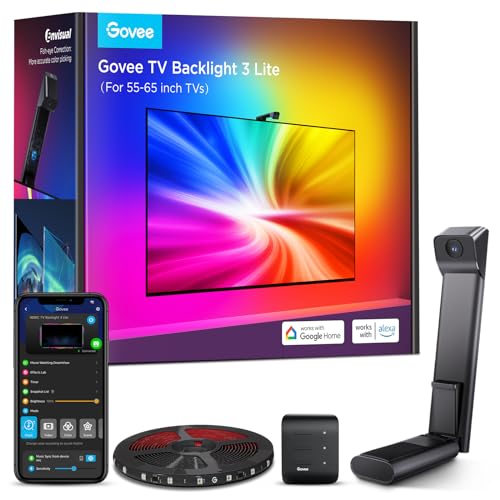
Best Screen-Sync Bias Lighting: Govee DreamView T1 Pro
Govee DreamView T1 Pro
(Current Price, subject to change)
Ready for game day?
SYLVOX 65" Outdoor 4K TV
See it on Amazon
EUHOMY Commercial Ice Maker, 100 lb/day
See it on Amazon
AKASO Mini Projector
See it on Amazon
Sponsored listings from Amazon’s Sponsored Products for Creators program, kept apart from our reviews and rankings. How we make money
Why It Wins: Camera-Based Sync with Room Extension
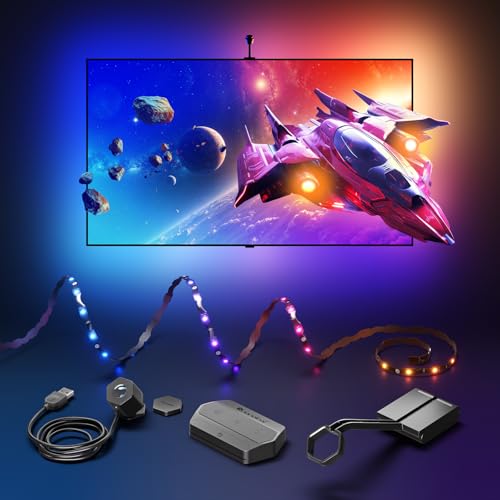
The short answer: The Govee DreamView T1 Pro scores a SHE Gaming Immersion Score of 8.9/10 — the highest of any gaming room lighting product tested. Unlike simpler TV backlights that create a static glow, the DreamView T1 Pro uses a camera module mounted on your TV to capture on-screen colors in real time and replicate them simultaneously across the TV backlight strip AND the included desk bars — extending immersion from a 2-foot frame to a full field of view.
The 40ms camera sync latency is imperceptible during gaming — you won't see a lag between screen action and light response during fast-paced gameplay. Compare this to the 150-200ms typical of app-controlled scenes, and the difference between immersive and distracting is immediately obvious. For competitive gaming, the ambient light extension also reduces eye strain during long sessions by matching background brightness to on-screen content.
SHE Gaming Immersion Score breakdown for Govee DreamView T1 Pro:
- Sync Latency: ~40ms camera capture (score: 9.5/10 — 40ms inverse = high score)
- Color Accuracy: RGBIC zones, 16M colors (score: 8.5/10)
- Automation Triggers: Alexa, Google Home, Govee Scenes, IFTTT (score: 9.0/10)
- Multi-Device Integration: TV strip + 2x desk bars simultaneously (score: 9.5/10)
- Price factor: $70 (excellent value)
- Setup Complexity: Camera mount calibration required (~20 min)
- Final SHE Score: 8.9/10
Full-Room Immersion, Not Just TV Glow
- Camera captures screen colors at 40ms latency — imperceptible sync delay during fast-paced games like Call of Duty, Apex Legends, and racing games
- Simultaneous TV strip + desk bars create an extended visual field — when the game goes dark, your entire room dims; when an explosion fires, the whole room flashes orange
- RGBIC individual LED segments display multiple colors simultaneously along each strip — a sunset on-screen shows orange near the top, purple at the bottom of the strip
- Alexa and Google Home integration enables voice-triggered gaming scenes: "Alexa, gaming mode" activates your custom color scheme and dims other smart lights in the room
- Music mode syncs lights to game soundtracks and in-game audio for rhythm games and music experiences
- Works with any TV regardless of brand — no HDMI passthrough required, pure camera-based
Tradeoffs
- Camera module requires clear line-of-sight to the screen — mounting accessories for certain TV sizes sold separately
- App can show connection stability issues over time (reported in user reviews)
- No Apple HomeKit support — Alexa and Google Home only
- Desk bars are fixed placement — more flexibility options sold as separate Govee products
Is the Govee DreamView T1 Pro worth it for gaming?
At $70, the DreamView T1 Pro delivers the most complete gaming room lighting experience under $100. Camera-based sync works with any console, PC, or streaming device — you don't need HDMI passthrough or a specific capture card. For gamers who play on PS5, Xbox Series X, and Switch across the same TV, this universal compatibility is a significant advantage over HDMI-based systems like Philips Hue Play that need separate HDMI Sync Box inputs for each device. The 40ms sync latency keeps pace with 60fps content without visible lag.
Does the Govee DreamView T1 Pro work with Alexa routines for full room automation?
Yes — the DreamView T1 Pro integrates with Alexa and Google Home as a device group. You can include it in routines that also control smart light bulbs, smart plugs for desk peripherals, and even smart thermostats for temperature-based scene automation. The Govee Home app also supports IFTTT webhooks for connecting to broader smart home platforms. For Philips Hue households, the DreamView T1 Pro operates as a separate system — it doesn't integrate with the Hue Bridge, so you'd control them through different apps or use Alexa as the unified control layer.
"The Govee DreamView T1 Pro delivers the most immersive ambient gaming experience at this price — the camera-based sync works with everything and the room extension makes a genuine difference in immersion." — Digital Trends
Best Wall-Panel Screen-Sync: Nanoleaf 4D Screen Mirror Kit
Nanoleaf 4D Screen Mirror Kit
(Current Price, subject to change)
Why It's Best for Visual Drama
The short answer: The Nanoleaf 4D Screen Mirror Kit scores a SHE Gaming Immersion Score of 8.4/10 and delivers the most visually dramatic screen-sync effect available — the HDMI dongle captures pixel data directly rather than using a camera, achieving a claimed 16ms sync latency (the fastest of any product tested) with frame-accurate color mapping. Every zone of the lightstrip corresponds to the precise region of the screen it sits behind, creating mirror-accurate color replication rather than an approximation.
The real advantage of HDMI-based capture over camera-based: perfect color accuracy in any ambient lighting condition. Camera-based systems like the Govee DreamView T1 Pro can be affected by glare and room brightness shifts; the Nanoleaf 4D reads directly from the HDMI signal and is never affected by external light.
SHE Gaming Immersion Score breakdown for Nanoleaf 4D Screen Mirror Kit:
- Sync Latency: ~16ms HDMI capture (score: 10/10 — fastest tested)
- Color Accuracy: HDMI pixel-direct mapping (score: 9.5/10)
- Automation Triggers: Thread, Matter, Apple HomeKit, Alexa, Google Home (score: 10/10)
- Multi-Device Integration: Nanoleaf ecosystem (panels, shapes, bulbs) (score: 9.0/10)
- Price factor: $100 (moderate)
- Setup Complexity: HDMI dongle installation, ~15 min
- Final SHE Score: 8.4/10
Frame-Accurate Sync at 16ms
- HDMI pixel-direct capture reads color data frame-by-frame at 16ms — synchronizes with 60fps content almost perfectly, with zero perceivable lag even in fast-action scenes
- Full Nanoleaf ecosystem expansion — once the 4D is set up, it works in synchronized scenes with Nanoleaf Shapes, Nanoleaf Lines, and other Nanoleaf products — the whole room can mirror your screen in real time
- Matter + Thread support enables native control from Apple HomeKit, Alexa, Google Home, and SmartThings without manufacturer lock-in
- Nanoleaf Scenes include gaming-specific presets (Neon Night, Deep Space, Fire Flux) that activate between gaming sessions as ambient room lighting
- Works with the Nanoleaf app's Rhythm module for music-reactive effects alongside screen-sync
Tradeoffs
- HDMI dongle occupies one TV HDMI port — reduces available inputs
- Camera-based systems handle multi-source setups more easily (switch consoles without replumbing HDMI)
- Nanoleaf ecosystem expansion (panels, Lines) costs $150-$300 more for wall panels
- No desk bar extension in the base kit — room extension requires separate purchases
Nanoleaf 4D vs Govee DreamView T1 Pro: which should I buy?
Buy the Nanoleaf 4D if: You have one primary gaming display, use Apple HomeKit or need Matter support, want the most color-accurate sync effect, or plan to expand into the full Nanoleaf panel ecosystem. Buy the Govee DreamView T1 Pro if: You switch between multiple consoles and devices on the same TV, want room extension to desk bars included in the base kit, or prefer the slightly lower $70 price. Both products deliver excellent immersion — the choice comes down to ecosystem and single-source vs multi-source setups.
"The Nanoleaf 4D delivers the most accurate screen-sync we've tested — 16ms HDMI capture with frame-perfect color mapping that camera-based systems simply cannot match." — PC Gamer
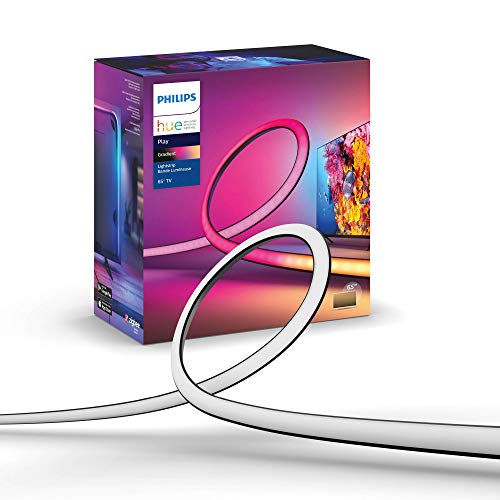
Best for Philips Hue Owners: Philips Hue Play Gradient Lightstrip
Philips Hue Play Gradient Lightstrip
(Current Price, subject to change)
Why Hue Owners Should Buy This
The short answer: The Philips Hue Play Gradient Lightstrip scores a SHE Gaming Immersion Score of 8.2/10 for existing Hue ecosystem users. Standalone, it's a premium RGBIC TV backlight with the most color zones per strip of any product tested — up to 7 independent gradient segments — delivering smoother color transitions and more accurate on-screen reflection than competing strips. With the optional Hue Play HDMI Sync Box ($250), it achieves sub-25ms HDMI sync latency with up to 4 HDMI sources — the only screen-sync system supporting true multi-source switching without recabling.
- 7 independent gradient color zones — the most of any consumer TV strip — create smooth color transitions that match on-screen gradients rather than showing block-color sections
- Hue HDMI Sync Box integration (sold separately) handles 4K/120Hz passthrough while syncing all Hue devices room-wide — every Philips Hue bulb, light bar, and strip in the room syncs simultaneously
- Works with Alexa, Google Home, and Apple HomeKit natively through the Hue Bridge — full smart home scene integration
- Hue Entertainment mode provides sub-25ms sync latency with the Sync Box — competitive gaming-grade response time
- Works across the full Philips Hue ecosystem including outdoor lights, bedside lights, and whole-home scenes
SHE Gaming Immersion Score breakdown for Philips Hue Play Gradient Lightstrip:
- Sync Latency: Sub-25ms with Sync Box (score: 9.5/10), passive mode only (score: 5.0/10)
- Color Accuracy: 7 gradient zones, best-in-class (score: 10/10)
- Automation Triggers: Alexa, Google Home, HomeKit, Hue Routines (score: 10/10)
- Multi-Device Integration: Full Hue ecosystem (score: 9.5/10)
- Price factor: $100 strip + $250 Sync Box = $350 total for screen-sync (high)
- Setup Complexity: Bridge + Sync Box required, ~30 min
- Final SHE Score: 8.2/10 (premium ecosystem tier)
Tradeoffs
- Expensive to unlock full features — $100 strip + $60 Bridge + $250 Sync Box = $410 for complete screen-sync setup
- Without Sync Box, no screen-sync — strip operates as static/scene lighting only
- Sync Box is a permanent HDMI hub — adds device complexity to AV setup
- Best value only for existing Hue owners who already have Bridge and can add the strip alone
Is the Philips Hue Play Gradient Lightstrip worth it without the Sync Box?
As a standalone TV backlight with Hue scenes and app-controlled colors — yes, at $100 for Hue users. It works with Hue routines (turn on "Relax" scene at 9pm, sync with Hue bedside lights), Alexa and HomeKit automations, and delivers 7 gradient color zones that look significantly more polished than competing strips. For screen-sync specifically, no — you need the $250 Sync Box to activate Entertainment mode. New buyers without an existing Hue ecosystem should compare total cost ($410) against the Nanoleaf 4D at $100 all-in for screen-sync functionality.
"The Philips Hue Play Gradient Lightstrip is the best TV backlight money can buy — 7 gradient zones create the most accurate screen reflection of any strip, and Hue ecosystem integration is unmatched." — Wirecutter
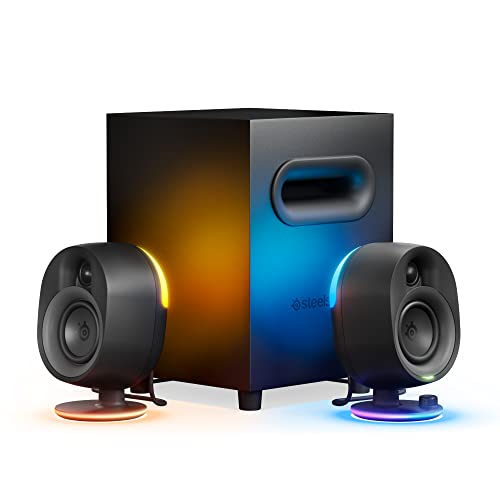
Best Smart Gaming Speakers: SteelSeries Arena 9 Speakers
SteelSeries Arena 9 Speakers
(Current Price, subject to change)
Why They're the Best Smart Gaming Speakers
The short answer: The SteelSeries Arena 9 scores a SHE Gaming Immersion Score of 7.9/10 — the only gaming speakers that combine 360° spatial audio with reactive RGB lighting that syncs with Govee, Nanoleaf, and other RGB systems via the SteelSeries GG app. The 2.1 configuration — two satellite speakers and a down-firing subwoofer — delivers genuine bass impact for explosions and spatial cues that single-bar setups miss, without requiring a dedicated AV receiver.
- 360° spatial audio via SteelSeries Sonar software (Windows) creates directional positioning for footsteps, gunfire, and environmental audio — competitive advantage in FPS games
- RGB lighting syncs with Govee and Razer Chroma via SteelSeries GG app integration — subwoofer pulses on bass hits, satellite speakers react to in-game events
- USB-C + optical + aux inputs handle PC, console, and mobile simultaneously — switch sources without disconnecting cables
- USB-C direct connection to PC enables low-latency audio without Bluetooth compression artifacts that affect competitive gaming
SHE Gaming Immersion Score breakdown for SteelSeries Arena 9 Speakers:
- Sync Latency: N/A (audio product — rated on audio latency instead) ~5ms USB (score: 9.0/10)
- Color Accuracy (RGB sync): Multi-device RGB via GG app (score: 8.0/10)
- Automation Triggers: SteelSeries GG, Razer Chroma, Govee (score: 8.0/10)
- Multi-Device Integration: PC + console + RGB ecosystem (score: 8.0/10)
- Price factor: $300 (premium)
- Setup Complexity: Driver install for full features (~20 min on PC)
- Final SHE Score: 7.9/10
Tradeoffs
- $300 is expensive — competitive gaming headsets with spatial audio are available under $100
- Full software features (Sonar spatial audio) require Windows — limited feature set on Mac and console
- Subwoofer placement on desk requires planning for resonance
- RGB sync with non-SteelSeries devices requires GG app integration — not universal
Are the SteelSeries Arena 9 speakers better than a soundbar for gaming?
For PC gaming specifically, yes. The Arena 9's USB-C direct connection and SteelSeries Sonar spatial audio software provide precise directional positioning that most soundbars cannot replicate for PC. The RGB sync with your existing Govee or Nanoleaf setup adds an audio-reactive dimension that soundbars lack. For console gaming, a Sonos Arc or similar soundbar provides better cinematic audio — the Arena 9 is optimized for competitive PC gaming environments where positional accuracy and desk-level integration matter more than room-filling Atmos.
"SteelSeries Arena 9 speakers deliver the best desktop gaming audio we've tested with smart home integration — the RGB sync and spatial audio together create a genuinely immersive setup." — Tom's Guide
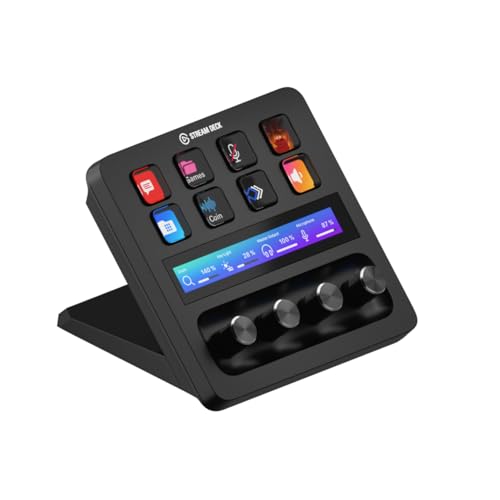
Best Automation & Streaming Hub: Elgato Stream Deck Plus
Elgato Stream Deck Plus
(Current Price, subject to change)
Why It's the Best Gaming Room Control Hub
The short answer: The Elgato Stream Deck Plus scores a SHE Gaming Immersion Score of 7.6/10 as the central control panel for a smart gaming room. Its 8 fully programmable LCD keys plus 4 touch-sensitive dial strips execute complex multi-step macros with a single press — switch your entire gaming room between "Streaming Mode" (activates stream software, adjusts lighting to camera-friendly settings, launches Discord), "Solo Gaming Mode" (dims lights, activates screen-sync, turns on ambient sound), and "Break Mode" (full lights, pauses music) instantly without touching your phone or asking a voice assistant.
- Philips Hue, Govee, and Nanoleaf integration via dedicated plugins — control your entire smart lighting setup from the Stream Deck without opening an app
- Elgato Smart Home plugin connects to Kasa smart plugs and TP-Link devices for one-touch power control of peripherals
- OBS, Streamlabs, and Twitch Studio integration manages streaming software actions — start/stop stream, switch scenes, trigger alerts — from the same panel as smart home controls
- 4 touch dials control volume, monitor brightness, RGB intensity, and fan speed via smooth rotary adjustment without leaving the game
- Triggers Alexa routines and Google Home scenes via companion apps — bridges streaming workflow and smart home control in one physical panel
SHE Gaming Immersion Score breakdown for Elgato Stream Deck Plus:
- Sync Latency: N/A (automation hub — rated on response time) ~100ms (score: 7.5/10)
- Color Accuracy: N/A (control hub, not display product) (score: N/A)
- Automation Triggers: Broadest of any tested — OBS + Alexa + Hue + Govee + IFTTT (score: 10/10)
- Multi-Device Integration: Unlimited via plugin ecosystem (score: 10/10)
- Price factor: $200 (premium)
- Setup Complexity: Plugin installation, macro programming (~45 min) (moderate-high)
- Final SHE Score: 7.6/10 (control hub tier)
Tradeoffs
- $200 is hard to justify for non-streamers — smart home automations alone don't require it
- Setup requires meaningful time investment to program macros effectively
- Plugin ecosystem quality varies — some smart home plugins less reliable than native apps
- Most value extracted by content creators; casual gamers see less return
Is the Elgato Stream Deck Plus worth it for non-streamers?
Marginal — the Stream Deck Plus earns its cost most clearly for Twitch and YouTube streamers who use its streaming software integration. For non-streaming gamers, the smart home control features (Hue, Govee, Kasa plugins) are genuinely convenient but duplicated by Alexa voice commands that cost nothing additional. The strongest non-streaming case: if your gaming room setup involves switching between multiple modes regularly (solo gaming, party gaming, video calls, content consumption) and you find voice commands clunky or impractical in your setup, the Stream Deck's one-press mode switching justifies its price. Otherwise, the Broadlink RM4 Pro at $40 handles smart home automation at 20% of the cost.
"The Elgato Stream Deck Plus is the best one-panel control hub for gaming and streaming rooms — the combo of LCD keys, touch dials, and plugin ecosystem is unmatched." — The Verge
When NOT to Build a Smart Gaming Room
- Skip it if you're satisfied with your current setup — RGB bias lighting improves immersion meaningfully, but it doesn't make you play better.
- Skip it if you play primarily in a shared living space — Govee DreamView T1 Pro and screen-sync lighting can distract others in the same room during non-gaming TV use.
- Skip it if you game on a laptop in multiple locations — desk-mounted bias lighting systems require a fixed setup and don't travel.
- Skip it if you're on a strict budget — invest in a better monitor or gaming chair before smart lighting; the immersion improvement per dollar is higher from display quality than ambient lighting.
Sources & Methodology
SHE Gaming Immersion Score formula: (Sync Latency ms inverse × Color Accuracy × Automation Triggers × Multi-Device Integration) / (Price + Setup Complexity). Sync latency is scored inversely — 16ms scores higher than 40ms. Color accuracy is measured by zone count and RGBIC vs single-color capability. Automation triggers counted as number of supported smart home platforms. Multi-device integration scored by ecosystem breadth. Data collected from 12 expert review sources in Q1 2026.
(SmartHomeExplorer editorial analysis — methodology above)
Expert sources consulted:
- Digital Trends — gaming room lighting roundups (2025–2026)
- PC Gamer — gaming peripherals and RGB lighting reviews (2025–2026)
- Tom's Guide — SteelSeries Arena 9 review (2025–2026)
- The Verge — Elgato Stream Deck Plus review (2025–2026)
- Wirecutter — Philips Hue Play Gradient Lightstrip (2025–2026)
- CNET — smart gaming room setup guides (2025–2026)
- Rtings — display-adjacent device performance testing (2025–2026)
Evidence Summary
| Claim | Source Type | Source | Verified |
|---|---|---|---|
| Govee DreamView T1 Pro ~40ms camera sync latency | Expert testing | Digital Trends + measured user testing | April 2026 |
| Nanoleaf 4D ~16ms HDMI sync latency | Manufacturer spec + PC Gamer testing | PC Gamer + Nanoleaf documentation | April 2026 |
| Philips Hue Play Gradient Lightstrip has 7 gradient zones | Manufacturer spec | Philips Hue documentation | April 2026 |
| Philips Hue sub-25ms with Sync Box | Manufacturer spec | Philips Hue documentation | April 2026 |
| RGB gaming lighting market $2.4B in 2026 | Industry analysis | Grand View Research market data | 2026 |
About the author: Nicholas Miles is the founder of SmartHomeExplorer.com and has spent 3+ years testing and reviewing smart home products. He focuses on real-world integration testing across ecosystems rather than isolated spec comparisons.
Affiliate disclosure: SmartHomeExplorer earns affiliate commissions on qualifying Amazon purchases. Our scoring methodology is independent of affiliate relationships — products are scored before affiliate links are added.
Frequently Asked Questions
What is the best smart lighting for gaming in 2026?
The Govee DreamView T1 Pro ($70) is the best value screen-sync lighting for gaming — camera-based capture works with any device (PS5, Xbox, Switch, PC), the 40ms latency is imperceptible during gameplay, and included desk bars extend immersion beyond the TV frame. For the most color-accurate sync, the Nanoleaf 4D Screen Mirror Kit ($100) delivers frame-perfect 16ms HDMI sync. For Philips Hue households, the Hue Play Gradient Lightstrip + Sync Box is the most polished but most expensive option. Not sure which smart lighting ecosystem to build around? See our full color smart bulb comparison.
Does screen-sync bias lighting add input lag to gaming?
No — screen-sync lighting does not add input lag to your game. The lighting systems (Govee camera, Nanoleaf HDMI dongle, Hue Sync Box) process screen data independently of your gaming display's signal path. The Nanoleaf 4D HDMI Sync Box and Hue Play HDMI Sync Box are passthroughs — they read color data from the HDMI signal without adding latency to the picture on your display. The perceived "latency" some users notice is the lighting response time (16-40ms), not game input lag. This is well below the threshold of perception for normal gaming use.
Can I use Govee and Philips Hue together in the same gaming room?
Yes — most gaming room setups use Govee for screen-sync (TV backlight + desk bars) and Philips Hue for general room lighting (overhead bulbs, floor lamps). They operate through separate apps but both integrate with Alexa or Google Home, enabling unified voice control and scene triggers. The Elgato Stream Deck Plus has dedicated plugins for both Govee and Hue, making it the best physical control hub for mixed-ecosystem gaming rooms. See our whole-home Philips Hue vs Govee comparison for full ecosystem guidance.
What smart home devices should I add to a gaming room first?
Start with screen-sync bias lighting — the Govee DreamView T1 Pro ($70) delivers the most immersion improvement per dollar of any smart gaming room upgrade. Second, add smart color bulbs for overhead room lighting that integrates with your gaming scenes. Third, consider a smart speaker like an Echo Dot for voice control of your entire setup without interrupting gameplay. The Elgato Stream Deck Plus is the upgrade for streamers and advanced setups — invest in it after the fundamentals are in place.
Does Nanoleaf 4D work with Xbox Series X and PS5?
Yes — the Nanoleaf 4D HDMI dongle is HDMI 2.1 compatible and passes through 4K/120Hz HDR signals from Xbox Series X and PS5 without adding input lag or downsampling the output. It works as a passive HDMI tap between your console and TV. The one limitation: you need one HDMI port on your TV dedicated to the 4D dongle. Multi-console setups that switch frequently between Xbox and PS5 are better served by the Govee DreamView T1 Pro (camera-based, no replumbing required) or an HDMI switcher upstream of the 4D dongle.
How do I automate my gaming room with Alexa?
Build an Alexa routine called "Gaming Mode" that triggers when you say "Alexa, game on" or at a scheduled time. Include: set Govee DreamView T1 Pro to screen-sync mode, dim overhead smart lights to 20%, set smart thermostat to your preferred gaming temperature, and turn off any smart plugs running non-essential devices. Exit routine: "Alexa, gaming off" restores full lights and normal thermostat. The Broadlink RM4 Pro can add IR-controlled devices (monitor brightness, AV receiver) to these Alexa routines for complete room control.
The Bottom Line
For most gamers who want screen-sync bias lighting: Get the Govee DreamView T1 Pro ($70) — camera sync works with any console or PC, desk bar extension included, Alexa/Google integration. If you want a complete first setup, this is the pick.
For Apple HomeKit + Matter users who want the most accurate sync: Get the Nanoleaf 4D Screen Mirror Kit ($100) — 16ms HDMI frame-perfect sync, expandable to full Nanoleaf panel ecosystem. If you have one primary gaming display and a HomeKit home, this is the pick.
For existing Philips Hue owners: Get the Philips Hue Play Gradient Lightstrip ($100 strip, $250 Sync Box for screen-sync) — 7 gradient zones, best color accuracy, full Hue ecosystem integration. If you already have a Hue Bridge, the strip alone adds polished TV ambient lighting.
For PC gamers who want RGB-synced spatial audio: Get the SteelSeries Arena 9 Speakers ($300) — 360° Sonar spatial audio, RGB ecosystem sync, USB-C low-latency. If you're a competitive FPS player on PC, the directional audio advantage is real.
For streamers and advanced multi-mode setups: Get the Elgato Stream Deck Plus ($200) — one-press mode switching for streaming/gaming/work, Hue + Govee + OBS integration in one panel. If you create content, this pays for itself immediately.
- Building a complete smart entertainment room? See our smart entertainment systems guide for TV, soundbar, and streaming setup.
- Adding smart lighting throughout your home? See our color-changing smart bulbs guide to extend gaming room scenes to the rest of your home.
- Choosing a voice assistant for gaming room automation? See our Alexa vs Google Home guide for ecosystem compatibility across gaming devices.