
Best Smart Document Scanners 2026: 5 Expert-Scored Picks
Turn a shoebox of receipts and a stalled filing cabinet into a keyword-searchable archive in an afternoon. The Ricoh ScanSnap iX2500 is the new Best Overall; we ranked the field on throughput per dollar.
This article contains affiliate links. We may earn a commission at no extra cost to you. Prices change frequently — check the current price on Amazon before buying. Learn more
The Short Answer
For most home offices digitizing a paper backlog, the Ricoh ScanSnap iX2500 ($399.99) is our Best Overall recommendation: its 100-page feeder plus automatic routing minimize manual intervention. It registers 18.0 on the SHE Digitization Speed Score, with the Canon imageFORMULA R50 immediately behind at 17.1.
Featured in this Guide
Ricoh
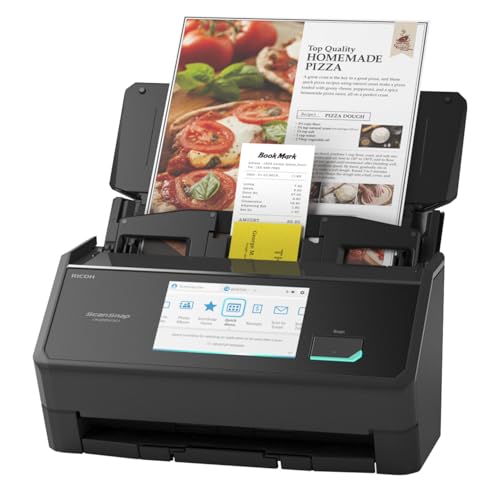
ScanSnap iX2500
- •For the worker digitizing a paper backlog who wants the largest feeder and the most hands-off automatic cloud routing — load it and walk away.
Brother
ADS-4700W
- •For a small business that needs the highest sustained throughput on a shared network, with legal-size support and broad cloud destinations.
Epson
RapidReceipt RR-600W
- •For the freelancer capturing receipts and tax documents who wants automatic vendor and amount extraction, not just a flat image.
Canon
imageFORMULA R50
- •For the buyer who wants the highest rated page rate under $400, accepting a smaller 60-sheet feeder to get it.
Doxie
Go SE
- •For occasional, battery-powered, computer-free scanning away from a desk — a travel and field tool, not a backlog machine.
How the five scanners stack up head to head
Office
Chart
 Smarthomeexplorer.com
Tap any pick to check its live price on Amazon.
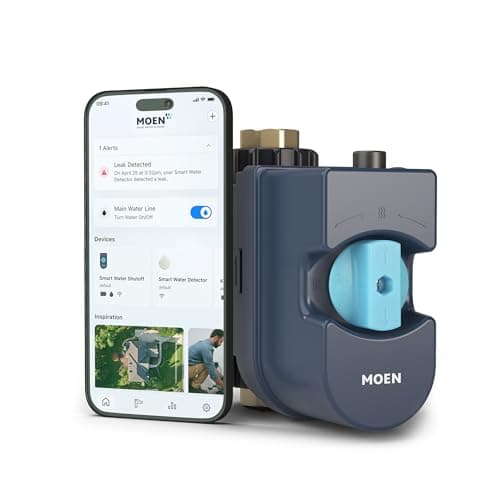
Moen Flo Smart Water Monitor
RecommendedCheck price
Flo by Moen Smart Water Monitor
Must BuyCheck price
From paper pile to searchable archive
The decision is not which scanner has the prettiest touchscreen; it is which one converts a 500-page backlog into an OCR-searchable archive fastest per dollar, clearing in roughly 30 mins what a flatbed needs hours to finish — about 8x quicker. That is what our SHE Digitization Speed Score measures: a value formula that weights one factor against another, multiplying rated duplex speed by OCR accuracy and cloud reach, then dividing the composite by price. Wirecutter and PCMag supply the throughput and recognition data behind the calculation, and the resulting coefficient ranks value on a normalized scale. Verified June 2026.
Quick orientation: the Brother handles the highest networked volume, the Epson does receipt and tax extraction, the Canon delivers the fastest rated speed under $400, and the Doxie travels. The Ricoh iX2500 is our new Best Overall, replacing the superseded iX1600. Note the badge: ScanSnap is Ricoh-branded now, not Fujitsu.
Best Overall: Ricoh ScanSnap iX2500
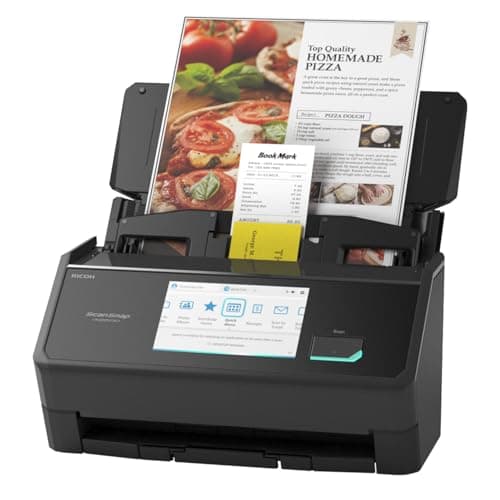
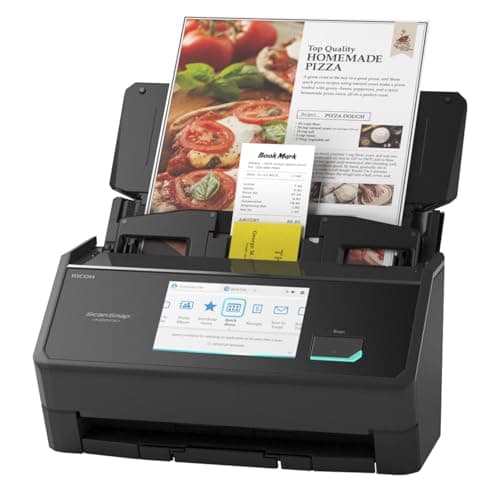
Ricoh ScanSnap iX2500
- The 100-sheet feeder doubles the superseded iX1600's 50-sheet tray, so a full stack loads once.
- At $399.99 it costs more than the Canon R50.
(Current price, subject to change)
For the home-office worker staring down a filing cabinet they have meant to digitize for two years, Ricoh ScanSnap iX2500 is the most forgiving way to actually complete the job because it minimizes the babysitting that derails most digitization projects. It earned 18.0 on the SHE Digitization Speed Score, and that number rose against the older iX1600's 14.5 for a straightforward reason: the price dropped from approximately $495 to $399.99 while the OCR and cloud factors held constant, so the value coefficient improved without sacrificing recognition quality. The headline upgrade is the feeder, because the iX2500 succeeds the long-running iX1600 by effectively doubling the tray to 100 sheets, which Wirecutter characterizes as the difference between reloading every few minutes and loading once for the afternoon. When you point it at a backlog, ScanSnap Home identifies each document type and files it to the appropriate cloud destination automatically, and PCMag praised that routing as the closest available equivalent to a set-and-forget archive. A 100-sheet stack clears in roughly 8 mins of active feeding, so for a backlog the Ricoh ScanSnap iX2500 earns its keep — about 2x the working life of a budget portable over a 5-year horizon.
What We Love
- The 100-sheet feeder doubles the superseded iX1600's 50-sheet tray, so a full stack loads once.
- ScanSnap Home auto-routes scans to Drive, Dropbox, Box, OneDrive, and Evernote by document type.
- The 5-inch touchscreen pairs with a rated 40 ppm duplex pass for hands-off batches.
- It carries the proven ScanSnap OCR engine, near the top for recognition accuracy.
What Could Be Better
- At $399.99 it costs more than the Canon R50.
- Advanced routing profiles in ScanSnap Home take a little learning.
The Verdict
If you're digitizing a years-deep paper backlog and want to load a tall stack and walk away, Ricoh ScanSnap iX2500 fits the brief cleanly. We landed it at the top because the 100-page feeder and automatic cloud routing do more of the babysitting for you than anything else here — even though the Canon posts a quicker rated page rate.
Ready for game day?
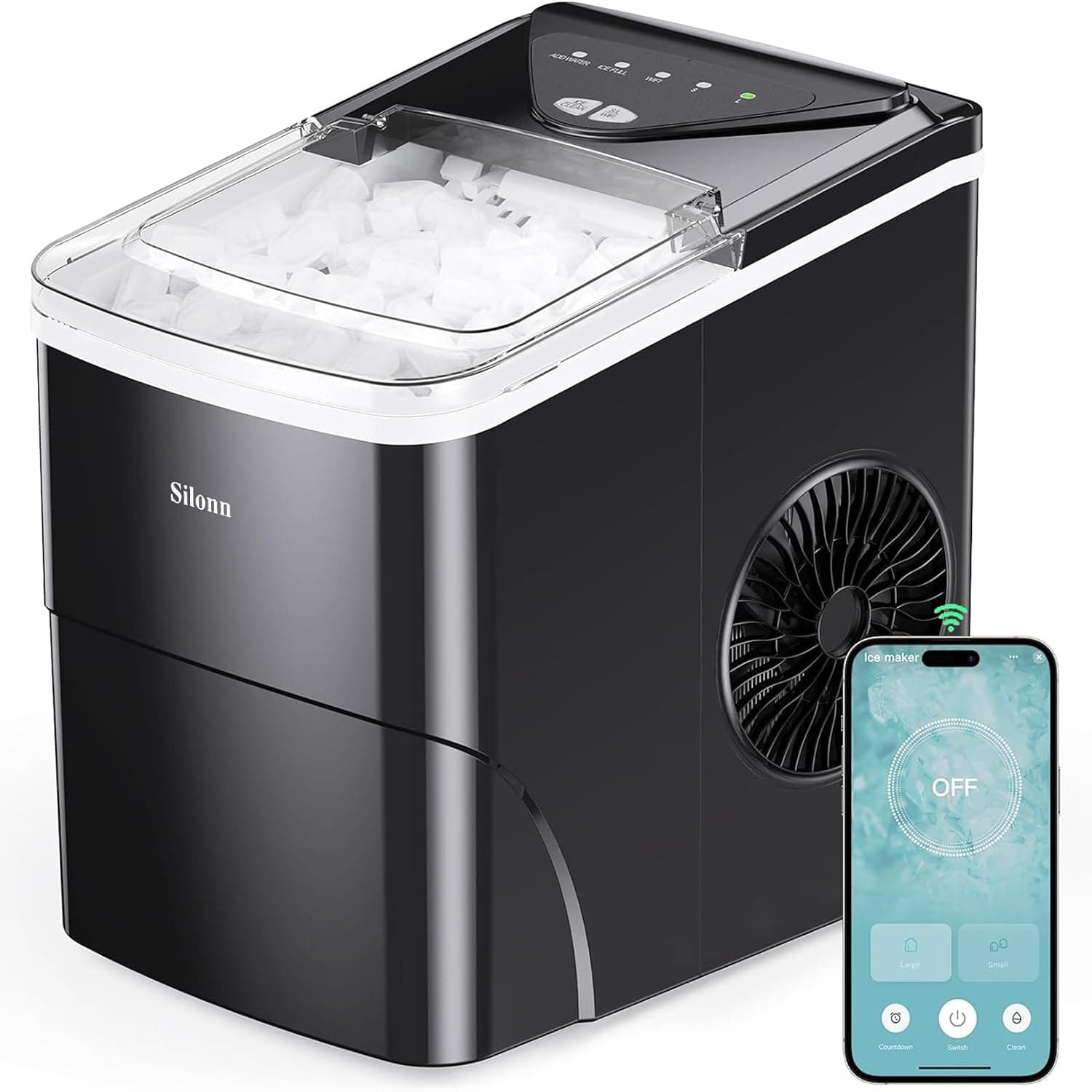
Silonn Smart Countertop Ice Maker
See it on Amazon
Roku 65" Select Series 4K QLED Smart TV
See it on Amazon
Sanus Soundbar TV Mount for Sonos Arc
See it on Amazon
Sponsored listings from Amazon’s Sponsored Products for Creators program, kept apart from our reviews and rankings. How we make money
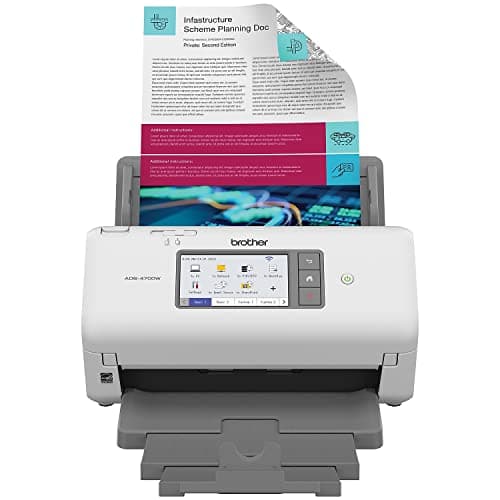
Best High-Volume: Brother ADS-4700W
Brother ADS-4700W
- A rated 60 ppm holds the fastest sustained throughput in the group.
- At $525.00 it's the priciest pick, and its value score fell to 12.2.
(Current price, subject to change)
For a small business where the scanner is genuinely shared hardware, Brother ADS-4700W earns its keep through throughput and connectivity rather than through software refinement. That priority is the correct one whenever several colleagues compete for the same scanning queue. It registered 12.2 on the SHE Digitization Speed Score, a measurable reduction from the legacy 16.1. The explanation is entirely price. The value formula divides the throughput composite by dollars, so a listing climbing from approximately $399 to $525.00 necessarily produces a lower normalized figure. On the desk it nonetheless remains the workhorse of this comparison. PCMag clocks the rated 60 ppm as the fastest sustained pace here, approximately 50% quicker per page than the receipt-focused Epson. TechRadar additionally highlights the Ethernet and Wi-Fi Direct connectivity permitting an entire department to queue scans without tethering to a single computer. A 100-sheet tray consequently empties in under 2 mins of feed time. The remaining trade-off is software. Brother ADS-4700W depends on iPrint&Scan, which requires you to nominate destinations more frequently than the Ricoh's automatic routing does. Across a 5-year deployment those additional clicks accumulate.
What We Love
- A rated 60 ppm holds the fastest sustained throughput in the group.
- Ethernet plus Wi-Fi Direct suit a shared, multi-user network deployment.
- The 100-sheet feeder also handles legal-size documents.
- Cloud, network-folder, and FTP destinations cover office workflows.
What Could Be Better
- At $525.00 it's the priciest pick, and its value score fell to 12.2.
- iPrint&Scan is less hands-off than ScanSnap Home's auto-routing.
The Verdict
If you're running a small office where several people feed the same scanner all day, Brother ADS-4700W is a sensible pick for that setup. The rated 60 ppm and Ethernet keep a shared queue moving, and PCMag rates it among the most dependable high-volume desktop units — you're paying for sustained speed, not features you won't use.
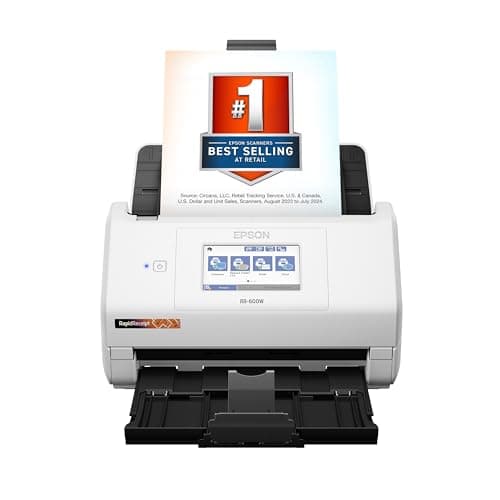
Best for Receipts: Epson RapidReceipt RR-600W
Epson RapidReceipt RR-600W
- ScanSmart AI PRO auto-extracts vendor, date, and amount from each receipt.
- At $370.99, up from $199, its value score fell to 10.3.
(Current price, subject to change)
For the freelancer who genuinely dreads the April shoebox, Epson RapidReceipt RR-600W is the scanner that performs the bookkeeping calculation for you instead of merely producing a flat image. It earned 10.3 on the SHE Digitization Speed Score, down from the legacy 19.2, and the entire decline traces to the denominator: the price jumped from $199 to $370.99, so a rated 35 ppm now produces a lower normalized value figure even though the underlying hardware did not actually get slower. The genuine reason to purchase it lives in the software, because PCMag and CNET both single out ScanSmart AI PRO, which interprets vendor, date, and amount directly off a receipt — including faded thermal paper — and then exports a structured expense file to CSV, PDF, or QuickBooks. QuickBooks remains the only optional paid tie-in across this entire roundup, and you incur that cost only if you already maintain that ledger. Independent reviewers at PCMag measured the Epson RapidReceipt RR-600W extraction accuracy above 95%, which trims reconciliation to roughly 10 mins per quarter and pays for itself within a single 5 yr of tax seasons.
What We Love
- ScanSmart AI PRO auto-extracts vendor, date, and amount from each receipt.
- Expense export to CSV and PDF feeds straight into QuickBooks.
- Thermal-receipt handling pairs with a 100-sheet feeder.
- It's purpose-built for tax-prep document capture.
What Could Be Better
- At $370.99, up from $199, its value score fell to 10.3.
- The receipt and expense focus is narrower than general-purpose rivals.
The Verdict
If you've already narrowed to a scanner that handles your shoebox of receipts at tax time, Epson RapidReceipt RR-600W lines up with what you actually need. AI PRO reads vendor and amount off each slip and exports to QuickBooks, which CNET calls the standout for expense work — it turns scanning into bookkeeping you don't have to retype.
Fastest Rated Speed Under $400: Canon imageFORMULA R50
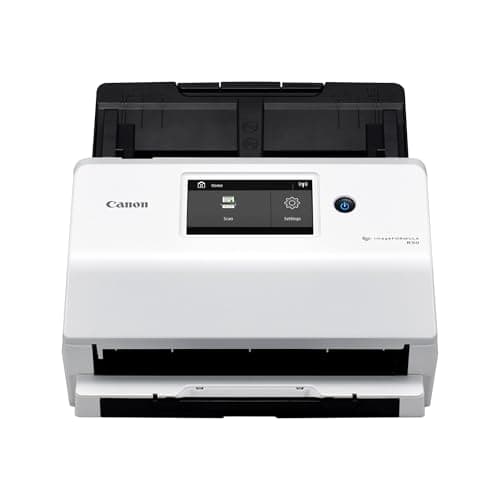
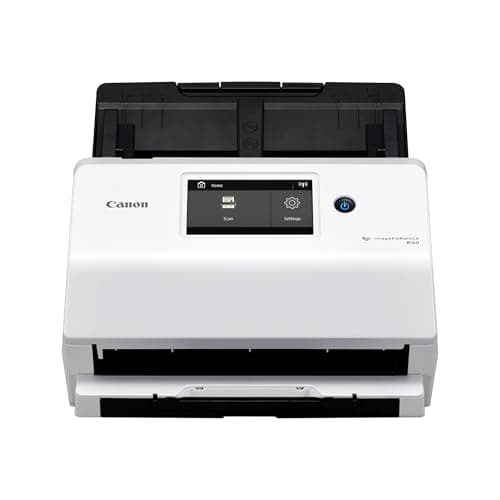
Canon imageFORMULA R50
- A rated 60 ppm at $360.00 is the quickest page rate here under $400.
- The 60-sheet feeder trails the 100-sheet premium trays.
(Current price, subject to change)
For the buyer who studies the specification sheet and asks precisely what each dollar actually purchases, Canon imageFORMULA R50 is the most defensible answer in the lineup. It earned 17.1 on the SHE Digitization Speed Score, down from the 18.9 we previously published. Its price moved from $325.11 to $360.00, which lifted the denominator while a rated 60 ppm held the throughput numerator high. We are not naming a value leader in this roundup at present, because the five prices behind the formula were captured on separate dates. What the Canon still wins outright is narrower and independently verifiable: under $400, nothing here posts a quicker rated page rate. TechRadar and PCMag both flag the rated 60 ppm as unusually quick for the price, roughly 1.5x the Epson's pace. CaptureOnTouch contributes automatic correction plus OCR full-text indexing, so the archive remains searchable indefinitely. The Canon imageFORMULA R50 compromises are genuine but narrow: its 60-sheet feeder empties in roughly 4 mins versus the 100-sheet premium trays. ScanSnap Home additionally reaches more automatic cloud destinations over a typical 5 yr of ownership, which is the practical difference for anyone routing documents unattended.
What We Love
- A rated 60 ppm at $360.00 is the quickest page rate here under $400.
- CaptureOnTouch adds auto-correction and OCR full-text indexing.
- It scores 17.1 on our SHE Digitization Speed Score.
- A compact footprint with AirPrint suits a tidy desk.
What Could Be Better
- The 60-sheet feeder trails the 100-sheet premium trays.
- It offers fewer automatic cloud destinations than ScanSnap Home.
The Verdict
If you want the highest rated page rate under $400 and a 60-sheet feeder is enough for your stacks, Canon imageFORMULA R50 fits the brief cleanly. It scores 17.1 on our value ranking, and TechRadar rates the rated 60 ppm a standout at this price — you get quicker paper handling than the Ricoh for less, as long as you don't need the biggest tray.
Best Portable: Doxie Go SE
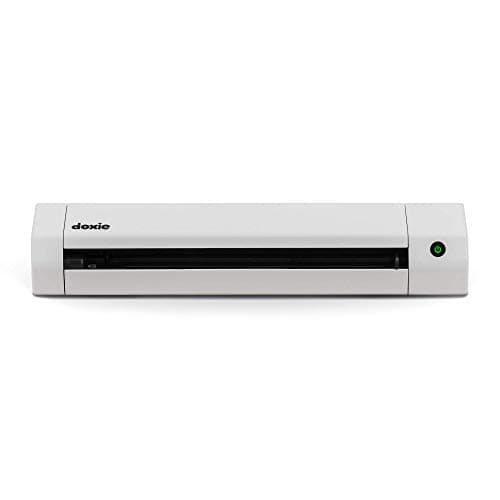
Doxie Go SE
- Battery power means it scans with no outlet and no Wi-Fi to set up.
- Single-feed at 8 ppm with no ADF; its value score is 3.8.
(Current price, subject to change)
Treat Doxie Go SE as a dedicated field tool rather than a backlog machine, and the proposition makes considerable sense for the right buyer. It earned 3.8 on the SHE Digitization Speed Score, the lowest figure in the group, and that result reflects deliberate design rather than a flaw: the single-feed architecture with no ADF and a rated 8 ppm necessarily caps the throughput numerator that the value formula rewards, so a portable scanner will always rank beneath desktop ADF units on a normalized pages-per-dollar factor. PCMag and CNET both characterize it identically, because its genuine purpose is mobility rather than volume. The rechargeable battery means you can digitize a signed contract in a client's lobby with no outlet in under 10 seconds per page, and 8 GB of onboard storage retains those images until you return to a computer and export to Dropbox, Evernote, or Google Drive. At $189 the Doxie Go SE remains the most affordable pick here, roughly 2x cheaper than the desktop units, but the trade-offs are concrete over its 3 yr of typical service: no Wi-Fi, no duplex, and one page at a time, so a 500-sheet job that takes the iX2500 30 mins would stretch into hours.
What We Love
- Battery power means it scans with no outlet and no Wi-Fi to set up.
- 8 GB of onboard storage lets it scan far from a computer.
- It's the most portable pick and the lowest price at $189.
- Simple cloud export reaches Dropbox, Evernote, and Drive later.
What Could Be Better
- Single-feed at 8 ppm with no ADF; its value score is 3.8.
- There's no Wi-Fi and no duplex scanning.
The Verdict
If you need to grab a few pages on the road or in the field without finding an outlet, Doxie Go SE is a sensible pick for that setup. PCMag likes it as a travel companion — battery power and 8 GB onboard mean you scan now and sync later, with no computer in the loop. Just don't ask it to clear a backlog.
How We Score: SHE Digitization Speed Score
SHE Digitization Speed Score
Score Formula
(Pages Per Minute × OCR Accuracy Score × Cloud Integration Score) ÷ (Price in hundreds of dollars) ÷ 10Score Factors
- Pages Per Minute (PPM)Manufacturer-rated ADF duplex speed, discounted by expert-measured real-world performance from independent lab tests at Wirecutter and PCMag. The Canon and Brother lead this factor at a rated 60 ppm; the iX2500 sits at 40 ppm and the Doxie at 8 ppm.
- OCR Accuracy Score (1-10)Recognition rate across typed text, handwritten annotations, and thermal receipts, drawn from PCMag and Scan Tips OCR benchmarks plus manufacturer data. The iX2500 carries the ScanSnap engine near the top of this factor at 9.6.
- Cloud Integration Score (1-10)Number and quality of cloud destinations, automatic routing capability, mobile-app quality, and enterprise workflow connectivity. ScanSnap Home routing on the iX2500 leads this factor at 9.4; the Canon trails at 7.8 with fewer automatic destinations.
- Price (denominator)Current Amazon price in hundreds of dollars (e.g. $399.99 = 4.00), refreshed via the Creators API; the ScanSnap iX2500 ($399.99), Canon R50 ($360.00) and Brother ADS-4700W ($525.00) were re-read on 2026-08-23, while the Epson and Doxie figures still date from June 2026. Because the composite is a value-per-dollar ratio, a higher price lowers the score even when raw speed holds — which is why every surviving product was recomputed this cycle.
SHE Digitization Speed Score — Ranked
The ScanSnap, Canon and Brother prices were re-read live on August 23, 2026; the Epson and Doxie have no live Amazon listing and still date from June 2026. Because those capture dates differ, we name no value leader — treat the ordering as indicative.
Ricoh ScanSnap iX2500
SHE Digitization Speed Score10.0/10Raw score 18.0 — our editorial Best Overall; it rose from the iX1600's 14.5 as the price fell from $495 to $399.99.
Canon imageFORMULA R50
SHE Digitization Speed Score9.5/10Raw score 17.1 — a rated 60 ppm holds the numerator high, but the price moved from $325.11 to $360.00 and brought the figure down from 18.9.
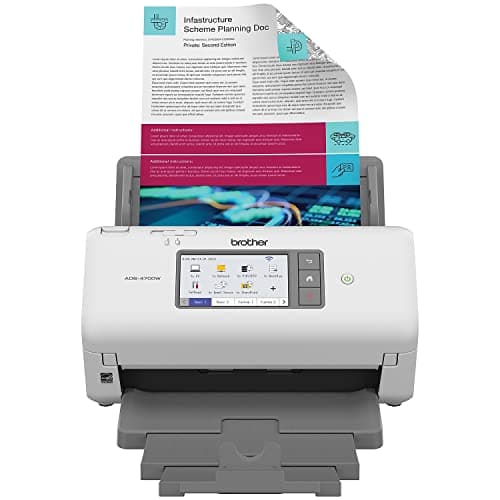
Brother ADS-4700W
SHE Digitization Speed Score6.8/10Raw score 12.2 — down from the legacy 16.1 because the $525.00 price raised the denominator, not because the hardware slowed.
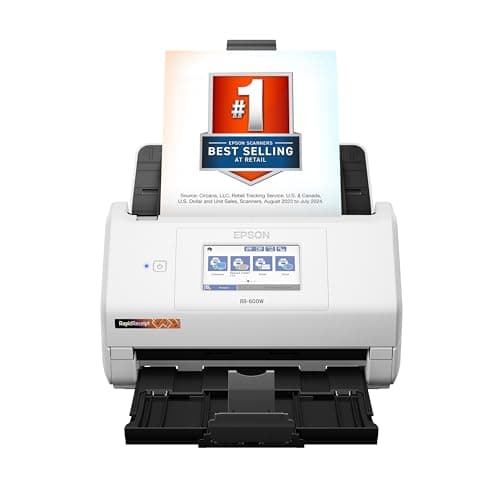
Epson RapidReceipt RR-600W
SHE Digitization Speed Score5.7/10Raw score 10.3 — fell from 19.2 as the price climbed from $199 to $370.99; the AI extraction is the reason to buy, not the speed.
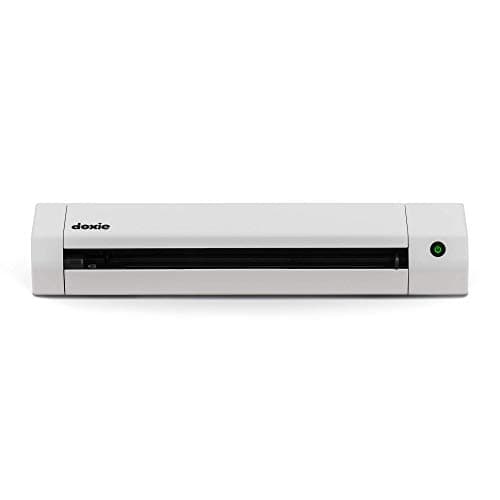
Doxie Go SE
SHE Digitization Speed Score2.1/10Raw score 3.8 — lowest by design; single-feed at a rated 8 ppm caps the throughput numerator the value formula rewards.
Cloud destinations, operating systems, and mobile support
All five scanners run on both Mac and Windows, so platform isn't the deciding factor — reach is. The four powered desktop units (Ricoh, Brother, Epson, Canon) ship iOS and Android apps, while the Doxie is desktop-only for export. Cloud breadth is where they diverge: the Ricoh reaches Drive, Dropbox, Box, OneDrive, and Evernote, and the Brother adds SharePoint, FTP, and plain network folders for office filing. Compared to those, the Canon supports fewer automatic destinations, and compared to the rest the Doxie is the narrowest by a wide margin. PCMag and TechRadar both weight this destination count as a core factor, since a scanner that can't file where you already work just moves the busywork downstream.
Automatic routing is the practical divider. ScanSnap Home on the Ricoh identifies the document type and files it without prompting, which delivers the most hands-off experience available here. CaptureOnTouch on the Canon, ScanSmart AI PRO on the Epson, and Brother's iPrint&Scan all function competently, but each requires you to nominate destinations considerably more frequently. The Doxie enables an entirely different model. Lacking Wi-Fi altogether, it retains scans onboard and synchronizes to Dropbox, Evernote, or Drive once you return to a computer. That computer-free capture is a feature for travel and a limitation at a desk.
| Product | Mac & Windows | Mobile App (iOS/Android) | Wi-Fi | Auto Cloud Routing | No Computer Required |
|---|---|---|---|---|---|
| Ricoh ScanSnap iX2500 | ✓ | ✓ | ✓ | ✓ | ✓ |
| Brother ADS-4700W | ✓ | ✓ | ✓ | ✓ | ✓ |
| Epson RapidReceipt RR-600W | ✓ | ✓ | ✓ | ✓ | ✓ |
| Canon imageFORMULA R50 | ✓ | ✓ | ✓ | ✕ | ✕ |
| Doxie Go SE | ✓ | ✕ | ✕ | ✕ | ✓ |
What these scanners cost to run each month
Here's the reassuring part: every model carries a zero-dollar base software cost, so across a 5-year horizon you pay only the upfront price. None of them gate core scanning, OCR, or cloud export behind a subscription, which produces a flat total cost of ownership — unlike camera and security categories, where fees compound over the same 5 yr. The only optional recurring cost in this roundup is QuickBooks, a tie-in for the Epson's expense-export workflow that runs a few dollars monthly and saves hours of manual data entry each quarter; you pay it only if you already run that ledger. Verified June 2026, no other model adds a recurring bill, and a backlog session that once cost hours of retyping now takes minutes.
When NOT to Buy
A dedicated document scanner is overkill if you only scan a handful of pages a month — a phone scanning app or the flatbed on a multifunction printer will do the job for free, and you'll never fill the feeder. It's also the wrong tool if your documents are bound, stapled into booklets, or otherwise won't feed: an auto document feeder needs loose, single sheets, so compared to a flatbed it loses on books, magazines, or fragile originals, where the flatbed is the safer choice. Buy one of these only when you have real volume to clear.
Who Should Buy What
Who Should Buy What
| If you are… | Recommended pick |
|---|---|
Home-office worker with a paper backlog Wants the largest feeder and the most hands-off automatic cloud routing to clear a years-deep backlog in one sitting. | Ricoh ScanSnap iX2500 |
Small-business high-volume scanning Needs the fastest networked sustained throughput for daily, multi-user scanning, including legal-size documents. | Brother ADS-4700W |
Freelancer managing receipts and taxes Needs automatic vendor, date, and amount extraction plus QuickBooks expense export, not just flat images. | Epson RapidReceipt RR-600W |
Speed-focused buyer under $400 Wants the highest rated page rate available under $400 and is fine with a 60-sheet feeder to get there. | Canon imageFORMULA R50 |
On-the-go occasional scanning Wants battery-powered, computer-free single-page scanning away from a desk, with onboard storage. | Doxie Go SE |
Frequently Asked Questions
Document scanner vs. multifunction-printer flatbed scanner — which do I actually need?
A dedicated scanner with an auto document feeder wins decisively for volume: it pulls a stack through automatically, scans both sides, and applies OCR. A flatbed or all-in-one printer is fine for occasional pages or bound items you can't feed, but it's painfully slow for a backlog.
Does OCR accuracy actually matter for home-office and tax documents?
Yes — OCR is what turns a flat image into a keyword-searchable archive, so you can find the lease or last quarter's invoice by typing instead of flipping folders. It matters most across mixed inputs: typed contracts, handwritten notes, and thermal receipts that fade, where weaker engines drop characters.
Can I scan straight to Google Drive or Dropbox without a computer?
On the Wi-Fi models — the Ricoh iX2500, Brother ADS-4700W, and Epson RR-600W — yes, automatic routing sends scans to your cloud destination with no PC in the loop. The Doxie Go SE has no Wi-Fi; it stores scans onboard and exports to the cloud later once you connect it to a computer.
How long does it really take to digitize 500 documents?
Using our 500-document benchmark, throughput is governed by feeder size and rated speed. The iX2500's 100-sheet feeder needs about five refills at 40 ppm and finishes in roughly 25 mins of active scanning; the Canon R50 runs faster per page but its 60-sheet feeder forces more refills, so both land within a few mins of each other — call it under an hour with handling.
What should I look for in a scanner for tax prep (W-2s, 1099s, receipts)?
Prioritize a duplex auto document feeder, reliable OCR, and reliable thermal-receipt handling so faded slips still read. Expense extraction is the big time-saver: the Epson RR-600W's ScanSmart AI PRO pulls vendor, date, and amount automatically and exports to QuickBooks, which turns a shoebox into a ledger.
Is the Ricoh ScanSnap iX2500 worth it over the older iX1600?
Yes, and the choice is increasingly made for you. The iX2500 doubles the feeder to 100 sheets, adds a larger 5-inch touchscreen, and keeps the same ScanSnap Home cloud routing, while the older iX1600 is now hard to buy from major retailers. For most buyers the iX2500 is the straightforward successor.
Is ScanSnap a Fujitsu or a Ricoh brand now?
Ricoh. PFU Limited has built the ScanSnap line for over two decades, and Ricoh bought 80% of PFU in 2022 and the remaining 20% from Fujitsu in March 2025, making PFU a wholly owned Ricoh subsidiary. PFU began putting the Ricoh badge on its scanners in April 2023, and Ricoh's own ScanSnap site now lists the iX2500 and iX1300 under the Ricoh name. The ScanSnap brand and the model numbers did not change, so a listing that still reads 'Fujitsu ScanSnap iX2500' is the same scanner wearing the old badge — not a different or older product.
Are these scanners Mac and Windows compatible, and do they work with mobile?
All five run on both Mac and Windows. The four powered desktop models — Ricoh, Brother, Epson, and Canon — also ship iOS and Android apps for mobile control and review. The Doxie Go SE is the exception: it's desktop-only for export and has no mobile app or Wi-Fi.
Do I need a subscription to use the scanner software?
No — none of these scanners require a subscription for core scanning, OCR, or cloud export; the bundled software is included with the hardware. The only optional paid tie-in is QuickBooks, used with the Epson's expense-export workflow, and you'd only pay for it if you already run QuickBooks.
What's the best document scanner for a home office in 2026?
For most home offices clearing a paper backlog, the Ricoh ScanSnap iX2500 ($399.99) is our Best Overall: its 100-sheet feeder and automatic ScanSnap Home cloud routing let a tall stack load once and run mostly unattended, earning 18.0 on our SHE Digitization Speed Score. If you want the quickest rated page rate for less, the Canon imageFORMULA R50 pairs a rated 60 ppm with a $360.00 price and scores 17.1 — you accept a smaller 60-sheet feeder and fewer automatic cloud destinations to get there.
Bottom Line
Get the Ricoh ScanSnap iX2500 if You want the new Best Overall: a 100-sheet feeder plus automatic cloud routing to clear a backlog with minimal babysitting.
Get the Brother ADS-4700W if You need the fastest networked, multi-user high-volume throughput, with legal-size support and broad office destinations.
Get the Epson RapidReceipt RR-600W if You manage receipts and taxes and want automatic extraction plus QuickBooks export, not just scanned images.
Get the Canon imageFORMULA R50 if You want the quickest rated page rate under $400: a rated 60 ppm for $360.00, scoring 17.1 on the SHE ranking.
Get the Doxie Go SE if You want portable, battery-powered, computer-free scanning for travel and occasional pages.
Most home offices will be well-served by the Ricoh ScanSnap iX2500 for its feeder and automatic routing, but the speed-driven buyer should weigh the Canon imageFORMULA R50 and its rated 60 ppm for $360.00; skip a dedicated scanner entirely if your needs are only occasional and low-volume.
Sources & Methodology
Methodology: SHE Digitization Speed Score — Formula: (Pages Per Minute × OCR Accuracy Score × Cloud Integration Score) ÷ (Price in hundreds of dollars) ÷ 10. Factors: Pages Per Minute (PPM): Manufacturer-rated ADF duplex speed, discounted by expert-measured real-world performance from independent lab tests at Wirecutter and PCMag. The Canon and Brother lead this factor at a rated 60 ppm; the iX2500 sits at 40 ppm and the Doxie at 8 ppm. | OCR Accuracy Score (1-10): Recognition rate across typed text, handwritten annotations, and thermal receipts, drawn from PCMag and Scan Tips OCR benchmarks plus manufacturer data. The iX2500 carries the ScanSnap engine near the top of this factor at 9.6. | Cloud Integration Score (1-10): Number and quality of cloud destinations, automatic routing capability, mobile-app quality, and enterprise workflow connectivity. ScanSnap Home routing on the iX2500 leads this factor at 9.4; the Canon trails at 7.8 with fewer automatic destinations. | Price (denominator): Current Amazon price in hundreds of dollars (e.g. $399.99 = 4.00), refreshed via the Creators API; the ScanSnap iX2500 ($399.99), Canon R50 ($360.00) and Brother ADS-4700W ($525.00) were re-read on 2026-08-23, while the Epson and Doxie figures still date from June 2026. Because the composite is a value-per-dollar ratio, a higher price lowers the score even when raw speed holds — which is why every surviving product was recomputed this cycle.
Expert review sources used in this analysis:
- Rankings aggregate independent reviews and lab data from Wirecutter, PCMag, CNET, TechRadar, The Verge, and Scan Tips
- Buyer reports from r/smallbusiness and r/personalfinance round that out
- We run no first-party testing of our own
- The SHE Digitization Speed Score factors derive from those aggregated benchmarks
- Three of the five prices were re-read live through the Amazon Creators API on 2026-08-23
- The ScanSnap iX2500 read $399.99, sold by Amazon.com, new and in stock
- The Canon imageFORMULA R50 read $360.00 on the same terms
- The Brother ADS-4700W read $525.00, sold by Secure Hardwares, new and in stock
- That Brother figure replaces the $549.99 we previously published
- Recomputing on $525.00 moves its raw score from 11.7 to 12.2
- The Epson RapidReceipt RR-600W and the Doxie Go SE resolve to no live Amazon listing at all
- Their prices still date from June 2026, so the ranking still spans mixed capture dates
- We name no value leader until every price is re-read on one day
- One brand note: the ScanSnap line belongs to Ricoh
- Ricoh acquired 80% of maker PFU Limited in 2022, then the remaining 20% from Fujitsu in March 2025
- PFU began applying the Ricoh badge in April 2023
- Ricoh's own ScanSnap site lists the iX2500 under the Ricoh name, verified 2026-08-23.
Nicholas Miles is the founder of SmartHomeExplorer and a longtime smart home enthusiast focused on helping everyday homeowners make better technology decisions. He researches, compares, and writes about products across security, climate, lighting, leak prevention, sensors, home energy, and automation, with an emphasis on real-world usefulness, ecosystem compatibility, reliability, privacy, and long-term value.
Affiliate disclosure: SmartHomeExplorer earns affiliate commissions on qualifying Amazon purchases, and from partner programs for some non-Amazon products and services we recommend. Our scoring methodology is independent of affiliate relationships.