
Best Samsung SmartThings Devices 2026 (Hubs & Sensors)
SmartThings works with devices from 100-plus brands and charges no subscription. This guide ranks the pieces actually worth adding to your cart — the hub, the tracker, the plugs, the camera — by how much SmartThings capability each delivers per dollar.
This article contains affiliate links. We may earn a commission at no extra cost to you. Prices change frequently — check the current price on Amazon before buying. Learn more
The Short Answer
Buy the Galaxy SmartTag2 ($23.99) if you carry a Samsung phone: its exceptional value-per-dollar earns the highest SHE SmartThings Ecosystem Score, combining roughly 500-day battery endurance with IP67 durability. To anchor the system, choose the Aeotec Smart Home Hub V3, the SmartThings hub still including Z-Wave.
Featured in this Guide
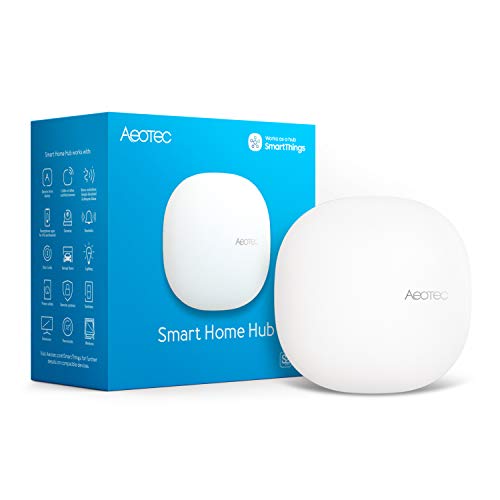
Aeotec
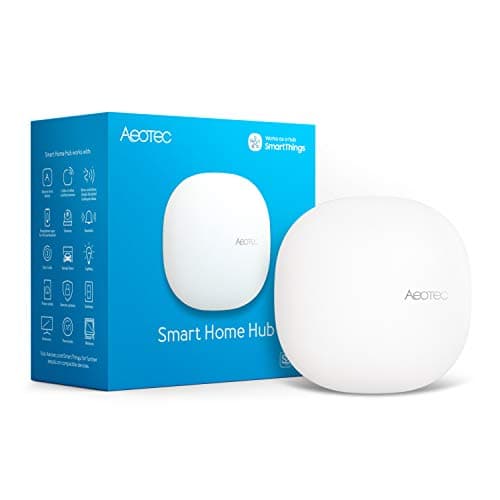
Smart Home Hub
- •For the SmartThings build with Z-Wave locks or legacy sensors that needs the one current SmartThings hub still carrying a Z-Wave radio.
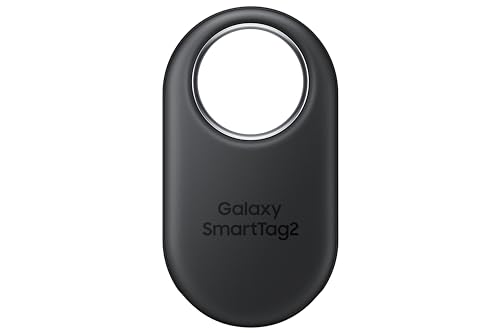
Samsung
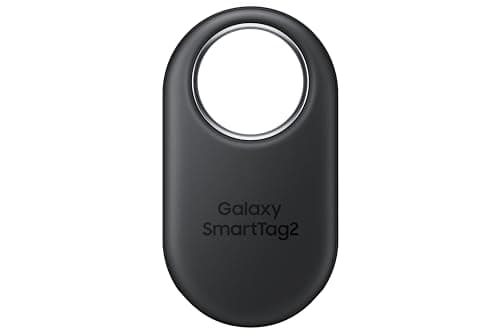
Galaxy SmartTag2
- •For the Samsung Galaxy owner who wants IP67 durability, UWB precision finding, and a battery rated for well over a year at $23.99.
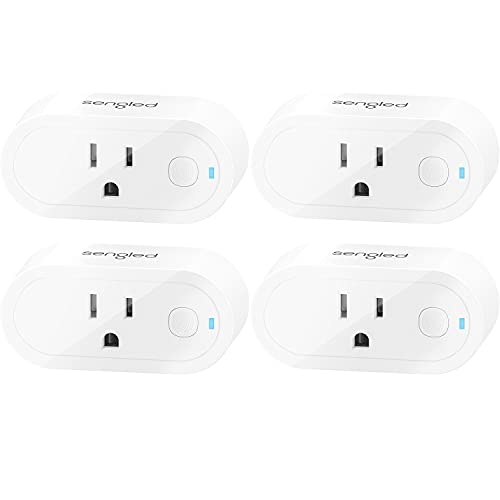
Sengled
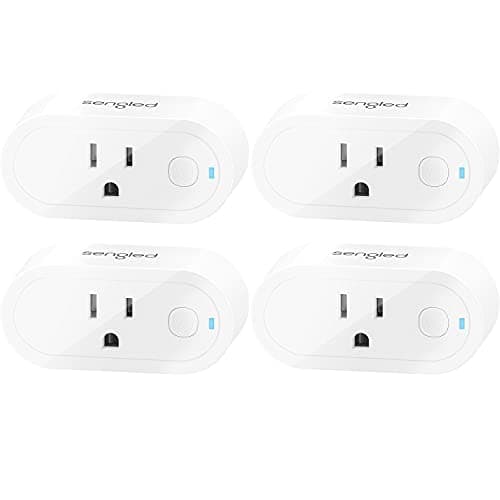
Zigbee Smart Plug S1 (4-Pack)
- •For the buyer adding controllable outlets to SmartThings on a budget — four Zigbee plugs that pair direct to the hub and repeat the mesh.
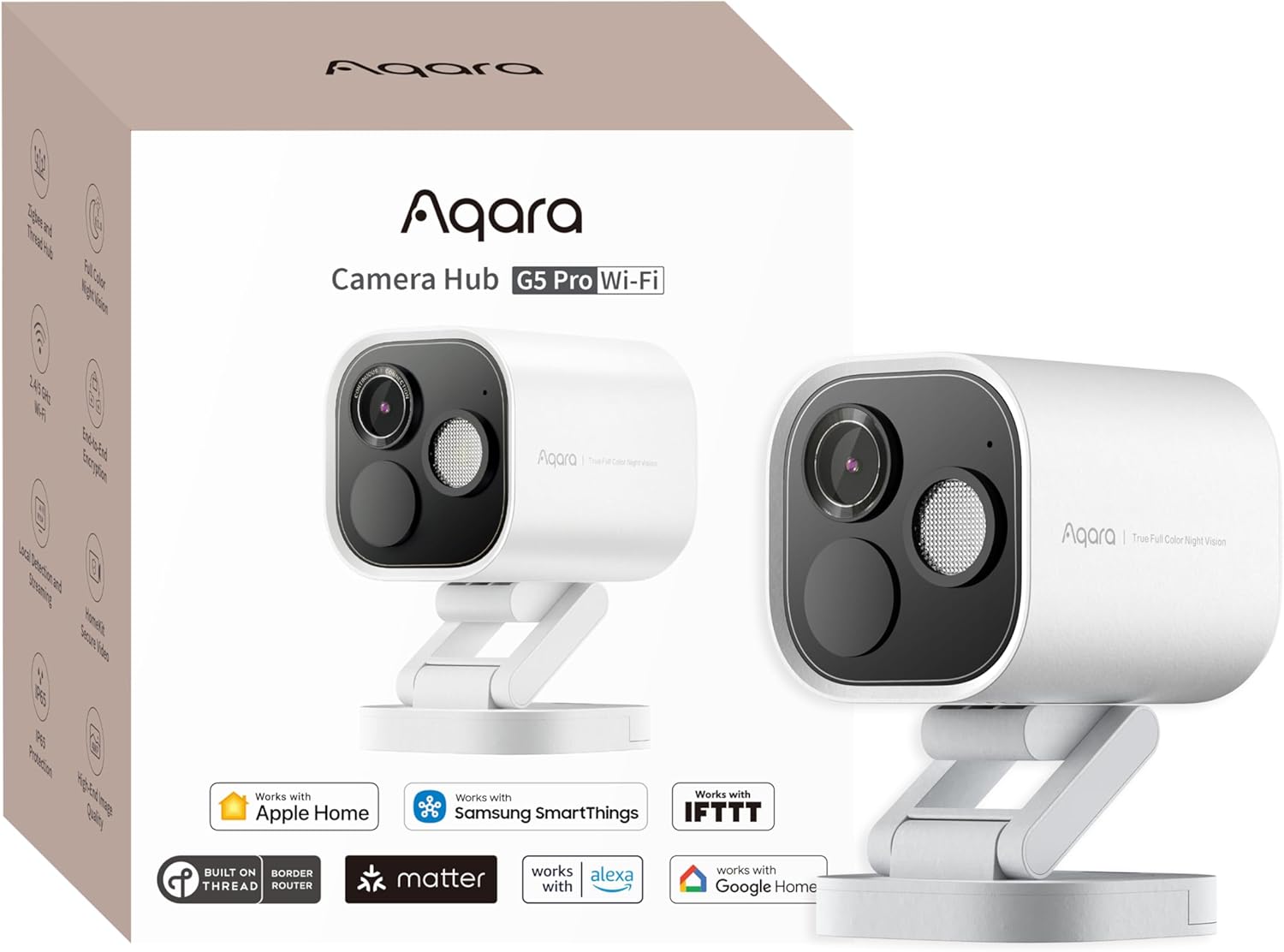
Aqara
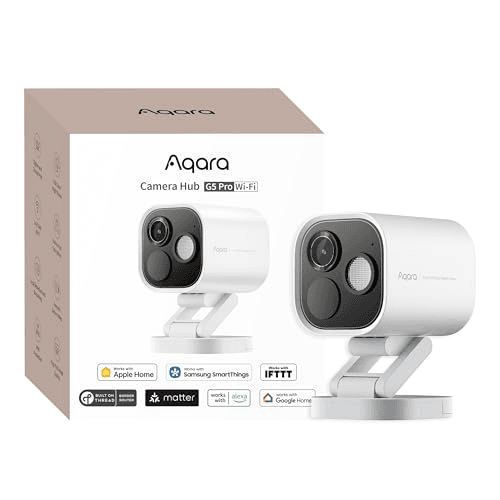
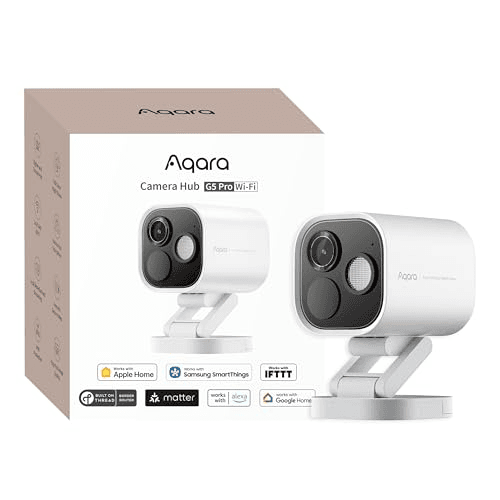
Camera Hub G5 Pro
- •For the SmartThings home that wants an outdoor camera which also acts as a Thread border router and Zigbee hub.
Build Your System: Protocols, Value, and Fit
Ecosystem
Chart
 Smarthomeexplorer.com
Tap any pick to check its live price on Amazon.
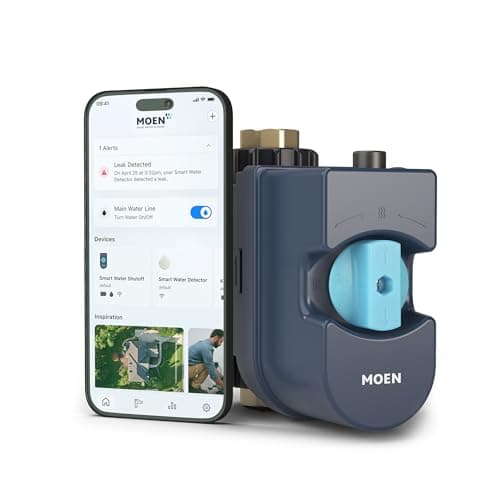
Moen Flo Smart Water Monitor
RecommendedCheck price
Flo by Moen Smart Water Monitor
Must BuyCheck price
Which SmartThings Devices Actually Earn a Spot
SmartThings is Samsung's unified smart home platform: one app controls devices from 100-plus brands across Zigbee, Z-Wave, Matter, and Wi-Fi, with no subscription. What changes is which products are worth buying into it, because the lineup spans a $24 tracker and a $230 camera that behave very differently inside the same app.
We evaluate each device using our weighted SHE SmartThings Ecosystem Score, a normalized composite that deliberately emphasizes value-per-dollar at 30% and integration depth at 35%, because the practical purchasing question for a system you assemble piece by piece is what you should add to the cart next. The Galaxy SmartTag2 leads at 8.1, the Aeotec Smart Home Hub V3 follows closely at 8.0, the Sengled Zigbee plug registers 7.9, and the premium-priced Aqara Camera Hub G5 Pro lands at 7.5 because its considerable capability is offset by the highest price in the guide.
Best Tracker for Galaxy Phones: Samsung Galaxy SmartTag2
Best Value + Best Tracker for Galaxy PhonesSamsung Galaxy SmartTag2
- Samsung rates the battery at up to about 500 days on a standard CR2032, and up to 700 days in Power Saving mode — a figure measured in years, not months.
- It works only with Samsung Galaxy phones — an iPhone or a non-Samsung Android cannot set it up or track it at all.
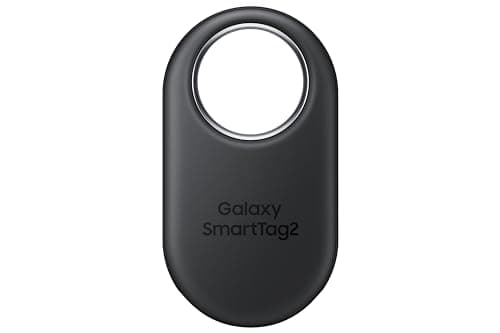
(Current price, subject to change)
If you want the single best-value thing to add to a SmartThings cart and you carry a Galaxy phone, the Samsung Galaxy SmartTag2 is the call we would point you toward first, because the math is hard to argue with. Roughly $24 buys IP67 durability and a battery Samsung rates at up to about 500 days of normal use, which Android Authority singles out as class-leading relative to other Android trackers. That combination produces the highest value-per-dollar factor in our weighted composite, and that drives its 8.1.
Where you should pause is the platform lock, because the tag is Samsung Galaxy only — an iPhone or a Pixel cannot set it up or locate it whatsoever. The earlier "7-month battery" figure that circulated was simply inaccurate; the verified spec is up to 500 days normal and 700 days in Power Saving mode, so plan on a coin-cell swap on roughly a 1.5-year cycle, which over a 3-year horizon means about two replacements. Pairing takes under 3 mins — the frictionless experience that yields its 9.0 reliability factor. Samsung backs it with a standard 1-year limited warranty, unremarkable for the category but worth confirming at checkout.
What We Love
- Samsung rates the battery at up to about 500 days on a standard CR2032, and up to 700 days in Power Saving mode — a figure measured in years, not months.
- UWB precision finding on recent Galaxy phones walks you in with an on-screen arrow once you are close, narrowing a room-level ping to an exact spot.
- An IP67 rating and a low $23.99 price make it the cheapest device in this guide that genuinely earns its place.
What Could Be Better
- It works only with Samsung Galaxy phones — an iPhone or a non-Samsung Android cannot set it up or track it at all.
- It rides the SmartThings Find network of Samsung devices, so recovery in a low-Samsung area is weaker than Apple's Find My in Apple-dense regions.
- There is no NFC tap-to-share lost mode like the AirTag offers.
The Verdict
If you carry a Samsung Galaxy phone and you've shortlisted the Samsung Galaxy SmartTag2, this fits the brief without compromise — IP67 durability, UWB precision, and a battery you forget about, for the price of a few coffees.
Ready for game day?
Tylza 24" Glass-Door Beverage Refrigerator
See it on Amazon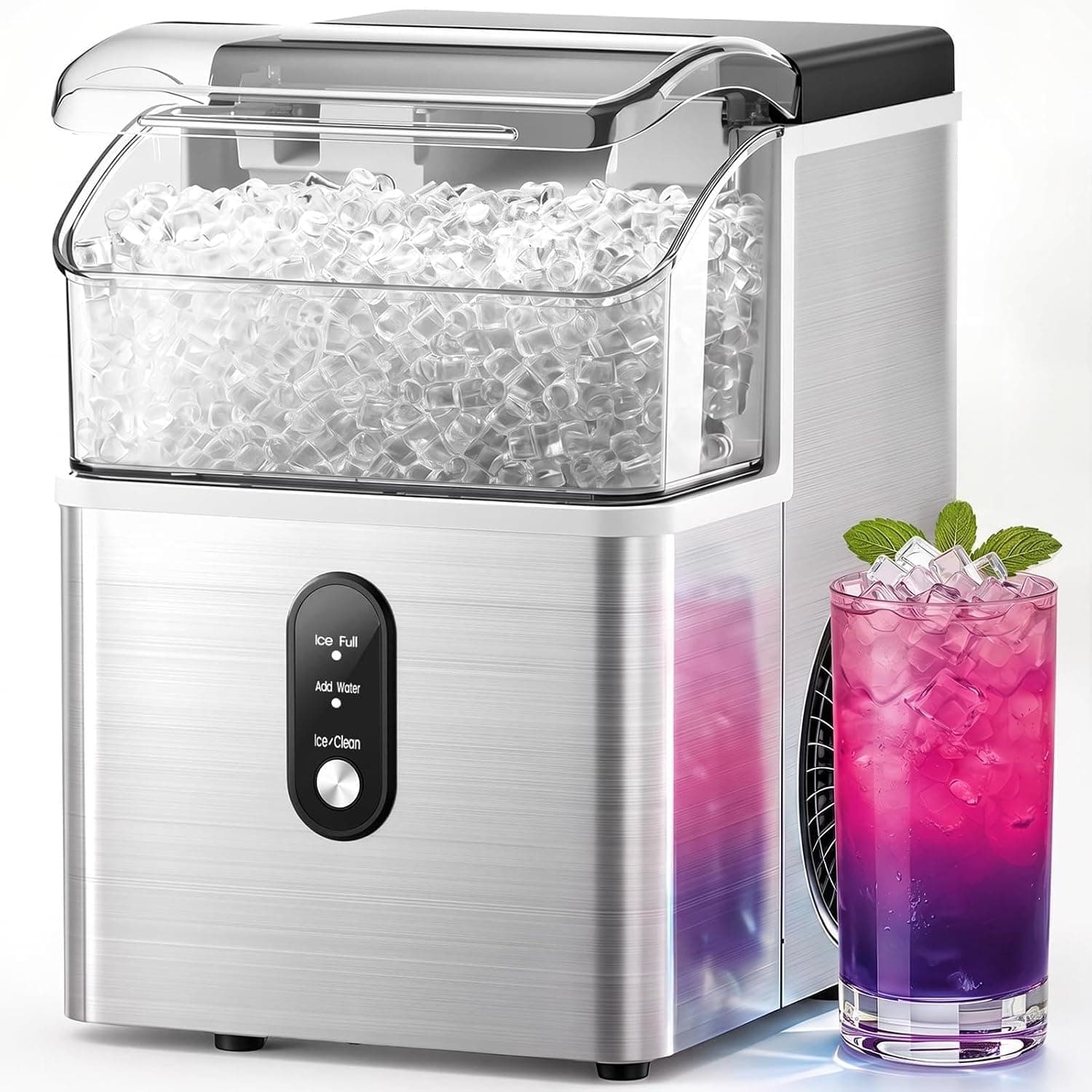
Electactic Nugget Ice Maker
See it on Amazon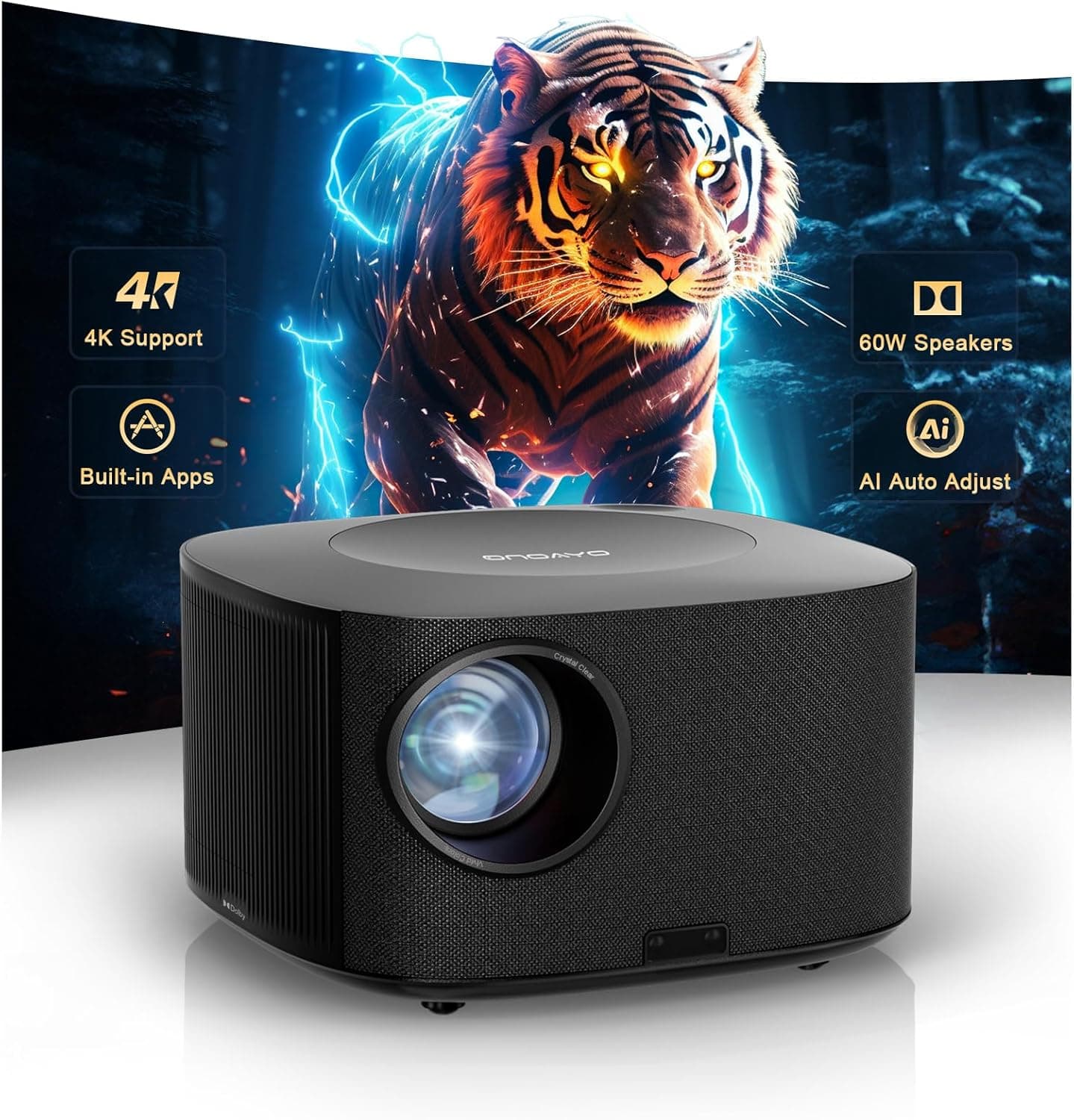
ONOAYO 4K Outdoor Projector
See it on Amazon
Sponsored listings from Amazon’s Sponsored Products for Creators program, kept apart from our reviews and rankings. How we make money
Best Hub for Z-Wave Locks: Aeotec Smart Home Hub
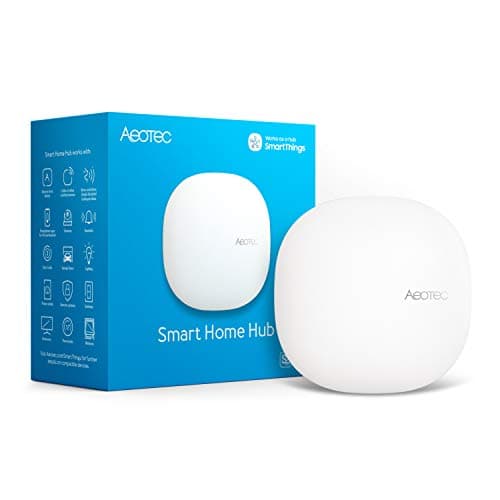
Best Hub for Z-Wave Locks and Legacy SensorsAeotec Smart Home Hub
- It runs the same SmartThings platform, app, and automation engine as a Samsung-branded hub — Aeotec is a Samsung-certified SmartThings licensee.
- At $149.99 it has crept up in price, which is the main reason it scores lower on value than the cheaper devices here.
(Current price, subject to change)
For the buyer assembling a SmartThings home that already owns Z-Wave hardware, the Aeotec Smart Home Hub V3 is the anchor we would reach for. Tom's Guide and The Ambient both report that it delivers identical SmartThings functionality compared to a Samsung-branded hub while retaining the Z-Wave radio the SmartThings Station deliberately abandoned, and Z-Wave remains the protocol behind most smart deadbolts. That single radio is why this hub holds an 8.0 composite despite the highest hub price here, since its integration-depth factor offsets the value-per-dollar component the elevated price depresses.
The honest qualification is the model confusion Aeotec itself produces. The manufacturer now sells two hubs that appear nearly identical on a listing page: the original Smart Home Hub V3, which carries Z-Wave, versus the newer Aeotec Hub 2, frequently labeled V4, which does not. If you purchase expecting Z-Wave, confirm you are receiving the V3 before checkout, because the substitution defeats the entire reason for choosing this hub. Plan on roughly 30 mins to onboard it as the system's brain. Unlike the Samsung SmartThings Station, it skips a built-in Qi charger, so the Station is the pick if you also want a hub that tops up a phone.
What We Love
- It runs the same SmartThings platform, app, and automation engine as a Samsung-branded hub — Aeotec is a Samsung-certified SmartThings licensee.
- It includes a Z-Wave radio, which the SmartThings Station dropped, so smart locks and older sensors connect directly without a separate bridge.
- It pairs Z-Wave with Zigbee and a Matter controller, giving it the broadest cross-brand reach of any current SmartThings hub.
What Could Be Better
- At $149.99 it has crept up in price, which is the main reason it scores lower on value than the cheaper devices here.
- Unlike the SmartThings Station, it skips the built-in 15 W Qi wireless charger, so it is purely a hub on your shelf.
- Aeotec's branding confuses buyers: the newer Aeotec Hub 2 (V4) drops Z-Wave, so the V3 is the SKU you want for legacy devices.
The Verdict
If you're building a SmartThings system around Z-Wave locks or older sensors and you've narrowed to the Aeotec Smart Home Hub V3, this is a sensible pick for that setup — it is the one current SmartThings hub that still speaks Z-Wave.
Best Budget Add-On: Sengled Zigbee Smart Plug S1 (4-Pack)
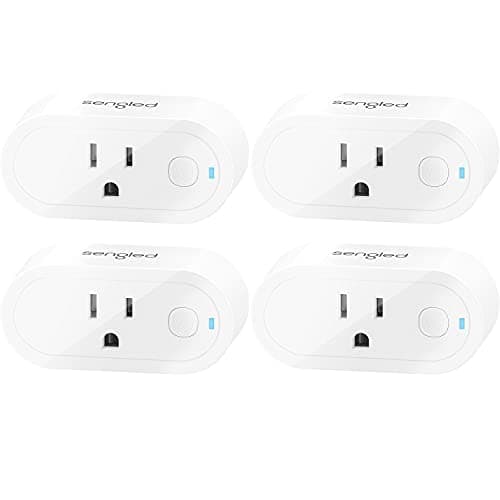
Best Budget Add-On for a SmartThings BuildSengled Zigbee Smart Plug S1 (4-Pack)
- Four plugs ship in one box for $44.99, roughly $11 an outlet — the lowest cost-per-device in this guide.
- It is Zigbee only, so it does nothing without a SmartThings or other Zigbee hub already running.
(Current price, subject to change)
For the part of a SmartThings build that is simply filling in controllable outlets, the Sengled Zigbee Smart Plug S1 (4-Pack) four-pack is the pragmatic choice. Sengled ships these as a low-cost way to expand a SmartThings setup, and the reasoning holds: at roughly $11 a plug they pair directly to the hub over Zigbee in about 2 mins each, and because each unit also repeats the Zigbee mesh, deploying a handful produces noticeably stronger network coverage as a side effect. Compared to buying premium Wi-Fi plugs individually, the multi-pack pricing delivers the value-per-dollar factor that anchors its composite.
The honest qualification is its dependence on a hub. The plug speaks Zigbee only, so it does nothing on its own — it needs a SmartThings or other Zigbee hub already running, which is precisely why it belongs in this roundup rather than a standalone-gadget list. It is also indoor-rated, so keep it away from wet or exposed locations. Inside an existing SmartThings home, however, it remains the cheapest honest way to add four independent points of control, and that is what earns its 7.9 on our weighted score.
What We Love
- Four plugs ship in one box for $44.99, roughly $11 an outlet — the lowest cost-per-device in this guide.
- Each plug pairs straight to a SmartThings hub over Zigbee with no separate bridge or cloud account to wrangle.
- Every plug doubles as a Zigbee repeater, so adding them quietly extends mesh range to farther sensors and bulbs.
What Could Be Better
- It is Zigbee only, so it does nothing without a SmartThings or other Zigbee hub already running.
- It is indoor-rated, so it is not suitable for outdoor or wet locations.
The Verdict
If you've already got a SmartThings hub and you've shortlisted the Sengled Zigbee Smart Plug S1 (4-Pack) to add controllable outlets on a budget, this is a sensible pick for that setup — four hub-ready plugs for the price of one premium one.
Best Camera That Doubles as a Hub: Aqara Camera Hub G5 Pro
Best Camera That Also Acts as a SmartThings HubAqara Camera Hub G5 Pro
- It is a 4MP outdoor camera with color night vision that also acts as a Thread border router and Zigbee hub, so it expands your mesh while it watches the yard.
- At $229.99 it is the most expensive device in this guide, because you pay for the camera and the hub roles together.
(Current price, subject to change)
If your SmartThings build wants a camera that pulls double duty, the Aqara Camera Hub G5 Pro is where we would point you. PCWorld's review highlights how broad its connectivity runs: it does not stop at recording video. It operates as a Thread border router and a Zigbee hub, so the same unit that records your driveway in 4MP 2.6K (1520p) with true color night vision extends the mesh your sensors ride on. It joins SmartThings through Matter over dual-band 2.4 GHz and 5 GHz Wi-Fi and runs motion detection locally, so alerts stay responsive even when the cloud connection wavers; budget roughly 10 mins to configure both roles.
The reason it lands at 7.5 rather than higher is purely the price. At $229.99 it is the costliest pick here, which the value-per-dollar factor penalizes relative to a $24 tracker; you pay for a camera and a hub fused into one chassis, and a subscription unlocks the deeper features. Amortized across a 3-year ownership horizon, that outlay stays the most demanding line item in the roundup — justifiable only when one device genuinely eliminates the separate camera-plus-hub purchase you would otherwise have made.
What We Love
- It is a 4MP outdoor camera with color night vision that also acts as a Thread border router and Zigbee hub, so it expands your mesh while it watches the yard.
- It connects into SmartThings via Matter and runs local AI detection, keeping basic alerts working without leaning entirely on the cloud.
- Its connectivity is unusually broad for a camera — Aqara builds in support for Matter, Thread, Zigbee, and the major voice assistants at once, which PCWorld's review highlights.
What Could Be Better
- At $229.99 it is the most expensive device in this guide, because you pay for the camera and the hub roles together.
- Some advanced camera features sit behind a subscription.
- Its built-in Zigbee hub is limited to Aqara's own accessories, so it won't fully replace a third-party Zigbee hub.
The Verdict
If you want one device to cover the yard and double as a SmartThings hub, and you've shortlisted the Aqara Camera Hub G5 Pro, this checks the boxes that matter for a Matter-first home — camera, Thread border router, and Zigbee hub in one.
How We Score: SHE SmartThings Ecosystem Score
SHE SmartThings Ecosystem Score
Score Formula
(Integration Depth × 0.35) + (Protocol Coverage × 0.20) + (Value Per Dollar × 0.30) + (Reliability × 0.15)Score Factors
- Integration Depth (weight 35%)The methodology measures how many SmartThings platform features a device actually exercises — automations, scenes, presence, cross-device triggers, and whether it operates as a hub. The Aeotec V3 leads at 9.0 because it runs the full SmartThings platform natively; the Sengled plug and Aqara G5 Pro register 8.0 as deep but single-role devices; the SmartTag2 scores 7.6 as a tracker feeding presence and Find rather than driving automations directly.
- Protocol Coverage (weight 20%)This factor scores native radios plus any Matter, Thread border-router, or hub role. The Aeotec V3 and G5 Pro tie at 8.5 — the Aeotec on Z-Wave, Zigbee, and a Matter controller, the G5 Pro on a Thread border router plus Zigbee hub; the Sengled plug registers 6.5 on Zigbee alone; the SmartTag2 scores 6.0 on Bluetooth LE plus UWB. We weight it at 20% because most new SmartThings devices ride Matter, so raw radio count matters less than it once did.
- Value Per Dollar (weight 30%)This factor quantifies capability delivered for each dollar at the current Buy-Box price. The SmartTag2 leads at 9.5 (about $24 for IP67 and roughly 500-day endurance); the Sengled four-pack registers 8.8 (about $11 a plug); the Aeotec V3 scores 6.5; the G5 Pro scores 6.0. The composite weights it highest at 30% because the determining purchasing question for a multi-device build is what you add to the cart next.
- Reliability (weight 15%)This factor synthesizes expert long-term testing, SmartThings community stability reports, and Amazon review sentiment. The SmartTag2 leads at 9.0 on a simple, durable design; the Aeotec V3, Sengled plug, and G5 Pro each register 8.0 as well-reviewed but more complex devices with more components that can fail.
SHE SmartThings Ecosystem Score — Ranked
Samsung Galaxy SmartTag2
SHE SmartThings Ecosystem Score8.1/10The lowest price and longest battery here drive the top score, even with tracker-only platform depth and Galaxy-only support.
Aeotec Smart Home Hub
SHE SmartThings Ecosystem Score8.0/10The deepest SmartThings integration and the only current Z-Wave hub, held just short of the lead by its $149.99 price.
Sengled Zigbee Smart Plug S1 (4-Pack)
SHE SmartThings Ecosystem Score7.9/10Cheapest per device and a mesh repeater at every outlet, capped by single-protocol Zigbee reach and a hub dependency.
Aqara Camera Hub G5 Pro
SHE SmartThings Ecosystem Score7.5/10Camera, Thread border router, and Zigbee hub in one, pulled down only by the highest price in the guide.
SHE SmartThings Ecosystem Score
Weighted composite of integration depth, protocol coverage, value per dollar, and reliability (0-10).
SmartHomeExplorer composite of manufacturer specs and Tom's Guide, PCMag, PCWorld, and Android Authority reporting.
What Each Device Speaks, and What It Anchors
The recurring SmartThings question is not "will it work" but "what does it bring to the system." All four ranked devices live inside the SmartThings app, yet they join through different radios, and that decides what else they can reach. The Aeotec Smart Home Hub V3 is the only one here that is itself the platform — it runs SmartThings natively and carries Z-Wave, Zigbee, and a Matter controller, which is why it anchors a build rather than joining one. The Aqara Camera Hub G5 Pro is the surprise second hub: alongside its camera duties it acts as a Thread border router and Zigbee hub, so it extends a Thread mesh the way the SmartThings Station does. The Sengled plug speaks Zigbee only and depends on one of those hubs to function, though each plug pairs in about 2 mins. The Galaxy SmartTag2 sits apart — it rides the SmartThings Find network of Samsung phones rather than a home radio, answers only to Galaxy hardware, and its UWB precision guides you in over the final 10 ft to an exact spot. Across the whole set, expect roughly 30 mins to stand up the hub and a few mins per accessory after that.
| Product | SmartThings | Z-Wave | Zigbee | Matter / Thread | Acts as Hub |
|---|---|---|---|---|---|
| Aeotec Smart Home Hub | ✓ | ✓ | ✓ | ✓ | ✓ |
| Samsung Galaxy SmartTag2 | ✓ | ✕ | ✕ | ✕ | ✕ |
| Sengled Zigbee Smart Plug S1 (4-Pack) | ✓ | ✕ | ✓ | ✕ | ✕ |
| Aqara Camera Hub G5 Pro | ✓ | ✕ | ✓ | ✓ | ✓ |
Two Devices Without a Ranked Card
Two SmartThings devices belong in this conversation but did not show a stable Amazon Buy-Box price when we checked, so we mention them as search-link picks rather than scoring them on price. The first is the Samsung SmartThings Station, Samsung's flagship hub: it bundles Zigbee, Thread, Matter, Wi-Fi, and Bluetooth with a Thread border router and a Qi 15W charger, but it has no Z-Wave radio — which is the whole reason the Aeotec V3 exists. If your 2026 build is Wi-Fi, Thread, and Matter with no Z-Wave locks, the Station is the more future-proof anchor; if you own Z-Wave hardware, the Aeotec V3 is.
The second is the Aqara Presence Sensor FP2, a mmWave radar presence sensor that maps zones and detects multiple people in a room, exposed into SmartThings through Matter. It is the upgrade over a simple motion sensor for presence-based automations — lights that hold on while you sit still, rooms that know whether anyone is actually there. We have left both out of the ranked SHE SmartThings Ecosystem Score because pricing them honestly from the live Buy-Box is not possible right now, and we would rather send you to a current listing than print a number we cannot stand behind. Assembled together, a starter SmartThings system — hub, tracker, a few plugs — comes online in well under 45 mins of app time across an afternoon.
When NOT to Buy
Stub WNTB (Block 3B fallback).
Who Should Buy What
Who Should Buy What
| If you are… | Recommended pick |
|---|---|
Samsung Galaxy household You carry a Galaxy phone and want the single best-value SmartThings add-on — a durable tracker with a battery measured in years. | Samsung Galaxy SmartTag2 |
Z-Wave lock owner Your build includes Z-Wave door locks or older sensors and needs the one current SmartThings hub that still carries a Z-Wave radio. | Aeotec Smart Home Hub |
Budget system builder You already have a SmartThings hub and want to add several controllable outlets cheaply while strengthening your Zigbee mesh. | Sengled Zigbee Smart Plug S1 (4-Pack) |
Camera-plus-hub buyer You want one outdoor device that records video and also acts as a Thread border router and Zigbee hub, and the price is comfortable. | Aqara Camera Hub G5 Pro |
Frequently Asked Questions
What is the difference between the Aeotec Smart Home Hub V3 and the new Hub 2 (V4)?
It comes down to Z-Wave. The original Aeotec Smart Home Hub V3 carries Z-Wave alongside Zigbee and a Matter controller, which is what makes it the right pick for SmartThings homes with smart locks or legacy Z-Wave sensors. The newer Aeotec Hub 2, often called V4, drops the Z-Wave radio. If you are buying specifically for Z-Wave devices, confirm the listing is the V3 before you check out, because the two look similar at a glance.
How long does the Galaxy SmartTag2 battery actually last?
Samsung rates the SmartTag2 at up to about 500 days of normal use on a single CR2032 coin cell, and up to roughly 700 days in Power Saving mode. Earlier claims of a seven-month battery were inaccurate. In practice, plan on replacing the coin cell about once every year and a half, which is among the longest runtimes of any mainstream item tracker.
Does the Galaxy SmartTag2 work with an iPhone?
No. The SmartTag2 requires a Samsung Galaxy phone for setup, tracking, and precision finding, and it relies on the SmartThings Find network of Samsung devices. The SmartThings app exists on iOS, but it cannot pair or track a SmartTag2 there. iPhone households should look at the Apple AirTag instead; mixed-phone homes should decide based on which phone the primary tracker user carries.
Which SmartThings hub still supports Z-Wave?
Among current devices, the Aeotec Smart Home Hub V3 is the SmartThings hub that still includes a Z-Wave radio. The Samsung SmartThings Station dropped Z-Wave in favor of Thread and Matter, and the newer Aeotec Hub 2 (V4) also omits it. If your SmartThings plans include Z-Wave locks or sensors, the Aeotec V3 is the hub to anchor on.
Is SmartThings free to use?
Yes. The SmartThings platform charges no subscription for hub operation, device management, automations, scenes, or voice control, and a free Samsung account is all that is required. Individual third-party services or premium camera features — like some on the Aqara G5 Pro — may carry their own subscriptions, but the core SmartThings experience for these devices does not.
Do the Sengled Zigbee plugs need a hub?
Yes. The Sengled S1 plugs in this guide are Zigbee devices, so they need a SmartThings hub — or another Zigbee hub — to function; they cannot connect to Wi-Fi on their own. The upside is that once paired, each plug also acts as a Zigbee repeater, quietly extending your mesh range to farther sensors and bulbs.
Bottom Line
Get the Samsung Galaxy SmartTag2 if You carry a Samsung Galaxy phone and want the single best-value SmartThings add-on — IP67 durability and a ~500-day battery for $23.99.
Get the Aeotec Smart Home Hub if Your build includes Z-Wave locks or legacy sensors and you need the one current SmartThings hub that still carries Z-Wave — the V3, not the V4.
Get the Sengled Zigbee Smart Plug S1 (4-Pack) if You already run a SmartThings hub and want four controllable, mesh-repeating outlets for about $11 each.
If you are still choosing a hub platform rather than buying into SmartThings specifically, our best-smart-home-automation-hubs-2026 roundup compares SmartThings against Home Assistant, Hubitat, and the rest. This guide is for readers who have already settled on SmartThings.
Sources & Methodology
Methodology: SHE SmartThings Ecosystem Score — Formula: (Integration Depth × 0.35) + (Protocol Coverage × 0.20) + (Value Per Dollar × 0.30) + (Reliability × 0.15). Factors: Integration Depth (weight 35%): The methodology measures how many SmartThings platform features a device actually exercises — automations, scenes, presence, cross-device triggers, and whether it operates as a hub. The Aeotec V3 leads at 9.0 because it runs the full SmartThings platform natively; the Sengled plug and Aqara G5 Pro register 8.0 as deep but single-role devices; the SmartTag2 scores 7.6 as a tracker feeding presence and Find rather than driving automations directly. | Protocol Coverage (weight 20%): This factor scores native radios plus any Matter, Thread border-router, or hub role. The Aeotec V3 and G5 Pro tie at 8.5 — the Aeotec on Z-Wave, Zigbee, and a Matter controller, the G5 Pro on a Thread border router plus Zigbee hub; the Sengled plug registers 6.5 on Zigbee alone; the SmartTag2 scores 6.0 on Bluetooth LE plus UWB. We weight it at 20% because most new SmartThings devices ride Matter, so raw radio count matters less than it once did. | Value Per Dollar (weight 30%): This factor quantifies capability delivered for each dollar at the current Buy-Box price. The SmartTag2 leads at 9.5 (about $24 for IP67 and roughly 500-day endurance); the Sengled four-pack registers 8.8 (about $11 a plug); the Aeotec V3 scores 6.5; the G5 Pro scores 6.0. The composite weights it highest at 30% because the determining purchasing question for a multi-device build is what you add to the cart next. | Reliability (weight 15%): This factor synthesizes expert long-term testing, SmartThings community stability reports, and Amazon review sentiment. The SmartTag2 leads at 9.0 on a simple, durable design; the Aeotec V3, Sengled plug, and G5 Pro each register 8.0 as well-reviewed but more complex devices with more components that can fail.
Expert review sources used in this analysis:
- Specifications and performance claims, verified as of June 2026, draw on Tom's Guide and The Ambient for the Aeotec Smart Home Hub V3, Android Authority for the Galaxy SmartTag2, manufacturer specifications for the Sengled Zigbee plug, and PCWorld for the Aqara Camera Hub G5 Pro
- The SmartTag2's battery figure is Samsung's own stated spec of up to about 500 days normal and 700 days in Power Saving mode, correcting an earlier and inaccurate seven-month claim
- The Aeotec V3 versus Hub 2 (V4) Z-Wave distinction was verified against Aeotec's product listings; the V3 includes Z-Wave, Zigbee, a Matter controller, and a Thread border router, while the difference from the SmartThings Station is the Station's lack of Z-Wave
- Prices are the Amazon Buy-Box at the time of writing; the SmartThings Station and Aqara FP2 are mentioned without a ranked price because neither showed a stable Buy-Box at that moment
- The SHE SmartThings Ecosystem Score is SmartHomeExplorer's own weighted, normalized composite of integration depth, protocol coverage, value per dollar, and reliability.
Nicholas Miles is the founder of SmartHomeExplorer and a longtime smart home enthusiast focused on helping everyday homeowners make better technology decisions. He researches, compares, and writes about products across security, climate, lighting, leak prevention, sensors, home energy, and automation, with an emphasis on real-world usefulness, ecosystem compatibility, reliability, privacy, and long-term value.
Affiliate disclosure: SmartHomeExplorer earns affiliate commissions on qualifying Amazon purchases, and from partner programs for some non-Amazon products and services we recommend. Our scoring methodology is independent of affiliate relationships.