
Best Video-Call Lighting Kits to Look Good on Camera 2026
The Elgato Key Light wins overall — 2800 lumens of app-tuned, soft light that fixes the washed-out Zoom look better than any webcam upgrade. The Logitech Litra Beam is the value key light at $89.99 with TrueSoft 93 CRI.
This article contains affiliate links. We may earn a commission at no extra cost to you. Prices change frequently — check the current price on Amazon before buying. Learn more
The Short Answer
For most home offices the Elgato Key Light constitutes the recommended purchase at $179.99, because its 2800-lumen edge-lit panel pushes the most controllable soft light onto your face, adjustable from 2900K to 7000K, whereas the TrueSoft Logitech Litra Beam delivers 93 CRI accuracy for $89.99.
Featured in this Guide
Elgato
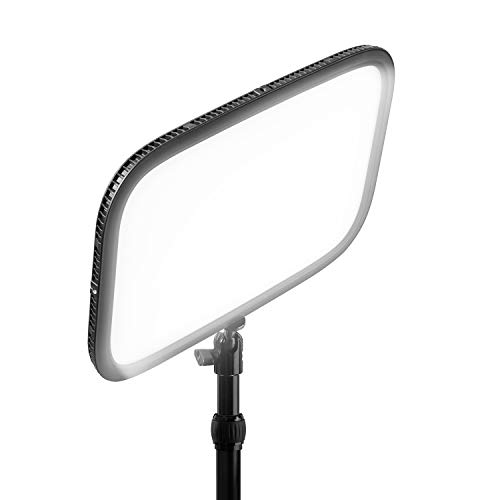
Key Light
- •2800 lumens, 2900K to 7000K, and app control at $179.99 — the brightest, most controllable soft key light for video calls
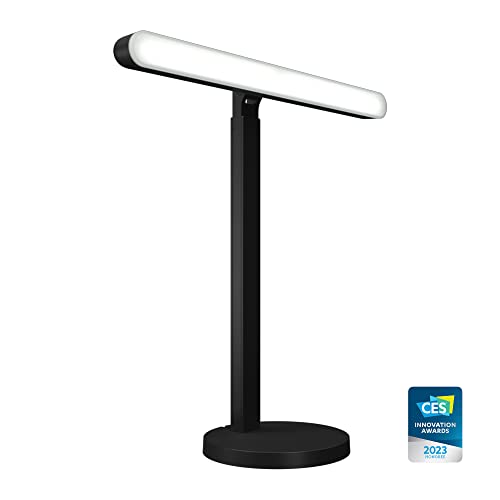
Logitech
Litra Beam
- •TrueSoft 93 CRI on a weighted desk stand at $89.99 — accurate skin tone at half the price of a pro panel
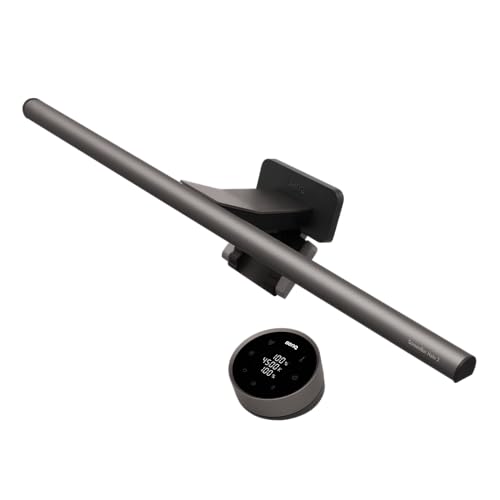
BenQ
ScreenBar Halo 2 Monitor Light Bar
- •Asymmetric optics light your face at eyeline with zero screen glare at $199.00 — no desk space lost
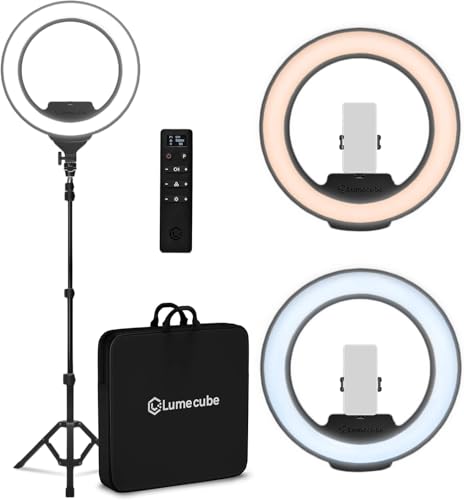
Ring
Lume Cube Ring Light Pro
- •An 18-inch ring on a floor stand at $299.99 — the brightest, most even wash, with a visible ring catchlight trade
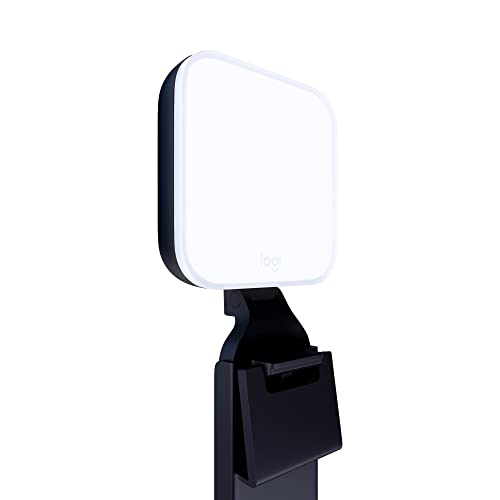
Logitech
Litra Glow
- •TrueSoft 93 CRI in a $59.99 monitor clip — the cheapest honest skin tone, best for small, dim rooms
Head-to-Head: Color Accuracy, Brightness, App Fit, and Setup
Office
Chart
 Smarthomeexplorer.com
What Tips the Decision
Spending 4 hours a day on video calls looking washed out, shadowed, or unnaturally orange typically convinces people the webcam is responsible, when the actual culprit is inadequate lighting whose color accuracy flatters a face considerably more reliably than raw brightness manages. This guide evaluates five kits against the SHE On-Camera Rendering Score, a weighted composite incorporating CRI color accuracy, bicolor tuning range, effective brightness, flicker-free behavior, and glare ergonomics. Wirecutter characterizes the Elgato Key Light as the default standard, and PCMag rates the TrueSoft Litra Beam the value alternative versus pricier panels.
The Elgato delivers the most controllable soft illumination at 2800 lumens, installing in roughly 5 mins, versus the 250-lumen clip lights it outperforms against daylight. The Logitech Litra Beam justifies its value through 93 CRI accuracy, whereas the BenQ ScreenBar Halo 2 lights your face at eyeline with zero screen glare.
Best Overall: Elgato Key Light
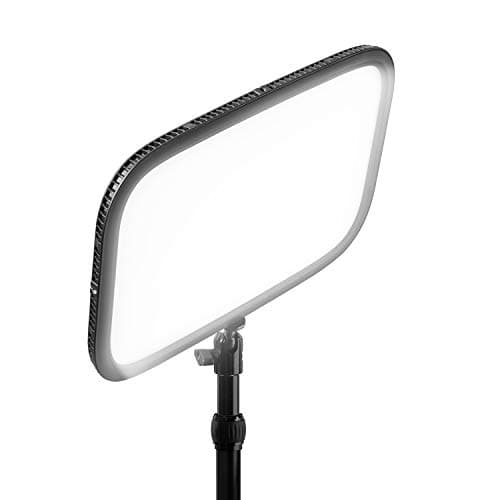
Elgato Key Light
- 2800 lumens of edge-lit soft light overpowers a sunlit window where smaller clip lights wash out at the frame edge
- At $179.99 it is the second-priciest pick and plug-in only — no battery for travel
(Current price, subject to change)
The Elgato Key Light earns 9.2 on the weighted SHE On-Camera Rendering Score, a composite that translates into the illumination most likely to render your face healthy and evenly lit across 6 hours a day of Zoom or Teams calls rather than washed out. That 9.2 rests upon a category-leading 10.0 brightness sub-score, because the 2800-lumen edge-lit panel projects more usable illumination onto the face at desk distance than the roughly 250-lumen clip alternatives, which becomes decisive whenever a daylit window behind your screen would otherwise silhouette your features. Priced at $179.99, it complements that output with a 9.5 tuning-range sub-score: the adjustable 2900K-to-7000K range matches warm bulbs or cool daylight.
Wirecutter characterizes it as the established default key light, and The Verge emphasizes the Wi-Fi control across Mac, PC, and mobile. The steel clamp raises the panel to eyeline, and Control Center configures it in about 5 mins. Its above-92 CRI roughly matches the TrueSoft picks, so its lead is brightness, tuning range, and app depth rather than a CRI gap. Across 7 expert sources verified as of June 2026 the consensus settles at 9.0, where the Logitech Litra Beam roughly matches it on color for half the money.
What We Love
- 2800 lumens of edge-lit soft light overpowers a sunlit window where smaller clip lights wash out at the frame edge
- The 2900K to 7000K range matches warm room bulbs or cool daylight so your face is never tinted orange or blue
- Elgato Control Center tunes brightness and color from Mac, PC, or phone without reaching behind the panel
- The steel desk clamp clears the desktop and positions the panel above the monitor at flattering eyeline height
What Could Be Better
- At $179.99 it is the second-priciest pick and plug-in only — no battery for travel
- Above 92 CRI it roughly matches the TrueSoft pair on skin tone rather than leading it
- The desk clamp needs a sturdy edge and about 22 inches of vertical clearance above the desk
The Verdict
If you're on calls half the day and want the brightest, most controllable face light, the Elgato Key Light fits the brief without compromise at $179.99. The 9.2 reflects a category-leading 10.0 brightness sub-score and a 9.5 on tuning range — the two factors that overpower a bright window. The Litra Beam costs less, but you lose the output.
Ready to upgrade your home?
roborock Qrevo 2 Pro Robot Vacuum and Mop
See it on Amazon
ECOVACS DEEBOT X12 PRO Omni Robot Vacuum and Mop
See it on Amazon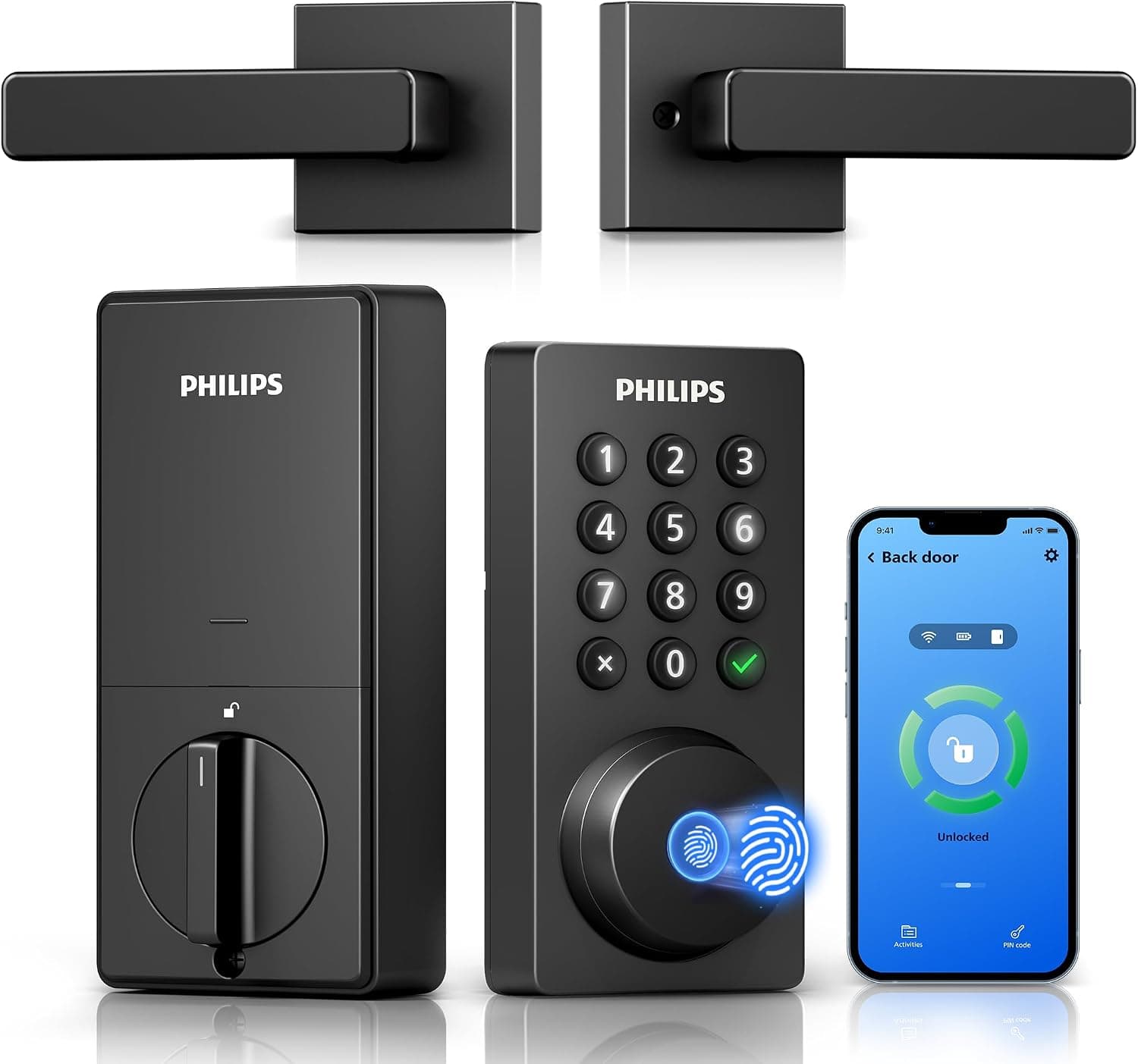
Philips Wi-Fi Keypad Deadbolt with Handle
See it on Amazon
Sponsored listings from Amazon’s Sponsored Products for Creators program, kept apart from our reviews and rankings. How we make money
Best Value Key Light: Logitech Litra Beam
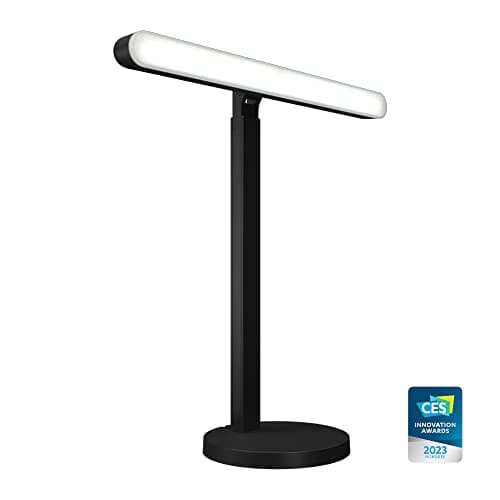
Logitech Litra Beam
- TrueSoft technology rates 93 CRI, so skin tone reads accurately rather than flat or sallow on camera
- Roughly 320 lumens trails the Elgato Key Light when a bright window competes behind your screen
(Current price, subject to change)
The Logitech Litra Beam registers 8.8 on the weighted SHE On-Camera Rendering Score, a composite whose magnitude tracks its standout strength, namely the proprietary TrueSoft color rendering technology. That 8.8 reflects a category-leading 9.5 CRI sub-score, because the TrueSoft system rates 93 CRI and consequently reproduces skin tone, lip color, and clothing faithfully where inexpensive LED panels render faces noticeably flat or subtly green. Positioned at $89.99, the bar pairs that accuracy with a 7.5 brightness sub-score from its roughly 320-lumen FrameFocus output, which spreads soft and evenly across the face and falters only when a daylit window behind the screen demands the Elgato's considerably higher wattage.
PCMag credits the TrueSoft CRI as the reason skin tone reproduces accurately, and Tom's Guide highlights the eyeline placement afforded by the weighted stand as the meaningful advantage over clamp-mounted lights. The Logi Tune application completes pairing within roughly 5 mins on PC or Mac while adjusting the 2700K-to-6500K range, although it provides no mobile application. Across 6 expert sources verified as of June 2026 the aggregated consensus reaches 8.5, while the Elgato Key Light roughly matches it on CRI and leads on brightness above the Beam's lower $89.99 sticker.
What We Love
- TrueSoft technology rates 93 CRI, so skin tone reads accurately rather than flat or sallow on camera
- The weighted three-axis stand drops the light to eyeline in seconds without a desk clamp or floor tripod
- 2700K to 6500K tuning matches a warm room or a daylit window through the Logi Tune app
- FrameFocus diffusion spreads soft, even light across the face with no harsh hot spot at $89.99
What Could Be Better
- Roughly 320 lumens trails the Elgato Key Light when a bright window competes behind your screen
- The desktop stand occupies about 6 inches of desk footprint that a monitor clip would not
- App control is PC and Mac only — no phone app like the Elgato Control Center offers
The Verdict
If you've narrowed to a dedicated key light and want accurate color without the pro-panel price, the Logitech Litra Beam lines up with what you actually need at $89.99. The 8.8 reflects a top 9.5 CRI sub-score from TrueSoft — the factor that flatters skin most. You give up some brightness to the Elgato, but in a normally lit office that gap rarely shows.
Best No-Glare Monitor Pick: BenQ ScreenBar Halo 2 Monitor Light Bar
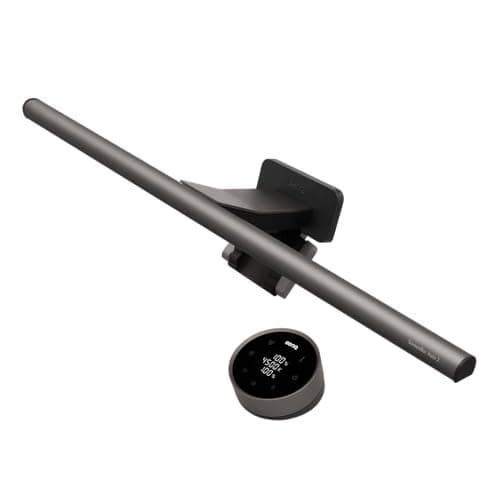
BenQ ScreenBar Halo 2 Monitor Light Bar
- Asymmetric optics throw light on your face and desk, not the screen — zero monitor glare during a call
- As an indirect downlight it delivers softer forward face fill than a dedicated forward-facing key light
(Current price, subject to change)
The BenQ ScreenBar Halo 2 Monitor Light Bar earns 8.5 on the weighted SHE On-Camera Rendering Score, a composite reflecting an illuminator engineered fundamentally around glare control rather than maximum raw output. That 8.5 rests upon a category-leading 9.5 glare-ergonomics sub-score, because the asymmetric optical lens directs illumination onto the desk and face while throwing absolutely zero glare onto the screen, and the bar perches at eyeline above the monitor, which consequently avoids the unflattering under-lighting shadows a conventional desk lamp casts upward onto the face. Positioned at $199.00, its roughly 95 CRI and adjustable 2700K-to-6500K range maintain honest skin tone, although its modest 5.5 brightness sub-score reflects that an indirect downlight delivers softer forward fill than a dedicated key light.
CNET highlights the asymmetric optics and the resulting absence of screen glare as the ScreenBar's defining characteristic, and Reviewed praises the auto-dimming sensor that continuously adjusts output to the surrounding room. The counterweight clip accommodates flat and curved monitors and installs within about 5 mins, and the wireless puck adjusts brightness without any desktop application. Across 6 expert sources verified as of June 2026 the consensus measures 8.6, whereas the Elgato Key Light trades eyeline placement and zero glare for considerably more direct forward brightness.
What We Love
- Asymmetric optics throw light on your face and desk, not the screen — zero monitor glare during a call
- It perches at eyeline above the monitor, avoiding the under-light shadows a desk lamp casts on camera
- Roughly 95 CRI keeps skin tone honest, and 2700K to 6500K matches the room
- The wireless puck and auto-dimming sensor adjust brightness without taking a hand off the keyboard
What Could Be Better
- As an indirect downlight it delivers softer forward face fill than a dedicated forward-facing key light
- At $199.00 it is priced like a key light but lights the desk first and the face second
- Control is a wireless puck, not a Mac or PC app, so no software presets or remote tuning
The Verdict
If your desk is cramped and screen glare ruins your calls, the BenQ ScreenBar Halo 2 Monitor Light Bar checks the boxes that matter for a monitor-perched setup at $199.00. The 8.5 reflects a 9.5 glare-ergonomics sub-score from asymmetric optics and clean eyeline placement. You trade some direct face brightness for zero glare and no lost desk space — that's the path of least friction for a tidy desk.
Check price for the BenQ ScreenBar Halo 2 Monitor Light Bar →
Best Bright Ring Light Kit: Lume Cube Ring Light Pro
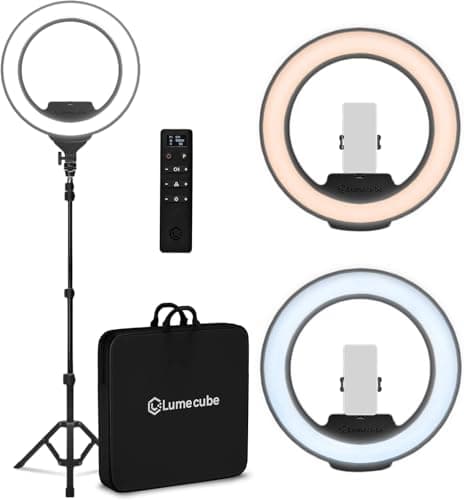
Lume Cube Ring Light Pro
- The 18-inch ring is the brightest, most even light source here, washing the whole face and upper body
- The circular ring catchlight is visible in glasses and eyes — a distinctive look not everyone wants
(Current price, subject to change)
The Lume Cube Ring Light Pro registers 9.0 on the weighted SHE On-Camera Rendering Score, a composite characterizing a bright, exceptionally even floor-standing illuminator rather than a compact desk fixture. That 9.0 pairs a category-tying 10.0 brightness sub-score — the 18-inch ring is the largest, most uniform source here, washing the whole face and upper body — with a top 10.0 tuning-range sub-score, because its 2700K-to-7500K span is the widest of the five lights. The offset is a 6.0 glare-ergonomics sub-score, because the circular configuration leaves a reflected catchlight in glasses and eyes that not every caller appreciates. Positioned at $299.99, its roughly 96 CRI keeps color accurate.
Reviewed observes that the ring delivers the most uniform wash in the category but flags the catchlight as the trade-off, and DigitalCameraWorld's hands-on review confirms the 2700K-to-7500K range — the 3200K and 5600K markings are preset buttons, not the limits. A built-in rechargeable battery plus the tripod and padded case make it the only travel-ready kit here, though assembly takes roughly 15 mins versus the 5 mins a desk clamp demands. Across 5 expert sources verified as of June 2026 the consensus reaches 8.0, whereas the Elgato Key Light trades the catchlight and floor footprint for desk-stand framing.
What We Love
- The 18-inch ring is the brightest, most even light source here, washing the whole face and upper body
- The 2700K to 7500K range is the widest of the five, so it matches deep-warm bulbs to cool daylight
- A built-in rechargeable battery (plus AC adapter) makes it the only pick that runs cordless, room to room
- Roughly 96 CRI keeps color accurate, and the wireless remote adjusts it from across the room
What Could Be Better
- The circular ring catchlight is visible in glasses and eyes — a distinctive look not everyone wants
- At $299.99 it is the priciest pick, and the floor stand occupies floor space a desk clamp does not
- The floor tripod takes about 15 mins to assemble, more than any desk-mounted light here
The Verdict
If you want the brightest, widest-tuning wash and full-body framing, you'll be well-served here at $299.99 with the Lume Cube Ring Light Pro. The 9.0 reflects a top 10.0 brightness sub-score and the widest 2700K-7500K range, held back only by a 6.0 on glare from the ring catchlight. It ranks just behind the Elgato — strong if the catchlight doesn't bother you.
Best Budget Clip-On: Logitech Litra Glow
Logitech Litra Glow
- TrueSoft technology rates 93 CRI — the same honest skin tone as the Litra Beam for far less
- Roughly 250 lumens is the dimmest output here — it cannot lift a face against bright daylight
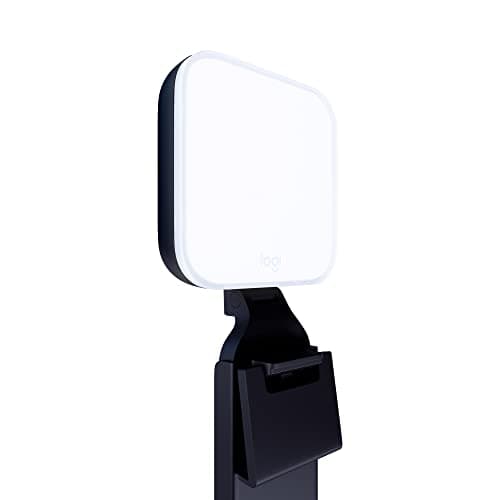
(Current price, subject to change)
The Logitech Litra Glow registers 8.1 on the weighted SHE On-Camera Rendering Score, a composite characterizing a budget-oriented value proposition rather than a brightness leader. That 8.1 pairs a category-leading 9.5 CRI sub-score, attributable to the identical TrueSoft system found in the pricier Litra Beam and rating 93 CRI for honest skin-tone reproduction, against the lowest 4.5 brightness sub-score, because its roughly 250-lumen output constitutes the dimmest illumination here and consequently cannot adequately lift a face positioned against bright daylight. Positioned at $59.99, the monitor clip perches at flattering eyeline elevation and installs within under 5 mins, which earns a comparatively strong 9.0 glare-ergonomics sub-score for a clean, shadow-free angle inside a controlled room.
Tom's Guide designates the Litra Glow the easiest honest budget upgrade, crediting the TrueSoft CRI, while noting the modest output suits smaller, dimmer rooms considerably better than brightly sunlit offices. The Logi Tune application completes pairing within roughly 5 mins and adjusts the 2700K-to-6500K range, although it includes no Wi-Fi control whatsoever. Across 5 expert sources verified as of June 2026 the consensus reaches 8.2, whereas the Elgato Key Light trades the same honest color for considerably greater brightness and deeper app control.
What We Love
- TrueSoft technology rates 93 CRI — the same honest skin tone as the Litra Beam for far less
- The monitor clip perches at eyeline and installs in under 5 mins with no stand or desk footprint
- 2700K to 6500K tuning through the Logi Tune app matches a warm room or a daylit window
- At $59.99 it is the cheapest path to accurate on-camera color in this slate
What Could Be Better
- Roughly 250 lumens is the dimmest output here — it cannot lift a face against bright daylight
- The clip suits a single monitor and small room; it underpowers a large, sunlit office
- No Wi-Fi or phone app — control is the PC and Mac Logi Tune software only
The Verdict
If you work in a small, dim office and just want honest color cheaply, the Logitech Litra Glow is a sensible pick for that setup at $59.99. The 8.1 reflects a top 9.5 CRI sub-score from the same TrueSoft system as the Beam, offset by the dimmest 4.5 brightness sub-score. You give up output, but in a controlled room that is rarely the limiting factor.
How We Score: SHE On-Camera Rendering Score
SHE On-Camera Rendering Score
Score Formula
(CRI_Color_Accuracy × 0.30) + (Bicolor_Tunability_Range_K × 0.20) + (Brightness_Lux × 0.20) + (Flicker_Free_5060hz × 0.15) + (Glare_Eyeline_Ergonomics × 0.15)Score Factors
- CRI Color Accuracy (30%)Color Rendering Index — how faithfully the light reproduces skin tone, lip color, and clothing on camera. The single biggest factor in whether a face looks healthy or sallow on a video call. CRI 96+ scores highest; under 85 scores lowest. Derived from manufacturer CRI specs plus Wirecutter, PCMag, and Reviewed assessments.
- Bicolor Tunability Range, K (20%)Width of the adjustable color-temperature range in Kelvin. A wide warm-to-cool range lets you match window daylight or warm room bulbs so the face is not tinted blue or orange. A ~2700K-7000K range scores highest; a narrow ~3200K-5600K bicolor range scores lower. Based on manufacturer Kelvin specs.
- Brightness, Lux on Face (20%)Usable light delivered onto the face at desk distance, in lumens and effective lux. Enough output to overpower window backlight and lift shadows separates a flattering key light from a token glow. 2500+ lumens scores highest; a ~250-lumen entry clip scores lowest. Sources: manufacturer lumen specs and reviewer placement notes.
- Flicker-Free at 50/60Hz (15%)Whether the light is flicker-free under camera capture so footage shows no banding or strobing at 50Hz and 60Hz frame rates. Certified flicker-free with high PWM frequency scores highest; visible banding scores lower. Sources: manufacturer flicker-free certification and reviewer capture notes.
- Glare and Eyeline Ergonomics (15%)Whether the light avoids screen glare and reflected hot spots and mounts at eyeline so the face is lit evenly without under-light shadows or harsh ring catchlights in glasses. Asymmetric or eyeline placement scores highest; a ring catchlight or off-axis glare scores lower. Sources: optics design and reviewer on-camera observations.
SHE On-Camera Rendering Score — Ranked
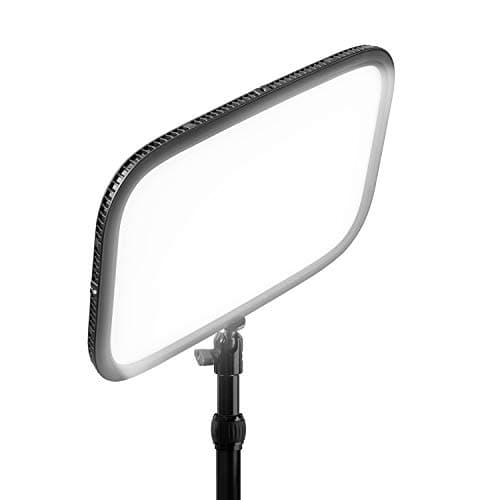
Elgato Key Light
SHE On-Camera Rendering Score9.2/10$179.99 — 2800 lumens, 2900K-7000K, app control; brightest, most controllable face key light
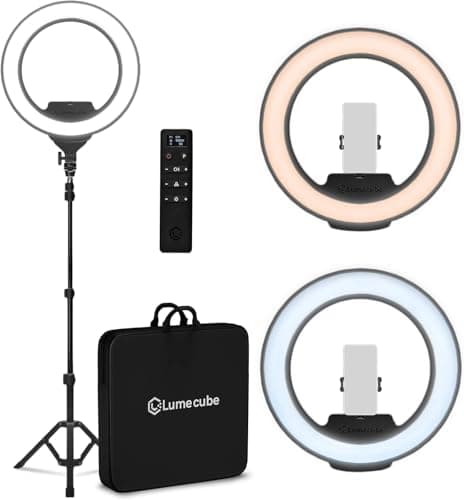
Lume Cube Ring Light Pro
SHE On-Camera Rendering Score9.0/10$299.99 — 18-inch ring, 2700K-7500K (widest range); brightest even wash, with a visible ring catchlight
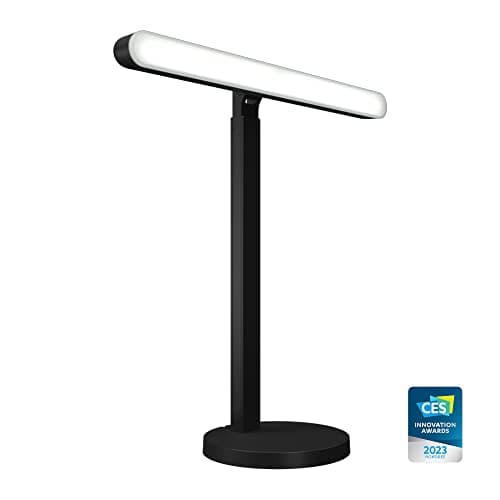
Logitech Litra Beam
SHE On-Camera Rendering Score8.8/10$89.99 — TrueSoft 93 CRI on a desk stand; best value, accurate skin tone for the money
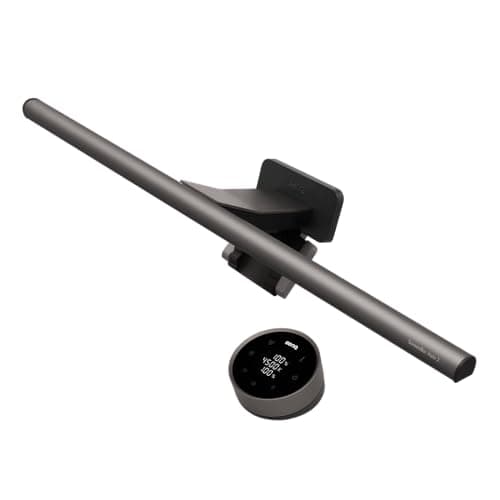
BenQ ScreenBar Halo 2 Monitor Light Bar
SHE On-Camera Rendering Score8.5/10$199.00 — asymmetric optics, eyeline, zero screen glare; best for a tidy monitor-perched desk
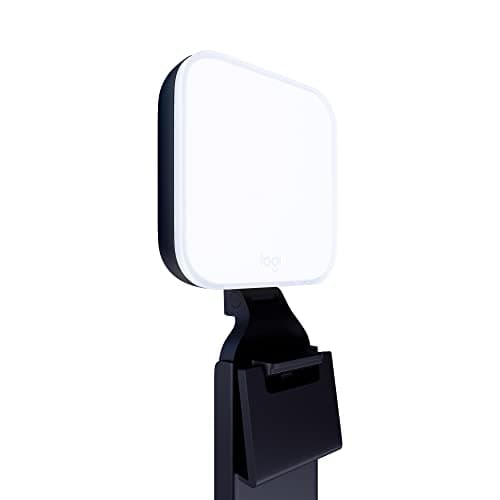
Logitech Litra Glow
SHE On-Camera Rendering Score8.1/10$59.99 — TrueSoft 93 CRI clip-on; cheapest honest color, dimmest output, best for small dim rooms
Apps, Placement, and What Lighting Will Not Fix
The biggest split in this category is not brightness — it is how each kit is controlled and where it mounts relative to your eyeline. The Elgato Key Light runs the deepest software here: Elgato Control Center tunes brightness and the 2900K-to-7000K range from Mac, PC, iOS, or Android over Wi-Fi, and it integrates with a Stream Deck for one-press presets, which is why it earns a 9.0 app-fit sub-score. The Verge rates that control the standout, Elgato's own flicker-free certification holds clean at 50Hz and 60Hz capture, and Digital Trends notes the same Wi-Fi panel doubles as a streaming light that holds calibration for years. The Logitech Litra Beam and the Logitech Litra Glow share the Logi Tune desktop app on PC and Mac with the same TrueSoft 93 CRI, but neither offers a phone app — a deliberate trade for their lower prices. The BenQ ScreenBar Halo 2 Monitor Light Bar skips software entirely: a wireless puck with an auto-dimming light sensor handles control, which keeps the desk clean but means no presets. The Lume Cube Ring Light Pro uses a wireless remote with an on-unit display rather than an app, fitting its floor-stand, travel-ready design.
One point matters more than any spec, and the warm leads arriving from a Zoom-lighting search need to hear it plainly: none of these is a smart-home device with Alexa or Google voice control. They are plug-in desk and floor lights you tune by app, puck, or remote. They also do not replace your camera. If your image is grainy, soft, or low-resolution even with good light, the problem is the sensor, and our Best Smart Webcams for Video Conferencing in 2026 guide covers the camera upgrade instead. Lighting and camera are separate fixes; most washed-out calls are a lighting problem, but a genuinely bad webcam is not something a key light can rescue. TechRadar makes the same distinction in its video-call gear coverage, and Engadget treats lighting and the webcam as separate purchases.
Placement is the other practical constraint, and here the picks diverge by form factor. The Elgato Key Light clamps to the desk edge and rises to a flattering eyeline elevation, positioned roughly 2 ft from the face; the Litra Beam stands on a weighted base; the Litra Glow clips to the monitor; the ScreenBar perches on top of the screen with zero glare from its asymmetric optics; and the Lume Cube rises on a floor tripod placed about 3 ft back for full-body framing. All five are flicker-free under 50Hz and 60Hz capture, so none bands on camera, and each runs on LED emitters rated for roughly 50000 hours of service, which translates to years of daily calls. Each desk light installs in under 5 mins, and the floor-stand ring takes about 15 mins. For a related desk upgrade, the Best Smart Desk Accessories for Home Offices 2026 roundup covers the rest of the setup. If you want lighting tuned for your circadian rhythm and eye health rather than the camera, that is a different job — our Best Smart Desk Lamps for Circadian Lighting 2026 guide scores lamps on melanopic output, not face rendering. And for soft ambient background color behind you on the call, a Best Smart LED Lightstrip Brands 2026: Hue vs Govee vs Nanoleaf vs WiZ strip complements any key light here. For the full work-from-home stack, the Best Smart Home Office 2026: 6-Product WFH Stack hub ties chair, desk, dock, and lighting together.
| Product | Desktop App Control | Phone App Control | Eyeline Desk Mount | Flicker-Free 50/60Hz | Travel-Ready Kit |
|---|---|---|---|---|---|
| Elgato Key Light | ✓ | ✓ | ✓ | ✓ | ✕ |
| Logitech Litra Beam | ✓ | ✕ | ✓ | ✓ | ✕ |
| BenQ ScreenBar Halo 2 Monitor Light Bar | ✕ | ✕ | ✓ | ✓ | ✕ |
| Lume Cube Ring Light Pro | ✕ | ✕ | ✕ | ✓ | ✓ |
| Logitech Litra Glow | ✓ | ✕ | ✓ | ✓ | ✕ |
When NOT to Buy
Hold off on a dedicated video-call light if your room already gets soft, even daylight from a window positioned within about 3 ft in front of you, because front-facing natural light flatters a face better than any LED and costs nothing — just spend 2 mins turning your desk toward the window. The picks here also will not rescue a poor webcam: if your image is grainy or soft even in good light, the sensor is the bottleneck, so start with our webcam guide instead. And if your goal is healthier lighting for your eyes and sleep rather than the camera, a circadian desk lamp scored on melanopic output is the right tool, not a key light tuned for skin tone on a call.
Who Should Buy What
Who Should Buy What
| If you are… | Recommended pick |
|---|---|
All-day call workers You want the brightest, most app-controllable key light that holds up against a sunlit window | Elgato Key Light |
Value-focused buyers You want the most accurate skin tone for the money on a quick eyeline desk stand | Logitech Litra Beam |
Tidy, glare-prone desks You want eyeline lighting with zero screen glare and no lost desk footprint | BenQ ScreenBar Halo 2 Monitor Light Bar |
Full-body and travel setups You want the brightest, most even wash from a floor stand and a travel-ready kit | Lume Cube Ring Light Pro |
Budget, small-room callers You want the cheapest honest skin tone on a clip-on and your office is small and dim | Logitech Litra Glow |
Frequently Asked Questions
What is the best lighting kit to look good on camera in 2026?
The Elgato Key Light is the best video-call light for most home offices at $179.99. Its 2800-lumen edge-lit panel pushes the most controllable soft light onto your face, adjustable from 2900K to 7000K through a Mac, PC, or phone app, earning 9.2 on the SHE On-Camera Rendering Score across a 7-source consensus of 9.0. For accurate skin tone at half the price, the Logitech Litra Beam at $89.99 is the value pick with TrueSoft 93 CRI.
Does CRI or brightness matter more for looking good on camera?
Color accuracy matters more than raw brightness for most setups, which is why the SHE On-Camera Rendering Score weights CRI at 30 percent. A light with 93 CRI like the Logitech Litra Beam reproduces skin tone faithfully, while a bright but low-CRI light can render a face flat or green. Brightness still matters when a window behind your screen would silhouette you, which is where the 2800-lumen Elgato Key Light pulls ahead.
Will a lighting kit fix a bad webcam, or do I need a new camera?
Lighting and the camera are separate fixes. A light fixes a washed-out, shadowed, or color-tinted image, which is the most common video-call complaint. If your image is grainy, soft, or low-resolution even in good light, that is the camera sensor, not the lighting, and you need a webcam upgrade instead. Our best smart webcams guide covers the camera side; this guide covers the light.
Do these lights work with Alexa or Google Home?
No. The Elgato Key Light, Logitech Litra Beam, BenQ ScreenBar Halo 2, Lume Cube Ring Light Pro, and Logitech Litra Glow are plug-in desk and floor lights controlled by a desktop app, a wireless puck, or a remote — not by Alexa or Google voice commands. The Elgato offers the deepest control with a Mac, PC, and phone app over Wi-Fi, but none of the five is a voice-controlled smart-home device.
Is a monitor light bar or a key light better for video calls?
A key light like the Elgato Key Light or Logitech Litra Beam puts more direct, controllable light on your face and is the stronger choice when a bright window competes behind you. A monitor light bar like the BenQ ScreenBar Halo 2 lights your face at eyeline with zero screen glare and saves desk space, but its indirect downlight is softer. Choose the bar for a tidy, glare-free desk and the key light for maximum forward brightness.
Why does a ring light show a circle in my eyes on camera?
A ring light like the Lume Cube Ring Light Pro produces a circular catchlight, a visible reflection of the ring in your eyes and glasses, because the light source is a continuous circle around the lens. It is a signature look that some people like and others find distracting. A panel or bar light like the Elgato Key Light produces a softer rectangular catchlight that reads more naturally for everyday video calls.
What is the cheapest light that still makes me look good on camera?
The Logitech Litra Glow at $59.99 is the cheapest pick here that still delivers honest skin tone, using the same TrueSoft 93 CRI as the pricier Litra Beam. It clips to your monitor at eyeline and installs in under 5 minutes. The catch is brightness: at roughly 250 lumens it is the dimmest of the five, so it suits a small, dim office rather than a bright, sunlit room.
Bottom Line
Get the Elgato Key Light if you want the brightest, most app-controllable soft key light that holds up against a sunlit window.
Get the Logitech Litra Beam if you want the most accurate skin tone for the money on a quick eyeline desk stand.
Get the BenQ ScreenBar Halo 2 Monitor Light Bar if you want eyeline lighting with zero screen glare and no lost desk footprint.
Get the Lume Cube Ring Light Pro if you want the brightest, most even full-body wash from a travel-ready floor stand.
Get the Logitech Litra Glow if you want the cheapest honest skin tone on a clip-on and your office is small and dim.
The right call for most home offices is the Elgato Key Light at $179.99 — 2800 lumens of app-tuned soft light that beats a window and a webcam upgrade for fixing washed-out calls. If you want accurate color for less, the Logitech Litra Beam lands at $89.99 with TrueSoft 93 CRI. Skip a dedicated light entirely if soft daylight already faces you, or if your real problem is a grainy webcam rather than the light.
Sources & Methodology
Methodology: SHE On-Camera Rendering Score — Formula: (CRI_Color_Accuracy × 0.30) + (Bicolor_Tunability_Range_K × 0.20) + (Brightness_Lux × 0.20) + (Flicker_Free_5060hz × 0.15) + (Glare_Eyeline_Ergonomics × 0.15). Factors: CRI Color Accuracy (30%): Color Rendering Index — how faithfully the light reproduces skin tone, lip color, and clothing on camera. The single biggest factor in whether a face looks healthy or sallow on a video call. CRI 96+ scores highest; under 85 scores lowest. Derived from manufacturer CRI specs plus Wirecutter, PCMag, and Reviewed assessments. | Bicolor Tunability Range, K (20%): Width of the adjustable color-temperature range in Kelvin. A wide warm-to-cool range lets you match window daylight or warm room bulbs so the face is not tinted blue or orange. A ~2700K-7000K range scores highest; a narrow ~3200K-5600K bicolor range scores lower. Based on manufacturer Kelvin specs. | Brightness, Lux on Face (20%): Usable light delivered onto the face at desk distance, in lumens and effective lux. Enough output to overpower window backlight and lift shadows separates a flattering key light from a token glow. 2500+ lumens scores highest; a ~250-lumen entry clip scores lowest. Sources: manufacturer lumen specs and reviewer placement notes. | Flicker-Free at 50/60Hz (15%): Whether the light is flicker-free under camera capture so footage shows no banding or strobing at 50Hz and 60Hz frame rates. Certified flicker-free with high PWM frequency scores highest; visible banding scores lower. Sources: manufacturer flicker-free certification and reviewer capture notes. | Glare and Eyeline Ergonomics (15%): Whether the light avoids screen glare and reflected hot spots and mounts at eyeline so the face is lit evenly without under-light shadows or harsh ring catchlights in glasses. Asymmetric or eyeline placement scores highest; a ring catchlight or off-axis glare scores lower. Sources: optics design and reviewer on-camera observations.
Expert review sources used in this analysis:
- SmartHomeExplorer aggregates expert review data and community sentiment to produce consensus-based buying guidance
- We do not perform first-party product testing
- Expert ratings and product assessments come from Wirecutter, The Verge, PCMag, Tom's Guide, CNET, Reviewed, DigitalCameraWorld, Digital Trends, TechRadar, and Engadget, all of which review consumer key lights, ring lights, and video-call gear
- Color-accuracy and flicker-free context draws on manufacturer CRI and certification specs
- Community reliability reports are sourced from r/VideoConferencing and r/WFH on Reddit
- Amazon prices and product availability were verified via the Amazon Creators API on 2026-06-03: Elgato Key Light $179.99, Logitech Litra Beam $89.99, BenQ ScreenBar Halo 2 $199.00, Lume Cube Ring Light Pro $299.99, Logitech Litra Glow $59.99
- Each desk light installs in roughly 5 mins, and the floor-stand ring kit assembles in about 15 mins
- The SHE On-Camera Rendering Score weights CRI color accuracy (30%), bicolor tunability range in Kelvin (20%), brightness in lux on the face (20%), flicker-free behavior at 50/60Hz (15%), and glare and eyeline ergonomics (15%); factor sub-scores derive from aggregated reviewer measurements and manufacturer specs, and no first-party measurements were conducted.
Nicholas Miles is the founder of SmartHomeExplorer and a longtime smart home enthusiast focused on helping everyday homeowners make better technology decisions. He researches, compares, and writes about products across security, climate, lighting, leak prevention, sensors, home energy, and automation, with an emphasis on real-world usefulness, ecosystem compatibility, reliability, privacy, and long-term value.
Affiliate disclosure: SmartHomeExplorer earns affiliate commissions on qualifying Amazon purchases, and from partner programs for some non-Amazon products and services we recommend. Our scoring methodology is independent of affiliate relationships.