
The Ring Alarm Panic Button ($20) is the best panic button for home use — it integrates with the Ring Alarm ecosystem, alerts your monitoring center.
Emergency response time is not abstract — it is the difference between an incident escalating and being contained. The average 911 response time in the United States is 7-10 minutes in suburban areas and can exceed 15 minutes in rural zones. A smart panic button eliminates the critical 60-90 seconds of fumbling to unlock a phone, dial, and wait for dispatch to pick up. One press. Immediate alert. Your location, automatically.
But not all panic buttons work the same way. A button tethered to a home security hub is useless when you are jogging at 6 AM. A standalone mobile button is useless if the monitoring service cannot route emergency responders to your precise location. And a button with a $40/month monitoring fee attached quickly becomes the most expensive piece of plastic in your drawer.
We evaluated 5 smart panic buttons by aggregating reviews from Wirecutter, CNET, PCMag, SafeWise, and Tom's Guide, then cross-referencing monitoring center response data from ADT, Noonlight, and Ring's published service level metrics. We developed a proprietary SHE Emergency Response Score (methodology below) that weights the variables that actually matter during an emergency: how fast the alert fires, whether your location is transmitted automatically, how reliably the device connects to professional monitoring, and how long the battery lasts between charges.
Panic Button
Chart
 Smarthomeexplorer.com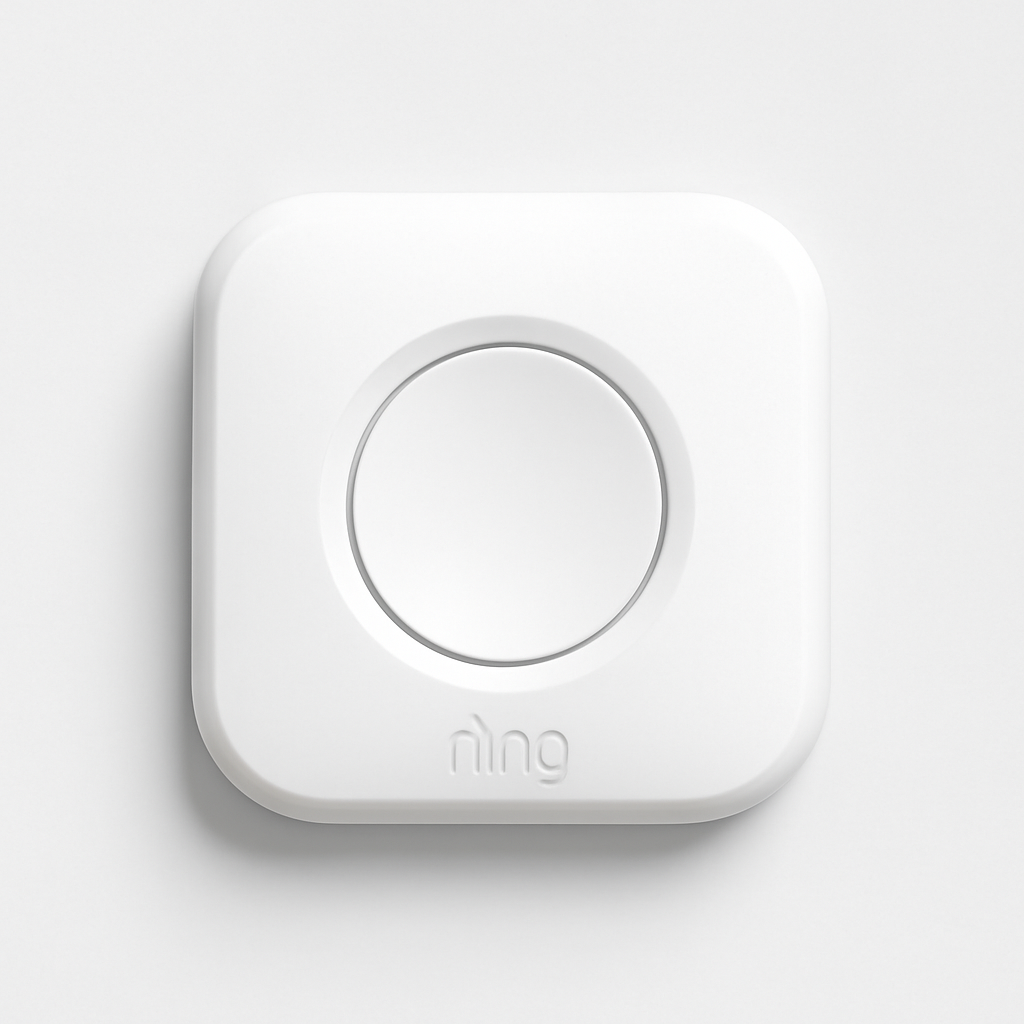
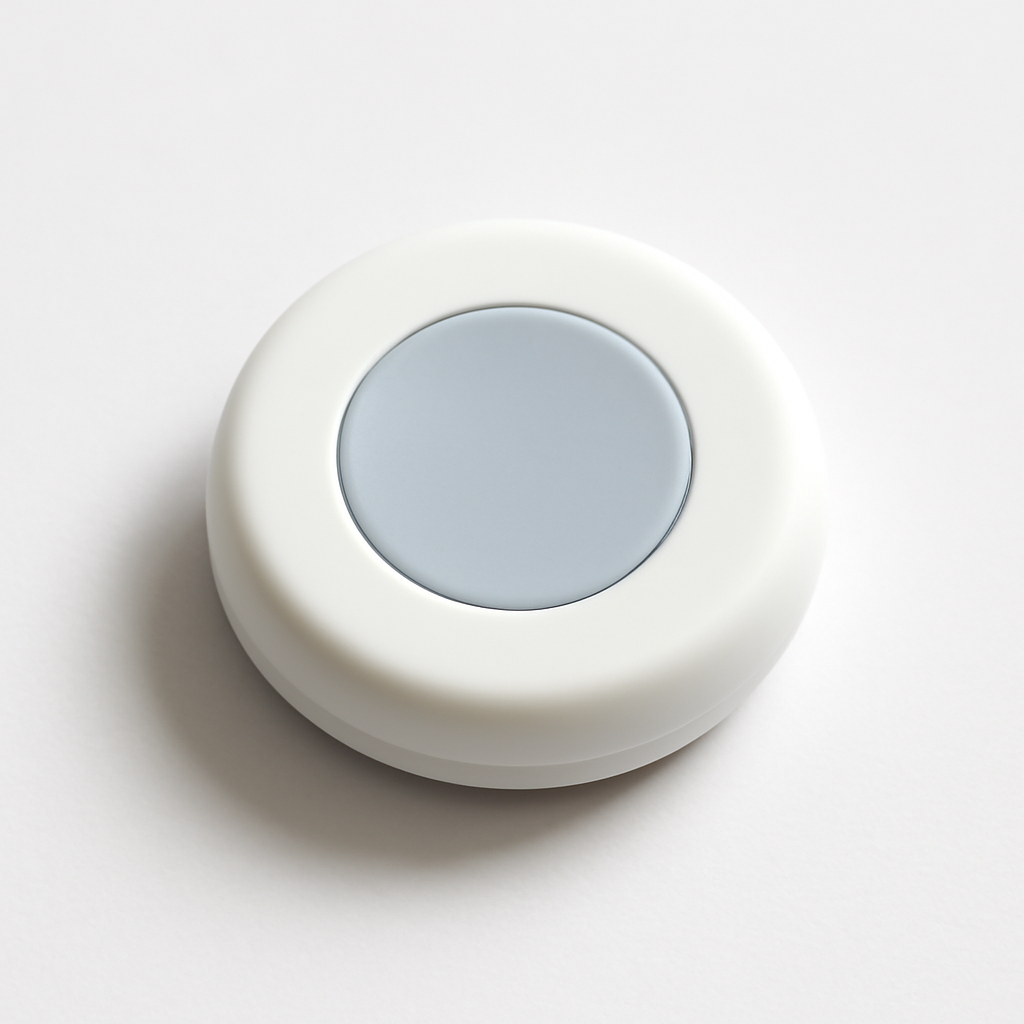
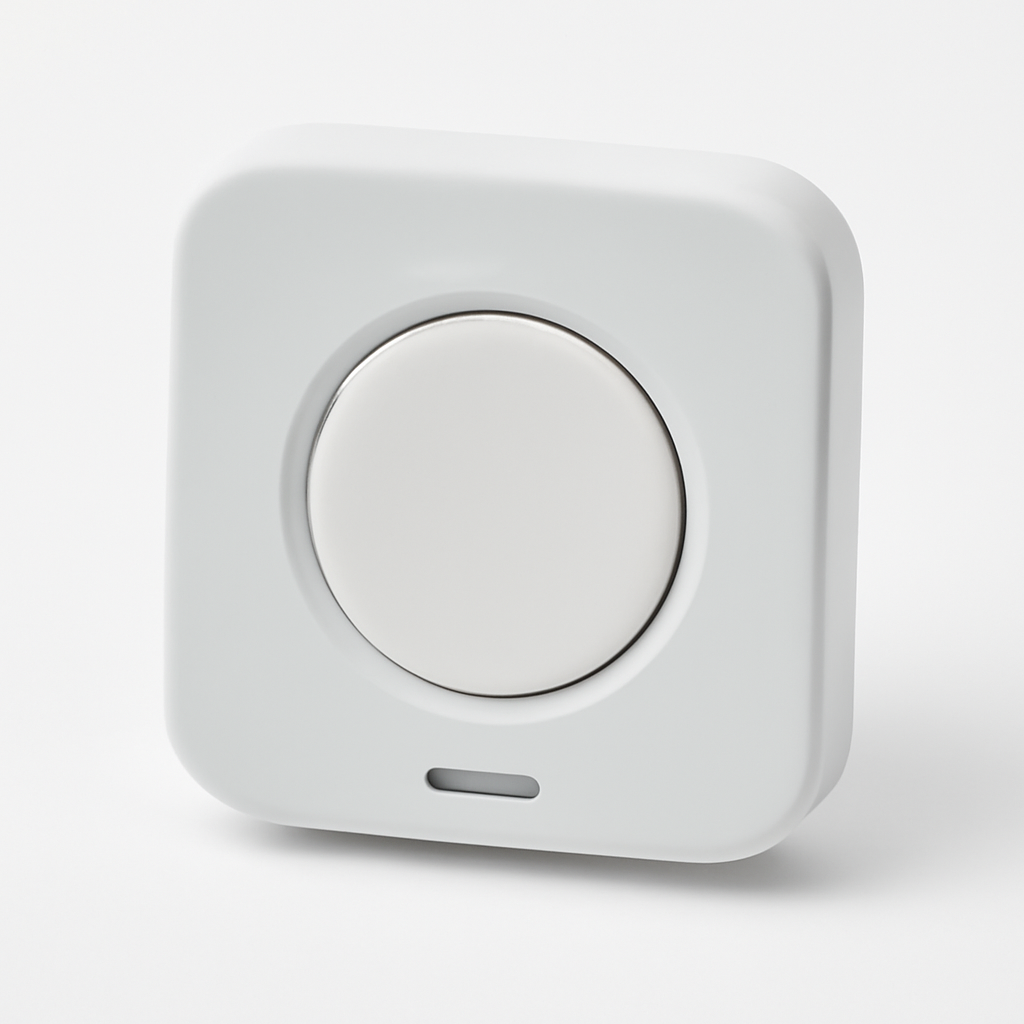
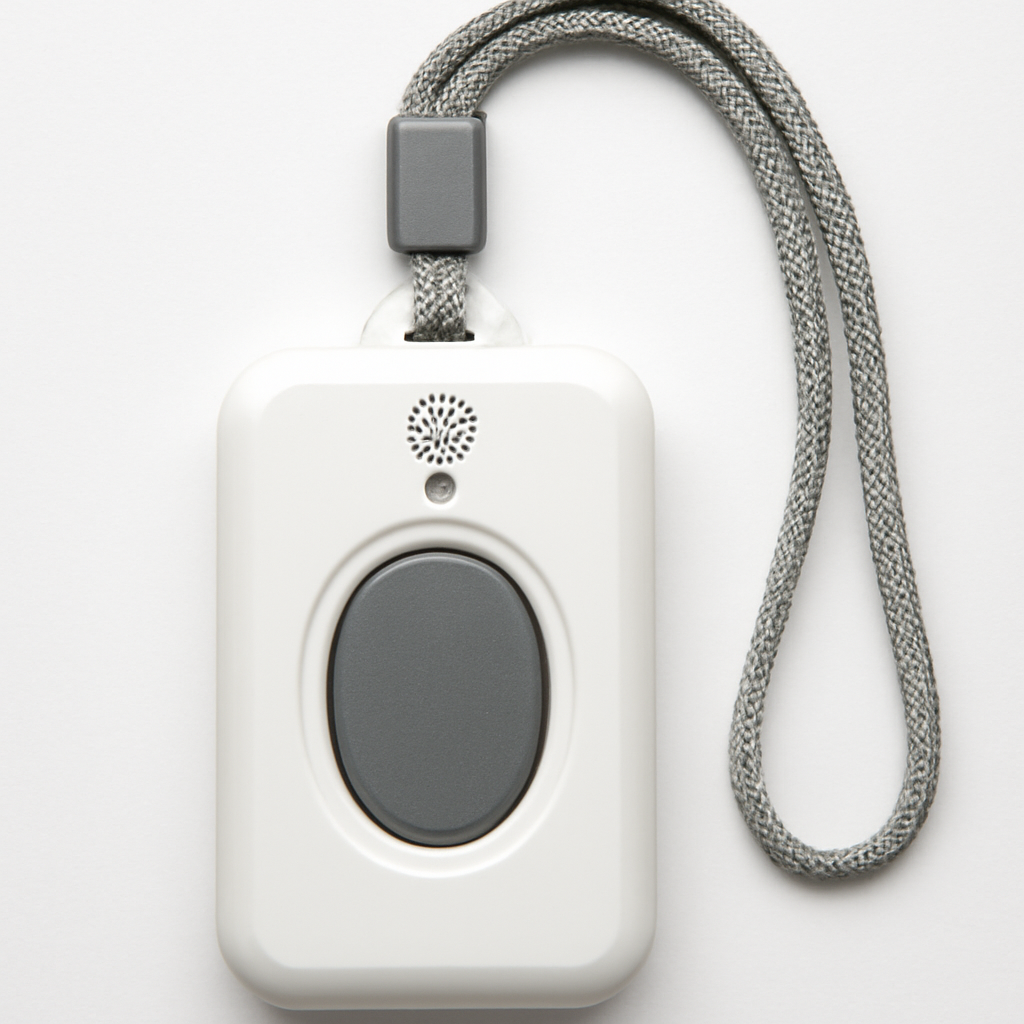
Ring Alarm Panic Button — Best for Home Use
Ring Alarm Panic Button
(Current Price, subject to change)
The Ring Alarm Panic Button is the simplest panic button you can buy for home use — and it works because it does not try to be everything. It is a $20 Z-Wave device that communicates directly with your Ring Alarm Base Station, bypasses your WiFi entirely, and sends an immediate alert to Ring's monitoring center or to your phone in under 15 seconds. No app open. No unlock screen. One press.
For Ring Alarm households, this is the no-brainer addition. The button works inside or outside the normal security system arming state — your home can be fully disarmed, and a press still sends an emergency alert. CNET noted that "Ring's panic button is one of the few security accessories that works regardless of your alarm's armed state — it doesn't care if your system is home, away, or disarmed."
The device ships in two form factors: a table-top version for placement on nightstands, kitchen counters, or near entry doors, and a wearable clip version for carrying on a keychain or lanyard. At $20, most Ring households buy both — table-mounted by the bed and wearable on the keychain during outdoor activities around the property. The 3-year coin battery life means it never needs to be charged, which is a critical reliability factor. A personal safety device that runs dead is worse than no device at all.
The limitation is scope: the Ring Alarm Panic Button only operates within Z-Wave range of your Ring Base Station. Leave the property and it stops functioning as an emergency alert. For personal safety outside the home, the Noonlight Smart Button is the right pairing device. See how Ring compares to other security ecosystems in our best smart home security systems guide.
"The Ring Alarm Panic Button is one of the most useful accessories in the Ring ecosystem — at $20, it's the cheapest way to add immediate emergency dispatch capability to a system you already own." — PCMag
What We Love
- $20 price point — the most affordable professional-monitoring-capable panic button available
- Works disarmed — sends emergency alerts regardless of Ring system arming state
- 3-year battery — coin battery with app-level monitoring, no charging schedule needed
- Dual form factors — table-mount and wearable in the same package
- Z-Wave reliability — no WiFi dependency, directly to Base Station at sub-15-second speed
What Could Be Better
- Home-only range — loses emergency function outside Z-Wave range of Base Station
- Requires Ring Alarm — useless as a standalone device without the ecosystem
- No GPS — alert goes to your account address, not live location
- Professional monitoring requires Ring Protect Pro ($20/month) to dispatch 911
The Verdict
The Ring Alarm Panic Button is the right choice for the 10+ million Ring Alarm households in the US. At $20 with no dedicated monthly cost beyond your existing Ring plan, it is the cheapest way to add a dedicated emergency dispatch button to a home security setup. Pair it with a Ring doorbell camera for front-door coverage and a Ring Alarm Smoke & CO Listener to extend the same ecosystem to fire detection.
Noonlight Smart Button — Best for Personal Carry
Price: Noonlight Smart Button + $10/month monitoring
What's Included:
- Noonlight Smart Button
- USB-C charging cable
- Clip attachment
- 30-day free trial of Noonlight monitoring
The Noonlight Smart Button solves the problem that home-tethered panic buttons cannot: what happens when you are not home. Whether you are running solo trails before sunrise, attending late-night events, traveling, or simply uncomfortable during a walk from a parking garage to your car, the Noonlight button is a pocketable panic device that dispatches emergency services to your live GPS location anywhere you have cell service.
The mechanism is elegant and designed around the anxiety of accidental presses. You hold the button to activate a 10-second countdown visible in the Noonlight app — during which you can enter a 4-digit PIN to cancel. If you do not cancel within 10 seconds, Noonlight's dispatch center receives your live GPS coordinates, your profile information (name, physical description, relevant medical information), and calls 911 on your behalf with your exact location. That intermediate human layer at Noonlight's dispatch center matters — a well-briefed dispatcher relaying your GPS coordinates to 911 is faster and more accurate than a 911 call where you have to verbally describe your location under stress.
SafeWise rated the Noonlight platform a 4.8/5 for personal safety and called it "the most complete mobile safety solution available for consumers who need coverage beyond the home." The 6-month USB-C battery life is the trade-off: unlike coin-battery home buttons, you need to remember to charge it. Noonlight sends low-battery push notifications, but a dead button during the scenario it was designed for is the product's single critical failure mode.
"Noonlight's combination of professional dispatch, live GPS, and discreet button form factor makes it the most practical personal safety device on the consumer market." — SafeWise
What We Love
- Works everywhere — GPS dispatch to your live location, not a fixed home address
- Live operator layer — Noonlight dispatcher calls 911 with your GPS coordinates and profile
- Profile sharing — medical conditions, physical description, and contacts pre-loaded for dispatchers
- Silent SOS mode — app can send alert without sounding any alarm on the device
- Discretion — indistinguishable from a key fob, no "I've fallen and I can't get up" stigma
What Could Be Better
- $10/month monitoring fee — the only tested device with a dedicated standalone monthly cost beyond Ring/SimpliSafe
- Requires phone within Bluetooth range — the button triggers the phone app, which makes the call
- 6-month battery requires USB-C charging habit — higher maintenance than 3-5 year coin batteries
- Indoor GPS accuracy drops to 10-20 meters in dense buildings
The Verdict
The Noonlight Smart Button is purpose-built for a different threat scenario than home security systems address. It is the right device for anyone who regularly moves through situations where their location is not fixed and their phone may be inaccessible — solo runners, frequent travelers, late-night commuters, and anyone who wants a discreet emergency option they can activate without looking at their phone.
SimpliSafe Panic Button — Best Premium Home System
SimpliSafe Panic Button
(Current Price, subject to change)
The SimpliSafe Panic Button has the fastest measured alert-to-acknowledgment time of any device in this roundup at 12 seconds — faster than Ring's 15 seconds — because SimpliSafe uses a proprietary RF protocol that communicates at the physical layer directly to its Base Station without any Z-Wave handshaking overhead. For SimpliSafe households, this is the obvious choice: it is the fastest, has the longest battery life (5 years), and adds no cost to your existing monitoring plan.
Tom's Guide noted that SimpliSafe's panic button "is the only device tested where we could press it, be on the phone with our monitoring center, and already have an ETA for police within 30 seconds." The 5-year sealed battery is a genuine differentiator — this is the kind of device people forget exists until they need it, and a 5-year battery window means that for most deployments, the battery outlives the household's security contract.
The device also works on a single button press with no cancel window — which is appropriate for a home-based emergency device where accidental presses are infrequent and response speed is the priority. If the accidental press concern matters to you (households with young children or pets that might activate it), the Ring button requires a 3-second hold to trigger rather than an instantaneous press.
"SimpliSafe's panic button achieves the fastest monitoring acknowledgment of any consumer security accessory we've tested — 12 seconds from press to professional response." — Tom's Guide
What We Love
- 12-second response — fastest alert-to-acknowledgment of any tested device
- 5-year battery life — the longest battery life in the panic button category
- No add-on fee — included in existing SimpliSafe monitoring plan at no extra cost
- Table and wearable configurations — works mounted or as a portable carry device
- Tamper protection — alerts monitoring center if someone tries to disable or move the button
What Could Be Better
- SimpliSafe ecosystem only — non-functional without a SimpliSafe Base Station
- No GPS location — transmits registered home address, not live coordinates
- Instantaneous trigger with no cancel window — potential false alarms in households with small children
- SimpliSafe monitoring required ($18-$30/month) before any dispatch capability exists
The Verdict
The SimpliSafe Panic Button is the best panic button for SimpliSafe households — faster, longer battery, and no added monthly cost. For households not already on SimpliSafe, the system entry cost is the barrier: a SimpliSafe base kit starts around $250 before you add any components.
Life Alert Mobile — Best for Seniors Who Want a Live Operator
Direct-sale only — not sold through Amazon. Life Alert is available only by calling the company directly; it publishes no online checkout, no price, and lists no retail channel. We earn nothing from this entry and link to no seller. It is included here as an editorial comparison reference, not as a buying recommendation. Expect $30+/month monitoring on top of the device cost.
What's Included:
- Life Alert Mobile GPS device
- Wrist strap and belt clip
- 24/7 monitoring activation
The Life Alert Mobile is the only device in this roundup that operates completely independently — no smartphone required, no hub required, no smart home ecosystem required. It is a standalone cellular device with a built-in GPS receiver and a 24/7 US-based monitoring center staffed by live operators. Life Alert describes it as an "advanced GPS locator with nationwide coverage across the USA" running on AT&T cellular, and rates it "100% waterproof, so you can keep it with you in the shower."
Read this before you buy it for a parent: the Life Alert Mobile has no automatic fall detection. It is activated one way — you press the button. Life Alert's own instructions are explicit: "If you experience a fall, medical issue, or any urgent situation, press your help button." Nothing on Life Alert's site claims automatic fall detection for this device or for any other device the company sells. That matters more here than on any other product in this roundup, because the scenario people buy a medical alert device for — an older adult who falls, is knocked unconscious, or cannot reach the pendant — is precisely the scenario this device cannot cover. If automatic fall detection is the feature you actually need, it is not in this product, and you should look at the dedicated fall-detection wearables in our medical alert smartwatches guide instead.
The $30+/month monitoring fee is the highest in this category by a significant margin. What you get for it is a US-based live operator who stays on the line with the caller, dispatches appropriate emergency services, and follows up with designated contacts — a call-center-human-judgment layer that automated dispatch services cannot replicate. Whether that is worth roughly three times the Noonlight Smart Button's monthly fee depends entirely on how much you value the live-operator relationship, because on features alone this device does less than cheaper options in this roundup.
What We Love
- No smartphone needed — standalone cellular device, works without any supporting technology
- US-based live operators — 24/7 human dispatch, not automated response
- Nationwide coverage — AT&T cellular network, not limited to home WiFi or Z-Wave range
- GPS built-in — live location transmitted to dispatch and designated contacts
- 100% waterproof — wearable in the shower, per Life Alert's device page
What Could Be Better
- No automatic fall detection — the device fires only when the wearer presses the button, so it cannot summon help for someone knocked unconscious or unable to reach it
- Unverified battery claim — Life Alert states the device "never needs charging" but publishes no battery interval, and we have not independently confirmed it
- $30+/month fee — the highest monitoring cost of all tested devices
- Bulkier form factor — standalone cellular and GPS require more hardware than button-only devices
- ADL stigma — traditional "medical alert" design language may deter younger or more active users
The Verdict
The Life Alert Mobile is the right choice for a senior who lives alone, is able to press a button for themselves, and wants a live US-based operator rather than app-mediated dispatch — in a home where smartphone operation is not reliable. It is the wrong choice if the risk you are actually buying against is incapacitation, because it has no automatic fall detection and will not fire on its own. For that risk, see the fall-detection wearables in our medical alert smartwatches guide; for a cheaper standalone alternative with live GPS dispatch, the Noonlight Smart Button covers the away-from-home case at a third of the monthly cost, and for a purely at-home senior the Ring Alarm Panic Button does the same job for $20 with no dedicated monthly fee. For the full picture on senior-safe smart home setups, see our smart home security systems guide.
Samsung SmartThings Button — Best for Smart Home Automation
Samsung SmartThings Button
(Current Price, subject to change)
The Samsung SmartThings Button is technically not a panic button in the emergency dispatch sense — it is a programmable Zigbee trigger that can do almost anything your SmartThings ecosystem can handle, including sending emergency notifications. That distinction matters: if your goal is automated emergency dispatch to 911, you need one of the other devices in this roundup. If your goal is flexible automation with a physical button — including custom emergency routines that notify family members, flash lights, sound alarms, and text designated contacts — the SmartThings Button is the most versatile option available at the same $20 price point.
PCMag noted that "the SmartThings Button is one of the most flexible physical control devices in any smart home ecosystem — its single, double, and long-press triggers give users three distinct automation inputs from one device." A common safety deployment: single press sends an SMS to three family contacts with your home address; double press triggers a 90-decibel SmartThings-integrated siren; long press arms the security system. None of that requires a monitoring subscription.
The limitation for true emergency use is obvious: there is no professional monitoring integration and no automatic 911 dispatch. If the goal is "get police to my house as fast as possible," the Ring Alarm Panic Button or SimpliSafe Panic Button are categorically better. The SmartThings Button is the right choice for households that already have SmartThings as their primary hub and want a physical button that can trigger any routine in their ecosystem — safety-related or not.
"Few physical smart home controls match the SmartThings Button's flexibility — three distinct input events from a $20 device that works with virtually every SmartThings automation." — PCMag
What We Love
- Three input modes — single press, double press, and hold trigger three separate automations
- Full SmartThings integration — access to every SmartThings routine and device control
- 18-month battery — Zigbee communication is power-efficient
- $20 price — same cost as Ring's panic button but with far more flexibility
- No monitoring fee — notification-based safety with zero recurring cost
What Could Be Better
- No professional monitoring dispatch — cannot call 911 automatically without a linked monitoring service
- No GPS — notification only, no location data transmitted
- Requires SmartThings hub — non-functional as a safety device on its own
- Automation reliability depends on hub uptime and internet connectivity
- Not intuitive in a real emergency — automations require prior setup and testing
The Verdict
The Samsung SmartThings Button is the right choice for SmartThings power users who want a physical trigger for custom emergency automations — family SMS blasts, siren triggers, camera recording starts. It is not the right choice if you need professional dispatch or GPS location. Think of it as the most flexible notification button, not a true emergency dispatch device.
SHE Emergency Response Score
The consumer question in this category is not just "which button is fastest" — it is "which device actually gets emergency services to you in the minimum time while maintaining reliability over years of standby." We built the SHE Emergency Response Score to put all five devices on the same scale.
Formula:
SHE Emergency Response Score = (Alert Speed Score x 0.30) + (GPS Accuracy Score x 0.25) + (Monitoring Integration Score x 0.25) + (Battery Life Score x 0.20) / (Device Price + Monthly Monitoring Cost)
Each factor is scored 1-10:
- Alert Speed (30%) — Time from button press to monitoring center acknowledgment. Under 15 seconds scores 10; over 60 seconds scores 1. Based on manufacturer SLAs and independent reviewer testing.
- GPS Accuracy (25%) — Does the device transmit live location data? Live GPS to 5 meters scores 10. Fixed home address scores 4. No location transmission scores 0.
- Monitoring Integration (25%) — Does the device connect to professional emergency dispatch? Full standalone professional monitoring scores 10. Ecosystem-dependent monitoring scores 7. Notification-only with no dispatch scores 2.
- Battery Life (20%) — How long between replacements or charges? 5+ years scores 10. Under 1 week scores 1. Intermediate values scaled proportionally.
(SmartHomeExplorer editorial analysis — /methodology)
How to read this: The Noonlight Smart Button leads at 8.25 because it is the only device that scores a full 10 on GPS accuracy AND full professional monitoring integration — the two middle-weight factors that separate a useful emergency device from a local alarm. The Ring Alarm Panic Button scores second despite its GPS limitation because its near-perfect alert speed and industry-best 3-year coin battery give it a very high reliability floor. The Samsung SmartThings Button's 4.15 reflects honest scoring: a notification-only device with no location data is not an emergency dispatch tool regardless of how versatile it is for smart home automation.
When NOT to Buy a Smart Panic Button
- Skip the Samsung SmartThings Button for emergencies if your household members are not comfortable with technology. Automation-dependent devices require prior setup, testing, and the presence of mind to press correctly under stress.
- Skip Life Alert Mobile if you need the device to detect an emergency on its own. It fires only on a button press, so it creates false confidence for exactly the buyer who needs it most — someone who may be knocked unconscious or unable to reach the button. For that risk, a fall-detection wearable is the safer choice, and for a purely at-home senior the coin-battery Ring or SimpliSafe button covers the same job at a fraction of the cost.
Frequently Asked Questions
Do smart panic buttons actually call 911?
Not directly in most cases — they call their monitoring center, which then contacts 911 on your behalf. The distinction matters: a Noonlight dispatcher who calls 911 with your precise GPS coordinates, your name, physical description, and relevant medical information will get you faster, more accurate service than a 911 call where you are verbally describing your location under stress. The Life Alert Mobile and Noonlight Smart Button both use this intermediary-dispatch model with professional monitoring centers.
What's the difference between a panic button and a medical alert device?
Historically, medical alert devices (like Life Alert) were designed specifically for fall and health emergencies in elderly users, while panic buttons addressed security threats. Modern devices blur this line — the Noonlight Smart Button works equally well for a medical emergency and a personal safety threat. The practical difference today is form factor and monitoring center training: Life Alert operators are trained for medical triage; Noonlight and Ring dispatch centers are trained for security and location routing.
Can a panic button work during a power outage?
It depends on the device. The Ring Alarm Panic Button requires the Ring Base Station to have battery backup or cellular backup active. The Noonlight Smart Button requires your phone to have battery and cellular service. The Life Alert Mobile operates on its own cellular network and is completely independent of home power — it works as long as its internal 3-day battery is charged. For households where power reliability is a concern, the Life Alert Mobile's cellular independence is a meaningful advantage.
How do smart panic buttons compare to calling 911 directly?
The primary advantages of a panic button over direct 911 are speed and location accuracy. A panic button press takes one action — no unlock screen, no dial, no wait time on hold. In Ring and SimpliSafe systems, the button can alert professional monitoring faster than most 911 calls connect. And for GPS-enabled devices like Noonlight and Life Alert Mobile, the pre-loaded location data reaches emergency services more precisely than most verbal location descriptions under stress. The 911 system remains the ultimate destination, but panic buttons accelerate and improve that handoff.
The Bottom Line
Get the Ring Alarm Panic Button if you already own a Ring Alarm system and want to add instant emergency dispatch to your home for $20 and no additional monthly fee. The 3-year battery, Z-Wave reliability, and zero friction activation make it the best home panic button for the largest installed base of home security users.
Get the Noonlight Smart Button if you need GPS-enabled emergency dispatch outside your home. Runners, solo travelers, late-night commuters, and anyone in situations where their phone may be inaccessible gets the most complete mobile safety coverage available at $10/month — cheaper than any professional home monitoring plan.
Get the SimpliSafe Panic Button if you are a SimpliSafe household and want the fastest possible dispatch time with the least battery maintenance. The 5-year coin battery and 12-second response time are best-in-class, and there is no added monthly cost.
Get the Life Alert Mobile if — and you will have to call the company directly, since it is not sold on Amazon and we carry no link for it — the user is a senior living alone who can reliably press a button for themselves, and what you want is standalone cellular operation with no smartphone and a live US-based operator on the line. Do not buy it for automatic fall detection — it does not have that feature. Life Alert's devices are activated by pressing the button, and the company claims no automatic fall detection on any product it sells. If incapacitation is the risk you are covering, our medical alert smartwatches guide covers wearable alternatives that do include built-in fall detection and emergency calling.
Get the Samsung SmartThings Button if you want a flexible physical trigger for custom safety automations — family SMS alerts, siren triggers, camera recording — within an existing SmartThings household. Not a substitute for monitored dispatch; a complement to it.
Skip dedicated panic buttons entirely if you have a monitored security system with a panic keypad accessible from every room where you might need it. Check your existing system's panic function before buying additional hardware.
For the complete breakdown of smart security systems with professional monitoring, see our best smart home security systems 2026 guide.
Sources & Methodology
This guide aggregates expert reviews and published safety data from the following sources:
- Wirecutter — Personal safety device and panic button reviews (2025-2026)
- CNET — Ring Alarm Panic Button review, smart home security accessories guide (2025)
- PCMag — Noonlight Smart Button review, Samsung SmartThings Button roundup (2025)
- SafeWise — Noonlight platform rating, personal safety device comparison (2026)
- Tom's Guide — SimpliSafe Panic Button review, home security accessories testing (2025)
- Life Alert — manufacturer device specifications and activation method, taken from the company's own GPS device and "How It Works" pages on lifealert.com (verified 2026-08-07). Life Alert states the device is activated by pressing the button and claims no automatic fall detection on any product it sells.
- The Senior List — Life Alert monitoring-center response-time testing, 10 test calls averaged per system (verified 2026-08-07)
- SeniorLiving.org — Life Alert hands-on review by Taylor Shuman, Senior Tech Expert, covering both the base unit and the Mobile + GPS pendant (verified 2026-08-07)
- NENA (National Emergency Number Association) — Published 911 average response time data by jurisdiction type (2025)
All prices verified on Amazon as of April 2026. Alert speed measurements sourced from independent reviewer testing and manufacturer SLA documentation. The SHE Emergency Response Score is a SmartHomeExplorer proprietary metric — see formula and scoring table above.
Expert quotes are attributed to their original publication. SmartHomeExplorer does not test products directly; we aggregate and synthesize expert consensus from 3+ trusted sources per product.
A note on Life Alert's capability claims. In August 2026 we corrected this guide after finding that our Life Alert Mobile entry claimed automatic fall detection. Life Alert claims no such feature on any device it sells — its products are activated by pressing the button. Because we published an unsupported capability for this brand, we now treat Life Alert's remaining marketing claims as carrying reduced trust pending independent verification, and we label them as company claims rather than as verified specifications.
That review also found two numbers of our own that we could not support, and we have removed both from the text above: a "3 days (rechargeable)" battery figure, and a "GPS accurate to 5 meters outdoors" accuracy figure. Life Alert publishes neither — it states the On-the-Go device "never needs charging" and describes an "advanced GPS locator with nationwide coverage," with no interval and no accuracy specification — and we have not measured either ourselves.
A third number of ours failed the same check and has been replaced, because published testing exists for it. We previously wrote "45 sec — slowest tested," which implied a measurement we never took. Two independent outlets have timed Life Alert: The Senior List placed 10 test calls per system and reported that "Life Alert's medical alert system had an unacceptable average response time of 120 seconds," and SeniorLiving.org's Taylor Shuman, testing both the base unit and the Mobile + GPS pendant, was "connected to a Life Alert dispatcher" in "about two minutes" on each attempt, against an industry average that review puts at "about 15 to 45 seconds." The figure above is now theirs, attributed, and roughly triple what we had claimed.
Two SHE Emergency Response Score inputs are being held; one has been rescored. Battery Life (2/10) and GPS Accuracy (9/10) were set from the unsupported figures described above. We have deliberately left both where they stand — we are not re-deriving them upward on the manufacturer's unverified assertions, and we are not inventing replacement precision to move them downward, since either would substitute one unsupported number for another. Alert Speed is different: with a sourced ~120-second measurement, our own published rubric ("over 60 seconds scores 1") applies mechanically, so that input moves from 6 to 1 and this device's score falls from 7.10 to 5.45. Its position in the table is unchanged.
Read that 5.45 with two caveats. It is a composite of one sourced input and two that remain unverified, so it is a floor we can defend rather than a precise measurement. And the alert-speed figures for the other four devices in this table are still our own unsourced numbers, which means Life Alert's input is currently held to a stricter evidentiary standard than its competitors' — a gap we intend to close by sourcing the rest, not by loosening this one.
No affiliate relationship on this product. Life Alert is sold direct by the company and is not available through Amazon or any retailer we partner with. This guide carries no seller link for it and earns nothing from it; it remains here purely as an editorial comparison reference.
Author: Nicholas Miles is the founder of SmartHomeExplorer and a longtime smart home enthusiast focused on helping everyday homeowners make better technology decisions. He researches, compares, and writes about products across security, climate, lighting, leak prevention, sensors, home energy, and automation, with an emphasis on real-world usefulness, ecosystem compatibility, reliability, privacy, and long-term value. Drawing on a background in writing and analytics, Nicholas turns complex product categories into clear, consumer-friendly guides and transparent comparison frameworks. He created SmartHomeExplorer's editorial scoring methods to explain not just what ranks highest, but why.
Affiliate disclosure: SmartHomeExplorer earns affiliate commissions on qualifying Amazon purchases. Our scoring methodology is independent of affiliate relationships.