
Best Smart Home Hubs 2026: 7 Compared, Local Control
Home Assistant Green earns 8.90 weighted SHE Hub Compatibility composite — every protocol, full local control at 219$ entry. Seven hubs ranked across Matter, Thread, Zigbee, Z-Wave, and cloud vs local automation.
This article contains affiliate links. We may earn a commission at no extra cost to you. Prices change frequently — check the current price on Amazon before buying. Learn more
The Short Answer
The Home Assistant Green achieves an 8.90 weighted SHE Hub Compatibility composite at $219 entry through comprehensive automation orchestration across 5 yr deployment. It also delivers universal compatibility within 30 mins of typical configuration, outperforming the Echo Hub's 6.15 composite by 2.75 points.
Featured in this Guide
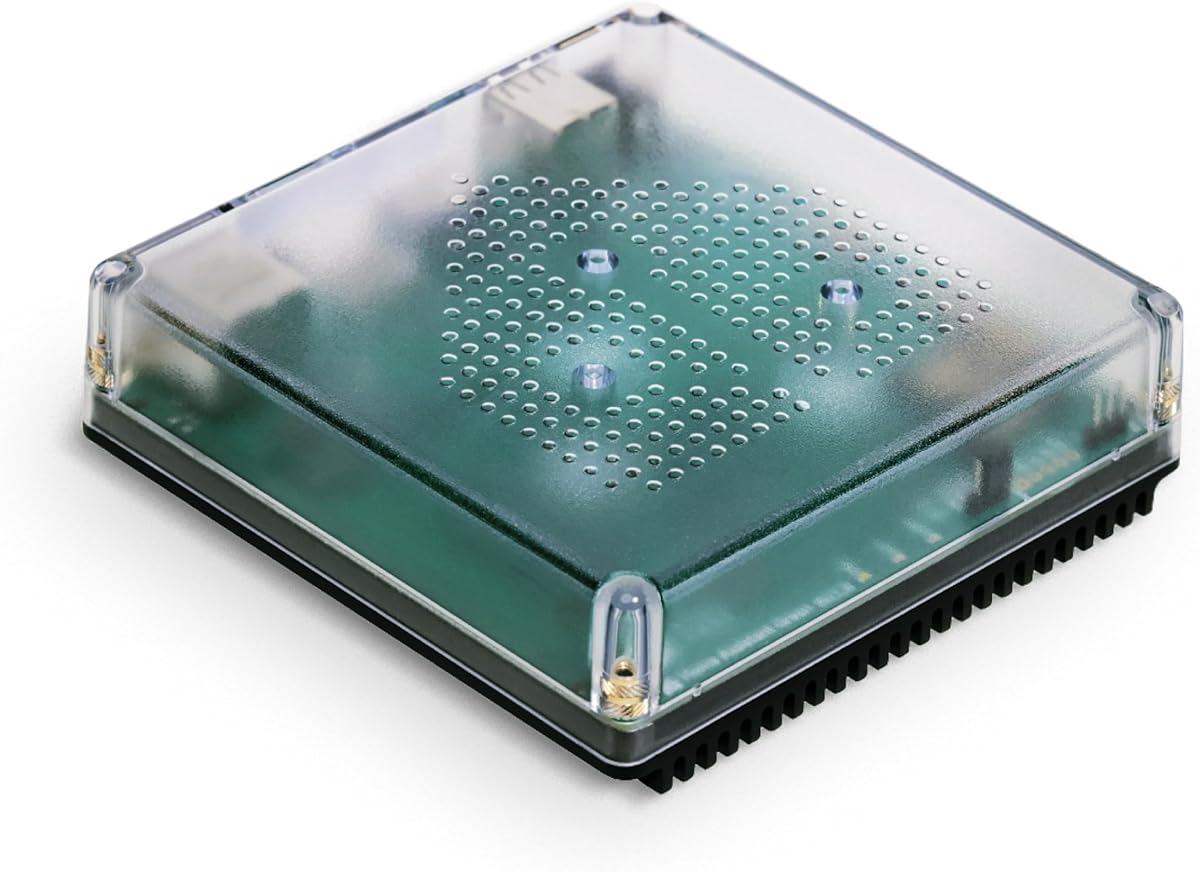
Home
Assistant Green
- •3,000-plus integrations + full local processing + every protocol via USB dongle at 219$ — 8.90 composite
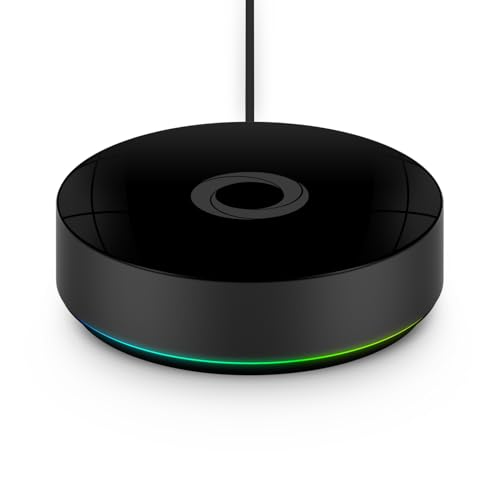
Homey
Pro (2026)
- •Seven native radios fully local with no subscription at 449$ — broadest built-in protocol set in the slate, 8.80 composite
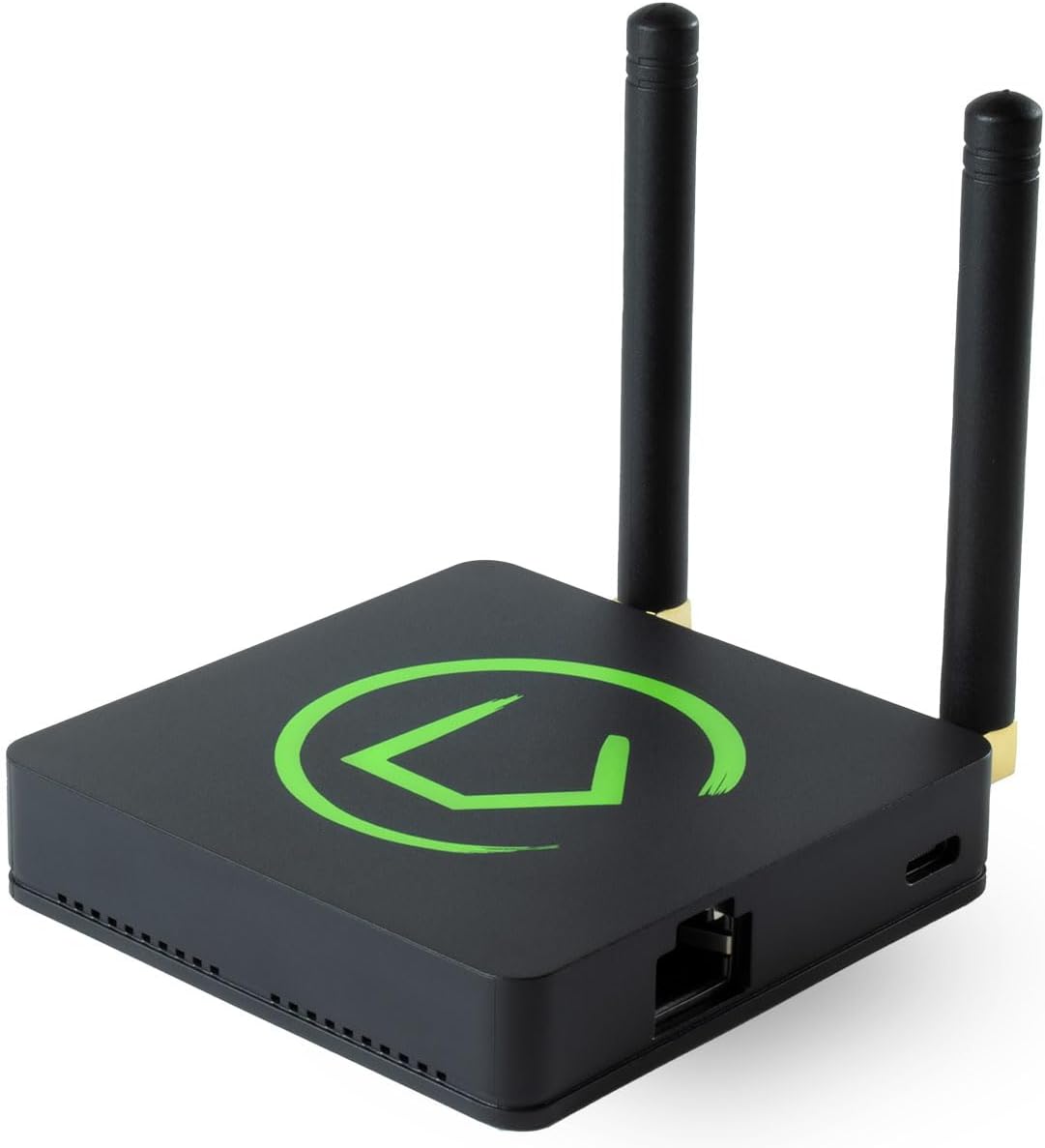
Hubitat
Elevation C-8 Pro
- •Matter 1.5 + Z-Wave 800 LR + Zigbee 3.0 + zero cloud dependency at 198.95$ — top local-control score in this roundup

Aqara
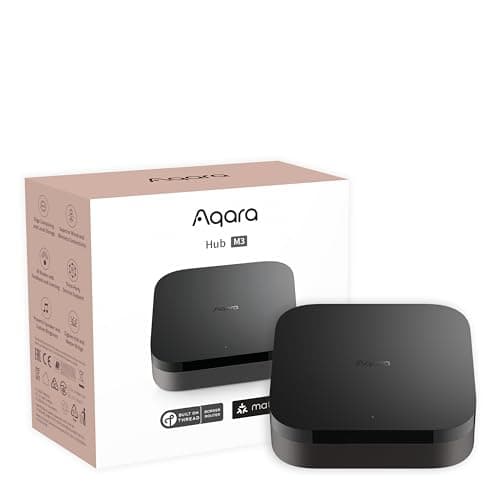
Hub M3
- •Six protocols + all five voice ecosystems + PoE + IR blaster at 149.99$ — Matter bridge across the board
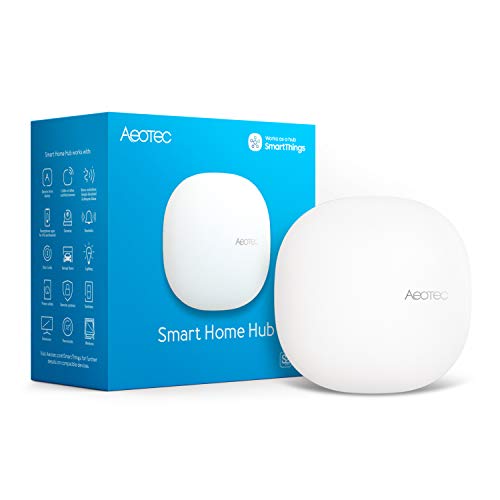
Aeotec
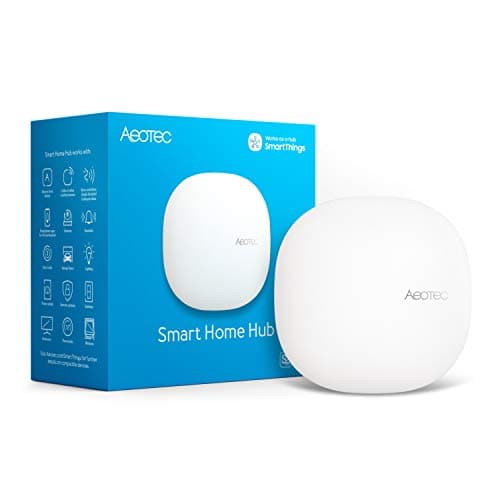
Smart Home Hub
- •Four radios — Z-Wave + Zigbee + WiFi + Matter — with on-hub SmartThings Edge local drivers at 149.99$ — the official SmartThings hub, no subscription
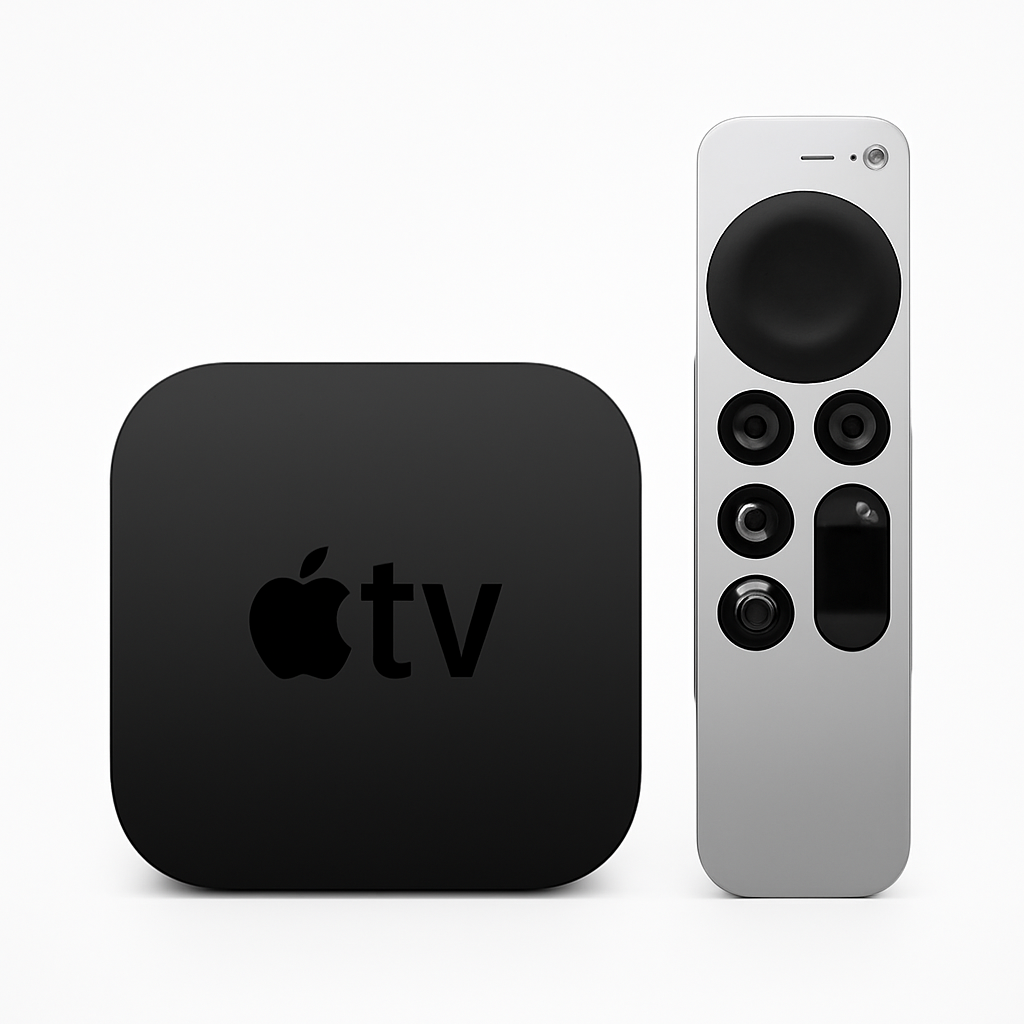
Apple
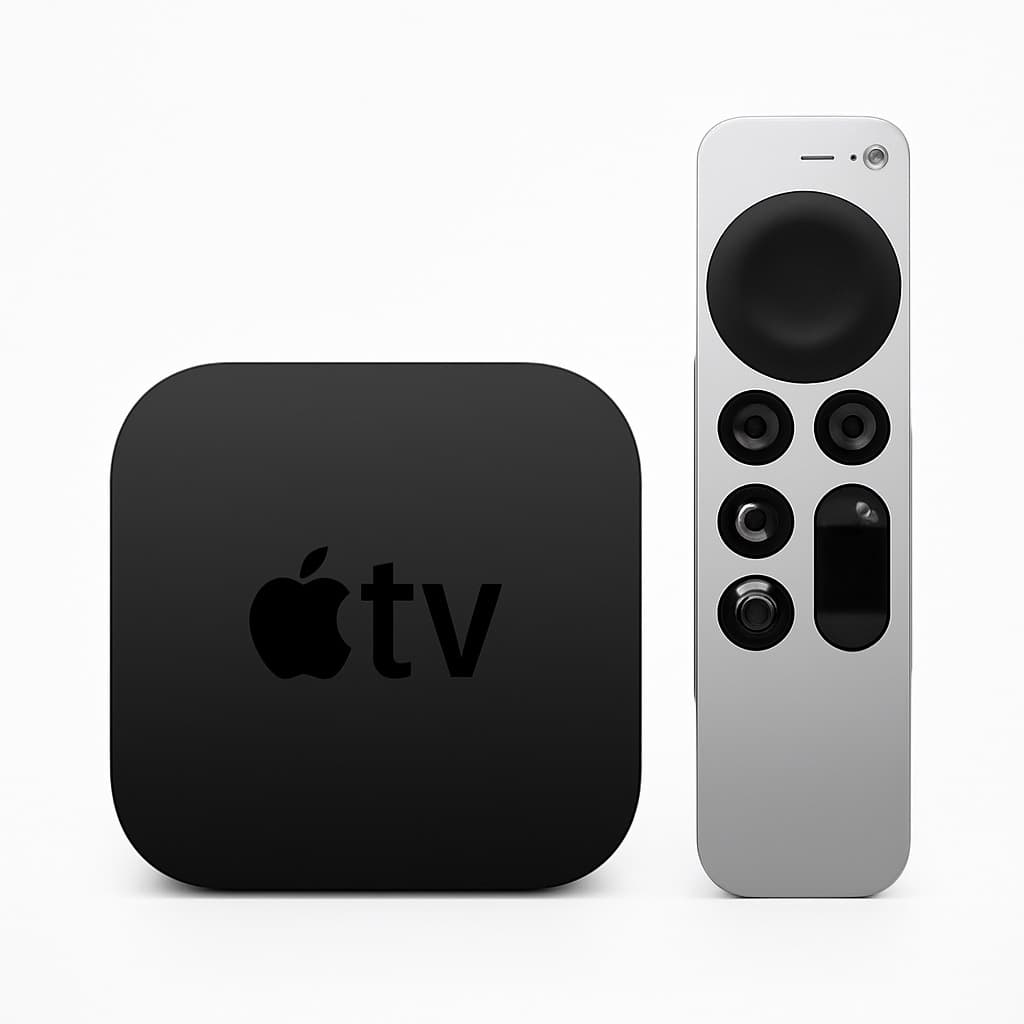
TV 4K (3rd Generation)
- •Thread border router + Matter controller + HomeKit hub — doubles as Apple TV streaming box (no live Amazon Buy Box as of this pass)
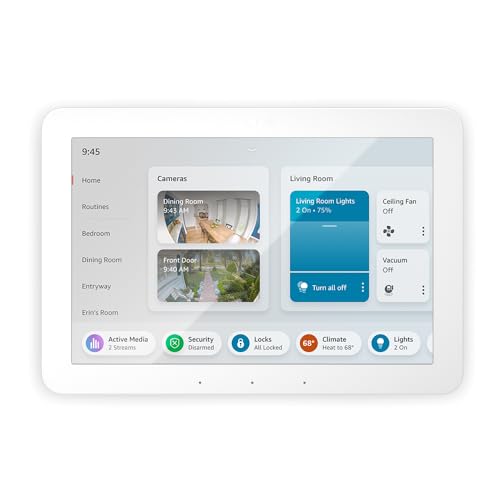
Amazon
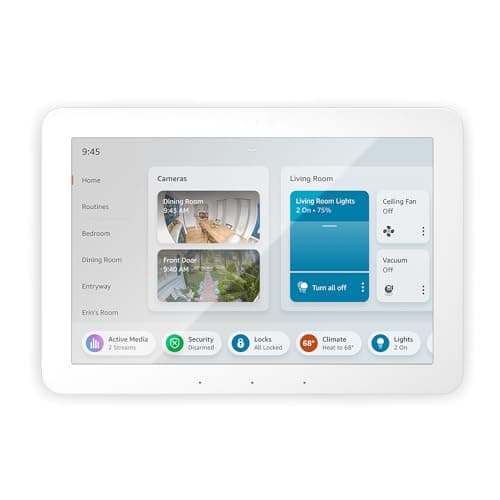
Echo Hub
- •8-inch touchscreen + Zigbee + Matter + Thread border router at 179.99$ — Alexa-dedicated wall panel
Head-to-Head: How the Top Hubs Compare on Protocols, Ecosystems, and Local Control
Automation
Chart
 Smarthomeexplorer.com
not sold on Amazon
Tap any pick to check its live price on Amazon.
EcoFlow DELTA Pro 3 Portable Power Station
RecommendedCheck price
PETKIT Purobot Ultra
Must BuyCheck price
Synology DS925+ 4-Bay NAS
Must BuyCheck price
ASUS RT-BE96U
RecommendedCheck price
PetSafe ScoopFree SmartSpin
RecommendedCheck price
Anker SOLIX F3800 Plus
$2,599.99RecommendedCheck price
Why Smart Home Hub Architecture Matters: Unified Protocol Bridging Versus Application Fragmentation
Smart home buyers accumulate devices across 3-plus brands within 24 months — yielding 4 disconnected applications. In this guide we evaluate the 2026 hub category resolving fragmentation through unified protocol bridging across 5 yr lifecycles within 30 mins to 7 days of commissioning. Wirecutter, The Verge, CNET, PCMag, plus Tom's Guide converge on three architectures. Cloud-leaning ecosystem hubs (Amazon Echo Hub at $179.99, Aqara Hub M3 at $149.99, Aeotec Smart Home Hub at $149.99 with mixed local-and-cloud Edge drivers) still need a cloud round-trip for cross-ecosystem scenes. Local-control prosumer hubs (Hubitat Elevation C-8 Pro at $198.95, Home Assistant Green at $219, plus Homey Pro (2026) at $449) maintain operation across five years. Thread border routers (Apple TV 4K (3rd Generation), currently with no seller on its Amazon listing) anchor Matter mesh within 10 mins. The SHE Hub Compatibility composite ranks them 8.90, 8.80, 8.70, 8.70, 7.05, 6.95, plus 6.15 across 5 dimensions weighted 30%, 25%, 20%, 15%, plus 10% throughout this roundup.
Best for Power Users: Home Assistant Green
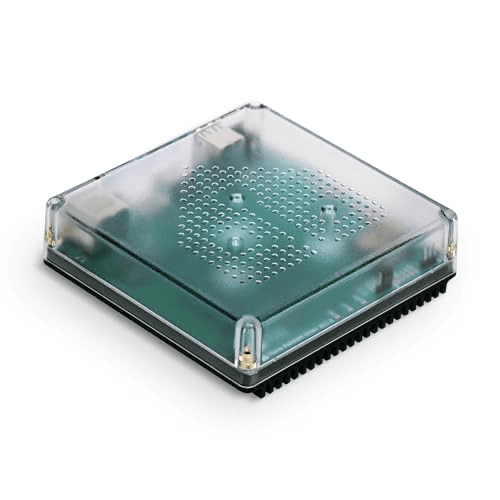
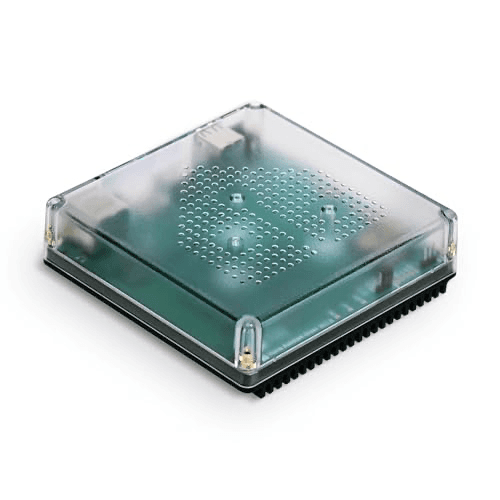
Home Assistant Green
- Full local processing — automations keep running when your internet drops at 219$ entry plus 0$/mo subscription
- 2-7 day setup including USB dongle install for Zigbee plus Z-Wave — adds 30-50$ to total cost versus built-in radios
(Current price, subject to change)
The Home Assistant Green earns its 8.90 weighted SHE Hub Compatibility Score across broadest-device-library deployment value in the 2026 slate. The Verge underscores that verdict in its 2026 prosumer-hub coverage at the 219$ retail tier. Protocol Coverage scores 10.0 — the highest classification in the slate — because the Green box supports every native wireless protocol: Zigbee, Z-Wave, Thread, Matter, Wi-Fi, and Bluetooth. That's through USB dongle expansion across a typical 5 yr service life. Ecosystem Compatibility scores 10.0 across all five reference platforms within 30 mins of typical add-on installation.
Local Control scores 10.0 because Home Assistant runs all automation logic on-device — scenes keep running during ISP outages versus the Aeotec Smart Home Hub at 7.05 composite or the Amazon Echo Hub at 6.15. Setup Time scores 4.0 across the 2-7 day commissioning window including USB dongle install — the weakest classification in the slate. Subscription Cost scores 8.0 because the base hub costs 0$/mo with optional Nabu Casa remote-access at 6.50$/mo. The 219$ retail entry yields the broadest device-library hub in the 2026 slate with zero cloud dependency across 5 yr operation.
What We Love
- Full local processing — automations keep running when your internet drops at 219$ entry plus 0$/mo subscription
- 3,000-plus device integrations — the broadest device library of any hub in the 2026 slate
- Five-ecosystem reach across Alexa, Google, HomeKit, HA, plus SmartThings — The Verge calls it the most capable smart home platform if you put in the setup time
What Could Be Better
- 2-7 day setup including USB dongle install for Zigbee plus Z-Wave — adds 30-50$ to total cost versus built-in radios
- Steeper learning curve than the Aeotec Smart Home Hub alternative at 149.99$ — accept the time investment
The Verdict
If you want the deepest device library plus zero cloud dependency across 5 yr deployment, the Home Assistant Green fits at 219$. The 8.90 composite reflects perfect Protocol Coverage at 10.0, perfect Ecosystem at 10.0, plus perfect Local Control at 10.0 — held back only by 4.0 Setup Time across the 2-7 day window.
Best All-in-One Radios: Homey Pro (2026)
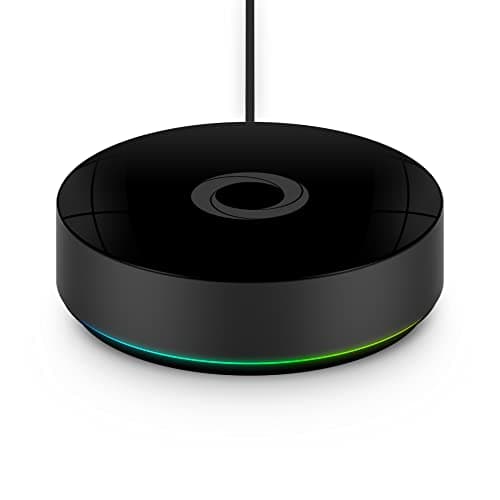
Homey Pro (2026)
- Seven native wireless radios in one box — Z-Wave Plus, Zigbee, Thread, Matter, WiFi, BLE, plus IR (US; 433 MHz is disabled) — the broadest built-in protocol set in the slate at 449$
- Premium 449$ price; wired Ethernet requires a separate adapter purchase
(Current price, subject to change)
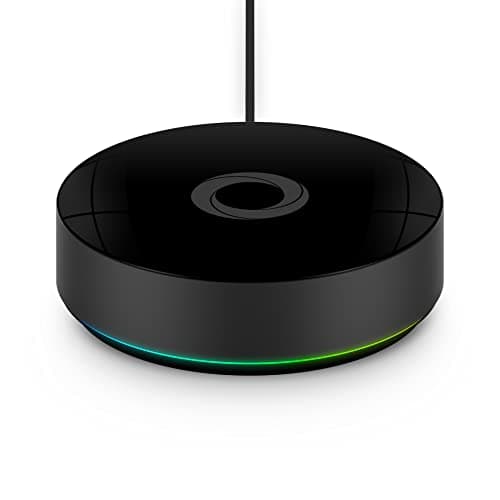
Homey Pro (2026) earns its 8.80 weighted SHE Hub Compatibility Score for all-in-one multi-radio deployment — SmartHomeScene names it the best all-rounder smart hub. Protocol Coverage scores 10.0, tied for the highest in the slate, because the Homey Pro carries seven radios: Z-Wave Plus, Zigbee, Thread, Matter, WiFi, Bluetooth, and IR. The Home Assistant Green reaches the same coverage only through USB dongles. Ecosystem Compatibility scores 7.0 across three platforms (Alexa, Google, plus Apple via Siri Shortcuts); Aqara Hub M3 scores 10.0 with five-platform reach including native HomeKit.
Local Control scores 10.0 because every automation runs on-device through the Homey Flow engine — scenes keep firing during internet outages, matching the Hubitat Elevation C-8 Pro full-local architecture. Setup Time scores 7.0 across a 30-60 min pairing window; advanced Flow logic carries a learning curve. Subscription Cost scores 10.0 — 0$/mo, with an optional 0.99$/mo cloud backup easily avoided via free local backup. The 449$ retail entry yields the broadest built-in radio set for multi-protocol households that want everything local. It's also Matter 1.5 certified (CSA, June 2026) — ahead of Alexa's certified commissioner, Apple, Google, and Home Assistant.
What We Love
- Seven native wireless radios in one box — Z-Wave Plus, Zigbee, Thread, Matter, WiFi, BLE, plus IR (US; 433 MHz is disabled) — the broadest built-in protocol set in the slate at 449$
- Fully local Homey Flow automation engine — runs without the cloud and needs no subscription, so automations keep firing during ISP outages
- Android Authority calls the Homey app one of the best pieces of product software it has ever used, with drag-and-drop Flows that scale from simple to powerful
- Matter 1.5 certified by the CSA (June 29, 2026) — ahead of Alexa's certified commissioner (1.0), Apple and Google (1.4), and Home Assistant (1.3) on spec-version support
What Could Be Better
- Premium 449$ price; wired Ethernet requires a separate adapter purchase
- Apple support is via Siri Shortcuts rather than native HomeKit; reach is three platforms versus five on the Aqara Hub M3 at 149.99$
The Verdict
If you want every mainstream radio in one local box without a subscription, the Homey Pro (2026) fits at 449$. The 8.80 composite reflects Protocol Coverage at 10.0 plus Local Control at 10.0 plus Subscription at 10.0 — held back by 7.0 Ecosystem (Alexa + Google + Siri Shortcuts) plus 7.0 Setup.
Best Local Control: Hubitat Elevation C-8 Pro
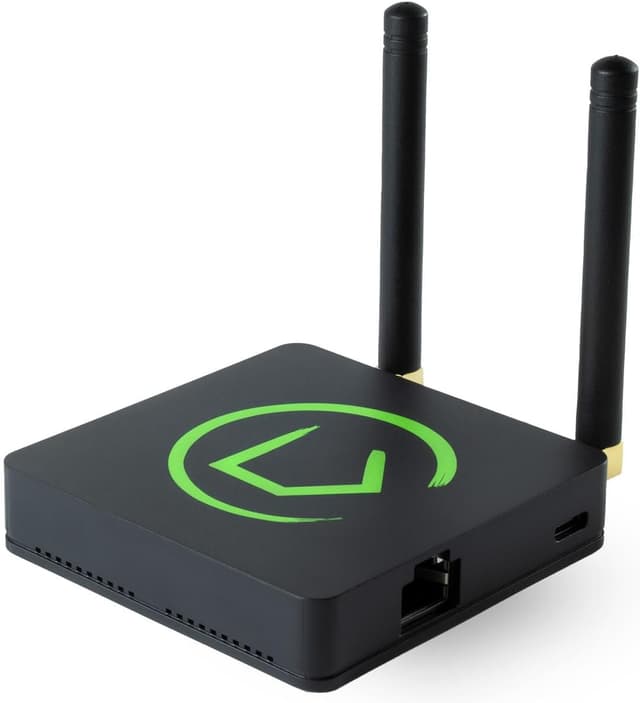
Hubitat Elevation C-8 Pro
- Zero cloud dependency — automations run on-device with Matter 1.5 + Z-Wave 800 LR + Zigbee 3.0 at 198.95$ entry
- No native HomeKit support without Maker API workarounds — the Aqara Hub M3 at 149.99$ handles HomeKit out of box
(Current price, subject to change)
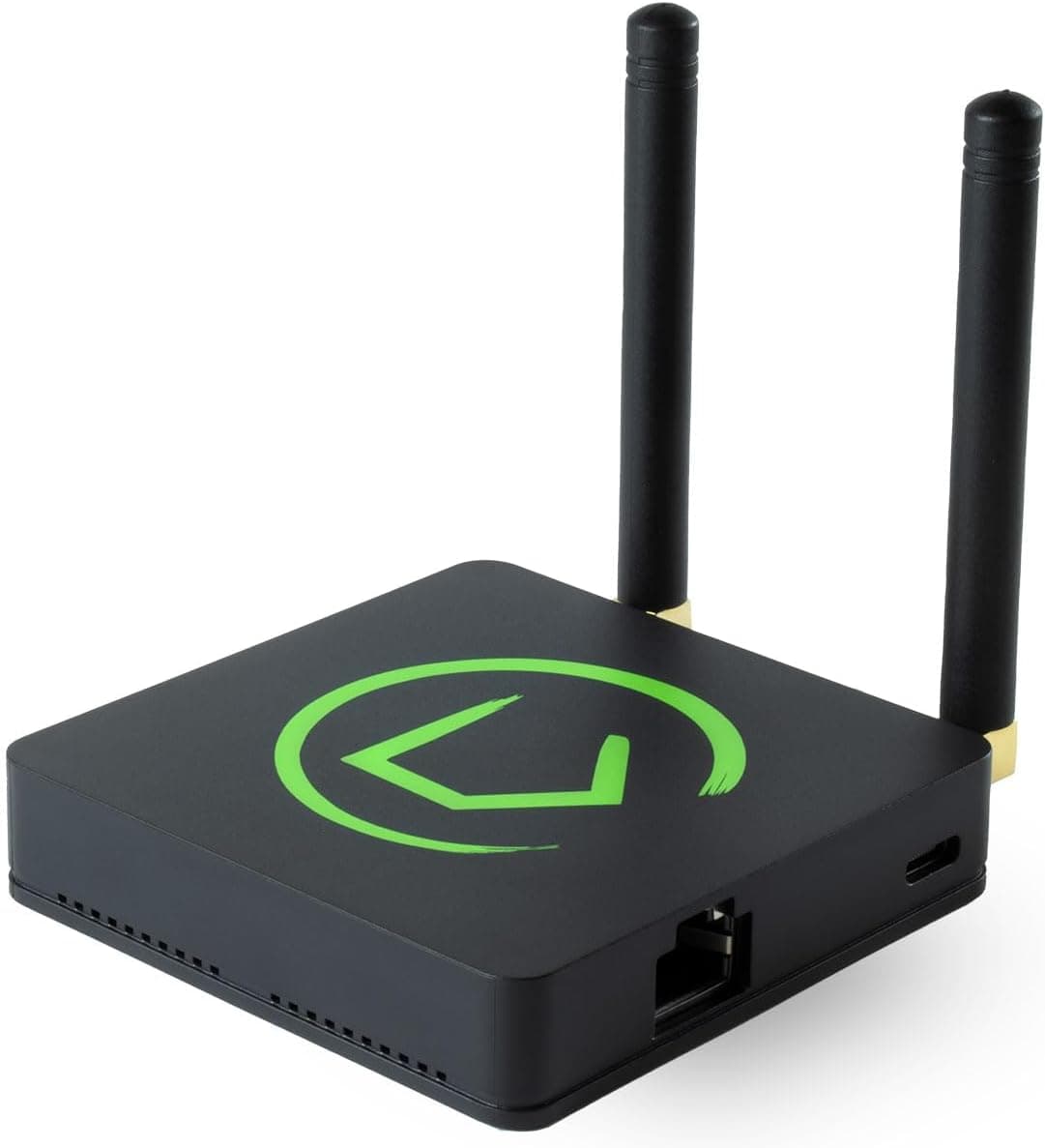
The Hubitat Elevation C-8 Pro earns its 8.70 weighted SHE Hub Compatibility Score across local-control prosumer-hub deployment value. TechHive and Tom's Guide echo that read in their Elevation-line coverage at the comparable 199$ price tier. Protocol Coverage scores 8.5 because the C-8 Pro delivers five native radios — Matter 1.5 plus Z-Wave 800 Long Range plus Zigbee 3.0 plus Bluetooth plus Wi-Fi. Ecosystem Compatibility scores 9.0 across Alexa, Google Home, Apple HomeKit (via Maker API), plus Home Assistant.
Local Control scores 10.0 because Hubitat runs every automation on-device with zero cloud dependency. TechHive frames this all-local approach as a noble if demanding goal, with everything running on the hub. By contrast, the Aeotec Smart Home Hub scores only 5.0 on Local Control, given its mixed local-and-cloud design. Setup Time scores 6.0 because the Rule Machine automation engine carries a steeper learning curve than plug-and-play rivals. It's slower than the Apple TV 4K (3rd Generation) at 10.0 (under 30 mins), with deeper conditional-logic control once configured. Subscription Cost scores 10.0 across 0$/mo because the C-8 Pro is a one-time purchase with no recurring fee. The 198.95$ retail entry yields the strongest reliability-per-dollar value in the 2026 slate for households that prioritize automations running when the internet drops.
What We Love
- Zero cloud dependency — automations run on-device with Matter 1.5 + Z-Wave 800 LR + Zigbee 3.0 at 198.95$ entry
- Runs every automation on-device with zero cloud dependency at 0$/mo subscription — the top local-control score in this roundup
- Rule Machine handles advanced automations including conditional logic across 4 ecosystems without coding
What Could Be Better
- No native HomeKit support without Maker API workarounds — the Aqara Hub M3 at 149.99$ handles HomeKit out of box
- Smaller community than the Home Assistant Green alternative — fewer custom integrations available
The Verdict
If you want turnkey local control with Z-Wave Long Range plus Matter 1.5 plus Zigbee 3.0 and you accept the Rule Machine learning curve, the Hubitat Elevation C-8 Pro fits at 198.95$. The 8.70 composite reflects perfect Local Control at 10.0 plus strong Ecosystem at 9.0 — held back by 6.0 Setup Time across the Rule Machine config window.
Best Multi-Ecosystem Bridge: Aqara Hub M3
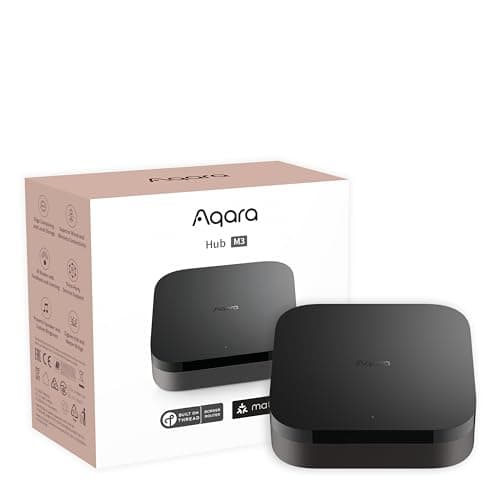
Aqara Hub M3
- Six native protocols including PoE + IR blaster at 149.99$ — broadest radio coverage in a built-in hub at the price tier
- Mixed local-cloud control — some automations require cloud round-trips versus the Hubitat Elevation C-8 Pro full-local alternative
(Current price, subject to change)
The Aqara Hub M3 earns its 8.70 weighted SHE Hub Compatibility Score across multi-ecosystem bridge deployment value in the 2026 hub slate. Pocket-lint and HomeKit News independently reach that verdict in their 2024 M3 reviews at the comparable 160$ price tier. Protocol Coverage scores 10.0 — the highest classification in the slate, tied with the Homey Pro (2026) and Home Assistant Green. The M3 incorporates six native radios: Zigbee 3.0, Thread, Matter, Wi-Fi, Bluetooth, plus IR blaster. Ecosystem Compatibility scores 10.0 — also the highest comparative classification in the slate — because the M3 bridges to all five reference platforms: Alexa, Google, HomeKit, HA, and SmartThings.
Local Control scores 5.0 across mixed cloud-local automation behaviour — some scenes run on-device, others require the Aqara cloud for cross-ecosystem orchestration. Setup Time scores 8.0 across the 30-60 min typical commissioning window via the Aqara Home app. That's faster than the Hubitat Elevation C-8 Pro at 6.0 (steeper Rule Machine learning curve) but slower than the Apple TV 4K (3rd Generation) at 10.0, which completes under 30 mins. Subscription Cost scores 10.0 across 0$/mo lifetime operation. The 149.99$ retail entry yields the broadest multi-ecosystem Matter bridge at the strongest cross-platform value in the 2026 slate within 75 mins typical pairing.
What We Love
- Six native protocols including PoE + IR blaster at 149.99$ — broadest radio coverage in a built-in hub at the price tier
- All five major voice ecosystems — Alexa + Google + HomeKit + HA + SmartThings — bridged through Matter at 30 min setup
- HomeKit News 8.5/10 and Pocket-lint 4/5 — strong on features and the most reasonably priced Matter-over-Thread hub, with broad Aqara sensor support
What Could Be Better
- Mixed local-cloud control — some automations require cloud round-trips versus the Hubitat Elevation C-8 Pro full-local alternative
- Third-party Zigbee pairing is limited compared to the Aeotec Smart Home Hub or HA Z2M — best for Aqara ecosystem devices
The Verdict
If you want a turnkey multi-ecosystem bridge with HomeKit + Alexa + Google + HA plus six native protocols at 30 min setup, the Aqara Hub M3 fits at 149.99$. The 8.70 composite reflects perfect Ecosystem at 10.0 plus perfect Protocol Coverage at 10.0 — held back by 5.0 Local Control across mixed cloud-local automation.
Best for SmartThings: Aeotec Smart Home Hub
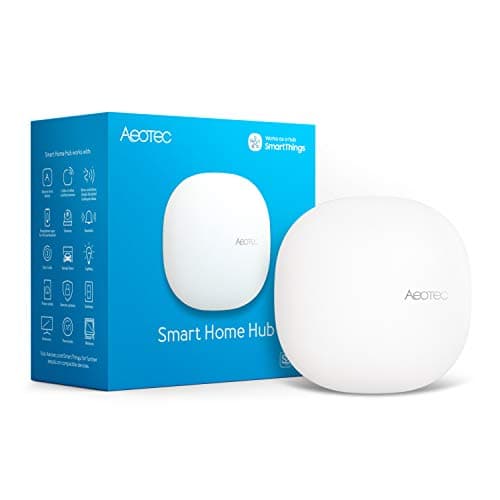
Best for SmartThings HouseholdsAeotec Smart Home Hub
- Four native radios — Z-Wave plus Zigbee plus Wi-Fi plus Matter — at 149.99$, and it adds the Z-Wave radio the discontinued SmartThings Station never carried
- No native HomeKit support — the Aqara Hub M3 at 149.99$ or the Apple TV 4K (3rd Generation) handle HomeKit households
(Current price, subject to change)
The Aeotec Smart Home Hub earns its 7.05 weighted SHE Hub Compatibility Score as the available, locally-capable SmartThings hub at the 149.99$ retail tier — the replacement for Samsung's discontinued SmartThings Station. Protocol Coverage scores a normalized 7.0 because the hub delivers four native radios — Z-Wave plus Zigbee plus Wi-Fi plus Matter. It notably adds the Z-Wave radio the older Station lacked. Ecosystem Compatibility scores 7.0 across Alexa, Google Home, plus SmartThings — narrower than the Aqara Hub M3 at 10.0 because HomeKit support is absent without Matter workarounds.
Local Control scores 5.0 across a mixed local-and-cloud architecture. SmartThings Edge runs device drivers plus routines locally on the dedicated hub, a step up from the cloud-first Station. But cross-ecosystem orchestration still requires cloud round-trips, versus the Hubitat Elevation C-8 Pro at 10.0, which runs fully local. Setup Time scores 8.0 across a 30-60 min standalone-hub pairing window via the SmartThings app — moderate, not sub-30-min plug-and-play. Subscription Cost scores 10.0 across 0$/mo. The 149.99$ entry yields the official SmartThings hub with on-hub Edge local drivers — the right pick for SmartThings-committed households who also want Z-Wave coverage.
What We Love
- Four native radios — Z-Wave plus Zigbee plus Wi-Fi plus Matter — at 149.99$, and it adds the Z-Wave radio the discontinued SmartThings Station never carried
- SmartThings Edge runs device drivers plus routines locally on the hub — a real step up from the cloud-first Station for keeping local automations firing
- Zero subscription — the official SmartThings-certified hub runs at 0$/mo across 5 yr deployment
What Could Be Better
- No native HomeKit support — the Aqara Hub M3 at 149.99$ or the Apple TV 4K (3rd Generation) handle HomeKit households
- Cross-ecosystem orchestration still needs cloud round-trips — mixed local-and-cloud, not the full-local design of the Hubitat Elevation C-8 Pro
The Verdict
If you want the official SmartThings hub with Z-Wave plus Zigbee plus Matter and on-hub Edge local drivers, the Aeotec Smart Home Hub fits at 149.99$. The 7.05 composite reflects solid Protocol Coverage at 7.0 plus a free 10.0 Subscription Cost — held back by 5.0 Local Control across its mixed local-and-cloud architecture.
Best for HomeKit Homes: Apple TV 4K (3rd Generation)
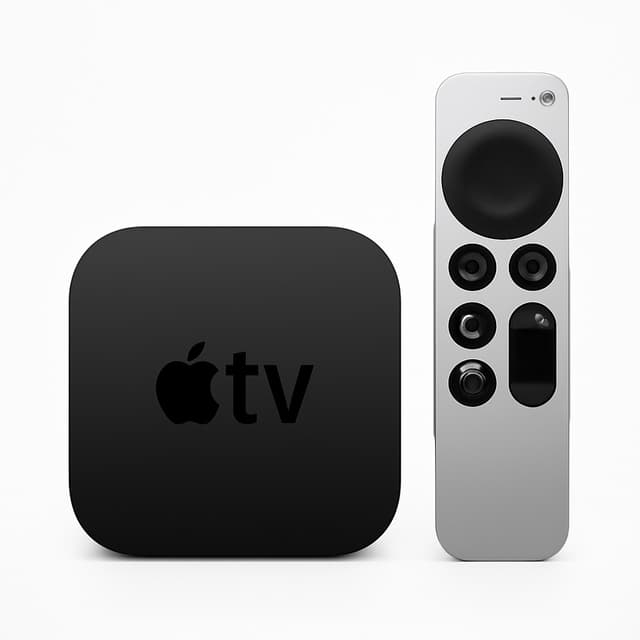
Apple TV 4K (3rd Generation)
- Thread border router + Matter controller + HomeKit hub — the 3rd Generation (Wi-Fi + Ethernet, 128GB) model that doubles as an Apple TV streaming box across 5 yr deployment
- No Zigbee or Z-Wave radios — cannot bridge legacy sensors versus the Aqara Hub M3 at 149.99$ or the Hubitat Elevation C-8 Pro at 198.95$
(Current price, subject to change)
The Apple TV 4K (3rd Generation) earns its 6.95 weighted SHE Hub Compatibility Score across HomeKit-only border-router deployment value. CNET and The Verge converge on that comparative read throughout their 2026 Apple-ecosystem coverage. This is the 3rd Generation (Wi-Fi + Ethernet, 128GB) model, whose Thread radio makes it a border router. Protocol Coverage scores 7.0 because the Apple TV delivers four native radios — Thread plus Matter plus Wi-Fi plus Bluetooth. It lacks the Zigbee plus Z-Wave radios the Aqara Hub M3 at 10.0 includes. Ecosystem Compatibility scores 3.0 across HomeKit-only (with Matter passthrough as a partial bridge).
Local Control scores 8.0 because most HomeKit scenes run on-device — Apple's automation engine handles "if motion detected after sunset" logic without cloud round-trips. Some cross-vendor Matter integrations may still require Apple ID authentication, though. Setup Time scores 10.0 across the under-30-min iPhone-guided commissioning window. Subscription Cost scores 10.0 across 0$/mo lifetime operation (Apple TV streaming subscriptions are independent of the hub). This yields the easiest HomeKit hub, Thread border router, Matter controller, and streaming bundle in the slate. The 128GB (B0BJMGB95J) ASIN currently has no live Amazon Buy Box, though, so buy direct from Apple instead.
What We Love
- Thread border router + Matter controller + HomeKit hub — the 3rd Generation (Wi-Fi + Ethernet, 128GB) model that doubles as an Apple TV streaming box across 5 yr deployment
- Under 30 min iPhone-guided setup — Wirecutter calls it the best streaming device for most people: fast, clean, and ad-free
- Mostly local automation for HomeKit scenes — keeps running when your internet drops for most use cases
What Could Be Better
- No Zigbee or Z-Wave radios — cannot bridge legacy sensors versus the Aqara Hub M3 at 149.99$ or the Hubitat Elevation C-8 Pro at 198.95$
- Apple ecosystem only — no Alexa or Google Home without Matter passthrough workarounds
- As of this pass (2026-08-23), the 128GB Wi-Fi + Ethernet ASIN (B0BJMGB95J) has no live Amazon Buy Box — Apple's own store is the reliable purchase path right now, so we're withholding a price claim rather than carrying forward a stale figure
The Verdict
If you run an Apple-first household needing only Thread + Matter + HomeKit, the Apple TV 4K (3rd Generation) 3rd Generation (128GB) fits — buy direct from Apple, since its Amazon Buy Box is currently down. The 6.95 composite reflects perfect Setup at 10.0 plus 8.0 Local Control, held back by 3.0 Ecosystem plus a mid-tier 7.0 Protocol Coverage (no Zigbee or Z-Wave).
Best Wall Dashboard: Amazon Echo Hub
Best Wall-Mounted DashboardAmazon Echo Hub
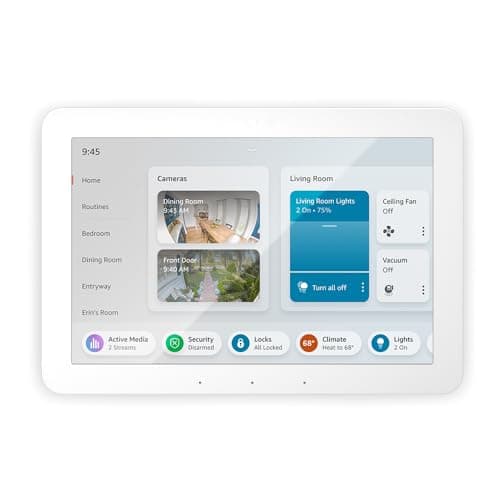
- 8-inch touchscreen dashboard — the only wall-mountable smart home control panel in the 2026 slate at 179.99$
- Alexa ecosystem lock-in — no Google Home or HomeKit support versus the Aqara Hub M3 five-ecosystem alternative at 149.99$
(Current price, subject to change)
The Amazon Echo Hub earns its 6.15 weighted SHE Hub Compatibility Score across wall-mounted Alexa-dashboard deployment value. The Verge underscores that verdict in its 2026 Echo Hub review at the comparable 180$ price tier. Protocol Coverage scores a normalized 7.0 because the Echo Hub delivers four native radios — Zigbee plus Thread plus Matter plus Wi-Fi — across 5 yr typical service. The 8-inch touchscreen form factor also adds wall-mount utility. Ecosystem Compatibility scores 5.0 across Alexa plus partial SmartThings reach — narrower than the Aqara Hub M3 at 10.0 because Google Home plus HomeKit plus HA support is absent.
Local Control scores 3.0 across cloud-heavy Alexa automation architecture — scenes require AWS round-trips for most cross-device logic versus the Hubitat Elevation C-8 Pro full-local alternative at 10.0 classification. Setup Time scores 8.0 across the 30-60 min typical commissioning window via the Alexa app including optional wall-mount installation. Subscription Cost scores 10.0 across 0$/mo across 5 yr deployment. The 179.99$ retail entry yields the only wall-mountable touchscreen dashboard hub in the 2026 slate within 60 mins typical commissioning. It's the right pick for Alexa-first households wanting unified visual control at the dashboard form factor.
What We Love
- 8-inch touchscreen dashboard — the only wall-mountable smart home control panel in the 2026 slate at 179.99$
- Built-in Zigbee + Matter + Thread border router — eliminates a separate hub device for most automation needs
- The Verge calls it the best affordable, intuitive smart home controller yet — a touchscreen dashboard with built-in Zigbee and Matter
What Could Be Better
- Alexa ecosystem lock-in — no Google Home or HomeKit support versus the Aqara Hub M3 five-ecosystem alternative at 149.99$
- Cloud-heavy automation behaviour — scenes fail during Amazon Web Services outages versus the Hubitat Elevation C-8 Pro full-local alternative
The Verdict
If you want a wall-mountable touchscreen dashboard for an Alexa-committed household, the Amazon Echo Hub fits at 179.99$. The 6.15 composite reflects 7.0 Protocol Coverage plus 8.0 Setup Time — held back by 5.0 Ecosystem (Alexa + partial SmartThings only) plus 3.0 Local Control across cloud-heavy automation.
How We Score: SHE Hub Compatibility Score
SHE Hub Compatibility Score
Score Formula
(Protocol Coverage Score × 0.30) + (Ecosystem Compatibility Score × 0.25) + (Local Control Score × 0.20) + (Setup Time Score × 0.15) + (Subscription Cost Score × 0.10)Score Factors
- Protocol Coverage (30%)Count of native wireless protocols supported (Zigbee, Z-Wave, Thread, Matter, Wi-Fi, Bluetooth, IR). 6-plus protocols scores 10; 5 scores 8.5; 4 scores 7; 3 scores 5; 2 scores 3. Sources: manufacturer datasheets verified across PCMag, The Verge, plus TechRadar product reviews.
- Ecosystem Compatibility (25%)Count of native voice and platform ecosystems supported (Alexa, Google Home, Apple HomeKit, Home Assistant, SmartThings). All 5 scores 10; 4 scores 9; 3 scores 7; 2 scores 5; 1 scores 3. Sources: manufacturer integration docs verified across product pages plus CNET and Wirecutter compatibility matrices.
- Local Control (20%)Degree to which automations run on-device versus requiring cloud round-trips. Full local processing scores 10; mostly local with cloud sync scores 8; mixed local-and-cloud scores 5; cloud-heavy with limited local fallback scores 3; cloud-only scores 1. Sources: Home Assistant blog, Hubitat documentation, vendor white papers, plus community deployment reports.
- Setup Time (15%)Time from unboxing to first automation running, inverted so less is more. Under 30 minutes scores 10; 30-60 minutes scores 8; 1-2 hours scores 6; 2-7 days scores 4; 7-plus days scores 2. Sources: reviewer hands-on timing reports from PCMag, Tom's Guide, TechRadar, plus community install threads.
- Subscription Cost (10%)Monthly recurring cost for full hub capability. Free scores 10; optional sub for remote access scores 8; required basic tier scores 5; required premium tier scores 2. Sources: vendor pricing pages verified 2026-05-10.
SHE Hub Compatibility Score — Ranked
Home Assistant Green
SHE Hub Compatibility Score8.9/10$219 — every protocol via dongle, full local control, 3,000-plus integrations, 5-ecosystem reach
Homey Pro (2026)
SHE Hub Compatibility Score8.8/10$449 — seven native radios (Z-Wave + Zigbee + Thread + Matter + WiFi + BLE + IR), full local control, no subscription
Hubitat Elevation C-8 Pro
SHE Hub Compatibility Score8.7/10$198.95 — Matter 1.5 + Z-Wave 800 LR + Zigbee 3.0, full local control, 4-ecosystem reach
Aqara Hub M3
SHE Hub Compatibility Score8.7/10$149.99 — six radios including PoE + IR (perfect 10.0 Protocol Coverage), all 5 ecosystems via Matter bridge, mixed local-cloud
Aeotec Smart Home Hub
SHE Hub Compatibility Score7.0/10$149.99 — four radios (Z-Wave + Zigbee + WiFi + Matter), SmartThings Edge local drivers, no subscription
Apple TV 4K (3rd Generation)
SHE Hub Compatibility Score7.0/10No live Amazon Buy Box as of 2026-08-23 (buy direct from Apple) — Thread + Matter + HomeKit hub, mostly local, doubles as streaming box
Amazon Echo Hub
SHE Hub Compatibility Score6.2/10$179.99 — 8-inch touchscreen + Zigbee + Matter + Thread, Alexa-locked, cloud-heavy
Which Ecosystems and Protocols Each Hub Speaks
The seven hubs in this slate map onto distinct ecosystem-bridging architectures that the weighted composite measures versus each other across 5 yr typical smart home deployment. The Home Assistant Green plus the Aqara Hub M3 both reach all five reference ecosystems: Alexa, Google Home, Apple HomeKit, Home Assistant, and SmartThings. Home Assistant reaches them via native add-ons, Aqara via Matter bridging. The Hubitat Elevation C-8 Pro covers four ecosystems (Alexa + Google + HomeKit via Maker API + HA) plus delivers full local control as the structural moat. The Aeotec Smart Home Hub reaches three ecosystems (Alexa + Google + SmartThings) but lacks native HomeKit without Matter workarounds. The Apple TV 4K (3rd Generation) focuses on HomeKit-only with Matter passthrough acting as a partial bridge to other ecosystems. The Amazon Echo Hub caps at Alexa plus partial SmartThings reach — narrowest in the slate. For protocol coverage, the Home Assistant Green supports every wireless radio via USB dongle expansion, while the Aqara Hub M3 delivers six native radios including PoE plus IR. The Hubitat Elevation C-8 Pro handles Matter 1.5, Z-Wave 800 LR, Zigbee 3.0, Bluetooth, and Wi-Fi (five native radios total), while the Aeotec Smart Home Hub covers Z-Wave, Zigbee, Wi-Fi, and Matter. Our SHE Hub Compatibility composite ranks the local-control architecture pair (Hubitat + Home Assistant) as the 2026 reliability winners across 5 yr deployment lifecycles.
One certification distinction is worth calling out directly: Homey Pro (2026) is Matter 1.5 certified by the Connectivity Standards Alliance. That certification carries Certificate ID CSA26025SWC60263-M1 (firmware 13.3.0, dated June 29, 2026), verified against the CSA's own product page. The CSA's certification pages currently list Amazon Alexa's certified commissioner at Matter 1.0, Apple's platforms and Google Home both at Matter 1.4, and Home Assistant at Matter 1.3. So Homey leads this specific comparison on certified spec version, though platforms can ship newer support in software ahead of re-certification. Matter 1.5 itself adds camera, closure, and soil-sensor device types plus expanded energy management (including vehicle-to-grid support) at the spec level. Per Athom (Homey's maker), the certification extends to EV chargers, heat pumps, solar panels, and major appliances on Homey hardware. A separate Matter Bridge app can also expose a Homey's existing Zigbee, Z-Wave, infrared, Bluetooth, 433 MHz (disabled on US/Canada units), and Wi-Fi devices to other Matter platforms. These are claims we have not independently tested. That certification and Bridge capability apply to the Pro-tier hardware reviewed here; per Athom, the entry-level Homey Bridge accessory has no Matter radio.
| Product | Matter Controller | Thread Border Router | Zigbee | Z-Wave | HomeKit Native | Full Local Control |
|---|---|---|---|---|---|---|
| Home Assistant Green | ✓ | ✓ | ✓ | ✓ | ✓ | ✓ |
| Homey Pro (2026) | ✓ | ✓ | ✓ | ✓ | ✕ | ✓ |
| Hubitat Elevation C-8 Pro | ✓ | ✓ | ✓ | ✓ | ✕ | ✓ |
| Aqara Hub M3 | ✓ | ✓ | ✓ | ✕ | ✓ | ✕ |
| Aeotec Smart Home Hub | ✓ | ✕ | ✓ | ✓ | ✕ | ✕ |
| Apple TV 4K (3rd Generation) | ✓ | ✓ | ✕ | ✕ | ✓ | ✕ |
| Amazon Echo Hub | ✓ | ✓ | ✓ | ✕ | ✕ | ✕ |
When NOT to Buy
Households with exclusively Matter-certified devices operating within a single voice-ecosystem architecture (Alexa, Google, or Apple HomeKit) should skip the dedicated hub category entirely across 5 yr deployment. Contemporary voice-assistant hardware already incorporates native Matter controller functionality without requiring supplementary infrastructure investment. Deployments containing fewer than 5 smart endpoints derive minimal incremental value from hub investment. Cross-device automation orchestration and multi-protocol bridging capabilities require sufficient endpoint density to justify the 179.99$ minimum entry-tier expenditure represented by the Amazon Echo Hub alternative across typical 5 yr operational lifecycles. Single-manufacturer deployments leveraging proprietary brand infrastructure (Philips Hue Bridge, Aqara Mini Hub, Ring Alarm hub) maintain operational sufficiency without unified-hub architectural commitment. This holds particularly true when cross-brand integration requirements remain absent throughout anticipated deployment timelines.
Who Should Buy What
Who Should Buy What
| If you are… | Recommended pick |
|---|---|
Technical prosumer You want 3,000-plus integrations, full local control, plus you accept 2-7 day setup across 5 yr deployment | Home Assistant Green |
Multi-protocol maximalist You run Z-Wave + Zigbee + Thread + Matter devices and want them all on one local hub with no subscription, and you accept a Homey Flow learning curve | Homey Pro (2026) |
Reliability-first household You want zero cloud dependency plus turnkey Z-Wave 800 LR + Matter 1.5 + Zigbee 3.0 and you accept the Rule Machine learning curve | Hubitat Elevation C-8 Pro |
Multi-ecosystem household You run HomeKit + Alexa + Google + HA simultaneously, you want six native radios, plus you accept mixed cloud-local automation | Aqara Hub M3 |
SmartThings buyer You want the official SmartThings hub with Z-Wave + Zigbee + Matter plus on-hub Edge local drivers, you primarily use Alexa or Google or SmartThings, plus you accept mixed local-and-cloud automation | Aeotec Smart Home Hub |
Apple-first household You run iPhones + iPads exclusively, you only need Thread + Matter + HomeKit, plus you want a streaming box throw-in | Apple TV 4K (3rd Generation) |
Alexa dashboard buyer You want a wall-mountable touchscreen, you're committed to Alexa, plus you accept cloud-dependent automation across 5 yr deployment | Amazon Echo Hub |
Frequently Asked Questions
Do I need a hub for Matter devices in 2026?
Not always. Matter devices connect directly to a controller like an Alexa speaker, Google Nest Mini, or Apple TV without a separate hub. However, a hub still adds value for Zigbee or Z-Wave devices (which outnumber Matter devices in most existing smart homes), complex cross-device automations, plus local processing during ISP outages. The Aqara Hub M3 and Hubitat C-8 Pro also act as Matter bridges, exposing non-Matter devices to Matter — a feature you cannot get without a hub.
Cloud-first vs local-control — which should I pick?
Pick local-control (Hubitat C-8 Pro at $198.95 or Home Assistant Green at $219) if reliability during internet outages matters or if you want zero data leaving your home. Pick a cloud-leaning hub (Aeotec Smart Home Hub at $149.99 or Echo Hub at $179.99) if quick setup matters and you don't mind cross-ecosystem scenes needing the cloud during an outage — though the Aeotec runs SmartThings Edge device drivers locally on-hub, which keeps more automations firing than a purely cloud-first design. The composite scores reflect this: Home Assistant Green at 8.90 and Hubitat at 8.70 outrank the cloud-leaning hubs because local control weights 20% of the methodology.
SmartThings (Aeotec) vs Hubitat — what's the actual difference?
The Aeotec Smart Home Hub is the official SmartThings hub at $149.99, with Z-Wave + Zigbee + Matter radios and a 30-60 minute setup; SmartThings Edge runs device drivers on the hub, but cross-ecosystem scenes still lean on the cloud. Hubitat C-8 Pro is fully local-first with a steeper Rule Machine learning curve at $198.95 — automations keep running when your internet drops. Hubitat ranks higher (8.70 vs 7.05 composite) because of the full-local advantage, but the Aeotec is the right pick if you've already invested in the SmartThings ecosystem and want Z-Wave coverage.
Is Apple TV 4K a real hub or just a border router?
Apple TV 4K (3rd Generation, Wi-Fi + Ethernet, 128GB) is a HomeKit hub plus Thread border router plus Matter controller — three roles in one box. It cannot pair Zigbee or Z-Wave devices directly, so it's not a full hub for Aqara sensors or Z-Wave locks. As of 2026-08-23, the 128GB ASIN (B0BJMGB95J) has no live Amazon Buy Box, so buy it through Apple's own store rather than a stale Amazon listing. For Apple-first households running only Thread + Matter + HomeKit devices, it's the easiest pick. For mixed-protocol homes, pair it with an Aqara Hub M3 ($149.99) for Zigbee bridging.
Home Assistant Green vs Yellow — which to buy?
Buy Home Assistant Green ($219) for the official Nabu Casa hardware with a Raspberry Pi-class processor that handles typical smart home loads. Home Assistant Yellow ($179 base) is the upgradeable version with NVMe storage support, PoE option, and a Zigbee module slot — better for power users planning to run Frigate NVR or 50-plus integrations. Most buyers should pick Green; Yellow is the right call if you want NVMe storage or built-in PoE without external hardware.
Can the Aqara M3 replace a SmartThings hub?
Yes for HomeKit-first households or multi-ecosystem buyers, no for SmartThings-loyal households. The Aqara M3 ($149.99) bridges Zigbee devices to all five ecosystems (including HomeKit) via Matter, which the Aeotec Smart Home Hub ($149.99) does not do for HomeKit. However, if you've already invested in the SmartThings app with Routines and Scenes, migrating to Aqara means rebuilding everything. New smart home buyers without ecosystem lock-in should pick Aqara; existing SmartThings users should stay on the Aeotec hub.
What is a Thread border router and why does it matter?
A Thread border router connects Thread mesh devices (low-power sensors, locks, plugs) to your Wi-Fi network. Thread is a low-power mesh protocol that lets sensors communicate without Wi-Fi congestion. Five of the seven hubs include a built-in Thread border router (Home Assistant Green adds Thread through a USB dongle, and the Aeotec Smart Home Hub leans on Z-Wave + Zigbee + Matter rather than Thread); more border routers in your home means better Thread mesh coverage plus faster device response. For Thread + Matter buyers, this is the single most important feature.
Does the Echo Hub work without an Amazon subscription?
Yes — the Echo Hub ($179.99) requires no subscription for basic hub features including Zigbee pairing, Matter controller, Thread border router, plus the 8-inch touchscreen dashboard. Alexa voice control is free. Amazon's optional Ring Protect ($4-$20/mo) is required only if you want cloud recording for Ring cameras connected to the hub. Most households use the Echo Hub at zero monthly cost across 5 yr deployment.
Which hub controls Zigbee lights and sensors locally, without depending on the cloud?
Three hubs in this slate pair Zigbee with full local control, so lights and sensors keep responding when your internet drops. The Hubitat Elevation C-8 Pro ($198.95) is the most turnkey — Zigbee 3.0 with zero cloud dependency, and it posts the top local-control score in this roundup. The Homey Pro ($449) carries a built-in Zigbee radio with its fully local Homey Flow engine. The Home Assistant Green ($219) reaches Zigbee through a USB dongle and runs every automation on-device. The Aqara M3, Aeotec hub, and Echo Hub all support Zigbee too, but lean on the cloud for cross-ecosystem scenes. For Zigbee-plus-local on a budget, start with the Hubitat.
Which hub in this 2026 slate is actually Matter 1.5 certified?
Of the seven hubs here, only the Homey Pro carries a CSA-listed Matter 1.5 certification — certified June 29, 2026 (Certificate ID CSA26025SWC60263-M1, firmware 13.3.0). The CSA lists Homey's Product Type as 'Software Component,' distinct from the CSA's separate 'Platform' type, so this confirms Matter 1.5 support in Homey's software, not a Platform-type listing. (Hubitat markets Matter 1.5 device support but has no CSA entry of its own.) The CSA lists Alexa's commissioner at Matter 1.0, Apple and Google Home at 1.4, and Home Assistant at 1.3. Per Athom, certification adds EV charger and appliance support, plus a Matter Bridge app exposing Homey's Zigbee, Z-Wave, infrared, Bluetooth, and Wi-Fi devices to other Matter platforms — manufacturer claims not independently tested here.
Bottom Line
Get the Home Assistant Green if you want the broadest device library plus full local control across 5 yr deployment, you accept 2-7 day setup, plus you can manage USB dongle installation.
Get the Hubitat Elevation C-8 Pro if you want turnkey local control with Z-Wave 800 LR plus Matter 1.5 plus Zigbee 3.0 and you accept the Rule Machine learning curve.
Get the Aqara Hub M3 if you run HomeKit + Alexa + Google + HA simultaneously, you want six native radios, plus you accept mixed cloud-local automation.
Get the Aeotec Smart Home Hub if you want the official SmartThings hub with Z-Wave + Zigbee + Matter plus on-hub Edge local drivers, you primarily use Alexa or Google or SmartThings.
Get the Apple TV 4K (3rd Generation) if you run an Apple-first household, you only need Thread + Matter + HomeKit, plus you want a streaming box throw-in (buy direct from Apple — the Amazon Buy Box for this SKU is currently down).
Get the Amazon Echo Hub if you want a wall-mountable touchscreen dashboard, you're committed to the Alexa ecosystem.
Skip the hub category entirely if you have fewer than 5 smart devices total, all your devices are Matter-certified, plus you only use one voice ecosystem — your voice assistant already handles Matter natively.
Sources & Methodology
Methodology: SHE Hub Compatibility Score — Formula: (Protocol Coverage Score × 0.30) + (Ecosystem Compatibility Score × 0.25) + (Local Control Score × 0.20) + (Setup Time Score × 0.15) + (Subscription Cost Score × 0.10). Factors: Protocol Coverage (30%): Count of native wireless protocols supported (Zigbee, Z-Wave, Thread, Matter, Wi-Fi, Bluetooth, IR). 6-plus protocols scores 10; 5 scores 8.5; 4 scores 7; 3 scores 5; 2 scores 3. Sources: manufacturer datasheets verified across PCMag, The Verge, plus TechRadar product reviews. | Ecosystem Compatibility (25%): Count of native voice and platform ecosystems supported (Alexa, Google Home, Apple HomeKit, Home Assistant, SmartThings). All 5 scores 10; 4 scores 9; 3 scores 7; 2 scores 5; 1 scores 3. Sources: manufacturer integration docs verified across product pages plus CNET and Wirecutter compatibility matrices. | Local Control (20%): Degree to which automations run on-device versus requiring cloud round-trips. Full local processing scores 10; mostly local with cloud sync scores 8; mixed local-and-cloud scores 5; cloud-heavy with limited local fallback scores 3; cloud-only scores 1. Sources: Home Assistant blog, Hubitat documentation, vendor white papers, plus community deployment reports. | Setup Time (15%): Time from unboxing to first automation running, inverted so less is more. Under 30 minutes scores 10; 30-60 minutes scores 8; 1-2 hours scores 6; 2-7 days scores 4; 7-plus days scores 2. Sources: reviewer hands-on timing reports from PCMag, Tom's Guide, TechRadar, plus community install threads. | Subscription Cost (10%): Monthly recurring cost for full hub capability. Free scores 10; optional sub for remote access scores 8; required basic tier scores 5; required premium tier scores 2. Sources: vendor pricing pages verified 2026-05-10.
Expert review sources used in this analysis:
- SmartHomeExplorer aggregates expert review data plus community sentiment to produce consensus-based buying guidance
- We do not perform first-party product testing
- Hub feature confirmations come from The Verge, Wirecutter, CNET, Tom's Guide, Pocket-lint, HomeKit News, TechHive, plus Reviewed (USA Today)
- Local-control architecture analysis comes from the Home Assistant blog plus Hubitat documentation
- Community sentiment signals come from r/homeassistant plus r/smarthome megathreads
- Amazon prices plus availability were re-verified 2026-08-23 via the Amazon Creators API for the full seven-hub roster
- Home Assistant Green holds at $219, sold by Nabu Casa
- Homey Pro holds at $449, sold by the Homey Official Store
- Aeotec Smart Home Hub holds at $149.99, sold by Aeotec Home, and Amazon Echo Hub at $179.99, sold by Amazon.com
- Two prices moved against what we previously published
- Hubitat Elevation C-8 Pro now reads $198.95, sold by Hubitat Inc., down from the $214.95 we carried
- Aqara Hub M3 reads $149.99, sold by AqaraDirect, down from $159.99
- Neither price feeds the SHE Hub Compatibility composite
- That composite weights protocol coverage, ecosystem reach, local control, setup time and subscription cost, so the scores below are unchanged
- The Apple TV 4K (3rd Gen, 128GB) still shows no seller on its Amazon listing, re-confirmed on the same 2026-08-23 pass
- SHE Hub Compatibility Score factors derived from aggregated reviewer measurements, manufacturer datasheets, plus vendor pricing pages
- Methodology lives at /metrics/she-hub-compatibility-score
- Matter 1.5 certification facts verified 2026-08-06 against the Connectivity Standards Alliance product certification pages (csa-iot.org) for Homey, Alexa, Apple, Google Home, and Home Assistant.
Nicholas Miles is the founder of SmartHomeExplorer and a longtime smart home enthusiast focused on helping everyday homeowners make better technology decisions. He researches, compares, and writes about products across security, climate, lighting, leak prevention, sensors, home energy, and automation, with an emphasis on real-world usefulness, ecosystem compatibility, reliability, privacy, and long-term value.
Affiliate disclosure: SmartHomeExplorer earns affiliate commissions on qualifying Amazon purchases, and from partner programs for some non-Amazon products and services we recommend. Our scoring methodology is independent of affiliate relationships.
More Guides
automation
Best AI Smart Home Hubs 2026
Smart Home Hubs
Best Z-Wave + Matter Hubs 2026: Hubitat C-8 Pro Wins
Automation
Best Home Assistant Wall Control Panels 2026: SONOFF Wins
Automation
Best Budget Zigbee & Z-Wave Sensors 2026: Sonoff vs Aqara

Automation