
Best 3D Printers for Beginners 2026
Many beginner printers look simple until combo weight, second power sockets and pre-print calibration time arrive with the box. This guide ranks five machines on weight, build size, speed and price, and the Creality K1C 3D Printer leads.
This article contains affiliate links. We may earn a commission at no extra cost to you. Prices change frequently — check the current price on Amazon before buying. Learn more
The Short Answer
The Creality K1C 3D Printer ranks first on the SHE Beginner 3D Printer Score because it combines a 600 mm/s top speed with moderate weight and a mid-range price. The Anycubic Kobra S1 Combo ranks last, because its considerably heavier combo cancels an identical top speed on a home desk.
Featured in this Guide
Creality
K1C 3D Printer
- •Tops the composite with a 600 mm/s top speed
- •Mid-weight 12.4 kg enclosed frame
Bambu
Lab A1 mini 3D Printer
- •Lightest and cheapest pick here at 5.5 kg
- •Automatic calibration on power-up
Bambu
Lab P2S Combo
- •Joint-largest 256 mm build dimension
- •Expands to 20 filament slots
Elegoo
Centauri Carbon 2 Combo
- •29/30 in TechRadar's print test
- •RFID filaments set their own print settings
Anycubic
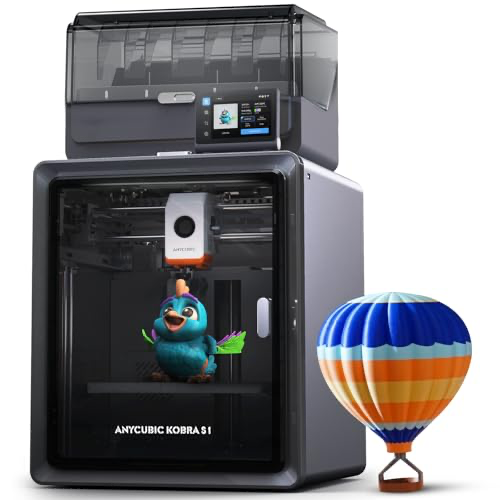
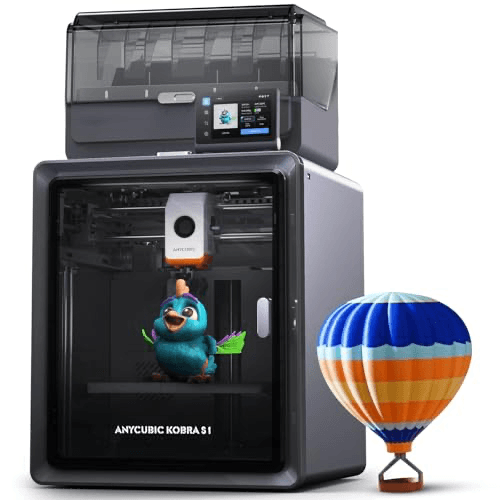
Kobra S1 Combo 3D Printer
- •Built-in filament dryer in the Ace Pro
- •Rated at a quiet 44 dB while printing
Head-to-Head: Score, Setup, Ecosystem, Build Size and Weight
Office
Chart
 Smarthomeexplorer.com
Tap any pick to check its live price on Amazon.
Moen Flo Smart Water Monitor
RecommendedCheck price
Flo by Moen Smart Water Monitor
Must BuyCheck price
What a Beginner 3D Printer Score Actually Measures
The SHE Beginner 3D Printer Score rewards the practical attributes that decide whether a first printer earns a permanent place on a home desk, rather than laboratory print quality. The weighted formula assigns 35% to printer weight, 30% to the Amazon price, 20% to the largest build dimension and 15% to top print speed. Each factor is scaled across these five machines, so portability and affordability dominate the composite while raw velocity contributes comparatively little. The Creality K1C 3D Printer ranks first because it combines moderate weight, a 250 mm build height and a 600 mm/s ceiling. The Anycubic Kobra S1 Combo ranks last, because its considerable combo weight scores lowest on the most heavily weighted factor.
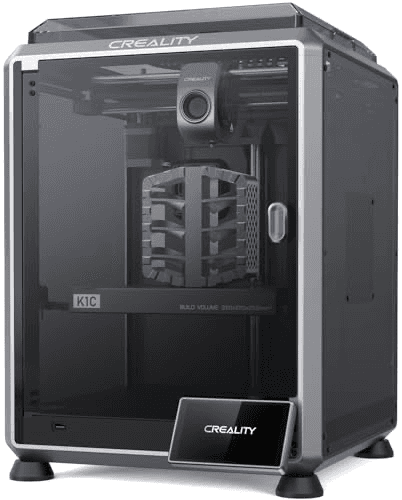
Best Overall for Beginners: Creality K1C 3D Printer
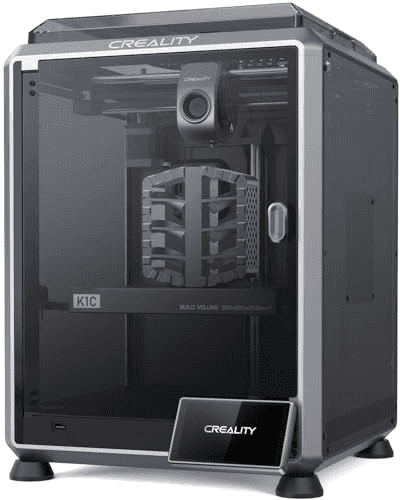
Creality K1C 3D Printer
- 600 mm/s maximum print speed
- Calibration takes around 5-6 minutes before each print
(Current price, subject to change)
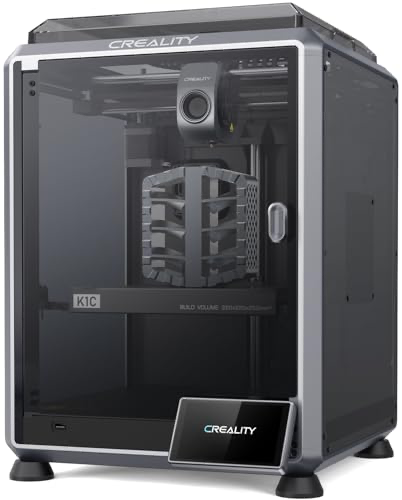
The Creality K1C 3D Printer suits a first-time owner who wants an enclosed, remarkably fast machine without the considerable footprint of the heaviest combination units in this guide. It scored 7.4 on the SHE Beginner 3D Printer Score, a composite on the ten-point scale, because its 600 mm/s ceiling and 250 mm height offset a mid-table price.
Its strongest documented capability is velocity, because Tom's Hardware printed a speed Benchy in 13 minutes 53 seconds on the enclosed Creality K1C. TechRadar awarded a benchmark print quality score of 26.5 out of 30. Its tri-metal Unicorn nozzle, combining copper, titanium alloy and steel, enables carbon-fibre filaments such as PLA-CF and PA-CF.
Relative to the Bambu Lab A1 mini 3D Printer, it demands more preparation, since Tech Advisor reports calibration of around 5-6 minutes before each print. Tech Advisor also found it exceptionally noisy at full speed, a genuine consideration in shared residential rooms. It also costs more than the Elegoo Centauri Carbon 2 Combo, which delivers a larger 256 mm build dimension at a comparatively economical price.
What We Love
- 600 mm/s maximum print speed
- Speed Benchy in 13 minutes 53 seconds per Tom's Hardware
- Prints carbon-fibre filaments such as PLA-CF and PA-CF
- Magnetic door with anti-shatter film on the glass
What Could Be Better
- Calibration takes around 5-6 minutes before each print
- Exceptionally noisy at full speed, per Tech Advisor
- 220 x 220 mm base is smaller than the Combo rivals
The Verdict
If you want an enclosed printer that balances speed, size and price, the Creality K1C 3D Printer fits the brief. Its 600 mm/s ceiling matches the fastest machines here, though calibration adds minutes before each print.
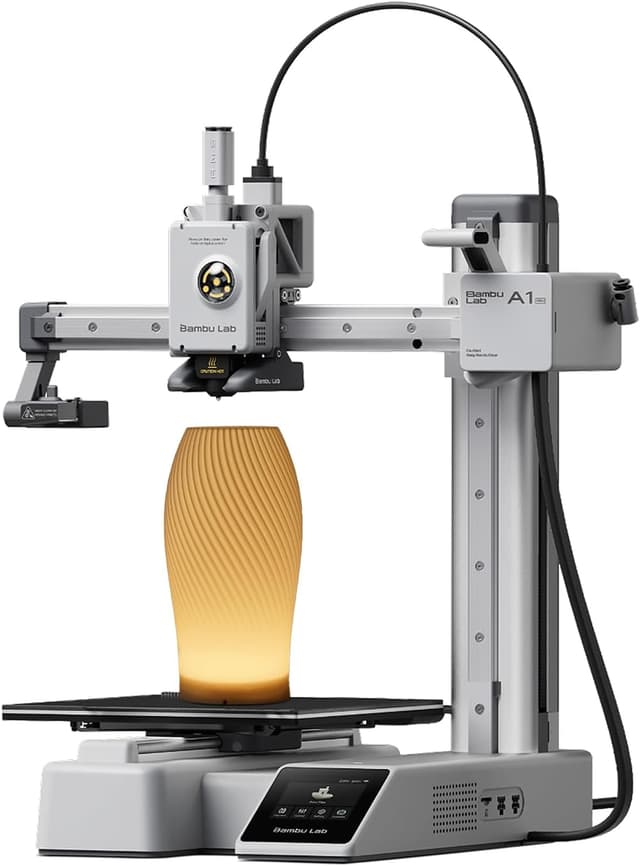
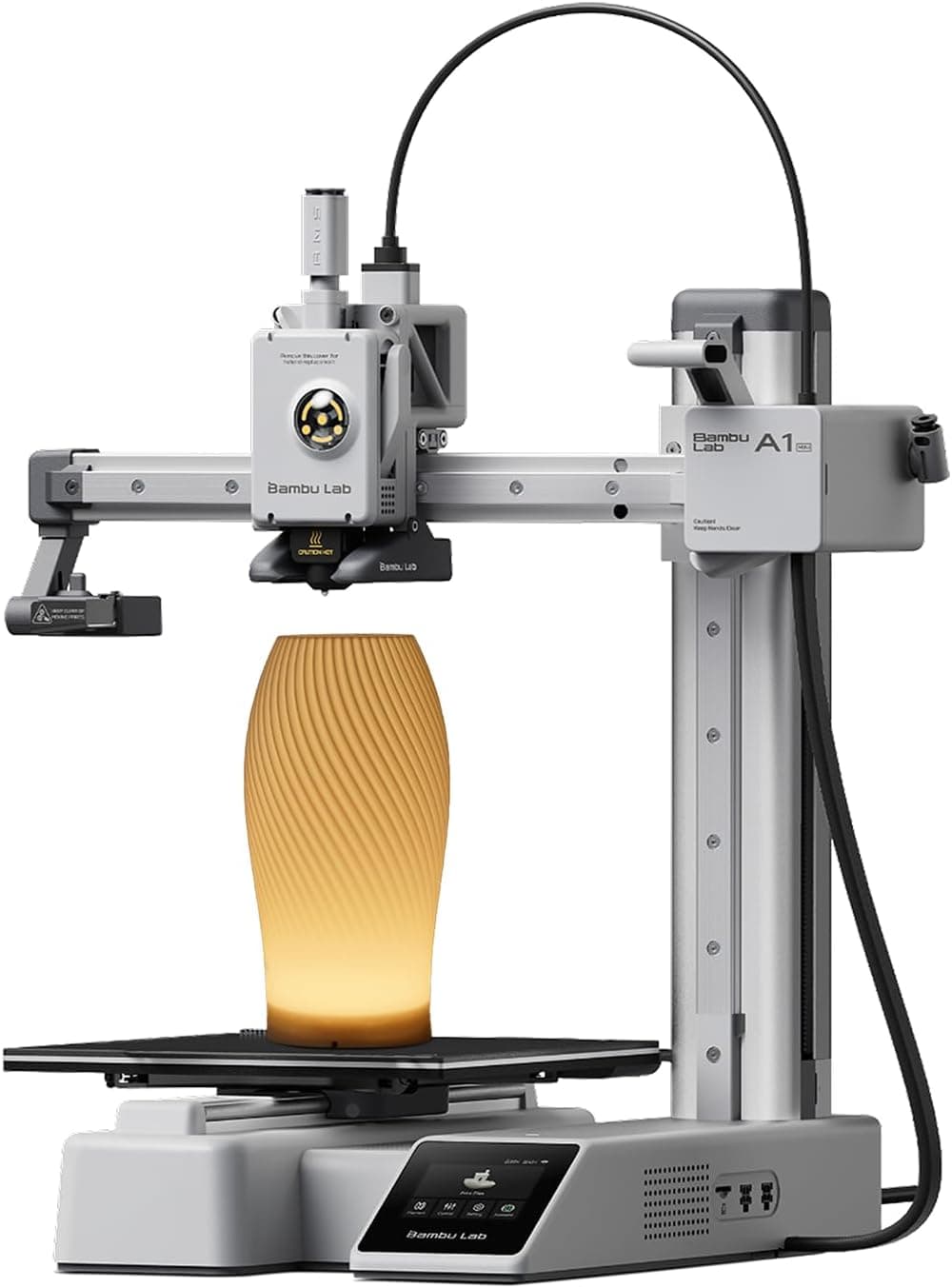
Best Budget Starter: Bambu Lab A1 mini 3D Printer
Bambu Lab A1 mini 3D Printer
- Lightest printer here at 5.5 kg
- Smallest build volume at 180 x 180 x 180 mm
(Current price, subject to change)
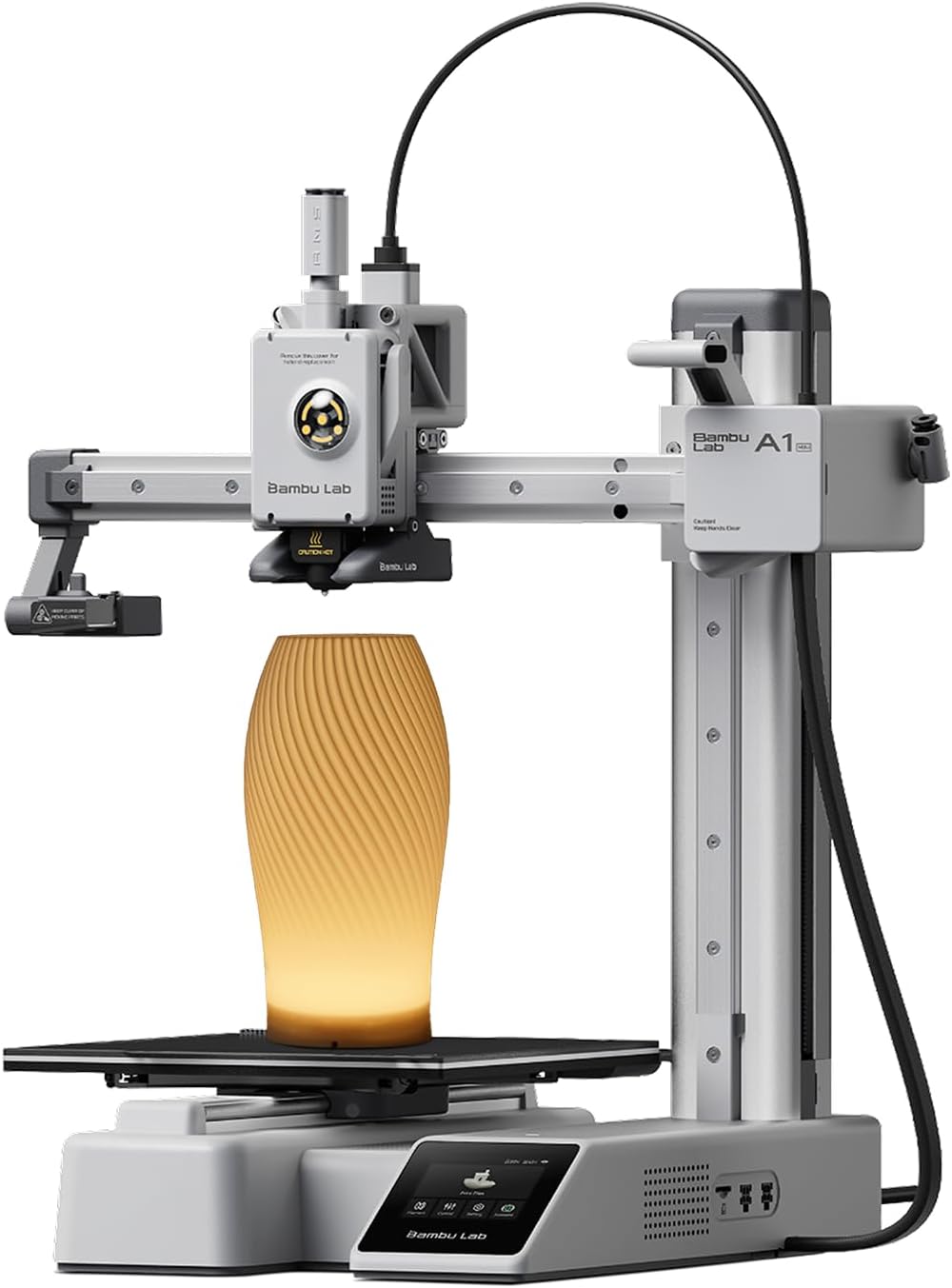
The Bambu Lab A1 mini 3D Printer suits a beginner with limited desk space and budget, because it is the lightest and least expensive machine in this guide. It scored 6.5 on the SHE Beginner 3D Printer Score, a composite on the ten-point scale, because its 180 mm build dimension offsets exceptional portability.
Its strongest documented capability is automation, since TechRadar reports that automatic calibration handles bed levelling, Z-offset and axis vibration immediately after power-up. TechRadar also awarded the compact Bambu Lab A1 mini a test score of 27.5 out of 30. First Layer HQ separately reports a Benchy in about 20 minutes and a noise level near 49dB.
Compared to the Creality K1C 3D Printer, it sacrifices considerable build capacity, and TechRadar notes the absence of an enclosure. Multi-colour printing through the AMS Lite system handles up to four filaments, although First Layer HQ says each swap takes 15-30 seconds plus purge.
What We Love
- Lightest printer here at 5.5 kg
- Automatic calibration on power-up
- Quick-swap hotend replaced in a few seconds
- Active Motor Noise Cancellation, about 49 dB
What Could Be Better
- Smallest build volume at 180 x 180 x 180 mm
- No enclosure
- Each AMS Lite swap takes 15-30 seconds plus purge
The Verdict
For a first printer on a small desk, the Bambu Lab A1 mini 3D Printer is the path of least friction. Automatic calibration handles levelling on power-up, though the 180 mm build limit caps part size.
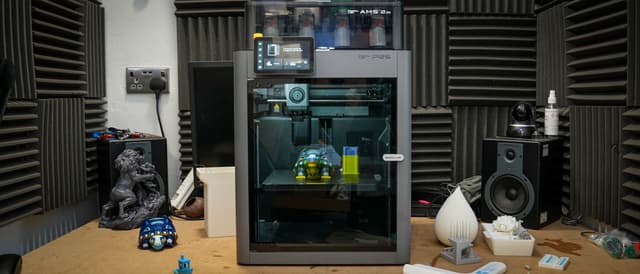
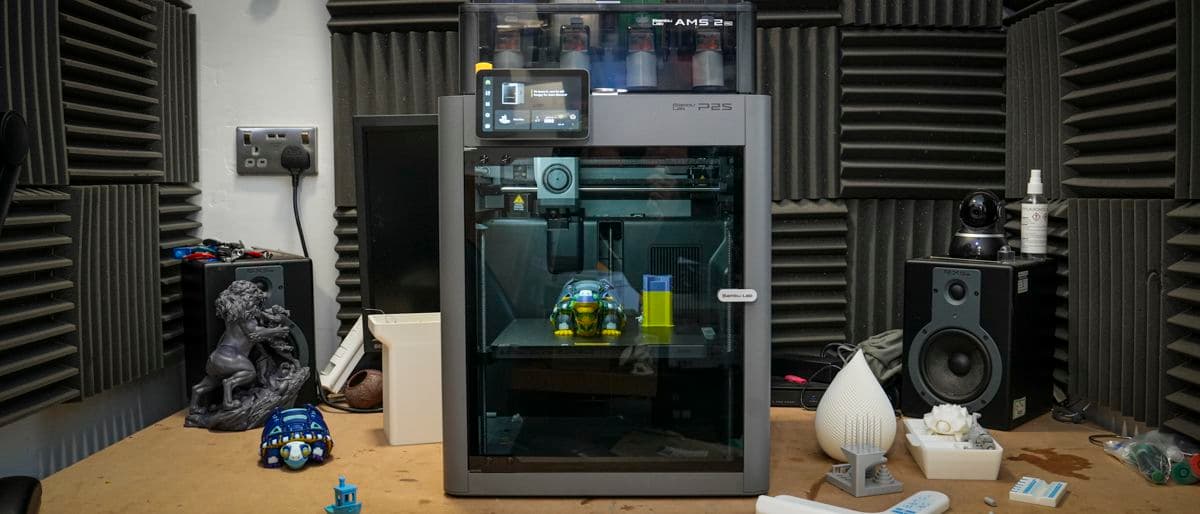
Best for Growing Skills: Bambu Lab P2S Combo
Bambu Lab P2S Combo
- 256 x 256 x 256 mm build volume
- No Ethernet port, per TechRadar
(Current price, subject to change)
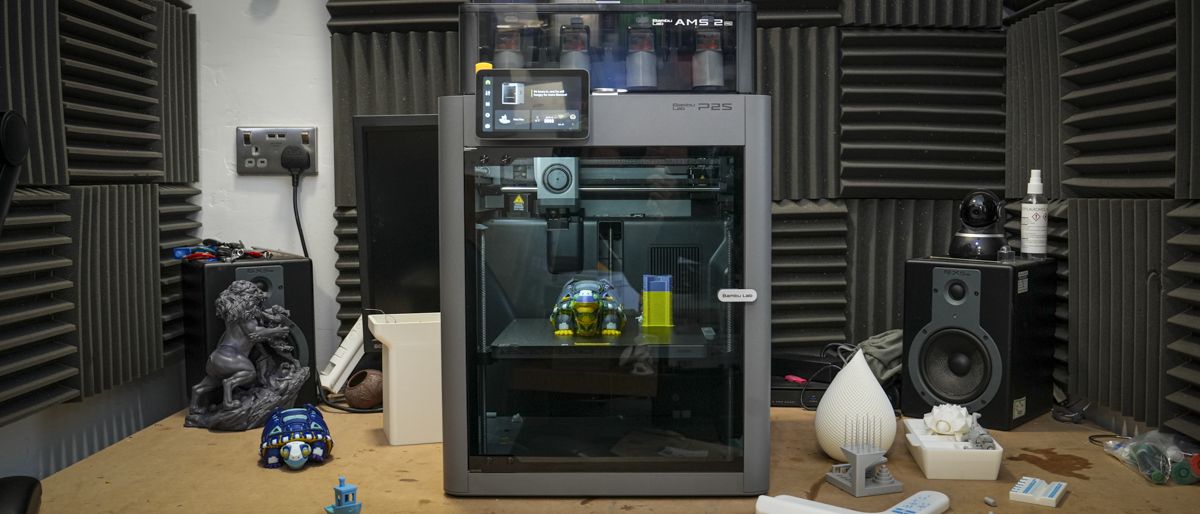
The Bambu Lab P2S Combo suits an ambitious beginner who expects to outgrow an entry-level machine and wants capacity for larger, multi-material projects. It scored 5.4 on the SHE Beginner 3D Printer Score, a composite on the ten-point scale, because the highest price here offsets its joint-largest 256 mm build dimension.
Its strongest documented capability is expandability, because TechRadar reports that the Bambu Lab P2S Combo connects up to eight AMS units for as many as 20 filament slots. TechRadar also recorded a print-quality score of 28 out of 30, and Tom's Hardware lists a 1080p camera that enables automated failure monitoring.
Relative to the Elegoo Centauri Carbon 2 Combo, which shares the identical build dimension, it costs considerably more, which reduces its comparative value. TechRadar identifies the missing Ethernet port as a professional limitation, while Makers101 reports possible heat creep at the hot end above roughly 33°C. Weighing 14.7 kg, it is also a substantial, cumbersome unit to lift and position on an ordinary desk.
What We Love
- 256 x 256 x 256 mm build volume
- Up to 20 filament slots with added AMS units
- 5-inch touchscreen with second-generation interface
- 1080p camera for AI spaghetti and blob monitoring
What Could Be Better
- No Ethernet port, per TechRadar
- Heat creep possible in rooms above roughly 33°C
- Heavy at 14.7 kg to lift and place
The Verdict
When you expect to grow into multi-colour work, the Bambu Lab P2S Combo lines up with what you actually need. Up to 20 filament slots leave room to expand, though it costs the most here.
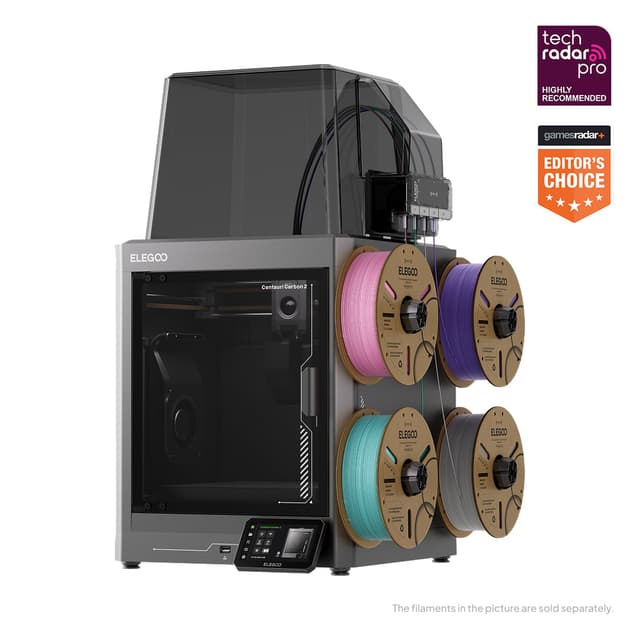
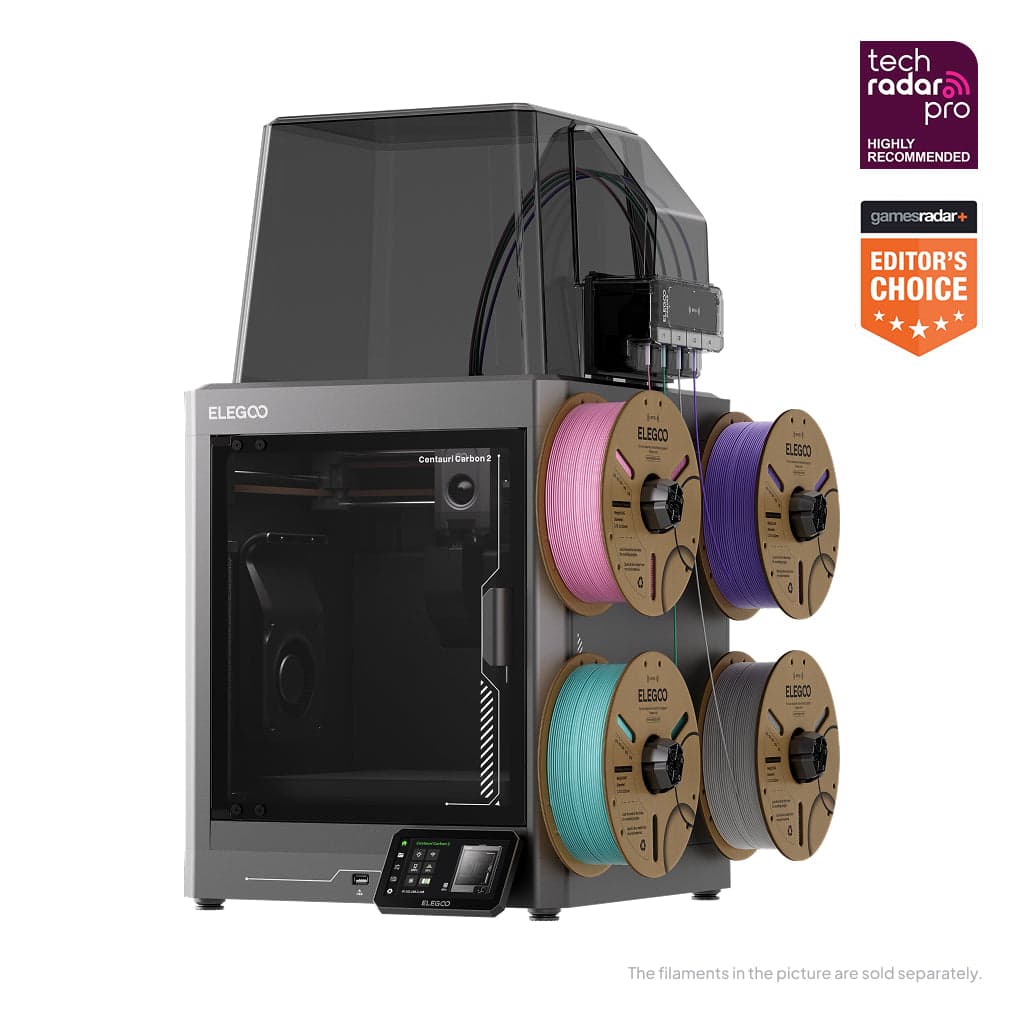
Best Print Quality Result: Elegoo Centauri Carbon 2 Combo
Elegoo Centauri Carbon 2 Combo
- 29/30 in TechRadar's print quality test
- Filament sits exposed outside the machine
(Current price, subject to change)
The Elegoo Centauri Carbon 2 Combo suits a quality-focused beginner who wants maximum build capacity for less money than the Bambu Lab P2S Combo. It scored 5.3 on the SHE Beginner 3D Printer Score, a composite on the ten-point scale, because its 19.35kg weight and 500 mm/s ceiling offset a 256 mm build dimension.
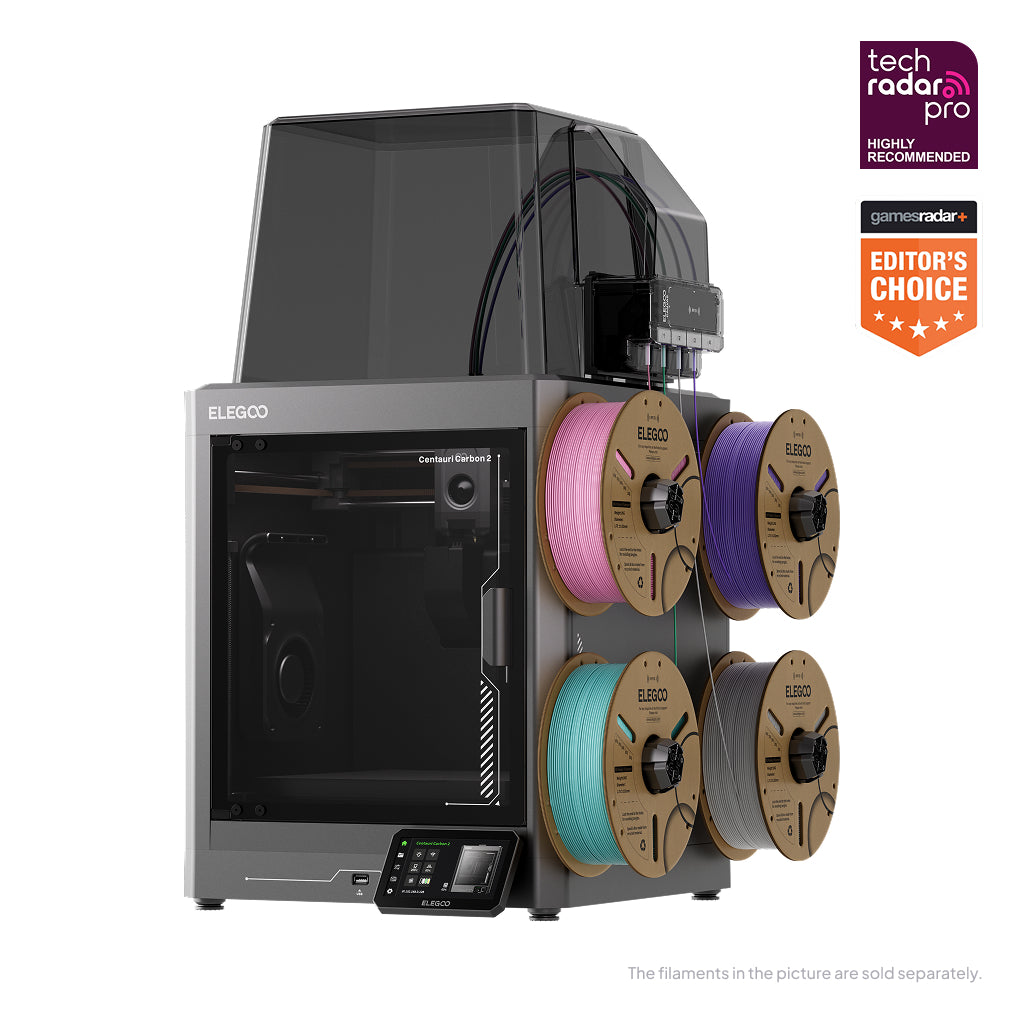
Its strongest documented result is print quality, since TechRadar recorded 29 out of 30 in its benchmark test for the Elegoo Centauri Carbon 2 Combo. Tom's Hardware found the CANVAS system handled TPU as soft as 95A, and RFID-tagged Elegoo filaments apply their recommended settings automatically.
Versus the Creality K1C 3D Printer, it is heavier and slower, and TechRadar observed that its filaments remain exposed outside the enclosure, accumulating fine hairs in a humid workshop. GamesRadar+ also reported the printer shaking the desk during certain high-speed prints.
What We Love
- 29/30 in TechRadar's print quality test
- RFID filaments set their own print settings
- 350 °C hardened steel nozzle
- Handled TPU as soft as 95A, per Tom's Hardware
What Could Be Better
- Filament sits exposed outside the machine
- Shook the desk during some high-speed prints
- No active chamber heating
The Verdict
If print quality per dollar matters most, the Elegoo Centauri Carbon 2 Combo checks the boxes that matter for that priority. TechRadar recorded 29 out of 30 in its print test, though the machine weighs 19.35 kg.
Best Multi-Material Combo: Anycubic Kobra S1 Combo 3D Printer
Anycubic Kobra S1 Combo 3D Printer
- Four materials, eight with a second Ace Pro
- Heaviest here at 25.9 kg
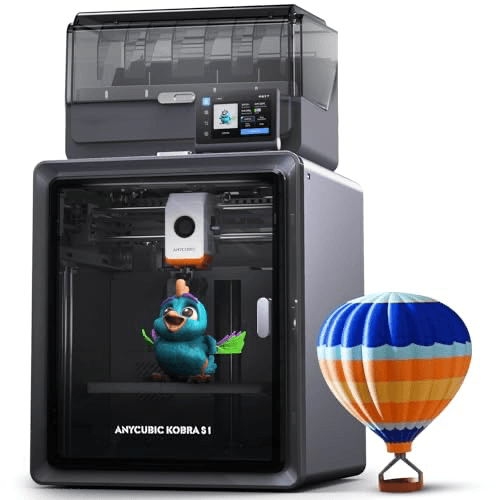
The Anycubic Kobra S1 Combo suits a beginner who wants four-material printing with integrated filament drying from the very first day. It scored 5.1 on the SHE Beginner 3D Printer Score, a composite on the ten-point scale, because its 25.9kg combo weight, the heaviest here, outweighs a 600 mm/s ceiling.
Its strongest documented capability is material handling, because TechRadar reports that the Anycubic Kobra S1 Combo prints four materials, expanding to eight with a second Ace Pro. The Ace Pro incorporates a built-in filament dryer, and Anycubic rates operation at just 44dB.
Compared to the Elegoo Centauri Carbon 2 Combo, it demands more setup, since TechRadar notes the Ace Pro requires its own power source and a second socket. TechRadar also found that a 43-minute single-colour print stretched to 14 hours in multi-filament mode.
What We Love
- Four materials, eight with a second Ace Pro
- Built-in filament dryer in the Ace Pro
- AI spaghetti detection with a built-in camera
- Tool-free nozzle swaps from 0.2 to 0.8 mm
What Could Be Better
- Heaviest here at 25.9 kg
- Ace Pro needs its own power socket
- Multi-filament mode stretched a 43-minute print to 14 hours
The Verdict
For multi-material printing with drying built in, the Anycubic Kobra S1 Combo 3D Printer is a sensible pick for that setup. The Ace Pro dries filament, though the combo is the heaviest machine here.
Get the Anycubic Kobra S1 Combo 3D Printer — $459.99 at Amazon →
How We Score: SHE Beginner 3D Printer Score
SHE Beginner 3D Printer Score
Score Formula
Printer weight, lower is better, 35% + Largest build dimension 20% + Top print speed 15% + Amazon price, lower is better, 30%, scaled to 10. The script does all the math. Each factor is scaled to 0-1 across this guide's products: a yes/no factor is its value (1 or 0); a number factor is (value - lowest) / (highest - lowest); a lower_better factor is then flipped (1 minus that). A number factor whose values are all equal gives every product 1, whichever its direction. A product's raw score is 10 x the sum of weight x scaled value, divided by the sum of the weights, kept to four decimal places; its SHE score is the raw score rounded half up to one decimal. Products are ranked by raw score, highest first; a tie goes to the higher consensus score, then to research order. A factor's chart cell is 10 x its scaled value, rounded half up to one decimal; a Setup Difficulty cell is the scorer's placement. Weight shares are whole percents for display only; the math uses the weights as given.Score Factors
- Printer weightThe printer's weight from a review or spec listing, with lighter scoring higher; the Bambu Lab A1 mini 3D Printer is lightest at 5.5 kg and the Anycubic Kobra S1 Combo heaviest at 25.9 kg.
- Largest build dimensionThe largest of the three build-volume numbers; the Bambu Lab P2S Combo and Elegoo Centauri Carbon 2 Combo lead at 256 mm, while the Bambu Lab A1 mini 3D Printer trails at 180 mm.
- Top print speedThe maximum print speed stated by the maker or a review; the Creality K1C 3D Printer, Bambu Lab P2S Combo and Anycubic Kobra S1 Combo list 600 mm/s, the other two 500 mm/s.
- Amazon priceThe Amazon receipt price on the guide date, with lower scoring higher; the Bambu Lab A1 mini 3D Printer is cheapest and the Bambu Lab P2S Combo costs the most, with prices checked on September 23, 2026.
SHE Beginner 3D Printer Score — Ranked
Computed from published specs, outlet reviews read for this guide and Amazon prices checked on September 23, 2026; it is not a first-party performance, print-quality or reliability test.
Creality K1C 3D Printer
SHE Beginner 3D Printer Score7.4/107.4: top-speed class, 250 mm height and moderate weight at a mid-range price.
Bambu Lab A1 mini 3D Printer
SHE Beginner 3D Printer Score6.5/106.5: lightest and cheapest, held back by the smallest 180 mm build.
Bambu Lab P2S Combo
SHE Beginner 3D Printer Score5.4/105.4: joint-largest build and 600 mm/s, pulled down by the highest price.
Elegoo Centauri Carbon 2 Combo
SHE Beginner 3D Printer Score5.3/105.3: joint-largest build at a low price, weighed down by 19.35 kg and 500 mm/s.
Anycubic Kobra S1 Combo 3D Printer
SHE Beginner 3D Printer Score5.1/105.1: 600 mm/s and a 250 mm build, sunk by the heaviest 25.9 kg weight.
Connectivity, Power and the Two-Socket Catch
Connectivity documentation varies considerably across this guide, which matters for beginners who expect to send prints from a phone or laptop. First Layer HQ lists Wi-Fi, USB and Bambu Cloud for the Bambu Lab A1 mini 3D Printer. Tom's Hardware lists USB, WiFi and Bluetooth for the Bambu Lab P2S Combo, while TechRadar identifies the missing Ethernet port as a professional drawback. The sources read for this guide publish no connectivity specification for the Creality K1C 3D Printer, Elegoo Centauri Carbon 2 Combo or Anycubic Kobra S1 Combo. Confirm app compatibility on the product page before ordering.
The single most consequential compatibility catch is electrical, because the Anycubic Kobra S1 Combo needs two available sockets for the printer and its Ace Pro unit. TechRadar also lists the Elegoo Centauri Carbon 2 Combo at 1100W on 220V and 350W on 110V, so verify your household circuit before scheduling long prints.
Multi-filament jobs can stretch to 14 hours, so our Best Smart UPS Battery Backup 2026: 5 for Home Networks recommendations are a sensible companion for protecting lengthy prints from brief outages. Shoppers comparing connected models for automation should consult our Best Smart 3D Printers 2026: Bambu A1 Wins at $299 roundup, and a dedicated maker corner pairs naturally with a Best Smart Home Office 2026: 6-Product WFH Stack arrangement.
When NOT to Buy
Skip the category if your projects need parts larger than 256 mm on any side, because no printer in this guide builds beyond that dimension. A beginner in a small shared apartment should avoid the Creality K1C 3D Printer, since Tech Advisor found it exceptionally noisy at full speed. Anyone without two free sockets near the desk should pass on the Anycubic Kobra S1 Combo, whose Ace Pro requires its own power. In rooms that exceed roughly 33°C, the Bambu Lab P2S Combo can suffer heat creep at the hot end.
Who Should Buy What
Who Should Buy What
| If you are… | Recommended pick |
|---|---|
All-round first printer buyer You want an enclosed, fast printer with a 250 mm build height at a mid-range price. | Creality K1C 3D Printer |
Small-desk starter on a budget You have limited space and money and want automatic calibration from the first power-up. | Bambu Lab A1 mini 3D Printer |
Ambitious learner planning to grow You expect to move into multi-colour work and want room for up to 20 filament slots. | Bambu Lab P2S Combo |
Quality-per-dollar shopper You want a 256 mm build and strong print results for less than the P2S Combo. | Elegoo Centauri Carbon 2 Combo |
Multi-material experimenter You want four-material printing with a built-in dryer and have two free sockets. | Anycubic Kobra S1 Combo 3D Printer |
Frequently Asked Questions
Which 3D printer here is easiest for a complete beginner to set up?
The Bambu Lab A1 mini 3D Printer has the lowest Setup Difficulty here, at 2 on the ten-point scale. TechRadar reports that its automatic calibration covers bed levelling, Z-offset and axis vibration on power-up. It also weighs just 5.5 kg, so placing it on a desk is simple. The Creality K1C 3D Printer sits at 4, because Tech Advisor reports around 5-6 minutes of calibration before each print. The Anycubic Kobra S1 Combo is hardest at 6, partly because its Ace Pro needs a second socket.
Why does the Creality K1C rank first when the Bambu Lab A1 mini costs less?
The Creality K1C 3D Printer scores 7.4 against 6.5 for the Bambu Lab A1 mini 3D Printer on the SHE Beginner 3D Printer Score. The A1 mini wins the weight and price factors outright, at 5.5 kg and $249.00. However, its 180 mm largest build dimension scores lowest here, and its 500 mm/s top speed also sits at the bottom. The K1C reaches 250 mm and 600 mm/s at $469.99, which balances the composite. If small parts are all you need, the A1 mini remains the easier start.
Do I need a multi-color combo for my first 3D printer?
Not necessarily, because multi-material printing adds time and setup work. TechRadar found that a 43-minute single-colour print on the Anycubic Kobra S1 Combo took 14 hours in multi-filament mode. First Layer HQ says each AMS Lite swap on the Bambu Lab A1 mini 3D Printer takes 15-30 seconds plus purge. The Elegoo Centauri Carbon 2 Combo supports 4-color printing through its CANVAS system, and the Bambu Lab P2S Combo can grow to 20 slots. Start single-colour if you are still learning the basics.
Which of these printers is quietest for a shared room?
Anycubic states the Kobra S1 Combo prints at just 44 dB, and Elegoo rates the Centauri Carbon 2 Combo at 45 dB. First Layer HQ lists the Bambu Lab A1 mini 3D Printer at about 49 dB, helped by Active Motor Noise Cancellation. Tech Advisor found the Creality K1C 3D Printer exceptionally noisy at full speed. Most of these figures are maker ratings rather than independent measurements, so treat them as guides. No noise figure is published here for the Bambu Lab P2S Combo.
How big a part can each printer make?
The Bambu Lab P2S Combo and the Elegoo Centauri Carbon 2 Combo both offer 256 x 256 x 256 mm build volumes. The Anycubic Kobra S1 Combo offers 250 x 250 x 250 mm. The Creality K1C 3D Printer measures 220 x 220 x 250 mm, so its tallest dimension is 250 mm. The Bambu Lab A1 mini 3D Printer is smallest at 180 x 180 x 180 mm. Larger parts can be split and glued, but none of these builds beyond 256 mm in one piece.
Can a beginner printer here handle carbon-fibre and engineering filaments?
Several can. The Creality K1C 3D Printer lists PLA-CF, PA-CF and PET-CF, helped by its tri-metal Unicorn nozzle with a steel tip. The Anycubic Kobra S1 Combo supports PC, PA, carbon fibre and glass fibre alongside PLA, PETG, TPU, ABS and ASA. The Elegoo Centauri Carbon 2 Combo uses a 350 °C hardened steel nozzle, though Tom's Hardware notes it has no active chamber heating. Tom's Hardware lists the Bambu Lab P2S Combo with a 0.4 mm hardened steel nozzle and materials up to 300 degrees.
Bottom Line
Get the Creality K1C 3D Printer if you want the best-balanced beginner machine here, with 600 mm/s speed and a 250 mm build height at a mid-range price.
Get the Bambu Lab A1 mini 3D Printer if you want the lightest, cheapest start with automatic calibration and can live with a 180 mm build.
Get the Bambu Lab P2S Combo if you expect to grow into multi-colour work and want room for up to 20 filament slots.
Get the Elegoo Centauri Carbon 2 Combo if you want a 256 mm build and a 29/30 TechRadar print score for less than the P2S Combo.
Get the Anycubic Kobra S1 Combo 3D Printer if you want four-material printing with a built-in filament dryer and have two free sockets.
Sources & Methodology
Methodology: SHE Beginner 3D Printer Score — Formula: Printer weight, lower is better, 35% + Largest build dimension 20% + Top print speed 15% + Amazon price, lower is better, 30%, scaled to 10. The script does all the math. Each factor is scaled to 0-1 across this guide's products: a yes/no factor is its value (1 or 0); a number factor is (value - lowest) / (highest - lowest); a lower_better factor is then flipped (1 minus that). A number factor whose values are all equal gives every product 1, whichever its direction. A product's raw score is 10 x the sum of weight x scaled value, divided by the sum of the weights, kept to four decimal places; its SHE score is the raw score rounded half up to one decimal. Products are ranked by raw score, highest first; a tie goes to the higher consensus score, then to research order. A factor's chart cell is 10 x its scaled value, rounded half up to one decimal; a Setup Difficulty cell is the scorer's placement. Weight shares are whole percents for display only; the math uses the weights as given.. Factors: Printer weight: The printer's weight from a review or spec listing, with lighter scoring higher; the Bambu Lab A1 mini 3D Printer is lightest at 5.5 kg and the Anycubic Kobra S1 Combo heaviest at 25.9 kg. | Largest build dimension: The largest of the three build-volume numbers; the Bambu Lab P2S Combo and Elegoo Centauri Carbon 2 Combo lead at 256 mm, while the Bambu Lab A1 mini 3D Printer trails at 180 mm. | Top print speed: The maximum print speed stated by the maker or a review; the Creality K1C 3D Printer, Bambu Lab P2S Combo and Anycubic Kobra S1 Combo list 600 mm/s, the other two 500 mm/s. | Amazon price: The Amazon receipt price on the guide date, with lower scoring higher; the Bambu Lab A1 mini 3D Printer is cheapest and the Bambu Lab P2S Combo costs the most, with prices checked on September 23, 2026.
Expert review sources used in this analysis:
- SHE Beginner 3D Printer Score
- Formula: Printer weight, lower is better, 35% + Largest build dimension 20% + Top print speed 15% + Amazon price, lower is better, 30%, scaled to 10
- The script does all the math
- Each factor is scaled to 0-1 across this guide's products: a yes/no factor is its value (1 or 0)
- A number factor is (value - lowest) / (highest - lowest)
- A lower_better factor is then flipped (1 minus that)
- A number factor whose values are all equal gives every product 1, whichever its direction
- A product's raw score is 10 x the sum of weight x scaled value, divided by the sum of the weights, kept to four decimal places
- Its SHE score is the raw score rounded half up to one decimal
- Products are ranked by raw score, highest first; a tie goes to the higher consensus score, then to research order
- A factor's chart cell is 10 x its scaled value, rounded half up to one decimal; a Setup Difficulty cell is the scorer's placement
- Weight shares are whole percents for display only; the math uses the weights as given
- Factors: Printer weight: The printer's weight as stated in a review or spec listing, where lighter is easier to place and move on a home desk
- Largest build dimension: The largest of the three build-volume numbers stated in a review or spec listing, showing the biggest part the printer can make
- Top print speed: The maximum print speed stated by the maker or a review
- Amazon price: The Amazon receipt price captured on the guide date, with prices checked on September 23, 2026
- Outlets read and used: TechRadar, Tom's Hardware, Tech Advisor, GamesRadar+, First Layer HQ, CGMagazine, Makers101, The Next Layer and ThePhonograph
- Maker and document sources used: Elegoo's own product page and a ManualsLib box list for the Creality K1C 3D Printer
- Coverage shortfall: the Bambu Lab A1 mini 3D Printer and the Anycubic Kobra S1 Combo each have only one verified outlet on the site's outlet list, TechRadar
- Because of that shortfall, neither of those two products carries an evidence callout
- Box lists: only the Creality K1C 3D Printer has a published in-the-box list, and none was found for the other four products
- Creality K1C 3D Printer: rated by Tom's Hardware and TechRadar, with an evidence callout
- Bambu Lab A1 mini 3D Printer: rated by TechRadar and First Layer HQ, with no callout
- Bambu Lab P2S Combo: rated by TechRadar and Tom's Hardware, with an evidence callout
- Elegoo Centauri Carbon 2 Combo: rated by TechRadar, Tom's Hardware and GamesRadar+, with an evidence callout
- Anycubic Kobra S1 Combo: rated by TechRadar and CGMagazine, with no callout
- Amazon prices checked on September 23, 2026 from each product's own listing
- No first-party testing or measurement was conducted for this guide, and none is implied: every figure comes from maker specifications or the outlet reviews cited.
Nicholas Miles is the founder of SmartHomeExplorer and a longtime smart home enthusiast focused on helping everyday homeowners make better technology decisions. He researches, compares, and writes about products across security, climate, lighting, leak prevention, sensors, home energy, and automation, with an emphasis on real-world usefulness, ecosystem compatibility, reliability, privacy, and long-term value.
Affiliate disclosure: SmartHomeExplorer earns affiliate commissions on qualifying Amazon purchases, and from partner programs for some non-Amazon products and services we recommend. Our scoring methodology is independent of affiliate relationships.