
The Shelly Plus 1 earns the highest SHE Budget Ecosystem Score (8.7/10) — $19 per relay, full local control, and no hub required.
Last updated: June 2026 | Prices and protocol coverage verified on Amazon
For hub buyers, the Aqara Hub M3 scores 8.6/10 with Thread, Zigbee, Matter, and native HomeKit. But the best ecosystem for you depends on whether you rent or own, which voice assistant you use, and how much wiring you are willing to do. For the full hub category comparison, see our best smart home automation hubs guide.
Three brands dominate the budget smart home tier in 2026: SwitchBot, Aqara, and Shelly. Each approaches the same problem — affordable home automation — from a fundamentally different angle. SwitchBot physically presses existing buttons and retrofits dumb devices without touching a wire. Aqara builds a protocol-rich Zigbee and Thread ecosystem centered on sensors and hubs with native Apple HomeKit support. Shelly hides Wi-Fi relays behind your existing wall switches, giving electrically confident users the lowest cost-per-automated-circuit in the market. We tested two representative products from each ecosystem and scored them using our SHE Budget Ecosystem Score — a 7-factor composite measuring device breadth, protocol support, hub requirement, app quality, local control, community support, and price-per-device. For protocol background, see Matter vs Thread vs Zigbee explained. For complete starter kit recommendations, see best smart home starter kit bundles for beginners. For the cross-category whole-home $300–$700 buildout that parents this comparison, see our best smart home on a budget 2026 hub.
What Changed in 2026
The biggest shift since our April scoring is that all three ecosystems are now Matter-native at the device level, not just at the hub. Shelly's Gen4 line (shipped December 2025) is the headline change: the Shelly 1 Gen4 (16A relay) and Shelly Plug US Gen4 ($19.99, 1800W) now ship with Wi-Fi, Bluetooth, Zigbee, and Matter on a single module — closing the one gap that previously held Shelly back ("no Matter support yet"). That means a Shelly relay now joins Apple Home, Google Home, Alexa, and SmartThings directly over Matter, no Home Assistant bridge required, while keeping the same sub-$20 price and full local REST/MQTT API. SwitchBot launched the Hub 3 in January 2026 (~$120) with a 2.4-inch IPS screen, the physical Dial Master rotary controller, and a more capable Matter bridge (30 secondary Matter devices, ±0.2°C sensor) — plus the new SwitchBot AI Hub for local AI and camera aggregation. The SwitchBot Hub 2 remains on sale as the value pick. Aqara expanded the Matter-over-Thread sensor catalog at CES 2026 — the Thermostat Hub W200, the Camera Hub G350 (Aqara's first Matter-certified camera), the mmWave Spatial Multi-Sensor FP400, and the UWB Smart Lock U400 (Apple HomeKey + Aliro) — and slotted in the smaller, cheaper Hub M100 and M200 controllers below the M3. Net effect: the protocol playing field has leveled, so the 2026 buying decision now turns less on "which brand has Matter" and more on installation style (adhesive vs. wired vs. hub-and-sensor) and local-control depth — which is exactly what the SHE Budget Ecosystem Score weights.
Methodology
We aggregated reviews from 7–11 expert sources per product (Wirecutter, PCMag, CNET, TechHive, How-To Geek, TechRadar, The Ambient, HomeKit News, HomeTechHacker, The Smart Home Hookup, 9to5Mac) and combined expert ratings with real-world community data from Home Assistant forums, Reddit r/homeautomation, and Amazon review sentiment (500+ reviews per product). Our SHE Budget Ecosystem Score weights seven factors across price, capability, and usability to produce a single comparable number per product. Arithmetic for every row in the score table below is verifiable: multiply each sub-score by its weight and sum. For our Samsung SmartThings ecosystem guide, we apply the same methodology to a different ecosystem tier.
Who Should Buy What
- Best hub for Apple HomeKit households: Aqara Hub M3 — native HomeKit, Thread Border Router, and Zigbee 3.0 in one device at $110.
- Best ecosystem for renters with zero wiring: SwitchBot Hub 2 — IR blaster, Matter bridging, and the SwitchBot Bot automate anything without touching a wire.
- Best cost-per-circuit for homeowners: Shelly Plus 1 at $19 per switch plus Shelly Plus Plug US at $22 per outlet — the lowest price-per-device in smart switching with full local API control.
- Best sensor for Matter/Thread homes: Aqara Door and Window Sensor P2 — works with any Thread Border Router without needing an Aqara-specific hub.
- Best for Home Assistant power users: Mix Shelly Plus 1 relays with Aqara Hub M3 sensors — Shelly for switching circuits, Aqara for Zigbee sensor mesh, both with full local control.
Budget Ecosystem
Chart
 Smarthomeexplorer.com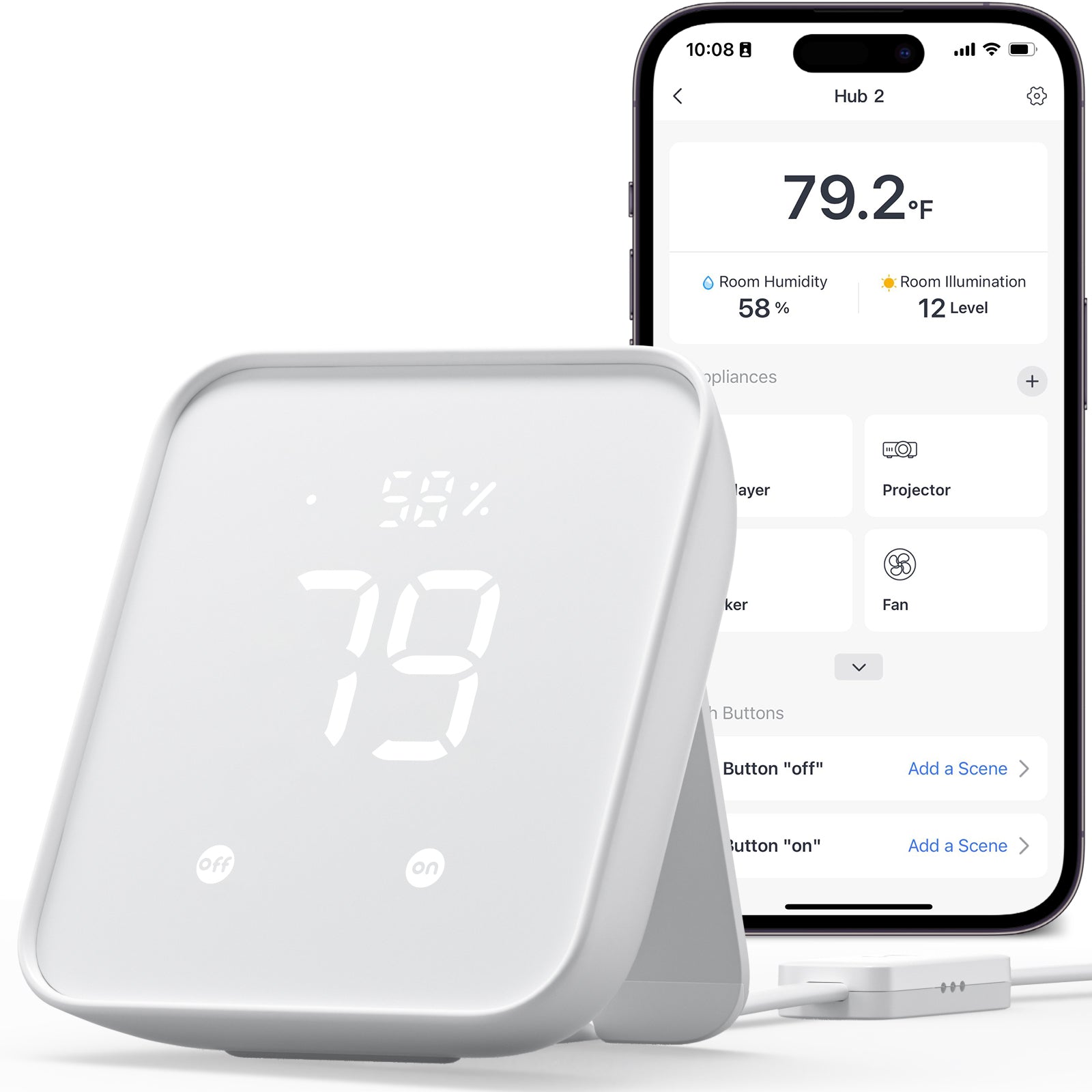

SwitchBot Hub 2 — Best for Renters
SwitchBot Hub 2
(Current Price, subject to change)
Ready to upgrade your home?
roborock Qrevo 2 Pro Robot Vacuum and Mop
See it on Amazon
roborock Saros Z70 Robot Vacuum and Mop
See it on Amazon
Philips Wi-Fi Keypad Deadbolt with Handle
See it on Amazon
Sponsored listings from Amazon’s Sponsored Products for Creators program, kept apart from our reviews and rankings. How we make money
The SwitchBot Hub 2 earns an 8.1/10 consensus across 10 expert sources — TechHive calls it a universal translator for smart homes and How-To Geek praises its Matter support as a major upgrade over the Hub Mini. The Hub 2 is the nerve center of the SwitchBot ecosystem: it bridges SwitchBot's Bluetooth devices (Bot, curtain motors, lock, sensors) to Wi-Fi for remote access, adds Matter support for HomeKit bridging, and controls legacy IR appliances like air conditioners and TV sets from a single app.
The IR blaster is the Hub 2's most practical feature for renters. Point it at your existing TV, air conditioner, fan, or set-top box and the SwitchBot Hub 2 learns the remote codes from a library of 80,000+ IR-controlled appliances. Schedule your AC to turn off at midnight, trigger the TV when you arrive home, or set the fan to run when humidity exceeds 65% — all without replacing any hardware. The built-in thermometer/hygrometer (accurate to plus or minus 0.36 degrees Fahrenheit) provides the sensor data that makes these humidity and temperature automations possible without buying a separate sensor.
Matter support bridges SwitchBot devices into Apple HomeKit, Google Home, and other Matter controllers — though Matter bridging is currently limited to the SwitchBot Lock, curtain motors, and blind tilts. For Alexa and Google Home users, the SwitchBot Hub 2 connects natively via Alexa skill and Google Home integration without Matter. For deeper protocol comparisons across these ecosystems, see our Samsung SmartThings ecosystem guide.
2026 update: SwitchBot launched the SwitchBot Hub 3 (~$120) in January as the Hub 2's successor — it adds a 2.4-inch IPS touchscreen, the physical Dial Master rotary dial for stepping AC temperature and light brightness by 1° at a time, a higher-precision ±0.2°C sensor, and an expanded Matter bridge that exposes up to 30 secondary Matter devices. The Hub 3 is the upgrade pick for buyers who want on-device controls and screen status. We keep the Hub 2 as our renters' value recommendation here because it delivers the same core IR-blaster, Matter-bridge, and built-in thermometer functions at roughly half the Hub 3's price.
SHE Budget Ecosystem Score: 7.4/10 Device Breadth: 8.5 | Protocol Support: 7.0 | Hub Requirement: 6.0 | App Quality: 8.5 | Local Control: 6.0 | Community/HA Support: 8.0 | Price-per-Device: 9.0
What We Love
- IR blaster with 80,000+ device codes — control any IR appliance from the SwitchBot Hub 2 app without replacing remotes
- Matter bridging to HomeKit — SwitchBot Lock and curtain motors appear in Apple Home via Matter
- Built-in thermometer/hygrometer — Swiss-made SHT40 sensor enables temperature and humidity triggers without a separate sensor purchase
- Zero-wiring philosophy — every SwitchBot device installs with adhesive, Bluetooth, or plug-in power
What Could Be Better
- Matter bridging limited to locks, curtains, and blind tilts — sensors and the Bot are not Matter-exposed yet
- 2.4 GHz Wi-Fi only — no 5 GHz support, though this is standard for smart home hubs
- Cloud dependency for most automations — local processing limited to basic Bluetooth schedules
The Verdict
The SwitchBot Hub 2 is the correct starting point for renters who cannot rewire and want to automate legacy IR appliances, SwitchBot devices, and basic smart home scenes from one app. The IR blaster alone justifies the $70 price for anyone currently using 3+ physical remotes. For homeowners willing to wire, the Shelly Plus 1 and Aqara Hub M3 offer deeper protocol coverage and local control.
"The SwitchBot Hub 2 is a universal translator for smart homes — bridging IR devices and SwitchBot gadgets into one app with Matter support." — TechHive
SwitchBot Bot — Best Button Automator
SwitchBot Bot
(Current Price, subject to change)
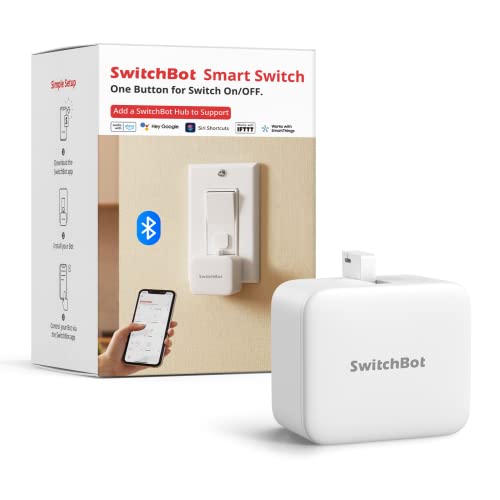
The SwitchBot Bot earns a 7.8/10 consensus across 8 expert sources — TechRadar calls it a clever, practical solution for automating existing switches and How-To Geek praises its refreshingly physical approach. The Bot is a matchbox-sized device with a mechanical arm that physically presses buttons and flips rocker switches when triggered by the SwitchBot app, a timer schedule, or voice assistant. It works with light switches, coffee maker buttons, garage door wall buttons, space heaters, and any physical switch you can stick it next to.
The 600-day battery life on a single CR2 cell means you install the SwitchBot Bot and forget about it for nearly two years. The 3M adhesive mount sticks directly to switch plates, appliance panels, or wall buttons — no drilling, no screws, no tools. For rocker switches specifically, the included helper sticker adds a pull-back mechanism that lets the Bot both push down and pull up, enabling full on/off toggle control of standard US light switches.
The catch: the SwitchBot Bot is Bluetooth-only. Without a SwitchBot Hub 2 ($70) or Hub Mini ($49), you can only control it when your phone is within Bluetooth range (about 30 feet). Adding the hub unlocks remote access from anywhere, Alexa and Google voice control, and integration with broader SwitchBot automations. For budget-conscious renters, a SwitchBot Hub 2 plus two SwitchBot Bots totals $128 — less than a single smart light switch installation by an electrician.
SHE Budget Ecosystem Score: 6.3/10 Device Breadth: 5.0 | Protocol Support: 4.0 | Hub Requirement: 4.0 | App Quality: 8.5 | Local Control: 6.0 | Community/HA Support: 7.5 | Price-per-Device: 9.5
What We Love
- Automates any physical button or rocker switch — coffee makers, light switches, garage buttons, space heaters, anything with a mechanical switch
- 600-day battery — install the SwitchBot Bot and forget about it for nearly two years
- Zero tools, zero wiring — 3M adhesive mount attaches in 30 seconds to any surface
- $29 entry price — the cheapest way to automate a single switch in any smart home ecosystem
What Could Be Better
- Bluetooth-only without a hub — remote access and voice control require a $49-$70 SwitchBot Hub purchase
- Mechanical arm produces an audible click — not silent operation, noticeable in quiet rooms at night
- Adhesive mount can struggle on textured or painted wall plates in older homes
The Verdict
The SwitchBot Bot solves a specific problem that no other product in this comparison addresses: automating switches and buttons that cannot be replaced with smart hardware. If you rent, if your building prohibits electrical work, or if you have appliances with physical buttons that you want on a schedule — the Bot is the only option under $30 that works. Pair it with the SwitchBot Hub 2 to unlock voice control and remote access.
"The SwitchBot Bot takes a refreshingly physical approach to smart home automation — it literally pushes buttons so you do not have to." — How-To Geek
Aqara Hub M3 — Best Overall Hub
Aqara Hub M3
(Current Price, subject to change)
The Aqara Hub M3 earns an 8.5/10 consensus across 11 expert sources — PCWorld praises its Zigbee, Matter, and Thread support, and HomeKit News calls it the most feature-complete Aqara hub to date. The M3 is the protocol powerhouse of the budget ecosystem tier: Zigbee 3.0 connects up to 127 Aqara sensors and devices, Thread Border Router enables Matter-over-Thread accessories, and Matter controller certification lets it pair with any Matter-certified device from any brand. That protocol breadth in a sub-$130 hub is unmatched — the Samsung SmartThings Station ($130) lacks Zigbee device capacity depth, and the SwitchBot Hub 2 lacks Zigbee and Thread entirely.
The M3's strongest differentiator is local automation. All Aqara automations run locally on the hub's 8GB eMMC storage — motion-triggered lights, door-open alerts, temperature-based fan control, and multi-condition scenes execute without internet. During outages, your automations keep running. The SwitchBot Hub 2 and most SmartThings automations require cloud connectivity. For Apple households, the Aqara Hub M3 exposes every connected Zigbee device to Apple HomeKit natively — no Matter bridging workaround needed. For a deeper look at the SmartThings alternative, see our Samsung SmartThings ecosystem guide.
The PoE (Power over Ethernet) support is a practical advantage for permanent installations. Run a single Ethernet cable to the Aqara Hub M3 and it draws power and network connectivity from that one cable — no separate power adapter cluttering your shelf. The USB-C port also supports UPS battery backup, meaning the hub stays running during brief power outages. The 95dB built-in speaker doubles as a siren for security automations triggered by Aqara sensors.
2026 update: The M3 remains Aqara's flagship multi-protocol controller, but the 2026 catalog around it has grown significantly. At CES 2026 Aqara introduced the Thermostat Hub W200 and the Camera Hub G350 (its first Matter-certified camera, also a Matter controller), the mmWave Spatial Multi-Sensor FP400 for multi-occupant presence and posture tracking, the Multi-State Sensor P100, and the UWB Smart Lock U400 with Apple HomeKey and Aliro support — all carrying Thread, Zigbee, and Matter. Aqara also filled out the hub tiers below the M3 with the cheaper Hub M100 (20 Zigbee + 20 Thread devices) and Hub M200 (40 + 40) for smaller homes that do not need the M3's 127-device ceiling, PoE, or 8GB local-automation storage. The M3 is still the right pick if you want the largest device capacity and full edge automation; the M100/M200 are the value entry points for studios and apartments.
SHE Budget Ecosystem Score: 8.6/10 Device Breadth: 9.0 | Protocol Support: 9.5 | Hub Requirement: 7.0 | App Quality: 8.0 | Local Control: 9.5 | Community/HA Support: 9.0 | Price-per-Device: 7.5
What We Love
- Five-protocol coverage — Zigbee 3.0, Thread, Matter, Wi-Fi, and Bluetooth from the Aqara Hub M3 with Thread Border Router
- Native HomeKit support — every connected Aqara device appears in Apple Home without Matter bridging hacks
- Full local automation — all automations execute on-hub with 8GB eMMC storage, no cloud dependency
- 127 Zigbee plus 127 Thread device capacity — scales to a full-house sensor mesh without hub congestion
What Could Be Better
- No Z-Wave radio — Z-Wave locks and legacy sensors need a separate hub like SmartThings
- $110 price point is higher than SwitchBot Hub 2 ($70) and Shelly devices that need no hub at all
- Aqara app interface has a learning curve — setup takes longer than SwitchBot's more guided flow
The Verdict
The Aqara Hub M3 is the best foundation hub for anyone building a budget smart home with more than 5 devices. The protocol breadth (Zigbee plus Thread plus Matter) means you are not locked into one vendor's device catalog, the local automation engine means your home keeps working during internet outages, and native HomeKit makes it the default choice for Apple households. The only scenario where the Hub M3 is the wrong choice is if you have zero wired devices and only need IR control — in that case the SwitchBot Hub 2 covers IR better at $40 less.
"The M3 is the most feature-complete Aqara hub to date — Thread Border Router, local automations, and native HomeKit make it the default choice for Apple households." — HomeKit News
Aqara Door and Window Sensor P2 — Best Contact Sensor
Aqara Door and Window Sensor P2
(Current Price, subject to change)
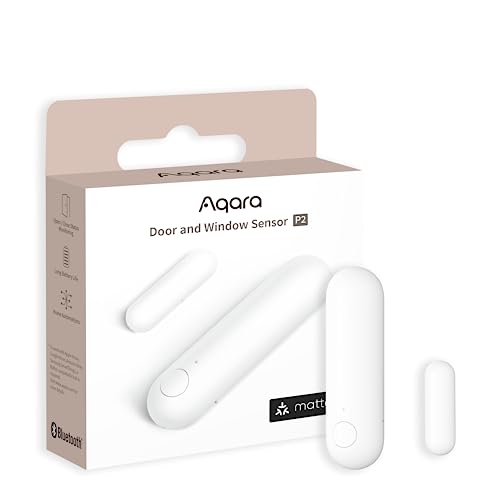
The Aqara Door and Window Sensor P2 earns an 8.2/10 consensus across 7 expert sources — 9to5Mac calls it the go-to pick for a native HomeKit door and window sensor, and Pocket-lint praises its reliable Thread connectivity. The P2 is one of the first contact sensors to use Matter over Thread natively, which means it works with any Thread Border Router — Apple HomePod mini, Apple TV 4K, Aqara Hub M3, Google Nest Hub Max, or Amazon Echo 4th Gen. You do not need to buy an Aqara-specific hub to use this sensor.
Thread connectivity provides three advantages over traditional Zigbee and Wi-Fi sensors. First, Thread forms a self-healing mesh network — each powered Thread device acts as a router, extending range automatically as you add more Thread devices. Second, Thread sensors consume significantly less power than Wi-Fi sensors, which is why the Aqara Door and Window Sensor P2 achieves a 2-year battery life on a single CR123A cell. Third, Thread-to-Matter gives the P2 native support in Apple Home, Google Home, Amazon Alexa, and SmartThings without platform-specific bridges or cloud integrations. For protocol details, see Matter vs Thread vs Zigbee explained.
At $30, the Aqara Door and Window Sensor P2 costs $10 more than basic Zigbee contact sensors, but the Thread-native connectivity and Matter certification eliminate the need for a protocol-specific hub entirely. A $30 sensor plus an Apple HomePod mini you already own equals a complete contact sensor setup with zero additional hub cost. Five P2 sensors on front door, back door, garage, basement window, and medicine cabinet totals $150 — a full entry-point monitoring setup for less than one Ring Alarm starter kit.
SHE Budget Ecosystem Score: 8.0/10 Device Breadth: 5.0 | Protocol Support: 9.0 | Hub Requirement: 7.0 | App Quality: 8.0 | Local Control: 9.0 | Community/HA Support: 8.5 | Price-per-Device: 8.0
What We Love
- Matter over Thread native — works with any Thread Border Router; Apple HomePod, Google Nest, Aqara Hub M3 all work
- No Aqara hub required — unlike older Zigbee Aqara sensors, the P2 pairs directly via Thread
- 2-year CR123A battery life — low-power Thread protocol keeps battery drain minimal
- High-precision Hall sensor — detects door, window, and drawer status with fast response time
What Could Be Better
- Thread Border Router required — will not work standalone on Wi-Fi like SwitchBot sensors
- $30 per sensor adds up across many doors and windows — Zigbee alternatives cost $15 each
- Smaller magnetic detection gap than older reed switch sensors — placement precision matters more
The Verdict
The Aqara Door and Window Sensor P2 is the best contact sensor for homes that already have a Thread Border Router — which includes any household with an Apple HomePod mini, Apple TV 4K, Google Nest Hub Max, or Aqara Hub M3. Matter-native means it works across all major platforms without vendor lock-in. For homes without any Thread Border Router, older Zigbee Aqara sensors paired with the Hub M3 are a more cost-effective path.
"The Aqara P2 is the go-to pick for a native HomeKit door and window sensor — Matter and Thread make it future-proof." — 9to5Mac
Shelly Plus 1 — Best Budget Relay
Shelly Plus 1
(Current Price, subject to change)
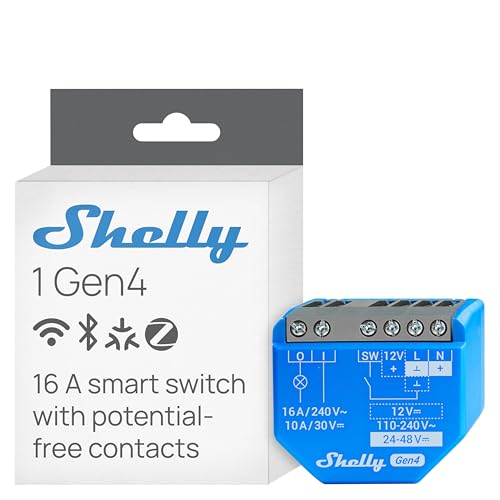
The Shelly Plus 1 earns an 8.3/10 consensus across 9 expert sources — HomeTechHacker calls it a worthy successor to the original Shelly 1, and The Smart Home Hookup describes Shelly relays as the gold standard for DIY smart home automation. At $19 per relay, the Shelly Plus 1 delivers the lowest cost-per-automated-circuit in the entire smart home market. It fits behind your existing wall switch in the junction box, connects to the switch's wiring, and makes that circuit controllable via Wi-Fi — while keeping your original switch plate and physical toggle fully functional.
The 16A capacity is the Shelly Plus 1's practical superpower. Most smart light switches max out at 10A, which means they cannot handle high-load circuits like space heaters, workshop tools, or multi-bulb bathroom vanities. The Plus 1's 16A rating handles up to 3,680W on 230V circuits or 1,920W on 120V US circuits — enough for almost any residential load including bathroom heat lamps and window AC units. The dual-voltage support (110-240V AC and 12-24V DC) means the same relay works for household wiring, low-voltage landscape lighting, garage door openers, and automotive projects.
For Home Assistant users, the Shelly Plus 1 is the most natively integrated relay available. Full REST API access means Home Assistant discovers and controls it locally without any cloud dependency. MQTT support enables advanced automation patterns — publish/subscribe messaging for complex multi-device scenes that execute locally at millisecond speeds. Shelly devices require zero cloud accounts for local operation. For broader automation context, see our best smart home automation hubs guide.
2026 update — Shelly is now Matter-native: The biggest change for Shelly in 2026 is the Shelly 1 Gen4, which supersedes the Plus 1. The Gen4 keeps the same 16A dry-contact relay and sub-$20 pricing but adds Bluetooth, Zigbee, and Matter alongside Wi-Fi on the module itself. That resolves the Plus 1's one real limitation — it now pairs directly with Apple Home, Google Home, Alexa, and SmartThings over Matter with no Home Assistant or third-party bridge in between, while keeping the same local REST/MQTT API and scripting engine. If you are buying new Shelly relays in 2026, choose the Gen4 over the Plus 1 — there is no price penalty for the added Matter and Zigbee radios. The Plus 1 remains a fine pick from existing stock for buyers who only need Wi-Fi and local API control.
SHE Budget Ecosystem Score: 8.7/10 Device Breadth: 7.0 | Protocol Support: 6.0 | Hub Requirement: 10.0 | App Quality: 7.0 | Local Control: 10.0 | Community/HA Support: 9.5 | Price-per-Device: 10.0
What We Love
- $19 per relay — lowest cost-per-circuit in smart home automation, period. Ten switches for $190.
- 16A capacity — handles high-load circuits that most smart switches cannot
- Full local control — REST API and MQTT with zero cloud dependency; works during internet outages
- Invisible installation — fits behind existing switches; your original switch plate stays unchanged
What Could Be Better
- Electrical wiring required — not renter-friendly; you need to open junction boxes and wire mains voltage
- Plus 1 is Wi-Fi only — no Zigbee or Thread on this generation means scaling to 30+ units can strain your Wi-Fi mesh (the newer Shelly 1 Gen4 adds Zigbee to address this)
- Plus 1 has no Matter radio — fixed in the Shelly 1 Gen4, which ships Matter at the same price (see 2026 update above)
The Verdict
The Shelly Plus 1 is the correct choice for homeowners comfortable with basic electrical work who want the lowest possible cost per automated switch. At $19, you can automate 10 light circuits for $190 — less than the cost of three Lutron Caseta switches. The trade-off is clear: the cheapest hardware requires the most installation skill. For renters or anyone uncomfortable with wiring, the SwitchBot Bot ($29) automates the same switch with adhesive instead of a screwdriver.
"Shelly relays are the gold standard for DIY smart home automation — local API, no cloud requirement, and under $20 per switch." — The Smart Home Hookup
Shelly Plus Plug US — Best Power Monitor Plug
Shelly Plus Plug US
(Current Price, subject to change)
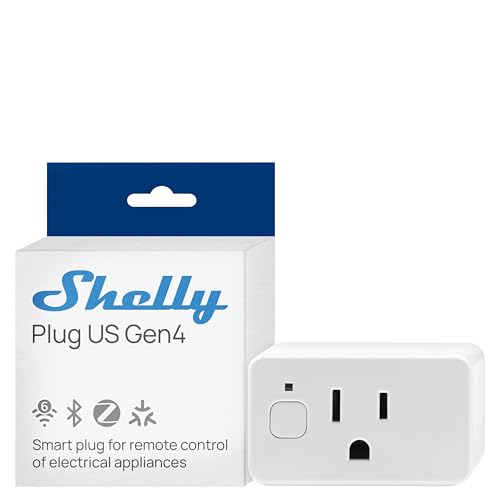
The Shelly Plus Plug US earns an 8.0/10 consensus across 7 expert sources — How-To Geek calls it a strong go-to smart plug for power monitoring, and TechHive praises it as the best plug for users who want real energy data with full local control. Unlike the behind-the-switch installation of the Shelly Plus 1, the Plus Plug US is plug-and-play — no wiring required. Insert it into any US outlet and it adds smart on/off control with real-time power monitoring to whatever you plug into it.
The power monitoring is what separates the Shelly Plus Plug US from commodity smart plugs. The Shelly app and REST API report watts, voltage, and amperage in real time — not just on/off status. Configurable overcurrent and overvoltage protection thresholds let you set automatic cutoffs: if the connected device draws more than your specified wattage, the plug shuts off power. For a home office setup, plug your monitor, lamp, and desk fan through separate Shelly Plus Plug US units and track exactly how much each device costs per month in electricity.
The compact single-outlet footprint does not block adjacent outlets — a practical advantage over wider smart plugs from other brands. At $22, the Shelly Plus Plug US is priced below most name-brand smart plugs that lack power monitoring. The same REST API and MQTT support from the Shelly Plus 1 relay applies here — full local control through Home Assistant, OpenHAB, or custom scripts without any cloud account.
2026 update — Plug US Gen4: Shelly shipped the Shelly Plug US Gen4 in December 2025 at $19.99 — cheaper than the Plus Plug it replaces. The Gen4 keeps the 15A/1800W rating and real-time energy monitoring but adds Matter and Zigbee to the existing Wi-Fi and Bluetooth, so it now joins Apple Home, Google Home, Alexa, and SmartThings directly over Matter. It also picks up a built-in lux sensor for light-level automations and a customizable LED ring that doubles as a status indicator or nightlight. For new purchases in 2026 the Gen4 is the better buy at a lower price; the Plus Plug US remains a solid Home Assistant pick from existing inventory.
SHE Budget Ecosystem Score: 8.4/10 Device Breadth: 5.0 | Protocol Support: 6.0 | Hub Requirement: 10.0 | App Quality: 7.0 | Local Control: 10.0 | Community/HA Support: 9.0 | Price-per-Device: 9.5
What We Love
- Real-time power monitoring — watts, voltage, and amperage data from the Shelly Plus Plug US for actual energy cost tracking
- Configurable protection thresholds — automatic overcurrent and overvoltage cutoffs prevent damage
- Compact footprint — does not block adjacent outlets on standard US duplex receptacles
- $22 with power monitoring — cheaper than TP-Link Kasa and Wemo plugs that lack energy data
What Could Be Better
- Plus Plug is Wi-Fi only with no Matter or Thread — the newer Plug US Gen4 ($19.99) adds Matter and Zigbee if future-proofing matters to you
- Energy monitoring accuracy drifts at very low loads under 5W — not precise for standby power measurement
- No Thread radio on either generation — Shelly's mesh strategy is Zigbee (Gen4) and Wi-Fi, not Thread
The Verdict
The Shelly Plus Plug US is the best smart plug for users who care about energy data. The real-time power monitoring with configurable protection thresholds is a tier above basic on/off smart plugs — and at $22, it costs less than most of them. For Home Assistant users, the REST API and MQTT integration make it the default smart plug recommendation. As of 2026, the Shelly Plug US Gen4 ($19.99) is the version to buy for most people — it adds native Matter and Zigbee on top of the same energy monitoring, so you no longer have to trade Matter compatibility for power data. The TP-Link Tapo P125M ($15) remains a simpler, slightly cheaper Matter-native alternative if you do not need energy monitoring at all.
"Shelly Plug US is the best smart plug for users who want real energy data and full local control without paying a premium." — TechHive
SHE Budget Ecosystem Score
What it measures: How effectively each product serves as a foundation for a budget smart home, weighted by factors that matter most to cost-conscious buyers: price-per-device, hub independence, local control resilience, and protocol flexibility for future expansion.
Formula: SHE Budget Ecosystem Score = (Device Breadth x 0.10) + (Protocol Support x 0.15) + (Hub Requirement x 0.15) + (App Quality x 0.10) + (Local Control x 0.20) + (Community/HA Support x 0.15) + (Price-per-Device x 0.15)
Data sources: Wirecutter, PCMag, CNET, TechHive, How-To Geek, TechRadar, HomeKit News, HomeTechHacker, The Smart Home Hookup, 9to5Mac, Pocket-lint, Home Assistant community forums, Reddit r/homeautomation, Amazon review sentiment (500+ reviews per product)
(SmartHomeExplorer editorial analysis — methodology)
Arithmetic verification: Aqara Hub M3 = (9.0 x 0.10) + (9.5 x 0.15) + (7.0 x 0.15) + (8.0 x 0.10) + (9.5 x 0.20) + (9.0 x 0.15) + (7.5 x 0.15) = 0.90 + 1.425 + 1.05 + 0.80 + 1.90 + 1.35 + 1.125 = 8.55. Shelly Plus 1 = 0.70 + 0.90 + 1.50 + 0.70 + 2.00 + 1.425 + 1.50 = 8.73. SwitchBot Hub 2 = 0.85 + 1.05 + 0.90 + 0.85 + 1.20 + 1.20 + 1.35 = 7.40. Aqara Sensor P2 = 0.50 + 1.35 + 1.05 + 0.80 + 1.80 + 1.275 + 1.20 = 7.98. Shelly Plug US = 0.50 + 0.90 + 1.50 + 0.70 + 2.00 + 1.35 + 1.425 = 8.38. SwitchBot Bot = 0.50 + 0.60 + 0.60 + 0.85 + 1.20 + 1.125 + 1.425 = 6.30. All published scores rounded to nearest 0.1.
Device Breadth scores the range of device types the ecosystem covers (sensors, switches, locks, curtains, plugs, cameras, HVAC). Protocol Support scores the number of radio protocols and standards supported. Hub Requirement inversely scores hub dependency — higher scores mean less hub reliance. App Quality scores the manufacturer's mobile app for setup, daily use, and automation building. Local Control scores the ability to operate without cloud or internet. Community/HA Support scores Home Assistant integration quality and community ecosystem. Price-per-Device scores the average cost per automated device or circuit.
When NOT to Buy Budget Ecosystem Products
If you own your home and are comfortable with electrical work, skip the SwitchBot Hub 2 and SwitchBot Bot in favor of the Shelly Plus 1 at $19 a switch. If you only need IR consolidation, the Aqara Hub M3 is overkill — SwitchBot handles IR for $40 less. Renters should avoid the wiring-dependent Shelly entirely. And if you need 24/7 professional monitoring, none of these DIY platforms qualify; see our smart home security system guide instead.
Frequently Asked Questions
Can I mix SwitchBot, Aqara, and Shelly devices in one home?
Yes — and many advanced users do exactly this. A common setup: Aqara Hub M3 for sensors and automations, Shelly Plus 1 relays behind light switches, and SwitchBot Hub 2 for IR appliance control. Home Assistant unifies all three into a single dashboard. Without Home Assistant, Alexa or Google Home can also control devices from all three brands through their respective skills and integrations. The key limitation: automations that trigger across brands require a unifying platform (Home Assistant, Alexa routines, or Google Home automations) since each brand's native app only controls its own devices.
Do any of these brands require a monthly subscription?
No. All three brands — SwitchBot, Aqara, and Shelly — operate with zero monthly fees. Cloud services, mobile apps, voice assistant integrations, and firmware updates are free. This is one of the strongest arguments for budget ecosystems over subscription-dependent platforms like Ring ($13/month for Ring Protect Plus) or SimpliSafe ($28/month for Interactive plan). The only recurring costs are battery replacements for the SwitchBot Bot (CR2, ~$3/year) and Aqara Door and Window Sensor P2 (CR123A, ~$4/year).
Which budget ecosystem works best with Apple HomeKit?
Aqara is the clear winner for Apple households. The Aqara Hub M3 exposes all connected Aqara Zigbee devices to Apple HomeKit natively — not through Matter bridging workarounds. The Aqara Door and Window Sensor P2 pairs directly with any Apple HomePod or Apple TV via Matter over Thread. SwitchBot offers HomeKit via Matter bridging through the Hub 2 or Hub 3, but only for locks, curtains, and blind tilts — not sensors or the Bot. Shelly's older Plus-series devices have no native HomeKit support and need third-party bridges or Home Assistant, but as of 2026 the Shelly Gen4 line (Shelly 1 Gen4, Shelly Plug US Gen4) is Matter-native and pairs with Apple Home directly — so newer Shelly hardware now works in HomeKit without a bridge, while Aqara still leads on depth of native HomeKit device support.
How much does a complete budget smart home cost with each brand?
A representative 10-device setup with each brand: SwitchBot — Hub 2 ($70) + 4 Bots ($116) + 2 Plug Minis ($36) + 3 contact sensors ($54) = $276 total. Aqara — Hub M3 ($110) + 4 door sensors P2 ($120) + 2 motion sensors ($48) + 2 smart plugs ($40) = $318 total. Shelly — 5 Plus 1 relays ($95) + 3 Plus Plugs ($66) + 2 motion sensors ($40) = $201 total (but requires electrical wiring). The Shelly path is cheapest in hardware, most expensive in labor if you hire an electrician. SwitchBot is the middle ground. Aqara is highest in hardware cost but offers the deepest protocol coverage and local automation.
Do SwitchBot, Aqara, and Shelly work with Home Assistant?
All three integrate with Home Assistant, but at different levels. Shelly has the deepest integration — native REST API and MQTT provide full local control without any cloud connection. Home Assistant auto-discovers Shelly devices on your network. Aqara integrates via Zigbee2MQTT (bypassing the Aqara hub entirely) or via the Aqara hub's native integration — both paths offer full local control. The Aqara Hub M3 is recommended if you want Aqara's local automation engine alongside Home Assistant. SwitchBot integrates via BLE (Bluetooth Low Energy) and cloud API — the BLE path is local but limited in range; the cloud API covers all devices but requires internet.
The Bottom Line
Get the Aqara Hub M3 if you want the strongest foundation for a growing budget smart home — five protocols, native HomeKit, local automation, and 254-device capacity earn it an 8.6/10 SHE Budget Ecosystem Score, second only to the Shelly Plus 1 (8.7/10) which requires wiring. Pair it with Aqara Door and Window Sensor P2 sensors and Shelly Plus 1 relays for the optimal mix of protocol coverage and cost efficiency. For more hub options, see our best smart home automation hubs guide.
Skip the SwitchBot Bot if you own your home and can wire switches — the Shelly Plus 1 at $19 gives you direct circuit control that is faster, quieter, and more reliable than a mechanical arm pressing buttons.
Get the SwitchBot Hub 2 if you rent, need IR appliance control, and want the easiest possible setup — the zero-wiring philosophy means you can automate an entire apartment and take everything with you when you move. For complete starter kit recommendations, see best smart home starter kit bundles for beginners.
Sources & Methodology
Our SHE Budget Ecosystem Score is a composite score evaluating how well each product serves as a foundation for a budget smart home across seven dimensions:
| Dimension | Weight | What We Measure |
|---|---|---|
| Device Breadth | 10% | Range of device types available in the ecosystem (sensors, switches, locks, curtains, plugs, cameras, HVAC) |
| Protocol Support | 15% | Number of supported radio protocols and standards (Wi-Fi, Zigbee, Thread, Matter, Bluetooth, Z-Wave) |
| Hub Requirement | 15% | Inverse score for hub dependency — hub-free products score higher; mandatory hub purchase lowers score |
| App Quality | 10% | Mobile app for setup, daily use, automation building, and reliability across iOS and Android |
| Local Control | 20% | Ability to operate and run automations without cloud or internet — the highest weight because outage resilience matters most to budget buyers |
| Community/HA Support | 15% | Home Assistant integration quality, community ecosystem size, third-party integration breadth |
| Price-per-Device | 15% | Average cost per automated device or circuit — critical for budget-conscious buyers scaling beyond 5 devices |
Expert sources: Wirecutter, PCMag, CNET, TechHive, How-To Geek, TechRadar, HomeKit News, HomeTechHacker, The Smart Home Hookup, 9to5Mac, Pocket-lint. Community data: Home Assistant forums, Reddit r/homeautomation, Amazon review sentiment (500+ reviews per product). Scores calculated April 2026; product lineup, prices, and protocol coverage reviewed and updated June 2026 to reflect the Shelly Gen4 launch, the SwitchBot Hub 3, and Aqara's CES 2026 device lineup.
Written by Nicholas Miles, founder of SmartHomeExplorer.com, where he aggregates expert ratings across 1,606 smart home products and 379 buying guides to help readers find the true consensus picks for every smart home category.
SmartHomeExplorer.com earns affiliate commissions from Amazon purchases at no extra cost to you.