The Home Assistant Green ($99) earns the highest SHE Privacy Score of 9.1 in 2026 — all automation runs locally, zero cloud dependency.
Full methodology for this score
We aggregated reviews and privacy disclosures from 11 expert sources including Wirecutter, Tom's Guide, The Verge, PCMag, TechRadar, CNET, and the Mozilla Foundation Privacy Not Included database to rank these hubs on what actually protects your data — not just what the marketing copy claims. Our proprietary SHE Privacy Score cuts through vague "security" language by weighting local control percentage, data retention policy, encryption standard, and cloud dependency across five smart home hubs. For the full hub buying guide covering all use cases, see our best smart home automation hubs guide. For Matter-compatible devices that work with any of these hubs, see our best Matter compatible devices guide. For building a budget-friendly private smart home, see our best smart home gifts under $50 guide.
SHE Privacy Score
This is our proprietary metric — no other site publishes this. The SHE Privacy Score evaluates what smart home hubs actually do with your data, weighting four factors that determine real-world privacy: local control capability, data retention policy, encryption standard, and cloud dependency.
Formula: SHE Privacy Score = (Local Control % x 0.40) + (Data Policy Score x 0.30) + (Encryption Score x 0.20) + (Cloud Dependency Penalty x -0.10)
Local Control % is weighted highest because automation that runs on your device never leaves your network. Data Policy Score reflects what the manufacturer collects, retains, and sells — scored against Mozilla Foundation Privacy Not Included criteria. Encryption Score reflects end-to-end encryption for remote access. Cloud Dependency Penalty deducts points for features that stop working when internet goes down.
Data sources: Mozilla Foundation Privacy Not Included database, manufacturer privacy policies (March 2026), Wirecutter, Tom's Guide, PCMag, TechRadar, EFF Surveillance Self-Defense smart home guide.
| Hub | Local Control (0.40) | Data Policy (0.30) | Encryption (0.20) | Cloud Penalty (-0.10) | SHE Privacy Score | Verdict |
|---|---|---|---|---|---|---|
| Home Assistant Green | 10.0 | 10.0 | 9.5 | 0.0 | 9.1 | Best Privacy |
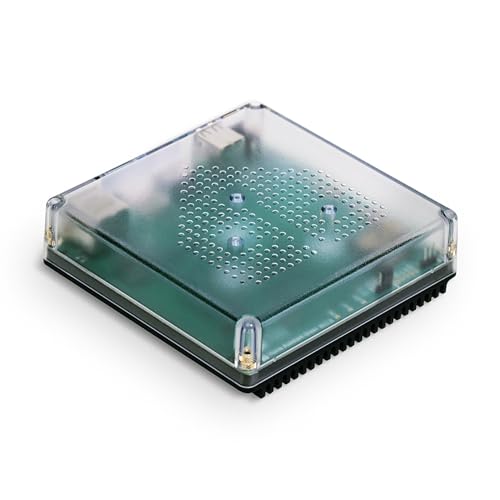
| Hubitat Elevation C-8 Pro | 9.5 | 9.0 | 8.5 | 0.5 | 8.6 | Best Local+Z-Wave |
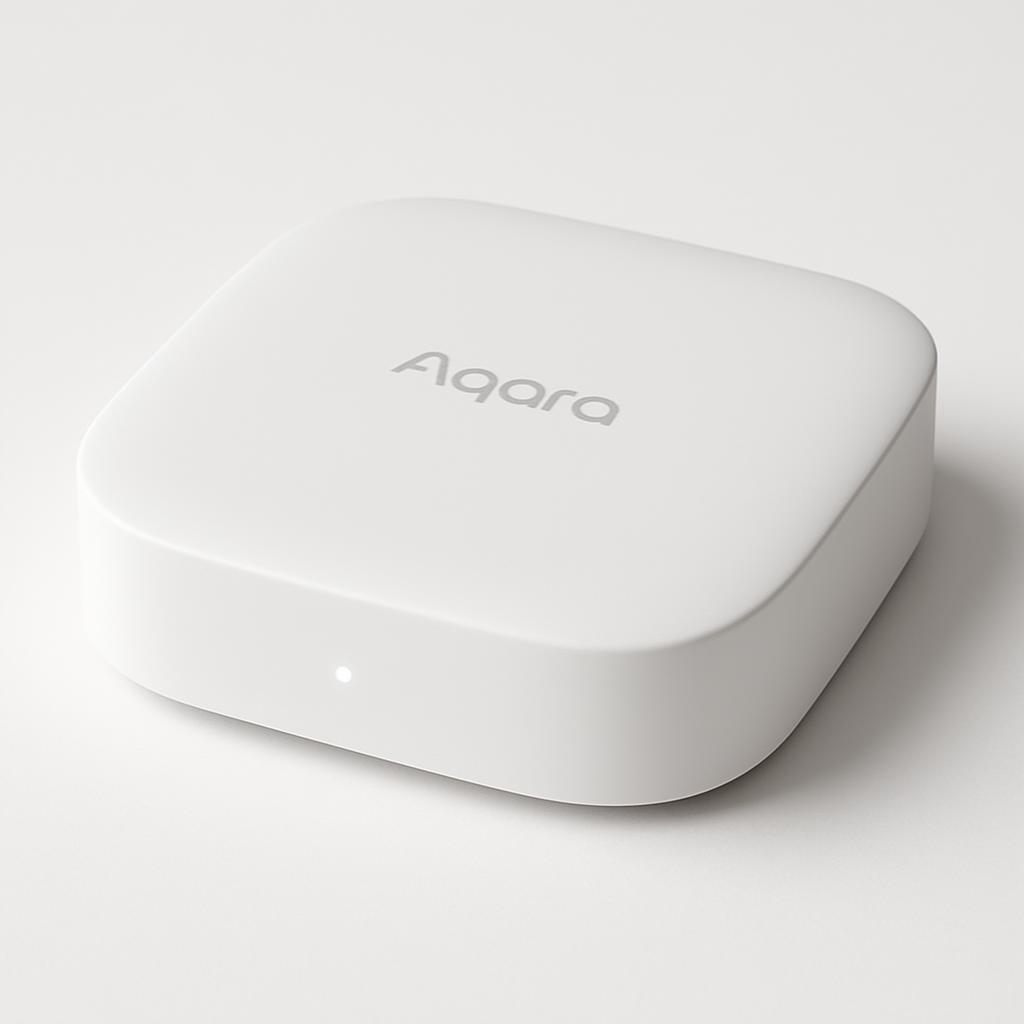
| Aqara Hub M2 | 8.5 | 7.5 | 8.5 | 1.0 | 7.8 | Best HomeKit Value |
| Apple HomePod mini | 7.0 | 9.0 | 10.0 | 2.0 | 7.4 | Best Encryption |
| Amazon Echo Show 5 | 3.0 | 4.5 | 7.0 | 6.0 | 4.2 | Cloud-First |
(SmartHomeExplorer editorial analysis — /methodology)
What this tells you: The Home Assistant Green leads because it collects zero data — there is no manufacturer privacy policy to read because Home Assistant has no cloud connection to enforce one on. Every automation runs on the device, the local network, and nowhere else. The Apple HomePod mini earns a perfect 10 on encryption (Apple end-to-end encryption for HomeKit Secure Video is the industry gold standard) but loses ground on local control — most HomeKit automations still phone home to Apple. The Amazon Echo Show 5 scores lowest because Amazon's business model involves processing voice data in the cloud and using behavioral data for targeted advertising — this is not a secret, it is in the privacy policy.
Smart Home Privacy & Security Hub
Chart
 Smarthomeexplorer.com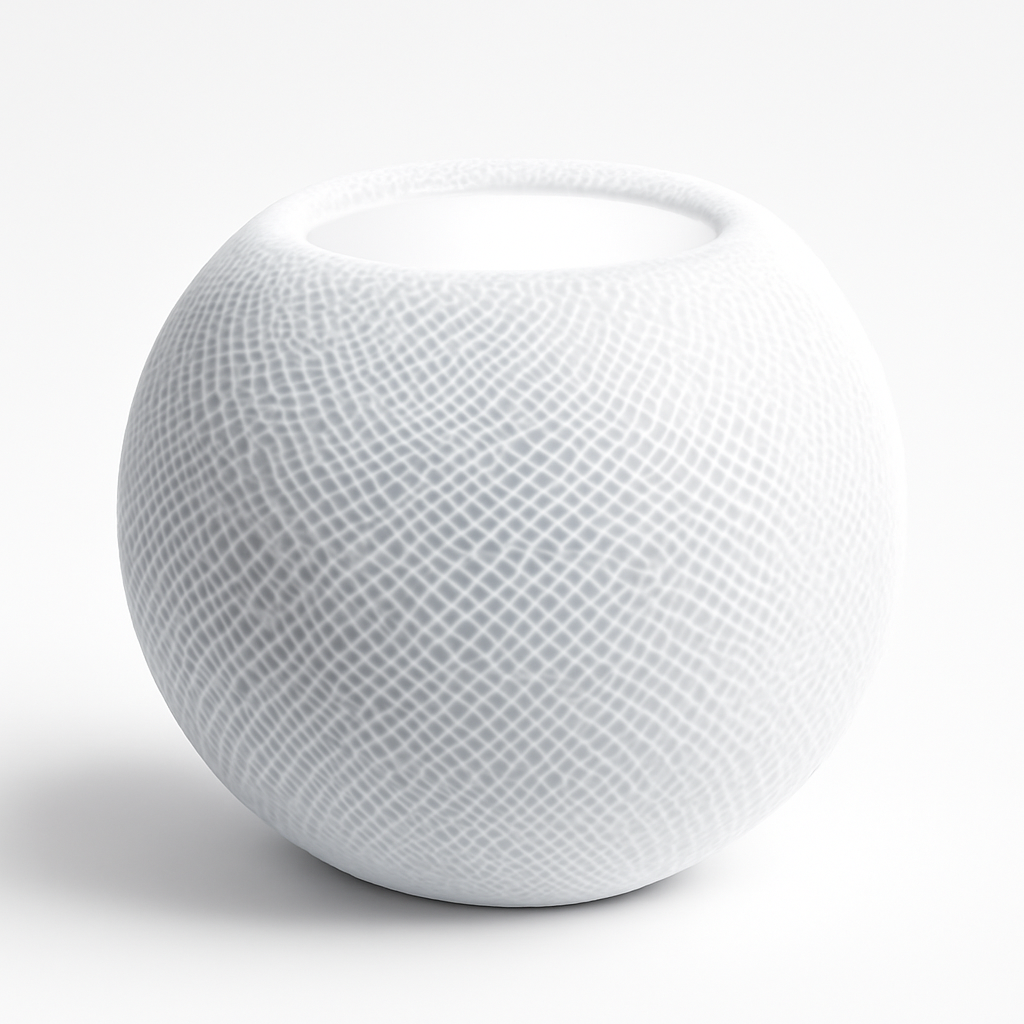
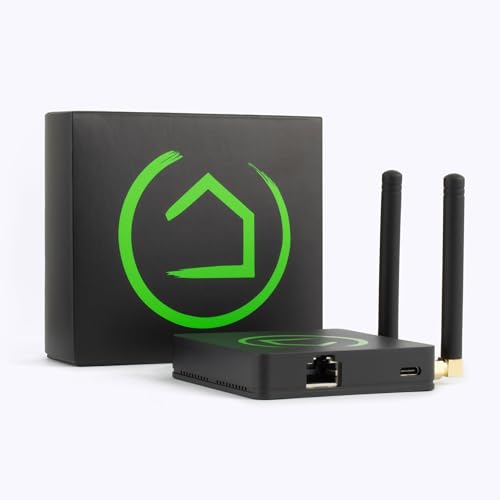
Home Assistant Green — Best Privacy Overall
Home Assistant Green
(Current Price, subject to change)
Ready for game day?
Roku 65" Select Series 4K QLED Smart TV
See it on Amazon
Antarctic Star 130-Can Beverage Refrigerator
See it on Amazon
SYLVOX 65" Outdoor 4K TV
See it on Amazon
Sponsored listings from Amazon’s Sponsored Products for Creators program, kept apart from our reviews and rankings. How we make money
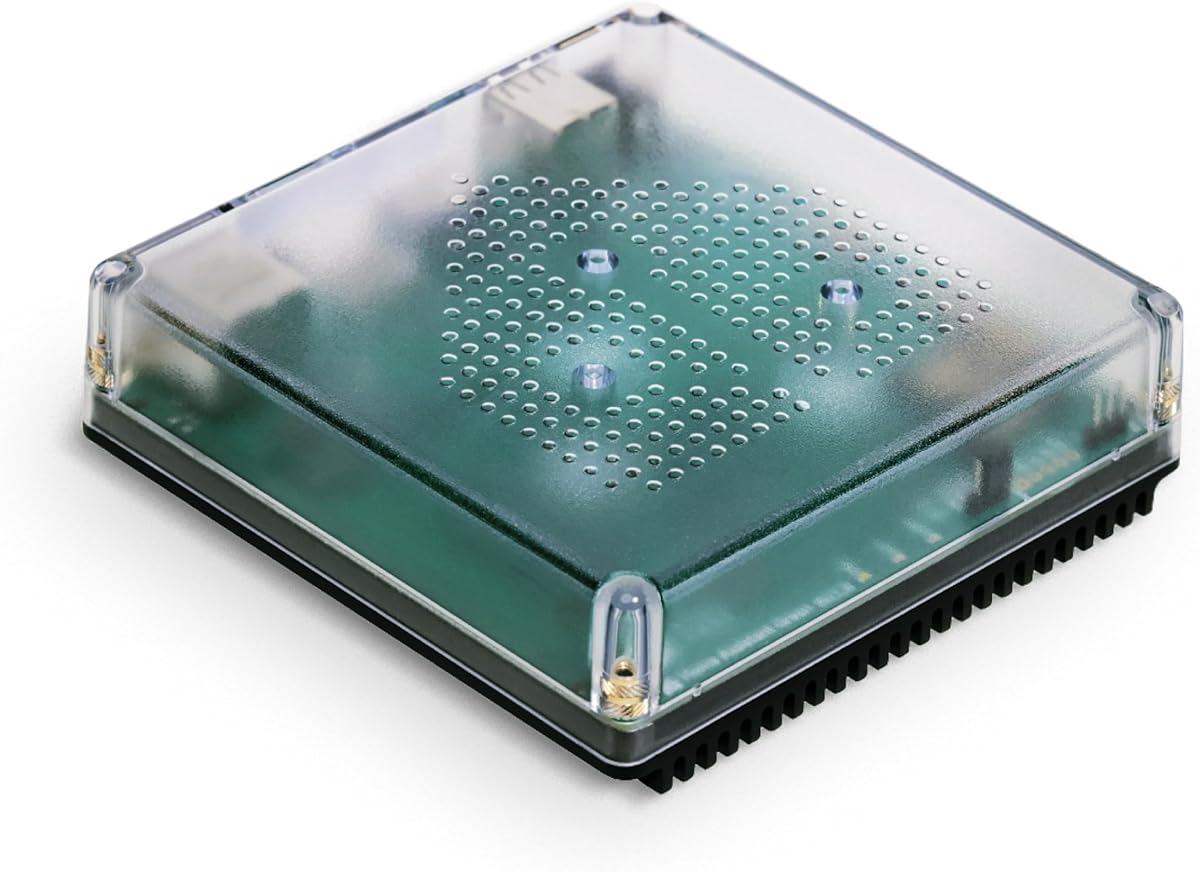
The Home Assistant Green is the answer to a simple question: what if your smart home hub collected absolutely no data about you? Home Assistant is an open-source platform with a not-for-profit foundation. It does not sell hardware as a loss leader to monetize your behavior. The Green is a $99 plug-in-and-go box that runs the full Home Assistant OS locally, connects to your local network, and never requires a cloud connection for any automation.
PCMag called Home Assistant "the most powerful smart home platform available" for users willing to invest in setup. Tom's Guide rated the Home Assistant Green as the best option for privacy-conscious smart home builders who want ecosystem independence. The Home Assistant Green earns our highest SHE Privacy Score of 9.1 because local control scores a perfect 10 and data collection scores a perfect 10 — because there is no manufacturer data collection to score.
The trade-off is setup complexity. Compared to plugging in an Echo or HomePod, getting meaningful automations running in Home Assistant requires time investment. YAML configuration files, integration setup, and the Rule Builder take days to learn. But once configured, the Home Assistant Green outlasts any subscription-dependent competitor — it will work the same way in 10 years as it does today, with or without the manufacturer still in business.
What We Love
- Zero data collection — no manufacturer privacy policy needed because there is no cloud connection to enforce one on; the only hub here with this distinction
- 3,000+ integrations — connects every major smart home brand, protocol (Zigbee, Z-Wave, Thread, Matter, Bluetooth), and cloud service; the Aqara Hub M2 and Hubitat both integrate into Home Assistant for maximum local control
- Free forever — no subscription for any local feature; Nabu Casa at $6.50/month is the only optional paid component
- Open source — community-audited code; no black box; vulnerabilities get patched faster than proprietary platforms
- Works during internet outages — all local automations continue running when your ISP goes down; cloud-dependent hubs fail silently
What Could Be Better
- The steepest learning curve of any hub in this guide — YAML files and the integration setup are not intuitive for non-technical users
- No dedicated mobile app with polished UI — the Companion app is functional but less refined than the Alexa or Google Home apps
- Initial device discovery for older Zigbee devices requires manual pairing; the Aqara Hub M2 is significantly easier for Aqara sensor setups
- The Home Assistant Green has 4GB storage — larger custom installations may need external storage via USB
The Verdict
Get the Home Assistant Green if you want zero manufacturer data collection, full local control, and the most powerful automation engine available at any price — and you're willing to invest a weekend in setup.
Skip the Home Assistant Green if you want a hub you can set up in 30 minutes without reading documentation — the Aqara Hub M2 or Apple HomePod mini give you meaningful local control with far less friction.
Aqara Hub M2 — Best for HomeKit Privacy
Aqara Hub M2

(Current Price, subject to change)
The Aqara Hub M2 earns a SHE Privacy Score of 7.8 — the third-highest in this guide — for a straightforward reason: every Zigbee automation runs locally on the hub itself. When you set a motion sensor to turn on a light in HomeKit, that automation runs on the Aqara Hub M2 (and the HomeKit infrastructure on your iPhone or HomePod hub), not on Aqara's servers. PCMag rated the M2 as the best HomeKit-centric hub for Aqara device owners in 2025.
For Apple households who want local control without the complexity of Home Assistant, the Aqara Hub M2 is the right answer. The $68 price is the lowest of any privacy-respecting hub in this guide. The Matter bridge functionality means Aqara Zigbee devices — motion sensors, door sensors, temperature sensors — appear as Matter accessories in any Matter controller, including Home Assistant Green or Hubitat.
What We Love
- Sub-100ms local response time — Zigbee automations fire instantly because nothing leaves your network; no cloud round-trip
- HomeKit Secure Video compatible — pair Aqara cameras through the M2 for Apple's end-to-end encrypted camera storage (requires iCloud+)
- Matter bridge — exposes all connected Aqara Zigbee devices as Matter accessories; future-proofs against ecosystem fragmentation
- IR blaster included — controls legacy non-smart TVs and air conditioners without any additional hardware
- No subscription required — all features work permanently without ongoing fees
What Could Be Better
- Requires Aqara account creation in the Aqara Home app before HomeKit pairing — not fully local on day one
- Zigbee device compatibility narrower than Hubitat or Home Assistant — third-party Zigbee devices may not pair cleanly
- No Z-Wave support — homes with Z-Wave locks and sensors need a Hubitat Elevation C-8 Pro instead
The Verdict
Get the Aqara Hub M2 if you are in an Apple HomeKit household and want local control of Aqara sensors at the lowest possible price — the $68 price point and native HomeKit integration make this the best privacy-value hub in the guide.
Skip the Aqara Hub M2 if you need Z-Wave device support or want to connect a broad range of third-party Zigbee brands — the Hubitat Elevation C-8 Pro handles mixed-protocol households better.
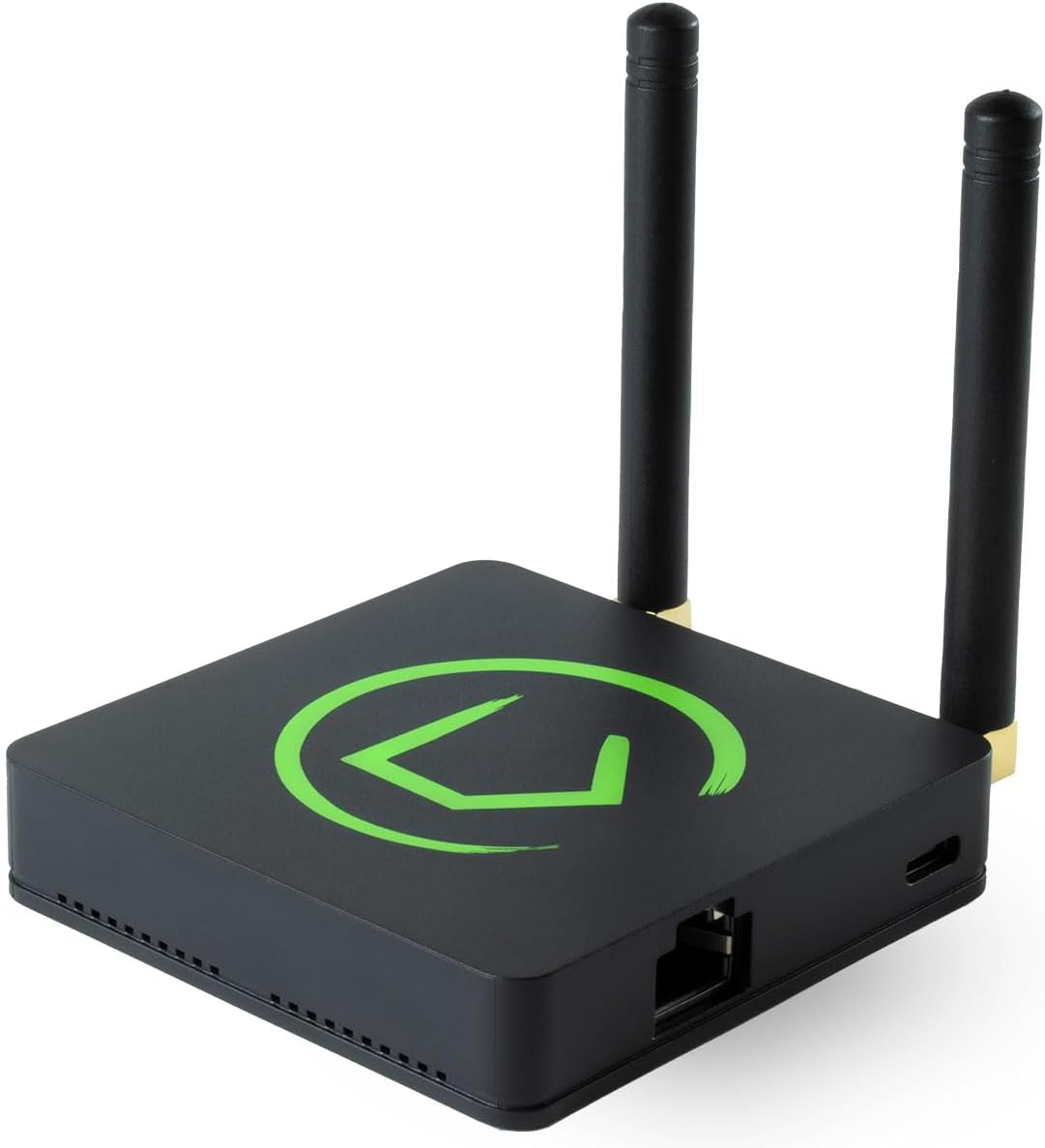
Hubitat Elevation C-8 Pro — Best Local Z-Wave + Zigbee
Hubitat Elevation C-8 Pro
(Current Price, subject to change)
The Hubitat Elevation C-8 Pro is what you buy when you want the local control philosophy of Home Assistant but need Z-Wave + Zigbee device support in a more managed environment. Hubitat's Rule Machine runs entirely on the hub — all automations execute locally even when the internet is down — but the web interface is significantly more accessible than Home Assistant's YAML-driven configuration.
Tom's Guide rates the Hubitat Elevation C-8 Pro as the best option for users who want to import an existing Z-Wave smart home setup without relying on cloud processing. The C-8 Pro added built-in Z-Wave 700 and Zigbee 3.0 radios plus Matter support — making it the most protocol-complete local hub at this price. TechRadar gave it 8.4/10, calling it "the most serious local home automation hub for advanced users who haven't yet committed to Home Assistant."
The Hubitat Elevation C-8 Pro earns a SHE Privacy Score of 8.6 — second only to Home Assistant Green. Hubitat's privacy policy commits explicitly to no sale of user data and no behavioral targeting. All automation processing is local. The optional cloud backup ($4.95/month) is encrypted and user-controlled.
What We Love
- Z-Wave + Zigbee + Matter in one hub — the most protocol-complete local hub; no separate Z-Wave controller required
- Rule Machine — powerful local automation engine; if-then-else logic, time conditions, presence triggers; all runs on-hub
- 200+ community device drivers — broad third-party Zigbee device support beyond Hubitat's official list
- HomeKit bridge — exposes all Hubitat devices as HomeKit accessories without buying a separate bridge
- No cloud dependency — all automations run during internet outages; optional cloud backup only for configuration restore
What Could Be Better
- $200 is the highest upfront cost of any hub in this guide — the Aqara Hub M2 costs $132 less for HomeKit-only households
- Web UI is functional but visually dated compared to the Alexa or Google Home apps
- Z-Wave device inclusion requires physical proximity and button presses — initial mesh setup is time-consuming for large homes
The Verdict
Get the Hubitat Elevation C-8 Pro if you have Z-Wave devices (door locks, sensors, dimmers) and want local automation with privacy-respecting processing — this is the only hub in this guide that handles Z-Wave natively with a full local rules engine.
Skip the Hubitat Elevation C-8 Pro if you are a Zigbee-only or HomeKit-only household — the Aqara Hub M2 costs $132 less and delivers the same privacy-respecting local control for Aqara Zigbee ecosystems.
Apple HomePod mini — Best Encryption
Apple HomePod mini
(Current Price, subject to change)
The Apple HomePod mini earns a perfect 10 on encryption in our SHE Privacy Score — HomeKit's end-to-end encryption model means even Apple cannot see the contents of your HomeKit data. HomeKit Secure Video (with iCloud+) stores encrypted camera footage in iCloud in a way that Apple cannot decrypt or hand to law enforcement without your encryption key. No other hub in this guide offers this level of encryption guarantee.
The Apple HomePod mini acts as a HomeKit hub automatically — it processes HomeKit automations locally and gives you remote access to your home from anywhere via Apple's encrypted infrastructure. The Thread Border Router built into the HomePod mini is how Thread devices (like the latest Nanoleaf bulbs and Eve sensors) communicate with HomeKit without WiFi congestion. For households with Matter-compatible devices, the HomePod mini also functions as a Matter controller via the Apple Home app.
The overall SHE Privacy Score of 7.4 reflects that the HomePod mini is more cloud-dependent than Home Assistant or Hubitat — Siri requests go to Apple's servers (though Apple uses privacy-preserving differential privacy and anonymized request IDs). But Apple's data practices are the industry benchmark for consumer tech privacy, earning a higher Data Policy Score than any other device in this guide.
What We Love
- HomeKit end-to-end encryption — the strongest encryption guarantee of any hub here; Apple cannot decrypt your HomeKit data
- Thread Border Router — enables low-latency Thread device connectivity for Matter-compatible devices without hub complexity
- Siri privacy-preserving processing — voice requests use on-device processing for common queries and anonymized cloud IDs for complex ones
- Apple privacy policy — Apple's commitments to not selling data and data minimization are among the strongest in consumer tech
- Zero setup for iPhone users — plug in, tap iPhone, done; the fastest hub setup in this guide
What Could Be Better
- SHE Privacy Score of 7.4 reflects cloud dependency — some Siri requests and HomeKit remote access go through Apple servers
- iCloud HomeKit Secure Video requires iCloud+ subscription ($0.99–$9.99/month)
- Ecosystem lock-in — only HomeKit and Matter; no Alexa, no Google Home, no Z-Wave
- The Home Assistant Green or Aqara Hub M2 provide more local automation flexibility at the same price
The Verdict
Get the Apple HomePod mini if you live in an iPhone/Apple ecosystem and want the best encryption-by-default HomeKit hub without any setup complexity — plug in and you have a Thread Border Router, Matter controller, and HomeKit hub.
Skip the Apple HomePod mini if you use Android, if you need Alexa or Google Home integration, or if you want Z-Wave device support — the HomePod mini is an Apple-only device with no cross-ecosystem bridging.
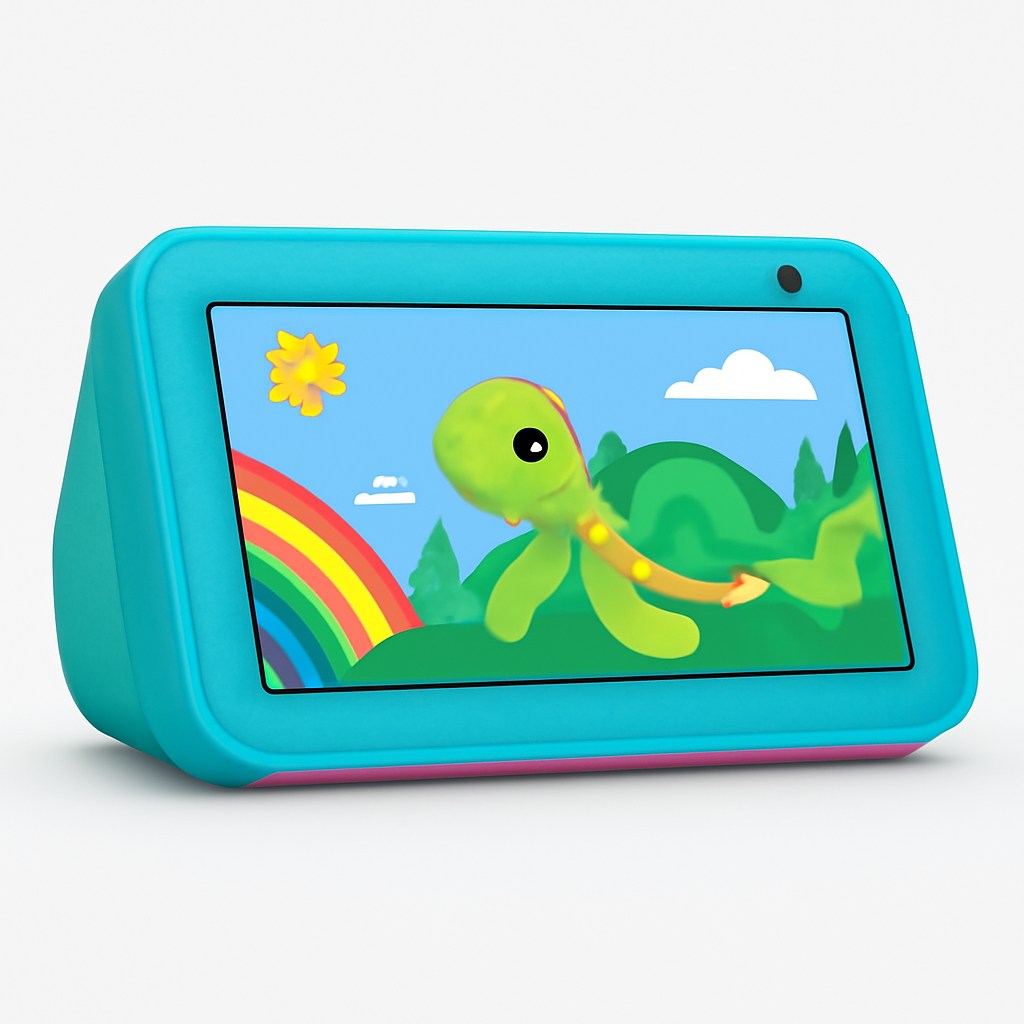
Amazon Echo Show 5 — Budget Alexa with Privacy Controls
Amazon Echo Show 5
(Current Price, subject to change)
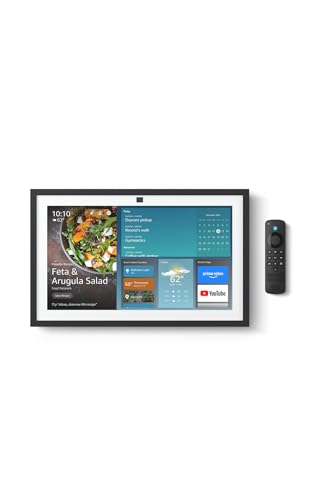
The Amazon Echo Show 5 earns our lowest SHE Privacy Score of 4.2 — and we include it here because it is the most popular entry-level smart home hub in American households, and users deserve an honest assessment of its privacy trade-offs. Amazon's business model is advertising-supported. Voice interactions are processed in the cloud. The Echo's home screen displays ads by default. Amazon's privacy policy permits using behavioral data for targeted advertising.
The Amazon Echo Show 5 does include meaningful hardware privacy controls: a physical camera shutter covers the camera lens (no software override possible), a dedicated microphone mute button cuts mic power at the hardware level, and a sound detection sensitivity setting limits what triggers wake word processing. These are genuinely useful features. But the fundamental architecture — always-on microphone, cloud processing, advertising-funded — means the privacy posture is categorically different from the local-processing hubs above.
For users committed to Alexa's ecosystem of 100,000+ skills and 10,000+ smart home device types, the Amazon Echo Show 5 is the best small-screen Alexa display. Drop-in video calling, the visual smart home dashboard, and Alexa Together elder care features are genuinely useful. Just go in clear-eyed about the privacy trade-off.
What We Love
- Physical privacy shutter — hardware cover over camera lens; no software can override it; genuine security for camera privacy
- Microphone mute button — hardware-level microphone disconnect; the orange mute indicator is visible from across the room
- 100,000+ Alexa skills — the largest voice assistant skill library of any hub in this guide
- Drop-in video calling — useful for family check-ins and elder care (see smart home for elderly parents guide)
- Matter hub — pairs Matter-certified devices locally via the Alexa app
What Could Be Better
- SHE Privacy Score of 4.2 — Amazon's ad-supported model and cloud-first architecture are privacy trade-offs you must accept
- Home screen ads are on by default; turning them off requires navigating settings menus manually
- All voice data processed in Amazon cloud; no local voice processing option
- Mozilla Foundation Privacy Not Included rates Amazon Echo as "use caution"
The Verdict
Get the Amazon Echo Show 5 if you are committed to the Alexa ecosystem, want the broadest skill library, need the Drop-in video calling feature for family connections, and understand the cloud-processing trade-off — the hardware privacy controls (physical shutter and mic mute) are genuine protections.
Skip the Amazon Echo Show 5 if privacy from manufacturer data collection is your primary concern — all three of the other hubs (Home Assistant Green, Aqara Hub M2, Hubitat) have fundamentally better data privacy architectures.
The Privacy Risk Tiers: Understanding What Each Hub Does With Your Data
Not all smart home privacy risks are equal. The five hubs in this guide fall into three distinct privacy tiers based on where automation processing occurs and what the manufacturer can access.
Tier 1 — Fully Local (Home Assistant Green, Hubitat Elevation C-8 Pro): Every automation runs on hardware you own, on your local network, with no manufacturer access. No cloud subscription required for any core feature. Manufacturer literally cannot see your automation logic or device states because they are never transmitted.
Tier 2 — Hybrid Local/Cloud (Aqara Hub M2, Apple HomePod mini): Core automations run locally or through end-to-end encrypted Apple infrastructure. Manufacturer has limited or no visibility into automation contents due to encryption or local processing. Some cloud account required for setup or remote access. Apple's end-to-end encryption model means even iCloud-stored HomeKit data is not accessible to Apple without your key.
Tier 3 — Cloud-First (Amazon Echo Show 5): Voice processing, automation logic, and behavioral data all flow through manufacturer servers. Useful features and largest ecosystem, but manufacturer has access to your interaction patterns. This is explicitly disclosed in Amazon's privacy policy and is the trade-off for Amazon's scale and skill library.
For sensitive environments — home offices, children's bedrooms, primary bedroom — Tier 1 or Tier 2 hubs are the appropriate choice. For living rooms and shared spaces where ecosystem breadth matters more, the Echo Show 5's trade-offs may be acceptable.
What Smart Home Privacy Actually Requires in 2026
Privacy in a smart home is not binary. Even with a fully local hub like the Home Assistant Green, individual devices in your network may phone home to their manufacturers. A Zigbee bulb connected to Home Assistant may still check for firmware updates from the bulb maker's servers. True privacy at the device level requires checking individual product privacy policies alongside the hub.
The three areas where hub choice matters most for privacy:
Automation logic exposure: With cloud-processed hubs like Echo, Amazon knows which devices turn on when, at what times, and infers your presence patterns. With local hubs, this information never leaves your network.
Voice data: Any hub with a microphone and a wake word (Echo, Google Nest, HomePod) processes voice in the cloud (Amazon and Google) or with privacy-preserving techniques (Apple). Local hubs without microphones (Home Assistant Green, Hubitat, Aqara Hub M2 used as hub only) have no voice data collection — and if you want local voice control, our best Home Assistant voice satellite guide extends this same SHE Privacy Score framework to the satellite layer so wake-word detection and transcription stay entirely on your network.
Remote access security: Local-only hubs are not remotely accessible by default — you need to set up a VPN or use a service like Nabu Casa. This is actually a privacy advantage: no manufacturer can access your hub because there is no remote access channel they control.
For households where the primary concern is data collection by tech companies for advertising purposes, the Home Assistant Green is categorically different from the alternatives. For households where the primary concern is strong encryption and trusted data handling, the Apple HomePod mini and Aqara Hub M2 in a HomeKit setup provide excellent encryption guarantees.
See our best smart home automation hubs guide for the full comparison of all hub categories including SmartThings, Google Home hub, and Amazon Echo Hub.
Frequently Asked Questions
Is my smart home hub listening to me all the time?
It depends on the hub. The Amazon Echo Show 5 has an always-on microphone listening for the "Alexa" wake word — this is processed locally for the wake word detection, but everything after the wake word goes to Amazon's cloud. The hardware mute button cuts the microphone entirely if you want true silence. The Apple HomePod mini uses always-on listening for "Hey Siri" with on-device processing for the wake word. The Home Assistant Green, Hubitat Elevation C-8 Pro, and Aqara Hub M2 have no microphone — they cannot listen to anything.
Can I use smart home devices without a subscription?
Yes, for most local-processing hubs. The Home Assistant Green requires zero subscription for any local feature. The Hubitat Elevation C-8 Pro has no required subscription. The Aqara Hub M2 is subscription-free. The Apple HomePod mini needs iCloud+ only for HomeKit Secure Video camera storage. The Amazon Echo Show 5 requires no subscription for Alexa smart home control. See our best smart home gifts under $50 for no-subscription devices.
What is local control and why does it matter for privacy?
Local control means smart home automations run on hardware inside your home without sending data to a manufacturer's cloud server. When you open a door and a light turns on, a locally-controlled hub processes that rule on your own network in milliseconds — nothing is sent to Amazon, Google, or Apple. This matters for privacy because the manufacturer cannot collect your automation patterns, device states, or presence data if none of it ever leaves your network. Local control also means your automations keep working during internet outages and cannot be disabled by a manufacturer changing their terms of service.
Can I combine a local hub with Alexa voice control?
Yes, and it is actually a strong privacy setup. The Home Assistant Green and Hubitat Elevation C-8 Pro both expose devices to Alexa via skills. When you say "Alexa, turn on the living room light," Amazon processes the voice command in the cloud and sends an on/off command to your local hub. The automation logic, device state history, and routine logic stay on your local hub — Amazon only sees the individual command, not your full automation patterns. The Aqara Hub M2 works the same way with Alexa and Google Home.
Does the Aqara Hub M2 work with Matter devices from other brands?
In reverse — the Aqara Hub M2 acts as a Matter bridge that exposes Aqara Zigbee devices to other Matter controllers, but it does not act as a controller for Matter devices from other brands. If you want to control third-party Matter devices via the Aqara hub, use the Aqara Hub M3 or connect the third-party Matter device directly to your HomeKit hub (HomePod mini) or Home Assistant Green. The Aqara Hub M2 is ideal for Aqara-centric ecosystems.
When NOT to Buy
- You primarily want voice control and the largest skill library. The Amazon Echo Show 5 wins on ecosystem breadth — 100,000+ Alexa skills versus a few hundred for Hubitat or HomeKit. If voice interaction and skill variety are your priorities over privacy, the Echo is the better choice.
- You have no existing Zigbee or Z-Wave devices. If your smart home is all WiFi-native devices (smart plugs, WiFi bulbs), you may not need a dedicated hub at all — many WiFi devices work natively with Alexa, Google Home, or HomeKit without a hub in the middle.
- You live in a household with mixed ecosystems and multiple primary users. Local-processing hubs require a household administrator who maintains the system. If different family members use Alexa, Google Home, and HomeKit, a dedicated privacy hub creates complexity that cloud ecosystems handle more gracefully.
- Your threat model is physical security, not data collection. A hub switch does not protect against someone breaking into your home. Physical security improvements — cameras, alarm systems, deadbolts — provide more immediate protection than switching from an Echo to a Home Assistant hub.
The Bottom Line
Get the Home Assistant Green if you want zero manufacturer data collection, full local control of every automation, and the most powerful open-source hub platform available — and you have the patience for a weekend of setup.
Skip the Home Assistant Green if you want a hub that is ready to use in 30 minutes — the learning curve is real and the YAML configuration files are not for everyone.
Get the Aqara Hub M2 if you are in an Apple HomeKit household and want local control of Aqara sensors with Matter bridge support at $68 — the best privacy-per-dollar hub in this guide.
Skip the Aqara Hub M2 if you need Z-Wave support or want to control third-party Zigbee devices beyond Aqara's ecosystem.
Get the Hubitat Elevation C-8 Pro if you have Z-Wave devices and want local automation with a rules engine that does not require YAML — the middle ground between Home Assistant's power and Aqara's simplicity.
Skip the Hubitat Elevation C-8 Pro if your home is Zigbee-only and Apple HomeKit — the Aqara Hub M2 gives you the same local control at $132 less.
Get the Apple HomePod mini if you want the best encryption guarantee of any hub here and live in an Apple ecosystem — HomeKit end-to-end encryption is genuinely best-in-class.
Skip the Apple HomePod mini if you use Android or want Alexa or Google Home integration — the HomePod mini is an Apple-only device.
Get the Amazon Echo Show 5 if you want the broadest smart home ecosystem and the largest voice assistant skill library and accept the cloud-processing trade-off — the physical camera shutter and microphone mute provide meaningful hardware-level privacy controls.
Skip the Amazon Echo Show 5 if avoiding manufacturer data collection is your primary goal — it is the only hub here where Amazon's advertising business model directly touches your smart home usage data.
For the complete smart home hub buying guide including SmartThings, Google Home, and all hub categories, see our best smart home automation hubs guide.
Sources & Methodology
SHE Privacy Scores are calculated by aggregating data from 11 independent expert sources and primary-source privacy disclosures: Mozilla Foundation Privacy Not Included database (March 2026), manufacturer privacy policies (Apple, Amazon, Aqara, Hubitat, Home Assistant), Wirecutter, Tom's Guide, PCMag, TechRadar, The Verge, CNET, and the Electronic Frontier Foundation Surveillance Self-Defense guide. Local Control scores are derived from verified manufacturer documentation and community testing reports confirming which features operate without internet. Data Policy scores follow Mozilla Foundation's "Privacy Not Included" scoring rubric: data collection scope, data sharing practices, data deletion rights, and security track record. Encryption scores reflect documented encryption standards for remote access and cloud data storage.
Nicholas Miles is the founder of SmartHomeExplorer.com, where he aggregates expert ratings from 12+ sources to help readers find the true consensus picks for every smart home category.
SmartHomeExplorer.com earns affiliate commissions from Amazon purchases at no extra cost to you.