
Secure Email for Your Smart Home: The Master-Key Risk (2026)
The password-reset link for your Alexa, Nest, or SmartThings account goes to one inbox. This guide starts with a 0$/mo, 10-min fix — a dedicated Proton Mail address — then ranks 3 smart locks by how much a compromised email account could do to your front door.
This article contains affiliate links. We may earn a commission at no extra cost to you. Prices change frequently — check the current price on Amazon before buying. Learn more
The Short Answer
The single highest-leverage fix costs 0$/mo: a dedicated Proton Mail address for smart-home accounts only, paired with Proton VPN or Surfshark on the network layer. The Schlage Encode Plus pairs that with a physical keypad that keeps working even if the linked email is ever compromised.
Featured in this Guide
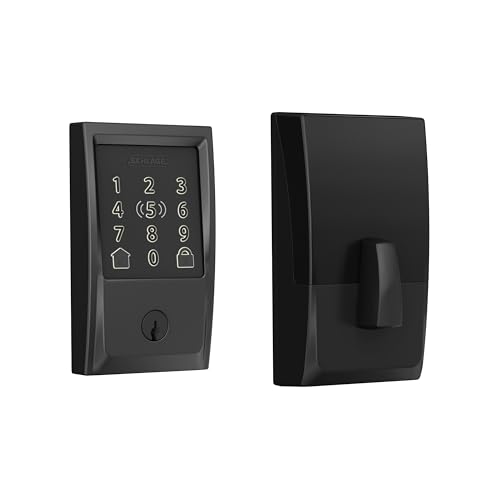
Schlage
Encode Plus
- •100 local access codes survive an email compromise, plus full multi-platform convenience, at 319$
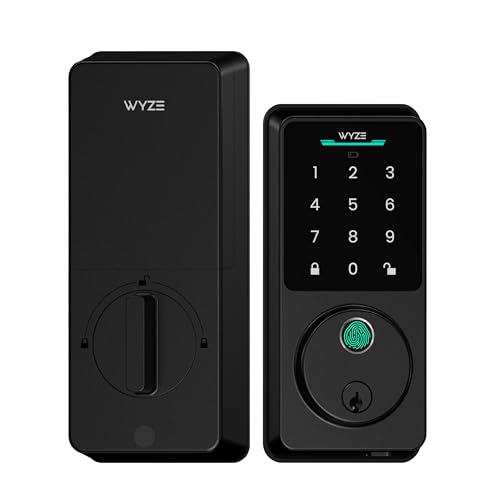
Wyze
Lock Bolt v2
- •Fingerprint, up to 50 local PIN codes, and a mechanical key all work if the account is compromised
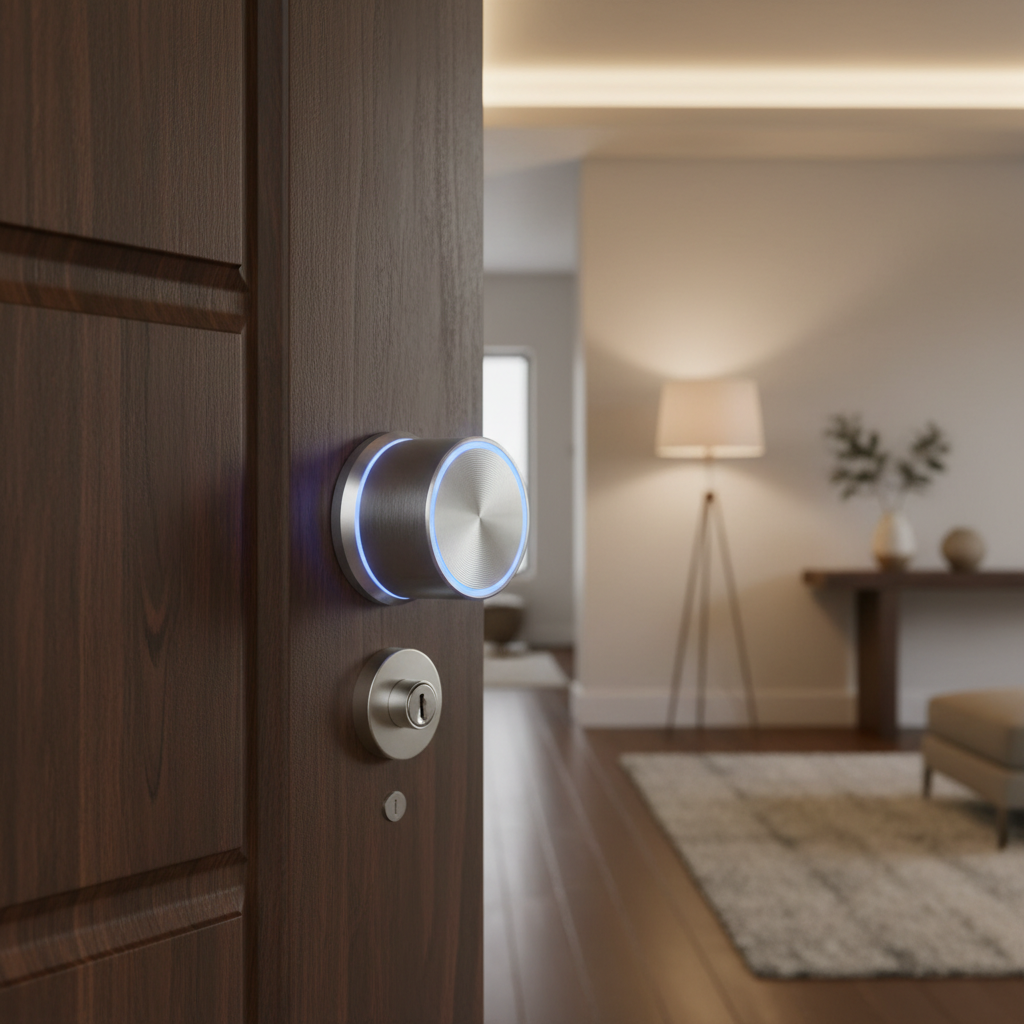
August
Wi-Fi Smart Lock
- •App-based auto-unlock across every platform at 192$-249$, no keypad fallback if compromised
Head-to-Head: Cloud-Account Exposure and the SHE Score
Security
Chart
 Smarthomeexplorer.com
Tap any pick to check its live price on Amazon.
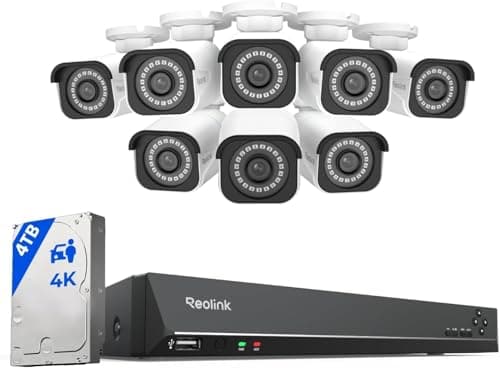
Reolink RLK16-800B8 4K 16-Channel PoE NVR System (8-Camera)
RecommendedCheck price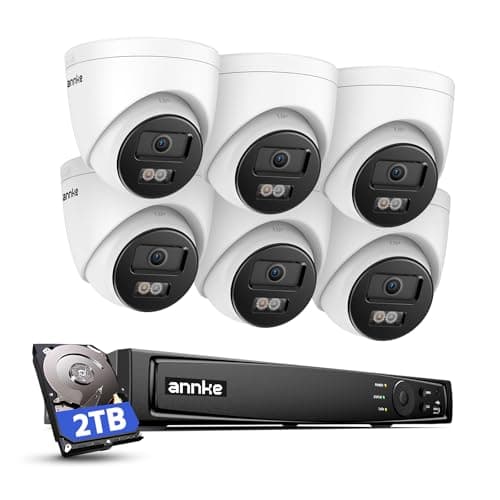
ANNKE 4K PoE NVR Security Camera System (6-Camera)
RecommendedCheck price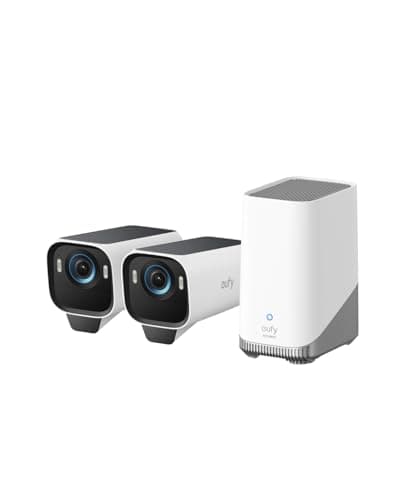
eufyCam S3 Pro 2-Cam Kit (Solar, 4K)
Must BuyCheck price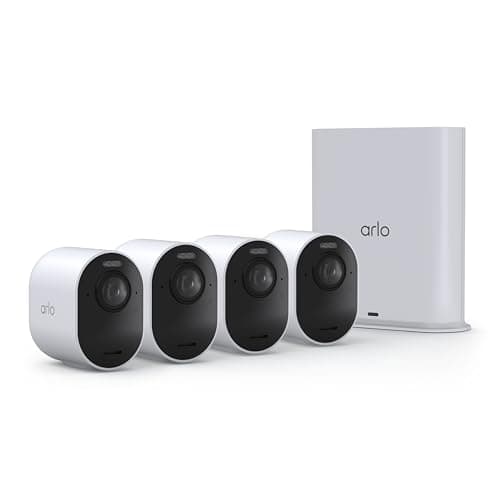
Arlo Ultra 4K HDR Security Camera (3rd Gen) 4-Cam Kit
RecommendedCheck price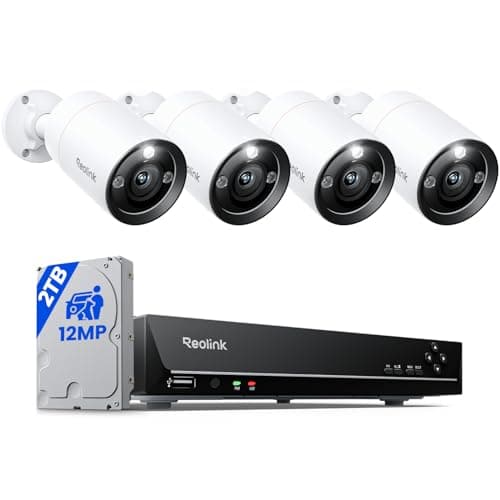
Reolink RLK8-1200B4-A 12MP 8-Channel PoE NVR System (4-Camera)
RecommendedCheck price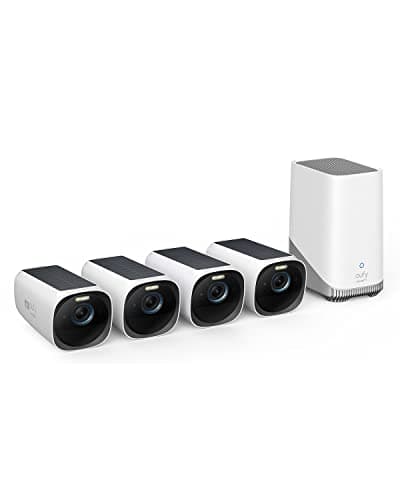
Eufy eufyCam S330 4-Cam Kit (with HomeBase S380)
Must BuyCheck price
Why Your Email Is the Real Smart-Home Master Key
Every major smart-home platform — Amazon, Google, Samsung SmartThings — gates its account recovery through one channel: whoever controls the inbox can request and receive a password-reset link. Your Echo, your Nest thermostat, and every SmartThings-linked lock all trust that one login. Securing the devices themselves means comparatively little if the email behind them is a decade-old free address with a reused password and no second factor.
This guide starts with the fix that costs 0$/mo and takes under 10 mins: a dedicated Proton Mail address for smart-home accounts, paired with Proton VPN or Surfshark on the network layer. Then it gets concrete — 3 real smart locks, priced 79$ to 319$, ranked by exactly how much a compromised email account could do to your front door.
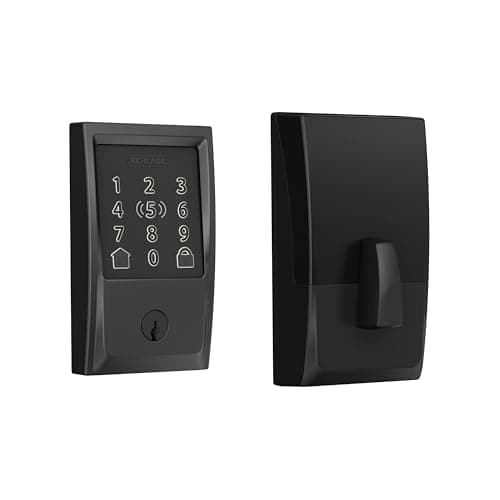
Best Overall — Balanced Security: Schlage Encode Plus
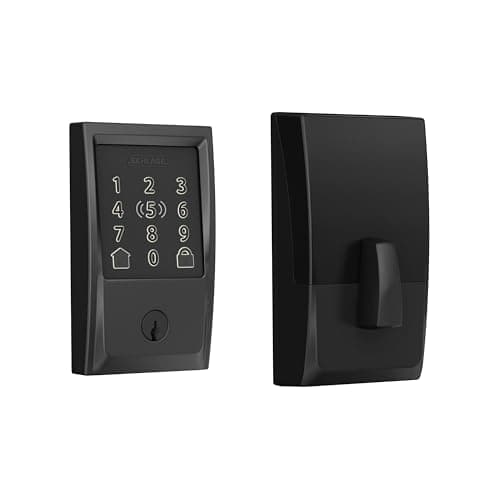
Best Overall — Balanced Security and ConvenienceSchlage Encode Plus
- 100 offline access codes work at the keypad even if the linked email account is compromised or unreachable
- 319$ is a real premium over the other two locks here
(Current price, subject to change)
The Schlage Encode Plus earns an 8.05 weighted composite on the SHE Account-Compromise Resilience Score, the strongest balance in this comparison. Local PIN Entry Resilience scores a normalized 8.0: Schlage's own specifications confirm up to 100 offline access codes stored directly on the deadbolt, so a compromised email account cannot remotely unlock the door through that keypad path — only the Wi-Fi-linked app layer is exposed. At 319$, it costs roughly 1.4x the August's midpoint price and about 4.0x the Wyze Lock Bolt's, a premium that buys Grade 1 residential security plus native Apple Home Key tap-to-unlock. Wirecutter independently confirms it's the only lock in its lineup with genuine Home Key support, and PCMag notes the built-in Wi-Fi eliminates a separate hub requirement entirely.
Ease of Setup scores 7.5, reflecting a standard deadbolt swap without the bridge-pairing friction some competitors require. Remote Guest Access Convenience scores 8.5: Alexa, Google Home, and HomeKit integrations all route through the same account, so revoking a compromised email still leaves the physical keypad functional — a meaningfully independent fallback layer most smart locks skip entirely.
What We Love
- 100 offline access codes work at the keypad even if the linked email account is compromised or unreachable
- Native Apple Home Key tap-to-unlock plus Alexa, Google Home, and HomeKit support
- Built-in Wi-Fi — no separate hub or bridge required
What Could Be Better
- 319$ is a real premium over the other two locks here
- Wi-Fi-only radio, no Z-Wave or Zigbee for mesh-network households
The Verdict
If you want one smart lock that balances real remote convenience against a genuine offline fallback, the Schlage Encode Plus fits the brief without compromise. The 8.05 composite reflects 100 local access codes that survive an email compromise, at a 319$ premium over the other two.
Ready to upgrade your home?
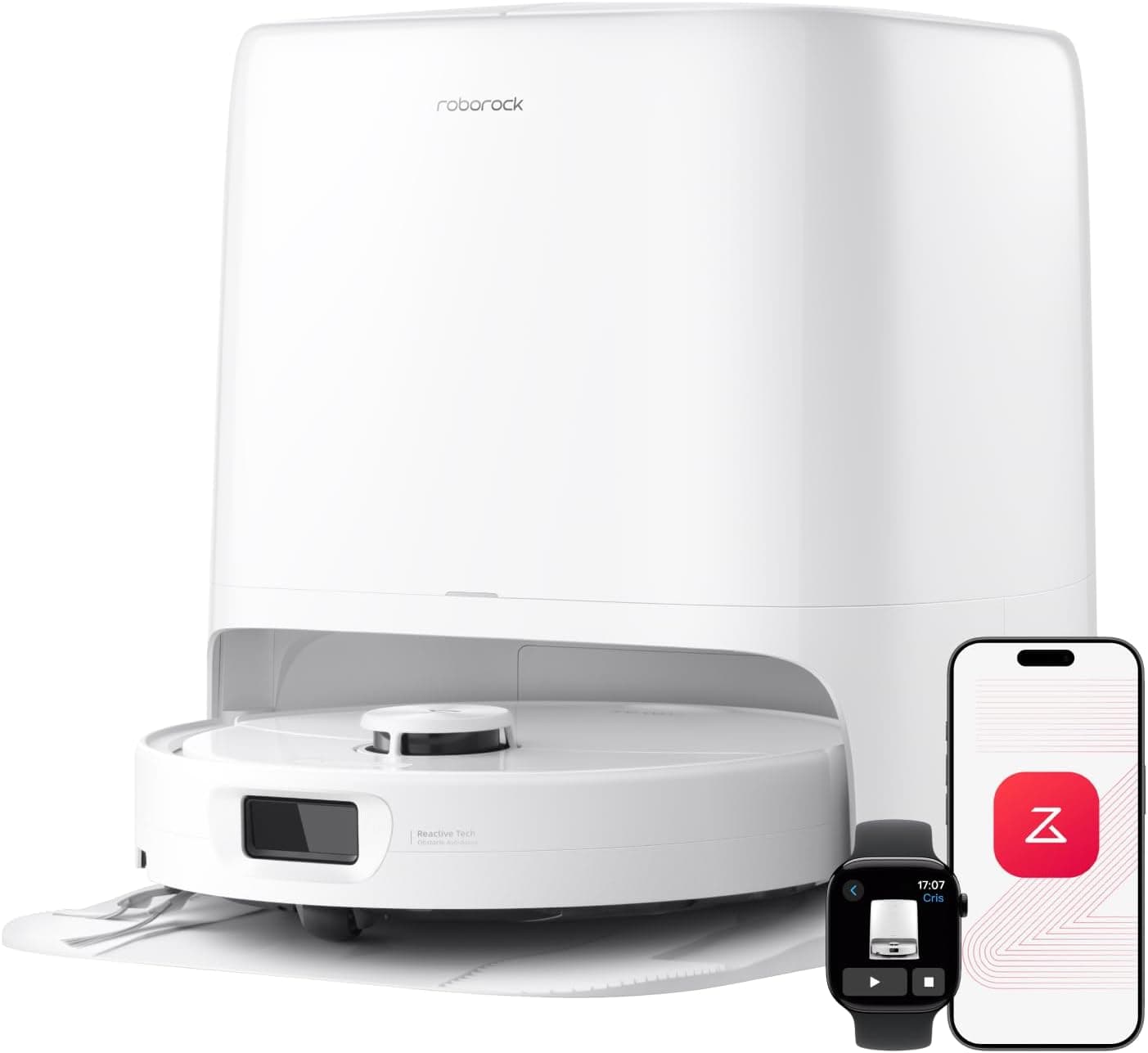
roborock Qrevo 2 Pro Robot Vacuum and Mop
See it on Amazon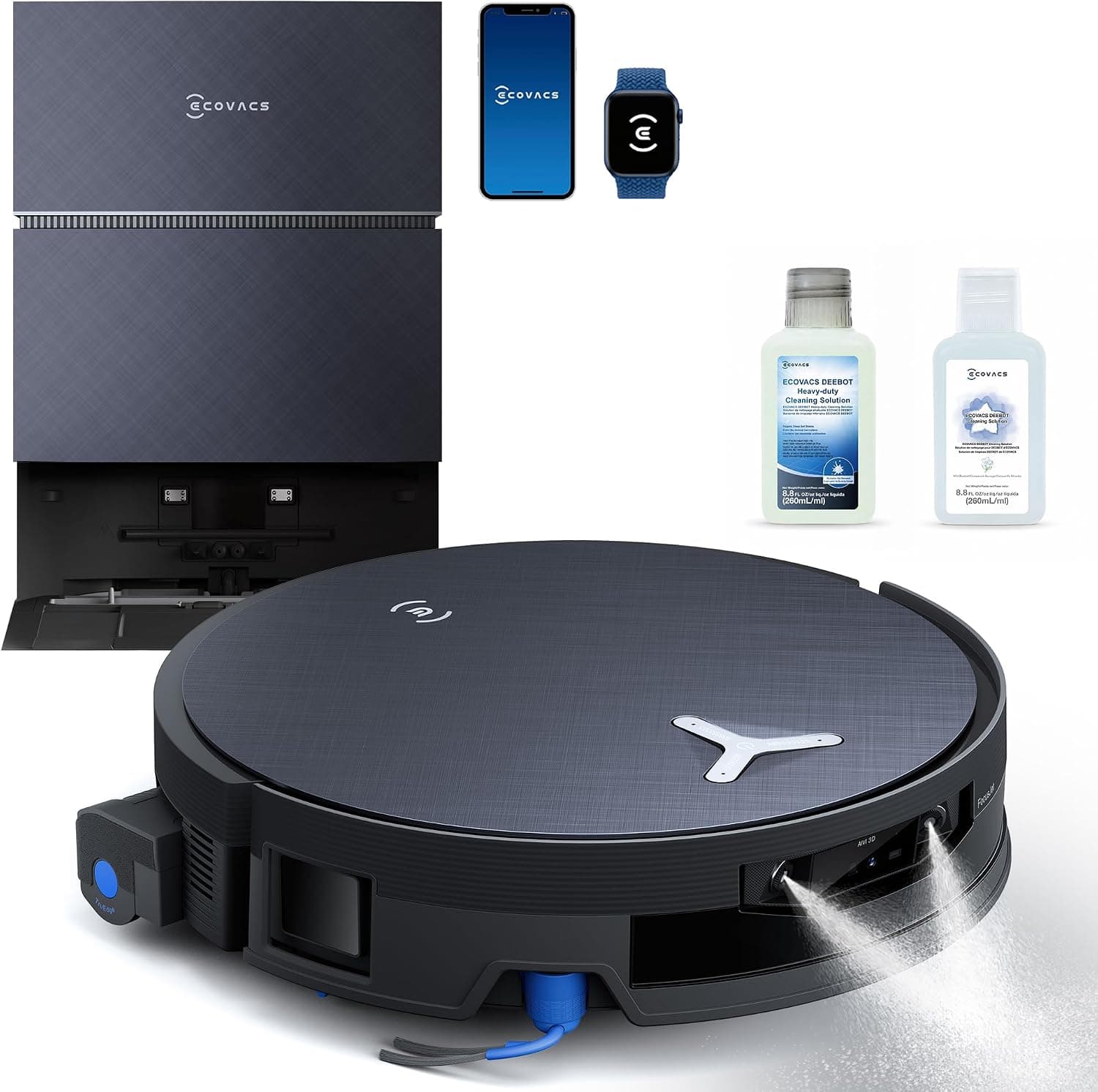
ECOVACS DEEBOT X12 PRO Omni Robot Vacuum and Mop
See it on Amazon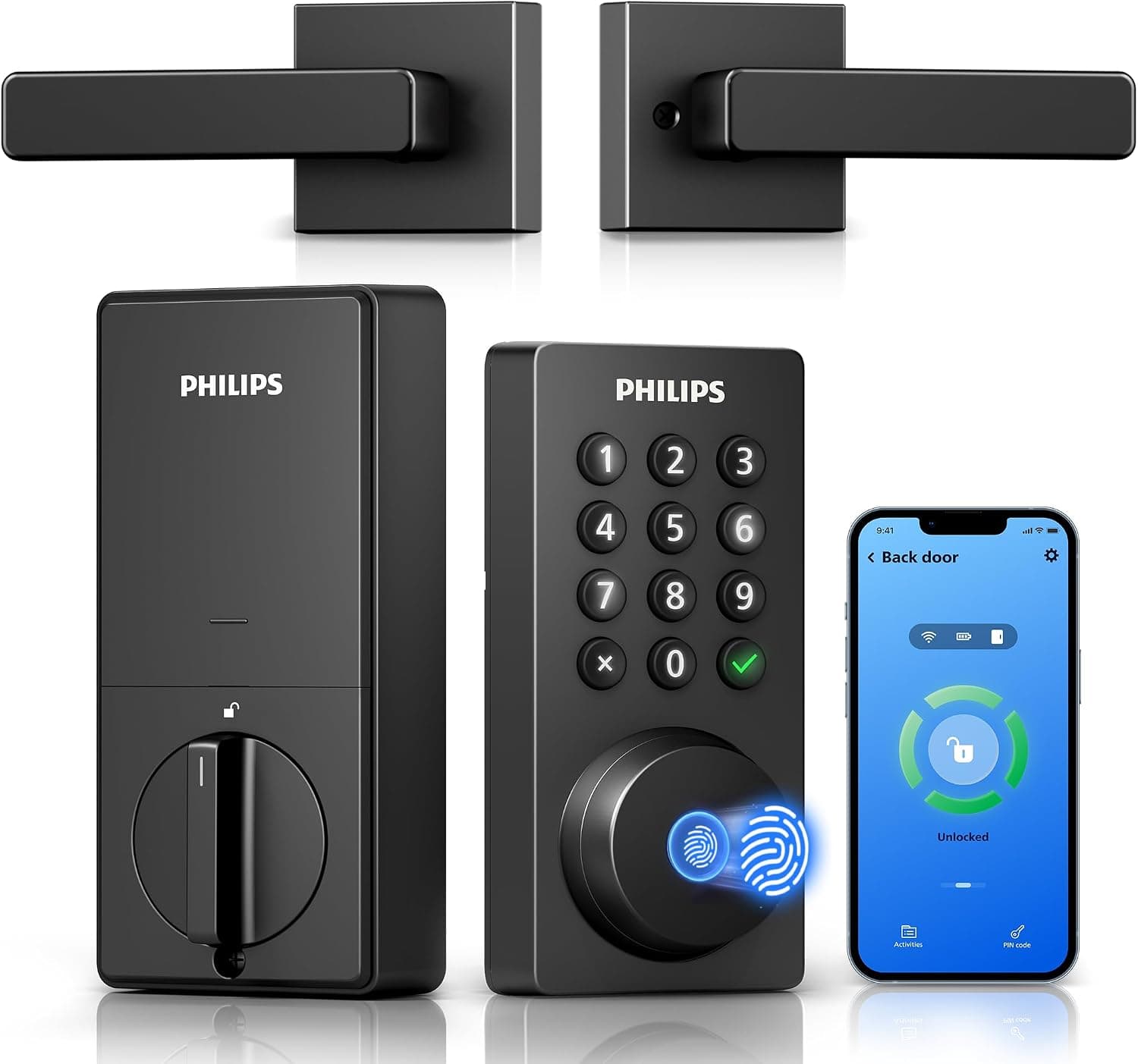
Philips Wi-Fi Keypad Deadbolt with Handle
See it on Amazon
Sponsored listings from Amazon’s Sponsored Products for Creators program, kept apart from our reviews and rankings. How we make money
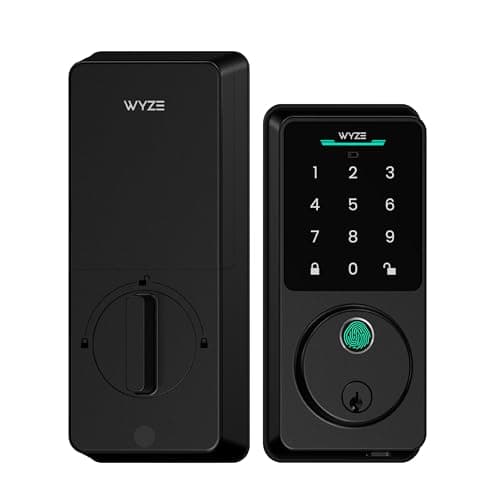
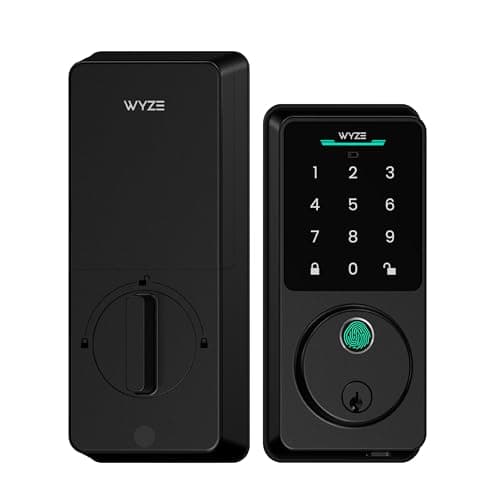
Best for Multi-Method Local Backup: Wyze Lock Bolt v2
Wyze Lock Bolt v2
- AI fingerprint scanner unlocks in 0.5 seconds — biometric data is stored locally, never in the cloud
- No Apple HomeKit or Matter support — Alexa and Google Assistant only
(Current price, subject to change)
The Wyze Lock Bolt v2 earns a 7.90 weighted composite on the SHE Account-Compromise Resilience Score, trailing the Schlage by a narrow 0.15-point margin while taking a genuinely different security posture. Local PIN Entry Resilience scores a normalized 8.5, the highest of the 3 locks here: GearBrain confirms the v2 redesign's AI self-learning fingerprint scanner stores biometric data locally, never in the cloud, and pairs that with up to 50 local PIN codes and a mechanical key backup — 3 independent unlock paths that keep working even if the linked Wi-Fi account is compromised or unreachable. At 79$ to 79.98$, it's priced roughly 0.25x the Schlage's 319$, the lowest price of the 3 by a wide margin.
The tradeoff shows up in Remote Guest Access Convenience, which scores 6.5, lower compared to both the Schlage and the August: PCWorld confirms the v2 model added built-in Wi-Fi and app control alongside Alexa and Google Assistant support, but there's no Apple HomeKit or Matter integration — a real gap for Apple-first households that the Schlage and August both close. Ease of Setup scores 8.5, reflecting GearBrain's reported sub-20-minute DIY install against a standard deadbolt opening.
What We Love
- AI fingerprint scanner unlocks in 0.5 seconds — biometric data is stored locally, never in the cloud
- Up to 50 local PIN codes plus a mechanical key backup, both independent of the Wi-Fi/app layer
- 79$-79.98$ — the lowest price of the 3 locks here, with real local fallback built in
What Could Be Better
- No Apple HomeKit or Matter support — Alexa and Google Assistant only
- Runs on 8 primary AA batteries, not rechargeable NiMH
The Verdict
If you want the most local-only ways to get through your own front door even when the linked account is compromised, the Wyze Lock Bolt v2 is a sensible pick for that setup. The 7.90 composite trails the Schlage by 0.15 points overall, but its 8.5 Local PIN Entry Resilience sub-score is the highest of the 3 locks here.
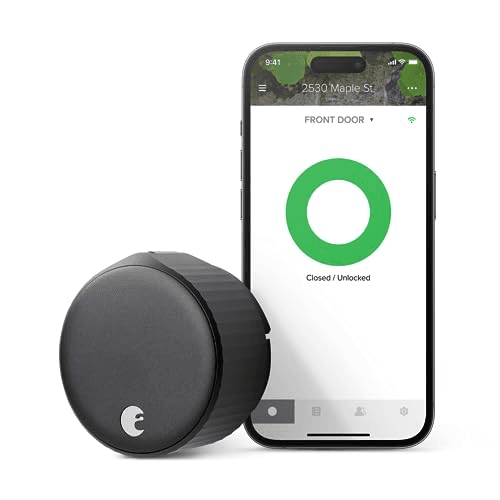
Best for Remote Convenience: August Wi-Fi Smart Lock
Best for Remote Convenience (Know the Tradeoff)August Wi-Fi Smart Lock
- Excellent app-based auto-unlock, rated best-in-class for keeping existing keys and deadbolt
- No keypad at all — every unlock routes through the app and the email account behind it
(Current price, subject to change)
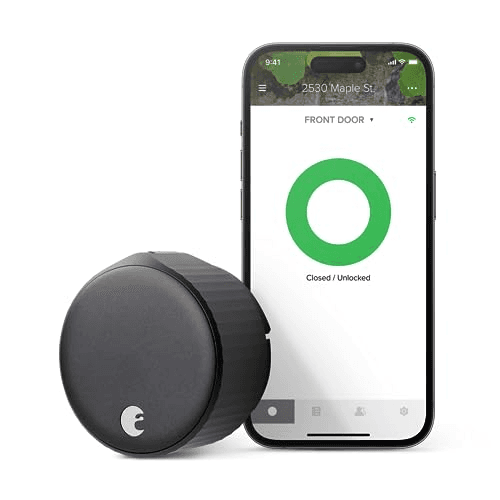
The August Wi-Fi Smart Lock earns a 5.15 weighted composite on the SHE Account-Compromise Resilience Score, the lowest of the 3 locks here — the direct cost of being the most cloud-connected. Local PIN Entry Resilience scores a normalized 2.5: Wirecutter and CNET both confirm there's no keypad at all, so every unlock — remote or at the door — routes through the app and, by extension, the email account behind it. Built-in Wi-Fi means no separate hub, and CNET calls the auto-unlock feature borderline magical when properly configured, which is exactly the convenience that raises the account's stakes.
At 192$ to 249$, it undercuts the Schlage's 319$ by roughly 0.7x while still requiring the identical email-gated app dependency the Schlage's keypad sidesteps entirely. Remote Guest Access Convenience scores a full 9.0, the ceiling here: Wirecutter rates it the best retrofit option specifically for keeping existing keys, and it works across every major smart-home platform. Ease of Setup scores 6.0 — Wirecutter and CNET both flag installation as fiddlier than a standard deadbolt swap, a real cost on top of the account-exposure tradeoff.
What We Love
- Excellent app-based auto-unlock, rated best-in-class for keeping existing keys and deadbolt
- Built-in Wi-Fi — no separate hub required
- Works across every major smart-home platform
What Could Be Better
- No keypad at all — every unlock routes through the app and the email account behind it
- Installation flagged as fiddlier than a standard deadbolt swap
The Verdict
If remote convenience matters more than minimizing your account's blast radius, the August Wi-Fi Smart Lock checks the boxes that matter for that priority. The 5.15 composite is the lowest here specifically because there's no keypad fallback — every unlock depends on the same email-linked app.
How We Score: SHE Account-Compromise Resilience Score
SHE Account-Compromise Resilience Score
Score Formula
(Local PIN Entry Resilience × 0.50) + (Remote/Guest Access Convenience × 0.30) + (Ease of Setup × 0.20)Score Factors
- Local PIN Entry Resilience (50%)How much of the lock's core unlock function survives if the linked email/cloud account is compromised or unreachable — more independent local unlock methods score higher; an app-only lock with no local fallback scores lowest. Schlage's 100 local access codes (schlage.com, verified via Wirecutter/PCMag coverage) normalize to 8.0; the Wyze Lock Bolt's fingerprint + up to 50 local PIN codes + mechanical key (GearBrain) normalizes to 8.5, the highest of the 3; August's app-only unlock (Wirecutter/CNET) normalizes to 2.5.
- Remote/Guest Access Convenience (30%)Real-world usability of remote unlock, app-based guest codes, and voice-platform integration, normalized 0-10 against reviewer coverage. Full multi-platform app control including Apple HomeKit scores 8.5-9.0; Alexa/Google-only coverage without HomeKit or Matter scores 6.5.
- Ease of Setup (20%)Time and friction from box to a working install, normalized against reviewer install-time reports. A sub-20-min DIY install scores 8.5; installation flagged as fiddlier than a standard deadbolt swap scores 6.0.
SHE Account-Compromise Resilience Score — Ranked
Schlage Encode Plus
SHE Account-Compromise Resilience Score8.1/10319$ — 100 local access codes survive an email compromise, plus full Alexa/Google/HomeKit + Apple Home Key
Wyze Lock Bolt v2
SHE Account-Compromise Resilience Score7.9/1079$-79.98$ — fingerprint, up to 50 local PIN codes, and a mechanical key all survive an account compromise; no HomeKit/Matter
August Wi-Fi Smart Lock
SHE Account-Compromise Resilience Score5.2/10192$-249$ — best-in-class app convenience, but every unlock depends on the linked email account
The Email, VPN, and Lock Stack Explained
Start with the account that gates every password-reset request across your ecosystem: your email. Proton Mail's free tier costs 0$/mo and requires under 10 mins to configure — genuinely sufficient for a dedicated smart-home-only address, maintained independently from your everyday inbox, so a phishing compromise on one address never cascades into the other. Proton's own pricing page lists Mail Plus (a custom domain, 15GB storage, 10 hide-my-email aliases) at 3.99$/mo billed annually or 4.99$/mo billed monthly, and Proton Unlimited — which incorporates Mail Plus alongside the complete Proton VPN Plus tier, Pass, and Drive — at 9.99$/mo billed annually or 12.99$/mo billed monthly (proton.me/support/proton-plans, fetched July 29, 2026; independent trackers Baizaar and CostBench substantially corroborate the identical figures in USD the same week). Proton states every application is open source and independently audited, and delivers zero-access encryption on every tier at no cost. Get Proton Mail
Layer 2 addresses the network: a VPN doesn't touch your email account directly, but it substantially obscures the browsing pattern of whoever administers those accounts from your ISP. Proton VPN Plus runs 9.99$/mo month-to-month, dropping to 3.99$/mo on a 1-yr commitment and 2.99$/mo on a 2-yr term per current independent pricing trackers (VPNPro, CyberNews; checked July 29, 2026); Proton's own support documentation confirms the plan achieves 20,000+ servers across 140+ countries alongside a 10-device simultaneous-connection cap (protonvpn.com/support/vpn-plans, fetched July 29, 2026). Every Proton VPN application is open source, and the no-logs policy has passed 5 consecutive annual third-party audits conducted by Securitum. Get Proton VPN
Surfshark, compared to Proton VPN, takes the opposite wager on device count: unlimited simultaneous connections instead of a 10-device ceiling. It is priced at 2.49$/mo on a 27-mo introductory term (67.23$ total, an 85% discount relative to its standard rate). It also carries PCMag's Best of 2026 and CNET's Editors' Choice 2026 awards, plus a Deloitte-audited no-logs policy. These figures and claims come from surfshark.com/pricing, fetched July 29, 2026. Choosing Proton VPN versus Surfshark ultimately depends on what matters more to your household. Open-source verifiability enables independent inspection of Proton's codebase, while Surfshark's unlimited-device model better accommodates a large household roster. Get Surfshark VPN
One adjacent exposure sits outside all 3 layers: people-search and data-broker sites republishing your home address, phone number, and email — exactly the personal details a phishing attempt against a smart-home account gets tailored with. Optery's free Basic tier produces a personalized exposure report, with screenshots, of where your information appears across those sites, plus self-service opt-out tools at 0$/mo. Its paid tiers automate the removals: Core at 3.99$/mo or 39$ billed yearly covers 380+ sites, Extended at 14.99$/mo or 149$ yearly covers 555+, and Ultimate at 24.99$/mo or 249$ yearly covers 635+, each carrying a 30-day money-back guarantee (optery.com/pricing, fetched July 30, 2026). Shrinking that public footprint doesn't replace the email, VPN, or lock layers — it reduces the raw material an attacker starts from. Get Optery
Layer 3 is the physical device — the 3 locks evaluated above demonstrate this spectrum concretely. None of these 3 layers substitutes for the others: a private inbox doesn't encrypt your network traffic, a VPN doesn't install a keypad on your front door, and a keypad alone doesn't prevent a phished password from reaching a shared, reused email account in the first place. A compromised inbox, left unaddressed, typically results in a working password-reset request landing directly in an attacker's hands within minutes.
| Product | Built-in Wi-Fi | Physical Keypad | Fingerprint Unlock | Requires Separate Hub for Remote |
|---|---|---|---|---|
| Schlage Encode Plus | ✓ | ✓ | ✕ | ✕ |
| Wyze Lock Bolt v2 | ✓ | ✓ | ✓ | ✕ |
| August Wi-Fi Smart Lock | ✓ | ✕ | ✕ | ✕ |
When NOT to Buy
None of this replaces 2FA on the smart-home accounts themselves — a private email address is the first domino, not the whole chain. If your Amazon, Google, or Samsung account still runs SMS-only or no second factor at all, fix that directly before worrying about which lock has a keypad. And no VPN or private inbox stops a weak, reused password from being guessed outright; a password manager, out of scope for this guide, closes that specific gap.
Who Should Buy What
Who Should Buy What
| If you are… | Recommended pick |
|---|---|
Starting from scratch You don't yet have a dedicated email for smart-home accounts and want the single highest-leverage, lowest-cost fix first | Schlage Encode Plus |
Local-fallback maximalist household You want the most independent local unlock methods (fingerprint, PIN, mechanical key) so the door still works normally even if the linked account is compromised | Wyze Lock Bolt v2 |
Convenience-first household You want full app-based remote unlock and guest access, and accept that your email account becomes the load-bearing credential | August Wi-Fi Smart Lock |
Budget-conscious households You want the lowest price of the 3 with genuine local fallback built in, and don't need Apple HomeKit or Matter support | Wyze Lock Bolt v2 |
Frequently Asked Questions
Does a private email address actually stop my smart home from being hacked?
No single layer stops everything, and this guide doesn't claim otherwise. A dedicated, private email address closes one specific and very common path: an attacker who compromises a shared or reused inbox can usually trigger password-reset links for whatever accounts are tied to it, including Amazon, Google, and Samsung SmartThings. Isolating the smart-home email from your everyday inbox means a phishing hit on one doesn't automatically cascade into the other. It doesn't replace 2FA on the accounts themselves, a strong unique password, or firmware updates on the devices — those matter too.
What's the real difference between Proton Mail and Gmail for a smart-home account?
The core technical difference is zero-access encryption: Proton states it never has access to your email content on any tier, including the free plan, and every app is open source with independent third-party audits. Gmail doesn't offer that architecture. For a dedicated smart-home-only address specifically, the practical benefit is isolation — a separate provider and separate login means a breach of your primary Gmail (or vice versa) doesn't automatically expose the inbox tied to your locks, cameras, and hub.
Do I need both Proton VPN and Surfshark?
No — they're two options for the same layer, not stacking picks. Proton VPN is the better fit if open-source verifiability and a single-provider bundle with Proton Mail matters most (Proton Unlimited includes both). Surfshark is the better fit if unlimited simultaneous device connections matters most, since Proton VPN Plus caps at 10 devices. Pick one for your household, not both.
Will switching my Alexa or Google Home email address break my existing devices?
Changing the email tied to an existing Amazon, Google, or Samsung account is a bigger operation than just creating a new inbox — it typically means either updating the account's recovery email (keeping the same account) or setting up a new account entirely and re-pairing every device. The lower-friction version of this guide's advice is to use the new private address for NEW smart-home account signups going forward, and add it as a recovery/secondary email on existing accounts rather than migrating everything at once.
Is Proton Mail's free tier actually usable for a real address?
For a dedicated smart-home-only inbox, yes — the free tier includes 1 address, 1GB of storage (expandable to 2GB), unlimited folders and labels, and the same zero-access encryption as the paid tiers, at 0$/mo. It's not meant to replace a primary daily-driver inbox with a custom domain or heavy storage needs — that's what the 3.99$-4.99$/mo Mail Plus tier is for — but as a narrow-purpose address that only receives password-reset and device-notification emails, the free tier is genuinely sufficient.
Which of the 3 locks in this guide still works best if the linked account is ever compromised?
The Wyze Lock Bolt v2, on the specific measure of independent local unlock methods — it's the only pick with 3: an AI fingerprint scanner (biometric data stored locally, never in the cloud), up to 50 local PIN codes, and a mechanical key backup. All 3 of this guide's locks now include built-in Wi-Fi, so none is literally cloud-free, but the Wyze Lock Bolt's local fallback breadth is the widest. The Schlage Encode Plus is the closer runner-up with a single strong local method — 100 offline keypad codes that keep working even if the linked account is unreachable. The August Wi-Fi Smart Lock has no local fallback at all: every unlock, remote or at the door, depends on the app and the account behind it.
Bottom Line
Get the Schlage Encode Plus if you want one lock that balances a working offline keypad fallback against full remote/voice convenience, and 319$ fits your budget.
Get the Wyze Lock Bolt v2 if you want the widest local-fallback breadth (fingerprint, PIN, and mechanical key) at the lowest price of the 3, and don't need Apple HomeKit or Matter.
Get the August Wi-Fi Smart Lock if app-based remote convenience matters more to you than a physical fallback, and you're comfortable that your email account becomes the load-bearing credential.
Before any of these 3 locks, fix the layer underneath them: a dedicated Proton Mail address (0$/mo, under 10 mins) for smart-home accounts, paired with Proton VPN or Surfshark on the network layer. A $319 lock with a great keypad still trusts an email account for setup and firmware updates — isolate that inbox first, then pick the lock that matches how much convenience-for-exposure tradeoff your household is comfortable with.
Sources & Methodology
Methodology: SHE Account-Compromise Resilience Score — Formula: (Local PIN Entry Resilience × 0.50) + (Remote/Guest Access Convenience × 0.30) + (Ease of Setup × 0.20). Factors: Local PIN Entry Resilience (50%): How much of the lock's core unlock function survives if the linked email/cloud account is compromised or unreachable — more independent local unlock methods score higher; an app-only lock with no local fallback scores lowest. Schlage's 100 local access codes (schlage.com, verified via Wirecutter/PCMag coverage) normalize to 8.0; the Wyze Lock Bolt's fingerprint + up to 50 local PIN codes + mechanical key (GearBrain) normalizes to 8.5, the highest of the 3; August's app-only unlock (Wirecutter/CNET) normalizes to 2.5. | Remote/Guest Access Convenience (30%): Real-world usability of remote unlock, app-based guest codes, and voice-platform integration, normalized 0-10 against reviewer coverage. Full multi-platform app control including Apple HomeKit scores 8.5-9.0; Alexa/Google-only coverage without HomeKit or Matter scores 6.5. | Ease of Setup (20%): Time and friction from box to a working install, normalized against reviewer install-time reports. A sub-20-min DIY install scores 8.5; installation flagged as fiddlier than a standard deadbolt swap scores 6.0.
Expert review sources used in this analysis:
- SmartHomeExplorer aggregates expert review data and manufacturer specifications to produce consensus-based buying guidance
- We do not perform first-party product testing
- Schlage Encode Plus feature confirmations (100 offline access codes, built-in Wi-Fi, Grade 1 residential rating, Apple Home Key support) are attributed to Wirecutter and PCMag per SHE's existing consensus registry
- August Wi-Fi Smart Lock feature confirmations (built-in Wi-Fi, no keypad, existing-key retrofit) are attributed to Wirecutter and CNET
- Wyze Lock Bolt v2 feature confirmations are attributed to PCWorld and GearBrain, fetched July 29, 2026
- Those confirmations cover the AI fingerprint scanner with locally-stored biometric data, up to 50 local PIN codes, mechanical key backup, built-in Wi-Fi, sub-20-min install, and the 79$-79.98$ price
- The Wyze Lock Bolt v2 replaces an earlier draft pick (Level Bolt Smart Lock), whose only available Amazon listing was dead on re-verification
- Its own Amazon listing (B0FD3WMV2T) was independently confirmed live, New-condition, and sold by Amazon.com directly via the Amazon Creators API on July 29, 2026
- Amazon list pricing for all 3 locks is carried in SmartHomeExplorer's existing consensus dataset
- Proton Mail and Proton Unlimited pricing (Mail Plus 3.99$-4.99$/mo, Unlimited 9.99$-12.99$/mo) is sourced directly from proton.me/support/proton-plans, fetched July 29, 2026
- It was cross-checked in USD against 2 independent pricing trackers (Baizaar, CostBench) the same week
- Proton VPN Plus server count (20,000+ servers, 140+ countries) and device limit (10 devices) are sourced from protonvpn.com/support/vpn-plans, fetched July 29, 2026
- The same page documents its audit history: 5 consecutive annual Securitum audits, 2022-2026
- Standalone Proton VPN Plus USD pricing (9.99$/mo monthly, 3.99$/mo 1-yr, 2.99$/mo 2-yr) is drawn from VPNPro and CyberNews pricing trackers, checked the same day
- Surfshark pricing (2.49$/mo, 67.23$ total on a 27-mo term) and unlimited device connections are drawn from surfshark.com/pricing, fetched July 29, 2026
- The same page carries its PCMag Best of 2026 / CNET Editors' Choice 2026 / Deloitte-audit claims
- Optery plan pricing, per-tier data-broker site coverage, and the 30-day money-back guarantee are sourced directly from optery.com/pricing, fetched July 30, 2026
- The free Basic tier includes an exposure report with screenshots and self-service opt-out
- The paid tiers run Core 3.99$/mo or 39$ billed yearly, Extended 14.99$/mo or 149$ yearly, and Ultimate 24.99$/mo or 249$ yearly
- Those tiers cover 380+, 555+, and 635+ data-broker sites respectively
- The Proton Mail link in this guide is an affiliate link via Proton's partner program
- SmartHomeExplorer may earn a commission at no cost to you, and the link resolves to Proton's official Mail plans page
- The Optery link is an affiliate link via Optery's partner program on PartnerStack
- SmartHomeExplorer may earn a commission at no cost to you, and the link resolves to Optery's official site
- The Proton VPN link in this guide is an affiliate link via Proton's partner program
- SmartHomeExplorer may earn a commission at no cost to you, and the link resolves to Proton's official VPN offer page
- The Surfshark link is an affiliate link via Surfshark's program on the FlexOffers network
- We may earn a commission at no cost to you, and it resolves to Surfshark's official deals page
- Amazon links for the 3 featured locks carry SmartHomeExplorer's standard Associates tag
- The SHE Account-Compromise Resilience Score weights local PIN entry resilience (50%), remote/guest access convenience (30%), and ease of setup (20%)
- Composites are displayed at full precision (Schlage 8.05, Wyze Lock Bolt 7.90, August 5.15), with no rounding
- They reproduce exactly from the disclosed formula and the sub-scores shown in the comparison chart above.
Nicholas Miles is the founder of SmartHomeExplorer and a longtime smart home enthusiast focused on helping everyday homeowners make better technology decisions. He researches, compares, and writes about products across security, climate, lighting, leak prevention, sensors, home energy, and automation, with an emphasis on real-world usefulness, ecosystem compatibility, reliability, privacy, and long-term value.
Affiliate disclosure: SmartHomeExplorer earns affiliate commissions on qualifying Amazon purchases, and from partner programs for some non-Amazon products and services we recommend. Our scoring methodology is independent of affiliate relationships.