
Home Assistant Dashboard 2026: Best Wall Tablets & Panels
Your Home Assistant dashboard lives or dies on the hardware. Fully Kiosk crashes on the wrong build, iPads lack a charge-limit toggle, wall panels run out of screen at 4.7 inches. The SHE HA Dashboard Permanence Score ranks all 5.
This article contains affiliate links. We may earn a commission at no extra cost to you. Prices change frequently — check the current price on Amazon before buying. Learn more
The Short Answer
Permanent Home Assistant dashboard hardware selection pivots on five weighted criteria the SHE HA Dashboard Permanence Score quantifies for every device — kiosk reliability at 30%, display fitness at 25%, power and mount flexibility at 20%, OS update longevity at 15%, and embedded HA integration depth at 10%.
Featured in this Guide
Apple
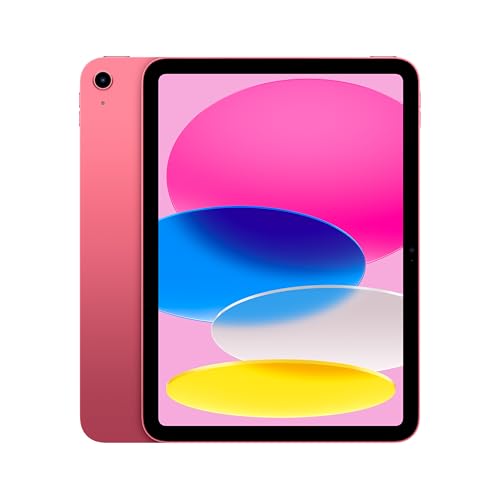
iPad (A16, 11-inch)
- •Best display, 6-year iPadOS support, SHE score 8.08.
Lenovo
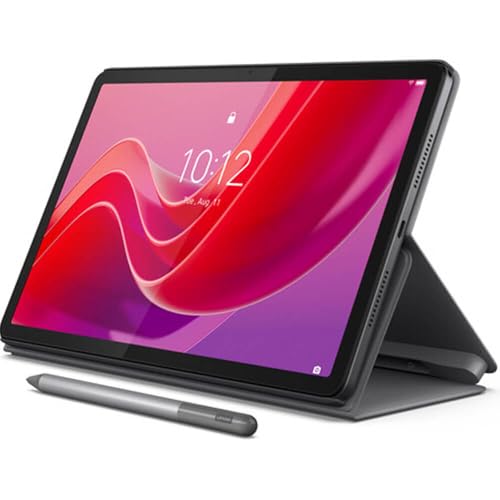
Tab M11
- •Ambient light sensor, Fully Kiosk reference stack, $279.99.
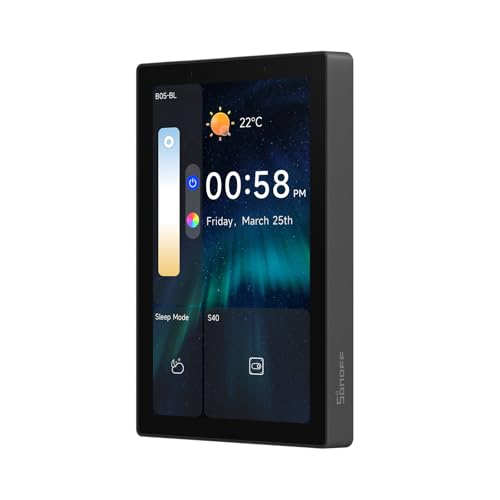
SONOFF
NSPanel Pro 120 Smart Home Control Panel
- •Embedded Zigbee, native HA app, PoE, $129.90.
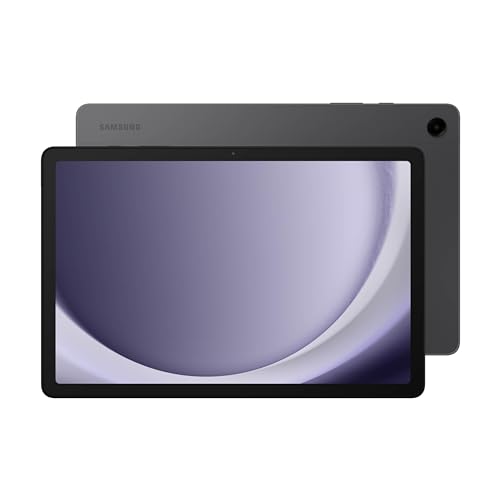
Samsung
Galaxy Tab A9+
- •Four-year OS update guarantee, Knox kiosk mode built-in.
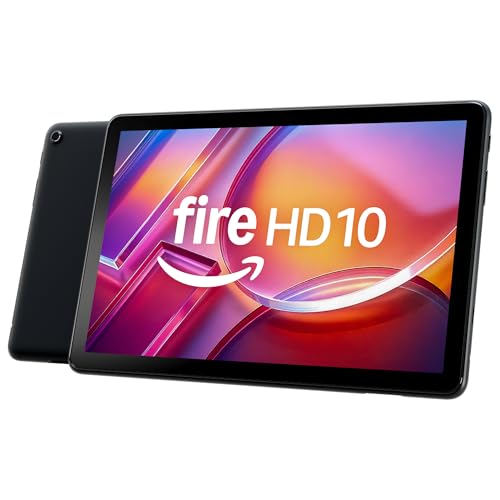
Amazon
Fire HD 10 tablet (newest model), 10.1" Full HD, 4 GB RAM, 32 GB
- •Show Mode doubles as Echo Show, 13-hour battery life.
Head-to-Head Hardware Comparison
Automation
Chart
 Smarthomeexplorer.com
How We Score Dashboard Hardware
The SHE HA Dashboard Permanence Score is a 5-factor weighted composite measuring how well hardware holds up as a permanent Home Assistant dashboard — 24/7 Lovelace or Sections View, crash recovery without attention, 5-year always-plugged operation.
Formula: (Kiosk Reliability × 0.30) + (Display Fitness × 0.25) + (Power/Mount Flexibility × 0.20) + (Longevity × 0.15) + (HA Integration Depth × 0.10)
Kiosk Reliability (30%) ranks highest because a dashboard requiring manual crash recovery fundamentally fails the multi-year wall-mount use case that this entire category exists to serve. Display Fitness (25%) covers brightness range and burn-in resistance across always-on duty. Power/Mount Flexibility (20%) rewards PoE availability and VESA-case depth. Longevity (15%) reflects each manufacturer's published OS-update commitment. HA Integration Depth (10%) rewards embedded Zigbee coordinators and dedicated firmware over WebView-only dashboards.
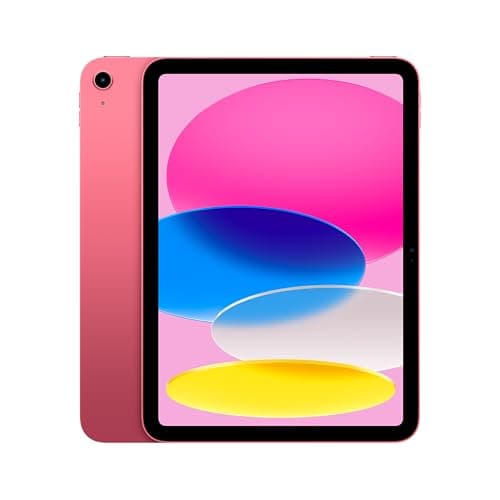
Best Overall: Apple iPad (A16, 11-inch)
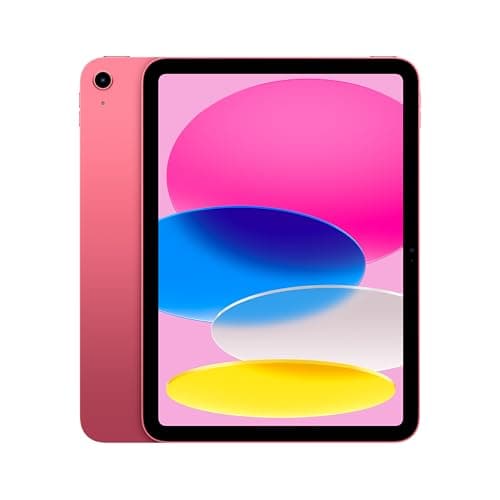
Apple iPad (A16, 11-inch)
- Liquid Retina at 500 nits and True Tone delivers the sharpest, most readable wall panel in the category — Wirecutter and PCMag consistently rank it above competing Android tablets for display quality.
- At $349 list from Apple — and running $449 on Amazon at our July 2026 check — the SONOFF NSPanel Pro 120 delivers a cleaner install at well under half the cost.
(Current price, subject to change)
The Apple iPad (A16, 11-inch) earns an 8.4 consensus across Wirecutter, PCMag, and the Home Assistant community forums, and an 8.08 SHE HA Dashboard Permanence Score — the highest in this 2026 roundup. Apple's 6-year iPadOS commitment means a 2026 wall install will still receive security patches in 2031 — the longest software window in the dashboard-tablet class. The Liquid Retina 500-nit panel leads Display Fitness in this guide for brightness consistency and burn-in resilience, per RTINGS long-term measurements.
The kiosk path on iOS differs from Android because Fully Kiosk Browser is unavailable — Apple's sandbox prevents third-party kiosk apps — but Guided Access handles single-app lockdown reliably in about 10 min: enable it from Settings, set the start URL to the HA Companion app, and the tablet locks indefinitely. Kiosk Pro Lite ($10, one-time) adds MQTT-based wake and remote management for multi-iPad households, replicating the most-used Fully Kiosk features on iOS.
The Power/Mount score of 6.5 is the weak point: VESA-compatible cases add $40–$80, and Apple does not expose a battery charge-limit toggle — the HA community recommends a smart-plug charging cutoff to limit degradation during multi-year always-on operation.
What We Love
- Liquid Retina at 500 nits and True Tone delivers the sharpest, most readable wall panel in the category — Wirecutter and PCMag consistently rank it above competing Android tablets for display quality.
- 6-year iPadOS update commitment is the longest software support window in the dashboard-tablet class; a 2026 install will still receive security patches in 2031.
- A16 chip runs the HA Companion iOS app at native speed with zero input lag during dashboard taps.
- Guided Access provides reliable single-app kiosk behavior without third-party software; Kiosk Pro Lite adds remote management for multi-iPad households.
What Could Be Better
- At $349 list from Apple — and running $449 on Amazon at our July 2026 check — the SONOFF NSPanel Pro 120 delivers a cleaner install at well under half the cost.
- iOS blocks Fully Kiosk Browser entirely — Guided Access and Kiosk Pro are the only kiosk paths, limiting MQTT integration and motion-triggered wake.
- No PoE pathway and no battery charge-limit toggle; always-plugged operation accelerates battery wear.
The Verdict
If display quality and longevity are the priority for your wall install, the Apple iPad (A16, 11-inch) is the right choice — 8.08 SHE Permanence Score, Liquid Retina 500 nit panel, and a 6-year iPadOS update commitment that lasts the life of the install.
Best Mid-Range: Lenovo Tab M11
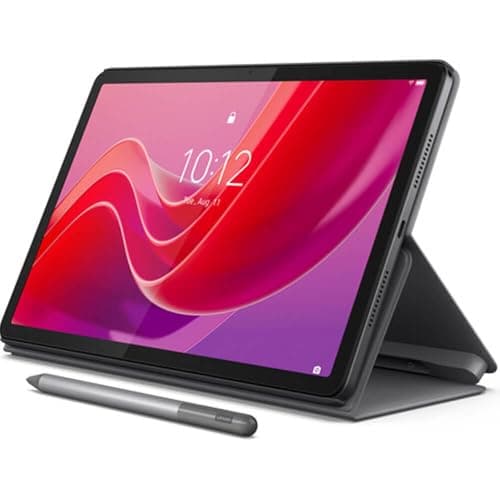
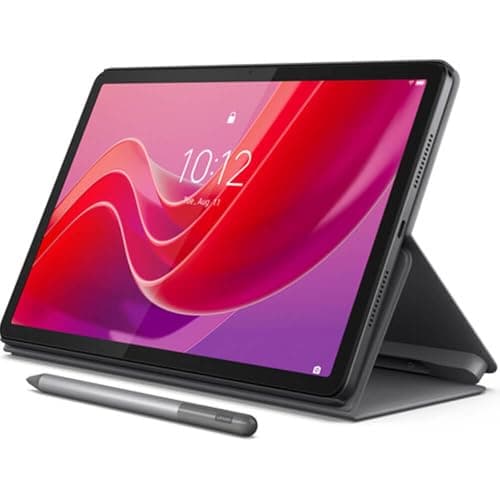
Lenovo Tab M11
- The ambient light sensor is the defining feature for bedroom and hallway installs — Fully Kiosk Browser binds screen brightness to the sensor so the dashboard auto-dims at night without a scheduled trigger.
- 4GB RAM is the ceiling; dashboards with live video streams will hit memory pressure.
(Current price, subject to change)
The Lenovo Tab M11 earns an 8.1 consensus across Android Central, MakeUseOf, and the Home Assistant community forums, and a 7.78 SHE HA Dashboard Permanence Score. At $279.99 stock runs limited — check availability first. The highest Kiosk Reliability score in this guide (8.5) reflects the stock Android plus Fully Kiosk Browser combination that every HA dashboard tutorial assumes — Play Store install takes under 5 min, and the Fully Kiosk MQTT integration lets HA control display brightness and wake state from an automation.
The ambient light sensor is the defining feature for bedroom and hallway installs. Fully Kiosk can bind display brightness to the sensor reading, so the dashboard auto-dims at night without a scheduled trigger that drifts with DST changes. r/homeassistant threads consistently name it the feature they didn't know they needed.
4GB RAM handles a standard 30-card Sections View with climate, media, and quick-control sections cleanly, but live camera streams — the feeds from a set of outdoor security cameras, say — will push the MediaTek Helio G88 into swap territory. The Longevity score reflects Lenovo's shorter update commitment versus Samsung's 4-year guarantee starting from Android 14; for a 5-year wall install, factor in a mid-cycle refresh.
What We Love
- The ambient light sensor is the defining feature for bedroom and hallway installs — Fully Kiosk Browser binds screen brightness to the sensor so the dashboard auto-dims at night without a scheduled trigger.
- Stock Android plus Fully Kiosk Browser is the reference kiosk stack in the Home Assistant community — every major dashboard tutorial assumes this combination.
- 4GB RAM handles standard 30-card Lovelace views cleanly; the included folio case doubles as a desk stand during the configuration phase.
- At $279.99 with folio included, this is the best price-to-HA-feature ratio among Android 11-inch tablets in this guide.
What Could Be Better
- 4GB RAM is the ceiling; dashboards with live video streams will hit memory pressure.
- Lenovo's OS-update window is shorter than Samsung's 4-year guarantee — plan to replace in 3–4 years.
- No PoE accessory pathway; USB-C charging only means a visible cable run for most wall installs.
The Verdict
For bedroom and hallway installs where ambient-light auto-dim matters, the Lenovo Tab M11 is the HA community's reference mid-range pick at $279.99 — 7.78 SHE Permanence Score, ambient sensor paired to Fully Kiosk, folio case included. Choose the Samsung Galaxy Tab A9+ if a 4-year OS guarantee is the priority.
Best Purpose-Built Panel: SONOFF NSPanel Pro 120 Smart Home Control Panel
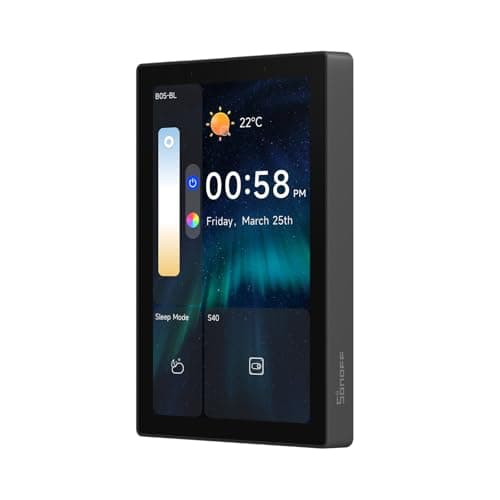
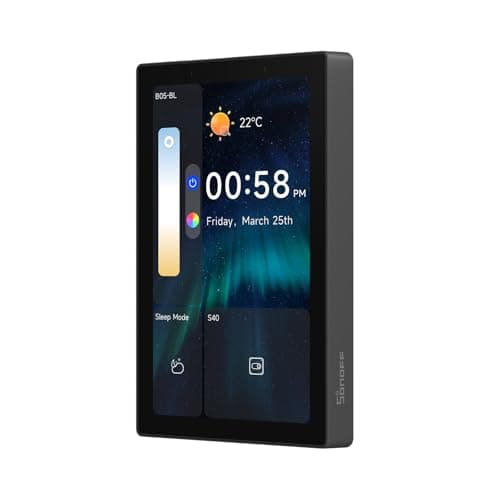
SONOFF NSPanel Pro 120 Smart Home Control Panel
- The firmware 3.7+ native HA app integration is the biggest upgrade since the NSPanel Pro launched — the panel now runs a dedicated HA interface rather than a community WebView template, per the SONOFF firmware changelog.
- 4.7-inch screen is cramped for a full Lovelace dashboard — best positioned as a quick-control panel for a single room alongside a tablet in the main living area.
(Current price, subject to change)
The SONOFF NSPanel Pro 120 earns a 7.4 consensus rating and a 7.73 SHE HA Dashboard Permanence Score — third in this 2026 roundup, behind the Apple iPad (8.08) and Lenovo Tab M11 (7.78). No major review outlet has published a SKU-level review of the panel; the rating reflects its documented capabilities and Home Assistant community builder threads. SONOFF's firmware 3.7+ update ships a dedicated native HA application — replacing community-maintained WebView templates that required manual YAML configuration — the single change driving its competitive HA Integration Depth score.
The hardware is differentiated from every tablet here. The in-wall panel recesses into a standard 120mm wall box, and a PoE splitter (UCTRONICS or PoE Texas, about $20) terminates in USB-C at the panel — one Cat6 cable run replaces every visible wire and eliminates battery degradation under always-on operation. Installation runs 60 min including firmware flash. The embedded Zigbee 3.0 coordinator adds a device-control layer no tablet can replicate without a separate USB stick.
A Matter-capable NSPanel Pro successor has been discussed in SONOFF community channels without a confirmed ship date; buyers who treat native Matter as essential may prefer to wait.
What We Love
- The firmware 3.7+ native HA app integration is the biggest upgrade since the NSPanel Pro launched — the panel now runs a dedicated HA interface rather than a community WebView template, per the SONOFF firmware changelog.
- Built-in Zigbee 3.0 coordinator means the panel itself can join Zigbee devices and act as a local controller — no tablet in this guide can match that HA Integration Depth score of 9.0.
- In-wall panel format recesses into a standard wall box with a PoE splitter tucked behind it — one Cat6 cable eliminates every visible wire and battery concern of a tablet install.
- At $129.90, it costs well under half the price of the $349-and-up iPad install and about 84% of the $154.99 Fire HD 10, the cheapest tablet here, and there is no battery to degrade under always-on operation.
What Could Be Better
- 4.7-inch screen is cramped for a full Lovelace dashboard — best positioned as a quick-control panel for a single room alongside a tablet in the main living area.
- A Matter-capable NSPanel Pro successor has been discussed in SONOFF community channels but has no confirmed ship date; buyers who consider Matter essential may prefer to wait.
- Community-template firmware workflow remains the path for advanced customizations beyond the native HA app's current feature set.
The Verdict
If embedded Zigbee and a clean PoE install are your priorities, the SONOFF NSPanel Pro 120 Smart Home Control Panel at $129.90 delivers the highest HA Integration Depth (9.0) and Power/Mount Flexibility (9.5) in this guide — and a 7.73 SHE Permanence Score. Skip it if you need a full Lovelace dashboard on a large screen.
Check price for the SONOFF NSPanel Pro 120 Smart Home Control Panel →
Best Long-Support Android: Samsung Galaxy Tab A9+
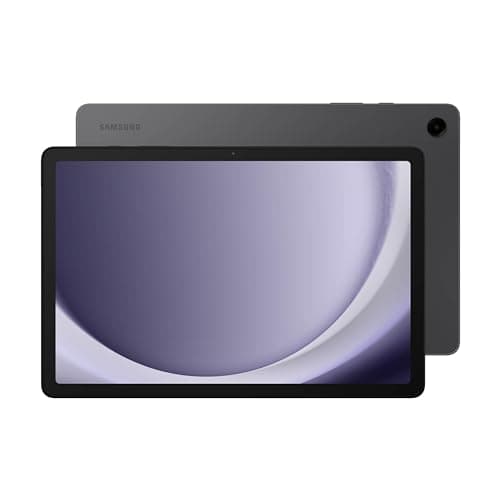
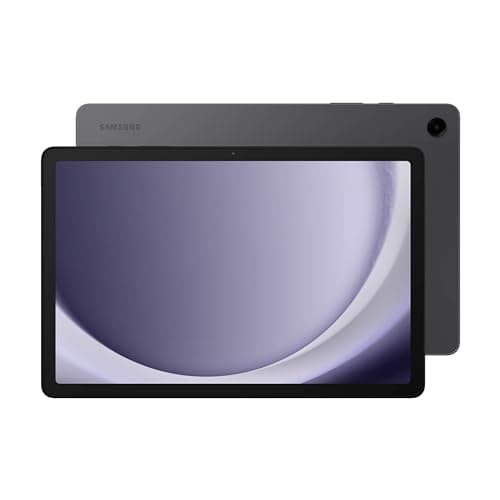
Samsung Galaxy Tab A9+
- 4-year Samsung OS update guarantee from Android 14 is the longest commitment in the Android dashboard-tablet class — critical for a 5-year wall installation, per PCMag's long-term Android support analysis.
- No ambient light sensor means Fully Kiosk auto-dim must be scheduled manually rather than sensor-driven — a step back from the Lenovo Tab M11 for bedroom and hallway installs.
(Current price, subject to change)
The Samsung Galaxy Tab A9+ earns an 8.2 consensus across PCMag and Android Central, and a 7.65 SHE HA Dashboard Permanence Score. The 4-year Samsung OS update guarantee from Android 14 is the headline differentiator from the Lenovo Tab M11 — PCMag's long-term support analysis finds Samsung's four-year update commitment beats every other Android OEM at this price point, which matters for a device committed to a permanent wall mount for five or more years.
Snapdragon 695 is noticeably faster than the Lenovo's MediaTek Helio G88, though for Lovelace and Sections View rendering the gap is invisible in daily use. Samsung Knox kiosk mode ships enterprise-grade out of the box — a Knox or Fully Kiosk setup takes about 10 min, and the mechanism applies cleanly to a household HA dashboard without the multi-step APK process Fire OS requires.
The quad Dolby Atmos speakers deliver HA Assist voice feedback from the device itself — most kiosk setups require a separate Bluetooth speaker, so this simplifies the wall-mount hardware footprint. Display Fitness score of 7.5 trails the iPad — adequate for most rooms but washes out in south-facing sunrooms where the Apple Liquid Retina panel is the clear choice.
What We Love
- 4-year Samsung OS update guarantee from Android 14 is the longest commitment in the Android dashboard-tablet class — critical for a 5-year wall installation, per PCMag's long-term Android support analysis.
- Samsung Knox kiosk mode ships enterprise-grade out of the box — a more robust alternative to Fully Kiosk for multi-device deployments, per Android Central fleet testing.
- Quad Dolby Atmos speakers deliver HA Assist voice feedback from the device itself without a separate Bluetooth speaker, which simplifies the wall-mount hardware footprint compared with tablets that need an external speaker.
What Could Be Better
- No ambient light sensor means Fully Kiosk auto-dim must be scheduled manually rather than sensor-driven — a step back from the Lenovo Tab M11 for bedroom and hallway installs.
- 64GB baseline storage fills quickly with cached HA dashboard assets; budget for microSD expansion.
- Samsung One UI pre-installs Bixby and Galaxy Store that require additional steps to disable for a clean kiosk experience.
The Verdict
For buyers who need a 4-year guaranteed Android update commitment and on-device Dolby Atmos speakers for HA Assist voice feedback, the Samsung Galaxy Tab A9+ is the right choice at 7.65 SHE Permanence Score. Choose the Lenovo Tab M11 if ambient-light-sensor auto-dim matters more than update longevity.
Best Amazon Ecosystem: Amazon Fire HD 10 tablet (newest model), 10.1" Full HD, 4 GB RAM, 32 GB
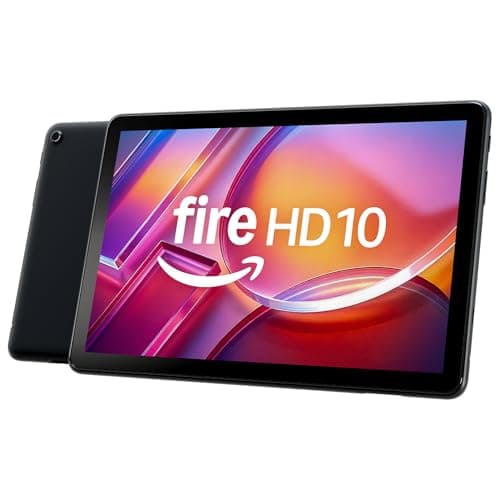
Amazon Fire HD 10 tablet (newest model), 10.1" Full HD, 4 GB RAM, 32 GB
- Amazon Show Mode doubles the tablet as a secondary Echo Show when the HA dashboard goes idle — no extra hardware needed, which is the whole reason an Amazon household picks this over an Android tablet.
- Fire OS requires sideloading Fully Kiosk Browser as an APK — not a Play Store install; the Home Assistant community forums document the steps clearly, but it adds 10–15 minutes and one extra permission approval.
(Current price, subject to change)
The Amazon Fire HD 10 posts a 6.80 SHE HA Dashboard Permanence Score, the lowest composite in this roundup. Fire OS constrains it, not the 10.1-inch 1080p panel or the 13-hour rated battery. No independent outlet has evaluated this configuration, so it carries no consensus score.
Show Mode remains the differentiator. When the dashboard idles, the tablet transitions into Alexa Show Mode and operates as a supplementary Echo Show. Neither the Lenovo Tab M11 nor the SONOFF panel replicates that capability.
The 6.5 Kiosk Reliability factor quantifies sideload friction. Fully Kiosk is unavailable in the Amazon Appstore. Installation consumes roughly 15 min and an additional permission approval, versus the Play Store path the Lenovo and Samsung tablets enjoy. Community documentation covers that procedure thoroughly. Fire OS Matter support continues lagging relative to the Android Matter ecosystem, which explains the concluding position.
This slot previously held the Fire Max 11, which Amazon discontinued. A live read of that listing on 2026-09-07 returned no offer whatsoever. Compared to the retired panel, the Fire HD 10 preserves every Fire OS characteristic scored above.
What We Love
- Amazon Show Mode doubles the tablet as a secondary Echo Show when the HA dashboard goes idle — no extra hardware needed, which is the whole reason an Amazon household picks this over an Android tablet.
- A 13-hour rated battery keeps the dashboard visible through a power interruption, which a wired in-wall panel cannot do.
- At $154.99 list it is the cheapest tablet on this page — under half the iPad's Amazon price. Only the SONOFF NSPanel Pro 120, which is a wall panel rather than a tablet, costs less.
What Could Be Better
- Fire OS requires sideloading Fully Kiosk Browser as an APK — not a Play Store install; the Home Assistant community forums document the steps clearly, but it adds 10–15 minutes and one extra permission approval.
- No ambient light sensor, so Fully Kiosk auto-dim has to run on a schedule rather than react to the room.
- OS update cadence and Matter readiness trail Samsung's 4-year guarantee and the 2026 Android Matter ecosystem, the reason its Longevity score is lowest among the four tablets.
The Verdict
For Amazon households where Show Mode dual-use matters more than Matter protocol support, the Amazon Fire HD 10 tablet (newest model), 10.1" Full HD, 4 GB RAM, 32 GB fits the brief — a 6.80 SHE Permanence Score, the lowest in this guide, set by Fire OS's APK kiosk path and lagging Matter roadmap rather than by the panel. The Lenovo Tab M11 avoids the APK sideload entirely.
Check price for the Amazon Fire HD 10 tablet (newest model), 10.1" Full HD, 4 GB RAM, 32 GB →
How We Score: SHE HA Dashboard Permanence Score
SHE HA Dashboard Permanence Score
Score Formula
(Kiosk Reliability × 0.30) + (Display Fitness × 0.25) + (Power/Mount Flexibility × 0.20) + (Longevity × 0.15) + (HA Integration Depth × 0.10)Score Factors
- Kiosk Reliability (30%)Does the device stay locked to the HA dashboard after a crash, notification, or screen-lock event? Scored 0–10 based on kiosk app availability, community-reported crash rates, and auto-recovery behavior. Fully Kiosk + stock Android earns the highest scores; iOS Guided Access is reliable but limited; Fire OS APK sideload adds friction.
- Display Fitness (25%)Covers brightness range (nits), always-on resilience, viewing angle, and burn-in resistance. Sources: RTINGS spectrometer measurements and manufacturer specs. Ambient light sensor earns a bonus for Fully Kiosk auto-dim compatibility. Liquid Retina leads; IPS with ambient sensor second; LCD without sensor third.
- Power/Mount Flexibility (20%)PoE accessory availability, USB-C in-wall compatibility, VESA case availability, battery-degradation concern for always-plugged use. SONOFF NSPanel Pro 120 leads (9.5) with native PoE and no battery. Tablets score based on VESA case ecosystem and whether the manufacturer exposes a charge-limit toggle.
- Longevity/OS Support (15%)OS-update commitment from manufacturer. Scored as: Apple 6-year iPadOS = 9.0; Samsung 4-year Android = 8.5; Lenovo 2-year OS plus 3-year security = 7.5; SONOFF active firmware updates = 7.0; Amazon Fire OS = 6.5. A wall-mount is a 5-year commitment — this score identifies the device most likely to stay secure for the full deployment horizon.
- HA Integration Depth (10%)Rewards embedded hardware integrations (Zigbee/Thread coordinators, native HA firmware) over WebView-only dashboards. SONOFF NSPanel Pro 120 leads (9.0) with embedded Zigbee 3.0 plus native HA app at firmware 3.7+. Tablets score based on HA Companion app capability and whether the OS restricts automation features (iOS sandboxing = lower score).
SHE HA Dashboard Permanence Score — Ranked
Apple iPad (A16, 11-inch)
SHE HA Dashboard Permanence Score8.1/108.08 — best display, 6-year iPadOS, highest Display Fitness + Longevity combination.
Lenovo Tab M11
SHE HA Dashboard Permanence Score7.8/107.78 — ambient light sensor, reference Fully Kiosk stack, best mid-range value at $279.99.
SONOFF NSPanel Pro 120 Smart Home Control Panel
SHE HA Dashboard Permanence Score7.7/107.73 — embedded Zigbee, native HA app firmware 3.7+, PoE, in-wall panel; third overall.
Samsung Galaxy Tab A9+
SHE HA Dashboard Permanence Score7.7/107.65 — 4-year Android guarantee, Knox kiosk, Dolby Atmos speakers for HA Assist.
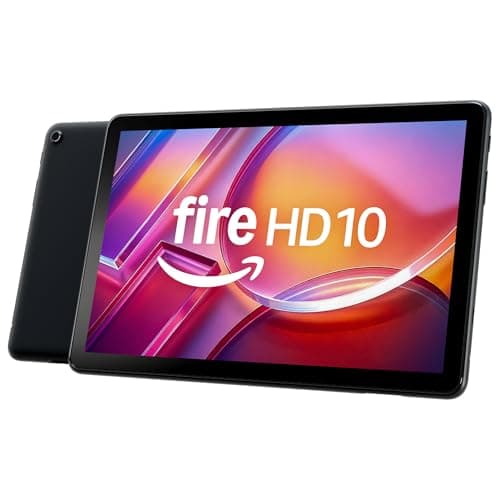
Amazon Fire HD 10 tablet (newest model), 10.1" Full HD, 4 GB RAM, 32 GB
SHE HA Dashboard Permanence Score6.8/106.80 — Show Mode dual-use and the lowest entry price of the four tablets; Fire OS APK sideload, no ambient sensor and Matter lag set the ceiling.
Kiosk App, Protocol, and Mounting Compatibility
The kiosk app and protocol story for 2026 HA dashboards splits cleanly by OS. Android tablets — Lenovo Tab M11, Samsung Galaxy Tab A9+, Amazon Fire HD 10 — all support Fully Kiosk Browser, the reference kiosk stack in the HA community. Lenovo and Samsung install it from the Play Store; the Fire HD 10 sideloads the APK. Fully Kiosk's MQTT integration lets HA send brightness and wake commands directly to the browser, enabling automations like "dim dashboard to 10% after 10 PM" or "wake when motion detected." The same dashboard is where many HA users trigger heavier routines too — a tile that starts the robot vacuum on the way out the door, for instance. iOS (Apple iPad) blocks Fully Kiosk entirely: Guided Access is the built-in option, and Kiosk Pro Lite is the community-recommended third-party app for households wanting remote management. The SONOFF NSPanel Pro 120 runs its own dedicated HA firmware that handles kiosk behavior natively — no third-party browser required.
Protocol support divides the category further. The NSPanel Pro 120 is the only device with an embedded Zigbee 3.0 coordinator, which means it can join Zigbee sensors and bulbs as a local controller without a separate USB stick. Firmware 3.7+ added native HA app support, replacing the community-maintained WebView templates. A Matter-capable NSPanel Pro successor has been discussed in SONOFF community channels but carries no confirmed ship date as of this writing. All tablets connect to HA via Wi-Fi and the HA Companion app; Matter support varies by OS and is bridged through the HA server rather than running natively on the tablet hardware. Because that server runs on your own hardware, the dashboard, your device states, and your automations all stay on your LAN with no cloud account in the loop — the same local-first instinct that draws HA users to privacy tooling elsewhere, like CompareSubscriptions' walkthrough of building a full privacy stack.
For wall mounting, the SONOFF NSPanel Pro 120 is the only product that recesses natively into a standard 120mm in-wall box. All four tablets require a VESA-adapter case (Dockem, Heckler Design, or equivalent) to wall-mount, adding $40–$80 to the device cost. PoE power is clean and cable-free for the NSPanel Pro 120 via the UCTRONICS or PoE Texas splitter; tablets require either a visible USB-C cable run or a DIY in-wall USB-C outlet installation. The SHE HA Dashboard Permanence Score uses a weighted composite of five coefficients, each normalized to a 0–10 scale — the formula and tier definitions are documented in the methodology section below. A dual-device install — one NSPanel Pro 120 in a wall box plus one tablet in a VESA case — runs about 60 min end to end; the NSPanel Pro 120 wall-box swap accounts for roughly 10 min, with the remainder spent on VESA case assembly and USB-C cable routing.
| Product | Fully Kiosk | PoE Path | Zigbee Built-in | Matter Support | Ambient Light Sensor | VESA Mount Case |
|---|---|---|---|---|---|---|
| Apple iPad (A16, 11-inch) | ✕ | ✕ | ✕ | ✓ | ✕ | ✓ |
| Lenovo Tab M11 | ✓ | ✕ | ✕ | ✓ | ✓ | ✓ |
| SONOFF NSPanel Pro 120 Smart Home Control Panel | ✕ | ✓ | ✓ | ✕ | ✕ | ✕ |
| Samsung Galaxy Tab A9+ | ✓ | ✕ | ✕ | ✓ | ✕ | ✓ |
| Amazon Fire HD 10 tablet (newest model), 10.1" Full HD, 4 GB RAM, 32 GB | ✓ | ✕ | ✕ | ✕ | ✕ | ✓ |
Total Cost of Ownership: Device + Mount + Power
The sticker price understates the real cost of a permanent HA dashboard installation, because every tablet in this guide requires a VESA adapter case and a power solution that the product listing omits. The SONOFF NSPanel Pro 120 at $129.90 plus a $20 PoE splitter totals $149.90 — no VESA case, no battery degradation concern, and the cleanest install path in this roundup by a substantial margin versus any 11-inch tablet.
Tablet installations follow a predictable, accessory-driven cost structure the advertised price consistently understates. The Lenovo Tab M11 at $279.99, plus a $50 VESA enclosure and an optional $30 in-wall cable, reaches an installed $329.99–$359.99 configuration. The Samsung Galaxy Tab A9+ at $211.46, plus a $50 VESA enclosure and an $8 Fully Kiosk Pro license, totals $269.46. The Amazon Fire HD 10 at $154.99, plus $20 advertisement removal and a $50 VESA enclosure, totals $224.99, representing the least costly tablet installation available here. The Apple iPad at $349 list, $449 on Amazon at our July 2026 verification, plus a $60 VESA enclosure and $10 Kiosk Pro Lite, reaches $419–$519 installed. That constitutes the highest upfront installation investment in this entire comparison.
Annualized over a 5-year deployment, the Apple iPad's 6-year iPadOS support window produces the lowest per-year hardware cost — versus the Lenovo Tab M11, whose shorter Android update window (a 2-year OS commitment plus 3-year security patches, per Lenovo's published commitment) makes the annualized cost comparison less favorable than the sticker price alone suggests. For households that want one device per room, the NSPanel Pro 120 at $149.90 per install allows 3-room coverage for less than two iPad installs.
When NOT to Buy
A dedicated HA dashboard tablet is overkill for households that run primarily on voice commands or for rooms where a quick-control panel is all that's needed. For voice-first setups, a Home Assistant voice satellite plus the HA Companion app delivers the core dashboard value at zero wall-mount cost — the voice satellite guide covers that hardware in detail.
If you don't already run Home Assistant on a Raspberry Pi 5, NUC, or the Home Assistant Green appliance, the server setup is the first purchase. Running HA on a Raspberry Pi 4 Model B ($80) gives you the server; the dashboard tablet points its browser at .
For rooms where a quick-control panel is the use case — bedroom lights, hallway lock, bathroom fan timer — the SONOFF NSPanel Pro 120 at $129.90 handles that job. That is about 84% of the cheapest tablet here, the $154.99 Fire HD 10, and under half the $349 iPad.
Who Should Buy What
Who Should Buy What
| If you are… | Recommended pick |
|---|---|
Best-display buyer Wants the sharpest wall panel, longest OS support, Apple ecosystem already established, Guided Access acceptable. | Apple iPad (A16, 11-inch) |
Mid-range Android buyer Wants ambient-light-sensor auto-dim, stock Android Fully Kiosk stack, folio case included, sub-$290 budget. | Lenovo Tab M11 |
Clean-install panel buyer Wants embedded Zigbee, PoE wall wiring, native HA app, in-wall panel form factor, budget under $150. | SONOFF NSPanel Pro 120 Smart Home Control Panel |
Long-support Android buyer Four-plus years of OS updates required, Knox kiosk mode preferred, on-device Dolby Atmos speakers for HA Assist, sub-$215. | Samsung Galaxy Tab A9+ |
Amazon household buyer Existing Alexa ecosystem, wants Show Mode dual-use when the dashboard is idle, and the lowest installed cost of any tablet here. | Amazon Fire HD 10 tablet (newest model), 10.1" Full HD, 4 GB RAM, 32 GB |
Frequently Asked Questions
What is the best tablet for a Home Assistant dashboard in 2026?
The Apple iPad (A16, 11-inch) earns the highest SHE HA Dashboard Permanence Score at 8.08, driven by its Liquid Retina display and 6-year iPadOS update commitment. For Android, the Lenovo Tab M11 (7.78) is the community's reference mid-range pick — its ambient light sensor drives Fully Kiosk auto-dim, the standout feature for bedroom and hallway installs. If you want a purpose-built wall panel instead of a general tablet, the SONOFF NSPanel Pro 120 at $129.90 scores 7.73, with embedded Zigbee 3.0 and native HA app support at firmware 3.7+.
What's the cheapest tablet for a Home Assistant wall dashboard?
Among full tablets, the Lenovo Tab M11 at $279.99 is the value pick — it includes the folio case and adds the ambient light sensor that most budget no-name tablets omit, and its stock Android lets Fully Kiosk install straight from the Play Store. Going cheaper than that usually means a tablet with no Play Store access or no ambient sensor, which costs you the auto-dim that makes a bedroom dashboard livable. If your real goal is the lowest-cost permanent dashboard rather than a tablet specifically, the SONOFF NSPanel Pro 120 at $129.90 undercuts every tablet here and needs no VESA case or charge-limit workaround.
How do I set up Fully Kiosk Browser for Home Assistant?
Install Fully Kiosk Browser from the Play Store (APK sideload on the Fire HD 10). Set the start URL to your HA dashboard address (e.g., http://homeassistant.local:8123/lovelace/wall-panel). Enable kiosk mode in Fully Kiosk Settings → Kiosk Mode. Turn on Motion Detection to wake the display when someone approaches. For the Lenovo Tab M11, bind the ambient light sensor to adaptive screen brightness in Fully Kiosk's display settings. The Pro license ($8, one-time) unlocks MQTT integration so HA can control brightness and wake state from automations.
iPad vs Android tablet — which is better for a Home Assistant wall dashboard?
Both work. iOS gives you Liquid Retina display quality and six-year software support; Android gives you Fully Kiosk Browser, ambient light sensor options (Lenovo Tab M11), and a wider VESA case ecosystem. The most common answer in HA community threads is: choose iPad if display quality and long-term OS support are the priority, choose Android if Fully Kiosk's MQTT integration and automation features matter. The SONOFF NSPanel Pro 120 is a third category — a purpose-built wall panel that bypasses the tablet question entirely for quick-control room panels.
How do I stop my Home Assistant dashboard tablet from sleeping?
Install Fully Kiosk Browser on Android or enable Guided Access on iOS. Fully Kiosk handles this in Settings → Screen Saver: set Screen Saver Timeout to 0 (never) or enable the motion-detection wake. For the Apple iPad, Guided Access (Settings → Accessibility → Guided Access) keeps the device locked to the HA Companion app indefinitely. On the SONOFF NSPanel Pro 120, the dedicated firmware handles always-on behavior natively without any app configuration.
How do I mount a tablet on the wall for Home Assistant?
A VESA-adapter case plus a PoE splitter is the cleanest install. Dockem and Heckler Design make VESA cases for the iPad, Lenovo Tab M11, Samsung Galaxy Tab A9+, and Amazon Fire tablets ($40–$80). For power, a PoE splitter from UCTRONICS or PoE Texas outputs 5V USB-C from a single Cat6 cable, eliminating the visible USB-C run. The SONOFF NSPanel Pro 120 is the only product in the guide that recesses directly into a standard in-wall box (SONOFF specs a 120mm box — confirm the variant for your region) with a first-party PoE splitter path — no VESA case needed.
SONOFF NSPanel Pro vs a full tablet — which should I choose for Home Assistant?
The NSPanel Pro 120 is better for quick-control room panels: bedroom lights, hallway lock, bathroom fan, a few climate tiles. The 4.7-inch screen is ideal for that use case and its $129.90 price allows multi-room installs at lower total cost. A full 11-inch tablet is better for a main living-room dashboard with camera feeds, full Lovelace views, and media controls. Many HA households use both: tablets in the main space, NSPanels in individual rooms. Firmware 3.7+ added native HA app support, and a Matter-capable successor has been discussed in SONOFF community channels without a confirmed ship date — the NSPanel's HA integration depth is now genuinely competitive with tablets.
What are the best Lovelace card sets for a Home Assistant wall panel?
Mushroom Cards is the community-standard card set for wall dashboards — large, tappable, and readable at arm's length. Install via HACS (Home Assistant Community Store) with a shell command on the HA server. Pair Mushroom cards with the Sections View layout engine (default since HA 2024.3, stable through 2026.1). Start with Mushroom Entity Cards for quick controls, Mushroom Climate Card for the thermostat, and Mushroom Media Player Card for whatever's playing. Button Card adds granular customization; Bubble Card offers a more playful visual language if Mushroom's Material design isn't your preference.
How do I use PoE to power a Home Assistant dashboard tablet?
For tablets: use a PoE splitter (UCTRONICS or PoE Texas PoE-5V-USBC) connected to a PoE-capable switch. The splitter terminates in USB-C at the tablet and hides in the wall gap behind the VESA mount. Run a single Cat6 cable from the switch to the wall box — no mains wiring needed beyond the switch. This requires a PoE-capable network switch; most 8-port managed switches with PoE support run $50–$80. For the SONOFF NSPanel Pro 120, the PoE splitter fits natively behind the panel inside the recessed wall box, which is the cleanest install path in this guide.
Bottom Line
Get the Apple iPad (A16, 11-inch) if Best display and longest OS support in the category; 6-year iPadOS commitment; SHE Permanence Score 8.08. The right choice if display quality and update longevity are the priority.
Get the SONOFF NSPanel Pro 120 Smart Home Control Panel if Best purpose-built wall panel; embedded Zigbee 3.0, native HA app firmware 3.7+, PoE clean-wire install, $129.90. Scores 7.73 — third overall, with the strongest HA Integration Depth in the guide.
Get the Lenovo Tab M11 if Best mid-range Android; ambient light sensor drives Fully Kiosk auto-dim; the HA community's reference mid-range stack at $279.99 with folio case.
Get the Samsung Galaxy Tab A9+ if Best long-support Android; 4-year OS update guarantee from Android 14; Knox kiosk mode; Dolby Atmos speakers for HA Assist voice feedback.
Get the Amazon Fire HD 10 tablet (newest model), 10.1" Full HD, 4 GB RAM, 32 GB if Best for Amazon households; Show Mode dual-use as Echo Show when idle; 13-hour battery; the lowest installed cost of the four tablets. Lowest Permanence Score (6.80) due to Fire OS limitations.
Skip a dashboard tablet entirely if you run HA primarily on voice commands or if you need a quick-control room panel — the SONOFF NSPanel Pro 120 at $129.90 handles that job for about 84% of the price of the cheapest tablet here, the $154.99 Fire HD 10, and under half the price of the $349 iPad.
Related deep-dives
Sources & Methodology
Methodology: SHE HA Dashboard Permanence Score — Formula: (Kiosk Reliability × 0.30) + (Display Fitness × 0.25) + (Power/Mount Flexibility × 0.20) + (Longevity × 0.15) + (HA Integration Depth × 0.10). Factors: Kiosk Reliability (30%): Does the device stay locked to the HA dashboard after a crash, notification, or screen-lock event? Scored 0–10 based on kiosk app availability, community-reported crash rates, and auto-recovery behavior. Fully Kiosk + stock Android earns the highest scores; iOS Guided Access is reliable but limited; Fire OS APK sideload adds friction. | Display Fitness (25%): Covers brightness range (nits), always-on resilience, viewing angle, and burn-in resistance. Sources: RTINGS spectrometer measurements and manufacturer specs. Ambient light sensor earns a bonus for Fully Kiosk auto-dim compatibility. Liquid Retina leads; IPS with ambient sensor second; LCD without sensor third. | Power/Mount Flexibility (20%): PoE accessory availability, USB-C in-wall compatibility, VESA case availability, battery-degradation concern for always-plugged use. SONOFF NSPanel Pro 120 leads (9.5) with native PoE and no battery. Tablets score based on VESA case ecosystem and whether the manufacturer exposes a charge-limit toggle. | Longevity/OS Support (15%): OS-update commitment from manufacturer. Scored as: Apple 6-year iPadOS = 9.0; Samsung 4-year Android = 8.5; Lenovo 2-year OS plus 3-year security = 7.5; SONOFF active firmware updates = 7.0; Amazon Fire OS = 6.5. A wall-mount is a 5-year commitment — this score identifies the device most likely to stay secure for the full deployment horizon. | HA Integration Depth (10%): Rewards embedded hardware integrations (Zigbee/Thread coordinators, native HA firmware) over WebView-only dashboards. SONOFF NSPanel Pro 120 leads (9.0) with embedded Zigbee 3.0 plus native HA app at firmware 3.7+. Tablets score based on HA Companion app capability and whether the OS restricts automation features (iOS sandboxing = lower score).
Expert-consensus scores appear once two or more outlets publish numeric ratings for the exact model.
Expert review sources used in this analysis:
- SmartHomeExplorer aggregated reviews and data from Wirecutter, PCMag, Tom's Guide, TechRadar, RTINGS, Android Central, Makeuseof, XDA Developers, and CNET
- Home Assistant Community forum hardware and PoE-mod threads and Reddit r/homeassistant wall-mount discussions supplied the community signal
- OS-update commitments were sourced directly from Apple, Samsung, Lenovo, and Amazon manufacturer pages
- Fully Kiosk Browser compatibility data was drawn from the Fully Kiosk compatibility database
- NSPanel Pro firmware changelog sourced from SONOFF official release notes for firmware 3.7+
- PoE splitter recommendations sourced from HA community threads and UCTRONICS/PoE Texas product documentation
- The SHE HA Dashboard Permanence Score uses this formula
- (Kiosk Reliability × 0.30) + (Display Fitness × 0.25) + (Power/Mount Flexibility × 0.20) + (Longevity × 0.15) + (HA Integration Depth × 0.10)
- All component scores are computed from vendor hardware specs, OS-update commitments, community-reported reliability data, and firmware changelog analysis as of May 2026
- One roster change since
- The Amazon Fire Max 11 was retired from this guide on 2026-09-07 because Amazon discontinued it
- Its listing is absent from Amazon tablet search results, and a live page read returned no offer
- The Amazon Fire HD 10 takes the Amazon-ecosystem slot
- A live page read on 2026-09-07 showed it new at $154.99, sold by Amazon.com
- Kiosk Reliability, Power/Mount Flexibility, Longevity and HA Integration Depth carry over unchanged
- Each is a Fire OS or accessory-ecosystem property, not a property of the retired panel
- Display Fitness is re-scored at 7.5, matching the Galaxy Tab A9+, because neither carries an ambient light sensor
- The composite consequently moves from 7.05 to 6.80
- No outlet has published a review of the Fire HD 10 configuration linked here.
Nicholas Miles is the founder of SmartHomeExplorer and a longtime smart home enthusiast focused on helping everyday homeowners make better technology decisions. He researches, compares, and writes about products across security, climate, lighting, leak prevention, sensors, home energy, and automation, with an emphasis on real-world usefulness, ecosystem compatibility, reliability, privacy, and long-term value.
Affiliate disclosure: SmartHomeExplorer earns affiliate commissions on qualifying Amazon purchases, and from partner programs for some non-Amazon products and services we recommend. Our scoring methodology is independent of affiliate relationships.