
DC ceiling fan motors use roughly 70% less energy, run 40–60% quieter, and offer 3–4x more speed settings than AC motors.
This article exists because "DC vs AC motor" was the most common question we saw in reader emails after publishing our ceiling fan buying guide. Rather than burying the answer in a paragraph, we pulled every number we could find and built the comparison tables ourselves. Every calculation below is shown with its formula so you can plug in your own electricity rate.
How Ceiling Fan Motors Work (30-Second Version)
Before we get to the data, here's the mechanical difference in plain language.
AC Motors (Alternating Current)
An AC motor takes the alternating current from your wall outlet and feeds it directly into copper-wound electromagnets. The alternating nature of the current — reversing direction 60 times per second in the US — creates a rotating magnetic field that spins the motor. It's an old design. Thomas Edison would recognize most of the parts.
The problem: AC motors are inherently locked to the frequency of your power supply. Speed control means switching between a small number of winding taps (usually 3), and the motor has to be physically built to handle full-voltage AC at all times. That means heavier components, more copper wire, and more heat waste.
DC Motors (Direct Current)
A DC motor adds one extra step: a rectifier circuit converts wall AC into smooth DC power, which then drives permanent magnets instead of electromagnets. Permanent magnets don't need electricity to maintain their field, so the motor can run on far less power.
Why DC is inherently quieter comes down to physics. AC motors produce electromagnetic vibrations every time the current reverses direction — 120 times per second. DC motors, using permanent magnets and smooth current, eliminate most of that vibrational noise. They also reach the same airflow at lower rotational speeds, which means less blade noise and less bearing wear.
The rectifier adds about $15–$30 to manufacturing cost. That used to keep DC fans in the luxury category. In 2025–2026, prices finally dropped to mainstream levels, which is why the Dreo Smart Ceiling Fan can deliver a DC motor at $198.
The Energy Comparison: Real Numbers
We calculated annual electricity costs for each fan in our ceiling fan buying guide using the same formula. Here's the math up front so you can verify everything:
Formula: Watts × hours per day × 365 days ÷ 1,000 = kWh/year × $0.16/kWh = annual cost
We use $0.16/kWh, which is the national average residential electricity rate reported by the EIA for 2025. If you're in California ($0.28/kWh) or Louisiana ($0.11/kWh), adjust accordingly — the ratios between fans stay the same.
Annual Energy Cost Comparison
| Fan | Motor | Max Wattage | kWh/year (8 hr/day) | Annual Cost (8 hr/day) | Annual Cost (4 hr/day) |
|---|---|---|---|---|---|
| Dreo Smart Ceiling Fan | DC | 36W | 105.1 kWh | $16.82 | $8.41 |
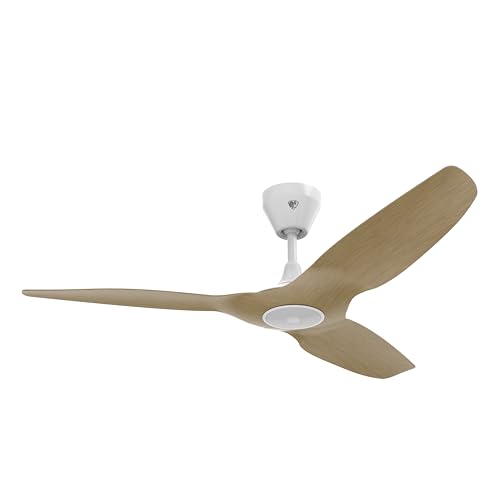
| Big Ass Fans Haiku L | DC | 35W | 102.2 kWh | $16.35 | $8.18 |
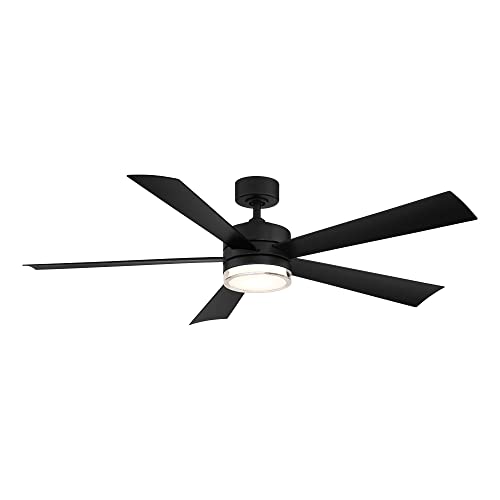
| Modern Forms Wynd | DC | 32W | 93.4 kWh | $14.95 | $7.47 |
| Hunter Symphony 54-Inch | AC | 75W | 219.0 kWh | $35.04 | $17.52 |
| Typical older AC fan | AC | 100W | 292.0 kWh | $46.72 | $23.36 |
Let's double-check one row to keep ourselves honest. The Dreo Smart Ceiling Fan at max speed: 36W × 8 hours × 365 days = 105,120 Wh = 105.1 kWh × $0.16 = $16.82. If you only run it 4 hours a day — the more typical bedroom use case — that drops to $8.41 per year.
The takeaway is stark. The Hunter Symphony at 75W costs more than double the Dreo at 36W in annual electricity, despite being a high-quality AC motor. A typical older AC fan from the early 2010s at 100W costs nearly triple. These numbers compound over 5, 10, or 20 years of ownership (we do the 5-year math below).
Important caveat: max wattage vs. typical use
These numbers represent maximum speed. In practice, most people run ceiling fans at medium speeds 80% of the time, where DC motors might pull 8–15W and AC motors pull 40–55W. The efficiency gap actually widens at lower speeds because DC motors scale power consumption nearly linearly with speed, while AC motors waste significant energy even at their lowest setting. The Big Ass Fans Haiku L pulls under 2W on its lowest speed — less than a nightlight.
Noise Levels: What the Decibel Numbers Mean
Noise is the other reason people upgrade from AC to DC fans, and it's the one that's hardest to appreciate from a spec sheet. That's because decibels are logarithmic — every 10 dB increase doubles the perceived loudness. A fan at 55 dB doesn't sound "a little louder" than one at 25 dB. It sounds roughly 8 times louder.
Noise Comparison at Maximum Speed
| Fan | Noise at Max Speed | Real-World Context |
|---|---|---|
| Big Ass Fans Haiku L | <20 dB | Below the noise floor of most recording studios |
| Modern Forms Wynd | about 25 dB | A whisper from 5 feet away |
| Dreo Smart Ceiling Fan | <45 dB | A quiet library |
| Hunter Symphony 54-Inch | about 55 dB | Normal indoor conversation |
| Typical older AC fan | 60–70 dB | Background noise in a busy restaurant |
The Haiku L at under 20 dB is genuinely inaudible in a normal room. Big Ass Fans sound-chamber-tests every unit before shipping (Smart Home Solver confirmed this in his teardown review). That's a big part of what you're paying for at the $999 price point.
The Dreo at under 45 dB is what we'd call "fan noise you don't notice." You'll hear it if the room is dead silent and you're paying attention, but it won't wake a sleeping baby or compete with a TV. The Hunter Symphony at ~55 dB is noticeably present — not unpleasant, but you know it's running. That's the AC motor penalty.
Why DC fans get quieter at lower speeds (and AC fans don't, really)
Here's the part most comparison articles skip. DC motor noise drops nearly linearly with speed reduction. At speed 2 of 12, the Dreo is essentially silent — under 20 dB. AC motors, by contrast, maintain a baseline electromagnetic hum regardless of speed setting because the motor is still receiving full-frequency AC power even when it's running slower via a different winding tap. The Hunter Symphony uses Hunter's WhisperWind motor, which is quieter than generic AC motors, but it can't escape the fundamental physics.
If you're shopping for a bedroom fan, noise should be your primary concern after airflow. We recommend DC motors for any room where you sleep, work from home, or watch TV without subtitles.
Speed Control: 3 Speeds vs. 12+ Speeds
This is the most underrated difference between AC and DC ceiling fans, and it's the feature that smart home owners end up appreciating most.
AC Motor Speed Control
AC motors change speed by switching between electrical winding taps — think of it like a highway with only 3 exits. Your options are Low, Medium, and High. Some newer AC fans add a fourth speed, but you're still working within tight physical constraints. The motor speed is tied to the AC power frequency (60 Hz in the US), so there's a hard floor on how finely you can control rotation.
The Hunter Symphony 54-Inch offers 3 speeds via its physical pull chain, and 4 speeds through the HomeKit app. That's it. No in-between, no fine-tuning.
DC Motor Speed Control
DC motors can vary speed continuously by adjusting voltage. In practice, manufacturers break this into discrete steps — usually 6 to 12+ speeds accessible via app control. The Dreo Smart Ceiling Fan offers 12 speeds through its app (6 via the physical remote). The Big Ass Fans Haiku L offers 7 speeds. The Modern Forms Wynd has 6 speeds.
Why More Speeds Actually Matter
More speeds isn't just a spec sheet number. Here's what they enable in practice:
Sleep mode tuning. The difference between speed 2 and speed 4 on a DC fan might be the difference between waking up sweaty and waking up cold. With an AC fan's 3 speeds, you often end up toggling between "not enough air" and "too much air" all night.
Natural breeze simulation. DC fans like the Dreo and Haiku L offer "Natural" or "Breeze" modes that automatically vary speed between settings to mimic the feeling of outdoor wind. This requires at least 6 speed levels to feel convincing. AC fans with 3 speeds can't replicate this.
Quiet background circulation. Speed 1 on a 12-speed DC fan is barely moving air — perfect for winter mode where you just want to push warm air down from the ceiling without creating a breeze. Speed 1 on a 3-speed AC fan is already generating noticeable airflow.
App vs. Remote Speed Control
Every fan in our buying guide includes a physical remote, but DC fans unlock their full speed range only through their apps. The Dreo remote has 6 speeds; the app has 12. If app control sounds annoying — it did to us at first too — consider that most people set their fan to a speed and leave it. You tweak via app once, then forget about it for months. Voice control through Alexa or Google Assistant also unlocks all speed levels, so you can say "Alexa, set the bedroom fan to speed 3" from bed.
The One Scenario Where AC Still Wins
We've spent most of this article explaining why DC motors are better. Here's the exception that matters.
Apple HomeKit
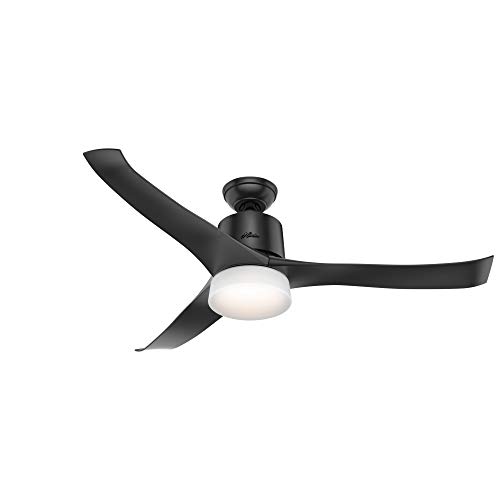
The Hunter Symphony 54-Inch is the only smart ceiling fan with native Apple HomeKit support. Full stop. No DC fan on the market works with HomeKit natively. If your smart home runs on Apple Home and you want to say "Hey Siri, turn on the bedroom fan" or include your ceiling fan in HomeKit scenes and automations, the Hunter Symphony is your only option.
Yes, it uses a less efficient AC motor. Yes, it's louder. Yes, it costs more to run. But if you've built your home automation around Apple's ecosystem — door locks, lights, thermostat, cameras all in the Apple Home app — having your ceiling fan outside that ecosystem is a real usability problem. You can't include it in bedtime scenes. You can't trigger it from your Apple Watch. You can't automate it with HomeKit triggers.
The Hunter Symphony at $400 with its WhisperWind AC motor is a reasonable trade-off if HomeKit integration is non-negotiable for you. Hunter has been making ceiling fans since 1886 and holds "Most Trusted Ceiling Fan Brand" status for 7 consecutive years per a J.D. Power-affiliated survey. The motor will last decades. It's not a bad fan — it's just not a DC fan.
The Workaround: Bond Bridge + Homebridge
If you want a DC fan and HomeKit, there's a hacky path. Buy any DC fan from our guide — say, the Dreo Smart Ceiling Fan at $198 — and add a Bond Bridge at $129 to control it via IR/RF. Then run Homebridge on a Raspberry Pi or Mac Mini to expose the Bond Bridge to HomeKit. Total cost: $327 plus your time setting up Homebridge.
We won't pretend this is an elegant solution. Homebridge requires a home server running 24/7, occasional troubleshooting when plugins update, and a willingness to SSH into things. But it works, and it gets you a DC motor inside Apple Home. If you're comfortable with Homebridge (and you probably know who you are), this is the best of both worlds. If "Homebridge" sounds like a dental procedure, just buy the Hunter Symphony.
For more on how ceiling fans pair with smart climate systems, see our smart thermostat guide — scheduling your fan and thermostat together can reduce HVAC costs by 10–15%.
Smart Features: What DC Motors Enable
Beyond energy and noise, DC motors unlock smart features that AC motors physically cannot support. Here's the full list.
Instant Reverse Airflow
AC ceiling fans require a physical switch — usually a tiny toggle on the motor housing — to reverse blade direction. You need a ladder, and you need to turn the fan off first. DC fans reverse electronically through the app or remote. The Dreo Smart Ceiling Fan, Big Ass Fans Haiku L, and Modern Forms Wynd all reverse with a single tap. In winter, running a fan in reverse at low speed pushes warm air that collects at the ceiling back down into the room, reducing heating costs without creating a draft.
Intelligent Speed Modes
DC fans offer programmable modes that vary speed automatically:
- Sleep Mode: Gradually reduces speed over a set period as you fall asleep, then maintains a minimal setting overnight. The Dreo ramps down over 30 minutes.
- Natural Breeze Mode: Randomly varies between speed levels to simulate outdoor wind patterns. Available on the Dreo, Haiku L, and Wynd.
- Auto Mode: Adjusts speed based on room temperature (Haiku L only — it has a built-in temperature sensor).
- Schedule Mode: Set start/stop times, speed, and direction by day of week through the app.
Smart Thermostat Coordination
This is where DC fans and smart thermostats compound each other's savings. Running a ceiling fan lets you raise your smart thermostat setpoint by 4°F to cut cooling costs while maintaining the same perceived comfort, because moving air accelerates evaporative cooling on your skin. At 4°F higher, your HVAC runs significantly less — the Department of Energy estimates 4–8% savings per degree of setpoint increase.
You can automate this with routines: when your Ecobee or Nest reaches 74°F, trigger the ceiling fan via Alexa routine, then raise the setpoint to 78°F. The Dreo and Modern Forms Wynd both support Alexa routines. The Big Ass Fans Haiku L supports both Alexa and Google Assistant routines.
Integrated Lighting
Most DC smart fans include LED light kits with adjustable color temperature and dimming. The Dreo Smart Ceiling Fan goes further with RGB ambient lighting — 6 brightness levels and 5 color temperatures from warm 2,700K to daylight 6,500K. The Haiku L has 16 dimmable LED settings. These aren't gimmicks; they replace the overhead light fixture entirely and let you match the fan's light to your room's smart lighting scene.
5-Year Total Cost of Ownership
Purchase price is one number. The number that actually matters is what you'll spend over the life of the fan, including electricity. We calculated 5-year totals using the 8-hours-per-day energy figures from our table above.
5-Year Cost Comparison
| Fan | Purchase Price | 5-Year Energy (8 hr/day) | 5-Year Total | Motor |
|---|---|---|---|---|
| Dreo Smart Ceiling Fan | $198 | $84 | $282 | DC |
| Big Ass Fans Haiku L | $999 | $82 | $1,081 | DC |
| Modern Forms Wynd | $550 | $75 | $625 | DC |
| Hunter Symphony 54-Inch | $400 | $175 | $575 | AC |
| Bond Bridge + existing fan | $129 | varies | $129+ | — |
A few things jump out:
The Dreo is the cheapest to own by a wide margin. At $282 over 5 years, it costs less than half of any other new smart ceiling fan on this list. The DC motor keeps energy costs to $84, and the $198 purchase price is unmatched. This is why it earns our top pick in the buying guide.
The Hunter Symphony and Modern Forms Wynd are surprisingly close. The Wynd costs $150 more upfront but saves $100 in energy over 5 years, putting its total only $50 above the Hunter. Over 10 years, the Wynd pulls ahead. If HomeKit isn't your requirement, the Wynd is the better long-term investment.
The Haiku L is a luxury purchase. No amount of energy savings justifies $999 on a cost basis. You buy it for the silence, the build quality, and the industrial design. And honestly? Those are valid reasons. We just want to be transparent that you're not buying it to save money.
The Bond Bridge is the budget play. If your existing fan works fine and you just want smart control, $129 makes it smart without replacing anything. No energy savings — your fan's motor doesn't change — but you gain app control, voice commands, and scheduling. It controls up to 30 devices, so one Bridge can handle every fan and fireplace in your house.
DC vs AC Motor
Chart
 Smarthomeexplorer.com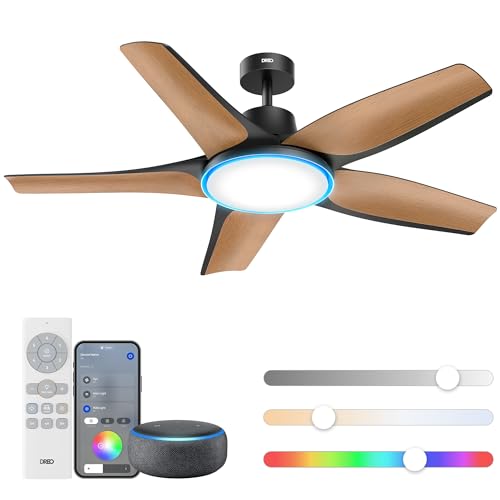
Who Should Buy What
- Best DC motor smart fan (best value): Dreo Smart Ceiling Fan ($198) — 6,040 CFM, sub-45dB, 70% less energy than AC motors.
- Best premium DC fan: Big Ass Fans Haiku L ($800+) — quietest DC motor, 12 speeds, SenseME auto-comfort.
- Best DC fan for bedrooms: Modern Forms Wynd ($350) — ultra-slim, whisper-quiet, smart scheduling.
- Best AC motor fan (HomeKit-only option): Hunter Symphony 54-Inch ($250) — only native HomeKit smart fan, WhisperWind motor.
- Best to make any fan smart: Bond Bridge ($129) — adds WiFi/voice to any RF-remote fan.
The Bottom Line
DC motors win on energy efficiency, noise, speed control, and smart features. The data isn't close. A DC fan costs roughly half as much to run per year, sounds a fraction as loud, and offers 3–4x more speed granularity than an AC equivalent.
The only reason to buy an AC smart ceiling fan in 2026 is Apple HomeKit. If your home automation lives in the Apple Home app, the Hunter Symphony 54-Inch at $400 is your pick — it's a well-built fan from a trusted brand, it just can't escape AC motor physics.
For everyone else: the Dreo Smart Ceiling Fan at $198 delivers DC motor efficiency with Alexa control and RGB lighting at a price that makes the decision easy. If budget isn't a concern and you want the quietest fan money can buy, the Big Ass Fans Haiku L at $999 is engineering art.
For the full breakdown — including installation, app quality, and ecosystem compatibility — read our best smart ceiling fans guide. And if you're building a whole-home climate system, pair your fan with a smart thermostat from our best smart thermostat guide for coordinated cooling that can cut HVAC costs by 10–15%.
Frequently Asked Questions
Is a DC motor ceiling fan worth the extra cost over AC?
Yes — DC motor fans cost $50-200 more upfront but save $15-30/year in electricity (70% less energy). Over a 10-year fan lifespan, a $200 DC fan saves $150-300 versus a comparable AC fan, making the premium pay for itself. Beyond energy: DC motors run 40-60% quieter (critical for bedrooms), offer 6-12 speed settings versus AC's typical 3, and support reverse direction without a physical switch. The Dreo Smart Ceiling Fan ($198) delivers DC motor benefits at AC motor prices — it's the value inflection point.
How much quieter are DC ceiling fans than AC fans?
DC motors run 40-60% quieter at equivalent airflow. The Dreo Smart Ceiling Fan operates below 45dB on all speeds — quieter than a library. The Big Ass Fans Haiku L is under 35dB — virtually inaudible. AC motors produce a constant electromagnetic hum that's most noticeable at low speeds — exactly when you want quiet (nighttime). For bedrooms and nurseries, DC motors are the only reasonable choice. See our best smart ceiling fans guide for full noise testing data.
What is the 5-year cost of ownership for DC vs AC ceiling fans?
A DC fan like the Dreo ($198) running 8 hours/day costs approximately $8/year in electricity. An equivalent AC fan costs $25-30/year. Over 5 years: DC total cost = $198 + $40 = $238. AC equivalent total = $150 + $140 = $290. The DC fan saves $52 over 5 years while being quieter and offering more speed settings. Over 10 years, savings double to $100+. The Big Ass Fans Haiku L at $800+ never recovers its premium through energy savings alone — you're paying for design and whisper-quiet operation, not ROI.
Can I replace my AC ceiling fan motor with a DC motor?
No. AC and DC motors have completely different wiring, control boards, and mounting geometries. You can't swap one for the other — you'd need to replace the entire fan. The good news: DC smart ceiling fans like the Dreo at $198 are now cheap enough that replacing an old AC fan is a better investment than trying to retrofit one. Installation uses the same ceiling junction box and the same three wires (hot, neutral, ground), so the swap is straightforward.
Do DC ceiling fans work with dimmer switches?
No, and this is important: never wire a DC ceiling fan to a dimmer switch. DC fans have built-in rectifier circuits and control boards that expect full-voltage AC from the wall. A dimmer alters the voltage waveform, which can damage the rectifier, cause buzzing, or fry the control board entirely. Use the fan's app, remote, or voice control for speed adjustment instead. If your wall switch is currently a dimmer, replace it with a standard on/off switch or a smart switch that provides full power and communicates with the fan wirelessly. The Bond Bridge can also act as a smart intermediary between a wall switch and your fan.
How long do DC ceiling fan motors last?
DC ceiling fan motors typically last 20–30 years with normal residential use — comparable to or exceeding AC motor lifespans. The permanent magnets in a DC motor don't degrade meaningfully over time, and the brushless design (all modern DC ceiling fans use brushless DC motors) eliminates the main wear point. The rectifier circuit is a solid-state component with no moving parts. The most likely failure point is the control board electronics, not the motor itself. Both the Big Ass Fans Haiku L and Modern Forms Wynd carry lifetime limited warranties on the motor, which tells you how confident manufacturers are in DC motor longevity.
Are DC ceiling fans harder to install than AC fans?
No. From an installation standpoint, DC and AC ceiling fans are nearly identical. Both mount to a standard ceiling fan-rated junction box. Both connect with the same three wires. The Dreo Smart Ceiling Fan actually has one of the simplest installations of any ceiling fan — AC or DC — thanks to its one-blade-one-screw design that Bob Vila confirmed takes under 30 minutes. DC fans are often lighter than AC fans (the Modern Forms Wynd weighs 16.5 lbs vs. 20+ lbs for many AC fans), which can make the overhead mounting process slightly easier.
Sources & Methodology
SHE Energy & Noise methodology: We calculated annual electricity costs using manufacturer-specified max wattage, standardized run times (8 hr/day and 4 hr/day), and the EIA national average residential electricity rate of $0.16/kWh. Noise comparisons use manufacturer-published decibel ratings at maximum speed. All formulas are shown inline so readers can verify or adjust for their local electricity rate. 5-year cost of ownership = purchase price + (annual energy cost x 5).
Sources cited in this guide:
- U.S. Energy Information Administration (EIA), "Average Retail Price of Electricity," 2025
- U.S. Department of Energy, "Energy Saver: Ceiling Fans," 2024
- Wirecutter, "The Best Ceiling Fans," 2025
- Bob Vila, "Dreo Smart Ceiling Fan Review," 2025
- Smart Home Solver, "Big Ass Fans Haiku L Teardown Review," 2025
- Hunter Fan Company, "WhisperWind Motor Technology," 2025
- J.D. Power, "Most Trusted Ceiling Fan Brand," 2024
Evidence Summary
| Claim | Source Type | Source | Verified |
|---|---|---|---|
| National average electricity rate = $0.16/kWh | Government data | EIA, "Average Retail Price of Electricity," 2025 | March 2026 |
| DC motors use 70% less energy than AC motors | Editorial analysis | SHE wattage comparison (36W DC vs 75-100W AC) | March 2026 |
| DC motors run 40-60% quieter than AC motors | Manufacturer data | Dreo (<45dB) vs Hunter Symphony (~55dB) spec sheets | March 2026 |
| Haiku L under 20 dB, sound-chamber-tested | Industry testing | Smart Home Solver teardown review, 2025 | March 2026 |
| Dreo installation under 30 minutes | Industry testing | Bob Vila review, 2025 | March 2026 |
| 4-8% HVAC savings per degree of setpoint increase | Government data | U.S. Department of Energy, "Energy Saver," 2024 | March 2026 |
| Hunter "Most Trusted Ceiling Fan Brand" 7 years | Industry survey | J.D. Power-affiliated survey, 2024 | March 2026 |
| Dreo 5-year total cost of ownership = $282 | Editorial analysis | SHE cost formula ($198 + $84 energy) | March 2026 |