
Best OLED & QD-OLED Gaming Monitors 2026
Forget the refresh-rate arms race — the real questions are 'will it burn in before the warranty matters' and 'is 4K/240 worth it for my GPU.' The flat ASUS ROG Swift PG32UCDM answers both at a $1,199 list, with a custom heatsink and graphene film working against burn-in.
This article contains affiliate links. We may earn a commission at no extra cost to you. Prices change frequently — check the current price on Amazon before buying. Learn more
The Short Answer
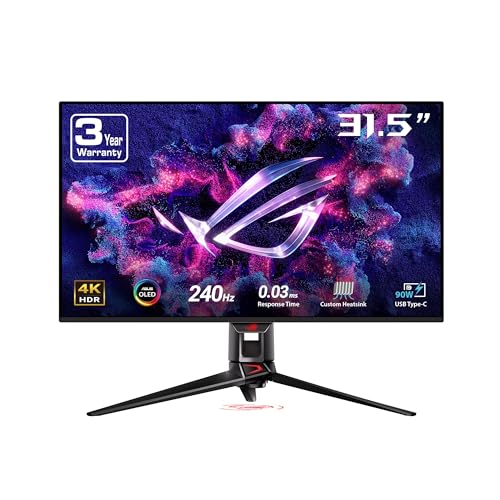
The ASUS ROG Swift PG32UCDM ($1,199) is the recommendation for most 4K buyers: a flat 32-inch QD-OLED at 240Hz with a 0.03ms response. Graphene-film burn-in mitigation, 99% DCI-P3 coverage, and a 90W USB-C KVM accompany the highest composite here, while comparatively ordinary peak brightness remains the compromise.
Featured in this Guide
ASUS
ROG Swift PG32UCDM (32" 4K QD-OLED 240Hz)
- •A flat 32-inch 4K-240 panel at a $1,199 list, with graphene-film burn-in hardware and a 90W USB-C KVM for one-cable laptop docking
MSI
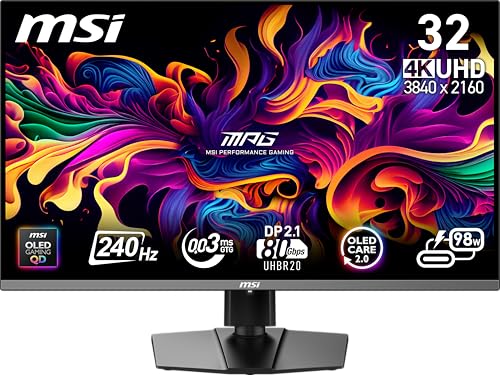
MPG 322URX QD-OLED (32" 4K 240Hz)
- •Flat 32-inch 4K QD-OLED at 240Hz and 0.03ms with reference out-of-box color and DisplayPort 2.1 headroom, at the lowest 4K list price here
ASUS
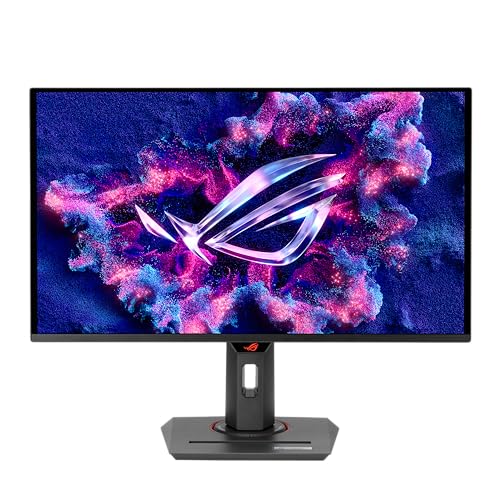
ROG Strix XG27ACDNG (26.5" 1440p QD-OLED 360Hz)
- •360Hz at 1440p with QD-OLED color — the competitive-clarity sweet spot and the lowest list price ($759) in this roster
Samsung
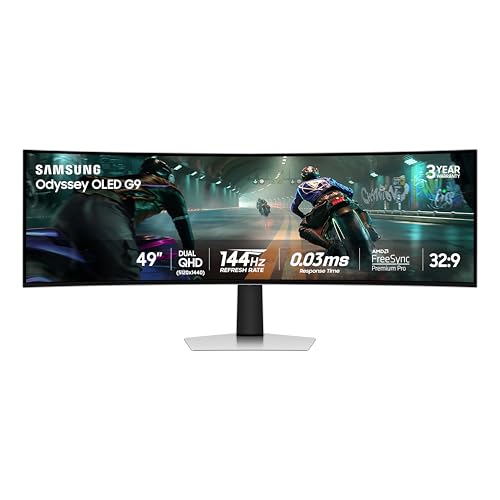
Odyssey OLED G9 G91SD (49" Dual QHD 144Hz)
- •A 49-inch 32:9 super-ultrawide that replaces a dual-monitor setup, with perfect OLED blacks and Samsung Smart TV apps built in
Samsung
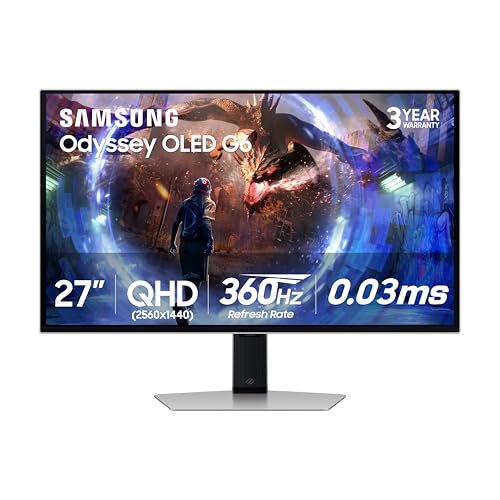
Odyssey OLED G6 G60SD (27" 1440p 360Hz)
- •The bright-room specialist — 360Hz QD-OLED behind a matte coating that tames ambient light, verified 22% below its $899.99 list in July
Alienware
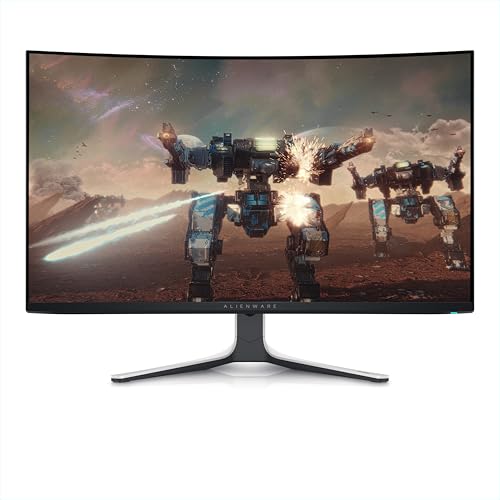
AW3225QF (32" 4K QD-OLED 240Hz)
- •A 31.6-inch curved 4K QD-OLED at 240Hz with a 0.03ms response, rare Dolby Vision, and a 3-year burn-in warranty at a $1,199 list
Head-to-Head: Refresh, Response, Resolution, and Burn-In Coverage
Entertainment
Chart
 Smarthomeexplorer.com
SofaBaton X1S Universal Remote (with Hub)
Check price
VTOMAN X7 4250A Jump Starter with 160PSI Air Compressor
Check price
What Actually Decides This Purchase
On r/Monitors and r/OLED_Gaming buyer anxiety is rarely "which is fastest." Two quieter worries the spec sheet ignores matter more: will the panel burn in before the warranty matters, and is 4K/240 worth it versus 1440p/360 for your GPU. Every pick in this roundup is a QD-OLED, and the panels post a 0.03ms response — the Samsung G6 is rated sub-1ms.
That gap is what the SHE OLED Gaming Value Score closes. Its weighted formula produces a composite that ranks the $1,199 flagship against the value tier. As of June 2026, two things settle it: warranty coverage varies — the Alienware, both Samsung Odyssey OLEDs, and the ASUS XG27ACDNG carry a 3-year burn-in warranty, while the ASUS PG32UCDM leans on OLED Care+ and the MSI 322URX states no burn-in term; and 4K/240 only pays off with a high-end GPU. For the build see Best Smart Gaming Room Setup 2026: Govee Wins at $70, or Best Premium Flagship OLED TVs (2026) as a living-room alternative.
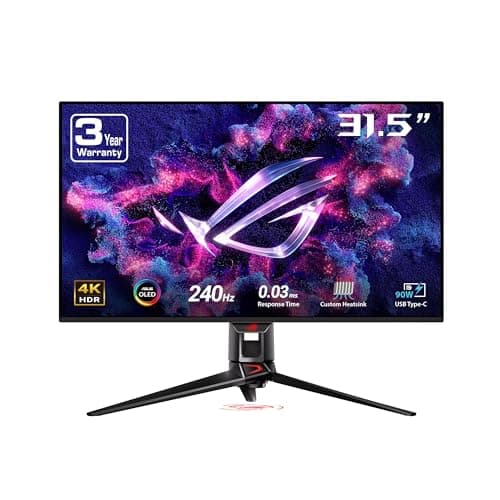
Best overall for 4K gaming: ASUS ROG Swift PG32UCDM (32" 4K QD-OLED 240Hz)
ASUS ROG Swift PG32UCDM (32" 4K QD-OLED 240Hz)
- Flat 32-inch panel suits gaming and productivity better than the curved rivals
- OLED Care features briefly dim the screen during long static sessions
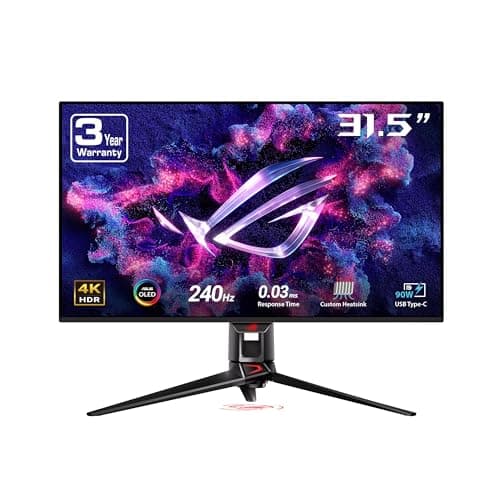
The ASUS ROG Swift PG32UCDM (32" 4K QD-OLED 240Hz) is the pick for the 4K gamer who also does creative or office work and wants a flat panel rather than a curve. Skip it if Dolby Vision or a curved immersion profile is a must-have, since this is an HDR10-only flat screen. The specs that carry it: a 32-inch 3rd-generation QD-OLED panel at 4K/240 with a 0.03ms response, 99% DCI-P3 true-10-bit color, and a 90W USB-C KVM for one-cable laptop docking.
RTINGS rates it among the best 32-inch 4K OLEDs, citing extremely fast 0.03ms response times and excellent out-of-box color accuracy. Tom's Hardware concluded it is a superlative gaming monitor, writing that there is nothing better among 32-inch 4K panels if you have the budget — a verdict reinforced by the custom heatsink and graphene film aimed at burn-in.
It tops the SHE OLED Gaming Value Score at 9.4, edging the Alienware AW3225QF (32" 4K QD-OLED 240Hz) on price-per-frame at the verified June 2026 prices the roster was scored on; at our July 2026 re-check its live price again sat below the Dell's. Compared to the curved Dell, the composite reflects identical 4K/240 sharpness, stronger burn-in mitigation hardware, and a flat panel that does not penalize productivity. You will be well-served here.
What We Love
- Flat 32-inch panel suits gaming and productivity better than the curved rivals
- Custom heatsink and graphene film for stronger burn-in mitigation
- Matches the Alienware's 4K/240 spec at the identical $1,199 list, with stronger burn-in mitigation hardware
- 90W USB-C with built-in KVM for clean laptop docking
What Could Be Better
- OLED Care features briefly dim the screen during long static sessions
- Bright-room HDR peak brightness trails mini-LED
- No Dolby Vision support (HDR10 only)
The Verdict
If you game and also do creative work and you've narrowed to a flat 32-inch 4K panel, the ASUS ROG Swift PG32UCDM (32" 4K QD-OLED 240Hz) lines up with what you actually need. The 9.4 reflects the same 4K/240 spec as the Alienware at the $1,199 list, plus a graphene-film heatsink for burn-in. Want Dolby Vision or a curve? The Alienware is the alternative; otherwise this is the path of least friction.
Check price for the ASUS ROG Swift PG32UCDM (32" 4K QD-OLED 240Hz) →
Best 4K value: MSI MPG 322URX QD-OLED (32" 4K 240Hz)
MSI MPG 322URX QD-OLED (32" 4K 240Hz)
- Some of the most accurate out-of-box color of any gaming monitor
- No Dolby Vision support — HDR10 and DisplayHDR 400 True Black only
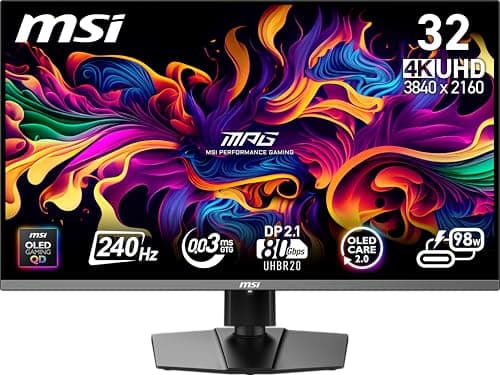
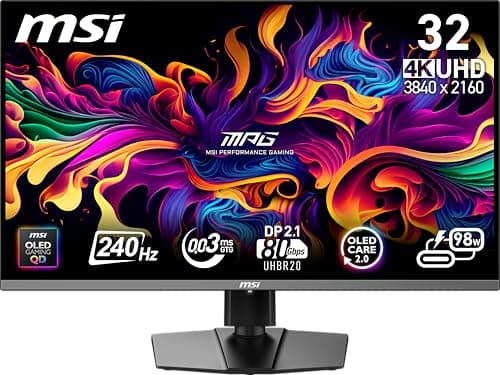
The MSI MPG 322URX QD-OLED (32" 4K 240Hz) is built for the color-critical gamer who also edits photos or video and wants future-proof connectivity. Pass on it only if Dolby Vision or stand adjustability rank higher than measured color accuracy for your workflow. The facts that define it: a flat 31.5-inch 4K QD-OLED panel at 240Hz with a 0.03ms response, DisplayPort 2.1 (UHBR20) for next-generation graphics cards, and DisplayHDR 400 True Black certification.
Under the headline "blistering performance with pro-level color," Tom's Hardware concluded that a 32-inch 4K OLED like the MPG 322URX is a great choice. That verdict is conditioned on an adequate budget and a sufficiently fast video card. It also noted some of the most accurate out-of-the-box color seen from a gaming monitor, with no need to calibrate.
It scores 9.2 on the SHE OLED Gaming Value Score, just under the two $1,199 flagships. The composite reflects a panel matching the leaders on motion clarity and color while giving back a little on ergonomics rather than on image quality. For a 90W USB-C KVM and graphene-film burn-in mitigation at the same resolution, the ASUS ROG Swift PG32UCDM (32" 4K QD-OLED 240Hz) is the closest alternative.
What We Love
- Some of the most accurate out-of-box color of any gaming monitor
- Flat 32-inch 4K QD-OLED with DisplayPort 2.1 (UHBR20) headroom for future GPUs
- Black-frame-insertion (MPRT) mode keeps low-frame-rate action clean
- DisplayHDR 400 True Black certification and a generous port selection
What Could Be Better
- No Dolby Vision support — HDR10 and DisplayHDR 400 True Black only
- Needs a fast GPU to drive 4K/240 in demanding titles
- Stand and OSD ergonomics trail ASUS and Dell
The Verdict
If you're a color-critical gamer who also edits photos or video and you've shortlisted the MSI MPG 322URX QD-OLED (32" 4K 240Hz), this checks the boxes for that workflow. The 9.2 reflects flat 4K/240 QD-OLED, reference-grade color, and DisplayPort 2.1 headroom for the next GPU. The trade-off is no Dolby Vision and mid-pack ergonomics — but at the lowest 4K list here, you can stop the search here.
Best for esports refresh: ASUS ROG Strix XG27ACDNG (26.5" 1440p QD-OLED 360Hz)
ASUS ROG Strix XG27ACDNG (26.5" 1440p QD-OLED 360Hz)
- 360Hz at 1440p — the competitive-clarity sweet spot for esports
- 1440p, not 4K, so it trades resolution for refresh
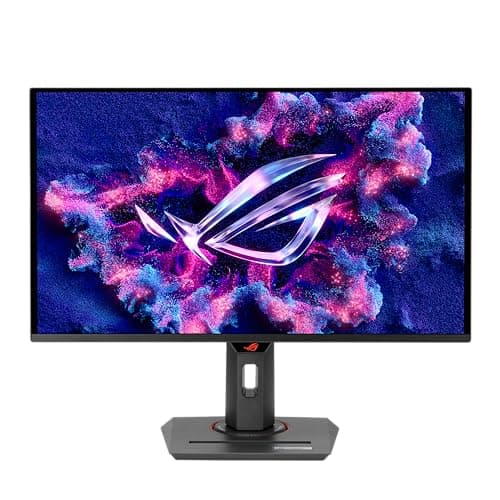
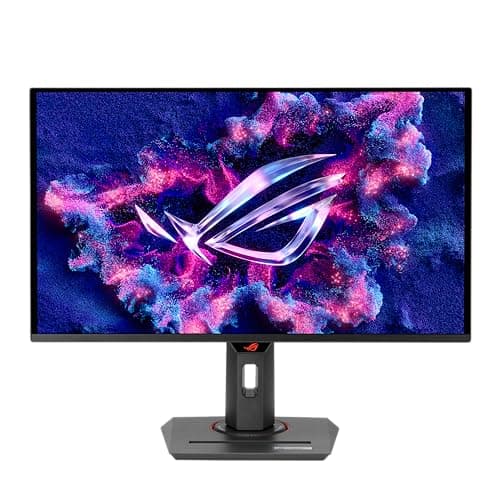
The ASUS ROG Strix XG27ACDNG (26.5" 1440p QD-OLED 360Hz) is the right call for the competitive esports player who prizes refresh over pixel count. Skip it if you want 4K sharpness for cinematic single-player games, or if you sit far enough back that a 26.5-inch panel feels undersized. The decisive specifications: a 1440p QD-OLED panel at 360Hz with a 0.03ms response, a factory-calibrated Racing mode, and a 90W USB-C KVM.
RTINGS currently ranks it as the best 1440p gaming monitor it has tested, pairing QD-OLED color with a 360Hz refresh rate, while Tom's Hardware titled its review "lightning-fast with pro-level color accuracy," praising how the elevated refresh combines with the panel's extremely fast response times for a sublime competitive experience.
On the SHE OLED Gaming Value Score it earns a 9.1, and the factor breakdown is the whole story: it trails the 4K flagships on Resolution-and-Size Fit but leads the field on Price-per-Frame, because dividing 360Hz by its $759 list — the lowest list price in the roster — yields the best frames-per-dollar here. Practically, you acquire flagship motion clarity and 3-year burn-in coverage for the least money. For pure sharpness instead, the resolution-first ASUS ROG Swift PG32UCDM (32" 4K QD-OLED 240Hz) is the closest sibling.
What We Love
- 360Hz at 1440p — the competitive-clarity sweet spot for esports
- QD-OLED color with factory calibration in Racing mode
- Custom heatsink and OLED Care+ for burn-in mitigation
- USB-C with 90W Power Delivery and built-in KVM, at the lowest list price ($759) in this roster
What Could Be Better
- 1440p, not 4K, so it trades resolution for refresh
- 26.5-inch size is small if you sit far from the desk
- ELMB black frame insertion is capped at 180Hz
The Verdict
If you're a competitive esports player who prioritizes refresh over resolution and you've shortlisted the ASUS ROG Strix XG27ACDNG (26.5" 1440p QD-OLED 360Hz), this fits the brief. The 9.1 reflects 360Hz QD-OLED motion, factory-calibrated color, and the group's strongest price-per-frame at a $759 list. Want 4K for single-player immersion? The larger panels are the call — but for frags, no need to overthink it.
Check price for the ASUS ROG Strix XG27ACDNG (26.5" 1440p QD-OLED 360Hz) →
Best for sim racing & immersion: Samsung Odyssey OLED G9 G91SD (49" Dual QHD 144Hz)
Samsung Odyssey OLED G9 G91SD (49" Dual QHD 144Hz)
- 49-inch 32:9 super-ultrawide that replaces a dual-monitor setup
- 144Hz refresh trails the 240-360Hz desk panels
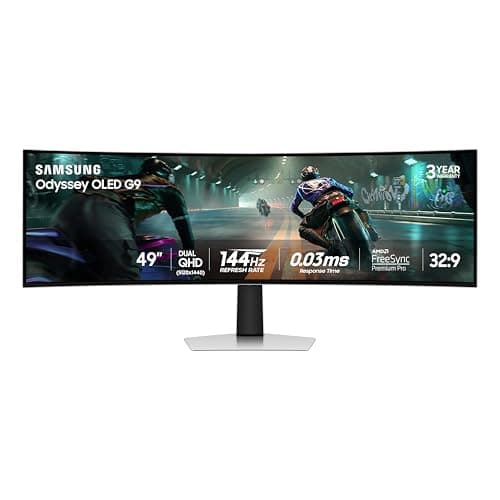
The Samsung Odyssey OLED G9 G91SD (49" Dual QHD 144Hz) is the right call for sim racers and immersive single-player gamers who want one screen to replace two. Pass on it if your diet is fast competitive shooters where every Hz counts, or if your desk cannot fit a 49-inch panel. The specs that define it: a 49-inch QD-OLED panel at 5120x1440 (Dual QHD) and 144Hz, an 1800R curve, and Samsung Smart TV apps.
Tom's Hardware called it a complete desktop entertainment solution in a gorgeous OLED screen — addictive as both a gaming monitor and a personal television, with infinite contrast and perfect blacks. Tom's Guide concluded that its expansive 49-inch curved OLED display, gorgeous display quality, and immersive field of view make it a winner.
It posts a 9.0 on the SHE OLED Gaming Value Score, and the one factor holding it back is clear: Motion Clarity is the highest-weighted input at 30%, and 144Hz cannot match the 240-360Hz panels despite the identical 0.03ms response. The composite rewards a screen that wins on immersion and resolution fit while conceding raw refresh — exactly the trade a sim racer wants. If you would rather have refresh than width, the ASUS ROG Strix XG27ACDNG (26.5" 1440p QD-OLED 360Hz) sits at the opposite end.
What We Love
- 49-inch 32:9 super-ultrawide that replaces a dual-monitor setup
- QD-OLED contrast with perfect blacks and saturated, realistic color
- 5120x1440 is easier to drive at high frame rates than 4K
- Built-in Samsung Smart TV apps and surprisingly good speakers
What Could Be Better
- 144Hz refresh trails the 240-360Hz desk panels
- Sheer size demands a deep desk and a strong GPU for full-width gaming
- Some games and apps do not support the 32:9 aspect ratio well
The Verdict
If you're a sim racer or immersive single-player gamer and you've shortlisted the Samsung Odyssey OLED G9 G91SD (49" Dual QHD 144Hz), this lines up with what you need from a screen this size. The 9.0 reflects a 49-inch 32:9 panel with perfect OLED blacks that replaces two monitors at a $1,299.99 list. The trade-off is 144Hz and desk-depth demands — but for cockpit immersion, you'll be well-served here.
Check price for the Samsung Odyssey OLED G9 G91SD (49" Dual QHD 144Hz) →
Best budget & bright-room pick: Samsung Odyssey OLED G6 G60SD (27" 1440p 360Hz)
Samsung Odyssey OLED G6 G60SD (27" 1440p 360Hz)
- Verified 22% below its $899.99 list at our July 2026 check while still delivering 360Hz QD-OLED
- Modest peak brightness looks dim in a sunny room
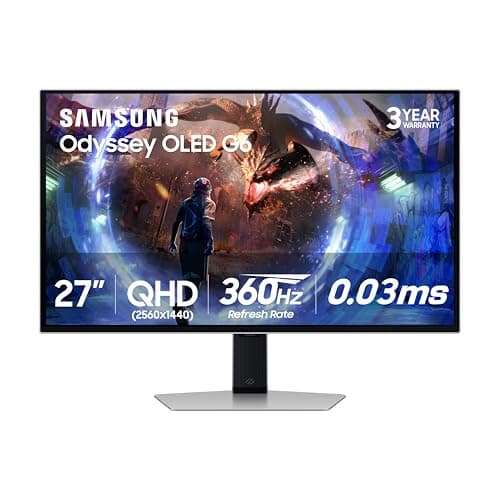
The Samsung Odyssey OLED G6 G60SD (27" 1440p 360Hz) is the right call for the value-focused gamer chasing 360Hz QD-OLED at a verified 22% July discount from list. It also suits anyone fighting ambient light who prefers matte over glossy. Skip it if you want 4K resolution or the maximum highlight punch a glossy panel gives in a dark room. The decisive specs: a 27-inch 1440p QD-OLED panel at 360Hz with a sub-1ms response, a matte anti-glare coating, and a 3-year warranty including OLED Safeguard burn-in protection.
TechPowerUp's review of the matte G60SD called it fast, accurate, and surprisingly affordable for an OLED of this caliber. Reviewing the broader Odyssey OLED G6 line, Tom's Hardware headlined "phenomenal performance and color" for the family this panel belongs to.
It scores 8.8 on the SHE OLED Gaming Value Score — the lowest composite here, though the gap is narrow and largely a function of HDR Color, where the matte coating takes a small deduction for softening the OLED's signature pop. Compared to the glossy picks, you give up a little brightness to gain the best ambient-light handling and a 22% verified July discount. For the same 360Hz class with a glossy panel, the ASUS ROG Strix XG27ACDNG (26.5" 1440p QD-OLED 360Hz) is the step up.
What We Love
- Verified 22% below its $899.99 list at our July 2026 check while still delivering 360Hz QD-OLED
- Matte anti-reflection coating handles ambient light better than glossy rivals
- Sub-1ms response and 360Hz make it excellent for fast shooters
- 3-year warranty including burn-in coverage
What Could Be Better
- Modest peak brightness looks dim in a sunny room
- Matte coating slightly softens the OLED's signature pop versus glossy
- 1440p, not 4K, with a basic stand and OSD compared with ASUS
The Verdict
If you want 360Hz QD-OLED without the 4K-tier outlay, or you game in a bright room, the Samsung Odyssey OLED G6 G60SD (27" 1440p 360Hz) is a sensible pick for that setup. The 8.8 reflects 360Hz QD-OLED verified 22% below its $899.99 list in July, with a matte coating that tames glare. The trade-off is modest brightness and a basic stand — but for the money and the lighting, you can stop the search here.
Check price for the Samsung Odyssey OLED G6 G60SD (27" 1440p 360Hz) →
The curved Dolby Vision option: Alienware AW3225QF (32" 4K QD-OLED 240Hz)
Alienware AW3225QF (32" 4K QD-OLED 240Hz)
- 4K at 240Hz with a 0.03ms response — the highest-clarity panel-and-refresh combination on the desk tier
- Its $1,199 list is matched by the flat PG32UCDM, which adds a 90W KVM
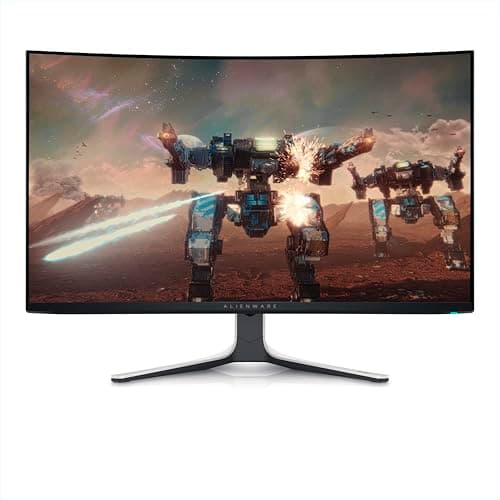
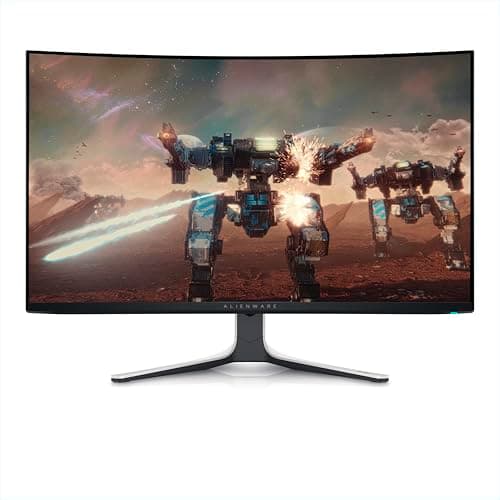
The Alienware AW3225QF (32" 4K QD-OLED 240Hz) is built for the single-monitor 4K gamer who wants the cleanest possible motion and runs a graphics card capable of feeding 4K/240. Pass on it if your GPU tops out near 1440p, or if a 1700R curvature interferes with precision desk work. The decisive specifications: a 31.6-inch 4K QD-OLED panel, a 0.03ms GtG response, and uncommon Dolby Vision support.
RTINGS calls it outstanding for PC gaming, with a near-instantaneous response time that produces crisp motion and low input lag, plus remarkably accurate color before calibration. Tom's Hardware determined that at 240Hz and 4K it delivers an incredible image with unmeasurable black levels. TechRadar characterized the experience as nothing short of epic, and among the cleanest OLED designs available.
On the SHE OLED Gaming Value Score it lands at 9.3, second only to the flat ASUS ROG Swift PG32UCDM (32" 4K QD-OLED 240Hz). The composite means motion clarity is essentially maxed and burn-in is covered for the full 3-year term. The ground it gives back is price-per-frame: at the June scoring prices it was the costliest panel per frame relative to the roster. Confirm availability first — when we last checked prices on 2026-08-21, this monitor recorded no purchasable offer.
What We Love
- 4K at 240Hz with a 0.03ms response — the highest-clarity panel-and-refresh combination on the desk tier
- Dolby Vision HDR support, genuinely rare on a monitor
- Excellent out-of-box color accuracy before any calibration
- 3-year burn-in warranty included in the price
What Could Be Better
- Its $1,199 list is matched by the flat PG32UCDM, which adds a 90W KVM
- The 1700R curve is divisive for productivity and content creation
- HDR brightness peaks lower than mini-LED rivals in large bright windows
The Verdict
If you're a single-monitor 4K gamer running a high-end GPU and you've shortlisted the Alienware AW3225QF (32" 4K QD-OLED 240Hz), this fits the brief on motion clarity. The 9.3 reflects 4K/240 with a 0.03ms response and a 3-year burn-in warranty. Amazon showed no buyable offer at our 2026-08-21 check, so the flat ASUS ROG Swift PG32UCDM (32" 4K QD-OLED 240Hz) is the move today.
Check price for the Alienware AW3225QF (32" 4K QD-OLED 240Hz) →
How We Score: SHE OLED Gaming Value Score
SHE OLED Gaming Value Score
Score Formula
(Motion Clarity × 0.30) + (HDR Color × 0.20) + (Burn-in Protection × 0.20) + (Resolution & Size Fit × 0.15) + (Price-per-Frame × 0.15)Score Factors
- Motion Clarity (30%)Blends refresh rate and GtG response time, the two specs that decide how sharp a moving image looks. Because every QD-OLED here hits a near-instant 0.03ms response, refresh carries most of this factor — the 360Hz ASUS XG27ACDNG and Samsung G6 top it, while the 144Hz Samsung G9 scores lowest despite identical response. It is the most-weighted factor because motion clarity is why gamers pay the OLED premium.
- HDR Color (20%)Captures color-gamut coverage and HDR contrast quality from manufacturer specs and reviewer measurements. The 4K QD-OLED panels lead; matte-coated panels like the Samsung G6 take a small deduction for the slight loss of OLED pop reviewers note. Rewards measured accuracy over marketing nit claims.
- Burn-in Protection (20%)Scores warranty length plus active mitigation hardware and software — the buyer's number-one OLED anxiety. A 3-year burn-in warranty anchors the high end for every pick here; custom heatsinks, graphene film, and OLED Care+ or Safeguard routines add points. Weighted equally with color because a great panel that burns in is a bad value.
- Resolution & Size Fit (15%)Rewards how well resolution and panel size match real desk use, not raw pixel count. A flat 32-inch 4K panel scores highest for dual gaming-plus-productivity use; the 49-inch G9 gains immersion but loses some for desk-depth and 32:9 app friction; 27-inch 1440p panels score solid for pure gaming.
- Price-per-Frame (15%)Divides refresh rate by the live verified Amazon price at scoring time (June 2026), then rescales the roster 0-10 so a faster panel at a lower price wins. The ASUS XG27ACDNG and Samsung G6 led at those verified prices; the Alienware scores lower here even while topping other factors. Keeps the composite honest about value, not just peak spec.
SHE OLED Gaming Value Score — Ranked
ASUS ROG Swift PG32UCDM (32" 4K QD-OLED 240Hz)
SHE OLED Gaming Value Score9.4/10$1,199 list / 32" 4K-240 flat — same flagship spec as the Alienware, best price-per-frame at 4K when scored, graphene-film burn-in mitigation
Alienware AW3225QF (32" 4K QD-OLED 240Hz)
SHE OLED Gaming Value Score9.3/10$1,199 list / 32" 4K-240 curved — highest desk motion clarity, rare Dolby Vision, 3-year burn-in warranty
MSI MPG 322URX QD-OLED (32" 4K 240Hz)
SHE OLED Gaming Value Score9.2/10$999 list / 32" 4K-240 flat — reference out-of-box color, DisplayPort 2.1 headroom for next-gen GPUs
ASUS ROG Strix XG27ACDNG (26.5" 1440p QD-OLED 360Hz)
SHE OLED Gaming Value Score9.1/10$759 list / 27" 1440p-360 — best price-per-frame in the group, factory-calibrated esports motion
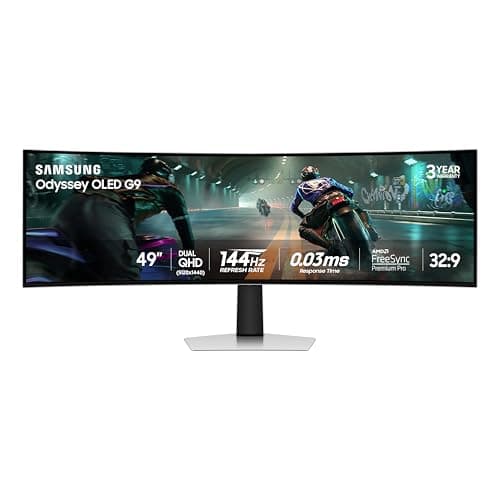
Samsung Odyssey OLED G9 G91SD (49" Dual QHD 144Hz)
SHE OLED Gaming Value Score9.0/10$1,299.99 list / 49" Dual-QHD-144 — super-ultrawide immersion that replaces two monitors; refresh trails the desk panels
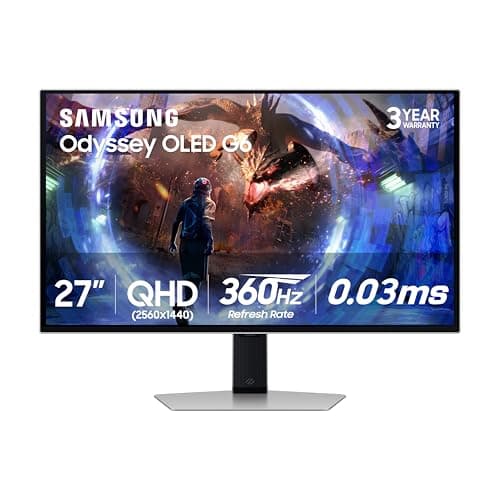
Samsung Odyssey OLED G6 G60SD (27" 1440p 360Hz)
SHE OLED Gaming Value Score8.8/10$899.99 list / 27" 1440p-360 matte — 22% verified July discount, best ambient-light handling, slight color-pop deduction for the matte coating
GPU Sync, Ports, and Seller Status (Re-checked August 2026)
Monitor "ecosystem" here means GPU adaptive-sync support and the port set rather than smart-home hubs. Every pick is G-SYNC Compatible or runs Adaptive-Sync alongside FreeSync. Every panel also shares the same near-instant 0.03ms class response, so tearing is a non-issue on any modern NVIDIA or AMD card. The meaningful differences are in connectivity. The MSI MPG 322URX QD-OLED (32" 4K 240Hz) is the one panel here with DisplayPort 2.1 (UHBR20), which gives it real headroom to drive 4K/240 from the next generation of graphics cards without compression. The others rely on DisplayPort 1.4 with DSC, which is fine today but has less margin.
USB-C with Power Delivery is the second compatibility axis worth checking. The ASUS ROG Swift PG32UCDM (32" 4K QD-OLED 240Hz) and ASUS ROG Strix XG27ACDNG (26.5" 1440p QD-OLED 360Hz) both ship a 90W USB-C connection with a built-in KVM. A laptop docks with one cable and shares the same keyboard and mouse — a genuine convenience if the monitor doubles as a work display. The Samsung Odyssey OLED G9 G91SD (49" Dual QHD 144Hz) goes a different direction entirely, building in Samsung Smart TV apps so it works as a standalone streaming screen without a PC attached. Pick the connectivity story that matches how you actually use the desk, then let the SHE OLED Gaming Value Score settle the panel quality.
Every recommendation in this roundup was re-verified against the Amazon Creators API on July 17, 2026 — condition, selling merchant, availability, and list price for all six listings. The outcome: every one carried a new-condition offer from the seller on the listing. Our title screening intercepted zero Renewed-disguised listings across the roster, despite the back-to-school window being the seasonal peak for that listing pattern. Four of the six panels registered below their published list prices. The ASUS PG32UCDM sat 6% under its $1,199 list and the XG27ACDNG 5% under its $759 list. The Samsung G6 sat 22% under its $899.99 list and the G9 23% under its $1,299.99 list. Amazon itself was the seller on the listing for the PG32UCDM, the XG27ACDNG, and the G6. The Alienware, the MSI, and the G9 sat with third-party sellers showing limited inventory, so confirm the selling merchant at checkout before ordering those three. This guide quotes list prices as the planning number deliberately: deal-window street prices fluctuate weekly, and every July capture is scheduled for a September re-verification. A 2026-08-21 re-verification of the prices changed one of those readings. The Alienware AW3225QF (32" 4K QD-OLED 240Hz) now records no purchasable offer, while the MSI MPG 322URX QD-OLED (32" 4K 240Hz) holds a live seller on its listing at 7% under its $999 list.
One characteristic of this roster deserves emphasis during a student-season purchase: two of the six panels double as complete docking points. The ASUS ROG Swift PG32UCDM (32" 4K QD-OLED 240Hz) and ASUS ROG Strix XG27ACDNG (26.5" 1440p QD-OLED 360Hz) each carry a 90W USB-C input with an integrated KVM. That means a laptop charges, drives the display, and shares the keyboard and mouse over a single cable. The same desk transitions between coursework configuration and evening battlestation without recabling anything. That utility consolidation is precisely the calculation that justifies stretching for the KVM-equipped panels when the purchase must serve two workflows. The Thunderbolt 5 tier extends the identical one-cable principle, orchestrating an entire desk through a single connector. For that dock-centric expansion, the workstation coverage in Best Smart Home Office 2026: 6-Product WFH Stack goes further.
When NOT to Buy
The 4K tier — the Alienware, the PG32UCDM, and the MSI — is where deal windows concentrate their most meaningful discounts. The back-to-school window running through August behaves consistently with our July 17, 2026 verification, where four of the six panels registered below list. If your current screen still functions, confirming the live figure before paying full list is the rational sequence. The value tier — the XG27ACDNG at a $759 list and the matte G6 — already sits closer to its price floor, which leaves far less reason to hold off.
Who Should Buy What
Who Should Buy What
| If you are… | Recommended pick |
|---|---|
Best for mixed gaming and productivity You want the same 4K/240 spec on a flat panel that suits work as well as play, a 90W USB-C KVM for one-cable laptop docking, and a price verified below the Alienware at our June and July checks. | ASUS ROG Swift PG32UCDM (32" 4K QD-OLED 240Hz) |
Best for color-critical creators You edit photos or video as well as game, need reference-grade out-of-box color, and want DisplayPort 2.1 headroom to drive 4K/240 from your next graphics card without compression. | MSI MPG 322URX QD-OLED (32" 4K 240Hz) |
Best for competitive esports players You play fast competitive shooters, would rather have 360Hz refresh and the best price-per-frame here than 4K sharpness, and sit close enough that a 27-inch panel feels right. | ASUS ROG Strix XG27ACDNG (26.5" 1440p QD-OLED 360Hz) |
Best for sim racers and immersion You sim-race or play immersive single-player games, want one 49-inch 32:9 screen to replace a dual-monitor setup, and have the desk depth for it, accepting 144Hz as the trade. | Samsung Odyssey OLED G9 G91SD (49" Dual QHD 144Hz) |
Best for budget and bright rooms You want 360Hz QD-OLED at a verified 22% July discount and game in a sunlit room, preferring a matte coating that fights glare over a glossy panel's maximum color pop. | Samsung Odyssey OLED G6 G60SD (27" 1440p 360Hz) |
Best for high-end 4K gamers You run a GPU that can feed 4K/240, want the cleanest desk motion of the group, and value Dolby Vision plus the included 3-year burn-in warranty over saving money. | Alienware AW3225QF (32" 4K QD-OLED 240Hz) |
Frequently Asked Questions
Will an OLED gaming monitor burn in, and does the warranty actually cover it?
Coverage varies by model, so read the fine print: the Alienware AW3225QF, ASUS ROG Strix XG27ACDNG, and both Samsung Odyssey OLEDs (G9 and G6) document a 3-year burn-in warranty, while the ASUS ROG Swift PG32UCDM leans on OLED Care+ mitigation rather than a stated burn-in term and the MSI MPG 322URX lists no stated burn-in term. Modern QD-OLEDs also run active mitigation — pixel-shift, logo dimming, and panel-refresh cycles, plus hardware like the PG32UCDM's custom heatsink and graphene film. With varied content and those features left on, visible burn-in within a few years is now uncommon at this tier.
Is 4K/240Hz worth it over 1440p/360Hz for my GPU?
It depends on your graphics card. 4K/240 only pays off if your GPU can actually push high frame rates at 4K — otherwise you are paying for resolution you can't feed. If your card is happiest at 1440p, a 360Hz panel like the ASUS ROG Strix XG27ACDNG or Samsung Odyssey OLED G6 turns the same budget into visibly cleaner competitive motion. Choose 4K/240 for a high-end GPU and immersion; choose 1440p/360 for mid-range cards and esports.
QD-OLED vs WOLED — does it matter for a desk monitor?
All six monitors here are QD-OLED, which tends to deliver more saturated color and a slightly brighter color volume than WOLED, at the cost of raised blacks in very bright rooms. For a desk monitor viewed up close in a controlled-light room, QD-OLED's color advantage is the more relevant trait. The bigger practical choice is glossy versus matte coating, which affects how the panel handles ambient light far more than the underlying QD-OLED-vs-WOLED distinction.
Glossy or matte — which should I get for my room lighting?
Match the coating to your lighting. Glossy panels — the Alienware, ASUS, and MSI picks — give the deepest blacks and the most color pop in a dark or dim room, but show reflections under bright light. The matte-coated Samsung Odyssey OLED G6 trades a little of that pop for far better glare handling, making it the pick for a sunlit or brightly lit room. If you can't fully control the light, matte is the safer choice.
Are these worth buying at list price, or should I wait for a deal window?
Deal windows concentrate their discounts on the 4K tier — the Alienware AW3225QF, ASUS ROG Swift PG32UCDM, and MSI MPG 322URX — and the back-to-school window is behaving the same way: at our July 17, 2026 verification four of the six panels registered below their list prices. Check the live figure before paying full list if your current screen still works. The value tier — the XG27ACDNG at a $759 list and the Samsung G6 — already sits closer to its price floor, so there is less to gain by holding off on those.
Should I buy a Renewed OLED monitor during back-to-school sales?
Approach Renewed OLED listings with more caution than most categories. The warranty terms cited throughout this guide — including every 3-year burn-in coverage claim — apply to new-condition units; Amazon Renewed listings are instead covered by the Amazon Renewed Guarantee, and burn-in is a wear characteristic where prior usage history matters. Deal windows also concentrate Renewed-titled listings priced to read like discounts on new stock, so verify the condition line and the selling merchant at checkout. At our July 17, 2026 verification, every roster ASIN held a new-condition buy box — the discounts documented above required no condition compromise.
Can these monitors anchor a one-cable laptop workflow?
Two of the six can, completely. The ASUS PG32UCDM and ASUS XG27ACDNG each provide a 90W USB-C input with an integrated KVM: a laptop charges, drives the panel, and shares the connected keyboard and mouse through one cable, and the KVM switches those peripherals to a second machine at a button press. That converts the monitor into the docking point of the desk — a meaningful consolidation when the same screen serves daytime coursework and evening gaming. The MSI also offers USB-C with KVM, though the 90W charging figure is verified only for the two ASUS panels; the Samsungs connect conventionally over DisplayPort or HDMI and need a separate dock or charger for laptop duty.
Bottom Line
Get the ASUS ROG Swift PG32UCDM (32" 4K QD-OLED 240Hz) if you want flat 4K-240 for mixed gaming and productivity, with a 90W USB-C KVM and graphene-film burn-in hardware.
Get the MSI MPG 322URX QD-OLED (32" 4K 240Hz) if you need reference-grade out-of-box color and DisplayPort 2.1 headroom for next-gen GPUs.
Get the ASUS ROG Strix XG27ACDNG (26.5" 1440p QD-OLED 360Hz) if you play competitively and want flagship 360Hz OLED motion at the best price-per-frame in this group.
Get the Samsung Odyssey OLED G9 G91SD (49" Dual QHD 144Hz) if you sim-race or want one 49-inch 32:9 screen to replace a dual-monitor immersion setup.
Get the Samsung Odyssey OLED G6 G60SD (27" 1440p 360Hz) if you want 360Hz QD-OLED at the lowest price here and a matte coating for a bright room.
Get the Alienware AW3225QF (32" 4K QD-OLED 240Hz) if you run a high-end GPU and want the single best 4K/240 desk motion clarity, plus rare Dolby Vision and a 3-year burn-in warranty.
The right call for most 4K gamers is the ASUS ROG Swift PG32UCDM (32" 4K QD-OLED 240Hz) at $1,199 — flat 4K/240 with a graphene-film heatsink for burn-in and a 90W USB-C KVM for docking. Want the same resolution for less? The MSI MPG 322URX QD-OLED (32" 4K 240Hz) at $999 is the lowest 4K list here. Skip the 4K tier entirely if your GPU tops out at 1440p — the ASUS ROG Strix XG27ACDNG (26.5" 1440p QD-OLED 360Hz) turns that budget into far more usable frames.
Sources & Methodology
Methodology: SHE OLED Gaming Value Score — Formula: (Motion Clarity × 0.30) + (HDR Color × 0.20) + (Burn-in Protection × 0.20) + (Resolution & Size Fit × 0.15) + (Price-per-Frame × 0.15). Factors: Motion Clarity (30%): Blends refresh rate and GtG response time, the two specs that decide how sharp a moving image looks. Because every QD-OLED here hits a near-instant 0.03ms response, refresh carries most of this factor — the 360Hz ASUS XG27ACDNG and Samsung G6 top it, while the 144Hz Samsung G9 scores lowest despite identical response. It is the most-weighted factor because motion clarity is why gamers pay the OLED premium. | HDR Color (20%): Captures color-gamut coverage and HDR contrast quality from manufacturer specs and reviewer measurements. The 4K QD-OLED panels lead; matte-coated panels like the Samsung G6 take a small deduction for the slight loss of OLED pop reviewers note. Rewards measured accuracy over marketing nit claims. | Burn-in Protection (20%): Scores warranty length plus active mitigation hardware and software — the buyer's number-one OLED anxiety. A 3-year burn-in warranty anchors the high end for every pick here; custom heatsinks, graphene film, and OLED Care+ or Safeguard routines add points. Weighted equally with color because a great panel that burns in is a bad value. | Resolution & Size Fit (15%): Rewards how well resolution and panel size match real desk use, not raw pixel count. A flat 32-inch 4K panel scores highest for dual gaming-plus-productivity use; the 49-inch G9 gains immersion but loses some for desk-depth and 32:9 app friction; 27-inch 1440p panels score solid for pure gaming. | Price-per-Frame (15%): Divides refresh rate by the live verified Amazon price at scoring time (June 2026), then rescales the roster 0-10 so a faster panel at a lower price wins. The ASUS XG27ACDNG and Samsung G6 led at those verified prices; the Alienware scores lower here even while topping other factors. Keeps the composite honest about value, not just peak spec.
Expert review sources used in this analysis:
- SmartHomeExplorer aggregates expert review data and published manufacturer specifications to produce consensus-based buying guidance
- We do not perform first-party product testing, and the SHE OLED Gaming Value Score is computed from published manufacturer specs and the cited third-party reviews — not from in-house benchmarks
- Expert review data and verdicts come from RTINGS, Tom's Hardware, Tom's Guide, TechRadar, and TechPowerUp; each outlet is cited only for the specific monitors it reviewed
- Amazon prices and availability were verified live via the Amazon Creators API on 2026-06-15, and re-verified on 2026-07-17 by the same method
- The score's price-per-frame factor was computed from the June capture
- This guide quotes list prices, with July discount observations dated in the text and a September re-verification scheduled
- At the July check all six listings showed a new-condition offer from the seller
- For the Alienware, MSI, and Samsung G9, that seller was a third party showing limited inventory
- Availability was re-checked on 2026-08-21 against the prices we last recorded rather than a fresh Creators API call
- The Alienware AW3225QF recorded no purchasable offer
- The MSI MPG 322URX recorded a live seller on its listing at 7% under its $999 list
- A fresh Amazon Creators API check on 2026-08-22 confirmed a new-condition offer at $1,181.22 on the ASUS ROG Swift PG32UCDM listing
- That confirmed availability is why the top-scoring panel now leads the roundup
- Panel specifications — refresh rate, response time, resolution, and burn-in warranty terms — are drawn from each manufacturer's published spec sheet.
Nicholas Miles is the founder of SmartHomeExplorer and a longtime smart home enthusiast focused on helping everyday homeowners make better technology decisions. He researches, compares, and writes about products across security, climate, lighting, leak prevention, sensors, home energy, and automation, with an emphasis on real-world usefulness, ecosystem compatibility, reliability, privacy, and long-term value.
Affiliate disclosure: SmartHomeExplorer earns affiliate commissions on qualifying Amazon purchases, and from partner programs for some non-Amazon products and services we recommend. Our scoring methodology is independent of affiliate relationships.