
Best Premium Ultrawide & 5K Productivity Monitors 2026
The Dell U4025QW ($1,899) wins overall — 5K2K at 120Hz with 140W charging. The real decision here is the dock, not the panel.
This article contains affiliate links. We may earn a commission at no extra cost to you. Prices change frequently — check the current price on Amazon before buying. Learn more
The Short Answer
Buy the Dell U4025QW ($1,899): its 5K2K-at-120Hz panel, 140W single-cable charging, and integrated KVM constitute a configuration no competing ultrawide replicates. The tradeoffs are considerable cost and an enormous footprint, and budget buyers may prefer the LG 40WP95C-W ($1,499.99), an equivalent canvas at 72Hz.
Featured in this Guide
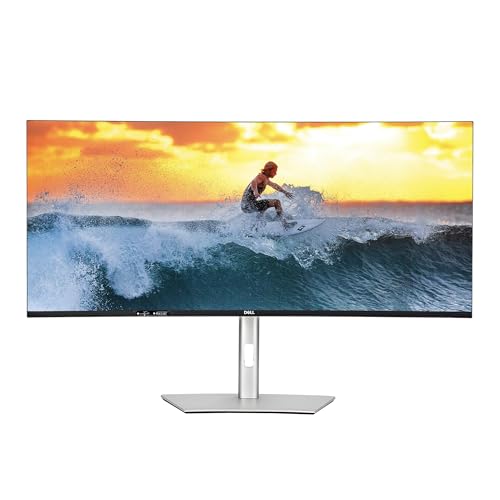
Dell
UltraSharp U4025QW 40" 5K2K Curved Thunderbolt Hub Monitor
- •5,120 x 2,160 across 40 inches at 120Hz with a 140W Thunderbolt hub — the most canvas-and-dock here
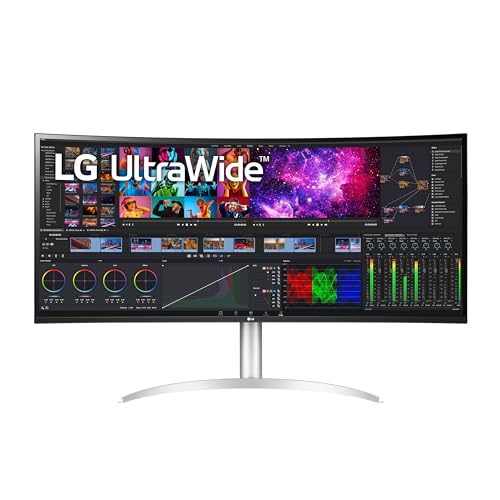
LG
40WP95C-W 40" 5K2K Curved Nano IPS UltraWide Monitor
- •The same 5K2K curved canvas as the Dell for roughly $400 less if you can live with 72Hz
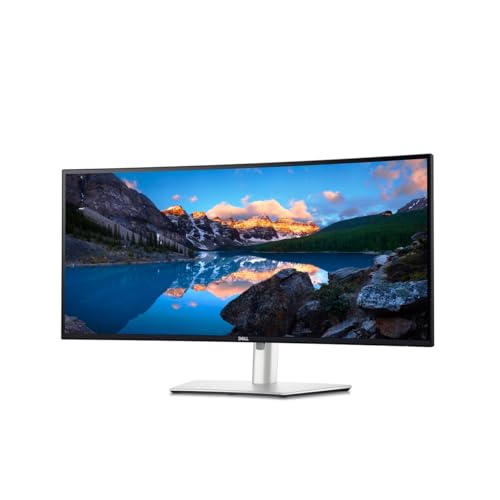
Dell
UltraSharp U3425WE 34" Curved Thunderbolt Hub Monitor
- •34-inch WQHD IPS Black with 120Hz, 90W charging, and a built-in KVM at the lowest flagship price
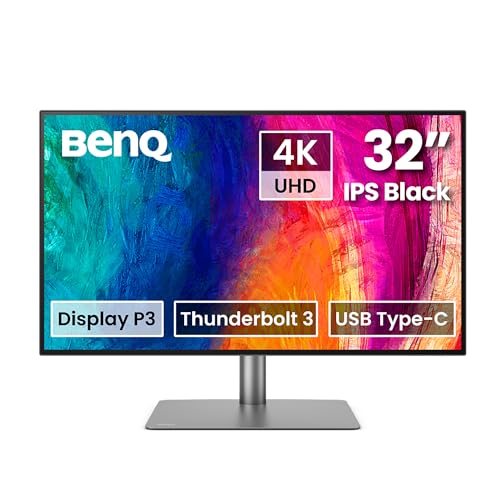
BenQ
PD3225U 32" 4K IPS Black Thunderbolt Designer Monitor
- •32-inch 4K IPS Black, Delta E under 2 out of the box, Thunderbolt with KVM — color work at $849 list
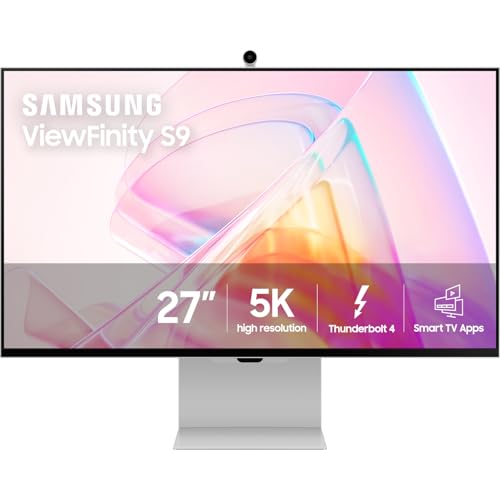
Samsung
27" ViewFinity S9 5K Smart Monitor (LS27C900PANXZA)
- •27-inch 5K at 218 ppi with a matte panel and HDR — Studio Display sharpness without the Apple tax
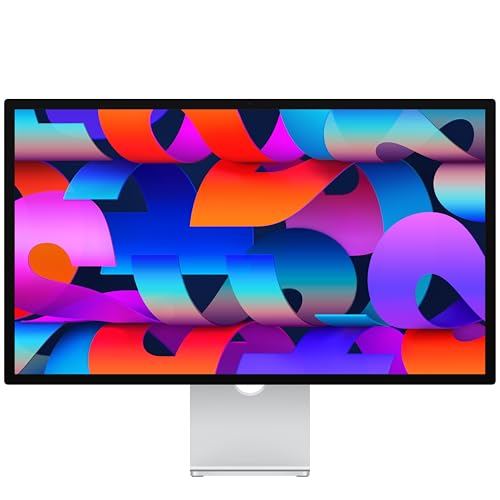
Apple
Studio Display 27" 5K (Standard Glass, Tilt-Adjustable Stand)
- •Effortless plug-and-play 5K with the best built-in speakers and camera here for an all-Apple setup
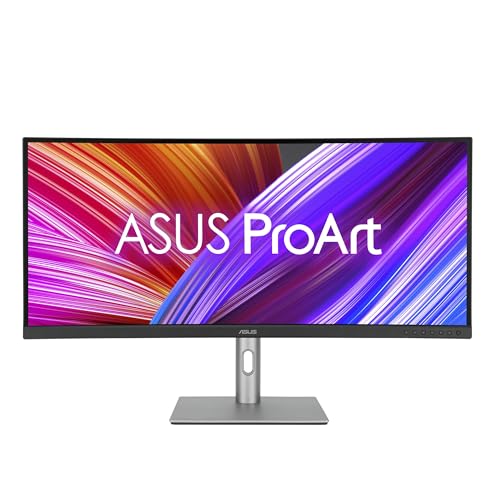
ASUS
ProArt PA34VCNV 34" Curved Ultrawide Professional Monitor
- •Calman Verified WQHD with a ~0.65 Delta E and 96W USB-C docking at $599 list — the entry price here
Head-to-Head: Density, Docking, Color, and Refresh
Office
Chart
 Smarthomeexplorer.com
Traeger Ironwood 885
Check price
Ooni Volt 2
Check price
Schlage Encode Plus
Check price
Amazon eero Max 7 Mesh WiFi System (3-Pack)
Check price
Amazon eero Max 7 Mesh WiFi System (2-Pack)
Check price
PETKIT Purobot Ultra
Check price
The Dock Is the Decision, Not the Panel
The loudest regret across r/ultrawidemasterrace and r/macsetups isn't the screen — it's docking reality across 8 hours at the desk. The Dell UltraSharp U4025QW 40" 5K2K Curved Thunderbolt Hub Monitor delivers 140W of charging, about 1.6x the BenQ PD3225U 32" 4K IPS Black Thunderbolt Designer Monitor's 85W: a high-draw laptop that stays charged versus one that slowly drains. Its 120Hz panel also runs 2x the refresh of the 60Hz field. The LG 40WP95C-W 40" 5K2K Curved Nano IPS UltraWide Monitor runs native resolution at merely 30 fps over HDMI, requiring Thunderbolt to reach full refresh. The display panel itself is rarely the limitation; the docking implementation invariably is.
So settle three questions first: wattage relative to your laptop's draw, whether native resolution runs at full refresh over one cable, and whether the hub has the KVM you need. These are productivity panels, not the Best OLED & QD-OLED Gaming Monitors 2026 class.
We didn't bench-test these. The SHE Productivity Canvas Score is a weighted, normalized composite of cited measurements from PCWorld, TechRadar, RTINGS, and Tom's Guide, verified June 2026.
Best overall / largest workspace: Dell UltraSharp U4025QW 40" 5K2K Curved Thunderbolt Hub Monitor
Dell UltraSharp U4025QW 40" 5K2K Curved Thunderbolt Hub Monitor
- 5K2K IPS Black at 120Hz — a combination no other ultrawide currently matches
- Very expensive — typically $1,700-1,900 street, MSRP near $2,400
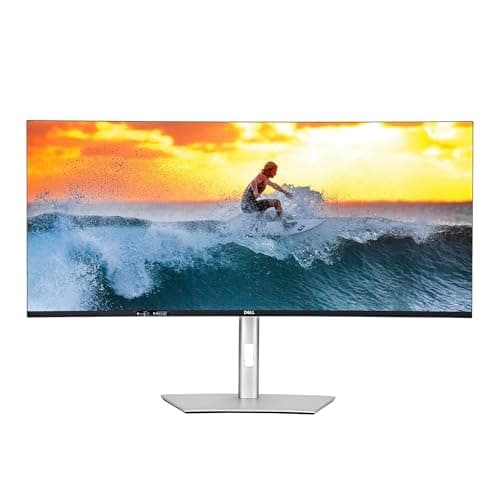
The Dell UltraSharp U4025QW 40" 5K2K Curved Thunderbolt Hub Monitor is the right call for the power multitasker who wants the biggest sharp canvas money buys and treats a single-cable dock as non-negotiable. Pass if your desk can't absorb a 40-inch curve or if true HDR for grading is a hard requirement — this is edge-lit, not mini-LED. The decision-critical facts: 5K2K at 140 ppi, a 120Hz refresh rate, and up to 140W of Thunderbolt 4 charging.
The panel and dock reinforce each other. RTINGS describes it as a 5K monitor with an incredible amount of connectivity, phenomenal colors, and a 120Hz refresh rate for buttery-smooth productivity — 2x the 60Hz of the calibrated panels here. That 140W delivery is the highest in the field, about 1.6x the BenQ PD3225U 32" 4K IPS Black Thunderbolt Designer Monitor's 85W, which yields a charged laptop under load rather than a draining one. TechRadar calls it a phenomenal ultrawide and an excellent choice for anyone who needs a large, versatile display despite the hefty price tag; PCWorld frames it as an obvious pick for those willing to pay for a flagship office monitor with future-proof connectivity. The honest caveats are the desk footprint and weak HDR — neither changes the verdict for the buyer this monitor is built for.
What We Love
- 5K2K IPS Black at 120Hz — a combination no other ultrawide currently matches
- Delta E under 2 factory calibration with 99% DCI-P3 and 100% sRGB out of the box
- Thunderbolt 4 hub delivers up to 140W charging plus a deep downstream port array
- Built-in KVM lets one keyboard and mouse drive two connected PCs
What Could Be Better
- Very expensive — typically $1,700-1,900 street, MSRP near $2,400
- HDR is weak for the money; it is edge-lit, not mini-LED
- 40-inch curved footprint is massive and dominates a desk
The Verdict
If you've narrowed to the largest sharp single screen you can buy and you'll pay for it, the Dell UltraSharp U4025QW 40" 5K2K Curved Thunderbolt Hub Monitor fits the brief without compromise. The 9.2 means you get 5K2K real estate at 120Hz, 140W charging that holds a high-draw laptop under load, and a built-in KVM — no other ultrawide pulls all three together. The price stings, but you can stop the search here.
Check price for the Dell UltraSharp U4025QW 40" 5K2K Curved Thunderbolt Hub Monitor →
Best 5K2K value: LG 40WP95C-W 40" 5K2K Curved Nano IPS UltraWide Monitor
LG 40WP95C-W 40" 5K2K Curved Nano IPS UltraWide Monitor
- The same 5,120 x 2,160 canvas as the Dell at roughly $400 less
- Caps at 72Hz over Thunderbolt/DisplayPort — no 120Hz like the Dell
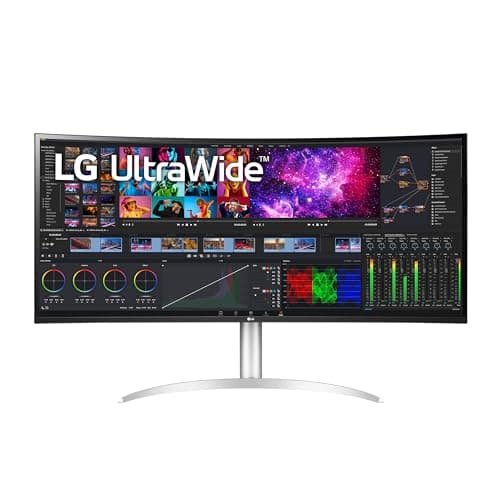
The LG 40WP95C-W 40" 5K2K Curved Nano IPS UltraWide Monitor is the value play for buyers who want the 5K2K multitasking canvas without the flagship premium. Skip it if 120Hz matters to you or if you're tied to HDMI, where native resolution is capped at 30 fps — you must use Thunderbolt or DisplayPort to clear that. The decision-critical facts: 5K2K at ~140 ppi, 72Hz over Thunderbolt, and 96W of power delivery.
The appeal is straightforward: the same canvas as the Dell for far less — its 96W charging is about 1.1x the BenQ's 85W. Expert Reviews calls the LG superb despite lacking HDR, singling out the well-thought-out ergonomics and menu layout as cherries on an already big and impressive cake, and rates it a 9. RTINGS rates it a high-end 5K2K ultrawide that offers plenty of premium and convenient features, and its Nano IPS panel's wide gamut holds up for mixed creative and office work. The honest gaps are the 72Hz ceiling and the absence of IPS Black contrast — the Dell UltraSharp U4025QW 40" 5K2K Curved Thunderbolt Hub Monitor beats it on both. B&H Photo calls the curved canvas spectacular for productivity and creative multitasking. As an older 2022-era model, its firmware and warranty windows are shorter.
What We Love
- The same 5,120 x 2,160 canvas as the Dell at roughly $400 less
- Nano IPS panel covers 98% DCI-P3 for strong color work
- Thunderbolt 4 with 96W charging handles most laptops over one cable
- Borderless 3-side design and a full tilt/height/swivel stand
What Could Be Better
- Caps at 72Hz over Thunderbolt/DisplayPort — no 120Hz like the Dell
- HDMI ports are limited to 30Hz at native 5K2K resolution
- No HDR worth using, and standard-IPS contrast rather than IPS Black
The Verdict
If you want the 5K2K canvas but the Dell's price is a bridge too far, the LG 40WP95C-W 40" 5K2K Curved Nano IPS UltraWide Monitor lines up with what you actually need. The 8.7 means you get the identical 5,120 x 2,160 real estate and 96W single-cable charging for about $400 less — you're trading 120Hz for 72Hz and IPS Black contrast for standard IPS. For most desk work that's an easy trade, and you'll be well-served here.
Check price for the LG 40WP95C-W 40" 5K2K Curved Nano IPS UltraWide Monitor →
Best true-5K for non-Apple creatives: Samsung 27" ViewFinity S9 5K Smart Monitor (LS27C900PANXZA)
Samsung 27" ViewFinity S9 5K Smart Monitor (LS27C900PANXZA)
- True 5K at 218 ppi on 27 inches — the rare non-Apple route to Studio-Display sharpness
- Plastic chassis feels less premium than Apple's all-aluminum build
(Current price, subject to change)
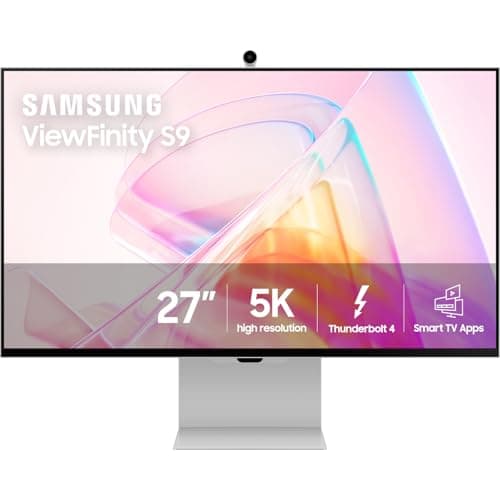
The Samsung 27" ViewFinity S9 5K Smart Monitor (LS27C900PANXZA) is the right call for Mac and PC creatives who want 5K sharpness and a matte panel without Apple's pricing. Pass if you prize an all-aluminum chassis or if a smart-TV layer you don't need feels like clutter. The decision-critical facts: true 5K at 218 ppi — about 1.5x the density of the 40-inch ultrawides — a standard matte anti-glare coating, and HDR support.
The pitch writes itself against Apple. 9to5Mac notes Samsung released the ViewFinity S9 as an alternative to the Studio Display, with the same screen size, 5K resolution, and price, supporting DCI-P3 for a wide range of colors. BGR identifies what sets it apart: the built-in matte display, which Apple charges more for, plus HDR support, which Apple's Studio Display doesn't offer — relative to Apple, that matte-plus-HDR combination at a comparable price is the whole argument. Trusted Reviews positions it as a genuine Studio Display rival with stronger ergonomics. The compromises are build and consistency: the plastic chassis feels less premium than the Apple Studio Display 27" 5K (Standard Glass, Tilt-Adjustable Stand), and Buy-Box price and stock swing on Amazon, so it pays to buy when it's in good supply.
What We Love
- True 5K at 218 ppi on 27 inches — the rare non-Apple route to Studio-Display sharpness
- Matte anti-glare coating is standard, not a paid upgrade like Apple's nano-texture
- Supports HDR, which the Apple Studio Display does not
- Thunderbolt 4 plus a fully adjustable height/tilt/swivel/pivot stand
What Could Be Better
- Plastic chassis feels less premium than Apple's all-aluminum build
- Buy-Box price swings and stock can be intermittent on Amazon
- Smart-TV layer and remote add complexity some pro users don't want
The Verdict
If you want Studio-Display sharpness without committing to Apple, the Samsung 27" ViewFinity S9 5K Smart Monitor (LS27C900PANXZA) checks the boxes that matter for a non-Apple creative desk. The 8.5 means true 5K at 218 ppi, a matte panel that comes standard rather than as a paid upgrade, and HDR the Apple panel lacks. You give up the all-aluminum feel, but for photo and video work that's a sensible pick for that setup.
Check price for the Samsung 27" ViewFinity S9 5K Smart Monitor (LS27C900PANXZA) →
Best for Mac and iPad desks: Apple Studio Display 27" 5K (Standard Glass, Tilt-Adjustable Stand)
Apple Studio Display 27" 5K (Standard Glass, Tilt-Adjustable Stand)
- Gorgeous 27-inch 5K panel at 218 ppi with 600 nits and excellent color
- No HDR and no ProMotion — panel tech critics call behind the curve for the price
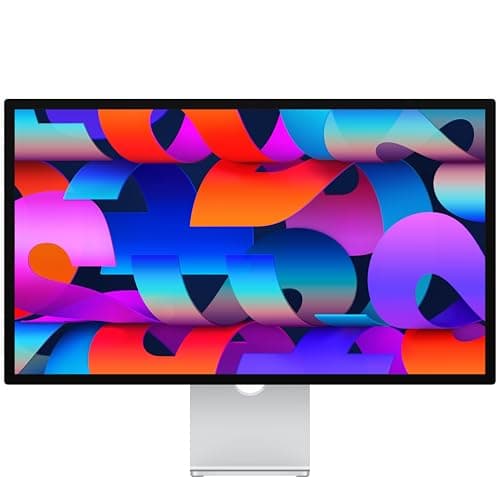
The Apple Studio Display 27" 5K (Standard Glass, Tilt-Adjustable Stand) is the right call for Mac and iPad owners who want effortless 5K and the best built-in audio on this list. Skip it if you need HDR, want height adjustment without a surcharge, or you're driving it from a non-Apple machine — it's overpriced as a secondary display there. The decision-critical facts: true 5K at 218 ppi, a six-speaker spatial-audio system, and Thunderbolt 3 with 96W charging.
Tom's Guide sums up the strength: it's a great companion to Macs and iPads thanks to its excellent camera, fantastic speaker setup, and gorgeous 27-inch 5K screen. On an all-Apple desk it simply works — one cable, True Tone, and instant pairing — and the audio outclasses everything else here. The criticism is just as direct: The Verge calls it a confounding miss in its current state, noting it's buying you panel tech that is woefully behind the curve — no HDR, no ProMotion. The tilt-only default stand and the paid nano-texture and height-adjustment upgrades compound the value question. If you want the most modern panel for the money, the Samsung 27" ViewFinity S9 5K Smart Monitor (LS27C900PANXZA) delivers HDR and a matte coating at a similar price.
What We Love
- Gorgeous 27-inch 5K panel at 218 ppi with 600 nits and excellent color
- All-aluminum build is the most premium chassis in this class
- Six-speaker system with spatial audio is the best built-in sound here
- One Thunderbolt cable handles display, data hub, and 96W charging
What Could Be Better
- No HDR and no ProMotion — panel tech critics call behind the curve for the price
- The built-in webcam drew heavy criticism at launch
- Tilt-only stand by default; height adjustment and nano-texture glass cost extra
The Verdict
If your desk is all Apple and you want the screen to disappear into the workflow, the Apple Studio Display 27" 5K (Standard Glass, Tilt-Adjustable Stand) is a sensible pick for that setup. The 8.3 means effortless plug-and-play with Macs and iPads, the best built-in audio here, and a premium aluminum build. You're paying for ecosystem polish over panel tech — no HDR — but for a Mac desk that's the path of least friction.
Check price for the Apple Studio Display 27" 5K (Standard Glass, Tilt-Adjustable Stand) →
Best calibrated 4K designer pick: BenQ PD3225U 32" 4K IPS Black Thunderbolt Designer Monitor
BenQ PD3225U 32" 4K IPS Black Thunderbolt Designer Monitor
- 32-inch 4K IPS Black panel with deep blacks and 140 ppi sharpness
- Peak brightness is modest; images can look slightly dim in bright rooms
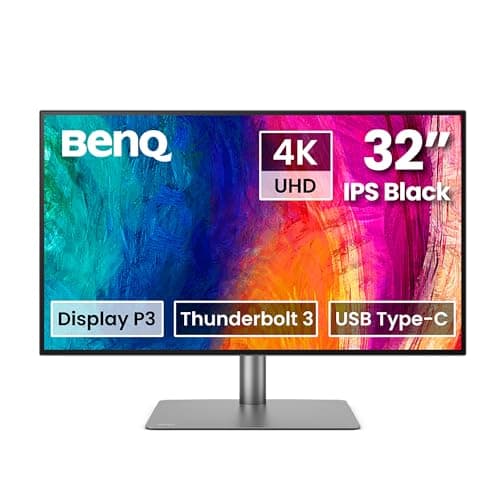
The BenQ PD3225U 32" 4K IPS Black Thunderbolt Designer Monitor is the right call for designers and editors who want a calibrated 4K panel without paying flagship-ultrawide money. Pass if your laptop draws more than 85W under load, or if you want a brighter, HDR-capable screen. The decision-critical facts: 3,840 x 2,160 at 140 ppi on an IPS Black panel, Delta E under 2 factory calibration with 98% DCI-P3, and Thunderbolt with 85W charging plus a KVM.
TechRadar calls it a perfect 4K 32-inch monitor for color representation, versatility, and features, making it a top choice for professionals in creative fields. PCWorld adds that it offers excellent brightness, a wide color gamut, and top-tier color accuracy alongside the improved contrast of an IPS Black panel. The hotkey puck and AQCOLOR modes are the kind of designer-first touches that make daily color work faster.
The limits are real but narrow. PCMag describes it as a solid productivity monitor for pairing with Windows and macOS alike, with fantastic connectivity, detailed output, and a great OSD — while the 85W power delivery and 60Hz ceiling mark where it sits below the flagships. For accuracy-over-everything buyers, it's the value pick of the calibrated panels here.
What We Love
- 32-inch 4K IPS Black panel with deep blacks and 140 ppi sharpness
- Factory-calibrated to Delta E under 2 with 98% P3 and 100% sRGB / Rec.709
- Thunderbolt connectivity with daisy-chain, USB hub, and KVM
- Designer-focused OSD with a hotkey puck and AQCOLOR color modes
What Could Be Better
- Peak brightness is modest; images can look slightly dim in bright rooms
- 60Hz only — fine for work, not for motion-heavy tasks
- 85W power delivery may not fully sustain a high-draw laptop under load
The Verdict
If you want a calibrated 4K canvas for color work without a four-figure price, the BenQ PD3225U 32" 4K IPS Black Thunderbolt Designer Monitor checks the boxes for a creative desk. The 8.4 means IPS Black contrast, Delta E under 2 out of the box, and Thunderbolt with a KVM — color accuracy ready on day one. The 85W charging is the honest caveat for high-draw laptops, but for the designer it's built for, no need to overthink it.
Check price for the BenQ PD3225U 32" 4K IPS Black Thunderbolt Designer Monitor →
Best ultrawide under $800: Dell UltraSharp U3425WE 34" Curved Thunderbolt Hub Monitor
Dell UltraSharp U3425WE 34" Curved Thunderbolt Hub Monitor
- 34-inch WQHD IPS Black panel with deep blacks and a comfortable curve
- WQHD (not 5K2K) means lower pixel density than the 40-inch flagships
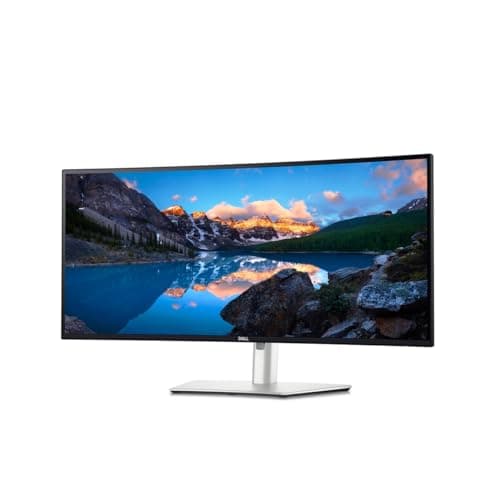
The Dell UltraSharp U3425WE 34" Curved Thunderbolt Hub Monitor is the right call for multitaskers who want flagship dock features at a sub-$800 price and don't need the highest pixel density. Skip it if 5K2K density or true HDR is on your must-have list. The decision-critical facts: WQHD on a 34-inch curved IPS Black panel, a 120Hz refresh rate, and Thunderbolt 4 with 90W charging plus a built-in KVM.
Windows Central highlights the combination that makes it punch above its price: built-in KVM, 120Hz, and plenty of ports make for a fantastic multitasking display, a fantastic choice for busy individuals who would benefit from an ultrawide. The 90W of power delivery covers most laptops over a single cable, and the KVM lets a work laptop and a desktop share one keyboard and mouse. RTINGS describes it as a well-rounded ultrawide with excellent ergonomics and eye-comfort certification — that 5-star rating matters across 8 hours at the desk. HotHardware calls it a display that can do it all, an incredible display for daily driving. The trade-off versus the Dell UltraSharp U4025QW 40" 5K2K Curved Thunderbolt Hub Monitor is simply density: WQHD instead of 5K2K, the value sweet spot if you don't need the extra pixels.
What We Love
- 34-inch WQHD IPS Black panel with deep blacks and a comfortable curve
- 120Hz refresh rate is rare on a productivity-first ultrawide
- Thunderbolt 4 with 90W charging plus a built-in KVM and rich port hub
- 5-star eye-comfort certification for long work sessions
What Could Be Better
- WQHD (not 5K2K) means lower pixel density than the 40-inch flagships
- No real HDR support
- 5ms response time and no gaming features
The Verdict
If you want a 120Hz ultrawide with a real Thunderbolt dock but won't spend flagship money, the Dell UltraSharp U3425WE 34" Curved Thunderbolt Hub Monitor lines up with what you actually need. The 8.6 means IPS Black contrast, 120Hz, 90W charging, and a built-in KVM under $800 — the most monitor-per-dollar here. You're trading 5K2K density for WQHD, a fair trade for most multitasking.
Check price for the Dell UltraSharp U3425WE 34" Curved Thunderbolt Hub Monitor →
Best budget pro pick: ASUS ProArt PA34VCNV 34" Curved Ultrawide Professional Monitor
ASUS ProArt PA34VCNV 34" Curved Ultrawide Professional Monitor
- Outstanding out-of-box accuracy with a measured Delta E average near 0.65
- Covers only ~78% DCI-P3 — narrower gamut than the wide-color flagships
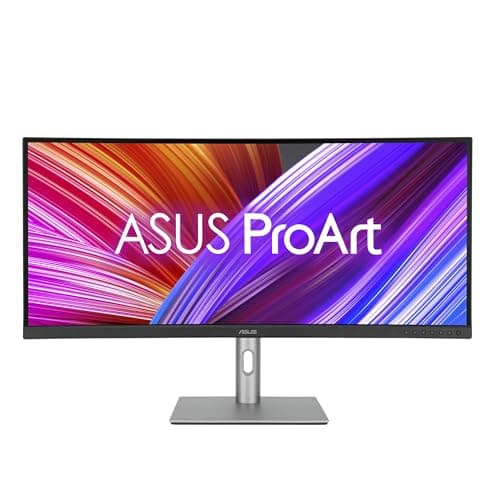
The ASUS ProArt PA34VCNV 34" Curved Ultrawide Professional Monitor is the right call for budget-conscious creators whose professional work resides predominantly in sRGB and Rec.709 rather than wide DCI-P3. Skip it if you require a wide-gamut panel, a dock that reliably drives a secondary display, or density exceeding WQHD. The decision-critical specifications: a 34-inch curved IPS panel, a Calman Verified Delta E averaging approximately 0.65, and USB-C docking incorporating 96W power delivery alongside RJ45 Ethernet.
MonitorNerds characterizes it as an excellent monitor for editing or content creation and a great deal, provided the special characteristics found in its higher-tiered siblings are unnecessary for your purpose, observing that its default Delta E average of 0.65 makes it among the most accurate monitors manufactured. That out-of-box accuracy constitutes the headline justification for purchasing it. The honest limitations are gamut coverage and the dock: its narrower DCI-P3 reproduction renders it accurate within sRGB but unsuitable for HDR-grade color, and the integrated dock has attracted criticism for deficient multi-display handling. At roughly $599 with a 3-year warranty, however, it represents the lowest cost of entry to a genuinely calibrated professional panel here; the wide-gamut work belongs instead on the BenQ PD3225U 32" 4K IPS Black Thunderbolt Designer Monitor.
What We Love
- Outstanding out-of-box accuracy with a measured Delta E average near 0.65
- Calman Verified with 100% sRGB / 100% Rec.709 coverage
- USB-C docking with 96W power delivery and an RJ45 Ethernet port
- Lowest entry price in this roundup at around $599
What Could Be Better
- Covers only ~78% DCI-P3 — narrower gamut than the wide-color flagships
- 60Hz refresh rate and standard 1000:1 IPS contrast
- Built-in dock has been criticized for weak multi-display handling
The Verdict
If you want factory-grade sRGB accuracy on the tightest budget here, the ASUS ProArt PA34VCNV 34" Curved Ultrawide Professional Monitor is a sensible pick for that setup. The 8.0 means a Calman Verified panel with a ~0.65 Delta E average and 96W USB-C docking at around $599 — the entry price in this roundup. You're trading wide DCI-P3 color and refresh for the savings, but for sRGB and Rec.709 work, no need to overthink it.
Check price for the ASUS ProArt PA34VCNV 34" Curved Ultrawide Professional Monitor →
How We Score: SHE Productivity Canvas Score
SHE Productivity Canvas Score
Score Formula
(WorkspaceDensity × 0.28) + (DockReality × 0.24) + (ColorFidelity × 0.22) + (ErgonomicComfort × 0.16) + (ValuePerCanvas × 0.10)Score Factors
- WorkspaceDensity (28%)How much usable, sharp desktop real estate the panel delivers at sane scaling. The Dell U4025QW (5,120 x 2,160 across 40 inches, 140 ppi) and the true-5K Samsung S9 and Apple Studio Display (5,120 x 2,880 at 218 ppi) score 9-10; WQHD 34-inch ultrawides like the U3425WE and ASUS PA34VCNV land at 7-8.
- DockReality (24%)The factor owners complain about most: whether the 'one cable' promise actually holds. Combines laptop charging wattage (the Dell's 140W vs the BenQ's 85W), whether native resolution runs at full refresh over one cable (the LG's HDMI caps at 30Hz at 5K2K), and downstream hub completeness — USB count, KVM, and Ethernet.
- ColorFidelity (22%)Out-of-box and verified color performance for creative work. Weighted toward measured factory Delta E (the ASUS's ~0.65 average and the BenQ / Dell Delta E under 2) and gamut coverage. Wide-gamut DCI-P3 panels (98-99% on the Dell, LG, and BenQ) outscore the ASUS's narrower ~78%.
- ErgonomicComfort (16%)Whether the monitor is comfortable for eight-hour days. Rewards full stand adjustability (the Samsung S9's height/tilt/swivel/pivot beats the Studio Display's tilt-only default), matte anti-glare coating over reflective glossy panels, and formal eye-comfort certification (the U3425WE carries a 5-star rating).
- ValuePerCanvas (10%)Verified street price measured against the workspace it buys, so a buyer can see canvas-per-dollar rather than raw sticker price. The ASUS (~$599) and U3425WE (~$799) lead on pure value; the Studio Display is penalized as a non-Apple secondary display and the U4025QW carries a premium only its 5K2K-at-120Hz spec justifies.
SHE Productivity Canvas Score — Ranked
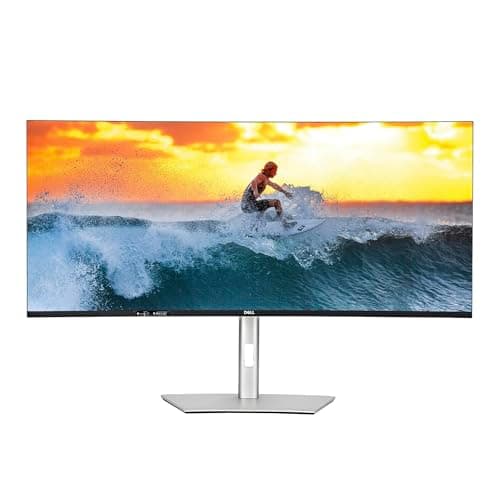
Dell UltraSharp U4025QW 40" 5K2K Curved Thunderbolt Hub Monitor
SHE Productivity Canvas Score9.2/10$1,899 / 40-inch 5K2K — 120Hz, 140W charging, KVM; leads WorkspaceDensity and DockReality
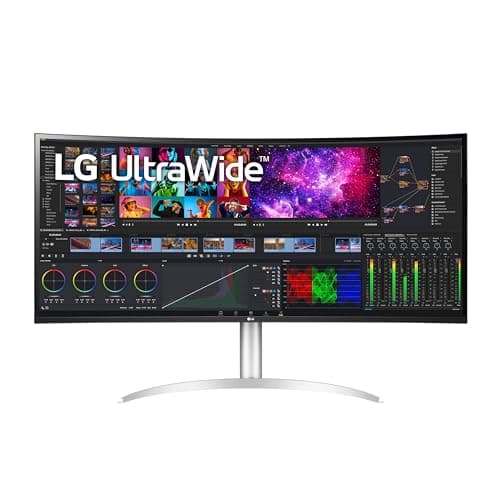
LG 40WP95C-W 40" 5K2K Curved Nano IPS UltraWide Monitor
SHE Productivity Canvas Score8.7/10$1,499.99 / 40-inch 5K2K — same canvas as the Dell at 72Hz, 96W docking, for less money
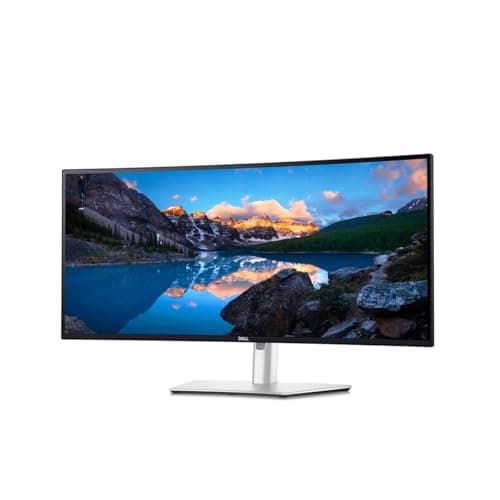
Dell UltraSharp U3425WE 34" Curved Thunderbolt Hub Monitor
SHE Productivity Canvas Score8.6/10$799 / 34-inch WQHD IPS Black — 120Hz, 90W, KVM, 5-star eye comfort; best value flagship
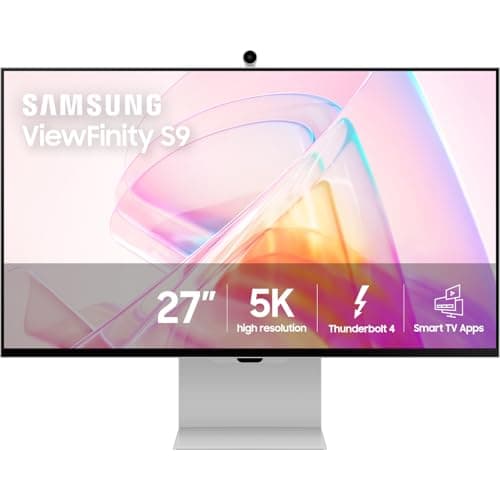
Samsung 27" ViewFinity S9 5K Smart Monitor (LS27C900PANXZA)
SHE Productivity Canvas Score8.5/10$1,599 / 27-inch true 5K — 218 ppi, matte panel, HDR; the non-Apple Studio Display rival
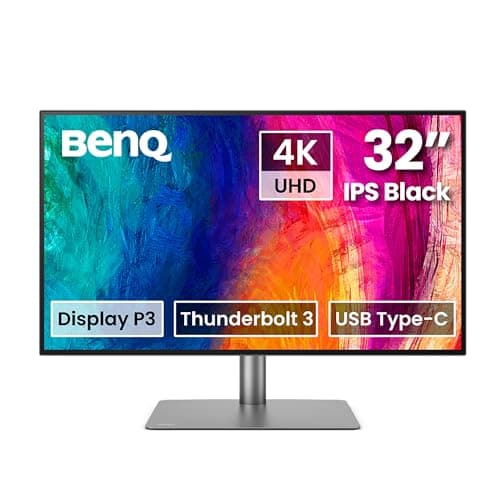
BenQ PD3225U 32" 4K IPS Black Thunderbolt Designer Monitor
SHE Productivity Canvas Score8.4/10$849 / 32-inch 4K IPS Black — Delta E under 2, 98% P3, Thunderbolt + KVM; calibrated for color
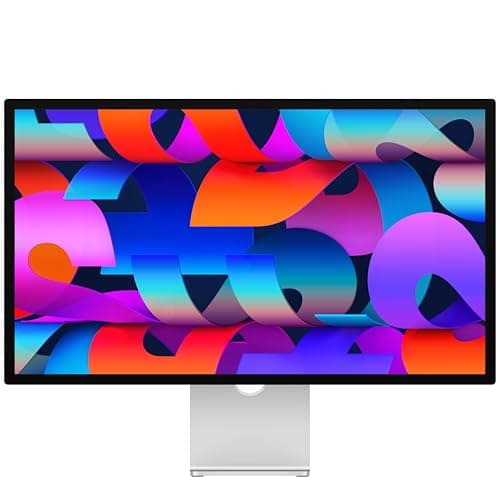
Apple Studio Display 27" 5K (Standard Glass, Tilt-Adjustable Stand)
SHE Productivity Canvas Score8.3/10$1,549 / 27-inch 5K — 218 ppi, best built-in audio, all-aluminum; ideal on an all-Apple desk
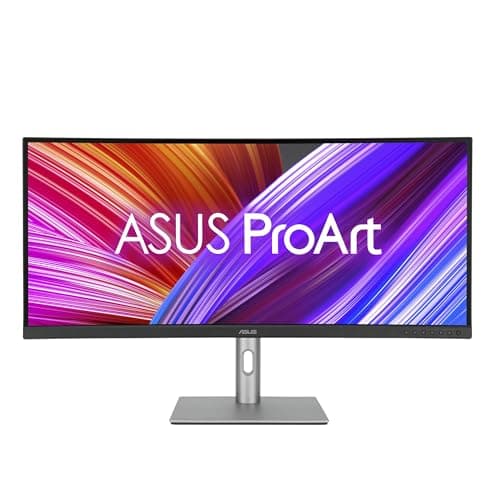
ASUS ProArt PA34VCNV 34" Curved Ultrawide Professional Monitor
SHE Productivity Canvas Score8.0/10$599 / 34-inch WQHD — Calman Verified ~0.65 Delta E, 96W USB-C; cheapest calibrated pro pick
Single-Cable Docking: Wattage, Refresh, and the HDMI Trap
The trade-offs concentrate along three measurable axes. The true-5K 27-inch panels — Samsung and Apple — dominate pixel density at 218 ppi, approximately 1.5x the 140 ppi of the 40-inch ultrawides, although the larger panels purchase considerably more horizontal real estate. Regarding charging, the Dell U4025QW's 140W output measures roughly 1.6x the BenQ's 85W, the determining differential between a laptop sustaining a full charge under load and one gradually depleting. Refresh capability separates the flagships definitively: only the two Dells achieve 120Hz, precisely 2x the 60Hz competitors, whereas the remaining panels occupy the 60-to-72Hz range. The SHE Productivity Canvas Score consolidates these axes into one normalized, weighted composite, so a single tier ranks the field coherently.
Docking compatibility is where these monitors actually differ, so it's worth being precise. Every panel here docks a laptop over a single cable, but the cable type and the wattage decide whether the promise holds. The Dell UltraSharp U4025QW 40" 5K2K Curved Thunderbolt Hub Monitor leads with 140W of Thunderbolt 4 power delivery — enough to keep a 16-inch high-draw laptop charged while it runs flat out. The Apple Studio Display 27" 5K (Standard Glass, Tilt-Adjustable Stand) and LG 40WP95C-W 40" 5K2K Curved Nano IPS UltraWide Monitor sit at 96W, the Dell UltraSharp U3425WE 34" Curved Thunderbolt Hub Monitor at 90W, and the BenQ PD3225U 32" 4K IPS Black Thunderbolt Designer Monitor at 85W; the Samsung 27" ViewFinity S9 5K Smart Monitor (LS27C900PANXZA) charges over its Thunderbolt 4 connection too. That 85W figure is the one to watch: it charges most ultrabooks but may not sustain a high-draw laptop under heavy load, so a power-hungry machine can slowly drain even while plugged in.
Refresh-over-one-cable is the second trap. The LG 40WP95C-W 40" 5K2K Curved Nano IPS UltraWide Monitor runs its native 5K2K at only 30Hz over HDMI — you must connect over Thunderbolt or DisplayPort to reach its full 72Hz. That single detail is behind a large share of "why is my LG choppy?" complaints; the panel is fine, the cable choice is the issue. The two Dells are the only panels here that reach 120Hz, and they do it over Thunderbolt. The Thunderbolt panels — both Dells, the LG, the Samsung, and the BenQ — dock cleanly with Mac and Windows laptops alike, while the ASUS ProArt PA34VCNV 34" Curved Ultrawide Professional Monitor uses USB-C, which is more variable across host laptops; confirm your machine supports DisplayPort Alt Mode and the wattage you need before relying on it.
The downstream hub is the third piece. A built-in KVM on the Dell UltraSharp U4025QW 40" 5K2K Curved Thunderbolt Hub Monitor, Dell UltraSharp U3425WE 34" Curved Thunderbolt Hub Monitor, and BenQ PD3225U 32" 4K IPS Black Thunderbolt Designer Monitor lets one keyboard and mouse drive two connected machines — a genuine desk-clutter reducer for anyone juggling a work laptop and a personal desktop across 8 hours of work. RJ45 Ethernet on the Dells and the ASUS turns the monitor into a wired network hub, and the ASUS pairs that with a 3-year warranty. The one consistent caveat: a built-in dock's ability to drive a second external display at full resolution varies, and the ASUS dock in particular has been criticized for weak multi-display handling — verify it against your exact dual-display plan before you buy.
This is why DockReality carries a 0.24 coefficient in the SHE Productivity Canvas Score — the second-heaviest factor in the weighted formula. The composite normalizes each panel's charging headroom, single-cable refresh, and hub completeness, then folds in WorkspaceDensity at 0.28, so the Dell U4025QW's 140W-and-120Hz combination earns roughly 2x the DockReality margin of the 85W tier. In this roundup we evaluated every panel against that same normalized rubric rather than raw spec-sheet bragging, which is how a $799 ultrawide can out-rank a $1,549 5K panel on value-adjusted canvas.
When NOT to Buy
If your work is mostly a single full-screen app, email, and the occasional spreadsheet, you don't need a $1,000-plus canvas — a good 27-inch 4K monitor will serve you better for the money. The same goes if your priority is fast-paced gaming: these panels top out at 120Hz and prioritize density, color, and docking over refresh and response, so a high-refresh OLED is the better spend. And if you can't commit desk depth to a 40-inch curve, the 27- and 34-inch picks here are the realistic choices regardless of budget.
Who Should Buy What
Who Should Buy What
| If you are… | Recommended pick |
|---|---|
Power multitaskers who want the biggest canvas You run many windows at once and want the largest sharp single-screen workspace with 120Hz, and the budget is there | Dell UltraSharp U4025QW 40" 5K2K Curved Thunderbolt Hub Monitor |
Value-first 5K2K buyers You want the full 5,120 x 2,160 canvas but the flagship price is too steep, and 72Hz is plenty for your work | LG 40WP95C-W 40" 5K2K Curved Nano IPS UltraWide Monitor |
Ultrawide buyers under $800 You want a 120Hz ultrawide with IPS Black contrast and a real Thunderbolt dock without spending flagship money | Dell UltraSharp U3425WE 34" Curved Thunderbolt Hub Monitor |
Color-critical designers You need a factory-calibrated panel with Delta E under 2 and wide DCI-P3 for photo, video, or design work at a sane price | BenQ PD3225U 32" 4K IPS Black Thunderbolt Designer Monitor |
Non-Apple creatives who want true 5K You want Studio-Display sharpness with a matte coating and HDR on Mac or PC without paying Apple's premium | Samsung 27" ViewFinity S9 5K Smart Monitor (LS27C900PANXZA) |
All-Apple desks You run Macs or iPads and want effortless plug-and-play 5K with the best built-in speakers and camera here | Apple Studio Display 27" 5K (Standard Glass, Tilt-Adjustable Stand) |
Frequently Asked Questions
Is a 40-inch 5K2K ultrawide actually sharper than a 4K 32-inch?
Not really sharper, but far roomier. A 40-inch 5K2K panel like the Dell U4025QW runs about 140 ppi, and a 32-inch 4K like the BenQ PD3225U is also about 140 ppi — so text looks similarly crisp at sane scaling. What you gain with 5K2K is horizontal real estate: 5,120 pixels wide versus 3,840, which is the difference between three comfortable columns and two. Choose the ultrawide for multitasking width, not for raw sharpness.
Will a single Thunderbolt cable really charge my 16-inch laptop?
It depends on the monitor's wattage and your laptop's draw. The Dell U4025QW delivers 140W, which sustains even a high-draw 16-inch laptop under load. The Apple Studio Display and LG 40WP95C-W provide 96W, and the Dell U3425WE 90W, which cover most laptops. The BenQ PD3225U's 85W charges ultrabooks but may not keep a power-hungry 16-inch machine charged while it runs flat out. The Samsung ViewFinity S9 charges over its Thunderbolt 4 connection as well. Match the wattage to your laptop before relying on one-cable charging.
Why does my LG only run 5K2K at 30Hz?
Because you're connected over HDMI. The LG 40WP95C-W caps native 5K2K at 30Hz on its HDMI ports — that's an HDMI bandwidth limit, not a fault. Switch to the Thunderbolt or DisplayPort input and the panel runs its full 72Hz at native resolution. This single connection detail is behind most of the choppiness complaints for this monitor.
Is the Samsung ViewFinity S9 a real Apple Studio Display alternative?
Yes, and in some ways a more modern one. The ViewFinity S9 matches the Studio Display's 27-inch true-5K panel, 218 ppi, and price, but adds a matte anti-glare coating as standard — Apple charges extra for nano-texture — and supports HDR, which the Studio Display does not. Apple wins on chassis quality and built-in audio. For non-Apple creatives, or anyone who wants matte and HDR, the Samsung is the stronger pick; for an all-Apple desk, the Studio Display's integration is hard to beat.
Do I need 120Hz on a productivity monitor?
It's a nice-to-have, not essential. A 120Hz panel makes scrolling and cursor motion noticeably smoother, which some people find easier on the eyes over a long day. Among these picks, only the Dell U4025QW and U3425WE reach 120Hz; the rest run 60 to 72Hz, which is perfectly fine for document, design, and code work. Pay up for 120Hz only if you value the smoother feel — it won't change how sharp your work looks.
Is the Apple Studio Display worth it for a non-Mac setup?
Generally no. The Studio Display is built around effortless Mac and iPad integration, and on a Windows or other non-Apple machine you lose much of what justifies the price while still paying for it. The Verge has called it overpriced for panel tech that is behind the curve, a critique that lands harder when the ecosystem benefits don't apply. For a non-Apple desk, the Samsung ViewFinity S9 delivers the same 5K sharpness with HDR and a matte panel for similar money.
Bottom Line
Get the Dell UltraSharp U4025QW 40" 5K2K Curved Thunderbolt Hub Monitor if you want the largest sharp single-screen workspace with 120Hz and a 140W single-cable dock, and the budget is there.
Get the LG 40WP95C-W 40" 5K2K Curved Nano IPS UltraWide Monitor if you want the same 5K2K canvas for roughly $400 less and can live with 72Hz instead of 120Hz.
Get the Dell UltraSharp U3425WE 34" Curved Thunderbolt Hub Monitor if you want a 120Hz ultrawide with IPS Black contrast, 90W docking, and a KVM for under $800.
Get the BenQ PD3225U 32" 4K IPS Black Thunderbolt Designer Monitor if you want a factory-calibrated 4K IPS Black panel for color work at a sane price.
Get the Samsung 27" ViewFinity S9 5K Smart Monitor (LS27C900PANXZA) if you want true 5K sharpness with a matte panel and HDR on Mac or PC without Apple's premium.
Get the Apple Studio Display 27" 5K (Standard Glass, Tilt-Adjustable Stand) if you run an all-Apple desk and want effortless 5K with the best built-in audio here.
Get the ASUS ProArt PA34VCNV 34" Curved Ultrawide Professional Monitor if you want the cheapest genuinely calibrated pro panel and your work lives in sRGB and Rec.709.
The right call for most premium buyers is the Dell UltraSharp U4025QW 40" 5K2K Curved Thunderbolt Hub Monitor at $1,899 — 5K2K at 120Hz with 140W charging and a KVM, the only panel that does all three. If the price is too steep, the LG 40WP95C-W 40" 5K2K Curved Nano IPS UltraWide Monitor at $1,499.99 gives the same canvas at 72Hz. Skip the whole premium tier if your work is mostly one full-screen app — a good 27-inch 4K serves you better for the money.
Sources & Methodology
Methodology: SHE Productivity Canvas Score — Formula: (WorkspaceDensity × 0.28) + (DockReality × 0.24) + (ColorFidelity × 0.22) + (ErgonomicComfort × 0.16) + (ValuePerCanvas × 0.10). Factors: WorkspaceDensity (28%): How much usable, sharp desktop real estate the panel delivers at sane scaling. The Dell U4025QW (5,120 x 2,160 across 40 inches, 140 ppi) and the true-5K Samsung S9 and Apple Studio Display (5,120 x 2,880 at 218 ppi) score 9-10; WQHD 34-inch ultrawides like the U3425WE and ASUS PA34VCNV land at 7-8. | DockReality (24%): The factor owners complain about most: whether the 'one cable' promise actually holds. Combines laptop charging wattage (the Dell's 140W vs the BenQ's 85W), whether native resolution runs at full refresh over one cable (the LG's HDMI caps at 30Hz at 5K2K), and downstream hub completeness — USB count, KVM, and Ethernet. | ColorFidelity (22%): Out-of-box and verified color performance for creative work. Weighted toward measured factory Delta E (the ASUS's ~0.65 average and the BenQ / Dell Delta E under 2) and gamut coverage. Wide-gamut DCI-P3 panels (98-99% on the Dell, LG, and BenQ) outscore the ASUS's narrower ~78%. | ErgonomicComfort (16%): Whether the monitor is comfortable for eight-hour days. Rewards full stand adjustability (the Samsung S9's height/tilt/swivel/pivot beats the Studio Display's tilt-only default), matte anti-glare coating over reflective glossy panels, and formal eye-comfort certification (the U3425WE carries a 5-star rating). | ValuePerCanvas (10%): Verified street price measured against the workspace it buys, so a buyer can see canvas-per-dollar rather than raw sticker price. The ASUS (~$599) and U3425WE (~$799) lead on pure value; the Studio Display is penalized as a non-Apple secondary display and the U4025QW carries a premium only its 5K2K-at-120Hz spec justifies.
Expert review sources used in this analysis:
- SmartHomeExplorer aggregates expert review data and manufacturer specifications to produce consensus-based buying guidance
- We did not independently bench-test these monitors; the SHE Productivity Canvas Score is a transparent weighted synthesis of cited third-party reviews and published spec sheets
- Expert ratings and measurements come from PCWorld, TechRadar, RTINGS, Tom's Guide, Expert Reviews, B&H Photo, 9to5Mac, BGR, Trusted Reviews, The Verge, PCMag, Windows Central, HotHardware, and MonitorNerds
- Prices and ASINs were live-verified via the Amazon Creators API on 2026-06-16 and re-verified on 2026-07-17
- A fluctuation advisory applies: several picks here sell through third-party merchants whose Amazon buy-box price and stock swing week to week
- The Samsung ViewFinity S9's Amazon listing carried only a used-condition offer as of July 17, 2026, so its buy button points to an Amazon search until new-condition stock returns; its $1,599 price is the list price
- Panel specifications and color-gamut figures verified from manufacturer documentation as of 2026-06-16.
Nicholas Miles is the founder of SmartHomeExplorer and a longtime smart home enthusiast focused on helping everyday homeowners make better technology decisions. He researches, compares, and writes about products across security, climate, lighting, leak prevention, sensors, home energy, and automation, with an emphasis on real-world usefulness, ecosystem compatibility, reliability, privacy, and long-term value.
Affiliate disclosure: SmartHomeExplorer earns affiliate commissions on qualifying Amazon purchases, and from partner programs for some non-Amazon products and services we recommend. Our scoring methodology is independent of affiliate relationships.